WEBSITE NAME -BASICCOMPUTERHINDI.COM
FACEBOOK PAGE - WWW.FACEBOOK.COM/BASIC-COMPUTER-
SUBSCIRBE YOUTUBE CHANNEL - HTTPS://WWW.YOUTUBE.COM/CHANNEL
HISTORY OF MICROSOFT OFFICE
(Introduction) :- Microsoft office Desktop
Office
Microsoft office Microsoft Corpuration
Os Windows
Microsoft office 3.0 Office
Windows Operation System
Microsoft Office 4.3, Microsoft Office 95, Microsoft Office 2000,
Microsoft Office 2003, Microsoft Office 2007, Microsoft Office
10
Microsoft Office Program
1. MS WORD
2. MS EXCEL
3. MS POWERPOINT
4. MS ACCESS
MS WORD
MS WORD Help Document
Attractive
Ms word Document Type Text Formating &
Page Formatting Document
OFFICE BUTTON
Option New :- New Option Help New File Create
Option Open :- Open Option Help File
Computer Display
Option Save As:- Save As Option Use File Save
Savs As Option Creat File
Use
Option Save :- Save Option Use Save As File
Continuous Save Option Current File
Continuous Save
Option Print
1. Option Print :- Print Option Use Creat Document
Print Use
 Option Print Type :- Option Printer
Select Printer Printout
 Option All Page :- Option Document
Page Print
 Current Page :- Option Document Page
Print Cursor
 Option Page :- Option Page
Page Rage Put Odd, Even, Range 1-4.
 Number Of Copy :- Option Print
Put
 Print What :- Option
Print Document, Style.
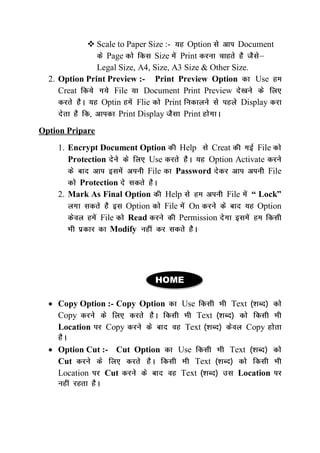
 Scale to Paper Size :- Option Document
Page Size Print
Legal Size, A4, Size, A3 Size & Other Size.
2. Option Print Preview :- Print Preview Option Use
Creat File Document Print Preview
Optin Flie Print Display
Print Display Print
Option Pripare
1. Encrypt Document Option Help Creat File
Protection Use Option Activate
File Password File
Protection
2. Mark As Final Option Help File “ Lock”
Option File On Option
File Read Permission
Modify
HOME
 Copy Option :- Copy Option Use Text
Copy Text
Location Copy Text Copy
 Option Cut :- Cut Option Use Text
Cut Text
Location Cut Text Location
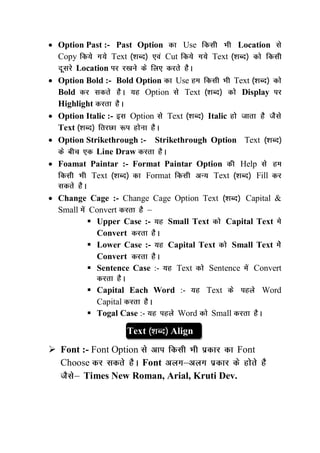
 Option Past :- Past Option Use Location
Copy Text Cut Text
Location
 Option Bold :- Bold Option Use Text
Bold Option Text Display
Highlight
 Option Italic :- Option Text Italic
Text
 Option Strikethrough :- Strikethrough Option Text
Line Draw
 Foamat Paintar :- Format Paintar Option Help
Text Format Text Fill
 Change Cage :- Change Cage Option Text Capital &
Small Convert
 Upper Case :- Small Text Capital Text
Convert
 Lower Case :- Capital Text Small Text
Convert
 Sentence Case :- Text Sentence Convert
 Capital Each Word :- Text Word
Capital
 Togal Case :- Word Small
Text Align
 Font :- Font Option Font
Choose Font
Times New Roman, Arial, Kruti Dev.
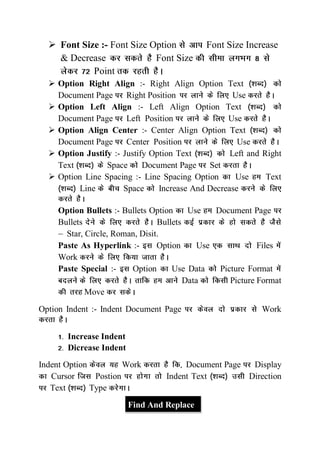
 Font Size :- Font Size Option Font Size Increase
& Decrease Font Size
Point
 Option Right Align :- Right Align Option Text
Document Page Right Position Use
 Option Left Align :- Left Align Option Text
Document Page Left Position Use
 Option Align Center :- Center Align Option Text
Document Page Center Position Use
 Option Justify :- Justify Option Text Left and Right
Text Space Document Page Set
 Option Line Spacing :- Line Spacing Option Use Text
Line Space Increase And Decrease
Option Bullets :- Bullets Option Use Document Page
Bullets Bullets
Star, Circle, Roman, Disit.
Paste As Hyperlink :- Option Use Files
Work
Paste Special :- Option Use Data Picture Format
Data Picture Format
Move
Option Indent :- Indent Document Page Work
Increase Indent
Dicrease Indent
Indent Option Work Document Page Display
Cursor Postion Indent Text Direction
Text Type
Find And Replace
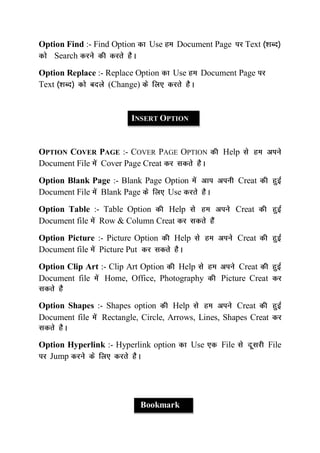
Option Find :- Find Option Use Document Page Text
Search
Option Replace :- Replace Option Use Document Page
Text (Change)
INSERT OPTION
OPTION COVER PAGE :- COVER PAGE OPTION Help
Document File Cover Page Creat
Option Blank Page :- Blank Page Option Creat
Document File Blank Page Use
Option Table :- Table Option Help Creat
Document file Row & Column Creat
Option Picture :- Picture Option Help Creat
Document file Picture Put
Option Clip Art :- Clip Art Option Help Creat
Document file Home, Office, Photography Picture Creat
Option Shapes :- Shapes option Help Creat
Document file Rectangle, Circle, Arrows, Lines, Shapes Creat
Option Hyperlink :- Hyperlink option Use File File
Jump
Bookmark
Bookmark Option Document Page
Mark Bookmark Page Display
Document Page Print
Word Art
Word Art Text Style
Option Text Style Text
Attractive
Option Header & Footer :- Header & Footer option Work
Document File Page Top & Bottom
Put Company Name, Company Logo
Company Other Page Automaticali
Document File Put
Option Drop Cap :- Drop Cap Option Help Document
Page Text Large
Option Page Number :- Page Number Option Help
Creat Document file Document Number
Put Page Number Two Condition Put
Top
Bottom
Option Equation :- Equation Option Help Creat
Document file Mathmatical Work Option
Activate File Mathmatical Option Activate
Option Symbol :- Symbol Option Help Creat
Document file Symbol Create
Page Layout
Option Margins :- Margins Option Help Creat
Document file page Left, Right, Top, Bottom Margins Set
Option Orientation :- Orientation Option
Document Page Display
Landscape Portrait.
Option Size :- Size Option Document
Page Size Print A4 Size, A3 Size,
Legal Size, Other Size.
Option Column :- Column Option Help Creat
Document file Page Text Column Divied
Option Watermark :- Watermark Option Help Creat
Document file Page Text Shadow Middle
Position
Option Page Breaks :- Page Breaks Option Document
Page Page Breaks Page
Option Use Page Breaks
Option Hyphenation
Hyphenation Option Use Line
Text Type Line Sentence
Compleet Automatic
Border & Shading
Option Document File Page Attractive
Use Option File Page Border Fill
Use Option Page
Border Color Fill Line, Art & Other Border.
Comments
Option Document Text
Comments Type
References
Foot Note and Note :- Fooot Note Document Pages
Last Page Note
Foot Note Option Use Document Pages
And Note Document Last
Mailmerge
Ms Word Important Feature Letter & Labels
Mailmerge Letters
Document
Mailmerge Opiton Use
Mailmerge Use Use
Letter Letters
Information Address
Mailmerge Document Merge
Document Letter Document Change
Document Address
Change
Review
Spelling & grammar :- Ms Word English Language Type
Document Ms Word
Automatic Chacking Text Type Spelling
Red Text Space Green
Text Type
Document Spelling & Grammer Check Option
Use
Option Set Language :- Set Language Option Use Computer
Language Set
Option Translate :- Translat Option Use Language
Language Translat
Option Thesaurus :- Option Use Document Word
Repeet Option Use
Word Synonymes
Document Put
Option Research :- Option Use Document Word
Synonymes Research Document Put
Protect Document
Option Use Data Formatting Password
Protect Option Use
Formatting Bar And Drawing Bar Lock
Track Changes
Option Use File
Modify Document Creat
Save Track Change Option On
File Modify Red Color
File
Modify
Compare
Option Use File File Compare

BASIC COMPUTER HINDI

  • 1.
    WEBSITE NAME -BASICCOMPUTERHINDI.COM FACEBOOKPAGE - WWW.FACEBOOK.COM/BASIC-COMPUTER- SUBSCIRBE YOUTUBE CHANNEL - HTTPS://WWW.YOUTUBE.COM/CHANNEL
  • 2.
    HISTORY OF MICROSOFTOFFICE (Introduction) :- Microsoft office Desktop Office Microsoft office Microsoft Corpuration Os Windows Microsoft office 3.0 Office Windows Operation System Microsoft Office 4.3, Microsoft Office 95, Microsoft Office 2000, Microsoft Office 2003, Microsoft Office 2007, Microsoft Office 10 Microsoft Office Program 1. MS WORD 2. MS EXCEL 3. MS POWERPOINT 4. MS ACCESS MS WORD MS WORD Help Document Attractive Ms word Document Type Text Formating & Page Formatting Document
  • 3.
    OFFICE BUTTON Option New:- New Option Help New File Create Option Open :- Open Option Help File Computer Display Option Save As:- Save As Option Use File Save Savs As Option Creat File Use Option Save :- Save Option Use Save As File Continuous Save Option Current File Continuous Save Option Print 1. Option Print :- Print Option Use Creat Document Print Use  Option Print Type :- Option Printer Select Printer Printout  Option All Page :- Option Document Page Print  Current Page :- Option Document Page Print Cursor  Option Page :- Option Page Page Rage Put Odd, Even, Range 1-4.  Number Of Copy :- Option Print Put  Print What :- Option Print Document, Style.
  • 4.
     Scale toPaper Size :- Option Document Page Size Print Legal Size, A4, Size, A3 Size & Other Size. 2. Option Print Preview :- Print Preview Option Use Creat File Document Print Preview Optin Flie Print Display Print Display Print Option Pripare 1. Encrypt Document Option Help Creat File Protection Use Option Activate File Password File Protection 2. Mark As Final Option Help File “ Lock” Option File On Option File Read Permission Modify HOME  Copy Option :- Copy Option Use Text Copy Text Location Copy Text Copy  Option Cut :- Cut Option Use Text Cut Text Location Cut Text Location
  • 5.
     Option Past:- Past Option Use Location Copy Text Cut Text Location  Option Bold :- Bold Option Use Text Bold Option Text Display Highlight  Option Italic :- Option Text Italic Text  Option Strikethrough :- Strikethrough Option Text Line Draw  Foamat Paintar :- Format Paintar Option Help Text Format Text Fill  Change Cage :- Change Cage Option Text Capital & Small Convert  Upper Case :- Small Text Capital Text Convert  Lower Case :- Capital Text Small Text Convert  Sentence Case :- Text Sentence Convert  Capital Each Word :- Text Word Capital  Togal Case :- Word Small Text Align  Font :- Font Option Font Choose Font Times New Roman, Arial, Kruti Dev.
  • 6.
     Font Size:- Font Size Option Font Size Increase & Decrease Font Size Point  Option Right Align :- Right Align Option Text Document Page Right Position Use  Option Left Align :- Left Align Option Text Document Page Left Position Use  Option Align Center :- Center Align Option Text Document Page Center Position Use  Option Justify :- Justify Option Text Left and Right Text Space Document Page Set  Option Line Spacing :- Line Spacing Option Use Text Line Space Increase And Decrease Option Bullets :- Bullets Option Use Document Page Bullets Bullets Star, Circle, Roman, Disit. Paste As Hyperlink :- Option Use Files Work Paste Special :- Option Use Data Picture Format Data Picture Format Move Option Indent :- Indent Document Page Work Increase Indent Dicrease Indent Indent Option Work Document Page Display Cursor Postion Indent Text Direction Text Type Find And Replace
  • 7.
    Option Find :-Find Option Use Document Page Text Search Option Replace :- Replace Option Use Document Page Text (Change) INSERT OPTION OPTION COVER PAGE :- COVER PAGE OPTION Help Document File Cover Page Creat Option Blank Page :- Blank Page Option Creat Document File Blank Page Use Option Table :- Table Option Help Creat Document file Row & Column Creat Option Picture :- Picture Option Help Creat Document file Picture Put Option Clip Art :- Clip Art Option Help Creat Document file Home, Office, Photography Picture Creat Option Shapes :- Shapes option Help Creat Document file Rectangle, Circle, Arrows, Lines, Shapes Creat Option Hyperlink :- Hyperlink option Use File File Jump Bookmark
  • 8.
    Bookmark Option DocumentPage Mark Bookmark Page Display Document Page Print Word Art Word Art Text Style Option Text Style Text Attractive Option Header & Footer :- Header & Footer option Work Document File Page Top & Bottom Put Company Name, Company Logo Company Other Page Automaticali Document File Put Option Drop Cap :- Drop Cap Option Help Document Page Text Large Option Page Number :- Page Number Option Help Creat Document file Document Number Put Page Number Two Condition Put Top Bottom Option Equation :- Equation Option Help Creat Document file Mathmatical Work Option Activate File Mathmatical Option Activate Option Symbol :- Symbol Option Help Creat Document file Symbol Create
  • 9.
    Page Layout Option Margins:- Margins Option Help Creat Document file page Left, Right, Top, Bottom Margins Set Option Orientation :- Orientation Option Document Page Display Landscape Portrait. Option Size :- Size Option Document Page Size Print A4 Size, A3 Size, Legal Size, Other Size. Option Column :- Column Option Help Creat Document file Page Text Column Divied Option Watermark :- Watermark Option Help Creat Document file Page Text Shadow Middle Position Option Page Breaks :- Page Breaks Option Document Page Page Breaks Page Option Use Page Breaks Option Hyphenation Hyphenation Option Use Line Text Type Line Sentence Compleet Automatic
  • 10.
    Border & Shading OptionDocument File Page Attractive Use Option File Page Border Fill Use Option Page Border Color Fill Line, Art & Other Border. Comments Option Document Text Comments Type References Foot Note and Note :- Fooot Note Document Pages Last Page Note Foot Note Option Use Document Pages And Note Document Last Mailmerge Ms Word Important Feature Letter & Labels Mailmerge Letters Document Mailmerge Opiton Use Mailmerge Use Use Letter Letters
  • 11.
    Information Address Mailmerge DocumentMerge Document Letter Document Change Document Address Change Review Spelling & grammar :- Ms Word English Language Type Document Ms Word Automatic Chacking Text Type Spelling Red Text Space Green Text Type Document Spelling & Grammer Check Option Use Option Set Language :- Set Language Option Use Computer Language Set Option Translate :- Translat Option Use Language Language Translat Option Thesaurus :- Option Use Document Word Repeet Option Use Word Synonymes Document Put Option Research :- Option Use Document Word Synonymes Research Document Put Protect Document
  • 12.
    Option Use DataFormatting Password Protect Option Use Formatting Bar And Drawing Bar Lock Track Changes Option Use File Modify Document Creat Save Track Change Option On File Modify Red Color File Modify Compare Option Use File File Compare