Prepared student: Bekbergenov Abat
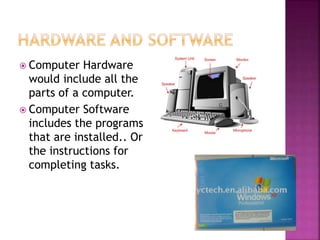
 Computer Hardware
would include all the
parts of a computer.
 Computer Software
includes the programs
that are installed.. Or
the instructions for
completing tasks.
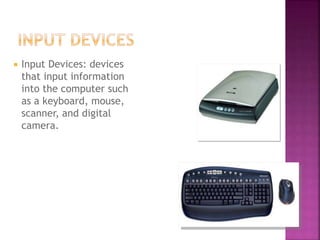
 Input Devices: devices
that input information
into the computer such
as a keyboard, mouse,
scanner, and digital
camera.
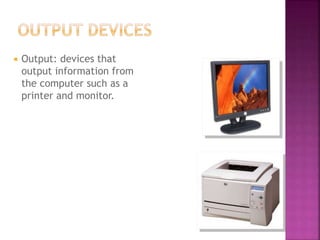
 Output: devices that
output information from
the computer such as a
printer and monitor.
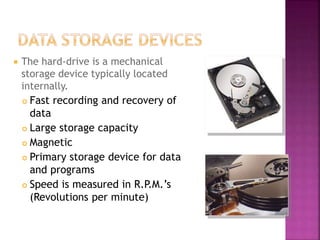
 The hard-drive is a mechanical
storage device typically located
internally.
 Fast recording and recovery of
data
 Large storage capacity
 Magnetic
 Primary storage device for data
and programs
 Speed is measured in R.P.M.’s
(Revolutions per minute)
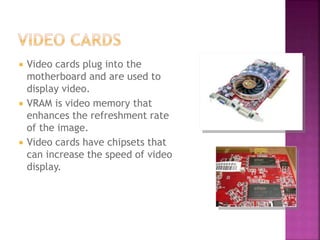
 Video cards plug into the
motherboard and are used to
display video.
 VRAM is video memory that
enhances the refreshment rate
of the image.
 Video cards have chipsets that
can increase the speed of video
display.
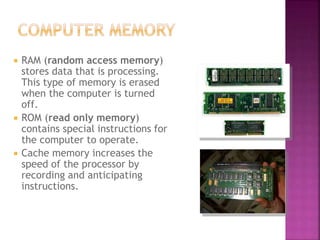
 RAM (random access memory)
stores data that is processing.
This type of memory is erased
when the computer is turned
off.
 ROM (read only memory)
contains special instructions for
the computer to operate.
 Cache memory increases the
speed of the processor by
recording and anticipating
instructions.
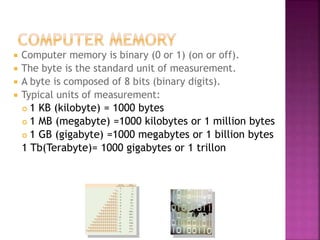
 Computer memory is binary (0 or 1) (on or off).
 The byte is the standard unit of measurement.
 A byte is composed of 8 bits (binary digits).
 Typical units of measurement:
 1 KB (kilobyte) = 1000 bytes
 1 MB (megabyte) =1000 kilobytes or 1 million bytes
 1 GB (gigabyte) =1000 megabytes or 1 billion bytes
1 Tb(Terabyte)= 1000 gigabytes or 1 trillon
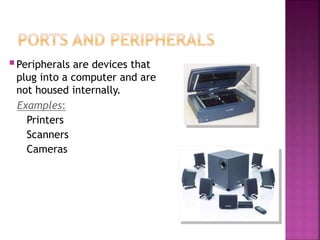
Peripherals are devices that
plug into a computer and are
not housed internally.
Examples:
Printers
Scanners
Cameras
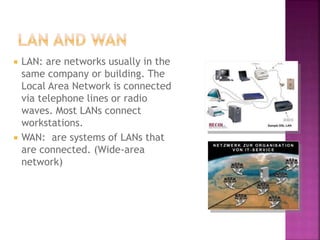
 LAN: are networks usually in the
same company or building. The
Local Area Network is connected
via telephone lines or radio
waves. Most LANs connect
workstations.
 WAN: are systems of LANs that
are connected. (Wide-area
network)
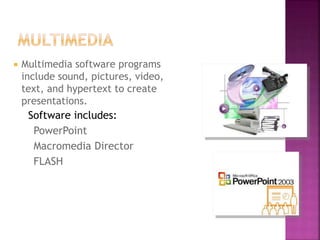
 Multimedia software programs
include sound, pictures, video,
text, and hypertext to create
presentations.
Software includes:
PowerPoint
Macromedia Director
FLASH
Basic Computer Hardware and Software.pptx

Basic Computer Hardware and Software.pptx

  • 1.
  • 2.
     Computer Hardware wouldinclude all the parts of a computer.  Computer Software includes the programs that are installed.. Or the instructions for completing tasks.
  • 3.
     Input Devices:devices that input information into the computer such as a keyboard, mouse, scanner, and digital camera.
  • 4.
     Output: devicesthat output information from the computer such as a printer and monitor.
  • 5.
     The hard-driveis a mechanical storage device typically located internally.  Fast recording and recovery of data  Large storage capacity  Magnetic  Primary storage device for data and programs  Speed is measured in R.P.M.’s (Revolutions per minute)
  • 6.
     Video cardsplug into the motherboard and are used to display video.  VRAM is video memory that enhances the refreshment rate of the image.  Video cards have chipsets that can increase the speed of video display.
  • 7.
     RAM (randomaccess memory) stores data that is processing. This type of memory is erased when the computer is turned off.  ROM (read only memory) contains special instructions for the computer to operate.  Cache memory increases the speed of the processor by recording and anticipating instructions.
  • 8.
     Computer memoryis binary (0 or 1) (on or off).  The byte is the standard unit of measurement.  A byte is composed of 8 bits (binary digits).  Typical units of measurement:  1 KB (kilobyte) = 1000 bytes  1 MB (megabyte) =1000 kilobytes or 1 million bytes  1 GB (gigabyte) =1000 megabytes or 1 billion bytes 1 Tb(Terabyte)= 1000 gigabytes or 1 trillon
  • 9.
    Peripherals are devicesthat plug into a computer and are not housed internally. Examples: Printers Scanners Cameras
  • 10.
     LAN: arenetworks usually in the same company or building. The Local Area Network is connected via telephone lines or radio waves. Most LANs connect workstations.  WAN: are systems of LANs that are connected. (Wide-area network)
  • 11.
     Multimedia softwareprograms include sound, pictures, video, text, and hypertext to create presentations. Software includes: PowerPoint Macromedia Director FLASH