
GoDataDriven
PROUDLY PART OF THE XEBIA GROUP
@krisgeus
krisgeusebroek@godatadriven.com
Bare metal Hadoop
provisioning
Kris Geusebroek
Big Data Hacker
With ansible and cobbler
1
-- Big Data Borat
“Give man Hadoop cluster he gain
insight for a day. Teach man build
Hadoop cluster he soon leave for
better job. #bigdata”
2
-- Kris Geusebroek
“We’re hiring”
3
Don’t want to...
Manually install everything needed for a Hadoop
cluster...
4
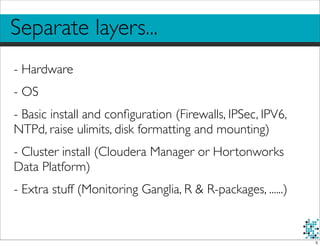
Separate layers...
- Hardware
- OS
- Basic install and configuration (Firewalls, IPSec, IPV6,
NTPd, raise ulimits, disk formatting and mounting)
- Cluster install (Cloudera Manager or Hortonworks
Data Platform)
- Extra stuff (Monitoring Ganglia, R & R-packages, ......)
5
Want...
- Horizontal scaling: Effort for an extra machine is
minimal
- Commodity Industry standard hardware
	

 - So cope with errors, malfunctioning, re-installation
- Multiple clusters
- Experiment first with appropriate configuration for a
specific goal
	

 -Think memory, hard disks, number of nodes
6
Want...
- Automate all the tasks for every layer
- Parameterise a lot
- Simple configuration of the separate layers
- Definition of roles (masternode, datanode etc.)
7
Possible with...
Vendor specific tools
problem here is they can do only a subset of all tasks
8
What we have done here...
Nothing new, just another possibility
Nothing tool specific
- demo installs Cloudera Manager, but works also with
Hortonworks Data Platform.
Most important is:
9
Stack...
10
-- Big Data Borat
“Essentially, this solution is CoSSaaS.”
11
-- Big Data Borat
“Essentially, this solution is CoSSaaS.
(Couple of Shell Scripts as a Service)”
12
Cobbler...
Cobbler used for
- CMS
- DHCP server
- OS image hosting
- OS kickstart
cobblerd.org
13
Ansible...
Ansible used for
-Tying it all together
- Initial setup of network config
- One time push of SSH key
- Full software install
ansible.cc
14
Cloudera Manager...
Cloudera Manager used for
- Cluster install software.
- Currently manual labour, can be automated using
the API
cloudera.com
15
Show me the code...
Add node information to the cobbler CMS
First make the install dvd known to cobbler:
mount -t iso9660 -o loop /<directoryname>/CentOS-6.4-x86_64-bin-DVD1.iso /mnt/dvd
cobbler import --path=/mnt/dvd --name=CentOS64
Next make the node information known:
sudo cobbler system add --name=node01 --profile=CentOS64-x86_64 --hostname=node01
--mac=<00:00:00:00:00:00> --ip-address=10.20.0.101 --static=True
If needed, re-enable the netboot flag:
sudo cobbler system edit --name=node01 --netboot-enabled=True
16
Show me the code...
Ansible needs to know what goes where
[cluster]
node01
node02
node03
[cobbler]
cobbler
[proxy]
cobbler
[ganglia-master]
node01
[ganglia-nodes:children]
cluster
[cloudera-manager]
node01
17
Show me the code...
For the rest it’s just a DSL thinghy with extra’s
- hosts:
- cloudera-manager
- cluster
user: root
sudo: yes
vars_files:
- vars/common.yml
tasks:
- include: cloudera-manager/tasks/common.yml
handlers:
- include: cloudera-manager/handlers/main.yml
- name: Configure CM4 Repo
copy: src=cloudera-manager/files/etc/yum.repos.d/cm4.repo dest=/etc/yum.repos.d/ owner=root
group=root
- name: Install CM4 common stuff
yum: name=$item state=installed
18
Demo...
19
Shared problems...
- No magic: Vendor specific hardware can screw
things up (strange names for disk mounts for
example)
- Bios settings, different RAID settings are not handled
(yet).
- Large amount of initial network traffic with large
clusters (N-times downloading the same software
packages from yum repositories) => Repo mirroring
to the rescue
- MAC address of all nodes must be known
20
Take aways...
- Do automate from the start
- It’s easy
- Use (our) open source code to get a head start
https://github.com/godatadriven/ansible_cluster
- Our team will do the additional consultancy
21
GoDataDriven
We’re hiring / Questions? / Thank you!
@krisgeus
krisgeusebroek@godatadriven.com
Kris Geusebroek
Big Data Hacker
22

Bare metal Hadoop provisioning

  • 1.
    GoDataDriven PROUDLY PART OFTHE XEBIA GROUP @krisgeus krisgeusebroek@godatadriven.com Bare metal Hadoop provisioning Kris Geusebroek Big Data Hacker With ansible and cobbler 1
  • 2.
    -- Big DataBorat “Give man Hadoop cluster he gain insight for a day. Teach man build Hadoop cluster he soon leave for better job. #bigdata” 2
  • 3.
  • 4.
    Don’t want to... Manuallyinstall everything needed for a Hadoop cluster... 4
  • 5.
    Separate layers... - Hardware -OS - Basic install and configuration (Firewalls, IPSec, IPV6, NTPd, raise ulimits, disk formatting and mounting) - Cluster install (Cloudera Manager or Hortonworks Data Platform) - Extra stuff (Monitoring Ganglia, R & R-packages, ......) 5
  • 6.
    Want... - Horizontal scaling:Effort for an extra machine is minimal - Commodity Industry standard hardware - So cope with errors, malfunctioning, re-installation - Multiple clusters - Experiment first with appropriate configuration for a specific goal -Think memory, hard disks, number of nodes 6
  • 7.
    Want... - Automate allthe tasks for every layer - Parameterise a lot - Simple configuration of the separate layers - Definition of roles (masternode, datanode etc.) 7
  • 8.
    Possible with... Vendor specifictools problem here is they can do only a subset of all tasks 8
  • 9.
    What we havedone here... Nothing new, just another possibility Nothing tool specific - demo installs Cloudera Manager, but works also with Hortonworks Data Platform. Most important is: 9
  • 10.
  • 11.
    -- Big DataBorat “Essentially, this solution is CoSSaaS.” 11
  • 12.
    -- Big DataBorat “Essentially, this solution is CoSSaaS. (Couple of Shell Scripts as a Service)” 12
  • 13.
    Cobbler... Cobbler used for -CMS - DHCP server - OS image hosting - OS kickstart cobblerd.org 13
  • 14.
    Ansible... Ansible used for -Tyingit all together - Initial setup of network config - One time push of SSH key - Full software install ansible.cc 14
  • 15.
    Cloudera Manager... Cloudera Managerused for - Cluster install software. - Currently manual labour, can be automated using the API cloudera.com 15
  • 16.
    Show me thecode... Add node information to the cobbler CMS First make the install dvd known to cobbler: mount -t iso9660 -o loop /<directoryname>/CentOS-6.4-x86_64-bin-DVD1.iso /mnt/dvd cobbler import --path=/mnt/dvd --name=CentOS64 Next make the node information known: sudo cobbler system add --name=node01 --profile=CentOS64-x86_64 --hostname=node01 --mac=<00:00:00:00:00:00> --ip-address=10.20.0.101 --static=True If needed, re-enable the netboot flag: sudo cobbler system edit --name=node01 --netboot-enabled=True 16
  • 17.
    Show me thecode... Ansible needs to know what goes where [cluster] node01 node02 node03 [cobbler] cobbler [proxy] cobbler [ganglia-master] node01 [ganglia-nodes:children] cluster [cloudera-manager] node01 17
  • 18.
    Show me thecode... For the rest it’s just a DSL thinghy with extra’s - hosts: - cloudera-manager - cluster user: root sudo: yes vars_files: - vars/common.yml tasks: - include: cloudera-manager/tasks/common.yml handlers: - include: cloudera-manager/handlers/main.yml - name: Configure CM4 Repo copy: src=cloudera-manager/files/etc/yum.repos.d/cm4.repo dest=/etc/yum.repos.d/ owner=root group=root - name: Install CM4 common stuff yum: name=$item state=installed 18
  • 19.
  • 20.
    Shared problems... - Nomagic: Vendor specific hardware can screw things up (strange names for disk mounts for example) - Bios settings, different RAID settings are not handled (yet). - Large amount of initial network traffic with large clusters (N-times downloading the same software packages from yum repositories) => Repo mirroring to the rescue - MAC address of all nodes must be known 20
  • 21.
    Take aways... - Doautomate from the start - It’s easy - Use (our) open source code to get a head start https://github.com/godatadriven/ansible_cluster - Our team will do the additional consultancy 21
  • 22.
    GoDataDriven We’re hiring /Questions? / Thank you! @krisgeus krisgeusebroek@godatadriven.com Kris Geusebroek Big Data Hacker 22