June 20-21, 2017
Chicago, IL
Chicago, IL
MongoDB World is where the
world’s fastest growing
database community comes
to connect, explore, and
learn.
Back to Basics 2017: Webinar 2
Mi primera aplicación MongoDB
Alejandro Mancilla
Senior Solutions Architect, EMEA
alejandro.mancilla@mongodb.com
@alxmancilla
Rubén Terceño
Senior Solutions Architect, LATAM
ruben@mongodb.com
@rubenTerceno
¡Bienvenidos!
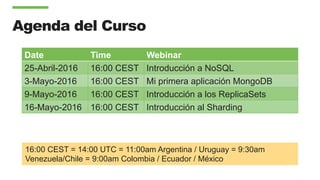
Agenda del Curso
Date Time Webinar
25-Abril-2016 16:00 CEST Introducción a NoSQL
3-Mayo-2016 16:00 CEST Mi primera aplicación MongoDB
9-Mayo-2016 16:00 CEST Introducción a los ReplicaSets
16-Mayo-2016 16:00 CEST Introducción al Sharding
16:00 CEST = 14:00 UTC = 11:00am Argentina / Uruguay = 9:30am
Venezuela/Chile = 9:00am Colombia / Ecuador / México
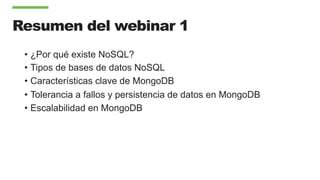
Resumen del webinar 1
•  ¿Por qué existe NoSQL?
•  Tipos de bases de datos NoSQL
•  Características clave de MongoDB
•  Tolerancia a fallos y persistencia de datos en MongoDB
•  Escalabilidad en MongoDB
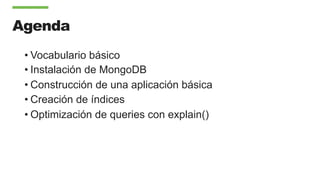
Agenda
• Vocabulario básico
• Instalación de MongoDB
• Construcción de una aplicación básica
• Creación de índices
• Optimización de queries con explain()
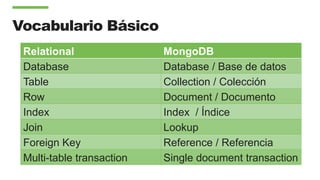
Vocabulario Básico
Relational MongoDB
Database Database / Base de datos
Table Collection / Colección
Row Document / Documento
Index Index / Índice
Join Lookup
Foreign Key Reference / Referencia
Multi-table transaction Single document transaction
Document
{
name : "Alejandro Mancilla",
title : "Senior Solutions Architect",
address : {
address1 : "Insurgentes 123",
address2 : "Col. Juárez",
zipcode : "06600",
}
expertise: ["MongoDB", "Java", "Javascript" ],
employee_number : 654,
location : [ 53.34, -6.26 ]
}
MongoDB Documents are Typed
{
name : “Alejandro Mancilla”,
title : “Senior Solutions Architect”,
Address : {
address1 : “Insurgentes 123”,
address2 : “Col. Juárez”,
zipcode : “06600”,
}
expertise: [ “MongoDB”, “Java”, “Javascript” ],
employee_number : 654,
location : [ 53.34, -6.26 ]
}
Strings
Nested Document
Array
Integer
Geo-spatial Coordinates
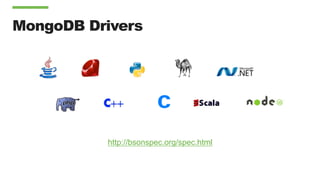
MongoDB Drivers
http://bsonspec.org/spec.html
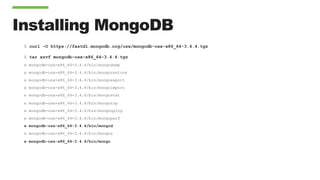
Installing MongoDB
$ curl -O https://fastdl.mongodb.org/osx/mongodb-osx-x86_64-3.4.4.tgz
$ tar xzvf mongodb-osx-x86_64-3.4.4.tgz
x mongodb-osx-x86_64-3.4.4/bin/mongodump
x mongodb-osx-x86_64-3.4.4/bin/mongorestore
x mongodb-osx-x86_64-3.4.4/bin/mongoexport
x mongodb-osx-x86_64-3.4.4/bin/mongoimport
x mongodb-osx-x86_64-3.4.4/bin/mongostat
x mongodb-osx-x86_64-3.4.4/bin/mongotop
x mongodb-osx-x86_64-3.4.4/bin/mongooplog
x mongodb-osx-x86_64-3.4.4/bin/mongoperf
x mongodb-osx-x86_64-3.4.4/bin/mongod
x mongodb-osx-x86_64-3.4.4/bin/mongos
x mongodb-osx-x86_64-3.4.4/bin/mongo
Running Mongod
$ mkdir ./data/
$ ./mongodb-osx-x86_64-3.4.4/bin/mongod --dbpath ./data/
2017-05-01T21:41:09.169-0500 I CONTROL [initandlisten] MongoDB starting : pid=18976 port=27017 dbpath=./data/ 64-bit
host=mancilla.local
2017-05-01T21:41:09.169-0500 I CONTROL [initandlisten] db version v3.4.4
…
2017-05-01T21:41:09.169-0500 I CONTROL [initandlisten] build environment:
2017-05-01T21:41:09.169-0500 I CONTROL [initandlisten] distarch: x86_64
2017-05-01T21:41:09.169-0500 I CONTROL [initandlisten] target_arch: x86_64
2017-05-01T21:41:09.169-0500 I CONTROL [initandlisten] options: { storage: { dbPath: "./data/" } }
2017-05-01T21:41:09.170-0500 I STORAGE [initandlisten] wiredtiger_open config:
create,cache_size=7680M,session_max=20000,eviction=(threads_min=4,threads_max=4),config_base=false,statistics=(fast),log=(
enabled=true,archive=true,path=journal,compressor=snappy),file_manager=(close_idle_time=100000),checkpoint=(wait=60,log_si
ze=2GB),statistics_log=(wait=0),
…
2017-05-01T21:41:10.085-0500 I COMMAND [initandlisten] setting featureCompatibilityVersion to 3.4
2017-05-01T21:41:10.086-0500 I NETWORK [thread1] waiting for connections on port 27017
2017-05-01T21:41:10.130-0500 I NETWORK [thread1] connection accepted from 127.0.0.1:57106 #1 (1 connection now open)
Connecting Via The Shell
$ ./mongodb-osx-x86_64-3.4.4/bin/mongo
MongoDB shell version v3.4.4
connecting to: mongodb://127.0.0.1:27017
MongoDB server version: 3.4.4
Server has startup warnings:
2017-05-01T21:41:09.668-0500 I CONTROL [initandlisten]
2017-05-01T21:41:09.668-0500 I CONTROL [initandlisten] ** WARNING: Access control is not enabled for
the database.
2017-05-01T21:41:09.668-0500 I CONTROL [initandlisten] ** Read and write access to data and
configuration is unrestricted.
2017-05-01T21:41:09.668-0500 I CONTROL [initandlisten]
> show databases
admin 0.000GB
local 0.000GB
Inserting your first record
> use cb
switched to db cb
> db.demo.insert({ name : "Alejandro Mancilla", title : "Senior Solutions Architect", address : { address1 : "Insurgentes 123",
address2 : "Col. Juárez", zipcode : "06600" }, expertise: ["MongoDB", "Java", "Javascript" ], employee_number : 654, location :
[ 53.34, -6.26 ] })
WriteResult({ "nInserted" : 1 })
> show databases
admin 0.000GB
cb 0.000GB
local 0.000GB
> show collections
demo
> db.demo.findOne()
{
"_id" : ObjectId("5909591701bfa6fc636edd17"),
"name" : "Alejandro Mancilla",
"title" : "Senior Solutions Architect",
"address" : { "address1" : "Insurgentes 123", "address2" : "Col. Juárez", "zipcode" : "06600” },
"expertise" : ["MongoDB","Java","Javascript” ],
"employee_number" : 654,
"location" : [53.34,-6.26]
}
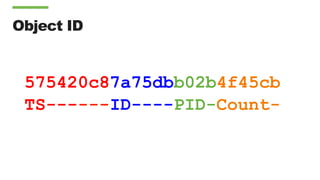
Object ID
575420c87a75dbb02b4f45cb
TS------ID----PID-Count-
A Simple Blog Application
•  Lets create a blogging application with:
•  Articles
•  Users
•  Comments
18
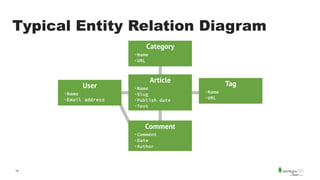
Typical Entity Relation Diagram
User
·Name
·Email address
Category
·Name
·URL
Comment
·Comment
·Date
·Author
Article
·Name
·Slug
·Publish date
·Text
Tag
·Name
·URL
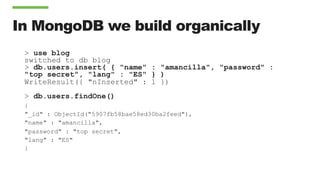
In MongoDB we build organically
> use blog
switched to db blog
> db.users.insert( { "name" : "amancilla", "password" :
"top secret", "lang" : "ES" } )
WriteResult({ "nInserted" : 1 })
> db.users.findOne()
{
"_id" : ObjectId("5907fb58bae58ed30ba2feed"),
"name" : "amancilla",
"password" : "top secret",
"lang" : "ES"
}
How do we do this in a program?
package com.mongodb.amancilla;
import com.mongodb.MongoClient;
import com.mongodb.client.MongoCollection;
import com.mongodb.client.MongoDatabase;
import org.bson.Document;
public class Demo {
public static void main(String[] args) {
MongoClient client = new MongoClient();
MongoDatabase blog = client.getDatabase("blog");
MongoCollection<Document> users = blog.getCollection("users");
Document user = new Document(”name",”amancilla")
.append(”password", ”top secret")
.append("lang", "ES");
users.insertOne(user);
client.close();
}
}
Make a lot of users
public class Demo {
public static void main(String[] args) {
MongoClient client = new MongoClient("localhost", 27017);
MongoDatabase blog = client.getDatabase("blog");
MongoCollection<Document> users = blog.getCollection("users");
for (int i = 0; i < 1000; i++) {
int suffix = (int)Math.round(Math.random()*12345);
Document user = new Document()
.append("name", "USER_"+suffix)
.append("password", "pass"+ suffix)
.append("lang", "ES")
.append("karma", Integer.valueOf(suffix % 500));
users.insertOne(user);
}
client.close();
}
}
Next up Articles
import [+]
import static java.util.Arrays.asList;
public class Demo {
public static void main(String[] args) {
MongoClient client = new MongoClient();
MongoDatabase blog = client.getDatabase("blog");
MongoCollection<Document> articulos = blog.getCollection("articles");
String myName = ”amancilla";
Document articulo = new Document(”title","My article")
.append("author", myName)
.append("text", "Lorem ipsum dolor sit amet, […] ")
.append("tags", Arrays.asList("demo",”Java","MongoDB"));
articulos.insertOne(articulo);
client.close();
}
}
Create a new type of article
public class Demo {
static DateFormat format = new SimpleDateFormat("yyyy-MM-dd'T'HH:mm:ss'Z'” , Locale.ENGLISH);
public static void main(String[] args) {
MongoClient client = new MongoClient();
MongoDatabase blog = client.getDatabase("blog");
MongoCollection<Document> articulos = blog.getCollection("articles");
String myName = "amancilla";
Document articulo = new Document("title","My article")
.append("author", myName)
.append("text", "Lorem ipsum dolor sit amet […]")
.append("tags", Arrays.asList("demo", "Java", "MongoDB"))
.append("date", new Date());
articulos.insertOne(articulo);
client.close();
}
}
Make a lot of articles
public class Demo {
static DateFormat format = new SimpleDateFormat("yyyy-MM-dd'T'HH:mm:ss'Z'"
, Locale.ENGLISH);
public static void main(String[] args) {
MongoClient client = new MongoClient();
MongoDatabase blog = client.getDatabase("blog");
MongoCollection<Document> articulos = blog.getCollection("articles");
List<Document> list = new ArrayList<Document>();
for (int i=0; i<1000000; i++){
Document articulo = new Document(”title”, "Mi artículo " + i)
.append("author", "USER_" + Math.round(Math.random()*10000))
.append("text", "Lorem ipsum dolor sit amet, […] ex ea commodo consequat.")
.append("tags", asList("demo", "español", "MongoDB"))
.append(”date", new Date());
list.add(articulo);
if (i % 5000 == 4999){
articulos.insertMany(list);
list.clear();
}
}
client.close();
}
}
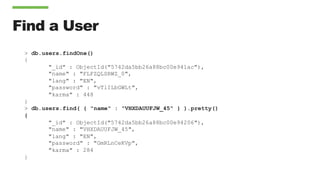
Find a User
> db.users.findOne()
{
"_id" : ObjectId("5742da5bb26a88bc00e941ac"),
"name" : "FLFZQLSRWZ_0",
"lang" : "EN",
"password" : "vTlILbGWLt",
"karma" : 448
}
> db.users.find( { "name" : "VHXDAUUFJW_45" } ).pretty()
{
"_id" : ObjectId("5742da5bb26a88bc00e94206"),
"name" : "VHXDAUUFJW_45",
"lang" : "EN",
"password" : "GmRLnCeKVp",
"karma" : 284
}
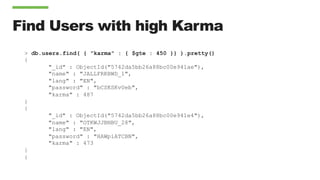
Find Users with high Karma
> db.users.find( { "karma" : { $gte : 450 }} ).pretty()
{
"_id" : ObjectId("5742da5bb26a88bc00e941ae"),
"name" : "JALLFRKBWD_1",
"lang" : "EN",
"password" : "bCSKSKvUeb",
"karma" : 487
}
{
"_id" : ObjectId("5742da5bb26a88bc00e941e4"),
"name" : "OTKWJJBNBU_28",
"lang" : "EN",
"password" : "HAWpiATCBN",
"karma" : 473
}
{
Using projection
> db.users.find( { "karma" : { $gte : 450 }}, { "_id" :
0, name : 1, karma : 1 } )
{ "name" : "USER_8973", "karma" : 473 }
{ "name" : "USER_11959", "karma" : 459 }
{ "name" : "USER_9494", "karma" : 494 }
{ "name" : "USER_482", "karma" : 482 }
{ "name" : "USER_11466", "karma" : 466 }
{ "name" : "USER_9476", "karma" : 476 }
{ "name" : "USER_11956", "karma" : 456 }
{ "name" : "USER_1954", "karma" : 454 }
Using sort
> b.users.find({"karma": {$gte: 450}},{"_id": 0, name:
1, karma: 1}).sort({"karma": 1})
{ "name" : "USER_10950", "karma" : 450 }
{ "name" : "USER_8450", "karma" : 450 }
{ "name" : "USER_10953", "karma" : 453 }
{ "name" : "USER_8953", "karma" : 453 }
{ "name" : "USER_1953", "karma" : 453 }
{ "name" : "USER_3453", "karma" : 453 }
{ "name" : "USER_1954", "karma" : 454 }
{ "name" : "USER_11454", "karma" : 454 }
Article update: adding comments 1
> db.articles.find( { "_id" : 19 } ).pretty()
{
"_id" : 19,
"body" :
"nTzOofOcnHKkJxpjKAyqTTnKZMFzzkWFeXtBRuEKsctuGBgWIrEBrYdvFI
VHJWaXLUTVUXblOZZgUqWu",
"postdate" : ISODate("2016-05-23T12:02:46.830Z"),
"author" : "ASWTOMMABN_19",
"title" : "CPMaqHtAdRwLXhlUvsej"
}
> db.articles.update( { _id : 19 }, { $set : { comments :
[] }} )
WriteResult({ "nMatched" : 1, "nUpserted" : 0,
"nModified" : 1 })
Article update: adding comments 2
> db.articles.find( { _id :19 } ).pretty()
{
"_id" : 19,
"body" :
"KmwFSIMQGcIsRNTDBFPuclwcVJkoMcrIPwTiSZDYyatoKzeQiKvJkiVSrn
dXqrALVIYZxGpaMjucgXUV",
"postdate" : ISODate("2016-05-23T16:04:39.497Z"),
"author" : "USER_18",
"title" : "wTLreIEyPfovEkBhJZZe",
"comments" : [ ]
}
>
Article update: adding comments 3
> db.articles.update( { _id : 19 }, { $push : { comments : { name : "USER_123", comment :
"Primer!" }}} )
WriteResult({ "nMatched" : 1, "nUpserted" : 0, "nModified" : 1 })
> db.articles.find( { _id :19 } ).pretty()
{
"_id" : 19,
"body" : "KmwFSIMQGcIsRNTDBFPuclJkoMcrIPwTiSZDYyatoKzeQiKvJkiVSrndXqrALVIYZxGpaMjucgXUV",
"postdate" : ISODate("2016-05-23T16:04:39.497Z"),
"author" : "USER_18",
"title" : "wTLreIEyPfovEkBhJZZe",
"comments" : [
{
"username" : "USER_123",
"comment" : ”Primer!"
}
]
}
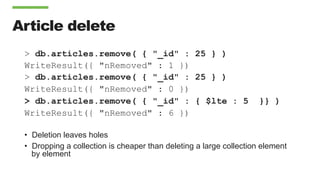
Article delete
> db.articles.remove( { "_id" : 25 } )
WriteResult({ "nRemoved" : 1 })
> db.articles.remove( { "_id" : 25 } )
WriteResult({ "nRemoved" : 0 })
> db.articles.remove( { "_id" : { $lte : 5 }} )
WriteResult({ "nRemoved" : 6 })
•  Deletion leaves holes
•  Dropping a collection is cheaper than deleting a large collection element
by element
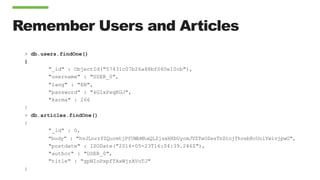
Remember Users and Articles
> db.users.findOne()
{
"_id" : ObjectId("57431c07b26a88bf060e10cb"),
"username" : "USER_0",
"lang" : "EN",
"password" : "kGIxPxqKGJ",
"karma" : 266
}
> db.articles.findOne()
{
"_id" : 0,
"body" : "hvJLnrrfZQurmtjPfUWbMhaQLZjsxHXbUycmJVZTeOZesTnZtojThrebRcUoiYwivjpwG",
"postdate" : ISODate("2016-05-23T16:04:39.246Z"),
"author" : "USER_0",
"title" : "gpNIoPxpfTAxWjzAVoTJ"
}
Find a User
> db.users.find( { "username" : "USER_123" } ).explain()
{
"queryPlanner" : {
"plannerVersion" : 1,
"namespace" : "blog.users",
"indexFilterSet" : false,
"parsedQuery" : {
"username" : {
"$eq" : ”USER_123"
}
},
"winningPlan" : {
"stage" : "COLLSCAN",
"filter" : {
"username" : {
"$eq" : ”USER_123"
}
},
"direction" : "forward"
},
"rejectedPlans" : [ ]
} "ok" : 1
}
Find a User – Execution Stats
> db.users.find( {"name" : "USER_999" } ).explain( "executionStats" ).executionStats
{
"executionSuccess" : true,
"nReturned" : 1,
"executionTimeMillis" : 433,
"totalKeysExamined" : 0,
"totalDocsExamined" : 1000000,
"executionStages" : {
"stage" : "COLLSCAN",
"filter" : {
"name" : {
"$eq" : "USER_999”}
},
"nReturned" : 1,
"executionTimeMillisEstimate" : 330,
"works" : 1000002,
"advanced" : 1,
"needTime" : 1000000,
"needYield" : 0,
"saveState" : 7812,
"restoreState" : 7812,
"isEOF" : 1,
"invalidates" : 0,
"direction" : "forward",
"docsExamined" : 1000000
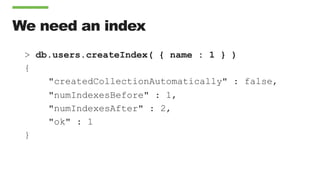
We need an index
> db.users.createIndex( { name : 1 } )
{
"createdCollectionAutomatically" : false,
"numIndexesBefore" : 1,
"numIndexesAfter" : 2,
"ok" : 1
}
Indexes Overview
•  Parameters
•  Background : Create an index in the background as opposed to locking the database
•  Unique : All keys in the collection must be unique. Duplicate key insertions will be
rejected with an error.
•  Name : explicitly name an index. Otherwise the index name is selfgenerated from the
index fields.
•  Deleting an Index
•  db.users.dropIndex({ “name” : 1 })
•  Get All the Indexes on a collection
•  db.users.getIndexes()
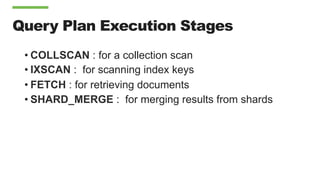
Query Plan Execution Stages
• COLLSCAN : for a collection scan
• IXSCAN : for scanning index keys
• FETCH : for retrieving documents
• SHARD_MERGE : for merging results from shards
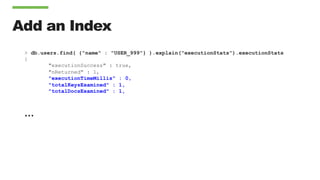
Add an Index
> db.users.find( {"name" : "USER_999"} ).explain("executionStats").executionStats
{
"executionSuccess" : true,
"nReturned" : 1,
"executionTimeMillis" : 0,
"totalKeysExamined" : 1,
"totalDocsExamined" : 1,
…
Execution Stage
"executionStages" : {
"stage" : "FETCH",
"nReturned" : 1,
"executionTimeMillisEstimate" : 0,
"docsExamined" : 1,,
"inputStage" : {
"stage" : "IXSCAN",
"nReturned" : 1,
"executionTimeMillisEstimate" : 0,
"keyPattern" : {
"username" : 1},
"indexName" : "username_1",
"indexVersion" : 1,
"direction" : "forward",
"indexBounds" : {
"username" : [
"["USER_999", "USER_999"]”]},
"keysExamined" : 1,
"seenInvalidated" : 0 } } }
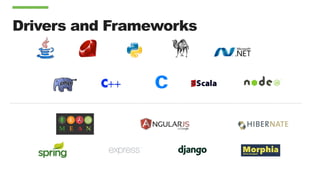
Drivers and Frameworks
¿Qué hemos aprendido?
• Cómo crear una base de datos y una colección
• Cómo insertar documentos
• Cómo realizar búsquedas
• Cómo hacer modificaciones de los documentos existentes
• Cómo borrar documentos
• Cómo comprobar la eficiencia de una operación
• Cómo crear índices
• Cómo revisar si los índices se utilizan en una operación
Próximo Webinar
Introducción a los ReplicaSets
•  9 de Mayo 2017 – 16:00 CEST, 11:00 ART, 9:00 CDT
•  Cómo garantizar que sus datos son durables
•  Cómo recuperarse de los fallos automáticamente
•  Cómo escribir código de cliente seguro
•  Regístrese en : https://www.mongodb.com/webinars
•  Denos su opinión, por favor: back-to-basics@mongodb.com
¿Preguntas?
Back to Basics 2017: Mí primera aplicación MongoDB

Back to Basics 2017: Mí primera aplicación MongoDB

  • 2.
    June 20-21, 2017 Chicago,IL Chicago, IL MongoDB World is where the world’s fastest growing database community comes to connect, explore, and learn.
  • 3.
    Back to Basics2017: Webinar 2 Mi primera aplicación MongoDB Alejandro Mancilla Senior Solutions Architect, EMEA alejandro.mancilla@mongodb.com @alxmancilla Rubén Terceño Senior Solutions Architect, LATAM ruben@mongodb.com @rubenTerceno
  • 4.
  • 5.
    Agenda del Curso DateTime Webinar 25-Abril-2016 16:00 CEST Introducción a NoSQL 3-Mayo-2016 16:00 CEST Mi primera aplicación MongoDB 9-Mayo-2016 16:00 CEST Introducción a los ReplicaSets 16-Mayo-2016 16:00 CEST Introducción al Sharding 16:00 CEST = 14:00 UTC = 11:00am Argentina / Uruguay = 9:30am Venezuela/Chile = 9:00am Colombia / Ecuador / México
  • 6.
    Resumen del webinar1 •  ¿Por qué existe NoSQL? •  Tipos de bases de datos NoSQL •  Características clave de MongoDB •  Tolerancia a fallos y persistencia de datos en MongoDB •  Escalabilidad en MongoDB
  • 7.
    Agenda • Vocabulario básico • Instalación deMongoDB • Construcción de una aplicación básica • Creación de índices • Optimización de queries con explain()
  • 8.
    Vocabulario Básico Relational MongoDB DatabaseDatabase / Base de datos Table Collection / Colección Row Document / Documento Index Index / Índice Join Lookup Foreign Key Reference / Referencia Multi-table transaction Single document transaction
  • 9.
    Document { name : "AlejandroMancilla", title : "Senior Solutions Architect", address : { address1 : "Insurgentes 123", address2 : "Col. Juárez", zipcode : "06600", } expertise: ["MongoDB", "Java", "Javascript" ], employee_number : 654, location : [ 53.34, -6.26 ] }
  • 10.
    MongoDB Documents areTyped { name : “Alejandro Mancilla”, title : “Senior Solutions Architect”, Address : { address1 : “Insurgentes 123”, address2 : “Col. Juárez”, zipcode : “06600”, } expertise: [ “MongoDB”, “Java”, “Javascript” ], employee_number : 654, location : [ 53.34, -6.26 ] } Strings Nested Document Array Integer Geo-spatial Coordinates
  • 11.
  • 12.
    Installing MongoDB $ curl-O https://fastdl.mongodb.org/osx/mongodb-osx-x86_64-3.4.4.tgz $ tar xzvf mongodb-osx-x86_64-3.4.4.tgz x mongodb-osx-x86_64-3.4.4/bin/mongodump x mongodb-osx-x86_64-3.4.4/bin/mongorestore x mongodb-osx-x86_64-3.4.4/bin/mongoexport x mongodb-osx-x86_64-3.4.4/bin/mongoimport x mongodb-osx-x86_64-3.4.4/bin/mongostat x mongodb-osx-x86_64-3.4.4/bin/mongotop x mongodb-osx-x86_64-3.4.4/bin/mongooplog x mongodb-osx-x86_64-3.4.4/bin/mongoperf x mongodb-osx-x86_64-3.4.4/bin/mongod x mongodb-osx-x86_64-3.4.4/bin/mongos x mongodb-osx-x86_64-3.4.4/bin/mongo
  • 13.
    Running Mongod $ mkdir./data/ $ ./mongodb-osx-x86_64-3.4.4/bin/mongod --dbpath ./data/ 2017-05-01T21:41:09.169-0500 I CONTROL [initandlisten] MongoDB starting : pid=18976 port=27017 dbpath=./data/ 64-bit host=mancilla.local 2017-05-01T21:41:09.169-0500 I CONTROL [initandlisten] db version v3.4.4 … 2017-05-01T21:41:09.169-0500 I CONTROL [initandlisten] build environment: 2017-05-01T21:41:09.169-0500 I CONTROL [initandlisten] distarch: x86_64 2017-05-01T21:41:09.169-0500 I CONTROL [initandlisten] target_arch: x86_64 2017-05-01T21:41:09.169-0500 I CONTROL [initandlisten] options: { storage: { dbPath: "./data/" } } 2017-05-01T21:41:09.170-0500 I STORAGE [initandlisten] wiredtiger_open config: create,cache_size=7680M,session_max=20000,eviction=(threads_min=4,threads_max=4),config_base=false,statistics=(fast),log=( enabled=true,archive=true,path=journal,compressor=snappy),file_manager=(close_idle_time=100000),checkpoint=(wait=60,log_si ze=2GB),statistics_log=(wait=0), … 2017-05-01T21:41:10.085-0500 I COMMAND [initandlisten] setting featureCompatibilityVersion to 3.4 2017-05-01T21:41:10.086-0500 I NETWORK [thread1] waiting for connections on port 27017 2017-05-01T21:41:10.130-0500 I NETWORK [thread1] connection accepted from 127.0.0.1:57106 #1 (1 connection now open)
  • 14.
    Connecting Via TheShell $ ./mongodb-osx-x86_64-3.4.4/bin/mongo MongoDB shell version v3.4.4 connecting to: mongodb://127.0.0.1:27017 MongoDB server version: 3.4.4 Server has startup warnings: 2017-05-01T21:41:09.668-0500 I CONTROL [initandlisten] 2017-05-01T21:41:09.668-0500 I CONTROL [initandlisten] ** WARNING: Access control is not enabled for the database. 2017-05-01T21:41:09.668-0500 I CONTROL [initandlisten] ** Read and write access to data and configuration is unrestricted. 2017-05-01T21:41:09.668-0500 I CONTROL [initandlisten] > show databases admin 0.000GB local 0.000GB
  • 15.
    Inserting your firstrecord > use cb switched to db cb > db.demo.insert({ name : "Alejandro Mancilla", title : "Senior Solutions Architect", address : { address1 : "Insurgentes 123", address2 : "Col. Juárez", zipcode : "06600" }, expertise: ["MongoDB", "Java", "Javascript" ], employee_number : 654, location : [ 53.34, -6.26 ] }) WriteResult({ "nInserted" : 1 }) > show databases admin 0.000GB cb 0.000GB local 0.000GB > show collections demo > db.demo.findOne() { "_id" : ObjectId("5909591701bfa6fc636edd17"), "name" : "Alejandro Mancilla", "title" : "Senior Solutions Architect", "address" : { "address1" : "Insurgentes 123", "address2" : "Col. Juárez", "zipcode" : "06600” }, "expertise" : ["MongoDB","Java","Javascript” ], "employee_number" : 654, "location" : [53.34,-6.26] }
  • 16.
  • 17.
    A Simple BlogApplication •  Lets create a blogging application with: •  Articles •  Users •  Comments
  • 18.
    18 Typical Entity RelationDiagram User ·Name ·Email address Category ·Name ·URL Comment ·Comment ·Date ·Author Article ·Name ·Slug ·Publish date ·Text Tag ·Name ·URL
  • 19.
    In MongoDB webuild organically > use blog switched to db blog > db.users.insert( { "name" : "amancilla", "password" : "top secret", "lang" : "ES" } ) WriteResult({ "nInserted" : 1 }) > db.users.findOne() { "_id" : ObjectId("5907fb58bae58ed30ba2feed"), "name" : "amancilla", "password" : "top secret", "lang" : "ES" }
  • 20.
    How do wedo this in a program? package com.mongodb.amancilla; import com.mongodb.MongoClient; import com.mongodb.client.MongoCollection; import com.mongodb.client.MongoDatabase; import org.bson.Document; public class Demo { public static void main(String[] args) { MongoClient client = new MongoClient(); MongoDatabase blog = client.getDatabase("blog"); MongoCollection<Document> users = blog.getCollection("users"); Document user = new Document(”name",”amancilla") .append(”password", ”top secret") .append("lang", "ES"); users.insertOne(user); client.close(); } }
  • 21.
    Make a lotof users public class Demo { public static void main(String[] args) { MongoClient client = new MongoClient("localhost", 27017); MongoDatabase blog = client.getDatabase("blog"); MongoCollection<Document> users = blog.getCollection("users"); for (int i = 0; i < 1000; i++) { int suffix = (int)Math.round(Math.random()*12345); Document user = new Document() .append("name", "USER_"+suffix) .append("password", "pass"+ suffix) .append("lang", "ES") .append("karma", Integer.valueOf(suffix % 500)); users.insertOne(user); } client.close(); } }
  • 22.
    Next up Articles import[+] import static java.util.Arrays.asList; public class Demo { public static void main(String[] args) { MongoClient client = new MongoClient(); MongoDatabase blog = client.getDatabase("blog"); MongoCollection<Document> articulos = blog.getCollection("articles"); String myName = ”amancilla"; Document articulo = new Document(”title","My article") .append("author", myName) .append("text", "Lorem ipsum dolor sit amet, […] ") .append("tags", Arrays.asList("demo",”Java","MongoDB")); articulos.insertOne(articulo); client.close(); } }
  • 23.
    Create a newtype of article public class Demo { static DateFormat format = new SimpleDateFormat("yyyy-MM-dd'T'HH:mm:ss'Z'” , Locale.ENGLISH); public static void main(String[] args) { MongoClient client = new MongoClient(); MongoDatabase blog = client.getDatabase("blog"); MongoCollection<Document> articulos = blog.getCollection("articles"); String myName = "amancilla"; Document articulo = new Document("title","My article") .append("author", myName) .append("text", "Lorem ipsum dolor sit amet […]") .append("tags", Arrays.asList("demo", "Java", "MongoDB")) .append("date", new Date()); articulos.insertOne(articulo); client.close(); } }
  • 24.
    Make a lotof articles public class Demo { static DateFormat format = new SimpleDateFormat("yyyy-MM-dd'T'HH:mm:ss'Z'" , Locale.ENGLISH); public static void main(String[] args) { MongoClient client = new MongoClient(); MongoDatabase blog = client.getDatabase("blog"); MongoCollection<Document> articulos = blog.getCollection("articles"); List<Document> list = new ArrayList<Document>(); for (int i=0; i<1000000; i++){ Document articulo = new Document(”title”, "Mi artículo " + i) .append("author", "USER_" + Math.round(Math.random()*10000)) .append("text", "Lorem ipsum dolor sit amet, […] ex ea commodo consequat.") .append("tags", asList("demo", "español", "MongoDB")) .append(”date", new Date()); list.add(articulo); if (i % 5000 == 4999){ articulos.insertMany(list); list.clear(); } } client.close(); } }
  • 25.
    Find a User >db.users.findOne() { "_id" : ObjectId("5742da5bb26a88bc00e941ac"), "name" : "FLFZQLSRWZ_0", "lang" : "EN", "password" : "vTlILbGWLt", "karma" : 448 } > db.users.find( { "name" : "VHXDAUUFJW_45" } ).pretty() { "_id" : ObjectId("5742da5bb26a88bc00e94206"), "name" : "VHXDAUUFJW_45", "lang" : "EN", "password" : "GmRLnCeKVp", "karma" : 284 }
  • 26.
    Find Users withhigh Karma > db.users.find( { "karma" : { $gte : 450 }} ).pretty() { "_id" : ObjectId("5742da5bb26a88bc00e941ae"), "name" : "JALLFRKBWD_1", "lang" : "EN", "password" : "bCSKSKvUeb", "karma" : 487 } { "_id" : ObjectId("5742da5bb26a88bc00e941e4"), "name" : "OTKWJJBNBU_28", "lang" : "EN", "password" : "HAWpiATCBN", "karma" : 473 } {
  • 27.
    Using projection > db.users.find({ "karma" : { $gte : 450 }}, { "_id" : 0, name : 1, karma : 1 } ) { "name" : "USER_8973", "karma" : 473 } { "name" : "USER_11959", "karma" : 459 } { "name" : "USER_9494", "karma" : 494 } { "name" : "USER_482", "karma" : 482 } { "name" : "USER_11466", "karma" : 466 } { "name" : "USER_9476", "karma" : 476 } { "name" : "USER_11956", "karma" : 456 } { "name" : "USER_1954", "karma" : 454 }
  • 28.
    Using sort > b.users.find({"karma":{$gte: 450}},{"_id": 0, name: 1, karma: 1}).sort({"karma": 1}) { "name" : "USER_10950", "karma" : 450 } { "name" : "USER_8450", "karma" : 450 } { "name" : "USER_10953", "karma" : 453 } { "name" : "USER_8953", "karma" : 453 } { "name" : "USER_1953", "karma" : 453 } { "name" : "USER_3453", "karma" : 453 } { "name" : "USER_1954", "karma" : 454 } { "name" : "USER_11454", "karma" : 454 }
  • 29.
    Article update: addingcomments 1 > db.articles.find( { "_id" : 19 } ).pretty() { "_id" : 19, "body" : "nTzOofOcnHKkJxpjKAyqTTnKZMFzzkWFeXtBRuEKsctuGBgWIrEBrYdvFI VHJWaXLUTVUXblOZZgUqWu", "postdate" : ISODate("2016-05-23T12:02:46.830Z"), "author" : "ASWTOMMABN_19", "title" : "CPMaqHtAdRwLXhlUvsej" } > db.articles.update( { _id : 19 }, { $set : { comments : [] }} ) WriteResult({ "nMatched" : 1, "nUpserted" : 0, "nModified" : 1 })
  • 30.
    Article update: addingcomments 2 > db.articles.find( { _id :19 } ).pretty() { "_id" : 19, "body" : "KmwFSIMQGcIsRNTDBFPuclwcVJkoMcrIPwTiSZDYyatoKzeQiKvJkiVSrn dXqrALVIYZxGpaMjucgXUV", "postdate" : ISODate("2016-05-23T16:04:39.497Z"), "author" : "USER_18", "title" : "wTLreIEyPfovEkBhJZZe", "comments" : [ ] } >
  • 31.
    Article update: addingcomments 3 > db.articles.update( { _id : 19 }, { $push : { comments : { name : "USER_123", comment : "Primer!" }}} ) WriteResult({ "nMatched" : 1, "nUpserted" : 0, "nModified" : 1 }) > db.articles.find( { _id :19 } ).pretty() { "_id" : 19, "body" : "KmwFSIMQGcIsRNTDBFPuclJkoMcrIPwTiSZDYyatoKzeQiKvJkiVSrndXqrALVIYZxGpaMjucgXUV", "postdate" : ISODate("2016-05-23T16:04:39.497Z"), "author" : "USER_18", "title" : "wTLreIEyPfovEkBhJZZe", "comments" : [ { "username" : "USER_123", "comment" : ”Primer!" } ] }
  • 32.
    Article delete > db.articles.remove({ "_id" : 25 } ) WriteResult({ "nRemoved" : 1 }) > db.articles.remove( { "_id" : 25 } ) WriteResult({ "nRemoved" : 0 }) > db.articles.remove( { "_id" : { $lte : 5 }} ) WriteResult({ "nRemoved" : 6 }) •  Deletion leaves holes •  Dropping a collection is cheaper than deleting a large collection element by element
  • 33.
    Remember Users andArticles > db.users.findOne() { "_id" : ObjectId("57431c07b26a88bf060e10cb"), "username" : "USER_0", "lang" : "EN", "password" : "kGIxPxqKGJ", "karma" : 266 } > db.articles.findOne() { "_id" : 0, "body" : "hvJLnrrfZQurmtjPfUWbMhaQLZjsxHXbUycmJVZTeOZesTnZtojThrebRcUoiYwivjpwG", "postdate" : ISODate("2016-05-23T16:04:39.246Z"), "author" : "USER_0", "title" : "gpNIoPxpfTAxWjzAVoTJ" }
  • 34.
    Find a User >db.users.find( { "username" : "USER_123" } ).explain() { "queryPlanner" : { "plannerVersion" : 1, "namespace" : "blog.users", "indexFilterSet" : false, "parsedQuery" : { "username" : { "$eq" : ”USER_123" } }, "winningPlan" : { "stage" : "COLLSCAN", "filter" : { "username" : { "$eq" : ”USER_123" } }, "direction" : "forward" }, "rejectedPlans" : [ ] } "ok" : 1 }
  • 35.
    Find a User– Execution Stats > db.users.find( {"name" : "USER_999" } ).explain( "executionStats" ).executionStats { "executionSuccess" : true, "nReturned" : 1, "executionTimeMillis" : 433, "totalKeysExamined" : 0, "totalDocsExamined" : 1000000, "executionStages" : { "stage" : "COLLSCAN", "filter" : { "name" : { "$eq" : "USER_999”} }, "nReturned" : 1, "executionTimeMillisEstimate" : 330, "works" : 1000002, "advanced" : 1, "needTime" : 1000000, "needYield" : 0, "saveState" : 7812, "restoreState" : 7812, "isEOF" : 1, "invalidates" : 0, "direction" : "forward", "docsExamined" : 1000000
  • 36.
    We need anindex > db.users.createIndex( { name : 1 } ) { "createdCollectionAutomatically" : false, "numIndexesBefore" : 1, "numIndexesAfter" : 2, "ok" : 1 }
  • 37.
    Indexes Overview •  Parameters • Background : Create an index in the background as opposed to locking the database •  Unique : All keys in the collection must be unique. Duplicate key insertions will be rejected with an error. •  Name : explicitly name an index. Otherwise the index name is selfgenerated from the index fields. •  Deleting an Index •  db.users.dropIndex({ “name” : 1 }) •  Get All the Indexes on a collection •  db.users.getIndexes()
  • 38.
    Query Plan ExecutionStages • COLLSCAN : for a collection scan • IXSCAN : for scanning index keys • FETCH : for retrieving documents • SHARD_MERGE : for merging results from shards
  • 39.
    Add an Index >db.users.find( {"name" : "USER_999"} ).explain("executionStats").executionStats { "executionSuccess" : true, "nReturned" : 1, "executionTimeMillis" : 0, "totalKeysExamined" : 1, "totalDocsExamined" : 1, …
  • 40.
    Execution Stage "executionStages" :{ "stage" : "FETCH", "nReturned" : 1, "executionTimeMillisEstimate" : 0, "docsExamined" : 1,, "inputStage" : { "stage" : "IXSCAN", "nReturned" : 1, "executionTimeMillisEstimate" : 0, "keyPattern" : { "username" : 1}, "indexName" : "username_1", "indexVersion" : 1, "direction" : "forward", "indexBounds" : { "username" : [ "["USER_999", "USER_999"]”]}, "keysExamined" : 1, "seenInvalidated" : 0 } } }
  • 41.
  • 42.
    ¿Qué hemos aprendido? • Cómocrear una base de datos y una colección • Cómo insertar documentos • Cómo realizar búsquedas • Cómo hacer modificaciones de los documentos existentes • Cómo borrar documentos • Cómo comprobar la eficiencia de una operación • Cómo crear índices • Cómo revisar si los índices se utilizan en una operación
  • 43.
    Próximo Webinar Introducción alos ReplicaSets •  9 de Mayo 2017 – 16:00 CEST, 11:00 ART, 9:00 CDT •  Cómo garantizar que sus datos son durables •  Cómo recuperarse de los fallos automáticamente •  Cómo escribir código de cliente seguro •  Regístrese en : https://www.mongodb.com/webinars •  Denos su opinión, por favor: back-to-basics@mongodb.com
  • 44.