Shot Composition
Adapted from Adobe Digital Kids Club
All great pictures have one thing in common - they are well composed. Composition—also called
“framing”—is fun to talk about, because there is no right or wrong. The only rule is that there are no
rules. But there are a few tips to help you take better pictures:
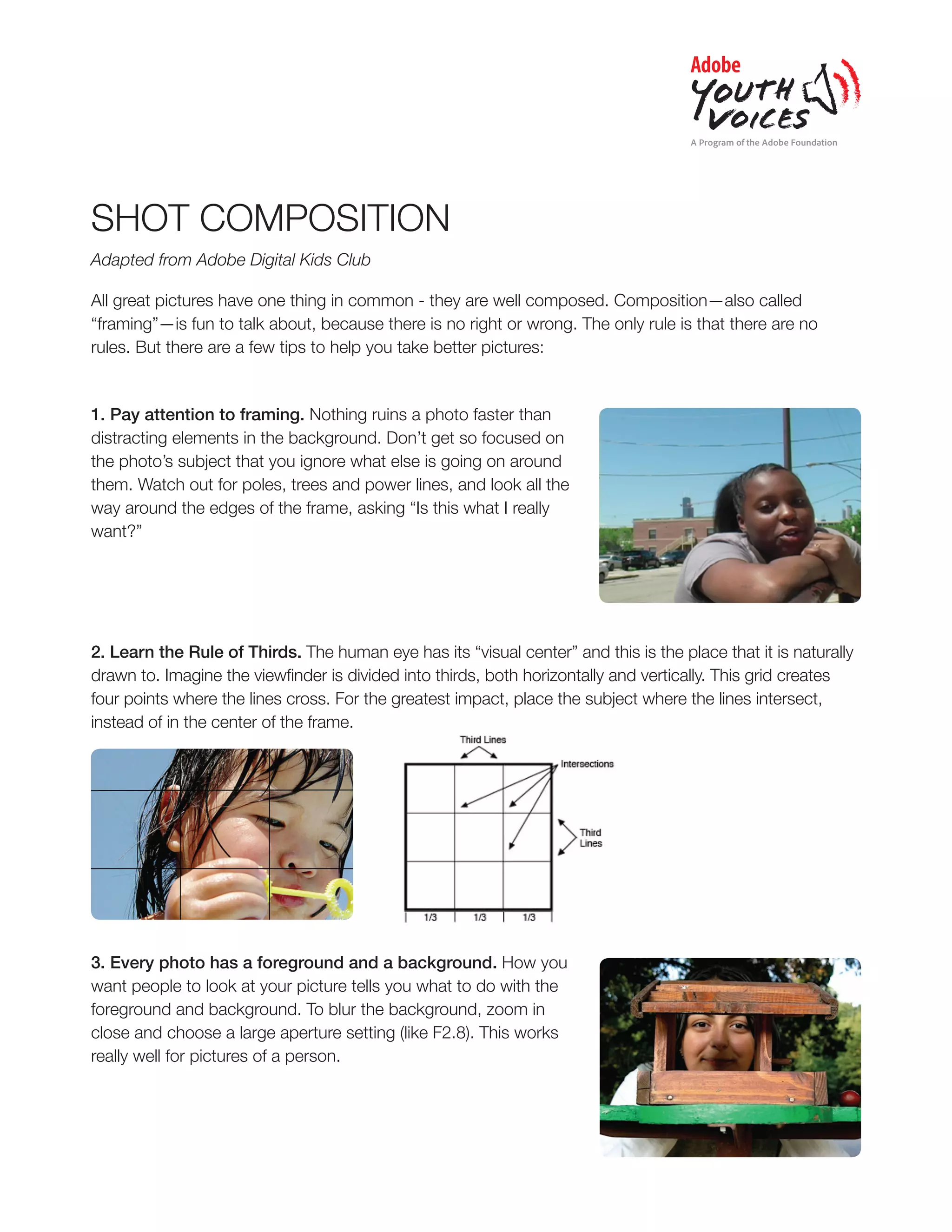
1. Pay attention to framing. Nothing ruins a photo faster than
distracting elements in the background. Don’t get so focused on
the photo’s subject that you ignore what else is going on around
them. Watch out for poles, trees and power lines, and look all the
way around the edges of the frame, asking “Is this what I really
want?”
2. Learn the Rule of Thirds. The human eye has its “visual center” and this is the place that it is naturally
drawn to. Imagine the viewfinder is divided into thirds, both horizontally and vertically. This grid creates
four points where the lines cross. For the greatest impact, place the subject where the lines intersect,
instead of in the center of the frame.
3. Every photo has a foreground and a background. How you
want people to look at your picture tells you what to do with the
foreground and background. To blur the background, zoom in
close and choose a large aperture setting (like F2.8). This works
really well for pictures of a person.
2
4. Change your line of sight. Try kneeling, or even putting the camera
on the ground. Or climb a flight of stairs so you’re higher than the subject
you’re photographing. Digital cameras with twist and tilt LCD screens
make it even easier. Changing angles provides a new way of seeing
things, and makes for a more dramatic picture.
5. Look for elements that lead the eyes through the photo. A winding
path, a row of telephone poles or even a line of chairs at the beach can
serve as elements in a good photo.
6. Keep your eyes open for patterns. Interesting photos can be made
of the waves and patterns created by drifting snow, a flock of birds flying
in formation or pipes stacked at a construction site.
7. Try getting in close. Look for texture, in the wrinkles of a face or the
bark of a tree. Pay attention to details.
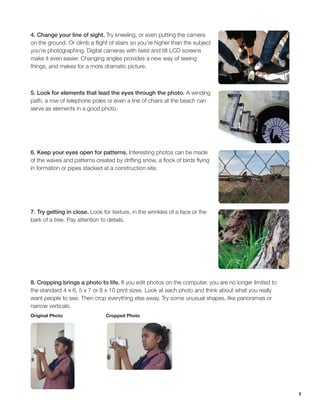
8. Cropping brings a photo to life. If you edit photos on the computer, you are no longer limited to
the standard 4 x 6, 5 x 7 or 8 x 10 print sizes. Look at each photo and think about what you really
want people to see. Then crop everything else away. Try some unusual shapes, like panoramas or
narrow verticals.
Original Photo			 Cropped Photo
3
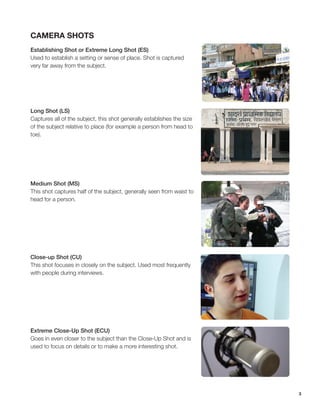
Camera Shots
Establishing Shot or Extreme Long Shot (ES)
Used to establish a setting or sense of place. Shot is captured
very far away from the subject.
Long Shot (LS)
Captures all of the subject, this shot generally establishes the size
of the subject relative to place (for example a person from head to
toe).
Medium Shot (MS)
This shot captures half of the subject, generally seen from waist to
head for a person.
Close-up Shot (CU)
This shot focuses in closely on the subject. Used most frequently
with people during interviews.
Extreme Close-Up Shot (ECU)
Goes in even closer to the subject than the Close-Up Shot and is
used to focus on details or to make a more interesting shot.
4
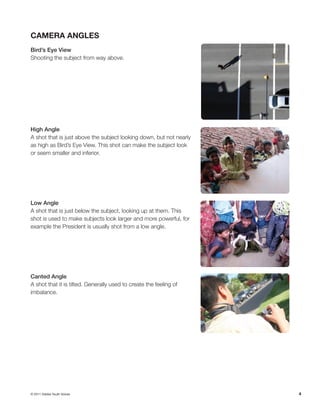
Camera Angles
Bird’s Eye View
Shooting the subject from way above.
High Angle
A shot that is just above the subject looking down, but not nearly
as high as Bird’s Eye View. This shot can make the subject look
or seem smaller and inferior.
Low Angle
A shot that is just below the subject, looking up at them. This
shot is used to make subjects look larger and more powerful, for
example the President is usually shot from a low angle.
Canted Angle
A shot that it is tilted. Generally used to create the feeling of
imbalance.
© 2011 Adobe Youth Voices

Ayv shot compositionhandout

  • 1.
    Shot Composition Adapted fromAdobe Digital Kids Club All great pictures have one thing in common - they are well composed. Composition—also called “framing”—is fun to talk about, because there is no right or wrong. The only rule is that there are no rules. But there are a few tips to help you take better pictures: 1. Pay attention to framing. Nothing ruins a photo faster than distracting elements in the background. Don’t get so focused on the photo’s subject that you ignore what else is going on around them. Watch out for poles, trees and power lines, and look all the way around the edges of the frame, asking “Is this what I really want?” 2. Learn the Rule of Thirds. The human eye has its “visual center” and this is the place that it is naturally drawn to. Imagine the viewfinder is divided into thirds, both horizontally and vertically. This grid creates four points where the lines cross. For the greatest impact, place the subject where the lines intersect, instead of in the center of the frame. 3. Every photo has a foreground and a background. How you want people to look at your picture tells you what to do with the foreground and background. To blur the background, zoom in close and choose a large aperture setting (like F2.8). This works really well for pictures of a person.
  • 2.
    2 4. Change yourline of sight. Try kneeling, or even putting the camera on the ground. Or climb a flight of stairs so you’re higher than the subject you’re photographing. Digital cameras with twist and tilt LCD screens make it even easier. Changing angles provides a new way of seeing things, and makes for a more dramatic picture. 5. Look for elements that lead the eyes through the photo. A winding path, a row of telephone poles or even a line of chairs at the beach can serve as elements in a good photo. 6. Keep your eyes open for patterns. Interesting photos can be made of the waves and patterns created by drifting snow, a flock of birds flying in formation or pipes stacked at a construction site. 7. Try getting in close. Look for texture, in the wrinkles of a face or the bark of a tree. Pay attention to details. 8. Cropping brings a photo to life. If you edit photos on the computer, you are no longer limited to the standard 4 x 6, 5 x 7 or 8 x 10 print sizes. Look at each photo and think about what you really want people to see. Then crop everything else away. Try some unusual shapes, like panoramas or narrow verticals. Original Photo Cropped Photo
  • 3.
    3 Camera Shots Establishing Shotor Extreme Long Shot (ES) Used to establish a setting or sense of place. Shot is captured very far away from the subject. Long Shot (LS) Captures all of the subject, this shot generally establishes the size of the subject relative to place (for example a person from head to toe). Medium Shot (MS) This shot captures half of the subject, generally seen from waist to head for a person. Close-up Shot (CU) This shot focuses in closely on the subject. Used most frequently with people during interviews. Extreme Close-Up Shot (ECU) Goes in even closer to the subject than the Close-Up Shot and is used to focus on details or to make a more interesting shot.
  • 4.
    4 Camera Angles Bird’s EyeView Shooting the subject from way above. High Angle A shot that is just above the subject looking down, but not nearly as high as Bird’s Eye View. This shot can make the subject look or seem smaller and inferior. Low Angle A shot that is just below the subject, looking up at them. This shot is used to make subjects look larger and more powerful, for example the President is usually shot from a low angle. Canted Angle A shot that it is tilted. Generally used to create the feeling of imbalance. © 2011 Adobe Youth Voices