AXURE RP
Essential overview of
8.0By Shraddha Swaroop
UX Holiday Fest 2016 on December 3, 2016
Prototyping instructor mrmuxdesigns@gmail.com Next class: Dec 17
Prototyping made easy Axure instructor Next workshop: Dec 17
Introducing the interface
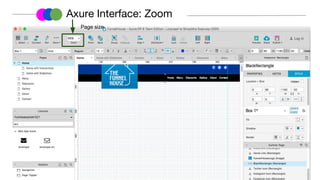
Axure Interface: Zoom
Page size
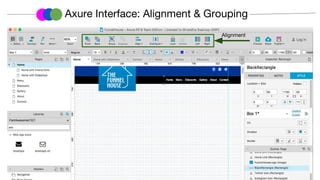
Axure Interface: Alignment & Grouping
Alignment
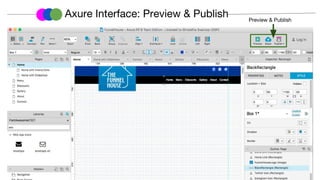
Axure Interface: Preview & Publish Preview & Publish
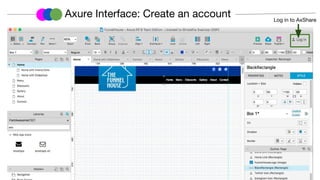
Axure Interface: Create an account Log in to AxShare
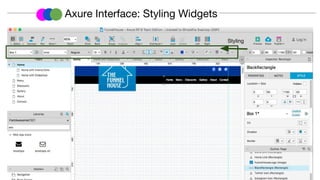
Axure Interface: Styling Widgets
Styling
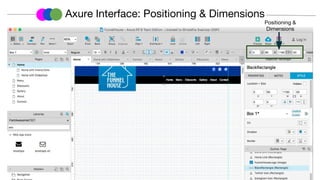
Axure Interface: Positioning & Dimensions
Positioning &
Dimensions
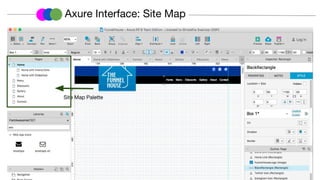
Axure Interface: Site Map
Site Map Palette
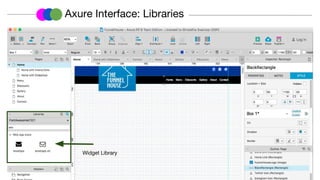
Axure Interface: Libraries
Widget Library
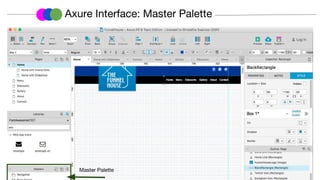
Axure Interface: Master Palette
Master Palette
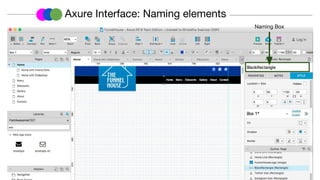
Axure Interface: Naming elements
Naming Box
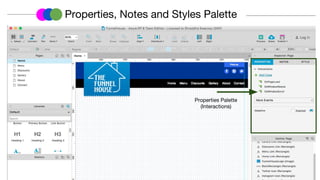
Properties, Notes and Styles Palette
Properties Palette
(Interactions)
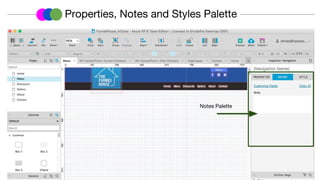
Properties, Notes and Styles Palette
Notes Palette
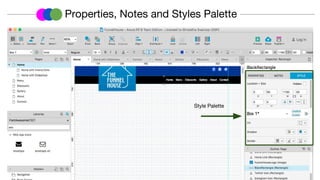
Style Palette
Properties, Notes and Styles Palette
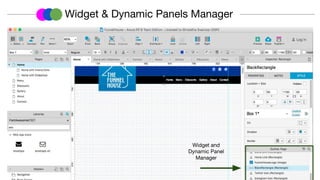
Widget and
Dynamic Panel
Manager
Widget & Dynamic Panels Manager
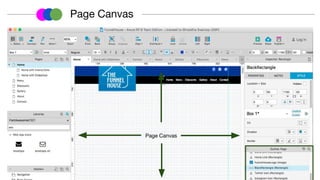
Page Canvas
Page Canvas
Prototyping made easy Axure instructor Next workshop: Dec 17
Key concepts
What is a master?
Masters are collections of widgets you can maintain in a
single source location and then reuse throughout your file.
Common elements that are created as masters include
headers, footers, and navigation. Any edits you make to a
master will be automatically applied everywhere that
master is used.
Prototyping made easy Axure instructor Next workshop: Dec 17
Dynamic Panel: When to use it?
A dynamic panel is a container that holds other widgets in
layers, or "states". A dynamic panel can have one state or
many, with only one state visible at a time. The
currently-visible state can be set dynamically, using the "Set
Panel State" action. Each state has a visible area but can also
include widgets that are outside the boundaries of the visible
area.
Prototyping made easy Axure instructor Next workshop: Dec 17
Collaboration with AxShare
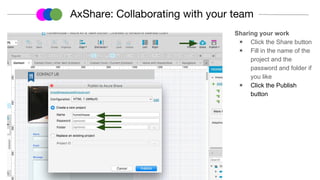
Sharing your work
◉ Click the Share button
◉ Fill in the name of the
project and the
password and folder if
you like
◉ Click the Publish
button
AxShare: Collaborating with your team
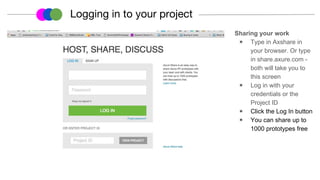
Sharing your work
◉ Type in Axshare in
your browser. Or type
in share.axure.com -
both will take you to
this screen
◉ Log in with your
credentials or the
Project ID
◉ Click the Log In button
◉ You can share up to
1000 prototypes free
Logging in to your project
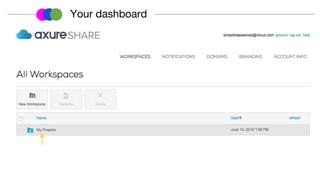
Your dashboard
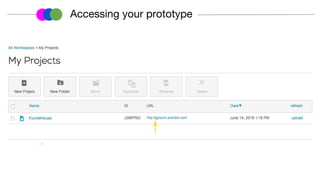
Accessing your prototype
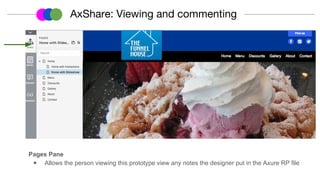
Pages Pane
◉ Allows the person viewing this prototype view any notes the designer put in the Axure RP file
AxShare: Viewing and commenting
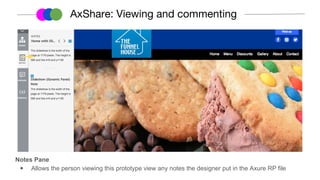
Notes Pane
◉ Allows the person viewing this prototype view any notes the designer put in the Axure RP file
AxShare: Viewing and commenting
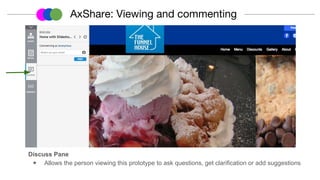
Discuss Pane
◉ Allows the person viewing this prototype to ask questions, get clarification or add suggestions
AxShare: Viewing and commenting
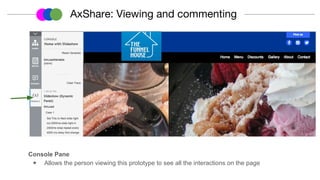
Console Pane
◉ Allows the person viewing this prototype to see all the interactions on the page
AxShare: Viewing and commenting
THANK YOU
www.linkedin.com/in/shraddhaswaroop
Prototyping instructor mrmuxdesigns@gmail.com Next class: Dec 17
www.shraddhaswaroop.com
https://goo.gl/wzEVZh
Resources
● Core training on Axure including account login, accordion controls, sign-in
pages, hot spots, etc. https://www.axure.com/support/training/core/1-basics
● Axure Forums for questions: http://www.axure.com/c/forum.php
● Free Axure software for students & teachers: http://www.axure.com/edu
● Material Design library for Axure:
https://github.com/google/material-design-icons/
● AxLib: A Google Group with greats posts on how to do stuff and where to
learn: https://groups.google.com/forum/#!forum/axlib

Axure Overview- 30 minutes