Amazon Web ServicesAmazon Web Services
The Blue Book pages 19 onwards
ReferencesReferences
http://developer.amazonwebservices.com
/connect/forumindex.jspa
An overview of AWSAn overview of AWS
AWS is Amazon’s umbrella description of all
of their web-based technology services.
Mainly infrastructure services:
◦ Amazon Elastic Compute Cloud (EC2)
◦ Amazon Simple Storage Service (S3)
◦ Amazon Simple Queue Service (SQS)
◦ Amazon CloudFront
◦ Amazon SimpleDB
Amazon EC2 is hiring
◦ http://aws.amazon.com/ec2-jobs/
Amazon EC2Amazon EC2
EC2 provides web services API for
provisioning, managing, and deprovioning
virtual servers inside amazon cloud.
Applications anywhere on the Internet
can launch a virtual server in the amazon
cloud with a single web services call
(either REST or SOAP WS call)
Where is SOAP API? For example,
http://docs.amazonwebservices.com/AmazonEC2/dg/2006-06-26/using-soap-api.html
Storage
Instance –store : disappears with the
instance (transient)
Block storage: SAN-like, persists across
time
S3 is independent of an instance: for
archival purposes: vault: store it now and
retrieve it at a later date
Amazon: SimpleDB: Relational database
better than MySQl or Oracle for
reliability.
Amazon Cloud-front
Cloud-based content distributing
network enables you to place the content
at the edges of the network for rapid
delivery.
Place the contents in S3 and run the
application from anywhere and the
content is moved to where the
application is (to the edges).
S3
 Amazon web services API support the ability to:
 Find buckets and objects
 Discover their meta data
 Create new buckets
 Upload new objects
 Delete existing buckets and objects
 When manipulating the buckets you can optionally
specify where they should be stored.
 Use REST API preferably something that abstracts out
even that: Jets3t; s3cmd (command line)
 BitTorrent access to S3 is also available
Bucket Naming
Flat namespace
Names may contain only lowercase
letters, numbers, periods, underscores,
and dashes, and must start with a number
or letter
Create your own namespace with your
own bcukets
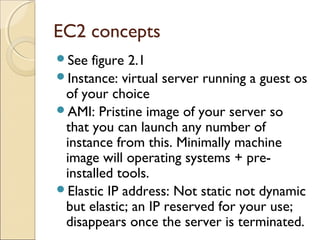
EC2 concepts
See figure 2.1
Instance: virtual server running a guest os
of your choice
AMI: Pristine image of your server so
that you can launch any number of
instance from this. Minimally machine
image will operating systems + pre-
installed tools.
Elastic IP address: Not static not dynamic
but elastic; an IP reserved for your use;
disappears once the server is terminated.
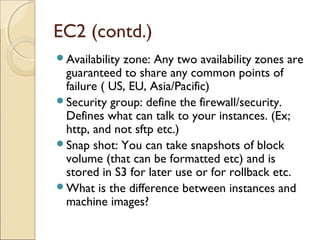
EC2 (contd.)
Availability zone: Any two availability zones are
guaranteed to share any common points of
failure ( US, EU, Asia/Pacific)
Security group: define the firewall/security.
Defines what can talk to your instances. (Ex;
http, and not sftp etc.)
Snap shot: You can take snapshots of block
volume (that can be formatted etc) and is
stored in S3 for later use or for rollback etc.
What is the difference between instances and
machine images?
How to access Ec2?
AWS console
http://console.aws.amazon.com
The ElasticFox firefox plugin
The amazon command line tool
Typical Use in an organization
Maintain a library of AMIs for the business
◦ May contain legacy systems or company-specific
systems
◦ Harden AMIs using such software as Bastille
Launch instances for non-technical but domain
experts to work with.
◦ What will you provide them so that they can start
working?
Use S3 for archival storage and shared storage

Aws oct18

  • 1.
    Amazon Web ServicesAmazonWeb Services The Blue Book pages 19 onwards
  • 2.
  • 3.
    An overview ofAWSAn overview of AWS AWS is Amazon’s umbrella description of all of their web-based technology services. Mainly infrastructure services: ◦ Amazon Elastic Compute Cloud (EC2) ◦ Amazon Simple Storage Service (S3) ◦ Amazon Simple Queue Service (SQS) ◦ Amazon CloudFront ◦ Amazon SimpleDB Amazon EC2 is hiring ◦ http://aws.amazon.com/ec2-jobs/
  • 4.
    Amazon EC2Amazon EC2 EC2provides web services API for provisioning, managing, and deprovioning virtual servers inside amazon cloud. Applications anywhere on the Internet can launch a virtual server in the amazon cloud with a single web services call (either REST or SOAP WS call) Where is SOAP API? For example, http://docs.amazonwebservices.com/AmazonEC2/dg/2006-06-26/using-soap-api.html
  • 5.
    Storage Instance –store :disappears with the instance (transient) Block storage: SAN-like, persists across time S3 is independent of an instance: for archival purposes: vault: store it now and retrieve it at a later date Amazon: SimpleDB: Relational database better than MySQl or Oracle for reliability.
  • 6.
    Amazon Cloud-front Cloud-based contentdistributing network enables you to place the content at the edges of the network for rapid delivery. Place the contents in S3 and run the application from anywhere and the content is moved to where the application is (to the edges).
  • 7.
    S3  Amazon webservices API support the ability to:  Find buckets and objects  Discover their meta data  Create new buckets  Upload new objects  Delete existing buckets and objects  When manipulating the buckets you can optionally specify where they should be stored.  Use REST API preferably something that abstracts out even that: Jets3t; s3cmd (command line)  BitTorrent access to S3 is also available
  • 8.
    Bucket Naming Flat namespace Namesmay contain only lowercase letters, numbers, periods, underscores, and dashes, and must start with a number or letter Create your own namespace with your own bcukets
  • 9.
    EC2 concepts See figure2.1 Instance: virtual server running a guest os of your choice AMI: Pristine image of your server so that you can launch any number of instance from this. Minimally machine image will operating systems + pre- installed tools. Elastic IP address: Not static not dynamic but elastic; an IP reserved for your use; disappears once the server is terminated.
  • 10.
    EC2 (contd.) Availability zone:Any two availability zones are guaranteed to share any common points of failure ( US, EU, Asia/Pacific) Security group: define the firewall/security. Defines what can talk to your instances. (Ex; http, and not sftp etc.) Snap shot: You can take snapshots of block volume (that can be formatted etc) and is stored in S3 for later use or for rollback etc. What is the difference between instances and machine images?
  • 11.
    How to accessEc2? AWS console http://console.aws.amazon.com The ElasticFox firefox plugin The amazon command line tool
  • 12.
    Typical Use inan organization Maintain a library of AMIs for the business ◦ May contain legacy systems or company-specific systems ◦ Harden AMIs using such software as Bastille Launch instances for non-technical but domain experts to work with. ◦ What will you provide them so that they can start working? Use S3 for archival storage and shared storage