ome Day
Fundamental Basics of AWS,
Hexaview Technologies
Sharad Gupta
Member of Technical Staff
We will cover
➢ What is AWS ?
➢ AWS keywords and terminologies
➢ AWS key services and their use.
➢ AWS best practices.
➢ Practical lab of ‘How things works around AWS? ’
What is AWS ?
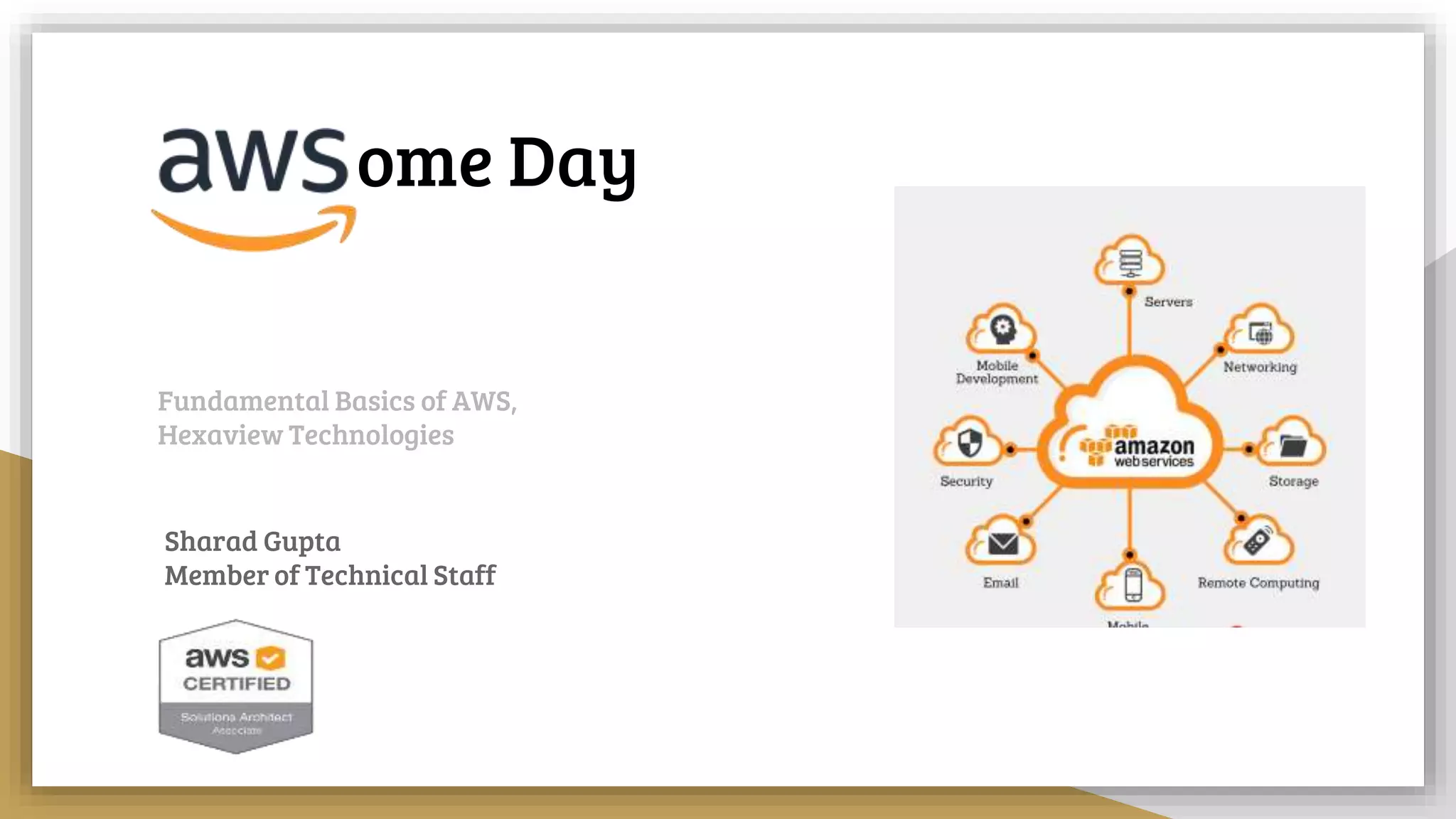
➢ Amazon Web Services (AWS) is the world’s most comprehensive broadly adopted cloud
platform, offering over 165 fully featured services from data centers globally.
➢ AWS provide secure, reliable and globally distributed architecture to build your application.
➢ Provides fine grained control over your account and services you use. Also flexible ‘Pay as
Use’ policies for better cost management.
➢ Multiple domains like Compute, Storage, Machine Learning, IOT, Automation, Game
Development, Analytics and many many more.
Key Terminologies
➢ AWS Console
➢ AWS User
➢ Access key & Secret key
➢ Regions & Availability Zone
➢ EC2 Instances
➢ Security Groups
➢ Key File
➢ S3 & Glaciar
AWS Console
➢ AWS console is platform where you sign in and access / manage AWS services.
➢ To access AWS console, you need username and password.
➢ If accessing as IAM user, then you will need Account Id also.
➢ For enhanced security, you might be asked for secondary mode of authentication i.e.
MFA Code (If enabled).
AWS User
➢ There are two types of users in AWS
○ Root User
○ IAM User
➢ To access AWS console, you need username and password.
➢ For login using IAM user, you need Account Id along with username and password.
➢ To access AWS APIs programmatically , you need AWS access key and security key.
➢ You can control AWS resource access to users using AWS IAM policies and AWS
security policies.
AWS Identity Access Management
➢ Identity Access Management (IAM) is place where you manage your all users, groups
and roles. IAM is all about “Who can do what ?”
➢ IAM Users : IAM users are users who can access AWS console via logging into console
or via APIs and SDK. You can control what, each user can do by attaching IAM policy
documents to users.
➢ IAM Groups : You can create groups and add users with similar permissions to groups
to centrally manage permissions using IAM policy documents.
➢ IAM Role : IAM Roles are identity which you can assign to AWS resources such as EC2,
Lambda, RDS etc and control whether and how they can communicate with other AWS
resources by attaching IAM policy documents.
IAM Policies : IAM Policies are JSON
documents which you can attach
with IAM user, group or roles.
Entity permissions are controlled
using these policy documents.
For eg. this IAM policy document
limits all S3 bucket operations on
bucket “my-test-bucket” but
explicitly denying every AWS
service except S3.
AWS Identity Access Management
{
"Version": "2012-10-17",
"Statement": [
{
"Effect": "Allow",
"Action": "s3:*",
"Resource": [
"arn:aws:s3:::my-test-bucket",
"arn:aws:s3:::my-test-bucket/*"
]
},
{
"Effect": "Deny",
"NotAction": "s3:*",
"NotResource": [
"arn:aws:s3:::my-test-bucket",
"arn:aws:s3:::my-test-bucket/*"
]
}
]
}
AWS Regions and Availability Zones
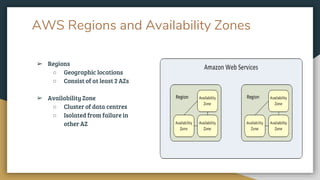
➢ Regions
○ Geographic locations
○ Consist of at least 2 AZs
➢ Availability Zone
○ Cluster of data centres
○ Isolated from failure in
other AZ
AWS Regions and Availability Zones
➢ Each Region is completely independent. Each Availability Zone is isolated, but the
Availability Zones in a Region are connected through low-latency links.
➢ Most AWS services works region wise. Resources create in one region will not be visible
in another region within same account by default.
➢ There are more than 15 regions spread across globe as of now. And each region has
multiple AZs (at least 2)
➢ Each region has unique identifier. And each az within each region has unique Id.
AWS Elastic Computing Cloud (EC2)
➢ EC2 instances are virtual machines hosted in AWS cloud.
➢ Resizable compute capacity
➢ Complete control of your computing resources
➢ Wide range of configurations and options to choose from
➢ Very less time required to obtain and boot new server and instances
➢ No upfront payment requirement. Pay as you use
EC2 : Instances v/s AMI
➢ Instances are virtual machines on which you can perform compute operations. These
are very likely to your PC except the fact that they might not exist in reality.
➢ Amazon Machine Image (AMI) is an virtual disk image using which you can load or
create instances. You can not connect or perform compute operations on AMI
➢ To create instance you must select an AMI. This AMI can be Amazon provided, custom
or third party provided.
➢ You can create your own custom AMI using existing instance or copy existing AMI.
➢ Instances launched from custom AMI will be exact replica of instance AMI is created
from.
➢ Instances and AMI are region specific.
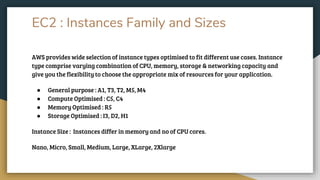
EC2 : Instances Family and Sizes
AWS provides wide selection of instance types optimised to fit different use cases. Instance
type comprise varying combination of CPU, memory, storage & networking capacity and
give you the flexibility to choose the appropriate mix of resources for your application.
● General purpose : A1, T3, T2, M5, M4
● Compute Optimised : C5, C4
● Memory Optimised : R5
● Storage Optimised : I3, D2, H1
Instance Size : Instances differ in memory and no of CPU cores.
Nano, Micro, Small, Medium, Large, XLarge, 2Xlarge
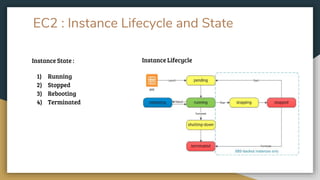
EC2 : Instance Lifecycle and State
Instance State :
1) Running
2) Stopped
3) Rebooting
4) Terminated
Instance Lifecycle
EC2 : Elastic Block Storage (EBS)
➢ EBS volume is durable, block level storage device that you can attach to a single EC2
instance.
➢ You can use EBS to store data on instances. After being attached to instance, they
behave like any other physical hard drive.
➢ You can attach more than one EBS volume to single EC2 instance BUT you can not
connect one EBS volume to multiple EC2 instances.
➢ You can encrypt data residing inside EBS volume. Root volume can not be encrypted
EC2 : EBS Volume v/s Snapshots
➢ EBS volumes are virtual hard drives. They can be connected to instances, store data,
can be attached and detached to instances at any time.
➢ EBS snapshots are like virtual disk image create from EBS volumes. They are more
likely used as a backup tool of EBS volumes.
➢ You can create of snapshot of any EBS volume any time. Also, you can launch new
instances using snapshots. It will attach EBS volume, exact replica of original EBS
volume, snapshot was created from.
➢ EBS snapshots are stored in S3. We don’t have access to this S3 bucket.
EC2 : Security Groups
➢ Security Groups act as firewall to EC2 instance.
➢ Each instance has at least one security group. Can contain more than one security
group.
➢ By default, any network is not allowed to reach / connect to EC2 instance.
➢ Only network, that you will allow via security group, can reach to instance.
➢ You can only create allow rules, can not create explicit deny rules.
➢ You can create rules for specific IP, IP range or any other security group.
➢ Any rule you change, are instantaneously applied to underlying instances.
EC2 : Public facing v/s Private facing
➢ Each EC2 instance launched have one private IP assigned. Once instance has been
launched, its private IP does not change during entire instance lifecycle (until instance
is terminated).
➢ If you have opted for public IP, during instance launch, you will get one public IP. Using
this public IP, you can reach / connect to instance from internet.
➢ Public IP does not persist during the lifecycle of instance. I.e. after instance is rebooted
or restarted.
➢ You can get Elastic IP and assign it to EC2 instance. Elastic IP does not change on
instance reboot / stop. You can connect to instance using elastic IP via SSH.
EC2 : Private Key File
➢ Every EC2 instance you launch, is given one key-pair
➢ This key file is used to connect to EC2 instance via SSH (for linux type instances) or to
get password of instance (for windows type instances)
➢ This key file must be saved somewhere safe as after instance launch you can not re
download key file
➢ You can use same key pair for multiple EC2 instances
➢ Key pair are region specific
AWS Console & EC2
Demo
Today we will cover..
➢ AWS S3 & other storage options
➢ AWS S3 Demo
➢ Other useful AWS services
AWS Simple Storage Service (S3)
➢ AWS S3 is service where you can store any document. It is called object level storage.
➢ You can store flat files, images, videos, documents & almost every other document
that can be classified as file.
➢ Place where you upload / organise your files are called BUCKET and files that you
upload are called OBJECTS
➢ File size can vary between 0 Byte to 5 TB
S3 : Features
➢ High availability (99.9 %) & high durability (99.999999999 % )
➢ Provides unlimited storage
➢ Store files of any size between 0 Byte to 5 TB
➢ Very cheap
➢ Files are stored in entity called BUCKETS
➢ FIles are called OBJECTS
➢ Provides multiple storage classes to fulfill different requirement
➢ Ability to maintain multiple versions of same file
➢ Ability to encrypt data on rest
➢ Ability to define fine grained permissions using policies
➢ Ability to control object lifecycle
S3 : Keywords and Terminologies
➢ Bucket : A bucket is a container for objects stored in S3. Every object is contained in a
bucket.
➢ Object : Objects are fundamental entities stored in S3. Objects consist of object data
and metadata. Metadata is set of key-value pairs that describe the object.
➢ Key : Key is unique identifier for an object within a bucket. Every object in a bucket has
exactly one key.
➢ Metadata : Metadata is a set of name-value pairs that describe the object. These
include some default metadata such as last modified date, Content-Type etc
➢ Bucket policy : Bucket policy are JSON format document that define access and
permissions on bucket level
S3 : Storage Classes
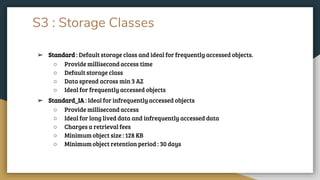
➢ Standard : Default storage class and ideal for frequently accessed objects.
○ Provide millisecond access time
○ Default storage class
○ Data spread across min 3 AZ
○ Ideal for frequently accessed objects
➢ Standard_IA : Ideal for infrequently accessed objects
○ Provide millisecond access
○ Ideal for long lived data and infrequently accessed data
○ Charges a retrieval fees
○ Minimum object size : 128 KB
○ Minimum object retention period : 30 days
S3 : Storage Classes
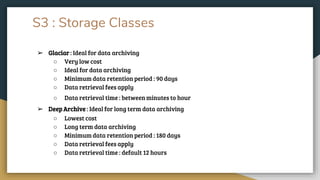
➢ Glaciar : Ideal for data archiving
○ Very low cost
○ Ideal for data archiving
○ Minimum data retention period : 90 days
○ Data retrieval fees apply
○ Data retrieval time : between minutes to hour
➢ Deep Archive : Ideal for long term data archiving
○ Lowest cost
○ Long term data archiving
○ Minimum data retention period : 180 days
○ Data retrieval fees apply
○ Data retrieval time : default 12 hours
S3 : Bucket & Object Properties
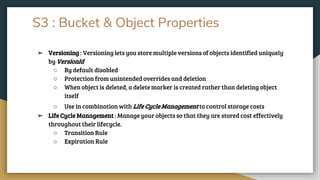
➢ Versioning : Versioning lets you store multiple versions of objects identified uniquely
by VersionId
○ By default disabled
○ Protection from unintended overrides and deletion
○ When object is deleted, a delete marker is created rather than deleting object
itself
○ Use in combination with Life Cycle Management to control storage costs
➢ Life Cycle Management : Manage your objects so that they are stored cost effectively
throughout their lifecycle.
○ Transition Rule
○ Expiration Rule
S3 : Bucket & Object Properties
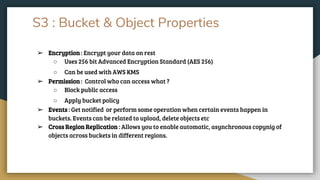
➢ Encryption : Encrypt your data on rest
○ Uses 256 bit Advanced Encryption Standard (AES 256)
○ Can be used with AWS KMS
➢ Permission : Control who can access what ?
○ Block public access
○ Apply bucket policy
➢ Events : Get notified or perform some operation when certain events happen in
buckets. Events can be related to upload, delete objects etc
➢ Cross Region Replication : Allows you to enable automatic, asynchronous copynig of
objects across buckets in different regions.
S3 : Object Storage v/s Block Storage
➢ S3 is used for object storage while EBS is used for block storage
➢ With block storage files are split into evenly sized blocks, each with its own address.
➢ Object storage doesn’t split files into raw blocks of data. Instead entire clumps of data
are stored in.
➢ Another difference is that block storage can be directly accessed by operating system
as a mounted drive volume.
➢ Documents, images, videos, music files & flat files are example of objects
➢ Database, servers, application data, operating system data are example of block data.
AWS S3 Demo
S3 : Other Useful AWS Services
➢ AWS Cloudfront : A Content Delivery Network (CDN) to accelerate your static content
delivery globally.
➢ AWS Elastic Load Balancer : To distribute your server load / web request evenly
across multiple servers to improve server performance, reliability and fault tolerance
➢ AWS Auto Scaling : Scale your server size up / down as per requirement / load in
minutes to maintain server performance and cost
➢ AWS RDS : Amazon managed relational database service for MySql, SQL Server,
Postgresql, Oracle and Mariadb
S3 : Other Useful AWS Services
➢ AWS MongoDB : Amazon managed, highly scalable NoSql database
➢ AWS Lambda : AWS serverless approach to host your servers or to run your code
➢ AWS Snowball : MIgrate your large scale data from / to AWS
Any open
questions ?
Thanks

AWS basics session

  • 1.
    ome Day Fundamental Basicsof AWS, Hexaview Technologies Sharad Gupta Member of Technical Staff
  • 2.
    We will cover ➢What is AWS ? ➢ AWS keywords and terminologies ➢ AWS key services and their use. ➢ AWS best practices. ➢ Practical lab of ‘How things works around AWS? ’
  • 3.
    What is AWS? ➢ Amazon Web Services (AWS) is the world’s most comprehensive broadly adopted cloud platform, offering over 165 fully featured services from data centers globally. ➢ AWS provide secure, reliable and globally distributed architecture to build your application. ➢ Provides fine grained control over your account and services you use. Also flexible ‘Pay as Use’ policies for better cost management. ➢ Multiple domains like Compute, Storage, Machine Learning, IOT, Automation, Game Development, Analytics and many many more.
  • 4.
    Key Terminologies ➢ AWSConsole ➢ AWS User ➢ Access key & Secret key ➢ Regions & Availability Zone ➢ EC2 Instances ➢ Security Groups ➢ Key File ➢ S3 & Glaciar
  • 5.
    AWS Console ➢ AWSconsole is platform where you sign in and access / manage AWS services. ➢ To access AWS console, you need username and password. ➢ If accessing as IAM user, then you will need Account Id also. ➢ For enhanced security, you might be asked for secondary mode of authentication i.e. MFA Code (If enabled).
  • 6.
    AWS User ➢ Thereare two types of users in AWS ○ Root User ○ IAM User ➢ To access AWS console, you need username and password. ➢ For login using IAM user, you need Account Id along with username and password. ➢ To access AWS APIs programmatically , you need AWS access key and security key. ➢ You can control AWS resource access to users using AWS IAM policies and AWS security policies.
  • 7.
    AWS Identity AccessManagement ➢ Identity Access Management (IAM) is place where you manage your all users, groups and roles. IAM is all about “Who can do what ?” ➢ IAM Users : IAM users are users who can access AWS console via logging into console or via APIs and SDK. You can control what, each user can do by attaching IAM policy documents to users. ➢ IAM Groups : You can create groups and add users with similar permissions to groups to centrally manage permissions using IAM policy documents. ➢ IAM Role : IAM Roles are identity which you can assign to AWS resources such as EC2, Lambda, RDS etc and control whether and how they can communicate with other AWS resources by attaching IAM policy documents.
  • 8.
    IAM Policies :IAM Policies are JSON documents which you can attach with IAM user, group or roles. Entity permissions are controlled using these policy documents. For eg. this IAM policy document limits all S3 bucket operations on bucket “my-test-bucket” but explicitly denying every AWS service except S3. AWS Identity Access Management { "Version": "2012-10-17", "Statement": [ { "Effect": "Allow", "Action": "s3:*", "Resource": [ "arn:aws:s3:::my-test-bucket", "arn:aws:s3:::my-test-bucket/*" ] }, { "Effect": "Deny", "NotAction": "s3:*", "NotResource": [ "arn:aws:s3:::my-test-bucket", "arn:aws:s3:::my-test-bucket/*" ] } ] }
  • 9.
    AWS Regions andAvailability Zones ➢ Regions ○ Geographic locations ○ Consist of at least 2 AZs ➢ Availability Zone ○ Cluster of data centres ○ Isolated from failure in other AZ
  • 10.
    AWS Regions andAvailability Zones ➢ Each Region is completely independent. Each Availability Zone is isolated, but the Availability Zones in a Region are connected through low-latency links. ➢ Most AWS services works region wise. Resources create in one region will not be visible in another region within same account by default. ➢ There are more than 15 regions spread across globe as of now. And each region has multiple AZs (at least 2) ➢ Each region has unique identifier. And each az within each region has unique Id.
  • 11.
    AWS Elastic ComputingCloud (EC2) ➢ EC2 instances are virtual machines hosted in AWS cloud. ➢ Resizable compute capacity ➢ Complete control of your computing resources ➢ Wide range of configurations and options to choose from ➢ Very less time required to obtain and boot new server and instances ➢ No upfront payment requirement. Pay as you use
  • 12.
    EC2 : Instancesv/s AMI ➢ Instances are virtual machines on which you can perform compute operations. These are very likely to your PC except the fact that they might not exist in reality. ➢ Amazon Machine Image (AMI) is an virtual disk image using which you can load or create instances. You can not connect or perform compute operations on AMI ➢ To create instance you must select an AMI. This AMI can be Amazon provided, custom or third party provided. ➢ You can create your own custom AMI using existing instance or copy existing AMI. ➢ Instances launched from custom AMI will be exact replica of instance AMI is created from. ➢ Instances and AMI are region specific.
  • 13.
    EC2 : InstancesFamily and Sizes AWS provides wide selection of instance types optimised to fit different use cases. Instance type comprise varying combination of CPU, memory, storage & networking capacity and give you the flexibility to choose the appropriate mix of resources for your application. ● General purpose : A1, T3, T2, M5, M4 ● Compute Optimised : C5, C4 ● Memory Optimised : R5 ● Storage Optimised : I3, D2, H1 Instance Size : Instances differ in memory and no of CPU cores. Nano, Micro, Small, Medium, Large, XLarge, 2Xlarge
  • 14.
    EC2 : InstanceLifecycle and State Instance State : 1) Running 2) Stopped 3) Rebooting 4) Terminated Instance Lifecycle
  • 15.
    EC2 : ElasticBlock Storage (EBS) ➢ EBS volume is durable, block level storage device that you can attach to a single EC2 instance. ➢ You can use EBS to store data on instances. After being attached to instance, they behave like any other physical hard drive. ➢ You can attach more than one EBS volume to single EC2 instance BUT you can not connect one EBS volume to multiple EC2 instances. ➢ You can encrypt data residing inside EBS volume. Root volume can not be encrypted
  • 16.
    EC2 : EBSVolume v/s Snapshots ➢ EBS volumes are virtual hard drives. They can be connected to instances, store data, can be attached and detached to instances at any time. ➢ EBS snapshots are like virtual disk image create from EBS volumes. They are more likely used as a backup tool of EBS volumes. ➢ You can create of snapshot of any EBS volume any time. Also, you can launch new instances using snapshots. It will attach EBS volume, exact replica of original EBS volume, snapshot was created from. ➢ EBS snapshots are stored in S3. We don’t have access to this S3 bucket.
  • 17.
    EC2 : SecurityGroups ➢ Security Groups act as firewall to EC2 instance. ➢ Each instance has at least one security group. Can contain more than one security group. ➢ By default, any network is not allowed to reach / connect to EC2 instance. ➢ Only network, that you will allow via security group, can reach to instance. ➢ You can only create allow rules, can not create explicit deny rules. ➢ You can create rules for specific IP, IP range or any other security group. ➢ Any rule you change, are instantaneously applied to underlying instances.
  • 18.
    EC2 : Publicfacing v/s Private facing ➢ Each EC2 instance launched have one private IP assigned. Once instance has been launched, its private IP does not change during entire instance lifecycle (until instance is terminated). ➢ If you have opted for public IP, during instance launch, you will get one public IP. Using this public IP, you can reach / connect to instance from internet. ➢ Public IP does not persist during the lifecycle of instance. I.e. after instance is rebooted or restarted. ➢ You can get Elastic IP and assign it to EC2 instance. Elastic IP does not change on instance reboot / stop. You can connect to instance using elastic IP via SSH.
  • 19.
    EC2 : PrivateKey File ➢ Every EC2 instance you launch, is given one key-pair ➢ This key file is used to connect to EC2 instance via SSH (for linux type instances) or to get password of instance (for windows type instances) ➢ This key file must be saved somewhere safe as after instance launch you can not re download key file ➢ You can use same key pair for multiple EC2 instances ➢ Key pair are region specific
  • 20.
    AWS Console &EC2 Demo
  • 21.
    Today we willcover.. ➢ AWS S3 & other storage options ➢ AWS S3 Demo ➢ Other useful AWS services
  • 22.
    AWS Simple StorageService (S3) ➢ AWS S3 is service where you can store any document. It is called object level storage. ➢ You can store flat files, images, videos, documents & almost every other document that can be classified as file. ➢ Place where you upload / organise your files are called BUCKET and files that you upload are called OBJECTS ➢ File size can vary between 0 Byte to 5 TB
  • 23.
    S3 : Features ➢High availability (99.9 %) & high durability (99.999999999 % ) ➢ Provides unlimited storage ➢ Store files of any size between 0 Byte to 5 TB ➢ Very cheap ➢ Files are stored in entity called BUCKETS ➢ FIles are called OBJECTS ➢ Provides multiple storage classes to fulfill different requirement ➢ Ability to maintain multiple versions of same file ➢ Ability to encrypt data on rest ➢ Ability to define fine grained permissions using policies ➢ Ability to control object lifecycle
  • 24.
    S3 : Keywordsand Terminologies ➢ Bucket : A bucket is a container for objects stored in S3. Every object is contained in a bucket. ➢ Object : Objects are fundamental entities stored in S3. Objects consist of object data and metadata. Metadata is set of key-value pairs that describe the object. ➢ Key : Key is unique identifier for an object within a bucket. Every object in a bucket has exactly one key. ➢ Metadata : Metadata is a set of name-value pairs that describe the object. These include some default metadata such as last modified date, Content-Type etc ➢ Bucket policy : Bucket policy are JSON format document that define access and permissions on bucket level
  • 25.
    S3 : StorageClasses ➢ Standard : Default storage class and ideal for frequently accessed objects. ○ Provide millisecond access time ○ Default storage class ○ Data spread across min 3 AZ ○ Ideal for frequently accessed objects ➢ Standard_IA : Ideal for infrequently accessed objects ○ Provide millisecond access ○ Ideal for long lived data and infrequently accessed data ○ Charges a retrieval fees ○ Minimum object size : 128 KB ○ Minimum object retention period : 30 days
  • 26.
    S3 : StorageClasses ➢ Glaciar : Ideal for data archiving ○ Very low cost ○ Ideal for data archiving ○ Minimum data retention period : 90 days ○ Data retrieval fees apply ○ Data retrieval time : between minutes to hour ➢ Deep Archive : Ideal for long term data archiving ○ Lowest cost ○ Long term data archiving ○ Minimum data retention period : 180 days ○ Data retrieval fees apply ○ Data retrieval time : default 12 hours
  • 27.
    S3 : Bucket& Object Properties ➢ Versioning : Versioning lets you store multiple versions of objects identified uniquely by VersionId ○ By default disabled ○ Protection from unintended overrides and deletion ○ When object is deleted, a delete marker is created rather than deleting object itself ○ Use in combination with Life Cycle Management to control storage costs ➢ Life Cycle Management : Manage your objects so that they are stored cost effectively throughout their lifecycle. ○ Transition Rule ○ Expiration Rule
  • 28.
    S3 : Bucket& Object Properties ➢ Encryption : Encrypt your data on rest ○ Uses 256 bit Advanced Encryption Standard (AES 256) ○ Can be used with AWS KMS ➢ Permission : Control who can access what ? ○ Block public access ○ Apply bucket policy ➢ Events : Get notified or perform some operation when certain events happen in buckets. Events can be related to upload, delete objects etc ➢ Cross Region Replication : Allows you to enable automatic, asynchronous copynig of objects across buckets in different regions.
  • 29.
    S3 : ObjectStorage v/s Block Storage ➢ S3 is used for object storage while EBS is used for block storage ➢ With block storage files are split into evenly sized blocks, each with its own address. ➢ Object storage doesn’t split files into raw blocks of data. Instead entire clumps of data are stored in. ➢ Another difference is that block storage can be directly accessed by operating system as a mounted drive volume. ➢ Documents, images, videos, music files & flat files are example of objects ➢ Database, servers, application data, operating system data are example of block data.
  • 30.
  • 31.
    S3 : OtherUseful AWS Services ➢ AWS Cloudfront : A Content Delivery Network (CDN) to accelerate your static content delivery globally. ➢ AWS Elastic Load Balancer : To distribute your server load / web request evenly across multiple servers to improve server performance, reliability and fault tolerance ➢ AWS Auto Scaling : Scale your server size up / down as per requirement / load in minutes to maintain server performance and cost ➢ AWS RDS : Amazon managed relational database service for MySql, SQL Server, Postgresql, Oracle and Mariadb
  • 32.
    S3 : OtherUseful AWS Services ➢ AWS MongoDB : Amazon managed, highly scalable NoSql database ➢ AWS Lambda : AWS serverless approach to host your servers or to run your code ➢ AWS Snowball : MIgrate your large scale data from / to AWS
  • 33.
  • 34.

Editor's Notes

  • #4 Why AWS ? Conventional data hosting platform v/s cloud . How cloud computing works.
  • #5 These key terminologies only specify keywords that we majorly use here in Hexaview.
  • #25 You can directly store object in S3 or you might create folders in S3 also.
  • #26 comparison of storage classes : https://docs.aws.amazon.com/AmazonS3/latest/dev/storage-class-intro.html#sc-compare