ACCESSING AWS
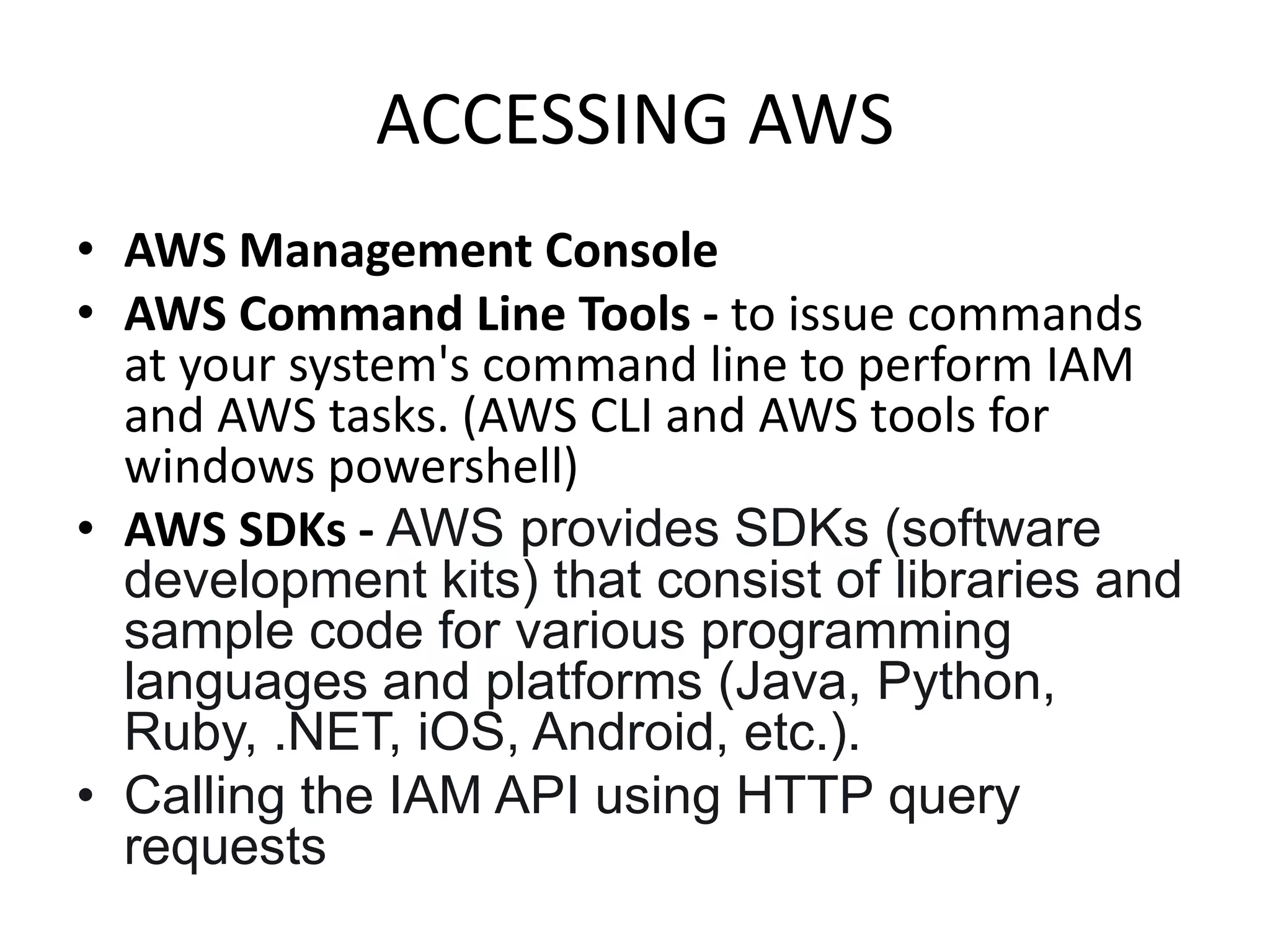
• AWS Management Console
• AWS Command Line Tools - to issue commands
at your system's command line to perform IAM
and AWS tasks. (AWS CLI and AWS tools for
windows powershell)
• AWS SDKs - AWS provides SDKs (software
development kits) that consist of libraries and
sample code for various programming
languages and platforms (Java, Python,
Ruby, .NET, iOS, Android, etc.).
• Calling the IAM API using HTTP query
requests
IDENTITY AND ACCESS MANAGEMENT
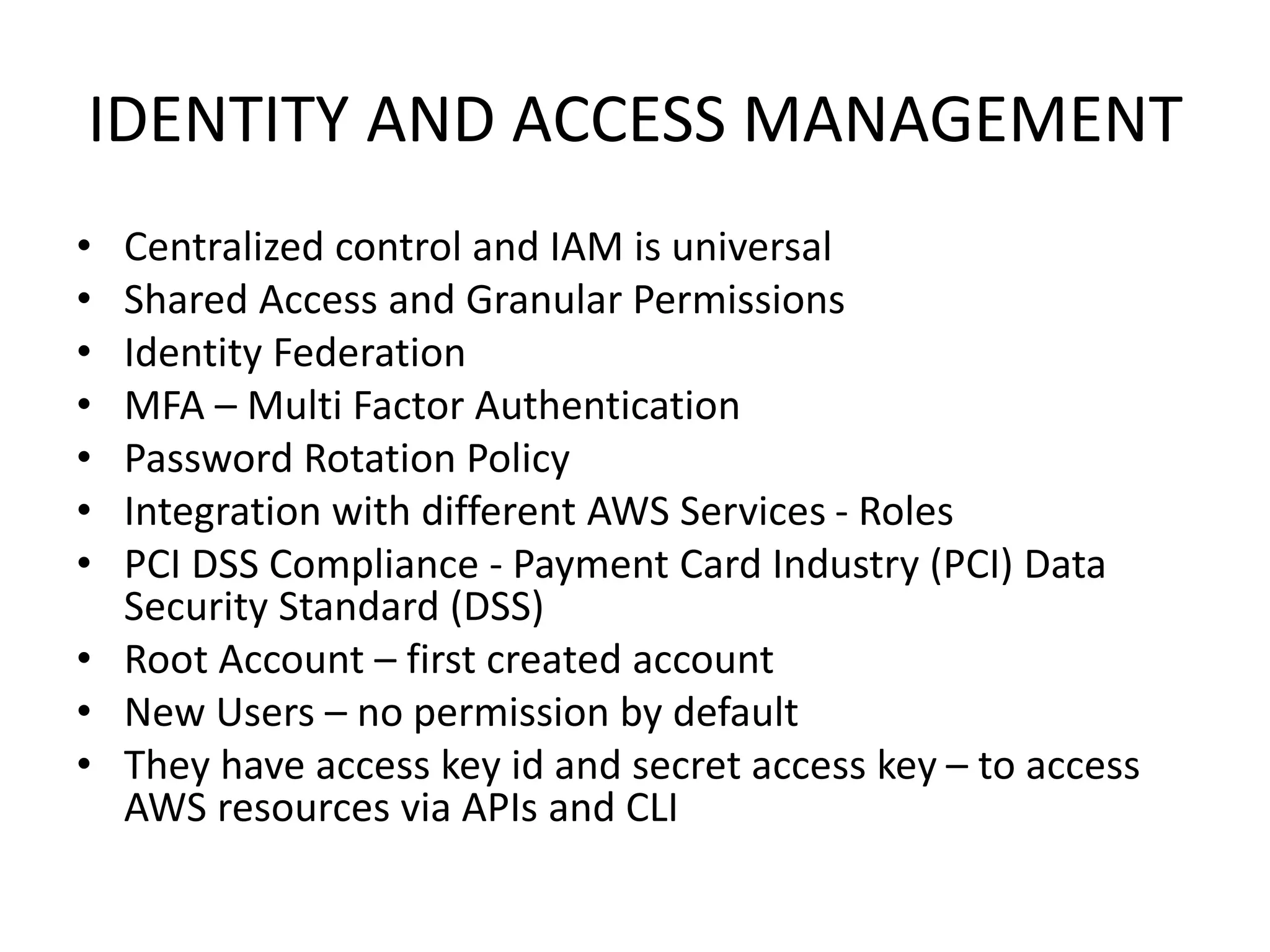
• Centralized control and IAM is universal
• Shared Access and Granular Permissions
• Identity Federation
• MFA – Multi Factor Authentication
• Password Rotation Policy
• Integration with different AWS Services - Roles
• PCI DSS Compliance - Payment Card Industry (PCI) Data
Security Standard (DSS)
• Root Account – first created account
• New Users – no permission by default
• They have access key id and secret access key – to access
AWS resources via APIs and CLI
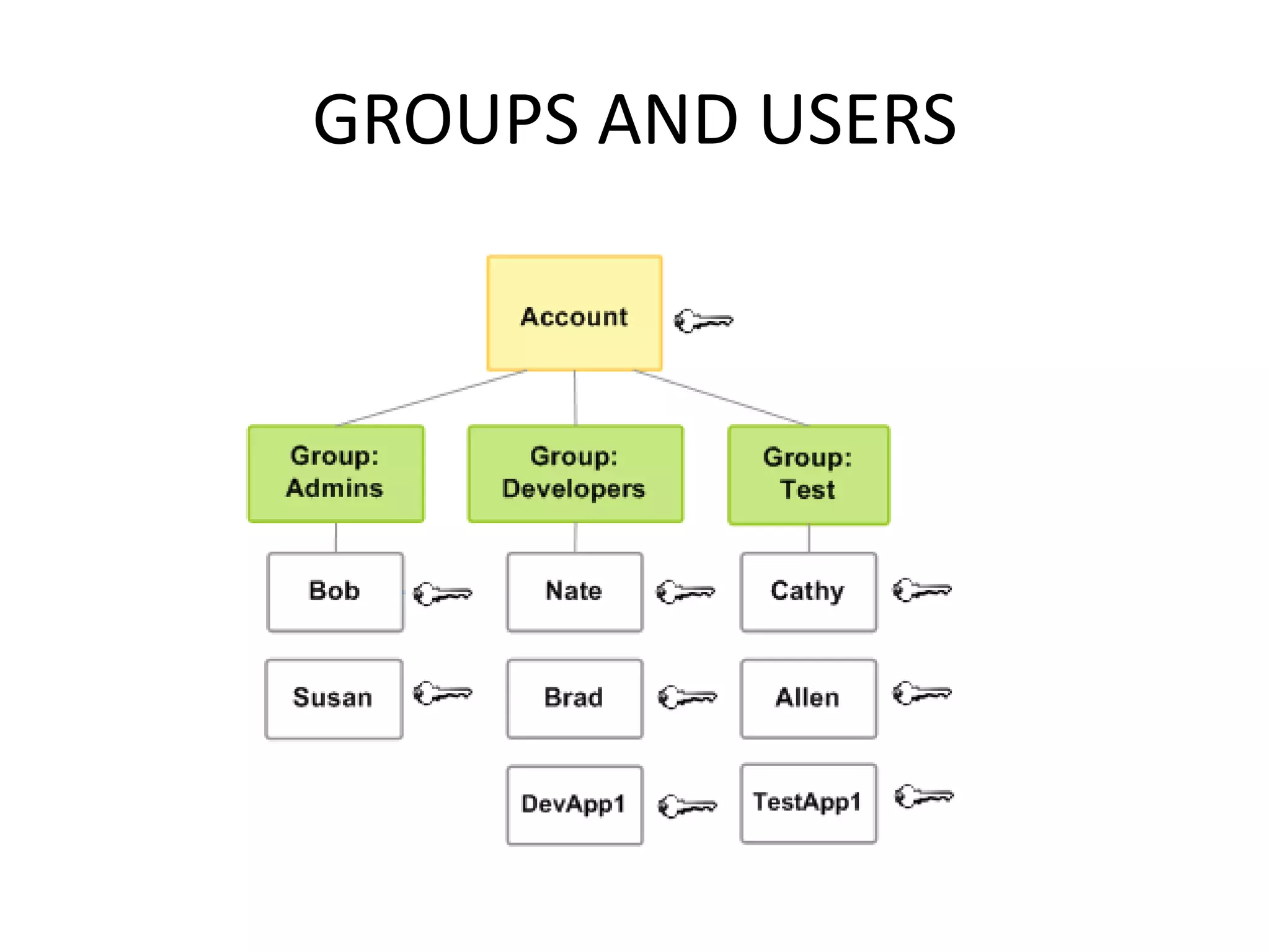
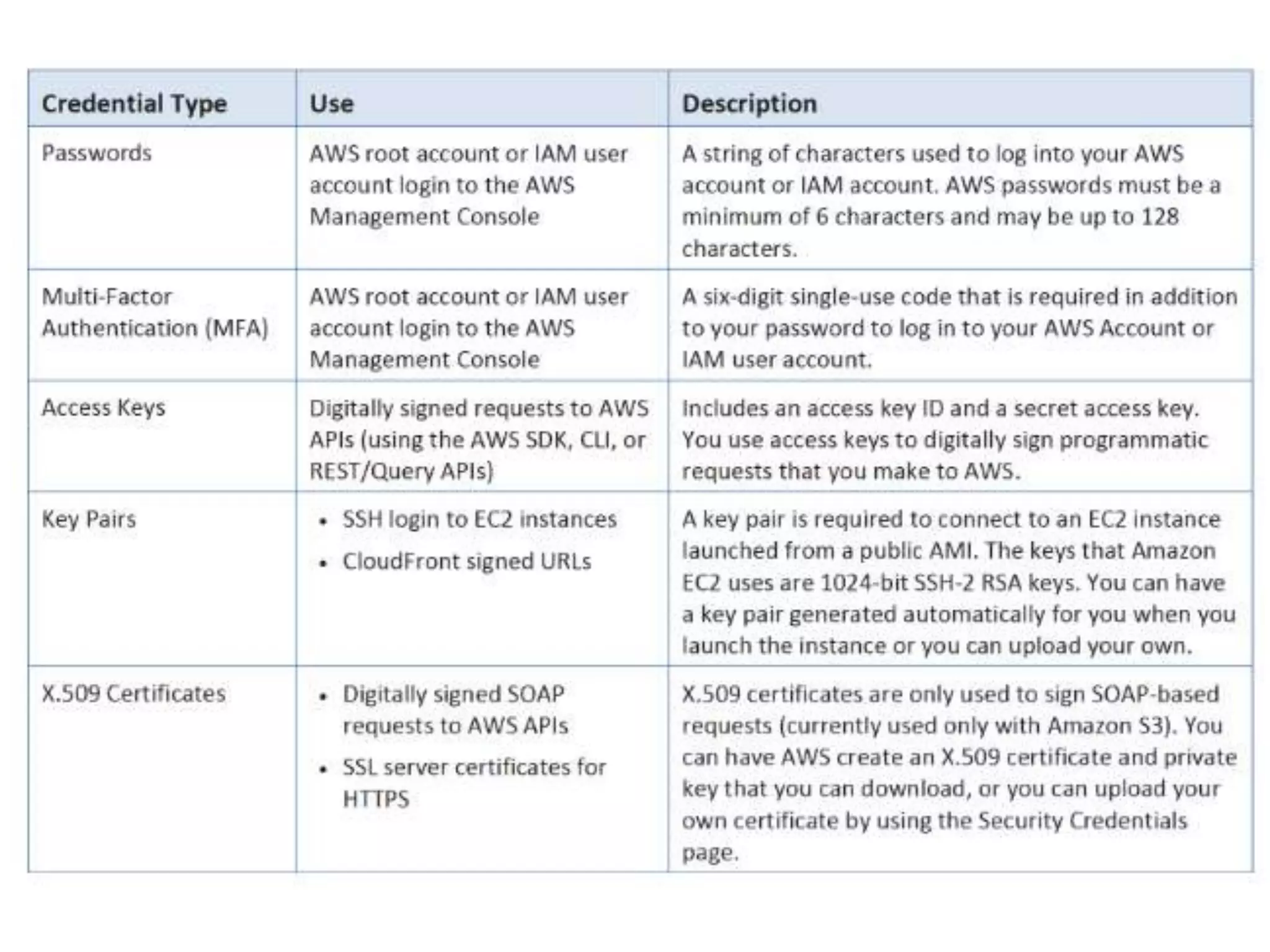
GROUPS AND USERS
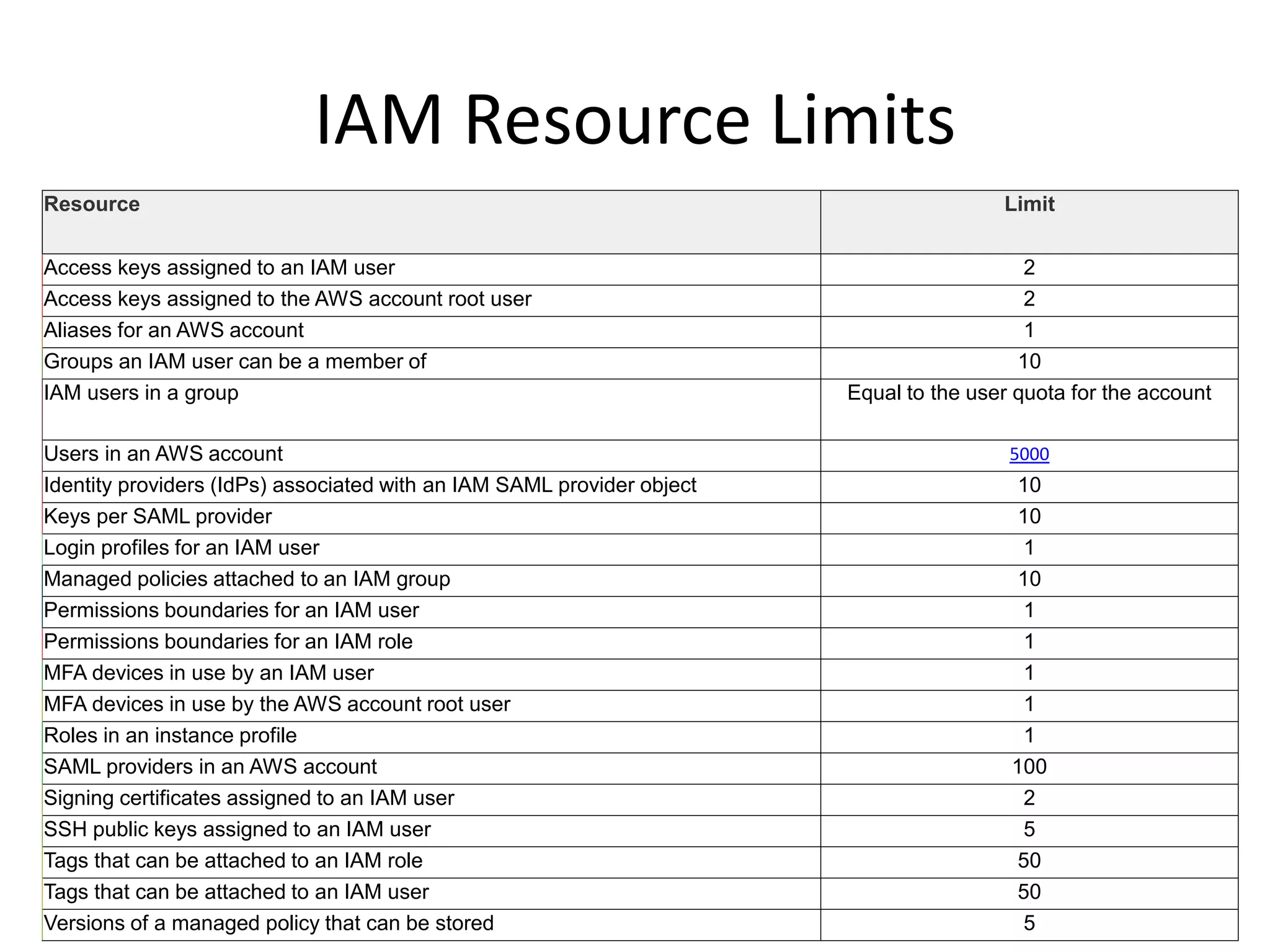
IAM Resource Limits
Resource Limit
Access keys assigned to an IAM user 2
Access keys assigned to the AWS account root user 2
Aliases for an AWS account 1
Groups an IAM user can be a member of 10
IAM users in a group Equal to the user quota for the account
Users in an AWS account 5000
Identity providers (IdPs) associated with an IAM SAML provider object 10
Keys per SAML provider 10
Login profiles for an IAM user 1
Managed policies attached to an IAM group 10
Permissions boundaries for an IAM user 1
Permissions boundaries for an IAM role 1
MFA devices in use by an IAM user 1
MFA devices in use by the AWS account root user 1
Roles in an instance profile 1
SAML providers in an AWS account 100
Signing certificates assigned to an IAM user 2
SSH public keys assigned to an IAM user 5
Tags that can be attached to an IAM role 50
Tags that can be attached to an IAM user 50
Versions of a managed policy that can be stored 5
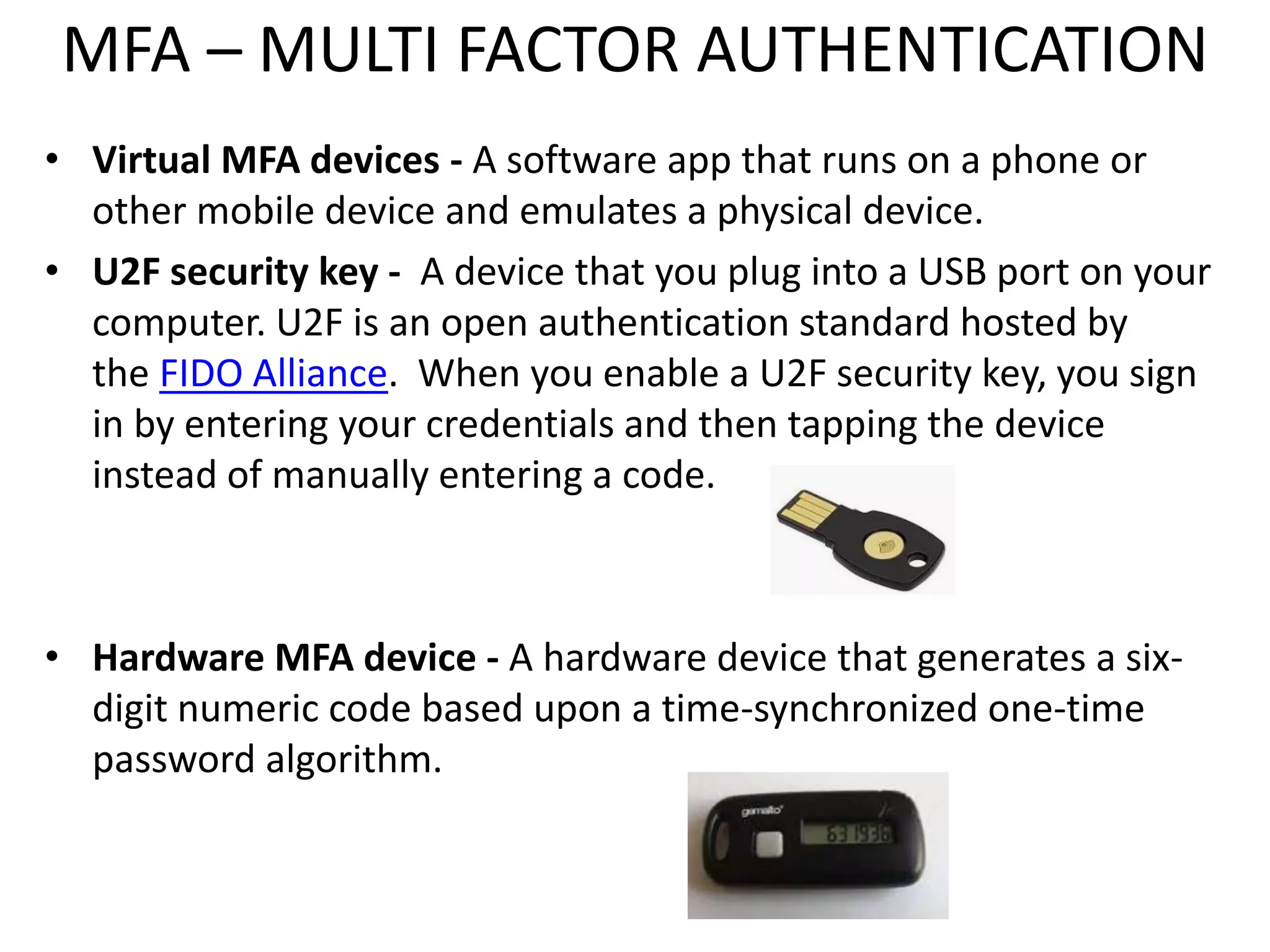
MFA – MULTI FACTOR AUTHENTICATION
• Virtual MFA devices - A software app that runs on a phone or
other mobile device and emulates a physical device.
• U2F security key - A device that you plug into a USB port on your
computer. U2F is an open authentication standard hosted by
the FIDO Alliance. When you enable a U2F security key, you sign
in by entering your credentials and then tapping the device
instead of manually entering a code.
• Hardware MFA device - A hardware device that generates a six-
digit numeric code based upon a time-synchronized one-time
password algorithm.
PASSWORD POLICY
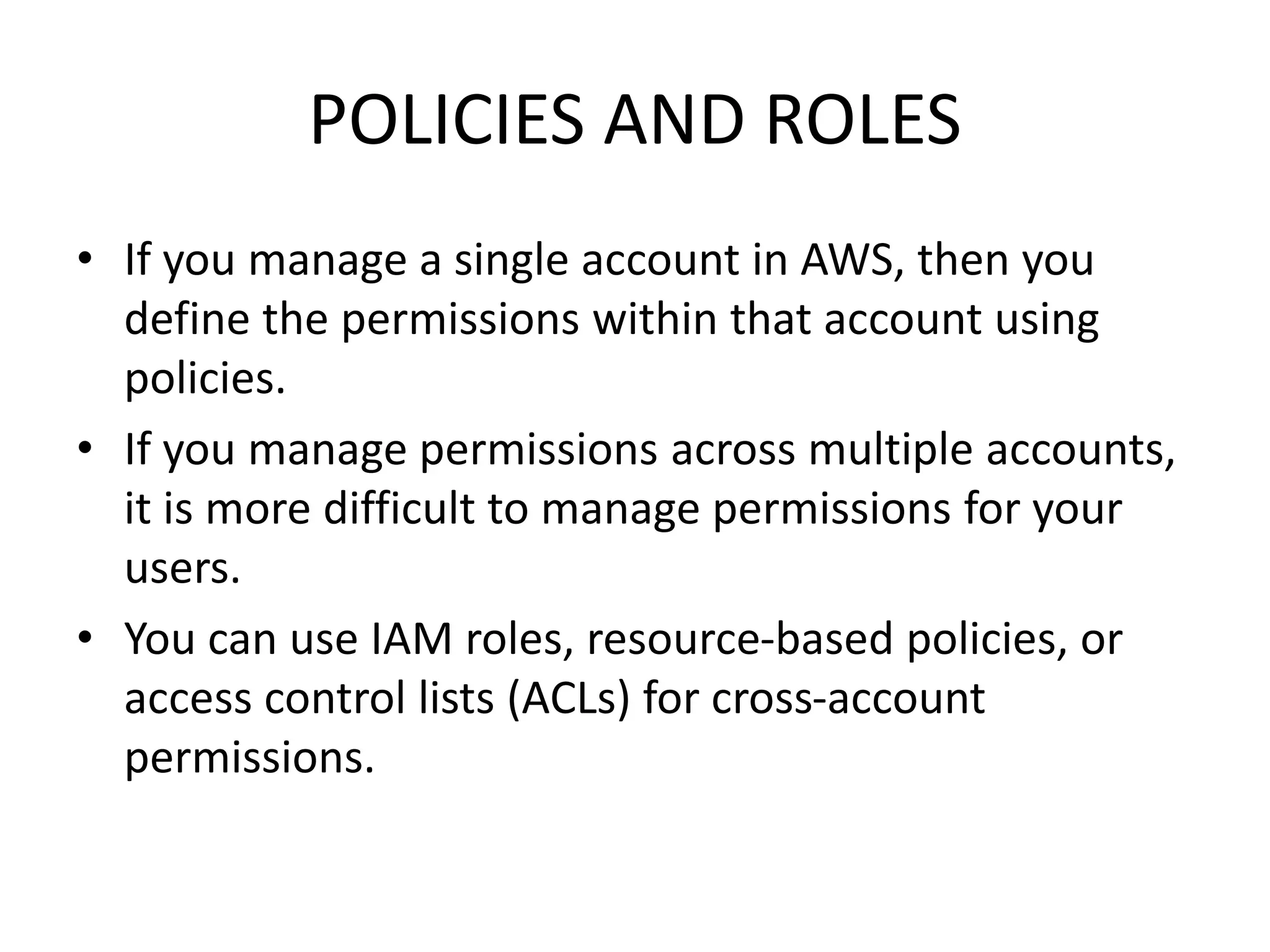
POLICIES AND ROLES
• If you manage a single account in AWS, then you
define the permissions within that account using
policies.
• If you manage permissions across multiple accounts,
it is more difficult to manage permissions for your
users.
• You can use IAM roles, resource-based policies, or
access control lists (ACLs) for cross-account
permissions.
IDENTITY BASED POLICIES
Identity-based policies control what actions the identity can perform, on which
resources, and under what conditions. Identity-based policies can be further
categorized:
– Managed policies – Standalone identity-based policies that you can attach to
multiple users, groups, and roles in your AWS account. You can use two types of
managed policies:
• AWS managed policies – Managed policies that are created and managed by
AWS.
• Customer managed policies – Managed policies that you create and manage in
your AWS account. Customer managed policies provide more precise control
over your policies than AWS managed policies. You can create and edit an IAM
policy in the visual editor or by creating the JSON policy document directly.
– Inline policies – Policies that you create and manage and that are embedded
directly into a single user, group, or role. In most cases, we don't recommend using
inline policies.
RESOURCE BASED POLICIES
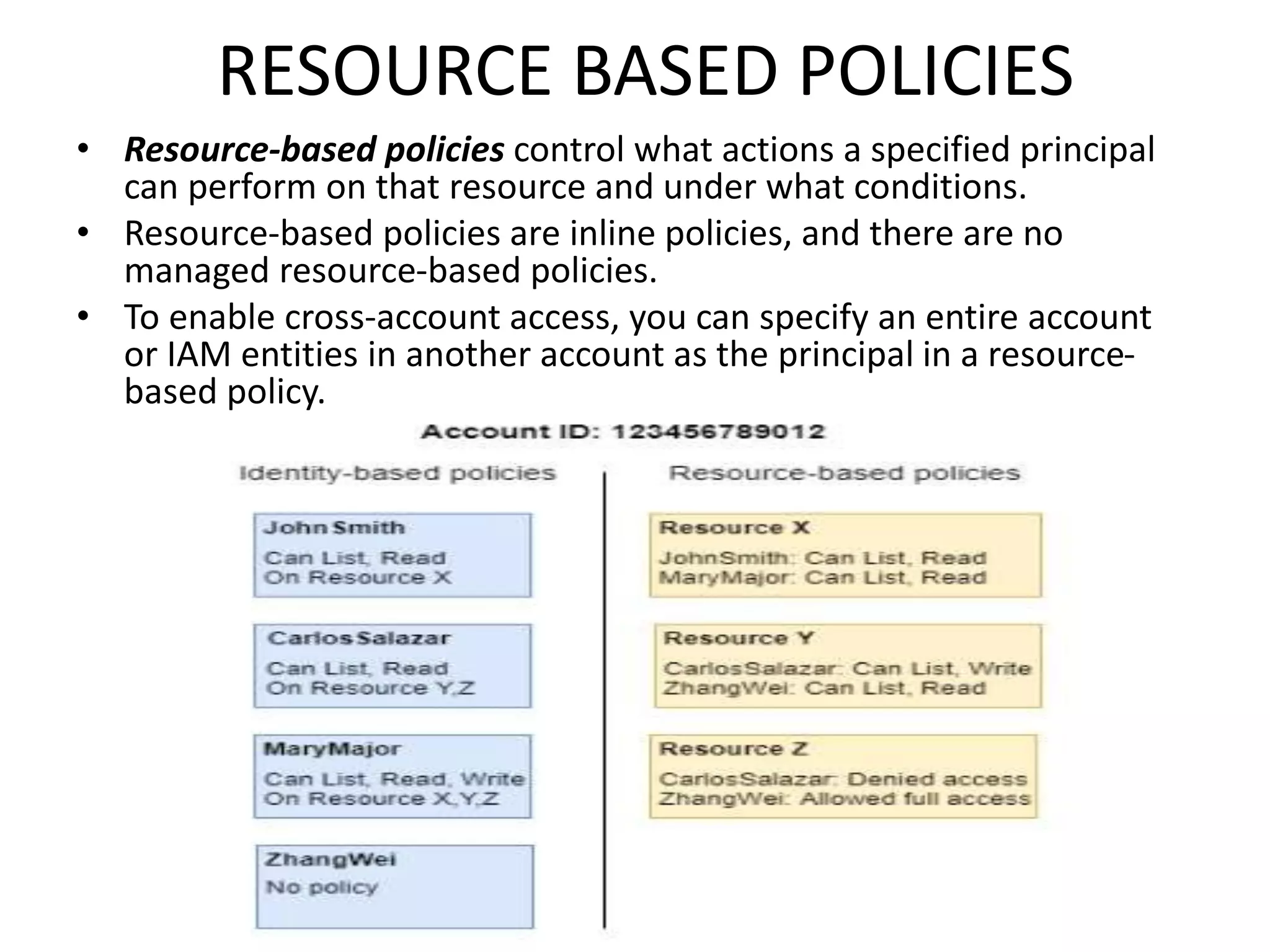
• Resource-based policies control what actions a specified principal
can perform on that resource and under what conditions.
• Resource-based policies are inline policies, and there are no
managed resource-based policies.
• To enable cross-account access, you can specify an entire account
or IAM entities in another account as the principal in a resource-
based policy.
BILLING ALARM CREATION
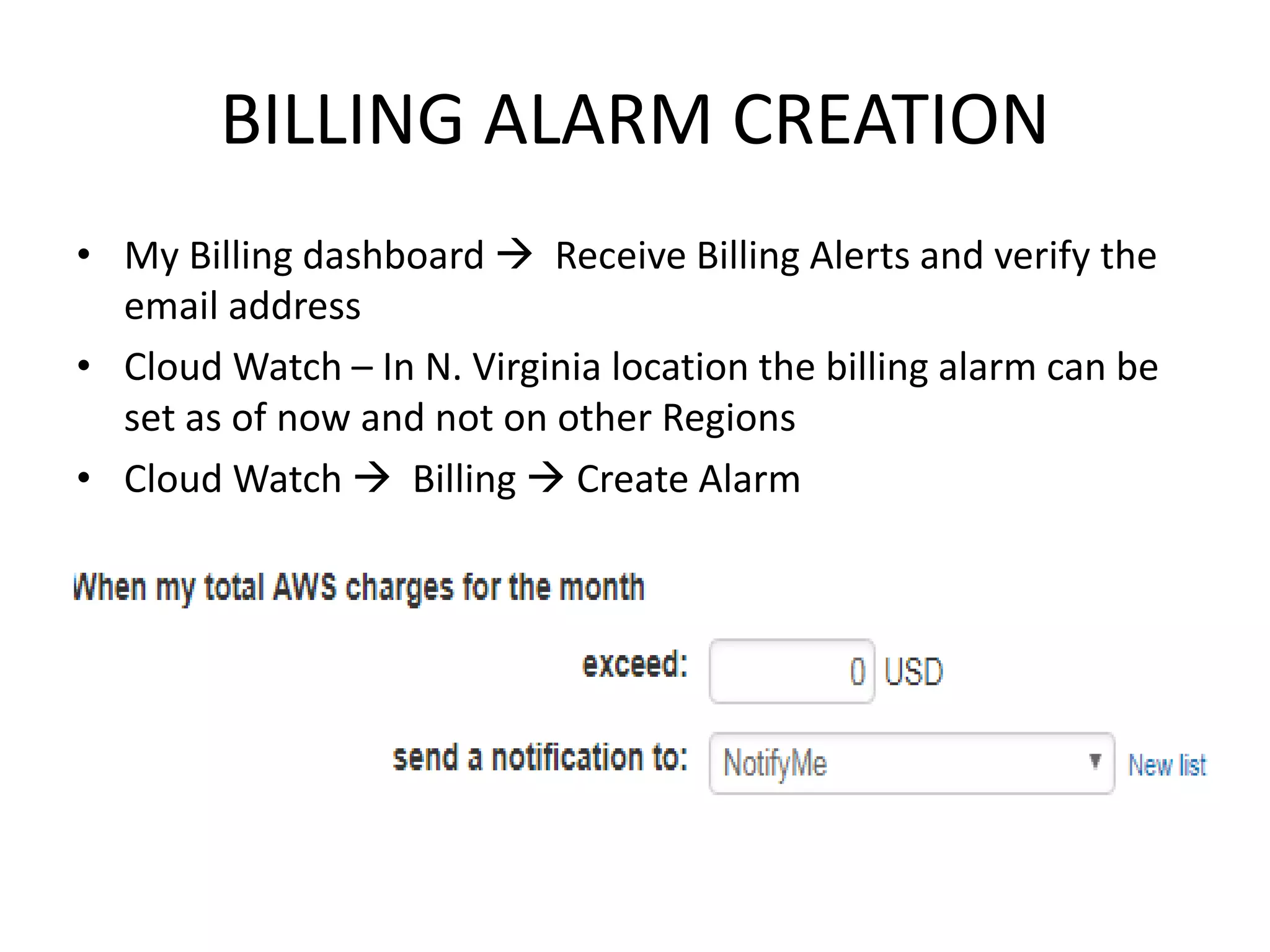
• My Billing dashboard  Receive Billing Alerts and verify the
email address
• Cloud Watch – In N. Virginia location the billing alarm can be
set as of now and not on other Regions
• Cloud Watch  Billing  Create Alarm

IAM_part1.pptx

  • 1.
    ACCESSING AWS • AWSManagement Console • AWS Command Line Tools - to issue commands at your system's command line to perform IAM and AWS tasks. (AWS CLI and AWS tools for windows powershell) • AWS SDKs - AWS provides SDKs (software development kits) that consist of libraries and sample code for various programming languages and platforms (Java, Python, Ruby, .NET, iOS, Android, etc.). • Calling the IAM API using HTTP query requests
  • 2.
    IDENTITY AND ACCESSMANAGEMENT • Centralized control and IAM is universal • Shared Access and Granular Permissions • Identity Federation • MFA – Multi Factor Authentication • Password Rotation Policy • Integration with different AWS Services - Roles • PCI DSS Compliance - Payment Card Industry (PCI) Data Security Standard (DSS) • Root Account – first created account • New Users – no permission by default • They have access key id and secret access key – to access AWS resources via APIs and CLI
  • 3.
  • 6.
    IAM Resource Limits ResourceLimit Access keys assigned to an IAM user 2 Access keys assigned to the AWS account root user 2 Aliases for an AWS account 1 Groups an IAM user can be a member of 10 IAM users in a group Equal to the user quota for the account Users in an AWS account 5000 Identity providers (IdPs) associated with an IAM SAML provider object 10 Keys per SAML provider 10 Login profiles for an IAM user 1 Managed policies attached to an IAM group 10 Permissions boundaries for an IAM user 1 Permissions boundaries for an IAM role 1 MFA devices in use by an IAM user 1 MFA devices in use by the AWS account root user 1 Roles in an instance profile 1 SAML providers in an AWS account 100 Signing certificates assigned to an IAM user 2 SSH public keys assigned to an IAM user 5 Tags that can be attached to an IAM role 50 Tags that can be attached to an IAM user 50 Versions of a managed policy that can be stored 5
  • 7.
    MFA – MULTIFACTOR AUTHENTICATION • Virtual MFA devices - A software app that runs on a phone or other mobile device and emulates a physical device. • U2F security key - A device that you plug into a USB port on your computer. U2F is an open authentication standard hosted by the FIDO Alliance. When you enable a U2F security key, you sign in by entering your credentials and then tapping the device instead of manually entering a code. • Hardware MFA device - A hardware device that generates a six- digit numeric code based upon a time-synchronized one-time password algorithm.
  • 8.
  • 9.
    POLICIES AND ROLES •If you manage a single account in AWS, then you define the permissions within that account using policies. • If you manage permissions across multiple accounts, it is more difficult to manage permissions for your users. • You can use IAM roles, resource-based policies, or access control lists (ACLs) for cross-account permissions.
  • 10.
    IDENTITY BASED POLICIES Identity-basedpolicies control what actions the identity can perform, on which resources, and under what conditions. Identity-based policies can be further categorized: – Managed policies – Standalone identity-based policies that you can attach to multiple users, groups, and roles in your AWS account. You can use two types of managed policies: • AWS managed policies – Managed policies that are created and managed by AWS. • Customer managed policies – Managed policies that you create and manage in your AWS account. Customer managed policies provide more precise control over your policies than AWS managed policies. You can create and edit an IAM policy in the visual editor or by creating the JSON policy document directly. – Inline policies – Policies that you create and manage and that are embedded directly into a single user, group, or role. In most cases, we don't recommend using inline policies.
  • 11.
    RESOURCE BASED POLICIES •Resource-based policies control what actions a specified principal can perform on that resource and under what conditions. • Resource-based policies are inline policies, and there are no managed resource-based policies. • To enable cross-account access, you can specify an entire account or IAM entities in another account as the principal in a resource- based policy.
  • 12.
    BILLING ALARM CREATION •My Billing dashboard  Receive Billing Alerts and verify the email address • Cloud Watch – In N. Virginia location the billing alarm can be set as of now and not on other Regions • Cloud Watch  Billing  Create Alarm