AWS 

Elastic Container Service
Ladislav Prskavec
ladislav@apiary.io
Apiary.io
Who am I?
• Site Reliability Engineer (SRE) since 2015
• DevOp since 2014
• Developer since 2005 (PHP, Ruby, NodeJS)
• Webmaster 1995-2005
• Lector and Speaker about Developers Tools
(Version Control Systems, CIE, CD)
AWS ECS
• Amazon EC2 Container Service (ECS) is a highly
scalable, high performance container
management service that supports Docker
containers and allows you to easily run
applications on a managed cluster of Amazon
EC2 instances. Amazon ECS eliminates the
need for you to install, operate, and scale your
own cluster management infrastructure.
• Pricing: free (pay for EBS, EC2, ELB)
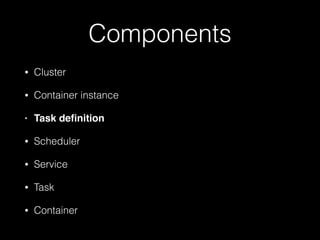
Components
• Cluster
• Container instance
• Task definition
• Scheduler
• Service
• Task
• Container
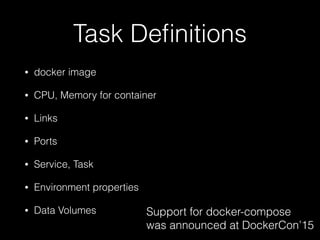
Task Definitions
• docker image
• CPU, Memory for container
• Links
• Ports
• Service, Task
• Environment properties
• Data Volumes Support for docker-compose 

was announced at DockerCon’15
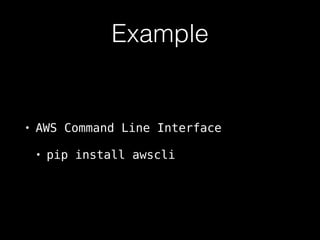
Example
• AWS Command Line Interface
• pip install awscli
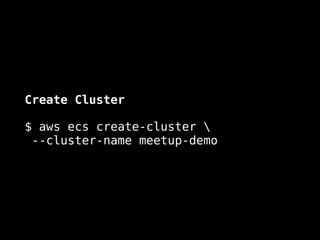
Create Cluster
$ aws ecs create-cluster 

--cluster-name meetup-demo
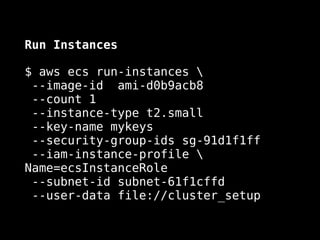
Run Instances
$ aws ecs run-instances 

--image-id ami-d0b9acb8

--count 1

--instance-type t2.small

--key-name mykeys 

--security-group-ids sg-91d1f1ff 

--iam-instance-profile 
Name=ecsInstanceRole 

--subnet-id subnet-61f1cffd 

--user-data file://cluster_setup
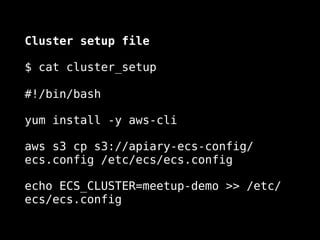
Cluster setup file
$ cat cluster_setup


#!/bin/bash
yum install -y aws-cli
aws s3 cp s3://my-ecs-config/ecs.config
/etc/ecs/ecs.config
echo ECS_CLUSTER=meetup-demo >> /etc/
ecs/ecs.config
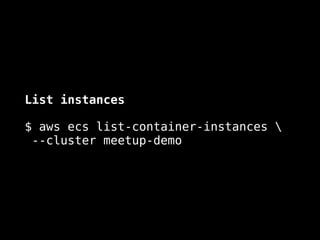
List instances
$ aws ecs list-container-instances 

--cluster meetup-demo
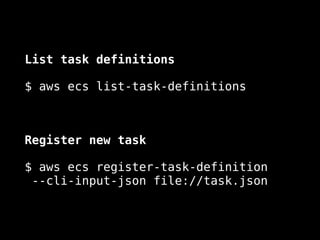
List task definitions
$ aws ecs list-task-definitions
Register new task
$ aws ecs register-task-definition 

--cli-input-json file://task.json
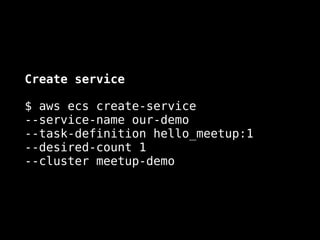
Create service
$ aws ecs create-service 

--service-name our-demo 

--task-definition hello_meetup:1 

--desired-count 1 

--cluster meetup-demo
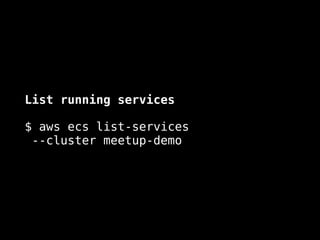
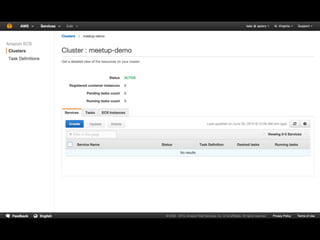
List running services
$ aws ecs list-services

--cluster meetup-demo
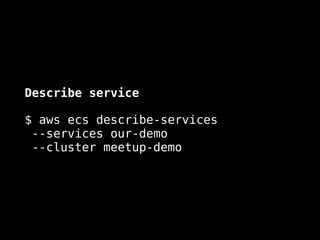
Describe service
$ aws ecs describe-services 

--services our-demo

--cluster meetup-demo
Q & A
ladislav@apiary.io

AWS Elastic Container Service

  • 1.
    AWS 
 Elastic ContainerService Ladislav Prskavec ladislav@apiary.io Apiary.io
  • 2.
    Who am I? •Site Reliability Engineer (SRE) since 2015 • DevOp since 2014 • Developer since 2005 (PHP, Ruby, NodeJS) • Webmaster 1995-2005 • Lector and Speaker about Developers Tools (Version Control Systems, CIE, CD)
  • 3.
    AWS ECS • AmazonEC2 Container Service (ECS) is a highly scalable, high performance container management service that supports Docker containers and allows you to easily run applications on a managed cluster of Amazon EC2 instances. Amazon ECS eliminates the need for you to install, operate, and scale your own cluster management infrastructure. • Pricing: free (pay for EBS, EC2, ELB)
  • 4.
    Components • Cluster • Containerinstance • Task definition • Scheduler • Service • Task • Container
  • 5.
    Task Definitions • dockerimage • CPU, Memory for container • Links • Ports • Service, Task • Environment properties • Data Volumes Support for docker-compose 
 was announced at DockerCon’15
  • 6.
    Example • AWS CommandLine Interface • pip install awscli
  • 7.
    Create Cluster $ awsecs create-cluster 
 --cluster-name meetup-demo
  • 8.
    Run Instances $ awsecs run-instances 
 --image-id ami-d0b9acb8
 --count 1
 --instance-type t2.small
 --key-name mykeys 
 --security-group-ids sg-91d1f1ff 
 --iam-instance-profile Name=ecsInstanceRole 
 --subnet-id subnet-61f1cffd 
 --user-data file://cluster_setup
  • 9.
    Cluster setup file $cat cluster_setup
 
 #!/bin/bash yum install -y aws-cli aws s3 cp s3://my-ecs-config/ecs.config /etc/ecs/ecs.config echo ECS_CLUSTER=meetup-demo >> /etc/ ecs/ecs.config
  • 10.
    List instances $ awsecs list-container-instances 
 --cluster meetup-demo
  • 11.
    List task definitions $aws ecs list-task-definitions Register new task $ aws ecs register-task-definition 
 --cli-input-json file://task.json
  • 12.
    Create service $ awsecs create-service 
 --service-name our-demo 
 --task-definition hello_meetup:1 
 --desired-count 1 
 --cluster meetup-demo
  • 13.
    List running services $aws ecs list-services
 --cluster meetup-demo
  • 14.
    Describe service $ awsecs describe-services 
 --services our-demo
 --cluster meetup-demo
  • 16.