
Akshaya Mahapatra
 Akshaya Mahapatra
 Software Engineer @ VCE (Virtual Computing
Environment)
 Experienced in
◦ Java/J2EE
◦ VMware products
 vSphere, vCloud
◦ Puppet
 Developing solutions for application
deployment on cloud
3
 Why DevOps? Why now?
 Stages in SDLC
◦ Check-in
◦ Build and Test
◦ Infrastructure setup
◦ Release
◦ Monitoring and scaling
 A typical use case
 Q & A
 Dev and Ops have different goals.
◦ Features vs SLA
 Skills are different.
◦ Dev team lacks infrastructure knowledge
◦ Ops team unaware of complexity of
development.
 Slow feedback loop
◦ Business -> Ops ->Dev
 An idea, practice or culture that
brings Dev, Ops and Business
together.
 How?
◦ Repeatable processes
◦ End-to-end automation.
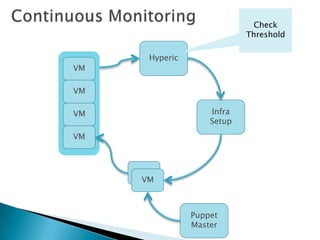
◦ Continuous monitoring
 Virtualization and Cloud
Computing
◦ Programmable Infrastructure
◦ Just-in-time Provisioning
 Network
 Compute
 Storage
 Agile software development
◦ Speed is critical.
 Application Needs
◦ Nodes can fail
◦ No “manual” configuration
◦ Heterogeneous Execution
environments
 Advancement of technology
◦ Puppet eco-system
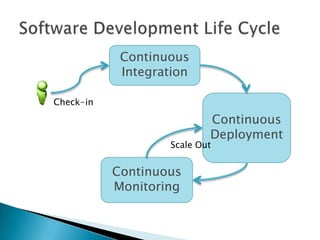
Continuous
Integration
Continuous
Deployment
Check-in
Continuous
Monitoring
Scale Out
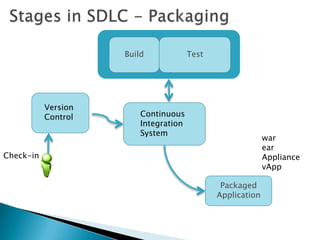
Check-in
Version
Control Continuous
Integration
System
Build Test
Packaged
Application
war
ear
Appliance
vApp
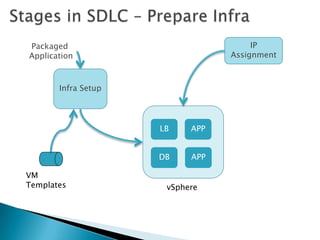
Packaged
Application
Infra Setup
LB APP
DB
vSphere
VM
Templates
IP
Assignment
APP
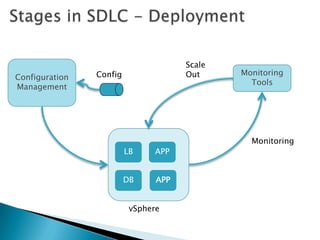
Configuration
Management
Monitoring
Tools
Scale
Out
Monitoring
LB APP
DB
vSphere
Config
APP
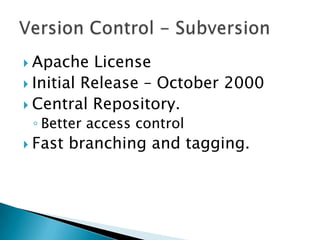
 Apache License
 Initial Release – October 2000
 Central Repository.
◦ Better access control
 Fast branching and tagging.
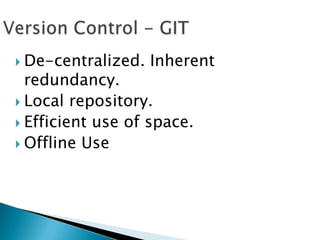
 De-centralized. Inherent
redundancy.
 Local repository.
 Efficient use of space.
 Offline Use
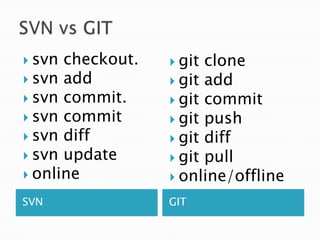
SVN GIT
 svn checkout.
 svn add
 svn commit.
 svn commit
 svn diff
 svn update
 online
 git clone
 git add
 git commit
 git push
 git diff
 git pull
 online/offline
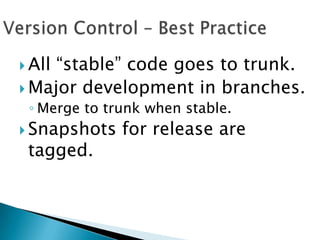
 All “stable” code goes to trunk.
 Major development in branches.
◦ Merge to trunk when stable.
 Snapshots for release are
tagged.
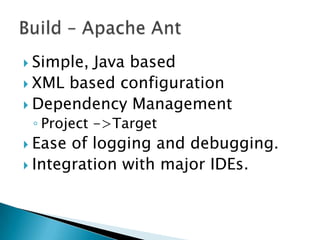
 Simple, Java based
 XML based configuration
 Dependency Management
◦ Project ->Target
 Ease of logging and debugging.
 Integration with major IDEs.
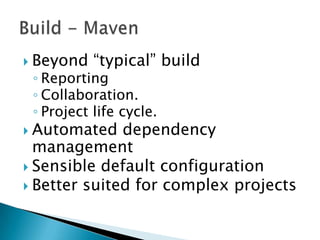
 Beyond “typical” build
◦ Reporting
◦ Collaboration.
◦ Project life cycle.
 Automated dependency
management
 Sensible default configuration
 Better suited for complex projects
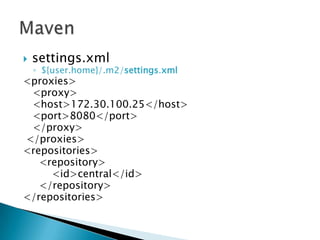
 settings.xml
◦ ${user.home}/.m2/settings.xml
<proxies>
<proxy>
<host>172.30.100.25</host>
<port>8080</port>
</proxy>
</proxies>
<repositories>
<repository>
<id>central</id>
</repository>
</repositories>
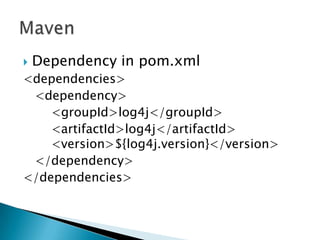
 Dependency in pom.xml
<dependencies>
<dependency>
<groupId>log4j</groupId>
<artifactId>log4j</artifactId>
<version>${log4j.version}</version>
</dependency>
</dependencies>
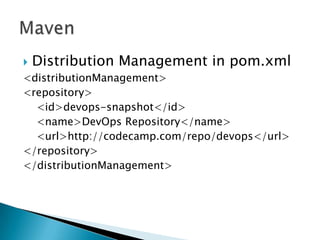
 Distribution Management in pom.xml
<distributionManagement>
<repository>
<id>devops-snapshot</id>
<name>DevOps Repository</name>
<url>http://codecamp.com/repo/devops</url>
</repository>
</distributionManagement>
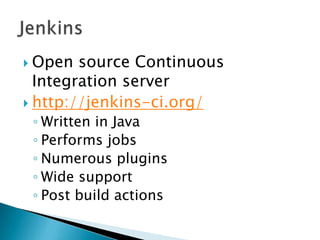
 Open source Continuous
Integration server
 http://jenkins-ci.org/
◦ Written in Java
◦ Performs jobs
◦ Numerous plugins
◦ Wide support
◦ Post build actions
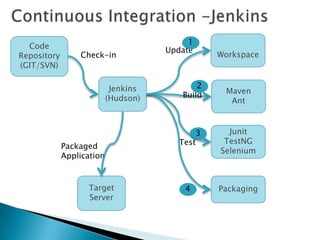
Code
Repository
(GIT/SVN)
Maven
Ant
Junit
TestNG
Selenium
Check-in Workspace
Target
Server
Jenkins
(Hudson) Build
Update
Test
3
1
2
4 Packaging
Packaged
Application
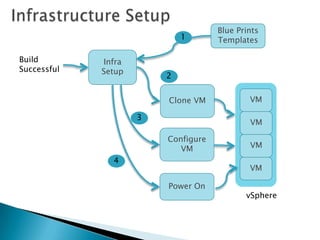
Clone VM
Configure
VM
Blue Prints
Templates
Infra
Setup
3
1
2
Power On
Build
Successful
4
VM
VM
VM
VM
vSphere
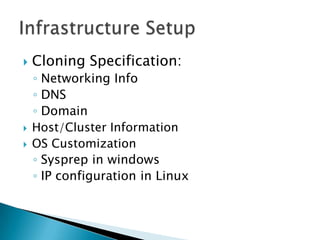
 Cloning Specification:
◦ Networking Info
◦ DNS
◦ Domain
 Host/Cluster Information
 OS Customization
◦ Sysprep in windows
◦ IP configuration in Linux
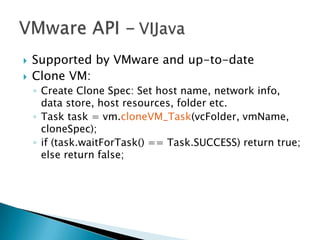
 Supported by VMware and up-to-date
 Clone VM:
◦ Create Clone Spec: Set host name, network info,
data store, host resources, folder etc.
◦ Task task = vm.cloneVM_Task(vcFolder, vmName,
cloneSpec);
◦ if (task.waitForTask() == Task.SUCCESS) return true;
else return false;
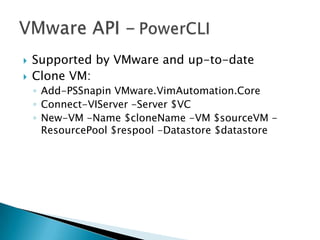
 Supported by VMware and up-to-date
 Clone VM:
◦ Add-PSSnapin VMware.VimAutomation.Core
◦ Connect-VIServer -Server $VC
◦ New-VM -Name $cloneName -VM $sourceVM -
ResourcePool $respool -Datastore $datastore
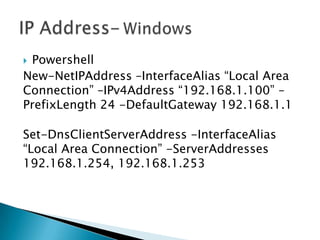
 Powershell
New-NetIPAddress –InterfaceAlias “Local Area
Connection” –IPv4Address “192.168.1.100” –
PrefixLength 24 -DefaultGateway 192.168.1.1
Set-DnsClientServerAddress -InterfaceAlias
“Local Area Connection” -ServerAddresses
192.168.1.254, 192.168.1.253
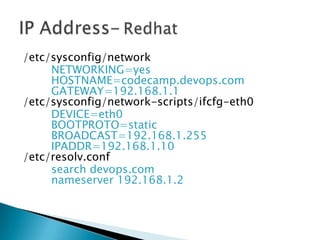
/etc/sysconfig/network
NETWORKING=yes
HOSTNAME=codecamp.devops.com
GATEWAY=192.168.1.1
/etc/sysconfig/network-scripts/ifcfg-eth0
DEVICE=eth0
BOOTPROTO=static
BROADCAST=192.168.1.255
IPADDR=192.168.1.10
/etc/resolv.conf
search devops.com
nameserver 192.168.1.2
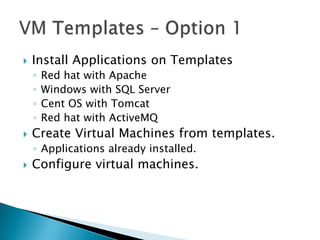
 Install Applications on Templates
◦ Red hat with Apache
◦ Windows with SQL Server
◦ Cent OS with Tomcat
◦ Red hat with ActiveMQ
 Create Virtual Machines from templates.
◦ Applications already installed.
 Configure virtual machines.
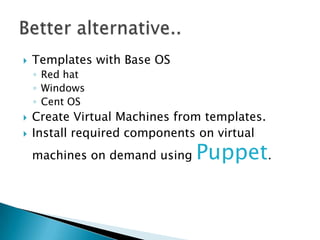
 Templates with Base OS
◦ Red hat
◦ Windows
◦ Cent OS
 Create Virtual Machines from templates.
 Install required components on virtual
machines on demand using Puppet.
 Open source Configuration
Management
 http://puppetlabs.com/
◦ Written in Ruby
◦ Infrastructure as code.
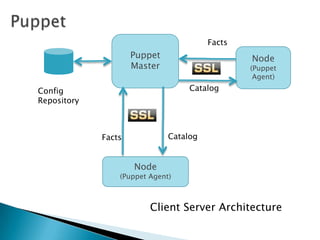
◦ Client Server system.
◦ Gaining lot of traction
◦ Simple domain specific language (DSL)
Catalog
Puppet
Master
Node
(Puppet Agent)
Node
(Puppet
Agent)
Facts
Facts
CatalogConfig
Repository
Client Server Architecture
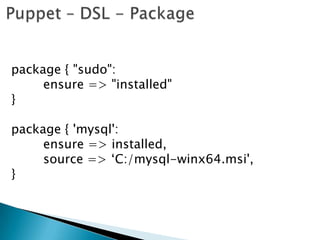
package { "sudo":
ensure => "installed"
}
package { 'mysql':
ensure => installed,
source => „C:/mysql-winx64.msi',
}
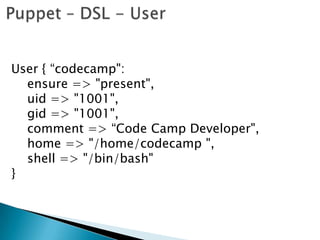
User { “codecamp":
ensure => "present",
uid => "1001",
gid => "1001",
comment => “Code Camp Developer",
home => "/home/codecamp ",
shell => "/bin/bash"
}
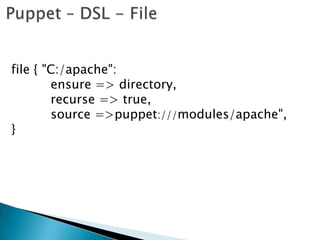
file { "C:/apache":
ensure => directory,
recurse => true,
source =>puppet:///modules/apache",
}
exec { "Install Apache" :
command => 'install_apache.bat',
require => File["C:/apache"'],
path => "C:/apache/bin",
}
service { "Apache2.4":
ensure => running,
require => Exec['Install Apache'],
enable => true,
}
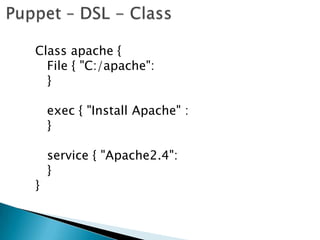
Class apache {
File { "C:/apache":
}
exec { "Install Apache" :
}
service { "Apache2.4":
}
}
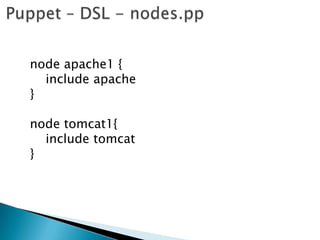
node apache1 {
include apache
}
node tomcat1{
include tomcat
}
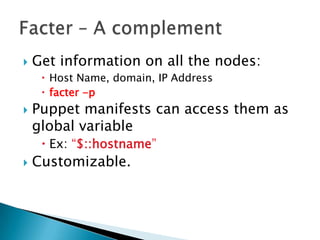
 Get information on all the nodes:
 Host Name, domain, IP Address
 facter -p
 Puppet manifests can access them as
global variable
 Ex: “$::hostname”
 Customizable.
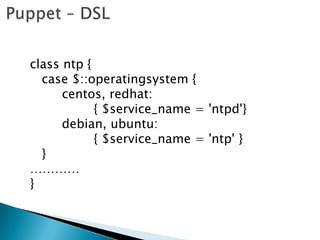
class ntp {
case $::operatingsystem {
centos, redhat:
{ $service_name = 'ntpd'}
debian, ubuntu:
{ $service_name = 'ntp' }
}
…………
}
 Most of application deployment need
Orchestration support
◦ Orchestration is “cumbersome” with base
puppet.
 Changes need to wait until next
“agent” run..
 Open source
 Asynchronous
 Orchestration
◦ Can manage puppet runs.
 Scalable
◦ Parallel execution
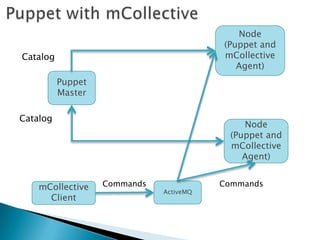
Puppet
Master
Node
(Puppet and
mCollective
Agent)
Catalog
mCollective
Client
Node
(Puppet and
mCollective
Agent)
ActiveMQ
Commands Commands
Catalog
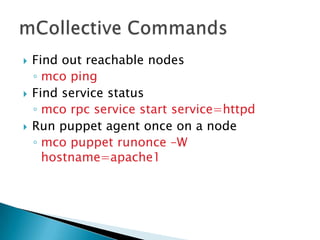
 Find out reachable nodes
◦ mco ping
 Find service status
◦ mco rpc service start service=httpd
 Run puppet agent once on a node
◦ mco puppet runonce –W
hostname=apache1
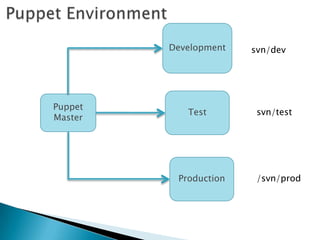
 Environments
◦ Development
◦ Test
◦ Production
 Defined as a config parameter.
 Puppet Master can handle
multiple environments.
Puppet
Master
Test
Development
Production
svn/dev
svn/test
/svn/prod
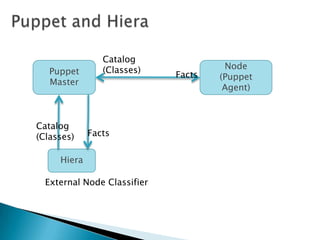
 Managing what nodes get what
classes..
◦ Nodes.pp grows out of control when
you have thousands of nodes.
 Solution:
◦ External Node Classifier
 Key/Value pair lookup tool
 Provides environment hierarchy
◦ Default
◦ Node Name
◦ Environment
◦ Domain
Puppet
Master
Node
(Puppet
Agent)
Hiera
External Node Classifier
Facts
Catalog
(Classes)
Facts
Catalog
(Classes)
VM
VM
VM
Hyperic
Infra
Setup
VM
VM
VM
Puppet
Master
Check
Threshold
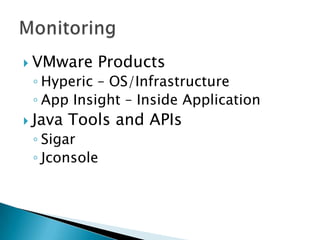
 VMware Products
◦ Hyperic – OS/Infrastructure
◦ App Insight – Inside Application
 Java Tools and APIs
◦ Sigar
◦ Jconsole
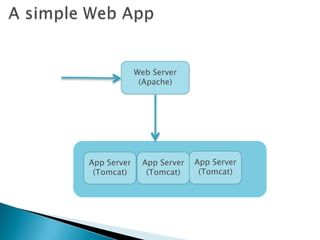
Web Server
(Apache)
App Server
(Tomcat)
App Server
(Tomcat)
App Server
(Tomcat)
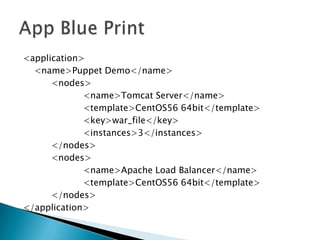
<application>
<name>Puppet Demo</name>
<nodes>
<name>Tomcat Server</name>
<template>CentOS56 64bit</template>
<key>war_file</key>
<instances>3</instances>
</nodes>
<nodes>
<name>Apache Load Balancer</name>
<template>CentOS56 64bit</template>
</nodes>
</application>
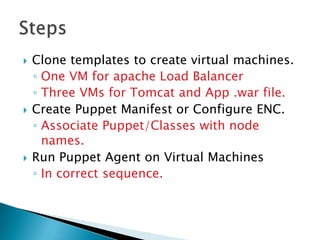
 Clone templates to create virtual machines.
◦ One VM for apache Load Balancer
◦ Three VMs for Tomcat and App .war file.
 Create Puppet Manifest or Configure ENC.
◦ Associate Puppet/Classes with node
names.
 Run Puppet Agent on Virtual Machines
◦ In correct sequence.
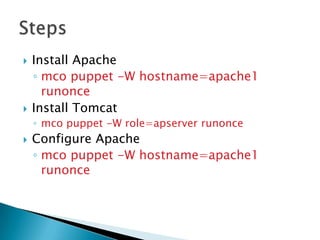
 Install Apache
◦ mco puppet -W hostname=apache1
runonce
 Install Tomcat
◦ mco puppet -W role=apserver runonce
 Configure Apache
◦ mco puppet -W hostname=apache1
runonce
 Puppet and Puppet Forge
◦ puppetlabs.com
◦ forge.puppetlabs.com/
 VMware VIJava API
◦ vijava.sourceforge.net/
 Provisioning
◦ github.com/puppetlabs/razor
akshaya.mahapatra@gmail.com

Automating Software Development Life Cycle - A DevOps Approach