
contact@crevise.com
www.crevise.com
Docker in
Continuous Testing
Demo
contact@crevise.com
https://www.crevise.com
@muktaa
Testing in all phases
• Pre-flight testing
• Unit Testing
• Functional Testing
• Integration Testing
• Nightly and Weekend Regression Tests
Test Early.
Test Faster.
Test Often.
Automate.
contact@crevise.com
https://www.crevise.com
@muktaa
Testing Maturity
• Key differentiator of best devops infrastructures
• Vital part of devops process
• Test orchestration and automation is still a
challenge
• Verify the changes. Verify them fast.
• Test code changes and if they integrate them well
• Ensure changes do not blow up the product!
contact@crevise.com
https://www.crevise.com
@muktaa
Pain Points of Testing
• Unit tests, integration tests, complex integration
tests
• UI testing
• Git branching
• Environments
• Failed tests pollute environment
• Deployment dependencies, testing dependencies
contact@crevise.com
https://www.crevise.com
@muktaa
The Challenge
• Early, Frequent and Accurate Testing requires
access to real world testing environments.
Service Virtualization in the form of
Containerization, specifically using Docker,
intends to solve this problem.
contact@crevise.com
www.crevise.com
@muktaa
Running Integration
Tests
Lets Dockerize The integration Tests too!
contact@crevise.com
https://www.crevise.com
@muktaa
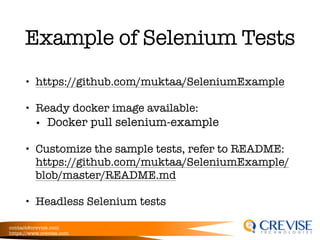
Example of Selenium Tests
• https://github.com/muktaa/SeleniumExample
• Ready docker image available:
• Docker pull selenium-example
• Customize the sample tests, refer to README:
https://github.com/muktaa/SeleniumExample/
blob/master/README.md
• Headless Selenium tests
contact@crevise.com
https://www.crevise.com
@muktaa
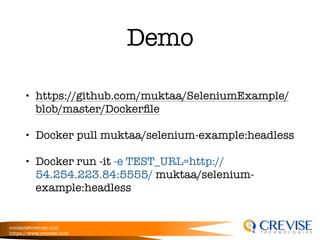
Demo
• https://github.com/muktaa/SeleniumExample/
blob/master/Dockerfile
• Docker pull muktaa/selenium-example:headless
• Docker run -it -e TEST_URL=http://
54.254.223.84:5555/ muktaa/selenium-
example:headless
contact@crevise.com
https://www.crevise.com
@muktaa
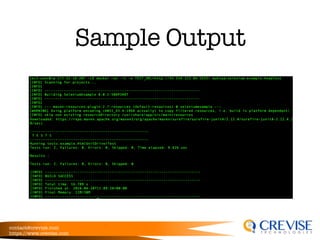
Sample Output
contact@crevise.com
www.crevise.com
@muktaa
Nightly Build
Putting it All together to Write Nightly Build JOB for
our Dockerized Integration Tests
contact@crevise.com
https://www.crevise.com
@muktaa
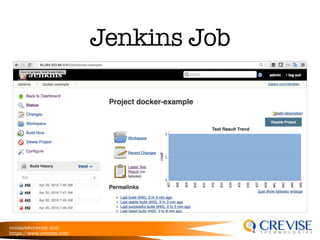
Jenkins Job
contact@crevise.com
https://www.crevise.com
@muktaa
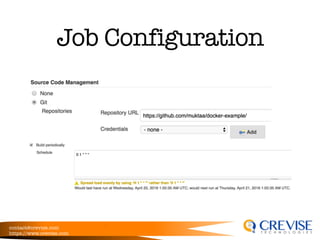
Job Configuration
contact@crevise.com
https://www.crevise.com
@muktaa
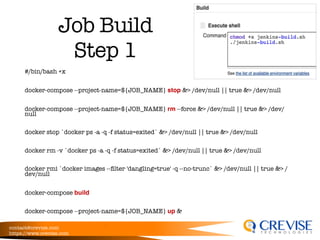
Job Build
Step 1
#/bin/bash +x
docker-compose --project-name=${JOB_NAME} stop &> /dev/null || true &> /dev/null
docker-compose --project-name=${JOB_NAME} rm --force &> /dev/null || true &> /dev/
null
docker stop `docker ps -a -q -f status=exited` &> /dev/null || true &> /dev/null
docker rm -v `docker ps -a -q -f status=exited` &> /dev/null || true &> /dev/null
docker rmi `docker images --filter 'dangling=true' -q --no-trunc` &> /dev/null || true &> /
dev/null
docker-compose build
docker-compose --project-name=${JOB_NAME} up &
contact@crevise.com
https://www.crevise.com
@muktaa
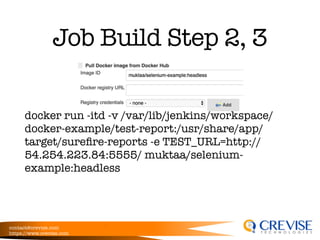
Job Build Step 2, 3
docker run -itd -v /var/lib/jenkins/workspace/
docker-example/test-report:/usr/share/app/
target/surefire-reports -e TEST_URL=http://
54.254.223.84:5555/ muktaa/selenium-
example:headless
contact@crevise.com
https://www.crevise.com
@muktaa
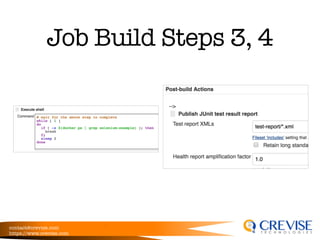
Job Build Steps 3, 4
contact@crevise.com
https://www.crevise.com
Working Demo
• file:///Users/mukta/Documents/Demo
%20Videos/UsingDockerForTesting-Demo2.swf
• file:///Users/mukta/Documents/Demo
%20Videos/UsingDockerForTesting-Demo3.swf
contact@crevise.com
https://www.crevise.com
@muktaa
What Next?
• Lots More!
• Running Selenium tests with UI inside Docker
• Using docker swarm to deploy
• Using docker machine to manage hosts for
testing

Continuous Testing