
augmented reality and the
human computer interface
•an overview and case study
John Reid Perkins-Buzo
Southern Illinois University
rperkinsbuzo@siu.edu
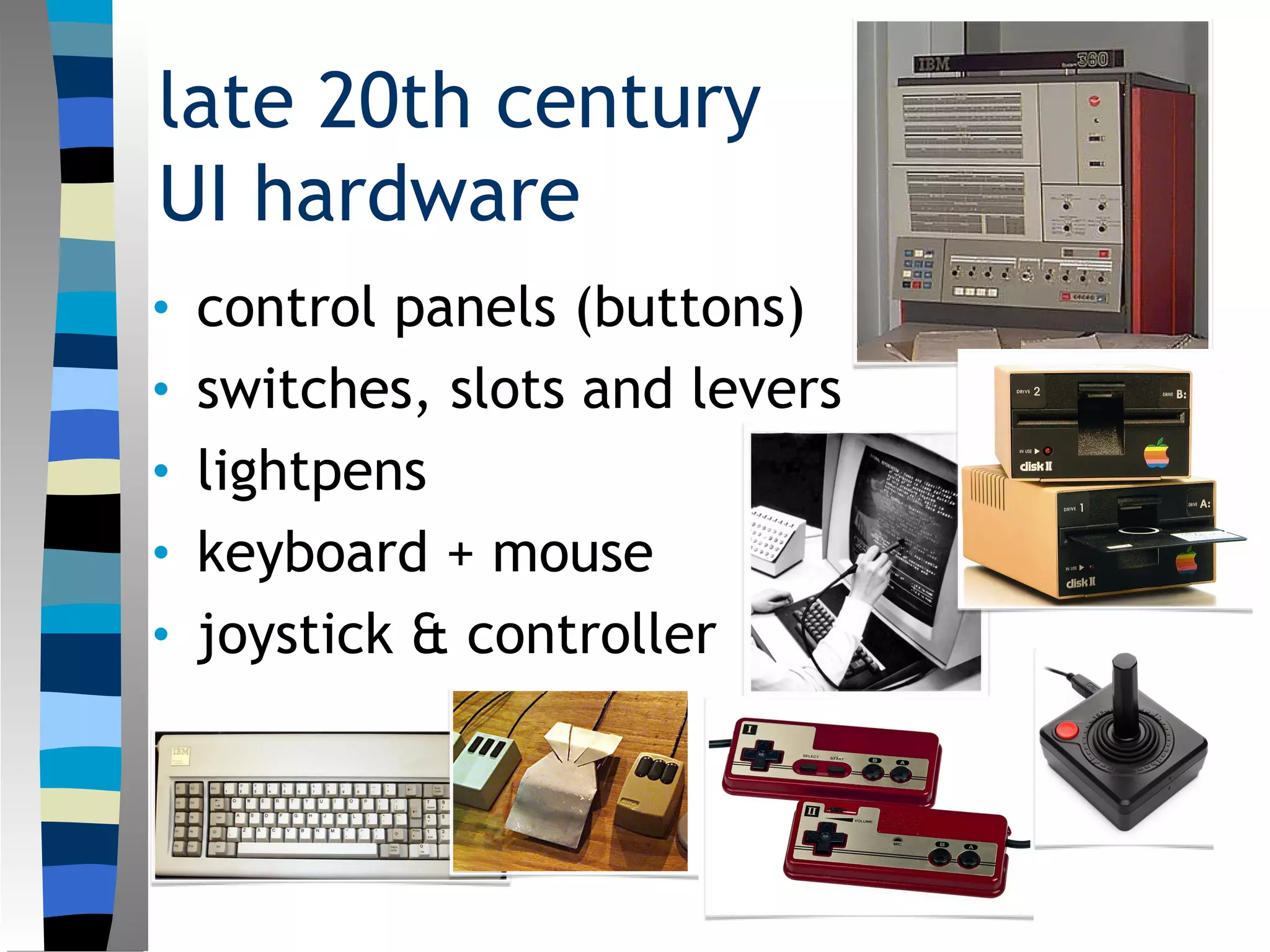
late 20th century
UI hardware
• control panels (buttons)
• switches, slots and levers
• lightpens
• keyboard + mouse
• joystick & controller
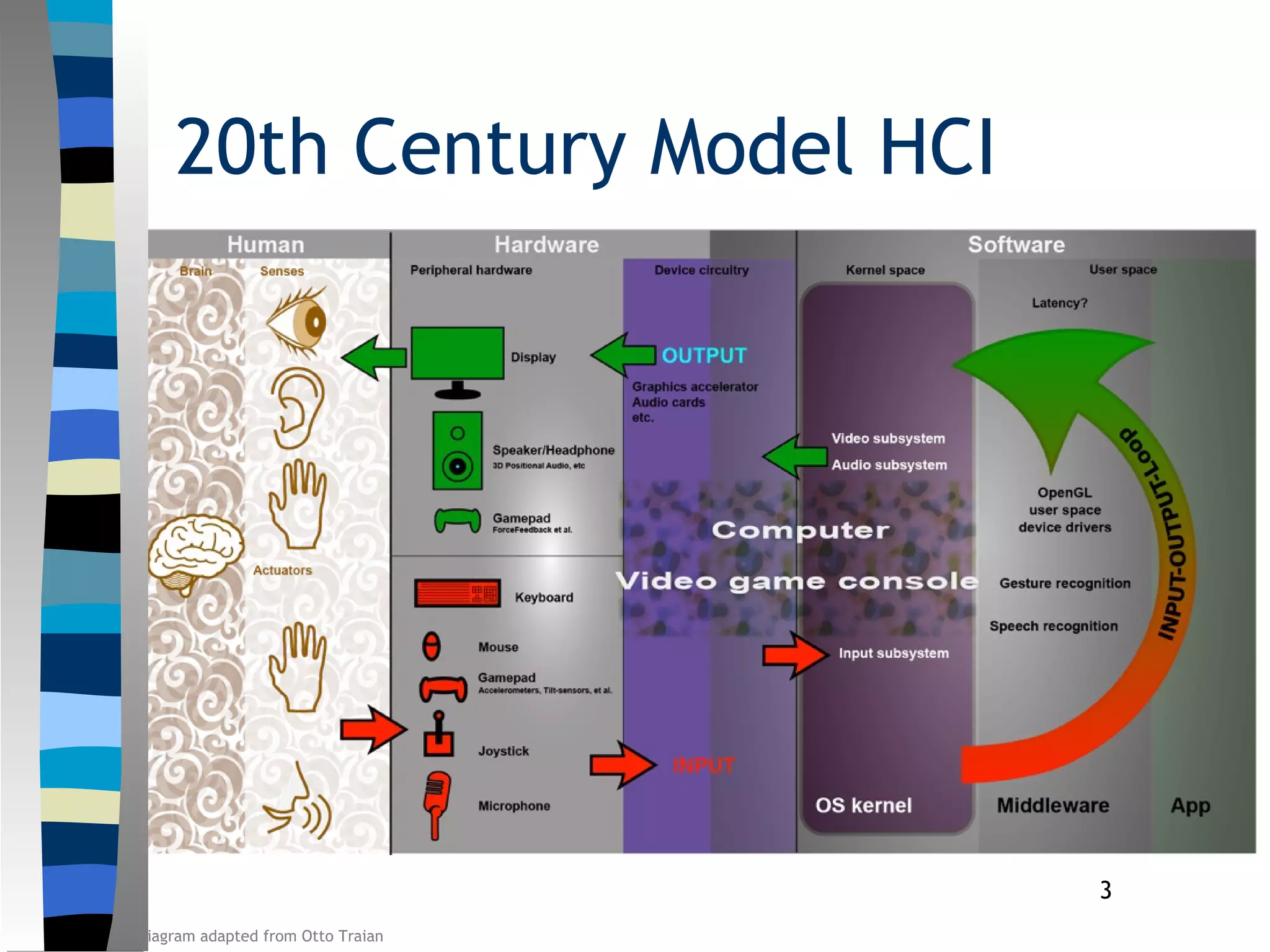
3
20th Century Model HCI
Diagram adapted from Otto Traian
strengths and limitations
• Strengths
– Low bandwidth
– Inexpensive
– Movement constrained
• Limitations
– Tech-training required motions
– Movement constrained
– Less integrated for human sensory
response
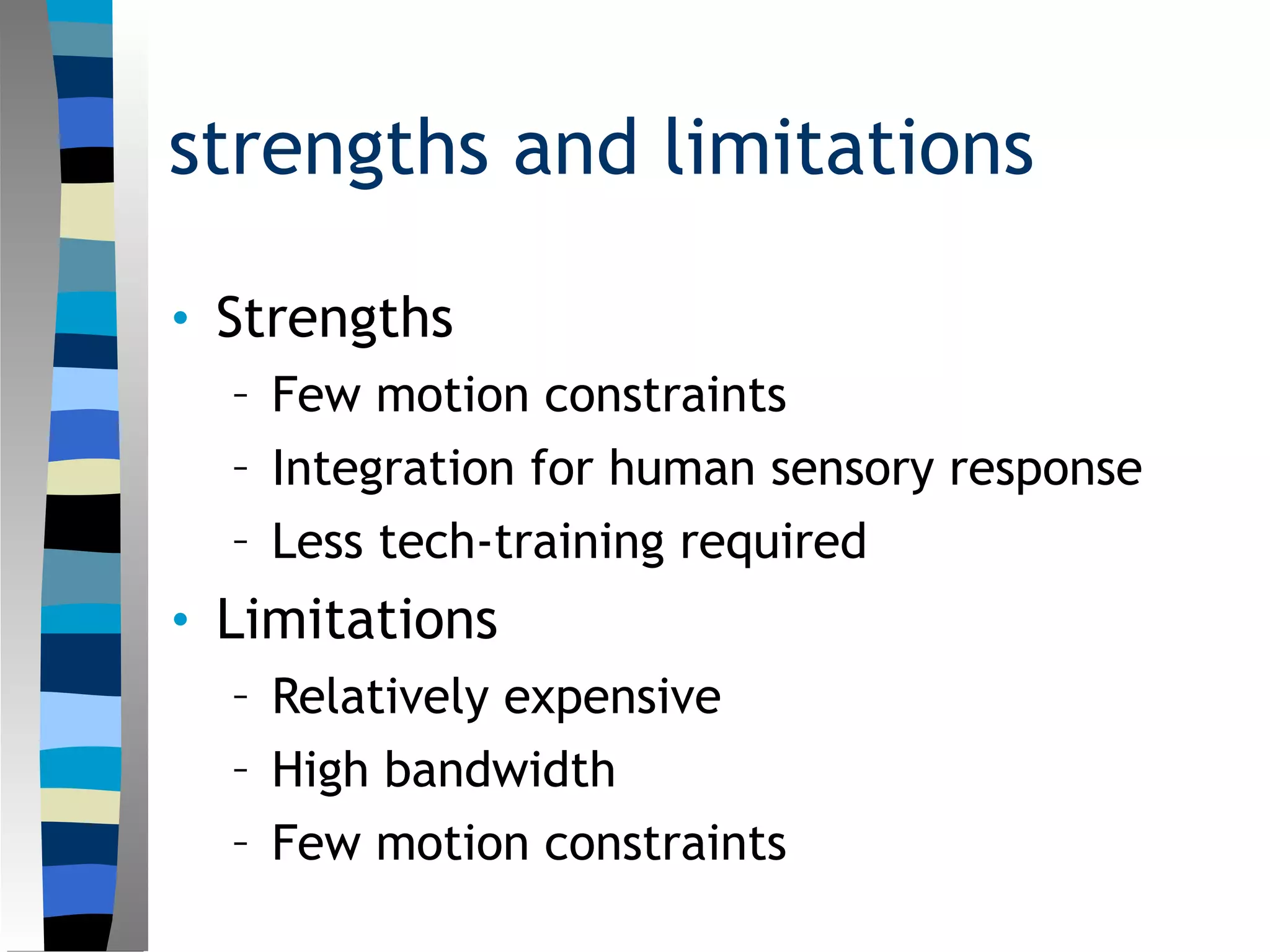
21st century ui basics
• touch screens
• voice recognition
• facial expression recognition
strengths and limitations
• Strengths
– Less tech-training required
– Relatively Inexpensive
– Movement constrained
• Limitations
– High bandwidth
– Movement constrained
– Less integrated for human sensory
response
augmented reality
• virtual controls
– Any virtual reality control can also be
incorporated into AR
– Procedural controls are also possible, and
more natural
• real controls
– Control surfaces in the real world can be
mapped as controllers in AR
– Previous hardware controllers can also be
used
strengths and limitations
• Strengths
– Few motion constraints
– Integration for human sensory response
– Less tech-training required
• Limitations
– Relatively expensive
– High bandwidth
– Few motion constraints
examples
• Vuphoria (https://developer.vuforia.com)
– QualComm’s AR Software Developers Kit
(SDK) free in beta, now with a licensing
fee (but still with a free version).
• Metaio (http://www.metaio.com/sdk/)
– Leading AR developers. SDK licensing fee
(but with a free feature-limited version).
• Augment (http://augmentedev.com)
– Oriented toward presentation of products.
SDK licensing fee (but with a free
educational version).
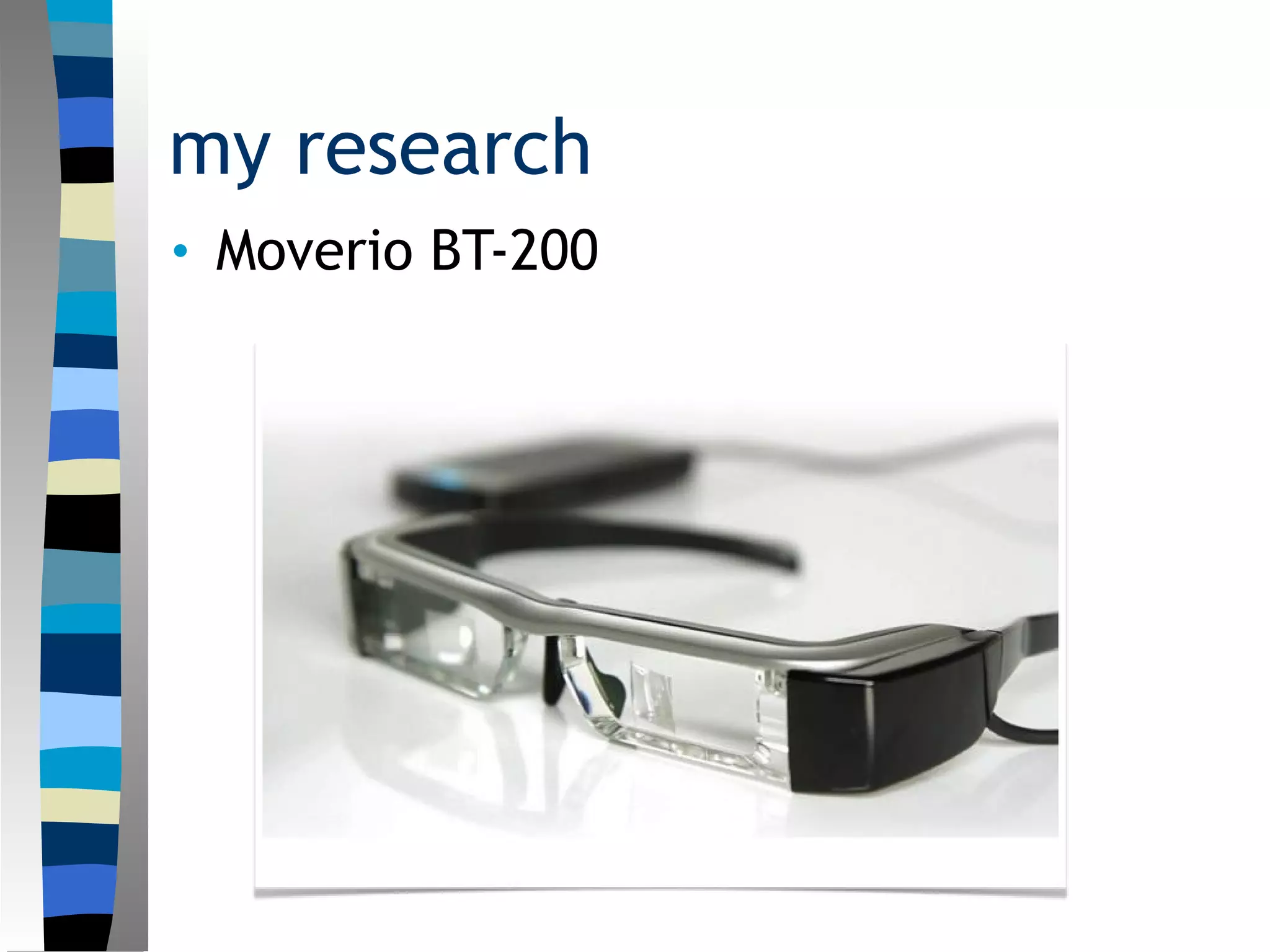
my research
• Moverio BT-200
11
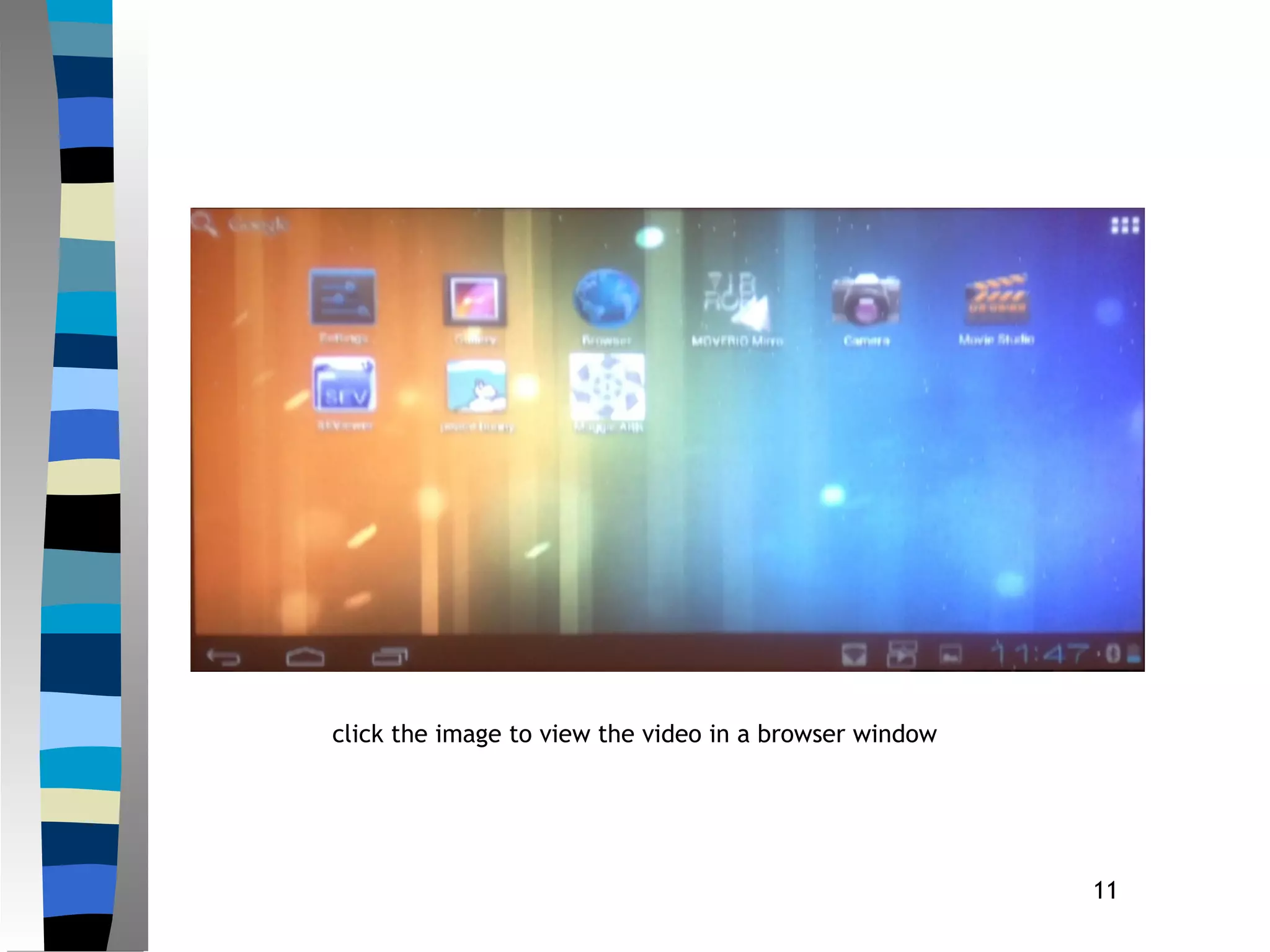
click the image to view the video in a browser window
12
Directions
 Artificial Intelligence needed to provide
the necessary responses motivated by
the reality of the augmented interface.
 Lessons to learn from the VR track
record. Always on the cusp of becoming
big, but never actually making it
beyond a recurring fad.
 Devices need to be revisited. For
instance, how should AR app interact
with a smart watch?
13
Questions?
references
• Gotow, J. K. Zienkiewicz, J. White and D. Schmidt.
Addressing Challenges in Delivering Augmented
Reality Applications to Smartphones. Proceedings
of the Third International ICST Conference on
MOBILe Wireless MiddleWARE, Operating
Systems, and Applications. Mobilware 2010,
Chicago, IL, USA.
• Grudin, Jonathan. History in a Time of Rapid
Obsolence. Human Computer Interaction
Handbook ed. Julie A. Jacko. (CRC Press, May 4, 2012).
xxvii-lxi.
• Papagiannakis, G, G. Singh, and N. Magnenat-Thalman. A
Survey of Mobile and Wireless Technologies for
Augmented Reality Systems. Computer
Animation Virtual Worlds 2008. 19(1): 3-22.
• Wagner, D. and D. Schmalstieg. Making Augmented

Augmented Reality and the Changing UI

  • 1.
    augmented reality andthe human computer interface •an overview and case study John Reid Perkins-Buzo Southern Illinois University rperkinsbuzo@siu.edu
  • 2.
    late 20th century UIhardware • control panels (buttons) • switches, slots and levers • lightpens • keyboard + mouse • joystick & controller
  • 3.
    3 20th Century ModelHCI Diagram adapted from Otto Traian
  • 4.
    strengths and limitations •Strengths – Low bandwidth – Inexpensive – Movement constrained • Limitations – Tech-training required motions – Movement constrained – Less integrated for human sensory response
  • 5.
    21st century uibasics • touch screens • voice recognition • facial expression recognition
  • 6.
    strengths and limitations •Strengths – Less tech-training required – Relatively Inexpensive – Movement constrained • Limitations – High bandwidth – Movement constrained – Less integrated for human sensory response
  • 7.
    augmented reality • virtualcontrols – Any virtual reality control can also be incorporated into AR – Procedural controls are also possible, and more natural • real controls – Control surfaces in the real world can be mapped as controllers in AR – Previous hardware controllers can also be used
  • 8.
    strengths and limitations •Strengths – Few motion constraints – Integration for human sensory response – Less tech-training required • Limitations – Relatively expensive – High bandwidth – Few motion constraints
  • 9.
    examples • Vuphoria (https://developer.vuforia.com) –QualComm’s AR Software Developers Kit (SDK) free in beta, now with a licensing fee (but still with a free version). • Metaio (http://www.metaio.com/sdk/) – Leading AR developers. SDK licensing fee (but with a free feature-limited version). • Augment (http://augmentedev.com) – Oriented toward presentation of products. SDK licensing fee (but with a free educational version).
  • 10.
  • 11.
    11 click the imageto view the video in a browser window
  • 12.
    12 Directions  Artificial Intelligenceneeded to provide the necessary responses motivated by the reality of the augmented interface.  Lessons to learn from the VR track record. Always on the cusp of becoming big, but never actually making it beyond a recurring fad.  Devices need to be revisited. For instance, how should AR app interact with a smart watch?
  • 13.
  • 14.
    references • Gotow, J.K. Zienkiewicz, J. White and D. Schmidt. Addressing Challenges in Delivering Augmented Reality Applications to Smartphones. Proceedings of the Third International ICST Conference on MOBILe Wireless MiddleWARE, Operating Systems, and Applications. Mobilware 2010, Chicago, IL, USA. • Grudin, Jonathan. History in a Time of Rapid Obsolence. Human Computer Interaction Handbook ed. Julie A. Jacko. (CRC Press, May 4, 2012). xxvii-lxi. • Papagiannakis, G, G. Singh, and N. Magnenat-Thalman. A Survey of Mobile and Wireless Technologies for Augmented Reality Systems. Computer Animation Virtual Worlds 2008. 19(1): 3-22. • Wagner, D. and D. Schmalstieg. Making Augmented

Editor's Notes

  • #3 At the conceptual level the basic foundations for today’s GUI were in place by 1965 (Grudin, “History in a Time of Rapid Obsolence” xxxiv) As computing devices moved from the office and lab to homes, expert users became replaced by general users as place for CHI research and innovation. As a result Organization Psychology (important in the 60s thru the 80s) become less important than User-Experience-based Design in CHI. Human Factors became important again, but in a practical way.
  • #4 In 1994 ACM launched Transactions on Computer Human Interactions, and in 2001 the Association for Information Systems (AIS) established the Special Interest Group in Computer Human Interaction. Early on, in the 60s-early 80s, Computer Human Interaction was part of Human Factors & Ergonomics research. Both focused on the use of machinery within organizations like government or corporations. Same funding. The 1990s brought a split between Human Factors & Ergonomics and Computer Human Interaction. HF&E focused on non-discretionary users in organizations, while CHI focused on discretionary users and innovations in technology. CHI continued its focus on exploration of input devices, communication channels, information visualization, and design methods. CHI has also explored areas of privacy, multitasking, information overload, ethnographic differences, and the use of big-data in design. Diagram adapted from Otto Traian.
  • #6 Work of Dr. Paul Ekman, UCSF Prof. Pysch. Late 70s developed a system for interpreting facial expressions as emotions. Contemporary Software ooVoo mobile app incorporates software for interpreting expressions of people you are chatting with. Emotient applications include security cameras http://emotient.com “Emotient Analytics in Action” by Emotient on Vimeo. https://vimeo.com/122238992
  • #10 https://developer.vuforia.com http://www.metaio.com/sdk/ http://augmentedev.com
  • #11 OpticalLCD Driving Method: Poly-silicon TFT active matrixLCD Size: 0.42 inch wide panel (16:9)LCD Pixel Number: 518,400 dots [(960x540) x 3]Refresh Rate: 60 HzField of View: 23°Screen Size (Projected Distance): 80 inch at 5 m - 320 inch at 20 mColor Reproduction: 24 bit-color (16.77 million colors)Android PlatformOS Version: Android [4.0.4]OS Update: Via networkPre-installed Applications:Live wallpaperMoverio Apps MarketMoverio AirMoverio Mirror (for WiFi Miracast)Sensors:Camera: VGAGPS: Yes, in ControllerCompass: Yes, in both Headset and ControllerGyroscope: Yes, in both Headset and ControllerAccelometer: Yes, in both Headset and ControllerMicrophone: YesConnectivityWireless LAN: IEEE 802.11b/g/n with WiFi MiracastBluetooth: 3.0microUSB: USB2.0 (On-The-Go)CPU and MemoryCPU: TI OMAP 4460 1.2Ghz Dual CoreRAM: 1 GBInternal Memory: 8 GBExternal Memory: microSD (max.2GB) / microSDHC(max.32GB)User InterfaceTouch-pad Pointing Method: Capacitive MultitouchFunction Key: Power (lock), Home, Menu, Back , Function (Brightness, 2D/3D), Volume (+/-), ResetSupported File FormatsVideo: MP4 (MPEG4+AAC / Dolby Digital Plus), MPEG2 (H.264+AAC / Dolby Digital Plus)Audio: WAV, MP3, AAC, Dolby Digital Plus3D Supports: Side by SideSound OutputHead-set: 2.0 mW / 16 ohm 3.5 ÎŚ StereoSurround: Yes, Dolby Digital Plus
  • #13 Have done work with Motorola Moto 360 watch. But have not tried to make it interact with any AR apps.