


Augmented reality (AR) for
mobile learning
Elizabeth FitzGerald
Institute of Educational Technology
What is augmented reality (AR)?
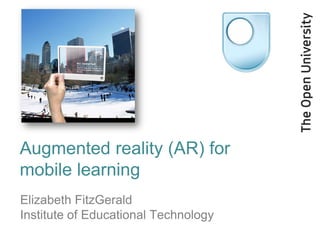
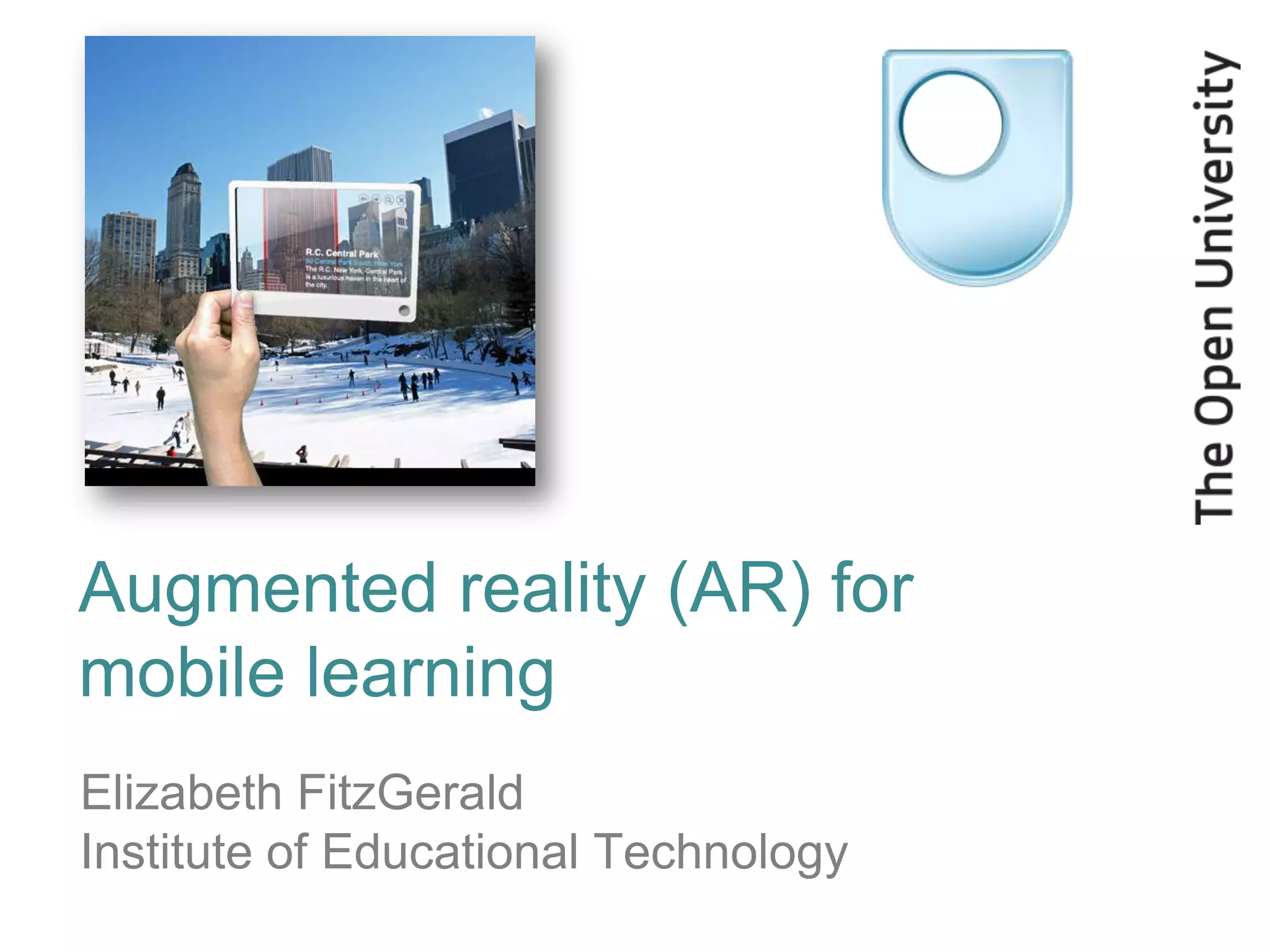
• Goal of AR is to add information and meaning to a
  real object or place
• Enables learners to “explore” the physical world
  without assuming any prior knowledge
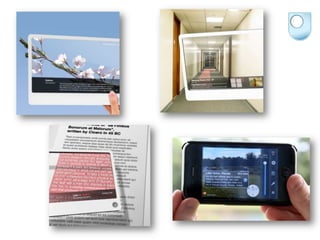
• Superimpose “information overlays” or layers, onto
  the world around you, using a handheld device
• Add audio commentary, location data, historical
  context or other forms of content that can make a
  user‟s experience of a thing or a place more
  meaningful
Current uses of AR
• Sports coverage
• Retail/marketing
• Networking („Augmented ID‟) or find someone in a
  crowd
• Aviation („head-up displays‟ on windscreen of plane)
• Training or task support
• Navigation
• Sightseeing e.g. outdoor venues; museums and art
  galleries
AR for educational use?
• Link educational content with specific places and
  objects
• Often used in fieldwork or study visits
• Can be used for educational games
  e.g. „Environmental Detectives‟ game: students
  learned about environmental sciences and
  ecosystems by finding clues and solving a mystery
  on the MIT campus using PDAs fitted with GPS
  devices
What technology does AR use?
• All sorts – from dedicated goggles/glasses to a
  simple web cam
• Most commonly-used nowadays on smartphones
• Need processor, display (screen), sensors and input
  devices
• Sensors include accelerometer, gyroscope, GPS,
  compass etc
• Most common input device is a camera – can obtain
  position and orientation, also in conjunction with
  other sensor data
Examples of AR apps
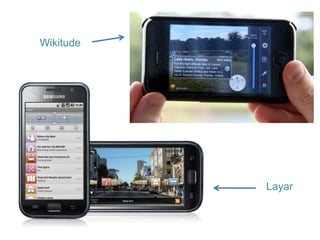
•   Layar
•   Wikitude
•   Junaio
•   Aurasma

Also
• Google Goggles (visual searches) – manual mode only
• Google Sky Map
• QR code readers e.g. Barcode Scanner
Wikitude


           Layar
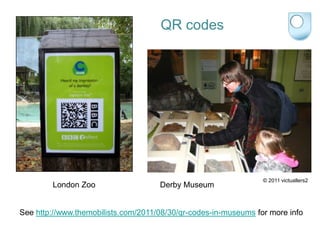
QR codes


                                                                 © 2011 victuallers2
        London Zoo                   Derby Museum


See http://www.themobilists.com/2011/08/30/qr-codes-in-museums for more info
How to make your own AR experience!
• QR codes:
  – Create QR code using free QR code generator e.g.
    http://qrcode.kaywa.com or http://www.qrstuff.com
  – Link it to a web page (caution: if you do not own the web page, its
    content may change or disappear at any time!)


• Create your own content to run in an AR app, using
  authoring tools like:
  – Hoppala
    (integrates with Layar, Junaio and Wikitude)
  – buildAR (integrates primarily with Layar , also Junaio and Wikitude
    with extra support)
Alternatively…
•   Many of these apps show heavily visual information
•   It is also possible to create audio only
•   Audio can work better than graphical data
•   One of the activities this afternoon will be looking at
    how you can create an audio guide/tour – we will
    also be looking at how to create and use QR codes
Summary
• Variety of different types of AR apps / technologies
• Can be used to overlay digital information in the real
  world
• Information can be text, video, audio, graphics, web
  links etc.
• Information can come from data sources such as
  Wikipedia or other data streams e.g. Twitter
  (TwittAround app)
• Downside can be cost of data downloads, may need
  certain level of sophistication in terms of tech
  (e.g. smartphone)
Elizabeth FitzGerald
Institute of Educational Technology

Email: e.j.fitzgerald@open.ac.uk
Web: http://iet.open.ac.uk/e.j.fitzgerald
Slideshare: http://www.slideshare.net/ejfitzgerald

Augmented reality for mobile learning

  • 1.
    Augmented reality (AR)for mobile learning Elizabeth FitzGerald Institute of Educational Technology
  • 2.
    What is augmentedreality (AR)? • Goal of AR is to add information and meaning to a real object or place • Enables learners to “explore” the physical world without assuming any prior knowledge • Superimpose “information overlays” or layers, onto the world around you, using a handheld device • Add audio commentary, location data, historical context or other forms of content that can make a user‟s experience of a thing or a place more meaningful
  • 4.
    Current uses ofAR • Sports coverage • Retail/marketing • Networking („Augmented ID‟) or find someone in a crowd • Aviation („head-up displays‟ on windscreen of plane) • Training or task support • Navigation • Sightseeing e.g. outdoor venues; museums and art galleries
  • 5.
    AR for educationaluse? • Link educational content with specific places and objects • Often used in fieldwork or study visits • Can be used for educational games e.g. „Environmental Detectives‟ game: students learned about environmental sciences and ecosystems by finding clues and solving a mystery on the MIT campus using PDAs fitted with GPS devices
  • 6.
    What technology doesAR use? • All sorts – from dedicated goggles/glasses to a simple web cam • Most commonly-used nowadays on smartphones • Need processor, display (screen), sensors and input devices • Sensors include accelerometer, gyroscope, GPS, compass etc • Most common input device is a camera – can obtain position and orientation, also in conjunction with other sensor data
  • 7.
    Examples of ARapps • Layar • Wikitude • Junaio • Aurasma Also • Google Goggles (visual searches) – manual mode only • Google Sky Map • QR code readers e.g. Barcode Scanner
  • 8.
    Wikitude Layar
  • 9.
    QR codes © 2011 victuallers2 London Zoo Derby Museum See http://www.themobilists.com/2011/08/30/qr-codes-in-museums for more info
  • 12.
    How to makeyour own AR experience! • QR codes: – Create QR code using free QR code generator e.g. http://qrcode.kaywa.com or http://www.qrstuff.com – Link it to a web page (caution: if you do not own the web page, its content may change or disappear at any time!) • Create your own content to run in an AR app, using authoring tools like: – Hoppala (integrates with Layar, Junaio and Wikitude) – buildAR (integrates primarily with Layar , also Junaio and Wikitude with extra support)
  • 13.
    Alternatively… • Many of these apps show heavily visual information • It is also possible to create audio only • Audio can work better than graphical data • One of the activities this afternoon will be looking at how you can create an audio guide/tour – we will also be looking at how to create and use QR codes
  • 14.
    Summary • Variety ofdifferent types of AR apps / technologies • Can be used to overlay digital information in the real world • Information can be text, video, audio, graphics, web links etc. • Information can come from data sources such as Wikipedia or other data streams e.g. Twitter (TwittAround app) • Downside can be cost of data downloads, may need certain level of sophistication in terms of tech (e.g. smartphone)
  • 15.
    Elizabeth FitzGerald Institute ofEducational Technology Email: e.j.fitzgerald@open.ac.uk Web: http://iet.open.ac.uk/e.j.fitzgerald Slideshare: http://www.slideshare.net/ejfitzgerald

Editor's Notes

  • #5  Used a lot in sports coverage – additional analytic information on top of replays. Most commonly seen in American football – “first down” line in yellow, shown on TV screen to viewers ("first down" line – the distance the team has to cover to continue its offence) Retail/marketing – ‘Yelp’ offers AR app to show you local restaurant reviews/ratings; AR symbol printed onto Adidas trainers links to an interactive games site when viewed with a webcam (use the trainer as a games controller!) Find out information about people you meet (‘Augmented ID ‘) or find someone in a crowd Training, in which technology provides students or technicians with necessary data about specific objects they are working with; Museums, where artefacts can be tagged with information such as the artefact's historical context or where it was discovered.
  • #11 22 Feb 2012: Welcome to the Open University's Mobile Learning Day for the Social Sciences! We hope you'll enjoy the day and that there are plenty of biscuits to go around. Sign up for Liz's activity this afternoon if you want to do more with QR codes or learn all about audio tours.