Keeping Visitors Interested  and Engaged in  Your Real Estate Website The Must-Have Secrets   for Success Second Self Virtual Assistance – When There Isn’t Enough of You to Go Around! Visit our website at  www.ThinkSecondSelf.com
Benefits & Information Provide Benefits   What’s in it for them? What can they find on your website? Provide Information Anticipate Questions Guide Them to Helpful Information DO NOT use your website as a place to brag about yourself and your achievements Offer a Freebie in Exchange for Contact Information
Must-Have Pages Home Page Service Page Contact Page About Us/Me Page Testimonials School Information Page Community Page(s) Helpful Numbers and Links Community Information Calendar of Events
Home Page The information on your home page is your opportunity to grab your website visitor’s attention.  Give them a brief overview of what they will find there. You will be going into more detail within the pages of your site.  So, don’t overwhelm them with a lot of text. Paragraphs should be divided into small, easily digestible chunks.  Use headlines to alert the visitor about the content of each chunk.  Use unique content with appropriate keywords, tags and descriptions for search engine optimization.
Service Page Do you have special designations? Describe what the designation means. Tell them what education was involved in getting the designation. Tell them how your designations will benefit them.
Contact Page Instant Gratification - How can you be reached?  Make contact information visible throughout your website. Get a toll-free phone number and post it on your website. Put a text widget on your website. Put an appointment-setting widget on your website.
About Me/Us This is your place to shine.  List Achievements List Designations List Community Involvement List Education List Personal Information
Testimonials Showcase what past clients have to say about you. Success Stories Customer Service Real Estate Knowledge Expertise Include Client Name and Photo (preferably in front of their new home)
Community Page Offer information that will help them make a decision about the area they want to live in. Helpful Phone Numbers Information and Links to City Offices Highlight the Community Calendar of Events
School Information List Area Schools Provide Direct Links to Area Schools List Schools’ Academic Achievements Provide Maps to Area Schools
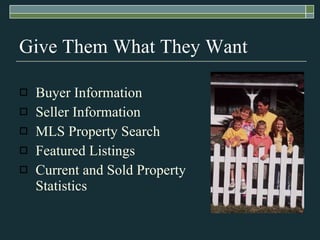
Give Them What They Want Buyer Information Seller Information MLS Property Search Featured Listings Current and Sold Property Statistics
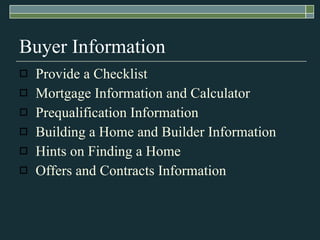
Buyer Information Provide a Checklist Mortgage Information and Calculator Prequalification Information Building a Home and Builder Information Hints on Finding a Home Offers and Contracts Information
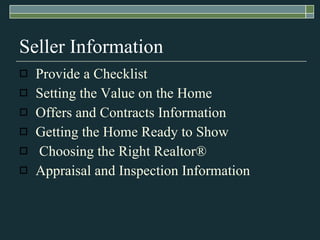
Seller Information Provide a Checklist Setting the Value on the Home Offers and Contracts Information Getting the Home Ready to Show Choosing the Right Realtor ® Appraisal and Inspection Information
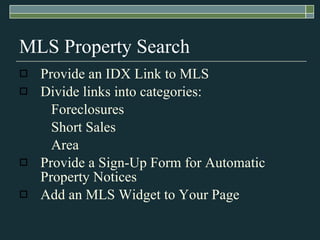
MLS Property Search Provide an IDX Link to MLS Divide links into categories: Foreclosures Short Sales Area Provide a Sign-Up Form for Automatic Property Notices Add an MLS Widget to Your Page
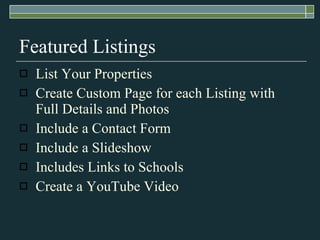
Featured Listings List Your Properties Create Custom Page for each Listing with Full Details and Photos Include a Contact Form Include a Slideshow Includes Links to Schools Create a YouTube Video
Current and Sold Property Statistics Show Clear Vision of Real Estate Market Report Sold and For Sale Properties What is the Market Doing Now? Local Market Data Financial Analysis What is Property Worth Today?
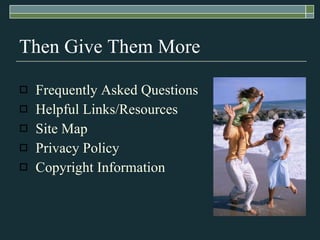
Then Give Them More Frequently Asked Questions Helpful Links/Resources Site Map Privacy Policy Copyright Information
Frequently Asked Questions Think about the questions you’ve been asked by your Buyers and Sellers. Create a list of those questions and supply the answers. Be as informative as possible.  Dazzle them with your brilliance!
Helpful Links and Resources Create a page that is divided into categories with links, phone numbers and contacts. Churches Construction and Repair Trades Schools Government Departments Restaurants
Site Map A Site Map is a guide or outline of your website.  It helps your visitors find what they are looking for. Site maps are great for search engine optimization, too!
Privacy Policy Website visitors are often timid about offering their name, email and/or phone number. Alleviate those fears by providing a short and concise Privacy Policy Statement. Privacy Policies can be shortened to, “We will never share your private information with anyone.”.
Copyright Information Protect your website content. Never copy/paste information from another website. Always get permission to use another person’s content. Always use your own photos or purchase them online. Always write your own content in your own words.
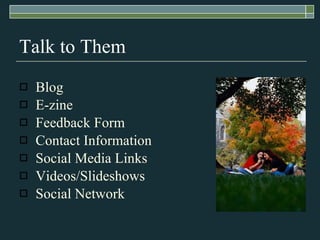
Talk to Them Blog E-zine Feedback Form Contact Information Social Media Links Videos/Slideshows Social Network
Blog Blogs are a great way to share your information and knowledge with people interested in way you have to say.  Benefits include: Showcasing your knowledge and expertise. Search engine optimization Profile and website links Networking
E-zine Just like a newsletter, your e-zine is a great way to connect with your contacts.  Providing valuable information will ensure a good “open” rate. Showcase listings. Provide a Calendar of Events Provide links to your website and profile.
Feedback Form Make sure you are providing the information your website visitors are looking for by including a Feedback Form. Encourage visitors to let you know what they are looking for so you can make sure to include that information on your website and other marketing materials.
Contact Information Make sure your website visitors can find out how to contact you without having to look for that information.  Put contact information on every page.  Include: Office Phone Number Direct Phone Number Cell Phone Number Email Address Social Media Links Office Address Website Address
Social Media Links If you aren’t taking part in the social media boom, you are missing out! At the very least, create accounts in: Facebook LinkedIn Twitter Active Rain Realtown Make sure your profile links back to your website.  Make sure your website links to your social media sites.
Videos and Slideshows Videos and slideshows are extremely helpful tools for your website.  They tell a story and provide valuable information at the click of a button. Many free resources are available for creating videos and slideshows. Create a YouTube account to promote your listings and yourself.  These are then easily embedded into your website for viewing.
Social Network Social networks take time, energy and a lot of knowledge.  However, if you are willing to do what it takes, you can create a following of dedicated prospects. Don’t overlook the possibility of outsourcing this task to your Real Estate Virtual Assistant.
Second Self Virtual Assistance When There Isn’t Enough of You to Go Around! Please feel free to contact me for  your free ½ Hour Plan of Action Consultation. Pamela Cendejas Certified Real Estate Support Specialist www.ThinkSecondSelf.com   Email:  [email_address]   866-921-5364 – Toll Free  *  928-692-3235 – Direct

Attracting website visitors

  • 1.
    Keeping Visitors Interested and Engaged in Your Real Estate Website The Must-Have Secrets for Success Second Self Virtual Assistance – When There Isn’t Enough of You to Go Around! Visit our website at www.ThinkSecondSelf.com
  • 2.
    Benefits & InformationProvide Benefits What’s in it for them? What can they find on your website? Provide Information Anticipate Questions Guide Them to Helpful Information DO NOT use your website as a place to brag about yourself and your achievements Offer a Freebie in Exchange for Contact Information
  • 3.
    Must-Have Pages HomePage Service Page Contact Page About Us/Me Page Testimonials School Information Page Community Page(s) Helpful Numbers and Links Community Information Calendar of Events
  • 4.
    Home Page Theinformation on your home page is your opportunity to grab your website visitor’s attention.  Give them a brief overview of what they will find there. You will be going into more detail within the pages of your site. So, don’t overwhelm them with a lot of text. Paragraphs should be divided into small, easily digestible chunks. Use headlines to alert the visitor about the content of each chunk. Use unique content with appropriate keywords, tags and descriptions for search engine optimization.
  • 5.
    Service Page Doyou have special designations? Describe what the designation means. Tell them what education was involved in getting the designation. Tell them how your designations will benefit them.
  • 6.
    Contact Page InstantGratification - How can you be reached? Make contact information visible throughout your website. Get a toll-free phone number and post it on your website. Put a text widget on your website. Put an appointment-setting widget on your website.
  • 7.
    About Me/Us Thisis your place to shine. List Achievements List Designations List Community Involvement List Education List Personal Information
  • 8.
    Testimonials Showcase whatpast clients have to say about you. Success Stories Customer Service Real Estate Knowledge Expertise Include Client Name and Photo (preferably in front of their new home)
  • 9.
    Community Page Offerinformation that will help them make a decision about the area they want to live in. Helpful Phone Numbers Information and Links to City Offices Highlight the Community Calendar of Events
  • 10.
    School Information ListArea Schools Provide Direct Links to Area Schools List Schools’ Academic Achievements Provide Maps to Area Schools
  • 11.
    Give Them WhatThey Want Buyer Information Seller Information MLS Property Search Featured Listings Current and Sold Property Statistics
  • 12.
    Buyer Information Providea Checklist Mortgage Information and Calculator Prequalification Information Building a Home and Builder Information Hints on Finding a Home Offers and Contracts Information
  • 13.
    Seller Information Providea Checklist Setting the Value on the Home Offers and Contracts Information Getting the Home Ready to Show Choosing the Right Realtor ® Appraisal and Inspection Information
  • 14.
    MLS Property SearchProvide an IDX Link to MLS Divide links into categories: Foreclosures Short Sales Area Provide a Sign-Up Form for Automatic Property Notices Add an MLS Widget to Your Page
  • 15.
    Featured Listings ListYour Properties Create Custom Page for each Listing with Full Details and Photos Include a Contact Form Include a Slideshow Includes Links to Schools Create a YouTube Video
  • 16.
    Current and SoldProperty Statistics Show Clear Vision of Real Estate Market Report Sold and For Sale Properties What is the Market Doing Now? Local Market Data Financial Analysis What is Property Worth Today?
  • 17.
    Then Give ThemMore Frequently Asked Questions Helpful Links/Resources Site Map Privacy Policy Copyright Information
  • 18.
    Frequently Asked QuestionsThink about the questions you’ve been asked by your Buyers and Sellers. Create a list of those questions and supply the answers. Be as informative as possible. Dazzle them with your brilliance!
  • 19.
    Helpful Links andResources Create a page that is divided into categories with links, phone numbers and contacts. Churches Construction and Repair Trades Schools Government Departments Restaurants
  • 20.
    Site Map ASite Map is a guide or outline of your website. It helps your visitors find what they are looking for. Site maps are great for search engine optimization, too!
  • 21.
    Privacy Policy Websitevisitors are often timid about offering their name, email and/or phone number. Alleviate those fears by providing a short and concise Privacy Policy Statement. Privacy Policies can be shortened to, “We will never share your private information with anyone.”.
  • 22.
    Copyright Information Protectyour website content. Never copy/paste information from another website. Always get permission to use another person’s content. Always use your own photos or purchase them online. Always write your own content in your own words.
  • 23.
    Talk to ThemBlog E-zine Feedback Form Contact Information Social Media Links Videos/Slideshows Social Network
  • 24.
    Blog Blogs area great way to share your information and knowledge with people interested in way you have to say. Benefits include: Showcasing your knowledge and expertise. Search engine optimization Profile and website links Networking
  • 25.
    E-zine Just likea newsletter, your e-zine is a great way to connect with your contacts. Providing valuable information will ensure a good “open” rate. Showcase listings. Provide a Calendar of Events Provide links to your website and profile.
  • 26.
    Feedback Form Makesure you are providing the information your website visitors are looking for by including a Feedback Form. Encourage visitors to let you know what they are looking for so you can make sure to include that information on your website and other marketing materials.
  • 27.
    Contact Information Makesure your website visitors can find out how to contact you without having to look for that information. Put contact information on every page. Include: Office Phone Number Direct Phone Number Cell Phone Number Email Address Social Media Links Office Address Website Address
  • 28.
    Social Media LinksIf you aren’t taking part in the social media boom, you are missing out! At the very least, create accounts in: Facebook LinkedIn Twitter Active Rain Realtown Make sure your profile links back to your website. Make sure your website links to your social media sites.
  • 29.
    Videos and SlideshowsVideos and slideshows are extremely helpful tools for your website. They tell a story and provide valuable information at the click of a button. Many free resources are available for creating videos and slideshows. Create a YouTube account to promote your listings and yourself. These are then easily embedded into your website for viewing.
  • 30.
    Social Network Socialnetworks take time, energy and a lot of knowledge. However, if you are willing to do what it takes, you can create a following of dedicated prospects. Don’t overlook the possibility of outsourcing this task to your Real Estate Virtual Assistant.
  • 31.
    Second Self VirtualAssistance When There Isn’t Enough of You to Go Around! Please feel free to contact me for your free ½ Hour Plan of Action Consultation. Pamela Cendejas Certified Real Estate Support Specialist www.ThinkSecondSelf.com Email: [email_address] 866-921-5364 – Toll Free * 928-692-3235 – Direct