Authentication
It’s also based on the beliefis based on the separation of trusting bothof
The authentication policy that authentication involves the network the
authentication information and the computer it is coming from.
all computers on two domains:
2.) everything else
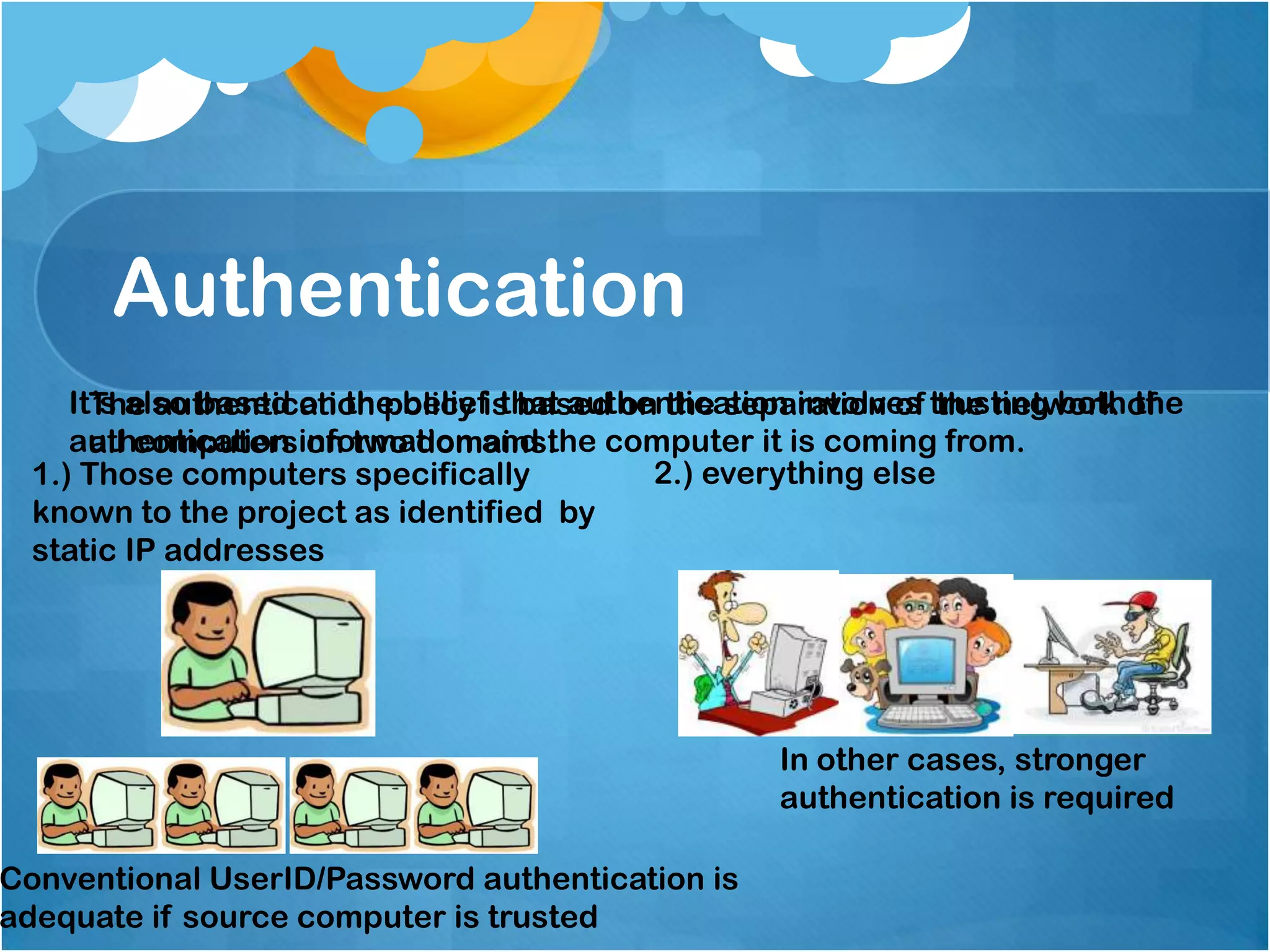
1.) Those computers specifically
known to the project as identified by
static IP addresses

Conventional UserID/Password authentication is
adequate if source computer is trusted

In other cases, stronger
authentication is required
Authentication
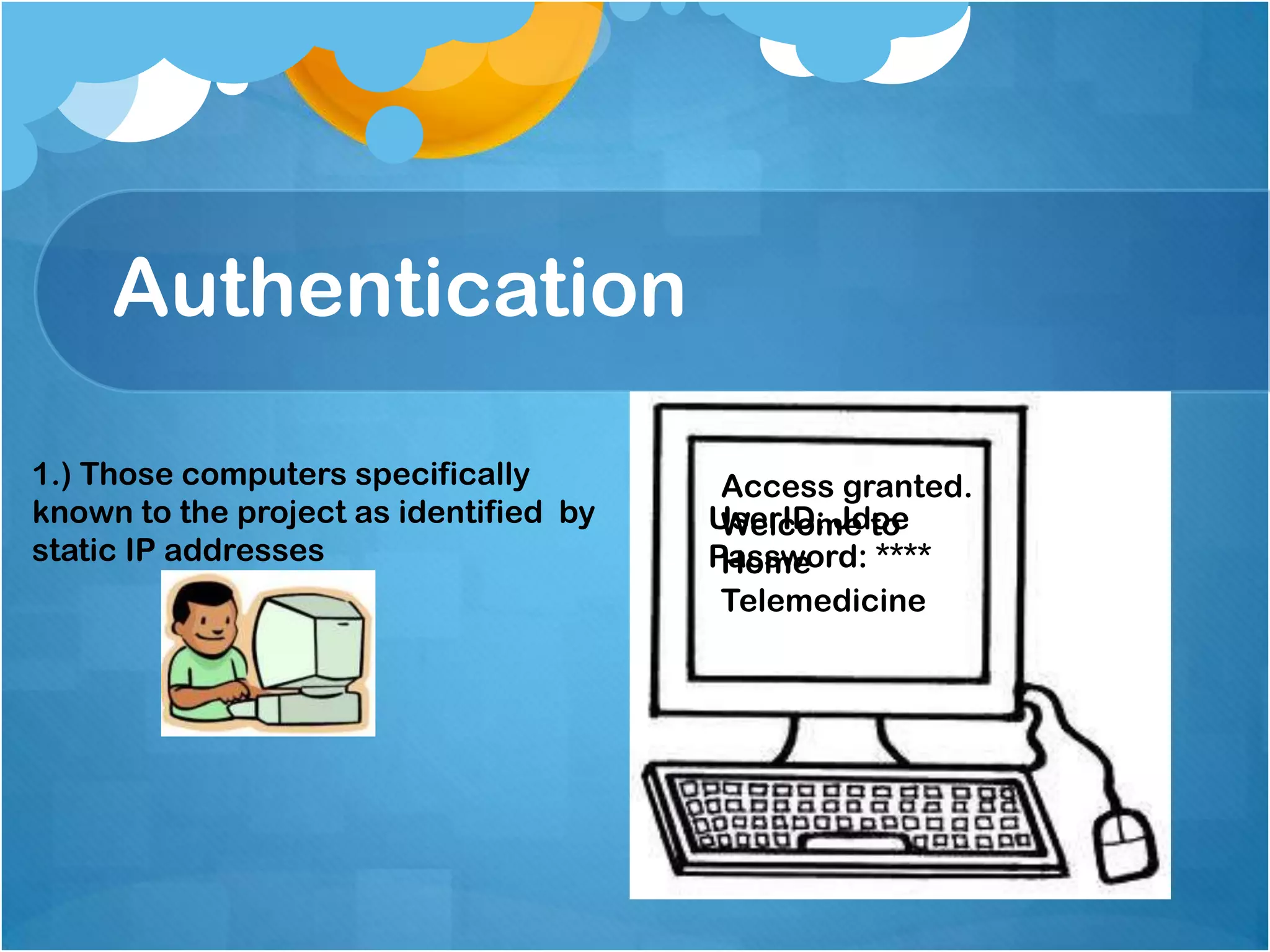
1.) Those computers specifically
known to the project as identified by
static IP addresses

Access granted.
UserID: Jdoe
Welcome to
Password: ****
Home
Telemedicine
Authentication
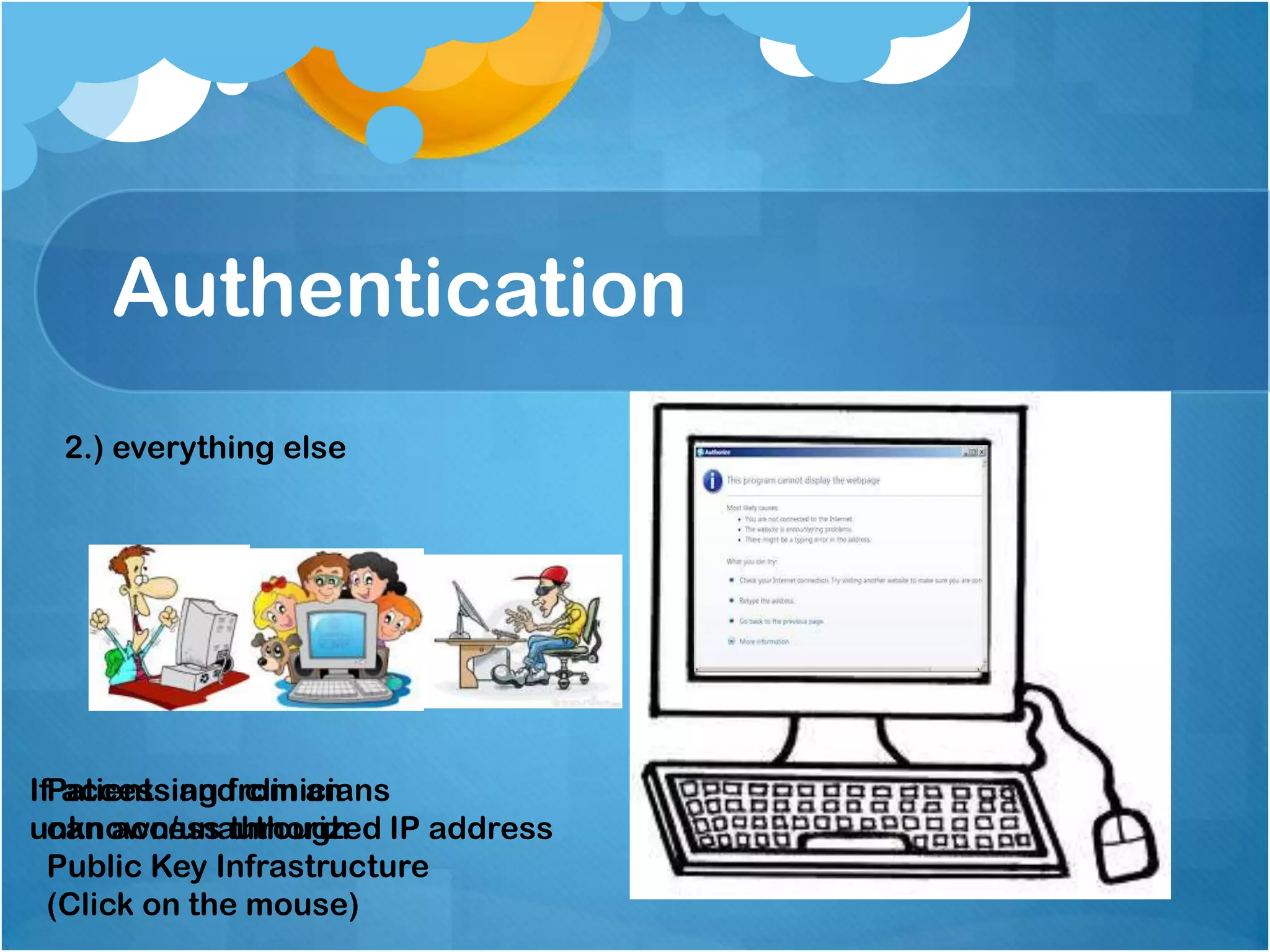
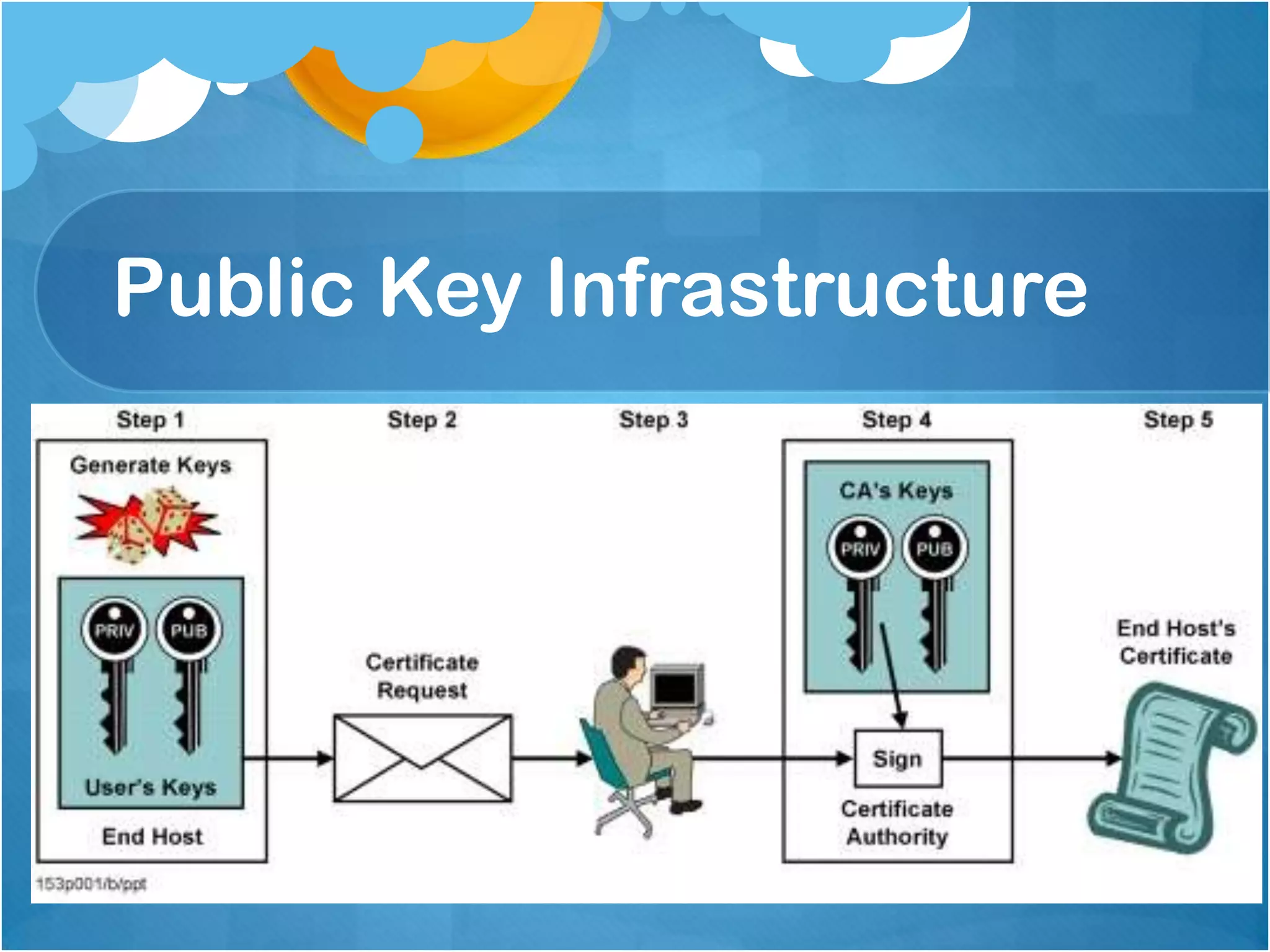
2.) everything else

IfPatients and clinicians
accessing from an
can access through
unknown/unauthorized IP address
Public Key Infrastructure
(Click on the mouse)
Public Key Infrastructure
Authentication
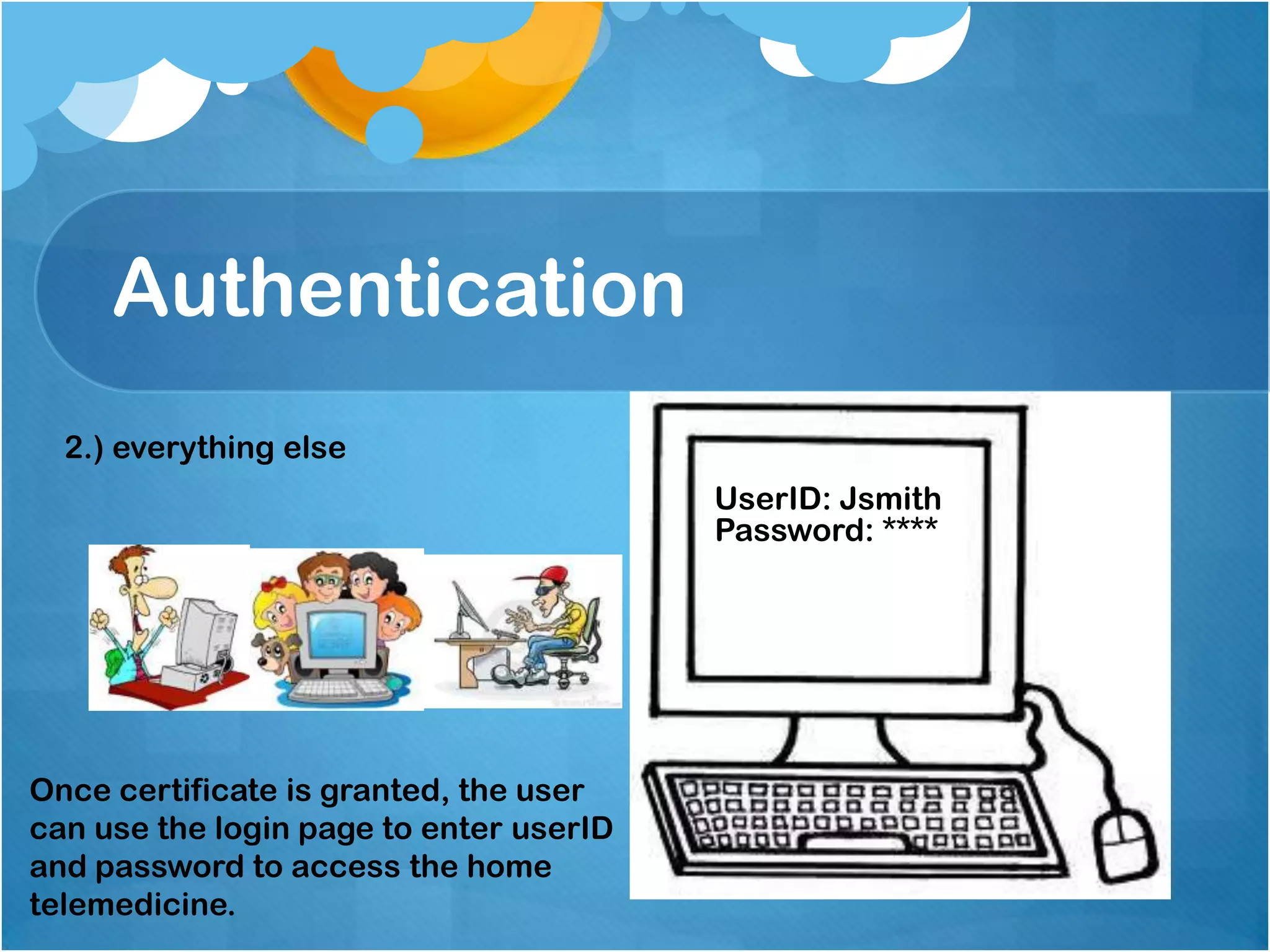
2.) everything else
UserID: Jsmith
Password: ****

Once certificate is granted, the user
can use the login page to enter userID
and password to access the home
telemedicine.
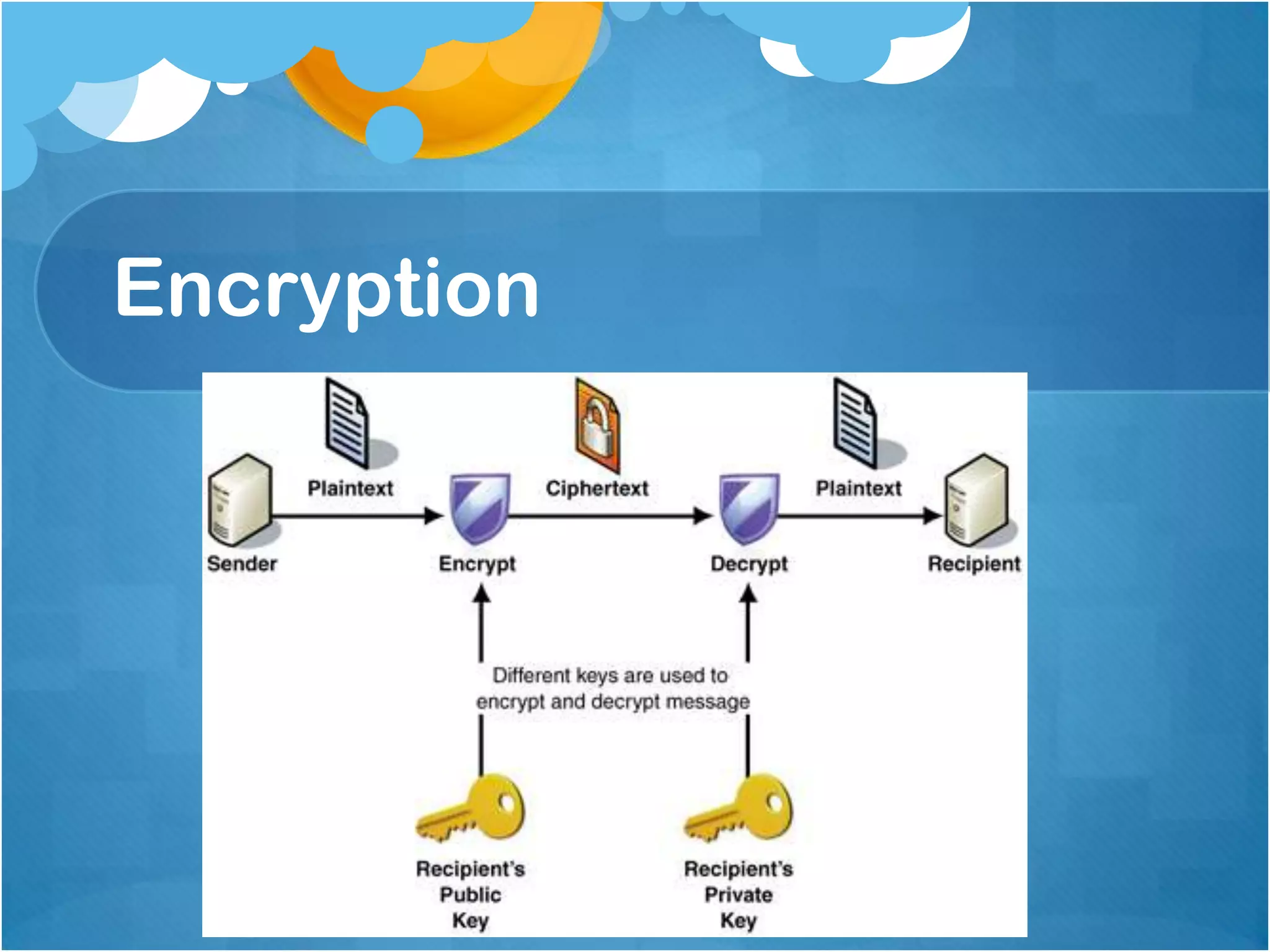
Encryption
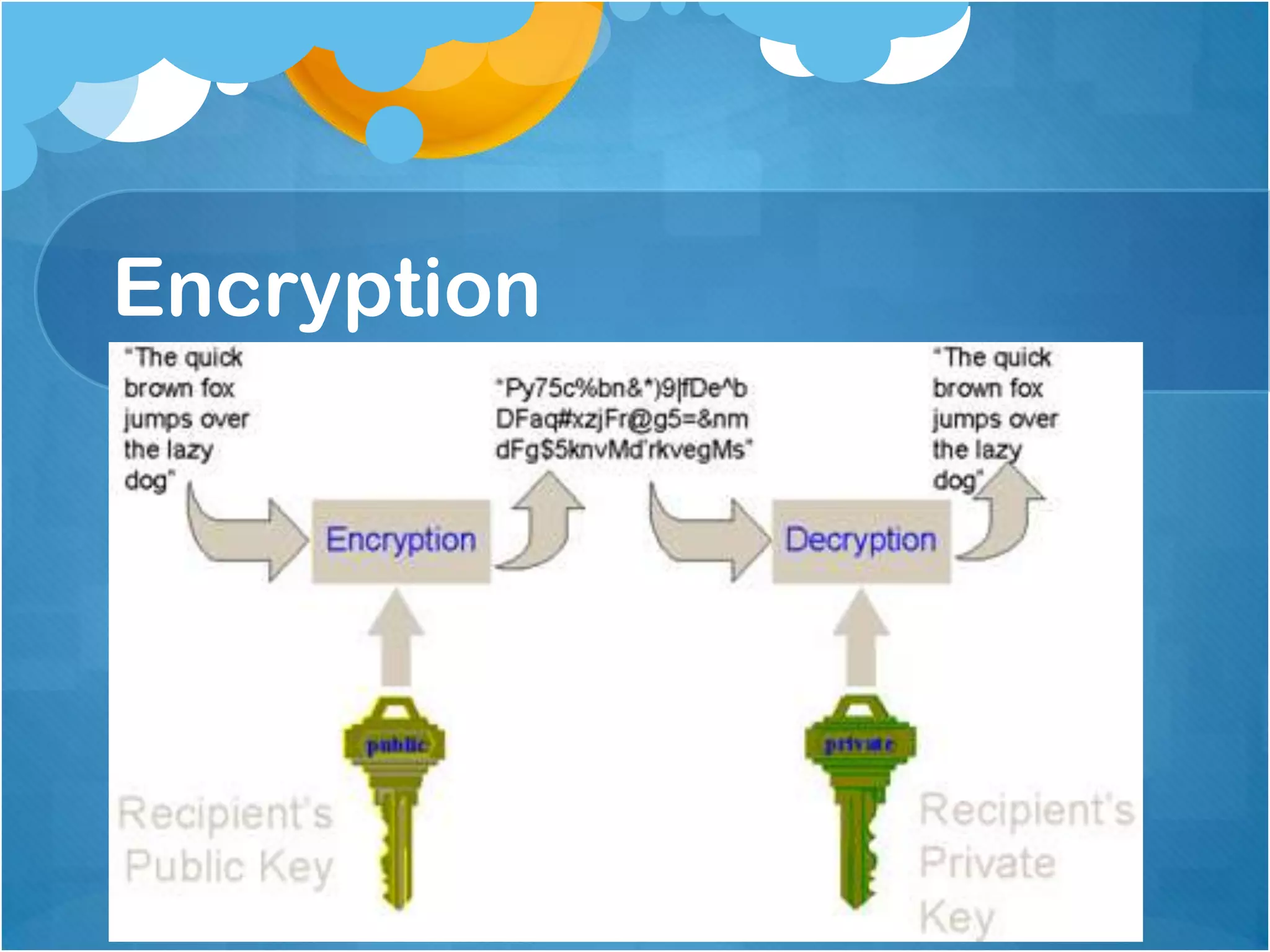
Encryption
Authorization
Three step process:
1. Patient categories were defined by 3 criteria relevant to
security needs:
a. Whether patient has existing relationship with the
medical center
b. Whether the patient’s primary care physician was
credentialed or not by the medical center
c. Whether the patient’s Nurse Case Manager was an
employee of the medical center or its affiliate.
Authorization
2. Extensive discussions with nurse case
managers and doctors to determine which data
items each class of care provider needed in
order to provide optimal care.
3. The physicians of the medical center will have
full access to all data in WebCIS including
individual patients in the CM system.
Authorization
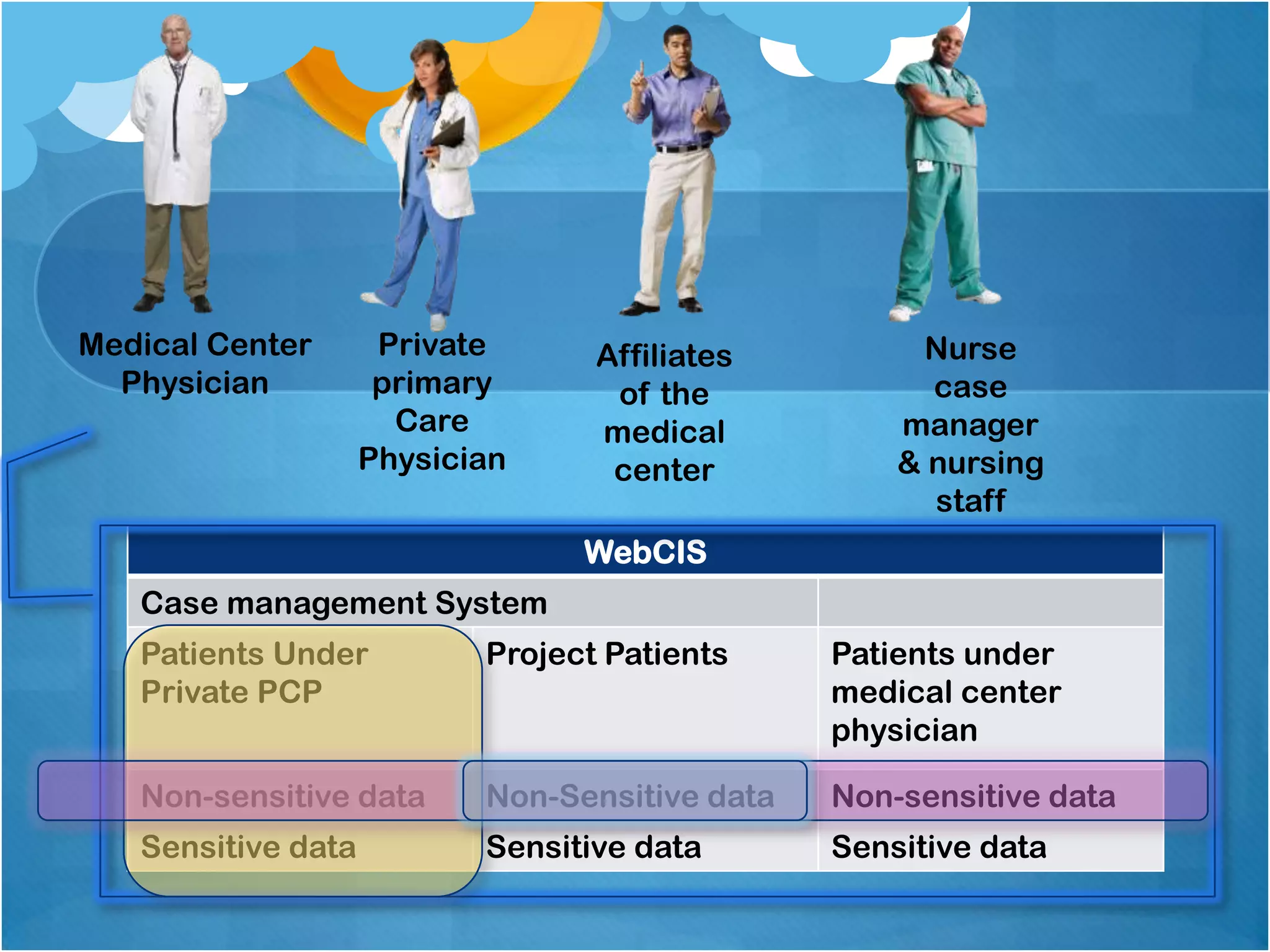
Private primary care physicians have access
only to project specific data on their own
patients in the case management system.
The medical center’s nurse case managers and
nursing staff have access to non-sensitive data
on all patients in WebCIS.
Affiliate staff will allowed access to nonsensitive data on project patients.
Medical Center
Physician

Private
primary
Care
Physician

Affiliates
of the
medical
center

Nurse
case
manager
& nursing
staff

WebCIS
Case management System
Patients Under
Private PCP

Project Patients

Patients under
medical center
physician

Non-sensitive data

Non-Sensitive data

Non-sensitive data

Sensitive data

Sensitive data

Sensitive data
Access Control
Once authorization levels were defined, they need to be
mapped to the technologically available software access
controls in WebCIS and the CM software.
The WebCIS system supports access controls by patient,
patient-list, patient class and data type. Within WebCIS,
patients can be flagged as “VIP”, this is typically done for
celebrities and for employees of the medical center and
access to it can be restricted.
If a user has access to a particular patient, WebCIS can
limit that access to non sensitive data, or to specific data
types.
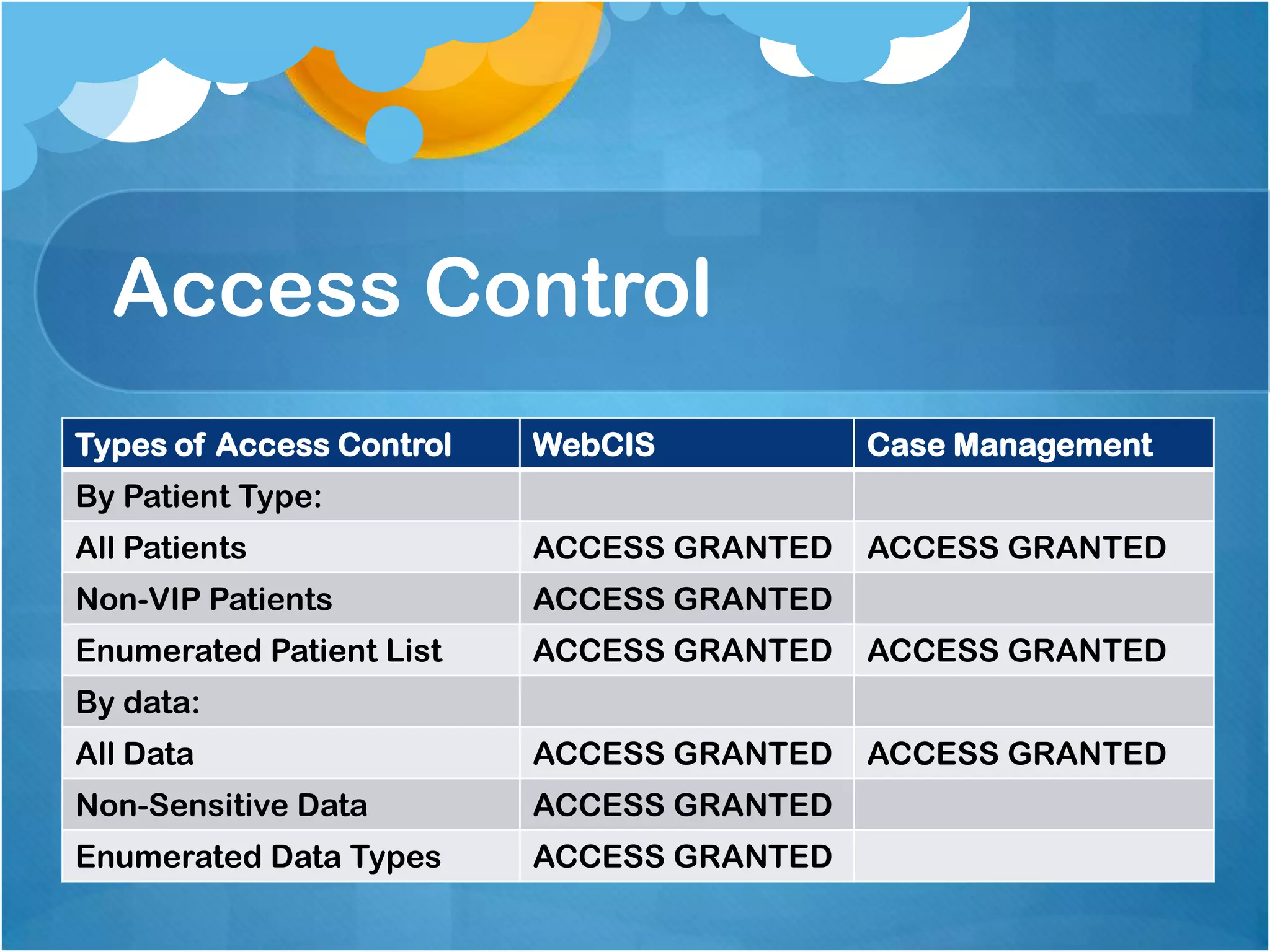
Access Control
Types of Access Control

WebCIS

Case Management

All Patients

ACCESS GRANTED

ACCESS GRANTED

Non-VIP Patients

ACCESS GRANTED

Enumerated Patient List

ACCESS GRANTED

ACCESS GRANTED

All Data

ACCESS GRANTED

ACCESS GRANTED

Non-Sensitive Data

ACCESS GRANTED

Enumerated Data Types

ACCESS GRANTED

By Patient Type:

By data:
Auditing
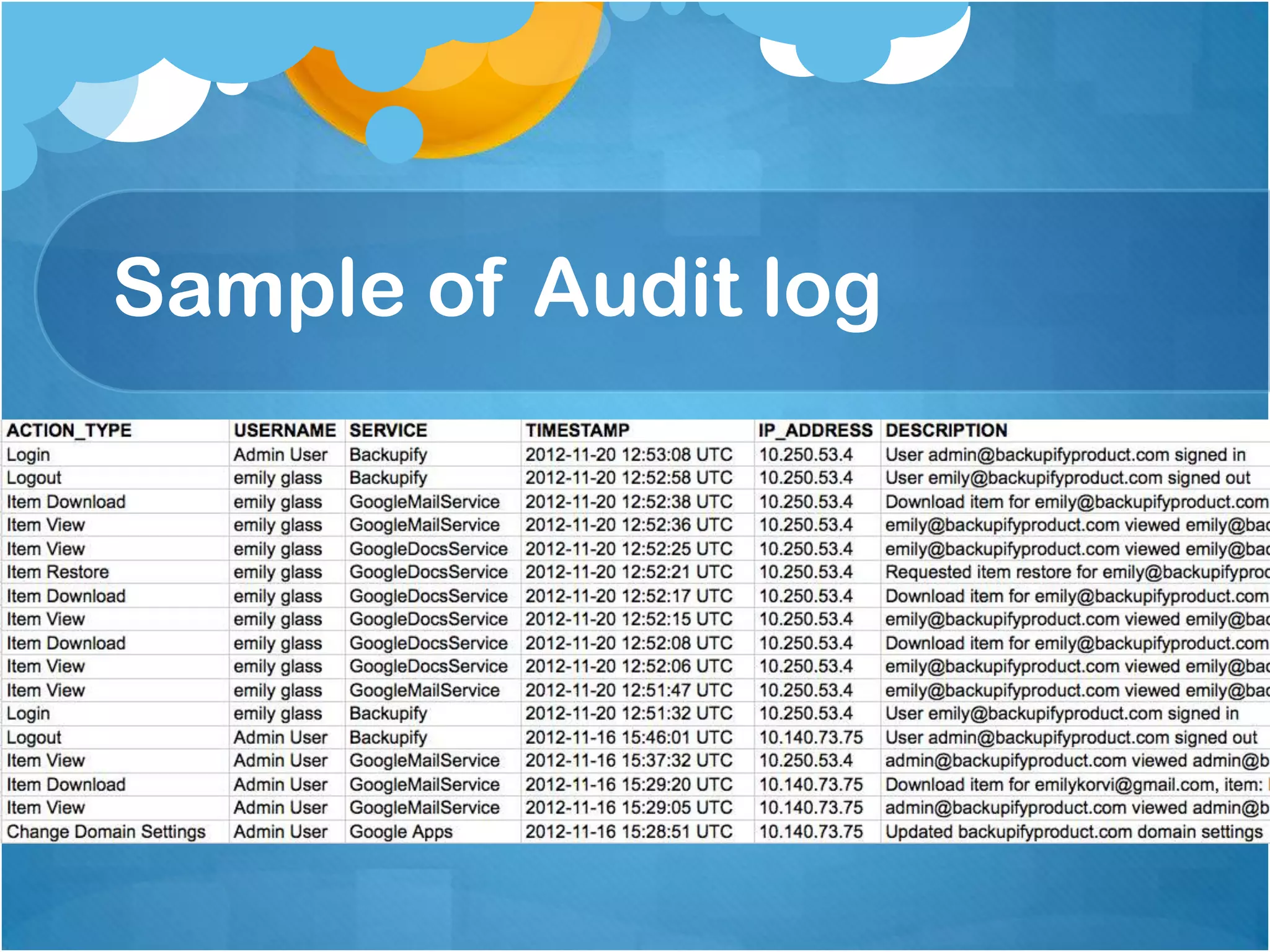
Audit logs of computer access to clinical data in
the medical center can be maintained for over a
decade. Recorded information includes: user, IP
address, patient, data type, access type, and
time of access. Audit trails are periodically
monitored for inappropriate access.
Sample of Audit log
Auditing
In order to facilitate auditing, all patients added
to the WebCIS repository specifically for the
study will be flagged as VIP. Use of such flags
represents a compromise between allowing
access to these patients’ data in case of
emergency while discouraging inappropriate
access not related to the study.
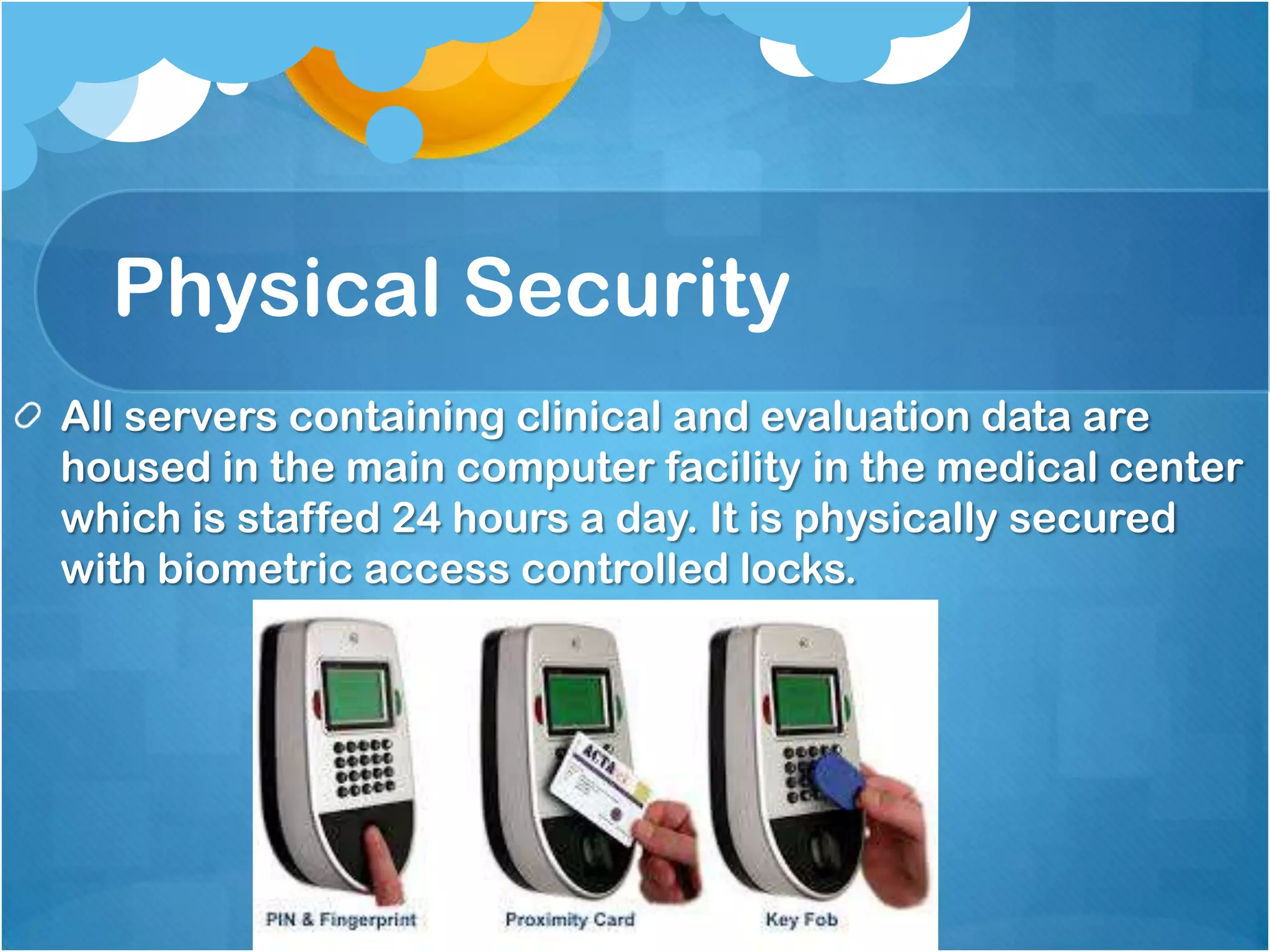
Physical Security
All servers containing clinical and evaluation data are
housed in the main computer facility in the medical center
which is staffed 24 hours a day. It is physically secured
with biometric access controlled locks.
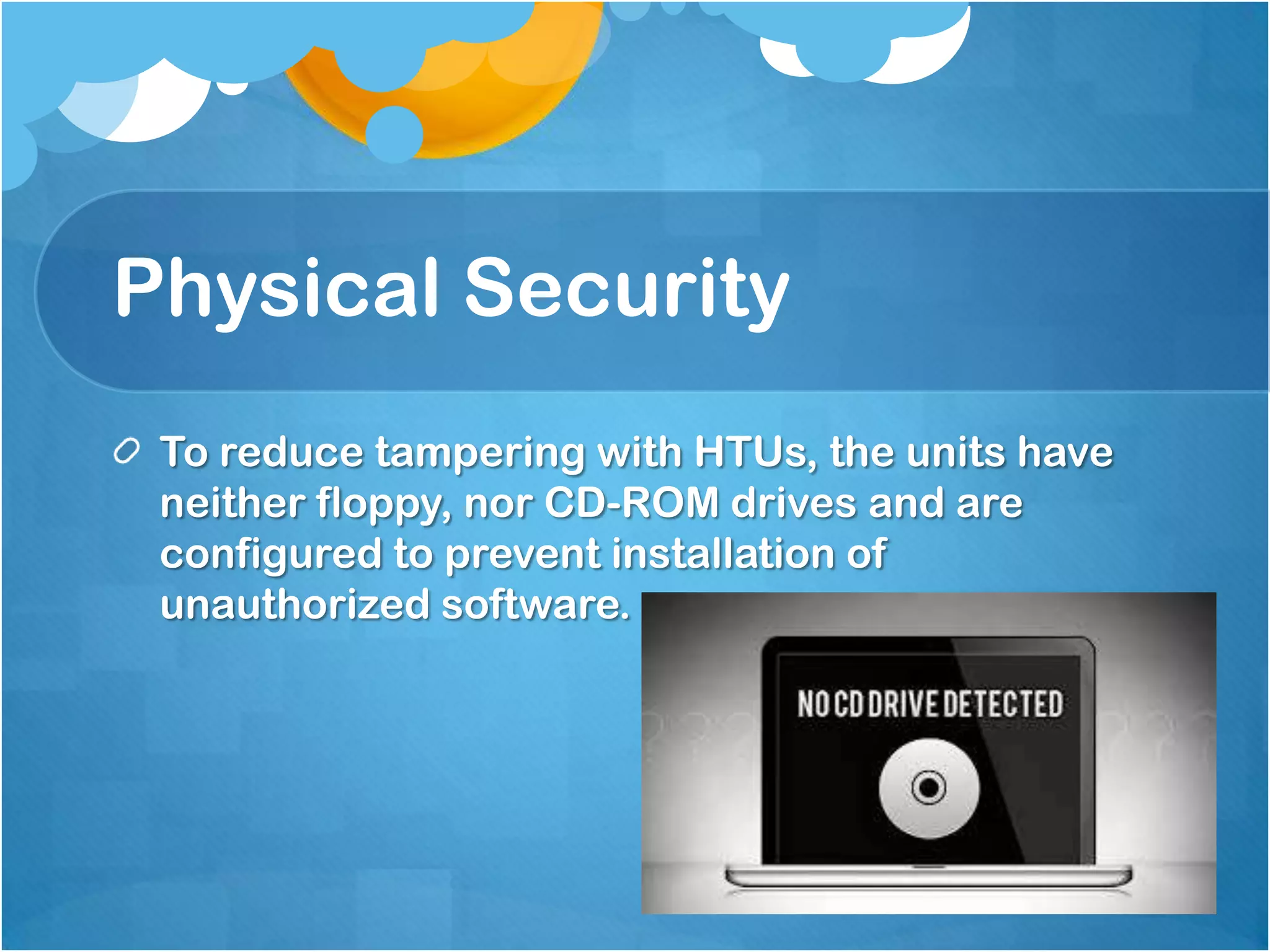
Physical Security
To reduce tampering with HTUs, the units have
neither floppy, nor CD-ROM drives and are
configured to prevent installation of
unauthorized software.

ATLlamas

  • 2.
    Authentication It’s also basedon the beliefis based on the separation of trusting bothof The authentication policy that authentication involves the network the authentication information and the computer it is coming from. all computers on two domains: 2.) everything else 1.) Those computers specifically known to the project as identified by static IP addresses Conventional UserID/Password authentication is adequate if source computer is trusted In other cases, stronger authentication is required
  • 3.
    Authentication 1.) Those computersspecifically known to the project as identified by static IP addresses Access granted. UserID: Jdoe Welcome to Password: **** Home Telemedicine
  • 4.
    Authentication 2.) everything else IfPatientsand clinicians accessing from an can access through unknown/unauthorized IP address Public Key Infrastructure (Click on the mouse)
  • 5.
  • 6.
    Authentication 2.) everything else UserID:Jsmith Password: **** Once certificate is granted, the user can use the login page to enter userID and password to access the home telemedicine.
  • 7.
  • 8.
  • 9.
    Authorization Three step process: 1.Patient categories were defined by 3 criteria relevant to security needs: a. Whether patient has existing relationship with the medical center b. Whether the patient’s primary care physician was credentialed or not by the medical center c. Whether the patient’s Nurse Case Manager was an employee of the medical center or its affiliate.
  • 10.
    Authorization 2. Extensive discussionswith nurse case managers and doctors to determine which data items each class of care provider needed in order to provide optimal care. 3. The physicians of the medical center will have full access to all data in WebCIS including individual patients in the CM system.
  • 11.
    Authorization Private primary carephysicians have access only to project specific data on their own patients in the case management system. The medical center’s nurse case managers and nursing staff have access to non-sensitive data on all patients in WebCIS. Affiliate staff will allowed access to nonsensitive data on project patients.
  • 12.
    Medical Center Physician Private primary Care Physician Affiliates of the medical center Nurse case manager &nursing staff WebCIS Case management System Patients Under Private PCP Project Patients Patients under medical center physician Non-sensitive data Non-Sensitive data Non-sensitive data Sensitive data Sensitive data Sensitive data
  • 13.
    Access Control Once authorizationlevels were defined, they need to be mapped to the technologically available software access controls in WebCIS and the CM software. The WebCIS system supports access controls by patient, patient-list, patient class and data type. Within WebCIS, patients can be flagged as “VIP”, this is typically done for celebrities and for employees of the medical center and access to it can be restricted. If a user has access to a particular patient, WebCIS can limit that access to non sensitive data, or to specific data types.
  • 14.
    Access Control Types ofAccess Control WebCIS Case Management All Patients ACCESS GRANTED ACCESS GRANTED Non-VIP Patients ACCESS GRANTED Enumerated Patient List ACCESS GRANTED ACCESS GRANTED All Data ACCESS GRANTED ACCESS GRANTED Non-Sensitive Data ACCESS GRANTED Enumerated Data Types ACCESS GRANTED By Patient Type: By data:
  • 15.
    Auditing Audit logs ofcomputer access to clinical data in the medical center can be maintained for over a decade. Recorded information includes: user, IP address, patient, data type, access type, and time of access. Audit trails are periodically monitored for inappropriate access.
  • 16.
  • 17.
    Auditing In order tofacilitate auditing, all patients added to the WebCIS repository specifically for the study will be flagged as VIP. Use of such flags represents a compromise between allowing access to these patients’ data in case of emergency while discouraging inappropriate access not related to the study.
  • 18.
    Physical Security All serverscontaining clinical and evaluation data are housed in the main computer facility in the medical center which is staffed 24 hours a day. It is physically secured with biometric access controlled locks.
  • 19.
    Physical Security To reducetampering with HTUs, the units have neither floppy, nor CD-ROM drives and are configured to prevent installation of unauthorized software.