Knowledge Mavens
Who are we and what we do
We’re a group of Scientists,
Artist, Engineers, Musicians
…aka Polymaths
We “Show and Tell” every
Saturday 1pm in Beaverton
Our mission is “Free Knowledge”
http://www.lemaker.org/product-hikey970-specification.html
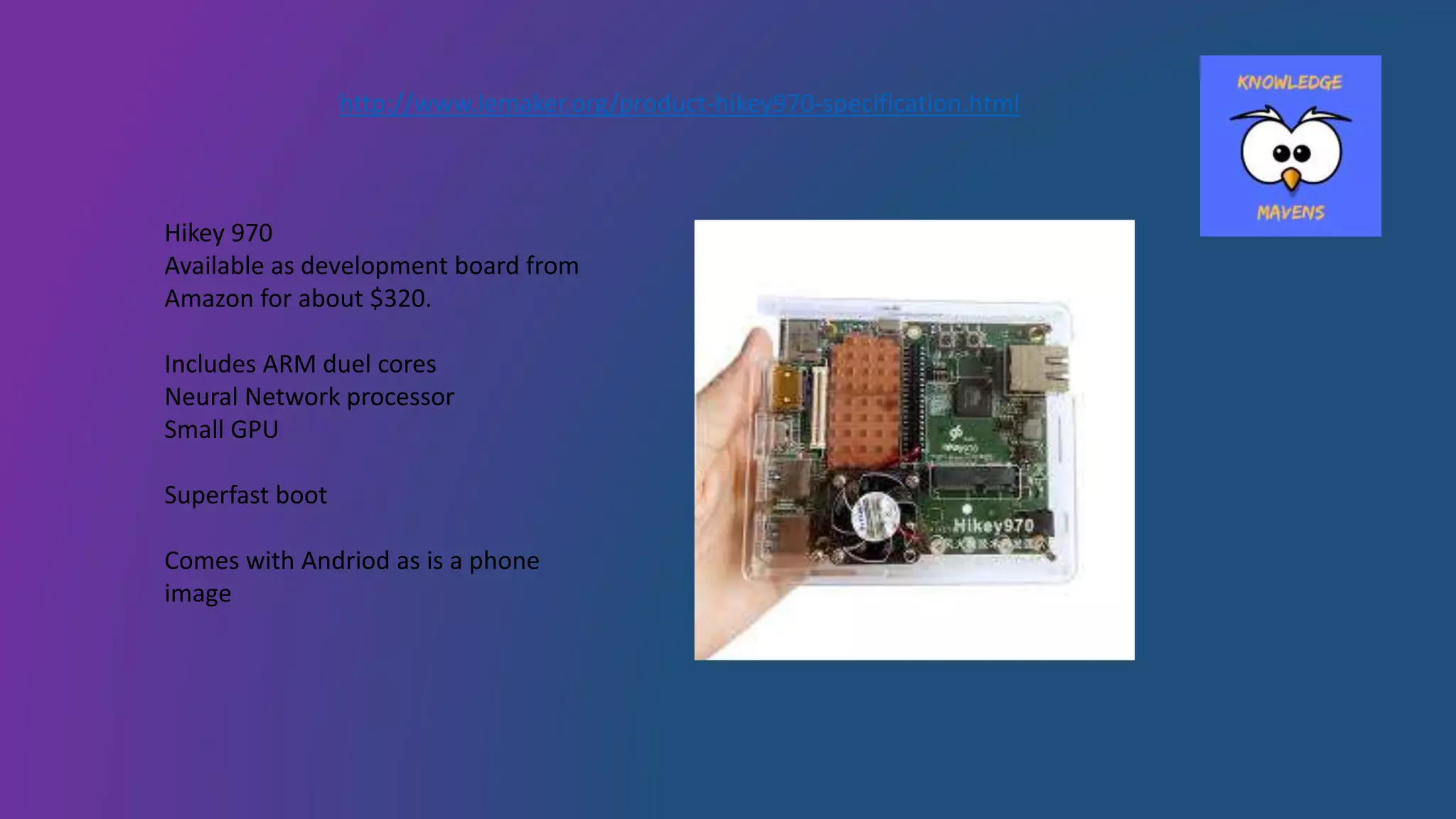
Hikey 970
Available as development board from
Amazon for about $320.
Includes ARM duel cores
Neural Network processor
Small GPU
Superfast boot
Comes with Andriod as is a phone
image
Purchased as an alternative to
Raspberry Pi newest models and
to learn about the NPU and see if
it would be an interesting to my
Apple and Windows machines.
Discovered made in China and
supported for images by LeMaker.
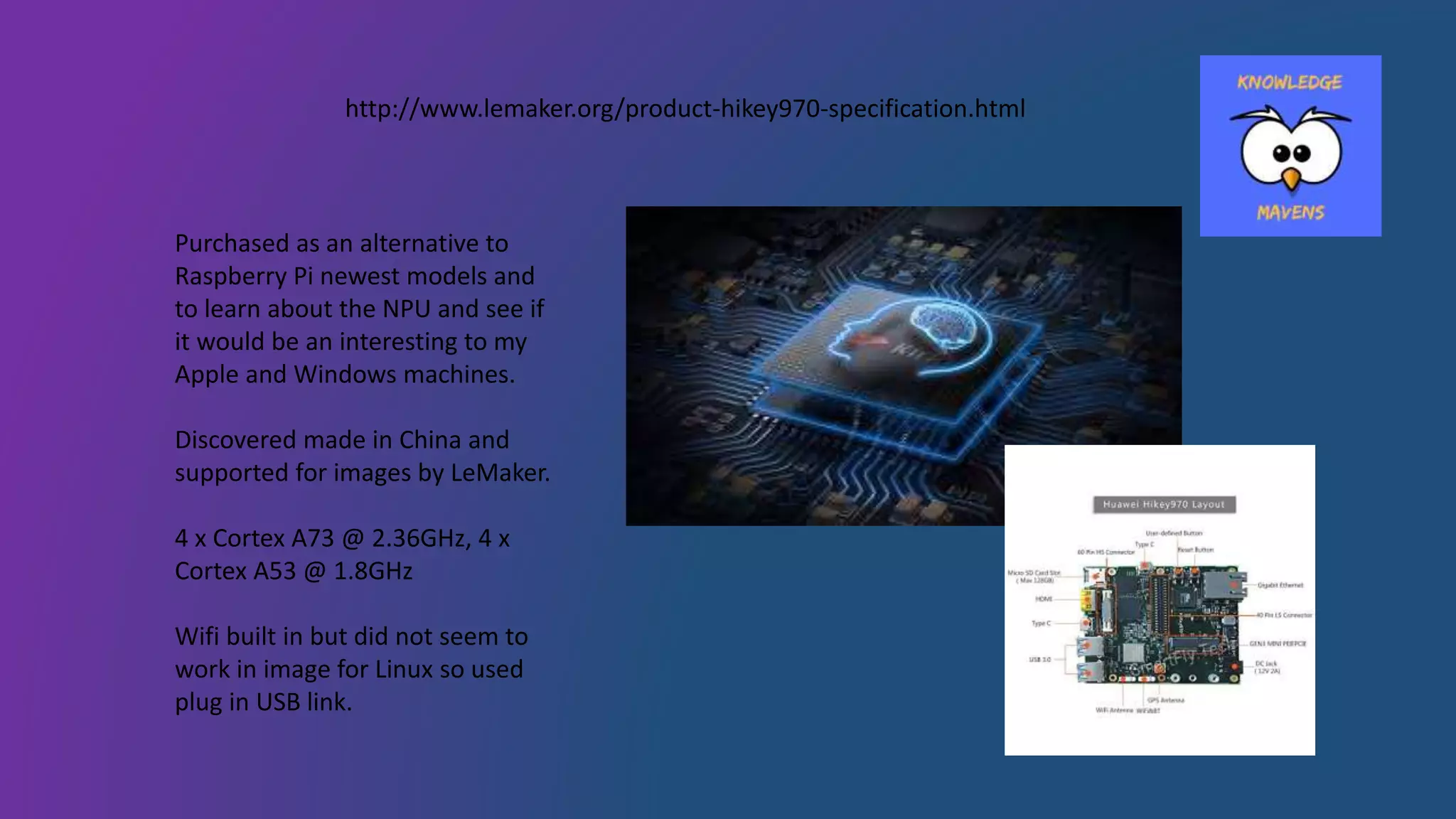
4 x Cortex A73 @ 2.36GHz, 4 x
Cortex A53 @ 1.8GHz
Wifi built in but did not seem to
work in image for Linux so used
plug in USB link.
http://www.lemaker.org/product-hikey970-specification.html
First item of business…turn on and use it
Assembled case. Found two different fans. One with heat sink
built-in?! Only one fits on top of case. Uses jumper wires to
connect fan to power!? Wonder which one to use. Wonder
what power is fan rated for? Wonder how to do any of this?!
Went to internet. Found break down of pins of board in 96
Board website (Found LeMaker later).
Apparently previous board (960) had heat and cooling issues.
Oh my! Finally find pins for fan. Sounds like it will explode. Oh
maybe the lower power pins would be better. Fan now runs
fast but is no longer that loud.
Connect to old screen used for Raspberry Pi’s yes it comes up
as an android phone. Turn off and decide this is for later.
Time for new image
Carefully reading directions….
Download SDK to update Andriod using ABD.
Carefully follow directions to get new image from LeMaker.
So plug into port, USB C cable supplied with kit, and log on.
It is Linux kernal inside, but not distro version. Just kernal.
Excited to be taking in Linux via Android SDK and USB C (use
plug near USB!).
Kit comes with TTL to USB dongle to boot if you kill Linux. Not
something I want to experience, so very careful not to short
anything!
Load Debian Image with Tensor Flow.
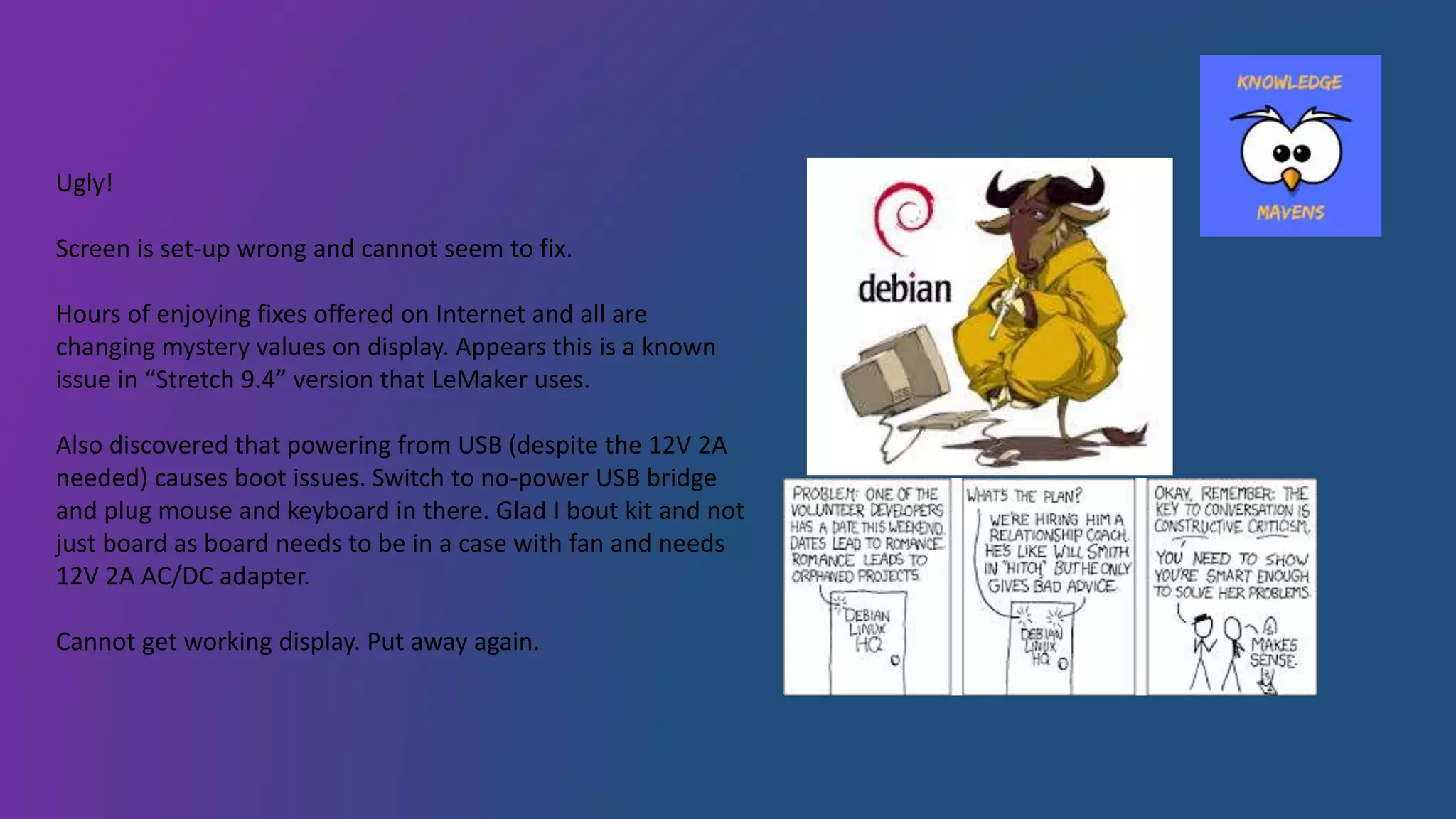
Ugly!
Screen is set-up wrong and cannot seem to fix.
Hours of enjoying fixes offered on Internet and all are
changing mystery values on display. Appears this is a known
issue in “Stretch 9.4” version that LeMaker uses.
Also discovered that powering from USB (despite the 12V 2A
needed) causes boot issues. Switch to no-power USB bridge
and plug mouse and keyboard in there. Glad I bout kit and not
just board as board needs to be in a case with fan and needs
12V 2A AC/DC adapter.
Cannot get working display. Put away again.
Finally!
Returning to Hikey 970…
Try to use cool portable screen. No boot. Plug screen USB
power into Apple. Dead. Re-image (third time!) and ….
Boot! Screen is usable. Key keyboard! All in use. Get cool retro
keyboard, works!
Ugly Debian 9.4 version. Python way out of date.
No distro for Cortex A73. All Cortex A71 are built for
Raspberry Pi! So no means to get pre-built Python on system.
Have to install Idle!
No Python 3.6! Have to put in “testing” version.
Recommendation on Internet is to build Python for GitHub
source (NFW!). Edit config for updates to include “test” and
install. Even then cannot get any working Python tools.
Test results
https://github.com/alohawild/python_class/blob/master/pi_calc.py
After hours of trying to get distro and finally getting Python
3.6 installed….lets run something.
Test program
PI program uses (now) only basic Python functions to
calculate pi using a highly inefficient method. Run time will
not improve number as accuracy of floating point math
determines solution accuracy after 100K loops.
Bake off:
Running on IDLE on Apple 3Ghz Intel i7 8 using distro Python
(not using Intel super version)
Running on New Raspberry Pi using Linux and Python distro
3.5 with 1.4Ghz Cortex A53 using IDLE
Running Hikey 970 on Idle in Stretch Pythin 3.6
Apple 8 seconds
Raspberry Pi 96 seconds
Hikey 970 16.5 seconds
Where is the cool AI?!
Only available as a demo for the Andriod version
No open hardware or even guides.
No interface in Python or C.
No user groups or distro. Likely will have to build them (NFW).
Manual exists for demo: Hauwei HiAI Intergration Manual.
Not willing to destroy hours and hours of work and flash back to
Andriod to do demo.
Conclusions:
Never got WIFI built-in to work. Used USB
antenna.
Is 10 x faster than Raspberry Pi
NPU is closed tech and so far no able to use
Questions?

Artificial Intelligence Neural Processing Unit Hikey970

  • 1.
    Knowledge Mavens Who arewe and what we do We’re a group of Scientists, Artist, Engineers, Musicians …aka Polymaths We “Show and Tell” every Saturday 1pm in Beaverton Our mission is “Free Knowledge”
  • 2.
    http://www.lemaker.org/product-hikey970-specification.html Hikey 970 Available asdevelopment board from Amazon for about $320. Includes ARM duel cores Neural Network processor Small GPU Superfast boot Comes with Andriod as is a phone image
  • 3.
    Purchased as analternative to Raspberry Pi newest models and to learn about the NPU and see if it would be an interesting to my Apple and Windows machines. Discovered made in China and supported for images by LeMaker. 4 x Cortex A73 @ 2.36GHz, 4 x Cortex A53 @ 1.8GHz Wifi built in but did not seem to work in image for Linux so used plug in USB link. http://www.lemaker.org/product-hikey970-specification.html
  • 4.
    First item ofbusiness…turn on and use it Assembled case. Found two different fans. One with heat sink built-in?! Only one fits on top of case. Uses jumper wires to connect fan to power!? Wonder which one to use. Wonder what power is fan rated for? Wonder how to do any of this?! Went to internet. Found break down of pins of board in 96 Board website (Found LeMaker later). Apparently previous board (960) had heat and cooling issues. Oh my! Finally find pins for fan. Sounds like it will explode. Oh maybe the lower power pins would be better. Fan now runs fast but is no longer that loud. Connect to old screen used for Raspberry Pi’s yes it comes up as an android phone. Turn off and decide this is for later.
  • 5.
    Time for newimage Carefully reading directions…. Download SDK to update Andriod using ABD. Carefully follow directions to get new image from LeMaker. So plug into port, USB C cable supplied with kit, and log on. It is Linux kernal inside, but not distro version. Just kernal. Excited to be taking in Linux via Android SDK and USB C (use plug near USB!). Kit comes with TTL to USB dongle to boot if you kill Linux. Not something I want to experience, so very careful not to short anything! Load Debian Image with Tensor Flow.
  • 6.
    Ugly! Screen is set-upwrong and cannot seem to fix. Hours of enjoying fixes offered on Internet and all are changing mystery values on display. Appears this is a known issue in “Stretch 9.4” version that LeMaker uses. Also discovered that powering from USB (despite the 12V 2A needed) causes boot issues. Switch to no-power USB bridge and plug mouse and keyboard in there. Glad I bout kit and not just board as board needs to be in a case with fan and needs 12V 2A AC/DC adapter. Cannot get working display. Put away again.
  • 7.
    Finally! Returning to Hikey970… Try to use cool portable screen. No boot. Plug screen USB power into Apple. Dead. Re-image (third time!) and …. Boot! Screen is usable. Key keyboard! All in use. Get cool retro keyboard, works! Ugly Debian 9.4 version. Python way out of date. No distro for Cortex A73. All Cortex A71 are built for Raspberry Pi! So no means to get pre-built Python on system. Have to install Idle! No Python 3.6! Have to put in “testing” version. Recommendation on Internet is to build Python for GitHub source (NFW!). Edit config for updates to include “test” and install. Even then cannot get any working Python tools.
  • 8.
    Test results https://github.com/alohawild/python_class/blob/master/pi_calc.py After hoursof trying to get distro and finally getting Python 3.6 installed….lets run something. Test program PI program uses (now) only basic Python functions to calculate pi using a highly inefficient method. Run time will not improve number as accuracy of floating point math determines solution accuracy after 100K loops. Bake off: Running on IDLE on Apple 3Ghz Intel i7 8 using distro Python (not using Intel super version) Running on New Raspberry Pi using Linux and Python distro 3.5 with 1.4Ghz Cortex A53 using IDLE Running Hikey 970 on Idle in Stretch Pythin 3.6 Apple 8 seconds Raspberry Pi 96 seconds Hikey 970 16.5 seconds
  • 9.
    Where is thecool AI?! Only available as a demo for the Andriod version No open hardware or even guides. No interface in Python or C. No user groups or distro. Likely will have to build them (NFW). Manual exists for demo: Hauwei HiAI Intergration Manual. Not willing to destroy hours and hours of work and flash back to Andriod to do demo. Conclusions: Never got WIFI built-in to work. Used USB antenna. Is 10 x faster than Raspberry Pi NPU is closed tech and so far no able to use
  • 10.