Screencast Program
Software Comparison

Articulate Suite vs. Captivate

        By Jennifer Smith
Software Purposes

Captivate and Articulate are two of the
 leading eLearning software available today.
 Ideal purposes for these types of authoring
 tools include:
 o Software / Application Simulations
 o Animated / Modified PowerPoint Presentations
 o Training Simulations
 o Linear Video Presentation
 o Software / Application Demonstration
Common Features
   Soft Skills Simulations
   Multiple Publishing Options
   Training Simulations
   Graphic or Media Insertion
   Linear Video Presentation
   Fully Supported Windows Platform
   Interactions
   Simple Branching
   Quizzing
   Mobile Device Deployment
   Application Interface
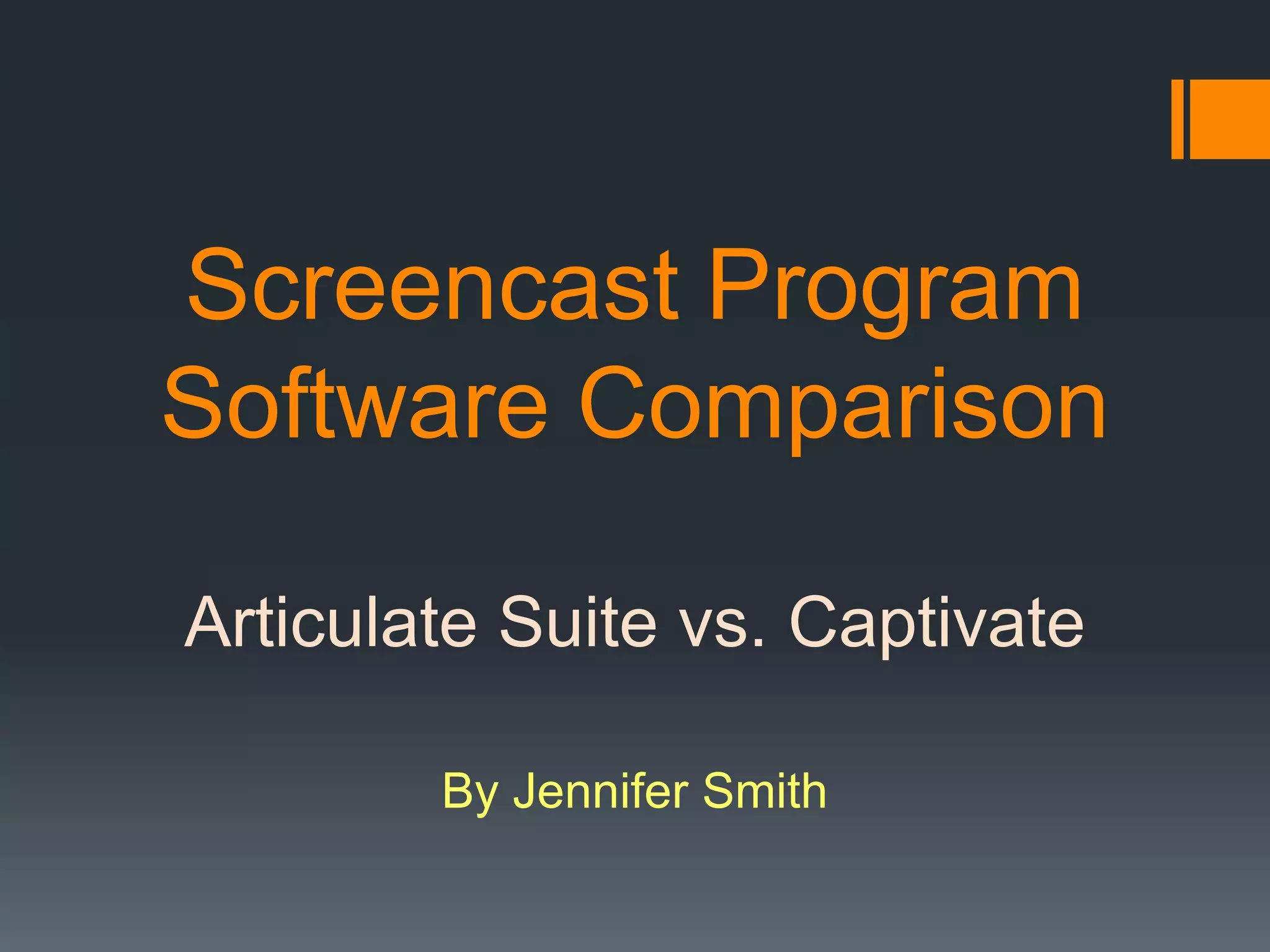
Articulate In Action


                   Instructional Goals
                   • eLearning Creation
                   • Demonstrations
                   • Training
                   • Learner interaction
                   • PowerPoint Interface
Articulate In Action
    Reviews by CNET
                                   Simple Audio
  4.5 stars out of 5               Integration


Easy Conversion
to Flash                              Simple program


 Intuitive Interface   Easy integration
                       with PowerPoint
Articulate In Action


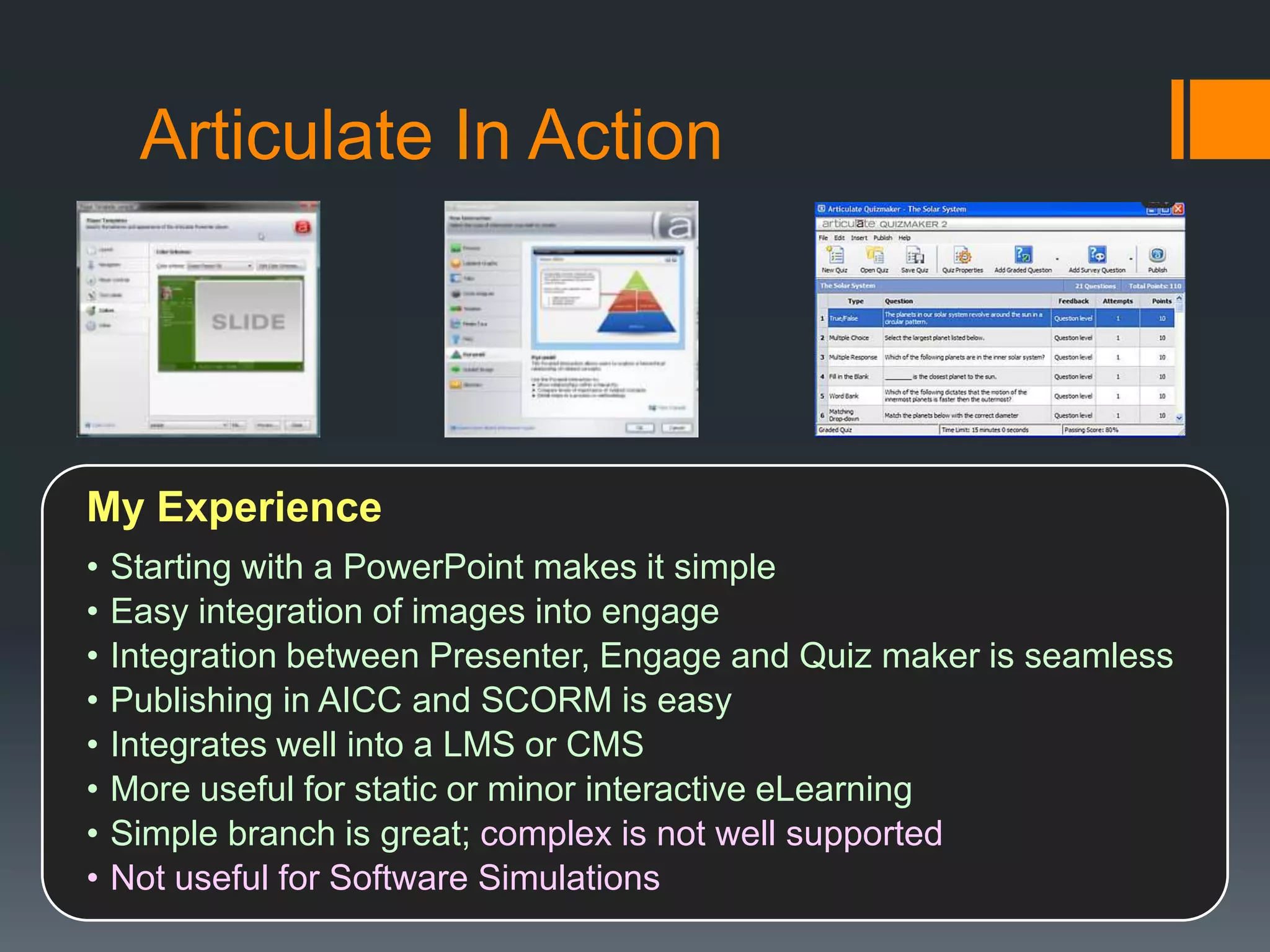
My Experience
•   Starting with a PowerPoint makes it simple
•   Easy integration of images into engage
•   Integration between Presenter, Engage and Quiz maker is seamless
•   Publishing in AICC and SCORM is easy
•   Integrates well into a LMS or CMS
•   More useful for static or minor interactive eLearning
•   Simple branch is great; complex is not well supported
•   Not useful for Software Simulations
Captivate In Action


          Instructional Goals for the Software
          •   Software Simulations
          •   Demonstrations
          •   Training
          •   Quizzing
          •   Publishing for Mobile Devices
          •   Linear Video Playing
Captivate In Action
       Reviews by CNET            Quiz / lesson creation are
                                  simple & direct
3.5 stars out of 5


                                                Great with
Numerous                                        FLV / SWF
advance script
& variables
capabilities
                                   Con – no zoom to
    No right-click interactions    display canvas
    on simulations
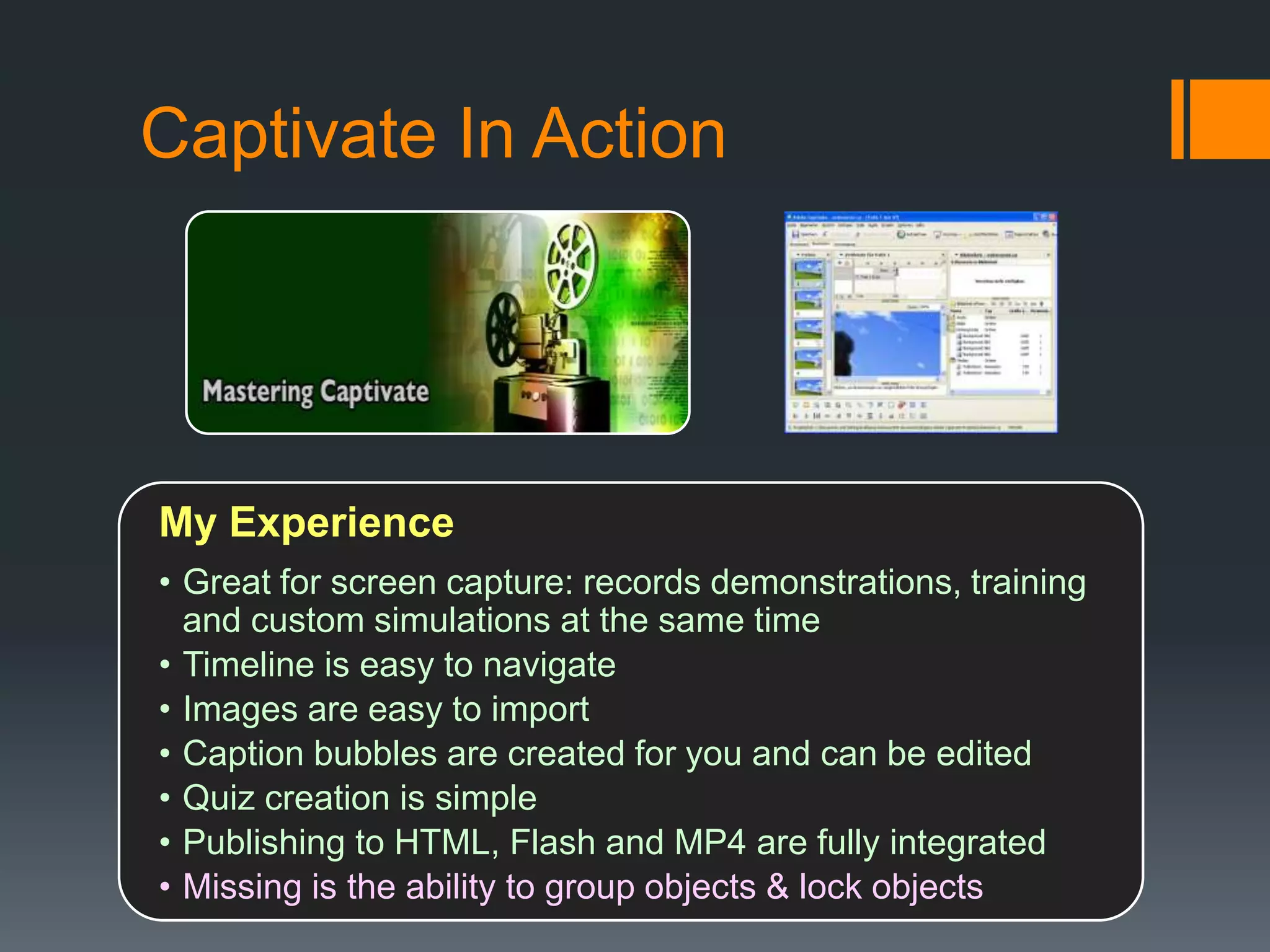
Captivate In Action


My Experience
• Great for screen capture: records demonstrations, training
  and custom simulations at the same time
• Timeline is easy to navigate
• Images are easy to import
• Caption bubbles are created for you and can be edited
• Quiz creation is simple
• Publishing to HTML, Flash and MP4 are fully integrated
• Missing is the ability to group objects & lock objects
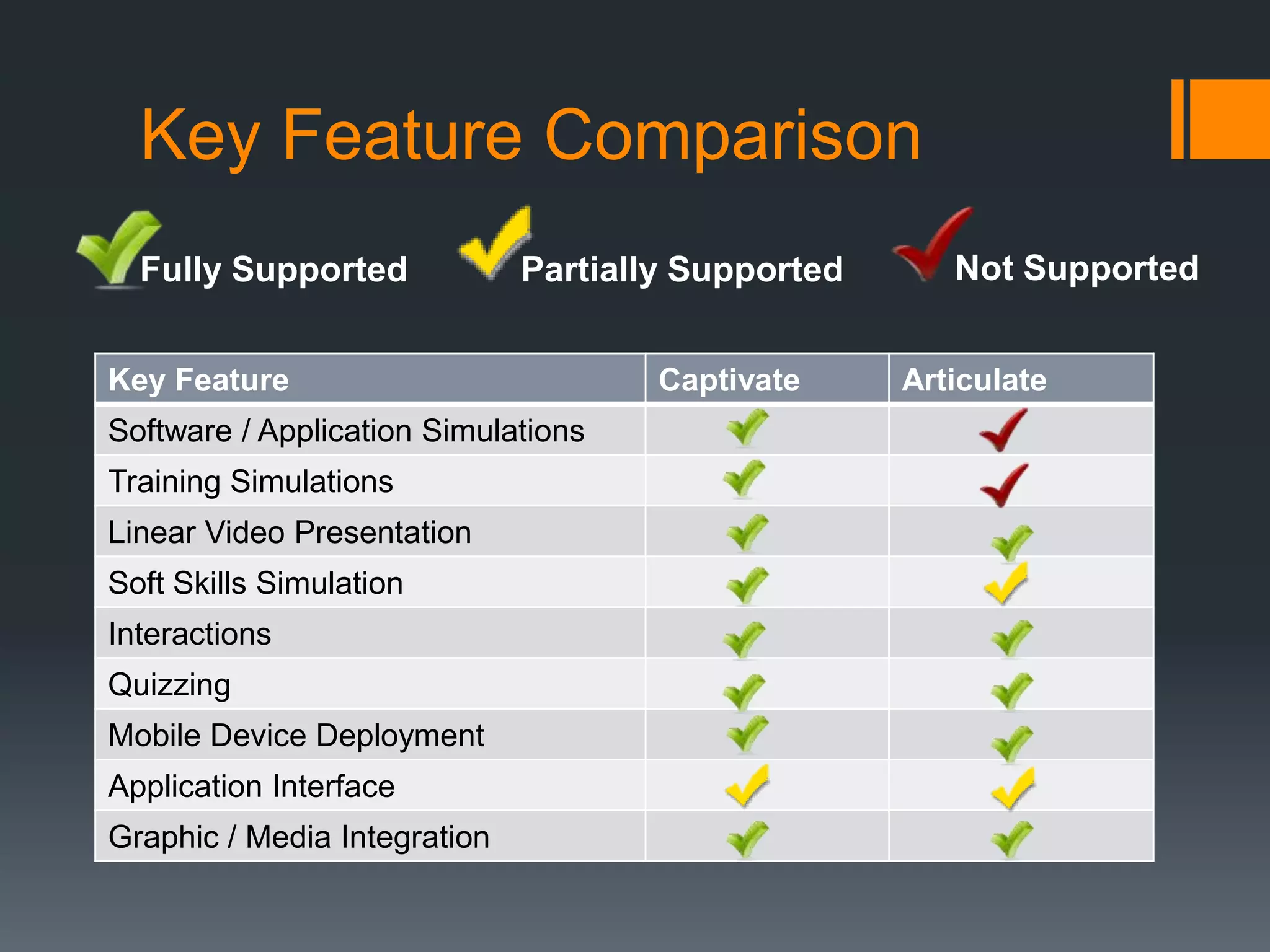
Key Feature Comparison
  Fully Supported             Partially Supported      Not Supported


Key Feature                           Captivate     Articulate
Software / Application Simulations
Training Simulations
Linear Video Presentation
Soft Skills Simulation
Interactions
Quizzing
Mobile Device Deployment
Application Interface
Graphic / Media Integration
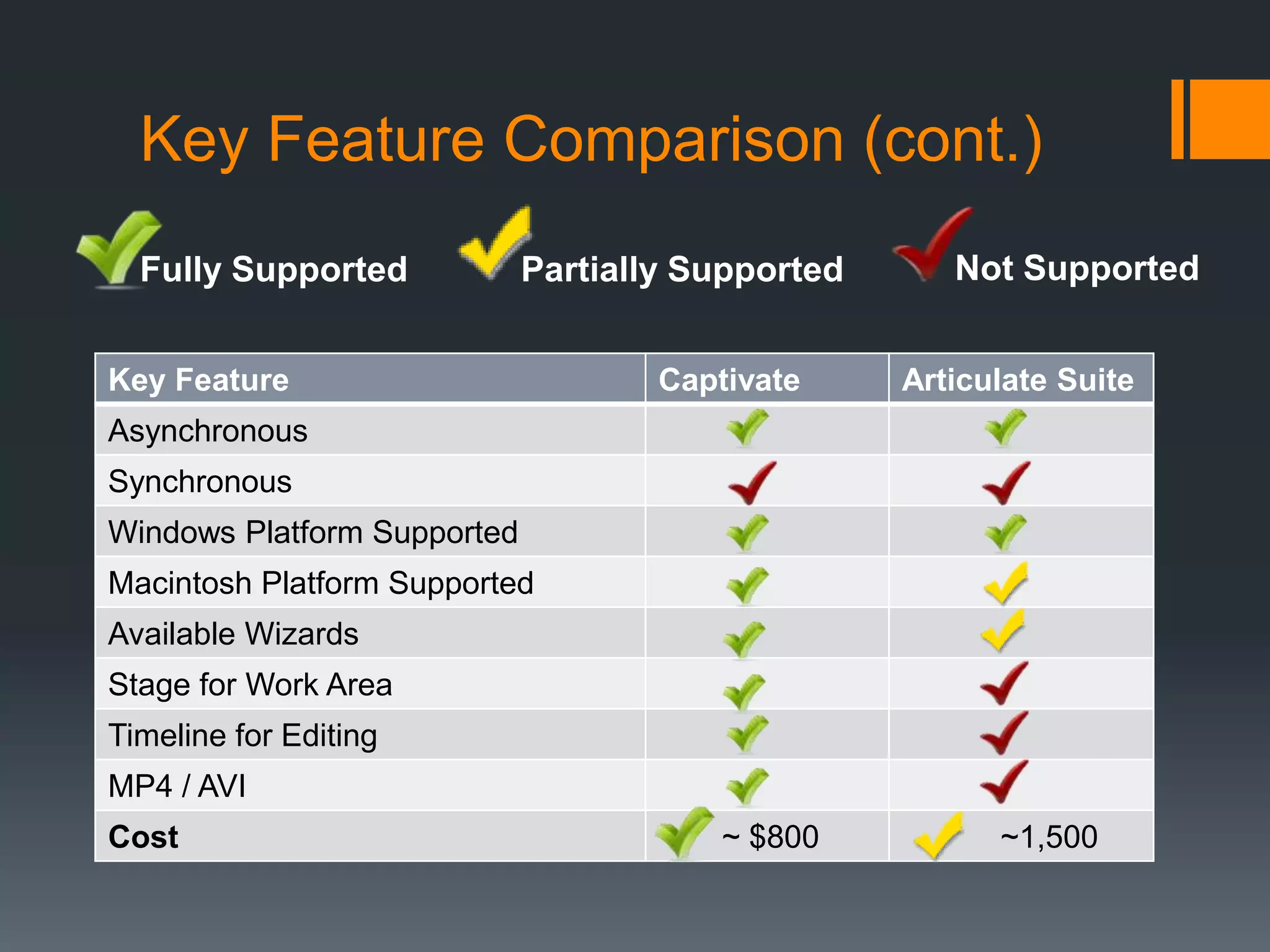
Key Feature Comparison (cont.)
  Fully Supported            Partially Supported      Not Supported


Key Feature                          Captivate     Articulate Suite
Asynchronous
Synchronous
Windows Platform Supported
Macintosh Platform Supported
Available Wizards
Stage for Work Area
Timeline for Editing
MP4 / AVI
Cost                                     ~ $800          ~1,500
Conclusion
I currently use both Captivate and the Articulate Suite at work. I find
that both have their advantages and disadvantages. If I want to
create an application simulation with or without interactivity,
Captivate is by far the best choice. Its creation of captions and
motion paths make editing easy. The stage and timeline are great
for editing and the advanced branching works well for quizzing and
“what-if” scenarios.
If I’m starting with a PowerPoint presentation where I have a great
deal of content that I want to jazz up with animation and interactivity
then Articulate is my choice. The quiz creation, engage interactions
and word games work well to capture the learner’s attention and
keep them engaged.
Both publish to a LMS or CMS well.
 Recommendation: purchase based on need and/or cost.

Articulate suite vs_captivate_jen_smith

  • 1.
    Screencast Program Software Comparison ArticulateSuite vs. Captivate By Jennifer Smith
  • 2.
    Software Purposes Captivate andArticulate are two of the leading eLearning software available today. Ideal purposes for these types of authoring tools include: o Software / Application Simulations o Animated / Modified PowerPoint Presentations o Training Simulations o Linear Video Presentation o Software / Application Demonstration
  • 3.
    Common Features  Soft Skills Simulations  Multiple Publishing Options  Training Simulations  Graphic or Media Insertion  Linear Video Presentation  Fully Supported Windows Platform  Interactions  Simple Branching  Quizzing  Mobile Device Deployment  Application Interface
  • 4.
    Articulate In Action Instructional Goals • eLearning Creation • Demonstrations • Training • Learner interaction • PowerPoint Interface
  • 5.
    Articulate In Action Reviews by CNET Simple Audio 4.5 stars out of 5 Integration Easy Conversion to Flash Simple program Intuitive Interface Easy integration with PowerPoint
  • 6.
    Articulate In Action MyExperience • Starting with a PowerPoint makes it simple • Easy integration of images into engage • Integration between Presenter, Engage and Quiz maker is seamless • Publishing in AICC and SCORM is easy • Integrates well into a LMS or CMS • More useful for static or minor interactive eLearning • Simple branch is great; complex is not well supported • Not useful for Software Simulations
  • 7.
    Captivate In Action Instructional Goals for the Software • Software Simulations • Demonstrations • Training • Quizzing • Publishing for Mobile Devices • Linear Video Playing
  • 8.
    Captivate In Action Reviews by CNET Quiz / lesson creation are simple & direct 3.5 stars out of 5 Great with Numerous FLV / SWF advance script & variables capabilities Con – no zoom to No right-click interactions display canvas on simulations
  • 9.
    Captivate In Action MyExperience • Great for screen capture: records demonstrations, training and custom simulations at the same time • Timeline is easy to navigate • Images are easy to import • Caption bubbles are created for you and can be edited • Quiz creation is simple • Publishing to HTML, Flash and MP4 are fully integrated • Missing is the ability to group objects & lock objects
  • 10.
    Key Feature Comparison Fully Supported Partially Supported Not Supported Key Feature Captivate Articulate Software / Application Simulations Training Simulations Linear Video Presentation Soft Skills Simulation Interactions Quizzing Mobile Device Deployment Application Interface Graphic / Media Integration
  • 11.
    Key Feature Comparison(cont.) Fully Supported Partially Supported Not Supported Key Feature Captivate Articulate Suite Asynchronous Synchronous Windows Platform Supported Macintosh Platform Supported Available Wizards Stage for Work Area Timeline for Editing MP4 / AVI Cost ~ $800 ~1,500
  • 12.
    Conclusion I currently useboth Captivate and the Articulate Suite at work. I find that both have their advantages and disadvantages. If I want to create an application simulation with or without interactivity, Captivate is by far the best choice. Its creation of captions and motion paths make editing easy. The stage and timeline are great for editing and the advanced branching works well for quizzing and “what-if” scenarios. If I’m starting with a PowerPoint presentation where I have a great deal of content that I want to jazz up with animation and interactivity then Articulate is my choice. The quiz creation, engage interactions and word games work well to capture the learner’s attention and keep them engaged. Both publish to a LMS or CMS well.  Recommendation: purchase based on need and/or cost.