Arrays
Prepared By: Mr. Sangram A. Patil
Assistant Professor PVPIT,Budhgaon
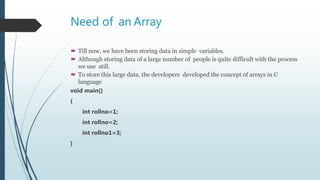
Need of an Array
 Till now, we have been storing data in simple variables.
 Although storing data of a large number of people is quite difficult with the process
we use still.
 To store this large data, the developers developed the concept of arrays in C
language
void main()
{
int rollno=1;
int rollno=2;
int rollno1=3;
}
Introduction
 An array is a collection of similar data elements with same data type
 The elements of the array are stored in consecutive memory locations and
are referenced by an index.
 Index indicates an ordinal number of the elements counted from beginning of the array.
Properties of Array
 The array contains the following properties.
 Each element of an array is of same data type and carries the same size, i.e., int = 2
bytes.
 Elements of the array are stored at contiguous memory locations where the first
element is stored at the smallest memory location.
 Elements of the array can be randomly accessed since we can calculate the address
of each element of the array with the given base address and the size of the data
element.
Advantage of C Array
1) Code Optimization: Less code to the access the data.
2) Ease of traversing: By using the for loop, we can retrieve the elements of an array
easily.
3) Ease of sorting: To sort the elements of the array, we need a few lines of code only.
4) Random Access: We can access any element randomly using the array.
Disadvantage of C Array
1) Fixed Size: Whatever size, we define at the time of declaration of the array, we can't
exceed the limit. So, it doesn't grow the size dynamically like LinkedList
 Arrays are of three types :
 Single dimensional Array
 Two-dimensional Array
 Multi-dimensional Array
Single dimensional Array
 The one dimensional array or single dimensional array in C language is the simplest
type of array that contains only one row for storing data.
 One dimensional array is like a list of some items, which can be stored by
using only one dimension
Declaration of Array
 An array must be declared before being used
 Declaring an array means specifying three things
1. Data type-what kind of values it can store, like int, char, float, double
2. Name-to identify the array
3. Size-the maximum number of values that array can hold
Syntax :
datatype array_name[ size ];
Ex :
int rollno[10];
float marks[10];
Initialization of Arrays
 Elements of the array can also be initialized at the time of declaration as in the case
of every variable.
 Arrays are initialized as :
datatype array_name[size]={list of values};
 Ex :
int a[5]={90,82,78,95,88};
a[0] a[1] a[2] a[3] a[4]
90 82 78 95 88
Accessing Array Elements
 An element is accessed by indexing the array name. This is done by placing the index of
the element within square brackets after the name of the array.
Void main()
{
int a[5]={90,82,78,95,88};
printf(“value at a[0]: %d”,a[0]);
printf(“value at a[0]: %d”,a[1]);
printf(“value at a[0]: %d”,a[4]);
printf(“value at a[0]: %d”,a[3]);
}
Accessing Array Elements using for loop
 We can able to read from and write all elements into array at a time using for loop
 Loop counter variable of for loop is considered as index of array
 Entering (write ) Data into array using for loop
int a[5];
int i;
for(i=0 ; i<5 ; i++)
{
printf(“Enter element: ”);
scanf(“%d”,&a[i])
}
 Read Data from array using for loop
int i;
for(i=0 ; i<5 ; i++)
{
printf(“%d”,a[i]) ;
}

Arrays accessing using for loops

  • 1.
    Arrays Prepared By: Mr.Sangram A. Patil Assistant Professor PVPIT,Budhgaon
  • 2.
    Need of anArray  Till now, we have been storing data in simple variables.  Although storing data of a large number of people is quite difficult with the process we use still.  To store this large data, the developers developed the concept of arrays in C language void main() { int rollno=1; int rollno=2; int rollno1=3; }
  • 3.
    Introduction  An arrayis a collection of similar data elements with same data type  The elements of the array are stored in consecutive memory locations and are referenced by an index.  Index indicates an ordinal number of the elements counted from beginning of the array.
  • 4.
    Properties of Array The array contains the following properties.  Each element of an array is of same data type and carries the same size, i.e., int = 2 bytes.  Elements of the array are stored at contiguous memory locations where the first element is stored at the smallest memory location.  Elements of the array can be randomly accessed since we can calculate the address of each element of the array with the given base address and the size of the data element.
  • 5.
    Advantage of CArray 1) Code Optimization: Less code to the access the data. 2) Ease of traversing: By using the for loop, we can retrieve the elements of an array easily. 3) Ease of sorting: To sort the elements of the array, we need a few lines of code only. 4) Random Access: We can access any element randomly using the array.
  • 6.
    Disadvantage of CArray 1) Fixed Size: Whatever size, we define at the time of declaration of the array, we can't exceed the limit. So, it doesn't grow the size dynamically like LinkedList
  • 7.
     Arrays areof three types :  Single dimensional Array  Two-dimensional Array  Multi-dimensional Array
  • 8.
    Single dimensional Array The one dimensional array or single dimensional array in C language is the simplest type of array that contains only one row for storing data.  One dimensional array is like a list of some items, which can be stored by using only one dimension
  • 9.
    Declaration of Array An array must be declared before being used  Declaring an array means specifying three things 1. Data type-what kind of values it can store, like int, char, float, double 2. Name-to identify the array 3. Size-the maximum number of values that array can hold Syntax : datatype array_name[ size ]; Ex : int rollno[10]; float marks[10];
  • 10.
    Initialization of Arrays Elements of the array can also be initialized at the time of declaration as in the case of every variable.  Arrays are initialized as : datatype array_name[size]={list of values};  Ex : int a[5]={90,82,78,95,88}; a[0] a[1] a[2] a[3] a[4] 90 82 78 95 88
  • 11.
    Accessing Array Elements An element is accessed by indexing the array name. This is done by placing the index of the element within square brackets after the name of the array. Void main() { int a[5]={90,82,78,95,88}; printf(“value at a[0]: %d”,a[0]); printf(“value at a[0]: %d”,a[1]); printf(“value at a[0]: %d”,a[4]); printf(“value at a[0]: %d”,a[3]); }
  • 12.
    Accessing Array Elementsusing for loop  We can able to read from and write all elements into array at a time using for loop  Loop counter variable of for loop is considered as index of array  Entering (write ) Data into array using for loop int a[5]; int i; for(i=0 ; i<5 ; i++) { printf(“Enter element: ”); scanf(“%d”,&a[i]) }
  • 13.
     Read Datafrom array using for loop int i; for(i=0 ; i<5 ; i++) { printf(“%d”,a[i]) ; }