Arduino Programming
Program
• Set of expressions with keywords and
numerics
• Can be compiled and interpreted by the cpu.
• Can write using structured English and convert
to bytecode and machine code.
• Arduino Uses C++ language
Structure of a program
• Variables / constants / Arrays
– Use to store value(s) used by our program temporary or permanently
– Has a type of data to store (int, bool, char, String)
– Global / local
• Conditions / Arguments
– Used to evaluate a value against a value or condition
– IF Else , Switch case
• Repetitions
– Looping or repeating a set of instructions /code until a given condition
is met.
– While, Do While, For
• Functions
– Sub modules of a programme to perform a specific task by calling in
the main program. We can feed values to be used by a function.
– Void or return (has a data type)
Variables / constants / Arrays
• Declaration, Assign, Use, Modify
• Ex: int a=100;
• Ex: Const int =100;
• Ex: int Arr[]={1,2,3,4,5};
Operators
• Arethmatic = + , - , * , /
• Boolian = True, false (1,0)
• Comparison >=, <=, ==
• Assignment =
• Logical = &&, ||, != (and, or, not)
Conditions / Arguments
• IF(Condition)
{
//what to perform if condition is met
}
Else
{
// What to perform if condition is not met
}
Conditions / Arguments
• Switch(variable)
{
case label1:
// statements
break;
case label2:
// statements
break;
case default:
// statements
break;
}
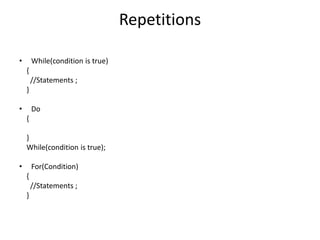
Repetitions
• While(condition is true)
{
//Statements ;
}
• Do
{
}
While(condition is true);
• For(Condition)
{
//Statements ;
}
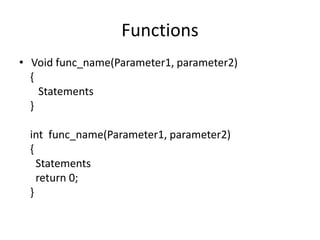
Functions
• Void func_name(Parameter1, parameter2)
{
Statements
}
int func_name(Parameter1, parameter2)
{
Statements
return 0;
}

Arduino Programming.pptx

  • 1.
  • 2.
    Program • Set ofexpressions with keywords and numerics • Can be compiled and interpreted by the cpu. • Can write using structured English and convert to bytecode and machine code. • Arduino Uses C++ language
  • 3.
    Structure of aprogram • Variables / constants / Arrays – Use to store value(s) used by our program temporary or permanently – Has a type of data to store (int, bool, char, String) – Global / local • Conditions / Arguments – Used to evaluate a value against a value or condition – IF Else , Switch case • Repetitions – Looping or repeating a set of instructions /code until a given condition is met. – While, Do While, For • Functions – Sub modules of a programme to perform a specific task by calling in the main program. We can feed values to be used by a function. – Void or return (has a data type)
  • 4.
    Variables / constants/ Arrays • Declaration, Assign, Use, Modify • Ex: int a=100; • Ex: Const int =100; • Ex: int Arr[]={1,2,3,4,5};
  • 5.
    Operators • Arethmatic =+ , - , * , / • Boolian = True, false (1,0) • Comparison >=, <=, == • Assignment = • Logical = &&, ||, != (and, or, not)
  • 6.
    Conditions / Arguments •IF(Condition) { //what to perform if condition is met } Else { // What to perform if condition is not met }
  • 7.
    Conditions / Arguments •Switch(variable) { case label1: // statements break; case label2: // statements break; case default: // statements break; }
  • 8.
    Repetitions • While(condition istrue) { //Statements ; } • Do { } While(condition is true); • For(Condition) { //Statements ; }
  • 9.
    Functions • Void func_name(Parameter1,parameter2) { Statements } int func_name(Parameter1, parameter2) { Statements return 0; }