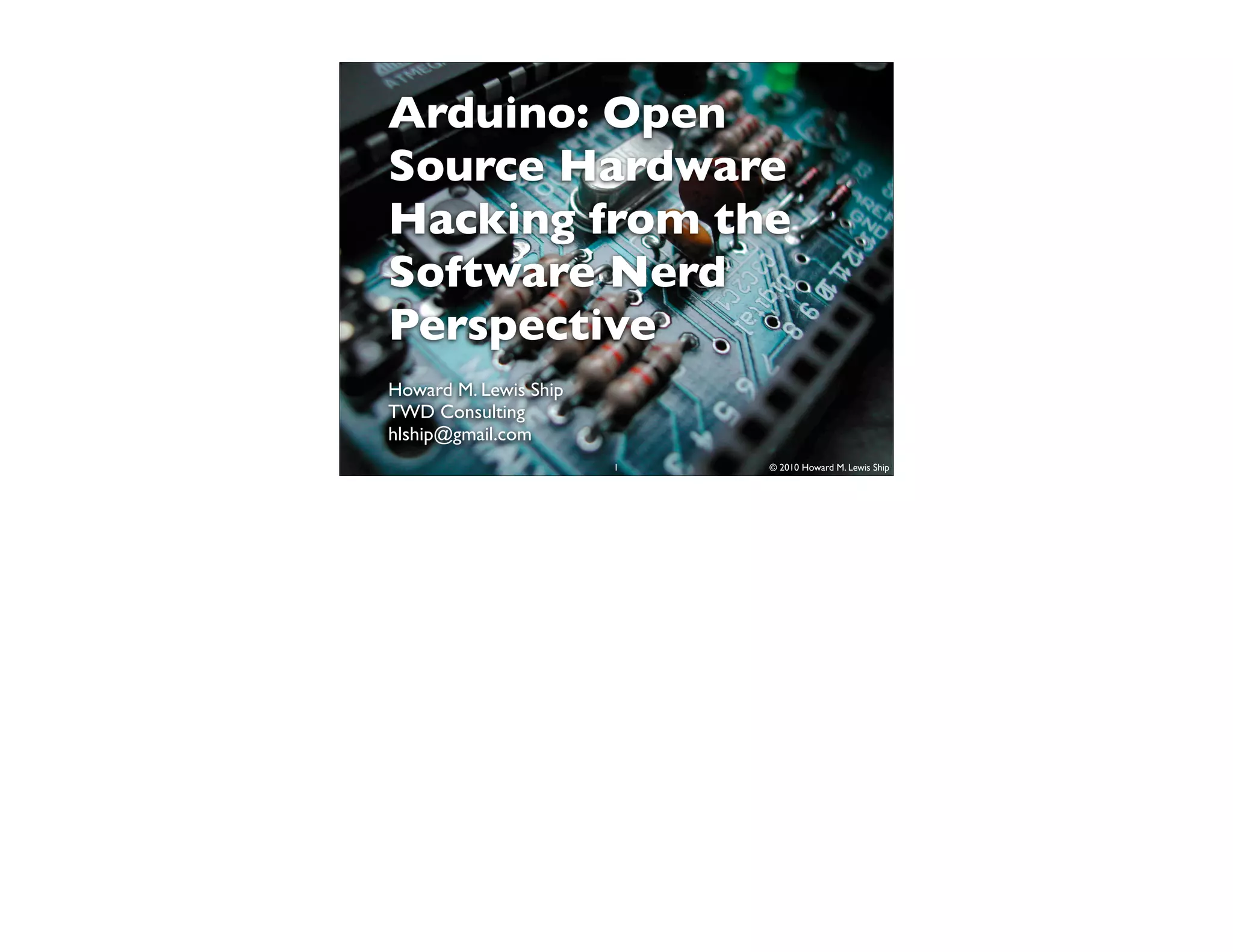


Arduino: Open
Source Hardware
Hacking from the
Software Nerd
Perspective
Howard M. Lewis Ship
TWD Consulting
hlship@gmail.com
                       1   © 2010 Howard M. Lewis Ship
Qualifications


      2     © 2010 Howard M. Lewis Ship
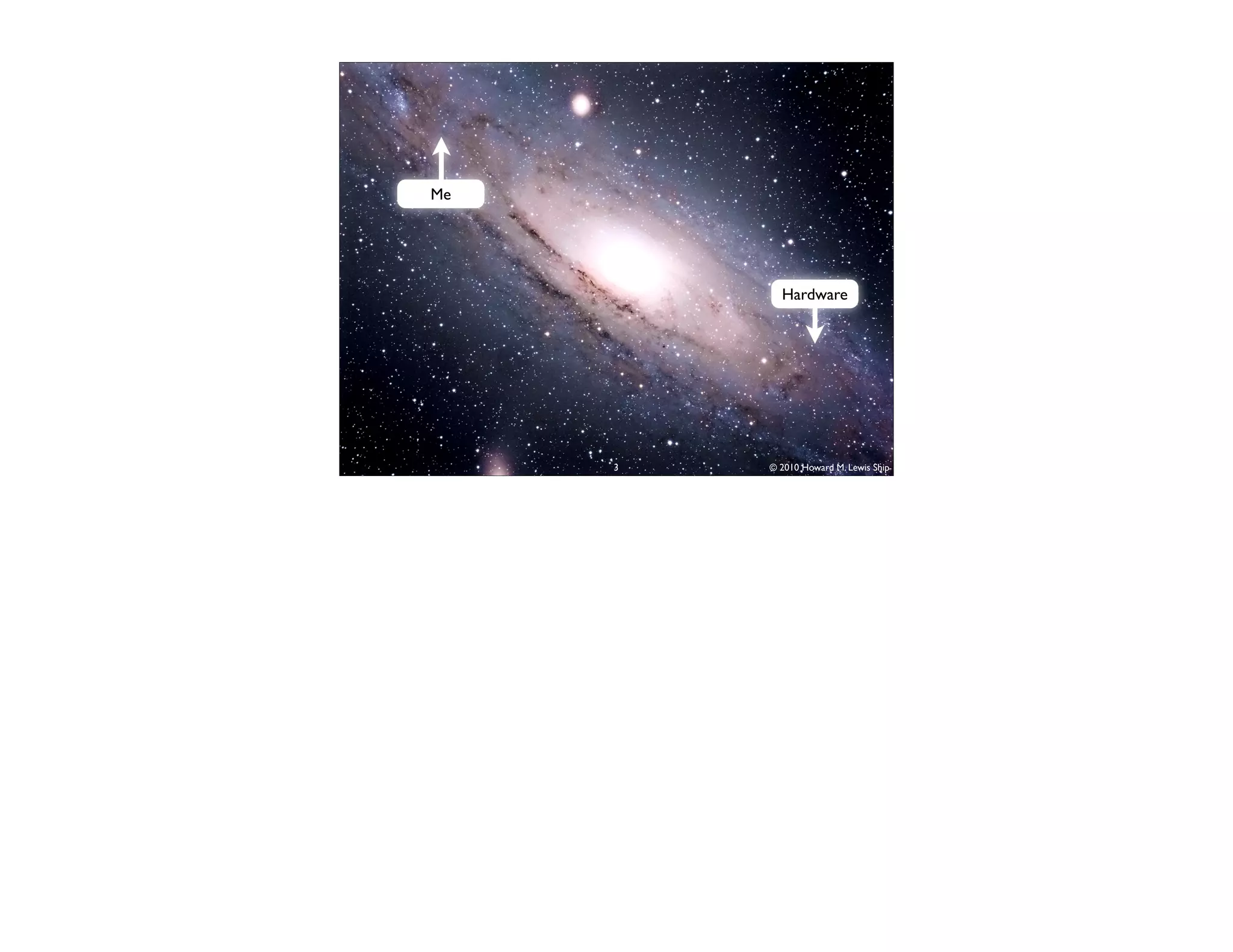
Me


           Hardware


     3   © 2010 Howard M. Lewis Ship
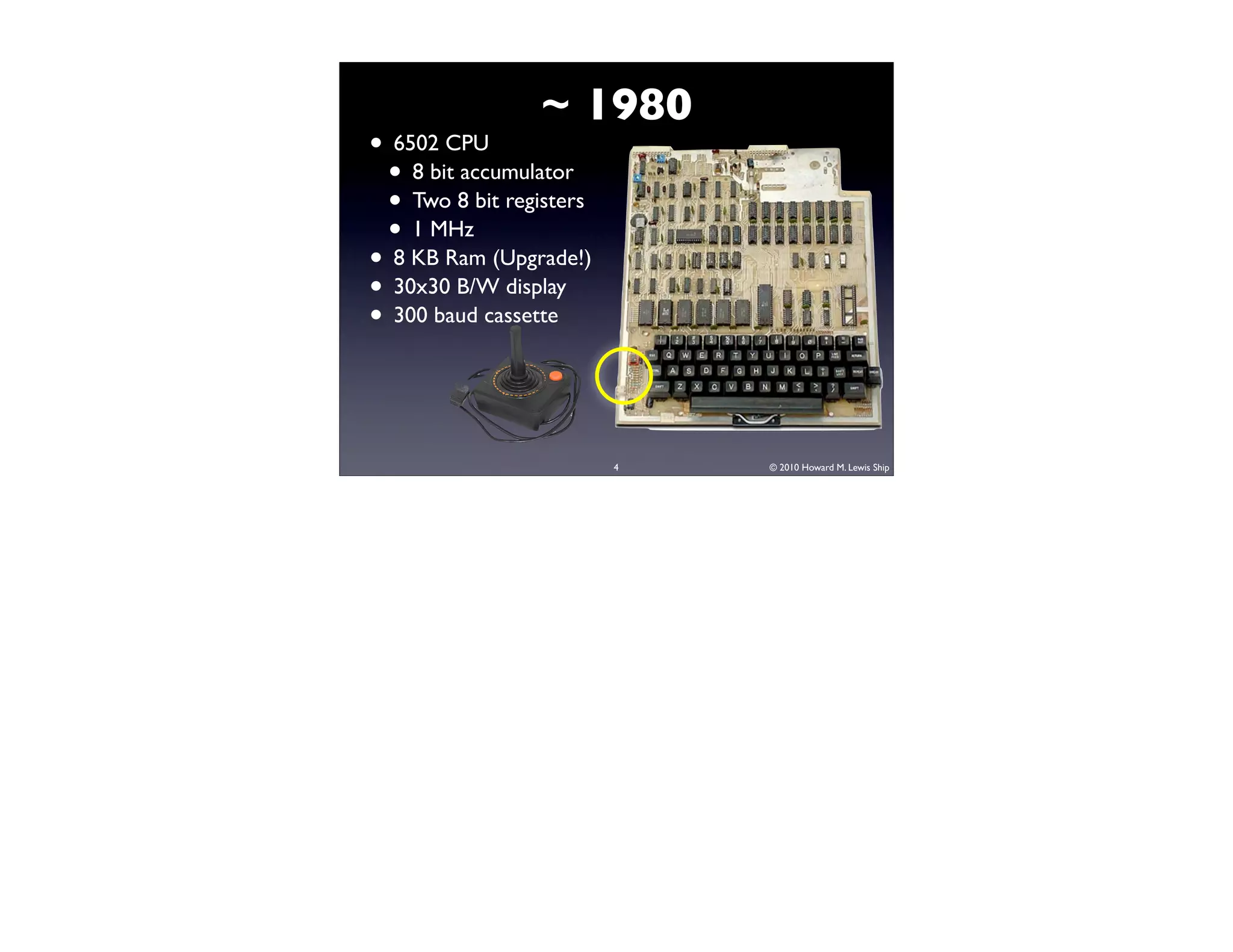
~ 1980
• 6502 CPU
 • 8 bit accumulator
 • Two 8 bit registers
 • 1 MHz
• 8 KB Ram (Upgrade!)
• 30x30 B/W display
• 300 baud cassette


                         4   © 2010 Howard M. Lewis Ship
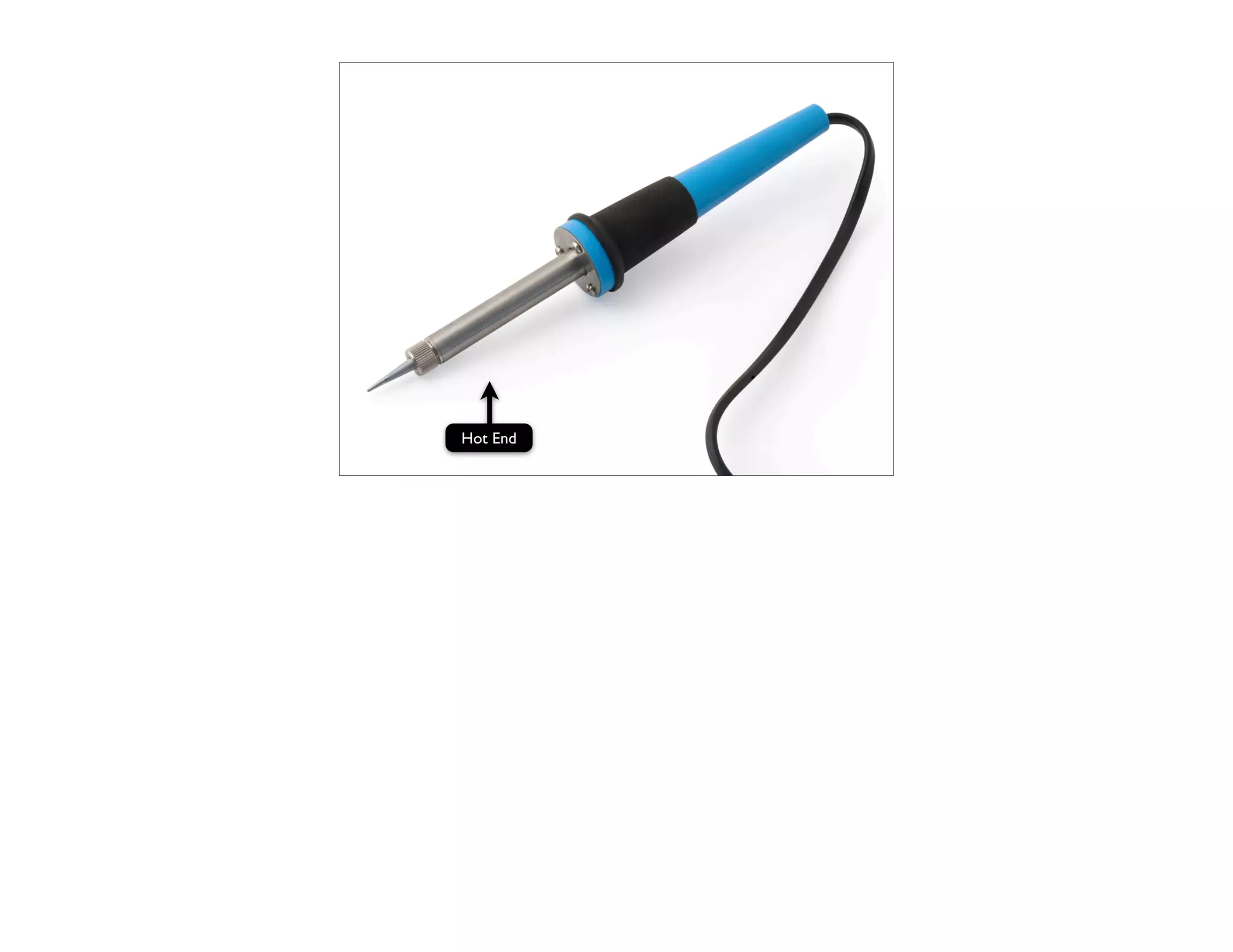
Hot End
          5   © 2010 Howard M. Lewis Ship
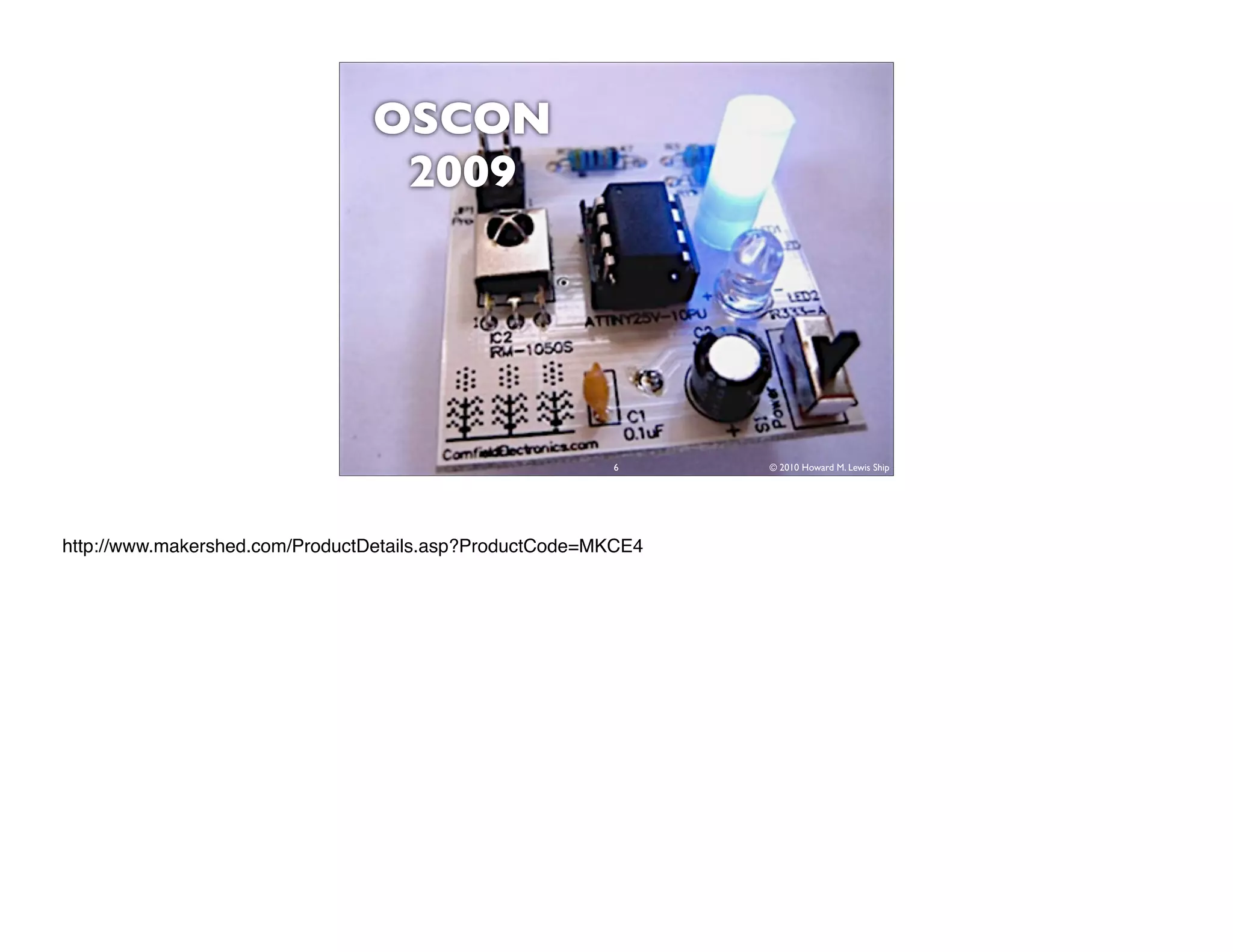
OSCON
                                 2009


                                                         6      © 2010 Howard M. Lewis Ship


http://www.makershed.com/ProductDetails.asp?ProductCode=MKCE4
7   © 2010 Howard M. Lewis Ship
8   © 2010 Howard M. Lewis Ship
Open Source …
  Hardware?
   9     © 2010 Howard M. Lewis Ship
10   © 2010 Howard M. Lewis Ship
11                 © 2010 Howard M. Lewis Ship


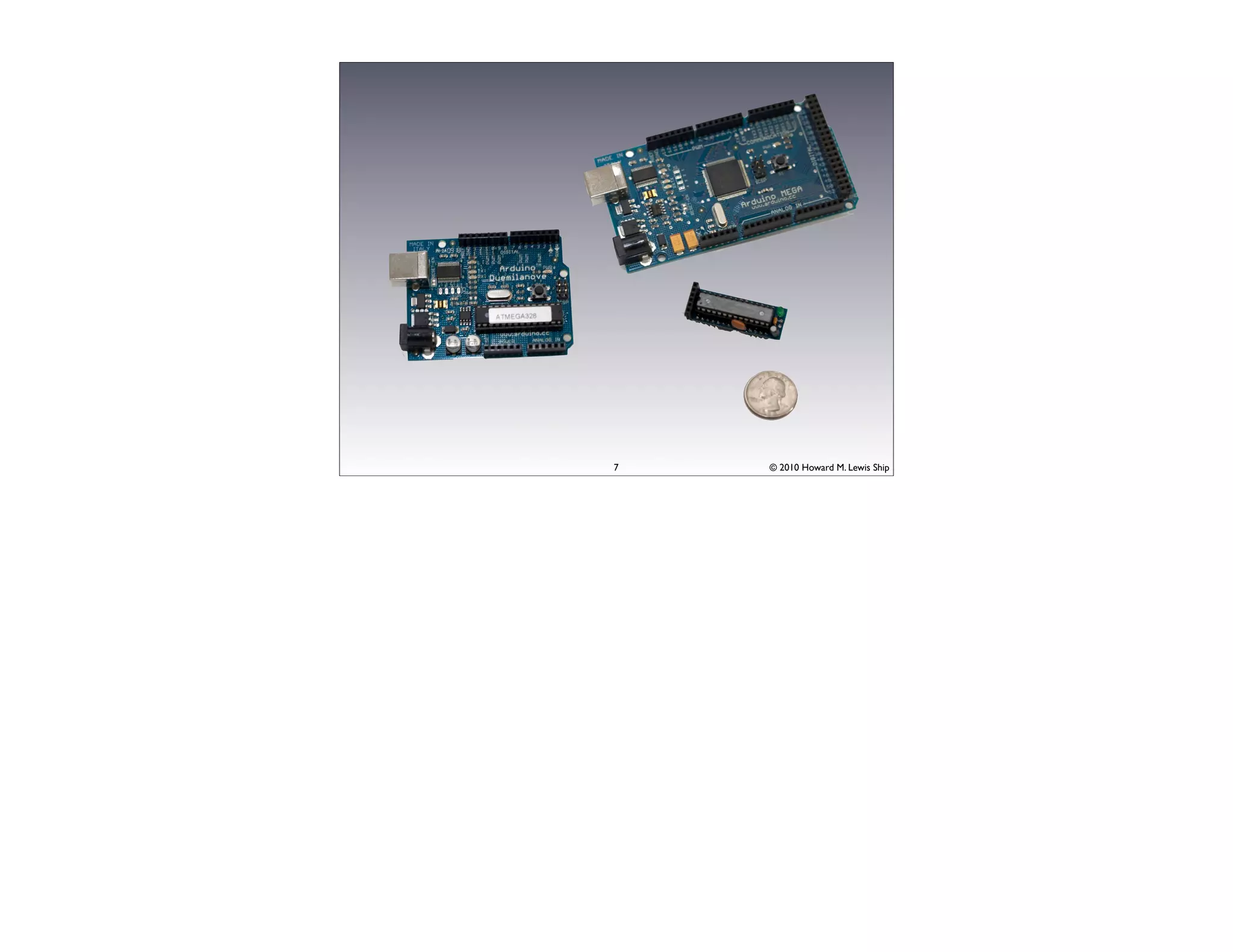
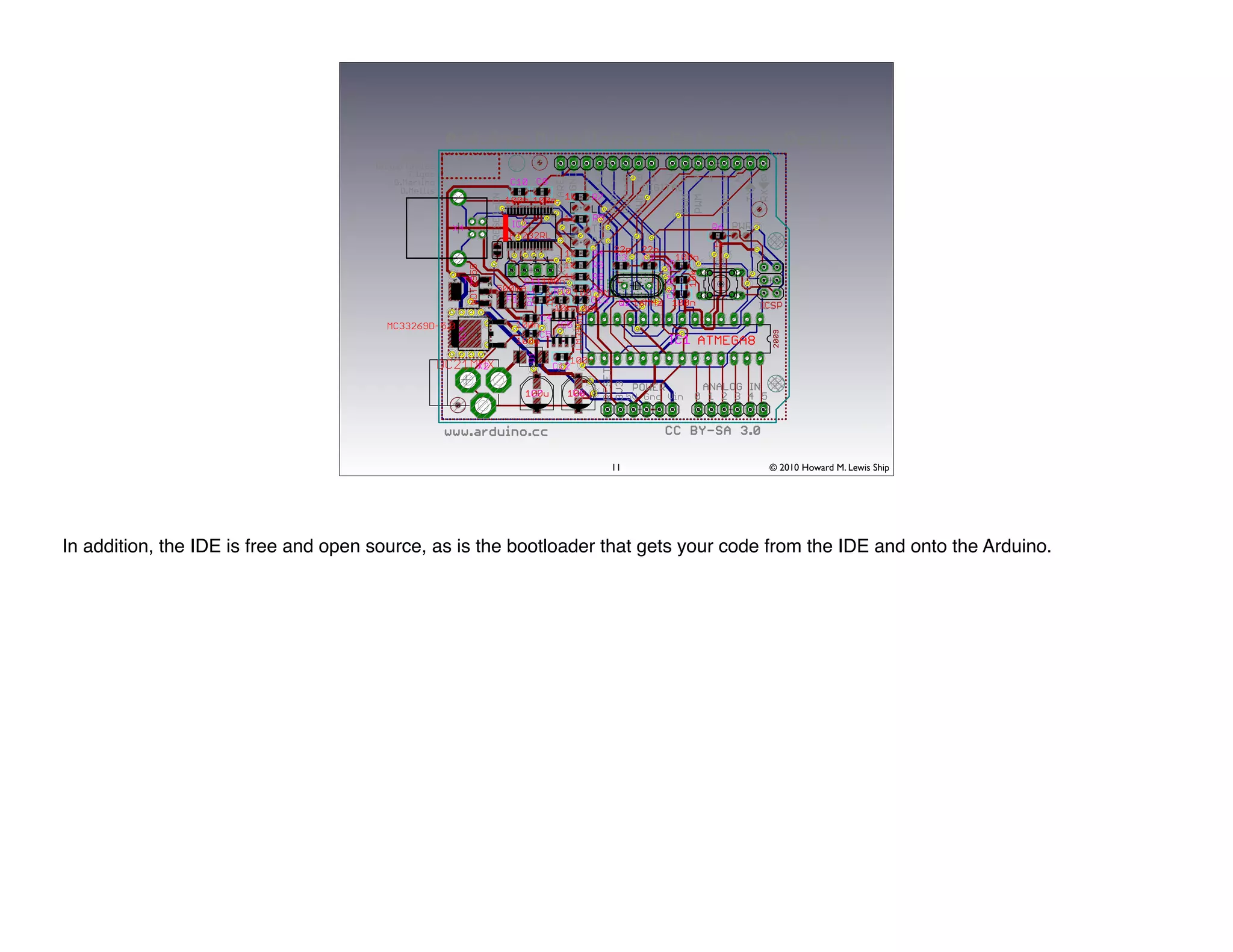
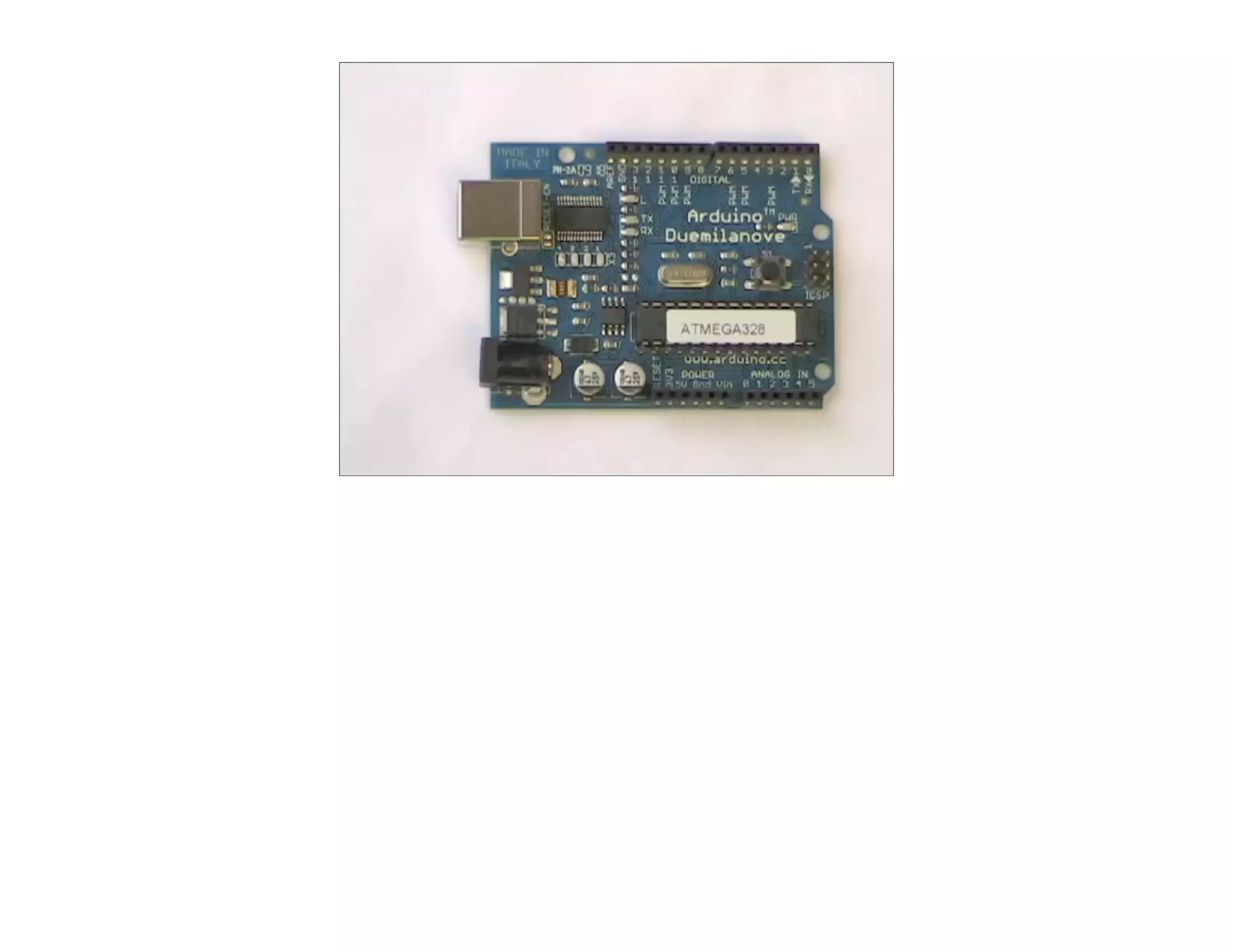
In addition, the IDE is free and open source, as is the bootloader that gets your code from the IDE and onto the Arduino.
Digital
                                                                                                           Analog
                                                    CPU / Clock    Flash    RAM    EEPROM    Pins /
                                                                                                            Pins
                                                                                             PWM


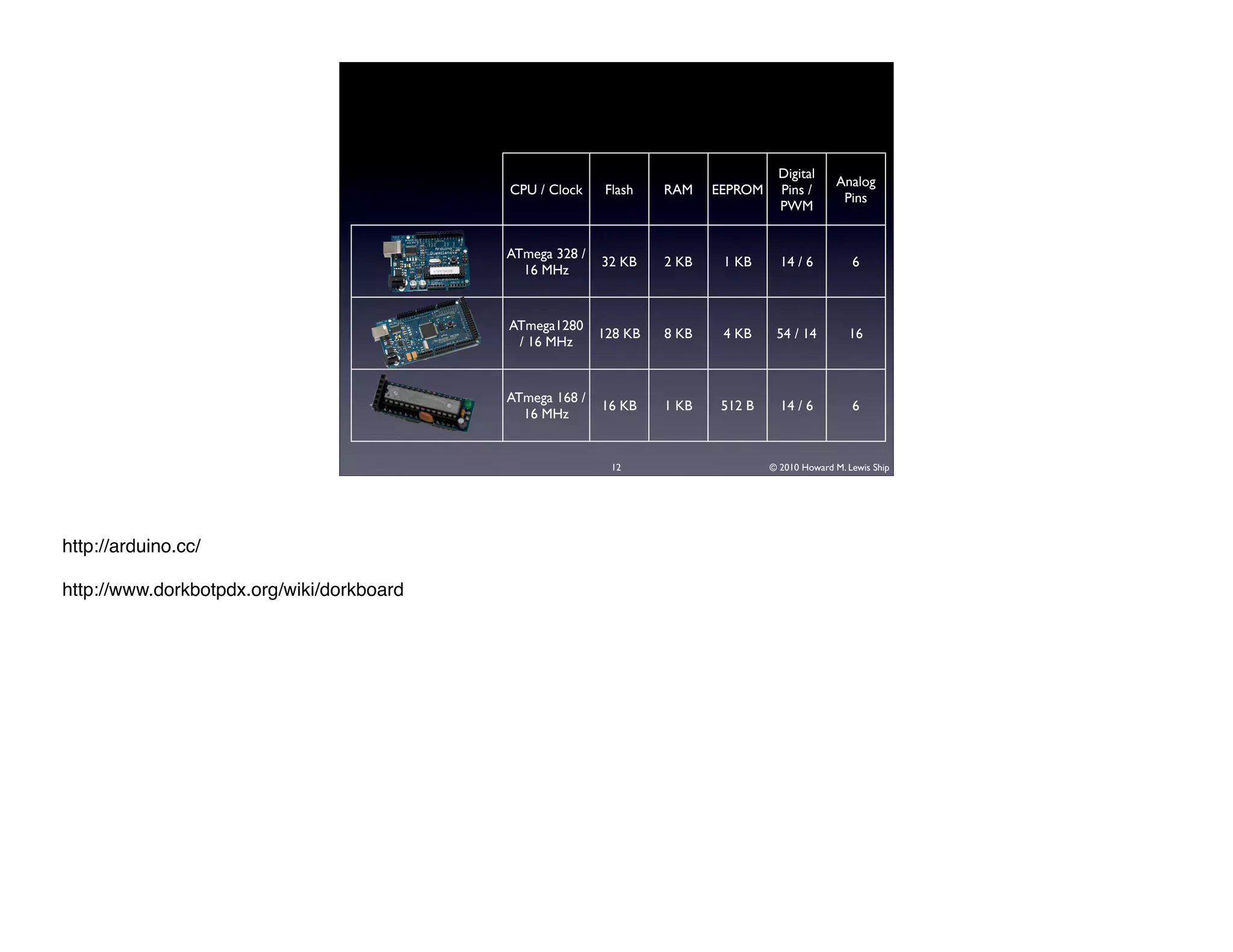
                                                    ATmega 328 /
                                      Duemilanove                  32 KB    2 KB    1 KB      14 / 6          6
                                                      16 MHz


                                                    ATmega1280
                                           MEGA                    128 KB   8 KB    4 KB     54 / 14         16
                                                     / 16 MHz


                                                    ATmega 168 /
                                                                   16 KB    1 KB    512 B     14 / 6          6
                                                      16 MHz


                                                                    12                      © 2010 Howard M. Lewis Ship


http://arduino.cc/

http://www.dorkbotpdx.org/wiki/dorkboard
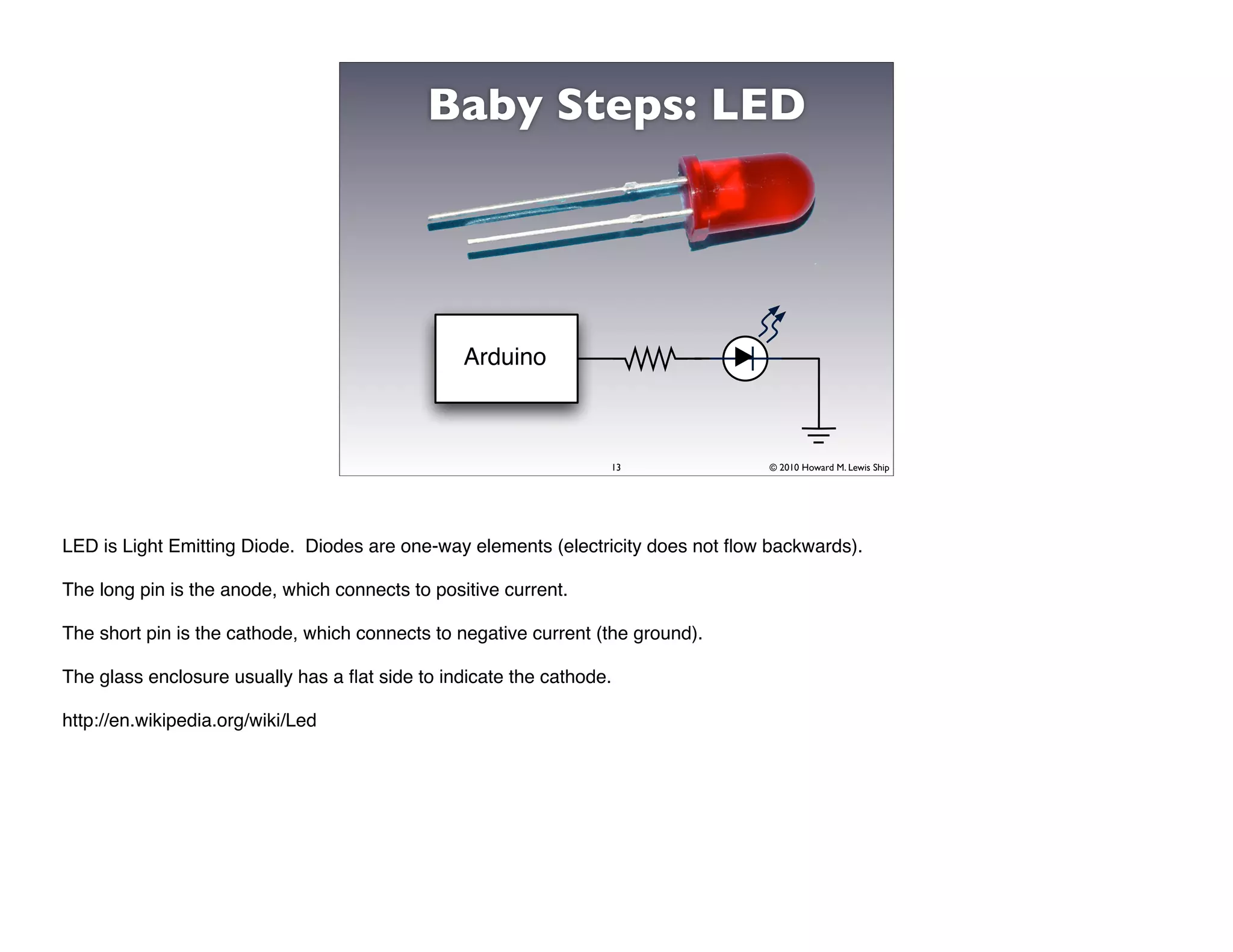
Baby Steps: LED


                                                 Arduino


                                                                  13               © 2010 Howard M. Lewis Ship


LED is Light Emitting Diode. Diodes are one-way elements (electricity does not flow backwards).

The long pin is the anode, which connects to positive current.

The short pin is the cathode, which connects to negative current (the ground).

The glass enclosure usually has a flat side to indicate the cathode.

http://en.wikipedia.org/wiki/Led
14   © 2010 Howard M. Lewis Ship
15   © 2010 Howard M. Lewis Ship
16   © 2010 Howard M. Lewis Ship
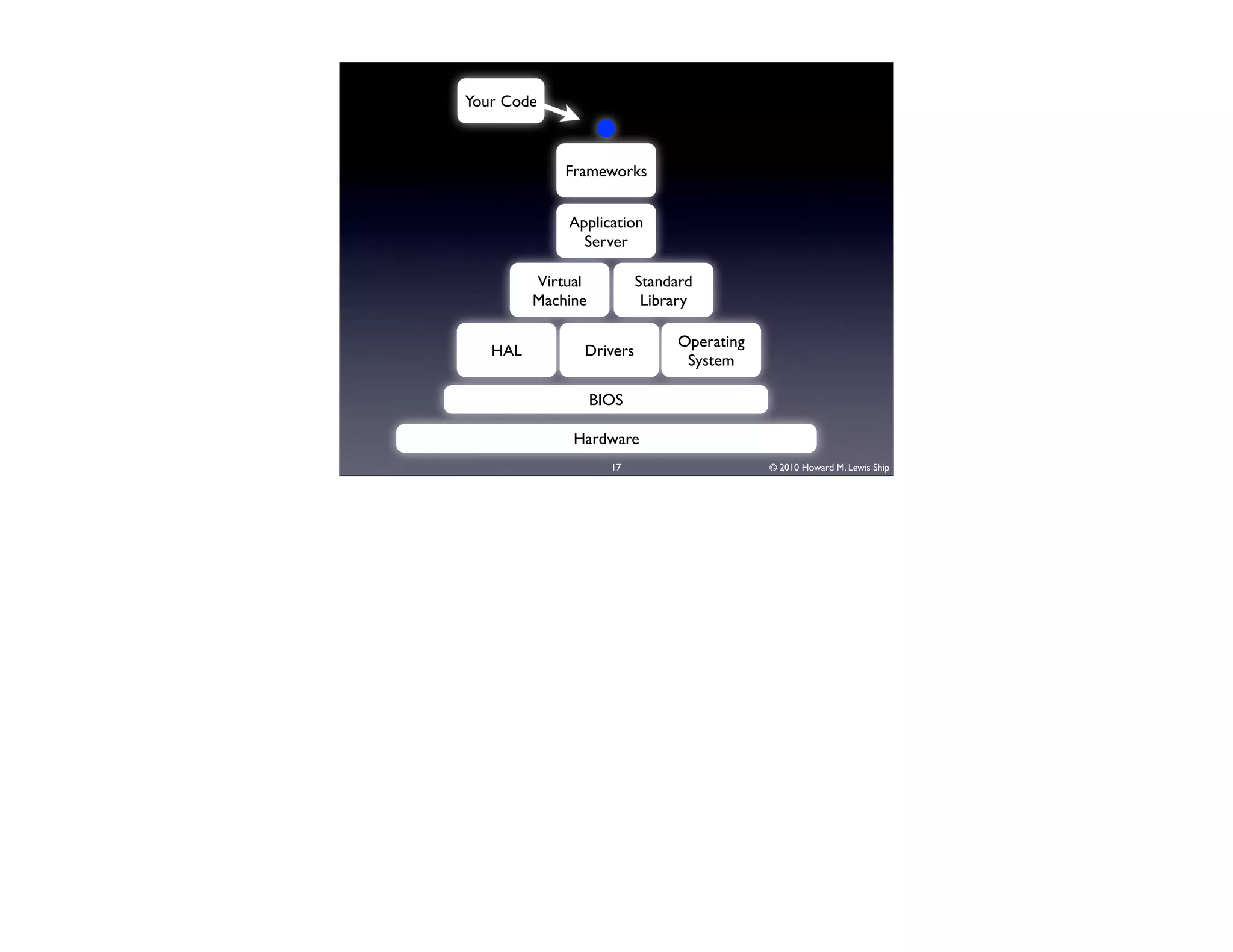
Your Code


             Frameworks


             Application
               Server

         Virtual          Standard
         Machine           Library

                               Operating
   HAL         Drivers
                                System

                   BIOS

              Hardware
                     17                    © 2010 Howard M. Lewis Ship
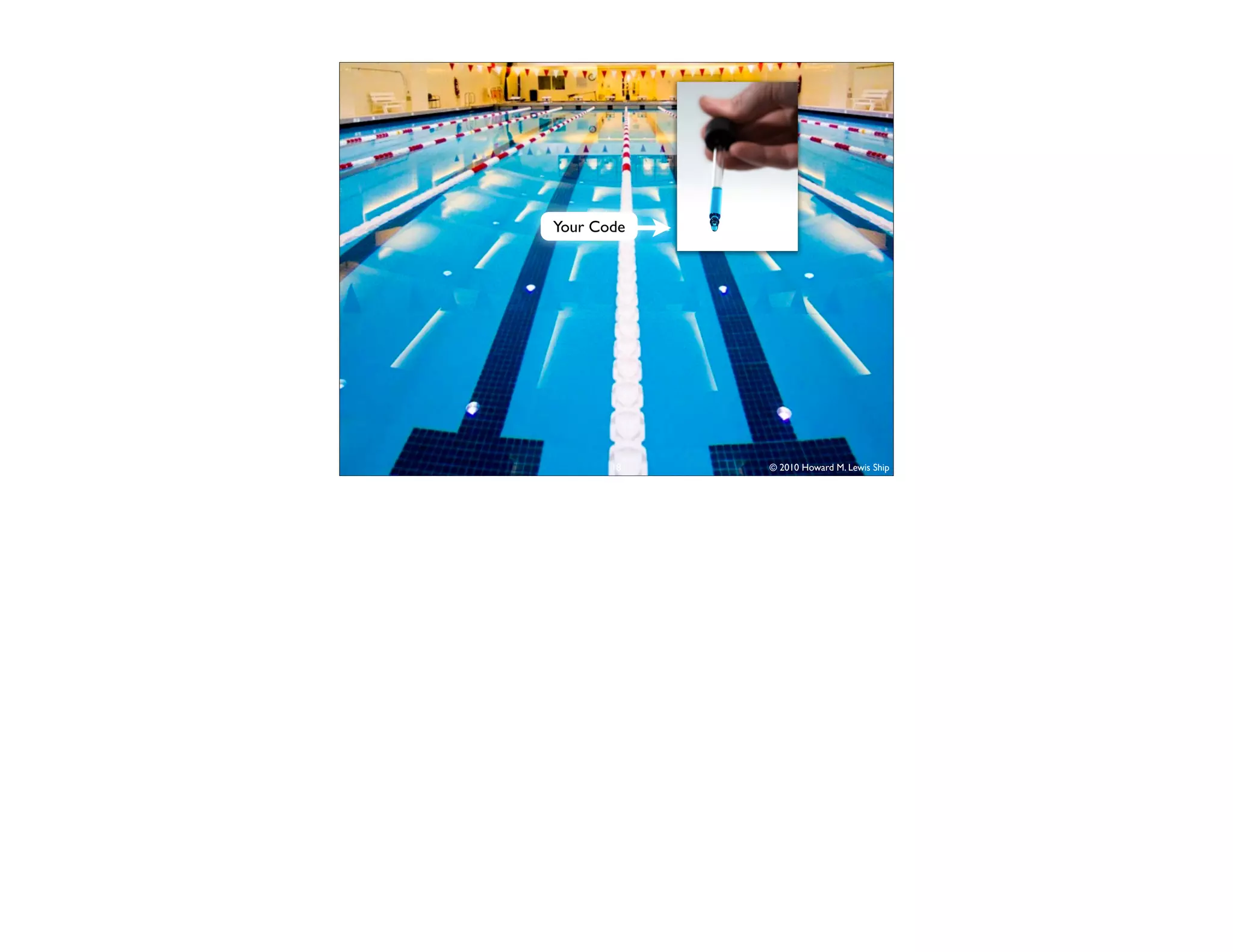
Your Code


       18   © 2010 Howard M. Lewis Ship
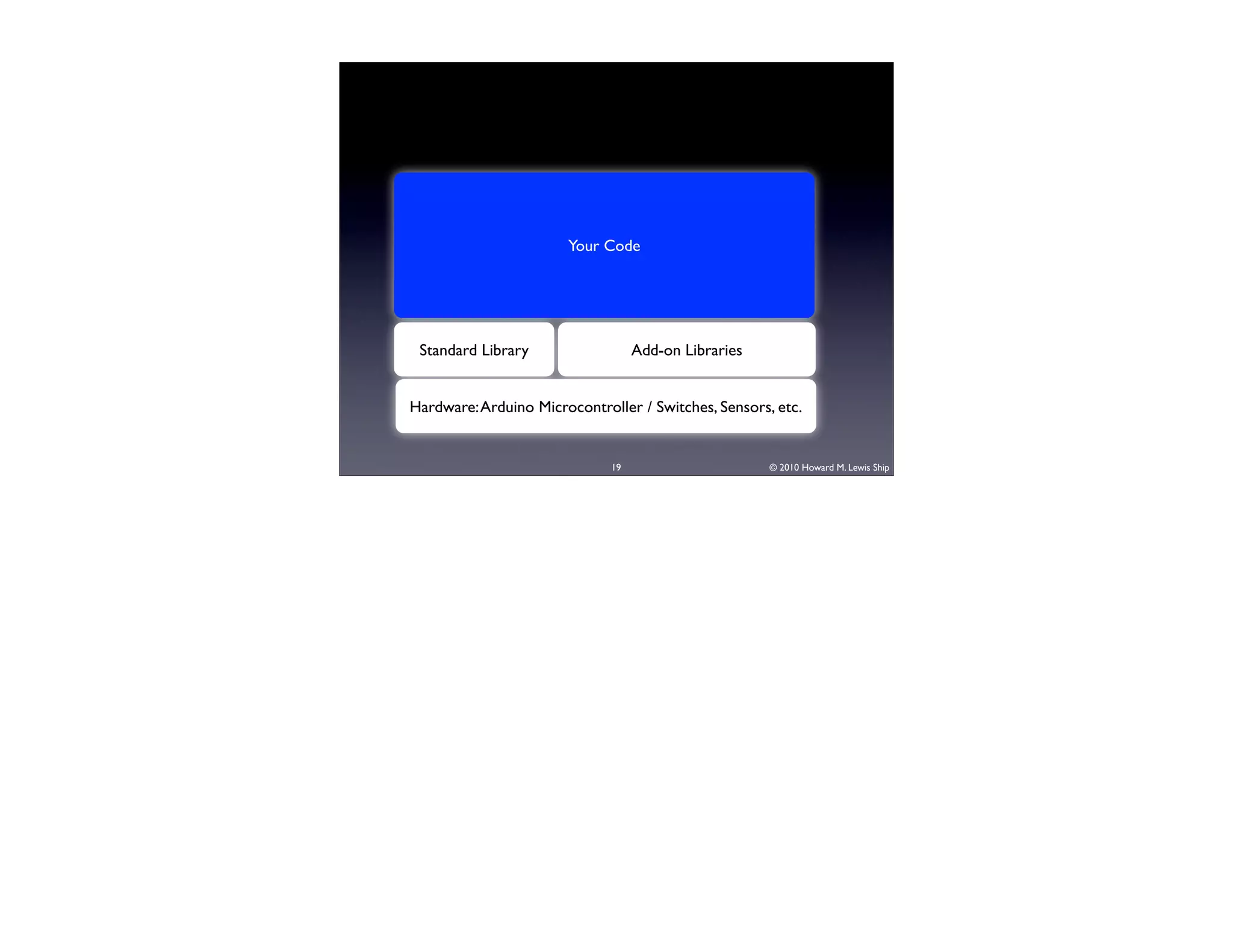
Your Code


 Standard Library                  Add-on Libraries


Hardware: Arduino Microcontroller / Switches, Sensors, etc.


                              19                      © 2010 Howard M. Lewis Ship
20   © 2010 Howard M. Lewis Ship
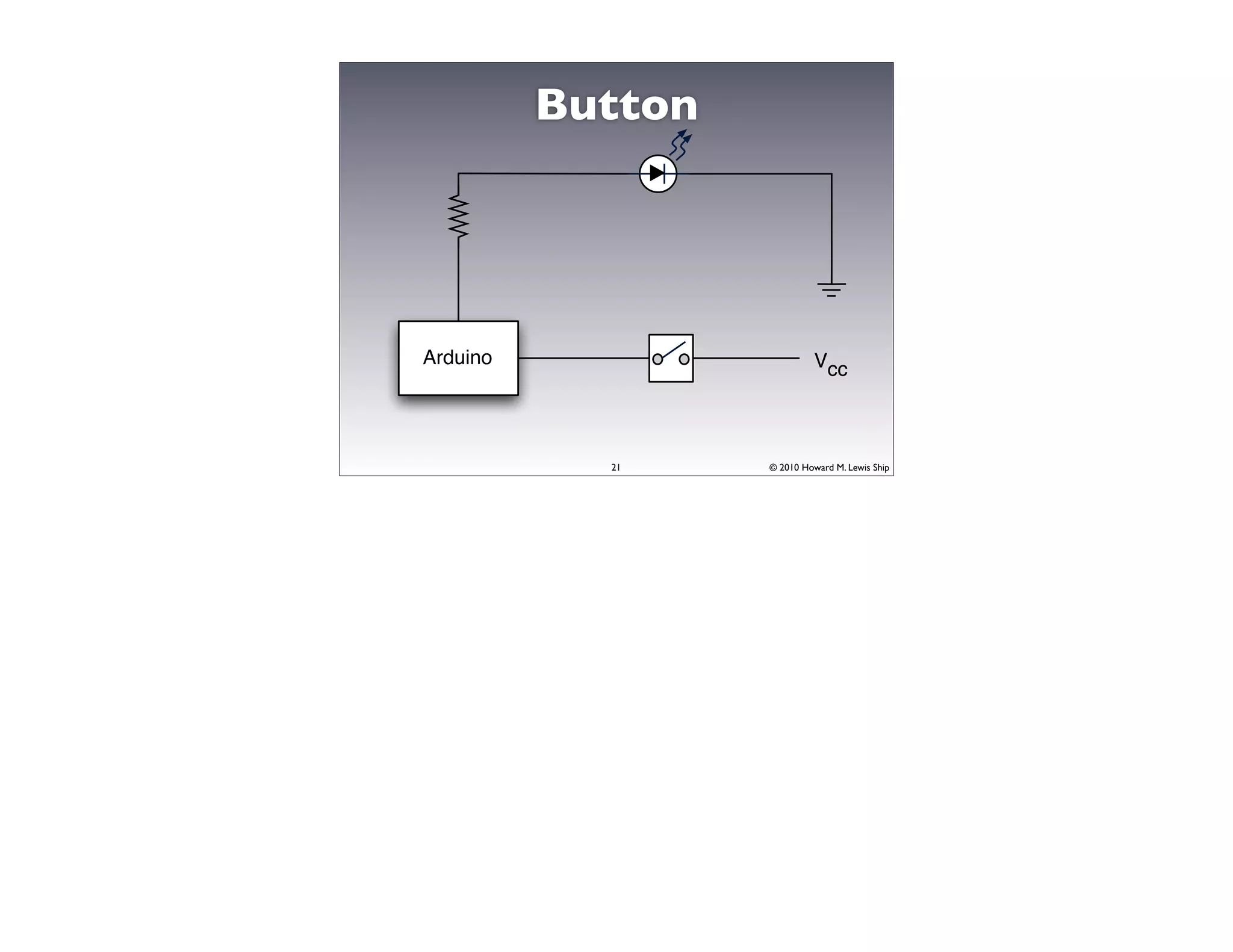
Button


Arduino                      Vcc


            21     © 2010 Howard M. Lewis Ship
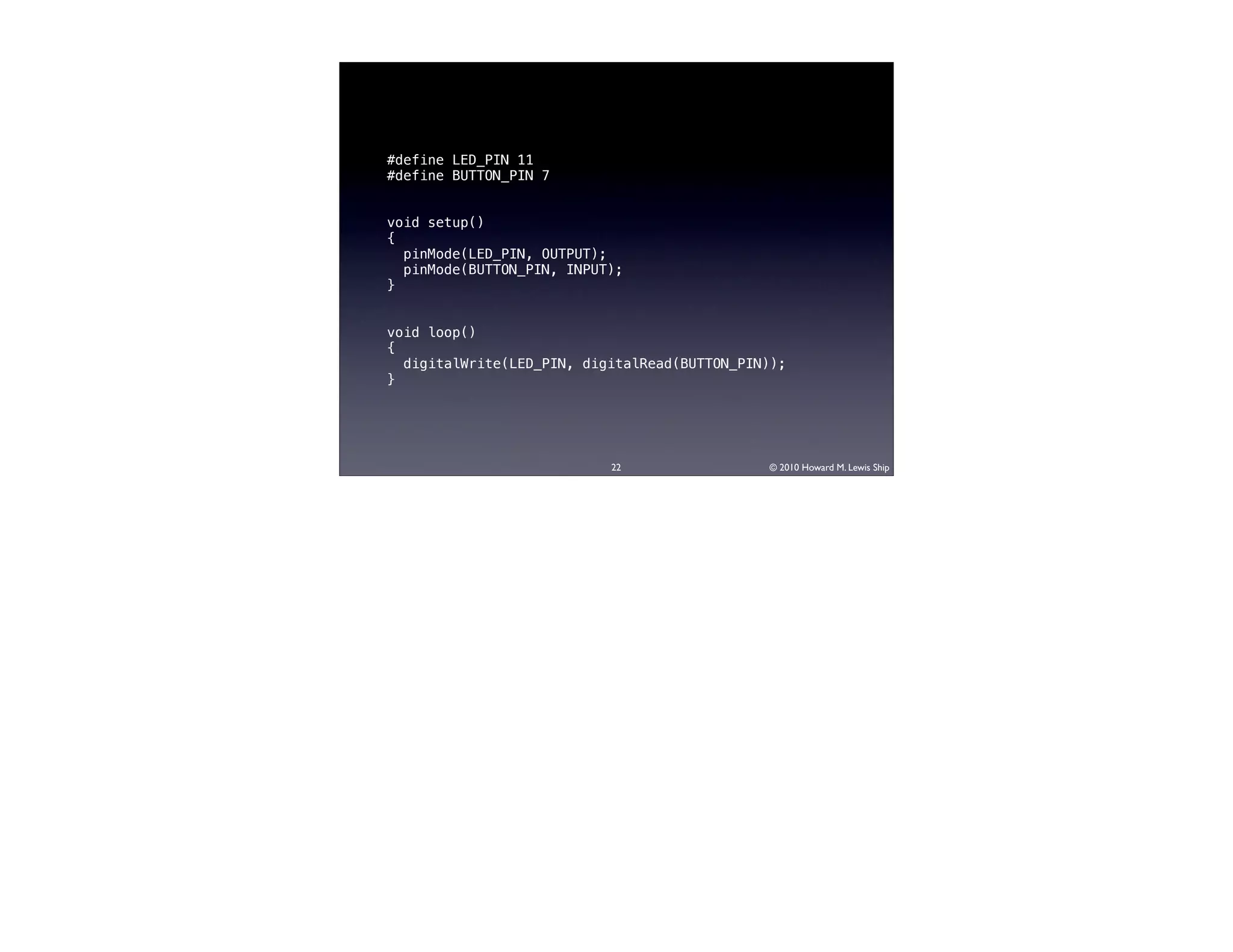
#define LED_PIN 11
#define BUTTON_PIN 7


void setup()
{
  pinMode(LED_PIN, OUTPUT);
  pinMode(BUTTON_PIN, INPUT);
}


void loop()
{
  digitalWrite(LED_PIN, digitalRead(BUTTON_PIN));
}


                           22                 © 2010 Howard M. Lewis Ship
23   © 2010 Howard M. Lewis Ship
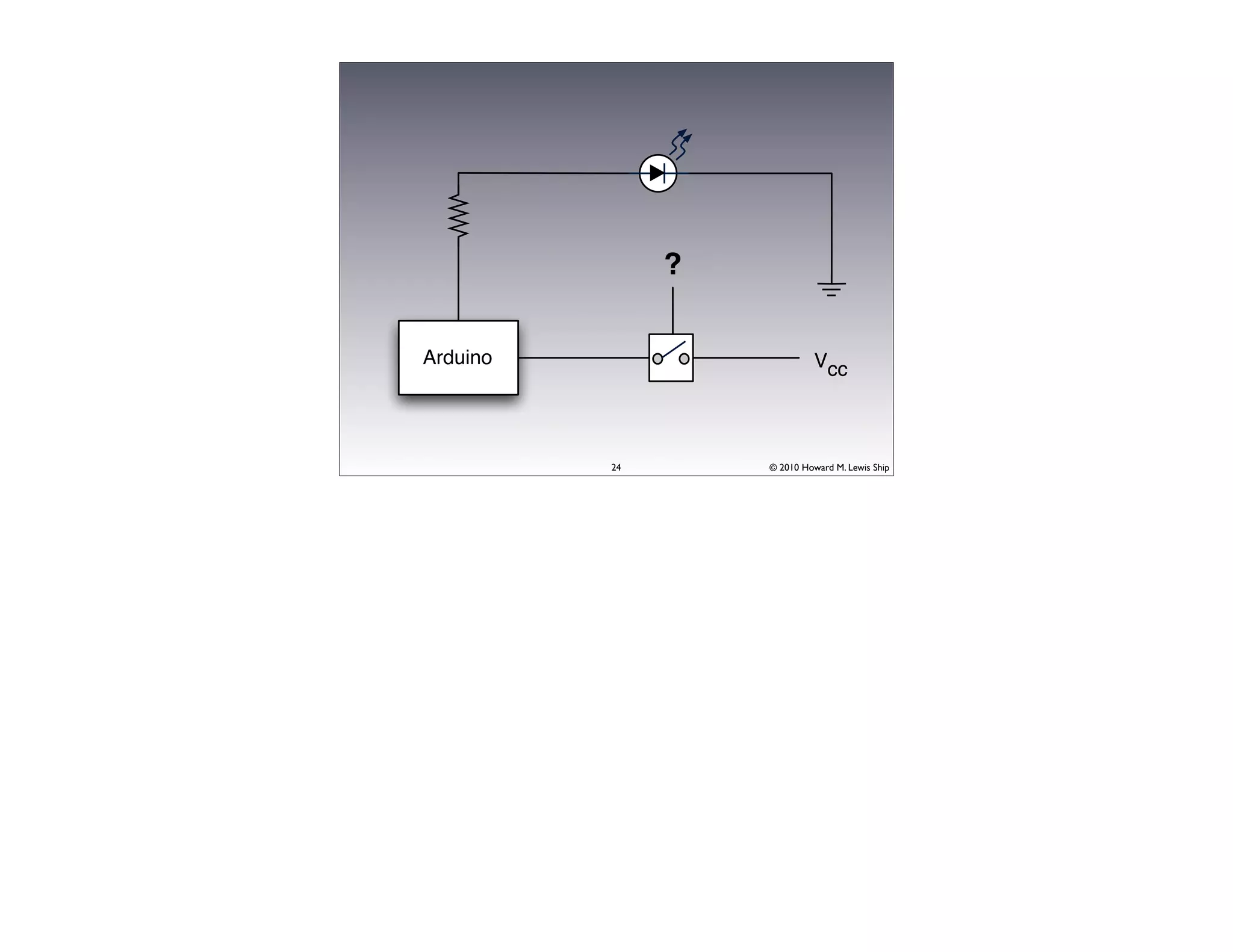
?

Arduino                      Vcc


          24       © 2010 Howard M. Lewis Ship
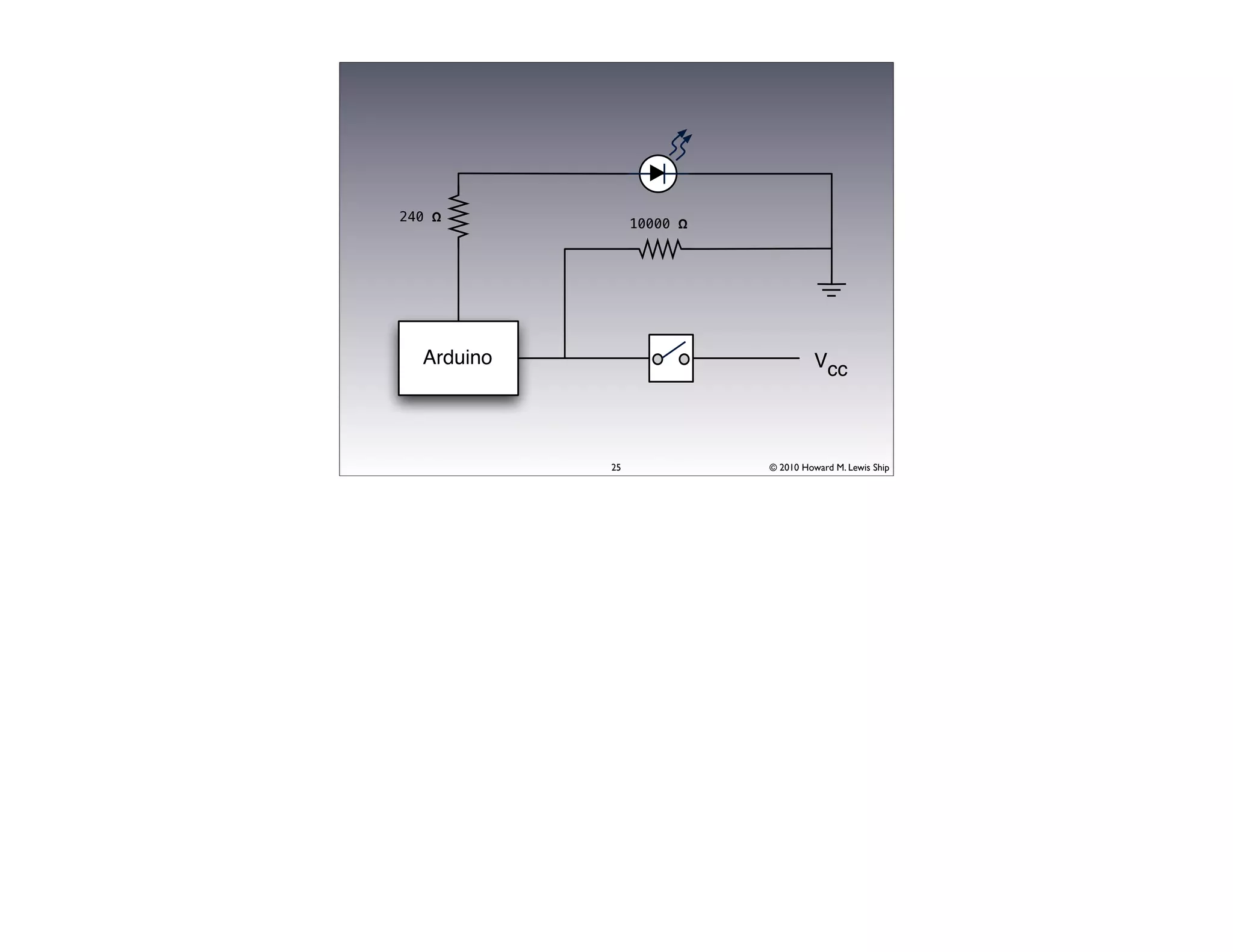
240 Ω
                 10000 Ω


  Arduino                            Vcc


            25             © 2010 Howard M. Lewis Ship
26   © 2010 Howard M. Lewis Ship
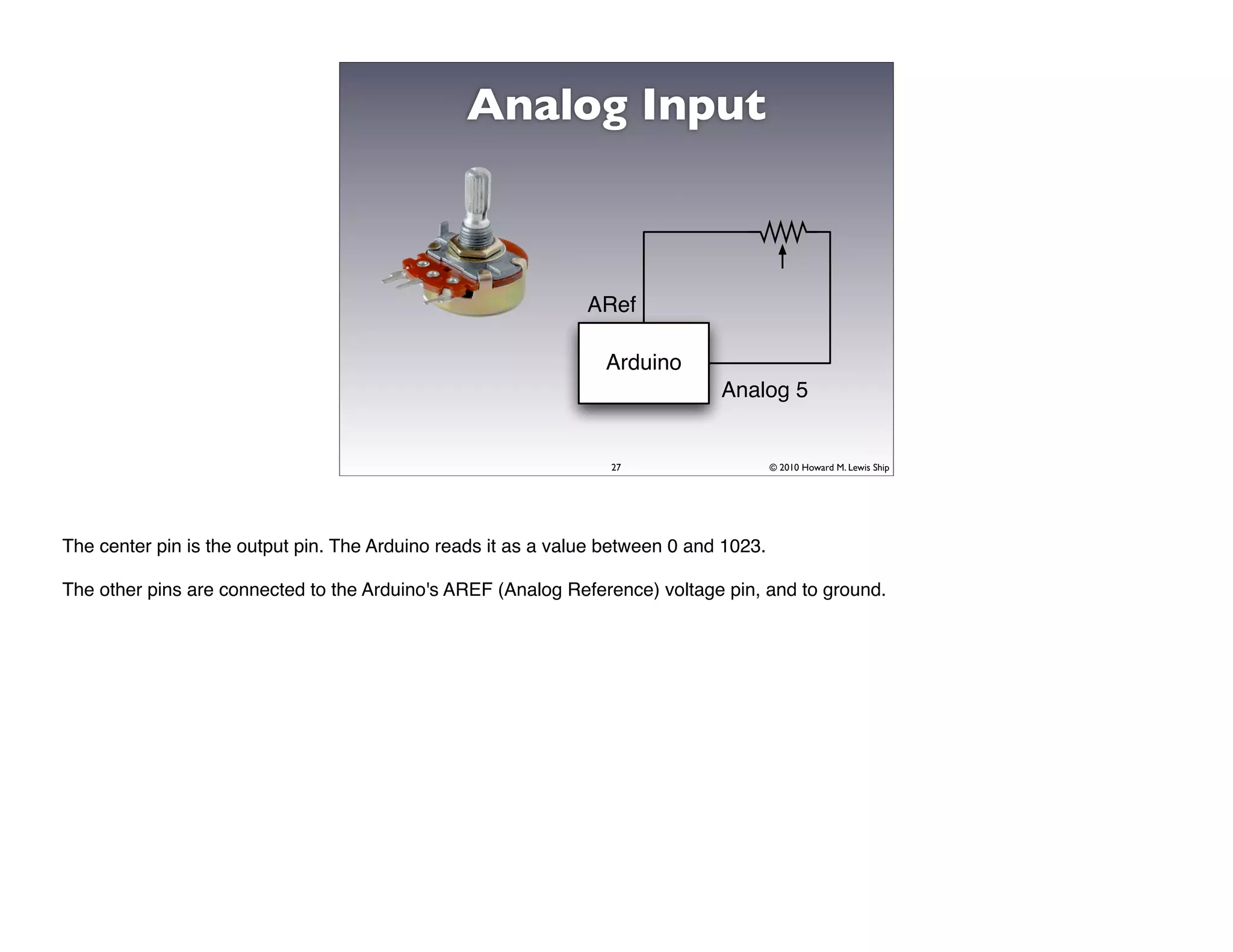
Analog Input


                                                               ARef

                                                                 Arduino
                                                                               Analog 5


                                                                  27                    © 2010 Howard M. Lewis Ship


The center pin is the output pin. The Arduino reads it as a value between 0 and 1023.

The other pins are connected to the Arduino's AREF (Analog Reference) voltage pin, and to ground.
28   © 2010 Howard M. Lewis Ship
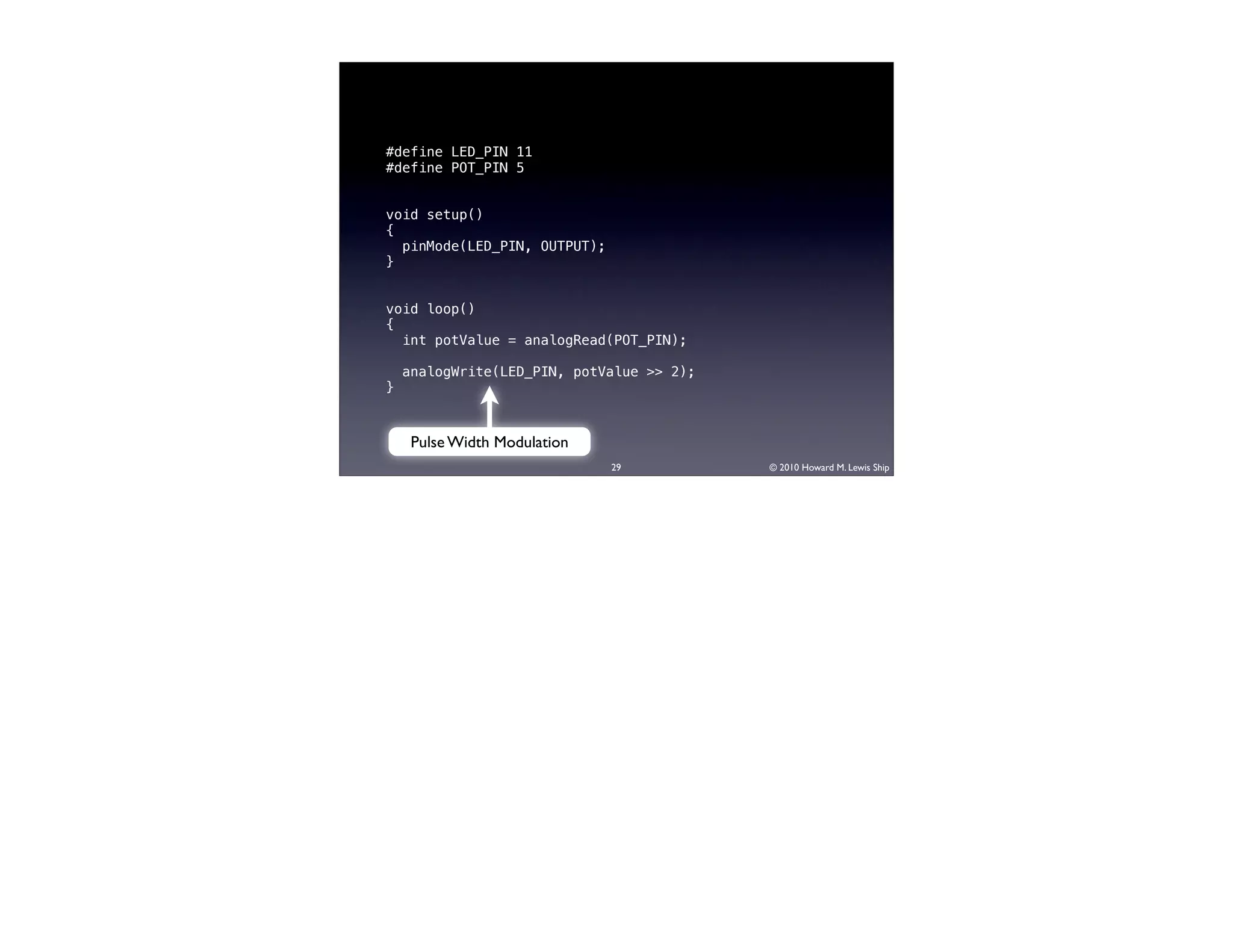
#define LED_PIN 11
#define POT_PIN 5


void setup()
{
  pinMode(LED_PIN, OUTPUT);
}


void loop()
{
  int potValue = analogRead(POT_PIN);

    analogWrite(LED_PIN, potValue >> 2);
}


     Pulse Width Modulation
                              29           © 2010 Howard M. Lewis Ship
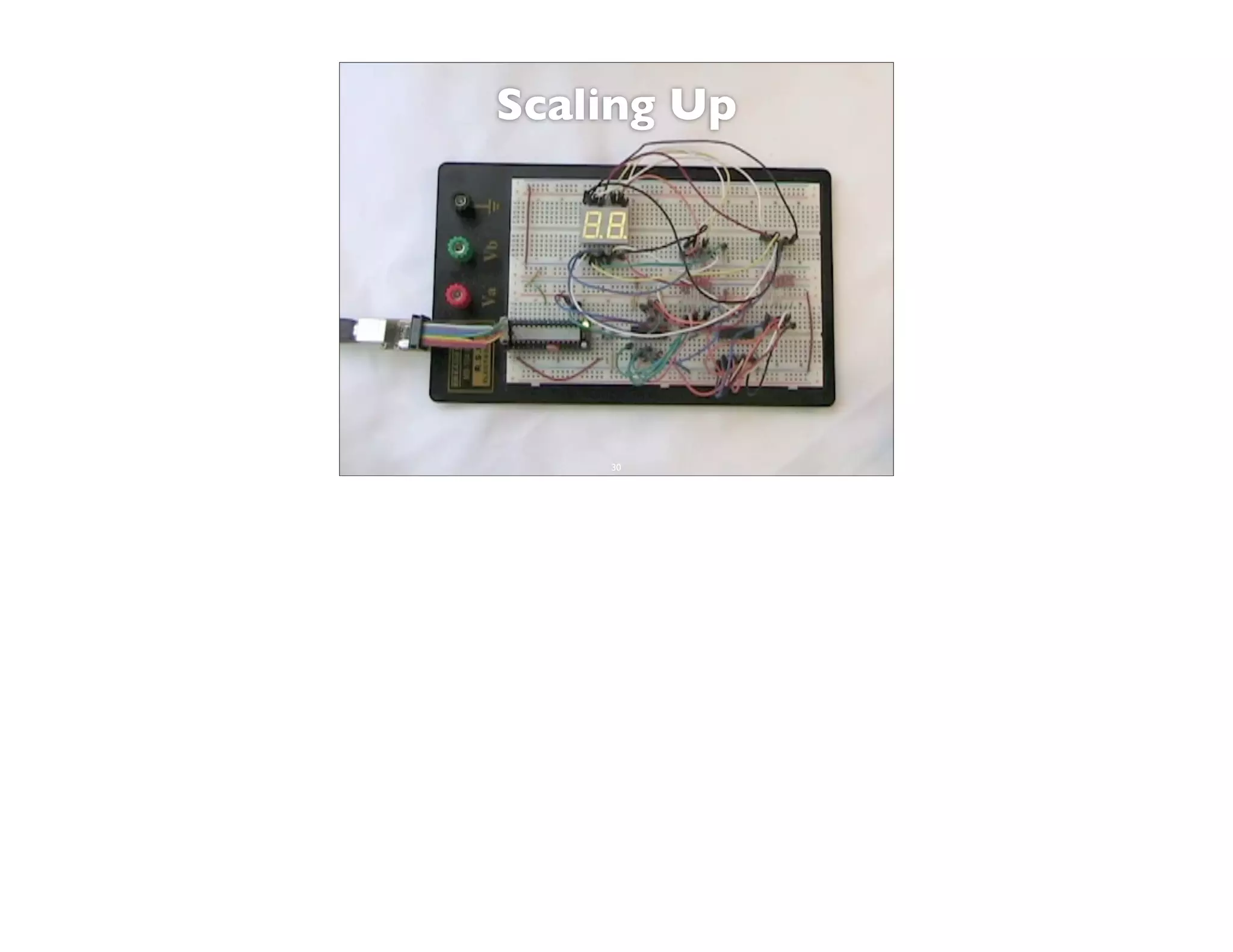
Scaling Up


    30       © 2010 Howard M. Lewis Ship
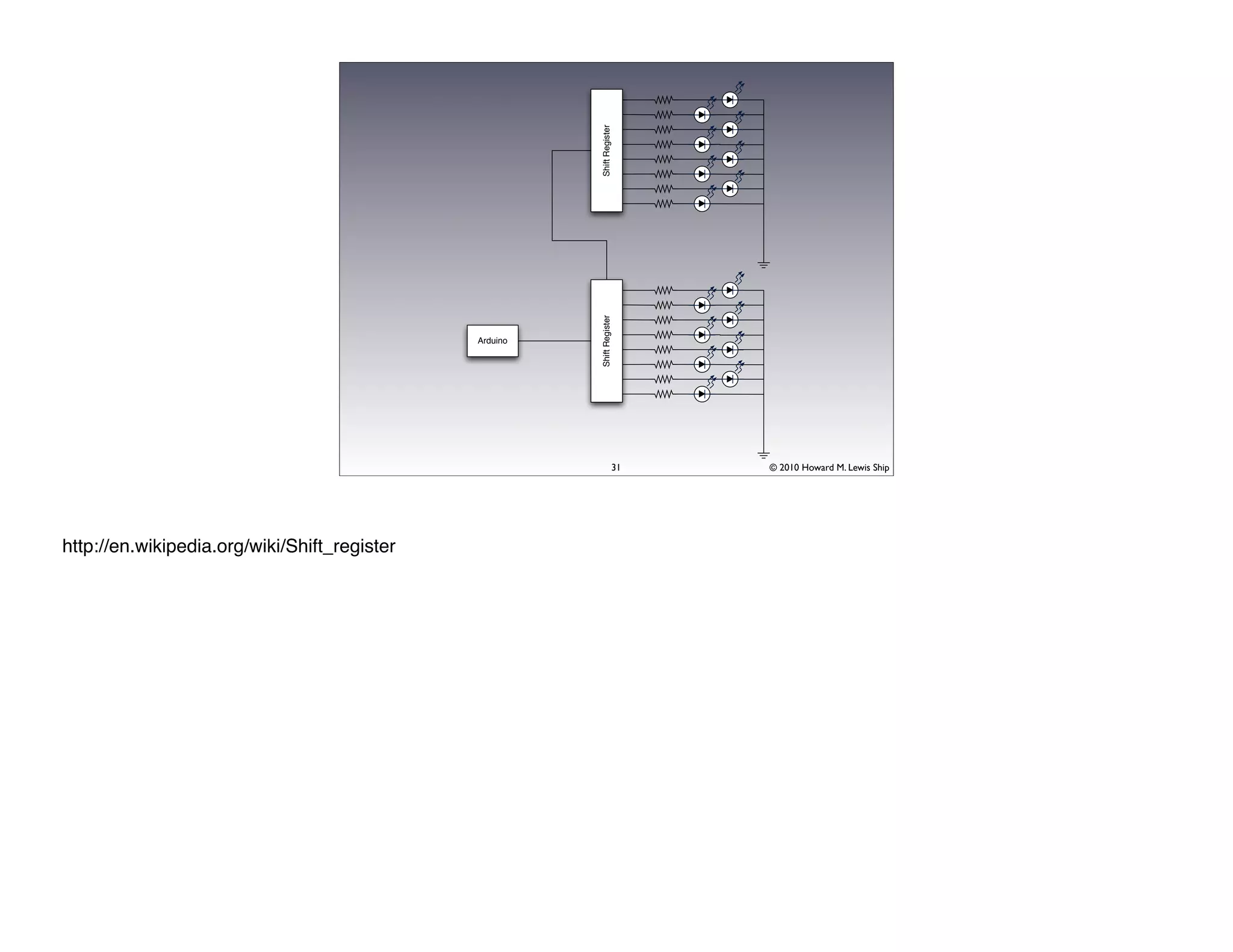
Shift Register
                                                        Shift Register
                                              Arduino


                                                                     31   © 2010 Howard M. Lewis Ship


http://en.wikipedia.org/wiki/Shift_register
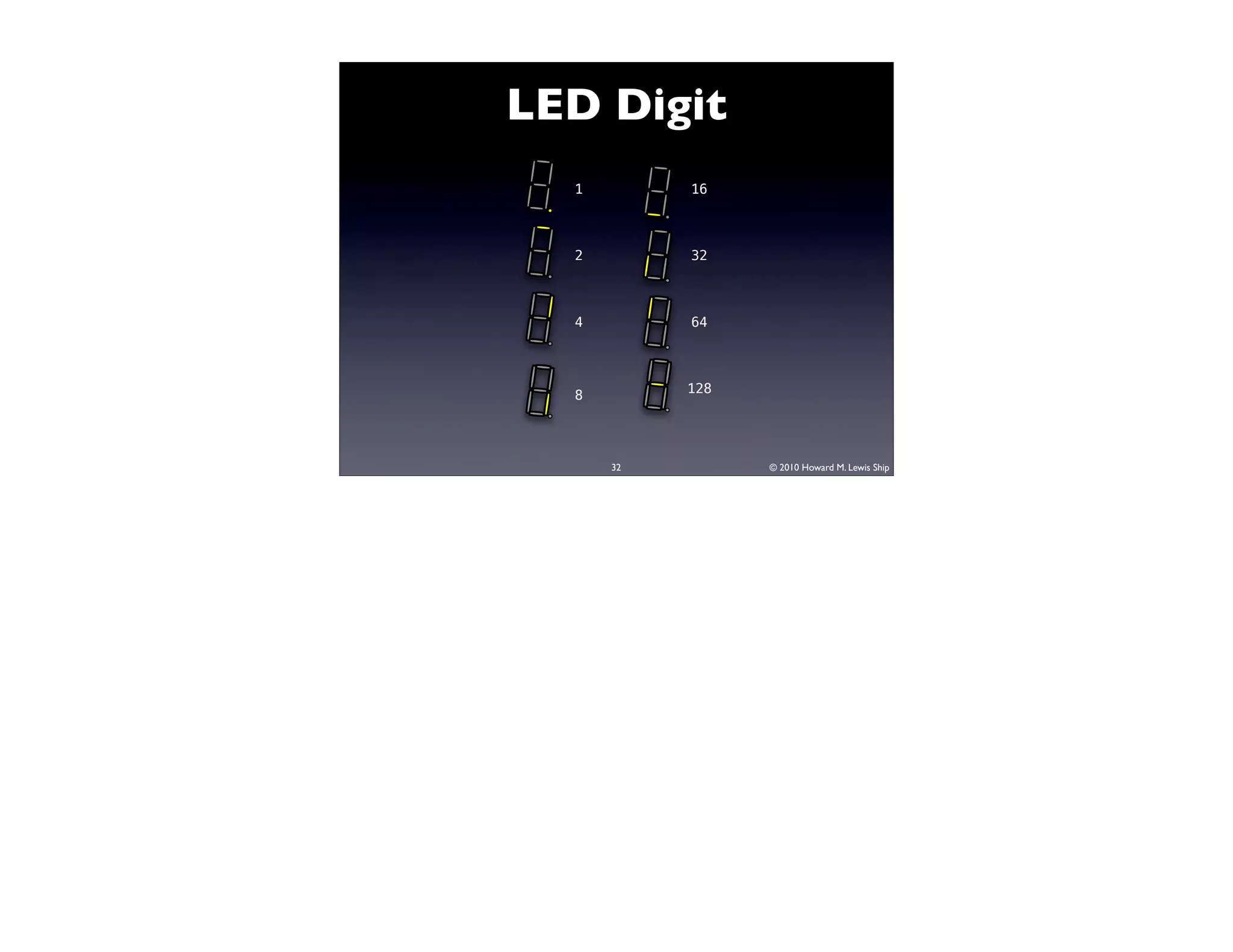
LED Digit
  1        16


  2        32


  4        64


  8        128


      32         © 2010 Howard M. Lewis Ship
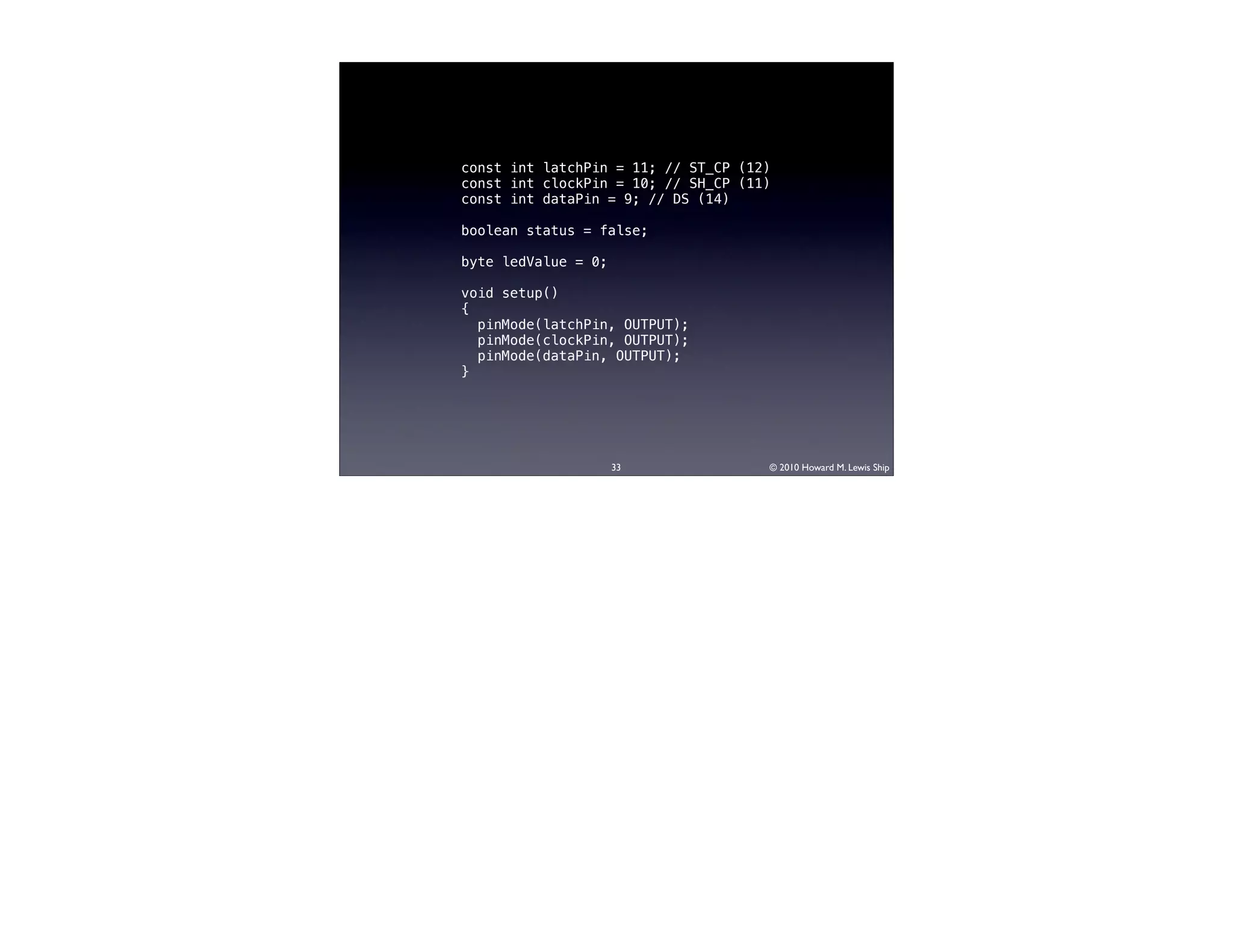
const int latchPin = 11; // ST_CP (12)
const int clockPin = 10; // SH_CP (11)
const int dataPin = 9; // DS (14)

boolean status = false;

byte ledValue = 0;

void setup()
{
  pinMode(latchPin, OUTPUT);
  pinMode(clockPin, OUTPUT);
  pinMode(dataPin, OUTPUT);
}


                     33              © 2010 Howard M. Lewis Ship
const byte digits[] = {
   B01111110, // 0
   B00001100, // 1
   B10110110, // 2
   B10011110, // 3
   B11001100, // 4
   B11011010, // 5
   B11111010, // 6
   B00001110, // 7
   B11111110, // 8
   B11001110, // 9
   B10111110, // A
   B11111000, // B
   B10110000, // C
   B10111100, // D
   B11110010, // E
   B11100010 // F
};


           34             © 2010 Howard M. Lewis Ship
void writeDigit(byte value, boolean showDP)
{
  // Ignore all but the low 4 bits when indexing
  byte digit = digits[value & 0x0f];

    // Decimal point is LSB
    if (showDP)
      digit |= 1;

    shiftOut(dataPin, clockPin, MSBFIRST, digit);
}


                         35                  © 2010 Howard M. Lewis Ship
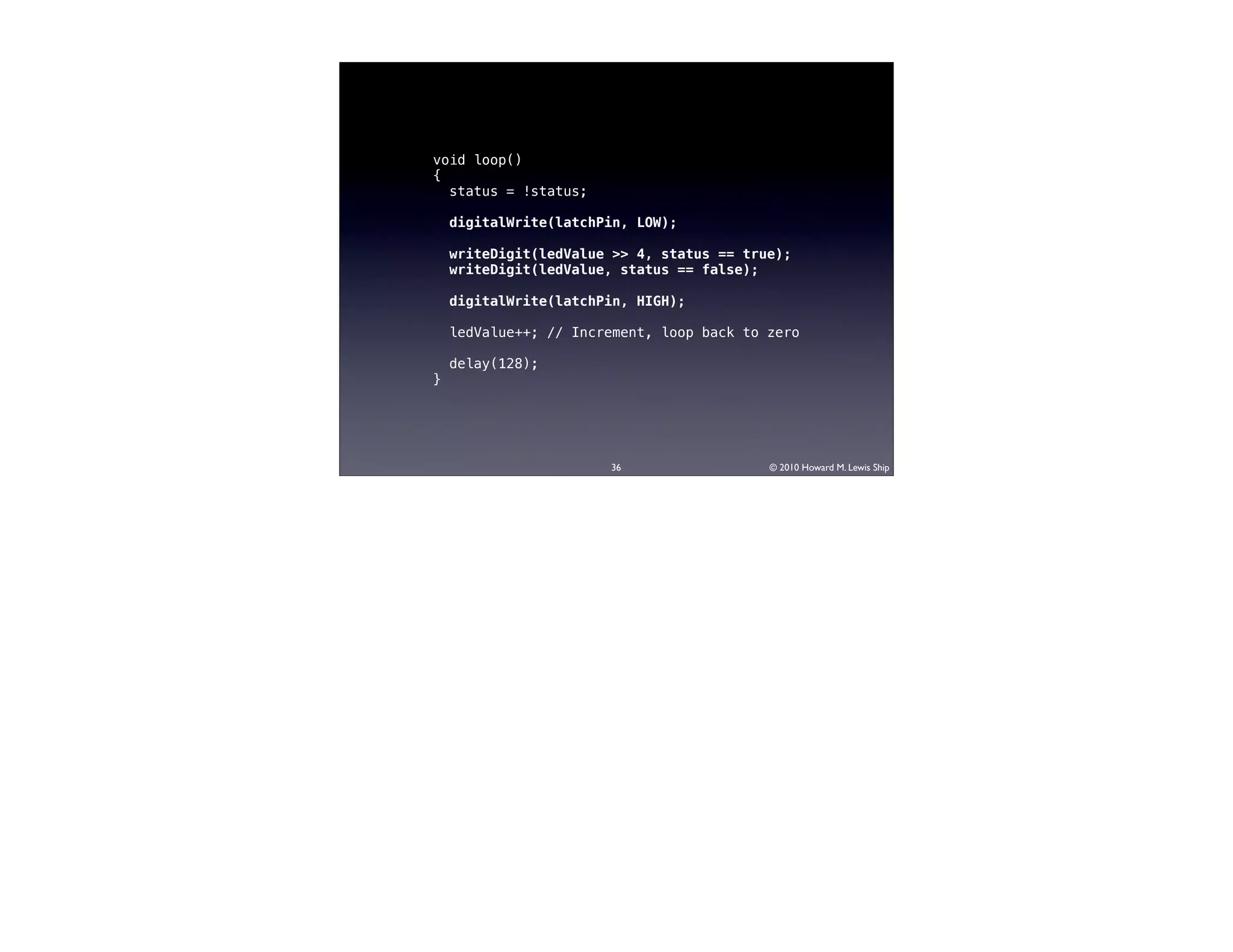
void loop()
{
  status = !status;

    digitalWrite(latchPin, LOW);

    writeDigit(ledValue >> 4, status == true);
    writeDigit(ledValue, status == false);

    digitalWrite(latchPin, HIGH);

    ledValue++; // Increment, loop back to zero

    delay(128);
}


                       36                  © 2010 Howard M. Lewis Ship
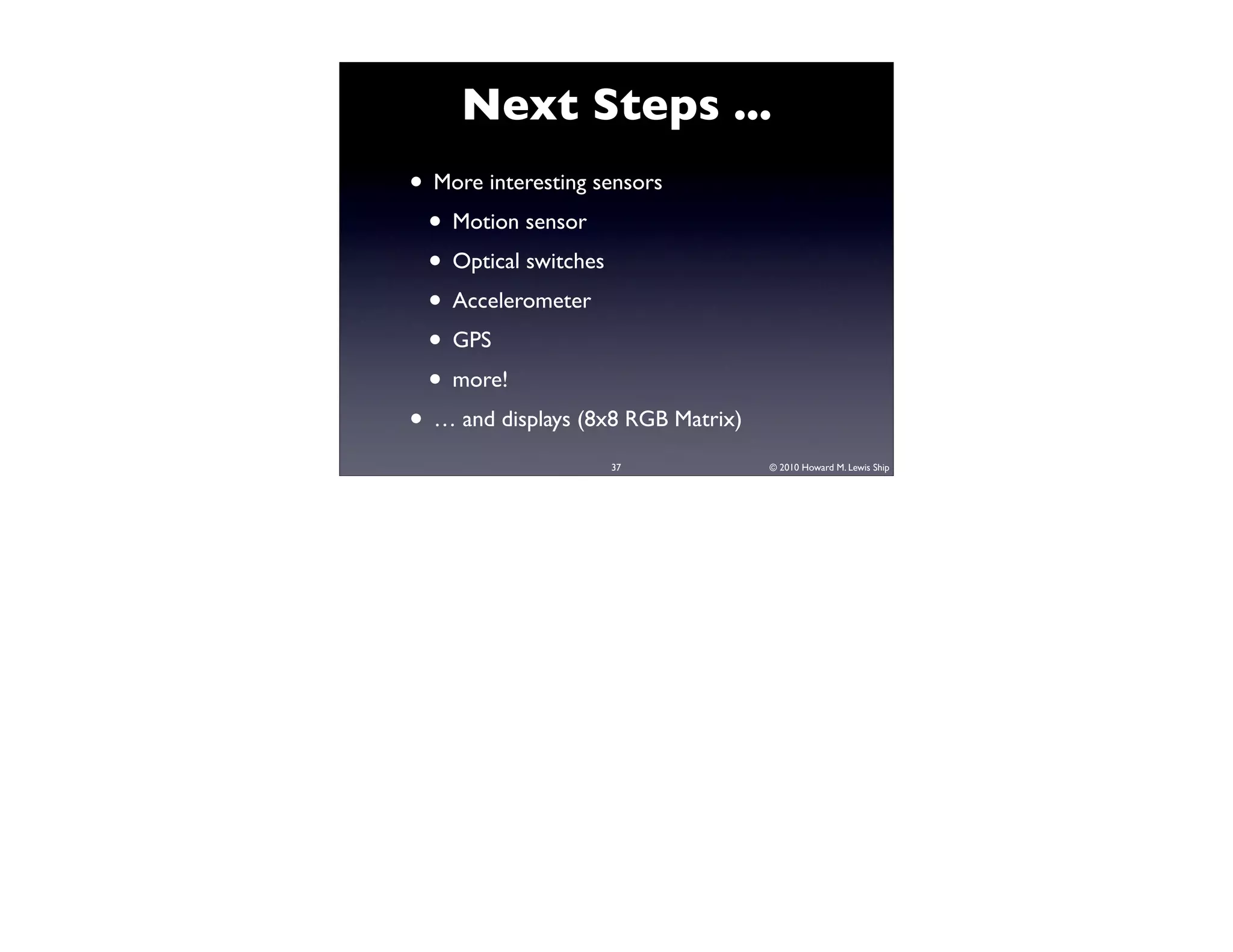
Next Steps ...
• More interesting sensors
 • Motion sensor
 • Optical switches
 • Accelerometer
 • GPS
 • more!
• … and displays (8x8 RGB Matrix)
                    37              © 2010 Howard M. Lewis Ship
38              © 2010 Howard M. Lewis Ship


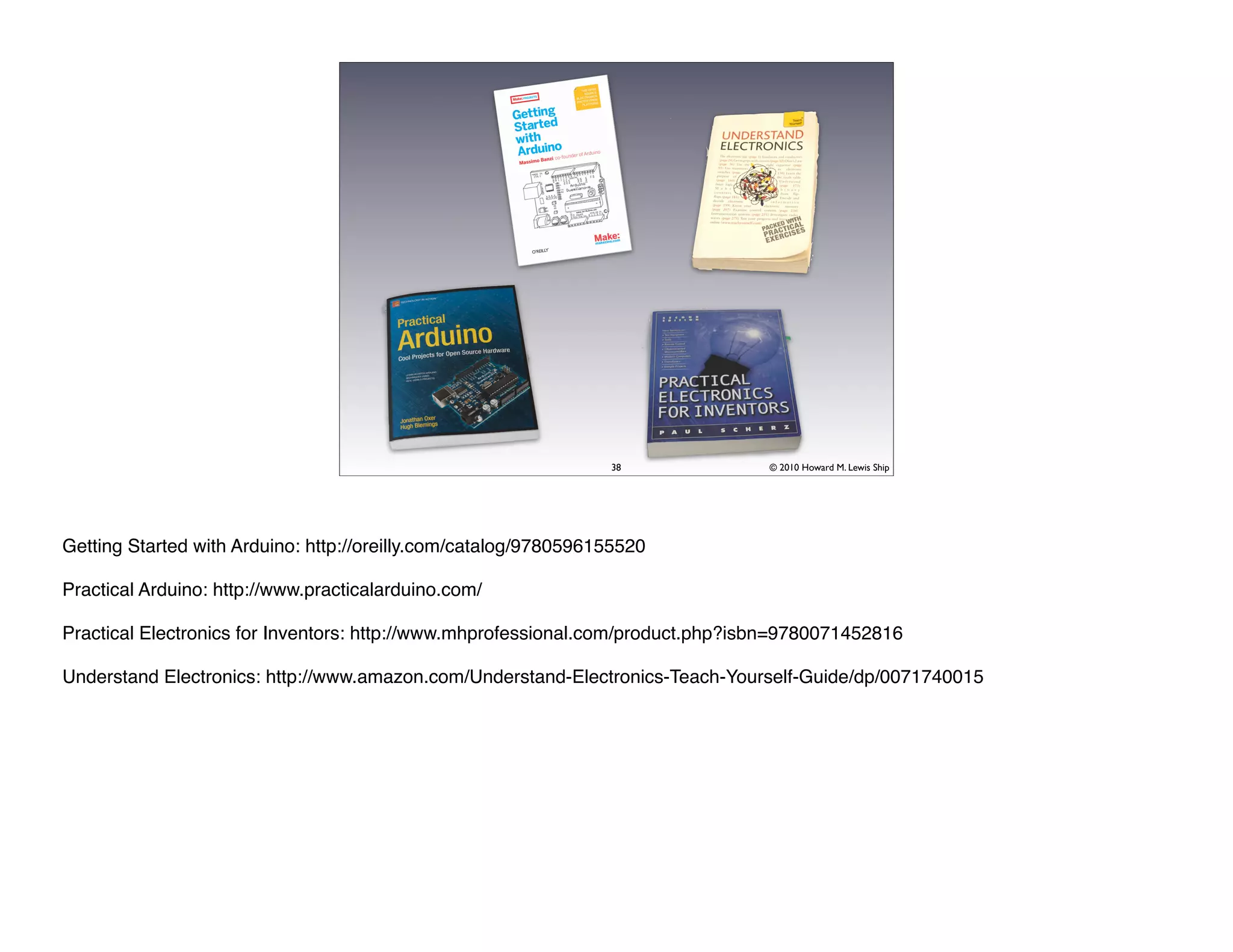
Getting Started with Arduino: http://oreilly.com/catalog/9780596155520

Practical Arduino: http://www.practicalarduino.com/

Practical Electronics for Inventors: http://www.mhprofessional.com/product.php?isbn=9780071452816

Understand Electronics: http://www.amazon.com/Understand-Electronics-Teach-Yourself-Guide/dp/0071740015
Summary

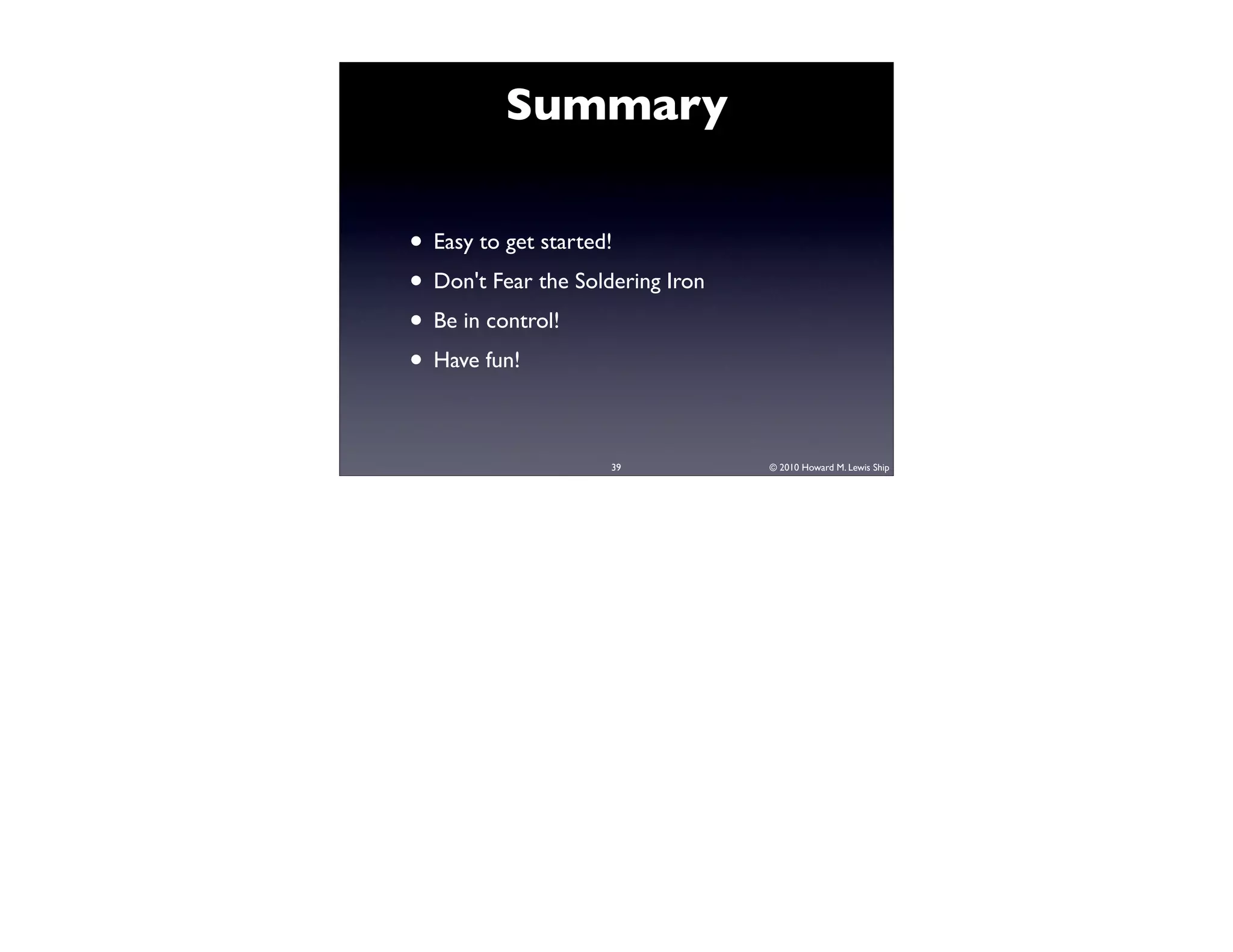
• Easy to get started!
• Don't Fear the Soldering Iron
• Be in control!
• Have fun!

                     39           © 2010 Howard M. Lewis Ship
Slides

• Will be available on SlideShare
  http://www.slideshare.net/hlship


• … and rate me at SpeakerRate:
  http://speakerrate.com/speakers/3749-
  howard-m-lewis-ship

                     40              © 2010 Howard M. Lewis Ship
© 2006 Kevin Jaako
http://www.flickr.com/photos/jaako/111131894/
                                                           © 2009 Adam Evans
                           http://www.flickr.com/photos/astroporn/3918373246/
© 2006 jopemoro
http://www.flickr.com/photos/jopemoro/81013003/
                                                         © 2008 shane doucette
                   http://www.flickr.com/photos/51512551@N00/3027058889/
© 2006 Nelson Minar
http://www.flickr.com/photos/nelsonminar/302035574/
                                                          © 2008 Thomas Hawk
                       http://www.flickr.com/photos/thomashawk/2598531205/
© 2009 dnnya17
http://www.flickr.com/photos/dnnya/3462481080/
                                                          © 2006 Iain Fergusson
                              http://en.wikipedia.org/wiki/File:Potentiometer.jpg


                                       41                             © 2010 Howard M. Lewis Ship

Arduino: Open Source Hardware Hacking from the Software Nerd Perspective

  • 1.
    Arduino: Open Source Hardware Hackingfrom the Software Nerd Perspective Howard M. Lewis Ship TWD Consulting hlship@gmail.com 1 © 2010 Howard M. Lewis Ship
  • 2.
    Qualifications 2 © 2010 Howard M. Lewis Ship
  • 3.
    Me Hardware 3 © 2010 Howard M. Lewis Ship
  • 4.
    ~ 1980 • 6502CPU • 8 bit accumulator • Two 8 bit registers • 1 MHz • 8 KB Ram (Upgrade!) • 30x30 B/W display • 300 baud cassette 4 © 2010 Howard M. Lewis Ship
  • 5.
    Hot End 5 © 2010 Howard M. Lewis Ship
  • 6.
    OSCON 2009 6 © 2010 Howard M. Lewis Ship http://www.makershed.com/ProductDetails.asp?ProductCode=MKCE4
  • 7.
    7 © 2010 Howard M. Lewis Ship
  • 8.
    8 © 2010 Howard M. Lewis Ship
  • 9.
    Open Source … Hardware? 9 © 2010 Howard M. Lewis Ship
  • 10.
    10 © 2010 Howard M. Lewis Ship
  • 11.
    11 © 2010 Howard M. Lewis Ship In addition, the IDE is free and open source, as is the bootloader that gets your code from the IDE and onto the Arduino.
  • 12.
    Digital Analog CPU / Clock Flash RAM EEPROM Pins / Pins PWM ATmega 328 / Duemilanove 32 KB 2 KB 1 KB 14 / 6 6 16 MHz ATmega1280 MEGA 128 KB 8 KB 4 KB 54 / 14 16 / 16 MHz ATmega 168 / 16 KB 1 KB 512 B 14 / 6 6 16 MHz 12 © 2010 Howard M. Lewis Ship http://arduino.cc/ http://www.dorkbotpdx.org/wiki/dorkboard
  • 13.
    Baby Steps: LED Arduino 13 © 2010 Howard M. Lewis Ship LED is Light Emitting Diode. Diodes are one-way elements (electricity does not flow backwards). The long pin is the anode, which connects to positive current. The short pin is the cathode, which connects to negative current (the ground). The glass enclosure usually has a flat side to indicate the cathode. http://en.wikipedia.org/wiki/Led
  • 14.
    14 © 2010 Howard M. Lewis Ship
  • 15.
    15 © 2010 Howard M. Lewis Ship
  • 16.
    16 © 2010 Howard M. Lewis Ship
  • 17.
    Your Code Frameworks Application Server Virtual Standard Machine Library Operating HAL Drivers System BIOS Hardware 17 © 2010 Howard M. Lewis Ship
  • 18.
    Your Code 18 © 2010 Howard M. Lewis Ship
  • 19.
    Your Code StandardLibrary Add-on Libraries Hardware: Arduino Microcontroller / Switches, Sensors, etc. 19 © 2010 Howard M. Lewis Ship
  • 20.
    20 © 2010 Howard M. Lewis Ship
  • 21.
    Button Arduino Vcc 21 © 2010 Howard M. Lewis Ship
  • 22.
    #define LED_PIN 11 #defineBUTTON_PIN 7 void setup() { pinMode(LED_PIN, OUTPUT); pinMode(BUTTON_PIN, INPUT); } void loop() { digitalWrite(LED_PIN, digitalRead(BUTTON_PIN)); } 22 © 2010 Howard M. Lewis Ship
  • 23.
    23 © 2010 Howard M. Lewis Ship
  • 24.
    ? Arduino Vcc 24 © 2010 Howard M. Lewis Ship
  • 25.
    240 Ω 10000 Ω Arduino Vcc 25 © 2010 Howard M. Lewis Ship
  • 26.
    26 © 2010 Howard M. Lewis Ship
  • 27.
    Analog Input ARef Arduino Analog 5 27 © 2010 Howard M. Lewis Ship The center pin is the output pin. The Arduino reads it as a value between 0 and 1023. The other pins are connected to the Arduino's AREF (Analog Reference) voltage pin, and to ground.
  • 28.
    28 © 2010 Howard M. Lewis Ship
  • 29.
    #define LED_PIN 11 #definePOT_PIN 5 void setup() { pinMode(LED_PIN, OUTPUT); } void loop() { int potValue = analogRead(POT_PIN); analogWrite(LED_PIN, potValue >> 2); } Pulse Width Modulation 29 © 2010 Howard M. Lewis Ship
  • 30.
    Scaling Up 30 © 2010 Howard M. Lewis Ship
  • 31.
    Shift Register Shift Register Arduino 31 © 2010 Howard M. Lewis Ship http://en.wikipedia.org/wiki/Shift_register
  • 32.
    LED Digit 1 16 2 32 4 64 8 128 32 © 2010 Howard M. Lewis Ship
  • 33.
    const int latchPin= 11; // ST_CP (12) const int clockPin = 10; // SH_CP (11) const int dataPin = 9; // DS (14) boolean status = false; byte ledValue = 0; void setup() { pinMode(latchPin, OUTPUT); pinMode(clockPin, OUTPUT); pinMode(dataPin, OUTPUT); } 33 © 2010 Howard M. Lewis Ship
  • 34.
    const byte digits[]= { B01111110, // 0 B00001100, // 1 B10110110, // 2 B10011110, // 3 B11001100, // 4 B11011010, // 5 B11111010, // 6 B00001110, // 7 B11111110, // 8 B11001110, // 9 B10111110, // A B11111000, // B B10110000, // C B10111100, // D B11110010, // E B11100010 // F }; 34 © 2010 Howard M. Lewis Ship
  • 35.
    void writeDigit(byte value,boolean showDP) { // Ignore all but the low 4 bits when indexing byte digit = digits[value & 0x0f]; // Decimal point is LSB if (showDP) digit |= 1; shiftOut(dataPin, clockPin, MSBFIRST, digit); } 35 © 2010 Howard M. Lewis Ship
  • 36.
    void loop() { status = !status; digitalWrite(latchPin, LOW); writeDigit(ledValue >> 4, status == true); writeDigit(ledValue, status == false); digitalWrite(latchPin, HIGH); ledValue++; // Increment, loop back to zero delay(128); } 36 © 2010 Howard M. Lewis Ship
  • 37.
    Next Steps ... •More interesting sensors • Motion sensor • Optical switches • Accelerometer • GPS • more! • … and displays (8x8 RGB Matrix) 37 © 2010 Howard M. Lewis Ship
  • 38.
    38 © 2010 Howard M. Lewis Ship Getting Started with Arduino: http://oreilly.com/catalog/9780596155520 Practical Arduino: http://www.practicalarduino.com/ Practical Electronics for Inventors: http://www.mhprofessional.com/product.php?isbn=9780071452816 Understand Electronics: http://www.amazon.com/Understand-Electronics-Teach-Yourself-Guide/dp/0071740015
  • 39.
    Summary • Easy toget started! • Don't Fear the Soldering Iron • Be in control! • Have fun! 39 © 2010 Howard M. Lewis Ship
  • 40.
    Slides • Will beavailable on SlideShare http://www.slideshare.net/hlship • … and rate me at SpeakerRate: http://speakerrate.com/speakers/3749- howard-m-lewis-ship 40 © 2010 Howard M. Lewis Ship
  • 41.
    © 2006 KevinJaako http://www.flickr.com/photos/jaako/111131894/ © 2009 Adam Evans http://www.flickr.com/photos/astroporn/3918373246/ © 2006 jopemoro http://www.flickr.com/photos/jopemoro/81013003/ © 2008 shane doucette http://www.flickr.com/photos/51512551@N00/3027058889/ © 2006 Nelson Minar http://www.flickr.com/photos/nelsonminar/302035574/ © 2008 Thomas Hawk http://www.flickr.com/photos/thomashawk/2598531205/ © 2009 dnnya17 http://www.flickr.com/photos/dnnya/3462481080/ © 2006 Iain Fergusson http://en.wikipedia.org/wiki/File:Potentiometer.jpg 41 © 2010 Howard M. Lewis Ship