



Kevin Grossnicklaus
President
kvgros@architectnow.net | @kvgros
architectnow.net | @architectnow
Migrating Legacy .NET Apps to Azure
EXPECTATIONS
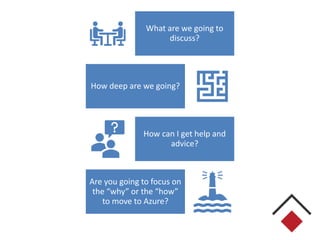
What are we going to
discuss?
How deep are we going?
How can I get help and
advice?
Are you going to focus on
the “why” or the “how”
to move to Azure?
COMMON SCENARIOS
What do we consider
“Legacy”?
What do we consider “Cloud
Native”?
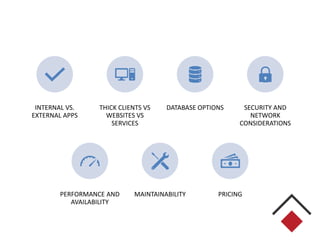
INTERNAL VS.
EXTERNAL APPS
THICK CLIENTS VS
WEBSITES VS
SERVICES
DATABASE OPTIONS SECURITY AND
NETWORK
CONSIDERATIONS
PERFORMANCE AND
AVAILABILITY
MAINTAINABILITY PRICING
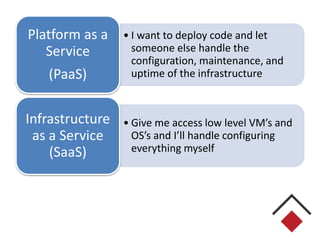
• I want to deploy code and let
someone else handle the
configuration, maintenance, and
uptime of the infrastructure
Platform as a
Service
(PaaS)
• Give me access low level VM’s and
OS’s and I’ll handle configuring
everything myself
Infrastructure
as a Service
(SaaS)
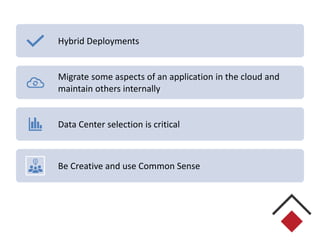
Hybrid Deployments
Migrate some aspects of an application in the cloud and
maintain others internally
Data Center selection is critical
Be Creative and use Common Sense
STEP 1: ASSESSMENT
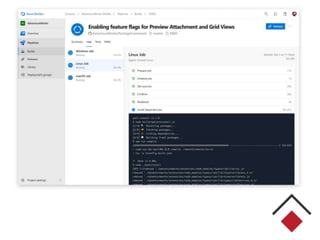
DEV OPS
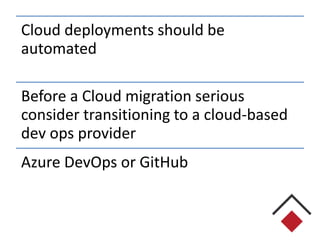
Cloud deployments should be
automated
Before a Cloud migration serious
consider transitioning to a cloud-based
dev ops provider
Azure DevOps or GitHub
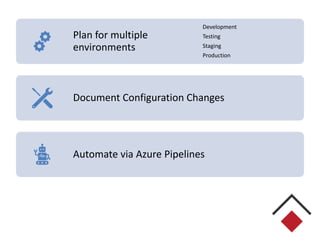
Plan for multiple
environments
Development
Testing
Staging
Production
Document Configuration Changes
Automate via Azure Pipelines
THICK APPLICATIONS (WINDOWS)
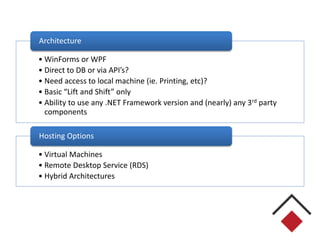
• WinForms or WPF
• Direct to DB or via API’s?
• Need access to local machine (ie. Printing, etc)?
• Basic “Lift and Shift” only
• Ability to use any .NET Framework version and (nearly) any 3rd party
components
Architecture
• Virtual Machines
• Remote Desktop Service (RDS)
• Hybrid Architectures
Hosting Options
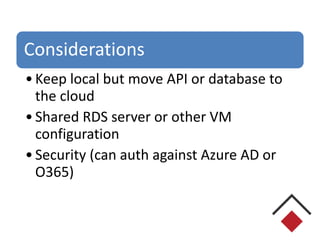
Considerations
•Keep local but move API or database to
the cloud
•Shared RDS server or other VM
configuration
•Security (can auth against Azure AD or
O365)
WEB APPLICATIONS
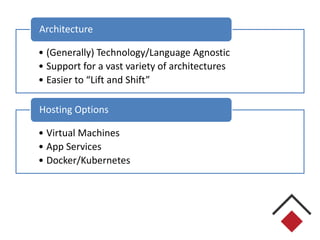
• (Generally) Technology/Language Agnostic
• Support for a vast variety of architectures
• Easier to “Lift and Shift”
Architecture
• Virtual Machines
• App Services
• Docker/Kubernetes
Hosting Options
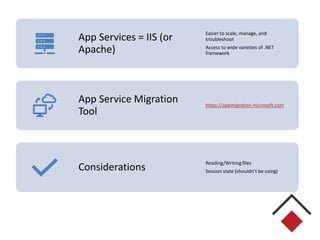
App Services = IIS (or
Apache)
Easier to scale, manage, and
troubleshoot
Access to wide varieties of .NET
framework
App Service Migration
Tool
https://appmigration.microsoft.com
Considerations
Reading/Writing files
Session state (shouldn’t be using)
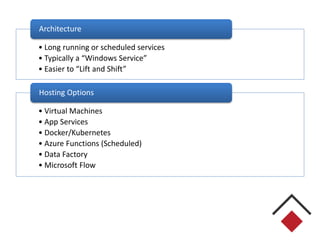
SERVICES
• Long running or scheduled services
• Typically a “Windows Service”
• Easier to “Lift and Shift”
Architecture
• Virtual Machines
• App Services
• Docker/Kubernetes
• Azure Functions (Scheduled)
• Data Factory
• Microsoft Flow
Hosting Options
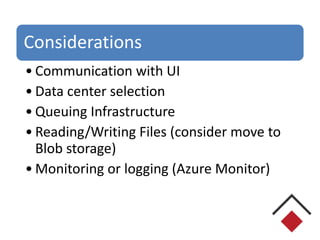
Considerations
• Communication with UI
• Data center selection
• Queuing Infrastructure
• Reading/Writing Files (consider move to
Blob storage)
• Monitoring or logging (Azure Monitor)
DATABASES
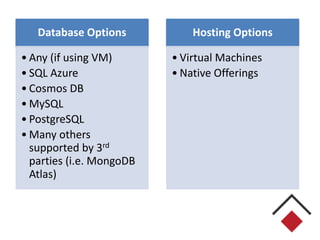
Database Options
• Any (if using VM)
• SQL Azure
• Cosmos DB
• MySQL
• PostgreSQL
• Many others
supported by 3rd
parties (i.e. MongoDB
Atlas)
Hosting Options
• Virtual Machines
• Native Offerings
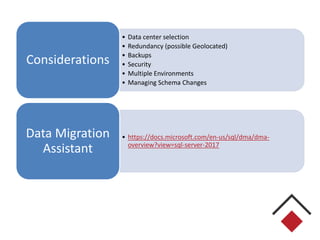
• Data center selection
• Redundancy (possible Geolocated)
• Backups
• Security
• Multiple Environments
• Managing Schema Changes
Considerations
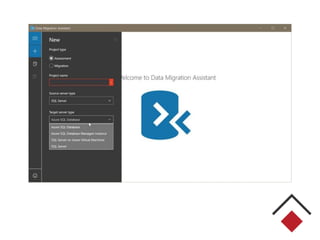
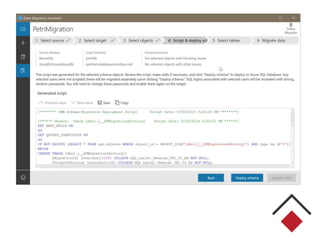
• https://docs.microsoft.com/en-us/sql/dma/dma-
overview?view=sql-server-2017
Data Migration
Assistant
FILE STORAGE
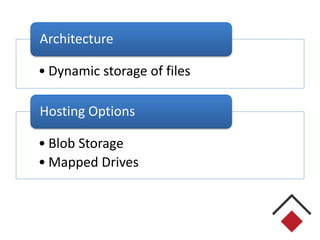
• Dynamic storage of files
Architecture
• Blob Storage
• Mapped Drives
Hosting Options
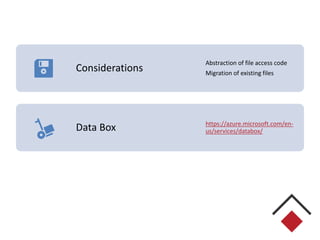
Considerations
Abstraction of file access code
Migration of existing files
Data Box https://azure.microsoft.com/en-
us/services/databox/
SECURITY
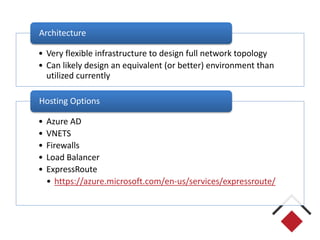
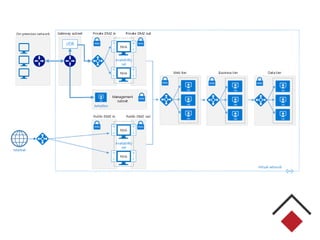
• Very flexible infrastructure to design full network topology
• Can likely design an equivalent (or better) environment than
utilized currently
Architecture
• Azure AD
• VNETS
• Firewalls
• Load Balancer
• ExpressRoute
• https://azure.microsoft.com/en-us/services/expressroute/
Hosting Options
PRICING
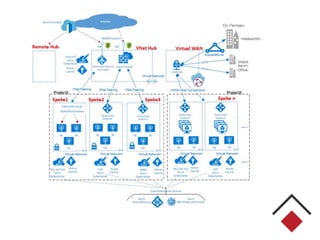
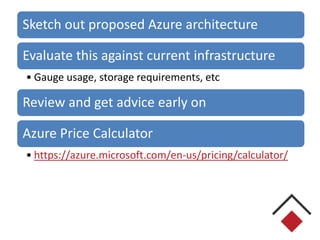
Sketch out proposed Azure architecture
Evaluate this against current infrastructure
• Gauge usage, storage requirements, etc
Review and get advice early on
Azure Price Calculator
• https://azure.microsoft.com/en-us/pricing/calculator/
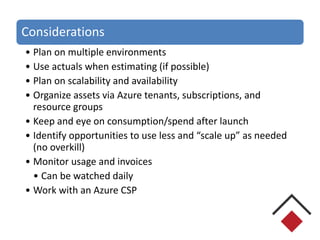
Considerations
• Plan on multiple environments
• Use actuals when estimating (if possible)
• Plan on scalability and availability
• Organize assets via Azure tenants, subscriptions, and
resource groups
• Keep and eye on consumption/spend after launch
• Identify opportunities to use less and “scale up” as needed
(no overkill)
• Monitor usage and invoices
• Can be watched daily
• Work with an Azure CSP
Azure SQL Pricing
• DTUs
• vCore
DTU Pricing Calculator
• http://dtucalculator.azurewebsites.net/
LICENSING
• IaaS vs PaaS
• 3rd Party Tools
Azure Cloud Solution Providers
Managed Services and Support
Pay single bill for
• Office365 or M365
• Development Tools
• Azure Consumption
• Dynamics365
STEP 2: MIGRATE
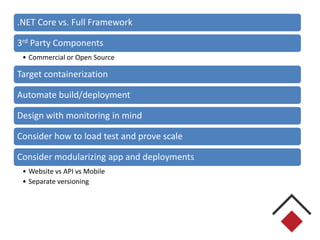
.NET Core vs. Full Framework
3rd Party Components
• Commercial or Open Source
Target containerization
Automate build/deployment
Design with monitoring in mind
Consider how to load test and prove scale
Consider modularizing app and deployments
• Website vs API vs Mobile
• Separate versioning
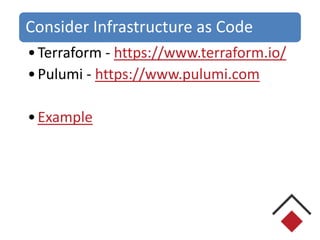
Consider Infrastructure as Code
•Terraform - https://www.terraform.io/
•Pulumi - https://www.pulumi.com
•Example
STEP 3: OPTIMIZE
Refactor and extend code to better leverage the environment
Typically this means we phase in the use of native Azure technologies
Examples
• Docker/Kubernetes
• Azure Functions
• Service Bus
• Data Factories
• Redis Cache
• Azure Search
• Cognitive Services
• Artificial Intelligence
• Machine Learning
• Azure AD
• Azure Frontdoor - https://azure.microsoft.com/en-us/services/frontdoor/
• API Management Services - https://azure.microsoft.com/en-us/services/api-management/
• Traffic Manager
Azure SDK’s provided for most
platforms
•.NET = Nuget packages
•JS = NPM
Example: Azure Functions
• Serverless code execution
• C# or JavaScript
• Scheduled or triggered
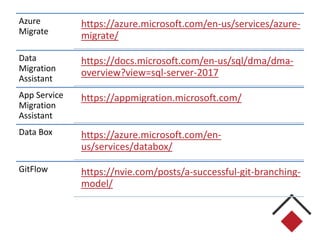
RESOURCES
Azure
Migrate
https://azure.microsoft.com/en-us/services/azure-
migrate/
Data
Migration
Assistant
https://docs.microsoft.com/en-us/sql/dma/dma-
overview?view=sql-server-2017
App Service
Migration
Assistant
https://appmigration.microsoft.com/
Data Box https://azure.microsoft.com/en-
us/services/databox/
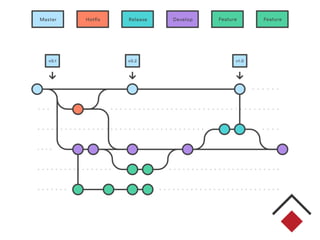
GitFlow https://nvie.com/posts/a-successful-git-branching-
model/
Kevin Grossnicklaus
President
kvgros@architectnow.net | @kvgros
architectnow.net | @architectnow

ArchitectNow - Migrating Legacy .NET Apps to Azure

  • 1.
    Kevin Grossnicklaus President kvgros@architectnow.net |@kvgros architectnow.net | @architectnow Migrating Legacy .NET Apps to Azure
  • 2.
  • 3.
    What are wegoing to discuss? How deep are we going? How can I get help and advice? Are you going to focus on the “why” or the “how” to move to Azure?
  • 4.
  • 5.
    What do weconsider “Legacy”? What do we consider “Cloud Native”?
  • 6.
    INTERNAL VS. EXTERNAL APPS THICKCLIENTS VS WEBSITES VS SERVICES DATABASE OPTIONS SECURITY AND NETWORK CONSIDERATIONS PERFORMANCE AND AVAILABILITY MAINTAINABILITY PRICING
  • 8.
    • I wantto deploy code and let someone else handle the configuration, maintenance, and uptime of the infrastructure Platform as a Service (PaaS) • Give me access low level VM’s and OS’s and I’ll handle configuring everything myself Infrastructure as a Service (SaaS)
  • 9.
    Hybrid Deployments Migrate someaspects of an application in the cloud and maintain others internally Data Center selection is critical Be Creative and use Common Sense
  • 10.
  • 11.
  • 12.
    Cloud deployments shouldbe automated Before a Cloud migration serious consider transitioning to a cloud-based dev ops provider Azure DevOps or GitHub
  • 13.
  • 16.
  • 17.
    • WinForms orWPF • Direct to DB or via API’s? • Need access to local machine (ie. Printing, etc)? • Basic “Lift and Shift” only • Ability to use any .NET Framework version and (nearly) any 3rd party components Architecture • Virtual Machines • Remote Desktop Service (RDS) • Hybrid Architectures Hosting Options
  • 18.
    Considerations •Keep local butmove API or database to the cloud •Shared RDS server or other VM configuration •Security (can auth against Azure AD or O365)
  • 19.
  • 20.
    • (Generally) Technology/LanguageAgnostic • Support for a vast variety of architectures • Easier to “Lift and Shift” Architecture • Virtual Machines • App Services • Docker/Kubernetes Hosting Options
  • 21.
    App Services =IIS (or Apache) Easier to scale, manage, and troubleshoot Access to wide varieties of .NET framework App Service Migration Tool https://appmigration.microsoft.com Considerations Reading/Writing files Session state (shouldn’t be using)
  • 22.
  • 23.
    • Long runningor scheduled services • Typically a “Windows Service” • Easier to “Lift and Shift” Architecture • Virtual Machines • App Services • Docker/Kubernetes • Azure Functions (Scheduled) • Data Factory • Microsoft Flow Hosting Options
  • 24.
    Considerations • Communication withUI • Data center selection • Queuing Infrastructure • Reading/Writing Files (consider move to Blob storage) • Monitoring or logging (Azure Monitor)
  • 25.
  • 26.
    Database Options • Any(if using VM) • SQL Azure • Cosmos DB • MySQL • PostgreSQL • Many others supported by 3rd parties (i.e. MongoDB Atlas) Hosting Options • Virtual Machines • Native Offerings
  • 27.
    • Data centerselection • Redundancy (possible Geolocated) • Backups • Security • Multiple Environments • Managing Schema Changes Considerations • https://docs.microsoft.com/en-us/sql/dma/dma- overview?view=sql-server-2017 Data Migration Assistant
  • 30.
  • 31.
    • Dynamic storageof files Architecture • Blob Storage • Mapped Drives Hosting Options
  • 32.
    Considerations Abstraction of fileaccess code Migration of existing files Data Box https://azure.microsoft.com/en- us/services/databox/
  • 33.
  • 34.
    • Very flexibleinfrastructure to design full network topology • Can likely design an equivalent (or better) environment than utilized currently Architecture • Azure AD • VNETS • Firewalls • Load Balancer • ExpressRoute • https://azure.microsoft.com/en-us/services/expressroute/ Hosting Options
  • 37.
  • 38.
    Sketch out proposedAzure architecture Evaluate this against current infrastructure • Gauge usage, storage requirements, etc Review and get advice early on Azure Price Calculator • https://azure.microsoft.com/en-us/pricing/calculator/
  • 39.
    Considerations • Plan onmultiple environments • Use actuals when estimating (if possible) • Plan on scalability and availability • Organize assets via Azure tenants, subscriptions, and resource groups • Keep and eye on consumption/spend after launch • Identify opportunities to use less and “scale up” as needed (no overkill) • Monitor usage and invoices • Can be watched daily • Work with an Azure CSP
  • 40.
    Azure SQL Pricing •DTUs • vCore DTU Pricing Calculator • http://dtucalculator.azurewebsites.net/
  • 42.
    LICENSING • IaaS vsPaaS • 3rd Party Tools
  • 43.
    Azure Cloud SolutionProviders Managed Services and Support Pay single bill for • Office365 or M365 • Development Tools • Azure Consumption • Dynamics365
  • 44.
  • 45.
    .NET Core vs.Full Framework 3rd Party Components • Commercial or Open Source Target containerization Automate build/deployment Design with monitoring in mind Consider how to load test and prove scale Consider modularizing app and deployments • Website vs API vs Mobile • Separate versioning
  • 46.
    Consider Infrastructure asCode •Terraform - https://www.terraform.io/ •Pulumi - https://www.pulumi.com •Example
  • 47.
  • 48.
    Refactor and extendcode to better leverage the environment Typically this means we phase in the use of native Azure technologies Examples • Docker/Kubernetes • Azure Functions • Service Bus • Data Factories • Redis Cache • Azure Search • Cognitive Services • Artificial Intelligence • Machine Learning • Azure AD • Azure Frontdoor - https://azure.microsoft.com/en-us/services/frontdoor/ • API Management Services - https://azure.microsoft.com/en-us/services/api-management/ • Traffic Manager
  • 49.
    Azure SDK’s providedfor most platforms •.NET = Nuget packages •JS = NPM
  • 50.
    Example: Azure Functions •Serverless code execution • C# or JavaScript • Scheduled or triggered
  • 51.
  • 52.
  • 53.
    Kevin Grossnicklaus President kvgros@architectnow.net |@kvgros architectnow.net | @architectnow