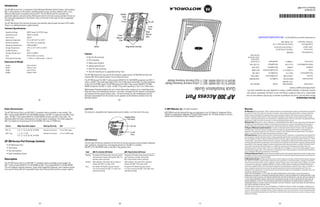
Introduction                                                                                                                                                                                                                                                                                                                                                                                                      Revision A June 2007
The AP 300 Access Port, a component of the Motorola Wireless Switch System, links wireless                                                                                                                                                                                                                                                                                                                        72-101194-01
802.11a/b/g devices to the switch, enabling growth of your wireless network with a cost-
effective alternative to standard access points. The AP 300 Access Port provides two
placement options: wall and ceiling. Wall mount slots fit onto two screws provided. Arrows on
the case guide placement of the screws. Clips on the back of the case fit onto a suspended
ceiling T-bar.
The AP 300 Access Port receives all power and transfers data through the same CAT-5 cable.
There is no additional power supply required.
Technical Specifications
 Operating Voltage              48VDC typical; 36-57VDC range
 Operating Current              100mA to 165mA
                                                                                                                                                                                                                                                                                                                                         For the latest version of this guide go to: http://www.symbol.com/manuals
 Peak Current                   250mA
 Operating Temperature          0°C to 40°C (32°F to 104°F)                                                                                                                                                                                                                                                                                                         +44 118 945 7360                               Distributor Operations
 Operating Humidity             5% to 95% non-condensing                                                                                                                                                                                                                                                                                                            Contact local distributor or call             Europe/Mid-East
 Operating Altitude (max )      2438m (8,000ft.)                                                                                                                                                                                                                                                                                                                      +1-954-255-2610 Outside US                             Sales Support
 Storage Temperature            -40°C to 70°C (-40°F to 158°F)                                                                                                                                                                                                                                                                                                        1-800-347-0178 Inside US                              Latin America
 Storage Humidity               85%                                                                                                                                                                                                                                                                                                                                                           84452900                    Sweden/Sverige
 Storage Altitude (max.)        4572m (15,000ft.)                                                      Features                                                                                                                                                                                                       Outside Spain
 Drop                           910mm (36in.) to concrete                                                                                                                                                                                                                                                             +34 91 324 40 00
 Electrostatic Discharge        +/-15kV air; +/-8kV contact; +/-2kV pin
                                                                                                         • One RJ-45 connector                                                                                                                                                                                         Inside Spain
                                                                                                         • LED indicators                                                                                                                                                                                             91 324 40 00                          Spain/España                   11-8095311                          South Africa
Dimensions & Weight
                                                                                                         • Safety wire tie point                                                                                                                                                                                         +47 2232 4375                     Norway/Norge                    315-271700             Netherlands/Nederland
 Length                         241mm (9.5in.)                                                           • Laptop-style lock port                                                                                                                                                                                            5-520-1835                   Mexico/México                       2-484441                            Italy/Italia
 Width                          178mm (7.0in.)
                                                                                                         • Slots for wall mounting                                                                                                                                                                                           6074-49020           Germany/Deutschland                  01-40-96-52-21                                 France
 Height                         51mm (2.0in.)
 Weight                         0.45kg (1.0lbs)                                                          • Clips for mounting on a suspended ceiling T-bar                                                                                                                                                                    9 5407 580                    Finland/Suomi                    7020-1718                  Denmark/Danmark
                                                                                                       The AP 300 Access Port has one RJ-45 connector supporting an 10/100 Ethernet port and                                                                                                                               1-505-5794-0                Austria/Österreich               1-800-672-906                              Australia
                                                                                                       requires 802.3af-compliant power from an external source.                                                                                                                                                         +65-6796-9600                         Asia/Pacific             0800 328 2424                      United Kingdom
                                                                                                       The AP 300 Access Port 802.11a/b/g version (WSAP-5110-100-WWR) comprises two 802.11
                                                                                                                                                                                                                   WSAP-5110-050-WWR: 802.11 b/g Internal Antenna Model
                                                                                                                                                                                                                                                                                                                                                                                      1-631-738-2400
                                                                                                       radios: an 802.11b/g radio operating in the 2.4 to 2.5Ghz band and an 802.11a radio operating               WSAP-5110-100-WWR: 802.11 a/b/g Internal Antenna Model                                                 905-629-7226                              Canada            1-800-653-5350                          United States
                                                                                                       in the 4.9 to 5.875Ghz band. The AP 300 Access Port 802.11b/g version (WSAP-5110-050-
                                                                                                       WWR) comprises one 802.11 radio: an 802.11b/g radio operating in the 2.4 to 2.5Ghz band.                                                           Quick Installation Guide                                 contact Motorola Support Central.
                                                                                                       Motherboard firmware enables the unit to boot after either a power up or a watchdog reset.                                                                                                                  facility’s Technical or Systems Support. If there is a problem with the equipment, they will
                                                                                                       After self-boot, the motherboard sends an “I am alive” message into the network to be adopted                                                                                                               applications. If you have a problem running your unit or using your equipment, contact your
                                                                                                       and loaded with the actual runtime code. The boot firmware on the motherboard and the                                                   AP 300 Access Port                                                  Before using the unit, it must be configured to operate in the facility’s network and run your
                                                                                                       firmware downloaded from the switch can be updated via the Ethernet interface from the                                                                                                                                                                                                                   Service Information
                                                                                                       Wireless Switch.
                                                  (3)                                                                                                    (5)


Radio Characteristics                                                                                  Lock Port                                                                                                   © 2007 Motorola, Inc. All rights reserved.                                                   Warranty
                                                                                                                                                                                                                                                                                                                (A) Warranty Motorola (hereafter “Seller”) hardware Products are warranted against defects in workmanship and materials
The AP 300 Access Port is an IEEE 802.11-compliant device available in two models. The                 The lock port, compatible with laptop-style security cables, is on the side of the case.                    MOTOROLA and the Stylized M Logo are registered in the US Patent & Trademark Office.         for a period of twelve (12) months from the date of shipment, unless otherwise provided by Seller in writing, provided the
802.11a/b/g model (WSAP-5110-100-WWR) contains one 802.11a radio and one 802.11b/g                                                                                                                                 Symbol is a registered trademark of Symbol Technologies, Inc. All other product or service   Product remains unmodified and is operated under normal and proper conditions. Warranty provisions and durations on
radio. The 802.11b/g model (WSAP-5110-050-WWR) contains one 802.11b/g radio. The                                                                                                                                   names are the property of their respective owners.                                           software, integrated installed systems, Product modified or designed to meet specific customer specifications (“Custom
following table lists radio characteristics for each radio’s compliance. The three supported                                                                                                                                                                                                                    Products”), remanufactured products, and reconditioned or upgraded products, shall be as provided in the applicable Product
802.11g modes are simultaneous CCK and OFDM, CCK only, or OFDM only.                                                                                                                                                                                                                                            specification in effect at the time of purchase or in the accompanying software license.
                                                                                                                                                                                                                                                                                                                (B) Spare Parts Spare parts (i.e. parts, components, or subassemblies sold by Seller for use in the service and maintenance
                                                                                                                                                                                                                                                                                                                of Products) are warranted against defects in workmanship and materials for a period of thirty (30) days from the date of
 Device           Mbps Data Rate Support                 Utilizing Diversity    GHz                                                                                                                                                                                                                             shipment. Spare parts may be new or originate from returned units under the conditions set forth in subsection D below.
                                                                                                                                                                                                                                                                                                                (C) Repair of Motorola-branded hardware For repairs on Motorola-branded hardware Products under this Agreement,
 802.11a          6, 9, 12, 18, 24, 36, 48, 54 OFDM      Transmit and receive   4.9 to 5.875 range                                                                                                                                                                                                              including repairs covered by warranty, the repair services provided are warranted against defects in workmanship and
                                                                                                                                                                                                                                                                                                                materials on the repaired component of the Product for a period of thirty (30) days from the shipment date of the repaired
 802.11b/g        1, 2, 5.5, 11 CCK                      Transmit and receive   2.4 to 2.5 ISM range                                                                                                                                                                                                            Product, or until the end of the original warranty period, whichever is longer.
                  6, 9, 12, 18, 24, 36, 48, 54 OFDM                                                                                                                                                                                                                                                             (D) Product Service Products may be serviced or manufactured with parts, components, or subassemblies that originate from
                                                                                                                                                                                                                                                                                                                returned products and that have been tested as meeting applicable specifications for equivalent new material and Products.
                                                                                                                                                                                                                                                                                                                The sole obligation of Seller for defective hardware Products is limited to repair or replacement (at Seller’s option) on a “return
                                                                                                       LED Indicators                                                                                                                                                                                           to service depot” basis with prior Seller authorization. Customer is responsible for shipment to the Seller and assumes all costs
AP 300 Access Port Package Contents                                                                                                                                                                                                                                                                             and risks associated with this transportation; return shipment to the Customer will be at Seller's expense. Customer shall be
                                                                                                       The unit has LED activity indicators on the front of the case provide a status display indicating
                                                                                                                                                                                                                                                                                                                responsible for return shipment charges for product returned where Seller determines there is no defect (“No Defect Found”),
  • AP 300 Access Port                                                                                 error conditions, transmission, and network activity for the 802.11a (amber)                                                                                                                             or for product returned that Seller determines is not eligible for warranty repair. No charge will be made to Buyer for
  • Two screws                                                                                         (WSAP-5110-100-WWR) radio or the 802.11b/g (green) radio.                                                                                                                                                replacement parts for warranty repairs. Seller is not responsible for any damage to or loss of any software programs, data or
                                                                                                                                                                                                                                                                                                                removable data storage media, or the restoration or reinstallation of any software programs or data other than the software,
  • Two wall anchors                                                                                                                                                                                                                                                                                            if any, installed by Seller during manufacture of the Product.
                                                                                                        Task      802.11a Activity LED Amber                       802.11b/g Activity LED Green
  • Quick Installation Guide                                                                                                                                                                                                                                                                                    (E) Original Warranty Period Except for the warranty applying solely to the repaired component arising from a repair service
                                                                                                        Booting   The amber LED flashes three times per second     The green LED flashes three times per second                                                                                                 as provided in Section C above, the aforementioned provisions do not extend the original warranty period of any Product that
                                                                                                                  until firmware is loaded. During boot, 802.11a   until firmware is loaded. During boot,                                                                                                       had either been repaired or replaced by Seller.
Description                                                                                                       mobiles cannot associate.                        802.11b/g mobiles cannot associate.                                                                                                          (F) Warranty Provisions The above warranty provisions shall not apply to any Product (i) which has been repaired, tampered
                                                                                                                                                                                                                                                                                                                with, altered or modified, except by Seller’s authorized service personnel; (ii) in which the defects or damage to the Product
                                                                                                        Normal    After adoption, the amber LED is steady or       After adoption, the green LED is steady or                                                                                                   result from normal wear and tear, misuse, negligence, improper storage, water or other liquids, battery leakage, use of parts
The AP 300 Access Port is an IEEE 802.11-compliant device available in two models: An                             flashes with 802.11a radio traffic.              flashes with 802.11b/g radio traffic.                                                                                                        or accessories not approved or supplied by Motorola, or failure to perform operator handling and scheduled maintenance
802.11a/b/g model (WSAP-5110-100-WWR) an 802.11b/g model (WSAP-5110-050-WWR)                                                                                                                                                                                                                                    instructions supplied by Seller; (iii) which has been subjected to unusual physical or electrical stress, abuse, or accident, or
The unit supports external antennas, listed under Supported Antennas, and it requires power             Error     The amber LED flashes once per second            The green LED flashes once per second
                                                                                                                  if an error prevents the 802.11a radio from      if an error prevents the 802.11b/g radio from                                                                                                forces or exposure beyond normal use within the specified operational and environmental parameters set forth in the
from any UL-listed, 802.3af-compatible Power Over Ethernet (PoE) switch or power injector.                                                                                                                                                                                                                      applicable Product specification; nor shall the above warranty provisions apply to any expendable or consumable items, such
                                                                                                                  operating normally.                              operating normally.                                                                                                                          as batteries, supplied with the Product.
                                                                                                                                                                                                                                                                                                                EXCEPT FOR THE WARRANTY OF TITLE AND THE EXPRESS WARRANTIES STATED ABOVE, SELLER DISCLAIMS ALL
                                                                                                                                                                                                                                                                                                                WARRANTIES ON PRODUCTS FURNISHED HEREUNDER INCLUDING ALL IMPLIED WARRANTIES OF MERCHANTABILITY AND
                                                                                                                                                                                                                                                                                                                FITNESS FOR A PARTICULAR USE. ANY IMPLIED WARRANTIES THAT MAY BE IMPOSED BY LAW ARE LIMITED IN DURATION
                                                                                                                                                                                                                                                                                                                TO THE LIMITED WARRANTY PERIOD. SOME STATES OR COUNTRIES DO NOT ALLOW A LIMITATION ON HOW LONG AN
                                                                                                                                                                                                                                                                                                                IMPLIED WARRANTY LASTS OR THE EXCLUSION OR LIMITATION OF INCIDENTAL OR CONSEQUENTIAL DAMAGES FOR
                                                                                                                                                                                                                                                                                                                CONSUMER PRODUCTS. IN SUCH STATES OR COUNTRIES, FOR SUCH PRODUCTS, SOME EXCLUSIONS OR LIMITATIONS OF
                                                                                                                                                                                                                                                                                                                THIS LIMITED WARRANTY MAY NOT APPLY.
                                                                                                                                                                                                                                                                                                                The stated express warranties are in lieu of all obligations or liabilities on the part of Seller for damages, including but not
                                                                                                                                                                                                                                                                                                                limited to, special, indirect or consequential damages arising out of or in connection with the use or performance of the Product
                                                                                                                                                                                                                                                                                                                or service. Seller’s liability for damages to Buyer or others resulting from the use of any Product or service furnished hereunder
                                                                                                                                                                                                                                                                                                                shall in no way exceed the purchase price of said Product or the fair market value of said service, except in instances of injury
                                                                                                                                                                                                                                                                                                                to persons or property.


                                                  (4)                                                                                                     (6)                                                                                                   (1)                                                                                                            (2)
Radio Frequency Interference Requirements – Canada
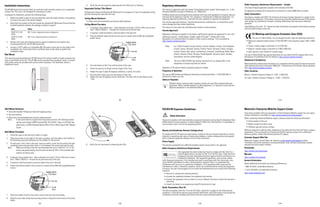
Installation Instructions                                                                            9.   Verify the unit has power by observing that the LEDs are lit or flashing.                  Regulatory Information
                                                                                                   Suspended Ceiling T-Bar Mount                                                                                                                                                                             This Class B digital apparatus complies with Canadian ICES-003.
The AP 300 Access Port mounts either on a wall with wide-shoulder screws or on a suspended                                                                                                           This device is approved under the Symbol Technologies brand; Symbol Technologies, Inc., is the
ceiling T-bar. This unit is not designed for mounting on a desk.                                                                                                                                     Enterprise Mobility business of Motorola, Inc (“Motorola”).                                             Cet appareil numérique de la classe B est conforme à la norme NMB-003 du Canada.
                                                                                                   Ceiling mount requires holding the AP 300 Access Port up against a T-bar of a suspended ceiling
To prepare for installation, perform the following steps:                                          grid and twisting the case onto the T-bar.                                                        All Motorola devices are designed to be compliant with rules and regulations in locations they are      Radio Transmitters
                                                                                                                                                                                                     sold and will be labeled as required. Any changes or modifications to Motorola equipment, not           This device complies with RSS 210 of Industry & Science Canada. Operation is subject to the
  1.   Match the model number on the purchase order with the model numbers in the packing          Ceiling Mount Hardware                                                                            expressly approved by Motorola, could void the user’s authority to operate the equipment.
       list and on the case of the device shipped.                                                                                                                                                                                                                                                           following two conditions: (1) this device may not cause harmful interference and (2) this device
                                                                                                     • Safety wire (recommended) and security cable (optional)                                       Use only the approved antennas. Unauthorized antennas, modifications, or attachments could              must accept any interference received, including interference that may cause undesired
  2.   Verify that the contents of the box include the intended AP 300 Access Port and that the                                                                                                                                                                                                              operation.
       included hardware matches the package contents on page 4.                                   Ceiling Mount Procedure                                                                           cause damage and may violate regulations.
                                                                                                     1.   If required, loop a safety wire—with a diameter of at least 1.01mm (.04in.) but no more    This device is to be used only with Motorola’s wireless switch products.                                Label Marking: The Term “IC:” before the radio certification only signifies that Industry Canada
        Item                   Notes                                                                                                                                                                                                                                                                         technical specifications were met.
                                                                                                          than 1.58mm (.0625in.) —through the tie post and secure the loop.                          Country Approvals
        WSAP-5110-100-         802.11a/b/g integrated antenna configuration.                         2.   If required, install and attach a security cable to the lock port.
        WWR                                                                                                                                                                                          Regulatory markings are applied to the device signifying the radio(s) are approved for use in the                 CE Marking and European Economic Area (EEA)
        WSAP-5110-050-         802.11b/g integrated antenna configuration.                           3.   Plug the Ethernet cable into the the unit and to a switch with an 802.3af-compatible       following countries: United States, Canada, Japan & Europe1,2. Please refer to the
        WWR                                                                                               power source.                                                                              Declaration of Conformity (DoC) for details of other country markings. This is available at                       The use of 2.4GHz RLAN’s, for use through the EEA, have the following restrictions:
                                                                                                                                                                                                     http://www2.symbol.com/doc/.                                                                              • Maximum radiated transmit power of 100 mW EIRP in the frequency range 2.400 -2.4835
  3.   Review site survey and network analysis reports to determine the location and
       mounting position for the AP 300 Access Port.                                                                                                                                                                                                                                                             GHz
                                                                                                                                                         2
                                                                                                                                                                                                         Note:       For 2.4GHz Products: Europe includes, Austria, Belgium, Croatia, Czech Republic,          • France, outside usage is restricted to 2.4-2.454 GHz
  4.   Connect a CAT-5 cable to a compatible 802.3af power source and run the cable to the
       installation site. Ensure that there is sufficient slack on the cable to perform the                                                                                                                          Croatia, Cyprus, Denmark, Estonia, Finland, France, Germany, Greece, Hungary,             • Belgium, outside usage is restricted to 2.460-2.4835 GHz
                                                                                                                                                                 3
       installation steps.                                                                                                                                                                                           Iceland, Ireland, Italy, Latvia, Liechtenstein, Lithuania, Luxembourg, Malta, Neth-       • Italy requires a user license for outside usage.
Wall Mount                                                                                                                                                                                                           erlands, Norway, Poland, Portugal, Slovak Republic, Slovenia, Spain, Sweden,            The use of 5GHz RLAN’s has varying restrictions for use within the EEA; please refer to the
                                                                                                                                                             1                                                       Switzerland, and the United Kingdom.                                                    Declaration of Conformity (DoC) for details at http://www2.symbol.com/doc/
This mounting requires hanging the AP 300 Access Port along its width or length using the two
slots on the bottom of the unit. The AP 300 can be mounted onto any plaster, wood, or cement                                                                                                             Note:       The use of 5GHz RLAN’s has varying restrictions of use; please refer to the             Statement of Compliance
wall surface using the provided wall anchors when necessary. The illustration shows a
lengthwise mount.                                                                                                                                                                                                    Declaration of Conformity (DoC) for details.                                            Motorola hereby, declares that this device is in compliance with the essential requirements and
                                                                                                     4.   Face the bottom of the T-bar with the back of the case.                                                                                                                                            other relevant provisions of Directive 1999/5/EC. A Declaration of Conformity may be obtained
                                                                                                     5.   Orient the case by its length and the length of the T-bar.                                 Operation of the device without regulatory approval is illegal.                                         from http://www2.symbol.com/doc/
                                                                                                     6.   Rotate the case in place 45 degrees clockwise, or about 10 o’clock.                        Frequency of Operation                                                                                  Other Countries
                                                                                                     7.   Push the back of the case onto the bottom of the T-bar.                                    The use on UNII (Unlicensed National Information Infrastructure) Band 1 5150-5250 MHz is                Mexico - Restrict Frequency Range to: 2.450 - 2.4835 GHz.
                                                                                                     8.   Rotate the case 45 degrees counter-clockwise. The clips click as they fasten to the        restricted to indoor use only.
                                                                                                                                                                                                                                                                                                             Sri Lanka - Restrict Frequency Range to: 2.400 – 2.430 GHz.
                                                                                                          T-bar.                                                                                     Safety in Hospitals
                                                                                                                                                                                                              Wireless devices transmit radio frequency energy and may affect medical electrical
                                                                                                                                                                                                              equipment. When installed adjacent to other equipment, it is advised to verify that the
                                                                                                                                                                                                              adjacent equipment is not adversely affected.


                                               (7)                                                                                                (9)                                                                                                  (11)                                                                                                (13)


Wall Mount Hardware                                                                                                                                                                                  FCC/EU RF Exposure Guidelines                                                                           Motorola’s Enterprise Mobility Support Center
 • Two wide-shoulder Phillips pan head self-tapping screws
                                                                                                                                                                                                                                                                                                             If you have a problem with your equipment, contact Enterprise Mobility support for your region.
 • Two wall anchors                                                                                                                                                                                                                                                                                          Contact information is available at: http://www.symbol.com/contactsupport.
                                                                                                                                                                                                                 Safety Information
 • Safety wire (recommended) and security cable (optional)                                                                                                                                                                                                                                                   When contacting Enterprise Mobility support, please provide the following information:
  Note:      In the event that the original mounting screws are lost, the following screws                                                                                                           The device complies with Internationally recognised standards covering Specific Absorption Rate
                                                                                                                                                                                                     (SAR) related to human exposure to electromagnetic fields from radio devices. It is advisable to         • Serial number of the unit
             can be used instead: (ANSI Standard) #6-18 X 0.875in. Type A or AB Self-Tap-
             ping Screw, or (ANSI Standard Metric) M3.5 X 0.6 X 20mm Type D Self-Tapping                                                                                                             use the device only in the normal operating position.                                                    • Model number or product name
             Screw.                                                                                                                                                                                                                                                                                           • Software type and version number
                                                                                                                                                                                                     Remote and Standalone Antenna Configurations                                                            Motorola responds to calls by email, telephone or fax within the time limits set forth in support
Wall Mount Procedure                                                                                                                                                                                                                                                                                         agreements. If you purchased your Enterprise Mobility business product from a Motorola
  1.   Orient the case on the wall by its width or length.                                                                                                                                           To comply with FCC RF exposure requirements, antennas that are mounted externally at remote             business partner, contact that business partner for support.
                                                                                                                                                                                                     locations or operating near users at stand-alone desktop or similar configurations must operate
  2.   Using the arrows on one edge of the case as guides, move the edge to the midline of                                                                                                           with a minimum separation distance of 20 cm from all persons.                                           Customer Support Web Site
       the mounting area and mark points on the midline for the screws.                                                                                                                                                                                                                                      Motorola's Support Central Web site, located at www.symbol.com/support provides
                                                                                                                                                                                                     Power Supply
  3.   At each point, drill a hole in the wall, insert an anchor, screw into the anchor the wall                                                                                                                                                                                                             information and online assistance including developer tools, software downloads, product
       mounting screw and stop when there is 1mm between the screw head and the wall.                9.   Verify the unit has power by observing the LEDs.                                           This device is powered from a 802.3af compliant power source which is UL approved.                      manuals and online repair requests.
    Note:     When pre-drilling a hole the recommended hole size is 2.8mm (0.11in.) if the                                                                                                           Radio Frequency Interference Requirements                                                               Downloads
              screws are going directly into the wall and 6mm (0.23in.) if the provided wall                                                                                                                                                                                                                 http://symbol.com/downloads
              anchors are being used.                                                                                                                                                                                       This equipment has been tested and found to comply with the limits for a
                                                                                                                                                                                                                            Class B digital device, pursuant to Part 15 of the FCC rules. These limits are   Manuals
                                                                                                                                                                                                                            designed to provide reasonable protection against harmful interference in a
  4.   If required, loop a safety wire—with a diameter of at least 1.01mm (.04in.) but no more                                                                                                                              residential installation. This equipment generates, uses and can radiate         http://symbol.com/manuals
       than 1.58mm (.0625in.)—around the tie point and secure the loop.                                                                                                                              radio frequency energy and, if not installed and used in accordance with the instructions, may          General Information
  5.   If required, install and attach a security cable to the unit’s lock port.                                                                                                                     cause harmful interference to radio communications. However there is no guarantee that
                                                                                                                                                                                                     interference will not occur in a particular installation. If this equipment does cause harmful          Obtain additional information by contacting Motorola at:
  6.   Attach the Ethernet cable to the unit and to a switch with an 802.3af-compatible power                                                                                                        interference to radio or television reception, which can be determined by turning the equipment         1-800-722-6234, inside North America
       source.                                                                                                                                                                                       off and on, the user is encouraged to try to correct the interference by one or more of the following
                                                                                                                                                                                                     measures:                                                                                               +1-516-738-5200, in/outside North America
                                                                                                                                                                                                        • Reorient or relocate the receiving antenna                                                         http://www.motorola.com/
                                                     5
                                                                                                                                                                                                        • Increase the separation between the equipment and receiver
                                                            6                                                                                                                                           • Connect the equipment into an outlet on a circuit different from that to which the receiver is
                                                                                                                                                                                                          connected
                                                                                                                                                                                                        • Consult the dealer or an experienced radio/TV technician for help.
                                                          4
                                                                                                                                                                                                     Radio Transmitters (Part 15)
                                                                                                                                                                                                     This device complies with Part 15 of the FCC Rules. Operation is subject to the following two
                                                                                                                                                                                                     conditions: (1) this device may not cause harmful interference, and (2) this device must accept any
  7.   Place the middle of each of the case’s mount slots over the screw heads.                                                                                                                      interference received, including interference that may cause undesired operation.
  8.   Slide the case down along the mounting surface to hang the mount slots on the screw
       heads.
                                               (8)                                                                                                (10)                                                                                                 (12)                                                                                                (14)

Ap 300 access port internal antenna model

  • 1.
    Introduction Revision A June 2007 The AP 300 Access Port, a component of the Motorola Wireless Switch System, links wireless 72-101194-01 802.11a/b/g devices to the switch, enabling growth of your wireless network with a cost- effective alternative to standard access points. The AP 300 Access Port provides two placement options: wall and ceiling. Wall mount slots fit onto two screws provided. Arrows on the case guide placement of the screws. Clips on the back of the case fit onto a suspended ceiling T-bar. The AP 300 Access Port receives all power and transfers data through the same CAT-5 cable. There is no additional power supply required. Technical Specifications Operating Voltage 48VDC typical; 36-57VDC range Operating Current 100mA to 165mA For the latest version of this guide go to: http://www.symbol.com/manuals Peak Current 250mA Operating Temperature 0°C to 40°C (32°F to 104°F) +44 118 945 7360 Distributor Operations Operating Humidity 5% to 95% non-condensing Contact local distributor or call Europe/Mid-East Operating Altitude (max ) 2438m (8,000ft.) +1-954-255-2610 Outside US Sales Support Storage Temperature -40°C to 70°C (-40°F to 158°F) 1-800-347-0178 Inside US Latin America Storage Humidity 85% 84452900 Sweden/Sverige Storage Altitude (max.) 4572m (15,000ft.) Features Outside Spain Drop 910mm (36in.) to concrete +34 91 324 40 00 Electrostatic Discharge +/-15kV air; +/-8kV contact; +/-2kV pin • One RJ-45 connector Inside Spain • LED indicators 91 324 40 00 Spain/España 11-8095311 South Africa Dimensions & Weight • Safety wire tie point +47 2232 4375 Norway/Norge 315-271700 Netherlands/Nederland Length 241mm (9.5in.) • Laptop-style lock port 5-520-1835 Mexico/México 2-484441 Italy/Italia Width 178mm (7.0in.) • Slots for wall mounting 6074-49020 Germany/Deutschland 01-40-96-52-21 France Height 51mm (2.0in.) Weight 0.45kg (1.0lbs) • Clips for mounting on a suspended ceiling T-bar 9 5407 580 Finland/Suomi 7020-1718 Denmark/Danmark The AP 300 Access Port has one RJ-45 connector supporting an 10/100 Ethernet port and 1-505-5794-0 Austria/Österreich 1-800-672-906 Australia requires 802.3af-compliant power from an external source. +65-6796-9600 Asia/Pacific 0800 328 2424 United Kingdom The AP 300 Access Port 802.11a/b/g version (WSAP-5110-100-WWR) comprises two 802.11 WSAP-5110-050-WWR: 802.11 b/g Internal Antenna Model 1-631-738-2400 radios: an 802.11b/g radio operating in the 2.4 to 2.5Ghz band and an 802.11a radio operating WSAP-5110-100-WWR: 802.11 a/b/g Internal Antenna Model 905-629-7226 Canada 1-800-653-5350 United States in the 4.9 to 5.875Ghz band. The AP 300 Access Port 802.11b/g version (WSAP-5110-050- WWR) comprises one 802.11 radio: an 802.11b/g radio operating in the 2.4 to 2.5Ghz band. Quick Installation Guide contact Motorola Support Central. Motherboard firmware enables the unit to boot after either a power up or a watchdog reset. facility’s Technical or Systems Support. If there is a problem with the equipment, they will After self-boot, the motherboard sends an “I am alive” message into the network to be adopted applications. If you have a problem running your unit or using your equipment, contact your and loaded with the actual runtime code. The boot firmware on the motherboard and the AP 300 Access Port Before using the unit, it must be configured to operate in the facility’s network and run your firmware downloaded from the switch can be updated via the Ethernet interface from the Service Information Wireless Switch. (3) (5) Radio Characteristics Lock Port © 2007 Motorola, Inc. All rights reserved. Warranty (A) Warranty Motorola (hereafter “Seller”) hardware Products are warranted against defects in workmanship and materials The AP 300 Access Port is an IEEE 802.11-compliant device available in two models. The The lock port, compatible with laptop-style security cables, is on the side of the case. MOTOROLA and the Stylized M Logo are registered in the US Patent & Trademark Office. for a period of twelve (12) months from the date of shipment, unless otherwise provided by Seller in writing, provided the 802.11a/b/g model (WSAP-5110-100-WWR) contains one 802.11a radio and one 802.11b/g Symbol is a registered trademark of Symbol Technologies, Inc. All other product or service Product remains unmodified and is operated under normal and proper conditions. Warranty provisions and durations on radio. The 802.11b/g model (WSAP-5110-050-WWR) contains one 802.11b/g radio. The names are the property of their respective owners. software, integrated installed systems, Product modified or designed to meet specific customer specifications (“Custom following table lists radio characteristics for each radio’s compliance. The three supported Products”), remanufactured products, and reconditioned or upgraded products, shall be as provided in the applicable Product 802.11g modes are simultaneous CCK and OFDM, CCK only, or OFDM only. specification in effect at the time of purchase or in the accompanying software license. (B) Spare Parts Spare parts (i.e. parts, components, or subassemblies sold by Seller for use in the service and maintenance of Products) are warranted against defects in workmanship and materials for a period of thirty (30) days from the date of Device Mbps Data Rate Support Utilizing Diversity GHz shipment. Spare parts may be new or originate from returned units under the conditions set forth in subsection D below. (C) Repair of Motorola-branded hardware For repairs on Motorola-branded hardware Products under this Agreement, 802.11a 6, 9, 12, 18, 24, 36, 48, 54 OFDM Transmit and receive 4.9 to 5.875 range including repairs covered by warranty, the repair services provided are warranted against defects in workmanship and materials on the repaired component of the Product for a period of thirty (30) days from the shipment date of the repaired 802.11b/g 1, 2, 5.5, 11 CCK Transmit and receive 2.4 to 2.5 ISM range Product, or until the end of the original warranty period, whichever is longer. 6, 9, 12, 18, 24, 36, 48, 54 OFDM (D) Product Service Products may be serviced or manufactured with parts, components, or subassemblies that originate from returned products and that have been tested as meeting applicable specifications for equivalent new material and Products. The sole obligation of Seller for defective hardware Products is limited to repair or replacement (at Seller’s option) on a “return LED Indicators to service depot” basis with prior Seller authorization. Customer is responsible for shipment to the Seller and assumes all costs AP 300 Access Port Package Contents and risks associated with this transportation; return shipment to the Customer will be at Seller's expense. Customer shall be The unit has LED activity indicators on the front of the case provide a status display indicating responsible for return shipment charges for product returned where Seller determines there is no defect (“No Defect Found”), • AP 300 Access Port error conditions, transmission, and network activity for the 802.11a (amber) or for product returned that Seller determines is not eligible for warranty repair. No charge will be made to Buyer for • Two screws (WSAP-5110-100-WWR) radio or the 802.11b/g (green) radio. replacement parts for warranty repairs. Seller is not responsible for any damage to or loss of any software programs, data or removable data storage media, or the restoration or reinstallation of any software programs or data other than the software, • Two wall anchors if any, installed by Seller during manufacture of the Product. Task 802.11a Activity LED Amber 802.11b/g Activity LED Green • Quick Installation Guide (E) Original Warranty Period Except for the warranty applying solely to the repaired component arising from a repair service Booting The amber LED flashes three times per second The green LED flashes three times per second as provided in Section C above, the aforementioned provisions do not extend the original warranty period of any Product that until firmware is loaded. During boot, 802.11a until firmware is loaded. During boot, had either been repaired or replaced by Seller. Description mobiles cannot associate. 802.11b/g mobiles cannot associate. (F) Warranty Provisions The above warranty provisions shall not apply to any Product (i) which has been repaired, tampered with, altered or modified, except by Seller’s authorized service personnel; (ii) in which the defects or damage to the Product Normal After adoption, the amber LED is steady or After adoption, the green LED is steady or result from normal wear and tear, misuse, negligence, improper storage, water or other liquids, battery leakage, use of parts The AP 300 Access Port is an IEEE 802.11-compliant device available in two models: An flashes with 802.11a radio traffic. flashes with 802.11b/g radio traffic. or accessories not approved or supplied by Motorola, or failure to perform operator handling and scheduled maintenance 802.11a/b/g model (WSAP-5110-100-WWR) an 802.11b/g model (WSAP-5110-050-WWR) instructions supplied by Seller; (iii) which has been subjected to unusual physical or electrical stress, abuse, or accident, or The unit supports external antennas, listed under Supported Antennas, and it requires power Error The amber LED flashes once per second The green LED flashes once per second if an error prevents the 802.11a radio from if an error prevents the 802.11b/g radio from forces or exposure beyond normal use within the specified operational and environmental parameters set forth in the from any UL-listed, 802.3af-compatible Power Over Ethernet (PoE) switch or power injector. applicable Product specification; nor shall the above warranty provisions apply to any expendable or consumable items, such operating normally. operating normally. as batteries, supplied with the Product. EXCEPT FOR THE WARRANTY OF TITLE AND THE EXPRESS WARRANTIES STATED ABOVE, SELLER DISCLAIMS ALL WARRANTIES ON PRODUCTS FURNISHED HEREUNDER INCLUDING ALL IMPLIED WARRANTIES OF MERCHANTABILITY AND FITNESS FOR A PARTICULAR USE. ANY IMPLIED WARRANTIES THAT MAY BE IMPOSED BY LAW ARE LIMITED IN DURATION TO THE LIMITED WARRANTY PERIOD. SOME STATES OR COUNTRIES DO NOT ALLOW A LIMITATION ON HOW LONG AN IMPLIED WARRANTY LASTS OR THE EXCLUSION OR LIMITATION OF INCIDENTAL OR CONSEQUENTIAL DAMAGES FOR CONSUMER PRODUCTS. IN SUCH STATES OR COUNTRIES, FOR SUCH PRODUCTS, SOME EXCLUSIONS OR LIMITATIONS OF THIS LIMITED WARRANTY MAY NOT APPLY. The stated express warranties are in lieu of all obligations or liabilities on the part of Seller for damages, including but not limited to, special, indirect or consequential damages arising out of or in connection with the use or performance of the Product or service. Seller’s liability for damages to Buyer or others resulting from the use of any Product or service furnished hereunder shall in no way exceed the purchase price of said Product or the fair market value of said service, except in instances of injury to persons or property. (4) (6) (1) (2)
  • 2.
    Radio Frequency InterferenceRequirements – Canada Installation Instructions 9. Verify the unit has power by observing that the LEDs are lit or flashing. Regulatory Information Suspended Ceiling T-Bar Mount This Class B digital apparatus complies with Canadian ICES-003. The AP 300 Access Port mounts either on a wall with wide-shoulder screws or on a suspended This device is approved under the Symbol Technologies brand; Symbol Technologies, Inc., is the ceiling T-bar. This unit is not designed for mounting on a desk. Enterprise Mobility business of Motorola, Inc (“Motorola”). Cet appareil numérique de la classe B est conforme à la norme NMB-003 du Canada. Ceiling mount requires holding the AP 300 Access Port up against a T-bar of a suspended ceiling To prepare for installation, perform the following steps: grid and twisting the case onto the T-bar. All Motorola devices are designed to be compliant with rules and regulations in locations they are Radio Transmitters sold and will be labeled as required. Any changes or modifications to Motorola equipment, not This device complies with RSS 210 of Industry & Science Canada. Operation is subject to the 1. Match the model number on the purchase order with the model numbers in the packing Ceiling Mount Hardware expressly approved by Motorola, could void the user’s authority to operate the equipment. list and on the case of the device shipped. following two conditions: (1) this device may not cause harmful interference and (2) this device • Safety wire (recommended) and security cable (optional) Use only the approved antennas. Unauthorized antennas, modifications, or attachments could must accept any interference received, including interference that may cause undesired 2. Verify that the contents of the box include the intended AP 300 Access Port and that the operation. included hardware matches the package contents on page 4. Ceiling Mount Procedure cause damage and may violate regulations. 1. If required, loop a safety wire—with a diameter of at least 1.01mm (.04in.) but no more This device is to be used only with Motorola’s wireless switch products. Label Marking: The Term “IC:” before the radio certification only signifies that Industry Canada Item Notes technical specifications were met. than 1.58mm (.0625in.) —through the tie post and secure the loop. Country Approvals WSAP-5110-100- 802.11a/b/g integrated antenna configuration. 2. If required, install and attach a security cable to the lock port. WWR Regulatory markings are applied to the device signifying the radio(s) are approved for use in the CE Marking and European Economic Area (EEA) WSAP-5110-050- 802.11b/g integrated antenna configuration. 3. Plug the Ethernet cable into the the unit and to a switch with an 802.3af-compatible following countries: United States, Canada, Japan & Europe1,2. Please refer to the WWR power source. Declaration of Conformity (DoC) for details of other country markings. This is available at The use of 2.4GHz RLAN’s, for use through the EEA, have the following restrictions: http://www2.symbol.com/doc/. • Maximum radiated transmit power of 100 mW EIRP in the frequency range 2.400 -2.4835 3. Review site survey and network analysis reports to determine the location and mounting position for the AP 300 Access Port. GHz 2 Note: For 2.4GHz Products: Europe includes, Austria, Belgium, Croatia, Czech Republic, • France, outside usage is restricted to 2.4-2.454 GHz 4. Connect a CAT-5 cable to a compatible 802.3af power source and run the cable to the installation site. Ensure that there is sufficient slack on the cable to perform the Croatia, Cyprus, Denmark, Estonia, Finland, France, Germany, Greece, Hungary, • Belgium, outside usage is restricted to 2.460-2.4835 GHz 3 installation steps. Iceland, Ireland, Italy, Latvia, Liechtenstein, Lithuania, Luxembourg, Malta, Neth- • Italy requires a user license for outside usage. Wall Mount erlands, Norway, Poland, Portugal, Slovak Republic, Slovenia, Spain, Sweden, The use of 5GHz RLAN’s has varying restrictions for use within the EEA; please refer to the 1 Switzerland, and the United Kingdom. Declaration of Conformity (DoC) for details at http://www2.symbol.com/doc/ This mounting requires hanging the AP 300 Access Port along its width or length using the two slots on the bottom of the unit. The AP 300 can be mounted onto any plaster, wood, or cement Note: The use of 5GHz RLAN’s has varying restrictions of use; please refer to the Statement of Compliance wall surface using the provided wall anchors when necessary. The illustration shows a lengthwise mount. Declaration of Conformity (DoC) for details. Motorola hereby, declares that this device is in compliance with the essential requirements and 4. Face the bottom of the T-bar with the back of the case. other relevant provisions of Directive 1999/5/EC. A Declaration of Conformity may be obtained 5. Orient the case by its length and the length of the T-bar. Operation of the device without regulatory approval is illegal. from http://www2.symbol.com/doc/ 6. Rotate the case in place 45 degrees clockwise, or about 10 o’clock. Frequency of Operation Other Countries 7. Push the back of the case onto the bottom of the T-bar. The use on UNII (Unlicensed National Information Infrastructure) Band 1 5150-5250 MHz is Mexico - Restrict Frequency Range to: 2.450 - 2.4835 GHz. 8. Rotate the case 45 degrees counter-clockwise. The clips click as they fasten to the restricted to indoor use only. Sri Lanka - Restrict Frequency Range to: 2.400 – 2.430 GHz. T-bar. Safety in Hospitals Wireless devices transmit radio frequency energy and may affect medical electrical equipment. When installed adjacent to other equipment, it is advised to verify that the adjacent equipment is not adversely affected. (7) (9) (11) (13) Wall Mount Hardware FCC/EU RF Exposure Guidelines Motorola’s Enterprise Mobility Support Center • Two wide-shoulder Phillips pan head self-tapping screws If you have a problem with your equipment, contact Enterprise Mobility support for your region. • Two wall anchors Contact information is available at: http://www.symbol.com/contactsupport. Safety Information • Safety wire (recommended) and security cable (optional) When contacting Enterprise Mobility support, please provide the following information: Note: In the event that the original mounting screws are lost, the following screws The device complies with Internationally recognised standards covering Specific Absorption Rate (SAR) related to human exposure to electromagnetic fields from radio devices. It is advisable to • Serial number of the unit can be used instead: (ANSI Standard) #6-18 X 0.875in. Type A or AB Self-Tap- ping Screw, or (ANSI Standard Metric) M3.5 X 0.6 X 20mm Type D Self-Tapping use the device only in the normal operating position. • Model number or product name Screw. • Software type and version number Remote and Standalone Antenna Configurations Motorola responds to calls by email, telephone or fax within the time limits set forth in support Wall Mount Procedure agreements. If you purchased your Enterprise Mobility business product from a Motorola 1. Orient the case on the wall by its width or length. To comply with FCC RF exposure requirements, antennas that are mounted externally at remote business partner, contact that business partner for support. locations or operating near users at stand-alone desktop or similar configurations must operate 2. Using the arrows on one edge of the case as guides, move the edge to the midline of with a minimum separation distance of 20 cm from all persons. Customer Support Web Site the mounting area and mark points on the midline for the screws. Motorola's Support Central Web site, located at www.symbol.com/support provides Power Supply 3. At each point, drill a hole in the wall, insert an anchor, screw into the anchor the wall information and online assistance including developer tools, software downloads, product mounting screw and stop when there is 1mm between the screw head and the wall. 9. Verify the unit has power by observing the LEDs. This device is powered from a 802.3af compliant power source which is UL approved. manuals and online repair requests. Note: When pre-drilling a hole the recommended hole size is 2.8mm (0.11in.) if the Radio Frequency Interference Requirements Downloads screws are going directly into the wall and 6mm (0.23in.) if the provided wall http://symbol.com/downloads anchors are being used. This equipment has been tested and found to comply with the limits for a Class B digital device, pursuant to Part 15 of the FCC rules. These limits are Manuals designed to provide reasonable protection against harmful interference in a 4. If required, loop a safety wire—with a diameter of at least 1.01mm (.04in.) but no more residential installation. This equipment generates, uses and can radiate http://symbol.com/manuals than 1.58mm (.0625in.)—around the tie point and secure the loop. radio frequency energy and, if not installed and used in accordance with the instructions, may General Information 5. If required, install and attach a security cable to the unit’s lock port. cause harmful interference to radio communications. However there is no guarantee that interference will not occur in a particular installation. If this equipment does cause harmful Obtain additional information by contacting Motorola at: 6. Attach the Ethernet cable to the unit and to a switch with an 802.3af-compatible power interference to radio or television reception, which can be determined by turning the equipment 1-800-722-6234, inside North America source. off and on, the user is encouraged to try to correct the interference by one or more of the following measures: +1-516-738-5200, in/outside North America • Reorient or relocate the receiving antenna http://www.motorola.com/ 5 • Increase the separation between the equipment and receiver 6 • Connect the equipment into an outlet on a circuit different from that to which the receiver is connected • Consult the dealer or an experienced radio/TV technician for help. 4 Radio Transmitters (Part 15) This device complies with Part 15 of the FCC Rules. Operation is subject to the following two conditions: (1) this device may not cause harmful interference, and (2) this device must accept any 7. Place the middle of each of the case’s mount slots over the screw heads. interference received, including interference that may cause undesired operation. 8. Slide the case down along the mounting surface to hang the mount slots on the screw heads. (8) (10) (12) (14)