Software Selection FormAmy NicholsFebruary 12, 2010
Name:  Amy NicholsDepartment:  Instructional TechnologySoftware Title:  Camtasia StudioPublisher:  TechSmithTopic:Screen-cast/capture
Multi-pack License – this will allow for as many as 20 users to use the software on 20 different computers.Type of License
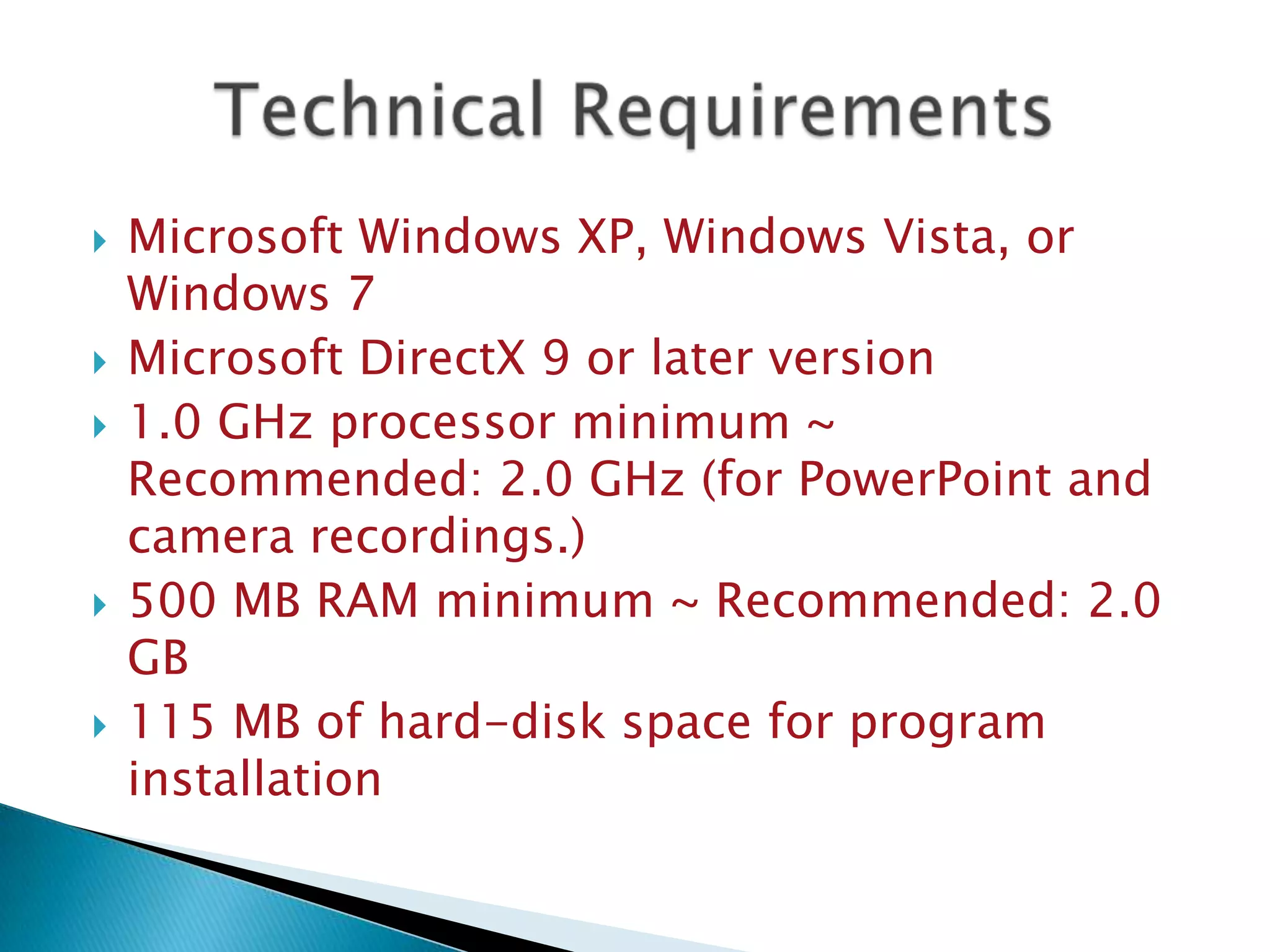
Microsoft Windows XP, Windows Vista, or Windows 7 Microsoft DirectX 9 or later version 1.0 GHz processor minimum ~ Recommended: 2.0 GHz (for PowerPoint and camera recordings.) 500 MB RAM minimum ~ Recommended: 2.0 GB 115 MB of hard-disk space for program installation Technical Requirements
PresentationTutorialGraphicsMultimediaAuthoringSoftware Category
The user is able to record the screen and create a demonstration or tutorial for needed material.The program is simple to use and can be started and exited with ease.Files from the program can be saved on the computer’s hard drive, or on a portable storage device.The program has features that allow the user to edit the screen capture.Software Features
The software will allow the user to narrate the screen capture or, if they choose, can leave sound off.This software creates a tutorial like atmosphere for the students.Software Features (cont.)
What are the instructional goals for this software?The goal for this software is to allow teachers to create demonstrations and presentations for their students with real time screen capture.Another goal is for the students to create presentations using the screen capturing software.
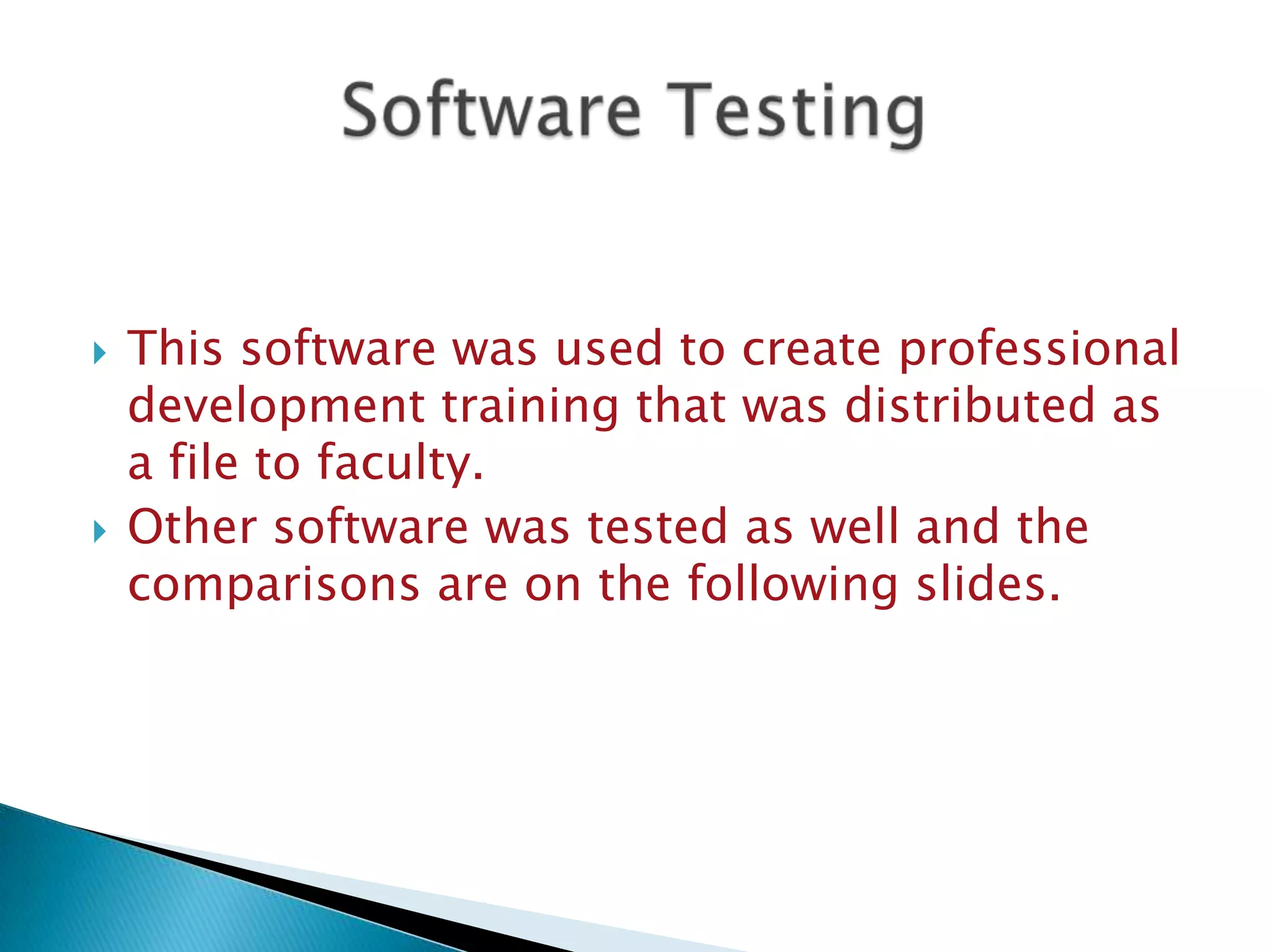
This software was used to create professional development training that was distributed as a file to faculty.Other software was tested as well and the comparisons are on the following slides.Software Testing
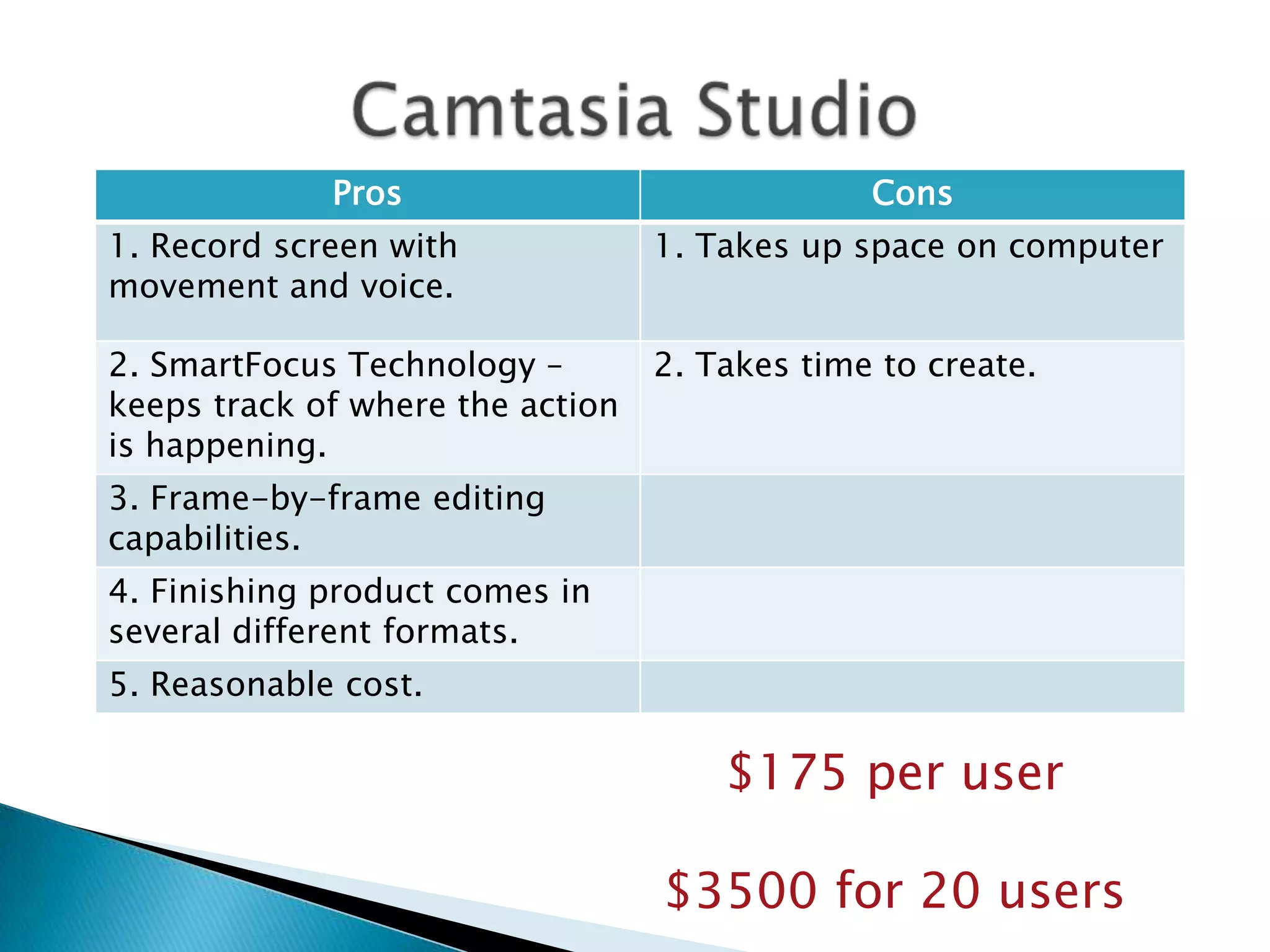
Camtasia Studio$175 per user$3500 for 20 users
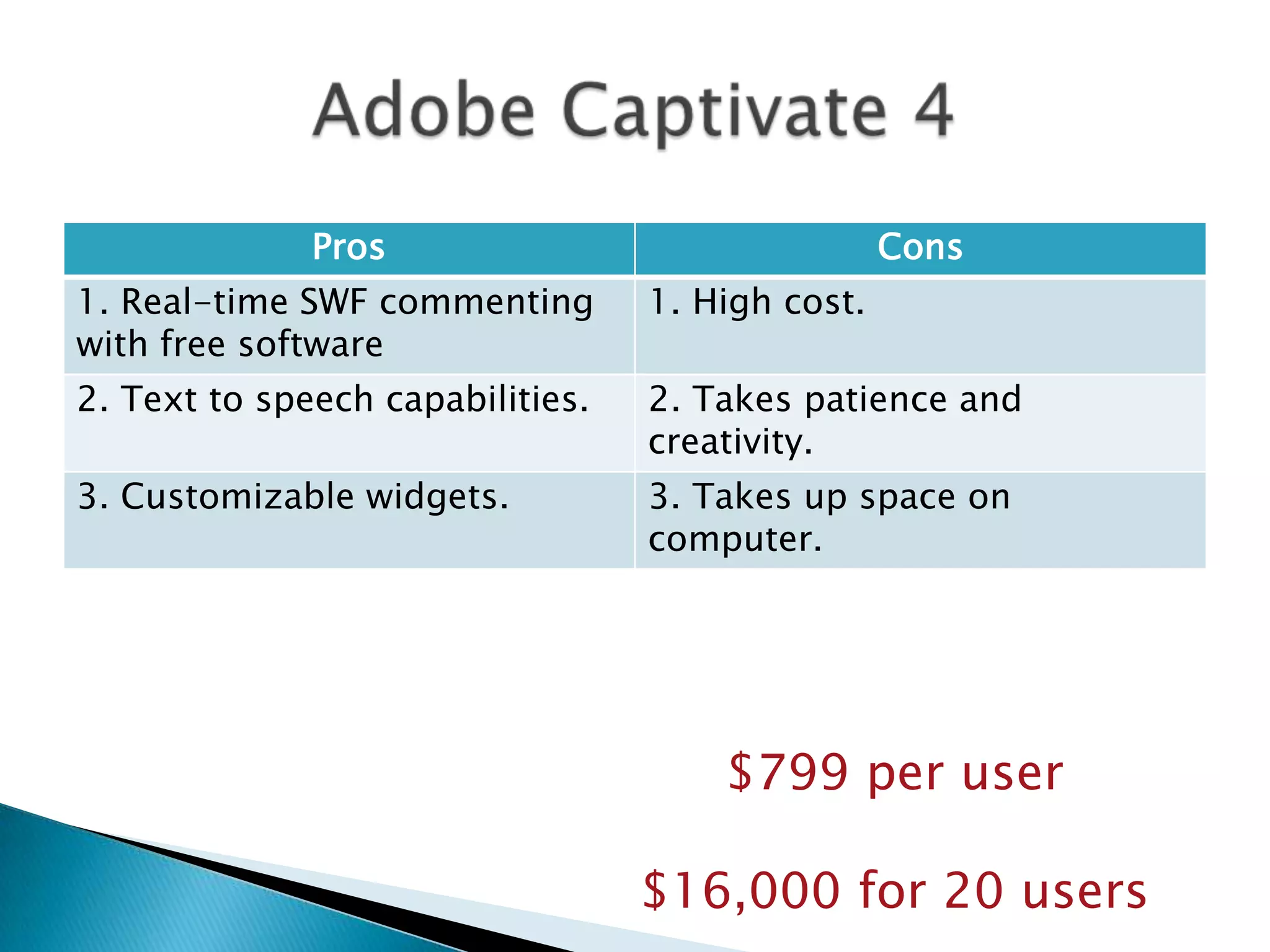
Adobe Captivate 4$799 per user$16,000 for 20 users
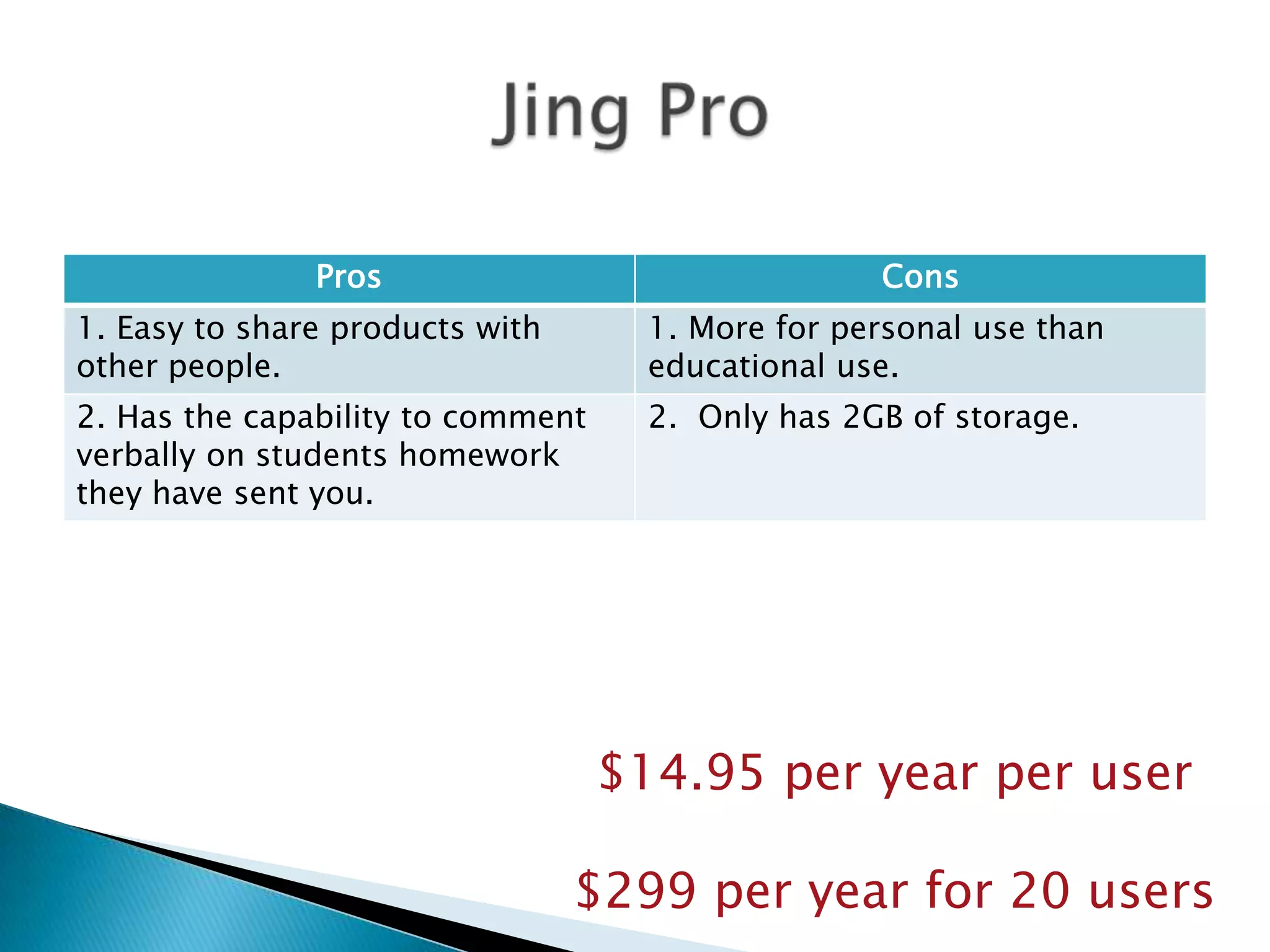
Jing Pro$14.95 per year per user$299 per year for 20 users
My recommendation:Camtasia Studio

Anichols Assignment3

  • 1.
    Software Selection FormAmyNicholsFebruary 12, 2010
  • 2.
    Name: AmyNicholsDepartment: Instructional TechnologySoftware Title: Camtasia StudioPublisher: TechSmithTopic:Screen-cast/capture
  • 3.
    Multi-pack License –this will allow for as many as 20 users to use the software on 20 different computers.Type of License
  • 4.
    Microsoft Windows XP,Windows Vista, or Windows 7 Microsoft DirectX 9 or later version 1.0 GHz processor minimum ~ Recommended: 2.0 GHz (for PowerPoint and camera recordings.) 500 MB RAM minimum ~ Recommended: 2.0 GB 115 MB of hard-disk space for program installation Technical Requirements
  • 5.
  • 6.
    The user isable to record the screen and create a demonstration or tutorial for needed material.The program is simple to use and can be started and exited with ease.Files from the program can be saved on the computer’s hard drive, or on a portable storage device.The program has features that allow the user to edit the screen capture.Software Features
  • 7.
    The software willallow the user to narrate the screen capture or, if they choose, can leave sound off.This software creates a tutorial like atmosphere for the students.Software Features (cont.)
  • 8.
    What are theinstructional goals for this software?The goal for this software is to allow teachers to create demonstrations and presentations for their students with real time screen capture.Another goal is for the students to create presentations using the screen capturing software.
  • 9.
    This software wasused to create professional development training that was distributed as a file to faculty.Other software was tested as well and the comparisons are on the following slides.Software Testing
  • 10.
    Camtasia Studio$175 peruser$3500 for 20 users
  • 11.
    Adobe Captivate 4$799per user$16,000 for 20 users
  • 12.
    Jing Pro$14.95 peryear per user$299 per year for 20 users
  • 13.