+
Evaluating Software:
Screencast programs
Semra Baki
EDIT 5395
+
General Information
and Type of License
 Name: Semra Baki
 Institution: Texas Tech University
 Department: Instructional Technology
 Software Programs Evaluated/Vendor:
Adobe Captivate 8/Adobe
Camtasia Version 2/TechSmith
 Content Area: Media Design and Development
 Education Level: Higher Education (sophomore)
+
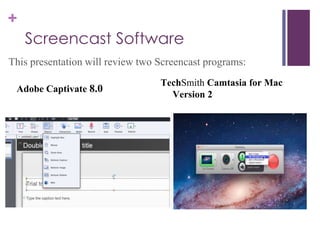
Screencast Software
This presentation will review two Screencast programs:
TechSmith Camtasia for Mac
Version 2
Adobe Captivate 8.0
+ Adobe Captivate CS4
 Runs on both Windows and Mac platforms
 Captures high-quality video from the computer screen
 Record, Edit, Produce, and Share video
 Most common uses:
 Creating demos for training
 Tutorials
 Quizzes and Testing
 and Presentations
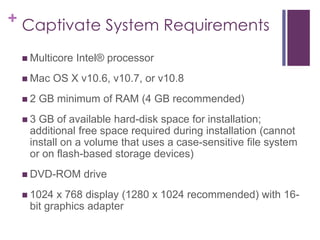
+ Captivate System Requirements
 Multicore Intel® processor
 Mac OS X v10.6, v10.7, or v10.8
 2 GB minimum of RAM (4 GB recommended)
 3 GB of available hard-disk space for installation;
additional free space required during installation (cannot
install on a volume that uses a case-sensitive file system
or on flash-based storage devices)
 DVD-ROM drive
 1024 x 768 display (1280 x 1024 recommended) with 16-
bit graphics adapter
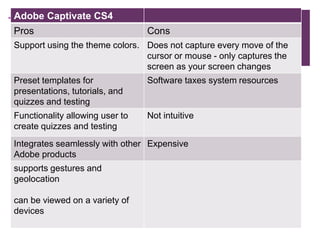
+Adobe Captivate CS4
Pros Cons
Support using the theme colors. Does not capture every move of the
cursor or mouse - only captures the
screen as your screen changes
Preset templates for
presentations, tutorials, and
quizzes and testing
Software taxes system resources
Functionality allowing user to
create quizzes and testing
Not intuitive
Integrates seamlessly with other
Adobe products
Expensive
supports gestures and
geolocation
can be viewed on a variety of
devices
+
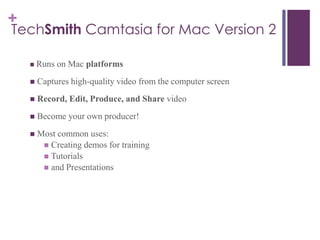
TechSmith Camtasia for Mac Version 2
 Runs on Mac platforms
 Captures high-quality video from the computer screen
 Record, Edit, Produce, and Share video
 Become your own producer!
 Most common uses:
 Creating demos for training
 Tutorials
 and Presentations
+
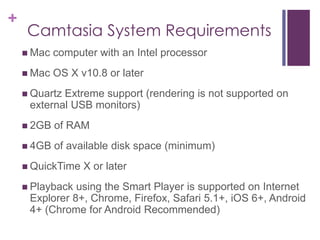
Camtasia System Requirements
 Mac computer with an Intel processor
 Mac OS X v10.8 or later
 Quartz Extreme support (rendering is not supported on
external USB monitors)
 2GB of RAM
 4GB of available disk space (minimum)
 QuickTime X or later
 Playback using the Smart Player is supported on Internet
Explorer 8+, Chrome, Firefox, Safari 5.1+, iOS 6+, Android
4+ (Chrome for Android Recommended)
+
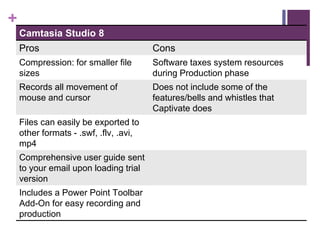
Camtasia Studio 8
Pros Cons
Compression: for smaller file
sizes
Software taxes system resources
during Production phase
Records all movement of
mouse and cursor
Does not include some of the
features/bells and whistles that
Captivate does
Files can easily be exported to
other formats - .swf, .flv, .avi,
mp4
Comprehensive user guide sent
to your email upon loading trial
version
Includes a Power Point Toolbar
Add-On for easy recording and
production
+
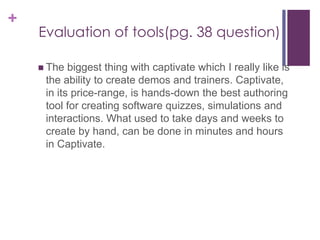
Evaluation of tools(pg. 38 question)
 The biggest thing with captivate which I really like is
the ability to create demos and trainers. Captivate,
in its price-range, is hands-down the best authoring
tool for creating software quizzes, simulations and
interactions. What used to take days and weeks to
create by hand, can be done in minutes and hours
in Captivate.
+
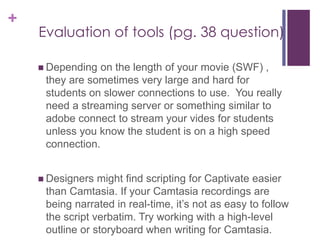
Evaluation of tools (pg. 38 question)
 Depending on the length of your movie (SWF) ,
they are sometimes very large and hard for
students on slower connections to use. You really
need a streaming server or something similar to
adobe connect to stream your vides for students
unless you know the student is on a high speed
connection.
 Designers might find scripting for Captivate easier
than Camtasia. If your Camtasia recordings are
being narrated in real-time, it’s not as easy to follow
the script verbatim. Try working with a high-level
outline or storyboard when writing for Camtasia.
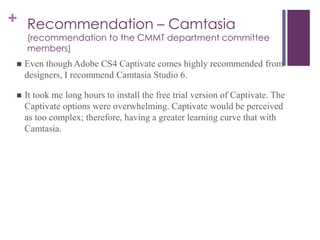
+ Recommendation – Camtasia
(recommendation to the CMMT department committee
members)
 Even though Adobe CS4 Captivate comes highly recommended from
designers, I recommend Camtasia Studio 6.
 It took me long hours to install the free trial version of Captivate. The
Captivate options were overwhelming. Captivate would be perceived
as too complex; therefore, having a greater learning curve that with
Camtasia.
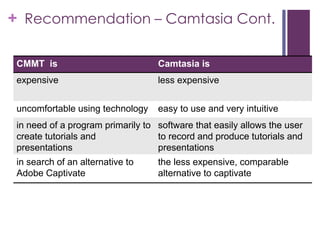
+ Recommendation – Camtasia Cont.
CMMT is Camtasia is
expensive less expensive
uncomfortable using technology easy to use and very intuitive
in need of a program primarily to
create tutorials and
presentations
software that easily allows the user
to record and produce tutorials and
presentations
in search of an alternative to
Adobe Captivate
the less expensive, comparable
alternative to captivate

Semra bakiassignment3

  • 1.
  • 2.
    + General Information and Typeof License  Name: Semra Baki  Institution: Texas Tech University  Department: Instructional Technology  Software Programs Evaluated/Vendor: Adobe Captivate 8/Adobe Camtasia Version 2/TechSmith  Content Area: Media Design and Development  Education Level: Higher Education (sophomore)
  • 3.
    + Screencast Software This presentationwill review two Screencast programs: TechSmith Camtasia for Mac Version 2 Adobe Captivate 8.0
  • 4.
    + Adobe CaptivateCS4  Runs on both Windows and Mac platforms  Captures high-quality video from the computer screen  Record, Edit, Produce, and Share video  Most common uses:  Creating demos for training  Tutorials  Quizzes and Testing  and Presentations
  • 5.
    + Captivate SystemRequirements  Multicore Intel® processor  Mac OS X v10.6, v10.7, or v10.8  2 GB minimum of RAM (4 GB recommended)  3 GB of available hard-disk space for installation; additional free space required during installation (cannot install on a volume that uses a case-sensitive file system or on flash-based storage devices)  DVD-ROM drive  1024 x 768 display (1280 x 1024 recommended) with 16- bit graphics adapter
  • 6.
    +Adobe Captivate CS4 ProsCons Support using the theme colors. Does not capture every move of the cursor or mouse - only captures the screen as your screen changes Preset templates for presentations, tutorials, and quizzes and testing Software taxes system resources Functionality allowing user to create quizzes and testing Not intuitive Integrates seamlessly with other Adobe products Expensive supports gestures and geolocation can be viewed on a variety of devices
  • 7.
    + TechSmith Camtasia forMac Version 2  Runs on Mac platforms  Captures high-quality video from the computer screen  Record, Edit, Produce, and Share video  Become your own producer!  Most common uses:  Creating demos for training  Tutorials  and Presentations
  • 8.
    + Camtasia System Requirements Mac computer with an Intel processor  Mac OS X v10.8 or later  Quartz Extreme support (rendering is not supported on external USB monitors)  2GB of RAM  4GB of available disk space (minimum)  QuickTime X or later  Playback using the Smart Player is supported on Internet Explorer 8+, Chrome, Firefox, Safari 5.1+, iOS 6+, Android 4+ (Chrome for Android Recommended)
  • 9.
    + Camtasia Studio 8 ProsCons Compression: for smaller file sizes Software taxes system resources during Production phase Records all movement of mouse and cursor Does not include some of the features/bells and whistles that Captivate does Files can easily be exported to other formats - .swf, .flv, .avi, mp4 Comprehensive user guide sent to your email upon loading trial version Includes a Power Point Toolbar Add-On for easy recording and production
  • 10.
    + Evaluation of tools(pg.38 question)  The biggest thing with captivate which I really like is the ability to create demos and trainers. Captivate, in its price-range, is hands-down the best authoring tool for creating software quizzes, simulations and interactions. What used to take days and weeks to create by hand, can be done in minutes and hours in Captivate.
  • 11.
    + Evaluation of tools(pg. 38 question)  Depending on the length of your movie (SWF) , they are sometimes very large and hard for students on slower connections to use. You really need a streaming server or something similar to adobe connect to stream your vides for students unless you know the student is on a high speed connection.  Designers might find scripting for Captivate easier than Camtasia. If your Camtasia recordings are being narrated in real-time, it’s not as easy to follow the script verbatim. Try working with a high-level outline or storyboard when writing for Camtasia.
  • 12.
    + Recommendation –Camtasia (recommendation to the CMMT department committee members)  Even though Adobe CS4 Captivate comes highly recommended from designers, I recommend Camtasia Studio 6.  It took me long hours to install the free trial version of Captivate. The Captivate options were overwhelming. Captivate would be perceived as too complex; therefore, having a greater learning curve that with Camtasia.
  • 13.
    + Recommendation –Camtasia Cont. CMMT is Camtasia is expensive less expensive uncomfortable using technology easy to use and very intuitive in need of a program primarily to create tutorials and presentations software that easily allows the user to record and produce tutorials and presentations in search of an alternative to Adobe Captivate the less expensive, comparable alternative to captivate