Angular
Vinod Kumar Kayartaya
https://vinod.co
vinod@vinod.co
What is Angular?
• Angular is a JavaScript client side framework for
creating powerful web or mobile applications
• Created and maintained by Google
• The most popular JavaScript framework as of date
• Create HTML-like elements (components)
• a combination of HTML, CSS and JavaScript
What is Angular?
• Complete re-write of AngularJS
• Component based
• No controllers or scope
• Streamlined dependency injection
• Can write apps in TypeScript, Dart or JavaScript
(ES5/ES6)
What is Angular?
• SPA (Single Page Application)
• Just one file - index.html,
• components rendered dynamically
• Cleaner code
What is Angular?
• So many options
• ES5
• CoffeeScript
• DART
• ES6 and ES7
• TypeScript
What is Angular?
• Modular
• Testable
• Maintainable
JavaScript advances
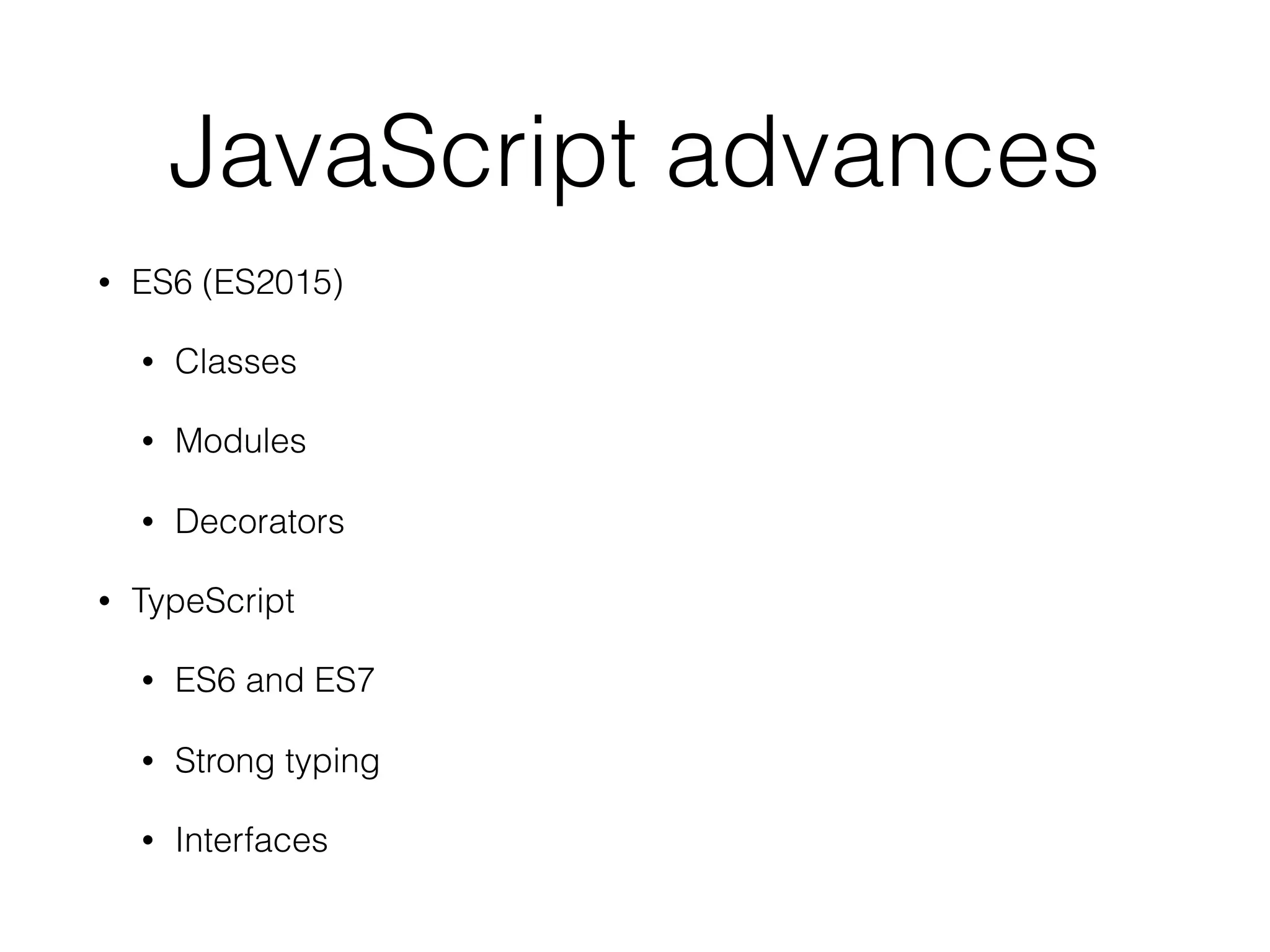
• ES6 (ES2015)
• Classes
• Modules
• Decorators
• TypeScript
• ES6 and ES7
• Strong typing
• Interfaces
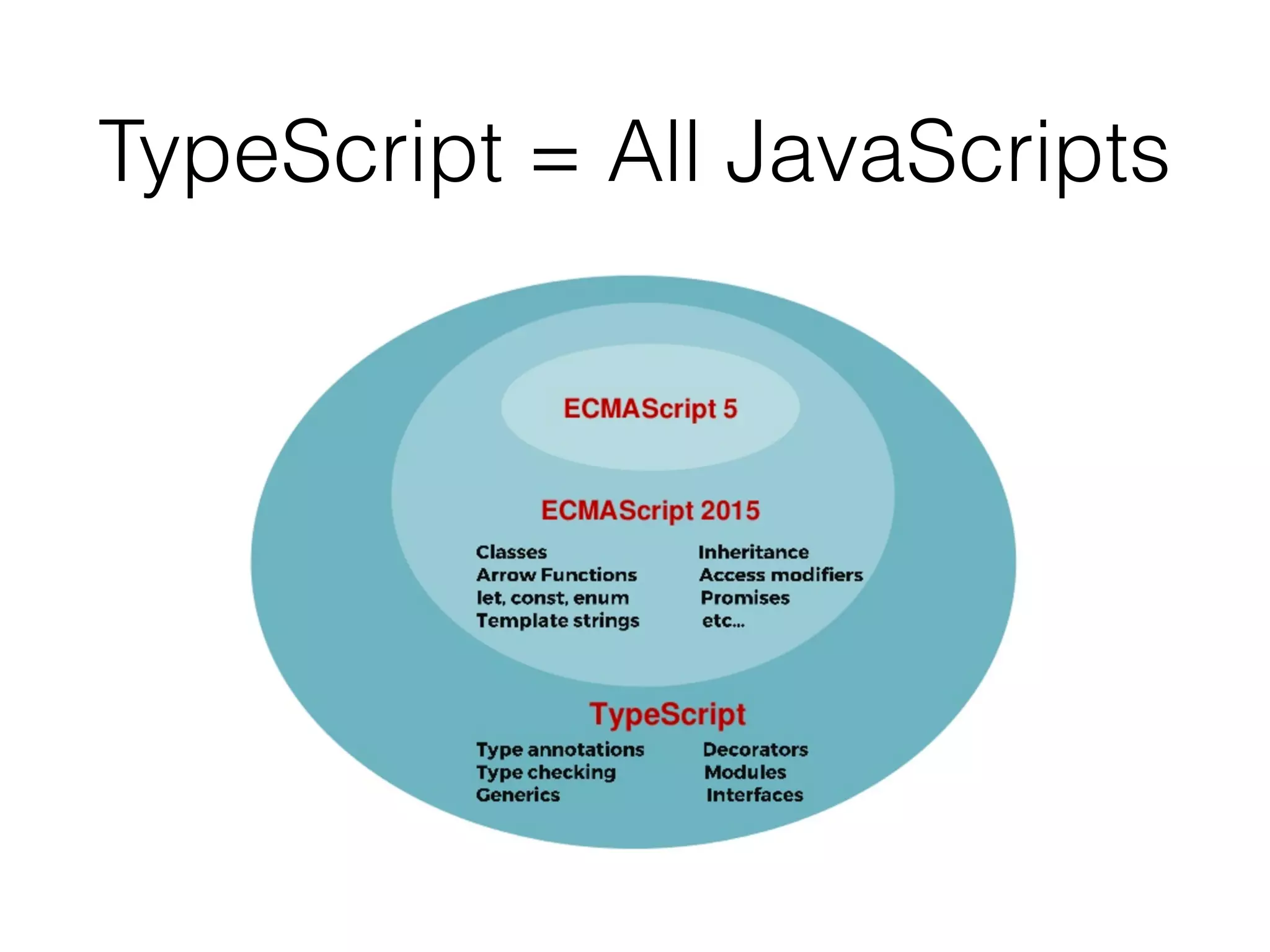
TypeScript = All JavaScripts
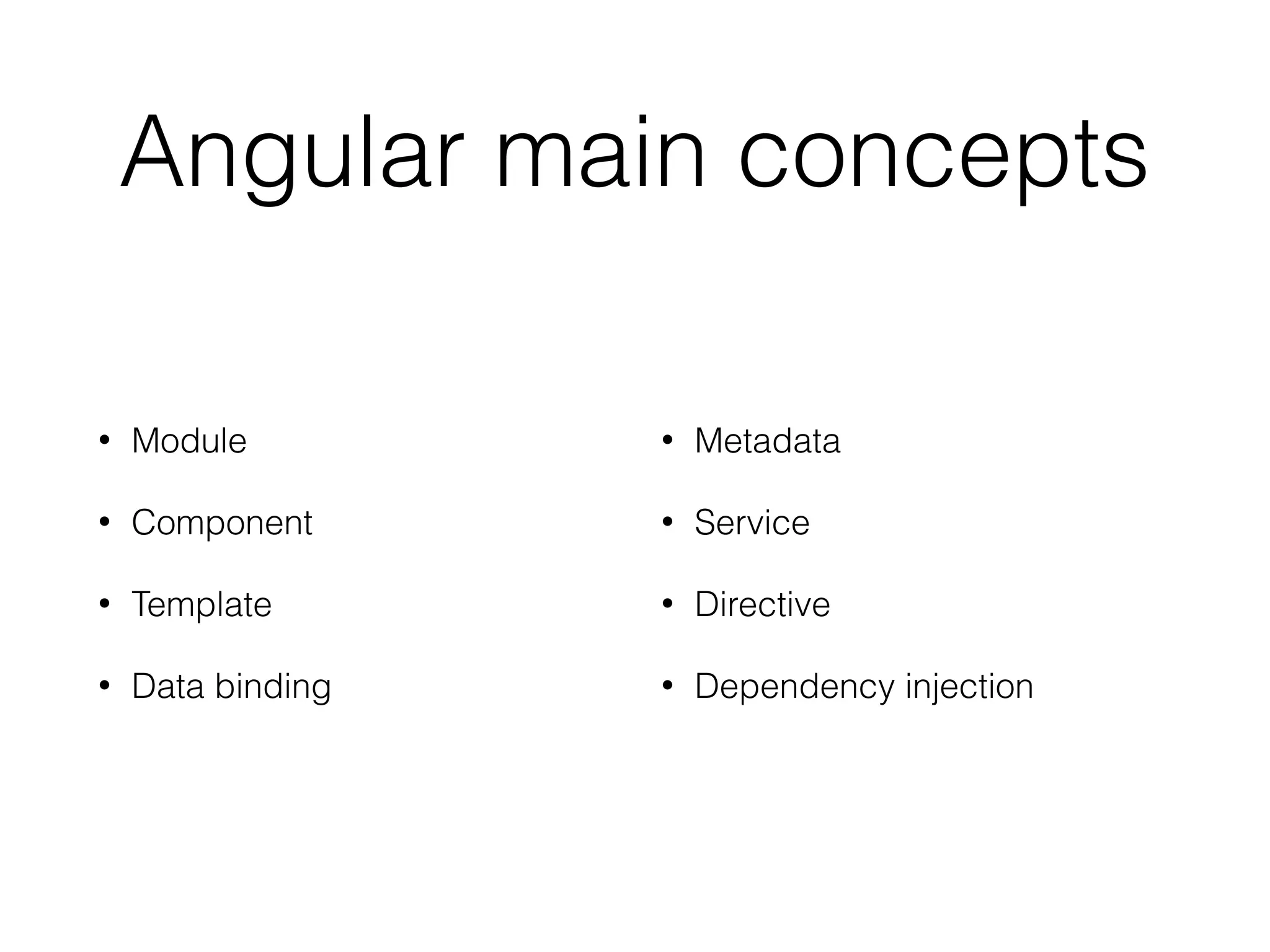
Angular main concepts
• Module
• Component
• Template
• Data binding
• Metadata
• Service
• Directive
• Dependency injection
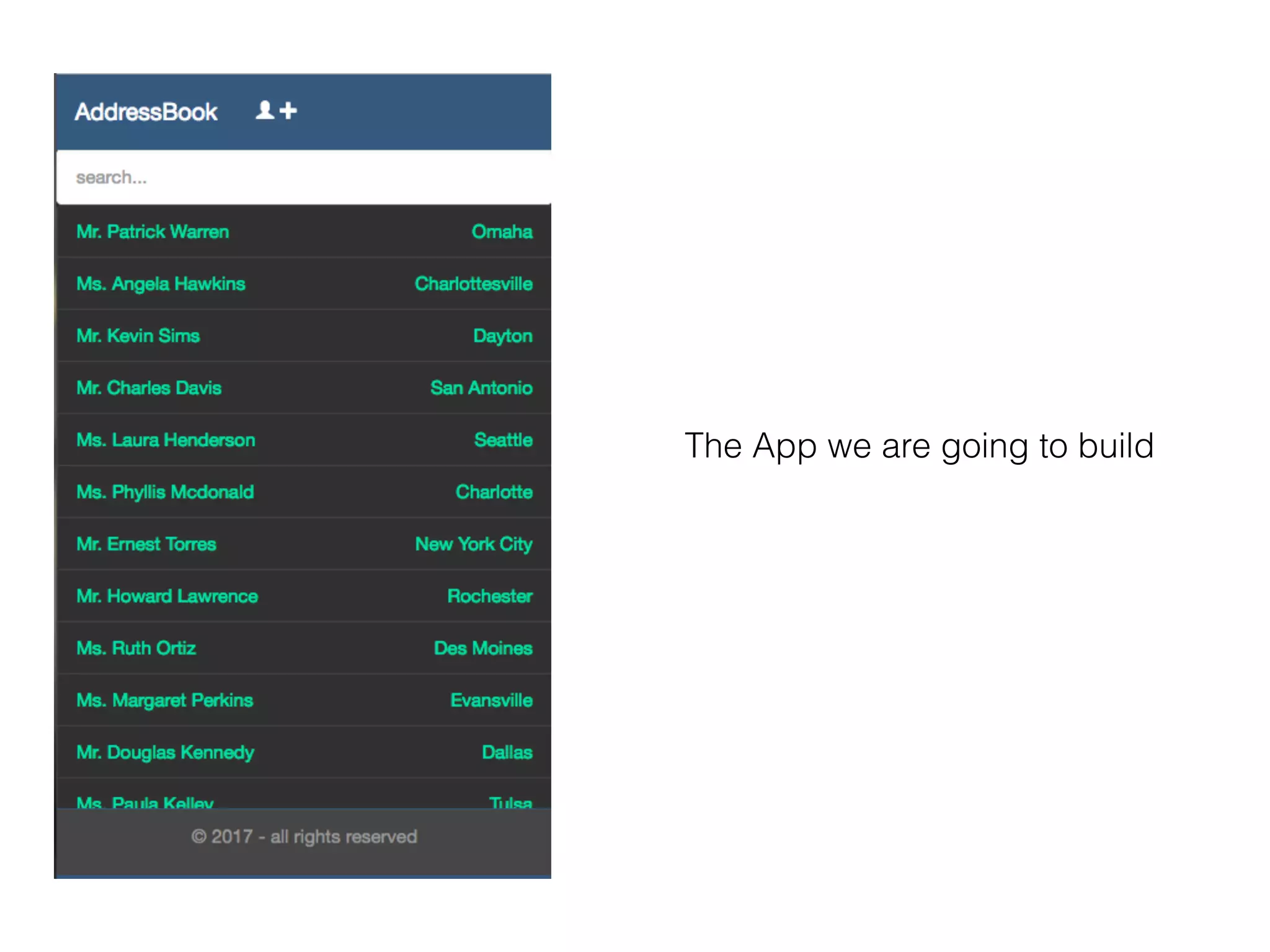
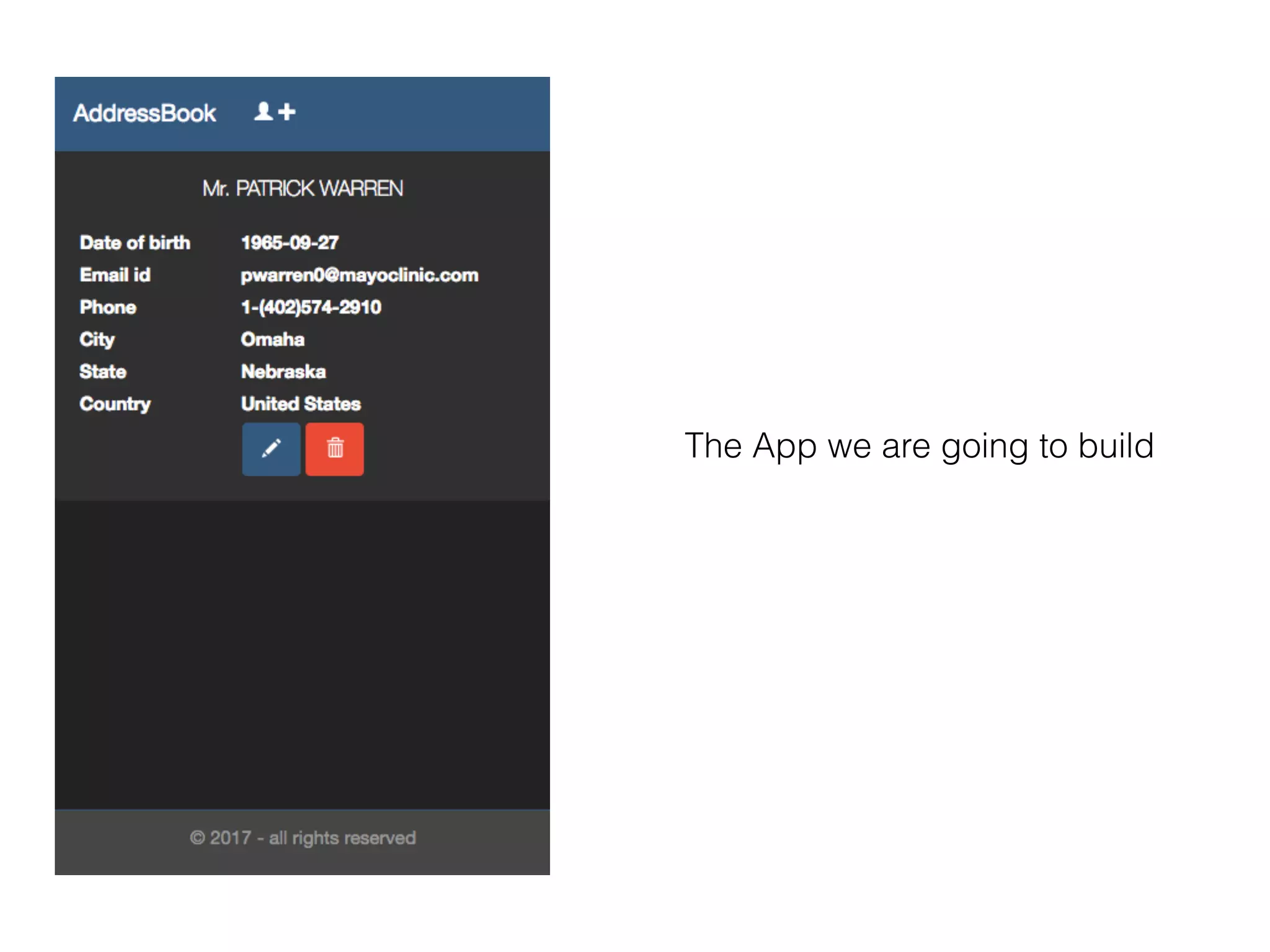
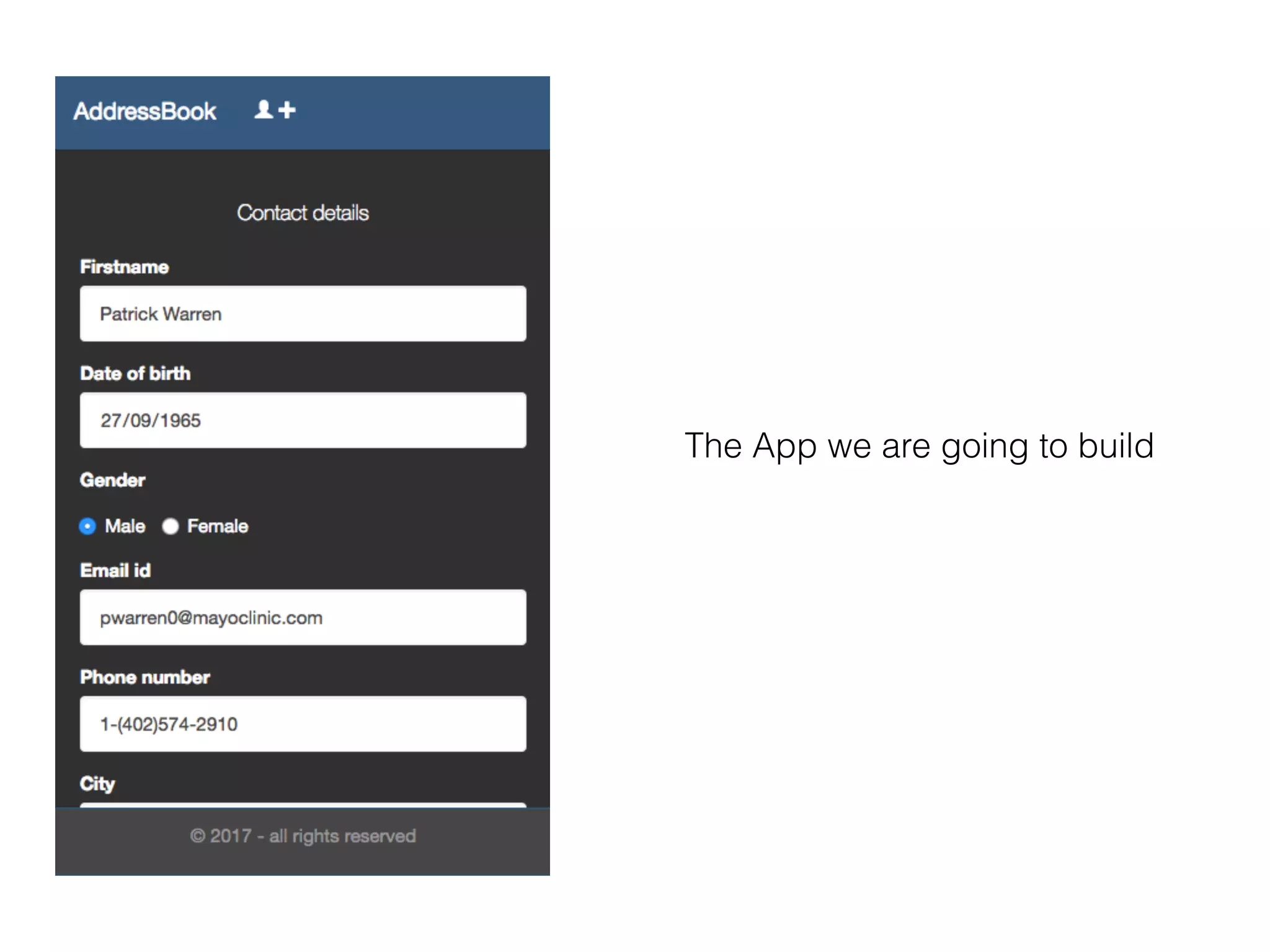
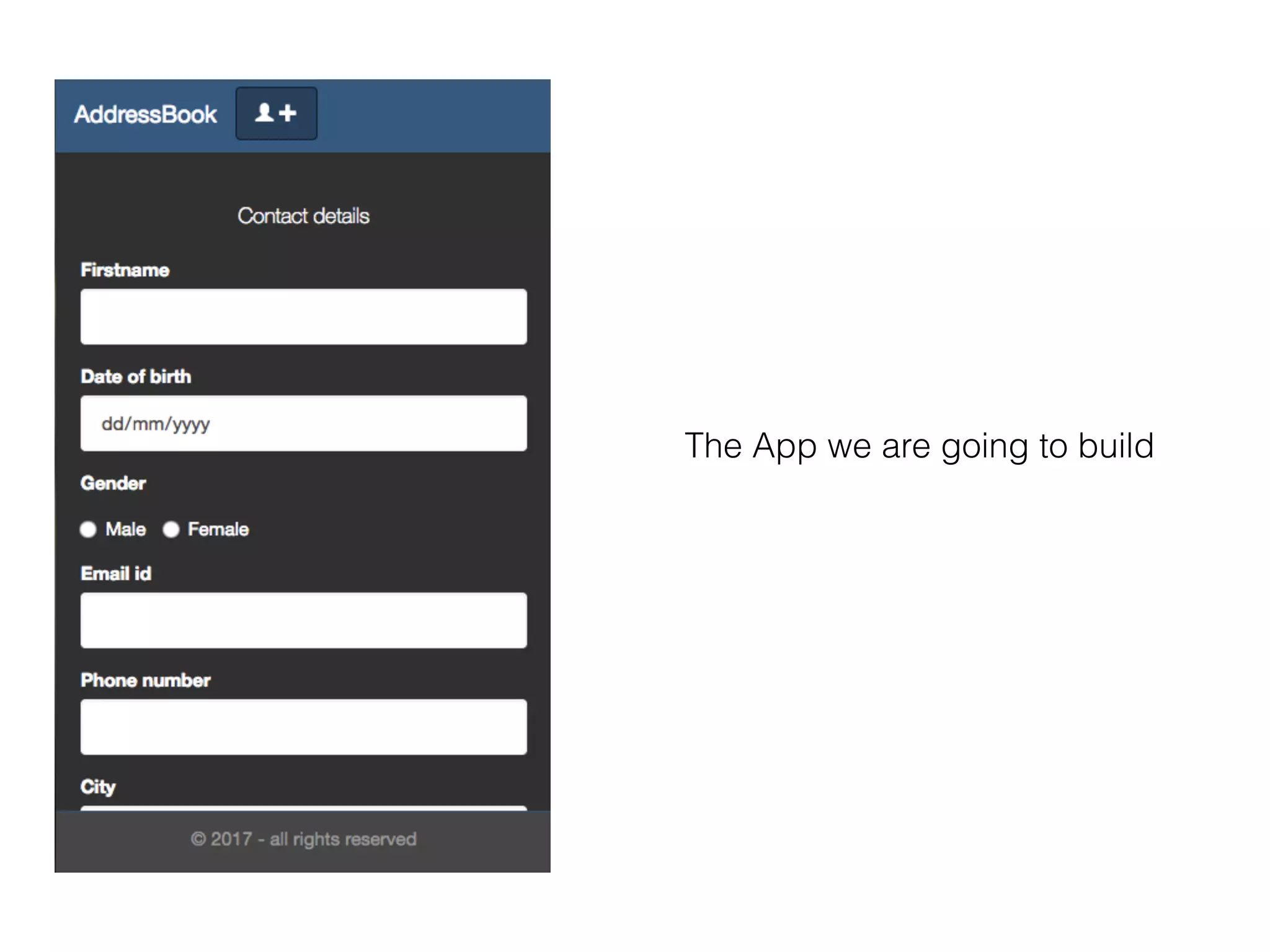
The App we are going to build
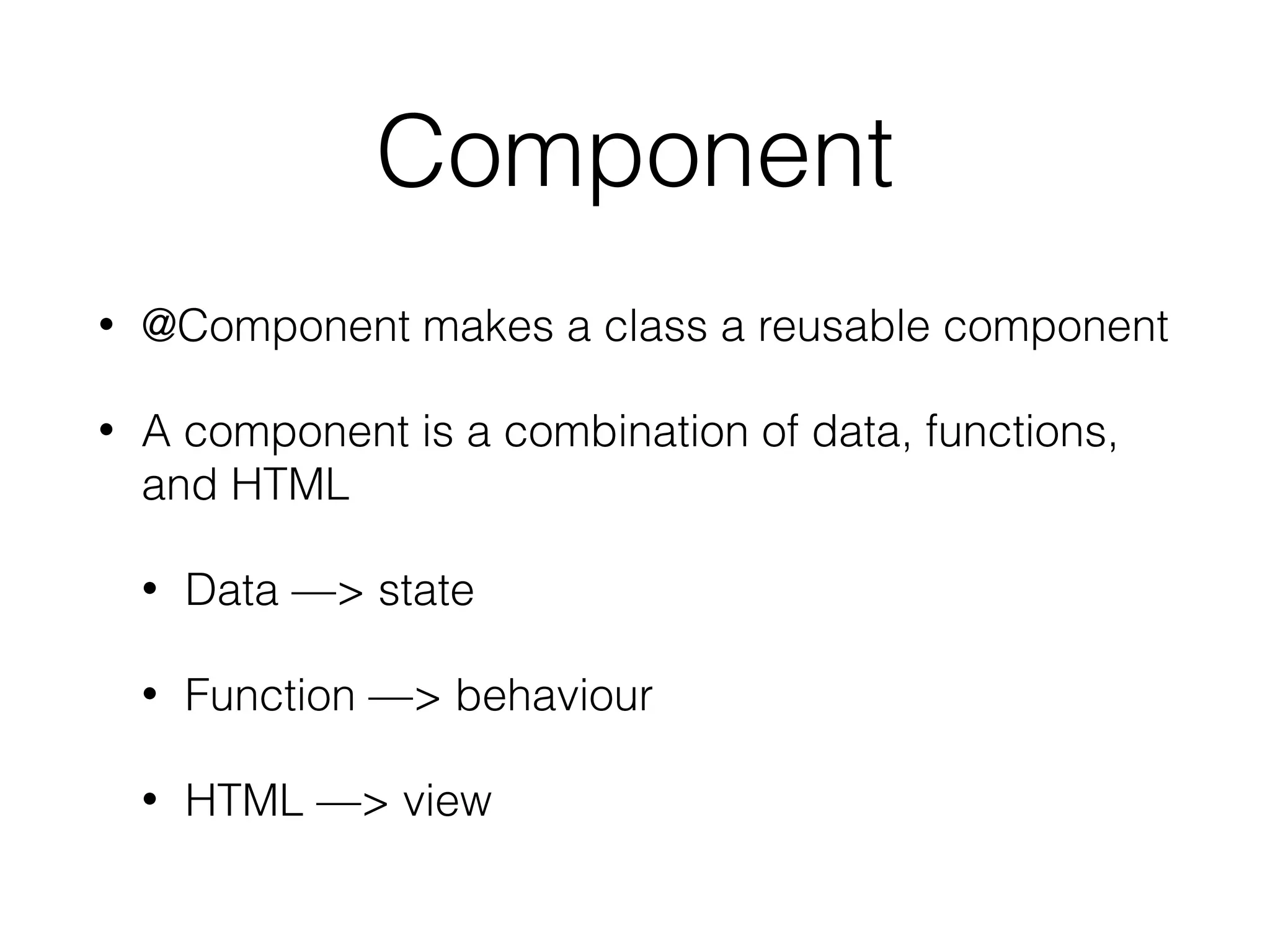
Component
• @Component makes a class a reusable component
• A component is a combination of data, functions,
and HTML
• Data —> state
• Function —> behaviour
• HTML —> view
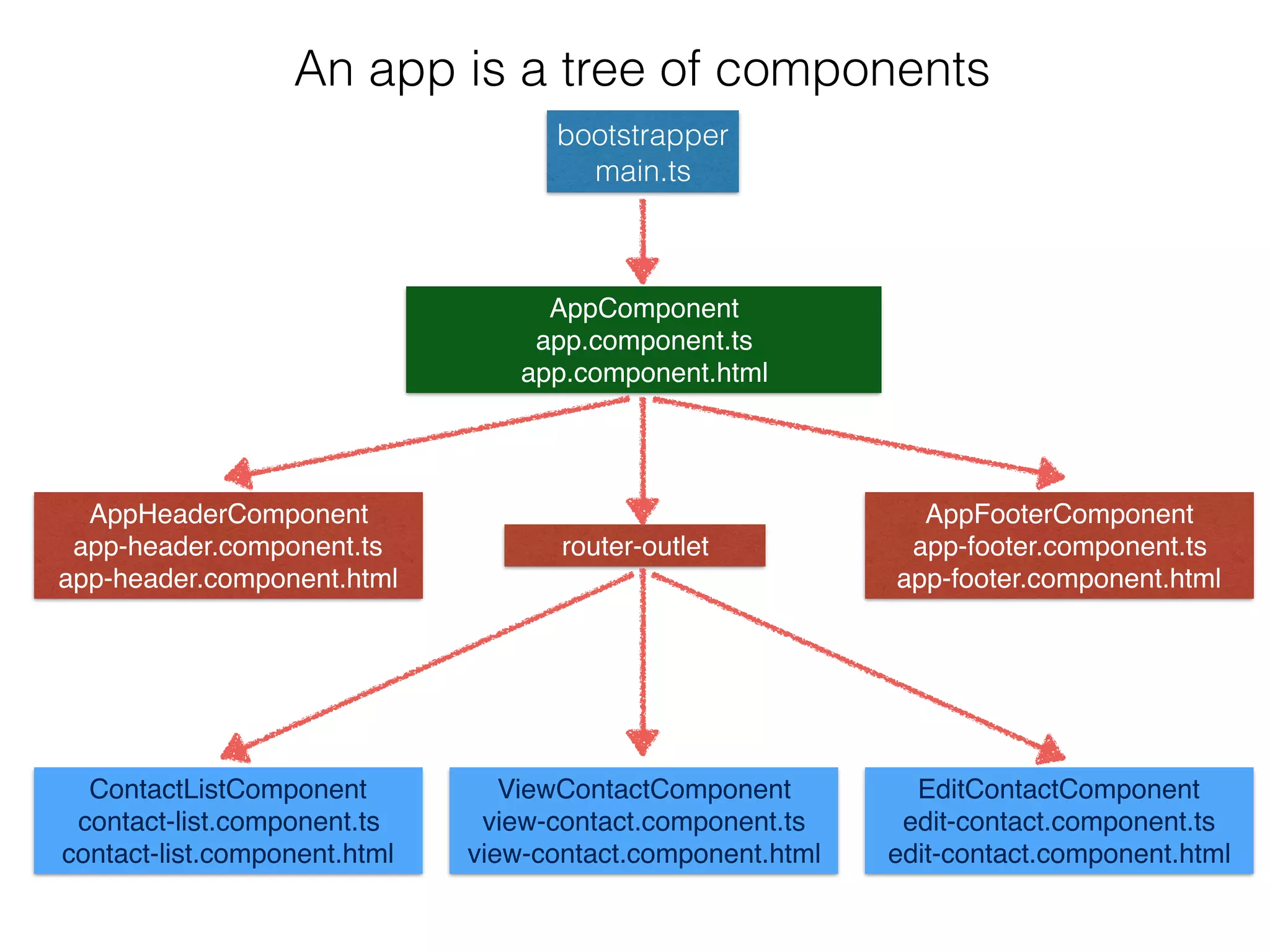
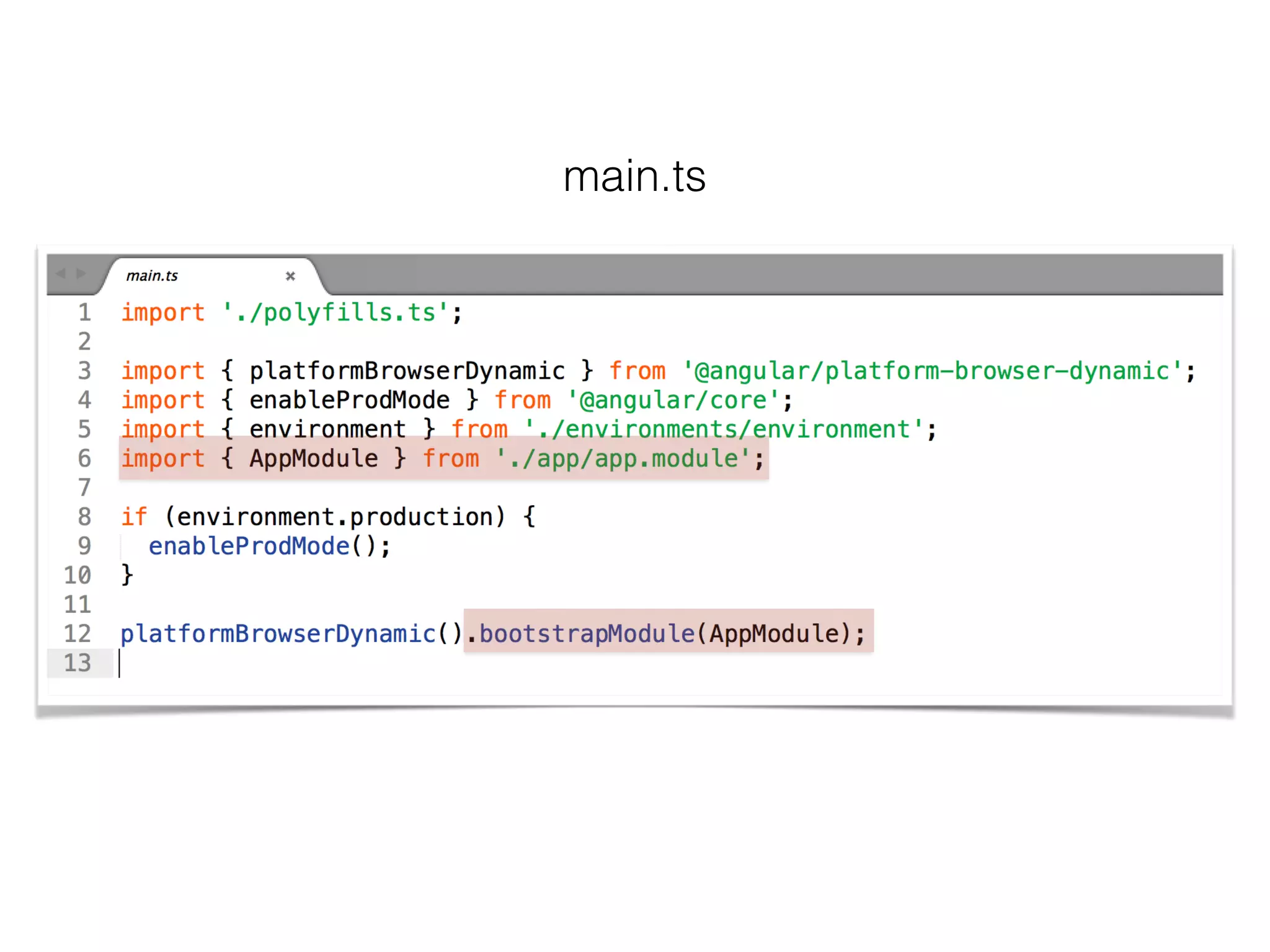
bootstrapper
main.ts
AppComponent
app.component.ts
app.component.html
router-outlet
AppFooterComponent
app-footer.component.ts
app-footer.component.html
AppHeaderComponent
app-header.component.ts
app-header.component.html
ContactListComponent
contact-list.component.ts
contact-list.component.html
EditContactComponent
edit-contact.component.ts
edit-contact.component.html
ViewContactComponent
view-contact.component.ts
view-contact.component.html
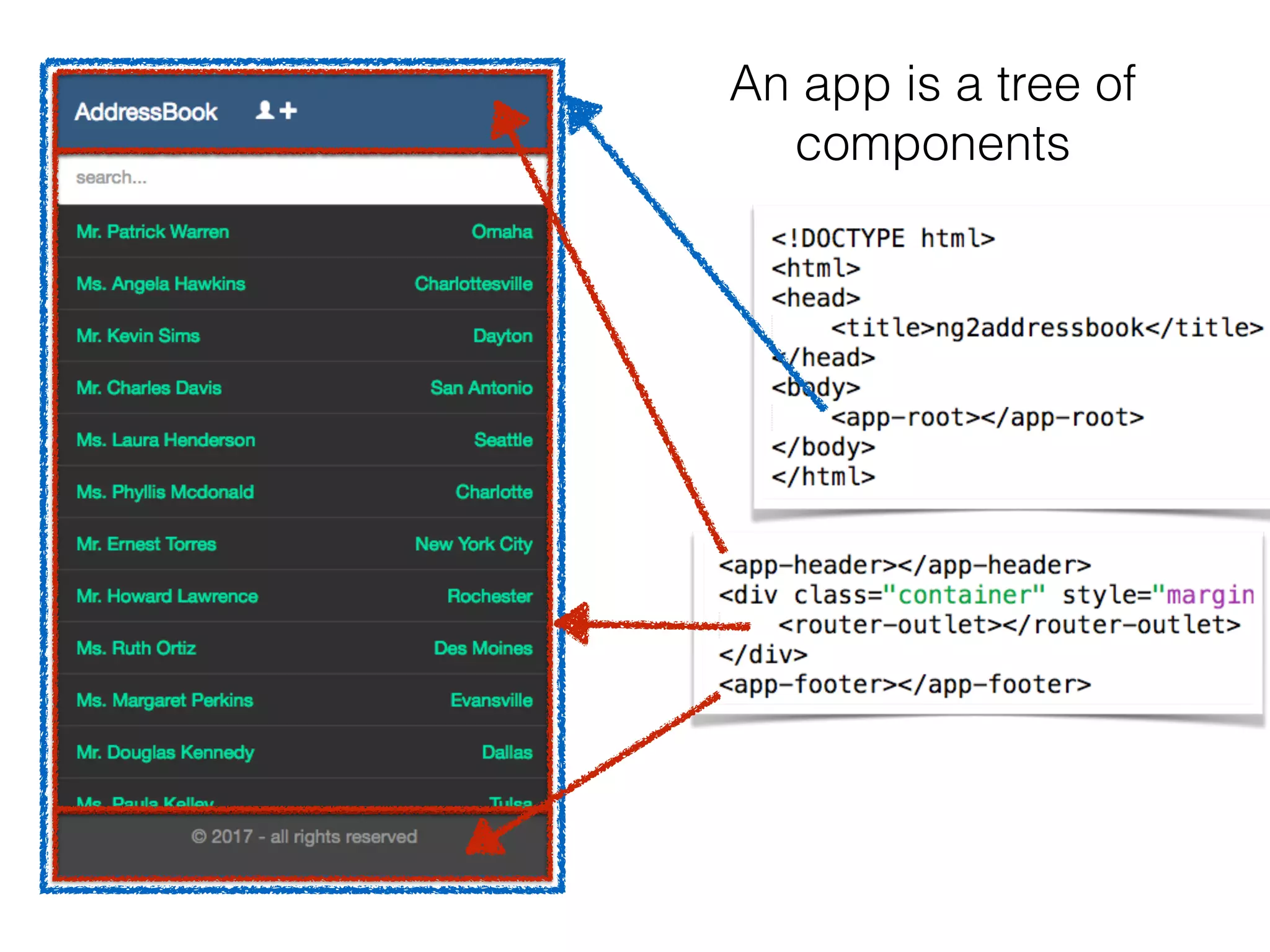
An app is a tree of components
HeaderComponent
FooterComponent
router-outlet
AppRoot
An app is a tree of
components
Metadata
• Metadata is extra information which gives angular
more info
• @Component tells angular that the class is a
component
• @Directive tells angular that the class is a directive
• @Injectable, @RouteConfig, @NgModule, …
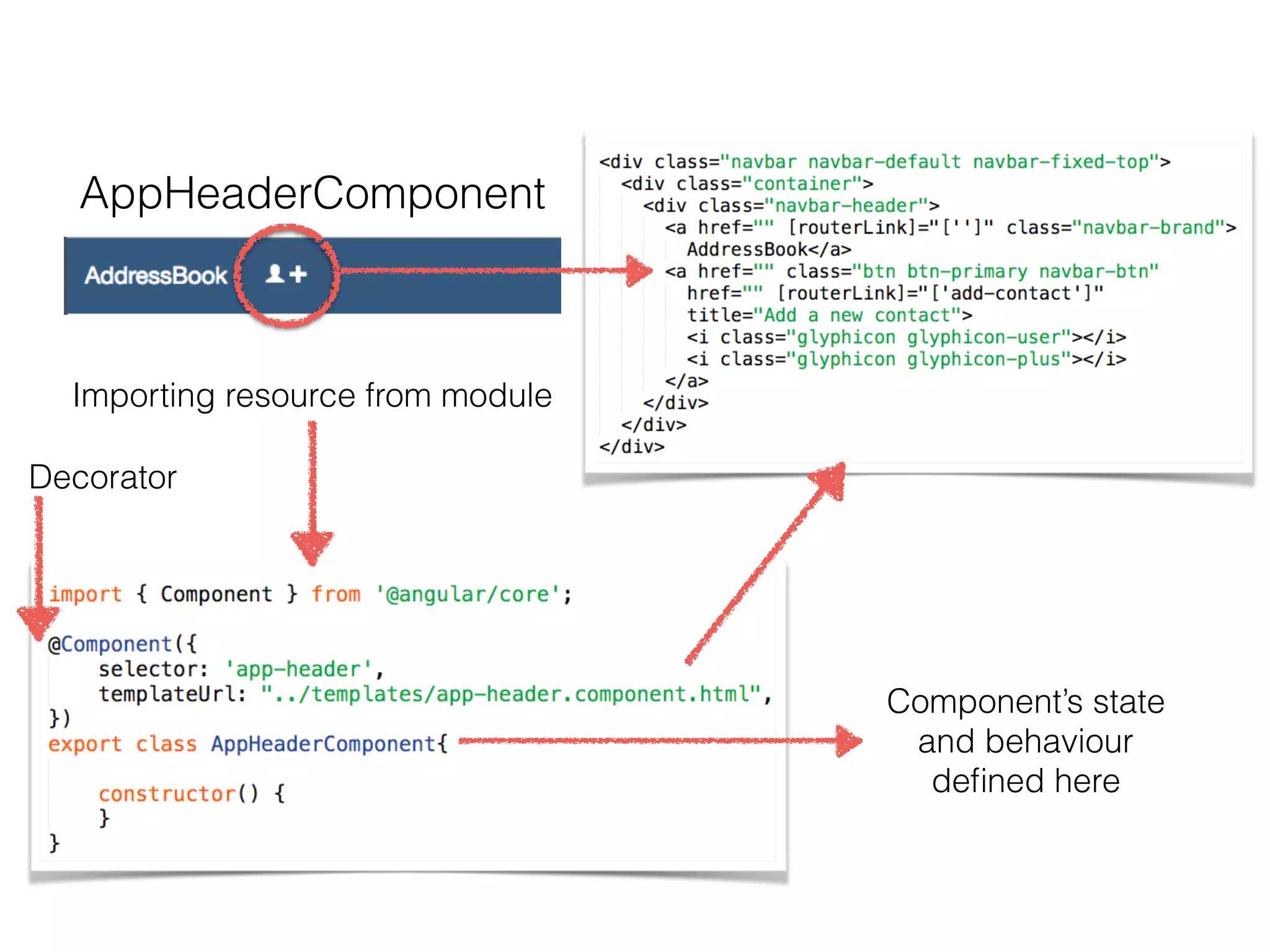
AppHeaderComponent
Importing resource from module
Decorator
Component’s state
and behaviour
defined here
Template
• Is a way to describe a view using HTML
• Templates can be included with the component
• Or as an external file reference
• Best practice is to use an HTML file
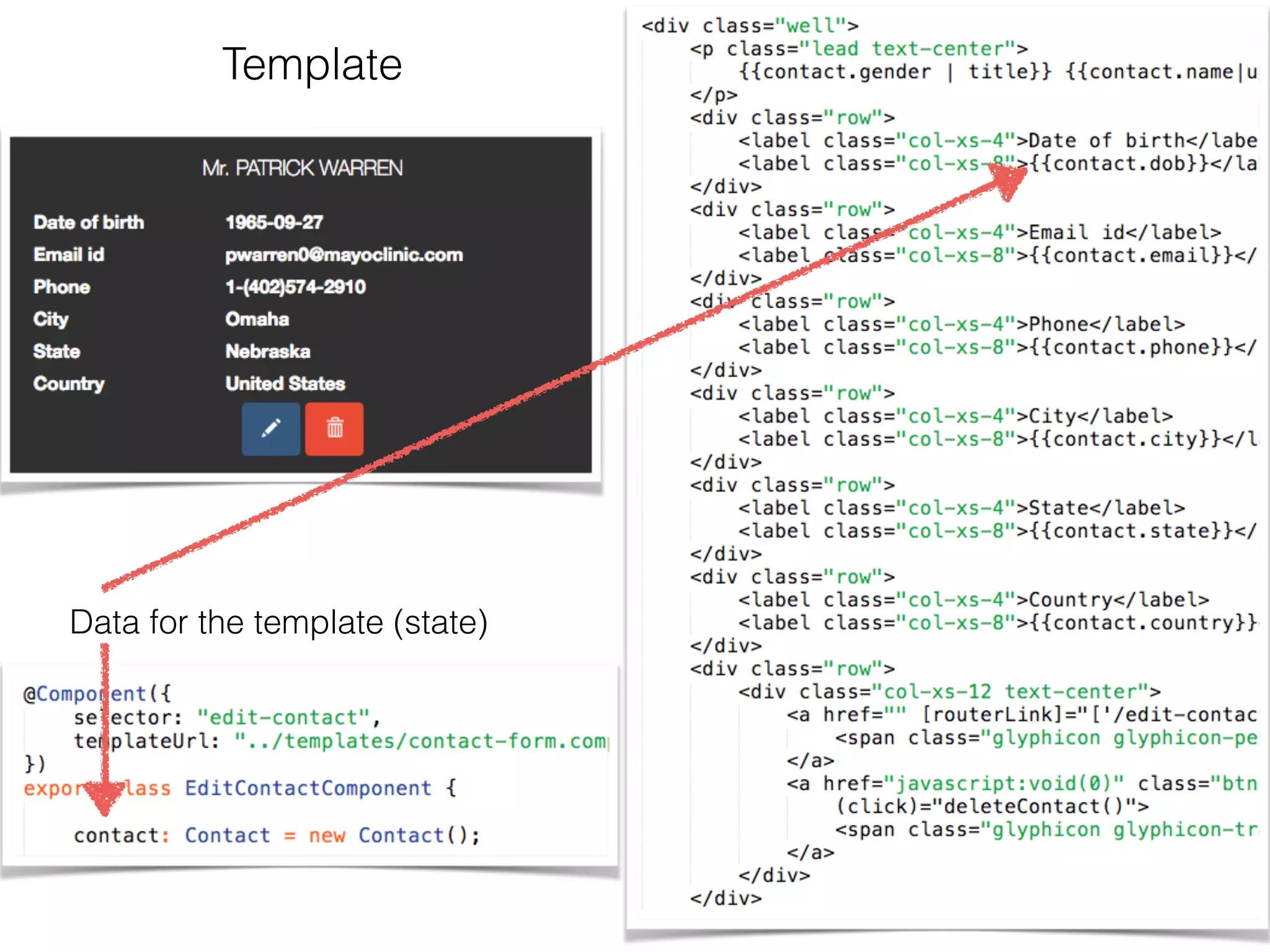
Template
Data for the template (state)
Databinding
• {{ value }} —> interpolation
• [property] = “value” —> property binding
• (event) = “handler” —> event binding
• [(ngModel)] = “property” <—> two way binding
Service
• “Substitutable objects that are wired together using
dependency injection (DI)”
• Used to share code across an application
• Lazily initialised
Directives
• A class with @Directive metadata
• Two kinds: attributes and structural
• Attribute directives alter the look or behaviour of an
existing element
• Structural directives alter the layout by adding,
removing, and/or replacing elements in the DOM
• A Component is a directive with a view
Dependency injection
• A way to supply a new instance of a class with the
fully-formed dependencies it needs
• Most dependencies are services
• Angular knows which service/s a component
depend on by looking at the types of it’s
constructor parameters
• Services are injected by an injector which uses a
Provider to create the service
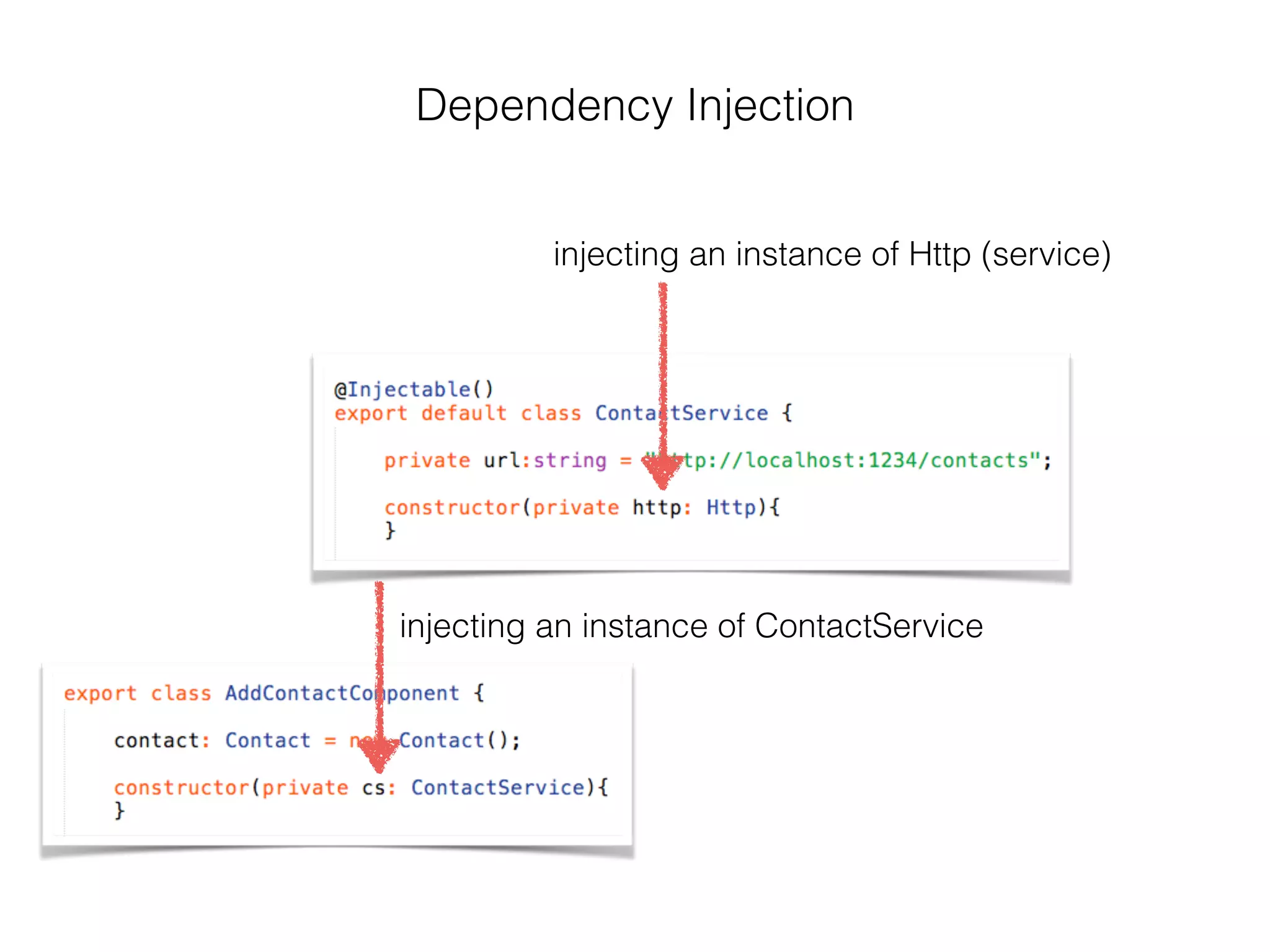
injecting an instance of ContactService
injecting an instance of Http (service)
Dependency Injection
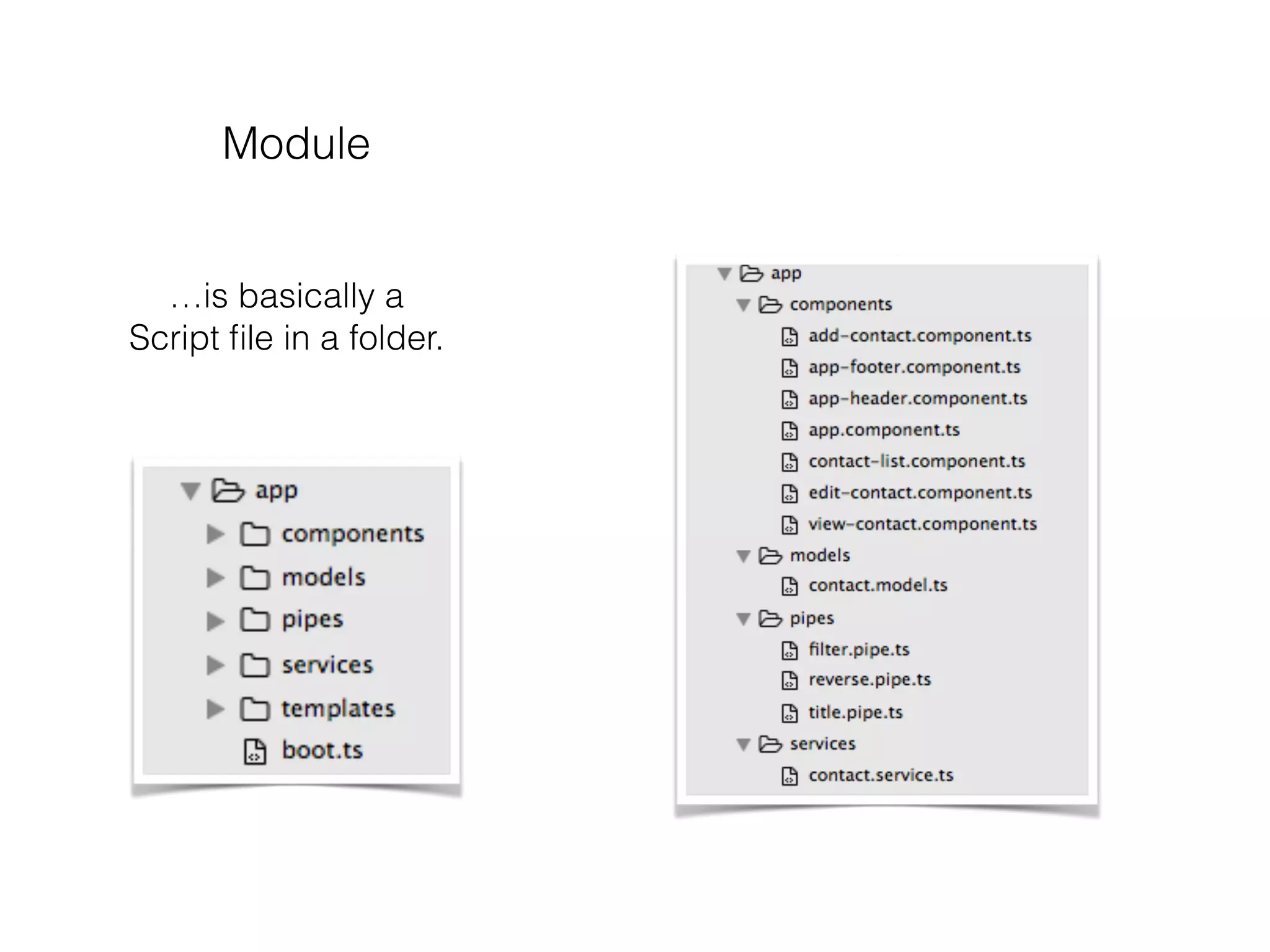
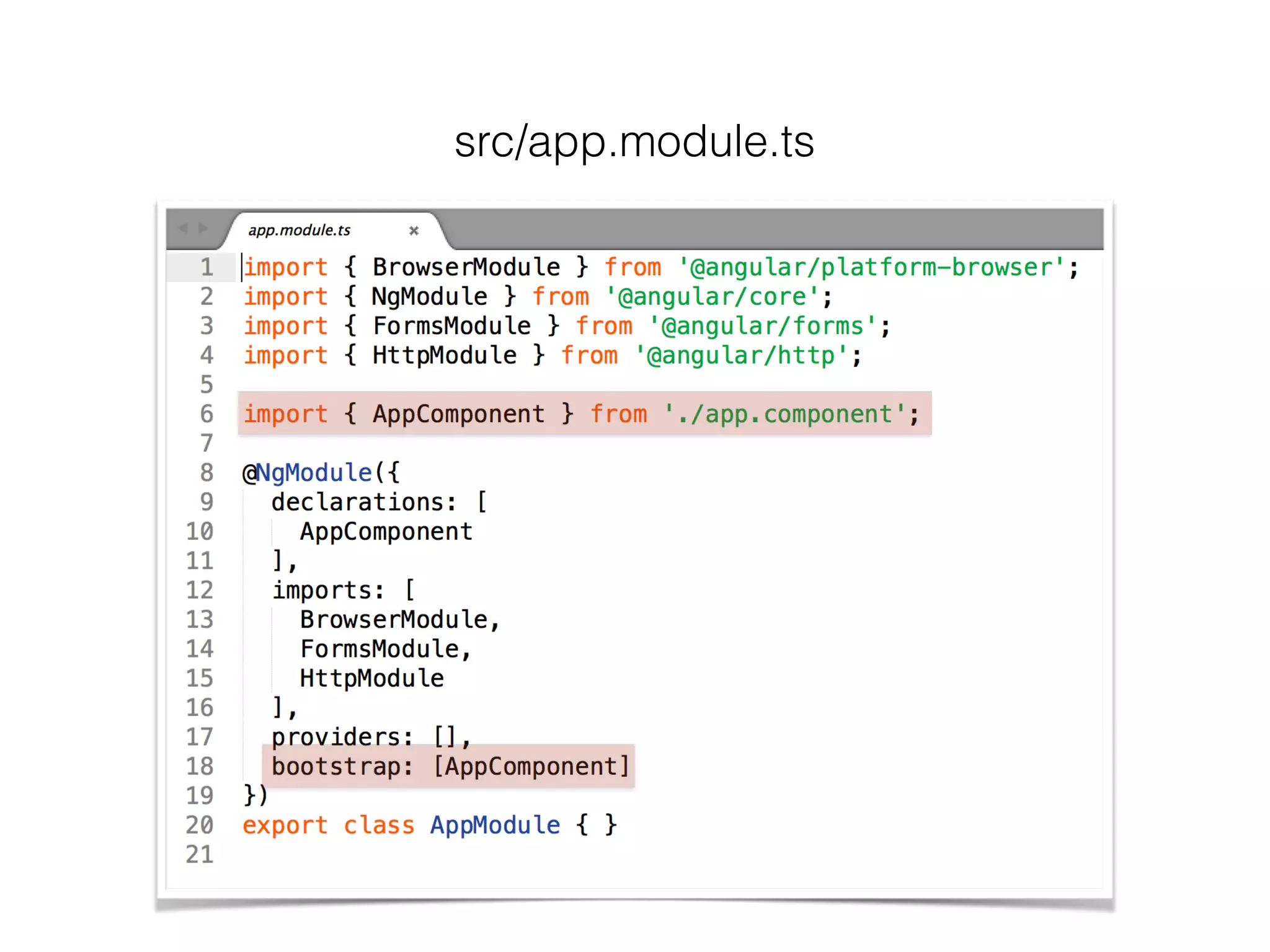
Module
• Modules are optional, but a best practice
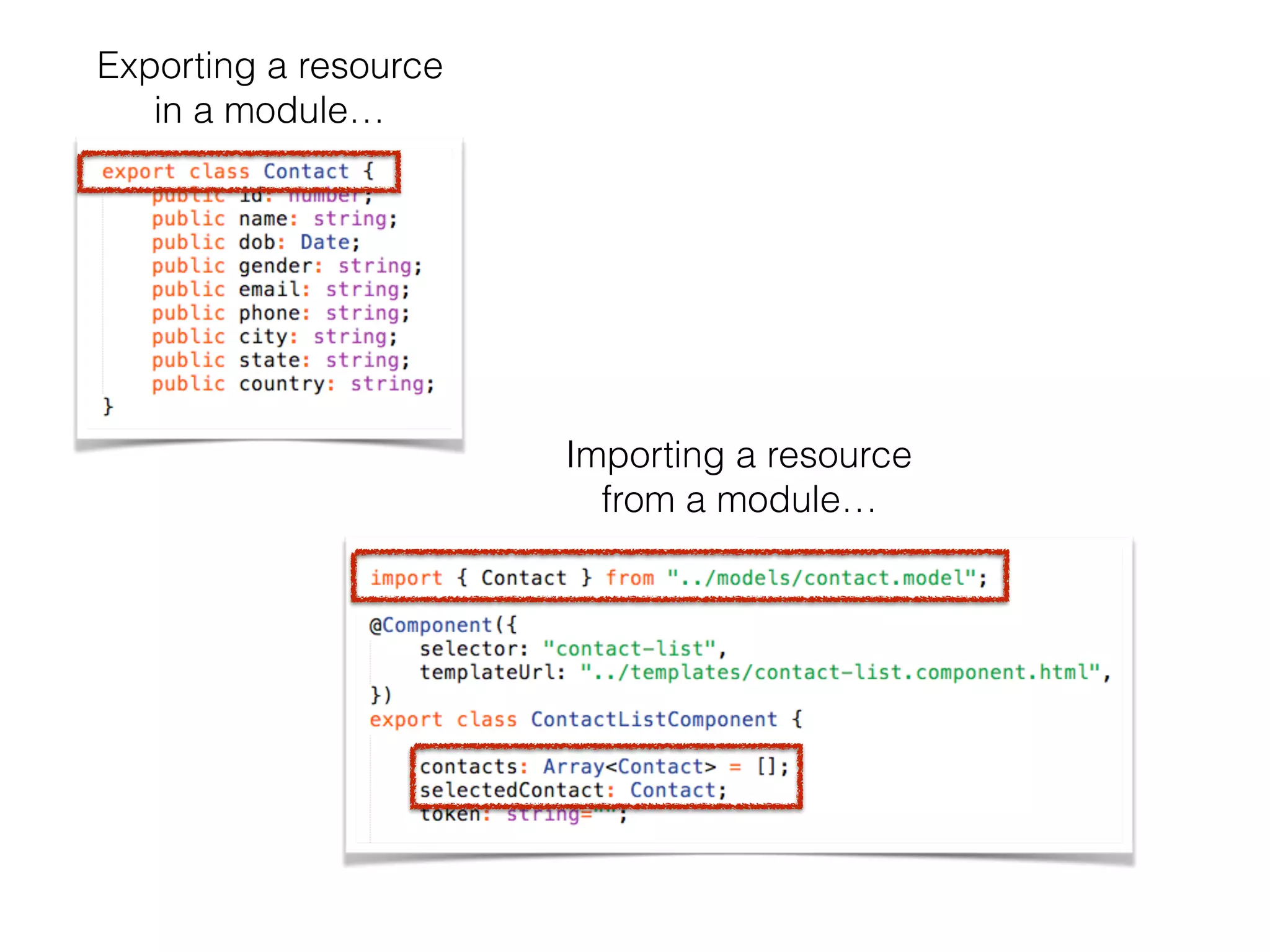
• export tells TypeScript that the resource is a
module available for other modules
• import tells TypeScript which resource to import
from a module
• Angular comes with a collection of library modules
Module
…is basically a
Script file in a folder.
Exporting a resource
in a module…
Importing a resource
from a module…
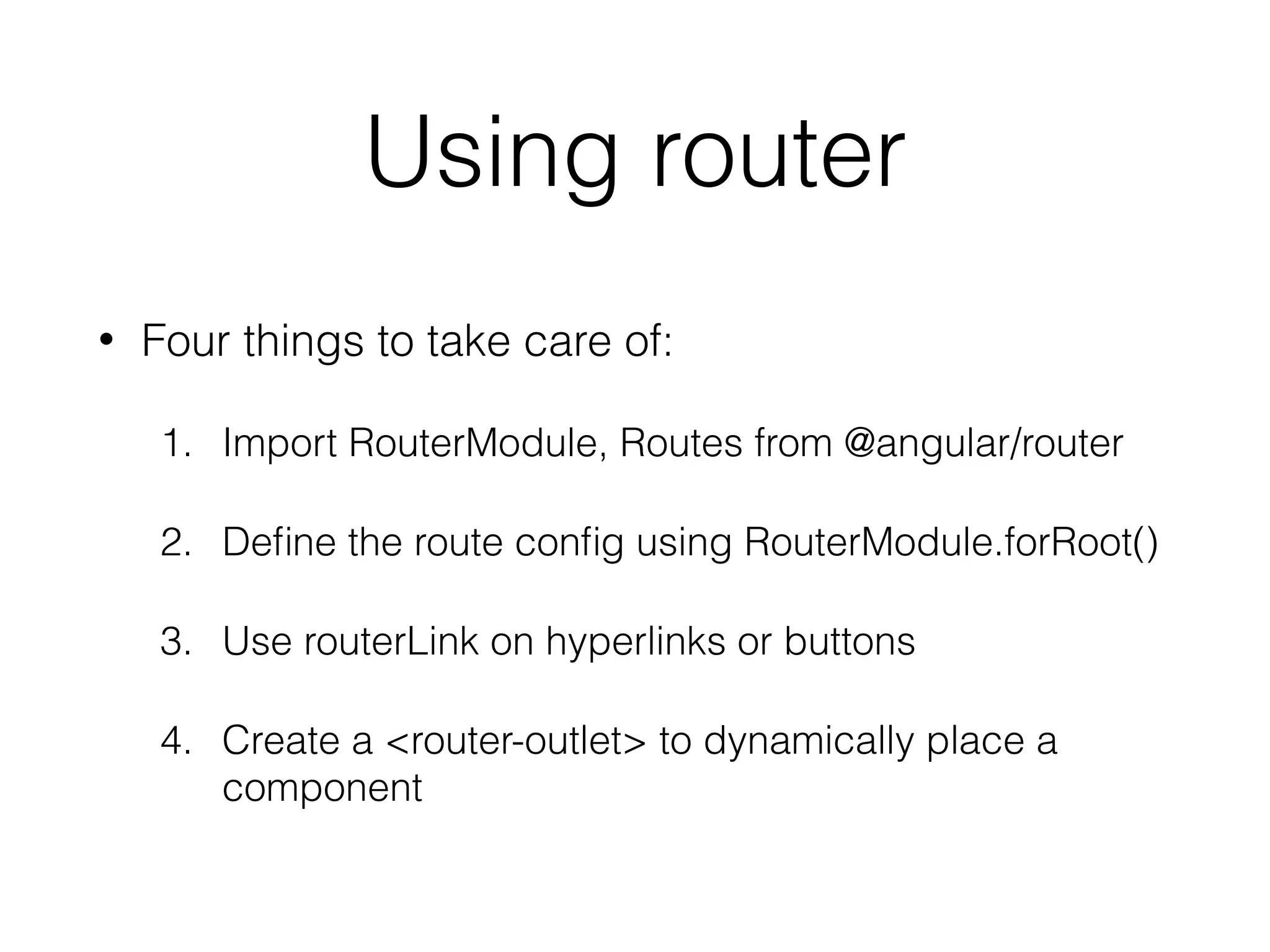
Using router
• Four things to take care of:
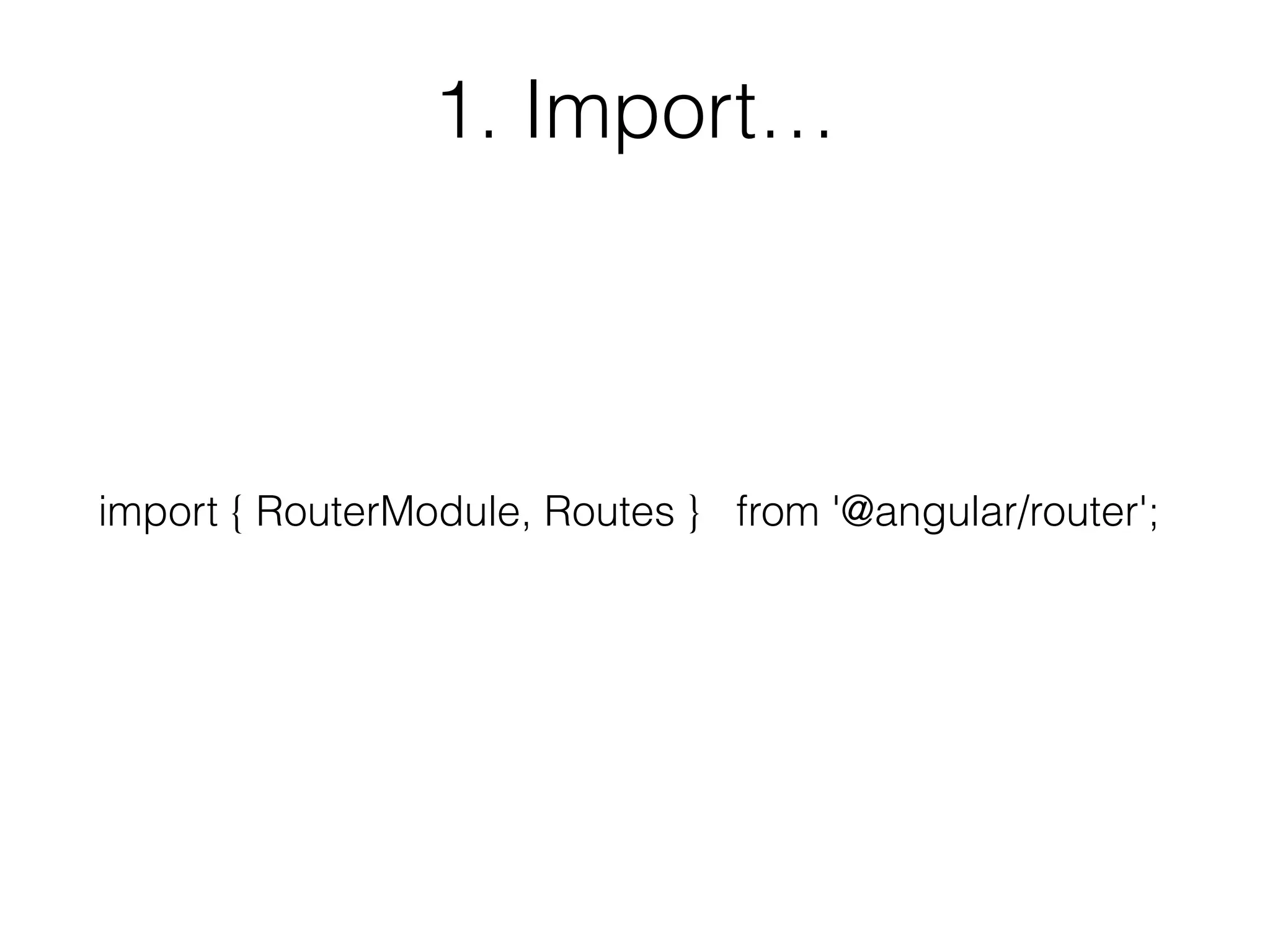
1. Import RouterModule, Routes from @angular/router
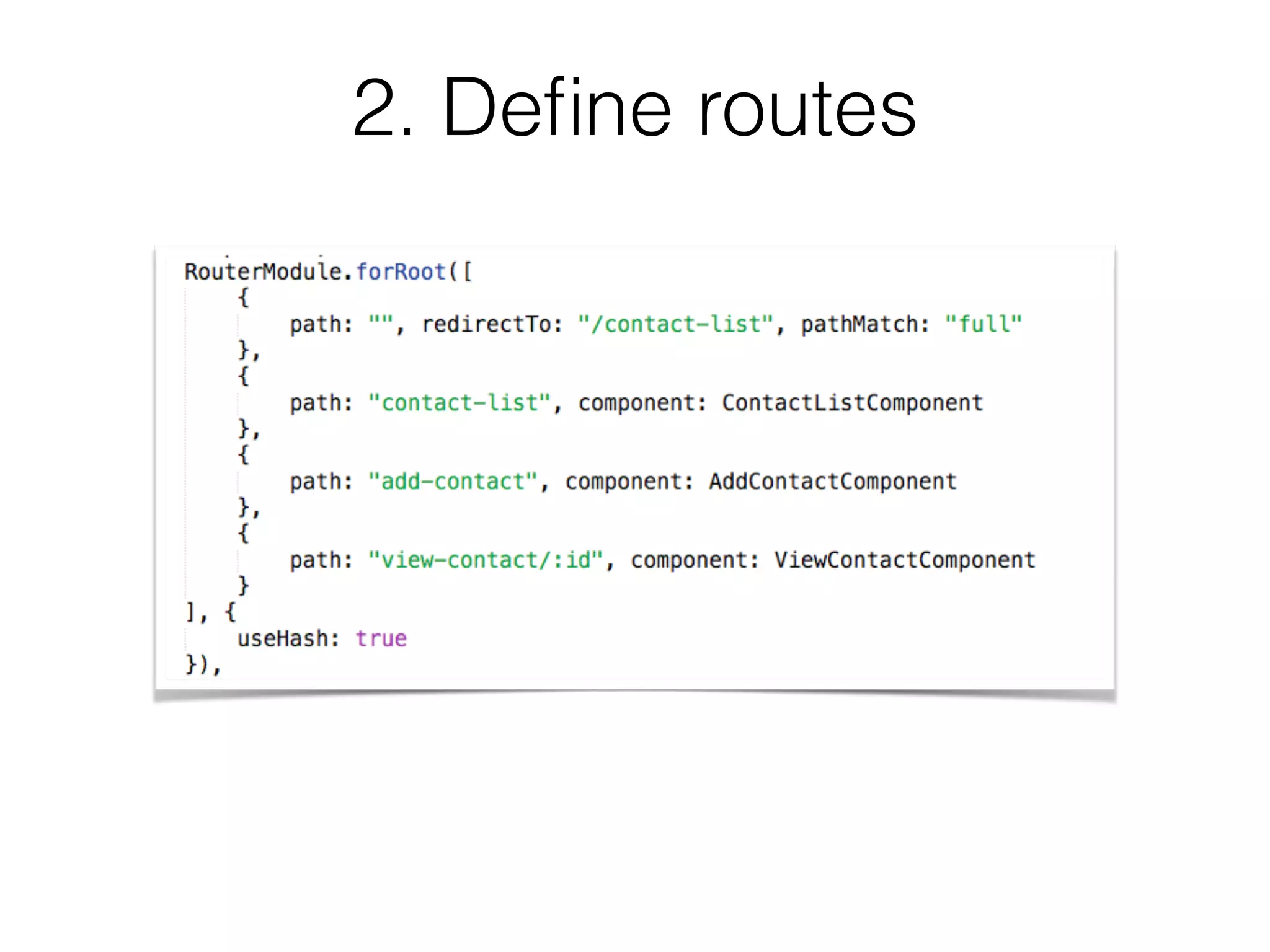
2. Define the route config using RouterModule.forRoot()
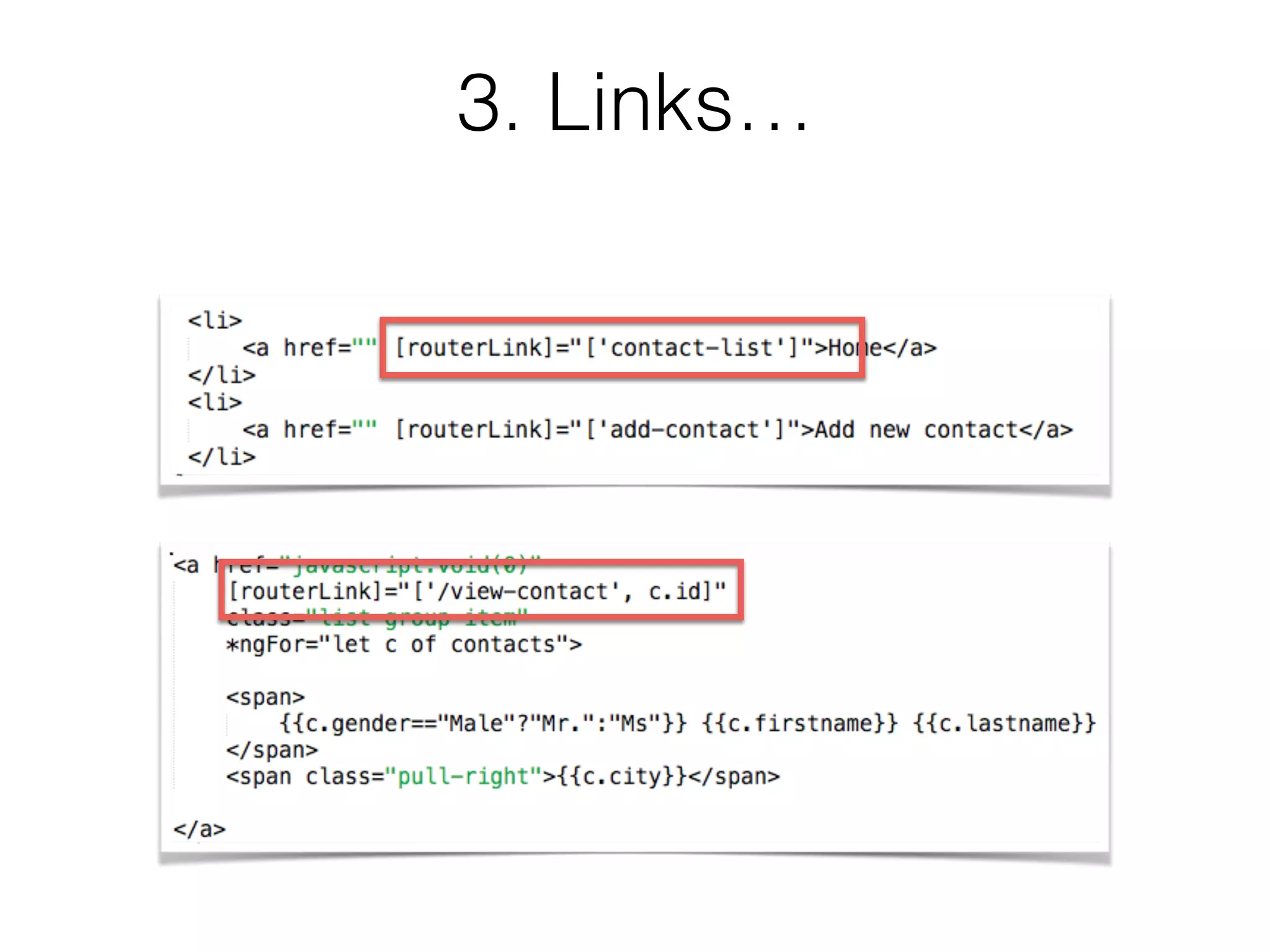
3. Use routerLink on hyperlinks or buttons
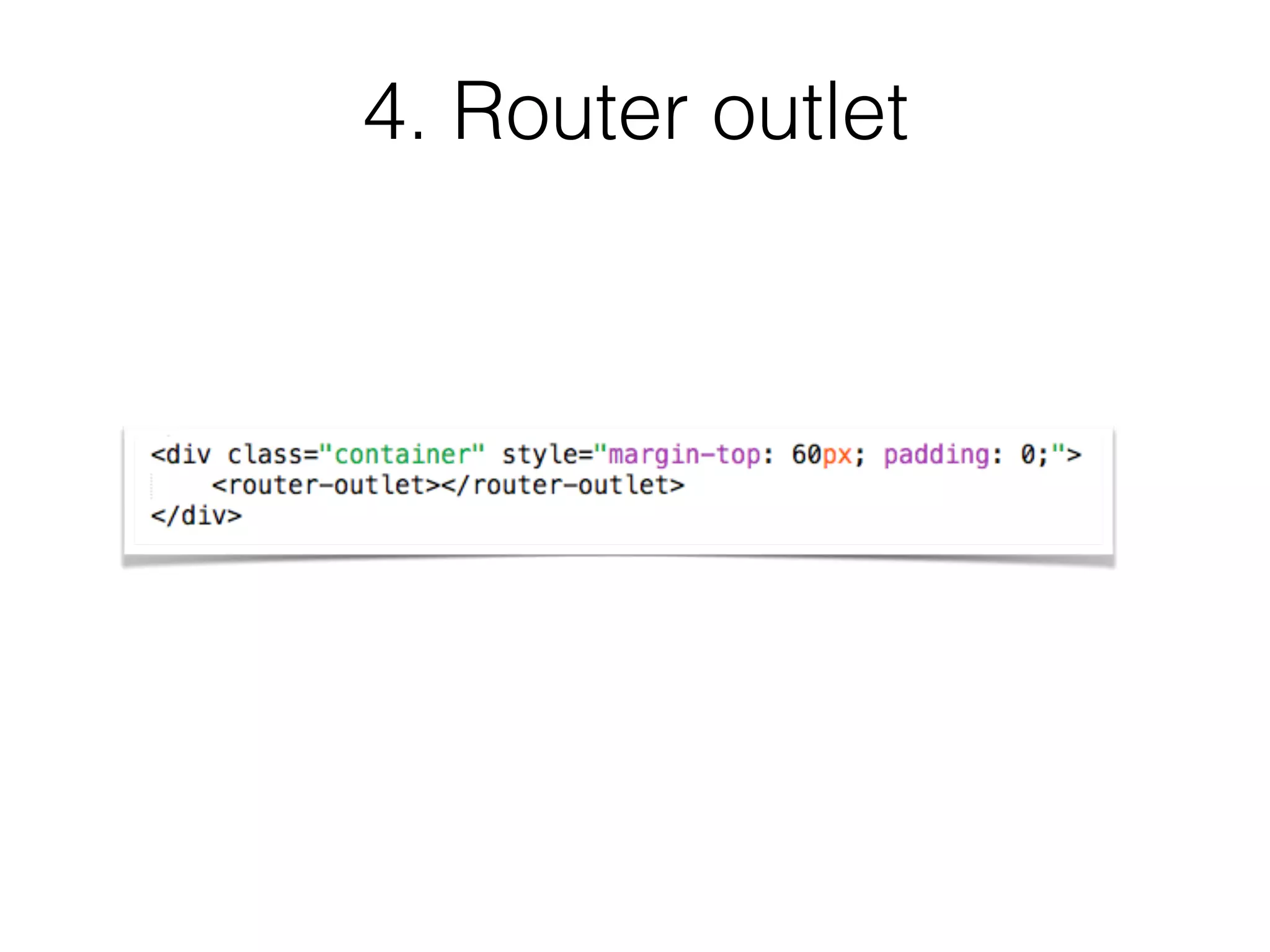
4. Create a <router-outlet> to dynamically place a
component
1. Import…
import { RouterModule, Routes } from '@angular/router';
2. Define routes
3. Links…
4. Router outlet
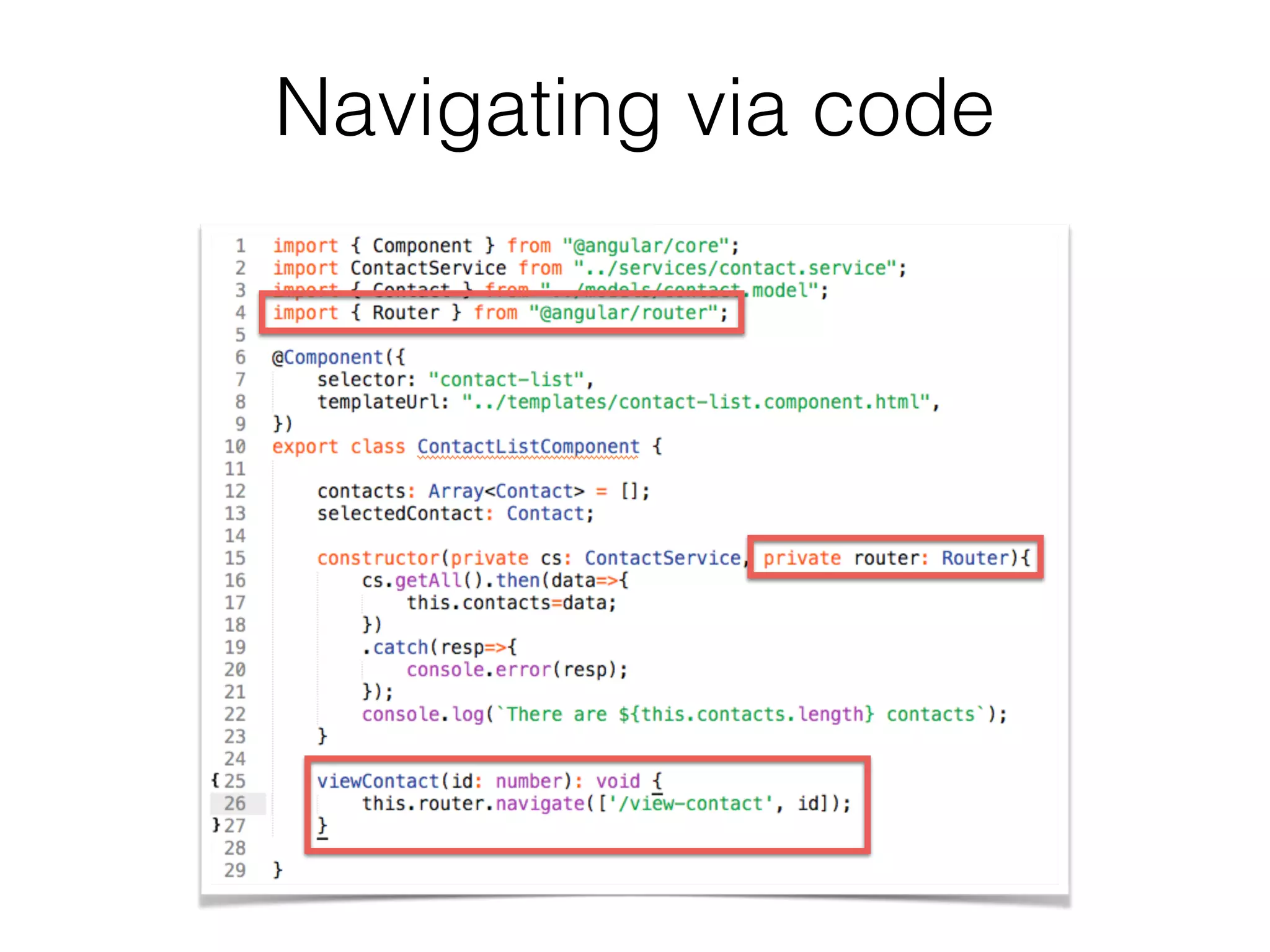
Navigating via code
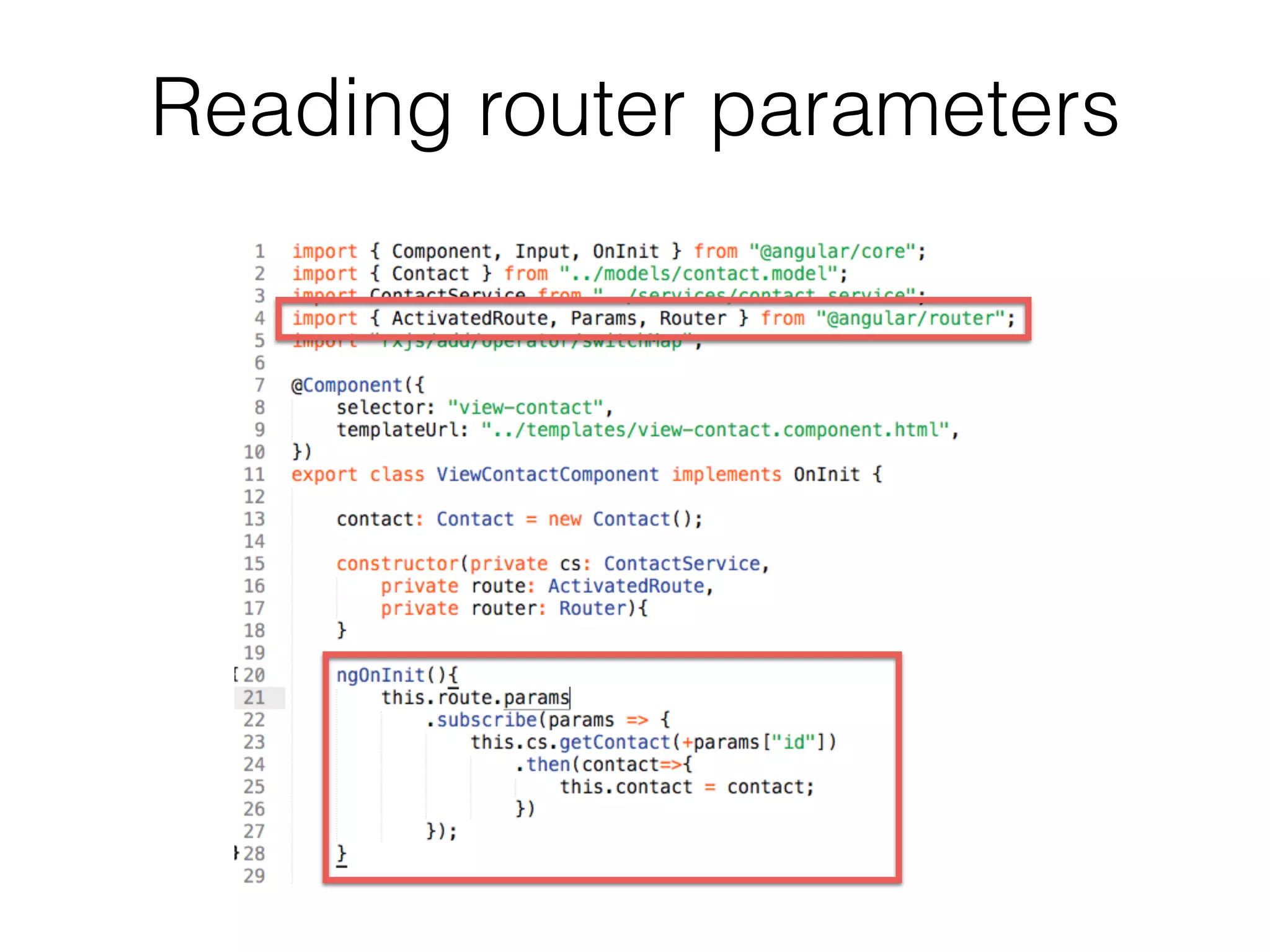
Reading router parameters
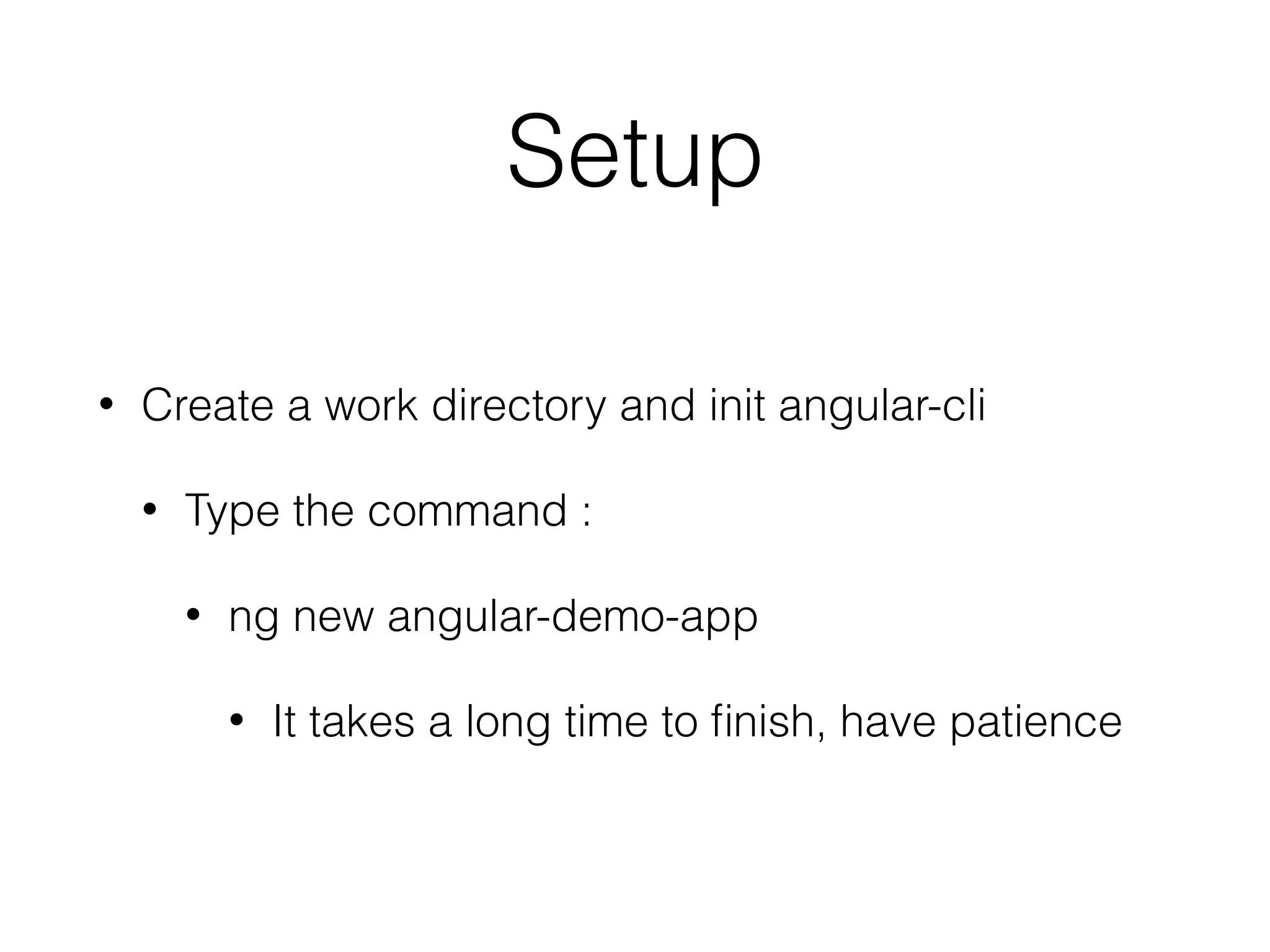
Setup
• Create a work directory and init angular-cli
• Type the command :
• ng new angular-demo-app
• It takes a long time to finish, have patience
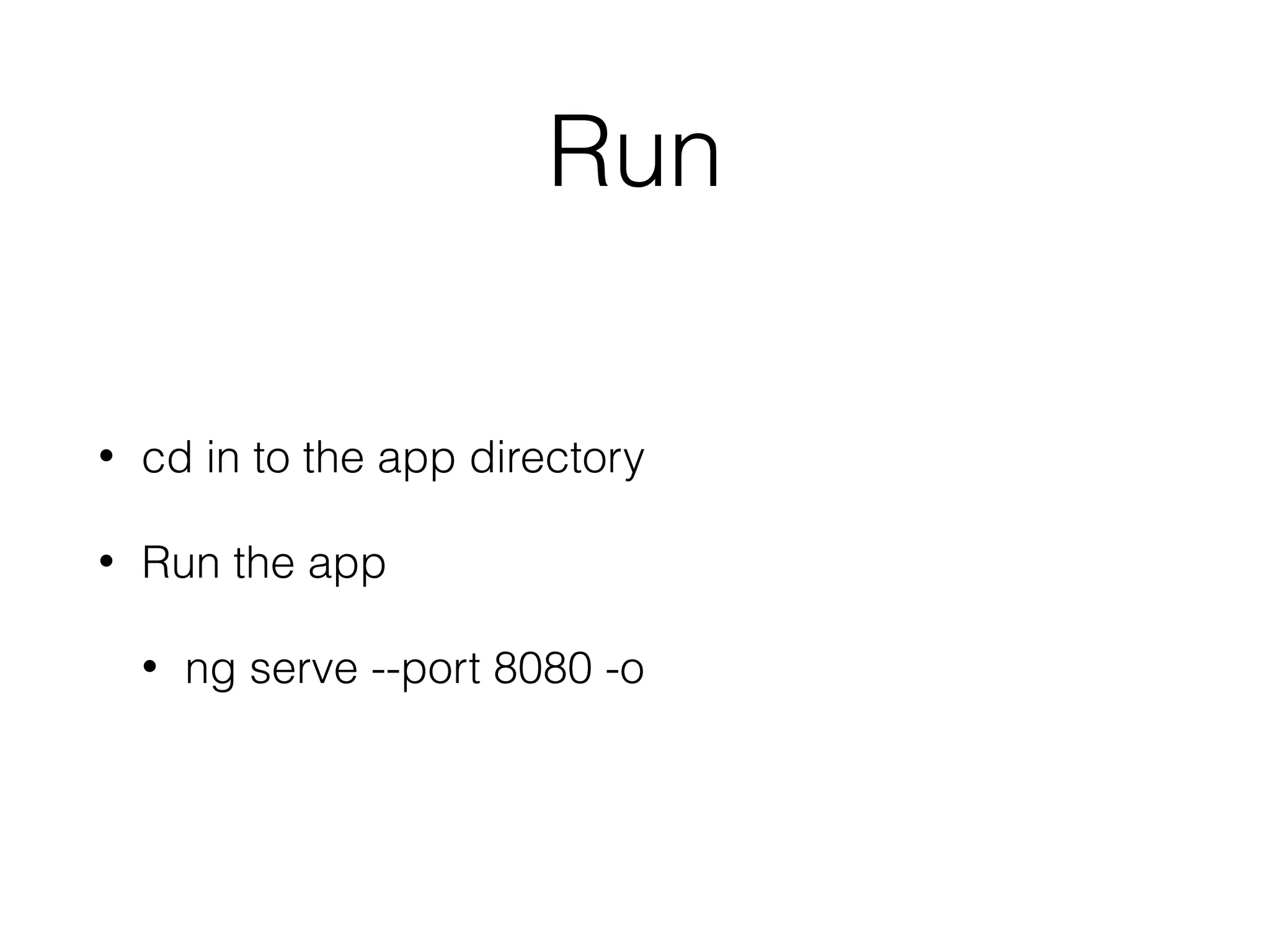
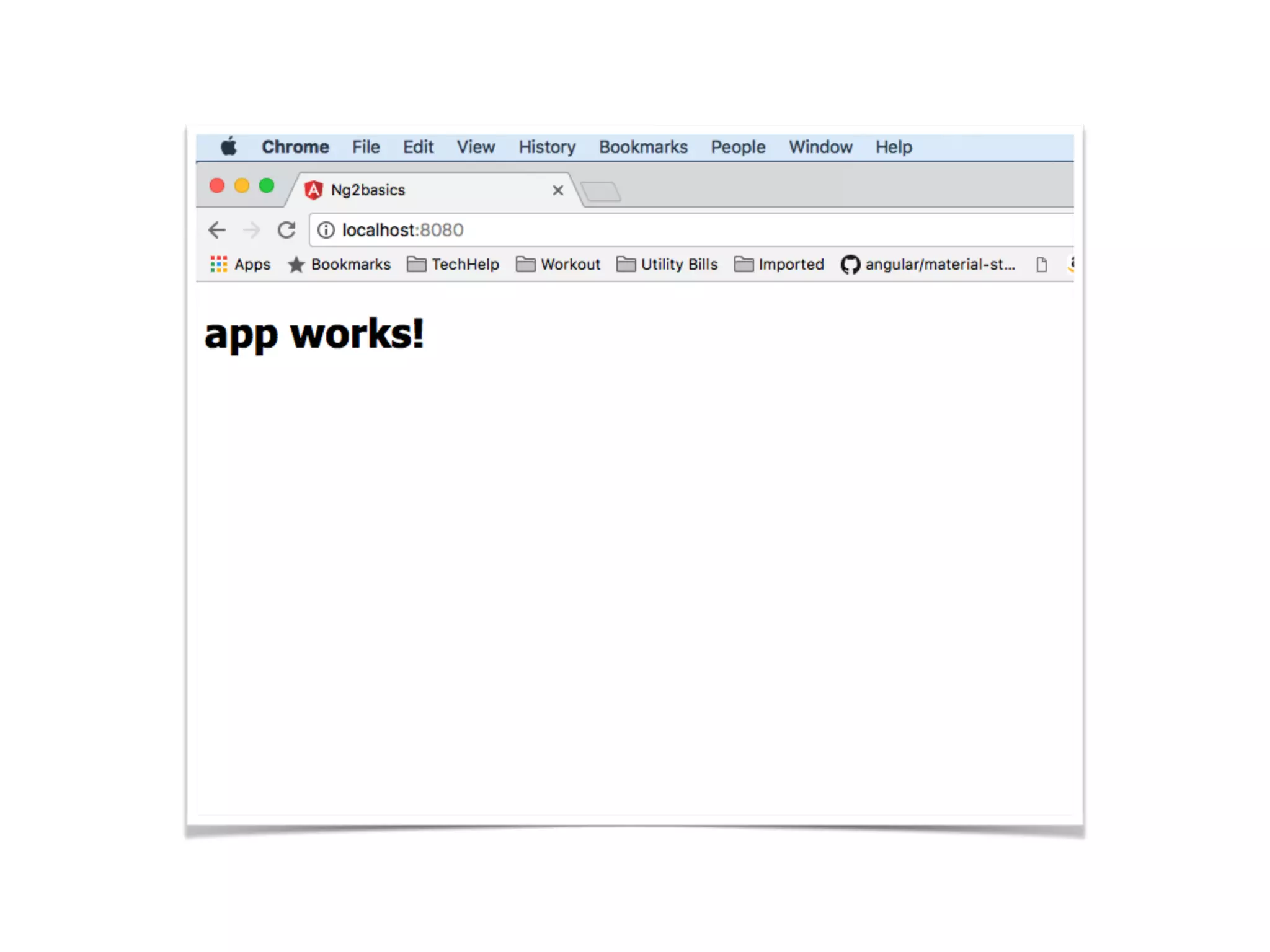
Run
• cd in to the app directory
• Run the app
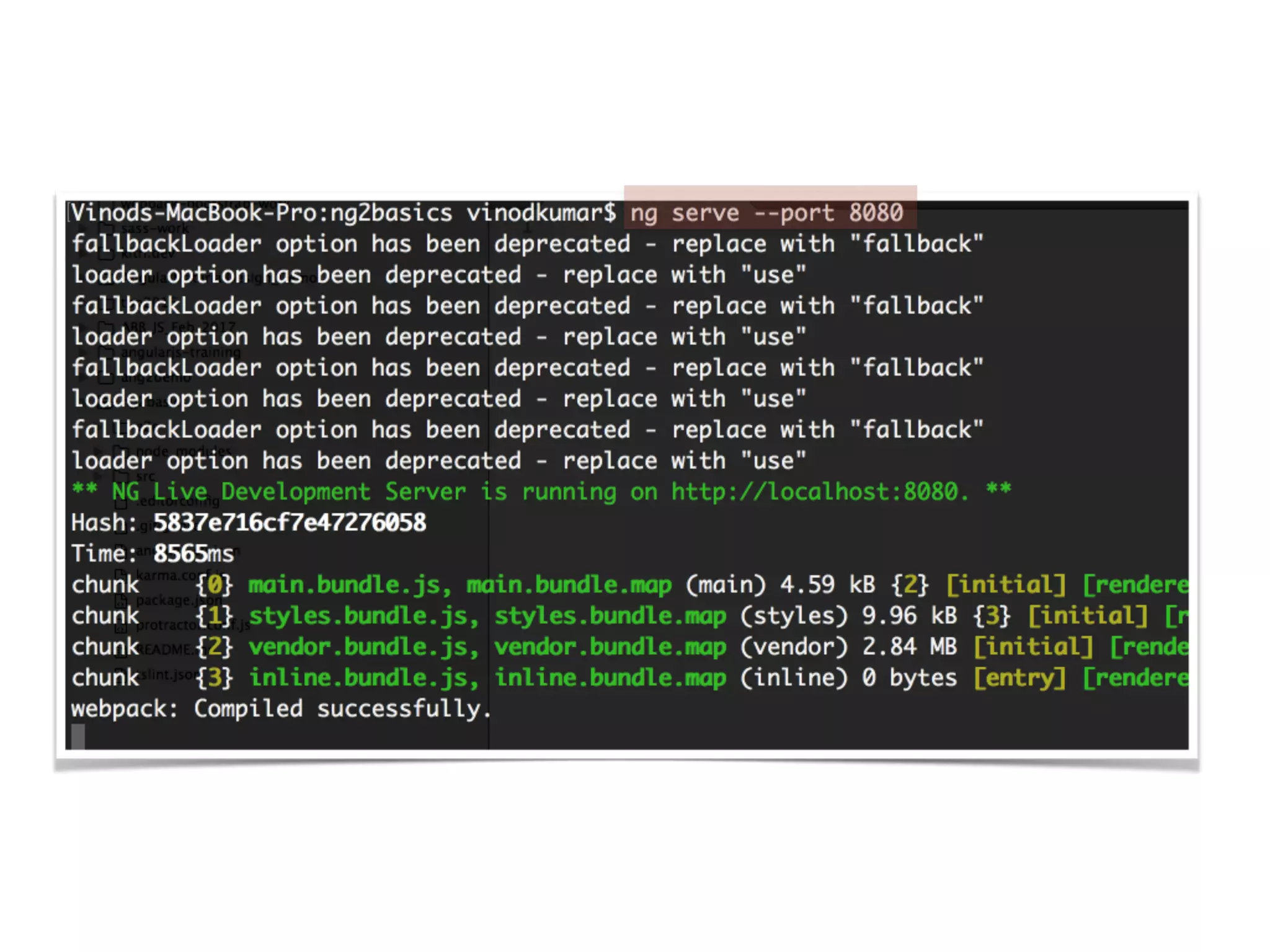
• ng serve --port 8080 -o
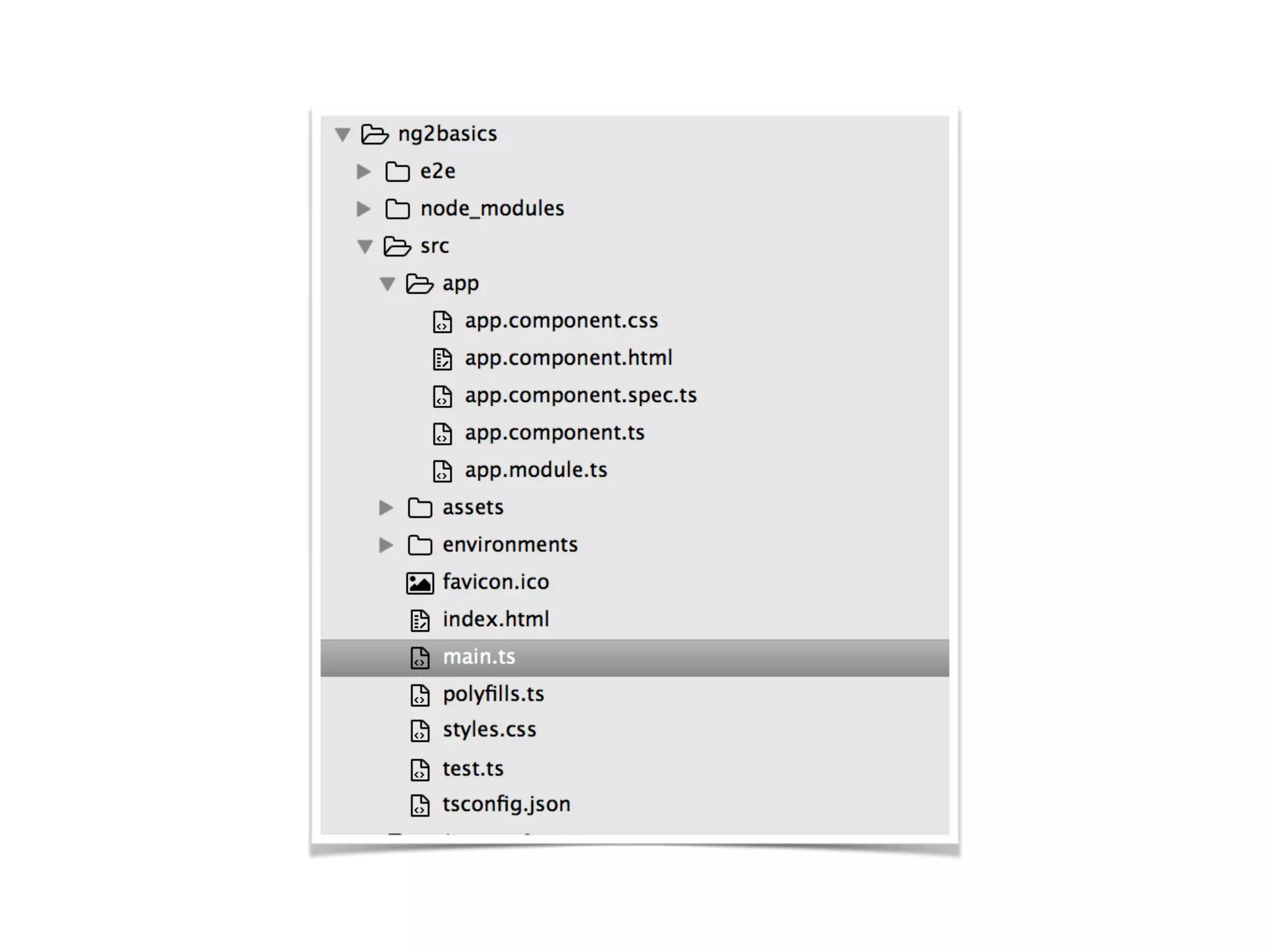
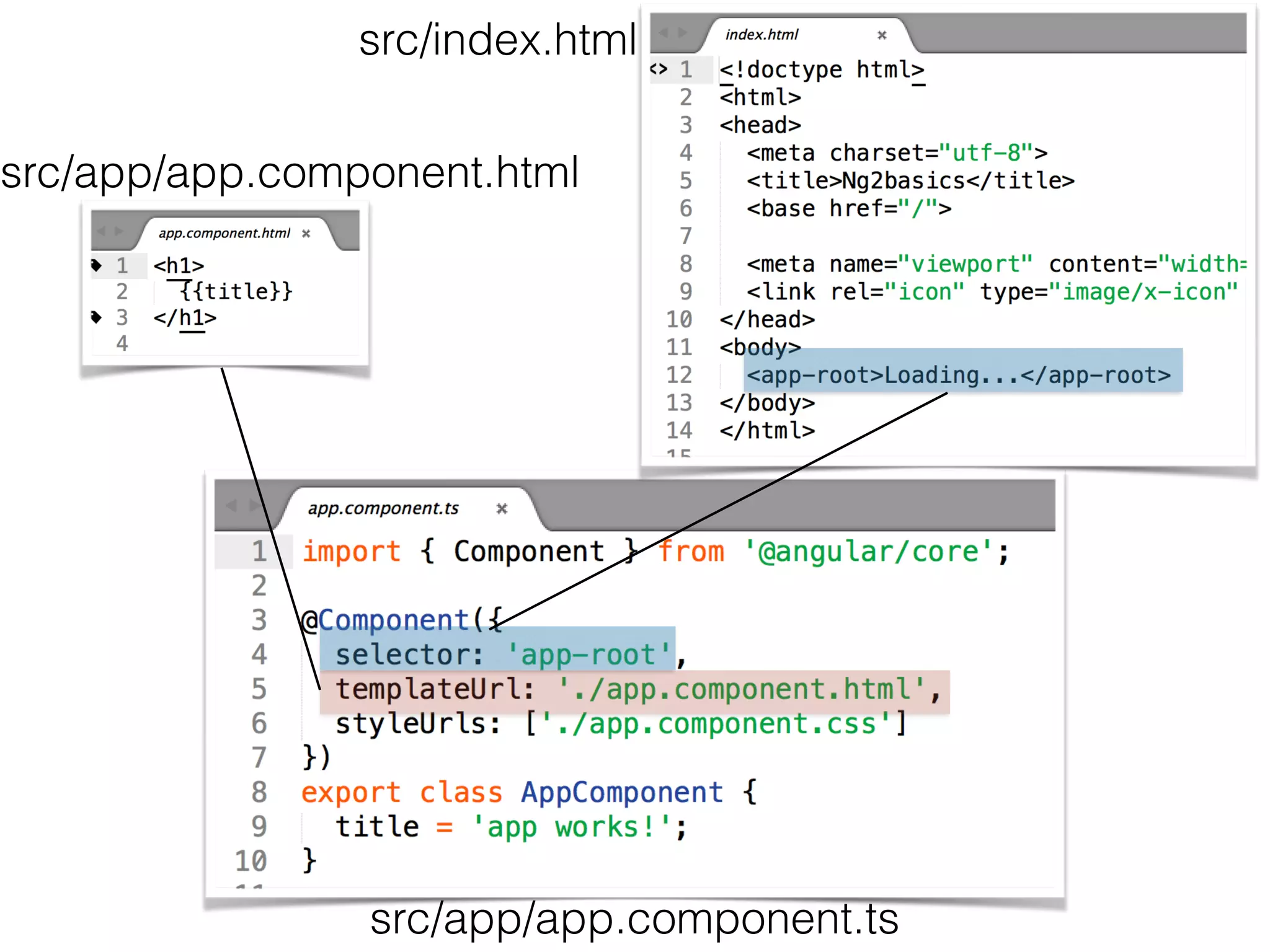
main.ts
src/app.module.ts
src/app/app.component.ts
src/app/app.component.html
src/index.html
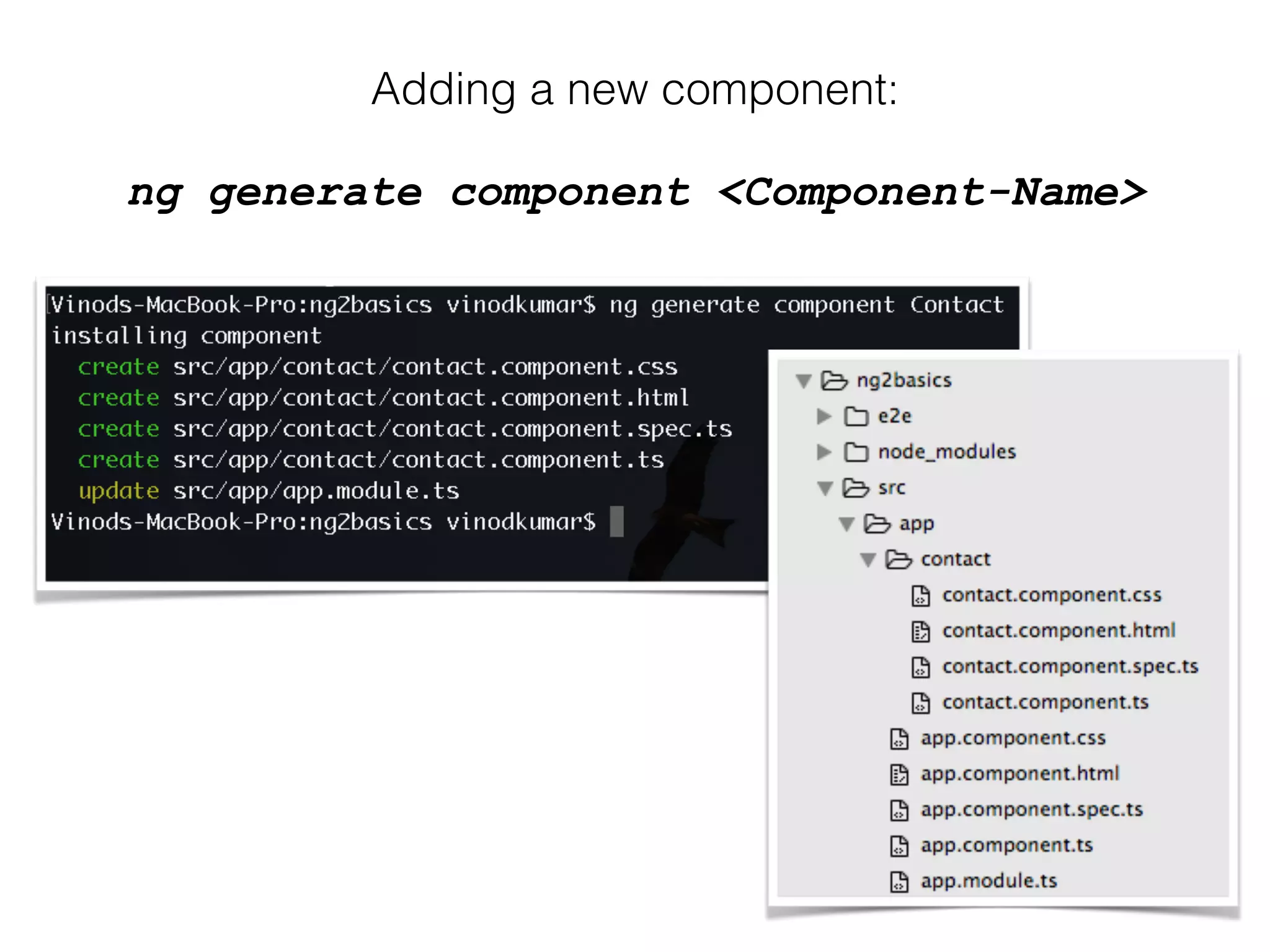
Adding a new component:
ng generate component <Component-Name>
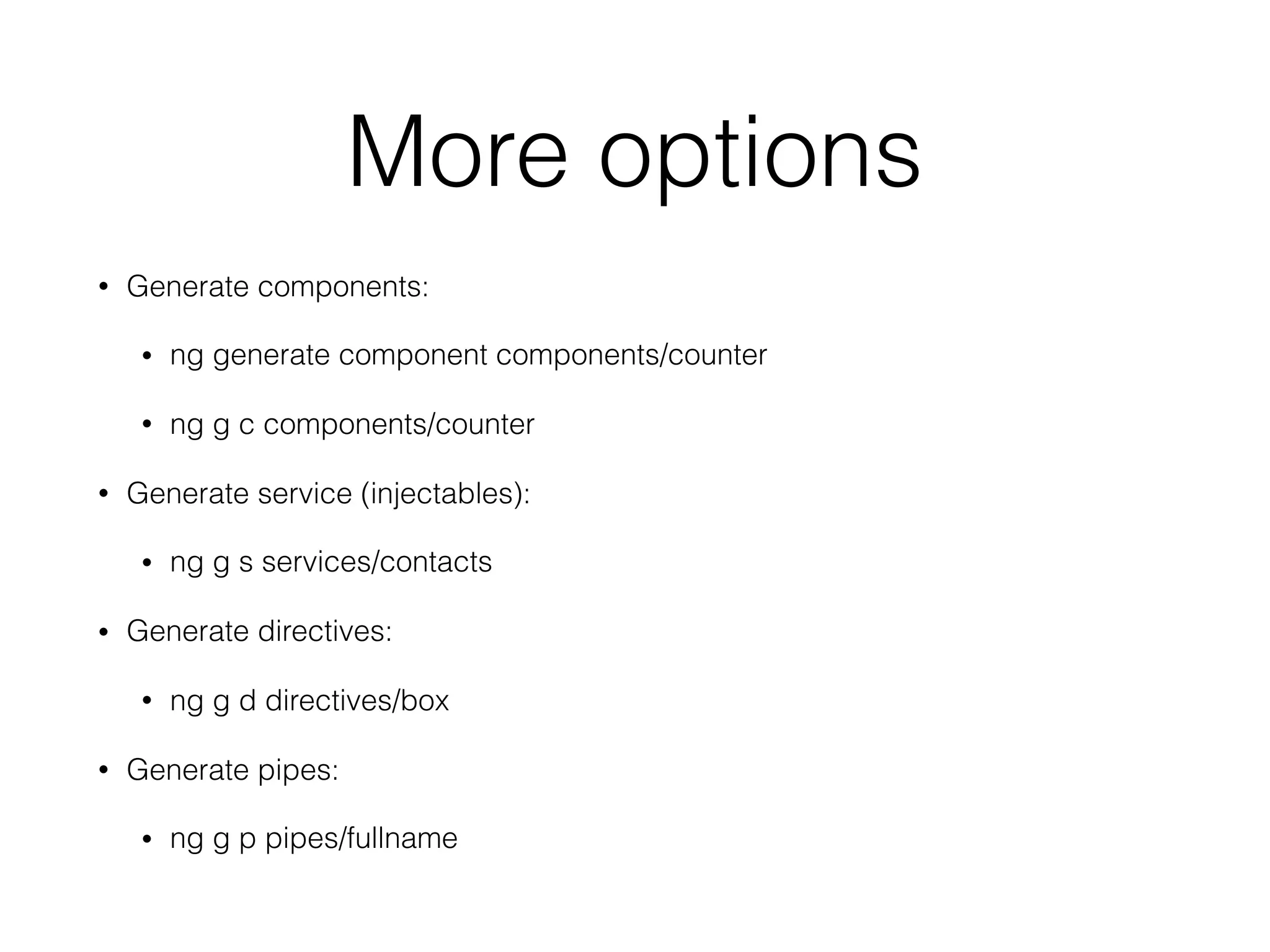
More options
• Generate components:
• ng generate component components/counter
• ng g c components/counter
• Generate service (injectables):
• ng g s services/contacts
• Generate directives:
• ng g d directives/box
• Generate pipes:
• ng g p pipes/fullname
Check out my TOP rated
Angular 7 course
• Udemy: http://bit.ly/2LsqmMa
• SkillShare: https://skl.sh/2JfpU2I
• Visit https://vinod.co for other courses like ReactJS,
MongoDB etc.

Angular