




SQLite Database
What is SQLite?

• Open Source Database
• SQLite is available on every Android device
• It supports standard relational database features like
   – SQL syntax
   – transactions
   – SQL statements
Advantages of Using SQLite


• Very light weight database
• Requires very little memory
   – Approx. 250KB
• SQLite Database is automatically managed by
  Android Platform
SQLite Data Types
SQLite Data Types

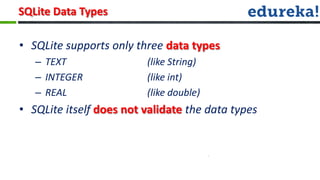
• SQLite supports only three data types
   – TEXT                (like String)
   – INTEGER             (like int)
   – REAL                (like double)
• SQLite itself does not validate the data types
SQLiteOpenHelper
SQLiteOpenHelper Class

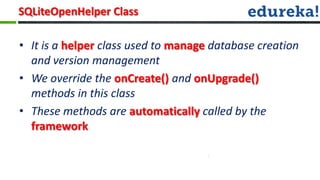
• It is a helper class used to manage database creation
  and version management
• We override the onCreate() and onUpgrade()
  methods in this class
• These methods are automatically called by the
  framework
SQLiteOpenHelper Class

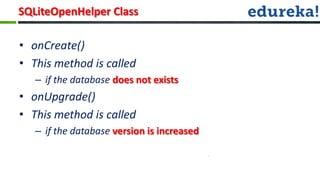
• onCreate()
• This method is called
   – if the database does not exists
• onUpgrade()
• This method is called
   – if the database version is increased
SQLiteDatabase
SQLiteDatabase Class

• SQLiteDatabase is the base class for working with a
  SQLite database
• It provides various methods like :
   –   Open()
   –   Insert()
   –   Update()
   –   Close()
Content Values
ContentValues

• ContentValues are used to insert or update database
  entries
• Records are stored as key-value pair in
  ContentValues
• Where :
   – Key represents Column-Id
   – Value represents data for the Column-Id
Cursor
Cursor

• A query returns a Cursor object
• This Cursor points to a single row of the result
  fetched by the query
• Benefit :
   – No need to load all data into memory
Using the Content Providers
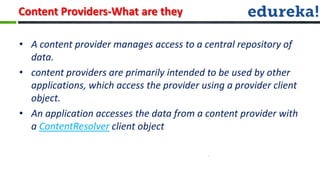
Content Providers-What are they

• A content provider manages access to a central repository of
  data.
• content providers are primarily intended to be used by other
  applications, which access the provider using a provider client
  object.
• An application accesses the data from a content provider with
  a ContentResolver client object
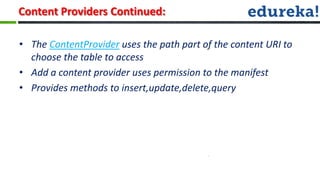
Content Providers Continued:

• The ContentProvider uses the path part of the content URI to
  choose the table to access
• Add a content provider uses permission to the manifest
• Provides methods to insert,update,delete,query
Coding Example :


 Demo Application !
•Q & A..?

Android webinar class_6

  • 1.
  • 2.
    What is SQLite? •Open Source Database • SQLite is available on every Android device • It supports standard relational database features like – SQL syntax – transactions – SQL statements
  • 3.
    Advantages of UsingSQLite • Very light weight database • Requires very little memory – Approx. 250KB • SQLite Database is automatically managed by Android Platform
  • 4.
  • 5.
    SQLite Data Types •SQLite supports only three data types – TEXT (like String) – INTEGER (like int) – REAL (like double) • SQLite itself does not validate the data types
  • 6.
  • 7.
    SQLiteOpenHelper Class • Itis a helper class used to manage database creation and version management • We override the onCreate() and onUpgrade() methods in this class • These methods are automatically called by the framework
  • 8.
    SQLiteOpenHelper Class • onCreate() •This method is called – if the database does not exists • onUpgrade() • This method is called – if the database version is increased
  • 9.
  • 10.
    SQLiteDatabase Class • SQLiteDatabaseis the base class for working with a SQLite database • It provides various methods like : – Open() – Insert() – Update() – Close()
  • 11.
  • 12.
    ContentValues • ContentValues areused to insert or update database entries • Records are stored as key-value pair in ContentValues • Where : – Key represents Column-Id – Value represents data for the Column-Id
  • 13.
  • 14.
    Cursor • A queryreturns a Cursor object • This Cursor points to a single row of the result fetched by the query • Benefit : – No need to load all data into memory
  • 15.
  • 16.
    Content Providers-What arethey • A content provider manages access to a central repository of data. • content providers are primarily intended to be used by other applications, which access the provider using a provider client object. • An application accesses the data from a content provider with a ContentResolver client object
  • 17.
    Content Providers Continued: •The ContentProvider uses the path part of the content URI to choose the table to access • Add a content provider uses permission to the manifest • Provides methods to insert,update,delete,query
  • 18.
    Coding Example : Demo Application !
  • 19.

Editor's Notes

  • #3 such as development toolkits for other programming languages, and can write and contribute their own plug-in modules.
  • #17 such as development toolkits for other programming languages, and can write and contribute their own plug-in modules.