Lift SSIS packages to Azure using
Data Factory v2
Manjeet Singh,
Consultant – ASG Group
Please silence
cell phones
Manjeet Singh
Information & Data Management Consultant
ASG Group
Information and Data Management Consultant
at ASG Group with more than 15 years'
experience in Information & Data Management
domain.
Experience of working in industries such as
Energy, Oil and Gas, Banking, Local Government
and IT services.
An aspiring Data Scientist and passionate about
Artificial Intelligence (AI) and Machine Learning
(ML).
Place your
photo here
/manjeetsingh-aibipro @manjeetsinghitp
Thanks to all sponsors
Agenda
Azure Data Factory (ADF)
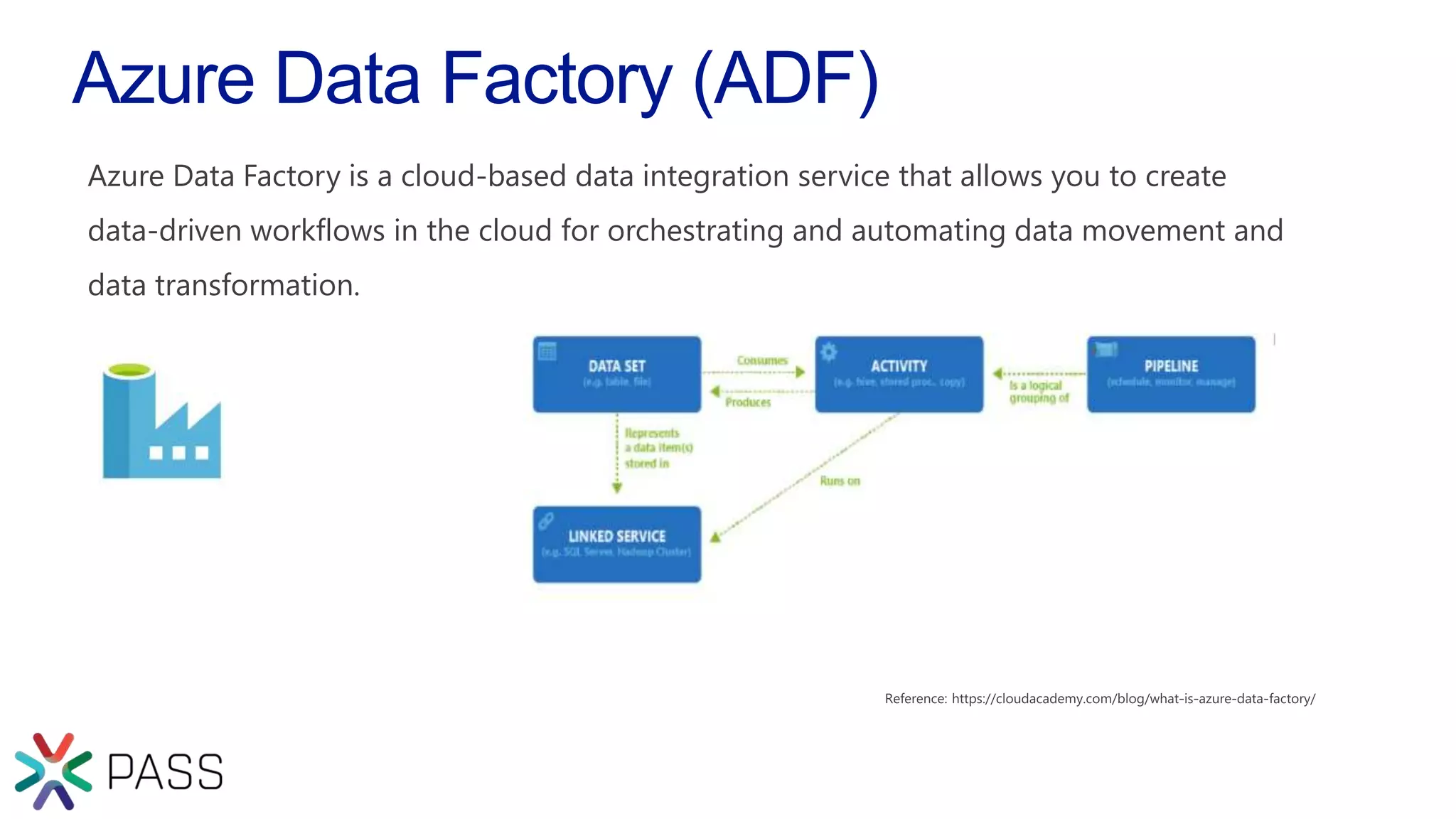
Azure Data Factory is a cloud-based data integration service that allows you to create
data-driven workflows in the cloud for orchestrating and automating data movement and
data transformation.
Azure Data Factory V2.0
Everything done in Azure Data Factory v2 will use the Integration
Runtime engine. The IR is the core service component for ADF v2.
With the IR in ADF v2 makes it possible to lift and shift our existing
on premises SSIS packages into the cloud.
Or start with a blank canvas and create cloud based scale out
control flow and data flow pipelines, facilitated by the new
capabilities in ADFv2
Integration Runtime
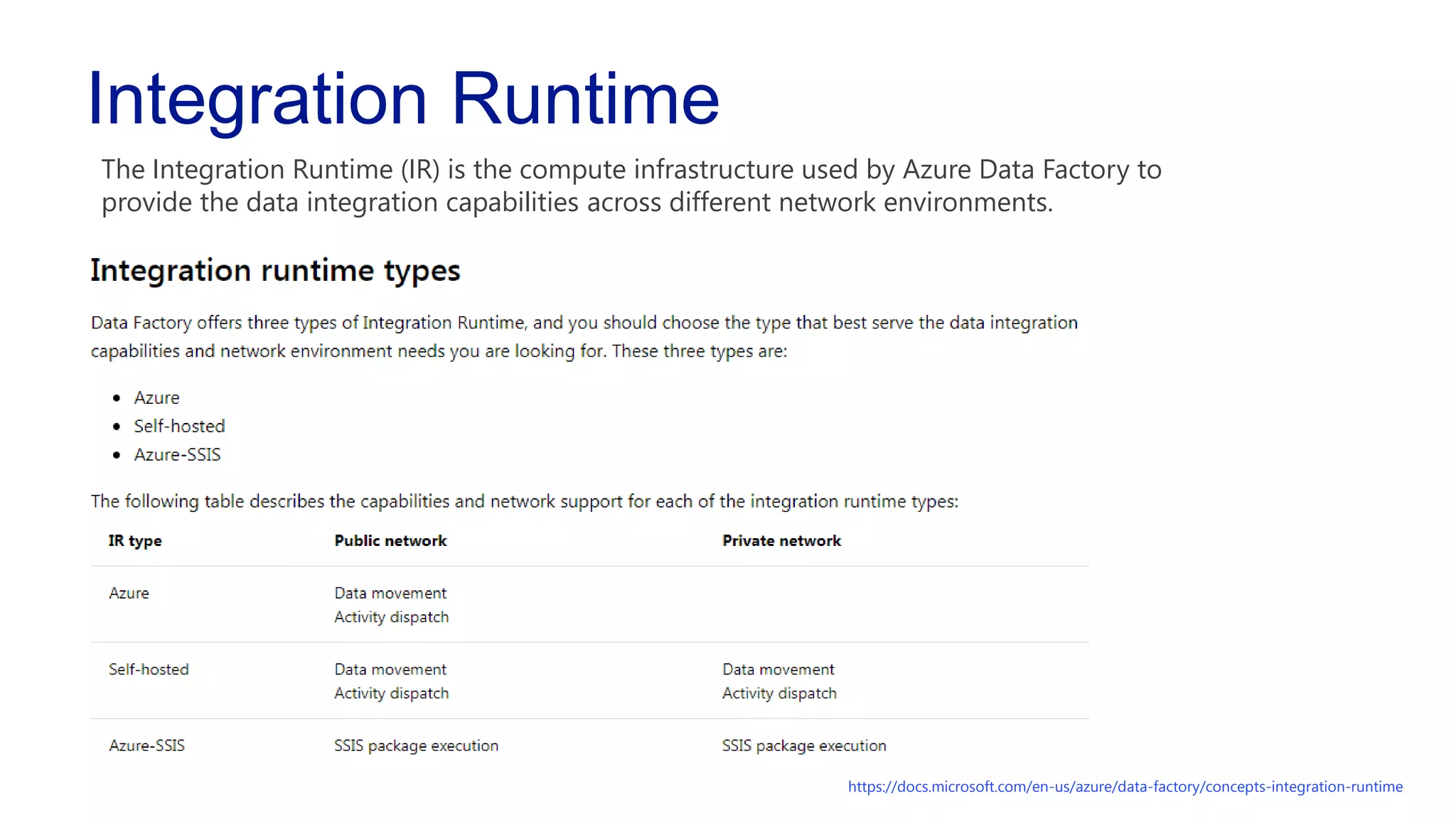
The Integration Runtime (IR) is the compute infrastructure used by Azure Data Factory to
provide the data integration capabilities across different network environments.
https://docs.microsoft.com/en-us/azure/data-factory/concepts-integration-runtime
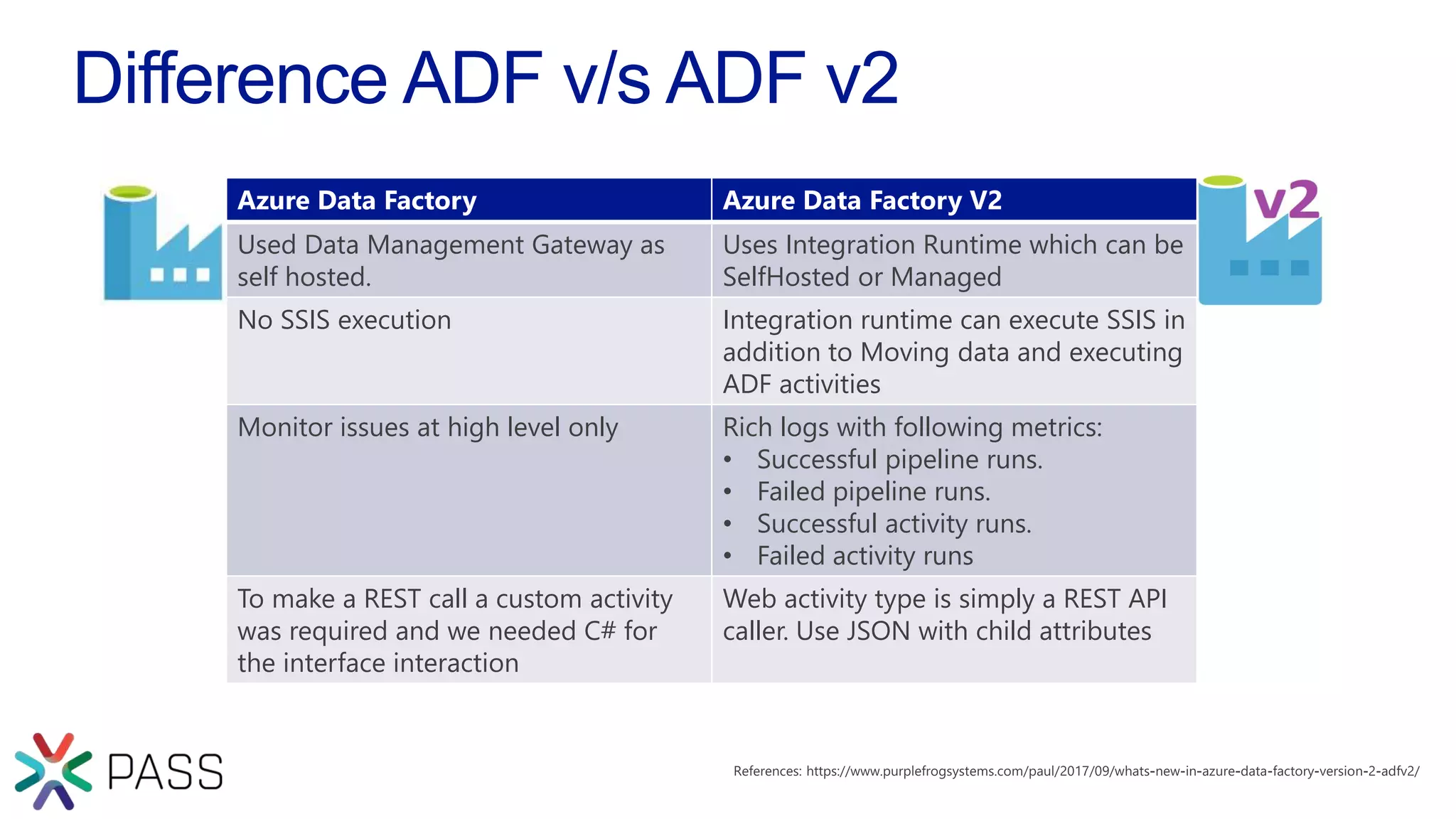
Difference ADF v/s ADF v2
Azure Data Factory Azure Data Factory V2
Used Data Management Gateway as
self hosted.
Uses Integration Runtime which can be
SelfHosted or Managed
No SSIS execution Integration runtime can execute SSIS in
addition to Moving data and executing
ADF activities
Monitor issues at high level only Rich logs with following metrics:
• Successful pipeline runs.
• Failed pipeline runs.
• Successful activity runs.
• Failed activity runs
To make a REST call a custom activity
was required and we needed C# for
the interface interaction
Web activity type is simply a REST API
caller. Use JSON with child attributes
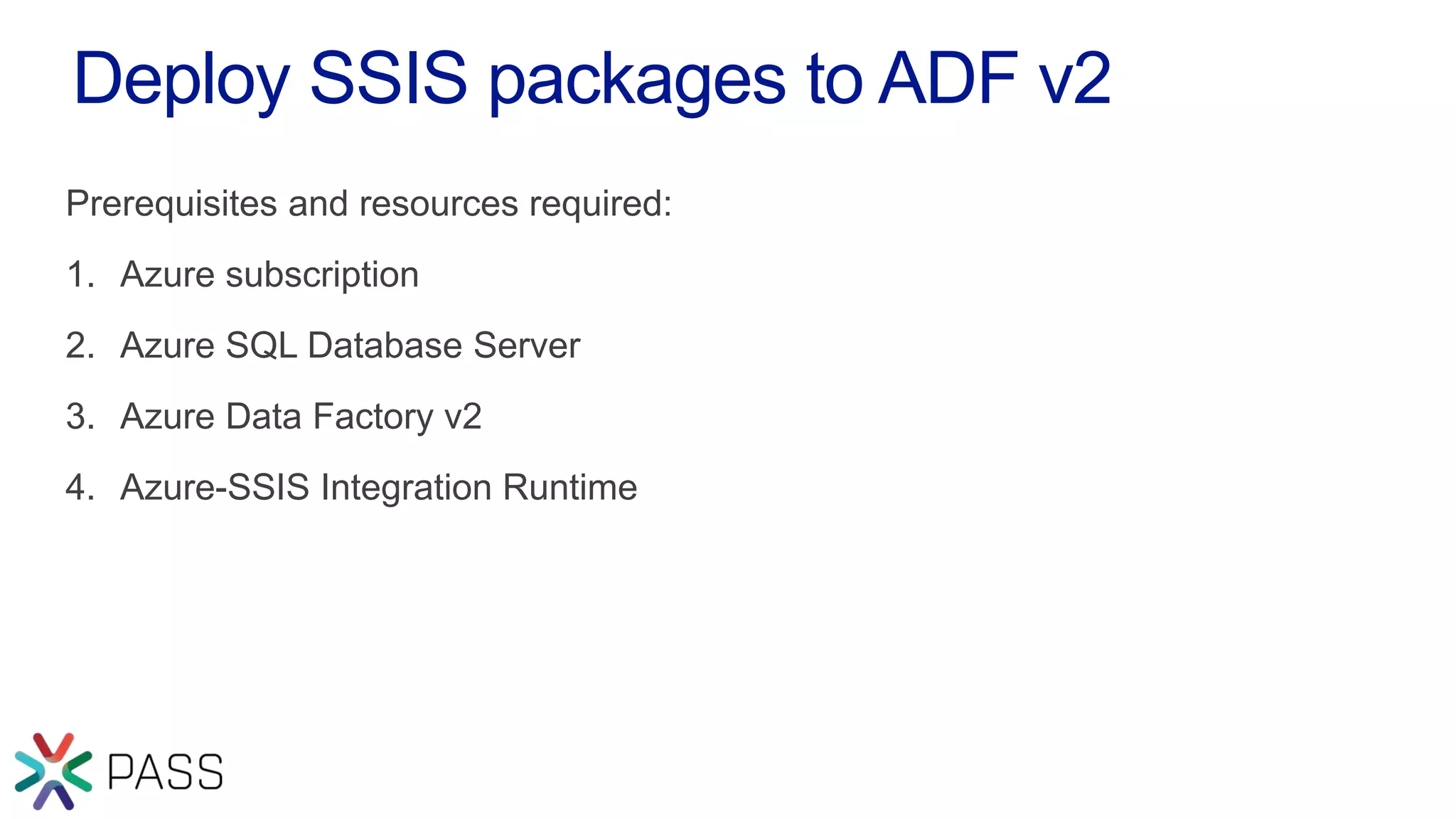
Deploy SSIS packages to ADF v2
Prerequisites and resources required:
1. Azure subscription
2. Azure SQL Database Server
3. Azure Data Factory v2
4. Azure-SSIS Integration Runtime
Deploy SSIS packages to ADF v2
Azure SQL Database Server should be provision in the same region as
Integration Runtime.
It hosts SSIS Catalog database (SSISDB)
DEMO
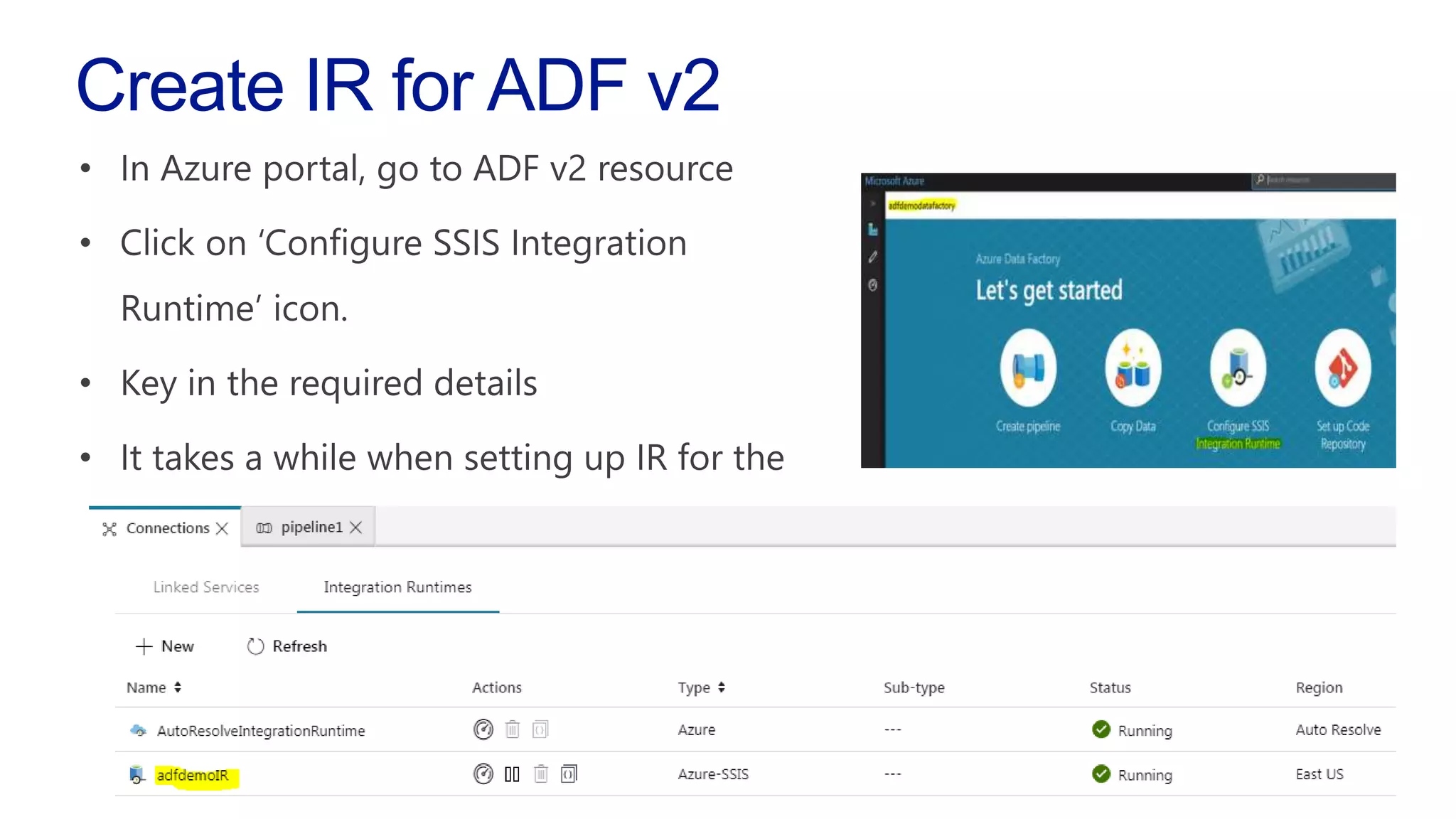
Create IR for ADF v2
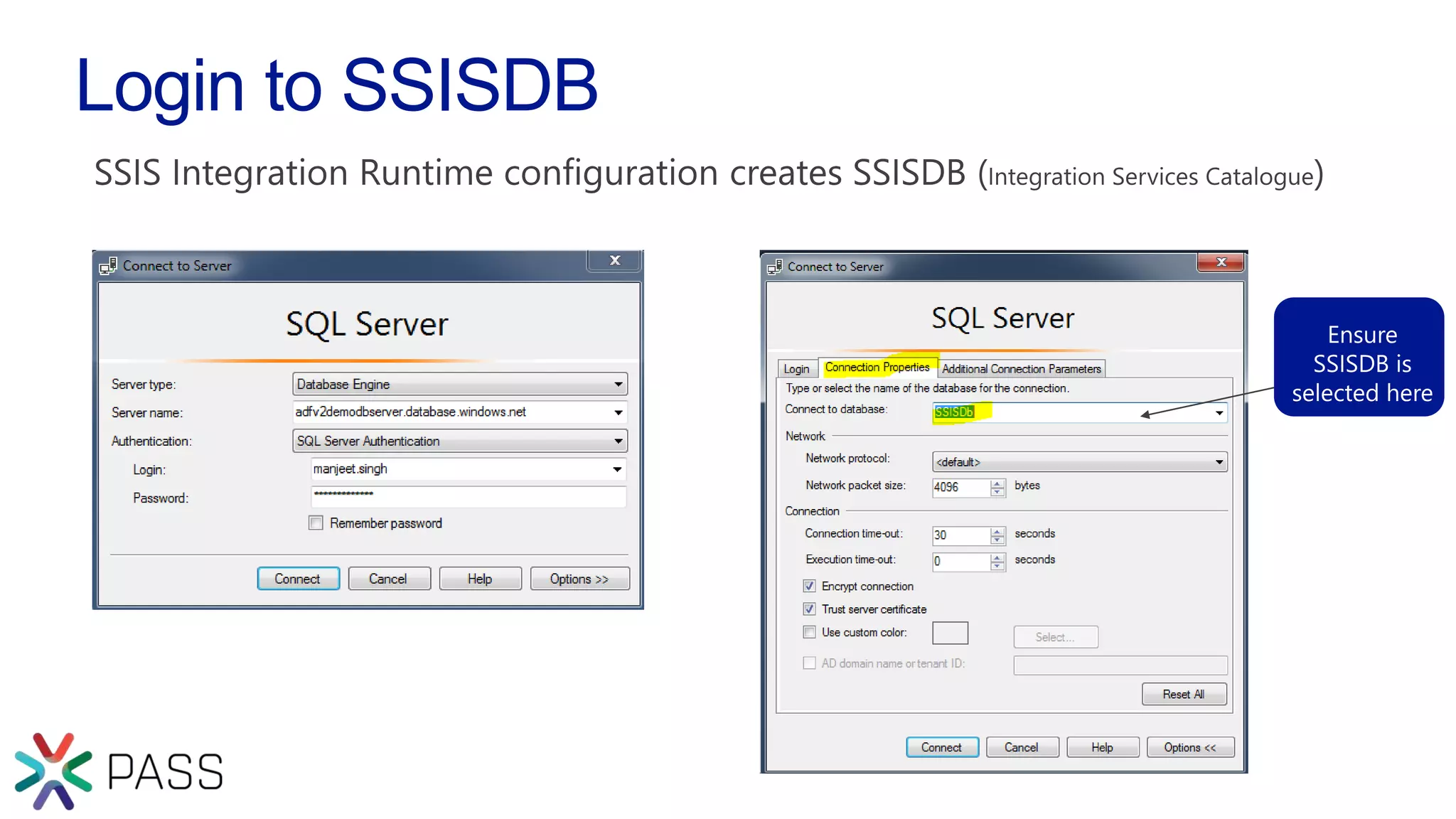
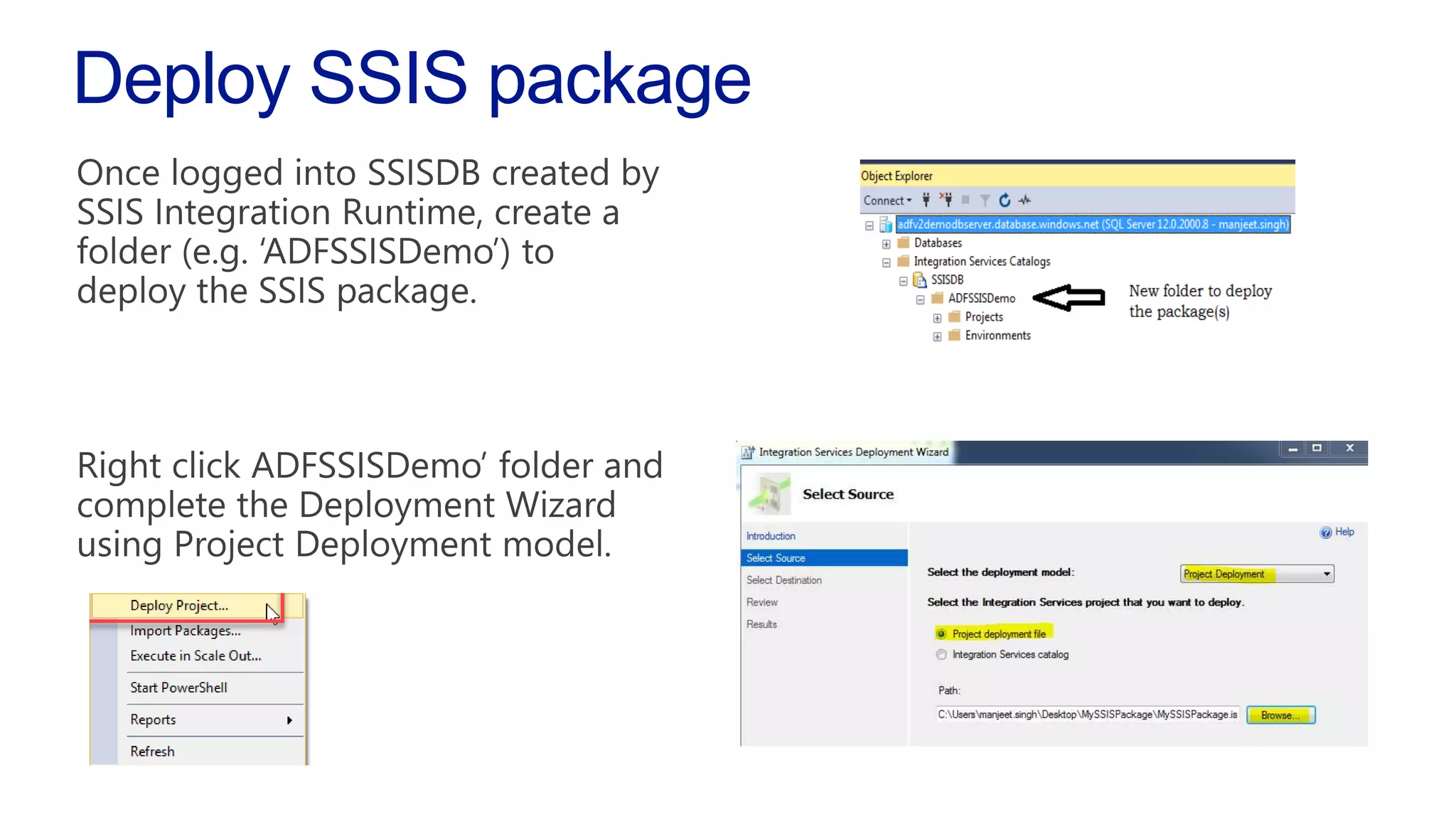
Login to SSISDB
Deploy SSIS package
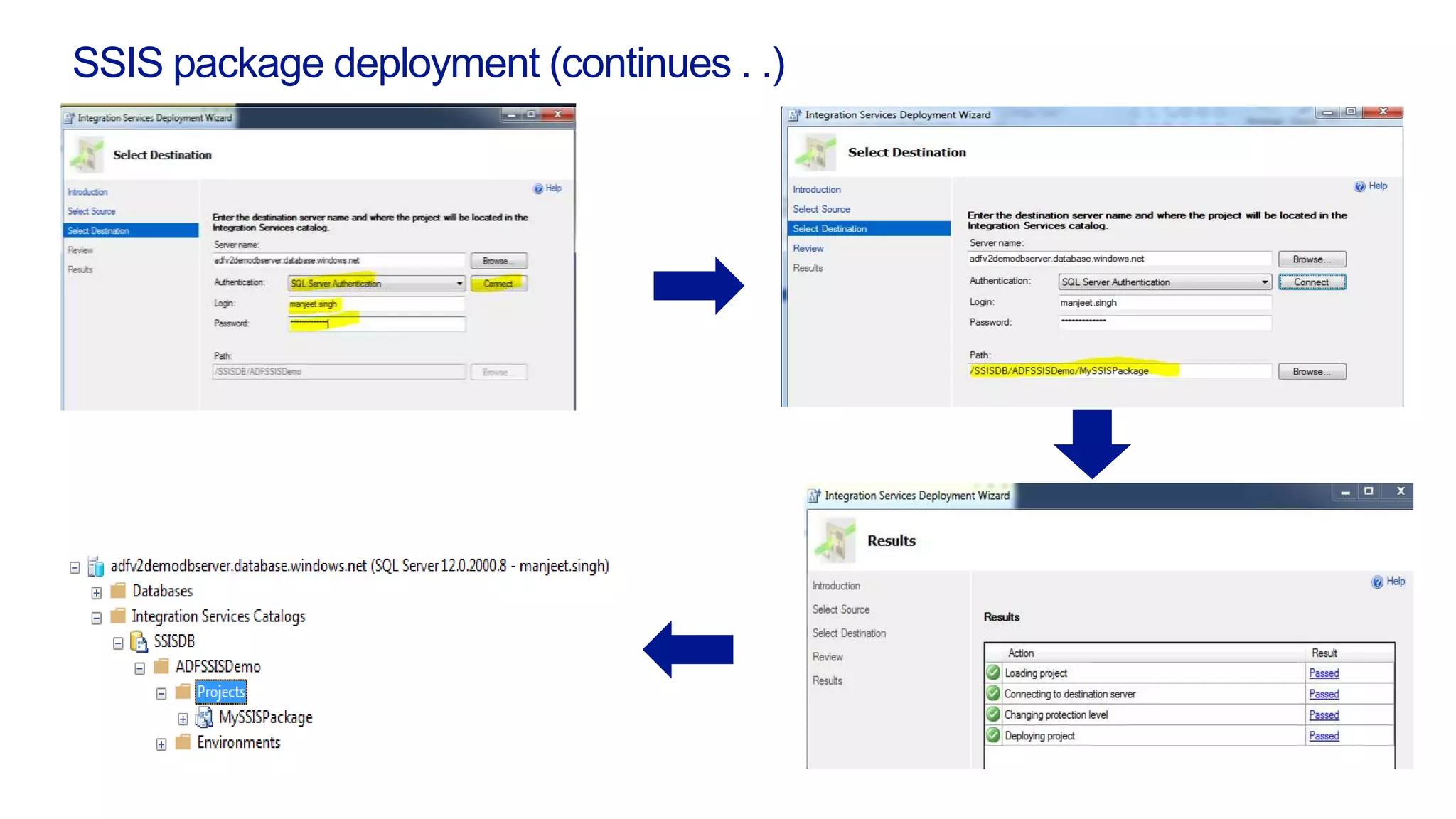
SSIS package deployment (continues . .)
Run deployed SSIS package
• Run the deployed package using SQL Server Management Studio
• Run the deployed package using a pipeline in ADF v2
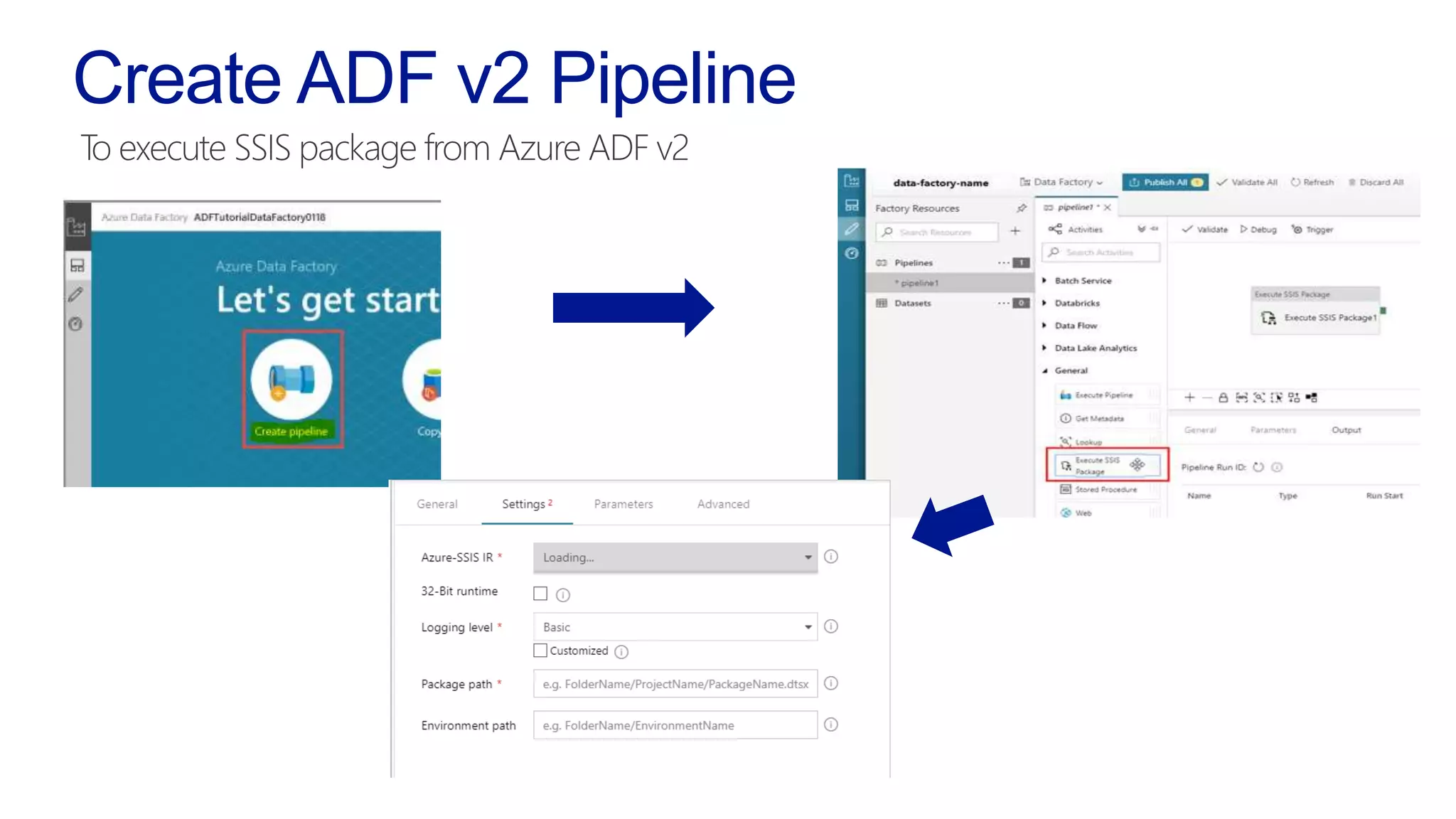
Create ADF v2 Pipeline
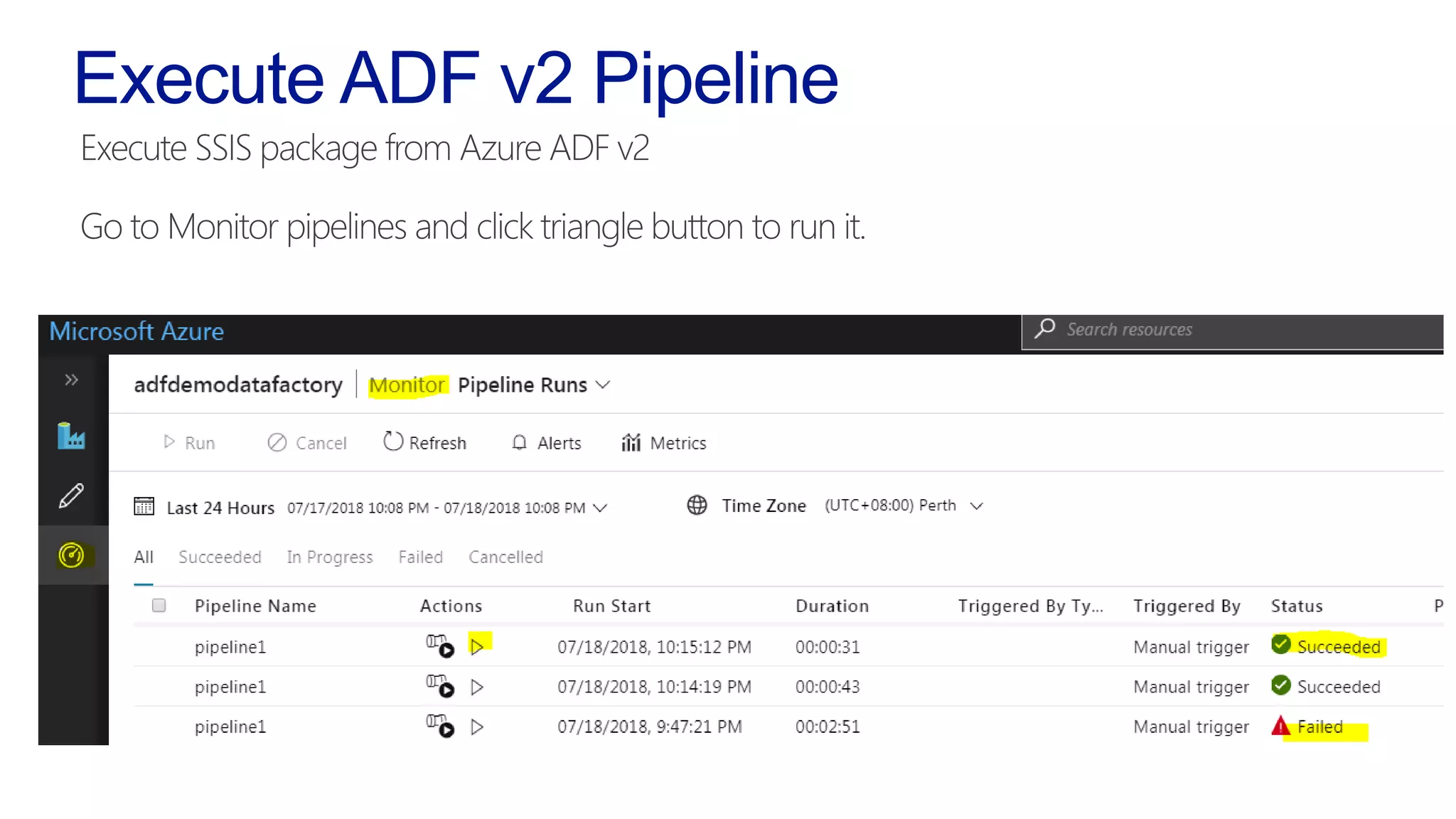
Execute ADF v2 Pipeline
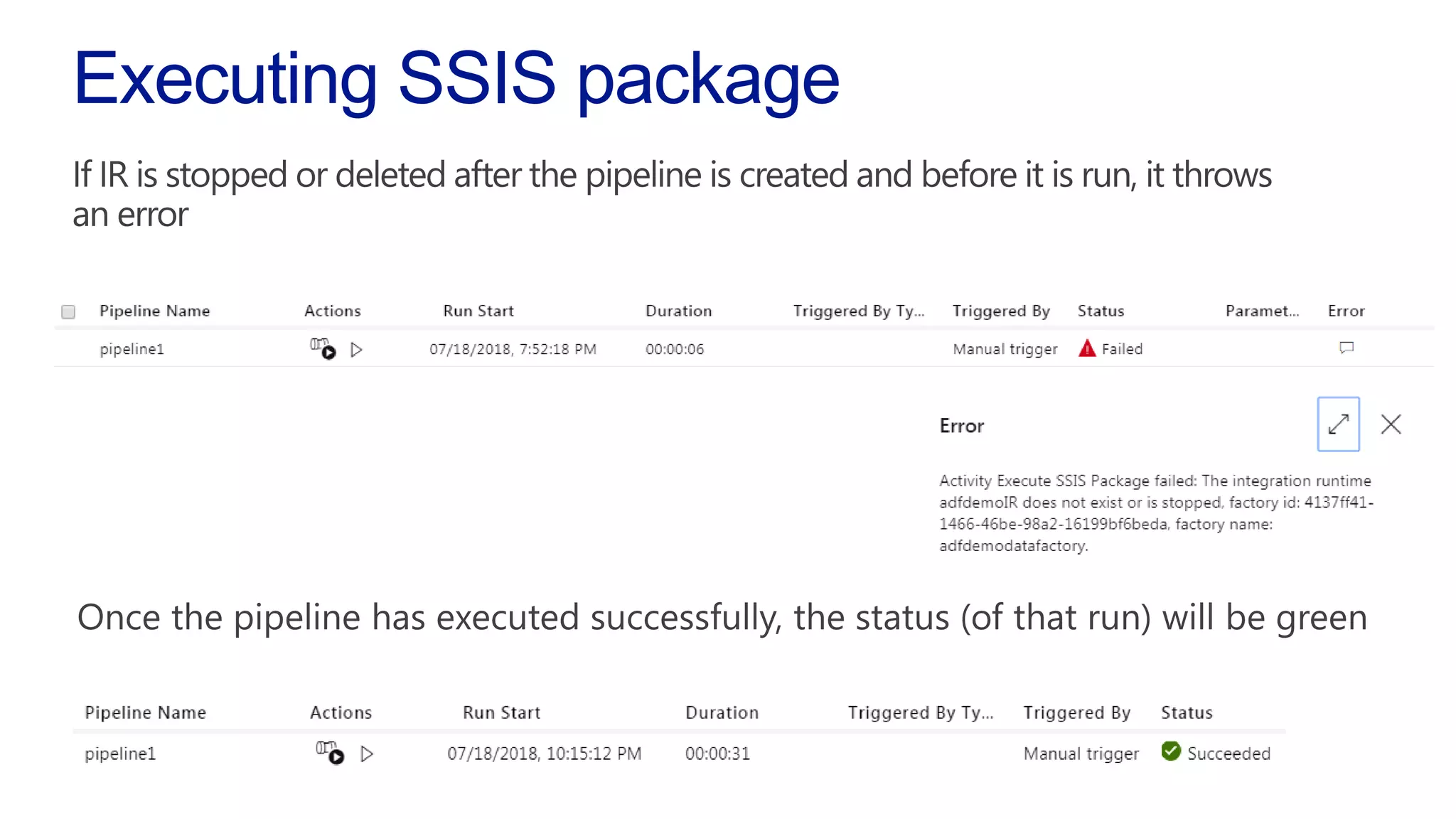
Executing SSIS package
Tips/Info on using SSIS IR (Integrationruntime)
https://blogs.msdn.microsoft.com/ssis/2017/10/12/lift-shift-your-ssis-package-
execution-to-the-cloud-on-azure-today/
https://dataninjago.com/2018/01/08/ssis-in-azure-2-deploy-ssis-packages-to-
azure-ssis-integration-runtime-in-adf-v2/
Want to explore more?
Thank you!
Manjeet Singh
Information and Data Management Consultant,
ASG Group
/manjeetsingh-aibipro @manjeetsinghitp

Lift SSIS package to Azure Data Factory V2