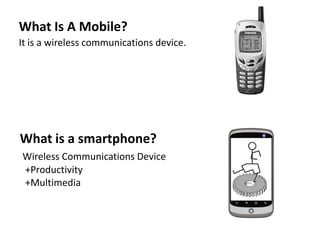
What Is A Mobile?
It is a wireless communications device.
What is a smartphone?
Wireless Communications Device
+Productivity
+Multimedia
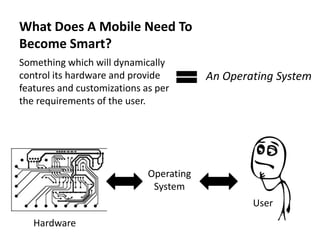
What Does A Mobile Need To
Become Smart?
Something which will dynamically
control its hardware and provide
features and customizations as per
the requirements of the user.
An Operating System
Operating
System
Hardware
User
Previous Attempts At Making An Operating
System
• Adopted by Nokia and
others, brought many of the early
consumer level smartphones
• OS developed for Personal Digital
Assistants(PDA) Optimized
touchscreen based GUI
• Designed by Research In
Motion(RIM) for enterprise level
consumers
• Designed by Microsoft for Pocket
PCs, attempted in unifying desktop
and smartphone experience
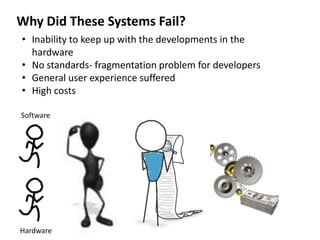
Why Did These Systems Fail?
• Inability to keep up with the developments in the
hardware
• No standards- fragmentation problem for developers
• General user experience suffered
• High costs
Software
Hardware
The Open Handset Alliance
• Group Of 84 Companies - The hardware and software makers
• A commitment to openness, a shared vision for the future,
and concrete plans to make the vision a reality
• Develops standards for android
Visions Of The Open Handset Alliance
• Building a better phone for consumers
• Innovating in the open
• Making the vision a reality
-Because We Want More…!!
-Because Sharing Is Caring…
-Because We Are Not Building
Castles In The Air..!!
Philosophy Behind Creation Of Android
• Open
• All applications are created equal
• Breaking down application boundaries
• Fast & easy application development
• The source code can be viewed,
copied, edited and shared
• All applications have access to
every feature of the device
• Reusability Of Code
• Strong developer support
backbone
Early Years Of Android
• Andy Rubin founded Android in 2003
• Google bought the company in 2005
• The Open Handset Alliance Unveiled itself in 2007
• First device running android – the HTC Dream was
released in 2008
• Google launched the Nexus series of devices in 2010
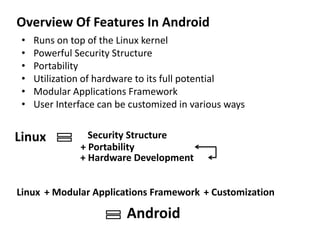
Overview Of Features In Android
• Runs on top of the Linux kernel
• Powerful Security Structure
• Portability
• Utilization of hardware to its full potential
• Modular Applications Framework
• User Interface can be customized in various ways
Linux Security Structure
+ Hardware Development
+ Portability
Linux + Modular Applications Framework + Customization
Android
Advantages Of Open Source Software
• Lower total cost of ownership
• Reduced dependence on software vendors
• Easier to customize
• Higher level of security
Why Choose The Linux Kernel?
• Open Source
• Huge developer network already in place
• Cross architecture development
• Years of development has made it stable and secure
Open Source
= Developer Network
= Ported To Various Platforms
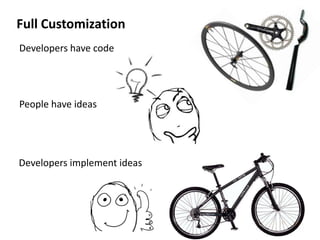
Full Customization
Developers have code
People have ideas
Developers implement ideas
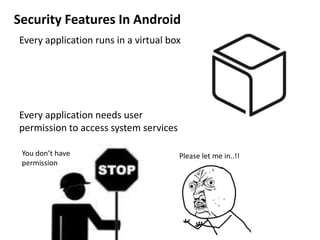
Security Features In Android
Every application runs in a virtual box
Every application needs user
permission to access system services
Please let me in..!!You don’t have
permission
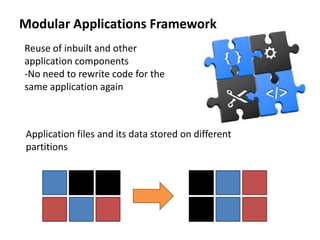
Modular Applications Framework
Reuse of inbuilt and other
application components
-No need to rewrite code for the
same application again
Application files and its data stored on different
partitions
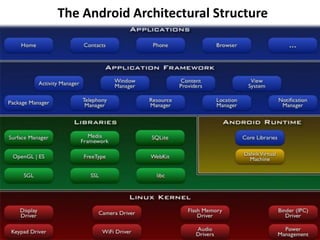
The Android Architectural Structure
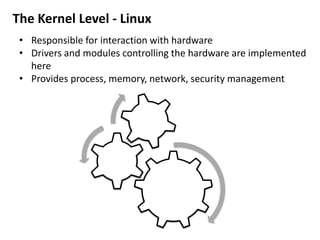
The Kernel Level - Linux
• Responsible for interaction with hardware
• Drivers and modules controlling the hardware are implemented
here
• Provides process, memory, network, security management
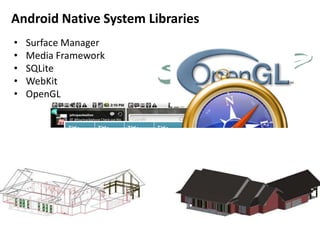
• Surface Manager
• Media Framework
• SQLite
• WebKit
• OpenGL
Android Native System Libraries
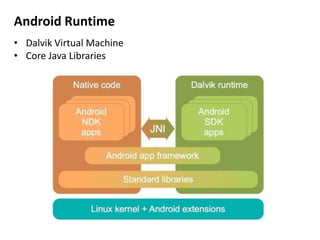
Android Runtime
• Dalvik Virtual Machine
• Core Java Libraries
Applications
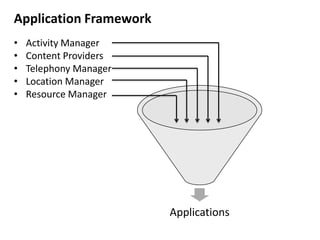
Application Framework
• Activity Manager
• Content Providers
• Telephony Manager
• Location Manager
• Resource Manager
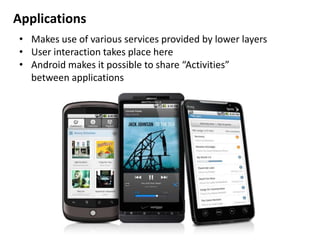
Applications
• Makes use of various services provided by lower layers
• User interaction takes place here
• Android makes it possible to share “Activities”
between applications
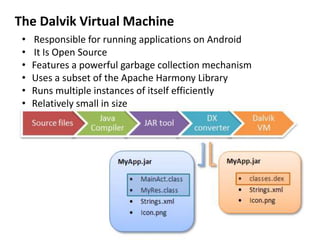
The Dalvik Virtual Machine
• Responsible for running applications on Android
• It Is Open Source
• Features a powerful garbage collection mechanism
• Uses a subset of the Apache Harmony Library
• Runs multiple instances of itself efficiently
• Relatively small in size
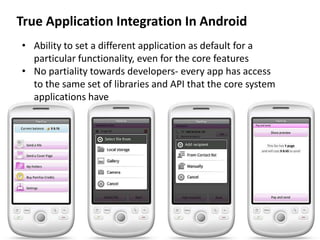
True Application Integration In Android
• Ability to set a different application as default for a
particular functionality, even for the core features
• No partiality towards developers- every app has access
to the same set of libraries and API that the core system
applications have
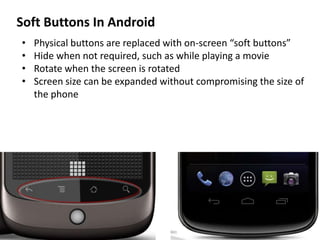
Soft Buttons In Android
• Physical buttons are replaced with on-screen “soft buttons”
• Hide when not required, such as while playing a movie
• Rotate when the screen is rotated
• Screen size can be expanded without compromising the size of
the phone
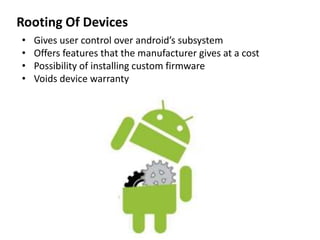
Rooting Of Devices
• Gives user control over android’s subsystem
• Offers features that the manufacturer gives at a cost
• Possibility of installing custom firmware
• Voids device warranty
Android Versions
Named after deserts
Android version 1.5: Cupcake
Android version 1.6: Donut
Android version 2.0: Eclair
Android version 2.2: Frozen Yogurt (Froyo)
Android version 2.3: Gingerbread
Android version 3.0: Honeycomb
Android version 4.0: Ice Cream Sandwich
Android version 4.1: Jelly Bean
C
D
E
F
G
H
I
J
A B C D E F G H I J
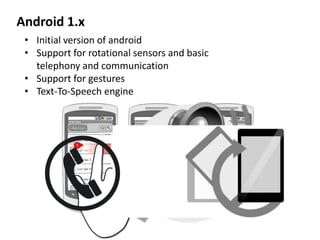
Android 1.x
• Initial version of android
• Support for rotational sensors and basic
telephony and communication
• Support for gestures
• Text-To-Speech engine
Android 2.x
• Multiple Account Sync
• USB tethering and WiFi hotspot
• Support for Adobe Flash
• Native support for more sensors like NFC
Android 3.x
• Optimized for tablets
• New “Holographic” user interface
• Support for multi-core processors
• Support for USB accessories
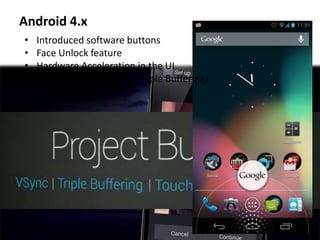
Android 4.x
• Introduced software buttons
• Face Unlock feature
• Hardware Acceleration in the UI
• Project Butter (VSync, Tripple Buffering)
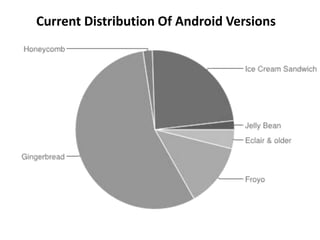
Current Distribution Of Android Versions
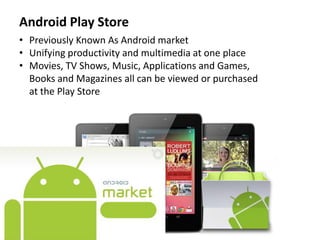
Android Play Store
• Previously Known As Android market
• Unifying productivity and multimedia at one place
• Movies, TV Shows, Music, Applications and Games,
Books and Magazines all can be viewed or purchased
at the Play Store
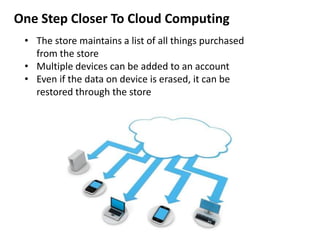
One Step Closer To Cloud Computing
• The store maintains a list of all things purchased
from the store
• Multiple devices can be added to an account
• Even if the data on device is erased, it can be
restored through the store
Play Store: The Security Features
• Bouncer- The Automatic malware search and removal service
• Application redirecting to sites, sending sms or email without
the user’s consent are banned
• Application Encryption
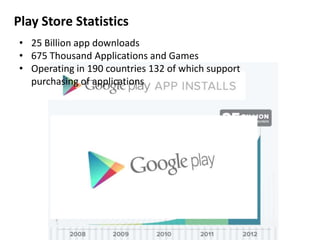
Play Store Statistics
• 25 Billion app downloads
• 675 Thousand Applications and Games
• Operating in 190 countries 132 of which support
purchasing of applications
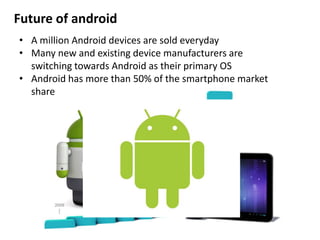
Future of android
• A million Android devices are sold everyday
• Many new and existing device manufacturers are
switching towards Android as their primary OS
• Android has more than 50% of the smartphone market
share
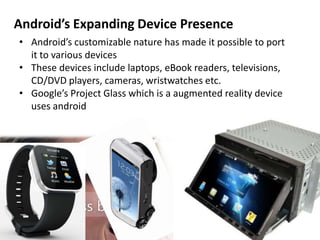
Android’s Expanding Device Presence
• Android’s customizable nature has made it possible to port
it to various devices
• These devices include laptops, eBook readers, televisions,
CD/DVD players, cameras, wristwatches etc.
• Google’s Project Glass which is a augmented reality device
uses android
Android Powers NASA’s New Satellites
• NASA aims to launch multiple small satellites called
“PhoneSats”
• Android devices such as the HTC Nexus One and the
Samsung Galaxy Nexus S were chosen for this
purpose
• These devices are feature rich as well as cost effective
• NASA believes that commercial devices may provide
better abilities than custom designed hardware
Android proved to be a powerful platform for
everyone.
Its rise to power in such a small time is credited mainly
to the fact that it is open source.
When many people all over the world get involved in a
project, there’s going to be a flow of different ideas
and when we funnel these ideas to a organized
system, a culture which knows no boundaries is born
…and…
A DREAM IS MADE
REALITY
Any Questions?
Presentation Designed By:
349
350
351
352
353
354
355
356
Chandan Varadkar
Ravi Varu
Sachin Vernekar
Siddhesh Wadekar
Disha Wagle
Saurabh Wahile
Ravishankar Yadav
Rajaram Yadav

Android Presentation

  • 2.
    What Is AMobile? It is a wireless communications device. What is a smartphone? Wireless Communications Device +Productivity +Multimedia
  • 3.
    What Does AMobile Need To Become Smart? Something which will dynamically control its hardware and provide features and customizations as per the requirements of the user. An Operating System Operating System Hardware User
  • 4.
    Previous Attempts AtMaking An Operating System • Adopted by Nokia and others, brought many of the early consumer level smartphones • OS developed for Personal Digital Assistants(PDA) Optimized touchscreen based GUI • Designed by Research In Motion(RIM) for enterprise level consumers • Designed by Microsoft for Pocket PCs, attempted in unifying desktop and smartphone experience
  • 5.
    Why Did TheseSystems Fail? • Inability to keep up with the developments in the hardware • No standards- fragmentation problem for developers • General user experience suffered • High costs Software Hardware
  • 6.
    The Open HandsetAlliance • Group Of 84 Companies - The hardware and software makers • A commitment to openness, a shared vision for the future, and concrete plans to make the vision a reality • Develops standards for android
  • 7.
    Visions Of TheOpen Handset Alliance • Building a better phone for consumers • Innovating in the open • Making the vision a reality -Because We Want More…!! -Because Sharing Is Caring… -Because We Are Not Building Castles In The Air..!!
  • 8.
    Philosophy Behind CreationOf Android • Open • All applications are created equal • Breaking down application boundaries • Fast & easy application development • The source code can be viewed, copied, edited and shared • All applications have access to every feature of the device • Reusability Of Code • Strong developer support backbone
  • 9.
    Early Years OfAndroid • Andy Rubin founded Android in 2003 • Google bought the company in 2005 • The Open Handset Alliance Unveiled itself in 2007 • First device running android – the HTC Dream was released in 2008 • Google launched the Nexus series of devices in 2010
  • 10.
    Overview Of FeaturesIn Android • Runs on top of the Linux kernel • Powerful Security Structure • Portability • Utilization of hardware to its full potential • Modular Applications Framework • User Interface can be customized in various ways Linux Security Structure + Hardware Development + Portability Linux + Modular Applications Framework + Customization Android
  • 11.
    Advantages Of OpenSource Software • Lower total cost of ownership • Reduced dependence on software vendors • Easier to customize • Higher level of security
  • 12.
    Why Choose TheLinux Kernel? • Open Source • Huge developer network already in place • Cross architecture development • Years of development has made it stable and secure Open Source = Developer Network = Ported To Various Platforms
  • 13.
    Full Customization Developers havecode People have ideas Developers implement ideas
  • 14.
    Security Features InAndroid Every application runs in a virtual box Every application needs user permission to access system services Please let me in..!!You don’t have permission
  • 15.
    Modular Applications Framework Reuseof inbuilt and other application components -No need to rewrite code for the same application again Application files and its data stored on different partitions
  • 16.
  • 17.
    The Kernel Level- Linux • Responsible for interaction with hardware • Drivers and modules controlling the hardware are implemented here • Provides process, memory, network, security management
  • 18.
    • Surface Manager •Media Framework • SQLite • WebKit • OpenGL Android Native System Libraries
  • 19.
    Android Runtime • DalvikVirtual Machine • Core Java Libraries
  • 20.
    Applications Application Framework • ActivityManager • Content Providers • Telephony Manager • Location Manager • Resource Manager
  • 21.
    Applications • Makes useof various services provided by lower layers • User interaction takes place here • Android makes it possible to share “Activities” between applications
  • 22.
    The Dalvik VirtualMachine • Responsible for running applications on Android • It Is Open Source • Features a powerful garbage collection mechanism • Uses a subset of the Apache Harmony Library • Runs multiple instances of itself efficiently • Relatively small in size
  • 23.
    True Application IntegrationIn Android • Ability to set a different application as default for a particular functionality, even for the core features • No partiality towards developers- every app has access to the same set of libraries and API that the core system applications have
  • 24.
    Soft Buttons InAndroid • Physical buttons are replaced with on-screen “soft buttons” • Hide when not required, such as while playing a movie • Rotate when the screen is rotated • Screen size can be expanded without compromising the size of the phone
  • 25.
    Rooting Of Devices •Gives user control over android’s subsystem • Offers features that the manufacturer gives at a cost • Possibility of installing custom firmware • Voids device warranty
  • 26.
    Android Versions Named afterdeserts Android version 1.5: Cupcake Android version 1.6: Donut Android version 2.0: Eclair Android version 2.2: Frozen Yogurt (Froyo) Android version 2.3: Gingerbread Android version 3.0: Honeycomb Android version 4.0: Ice Cream Sandwich Android version 4.1: Jelly Bean C D E F G H I J A B C D E F G H I J
  • 27.
    Android 1.x • Initialversion of android • Support for rotational sensors and basic telephony and communication • Support for gestures • Text-To-Speech engine
  • 28.
    Android 2.x • MultipleAccount Sync • USB tethering and WiFi hotspot • Support for Adobe Flash • Native support for more sensors like NFC
  • 29.
    Android 3.x • Optimizedfor tablets • New “Holographic” user interface • Support for multi-core processors • Support for USB accessories
  • 30.
    Android 4.x • Introducedsoftware buttons • Face Unlock feature • Hardware Acceleration in the UI • Project Butter (VSync, Tripple Buffering)
  • 31.
    Current Distribution OfAndroid Versions
  • 32.
    Android Play Store •Previously Known As Android market • Unifying productivity and multimedia at one place • Movies, TV Shows, Music, Applications and Games, Books and Magazines all can be viewed or purchased at the Play Store
  • 33.
    One Step CloserTo Cloud Computing • The store maintains a list of all things purchased from the store • Multiple devices can be added to an account • Even if the data on device is erased, it can be restored through the store
  • 34.
    Play Store: TheSecurity Features • Bouncer- The Automatic malware search and removal service • Application redirecting to sites, sending sms or email without the user’s consent are banned • Application Encryption
  • 35.
    Play Store Statistics •25 Billion app downloads • 675 Thousand Applications and Games • Operating in 190 countries 132 of which support purchasing of applications
  • 36.
    Future of android •A million Android devices are sold everyday • Many new and existing device manufacturers are switching towards Android as their primary OS • Android has more than 50% of the smartphone market share
  • 37.
    Android’s Expanding DevicePresence • Android’s customizable nature has made it possible to port it to various devices • These devices include laptops, eBook readers, televisions, CD/DVD players, cameras, wristwatches etc. • Google’s Project Glass which is a augmented reality device uses android
  • 38.
    Android Powers NASA’sNew Satellites • NASA aims to launch multiple small satellites called “PhoneSats” • Android devices such as the HTC Nexus One and the Samsung Galaxy Nexus S were chosen for this purpose • These devices are feature rich as well as cost effective • NASA believes that commercial devices may provide better abilities than custom designed hardware
  • 39.
    Android proved tobe a powerful platform for everyone. Its rise to power in such a small time is credited mainly to the fact that it is open source. When many people all over the world get involved in a project, there’s going to be a flow of different ideas and when we funnel these ideas to a organized system, a culture which knows no boundaries is born …and… A DREAM IS MADE REALITY
  • 40.
    Any Questions? Presentation DesignedBy: 349 350 351 352 353 354 355 356 Chandan Varadkar Ravi Varu Sachin Vernekar Siddhesh Wadekar Disha Wagle Saurabh Wahile Ravishankar Yadav Rajaram Yadav

Editor's Notes