
1
Quick Start
Anuchit Chalothorn
anoochit@gmail.com

Licensed under a Creative Commons Attribution-NonCommercial-ShareAlike 3.0 Unported License.
About Me
Current
● Senior Software Engineer @ SIPA
● Writer @ thaiopensource.org
● Open Source Contributor
Prerequisites
●   Java Programming Language
●   Database Management System
●   Web Service
●   Web Application Programming
●   Version Control System
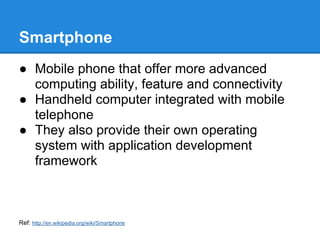
Smartphone
● Mobile phone that offer more advanced
  computing ability, feature and connectivity
● Handheld computer integrated with mobile
  telephone
● They also provide their own operating
  system with application development
  framework


Ref: http://en.wikipedia.org/wiki/Smartphone
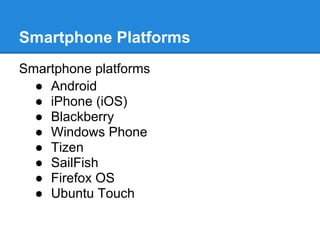
Smartphone Platforms
Smartphone platforms
  ● Android
  ● iPhone (iOS)
  ● Blackberry
  ● Windows Phone
  ● Tizen
  ● SailFish
  ● Firefox OS
  ● Ubuntu Touch
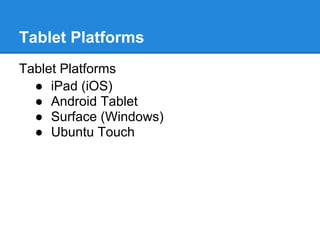
Tablet Platforms
Tablet Platforms
  ● iPad (iOS)
  ● Android Tablet
  ● Surface (Windows)
  ● Ubuntu Touch
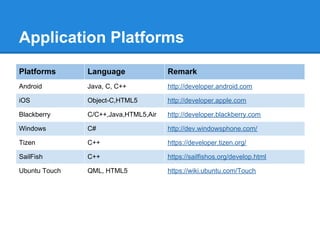
Application Platforms
Platforms      Language               Remark
Android        Java, C, C++           http://developer.android.com

iOS            Object-C,HTML5         http://developer.apple.com

Blackberry     C/C++,Java,HTML5,Air   http://developer.blackberry.com

Windows        C#                     http://dev.windowsphone.com/

Tizen          C++                    https://developer.tizen.org/

SailFish       C++                    https://sailfishos.org/develop.html

Ubuntu Touch   QML, HTML5             https://wiki.ubuntu.com/Touch
What is Android ?
Android is a Linux-based operating system
designed primarily for touchscreen mobile
devices such as smartphones and tablet
computers.
Why Android ?
Technical advantage
  ● No need to pay, you can develop and test
    in your own device
  ● Open Source Platform
  ● Java programming language
  ● Rich and easy to integrate feature set
  ● Development environment support in
    Windows, Mac, Linux
Why Android ?
Business advantage
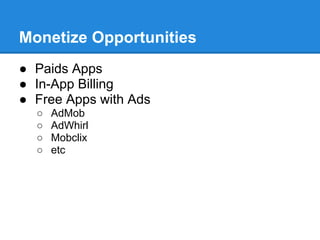
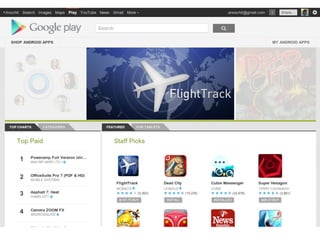
  ● Google Play
     ○ Integrated market app
     ○ One time low registration fee ($25)
  ● Many Distribution Channel
  ● Low Barrier to Market
     ○ No approval process
     ○ Less restriction copyright issue
Opportunities
●   Google Play
●   Amazon Appstore for Android
●   Cisco Enterprise Market
●   Blackberry App World
●   3th party distribution channel
    ○   Andspot
    ○   Handango
    ○   Getjar
    ○   SlideMe
    ○   AppBrain
    ○   etc
Monetize Opportunities
● Paids Apps
● In-App Billing
● Free Apps with Ads
  ○   AdMob
  ○   AdWhirl
  ○   Mobclix
  ○   etc
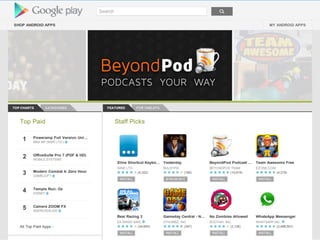
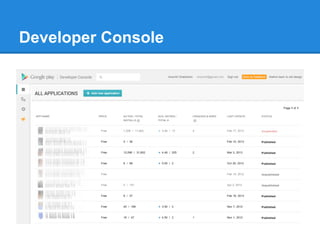
Developer Console
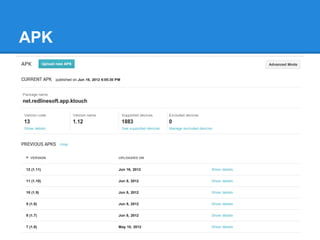
APK
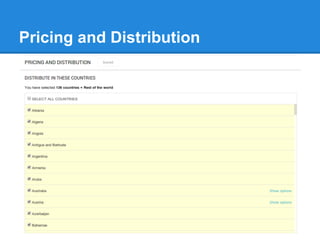
Pricing and Distribution
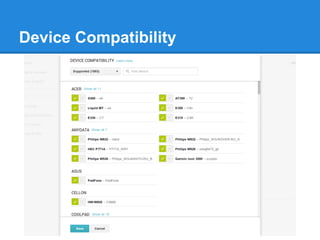
Device Compatibility
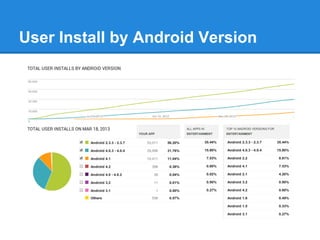
User Install by Android Version
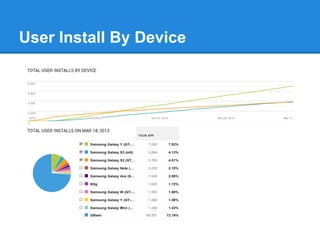
User Install By Device
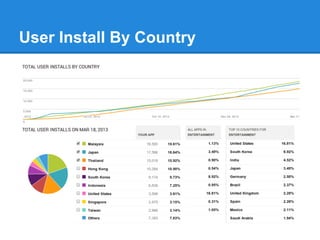
User Install By Country
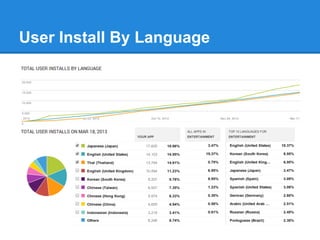
User Install By Language
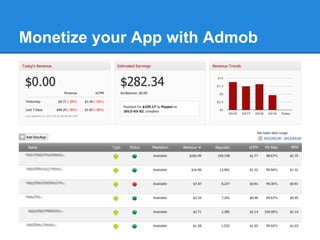
Monetize your App with Admob
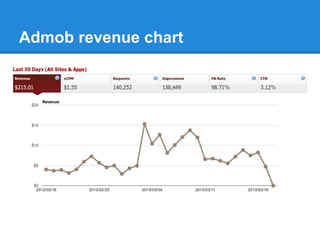
Admob revenue chart
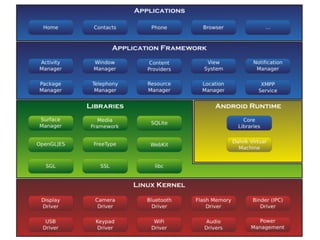
Architecture Diagram
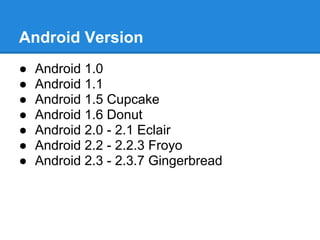
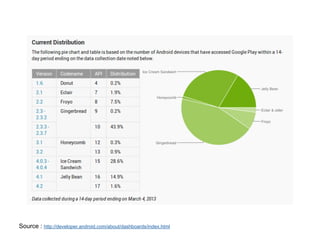
Android Version
●   Android 1.0
●   Android 1.1
●   Android 1.5 Cupcake
●   Android 1.6 Donut
●   Android 2.0 - 2.1 Eclair
●   Android 2.2 - 2.2.3 Froyo
●   Android 2.3 - 2.3.7 Gingerbread
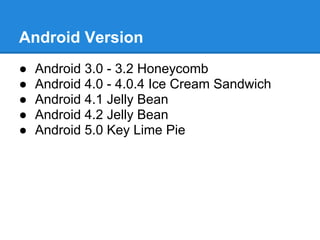
Android Version
●   Android 3.0 - 3.2 Honeycomb
●   Android 4.0 - 4.0.4 Ice Cream Sandwich
●   Android 4.1 Jelly Bean
●   Android 4.2 Jelly Bean
●   Android 5.0 Key Lime Pie
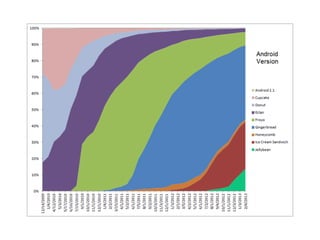
Diagram
Diagram


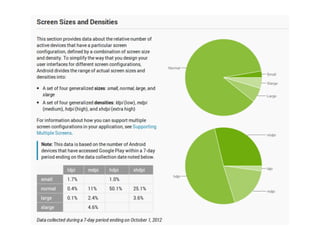
Source : http://developer.android.com/about/dashboards/index.html
Diagram
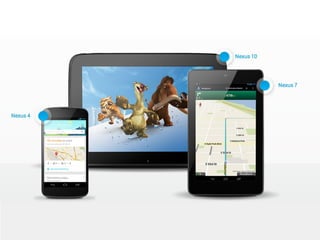
Android Devices
●   Smartphone
●   Tablet
●   Smart TV
●   TV Box
●   Android Box, Android Stick
●   Multimedia Box
●   etc
Diagram
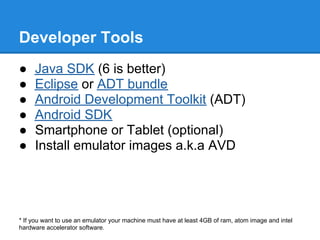
Developer Tools
●    Java SDK (6 is better)
●    Eclipse or ADT bundle
●    Android Development Toolkit (ADT)
●    Android SDK
●    Smartphone or Tablet (optional)
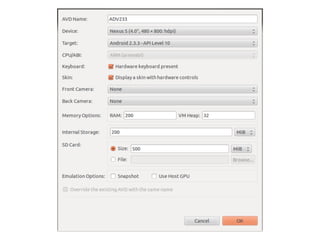
●    Install emulator images a.k.a AVD


* If you want to use an emulator your machine must have at least 4GB of ram, atom image and intel
hardware accelerator software.
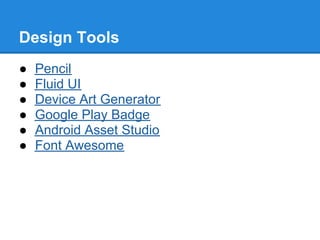
Design Tools
●   Pencil
●   Fluid UI
●   Device Art Generator
●   Google Play Badge
●   Android Asset Studio
●   Font Awesome
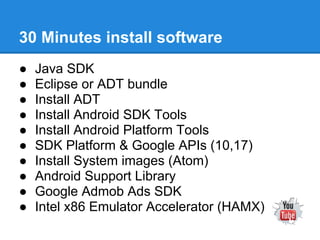
30 Minutes install software
●   Java SDK
●   Eclipse or ADT bundle
●   Install ADT
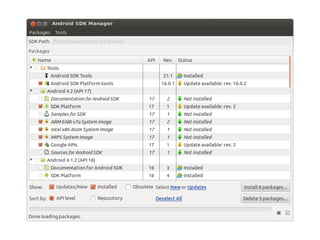
●   Install Android SDK Tools
●   Install Android Platform Tools
●   SDK Platform & Google APIs (10,17)
●   Install System images (Atom)
●   Android Support Library
●   Google Admob Ads SDK
●   Intel x86 Emulator Accelerator (HAMX)
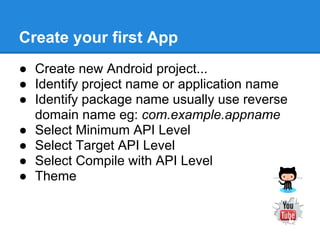
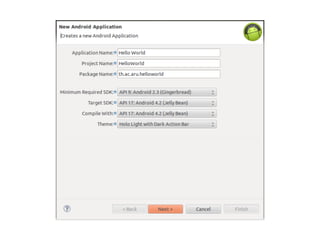
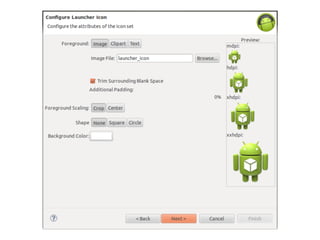
Create your first App
● Create new Android project...
● Identify project name or application name
● Identify package name usually use reverse
  domain name eg: com.example.appname
● Select Minimum API Level
● Select Target API Level
● Select Compile with API Level
● Theme
Diagram
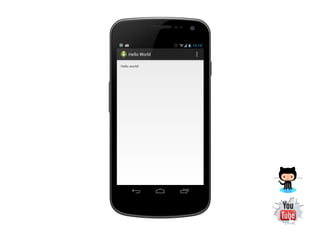
Running your App
Only 2 ways to test your application
● Running on your device
   ○ this is better way but don't forget to install USB driver
     for debugging and set your device to USB
     debugging
● Running on your emulator
   ○ very slow, you should accept this issue T_T
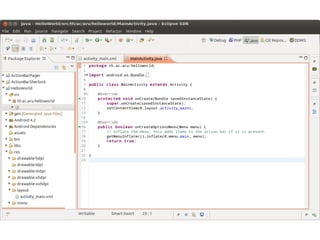
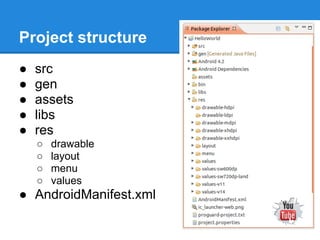
Project structure
●   src
●   gen
●   assets
●   libs
●   res
    ○   drawable
    ○   layout
    ○   menu
    ○   values
● AndroidManifest.xml
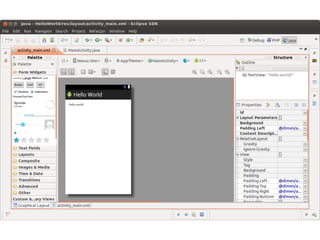
Building simple UI
● Play with UI designer
● Put some widgets to your activity
  ○   Label
  ○   Text Editor
  ○   Button
  ○   etc
● Run your app again...
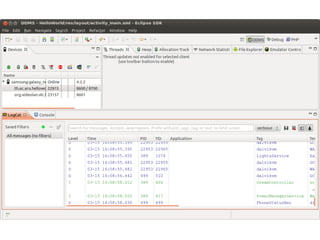
Debug Tools
Play with debug tools
● Log
● DDMS
End

Android App Development 01 : Getting Start

  • 1.
    1 Quick Start Anuchit Chalothorn anoochit@gmail.com Licensedunder a Creative Commons Attribution-NonCommercial-ShareAlike 3.0 Unported License.
  • 2.
    About Me Current ● SeniorSoftware Engineer @ SIPA ● Writer @ thaiopensource.org ● Open Source Contributor
  • 3.
    Prerequisites ● Java Programming Language ● Database Management System ● Web Service ● Web Application Programming ● Version Control System
  • 4.
    Smartphone ● Mobile phonethat offer more advanced computing ability, feature and connectivity ● Handheld computer integrated with mobile telephone ● They also provide their own operating system with application development framework Ref: http://en.wikipedia.org/wiki/Smartphone
  • 5.
    Smartphone Platforms Smartphone platforms ● Android ● iPhone (iOS) ● Blackberry ● Windows Phone ● Tizen ● SailFish ● Firefox OS ● Ubuntu Touch
  • 6.
    Tablet Platforms Tablet Platforms ● iPad (iOS) ● Android Tablet ● Surface (Windows) ● Ubuntu Touch
  • 7.
    Application Platforms Platforms Language Remark Android Java, C, C++ http://developer.android.com iOS Object-C,HTML5 http://developer.apple.com Blackberry C/C++,Java,HTML5,Air http://developer.blackberry.com Windows C# http://dev.windowsphone.com/ Tizen C++ https://developer.tizen.org/ SailFish C++ https://sailfishos.org/develop.html Ubuntu Touch QML, HTML5 https://wiki.ubuntu.com/Touch
  • 8.
    What is Android? Android is a Linux-based operating system designed primarily for touchscreen mobile devices such as smartphones and tablet computers.
  • 9.
    Why Android ? Technicaladvantage ● No need to pay, you can develop and test in your own device ● Open Source Platform ● Java programming language ● Rich and easy to integrate feature set ● Development environment support in Windows, Mac, Linux
  • 10.
    Why Android ? Businessadvantage ● Google Play ○ Integrated market app ○ One time low registration fee ($25) ● Many Distribution Channel ● Low Barrier to Market ○ No approval process ○ Less restriction copyright issue
  • 11.
    Opportunities ● Google Play ● Amazon Appstore for Android ● Cisco Enterprise Market ● Blackberry App World ● 3th party distribution channel ○ Andspot ○ Handango ○ Getjar ○ SlideMe ○ AppBrain ○ etc
  • 12.
    Monetize Opportunities ● PaidsApps ● In-App Billing ● Free Apps with Ads ○ AdMob ○ AdWhirl ○ Mobclix ○ etc
  • 14.
  • 15.
  • 16.
  • 17.
  • 18.
    User Install byAndroid Version
  • 19.
  • 20.
  • 21.
  • 22.
  • 23.
  • 24.
  • 25.
    Android Version ● Android 1.0 ● Android 1.1 ● Android 1.5 Cupcake ● Android 1.6 Donut ● Android 2.0 - 2.1 Eclair ● Android 2.2 - 2.2.3 Froyo ● Android 2.3 - 2.3.7 Gingerbread
  • 26.
    Android Version ● Android 3.0 - 3.2 Honeycomb ● Android 4.0 - 4.0.4 Ice Cream Sandwich ● Android 4.1 Jelly Bean ● Android 4.2 Jelly Bean ● Android 5.0 Key Lime Pie
  • 27.
  • 28.
  • 29.
  • 30.
    Android Devices ● Smartphone ● Tablet ● Smart TV ● TV Box ● Android Box, Android Stick ● Multimedia Box ● etc
  • 32.
  • 33.
    Developer Tools ● Java SDK (6 is better) ● Eclipse or ADT bundle ● Android Development Toolkit (ADT) ● Android SDK ● Smartphone or Tablet (optional) ● Install emulator images a.k.a AVD * If you want to use an emulator your machine must have at least 4GB of ram, atom image and intel hardware accelerator software.
  • 34.
    Design Tools ● Pencil ● Fluid UI ● Device Art Generator ● Google Play Badge ● Android Asset Studio ● Font Awesome
  • 35.
    30 Minutes installsoftware ● Java SDK ● Eclipse or ADT bundle ● Install ADT ● Install Android SDK Tools ● Install Android Platform Tools ● SDK Platform & Google APIs (10,17) ● Install System images (Atom) ● Android Support Library ● Google Admob Ads SDK ● Intel x86 Emulator Accelerator (HAMX)
  • 38.
    Create your firstApp ● Create new Android project... ● Identify project name or application name ● Identify package name usually use reverse domain name eg: com.example.appname ● Select Minimum API Level ● Select Target API Level ● Select Compile with API Level ● Theme
  • 40.
  • 42.
    Running your App Only2 ways to test your application ● Running on your device ○ this is better way but don't forget to install USB driver for debugging and set your device to USB debugging ● Running on your emulator ○ very slow, you should accept this issue T_T
  • 44.
    Project structure ● src ● gen ● assets ● libs ● res ○ drawable ○ layout ○ menu ○ values ● AndroidManifest.xml
  • 45.
    Building simple UI ●Play with UI designer ● Put some widgets to your activity ○ Label ○ Text Editor ○ Button ○ etc ● Run your app again...
  • 47.
    Debug Tools Play withdebug tools ● Log ● DDMS
  • 49.