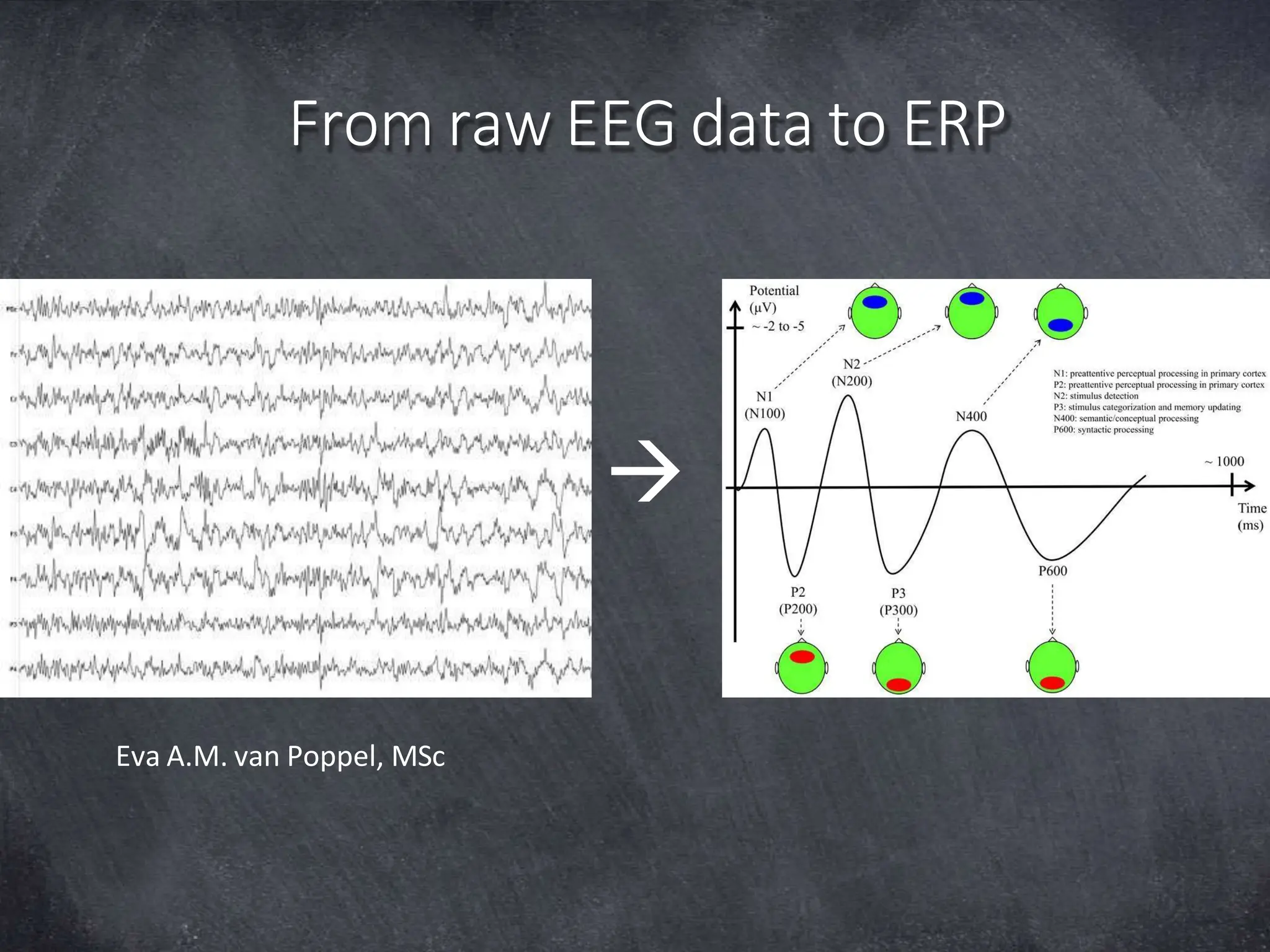
From raw EEG data to ERP
Eva A.M. van Poppel, MSc

Overview
2
•What is EEG?
•What is an ERP?
•Introduction to MATLAB
•Break
•From raw EEG data to ERP in EEGLAB
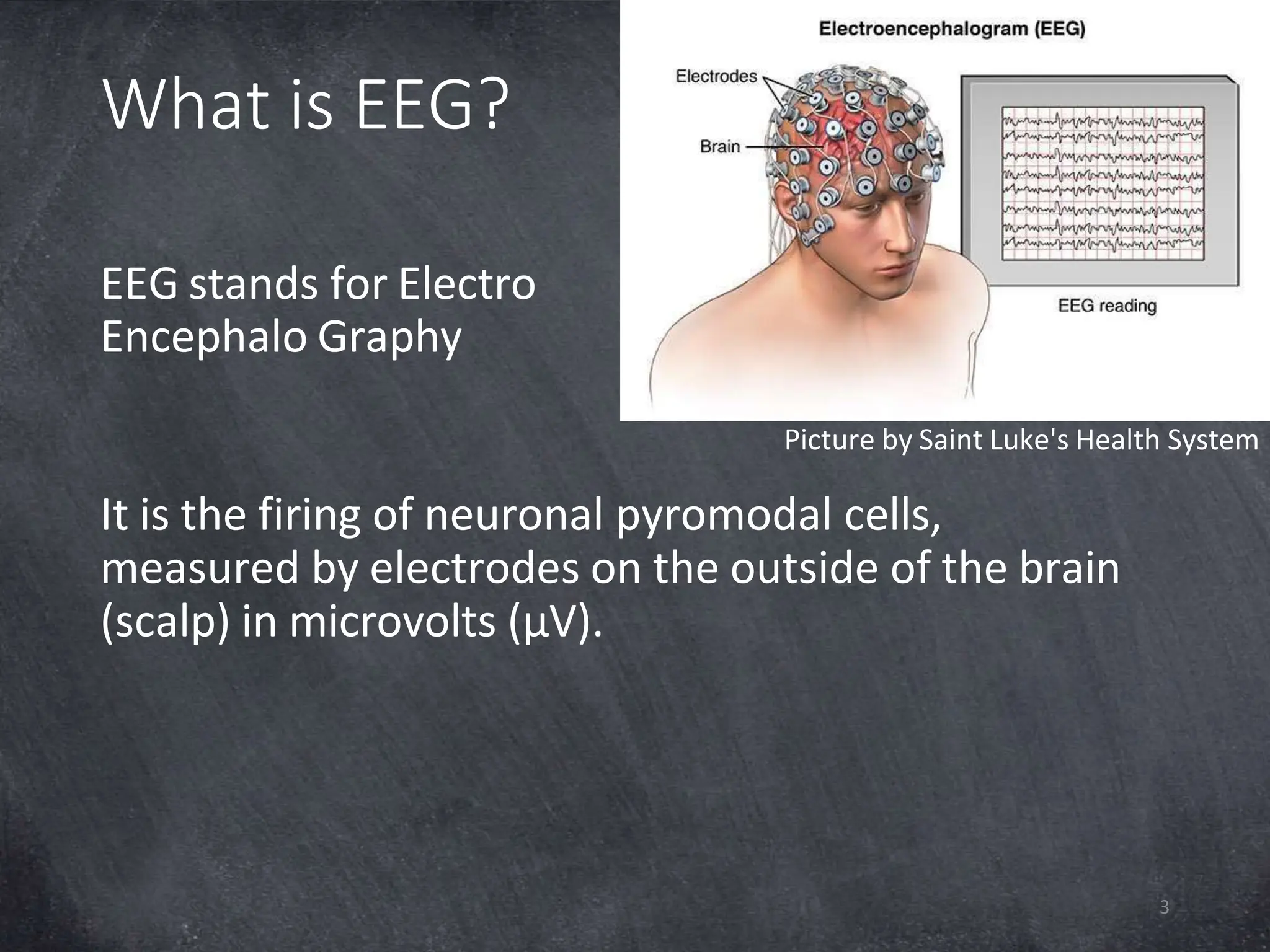
What is EEG?
EEG stands for Electro
Encephalo Graphy
It is the firing of neuronal pyromodal cells,
measured by electrodes on the outside of the brain
(scalp) in microvolts (µV).
Picture by Saint Luke's Health System
3
What is EEG?
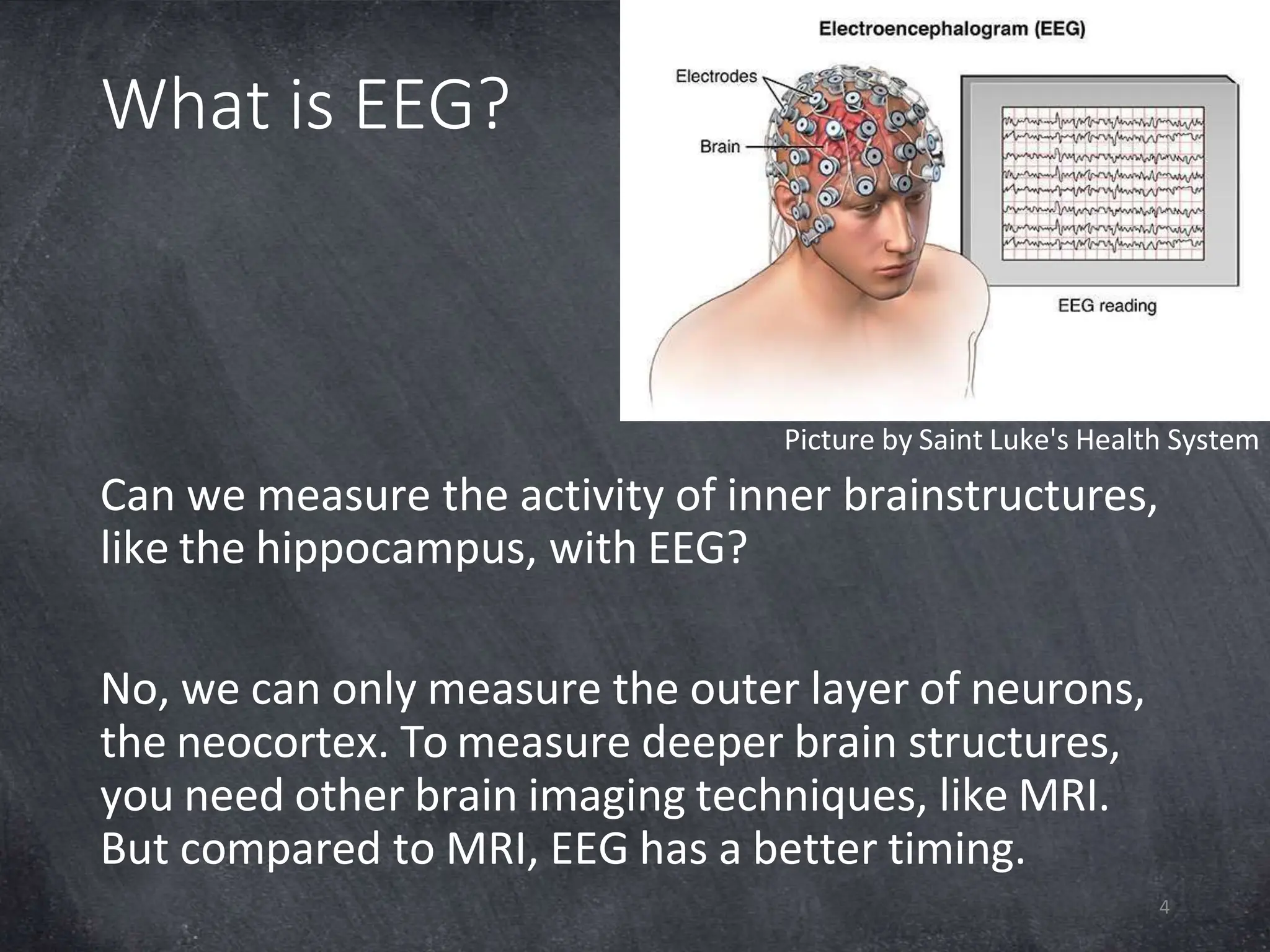
Picture by Saint Luke's Health System
Can we measure the activity of inner brainstructures,
like the hippocampus, with EEG?
No, we can only measure the outer layer of neurons,
the neocortex. To measure deeper brain structures,
you need other brain imaging techniques, like MRI.
But compared to MRI, EEG has a better timing.
4
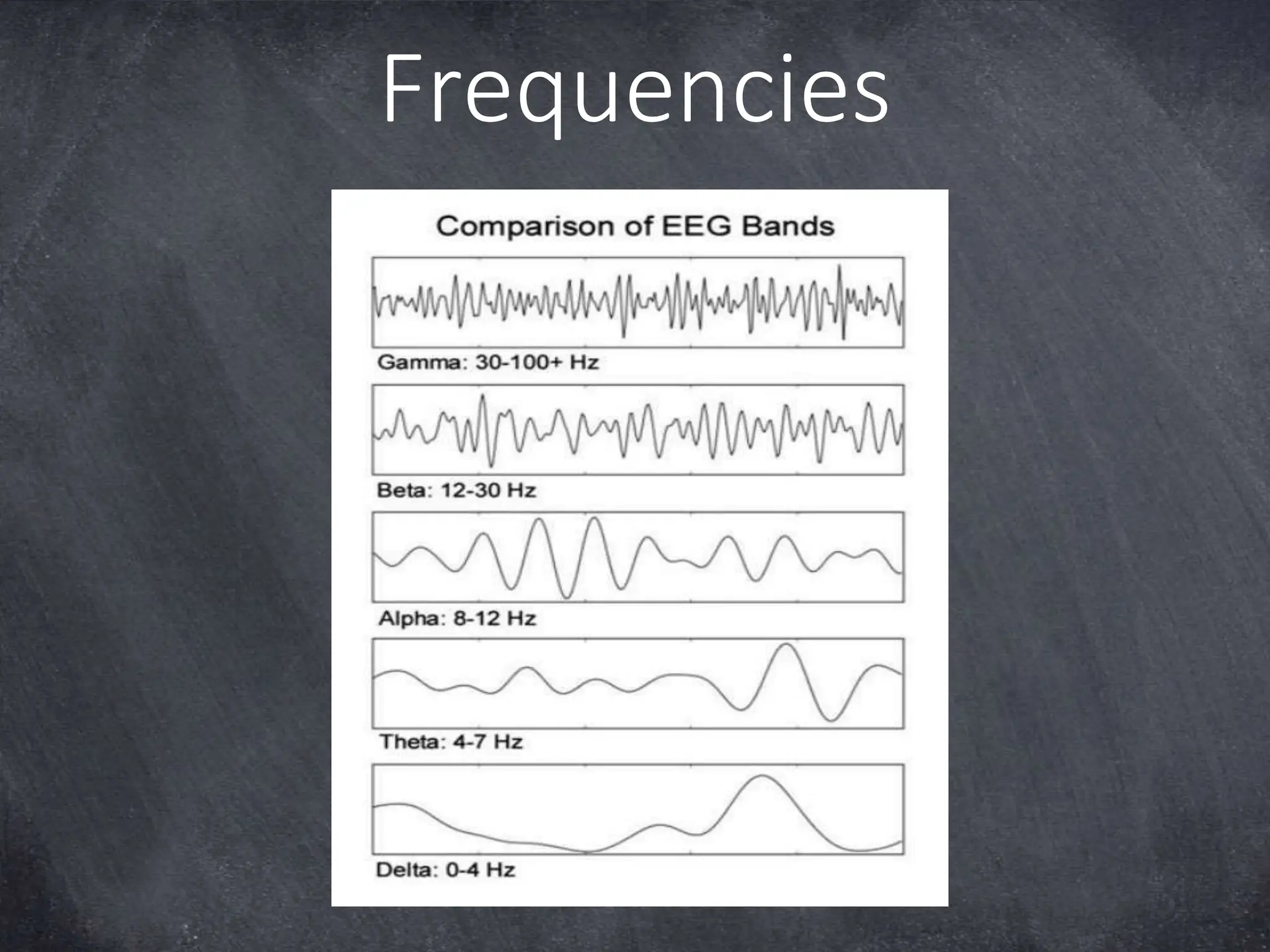
Frequencies
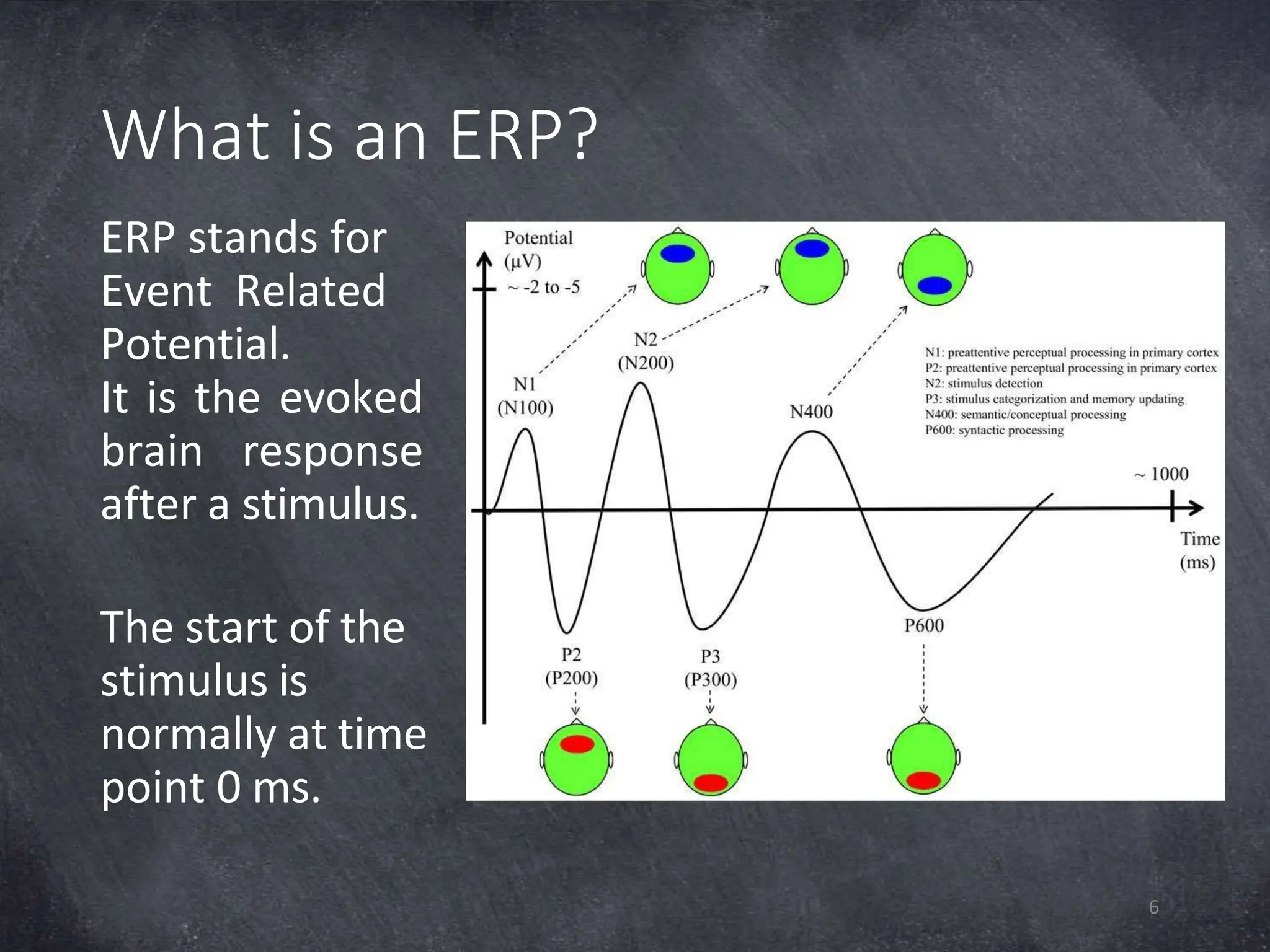
What is an ERP?
ERP stands for
Event Related
Potential.
It is the evoked
brain response
after a stimulus.
The start of the
stimulus is
normally at time
point 0 ms.
6
Introduction to MATLAB
7
• MATLAB stands for Matrix Laboratory
• First of all, it is a calculator. For example, type 5 +
8*5 and press Enter
• A Matrix is an array (series) of data, stored in rows
and columns (2D). For example, type [1:5;6:10] and
press Enter.
• Variable is the way MATLAB stores data in the
working memory (workspace). Press arrow up and
make it A= [1:5;6:10]
Variable A now contains your matrix. Note that
variable ans will be overwritten.
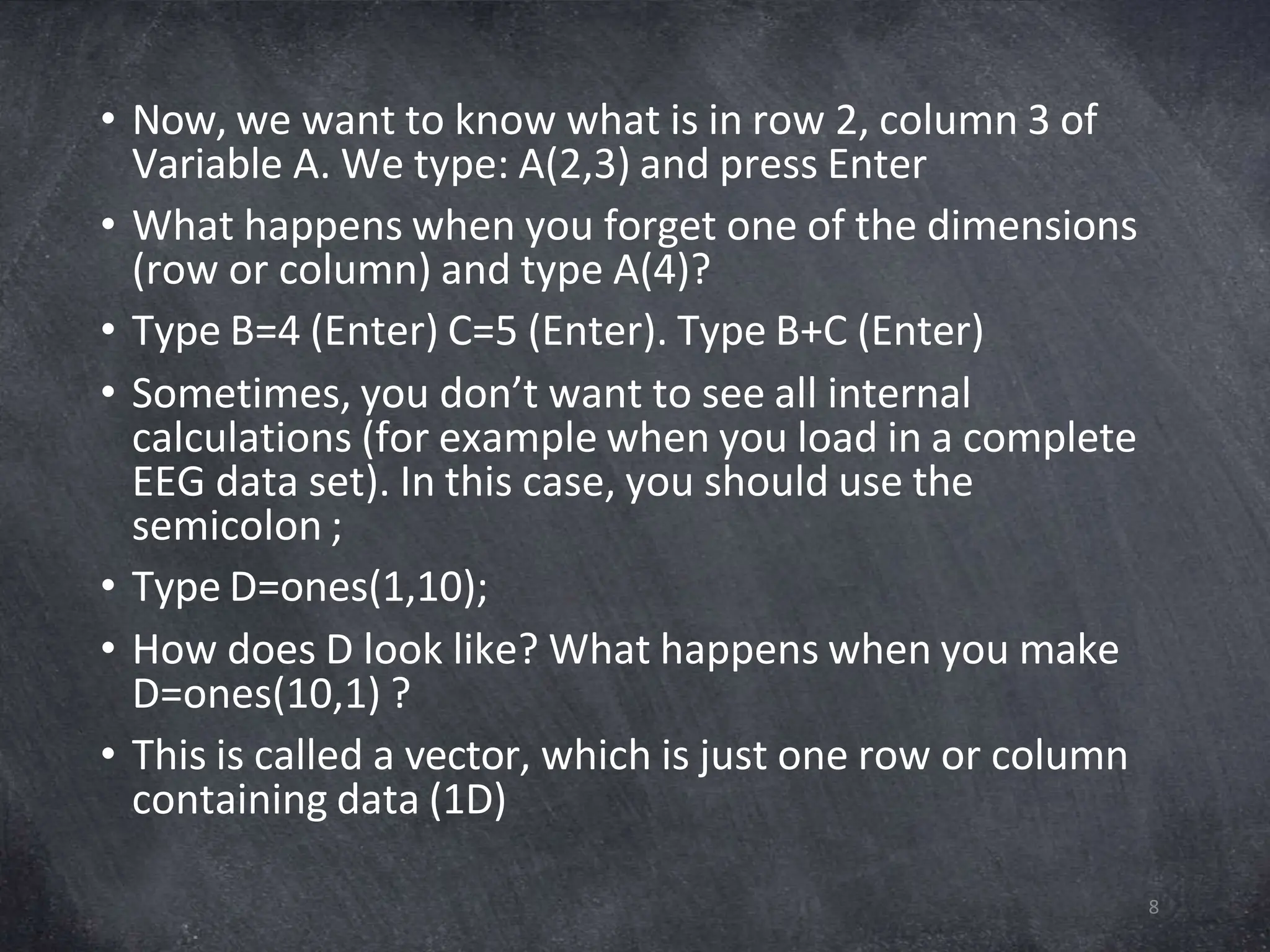
• Now, we want to know what is in row 2, column 3 of
Variable A. We type: A(2,3) and press Enter
• What happens when you forget one of the dimensions
(row or column) and type A(4)?
• Type B=4 (Enter) C=5 (Enter). Type B+C (Enter)
• Sometimes, you don’t want to see all internal
calculations (for example when you load in a complete
EEG data set). In this case, you should use the
semicolon ;
• Type D=ones(1,10);
• How does D look like? What happens when you make
D=ones(10,1) ?
• This is called a vector, which is just one row or column
containing data (1D)
8
Transpose and Text
9
• Type E=D’
• Transpose ‘
• T = ‘Text’;
• Price = ‘10CHF’
• randn function makes a vector with normally
distributed random numbers, which are the same on
each Matlab start up.
• X=randn(5)
• Y=[1:2:10]
• Y = [1:2:10;2:3:15]
Loops
10
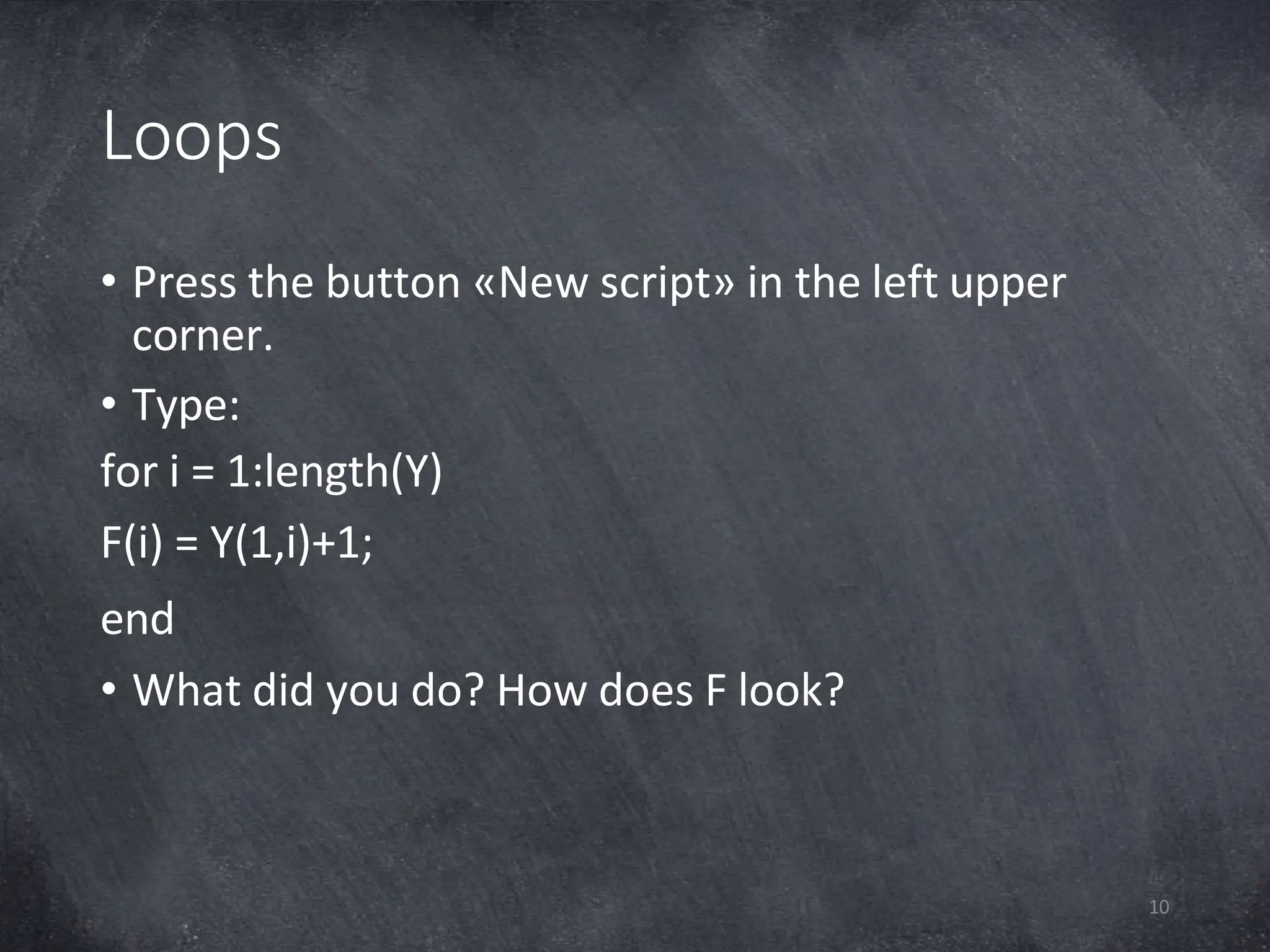
• Press the button «New script» in the left upper
corner.
• Type:
for i = 1:length(Y)
F(i) = Y(1,i)+1;
end
• What did you do? How does F look?
FOR & IF Loop
11
for j = 1:length(Y)
if F(j) > Y(1,j)
G(j) = Y(1,j)
end
end
MATLAB tricks
12
• Don’t show calculations ;
• Transpose ‘
• Text ‘’
• Comments %
• Paragraph %%
• Run full script F5
• Ctrl + C abort run
• Compare scripts
• Clear G; Clear all
Break
13
EEGLAB
14
• Download on
https://sccn.ucsd.edu/eeglab/downloadtoolbox.php
• Extract for example in Documents
• Click Set Path in Matlab  Add folder  eeglab
• Save the path, but don’t save this on a shared
server e.g. Rekenbeest
• Type eeglab in the command window and press
Enter
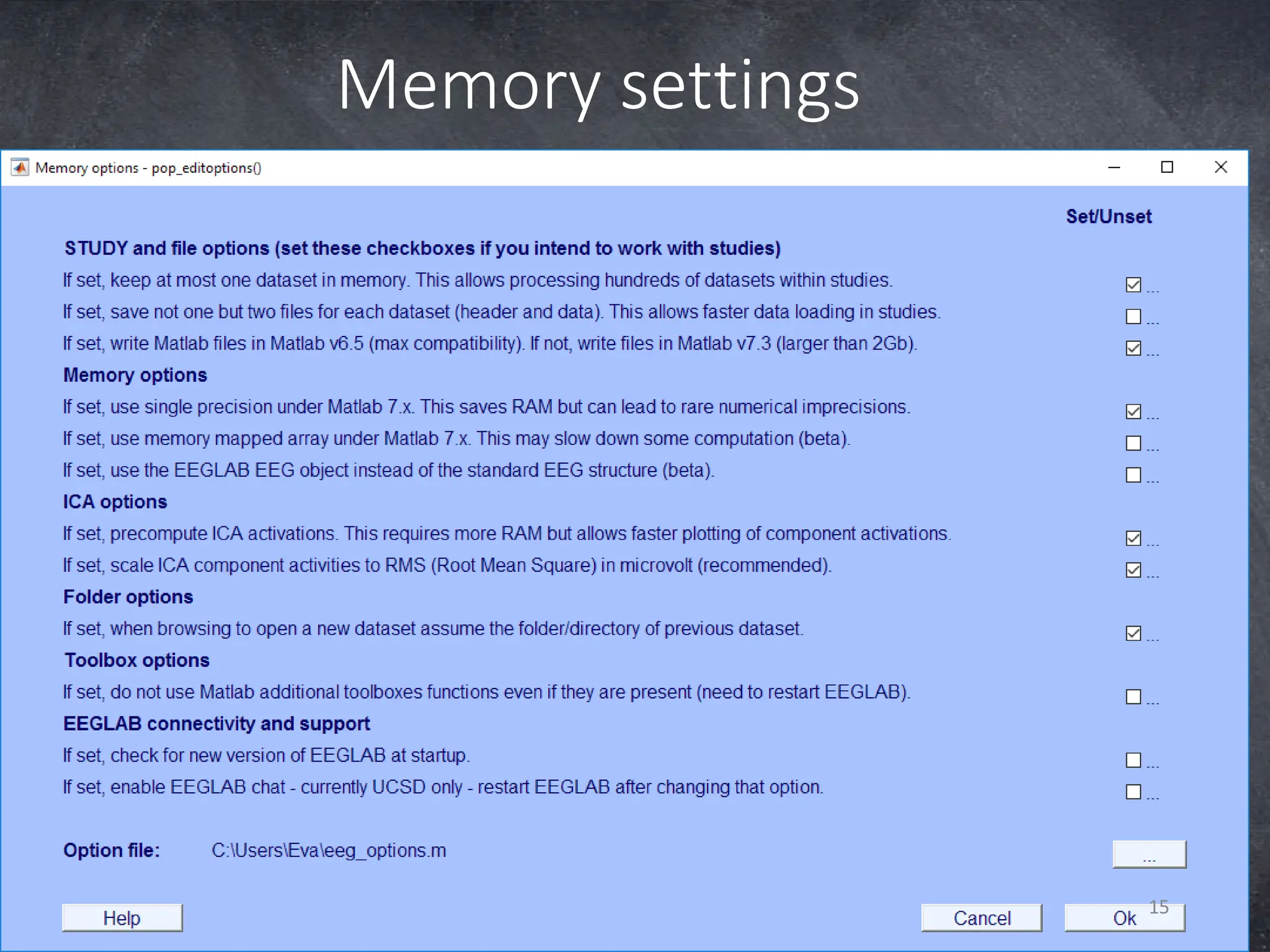
Memory settings
15
Import data
16
• Go to File  Manage EEGLAB extensions
 Data processing extensions
• Choose the amplifier / EEG data recording
software you use and install
• Go to File  Import data  Using EEGLAB
functions and plugins
and choose your data type
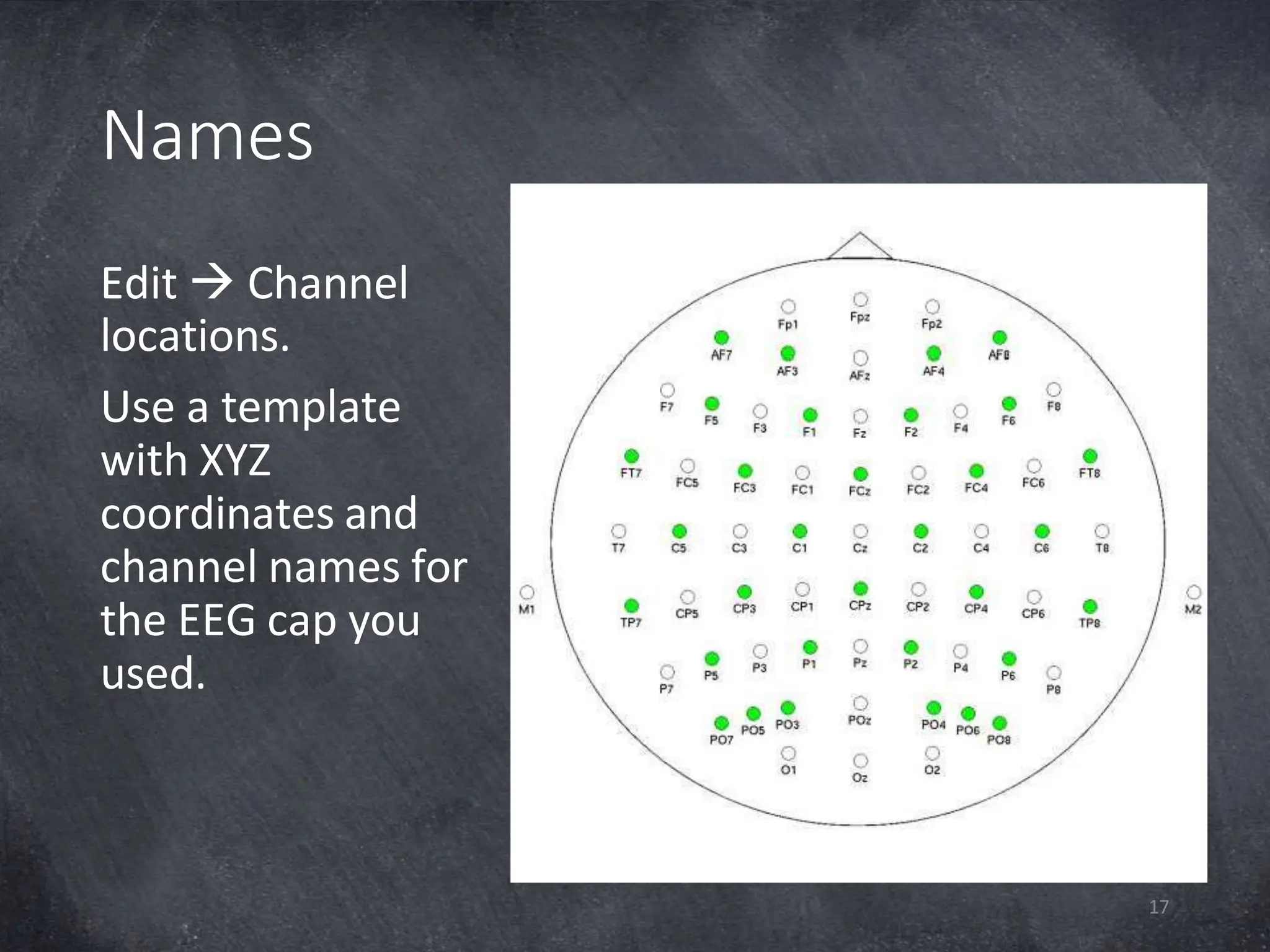
Names
Edit  Channel
locations.
Use a template
with XYZ
coordinates and
channel names for
the EEG cap you
used.
17
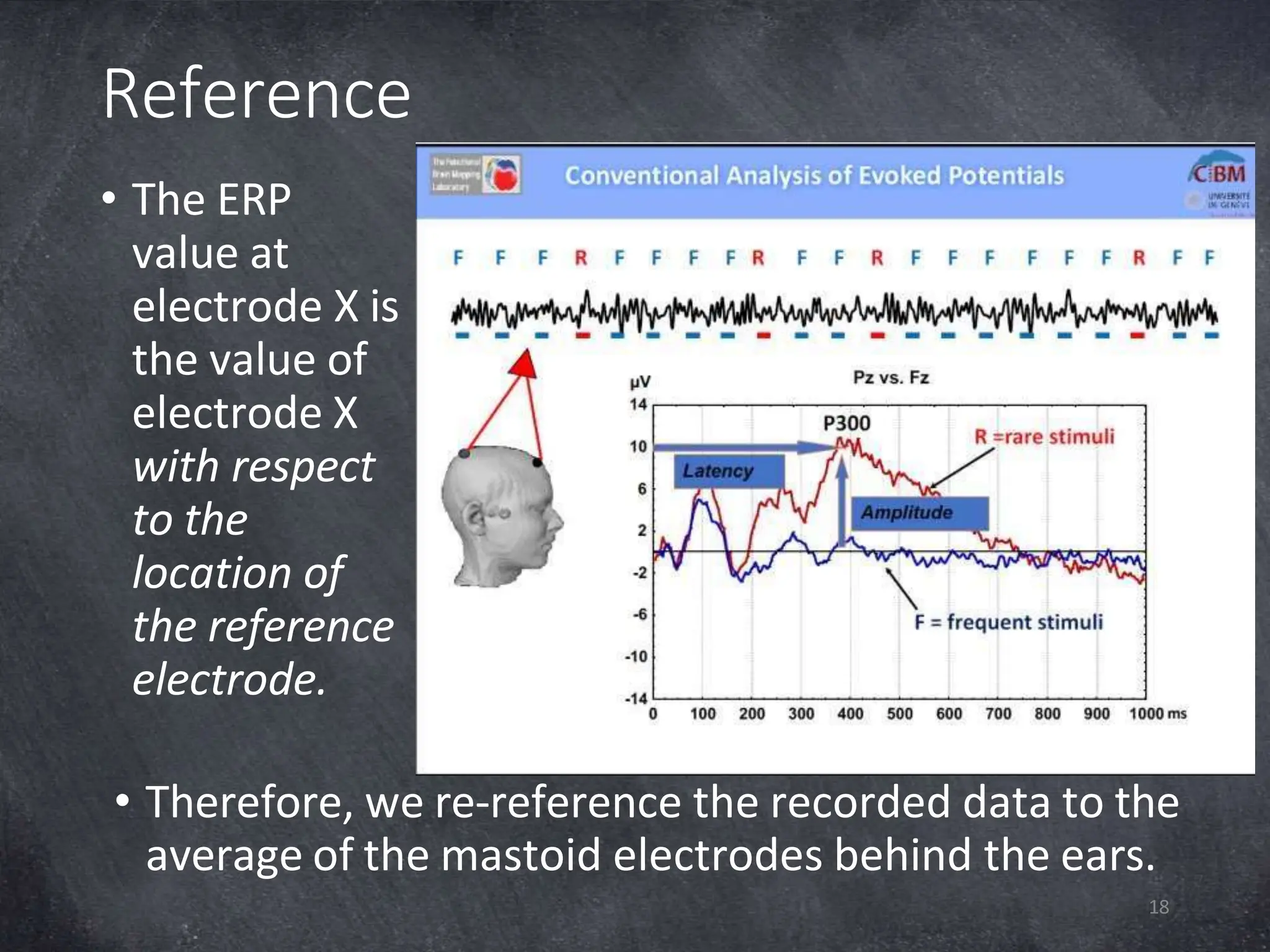
Reference
• The ERP
value at
electrode X is
the value of
electrode X
with respect
to the
location of
the reference
electrode.
• Therefore, we re-reference the recorded data to the
average of the mastoid electrodes behind the ears.
18
Re-reference
19
• In EEGLAB, click Tools  Re-reference  Re-
reference data to channel(s): M1 M2
• Exclude channels containing non-EEG data, like
EMG, EOG or trigger channels.
• Add current reference channel back to the data
when you want to restore the data of the physical
reference electrode. You cannot use this when you
recorded with average reference (TMSi & ANT).
Filter
20
• A high-pass filter passes signals with a frequency
higher than a certain cutoff frequency. For EEG
data, you should use a high-pass filter of at least
0.1 Hz to remove the lower drift noise.
• A low-pass filter passes signals with a frequency
lower than a certain cutoff frequency. For ERP
analysis, we typically use a low-pass band from 35
Hz.
• A filter shifts the signal. Therefore, we first run a
high-pass filter, and afterwards run the low-pass
filter to shift it back.
Filter
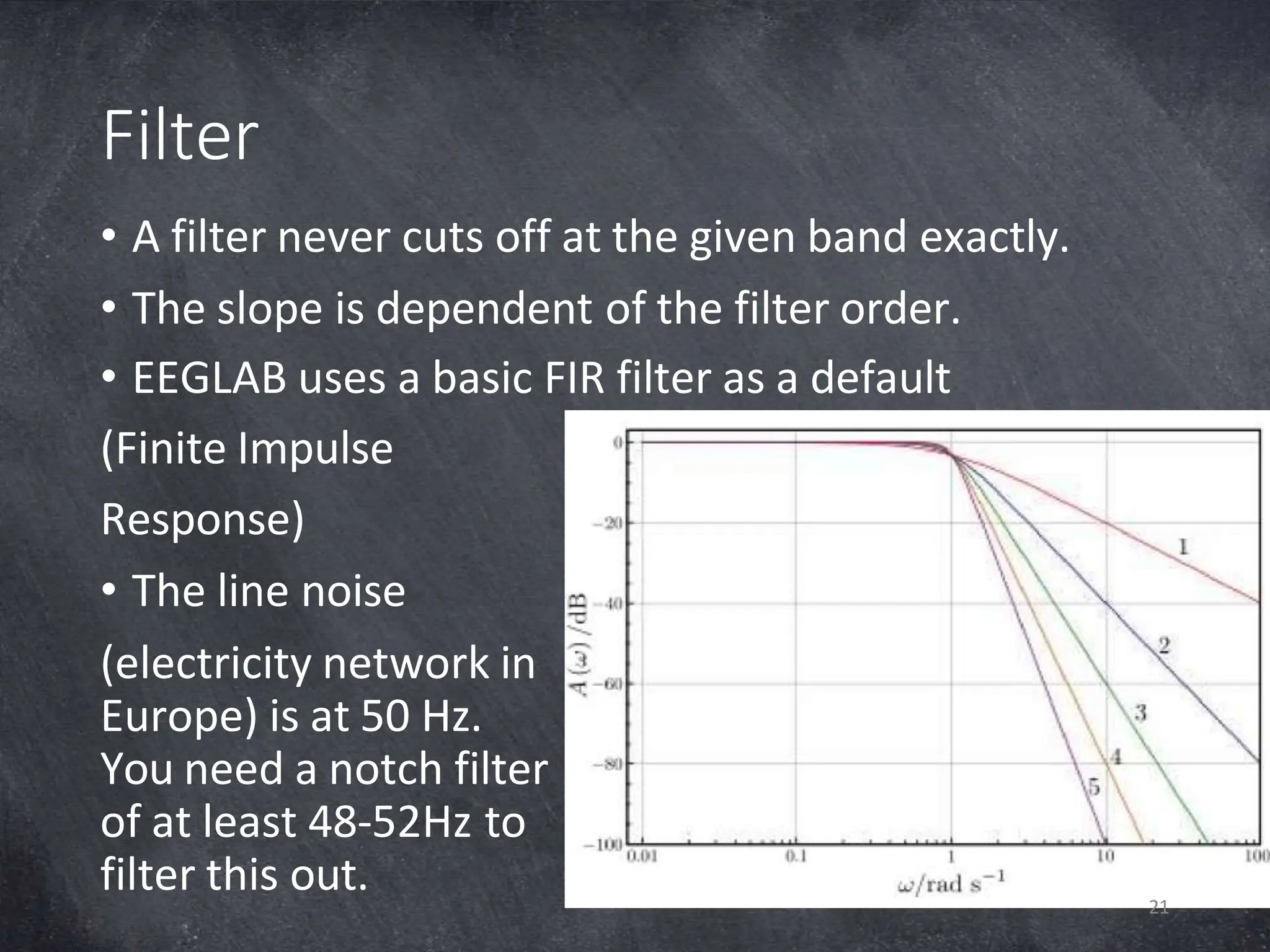
• A filter never cuts off at the given band exactly.
• The slope is dependent of the filter order.
• EEGLAB uses a basic FIR filter as a default
(Finite Impulse
Response)
• The line noise
(electricity network in
Europe) is at 50 Hz.
You need a notch filter
of at least 48-52Hz to
filter this out. 21
Filter
22
• Because of filter artifacts at the end and beginning
of the data, it is important you filter the data before
epoching (cutting)
• In EEGLAB, Tools  Filter the data  Basic FIR filt
 Lower edge of the frequency pass band  0.1
Hz
• In EEGLAB, Tools  Filter the data  Basic FIR filt
 Higher edge of the frequency pass band  35
Hz
Epoch
23
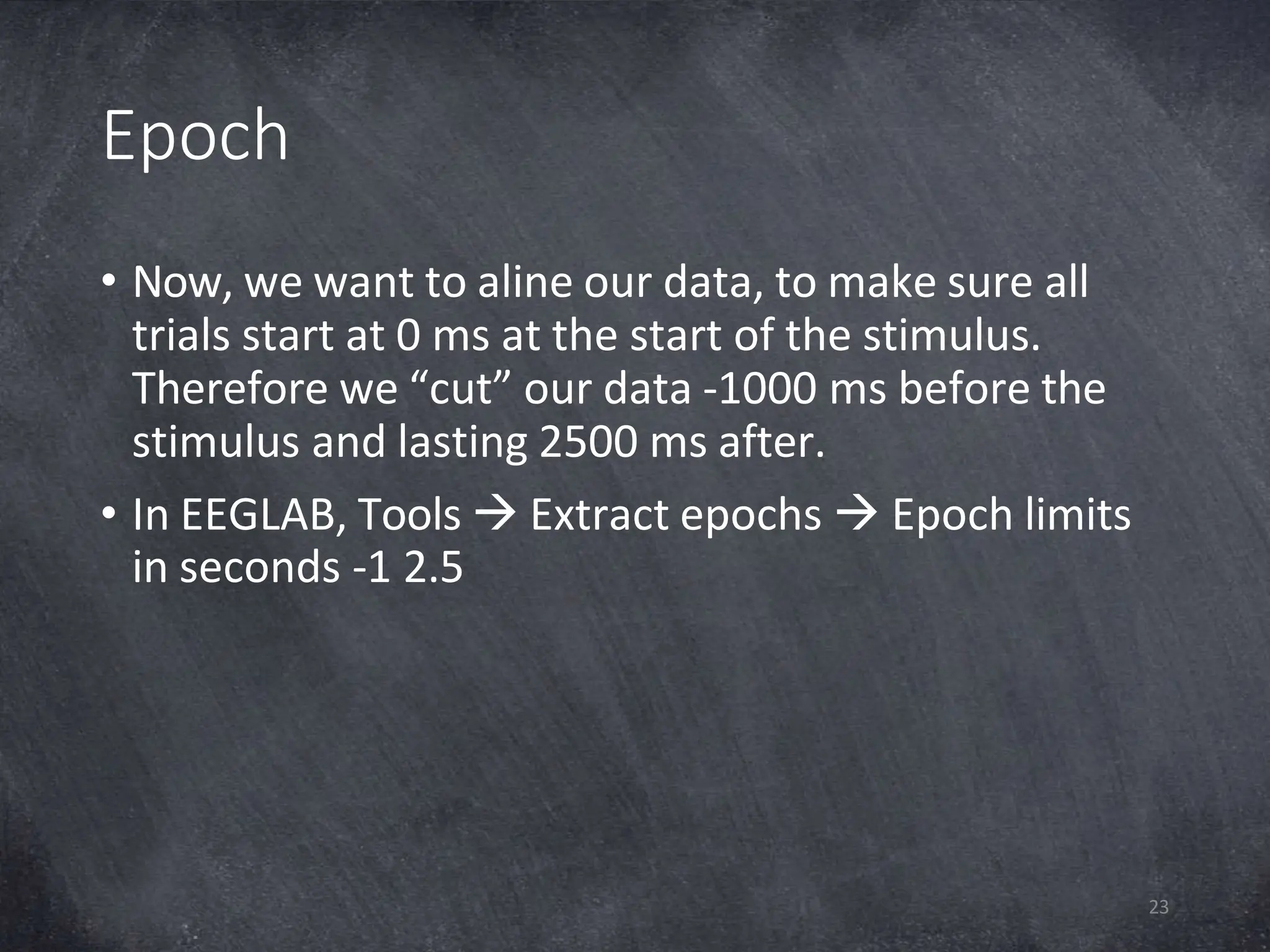
• Now, we want to aline our data, to make sure all
trials start at 0 ms at the start of the stimulus.
Therefore we “cut” our data -1000 ms before the
stimulus and lasting 2500 ms after.
• In EEGLAB, Tools  Extract epochs  Epoch limits
in seconds -1 2.5
Baseline correction
24
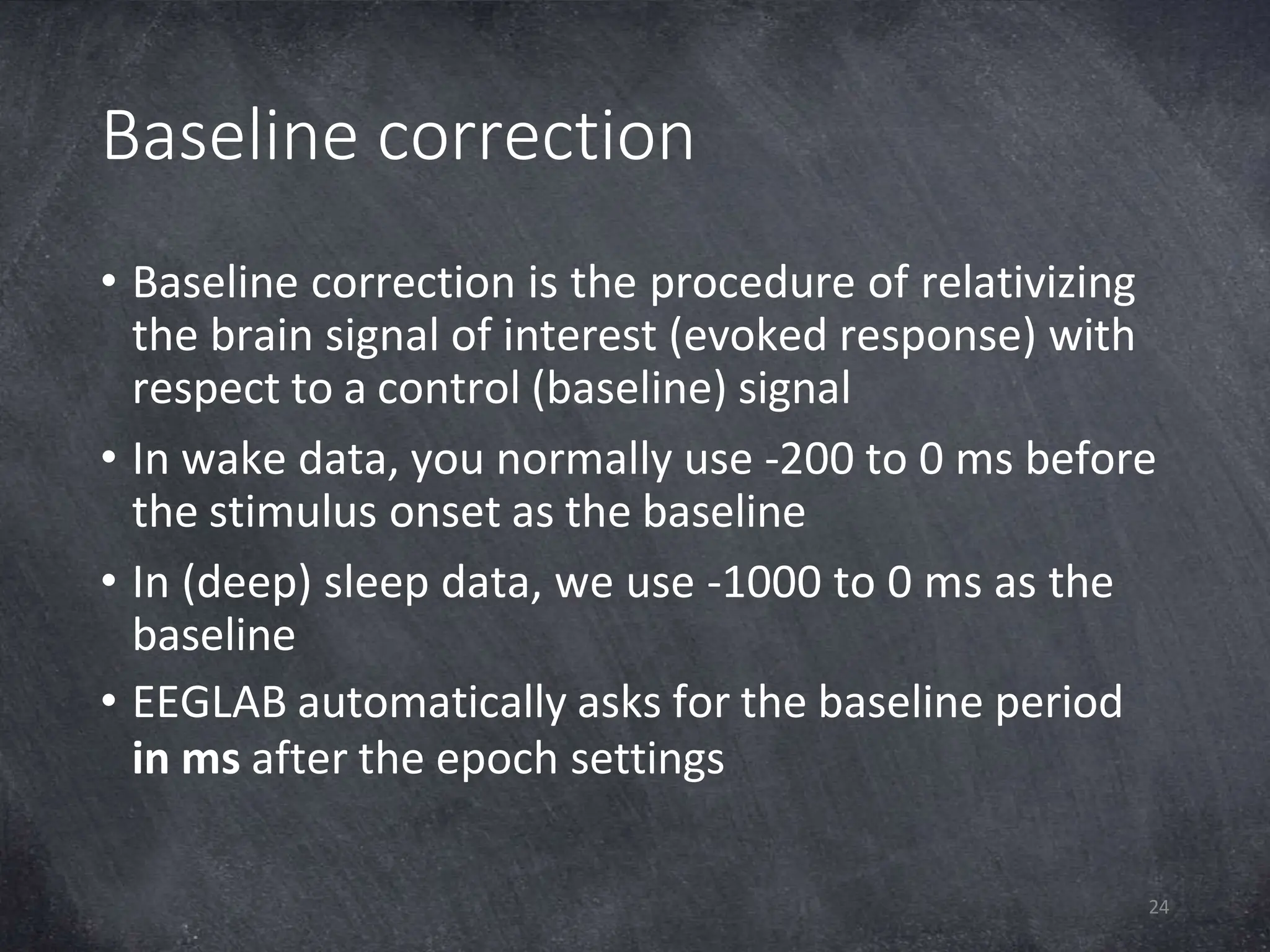
• Baseline correction is the procedure of relativizing
the brain signal of interest (evoked response) with
respect to a control (baseline) signal
• In wake data, you normally use -200 to 0 ms before
the stimulus onset as the baseline
• In (deep) sleep data, we use -1000 to 0 ms as the
baseline
• EEGLAB automatically asks for the baseline period
in ms after the epoch settings
Artefact rejection
25
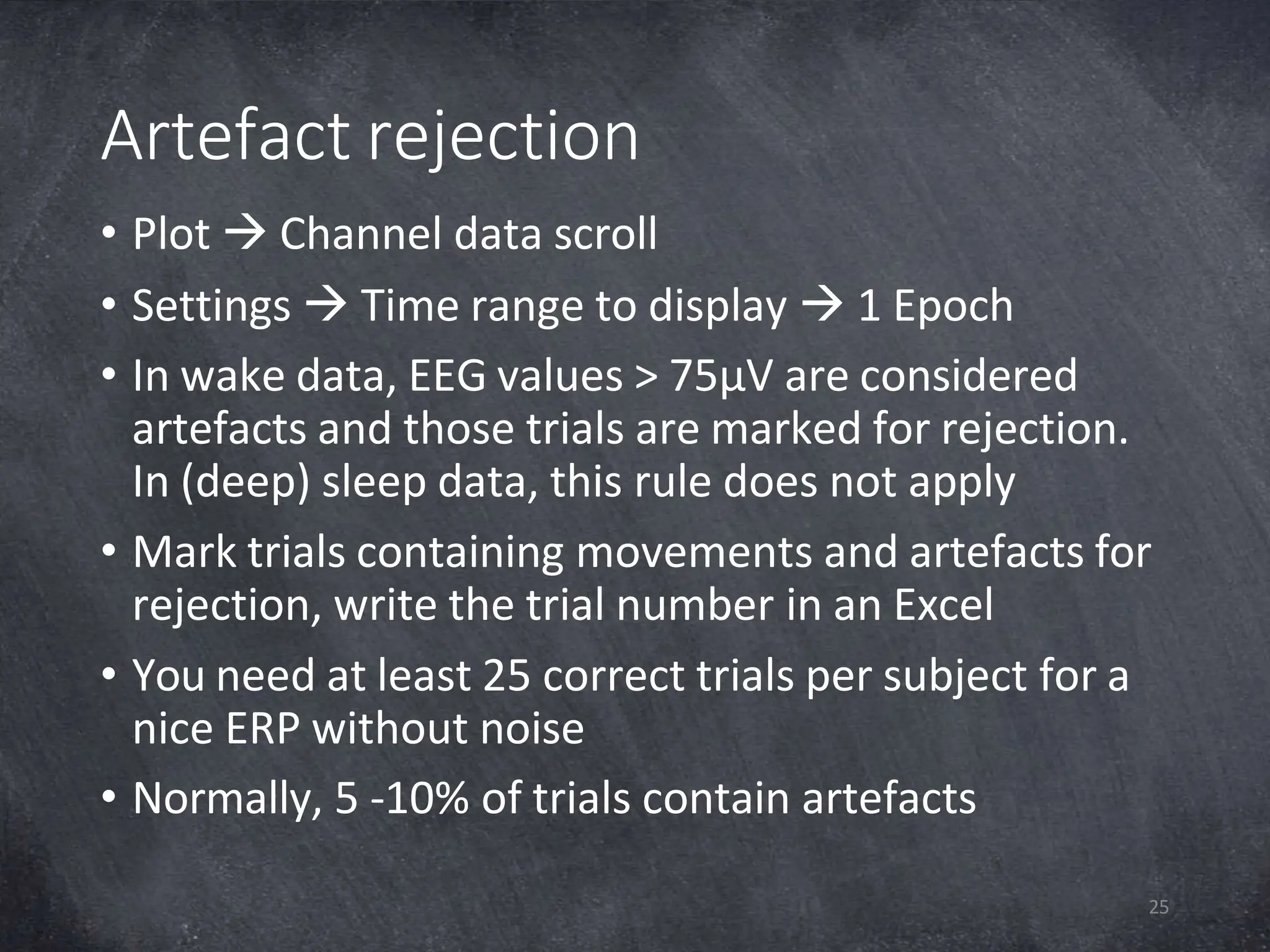
• Plot  Channel data scroll
• Settings  Time range to display  1 Epoch
• In wake data, EEG values > 75µV are considered
artefacts and those trials are marked for rejection.
In (deep) sleep data, this rule does not apply
• Mark trials containing movements and artefacts for
rejection, write the trial number in an Excel
• You need at least 25 correct trials per subject for a
nice ERP without noise
• Normally, 5 -10% of trials contain artefacts
Interpolation
26
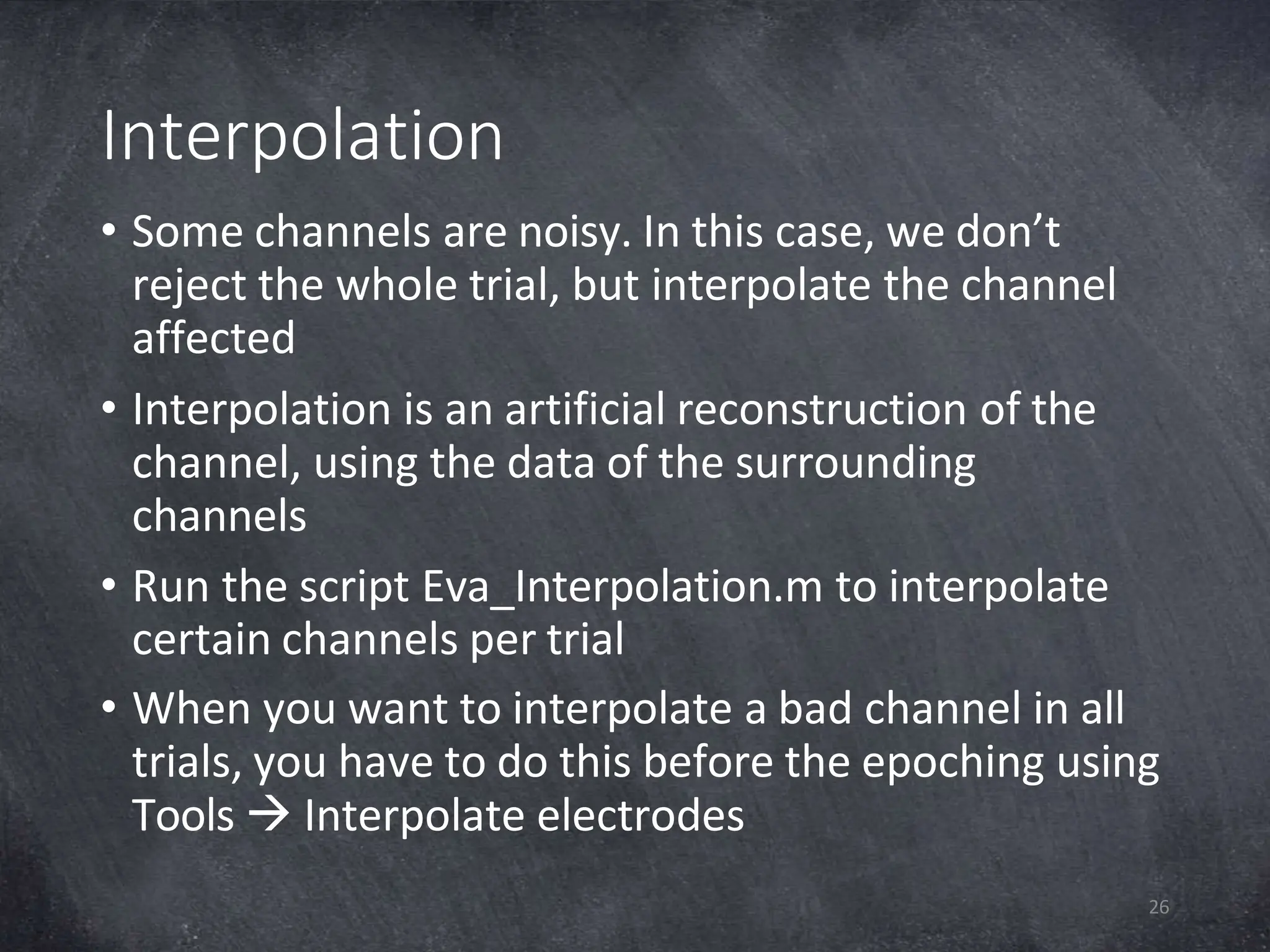
• Some channels are noisy. In this case, we don’t
reject the whole trial, but interpolate the channel
affected
• Interpolation is an artificial reconstruction of the
channel, using the data of the surrounding
channels
• Run the script Eva_Interpolation.m to interpolate
certain channels per trial
• When you want to interpolate a bad channel in all
trials, you have to do this before the epoching using
Tools  Interpolate electrodes
Final datasets
27
• When you interpolated bad channels, you can
delete the trials containing artefacts
• In EEGLAB: Edit  Select data  Epoch range fill in
trials to reject e.g. [1 10] Click remove these and ok
• Save as P5_Final.set
Create ERP
28
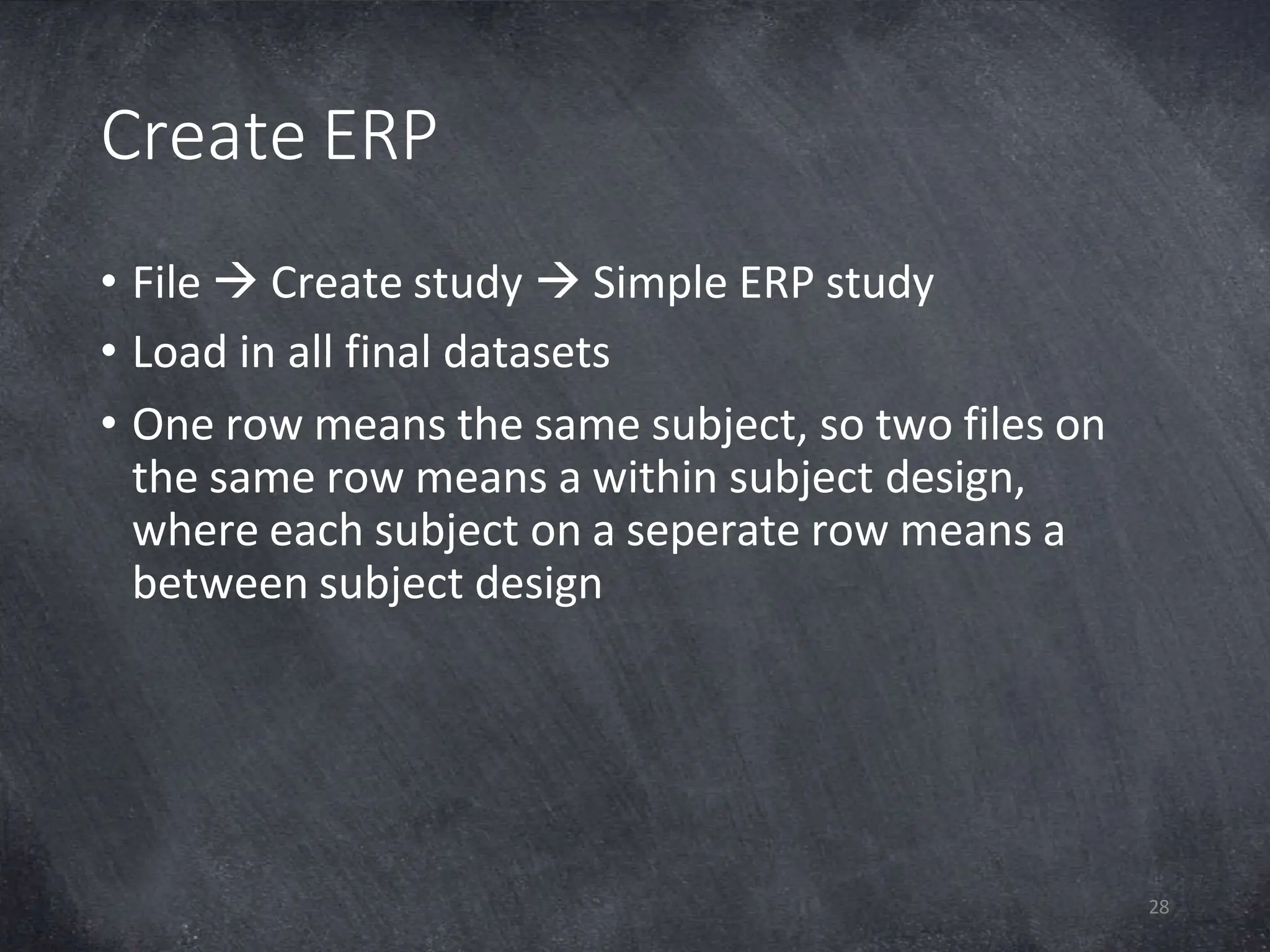
• File  Create study  Simple ERP study
• Load in all final datasets
• One row means the same subject, so two files on
the same row means a within subject design,
where each subject on a seperate row means a
between subject design
ERP Statistics
29
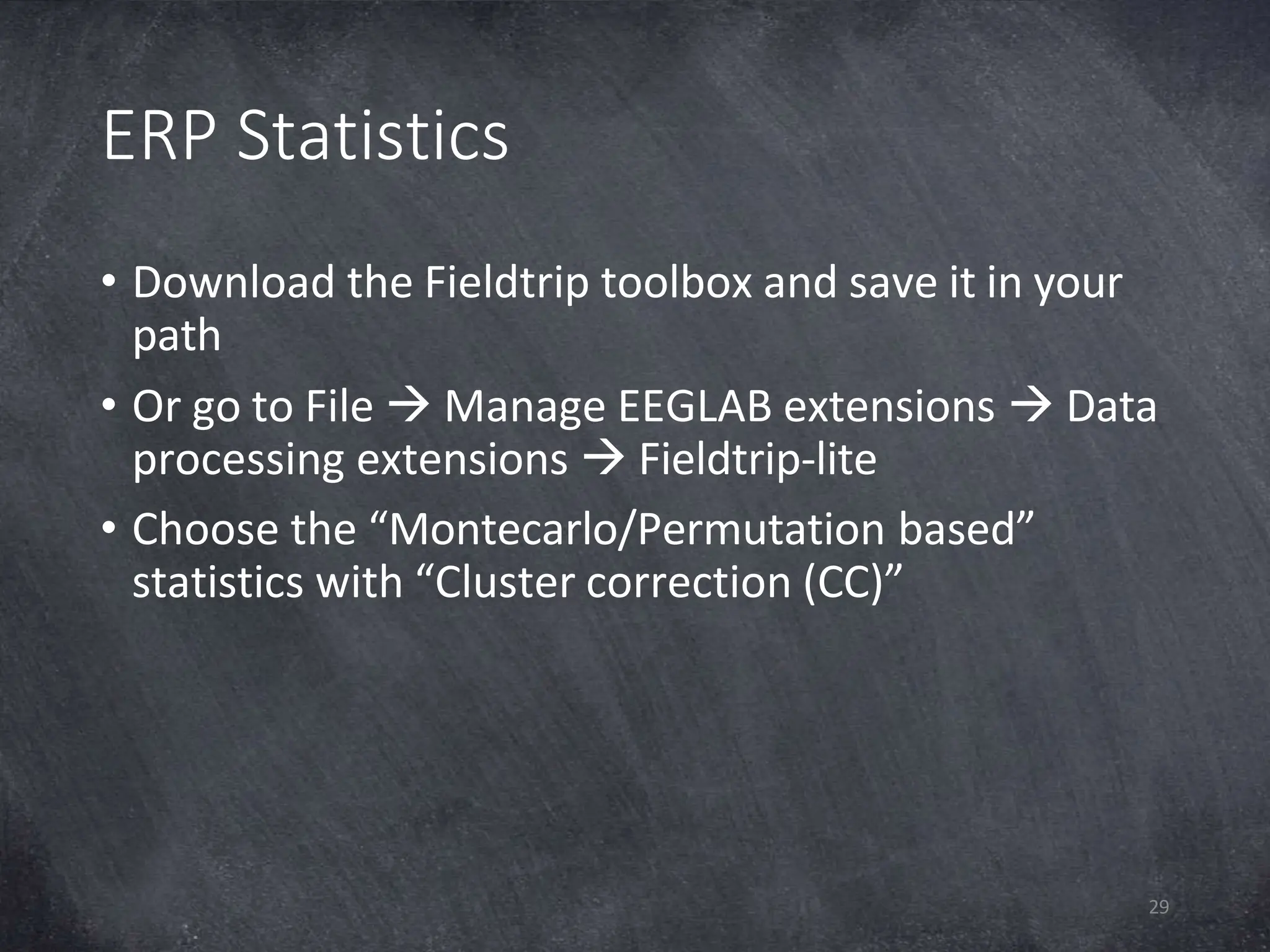
• Download the Fieldtrip toolbox and save it in your
path
• Or go to File  Manage EEGLAB extensions  Data
processing extensions  Fieldtrip-lite
• Choose the “Montecarlo/Permutation based”
statistics with “Cluster correction (CC)”
Sources
Discovering Statistics Using SPSS, Andy Field, 3rd edition, 2009,
SAGE Publications Ltd.
Discovering Statistics Using R,
Andy Field, 1st edition, 2012, SAGE Publications Ltd.
https://ch.mathworks.com/help/matlab/matlab_prog/loop-
control-statements.html
https://sccn.ucsd.edu/eeglab/downloadtoolbox.php
http://www.fieldtriptoolbox.org/download

analysingeeg datausing matlab.ppt

  • 1.
    From raw EEGdata to ERP Eva A.M. van Poppel, MSc 
  • 2.
    Overview 2 •What is EEG? •Whatis an ERP? •Introduction to MATLAB •Break •From raw EEG data to ERP in EEGLAB
  • 3.
    What is EEG? EEGstands for Electro Encephalo Graphy It is the firing of neuronal pyromodal cells, measured by electrodes on the outside of the brain (scalp) in microvolts (µV). Picture by Saint Luke's Health System 3
  • 4.
    What is EEG? Pictureby Saint Luke's Health System Can we measure the activity of inner brainstructures, like the hippocampus, with EEG? No, we can only measure the outer layer of neurons, the neocortex. To measure deeper brain structures, you need other brain imaging techniques, like MRI. But compared to MRI, EEG has a better timing. 4
  • 5.
  • 6.
    What is anERP? ERP stands for Event Related Potential. It is the evoked brain response after a stimulus. The start of the stimulus is normally at time point 0 ms. 6
  • 7.
    Introduction to MATLAB 7 •MATLAB stands for Matrix Laboratory • First of all, it is a calculator. For example, type 5 + 8*5 and press Enter • A Matrix is an array (series) of data, stored in rows and columns (2D). For example, type [1:5;6:10] and press Enter. • Variable is the way MATLAB stores data in the working memory (workspace). Press arrow up and make it A= [1:5;6:10] Variable A now contains your matrix. Note that variable ans will be overwritten.
  • 8.
    • Now, wewant to know what is in row 2, column 3 of Variable A. We type: A(2,3) and press Enter • What happens when you forget one of the dimensions (row or column) and type A(4)? • Type B=4 (Enter) C=5 (Enter). Type B+C (Enter) • Sometimes, you don’t want to see all internal calculations (for example when you load in a complete EEG data set). In this case, you should use the semicolon ; • Type D=ones(1,10); • How does D look like? What happens when you make D=ones(10,1) ? • This is called a vector, which is just one row or column containing data (1D) 8
  • 9.
    Transpose and Text 9 •Type E=D’ • Transpose ‘ • T = ‘Text’; • Price = ‘10CHF’ • randn function makes a vector with normally distributed random numbers, which are the same on each Matlab start up. • X=randn(5) • Y=[1:2:10] • Y = [1:2:10;2:3:15]
  • 10.
    Loops 10 • Press thebutton «New script» in the left upper corner. • Type: for i = 1:length(Y) F(i) = Y(1,i)+1; end • What did you do? How does F look?
  • 11.
    FOR & IFLoop 11 for j = 1:length(Y) if F(j) > Y(1,j) G(j) = Y(1,j) end end
  • 12.
    MATLAB tricks 12 • Don’tshow calculations ; • Transpose ‘ • Text ‘’ • Comments % • Paragraph %% • Run full script F5 • Ctrl + C abort run • Compare scripts • Clear G; Clear all
  • 13.
  • 14.
    EEGLAB 14 • Download on https://sccn.ucsd.edu/eeglab/downloadtoolbox.php •Extract for example in Documents • Click Set Path in Matlab  Add folder  eeglab • Save the path, but don’t save this on a shared server e.g. Rekenbeest • Type eeglab in the command window and press Enter
  • 15.
  • 16.
    Import data 16 • Goto File  Manage EEGLAB extensions  Data processing extensions • Choose the amplifier / EEG data recording software you use and install • Go to File  Import data  Using EEGLAB functions and plugins and choose your data type
  • 17.
    Names Edit  Channel locations. Usea template with XYZ coordinates and channel names for the EEG cap you used. 17
  • 18.
    Reference • The ERP valueat electrode X is the value of electrode X with respect to the location of the reference electrode. • Therefore, we re-reference the recorded data to the average of the mastoid electrodes behind the ears. 18
  • 19.
    Re-reference 19 • In EEGLAB,click Tools  Re-reference  Re- reference data to channel(s): M1 M2 • Exclude channels containing non-EEG data, like EMG, EOG or trigger channels. • Add current reference channel back to the data when you want to restore the data of the physical reference electrode. You cannot use this when you recorded with average reference (TMSi & ANT).
  • 20.
    Filter 20 • A high-passfilter passes signals with a frequency higher than a certain cutoff frequency. For EEG data, you should use a high-pass filter of at least 0.1 Hz to remove the lower drift noise. • A low-pass filter passes signals with a frequency lower than a certain cutoff frequency. For ERP analysis, we typically use a low-pass band from 35 Hz. • A filter shifts the signal. Therefore, we first run a high-pass filter, and afterwards run the low-pass filter to shift it back.
  • 21.
    Filter • A filternever cuts off at the given band exactly. • The slope is dependent of the filter order. • EEGLAB uses a basic FIR filter as a default (Finite Impulse Response) • The line noise (electricity network in Europe) is at 50 Hz. You need a notch filter of at least 48-52Hz to filter this out. 21
  • 22.
    Filter 22 • Because offilter artifacts at the end and beginning of the data, it is important you filter the data before epoching (cutting) • In EEGLAB, Tools  Filter the data  Basic FIR filt  Lower edge of the frequency pass band  0.1 Hz • In EEGLAB, Tools  Filter the data  Basic FIR filt  Higher edge of the frequency pass band  35 Hz
  • 23.
    Epoch 23 • Now, wewant to aline our data, to make sure all trials start at 0 ms at the start of the stimulus. Therefore we “cut” our data -1000 ms before the stimulus and lasting 2500 ms after. • In EEGLAB, Tools  Extract epochs  Epoch limits in seconds -1 2.5
  • 24.
    Baseline correction 24 • Baselinecorrection is the procedure of relativizing the brain signal of interest (evoked response) with respect to a control (baseline) signal • In wake data, you normally use -200 to 0 ms before the stimulus onset as the baseline • In (deep) sleep data, we use -1000 to 0 ms as the baseline • EEGLAB automatically asks for the baseline period in ms after the epoch settings
  • 25.
    Artefact rejection 25 • Plot Channel data scroll • Settings  Time range to display  1 Epoch • In wake data, EEG values > 75µV are considered artefacts and those trials are marked for rejection. In (deep) sleep data, this rule does not apply • Mark trials containing movements and artefacts for rejection, write the trial number in an Excel • You need at least 25 correct trials per subject for a nice ERP without noise • Normally, 5 -10% of trials contain artefacts
  • 26.
    Interpolation 26 • Some channelsare noisy. In this case, we don’t reject the whole trial, but interpolate the channel affected • Interpolation is an artificial reconstruction of the channel, using the data of the surrounding channels • Run the script Eva_Interpolation.m to interpolate certain channels per trial • When you want to interpolate a bad channel in all trials, you have to do this before the epoching using Tools  Interpolate electrodes
  • 27.
    Final datasets 27 • Whenyou interpolated bad channels, you can delete the trials containing artefacts • In EEGLAB: Edit  Select data  Epoch range fill in trials to reject e.g. [1 10] Click remove these and ok • Save as P5_Final.set
  • 28.
    Create ERP 28 • File Create study  Simple ERP study • Load in all final datasets • One row means the same subject, so two files on the same row means a within subject design, where each subject on a seperate row means a between subject design
  • 29.
    ERP Statistics 29 • Downloadthe Fieldtrip toolbox and save it in your path • Or go to File  Manage EEGLAB extensions  Data processing extensions  Fieldtrip-lite • Choose the “Montecarlo/Permutation based” statistics with “Cluster correction (CC)”
  • 30.
    Sources Discovering Statistics UsingSPSS, Andy Field, 3rd edition, 2009, SAGE Publications Ltd. Discovering Statistics Using R, Andy Field, 1st edition, 2012, SAGE Publications Ltd. https://ch.mathworks.com/help/matlab/matlab_prog/loop- control-statements.html https://sccn.ucsd.edu/eeglab/downloadtoolbox.php http://www.fieldtriptoolbox.org/download