


An Overview of the Amazon Devices and
Services Ecosystem for Mobile Developers
AMAZON DEVELOPER DAY
DAVID ISBITSKI
Developer Evangelist, Amazon
@TheDaveDev
Isbitski@amazon.com
04/25/2015
10:00am - 10:45am
An Overview of the Amazon Devices and Services Ecosystem for Mobile Developers
10:45am - 11:45am
Building Spoken Language Apps and Experiences for Amazon Echo
Noon-12:45pm
How We Made a Game No Fun
12:45pm - 1:30pm
How to Evolve Players into Fans
1:45pm – 3:45pm
App Hours / Open Hack
DEVELOPER DAY AGENDA
SESSION AGENDA
• Amazon Appstore
Ecosystem
• Amazon Fire Tablets
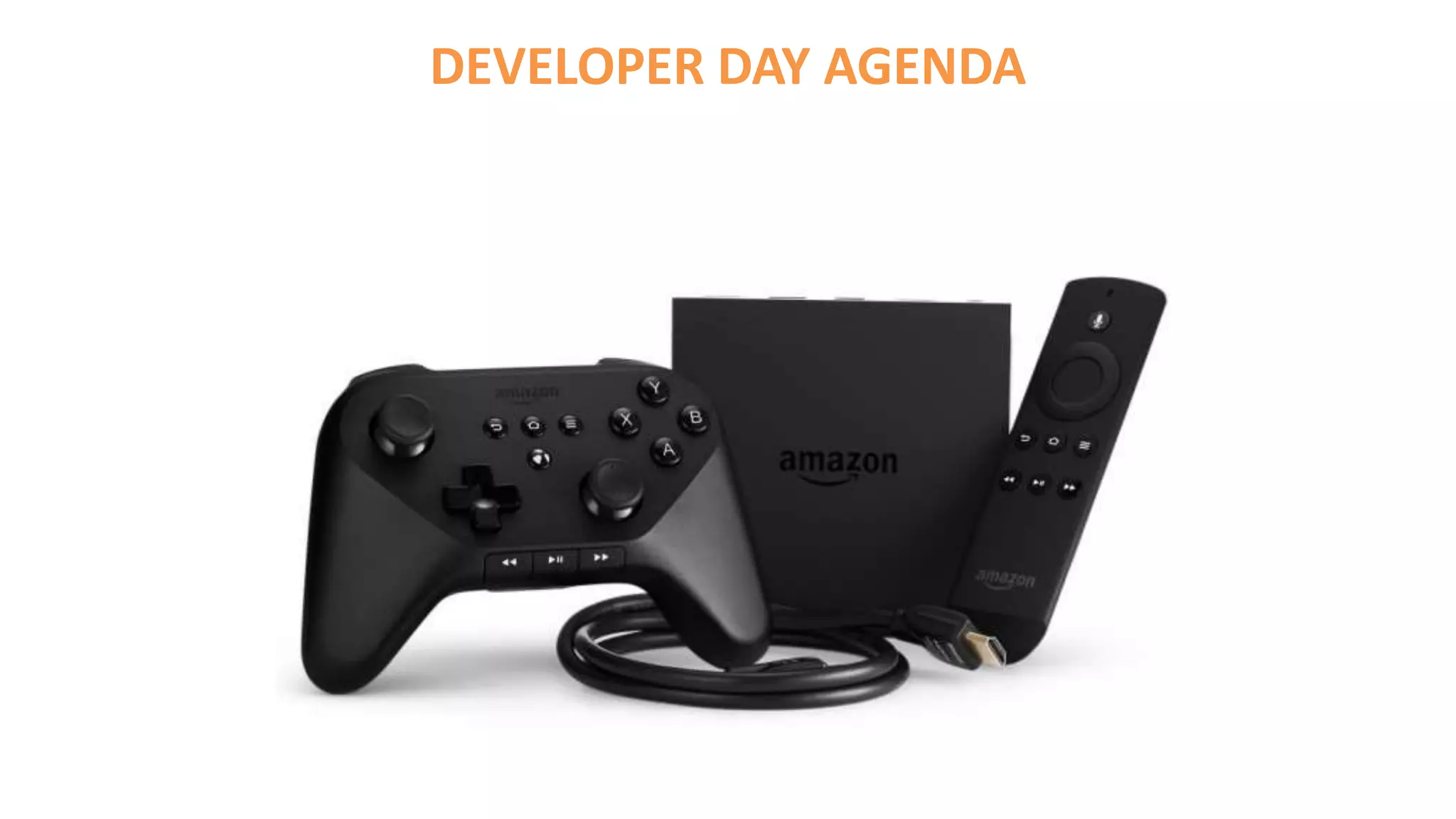
• Amazon Fire TV + Stick
• Amazon Echo
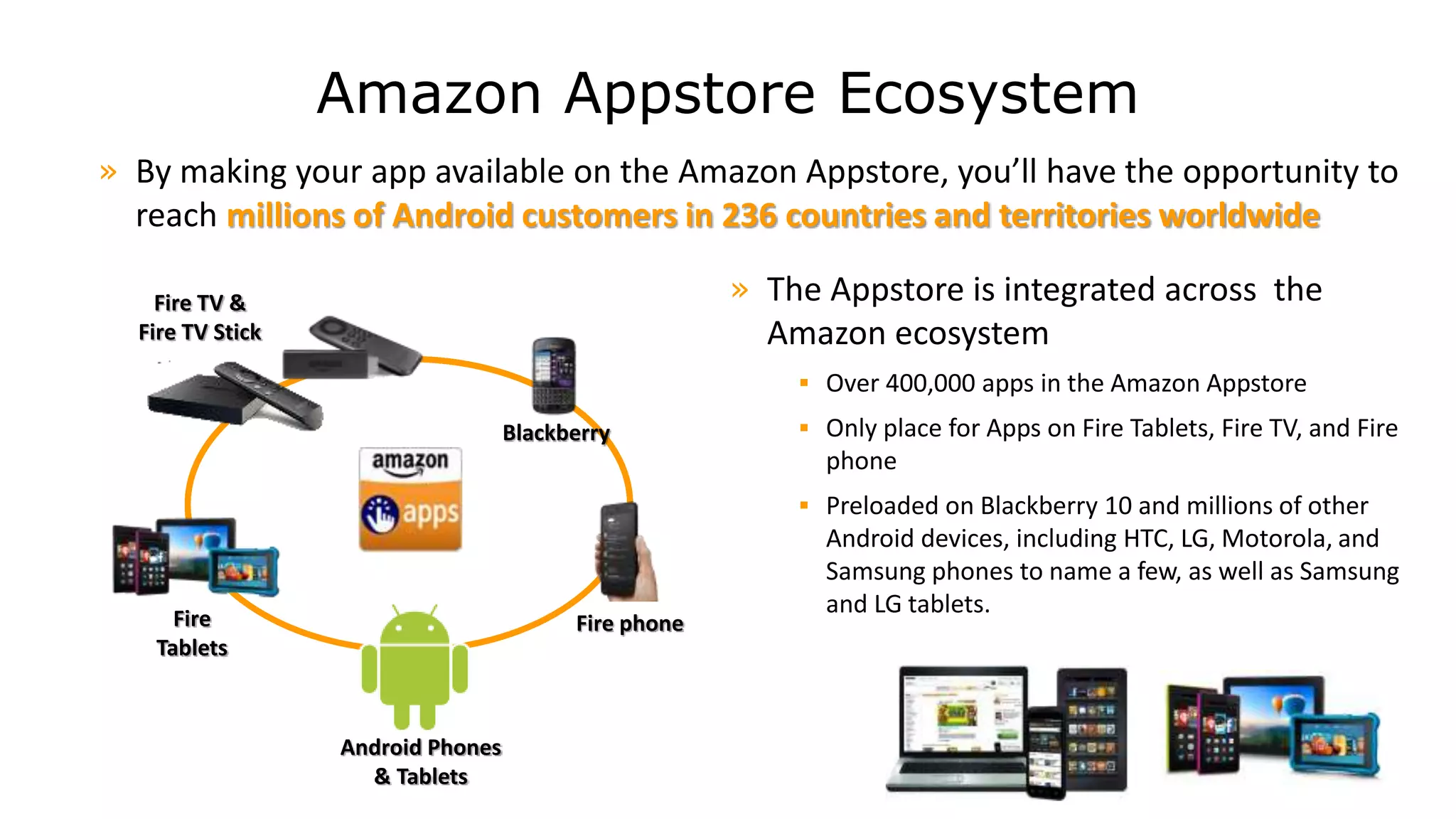
Amazon Appstore Ecosystem
» The Appstore is integrated across the
Amazon ecosystem
 Over 400,000 apps in the Amazon Appstore
 Only place for Apps on Fire Tablets, Fire TV, and Fire
phone
 Preloaded on Blackberry 10 and millions of other
Android devices, including HTC, LG, Motorola, and
Samsung phones to name a few, as well as Samsung
and LG tablets.
» By making your app available on the Amazon Appstore, you’ll have the opportunity to
reach millions of Android customers in 236 countries and territories worldwide
Android Phones
& Tablets
Fire phoneFire
Tablets
Fire TV &
Fire TV Stick
Blackberry
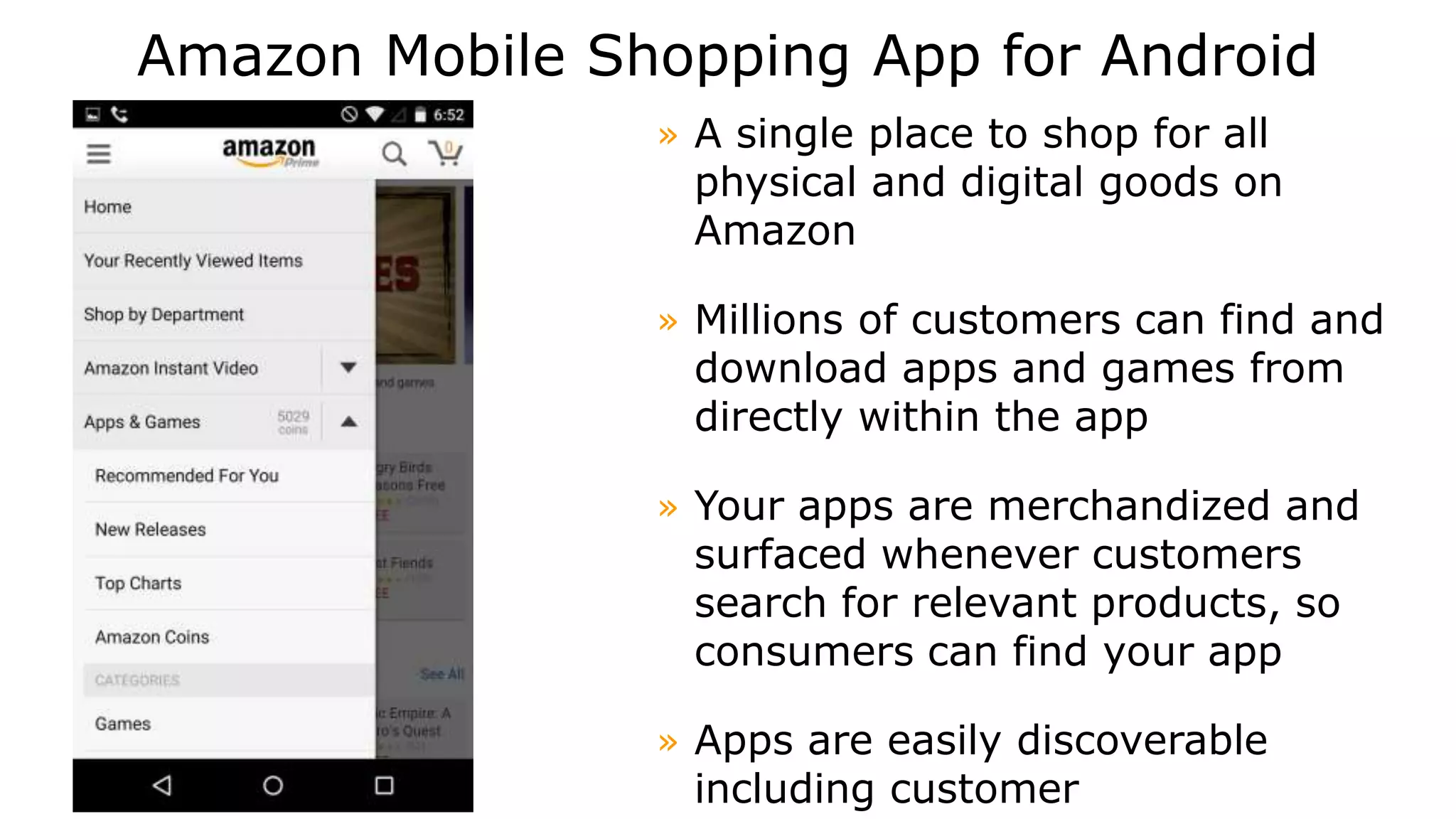
Amazon Mobile Shopping App for Android
» A single place to shop for all
physical and digital goods on
Amazon
» Millions of customers can find and
download apps and games from
directly within the app
» Your apps are merchandized and
surfaced whenever customers
search for relevant products, so
consumers can find your app
» Apps are easily discoverable
including customer
Amazon Developer Program
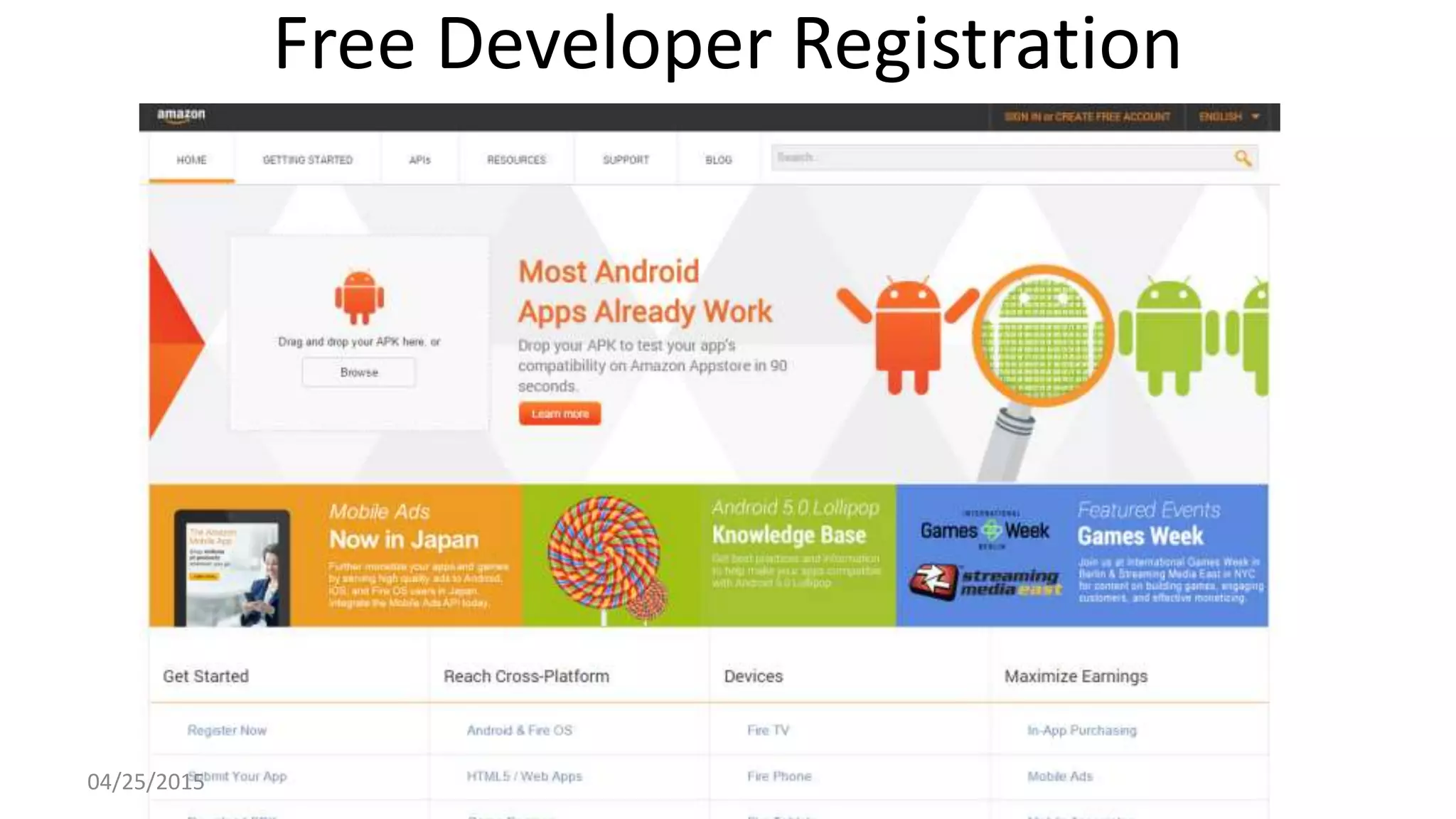
Free Developer Registration
04/25/2015
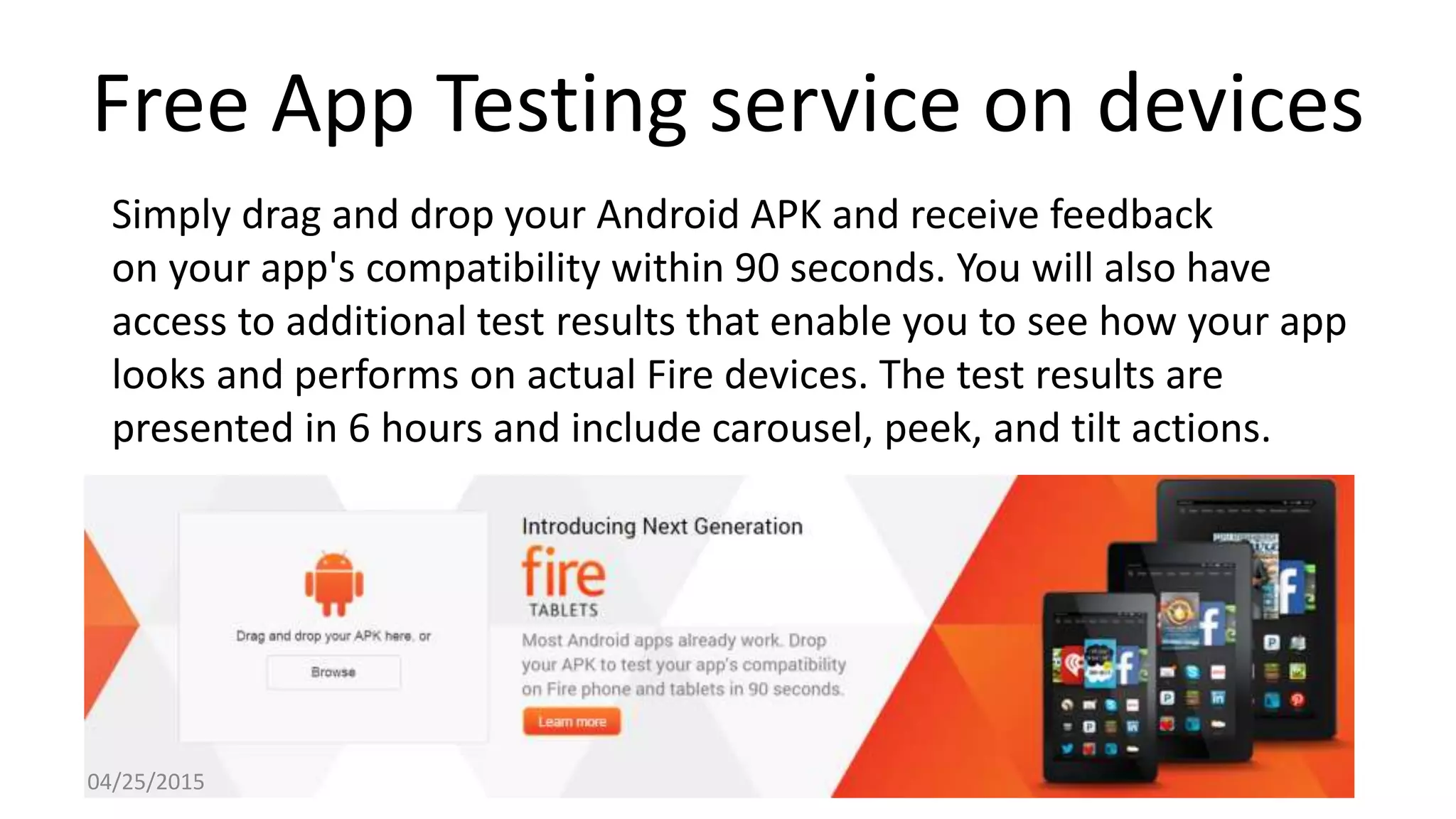
Free App Testing service on devices
Simply drag and drop your Android APK and receive feedback
on your app's compatibility within 90 seconds. You will also have
access to additional test results that enable you to see how your app
looks and performs on actual Fire devices. The test results are
presented in 6 hours and include carousel, peek, and tilt actions.
04/25/2015
Amazon Coins
• Amazon Coins is a virtual currency that customers
can use to purchase apps, games, and in-app items
• Unique Promotion opportunities
• Rewards for downloading games
• Also available for gifting
04/25/2015
Android 4.2.2 compatible
Android developers can use existing
tools and frameworks
to develop for Amazon Fire devices.
API 17 (TV and Phone), API 19 (Tablets)
Works with Android Studio, Xamarin
Studio, Unity and more.
Over 75% of Apps tested just work.
04/25/2015
What you need to get started
Download the following:
• Android IDE (Eclipse** or Android Studio)
– Java Development Kit (JDK)
– Android SDK
– Amazon Mobile SDK
– Fire TV SDK Add-On
– Fire Phone SDK Add-On
• Xamarin Studio IDE
– Visual Studio (Optional)
– Fire Xamarin Components
• Unity
– Target ARM and Android
– Head Tracking, Amazon Mobile Ads, GameCircle and IAP plug ins
04/25/2015
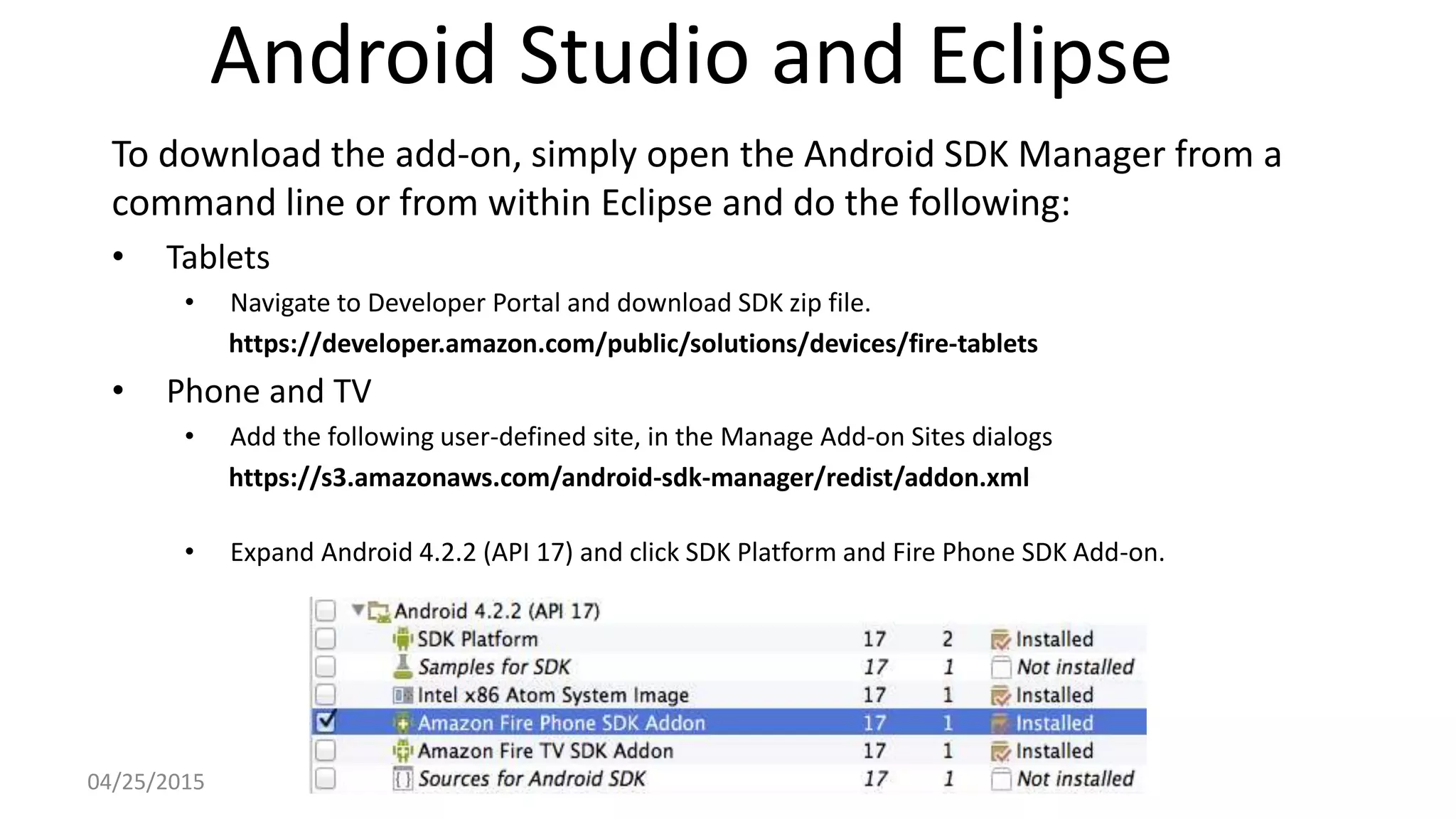
Android Studio and Eclipse
To download the add-on, simply open the Android SDK Manager from a
command line or from within Eclipse and do the following:
• Tablets
• Navigate to Developer Portal and download SDK zip file.
https://developer.amazon.com/public/solutions/devices/fire-tablets
• Phone and TV
• Add the following user-defined site, in the Manage Add-on Sites dialogs
https://s3.amazonaws.com/android-sdk-manager/redist/addon.xml
• Expand Android 4.2.2 (API 17) and click SDK Platform and Fire Phone SDK Add-on.
04/25/2015
Xamarin Studio
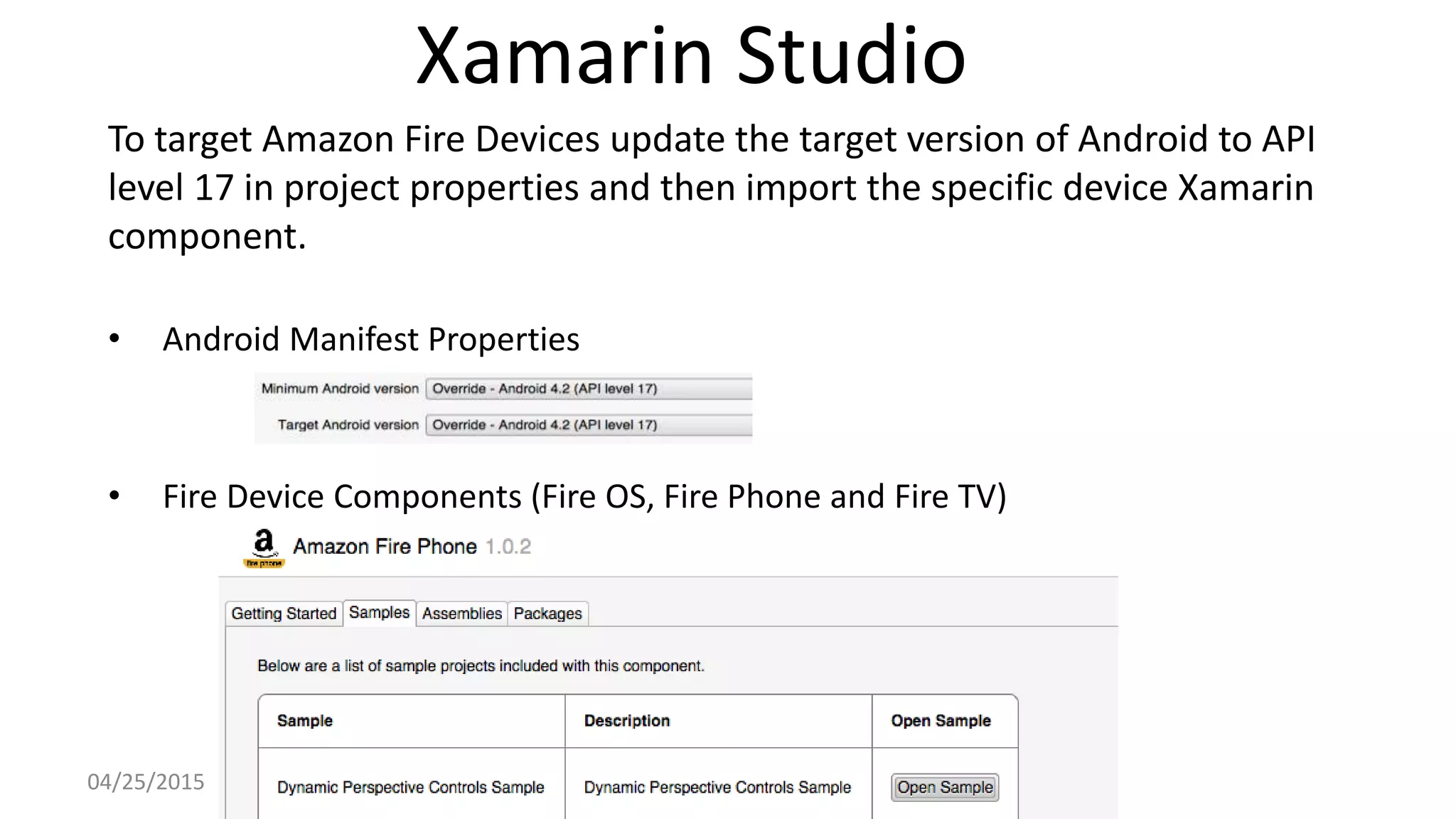
To target Amazon Fire Devices update the target version of Android to API
level 17 in project properties and then import the specific device Xamarin
component.
• Android Manifest Properties
• Fire Device Components (Fire OS, Fire Phone and Fire TV)
04/25/2015
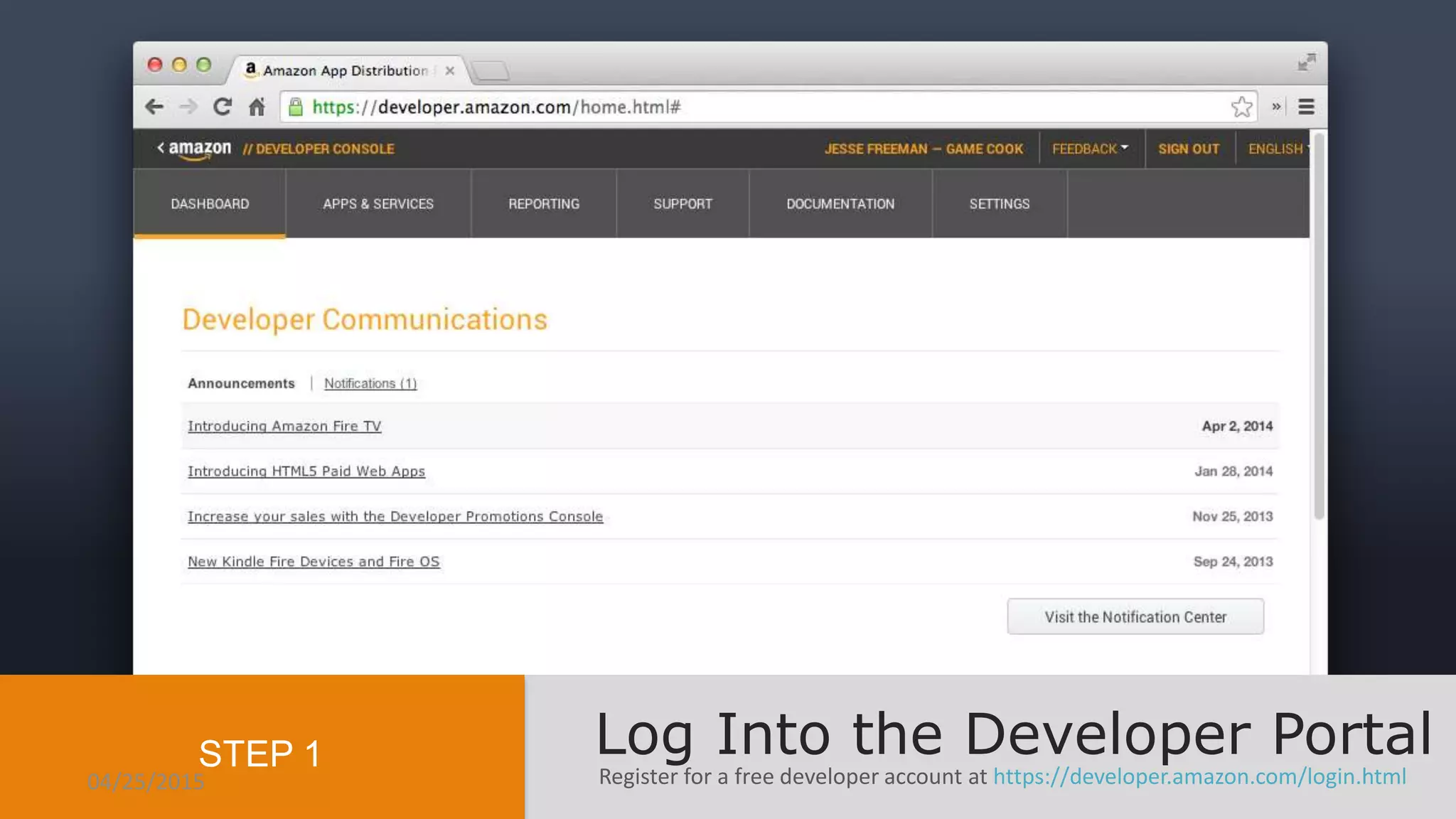
Register for a free developer account at https://developer.amazon.com/login.html
Log Into the Developer PortalSTEP 1
04/25/2015
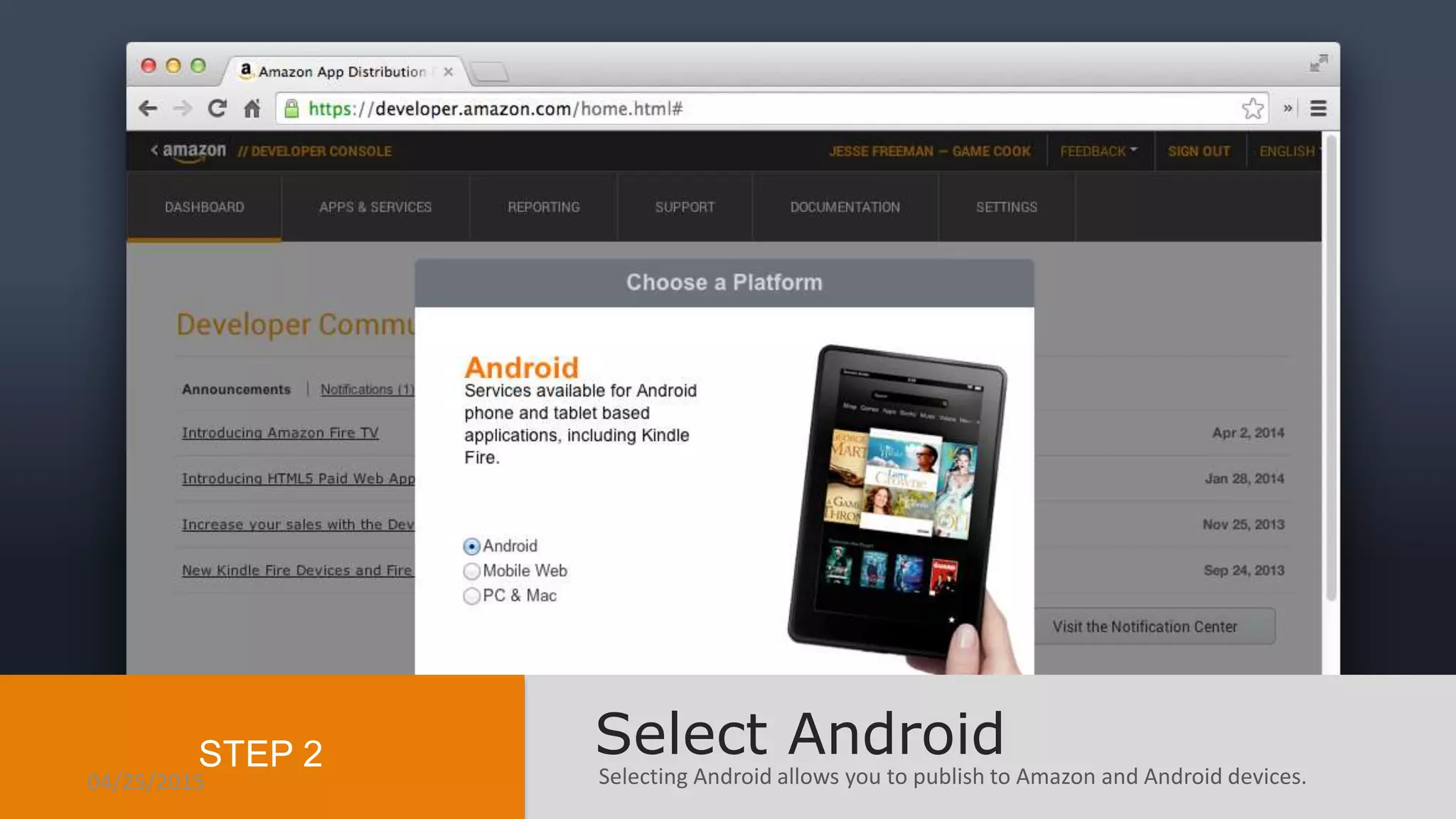
Selecting Android allows you to publish to Amazon and Android devices.
Select AndroidSTEP 2
04/25/2015
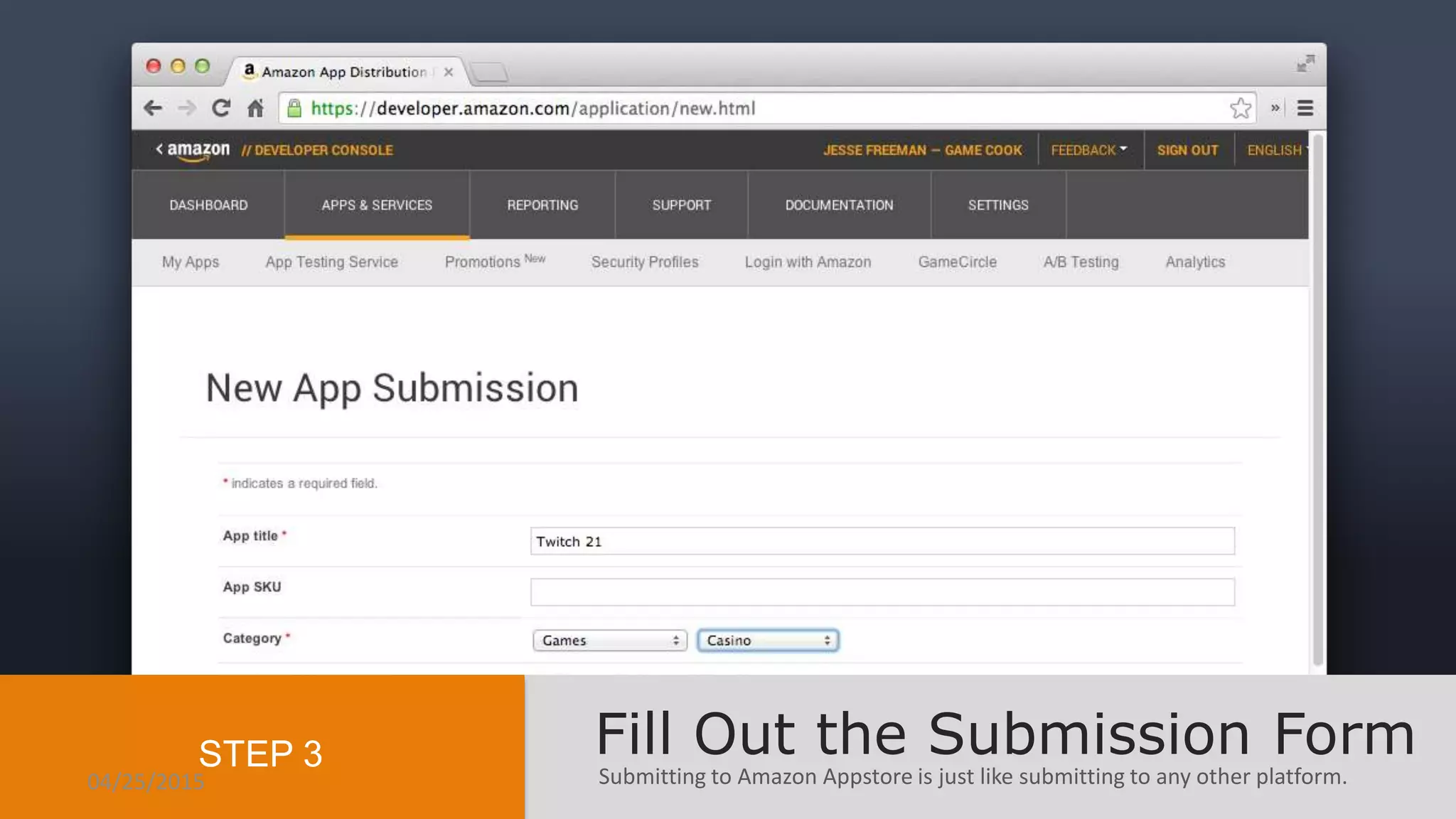
Submitting to Amazon Appstore is just like submitting to any other platform.
Fill Out the Submission FormSTEP 3
04/25/2015
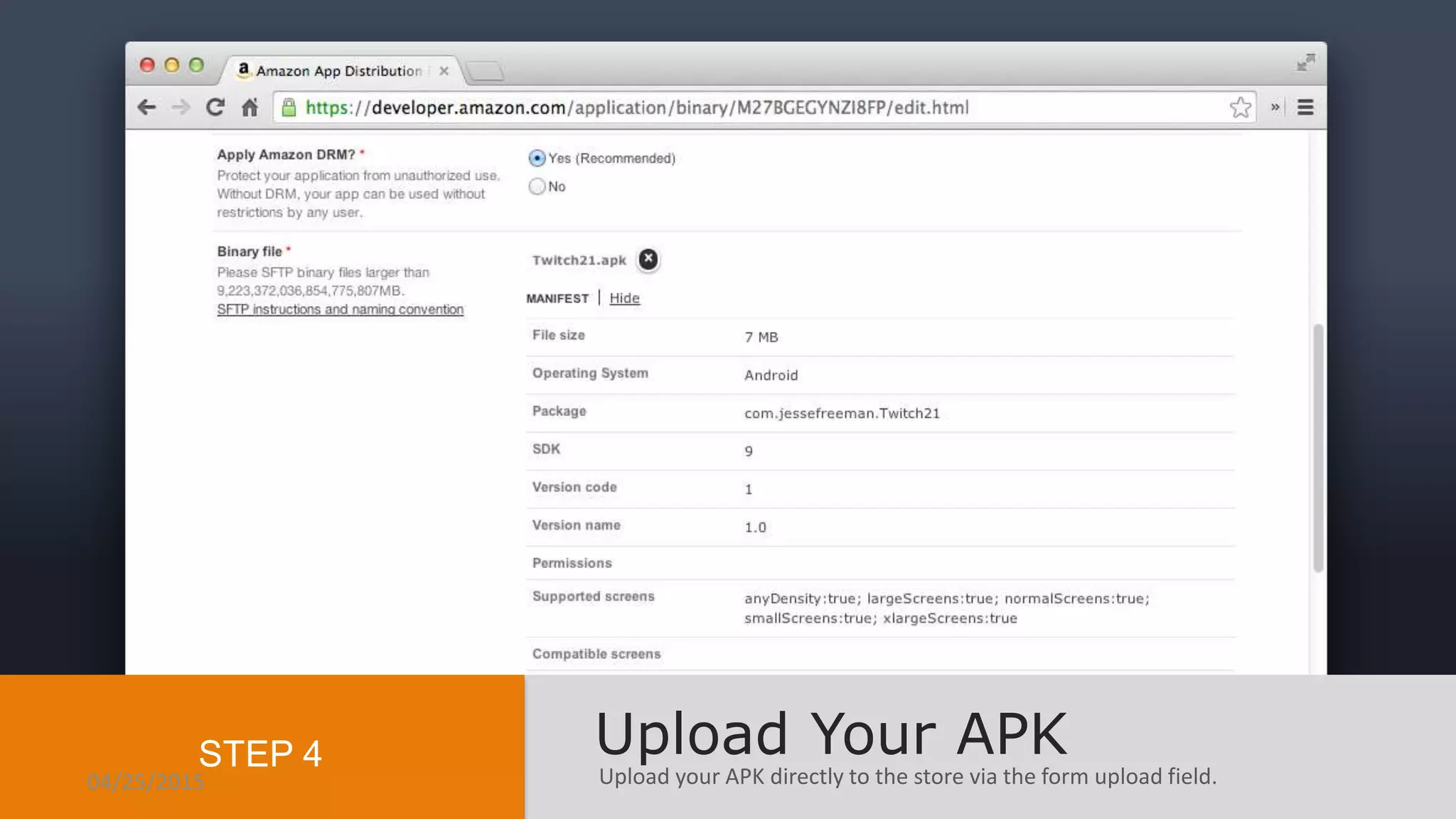
Upload your APK directly to the store via the form upload field.
Upload Your APKSTEP 4
04/25/2015
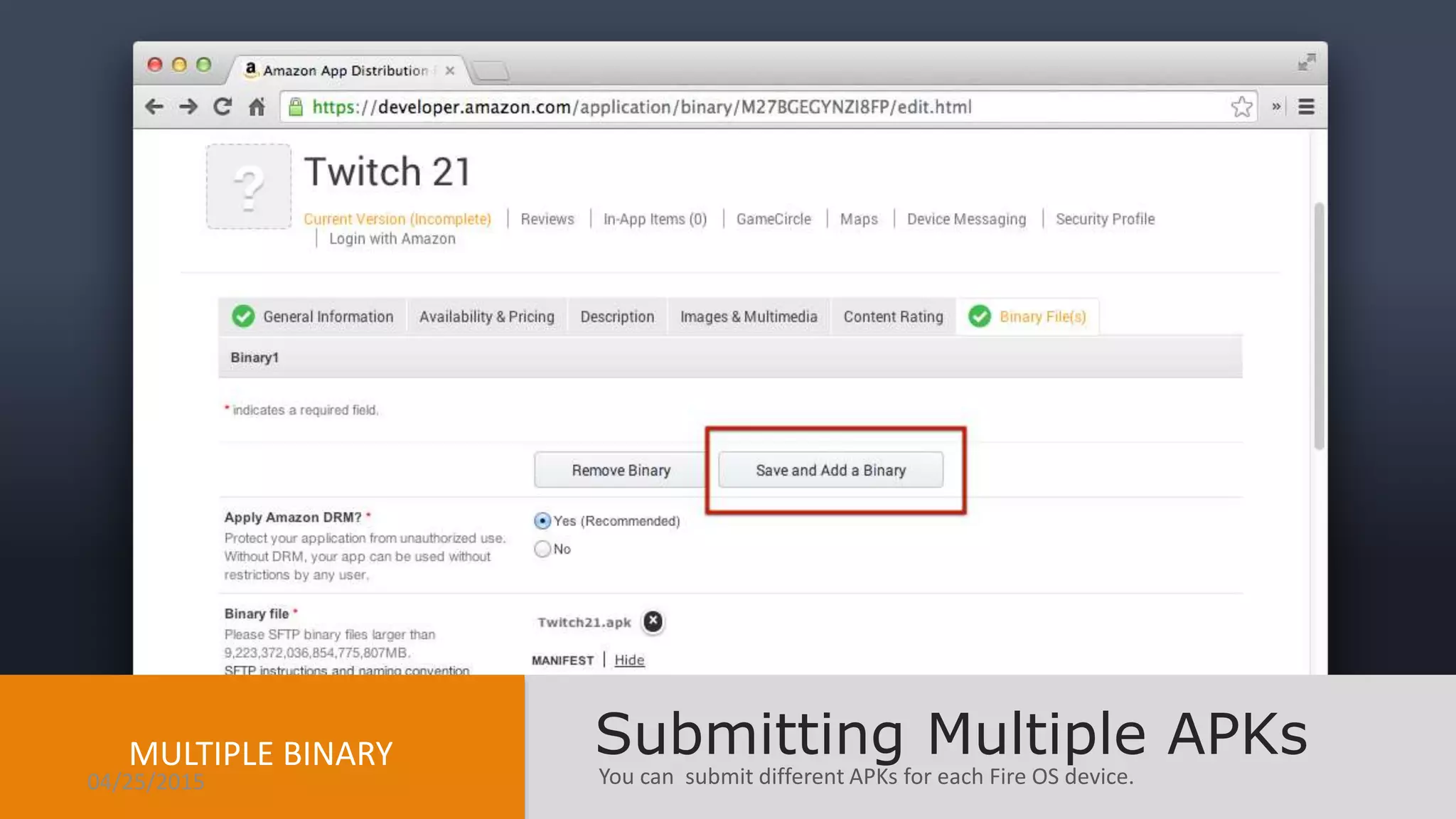
You can submit different APKs for each Fire OS device.
Submitting Multiple APKsMULTIPLE BINARY
04/25/2015
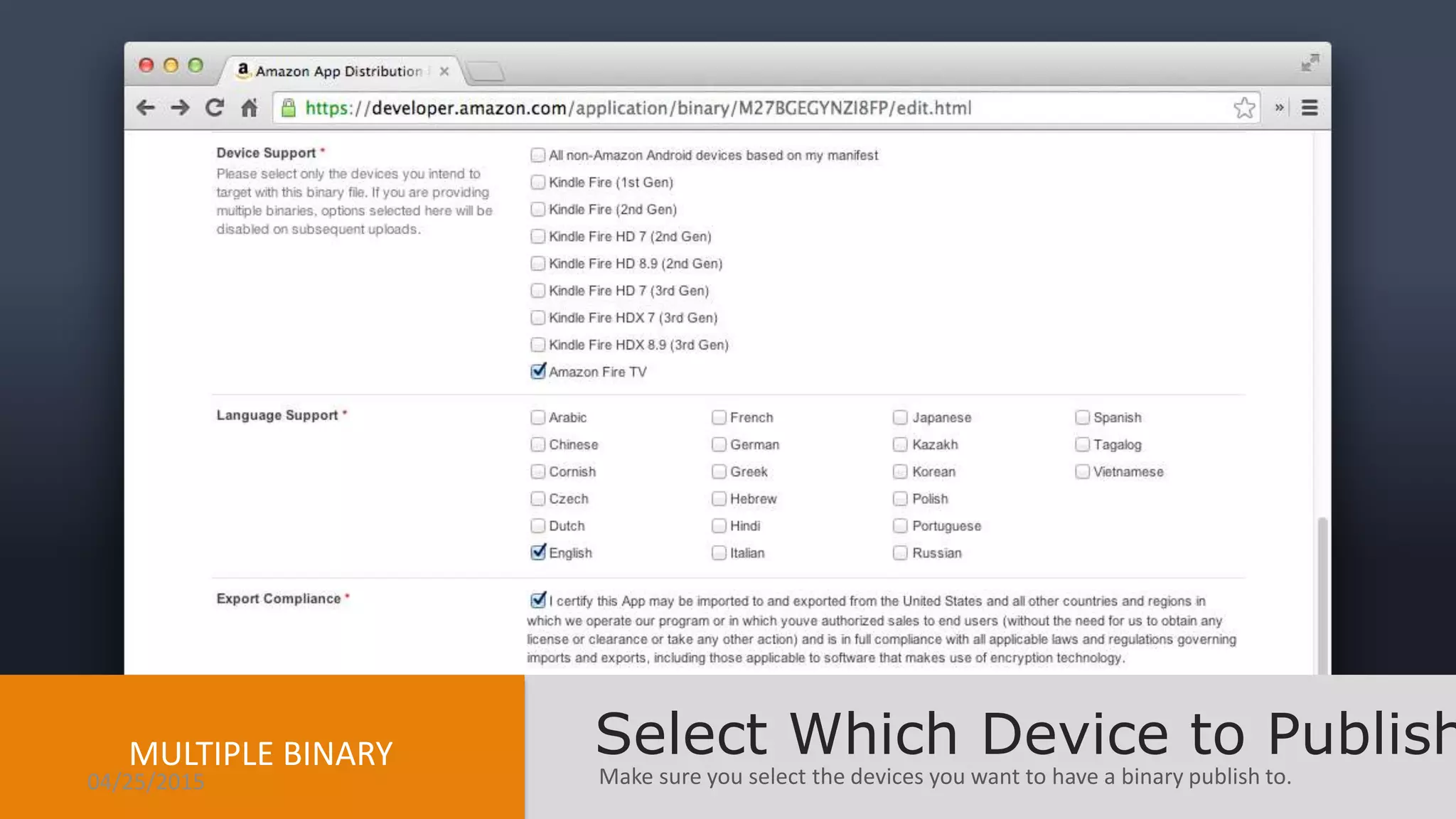
Make sure you select the devices you want to have a binary publish to.
Select Which Device to PublishMULTIPLE BINARY
04/25/2015
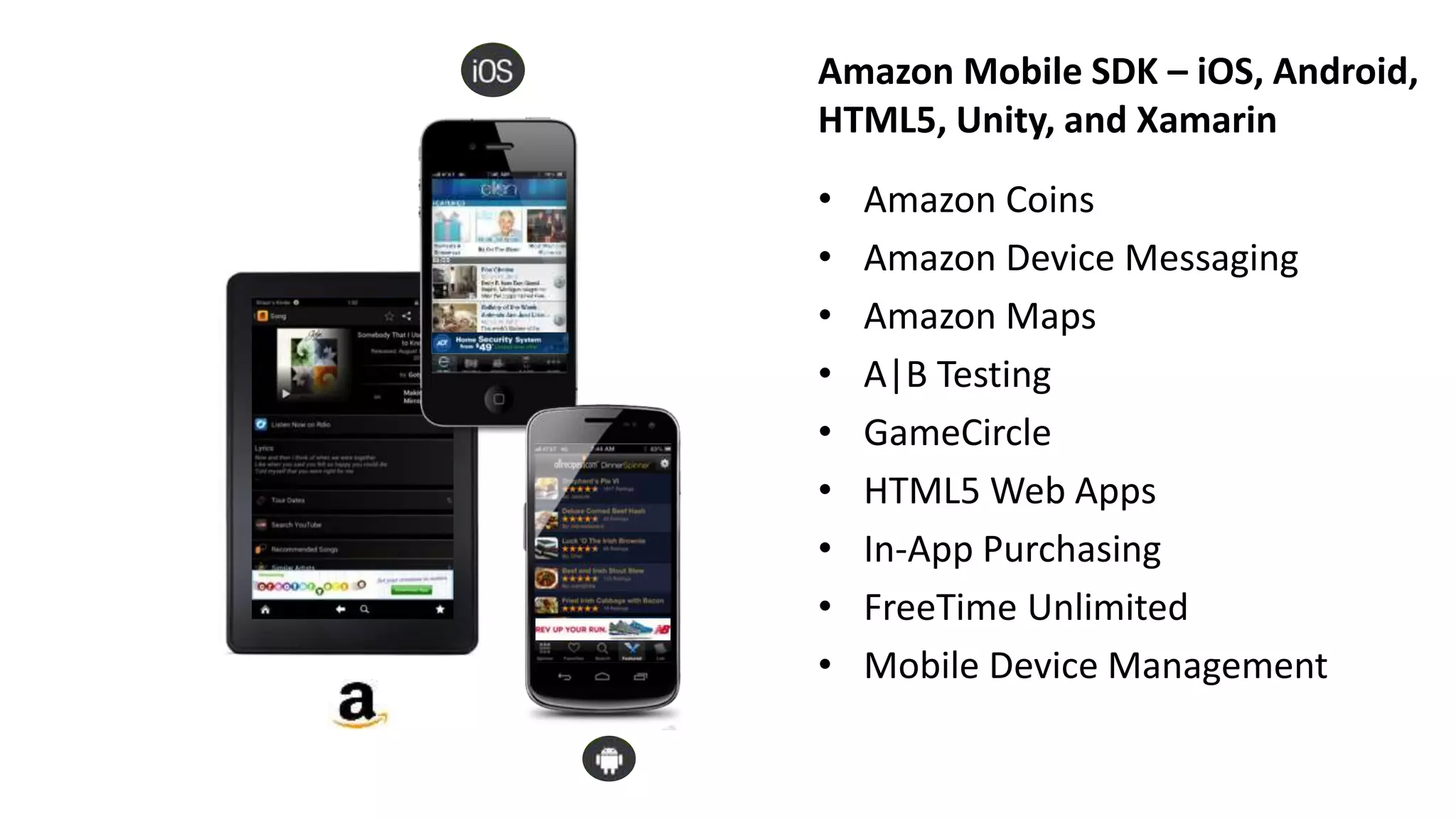
Amazon Mobile SDK – iOS, Android,
HTML5, Unity, and Xamarin
• Amazon Coins
• Amazon Device Messaging
• Amazon Maps
• A|B Testing
• GameCircle
• HTML5 Web Apps
• In-App Purchasing
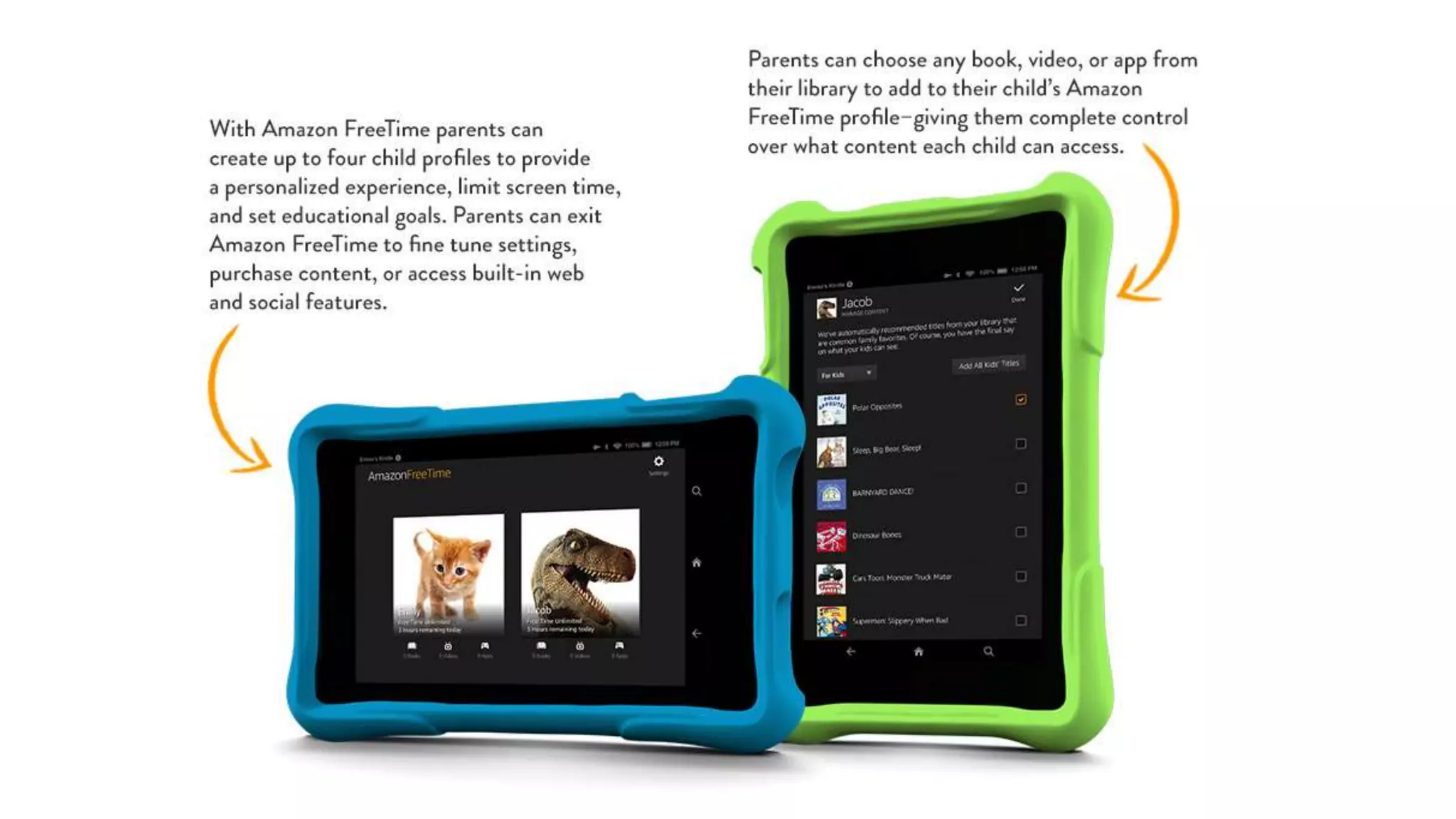
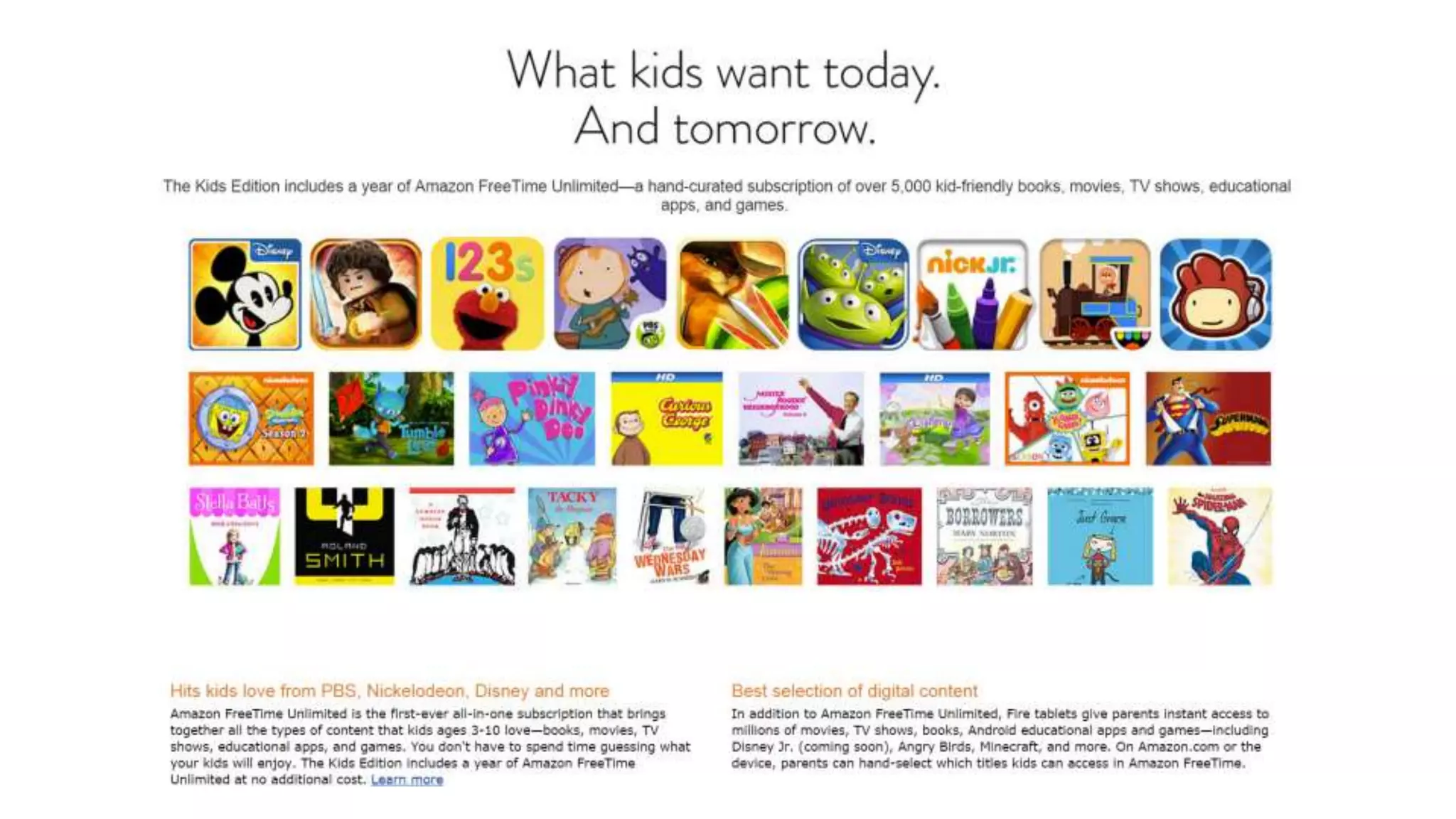
• FreeTime Unlimited
• Mobile Device Management
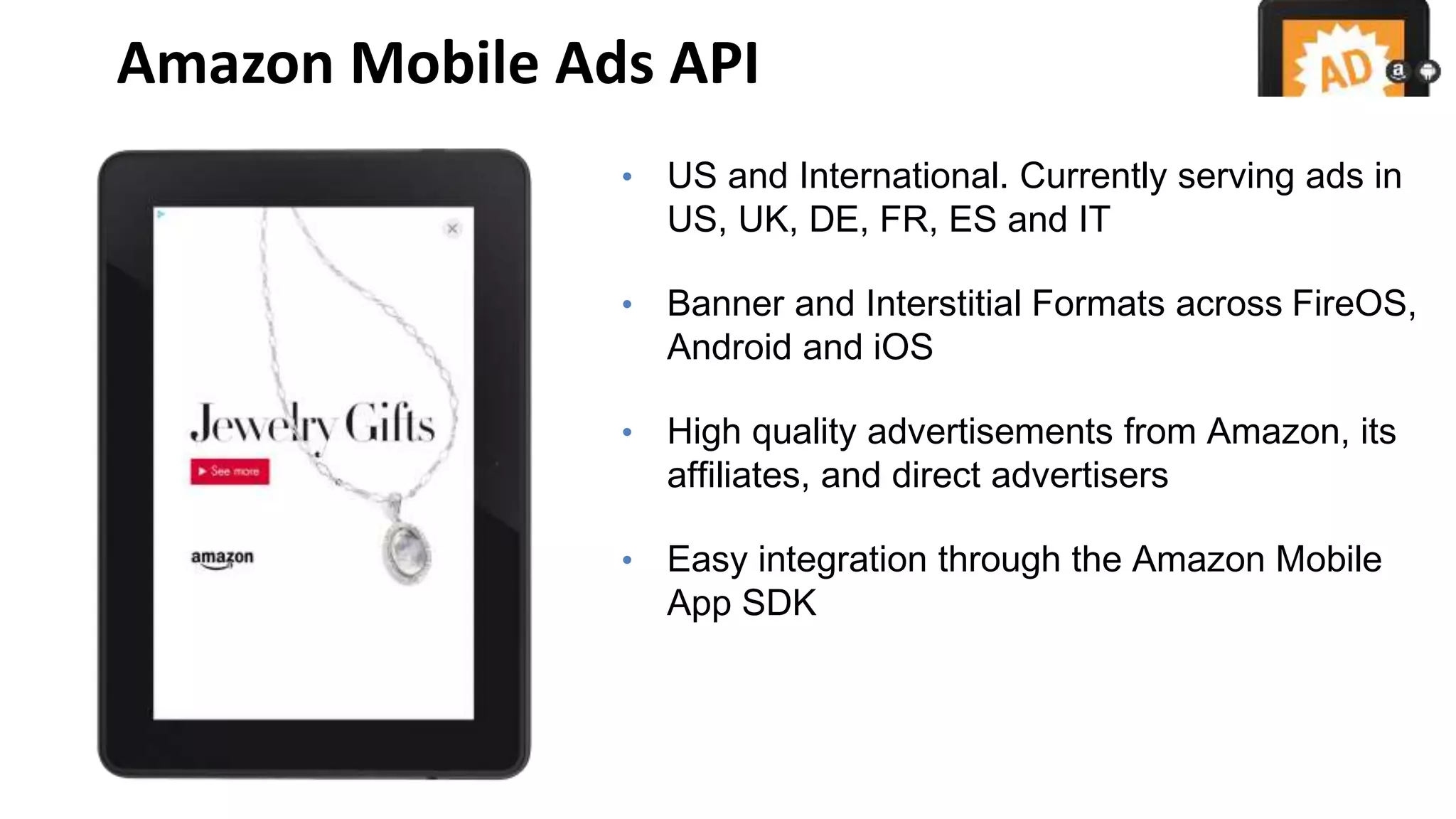
Amazon Mobile Ads API
• US and International. Currently serving ads in
US, UK, DE, FR, ES and IT
• Banner and Interstitial Formats across FireOS,
Android and iOS
• High quality advertisements from Amazon, its
affiliates, and direct advertisers
• Easy integration through the Amazon Mobile
App SDK
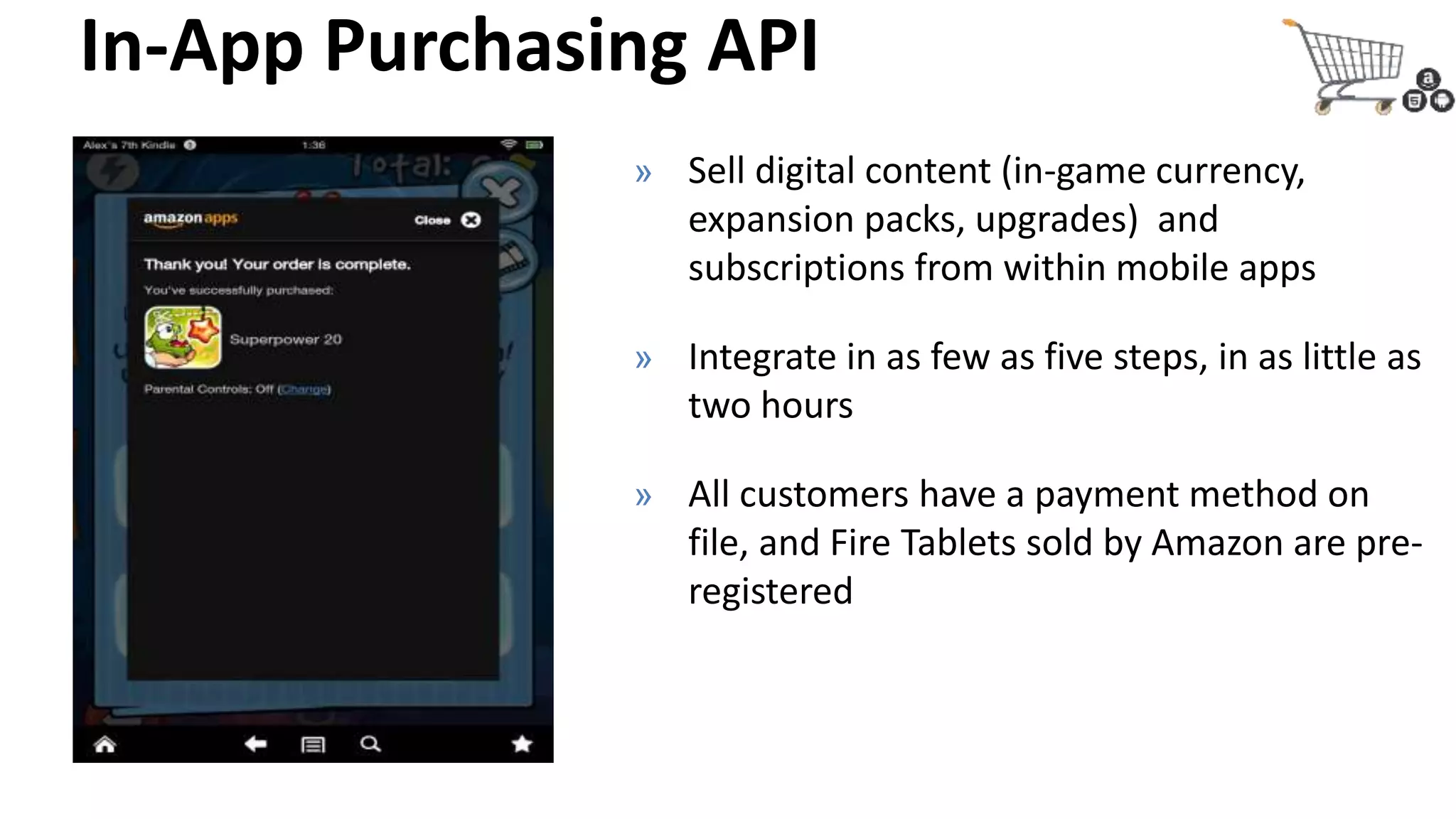
In-App Purchasing API
» Sell digital content (in-game currency,
expansion packs, upgrades) and
subscriptions from within mobile apps
» Integrate in as few as five steps, in as little as
two hours
» All customers have a payment method on
file, and Fire Tablets sold by Amazon are pre-
registered
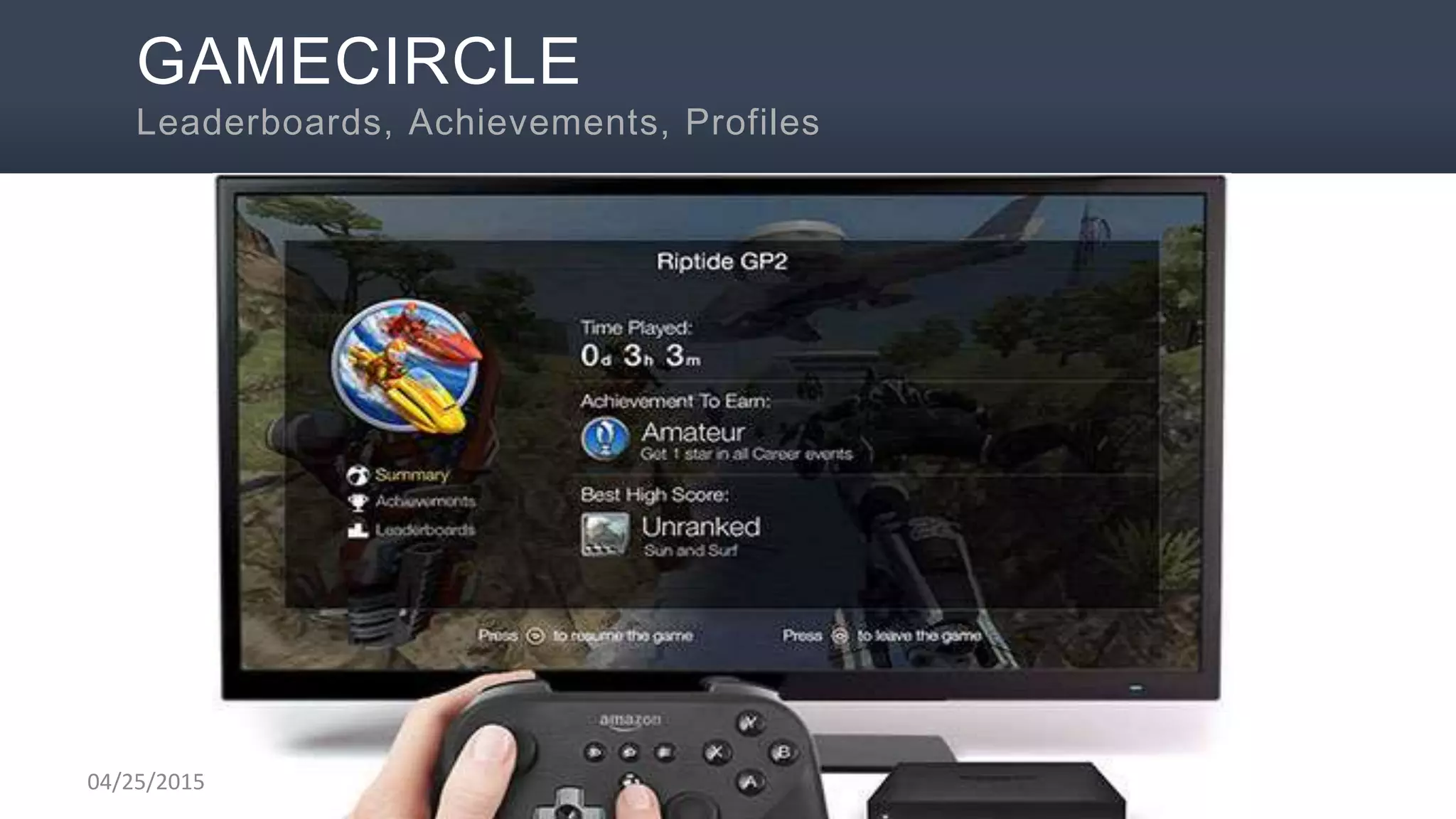
GAMECIRCLE
Leaderboards, Achievements, Profiles
04/25/2015
04/25/2015
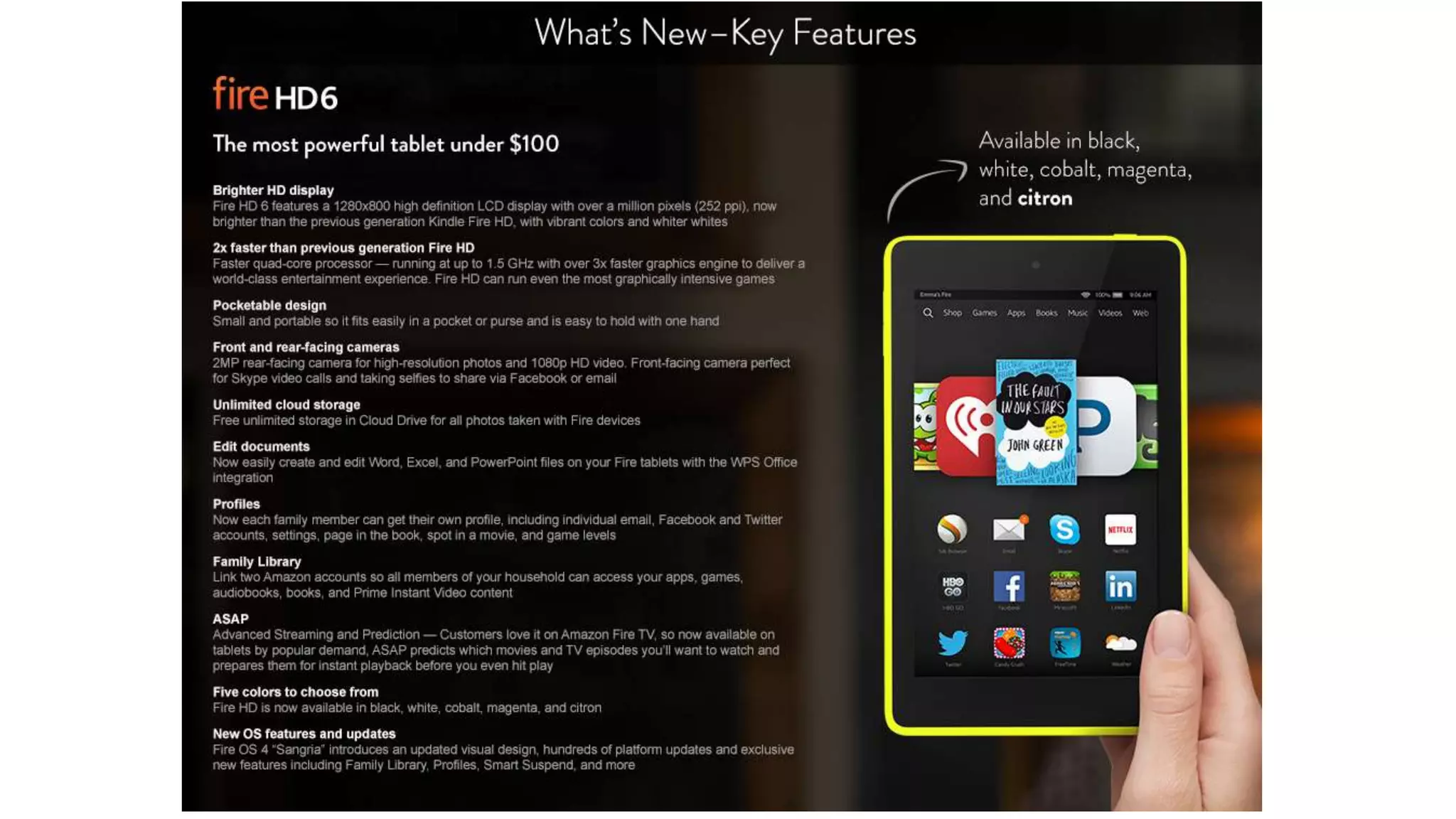
Fire Tablets
Fire Phone
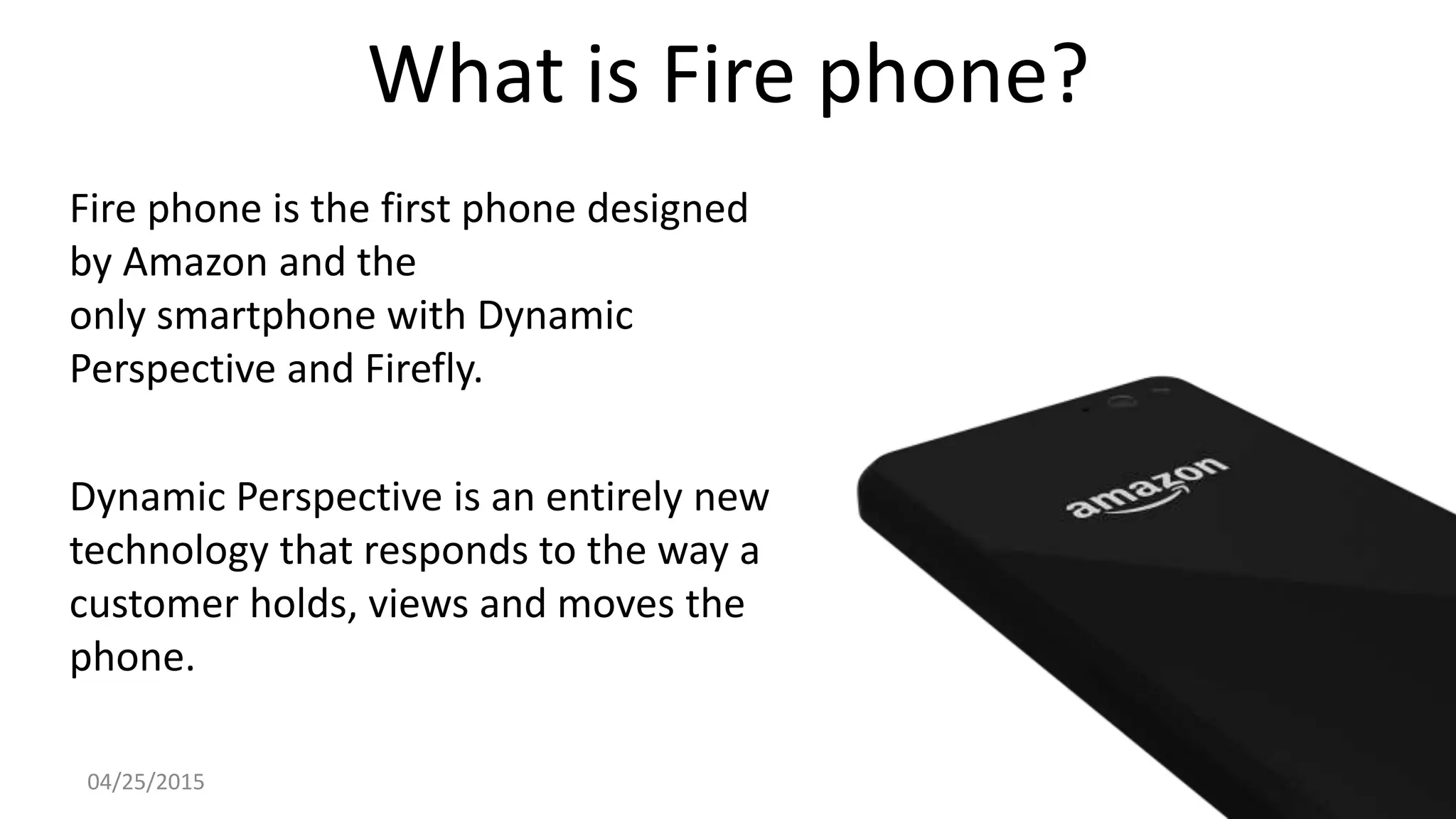
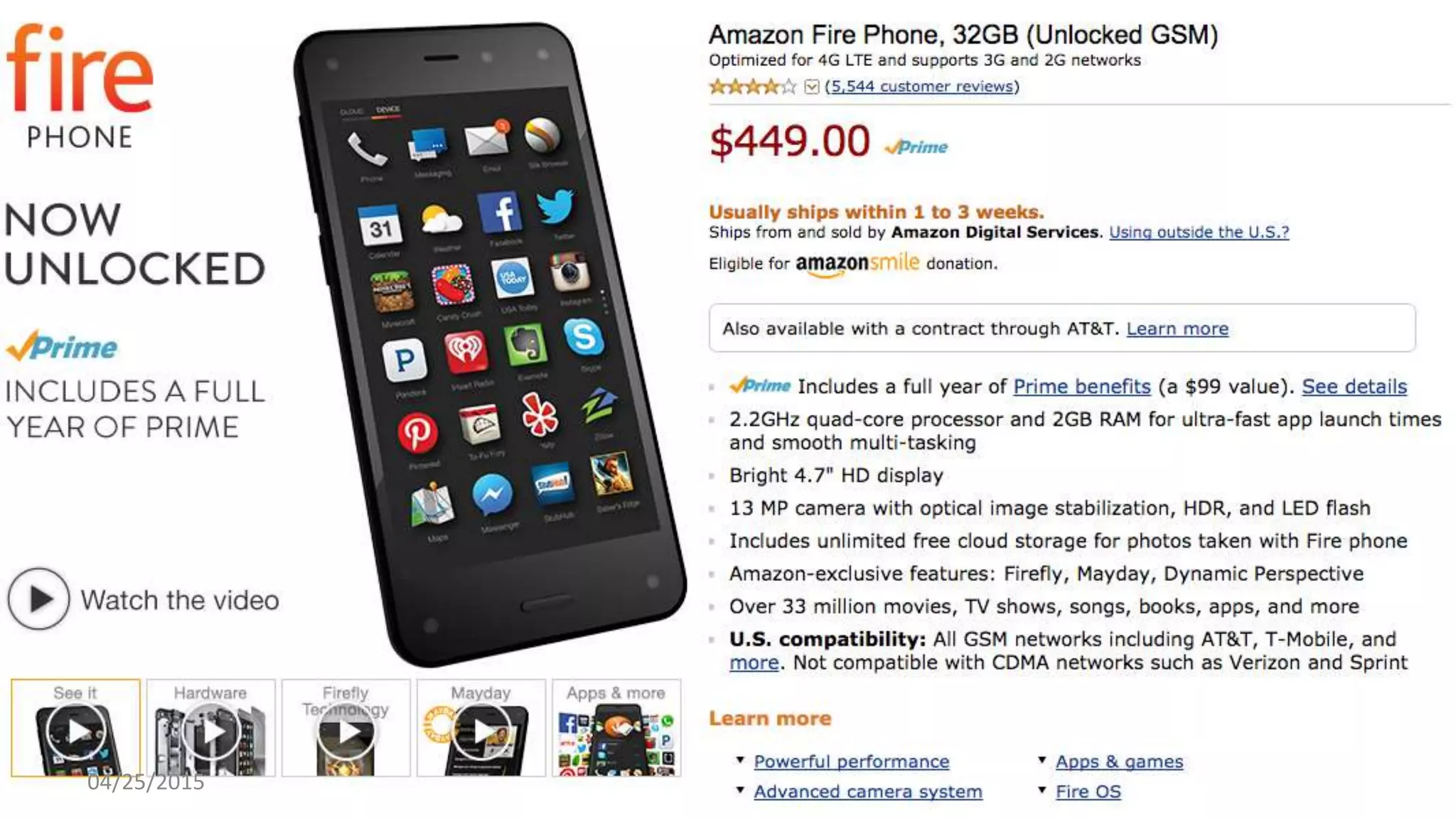
What is Fire phone?
Fire phone is the first phone designed
by Amazon and the
only smartphone with Dynamic
Perspective and Firefly.
Dynamic Perspective is an entirely new
technology that responds to the way a
customer holds, views and moves the
phone.
04/25/2015
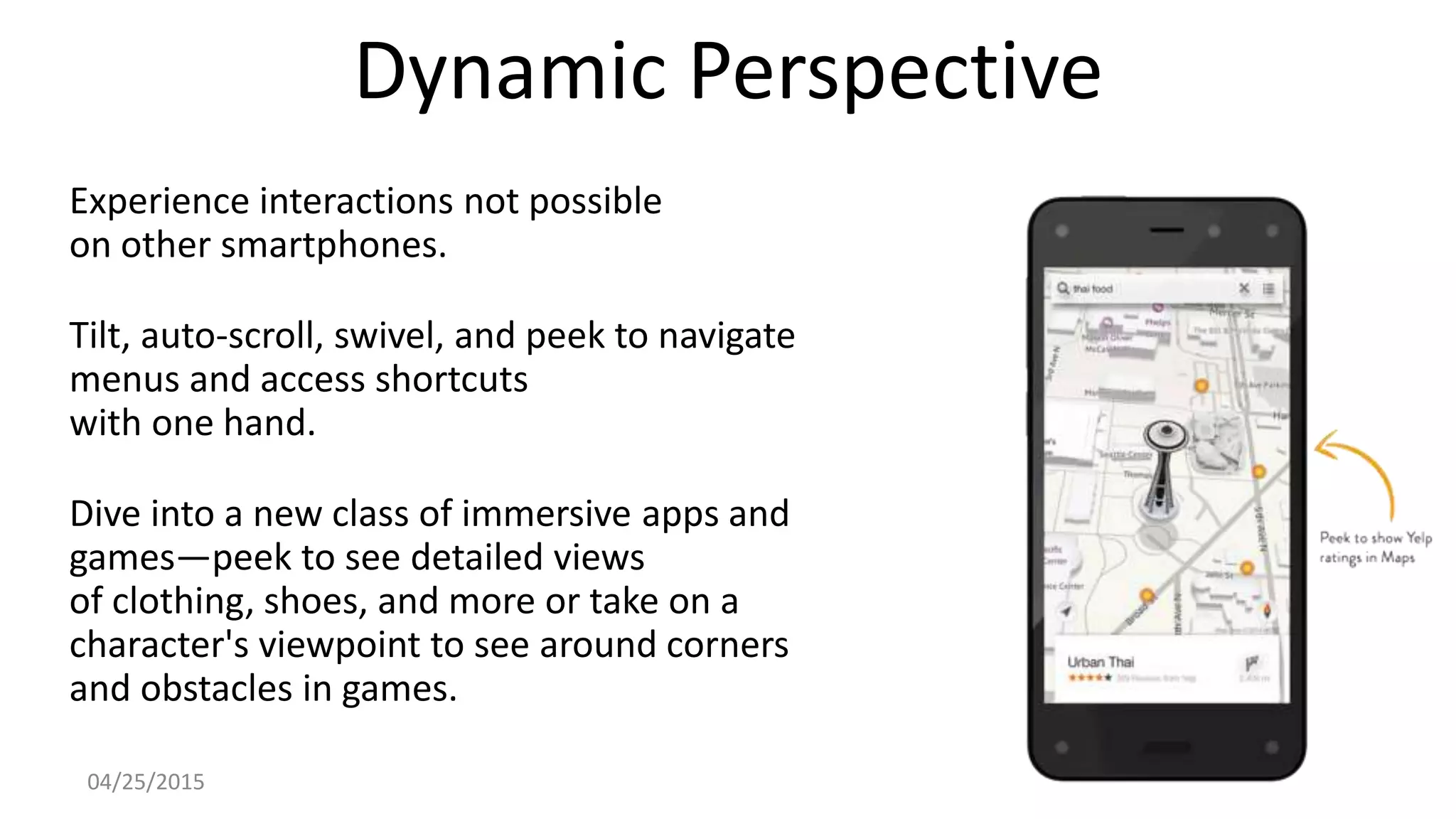
Dynamic Perspective
Experience interactions not possible
on other smartphones.
Tilt, auto-scroll, swivel, and peek to navigate
menus and access shortcuts
with one hand.
Dive into a new class of immersive apps and
games—peek to see detailed views
of clothing, shoes, and more or take on a
character's viewpoint to see around corners
and obstacles in games.
04/25/2015
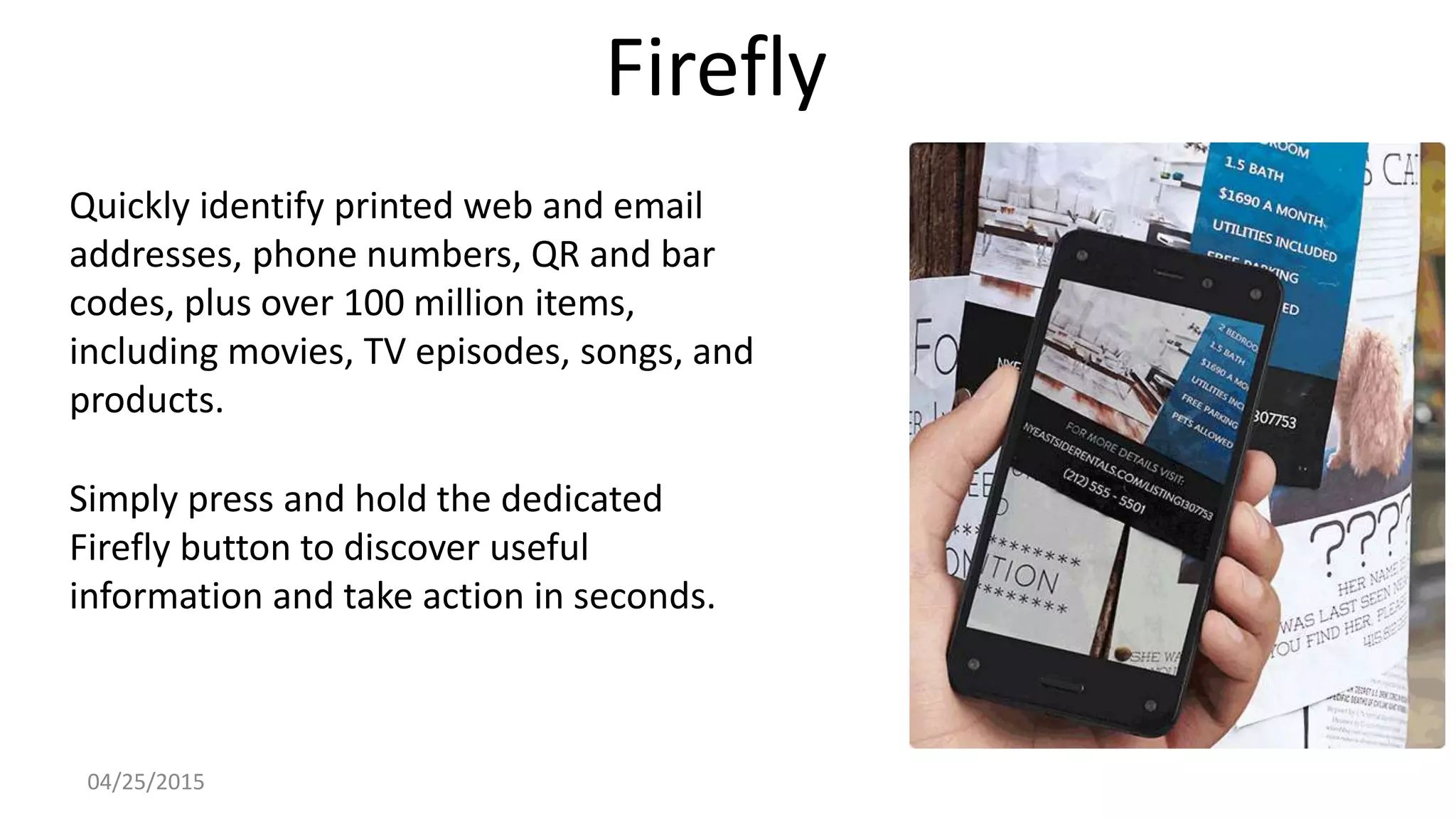
Firefly
Quickly identify printed web and email
addresses, phone numbers, QR and bar
codes, plus over 100 million items,
including movies, TV episodes, songs, and
products.
Simply press and hold the dedicated
Firefly button to discover useful
information and take action in seconds.
04/25/2015
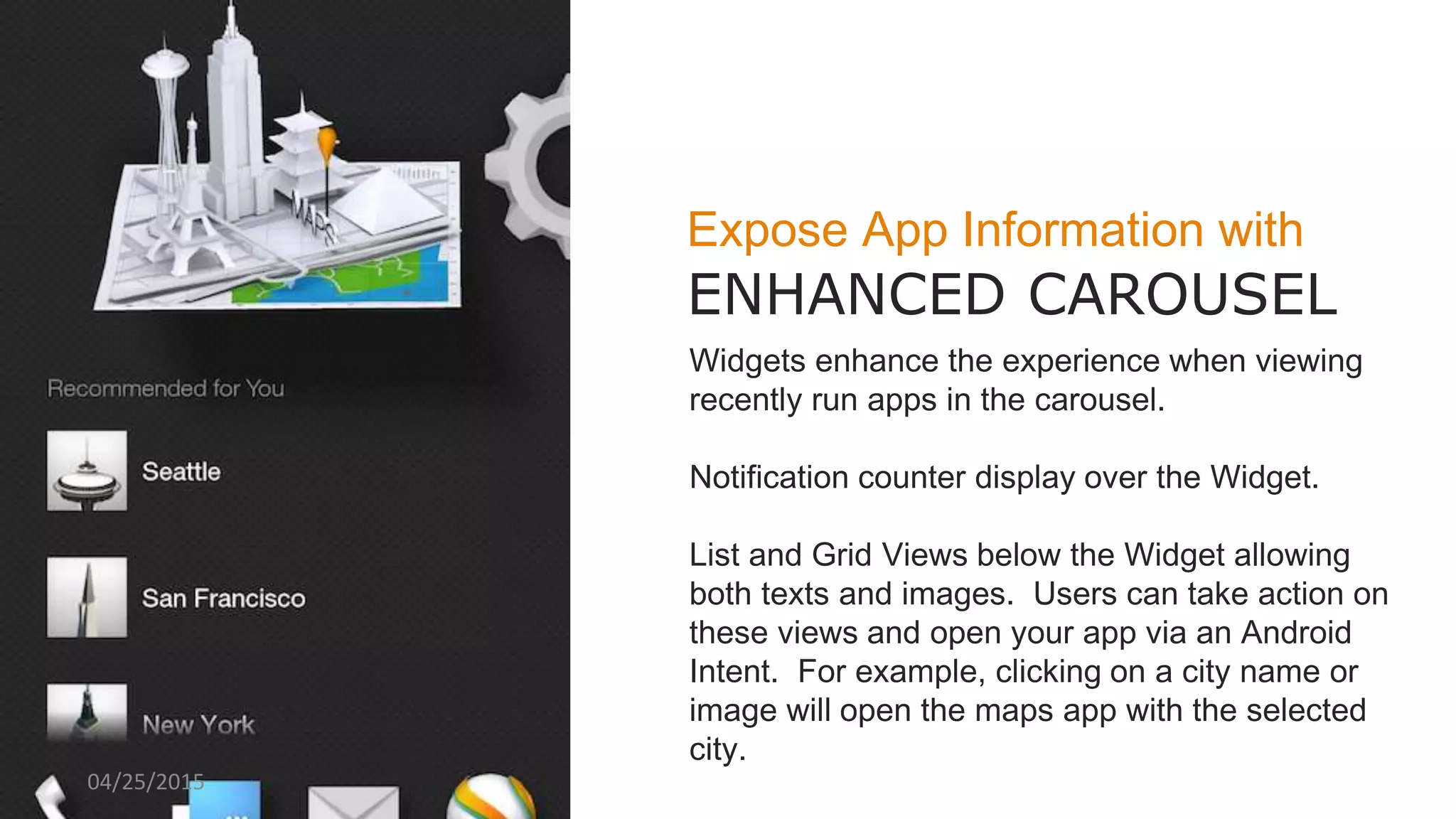
Expose App Information with
ENHANCED CAROUSEL
Widgets enhance the experience when viewing
recently run apps in the carousel.
Notification counter display over the Widget.
List and Grid Views below the Widget allowing
both texts and images. Users can take action on
these views and open your app via an Android
Intent. For example, clicking on a city name or
image will open the maps app with the selected
city.
04/25/2015
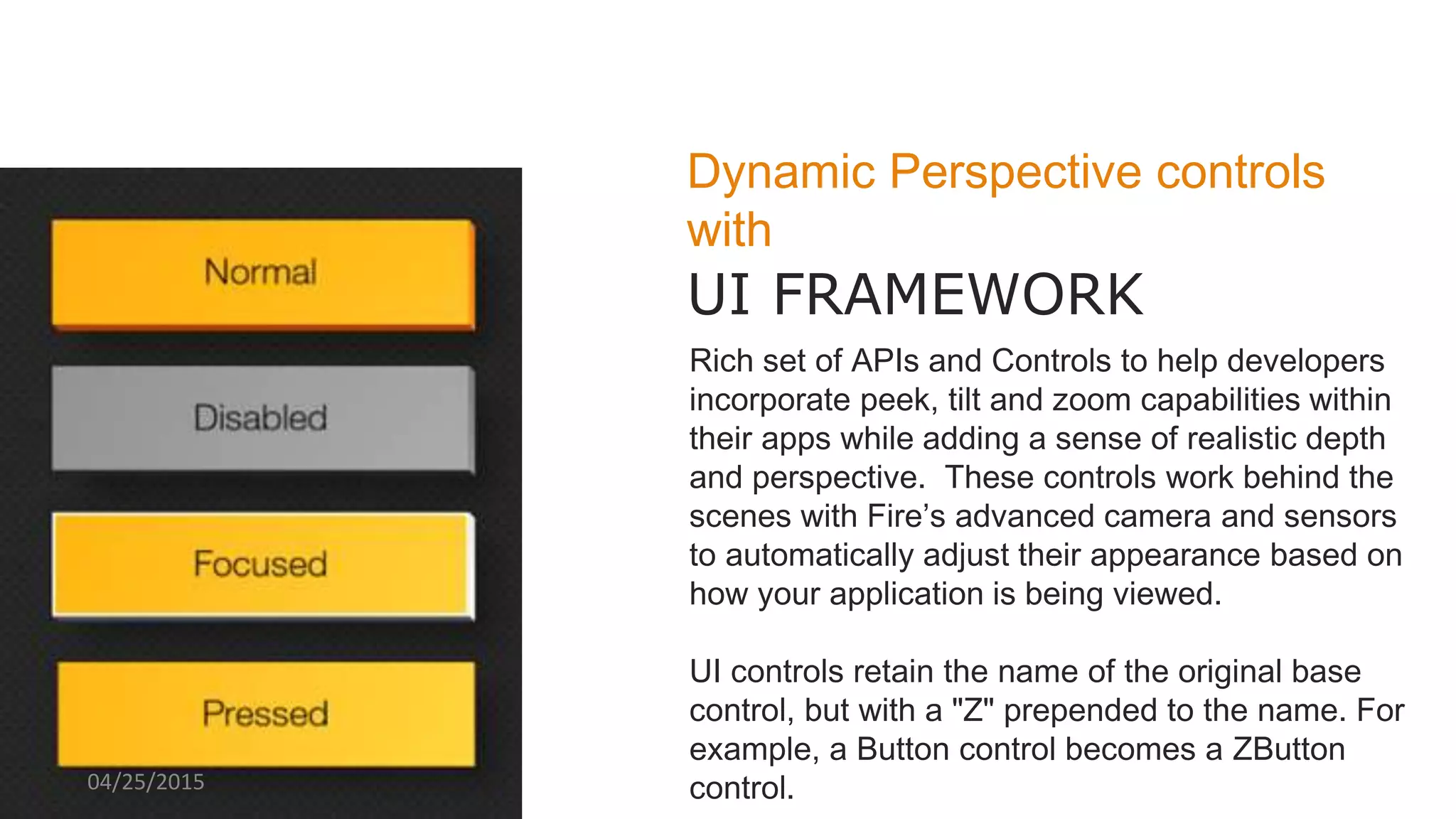
Dynamic Perspective controls
with
UI FRAMEWORK
Rich set of APIs and Controls to help developers
incorporate peek, tilt and zoom capabilities within
their apps while adding a sense of realistic depth
and perspective. These controls work behind the
scenes with Fire’s advanced camera and sensors
to automatically adjust their appearance based on
how your application is being viewed.
UI controls retain the name of the original base
control, but with a "Z" prepended to the name. For
example, a Button control becomes a ZButton
control.04/25/2015
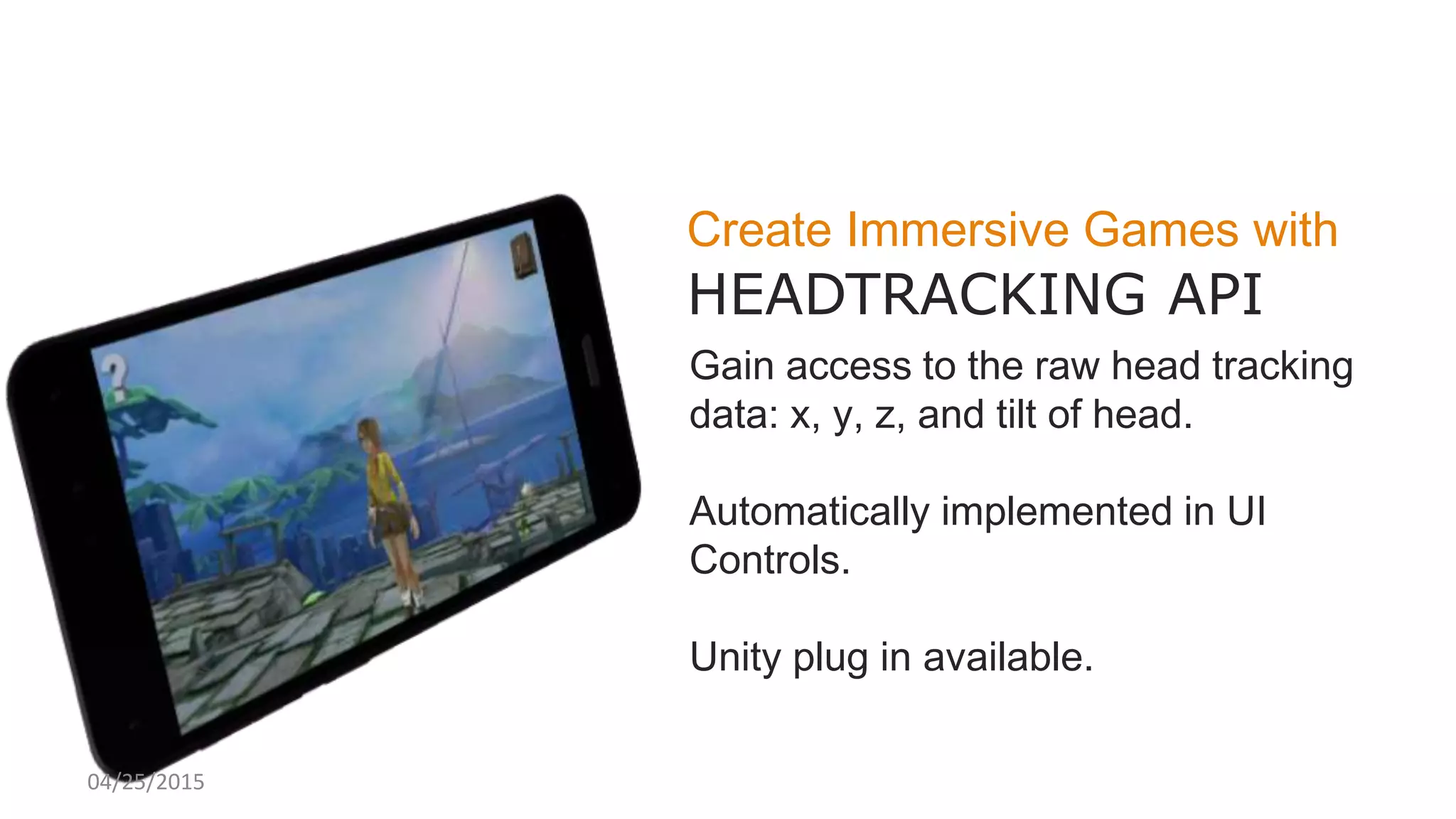
Create Immersive Games with
HEADTRACKING API
Gain access to the raw head tracking
data: x, y, z, and tilt of head.
Automatically implemented in UI
Controls.
Unity plug in available.
04/25/2015
04/25/2015
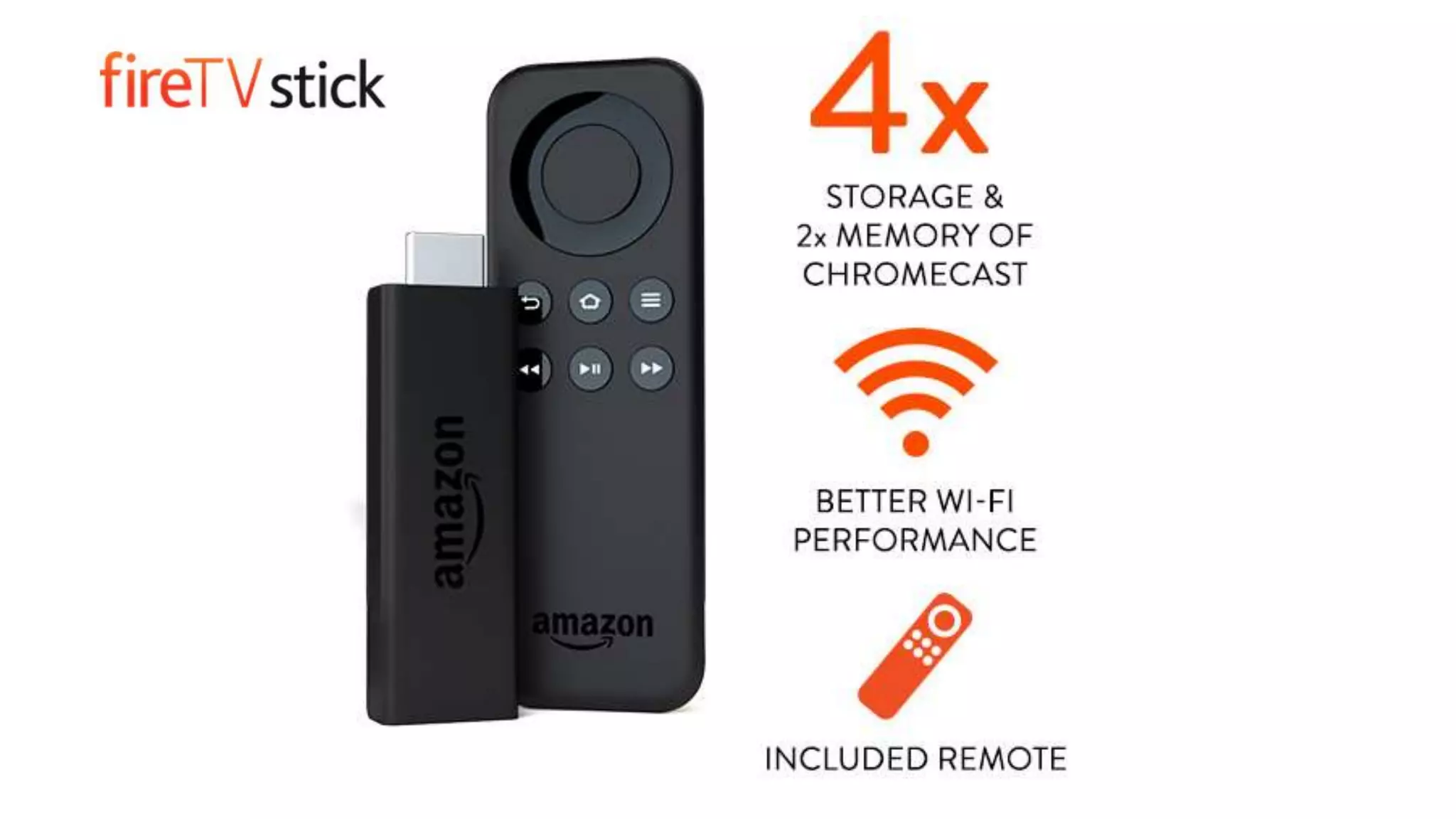
Fire TV and Fire Stick
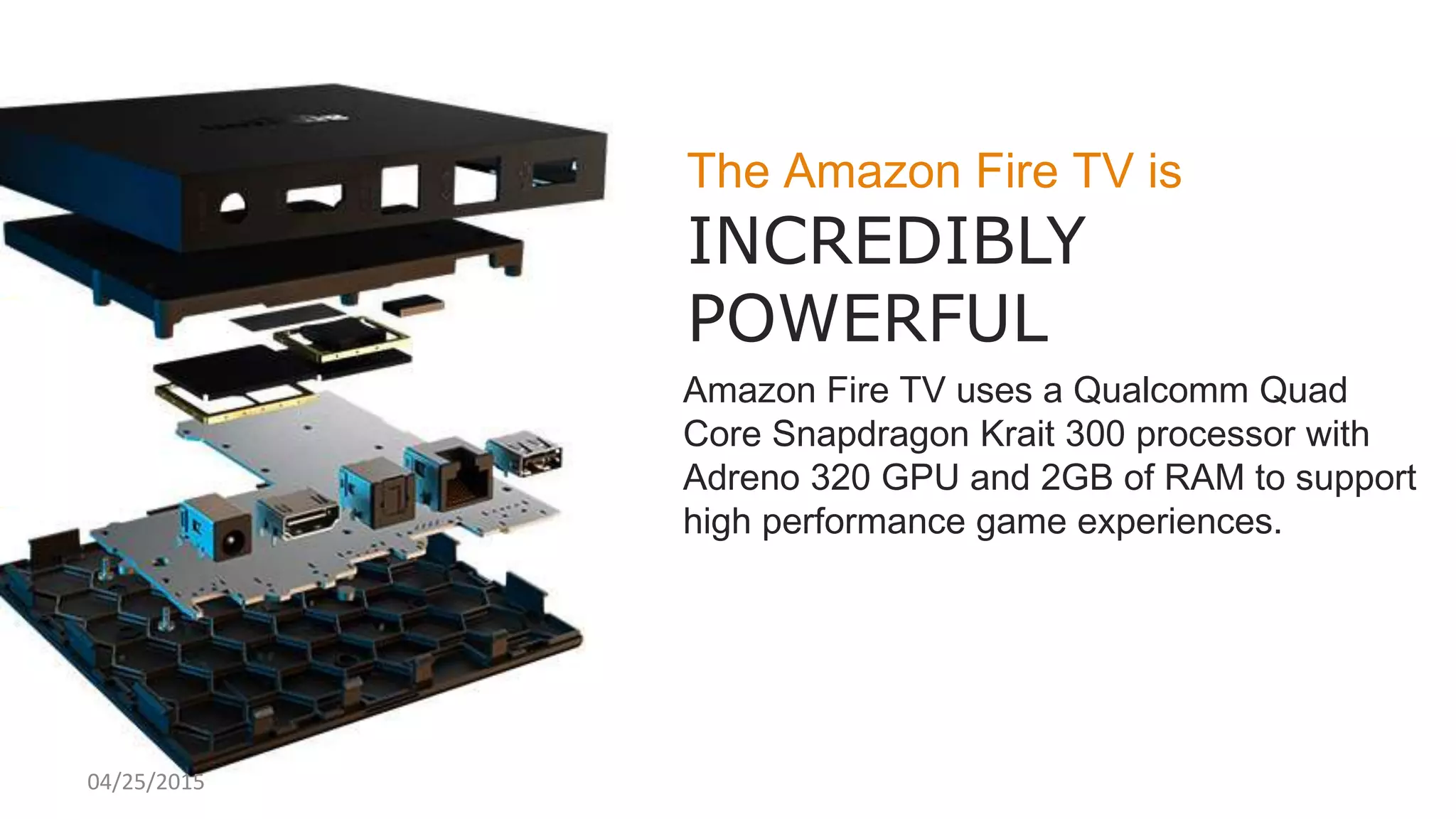
The Amazon Fire TV is
INCREDIBLY
POWERFUL
Amazon Fire TV uses a Qualcomm Quad
Core Snapdragon Krait 300 processor with
Adreno 320 GPU and 2GB of RAM to support
high performance game experiences.
04/25/2015
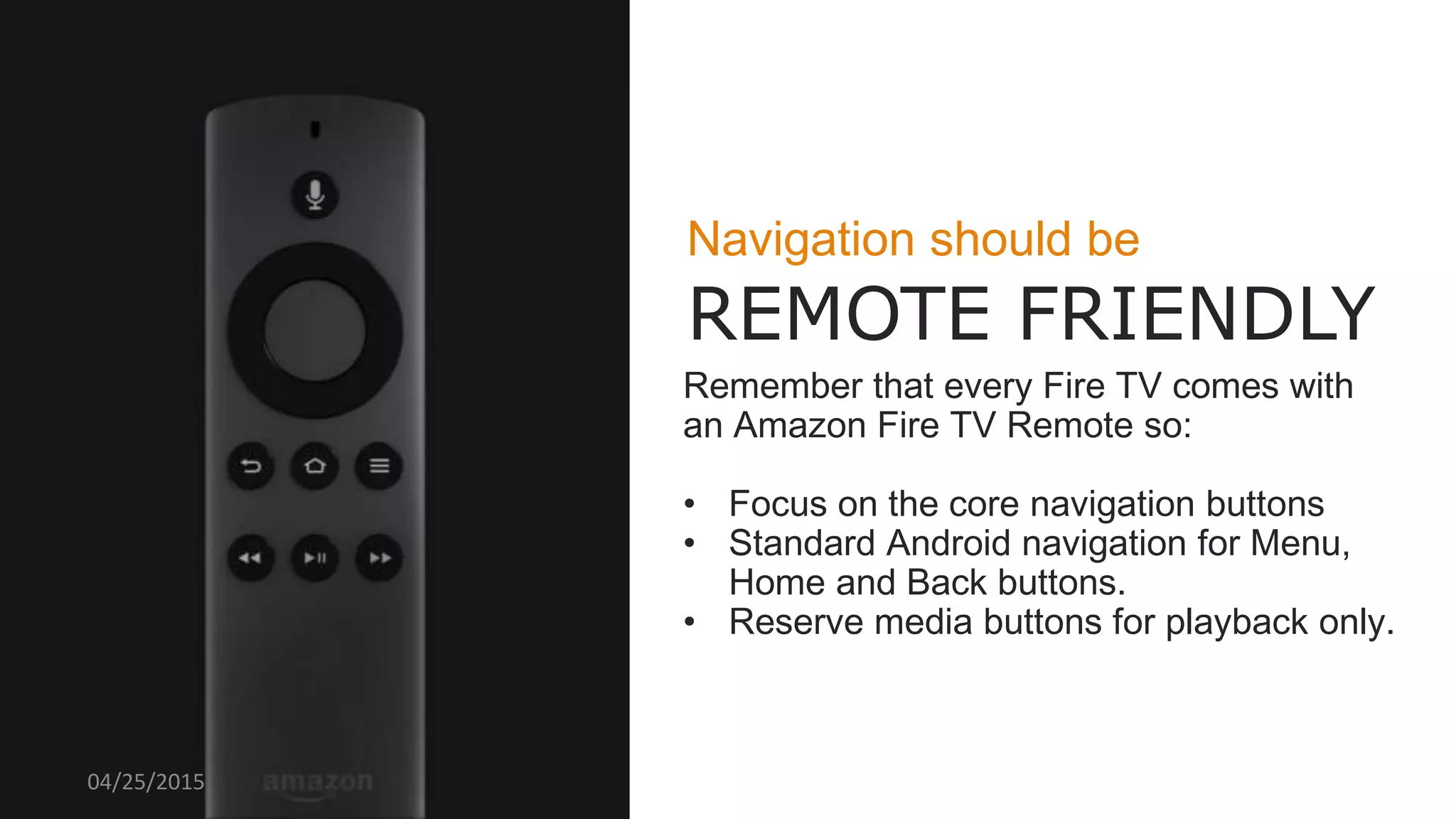
Navigation should be
REMOTE FRIENDLY
Remember that every Fire TV comes with
an Amazon Fire TV Remote so:
• Focus on the core navigation buttons
• Standard Android navigation for Menu,
Home and Back buttons.
• Reserve media buttons for playback only.
04/25/2015
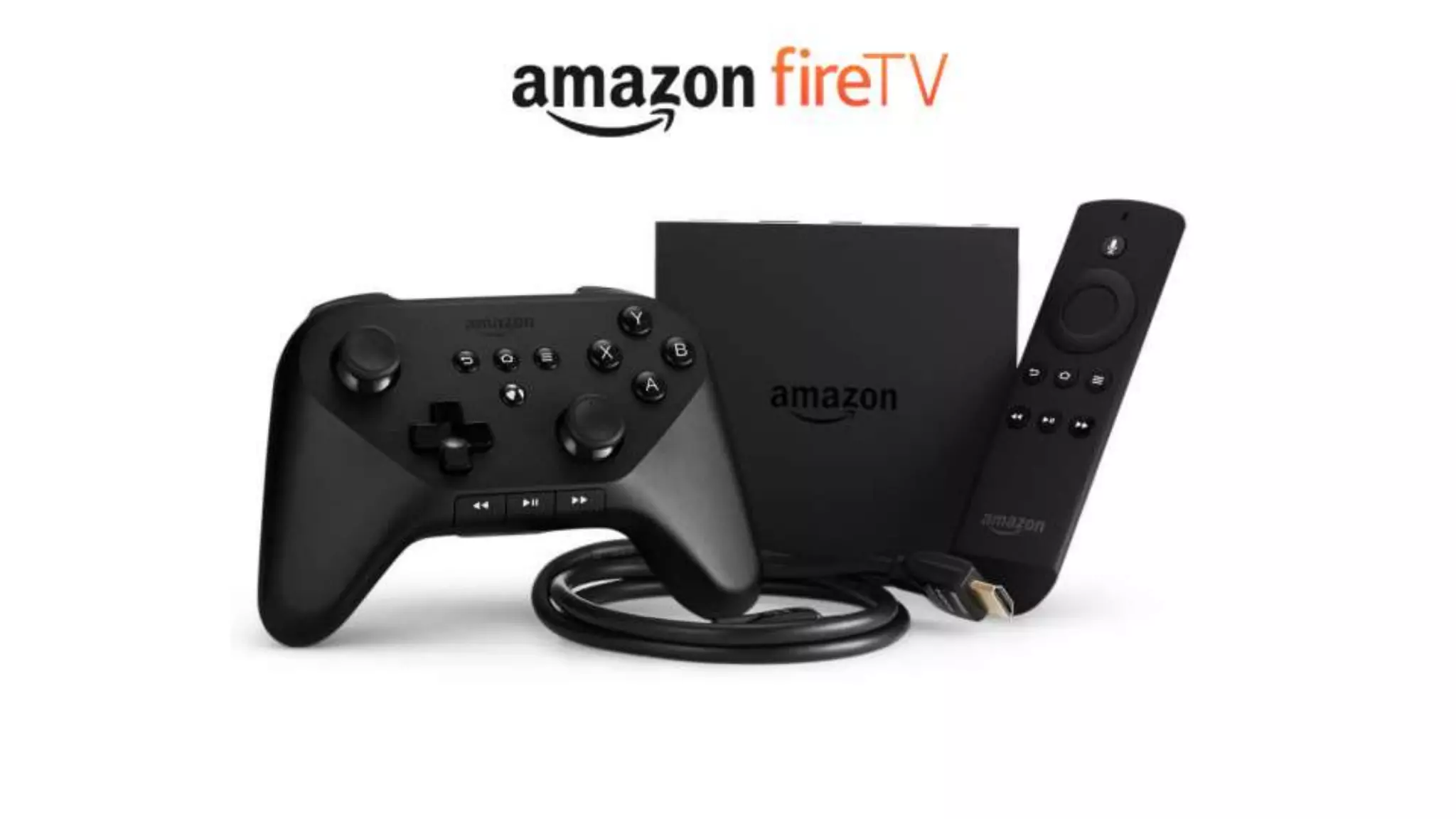
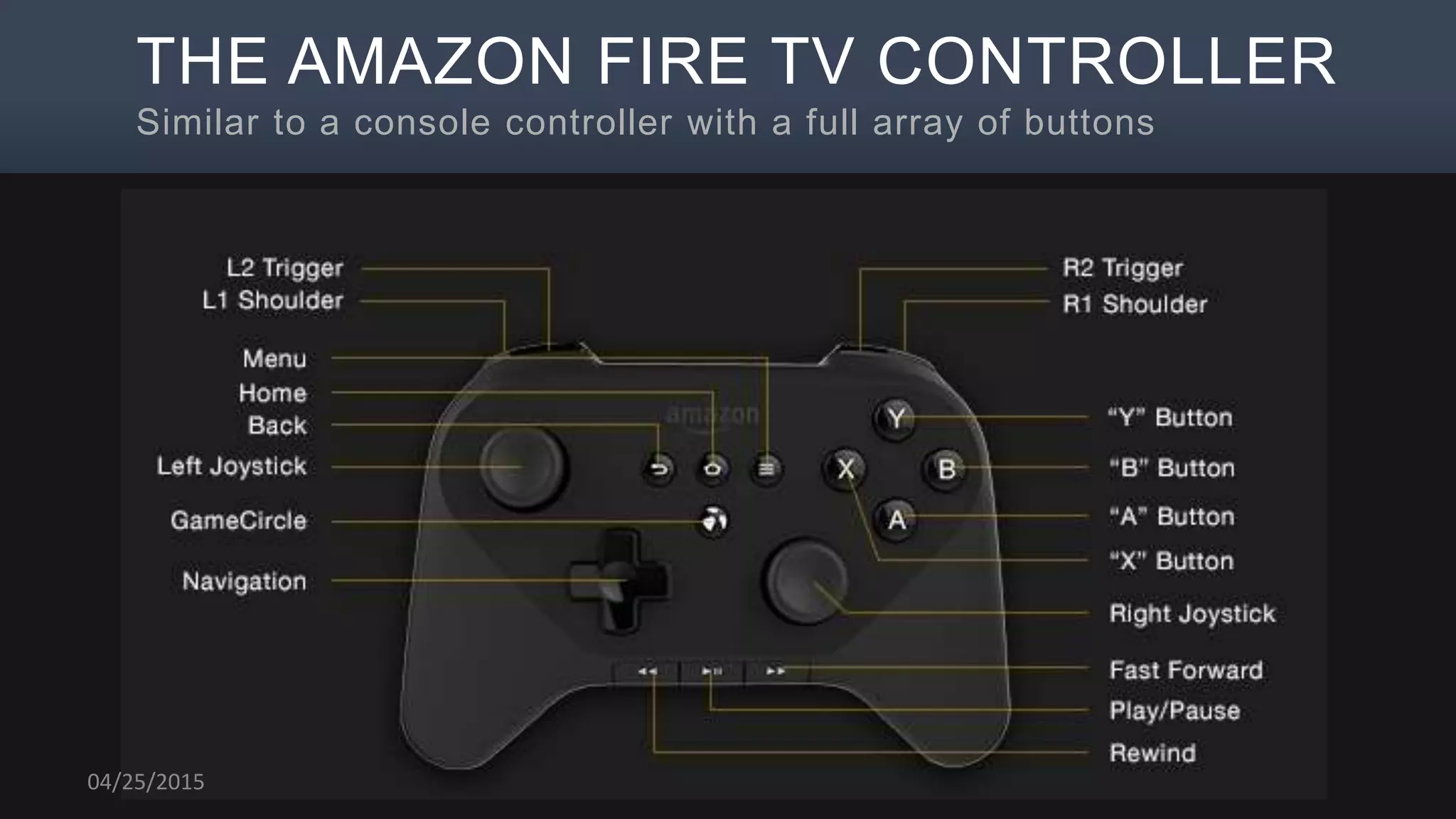
THE AMAZON FIRE TV CONTROLLER
Similar to a console controller with a full array of buttons
04/25/2015
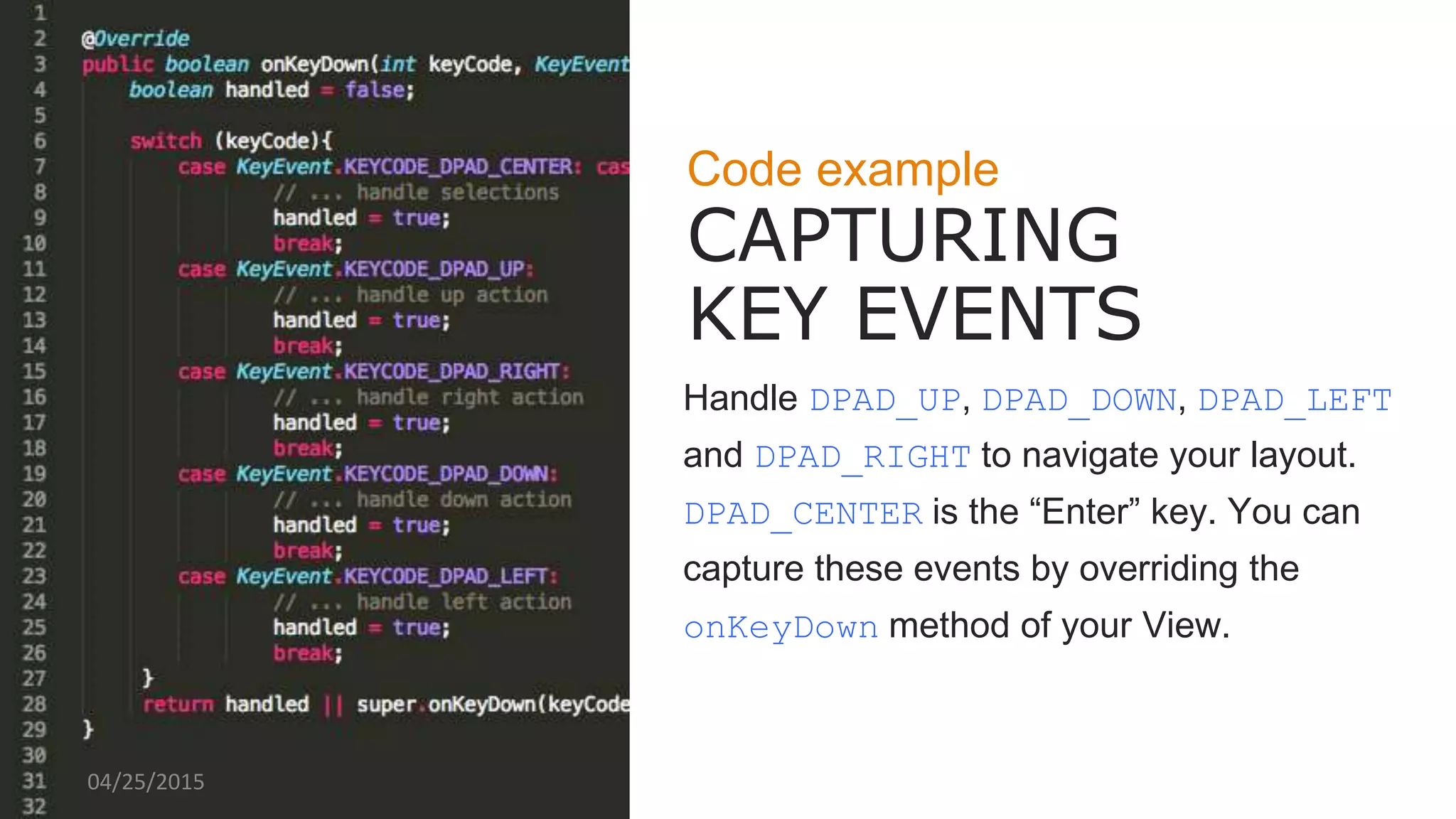
Code example
CAPTURING
KEY EVENTS
Handle DPAD_UP, DPAD_DOWN, DPAD_LEFT
and DPAD_RIGHT to navigate your layout.
DPAD_CENTER is the “Enter” key. You can
capture these events by overriding the
onKeyDown method of your View.
04/25/2015
CREDIBLY INNOVATE PHOTO HERE
Code example
CAPTURING
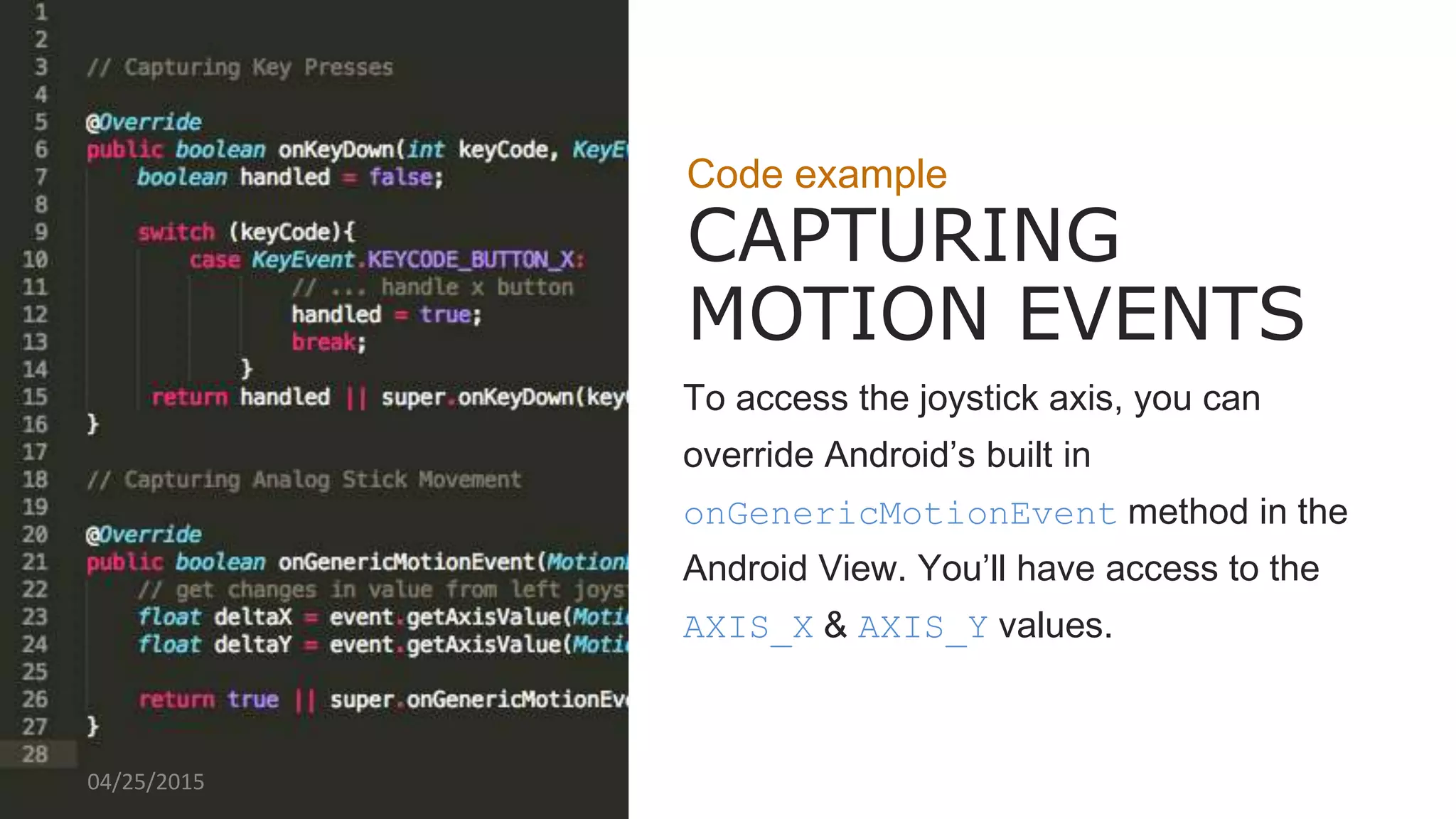
MOTION EVENTS
To access the joystick axis, you can
override Android’s built in
onGenericMotionEvent method in the
Android View. You’ll have access to the
AXIS_X & AXIS_Y values.
04/25/2015
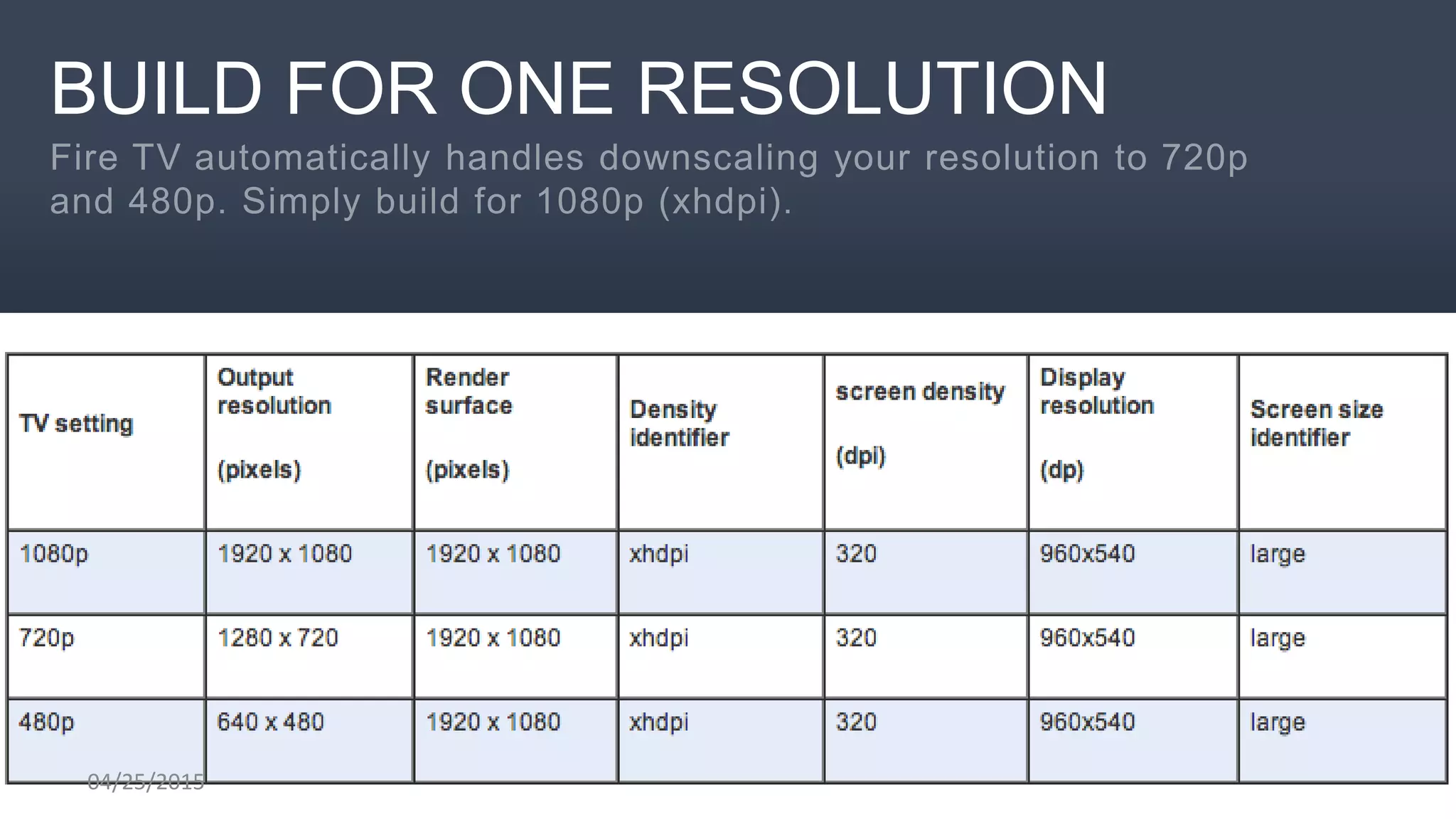
BUILD FOR ONE RESOLUTION
04/25/2015
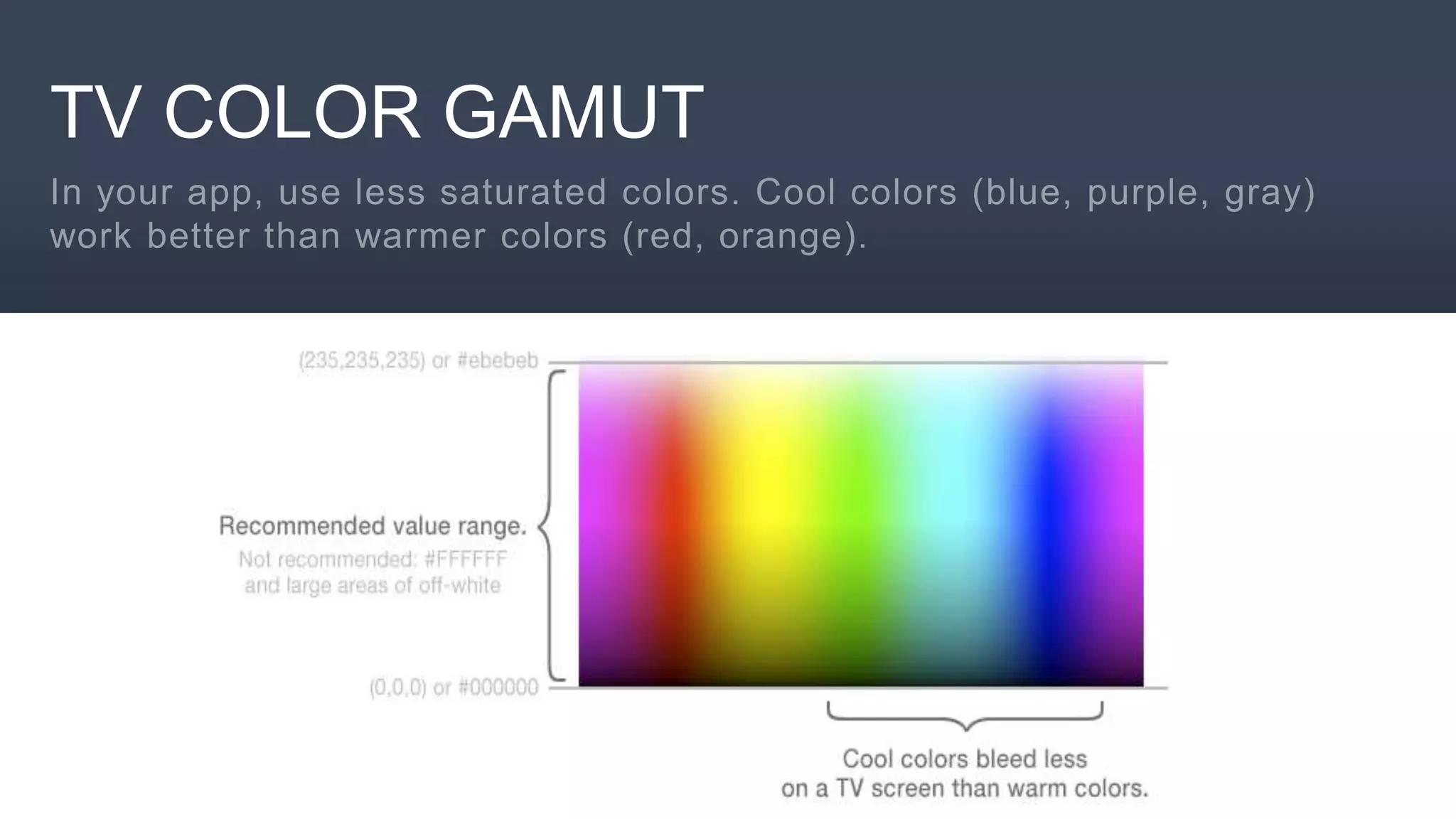
TV COLOR GAMUT
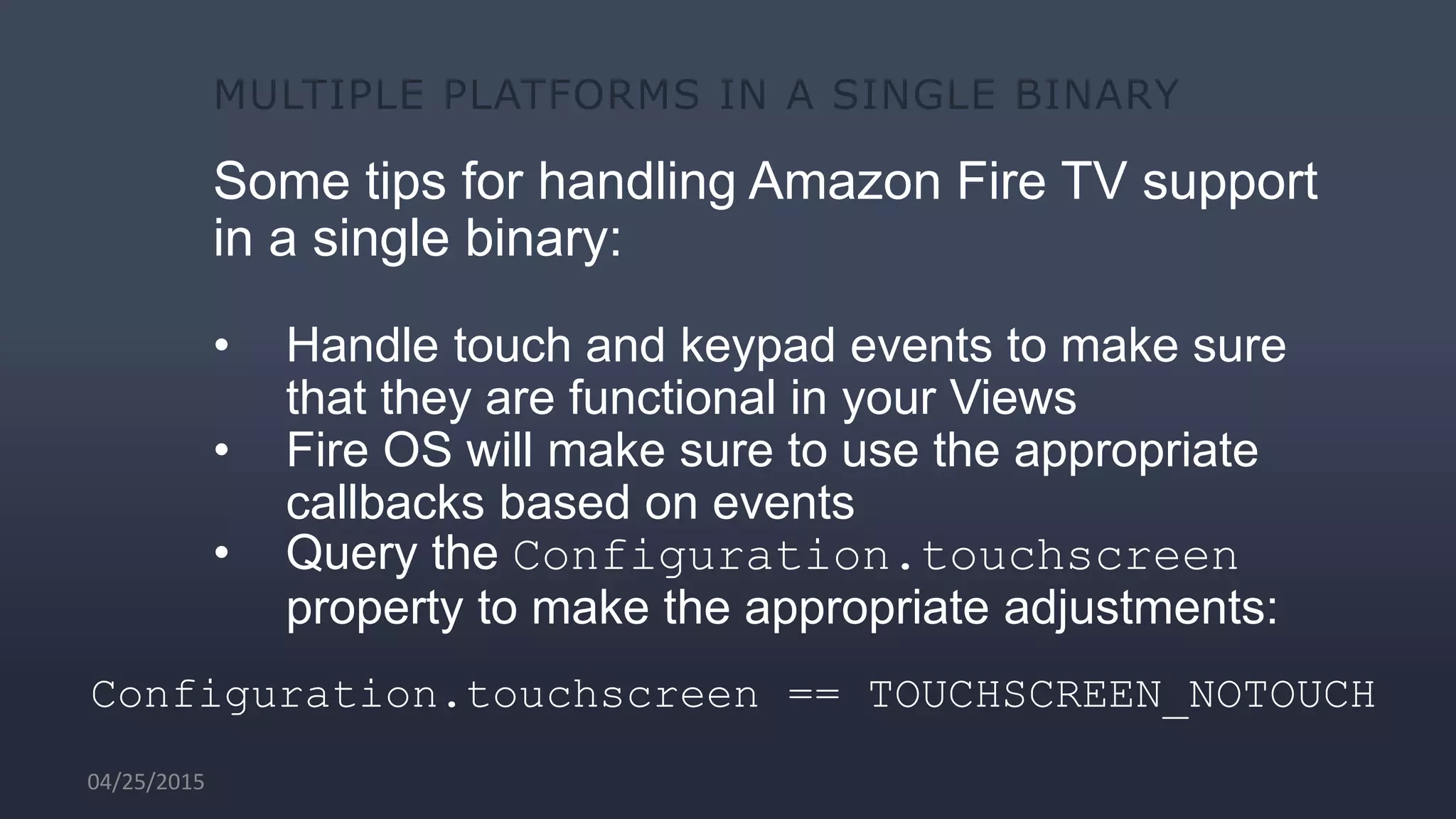
Some tips for handling Amazon Fire TV support
in a single binary:
• Handle touch and keypad events to make sure
that they are functional in your Views
• Fire OS will make sure to use the appropriate
callbacks based on events
• Query the Configuration.touchscreen
property to make the appropriate adjustments:
Configuration.touchscreen == TOUCHSCREEN_NOTOUCH
04/25/2015
53
http://bit.ly/modevla1
http://developer.amazon.com/events

An Overview of the Amazon Devices and Services for Mobile Developers

  • 1.
    An Overview ofthe Amazon Devices and Services Ecosystem for Mobile Developers AMAZON DEVELOPER DAY DAVID ISBITSKI Developer Evangelist, Amazon @TheDaveDev Isbitski@amazon.com 04/25/2015
  • 2.
    10:00am - 10:45am AnOverview of the Amazon Devices and Services Ecosystem for Mobile Developers 10:45am - 11:45am Building Spoken Language Apps and Experiences for Amazon Echo Noon-12:45pm How We Made a Game No Fun 12:45pm - 1:30pm How to Evolve Players into Fans 1:45pm – 3:45pm App Hours / Open Hack DEVELOPER DAY AGENDA
  • 3.
  • 4.
    SESSION AGENDA • AmazonAppstore Ecosystem • Amazon Fire Tablets • Amazon Fire TV + Stick • Amazon Echo
  • 5.
    Amazon Appstore Ecosystem »The Appstore is integrated across the Amazon ecosystem  Over 400,000 apps in the Amazon Appstore  Only place for Apps on Fire Tablets, Fire TV, and Fire phone  Preloaded on Blackberry 10 and millions of other Android devices, including HTC, LG, Motorola, and Samsung phones to name a few, as well as Samsung and LG tablets. » By making your app available on the Amazon Appstore, you’ll have the opportunity to reach millions of Android customers in 236 countries and territories worldwide Android Phones & Tablets Fire phoneFire Tablets Fire TV & Fire TV Stick Blackberry
  • 6.
    Amazon Mobile ShoppingApp for Android » A single place to shop for all physical and digital goods on Amazon » Millions of customers can find and download apps and games from directly within the app » Your apps are merchandized and surfaced whenever customers search for relevant products, so consumers can find your app » Apps are easily discoverable including customer
  • 7.
  • 8.
  • 9.
    Free App Testingservice on devices Simply drag and drop your Android APK and receive feedback on your app's compatibility within 90 seconds. You will also have access to additional test results that enable you to see how your app looks and performs on actual Fire devices. The test results are presented in 6 hours and include carousel, peek, and tilt actions. 04/25/2015
  • 10.
    Amazon Coins • AmazonCoins is a virtual currency that customers can use to purchase apps, games, and in-app items • Unique Promotion opportunities • Rewards for downloading games • Also available for gifting 04/25/2015
  • 12.
    Android 4.2.2 compatible Androiddevelopers can use existing tools and frameworks to develop for Amazon Fire devices. API 17 (TV and Phone), API 19 (Tablets) Works with Android Studio, Xamarin Studio, Unity and more. Over 75% of Apps tested just work. 04/25/2015
  • 13.
    What you needto get started Download the following: • Android IDE (Eclipse** or Android Studio) – Java Development Kit (JDK) – Android SDK – Amazon Mobile SDK – Fire TV SDK Add-On – Fire Phone SDK Add-On • Xamarin Studio IDE – Visual Studio (Optional) – Fire Xamarin Components • Unity – Target ARM and Android – Head Tracking, Amazon Mobile Ads, GameCircle and IAP plug ins 04/25/2015
  • 14.
    Android Studio andEclipse To download the add-on, simply open the Android SDK Manager from a command line or from within Eclipse and do the following: • Tablets • Navigate to Developer Portal and download SDK zip file. https://developer.amazon.com/public/solutions/devices/fire-tablets • Phone and TV • Add the following user-defined site, in the Manage Add-on Sites dialogs https://s3.amazonaws.com/android-sdk-manager/redist/addon.xml • Expand Android 4.2.2 (API 17) and click SDK Platform and Fire Phone SDK Add-on. 04/25/2015
  • 15.
    Xamarin Studio To targetAmazon Fire Devices update the target version of Android to API level 17 in project properties and then import the specific device Xamarin component. • Android Manifest Properties • Fire Device Components (Fire OS, Fire Phone and Fire TV) 04/25/2015
  • 16.
    Register for afree developer account at https://developer.amazon.com/login.html Log Into the Developer PortalSTEP 1 04/25/2015
  • 17.
    Selecting Android allowsyou to publish to Amazon and Android devices. Select AndroidSTEP 2 04/25/2015
  • 18.
    Submitting to AmazonAppstore is just like submitting to any other platform. Fill Out the Submission FormSTEP 3 04/25/2015
  • 19.
    Upload your APKdirectly to the store via the form upload field. Upload Your APKSTEP 4 04/25/2015
  • 20.
    You can submitdifferent APKs for each Fire OS device. Submitting Multiple APKsMULTIPLE BINARY 04/25/2015
  • 21.
    Make sure youselect the devices you want to have a binary publish to. Select Which Device to PublishMULTIPLE BINARY 04/25/2015
  • 22.
    Amazon Mobile SDK– iOS, Android, HTML5, Unity, and Xamarin • Amazon Coins • Amazon Device Messaging • Amazon Maps • A|B Testing • GameCircle • HTML5 Web Apps • In-App Purchasing • FreeTime Unlimited • Mobile Device Management
  • 23.
    Amazon Mobile AdsAPI • US and International. Currently serving ads in US, UK, DE, FR, ES and IT • Banner and Interstitial Formats across FireOS, Android and iOS • High quality advertisements from Amazon, its affiliates, and direct advertisers • Easy integration through the Amazon Mobile App SDK
  • 24.
    In-App Purchasing API »Sell digital content (in-game currency, expansion packs, upgrades) and subscriptions from within mobile apps » Integrate in as few as five steps, in as little as two hours » All customers have a payment method on file, and Fire Tablets sold by Amazon are pre- registered
  • 25.
  • 26.
  • 27.
  • 32.
  • 33.
    What is Firephone? Fire phone is the first phone designed by Amazon and the only smartphone with Dynamic Perspective and Firefly. Dynamic Perspective is an entirely new technology that responds to the way a customer holds, views and moves the phone. 04/25/2015
  • 34.
    Dynamic Perspective Experience interactionsnot possible on other smartphones. Tilt, auto-scroll, swivel, and peek to navigate menus and access shortcuts with one hand. Dive into a new class of immersive apps and games—peek to see detailed views of clothing, shoes, and more or take on a character's viewpoint to see around corners and obstacles in games. 04/25/2015
  • 35.
    Firefly Quickly identify printedweb and email addresses, phone numbers, QR and bar codes, plus over 100 million items, including movies, TV episodes, songs, and products. Simply press and hold the dedicated Firefly button to discover useful information and take action in seconds. 04/25/2015
  • 36.
    Expose App Informationwith ENHANCED CAROUSEL Widgets enhance the experience when viewing recently run apps in the carousel. Notification counter display over the Widget. List and Grid Views below the Widget allowing both texts and images. Users can take action on these views and open your app via an Android Intent. For example, clicking on a city name or image will open the maps app with the selected city. 04/25/2015
  • 37.
    Dynamic Perspective controls with UIFRAMEWORK Rich set of APIs and Controls to help developers incorporate peek, tilt and zoom capabilities within their apps while adding a sense of realistic depth and perspective. These controls work behind the scenes with Fire’s advanced camera and sensors to automatically adjust their appearance based on how your application is being viewed. UI controls retain the name of the original base control, but with a "Z" prepended to the name. For example, a Button control becomes a ZButton control.04/25/2015
  • 38.
    Create Immersive Gameswith HEADTRACKING API Gain access to the raw head tracking data: x, y, z, and tilt of head. Automatically implemented in UI Controls. Unity plug in available. 04/25/2015
  • 39.
  • 40.
    Fire TV andFire Stick
  • 42.
    The Amazon FireTV is INCREDIBLY POWERFUL Amazon Fire TV uses a Qualcomm Quad Core Snapdragon Krait 300 processor with Adreno 320 GPU and 2GB of RAM to support high performance game experiences. 04/25/2015
  • 44.
    Navigation should be REMOTEFRIENDLY Remember that every Fire TV comes with an Amazon Fire TV Remote so: • Focus on the core navigation buttons • Standard Android navigation for Menu, Home and Back buttons. • Reserve media buttons for playback only. 04/25/2015
  • 45.
    THE AMAZON FIRETV CONTROLLER Similar to a console controller with a full array of buttons 04/25/2015
  • 46.
    Code example CAPTURING KEY EVENTS HandleDPAD_UP, DPAD_DOWN, DPAD_LEFT and DPAD_RIGHT to navigate your layout. DPAD_CENTER is the “Enter” key. You can capture these events by overriding the onKeyDown method of your View. 04/25/2015
  • 47.
    CREDIBLY INNOVATE PHOTOHERE Code example CAPTURING MOTION EVENTS To access the joystick axis, you can override Android’s built in onGenericMotionEvent method in the Android View. You’ll have access to the AXIS_X & AXIS_Y values. 04/25/2015
  • 48.
    BUILD FOR ONERESOLUTION 04/25/2015
  • 49.
  • 50.
    Some tips forhandling Amazon Fire TV support in a single binary: • Handle touch and keypad events to make sure that they are functional in your Views • Fire OS will make sure to use the appropriate callbacks based on events • Query the Configuration.touchscreen property to make the appropriate adjustments: Configuration.touchscreen == TOUCHSCREEN_NOTOUCH 04/25/2015
  • 52.

Editor's Notes

  • #6 Available to customers in over 236 countries. Available on Amazon hardware, including Fire tablets, phone, and TV. Customers can also download the Appstore on any Android phone or tablet. And preloaded on selected devices including Blackberry 10 and select Android phones from DT in DE for example.
  • #17 Always make sure to reload I’ve seen it not show up and they may also need to delete cache. Adding slide here for cache option seems to affect mac more with cache. I just keep my cache off since I demo so much.
  • #18 Always make sure to reload I’ve seen it not show up and they may also need to delete cache. Adding slide here for cache option seems to affect mac more with cache. I just keep my cache off since I demo so much.
  • #19 Always make sure to reload I’ve seen it not show up and they may also need to delete cache. Adding slide here for cache option seems to affect mac more with cache. I just keep my cache off since I demo so much.
  • #20 Always make sure to reload I’ve seen it not show up and they may also need to delete cache. Adding slide here for cache option seems to affect mac more with cache. I just keep my cache off since I demo so much.
  • #21 App Screenshot Slide. Use the area on the left to the platform
  • #22 App Screenshot Slide. Use the area on the left to the platform
  • #47 Title and link slide. The second line was designed to hold a url but could also be a subtitle for a slide
  • #49 Some game controller actions on Amazon Fire TV may raise more than one input event for a single action. For example, the D-Pad on the Amazon Fire game controller is an analog directional control (producing motion events), but a digital control on the Amazon Fire TV remote (producing key events). Similarly, the selection action is the A button on a game controller, but it is the D-Pad center button on the Amazon Fire TV remote. Some game controller actions on Amazon Fire TV first raise a primary input event (usually a motion event), and then, if those events are not handled by your app, they raise a second input event (usually a key event). Both of the primary and secondary input events are listed in the table below in Input Event Reference.
  • #52 android.content.res.Configuration.touchscreen == TOUCHSCREEN_NOTOUCH