

CSS LJS, 21 October 2010
Overview The basics Cascade and inheritance Specificity Common problems toptable CSS The future – CSS3


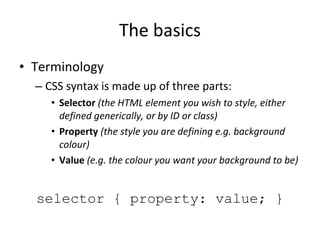
The basics Terminology CSS syntax is made up of three parts: Selector   (the HTML element you wish to style, either defined generically, or by ID or class)   Property   (the style you are defining e.g. background colour)   Value   (e.g. the colour you want your background to be)  selector { property: value; }
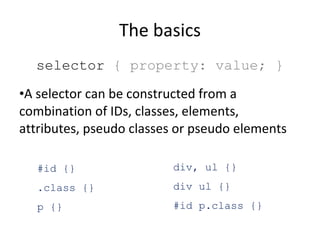
The basics selector  { property: value; } A selector can be constructed from a combination of IDs, classes, elements, attributes, pseudo classes or pseudo elements #id {} .class {} p {} div, ul {} div ul {} #id p.class {}
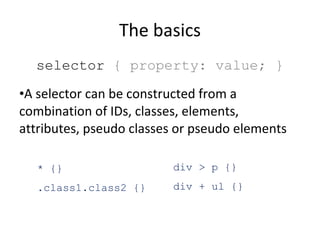
The basics selector  { property: value; } A selector can be constructed from a combination of IDs, classes, elements, attributes, pseudo classes or pseudo elements * {} .class1.class2 {} div > p {} div + ul {}
The basics selector  { property: value; } A selector can be constructed from a combination of IDs, classes, elements, attributes, pseudo classes or pseudo elements a[target=_blank] {} :first-child {} :before {} :after {}
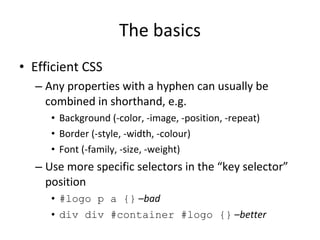
The basics Efficient CSS Any properties with a hyphen can usually be combined in shorthand, e.g. Background (-color, -image, -position, -repeat) Border (-style, -width, -colour) Font (-family, -size, -weight) Use more specific selectors in the “key selector” position #logo p a {}  – bad div div #container #logo {}  – better
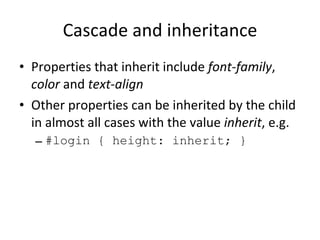
Cascade and inheritance Properties that inherit include  font-family ,  color  and  text-align Other properties can be inherited by the child in almost all cases with the value  inherit , e.g. #login { height: inherit; }
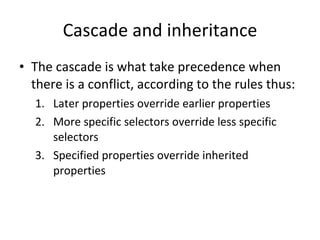
Cascade and inheritance The cascade is what take precedence when there is a conflict, according to the rules thus: Later properties override earlier properties More specific selectors override less specific selectors Specified properties override inherited properties
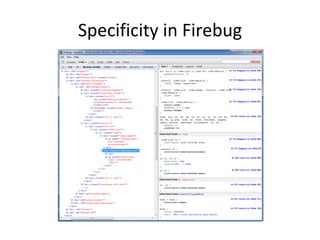
Specificity Properties with the  !important  declaration Inline styles Elements with styles specifically applied, in the following order ID ( #content-body ) Classes, attributes and pseudo-classes  (.container, a[target], p:first-line) Elements and pseudo-elements ( div, :hover )  Inherited styles, with the same order as above
Specificity in Firebug
Specificity "Some folks getting on board with CSS tend to get stuck on CSS specificity.  The descriptions of which rules override other rules tend to make more sense to programmers than designers, since programmers are used to the concepts of inheritance and overriding properties."
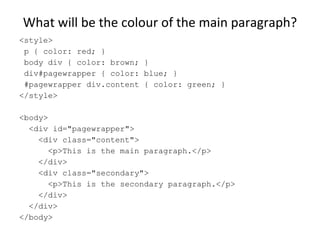
What will be the colour of the main paragraph? <style> p { color: red; } body div { color: brown; } div#pagewrapper { color: blue; } #pagewrapper div.content { color: green; } </style> <body> <div id=&quot;pagewrapper&quot;> <div class=&quot;content&quot;> <p>This is the main paragraph.</p> </div> <div class=&quot;secondary&quot;> <p>This is the secondary paragraph.</p> </div> </div> </body>
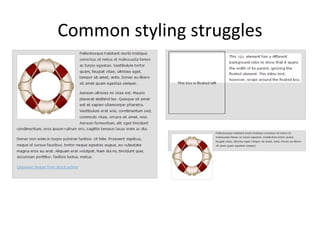
Common styling struggles Float Either left or right, not centre, sorry Floated elements are removed from the natural flow of the page Block elements therefore behave as if they’re not there Often leading to the ‘collapsed parent’ problem
Common styling struggles
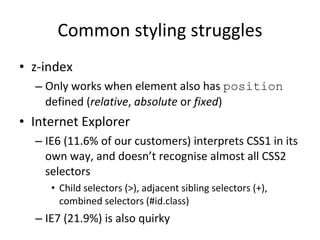
Common styling struggles z-index Only works when element also has  position  defined ( relative ,  absolute  or  fixed ) Internet Explorer IE6 (11.6% of our customers) interprets CSS1 in its own way, and doesn’t recognise almost all CSS2 selectors Child selectors (>), adjacent sibling selectors (+), combined selectors (#id.class) IE7 (21.9%) is also quirky
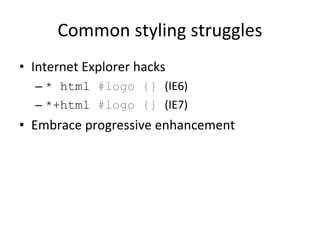
Common styling struggles Internet Explorer hacks * html  #logo {}   (IE6) *+html  #logo {}   (IE7) Embrace progressive enhancement
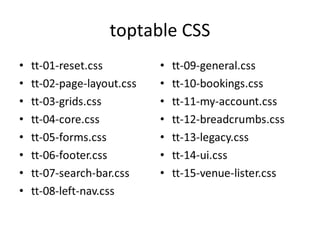
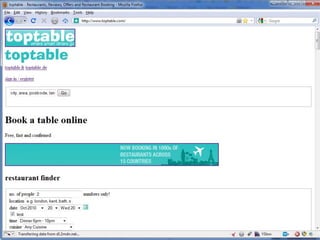
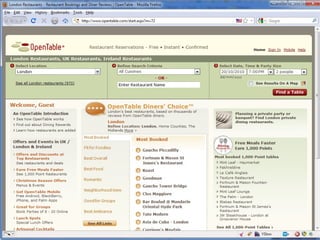
toptable CSS
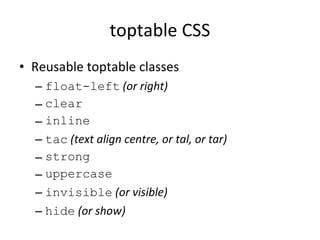
toptable CSS Reusable toptable classes float-left   (or right) clear inline tac   (text align centre, or tal, or tar) strong uppercase invisible   (or visible) hide   (or show)
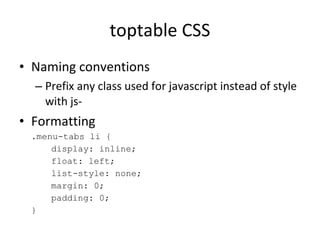
toptable CSS Naming conventions Prefix any class used for javascript instead of style with js- Formatting .menu-tabs li { display: inline; float: left; list-style: none; margin: 0; padding: 0; }
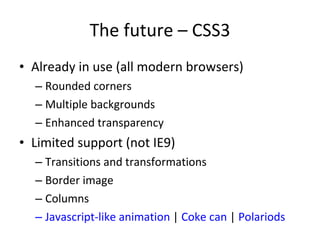
The future – CSS3 Already in use (all modern browsers) Rounded corners Multiple backgrounds Enhanced transparency Limited support (not IE9) Transitions and transformations Border image Columns Javascript-like animation  |  Coke can  |  Polariods

An Introduction to CSS

  • 1.
    CSS LJS, 21October 2010
  • 2.
    Overview The basicsCascade and inheritance Specificity Common problems toptable CSS The future – CSS3
  • 3.
  • 4.
  • 5.
  • 6.
  • 7.
  • 8.
  • 9.
    The basics TerminologyCSS syntax is made up of three parts: Selector (the HTML element you wish to style, either defined generically, or by ID or class) Property (the style you are defining e.g. background colour) Value (e.g. the colour you want your background to be) selector { property: value; }
  • 10.
    The basics selector { property: value; } A selector can be constructed from a combination of IDs, classes, elements, attributes, pseudo classes or pseudo elements #id {} .class {} p {} div, ul {} div ul {} #id p.class {}
  • 11.
    The basics selector { property: value; } A selector can be constructed from a combination of IDs, classes, elements, attributes, pseudo classes or pseudo elements * {} .class1.class2 {} div > p {} div + ul {}
  • 12.
    The basics selector { property: value; } A selector can be constructed from a combination of IDs, classes, elements, attributes, pseudo classes or pseudo elements a[target=_blank] {} :first-child {} :before {} :after {}
  • 13.
    The basics EfficientCSS Any properties with a hyphen can usually be combined in shorthand, e.g. Background (-color, -image, -position, -repeat) Border (-style, -width, -colour) Font (-family, -size, -weight) Use more specific selectors in the “key selector” position #logo p a {} – bad div div #container #logo {} – better
  • 14.
    Cascade and inheritanceProperties that inherit include font-family , color and text-align Other properties can be inherited by the child in almost all cases with the value inherit , e.g. #login { height: inherit; }
  • 15.
    Cascade and inheritanceThe cascade is what take precedence when there is a conflict, according to the rules thus: Later properties override earlier properties More specific selectors override less specific selectors Specified properties override inherited properties
  • 16.
    Specificity Properties withthe !important declaration Inline styles Elements with styles specifically applied, in the following order ID ( #content-body ) Classes, attributes and pseudo-classes (.container, a[target], p:first-line) Elements and pseudo-elements ( div, :hover ) Inherited styles, with the same order as above
  • 17.
  • 18.
    Specificity &quot;Some folksgetting on board with CSS tend to get stuck on CSS specificity. The descriptions of which rules override other rules tend to make more sense to programmers than designers, since programmers are used to the concepts of inheritance and overriding properties.&quot;
  • 19.
    What will bethe colour of the main paragraph? <style> p { color: red; } body div { color: brown; } div#pagewrapper { color: blue; } #pagewrapper div.content { color: green; } </style> <body> <div id=&quot;pagewrapper&quot;> <div class=&quot;content&quot;> <p>This is the main paragraph.</p> </div> <div class=&quot;secondary&quot;> <p>This is the secondary paragraph.</p> </div> </div> </body>
  • 20.
    Common styling strugglesFloat Either left or right, not centre, sorry Floated elements are removed from the natural flow of the page Block elements therefore behave as if they’re not there Often leading to the ‘collapsed parent’ problem
  • 21.
  • 22.
    Common styling strugglesz-index Only works when element also has position defined ( relative , absolute or fixed ) Internet Explorer IE6 (11.6% of our customers) interprets CSS1 in its own way, and doesn’t recognise almost all CSS2 selectors Child selectors (>), adjacent sibling selectors (+), combined selectors (#id.class) IE7 (21.9%) is also quirky
  • 23.
    Common styling strugglesInternet Explorer hacks * html #logo {} (IE6) *+html #logo {} (IE7) Embrace progressive enhancement
  • 24.
  • 25.
    toptable CSS Reusabletoptable classes float-left (or right) clear inline tac (text align centre, or tal, or tar) strong uppercase invisible (or visible) hide (or show)
  • 26.
    toptable CSS Namingconventions Prefix any class used for javascript instead of style with js- Formatting .menu-tabs li { display: inline; float: left; list-style: none; margin: 0; padding: 0; }
  • 27.
    The future –CSS3 Already in use (all modern browsers) Rounded corners Multiple backgrounds Enhanced transparency Limited support (not IE9) Transitions and transformations Border image Columns Javascript-like animation | Coke can | Polariods