

Alloy Framework Overview

         Mads Møller
       Head of Development
           Napp CMS
           @nappdev
          mm@napp.dk
What is Alloy?


                 • MVC Framework

                 • XML based UI markup

                 • Highly customizable

                 • Run by Appcelerator

                 • Awesome. Yes, awesome.
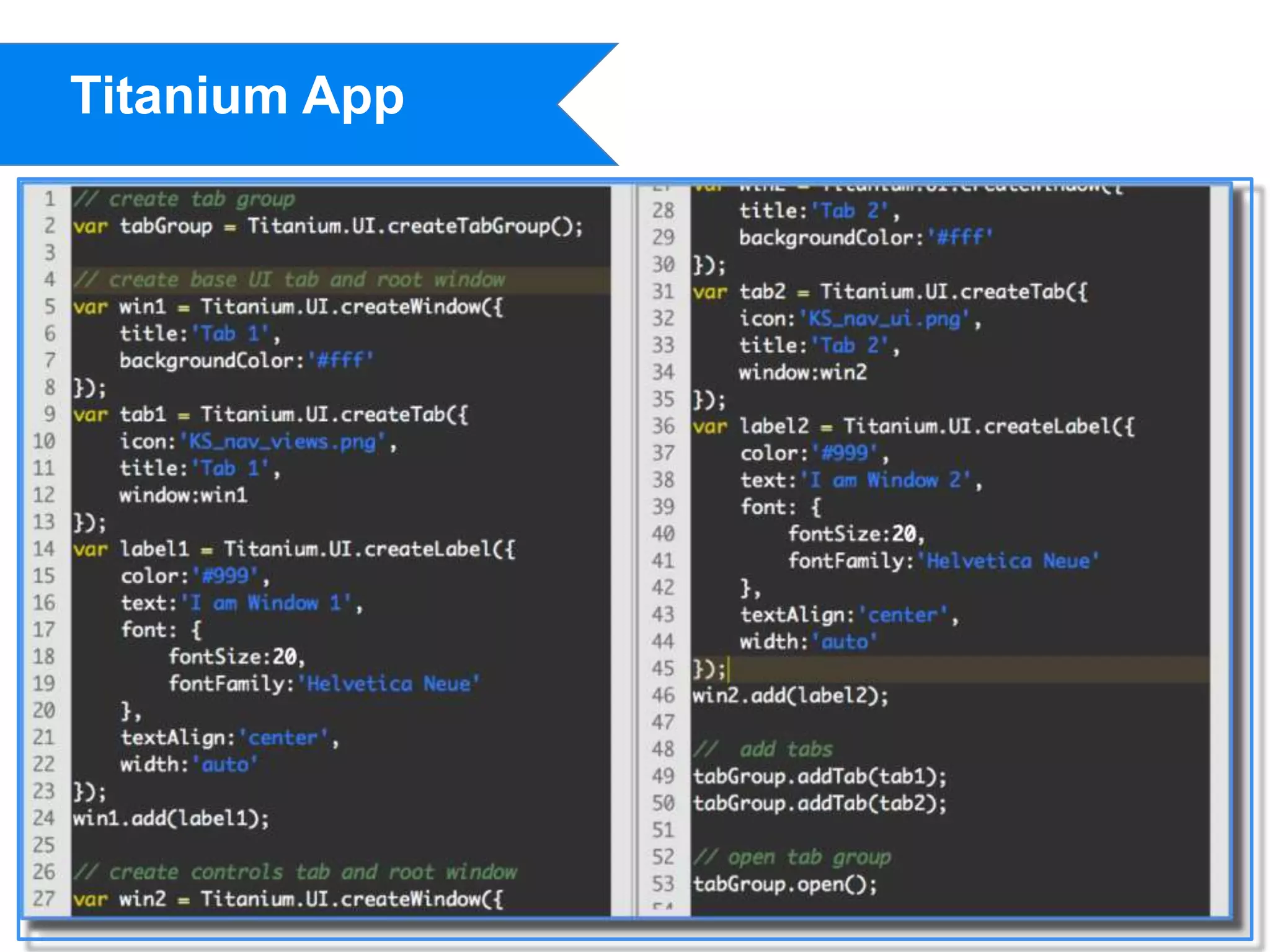
Titanium App
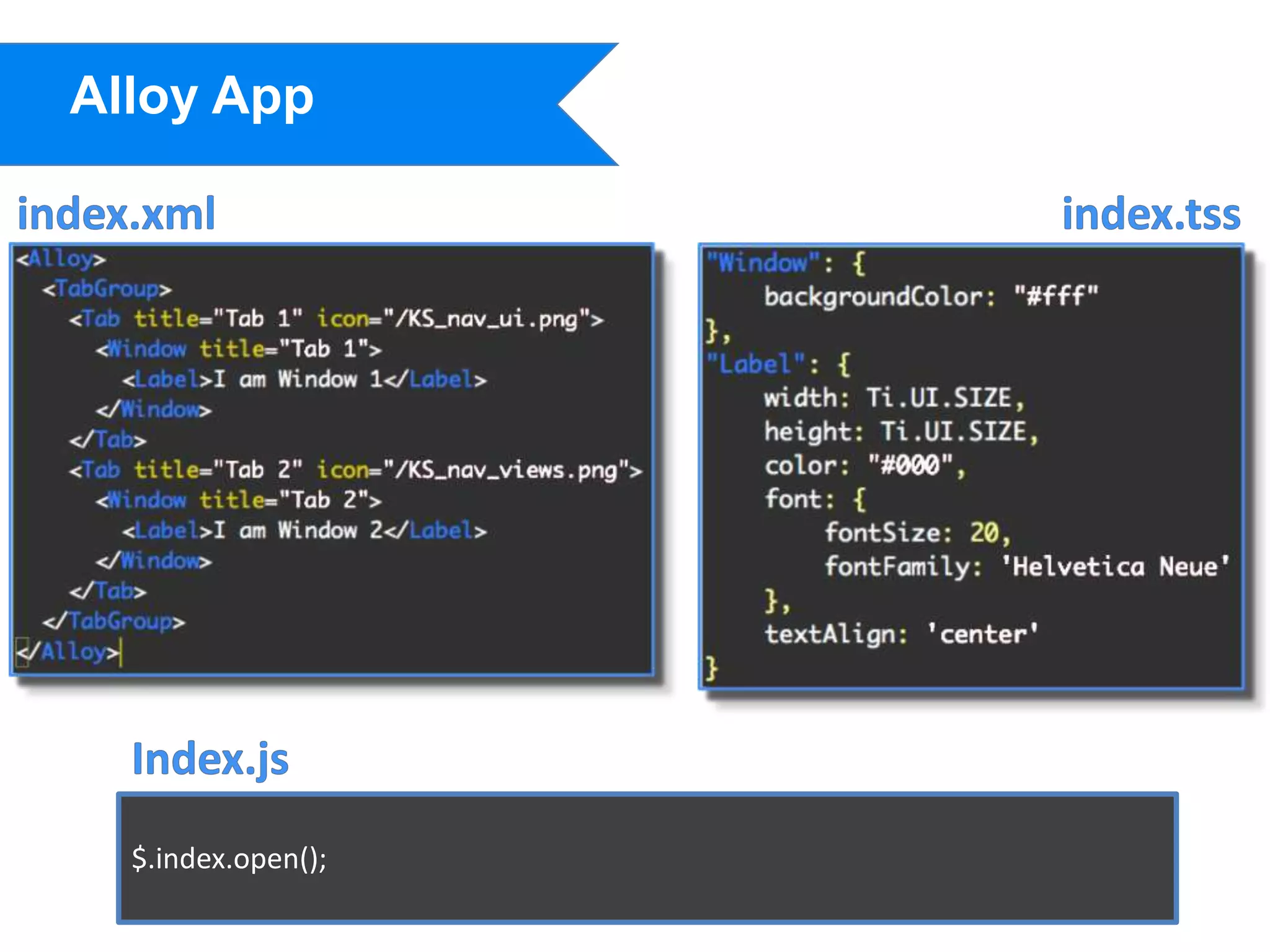
Alloy App


  $.index.open();
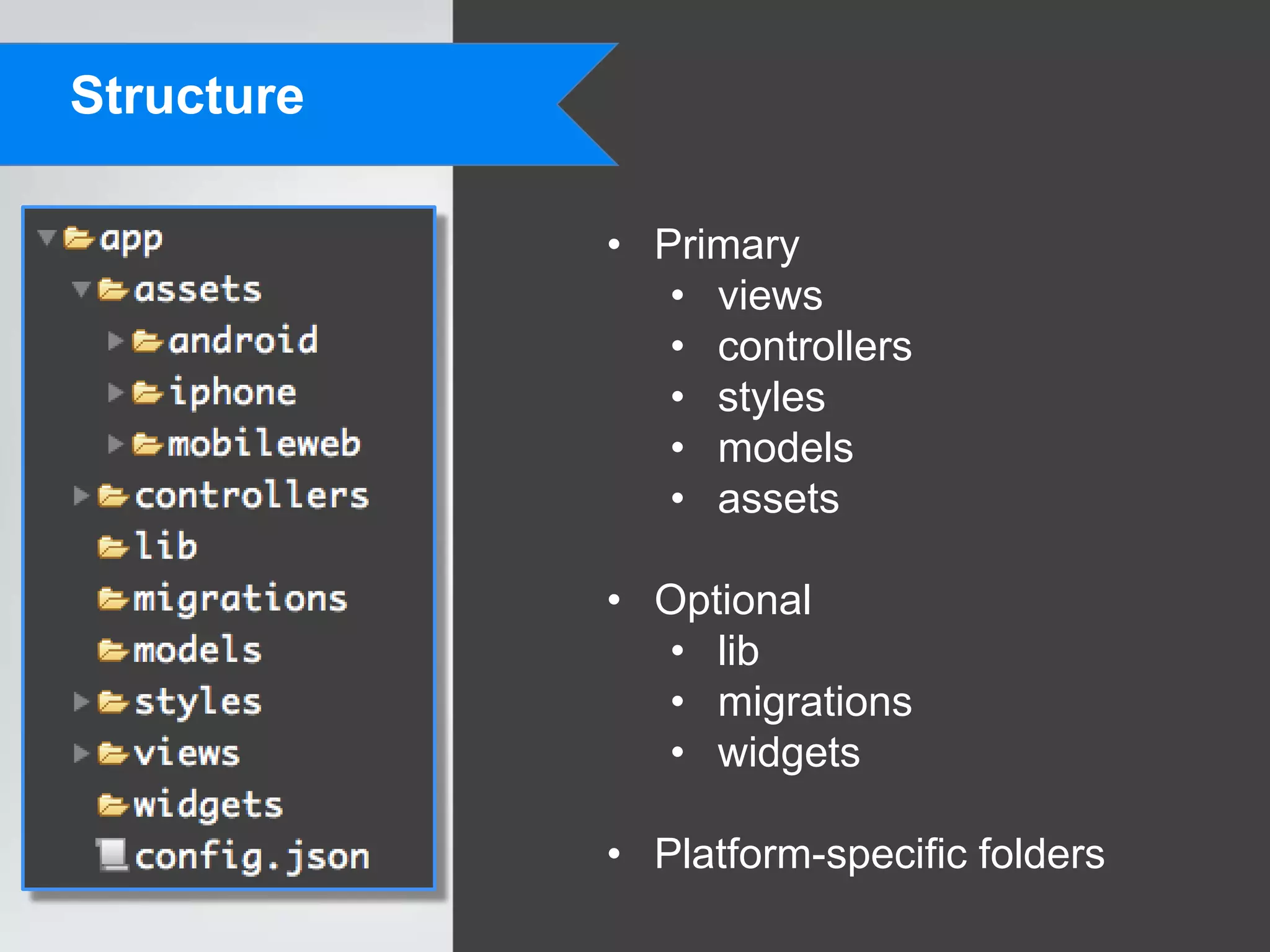
Structure

            • Primary
               • views
               • controllers
               • styles
               • models
               • assets

            • Optional
              • lib
              • migrations
              • widgets

            • Platform-specific folders
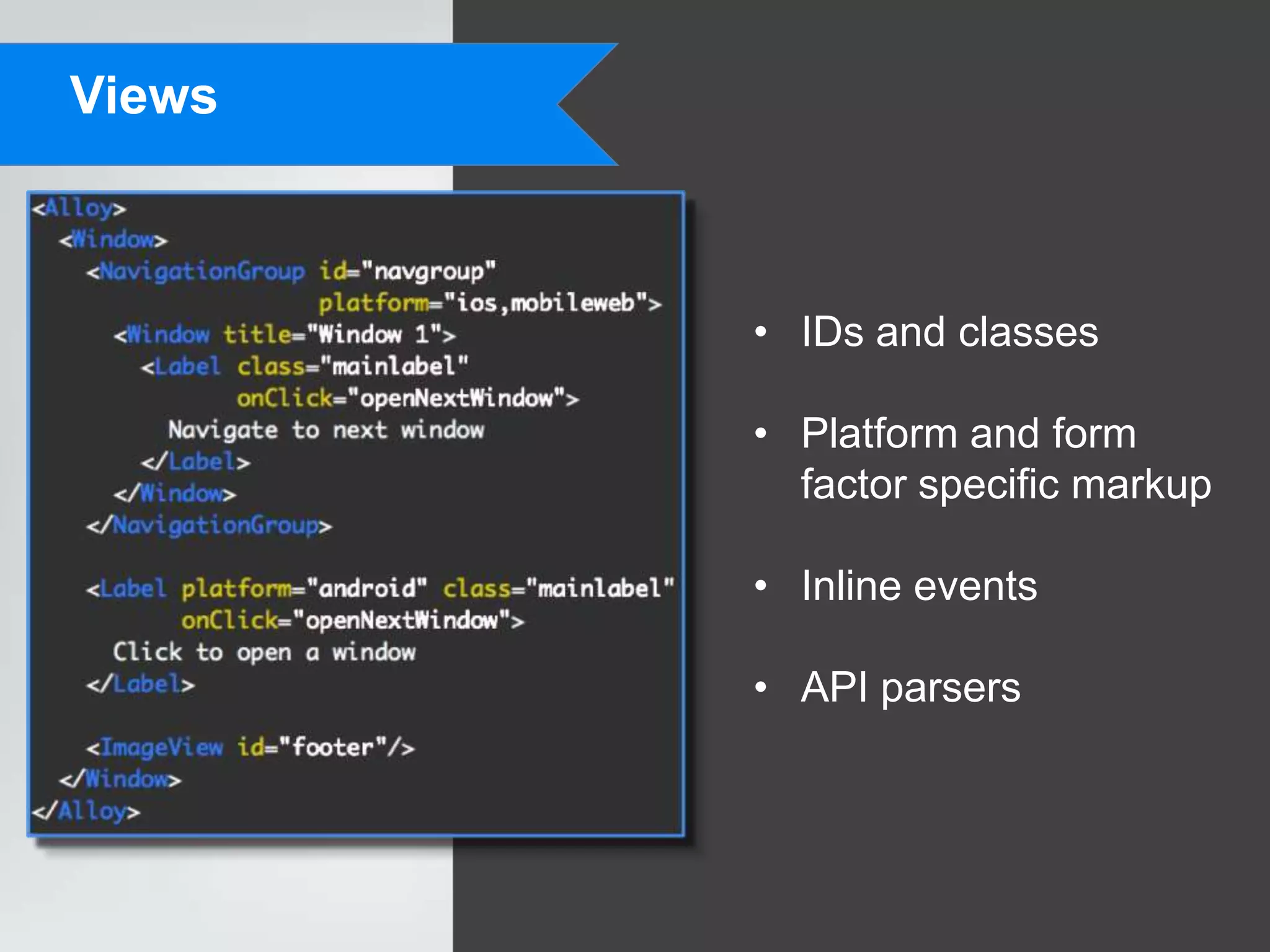
Views


        • IDs and classes

        • Platform and form
          factor specific markup

        • Inline events

        • API parsers
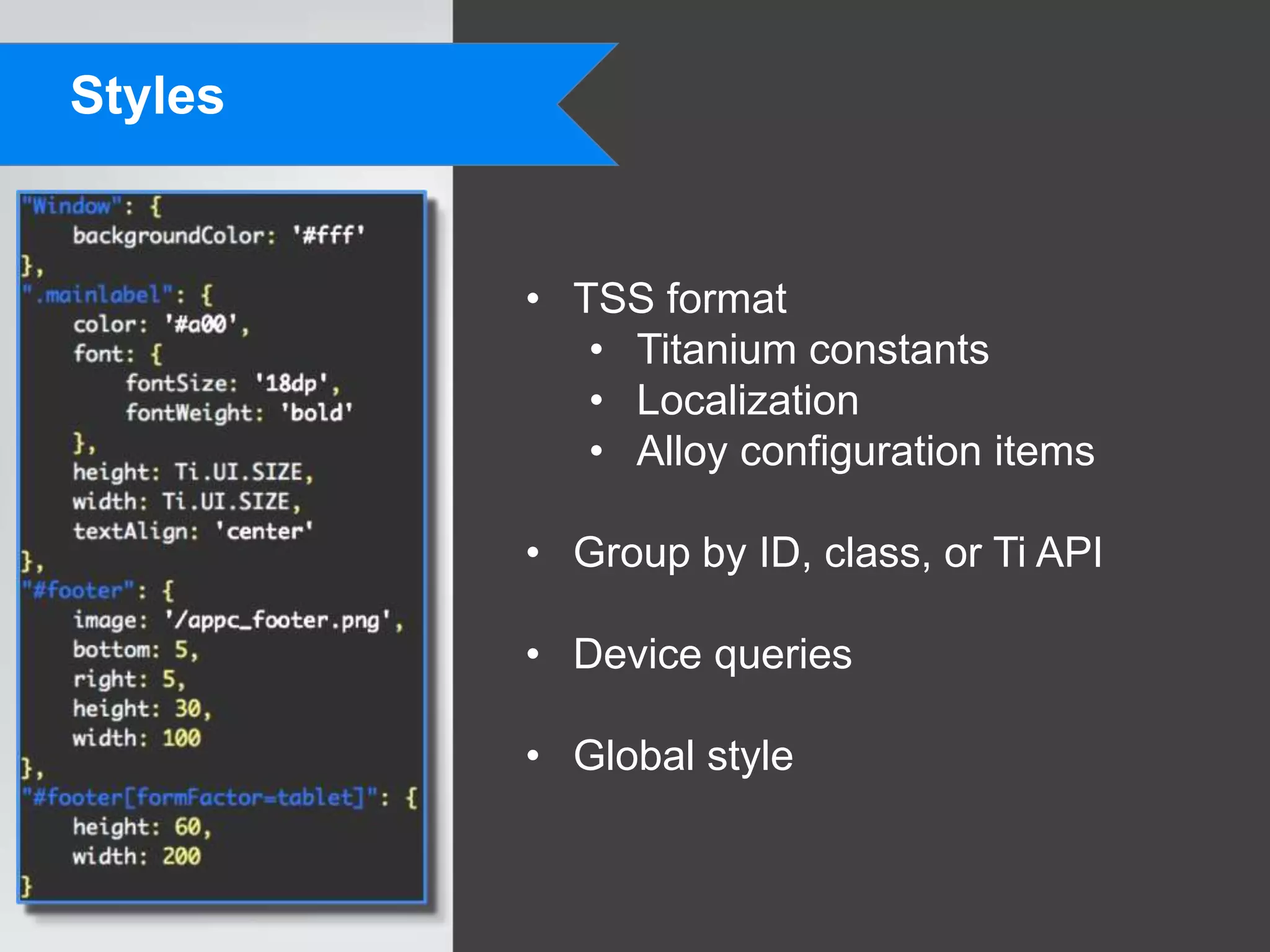
Styles


         • TSS format
            • Titanium constants
            • Localization
            • Alloy configuration items

         • Group by ID, class, or Ti API

         • Device queries

         • Global style
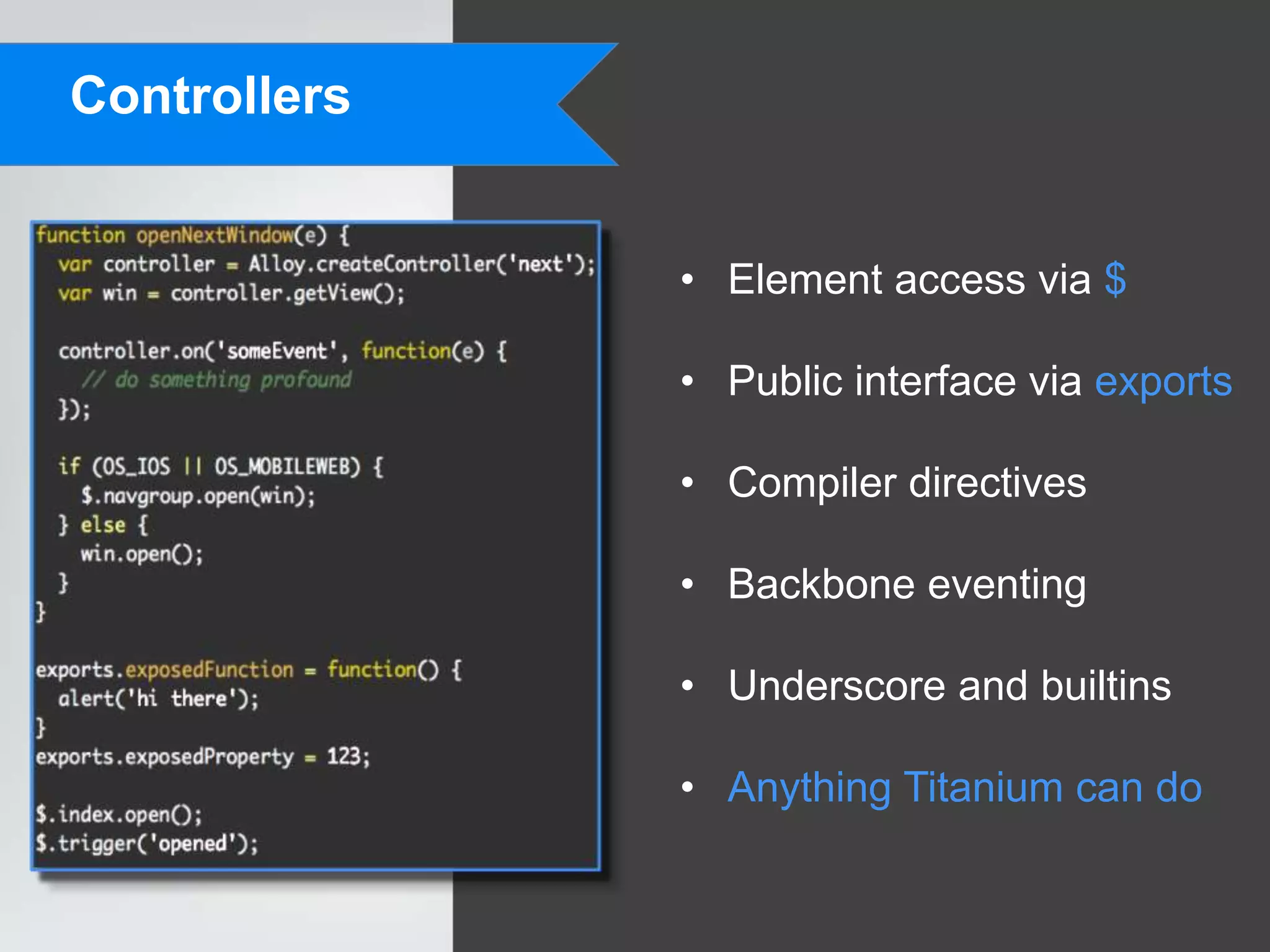
Controllers


              • Element access via $

              • Public interface via exports

              • Compiler directives

              • Backbone eventing

              • Underscore and builtins

              • Anything Titanium can do
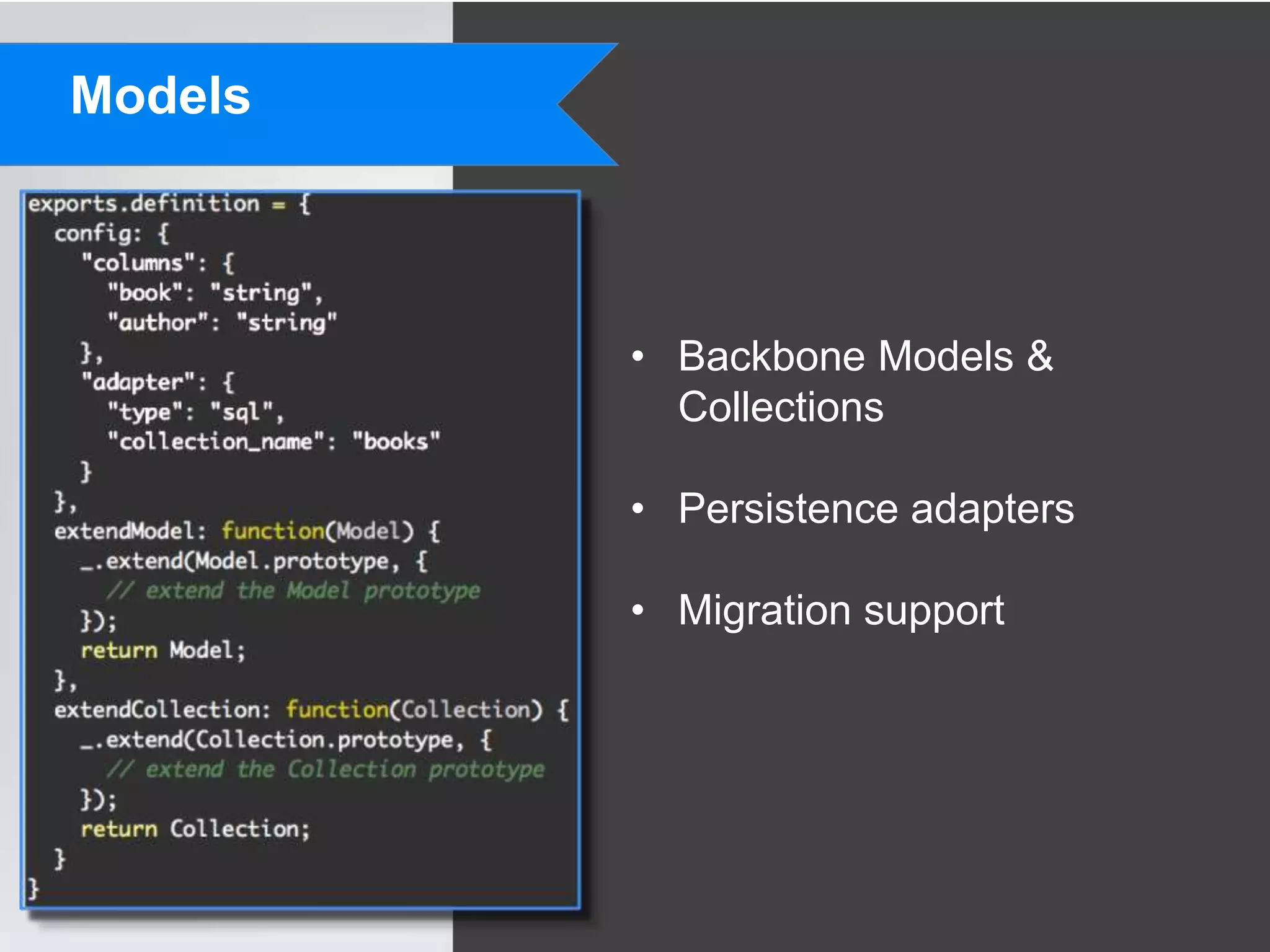
Models


         • Backbone Models &
           Collections

         • Persistence adapters

         • Migration support
Widgets


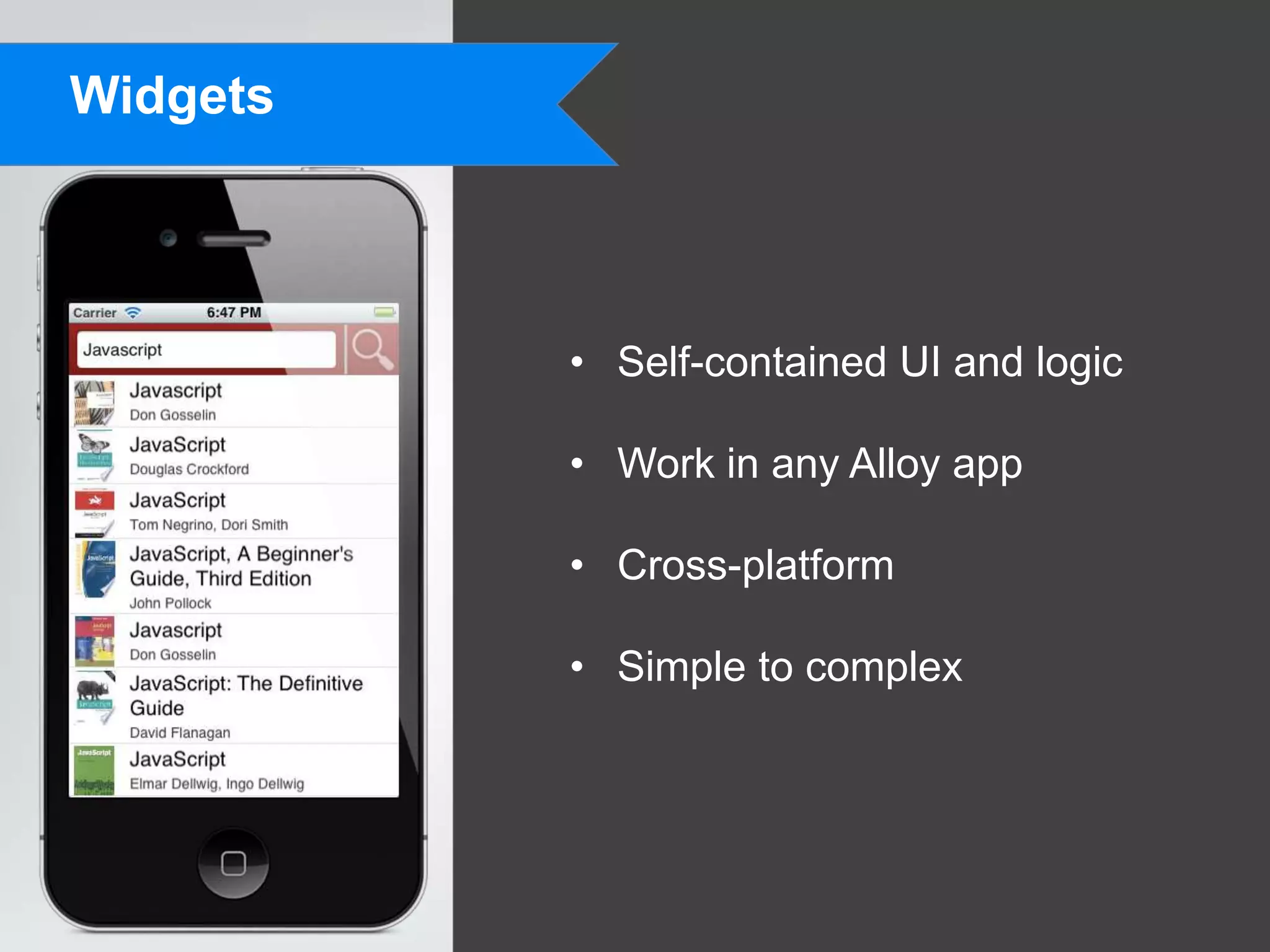
          • Self-contained UI and logic

          • Work in any Alloy app

          • Cross-platform

          • Simple to complex
Compilation


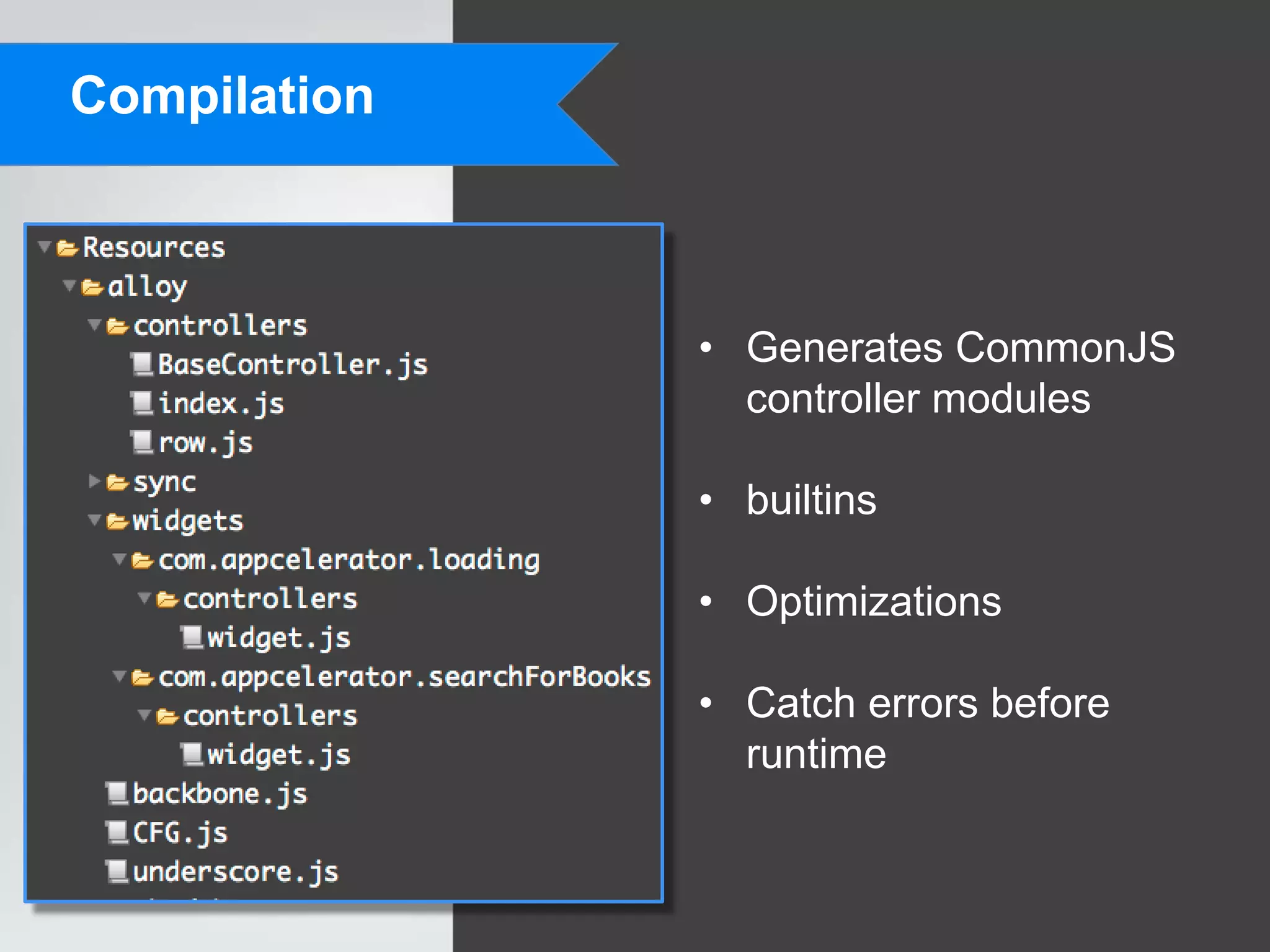
              • Generates CommonJS
                controller modules

              • builtins

              • Optimizations

              • Catch errors before
                runtime
Error output


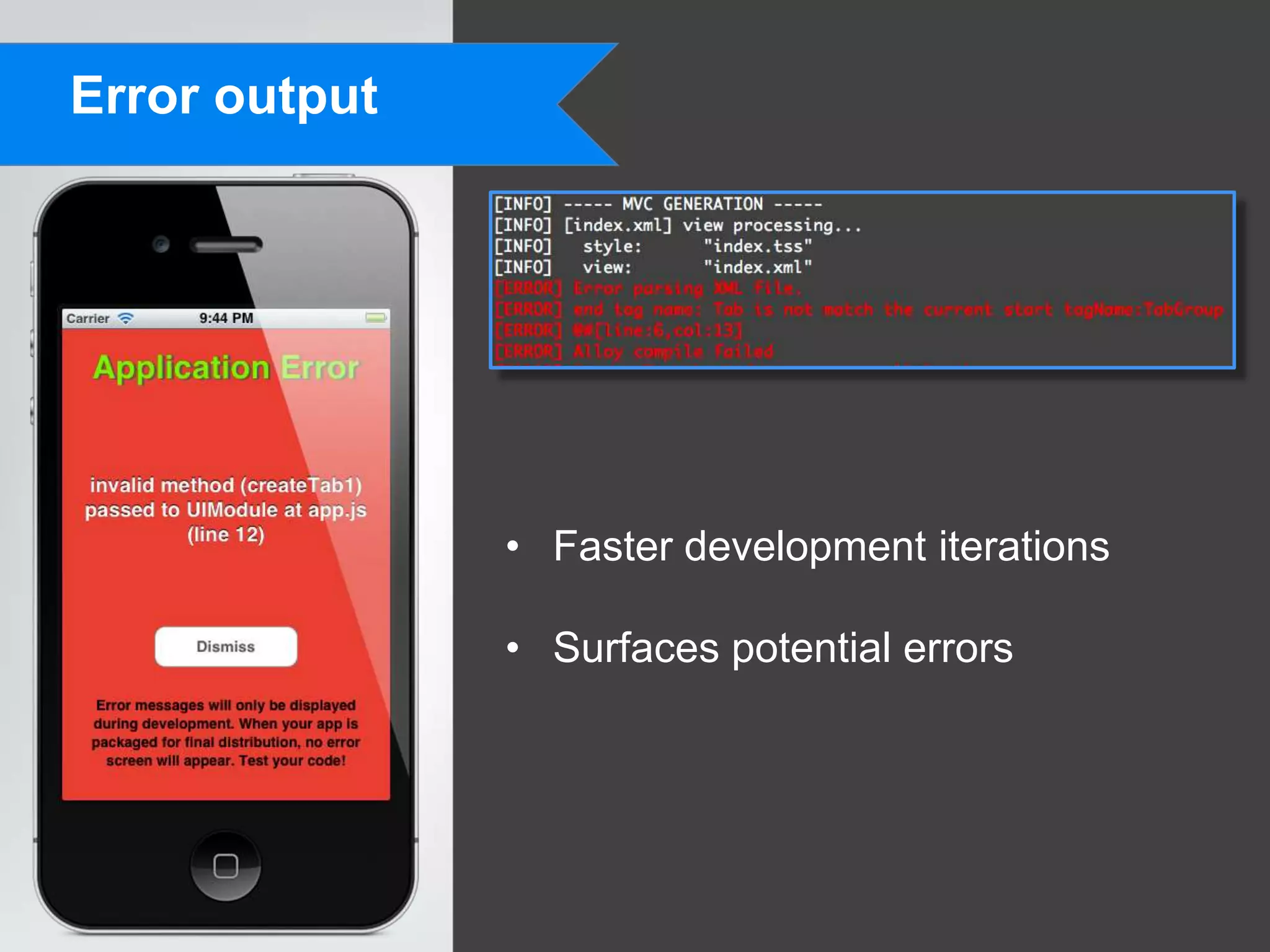
               • Faster development iterations

               • Surfaces potential errors
Getting Started


                  • Quick Start: bit.ly/alloyqs

                  • Ti SDK 2.1 or later

                  • More Information
                    • Wiki docs: http://bit.ly/RzU6Ra
                    • Google Groups: bit.ly/alloy_group
                    • Github: github.com/appcelerator/alloy
Showcase


           • Lets see some code
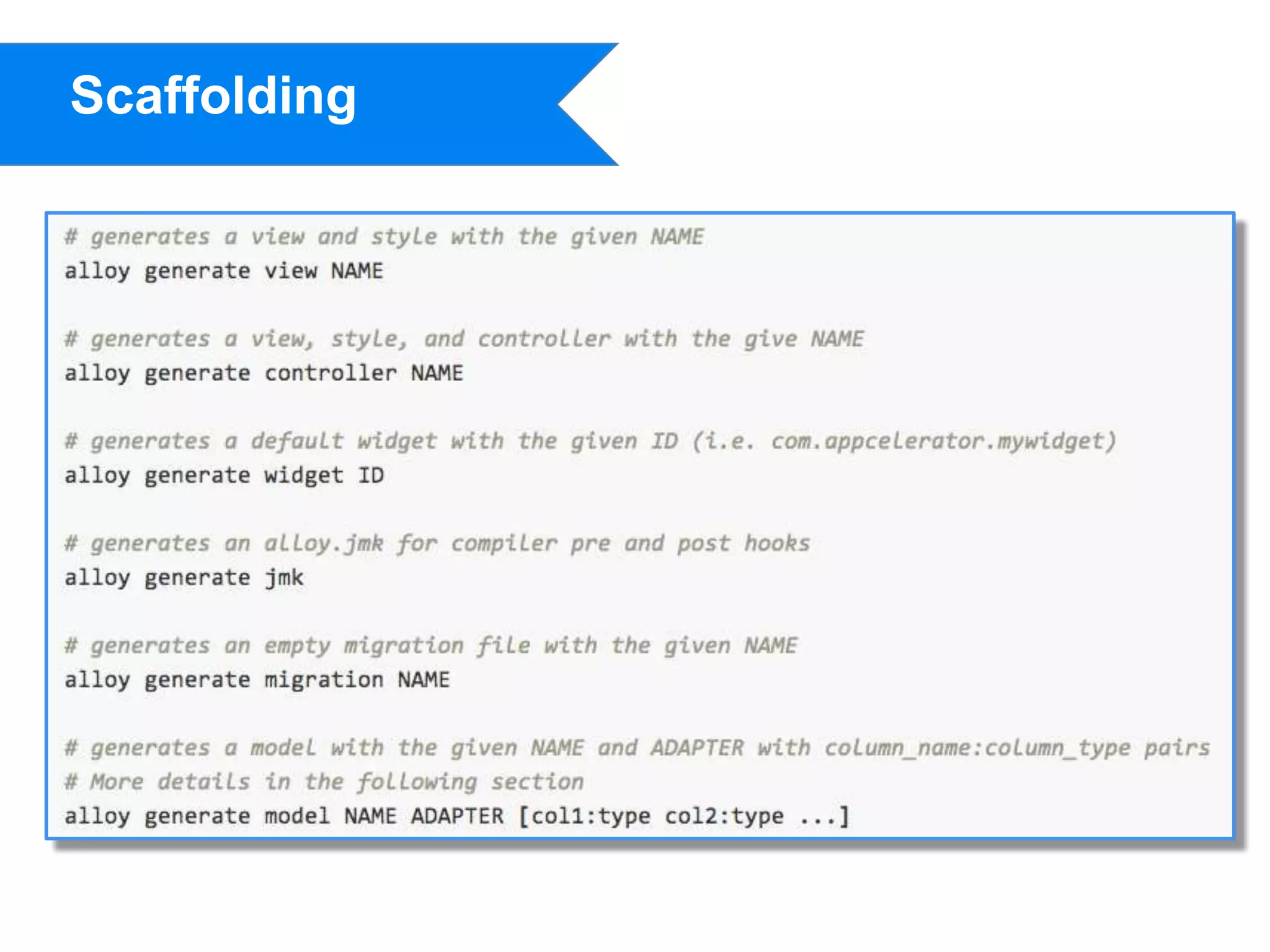
Scaffolding
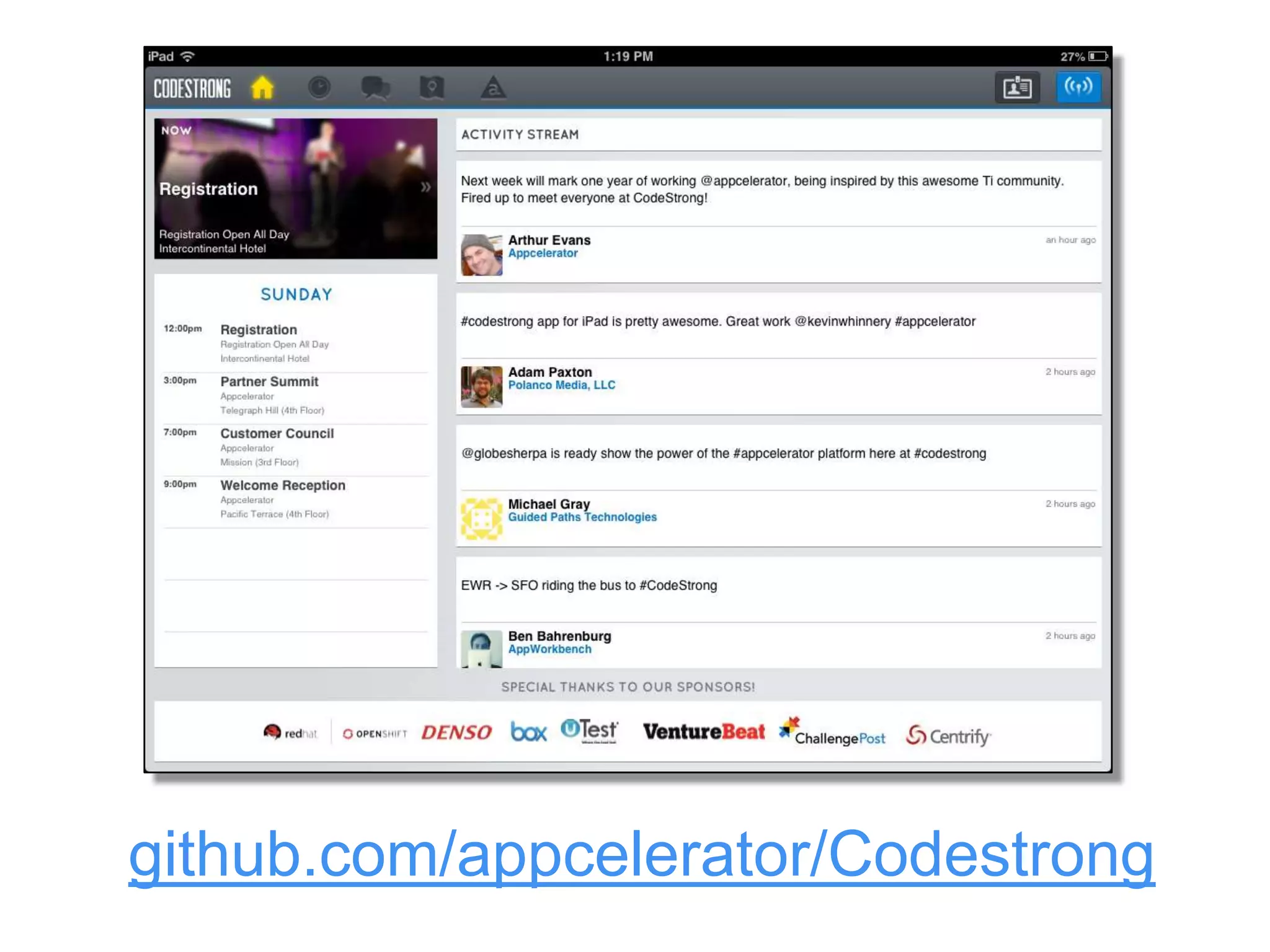
github.com/appcelerator/Codestrong
Mads Møller
 @nappdev

mm@napp.dk

Alloy Framework

  • 1.
    Alloy Framework Overview Mads Møller Head of Development Napp CMS @nappdev mm@napp.dk
  • 2.
    What is Alloy? • MVC Framework • XML based UI markup • Highly customizable • Run by Appcelerator • Awesome. Yes, awesome.
  • 3.
  • 4.
    Alloy App $.index.open();
  • 5.
    Structure • Primary • views • controllers • styles • models • assets • Optional • lib • migrations • widgets • Platform-specific folders
  • 6.
    Views • IDs and classes • Platform and form factor specific markup • Inline events • API parsers
  • 7.
    Styles • TSS format • Titanium constants • Localization • Alloy configuration items • Group by ID, class, or Ti API • Device queries • Global style
  • 8.
    Controllers • Element access via $ • Public interface via exports • Compiler directives • Backbone eventing • Underscore and builtins • Anything Titanium can do
  • 9.
    Models • Backbone Models & Collections • Persistence adapters • Migration support
  • 10.
    Widgets • Self-contained UI and logic • Work in any Alloy app • Cross-platform • Simple to complex
  • 11.
    Compilation • Generates CommonJS controller modules • builtins • Optimizations • Catch errors before runtime
  • 12.
    Error output • Faster development iterations • Surfaces potential errors
  • 13.
    Getting Started • Quick Start: bit.ly/alloyqs • Ti SDK 2.1 or later • More Information • Wiki docs: http://bit.ly/RzU6Ra • Google Groups: bit.ly/alloy_group • Github: github.com/appcelerator/alloy
  • 14.
    Showcase • Lets see some code
  • 15.
  • 16.
  • 17.

Editor's Notes

  • #3 MVC FrameworkCommon, uniform development patternSeparation of concernsViews, controllers, models… also styles, migrations, and a few other powerful featuresDeclarative UIXML-based representation of Ti APIMakes API usage much easierIncreased readability and scalabilityFree and open sourceAvailable on githubLots of contributions already (50+ forks, 250+ stars)Project transparencyHighly customizableOpen sourceWidgetsAdaptersawesome- No “why” slide, because it’s obvious- Will change the way you write Titanium apps forever
  • #4 Hard to identify the overall structure of the UIComments are essentially making this readableRepetitive assignments of stylesNecessary to understand how certain APIs interact (addTab() or window as a creation time property)
  • #5 UI very clearSeparation of view hierarchy and styleAPI level styling, less repetitionNo JS code yet
  • #6 Brief overview of each folder in the structure.
  • #12 Alloy.CFGGenerated from your config.jsonGlobally available values based on deployment type and OSBuiltinsUseful JS libraries integrated with AlloyBackbone & underscoreGrowing list, string operations, titanium animations, social networkingOptimizationsUglifyjsEliminate dead codeCompiler directives (platform, deploy type)Errors- Catch all view, style, and JS errorsTabGroup will tell you if you aren’t adding tabs to it, or if you forget to add a window to the tabSame with navGroup
  • #13 Surfaces potential errors- We’ll be able to catch errors that would occur under only certain circumstances at runtime at compile time instead. Think of the case of a Window that opens from a button click and that Window has invalid code/markup.
  • #17 175 lines of code Doesn’t even account for how you would interface with the widget (creating tables, handling the returned book data)You need to carry it aroundIt also wouldn’t manage the dependency on the loading widget