Appcelerator® Deep Dive
                tiTokyo
                February 16, 2013
                   Ricardo Alcocer
        Platform Evangelist @ Appcelerator, Inc.

    @ricardoalcocer      ralcocer@appcelerator.com
About me
• Currently work as Appcelerator Platform
  Evangelist in the Silicon Valley Area
• Have been developing Apps with Titanium
  since 2009
• Former Titanium trainer in the Caribbean
  and Latin America
• Hacker in constant training
Download Titanium Studio
• Download Titanium Studio from
 appcelerator.com
• Make sure you install and configure the
  necessary SDKs from Apple and Android
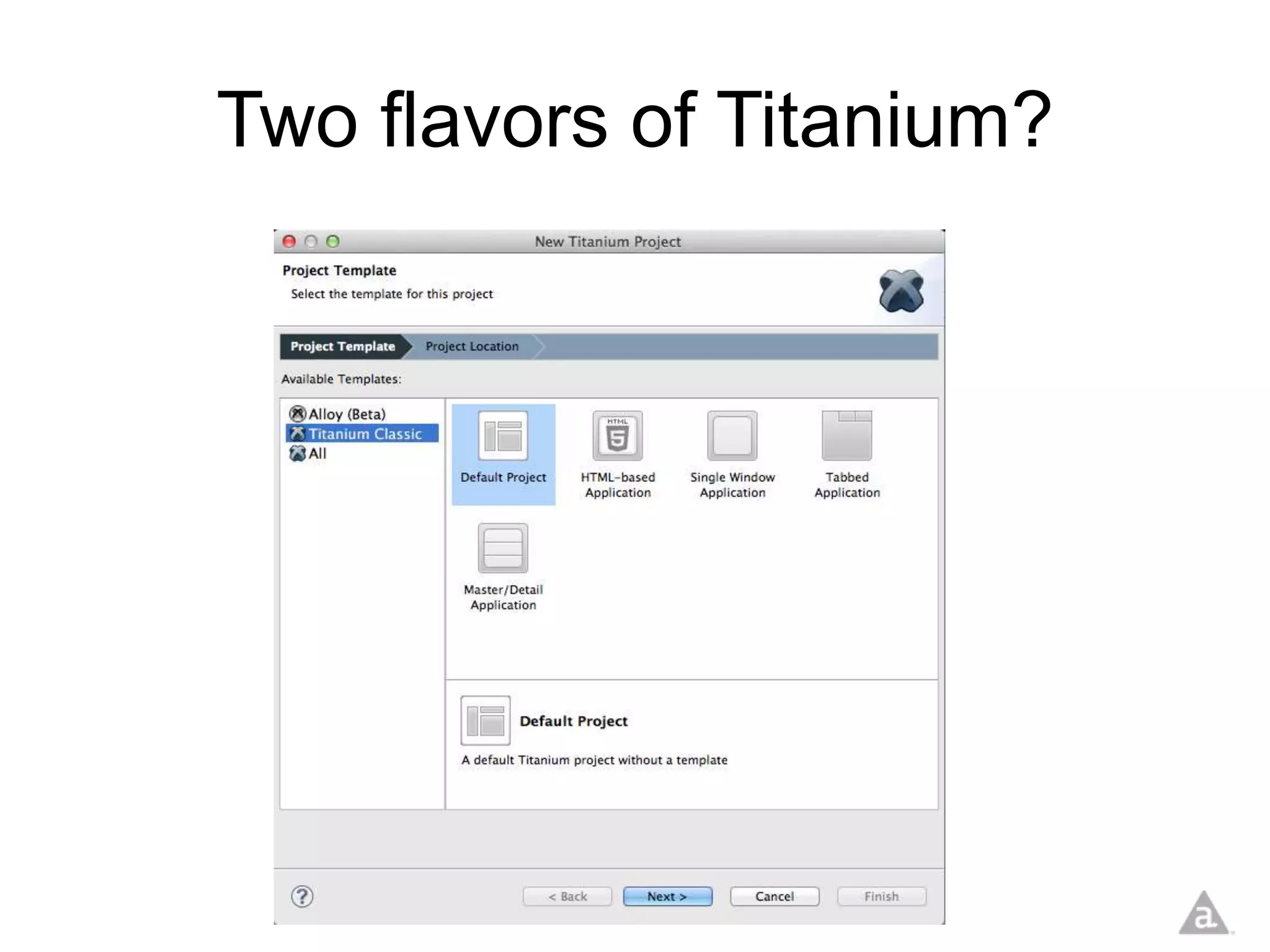
Two flavors of Titanium?
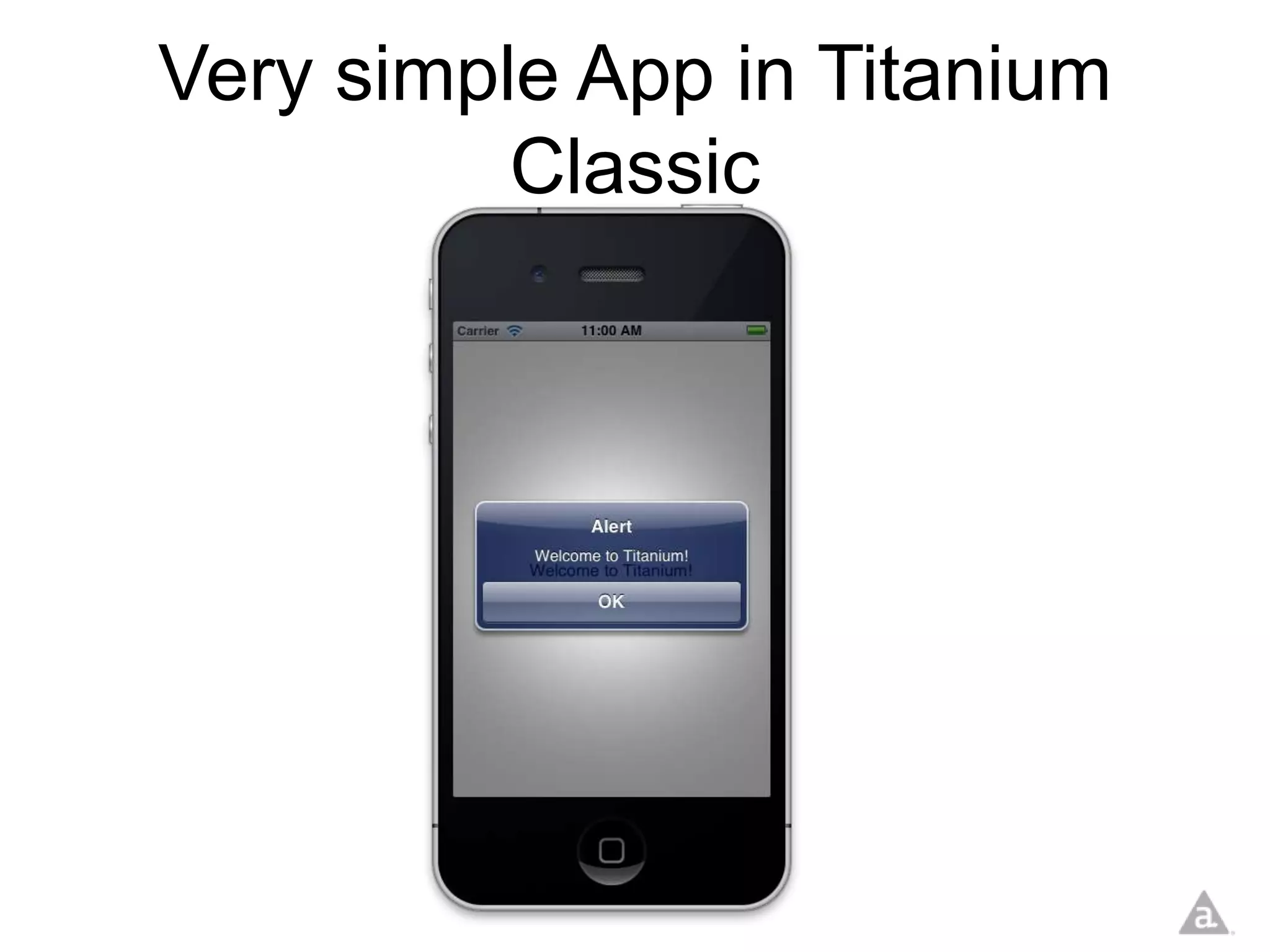
Very simple App in Titanium
          Classic
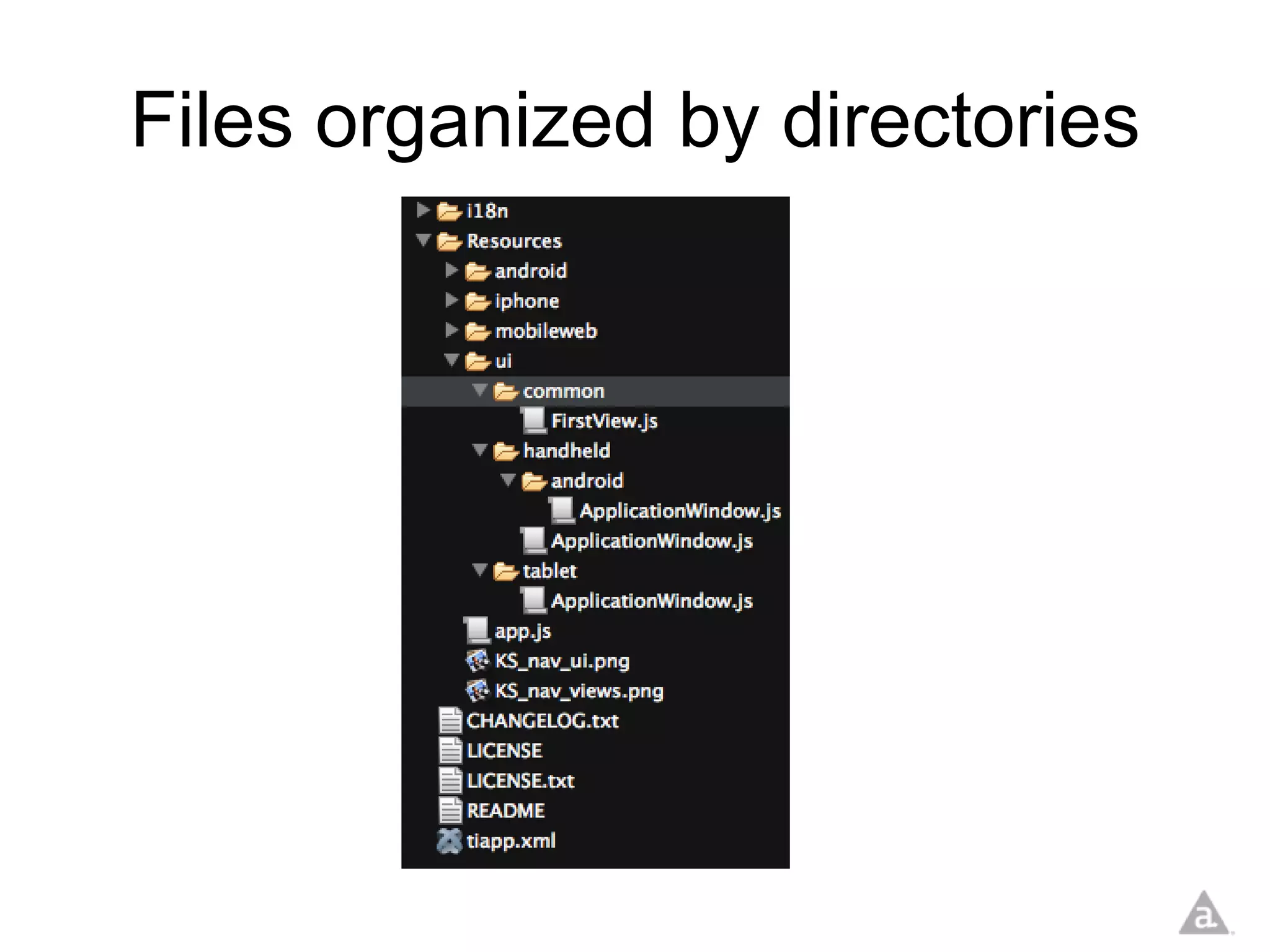
Files organized by directories
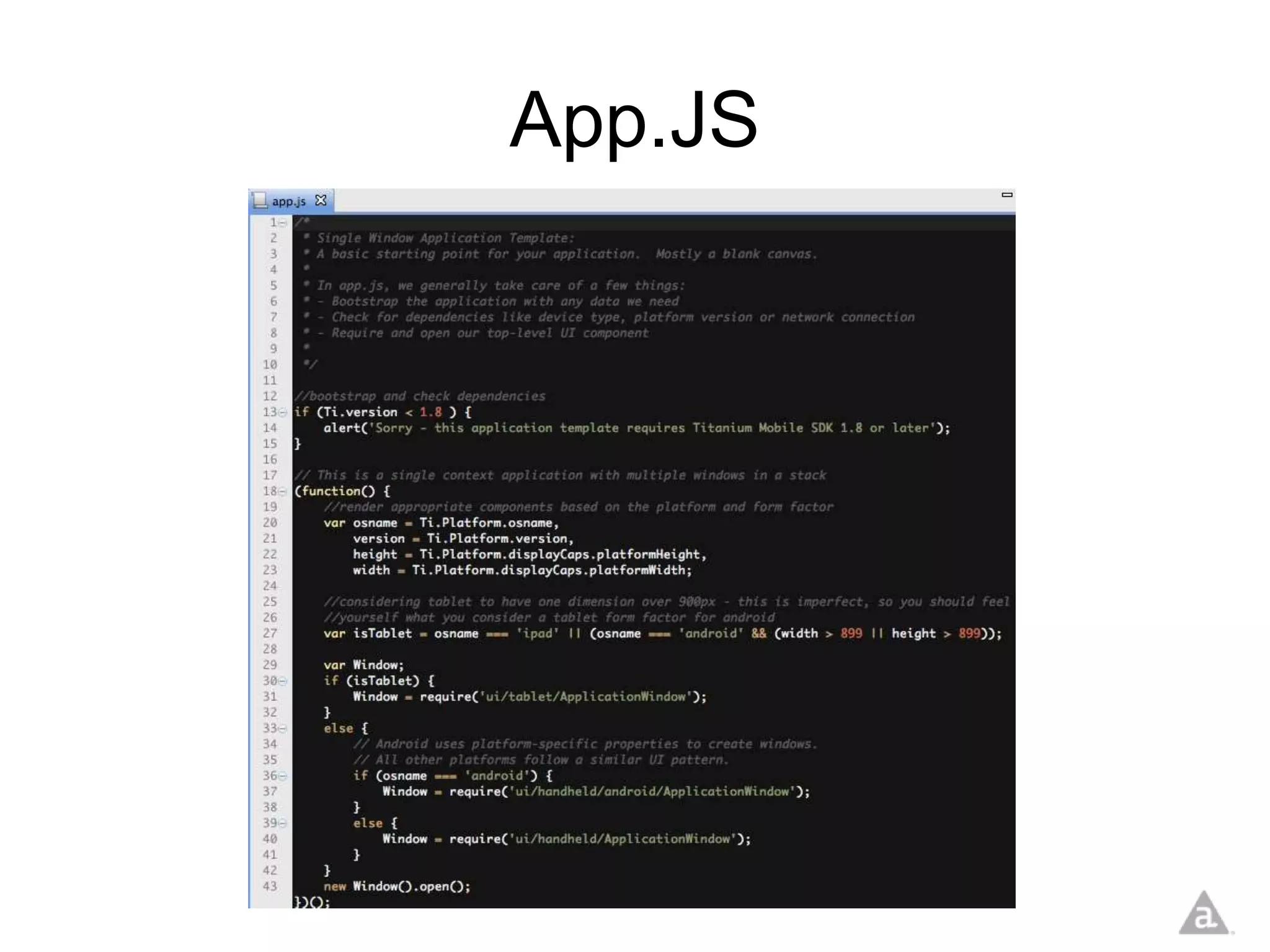
App.JS
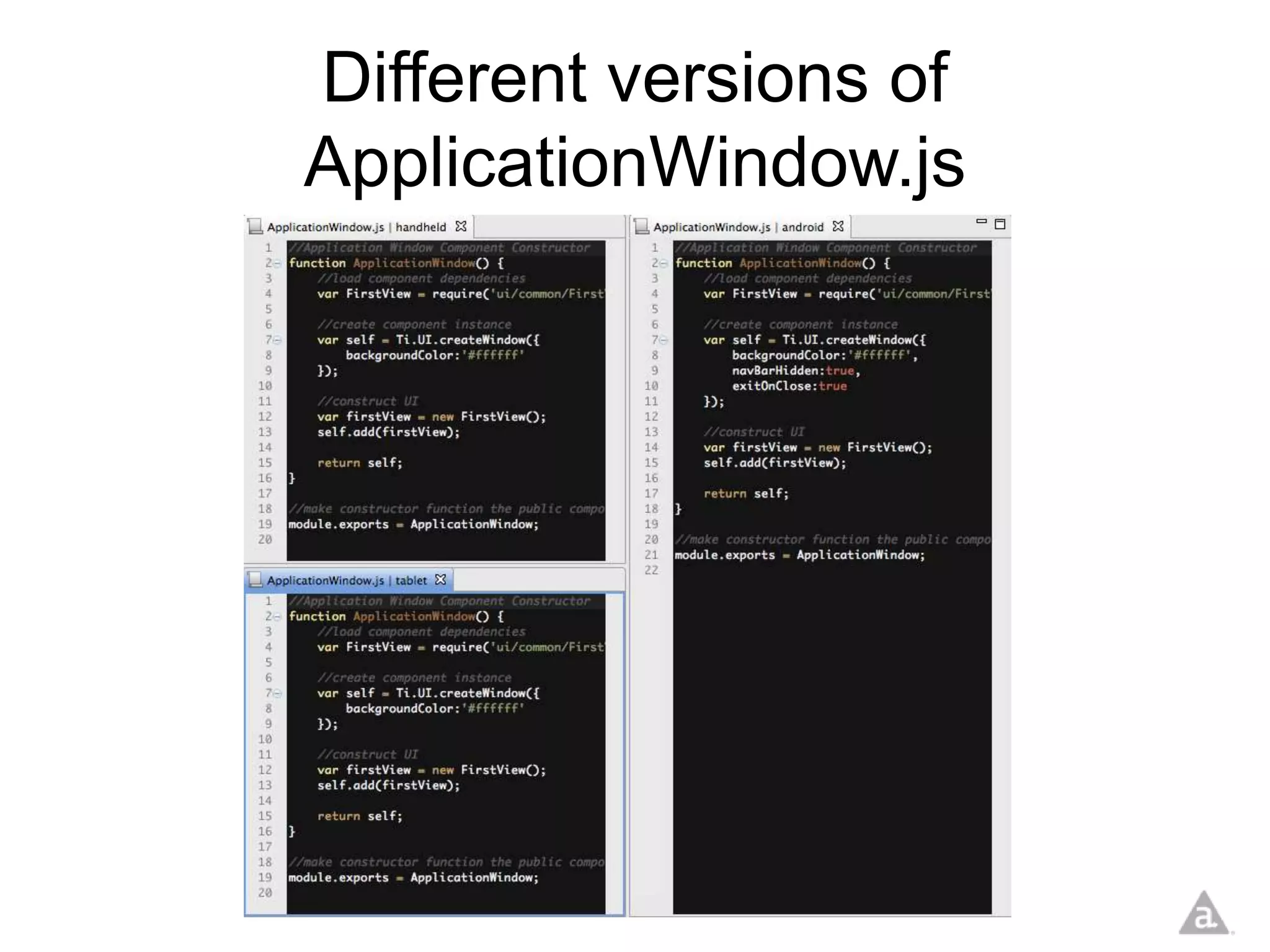
Different versions of
ApplicationWindow.js
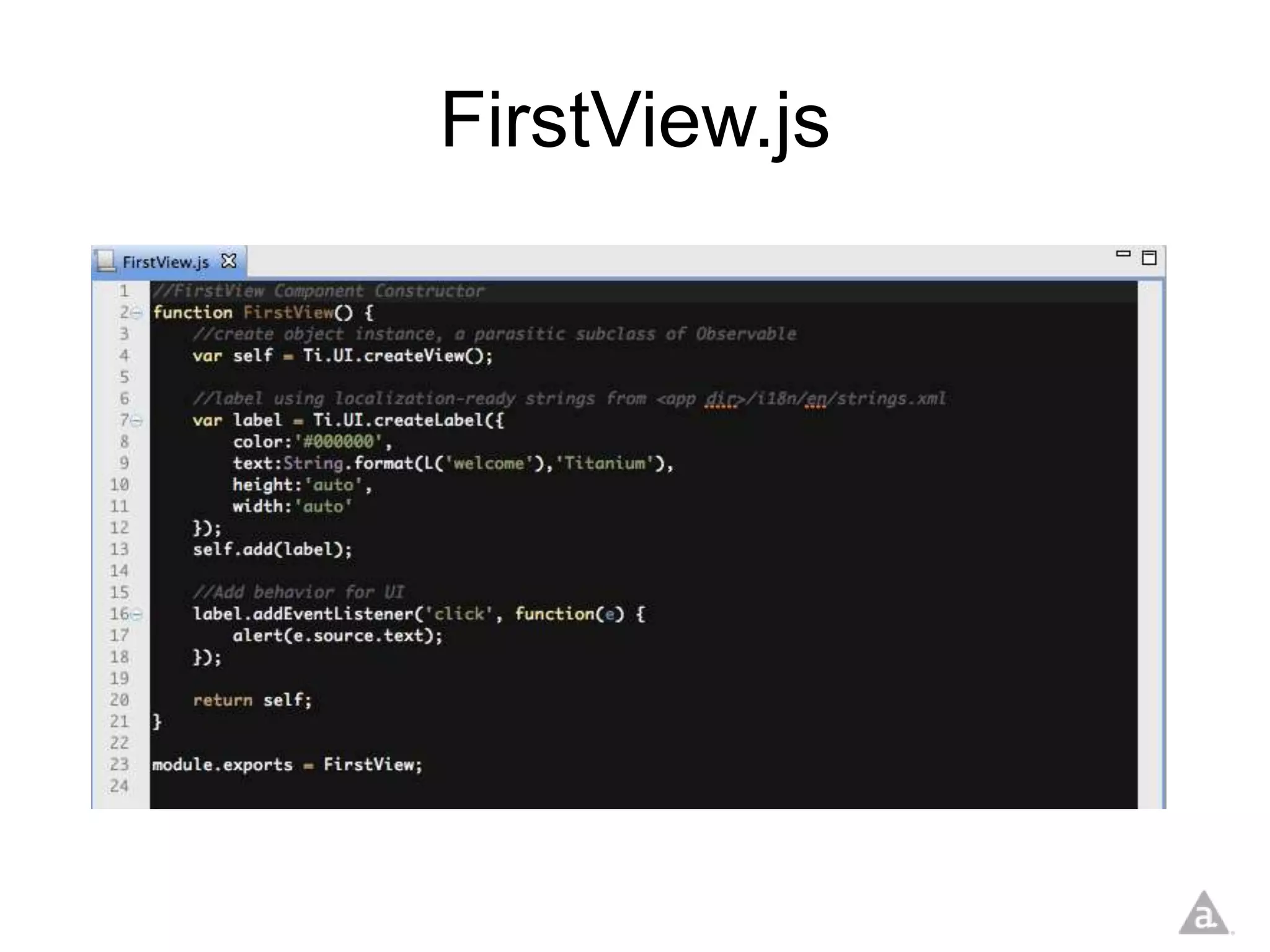
FirstView.js
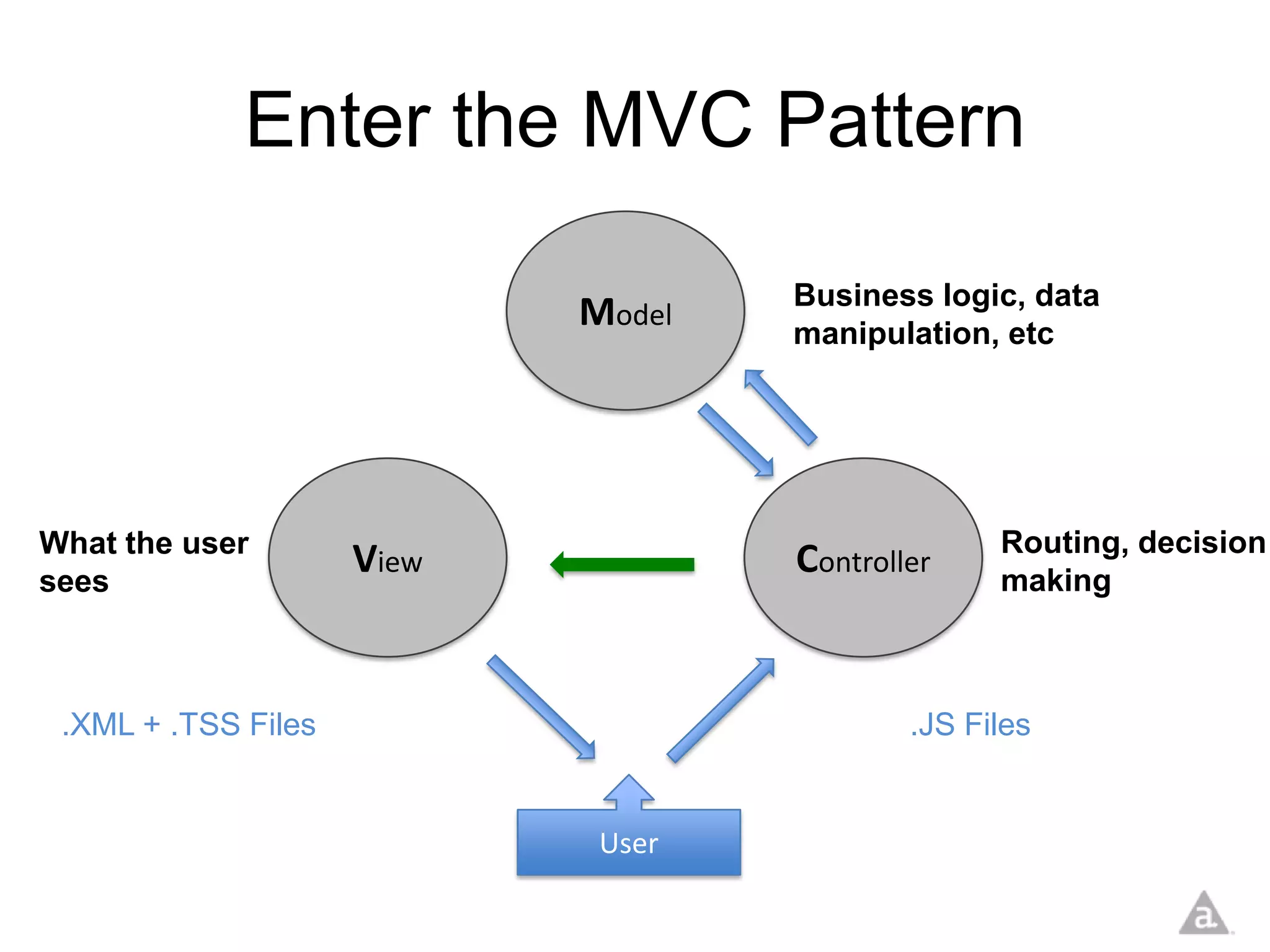
Enter the MVC Pattern

                                    Business logic, data
                            Model   manipulation, etc


What the user                                     Routing, decision
sees
                     View           Controller    making


 .XML + .TSS Files                          .JS Files


                             User
What is Appcelerator® Alloy™?
•   Official MVC Framework for Titanium
•   Free and Open Source
•   Declarative UI
•   Widgets
•   Themes
Why build an MVC Framework?
• Help developers build scalable apps
• Provide a basis for best practices on Titanium
  development
• Simplify development of Titanium apps
• Make Titanium more approachable to web
  developers and designers (use of XML, CSS)
• Reduce the amount of code written
• Set the foundation for widget/ component/
  sample libraries
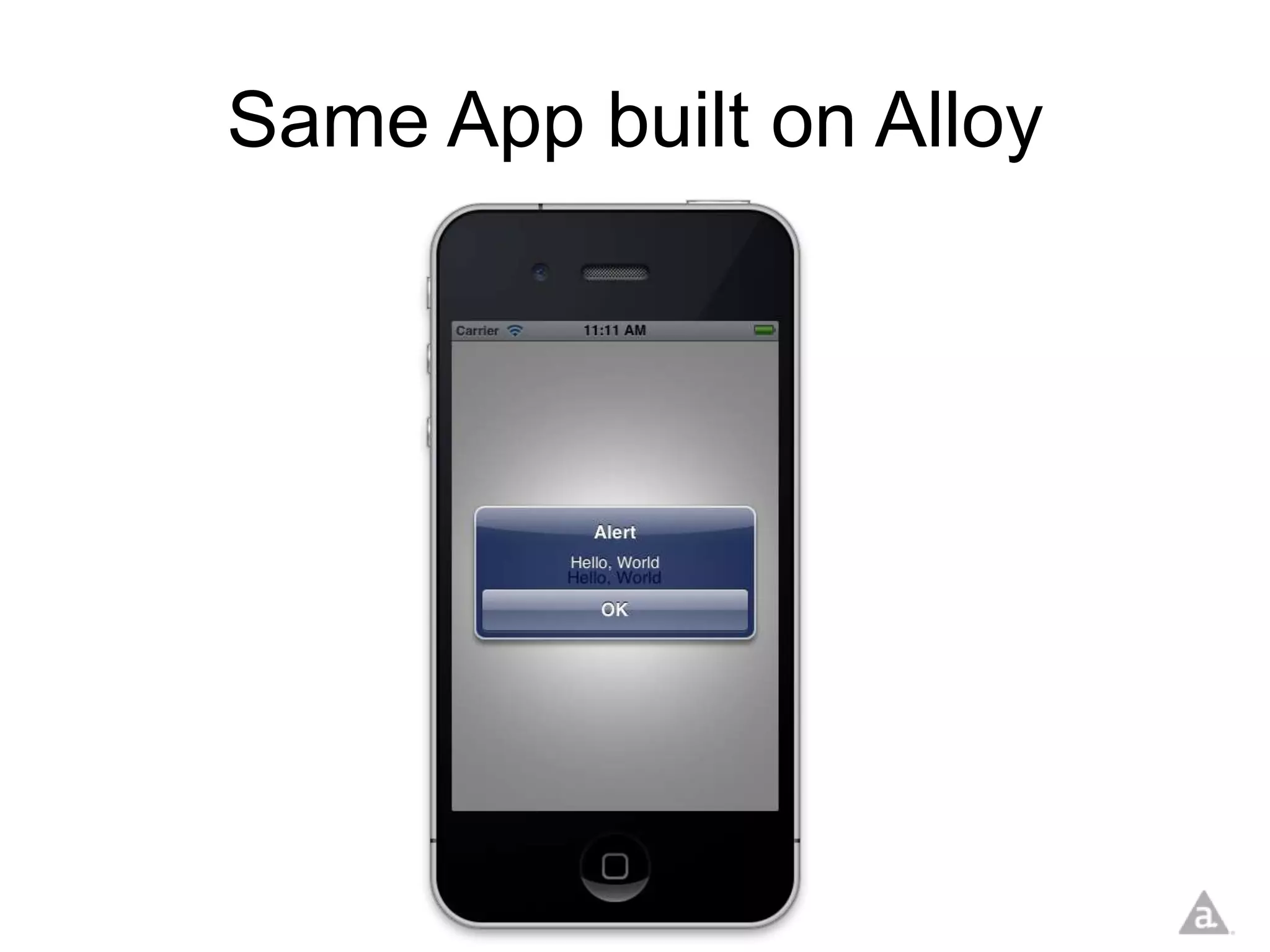
Same App built on Alloy
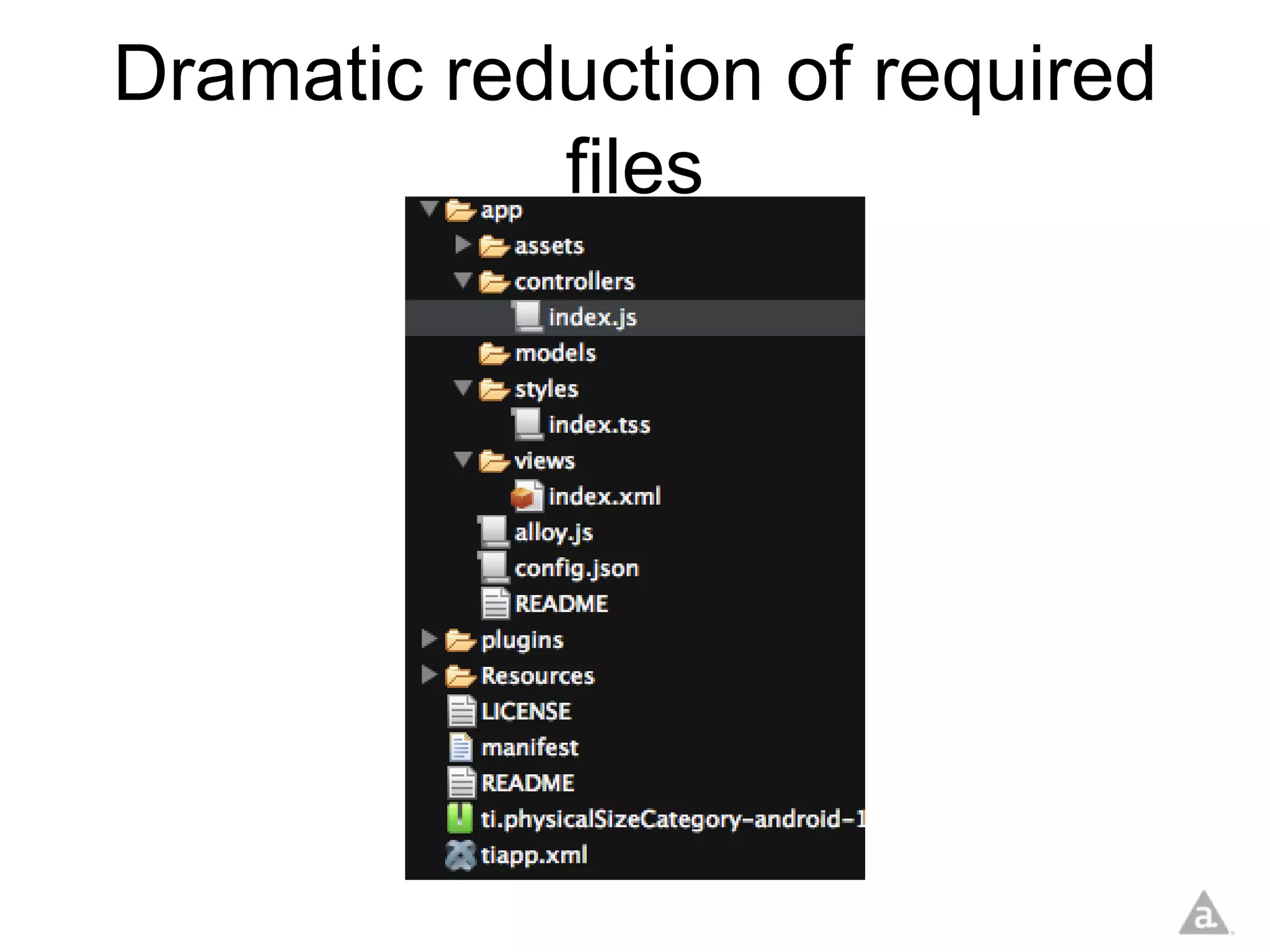
Dramatic reduction of required
            files
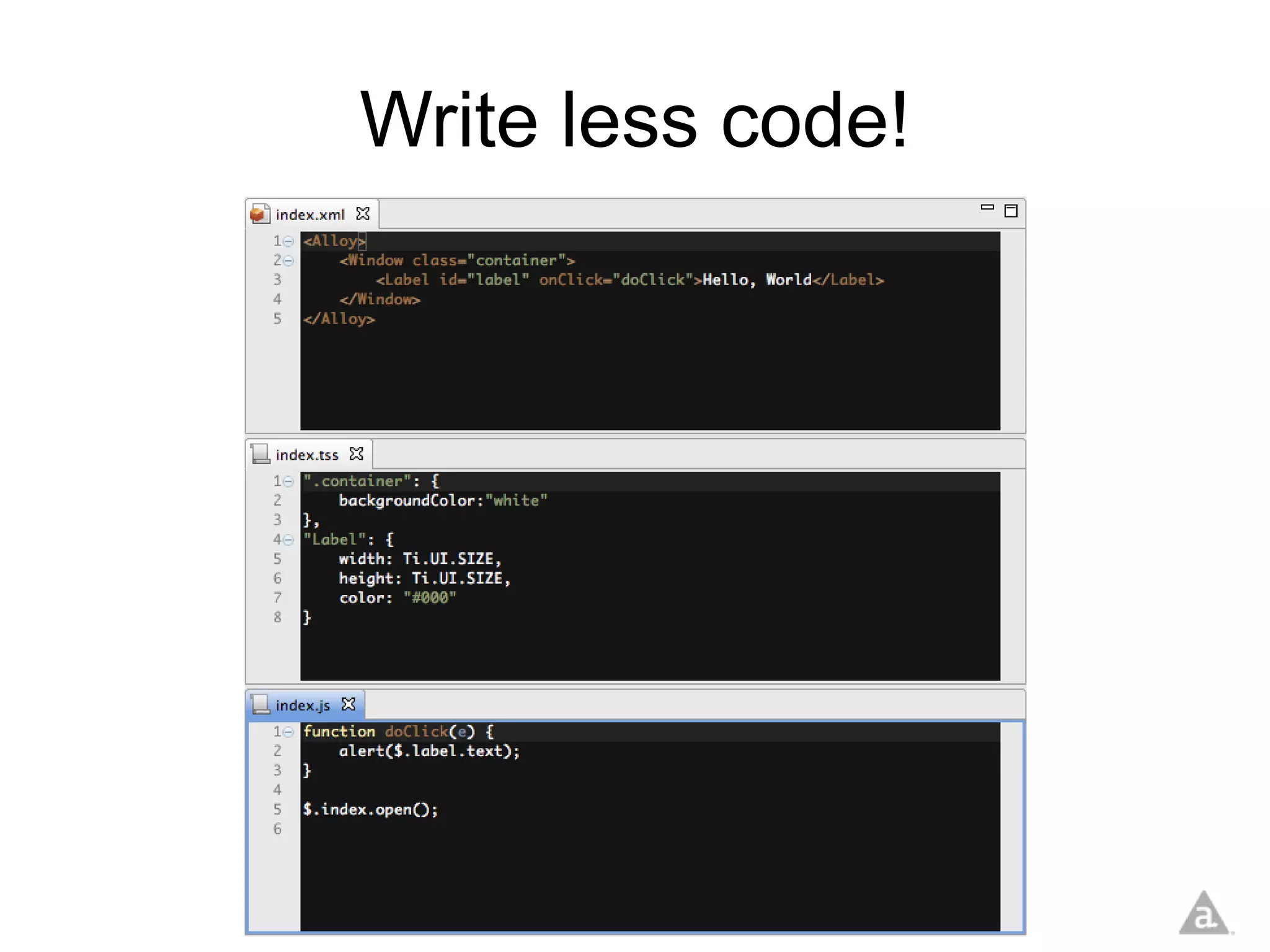
Write less code!
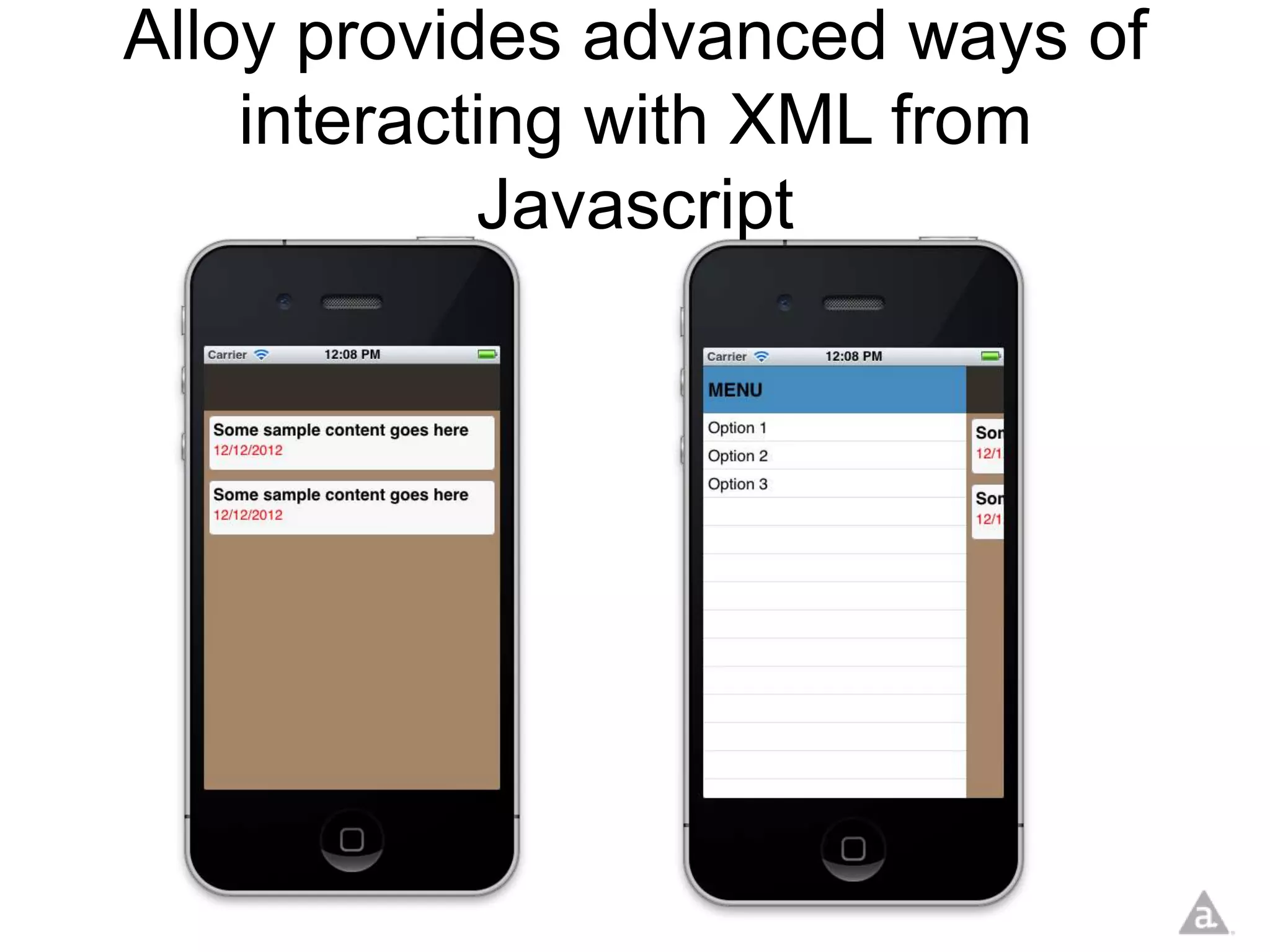
Alloy provides advanced ways of
    interacting with XML from
            Javascript
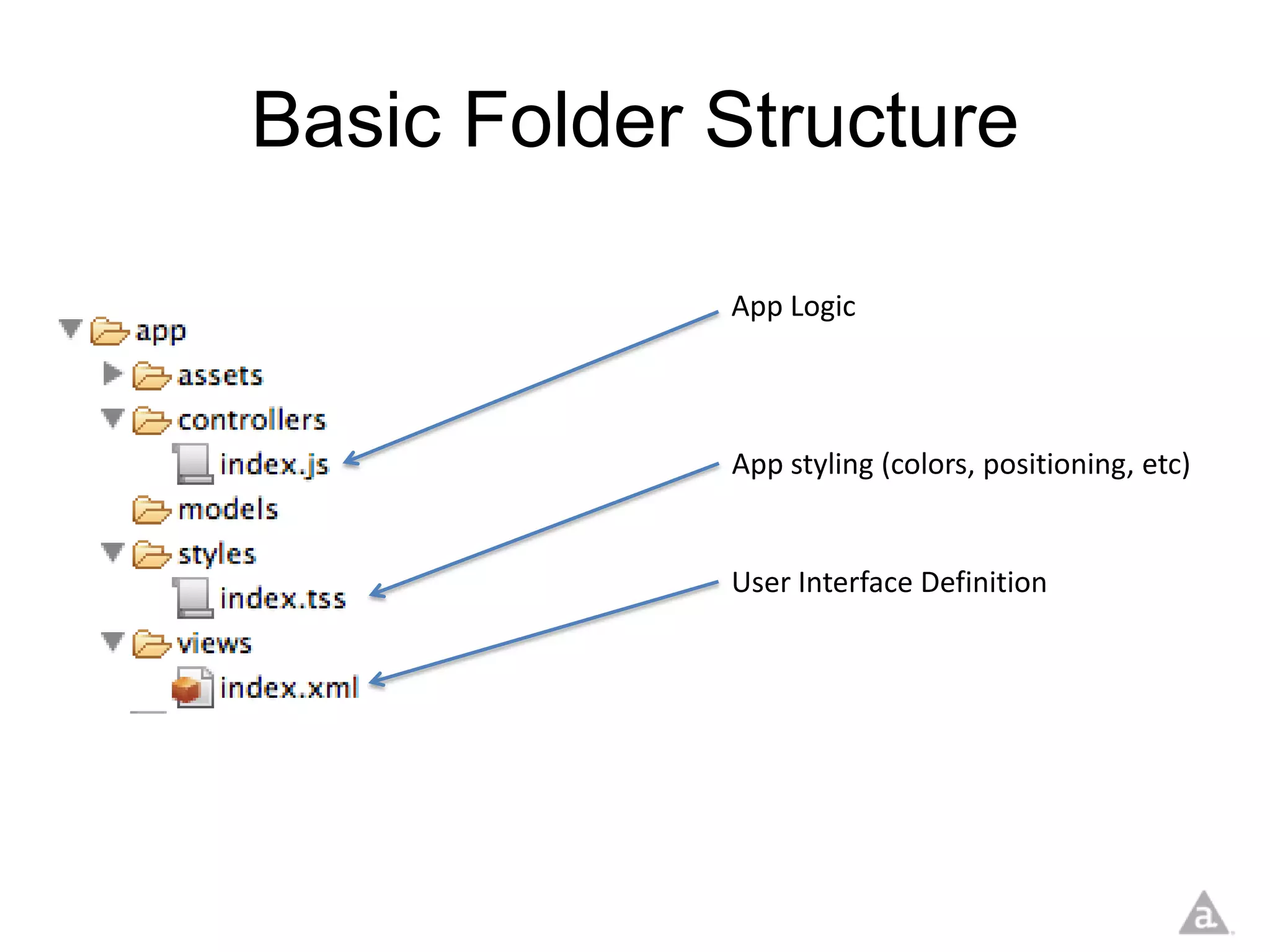
Basic Folder Structure

             App Logic


             App styling (colors, positioning, etc)


             User Interface Definition
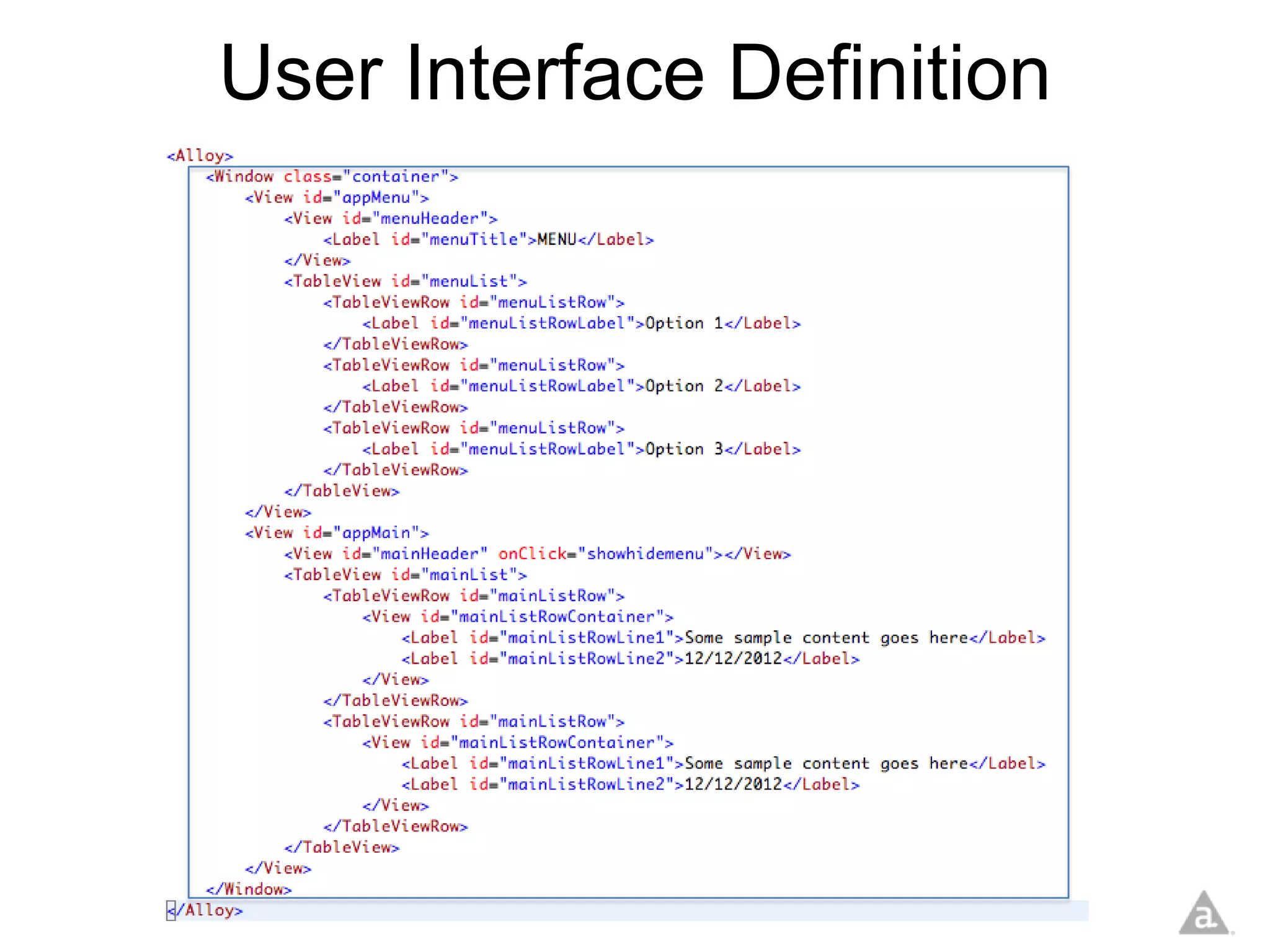
User Interface Definition


                    Menu Definition
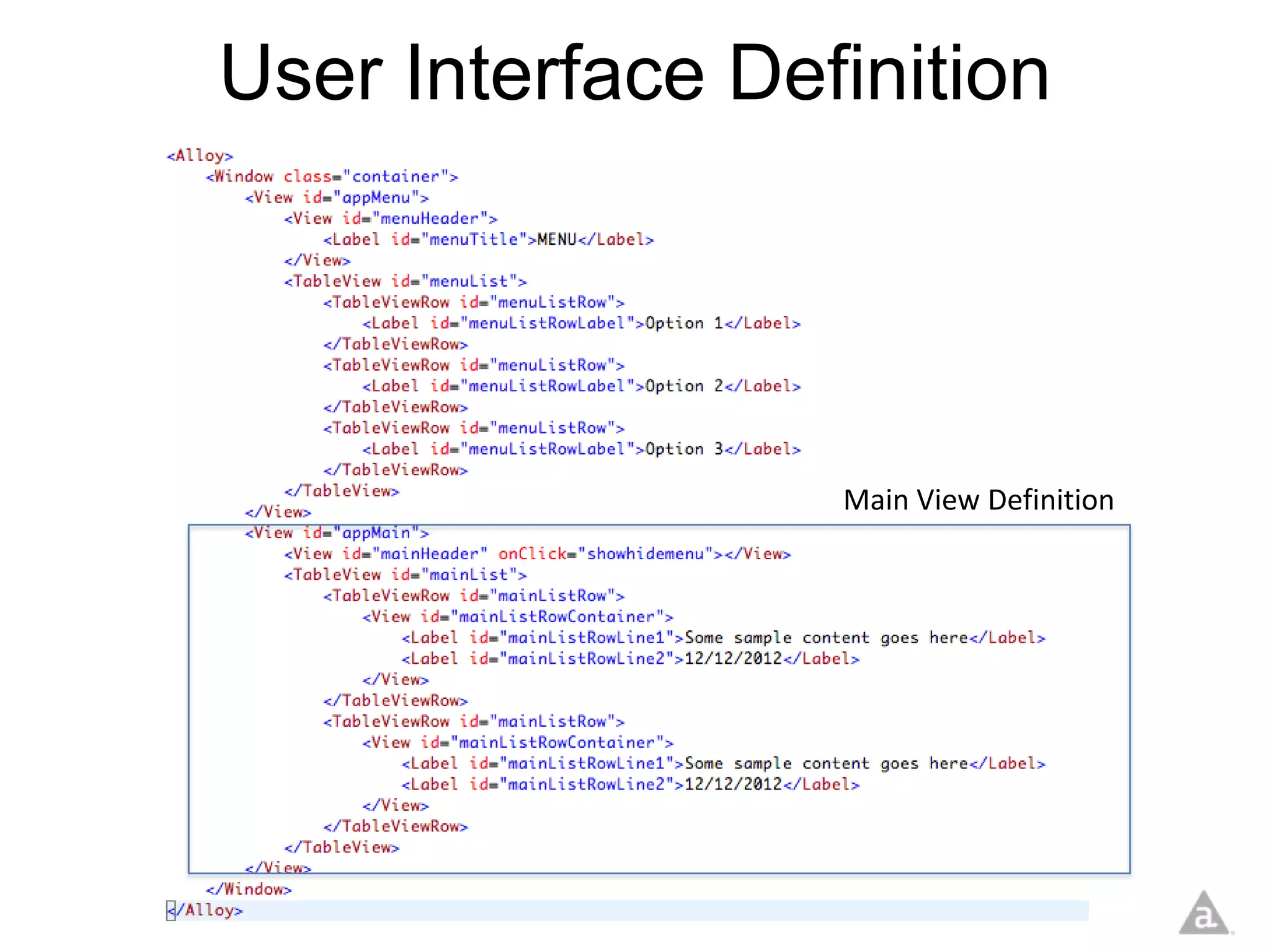
User Interface Definition


                  Main View Definition
User Interface Definition


                  Main View Definition
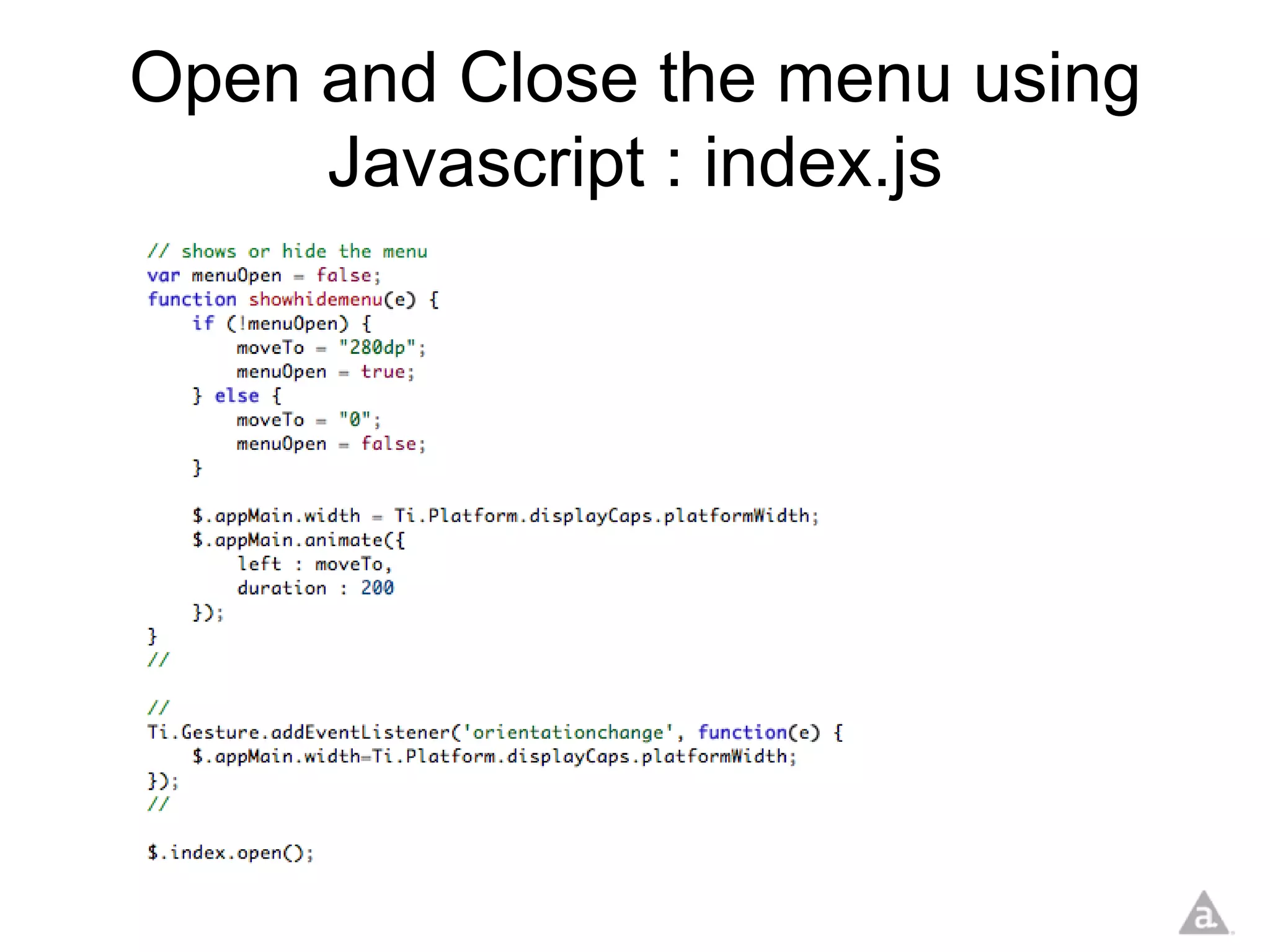
Open and Close the menu using
     Javascript : index.js
Live Demo
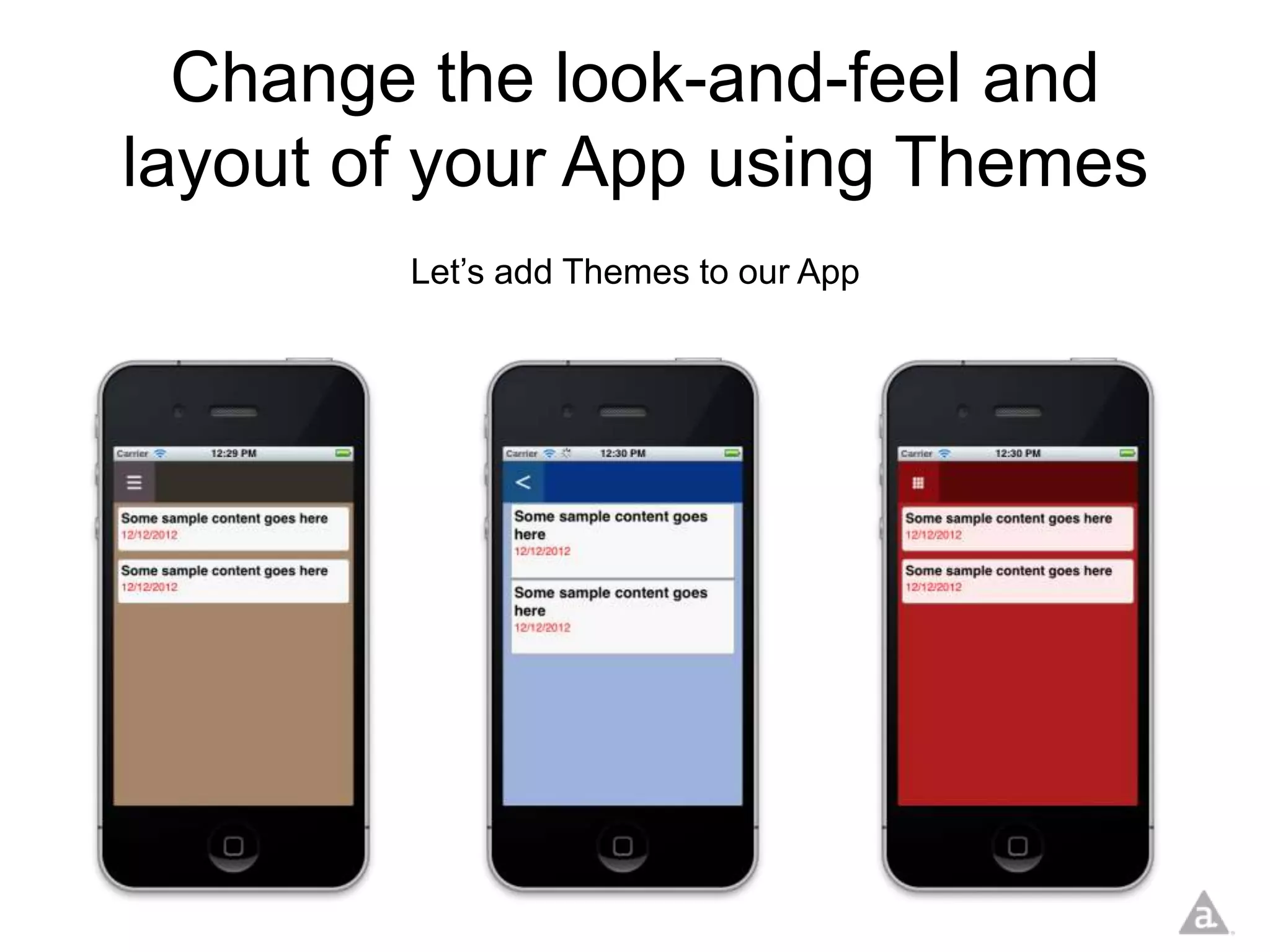
Change the look-and-feel and
layout of your App using Themes
        Let’s add Themes to our App
Themes
Live Demo
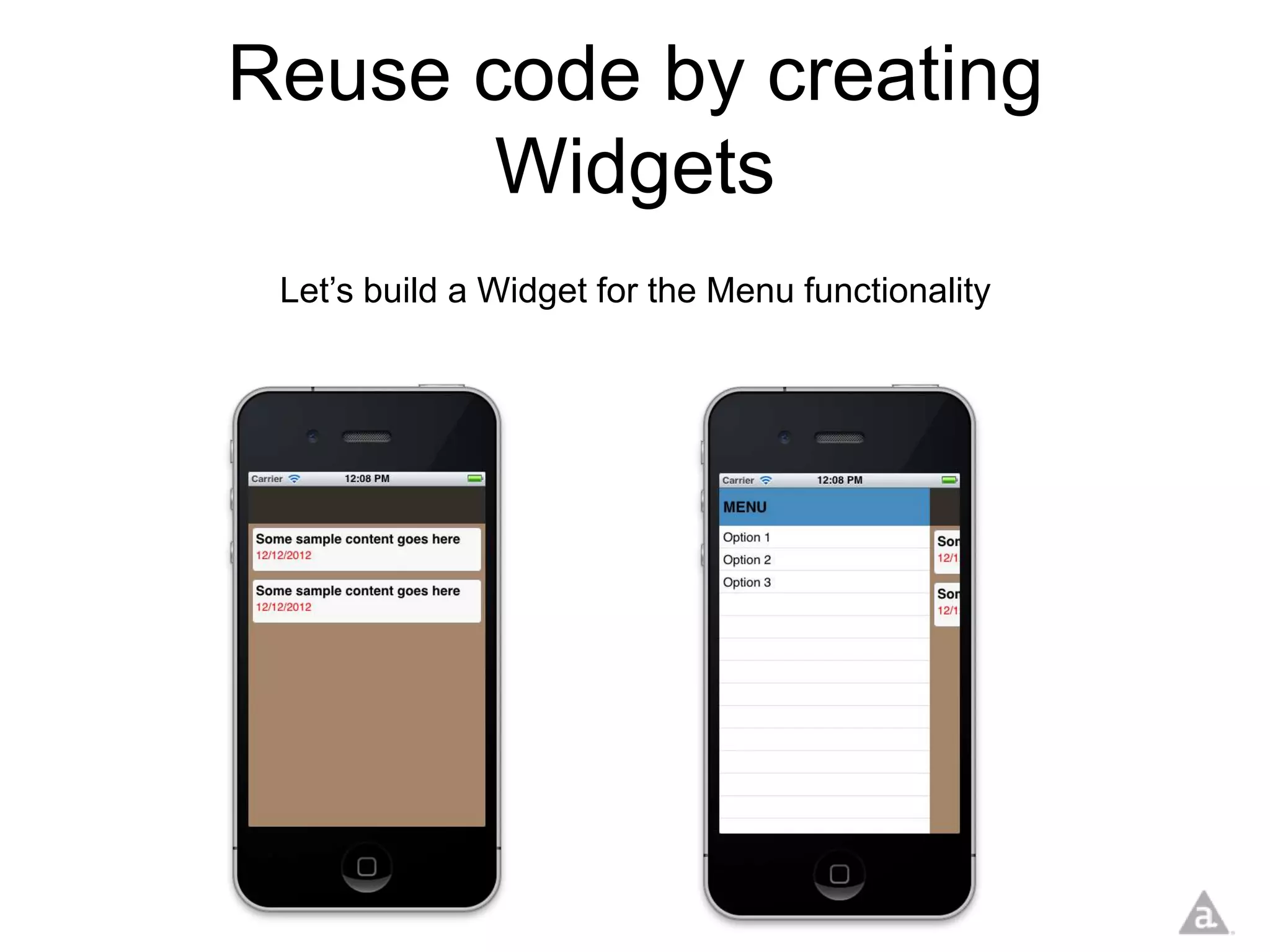
Reuse code by creating
       Widgets
 Let’s build a Widget for the Menu functionality
Widgets are like “mini-apps”

• Similar folder structure
• Instead of an “index”
  file, you have a “widget”
  file
Widget.json

• Contains meta-data about the Widget
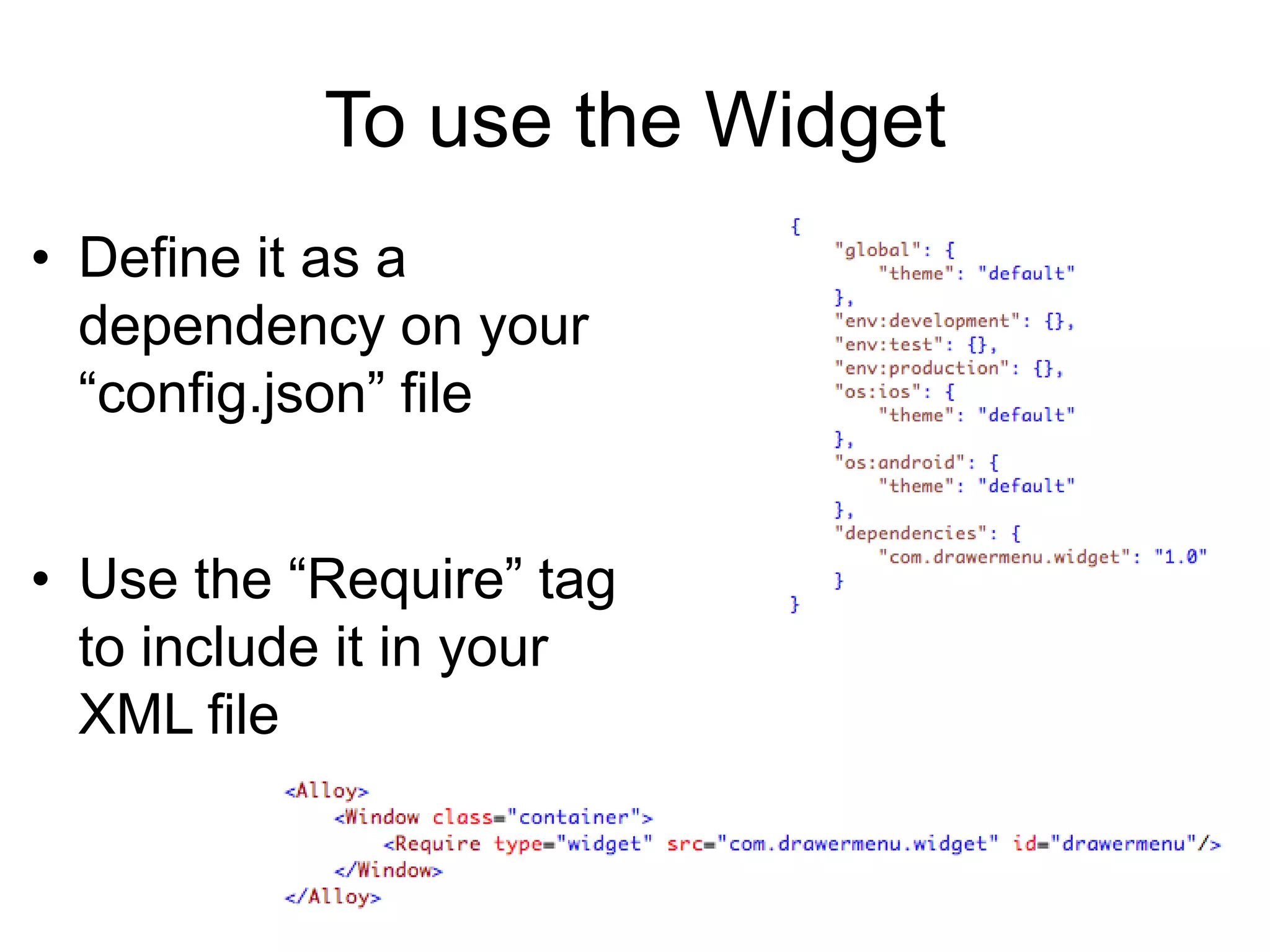
To use the Widget
• Define it as a
  dependency on your
  “config.json” file


• Use the “Require” tag
  to include it in your
  XML file
Live Demo
Adding data to your app
With Alloy you can use backbone.js
   to create data-bound controls
• Model creation is built into Titanium Studio
The “model file”
• The generated
  “model file” defines
  a data structure and
  a data store
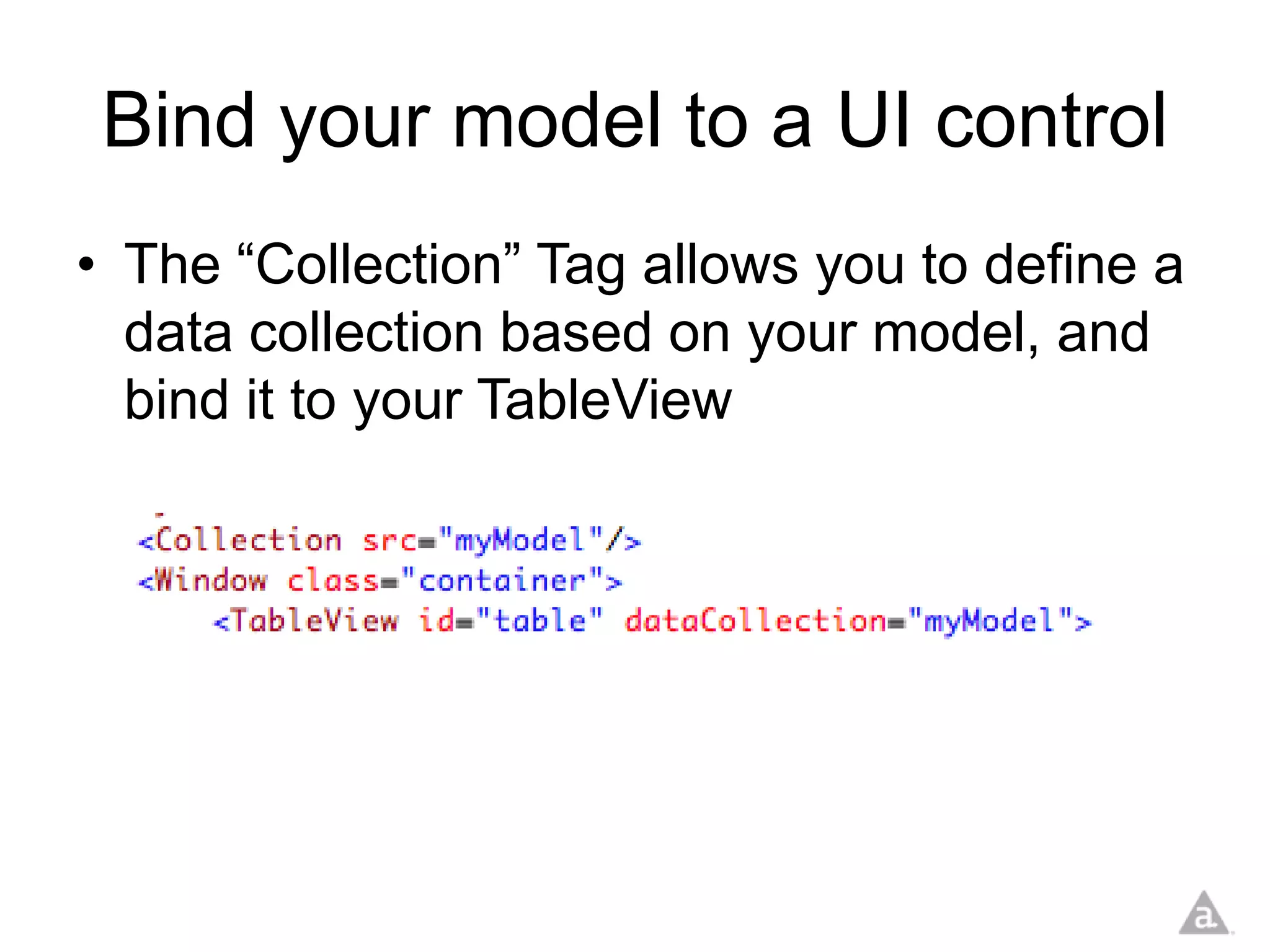
Bind your model to a UI control
• The “Collection” Tag allows you to define a
  data collection based on your model, and
  bind it to your TableView
Data can be added dynamically
• Reference data elements from within your
  XML
Live Demo
There’s much more!
•   Sync Adapters
•   Migrations
•   Underscore.js functionalities
•   Command-Line Interface (CLI)
•   Appcelerator Cloud Services (ACS)
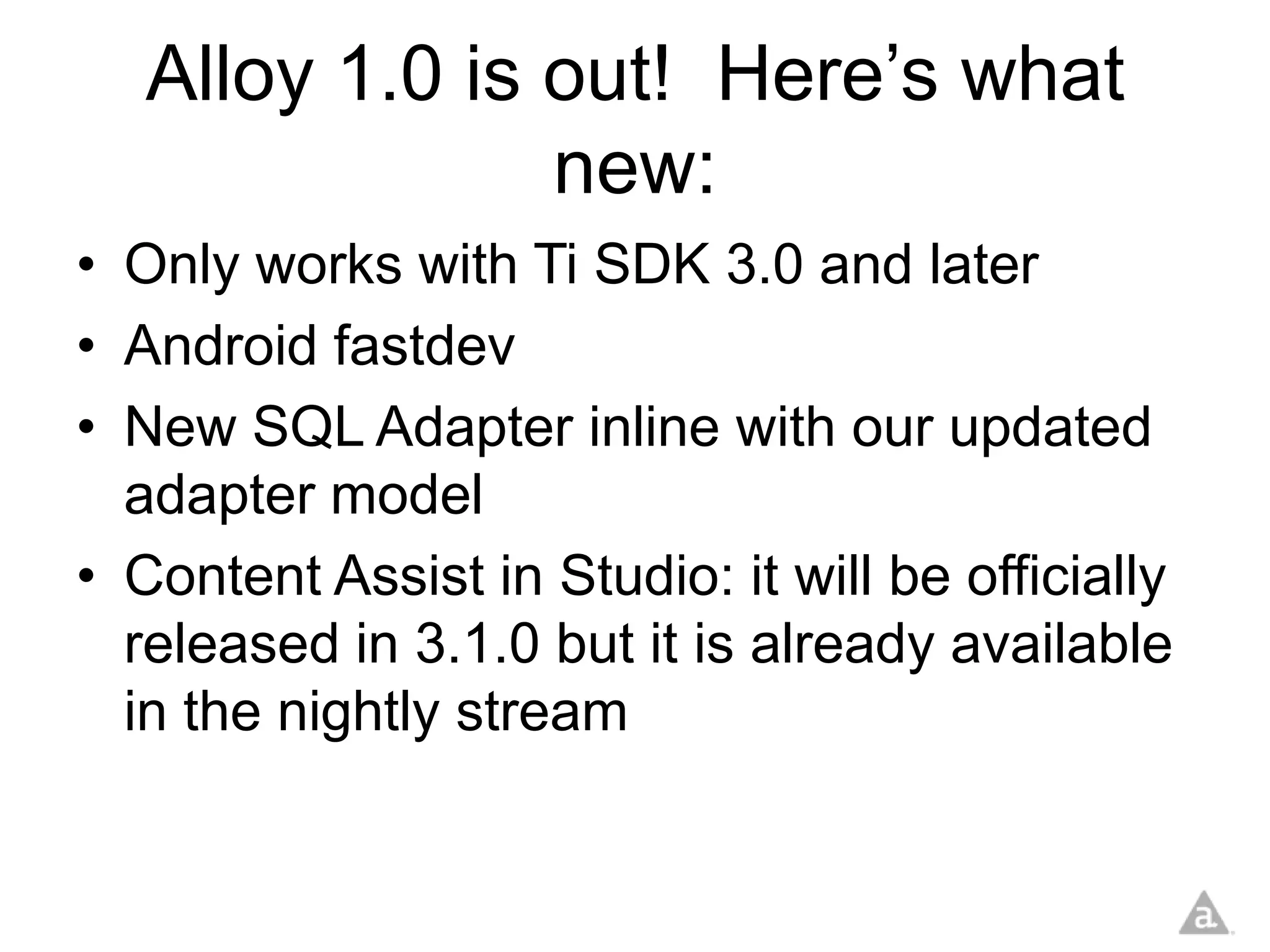
Alloy 1.0 is out! Here’s what
                new:
• Only works with Ti SDK 3.0 and later
• Android fastdev
• New SQL Adapter inline with our updated
  adapter model
• Content Assist in Studio: it will be officially
  released in 3.1.0 but it is already available
  in the nightly stream
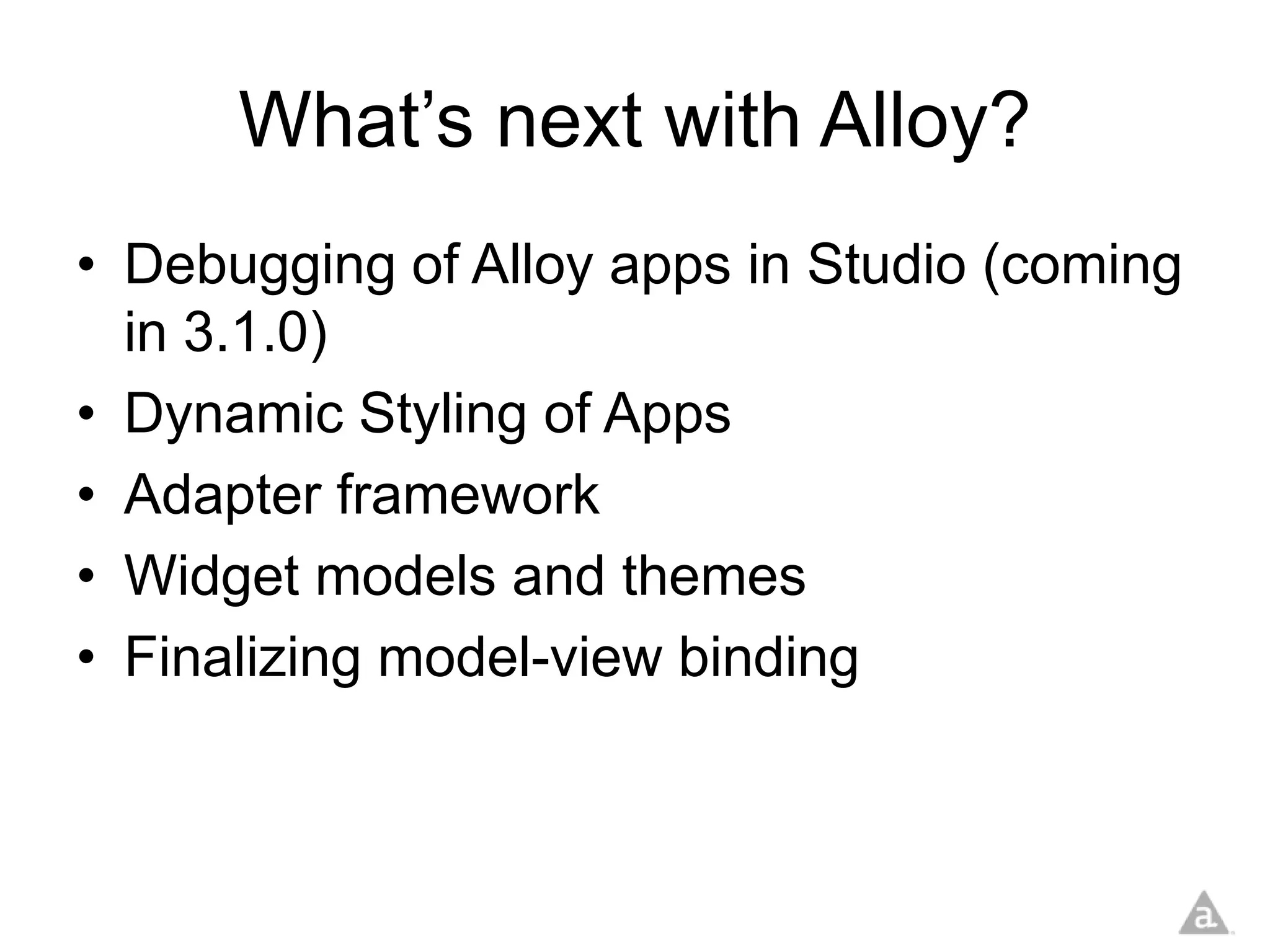
What’s next with Alloy?
• Debugging of Alloy apps in Studio (coming
  in 3.1.0)
• Dynamic Styling of Apps
• Adapter framework
• Widget models and themes
• Finalizing model-view binding
Code
• All code samples in this presentation can
  be found at:

     http://github.com/ricardoalcocer
Thank you
        Ricardo Alcocer
     ralcocer@appcelerator.com

Follow me on Twitter @ricardoalcocer

Appcelerator Alloy Deep Dive - tiTokyo 2013

  • 1.
    Appcelerator® Deep Dive tiTokyo February 16, 2013 Ricardo Alcocer Platform Evangelist @ Appcelerator, Inc. @ricardoalcocer ralcocer@appcelerator.com
  • 2.
    About me • Currentlywork as Appcelerator Platform Evangelist in the Silicon Valley Area • Have been developing Apps with Titanium since 2009 • Former Titanium trainer in the Caribbean and Latin America • Hacker in constant training
  • 3.
    Download Titanium Studio •Download Titanium Studio from appcelerator.com • Make sure you install and configure the necessary SDKs from Apple and Android
  • 4.
    Two flavors ofTitanium?
  • 5.
    Very simple Appin Titanium Classic
  • 6.
    Files organized bydirectories
  • 7.
  • 8.
  • 9.
  • 10.
    Enter the MVCPattern Business logic, data Model manipulation, etc What the user Routing, decision sees View Controller making .XML + .TSS Files .JS Files User
  • 11.
    What is Appcelerator®Alloy™? • Official MVC Framework for Titanium • Free and Open Source • Declarative UI • Widgets • Themes
  • 12.
    Why build anMVC Framework? • Help developers build scalable apps • Provide a basis for best practices on Titanium development • Simplify development of Titanium apps • Make Titanium more approachable to web developers and designers (use of XML, CSS) • Reduce the amount of code written • Set the foundation for widget/ component/ sample libraries
  • 13.
  • 14.
    Dramatic reduction ofrequired files
  • 15.
  • 16.
    Alloy provides advancedways of interacting with XML from Javascript
  • 17.
    Basic Folder Structure App Logic App styling (colors, positioning, etc) User Interface Definition
  • 18.
  • 19.
  • 20.
    User Interface Definition Main View Definition
  • 21.
    User Interface Definition Main View Definition
  • 22.
    Open and Closethe menu using Javascript : index.js
  • 23.
  • 24.
    Change the look-and-feeland layout of your App using Themes Let’s add Themes to our App
  • 25.
  • 26.
  • 27.
    Reuse code bycreating Widgets Let’s build a Widget for the Menu functionality
  • 28.
    Widgets are like“mini-apps” • Similar folder structure • Instead of an “index” file, you have a “widget” file
  • 29.
  • 30.
    To use theWidget • Define it as a dependency on your “config.json” file • Use the “Require” tag to include it in your XML file
  • 31.
  • 32.
  • 33.
    With Alloy youcan use backbone.js to create data-bound controls • Model creation is built into Titanium Studio
  • 34.
    The “model file” •The generated “model file” defines a data structure and a data store
  • 35.
    Bind your modelto a UI control • The “Collection” Tag allows you to define a data collection based on your model, and bind it to your TableView
  • 36.
    Data can beadded dynamically • Reference data elements from within your XML
  • 37.
  • 38.
    There’s much more! • Sync Adapters • Migrations • Underscore.js functionalities • Command-Line Interface (CLI) • Appcelerator Cloud Services (ACS)
  • 39.
    Alloy 1.0 isout! Here’s what new: • Only works with Ti SDK 3.0 and later • Android fastdev • New SQL Adapter inline with our updated adapter model • Content Assist in Studio: it will be officially released in 3.1.0 but it is already available in the nightly stream
  • 40.
    What’s next withAlloy? • Debugging of Alloy apps in Studio (coming in 3.1.0) • Dynamic Styling of Apps • Adapter framework • Widget models and themes • Finalizing model-view binding
  • 41.
    Code • All codesamples in this presentation can be found at: http://github.com/ricardoalcocer
  • 42.
    Thank you Ricardo Alcocer ralcocer@appcelerator.com Follow me on Twitter @ricardoalcocer