Kickstart Android
Development with Xamarin
Build Native Apps using the power of C# with Visual Studio
Who am I
• Write C# and TypeScript (JavaScript)
Code wherever possible
• Make some contribution in Github
(https://github.com/foyzulkarim)
• Make some videos in YouTube
(https://www.youtube.com/foyzulka
rim)
• Write some technical post
(http://learn.foyzulkarim.com)
• Building SaaS Platform for local e-
commerce industry
(https://www.facebook.com/bizbook
365)
• Senior Software Engineer at Cefalo
• Founder and CEO at Code Coopers
What do I do
Agenda
• What is Xamarin (aka. Xamarin.Forms)
• Our first app
• Deep dive
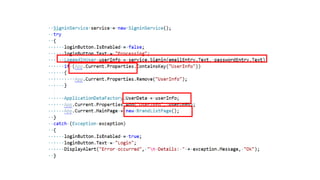
• Talk with REST
• Database
• Sync Mechanism
To make you confidant and excited enough to start working on Xamarin on your own
Xamarin
• History
• Started as Mono in 2001
• Novell bought it in 2003
• Attachmate bought it in 2011
• Microsoft bought it in 2016
• How it works (brief)
• C# has equivalent reference class
• For iOS, AOT compilation makes .ipa
• For Android, JIT makes .apk
• No Cordova type of magic here
• Pre-requisites
• Need to know any OOP language (Java/C# etc)
• Tools
• Visual Studio
• And a lot of spaces (30 to 40 GB)
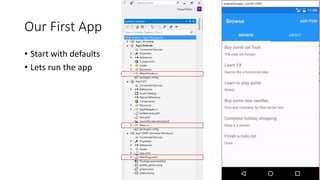
Our First App
• Start with defaults
• Lets run the app
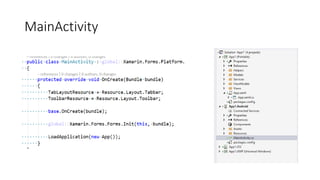
MainActivity
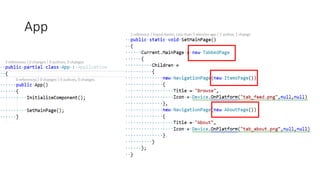
App
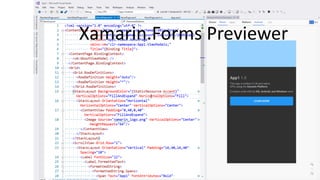
Xamarin.Forms Previewer
What are these ‘gibberish’ things
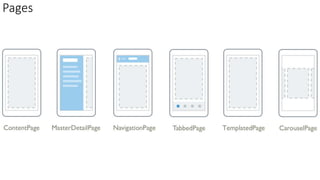
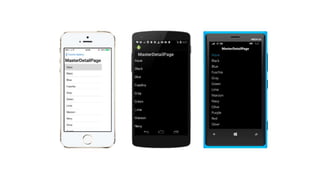
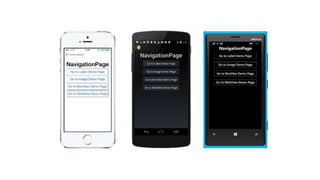
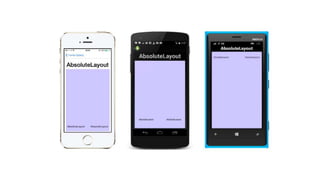
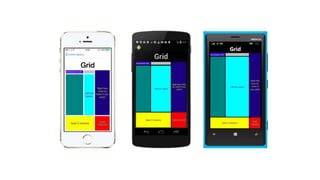
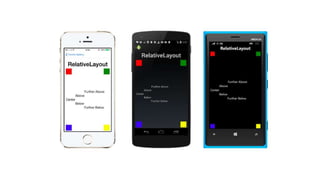
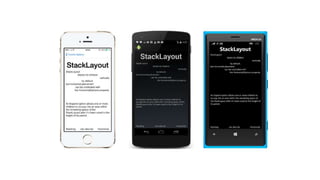
• Pages : How the screens will be organized in top level
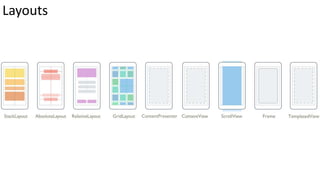
• Layouts: How the individual screen will be organized using controls
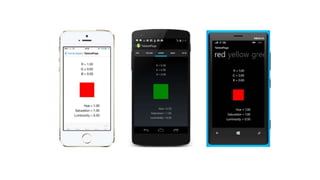
• Views: Simply its just controls
Everything (or almost everything) in Xamarin can be written in C#.
So you can skip XAML, MVVM etc. things if you don’t want to learn.
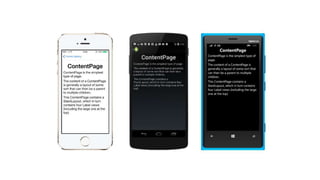
Pages
Layouts
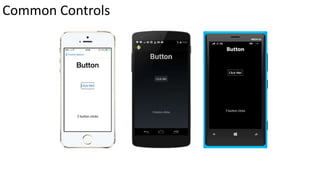
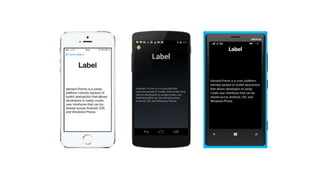
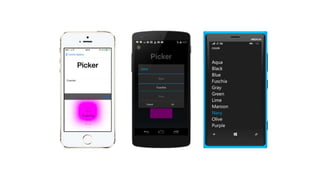
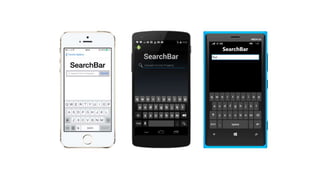
Common Controls
What do I need to do
if I want to create a sign in page?
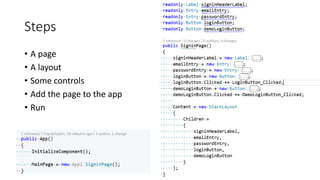
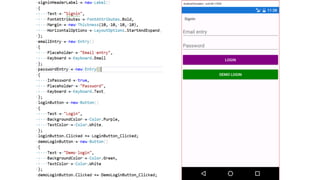
Steps
• A page
• A layout
• Some controls
• Add the page to the app
• Run
Demo (002 - App2 – signin)
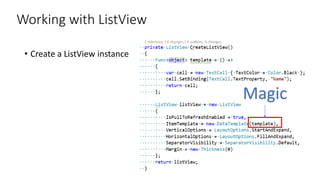
Working with ListView
• Create a ListView instance
Magic
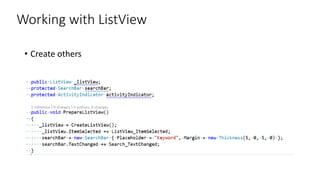
Working with ListView
• Create others
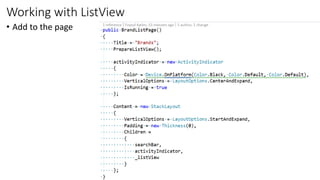
Working with ListView
• Add to the page
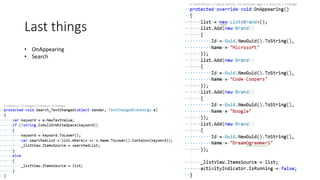
Last things
• OnAppearing
• Search
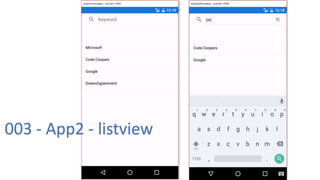
003 - App2 - listview
What's next?
• Go to detail
• Load the data into stack layout
• Add the stack layout to the page
• Easy !!!
Talk with REST
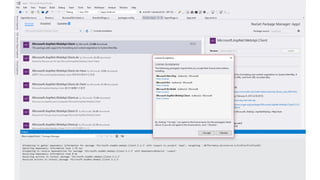
• Install package
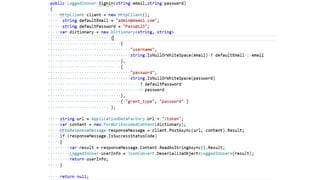
• Microsoft.AspNet.WebApi.Client
• Newtonsoft.Json
004 - App2 - Signin
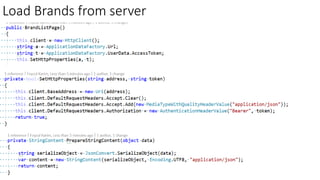
Load Brands from server
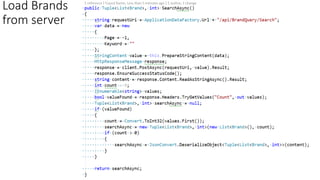
Load Brands
from server
005 - App2 - REST
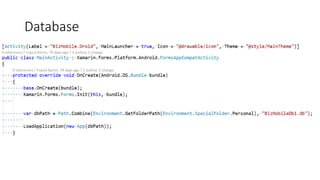
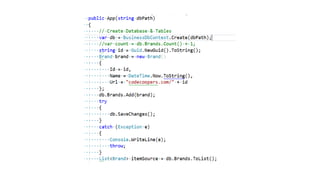
Database
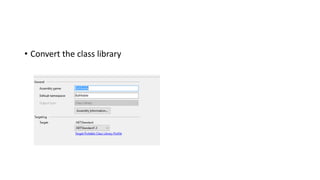
• Convert the class library
BizMobileCore
Even more advanced???
Where to go from here?
• xamarin.com
• mva.microsoft.com
• Xamarin.Forms by Charles Petzold (Free)

Kickstart android development with xamarin

  • 1.
    Kickstart Android Development withXamarin Build Native Apps using the power of C# with Visual Studio
  • 2.
    Who am I •Write C# and TypeScript (JavaScript) Code wherever possible • Make some contribution in Github (https://github.com/foyzulkarim) • Make some videos in YouTube (https://www.youtube.com/foyzulka rim) • Write some technical post (http://learn.foyzulkarim.com) • Building SaaS Platform for local e- commerce industry (https://www.facebook.com/bizbook 365) • Senior Software Engineer at Cefalo • Founder and CEO at Code Coopers What do I do
  • 3.
    Agenda • What isXamarin (aka. Xamarin.Forms) • Our first app • Deep dive • Talk with REST • Database • Sync Mechanism To make you confidant and excited enough to start working on Xamarin on your own
  • 4.
    Xamarin • History • Startedas Mono in 2001 • Novell bought it in 2003 • Attachmate bought it in 2011 • Microsoft bought it in 2016 • How it works (brief) • C# has equivalent reference class • For iOS, AOT compilation makes .ipa • For Android, JIT makes .apk • No Cordova type of magic here • Pre-requisites • Need to know any OOP language (Java/C# etc) • Tools • Visual Studio • And a lot of spaces (30 to 40 GB)
  • 5.
    Our First App •Start with defaults • Lets run the app
  • 6.
  • 7.
  • 8.
  • 9.
    What are these‘gibberish’ things • Pages : How the screens will be organized in top level • Layouts: How the individual screen will be organized using controls • Views: Simply its just controls Everything (or almost everything) in Xamarin can be written in C#. So you can skip XAML, MVVM etc. things if you don’t want to learn.
  • 10.
  • 15.
  • 20.
  • 25.
    What do Ineed to do if I want to create a sign in page?
  • 26.
    Steps • A page •A layout • Some controls • Add the page to the app • Run
  • 28.
    Demo (002 -App2 – signin)
  • 29.
    Working with ListView •Create a ListView instance Magic
  • 30.
  • 31.
  • 32.
  • 33.
    003 - App2- listview
  • 34.
    What's next? • Goto detail • Load the data into stack layout • Add the stack layout to the page • Easy !!!
  • 35.
    Talk with REST •Install package • Microsoft.AspNet.WebApi.Client • Newtonsoft.Json
  • 39.
    004 - App2- Signin
  • 40.
  • 41.
  • 42.
    005 - App2- REST
  • 43.
  • 44.
    • Convert theclass library
  • 46.
  • 47.
  • 48.
    Where to gofrom here? • xamarin.com • mva.microsoft.com • Xamarin.Forms by Charles Petzold (Free)