


Achieving
Performance in
      C#
    Roman Atachiants
Contents
•   Introduction
•   Memory Management
•   Flow and Control Structures
•   Data Structures
•   Function Calls
•   Questions
Introduction
“Premature optimization is the root of all evil”
            Prof. Donald Knuth
Software
• Correct
• Maintainable
• Fast
When & Where
• One should not optimize everything prematurely
• One should keep in mind good programming practices
• One should evaluate the
The Secret
Not to do ANY work.
Memory Management
“The memory management on PowerPC can be used to frighten small
                         children”
                      Linus Torvalds
GC
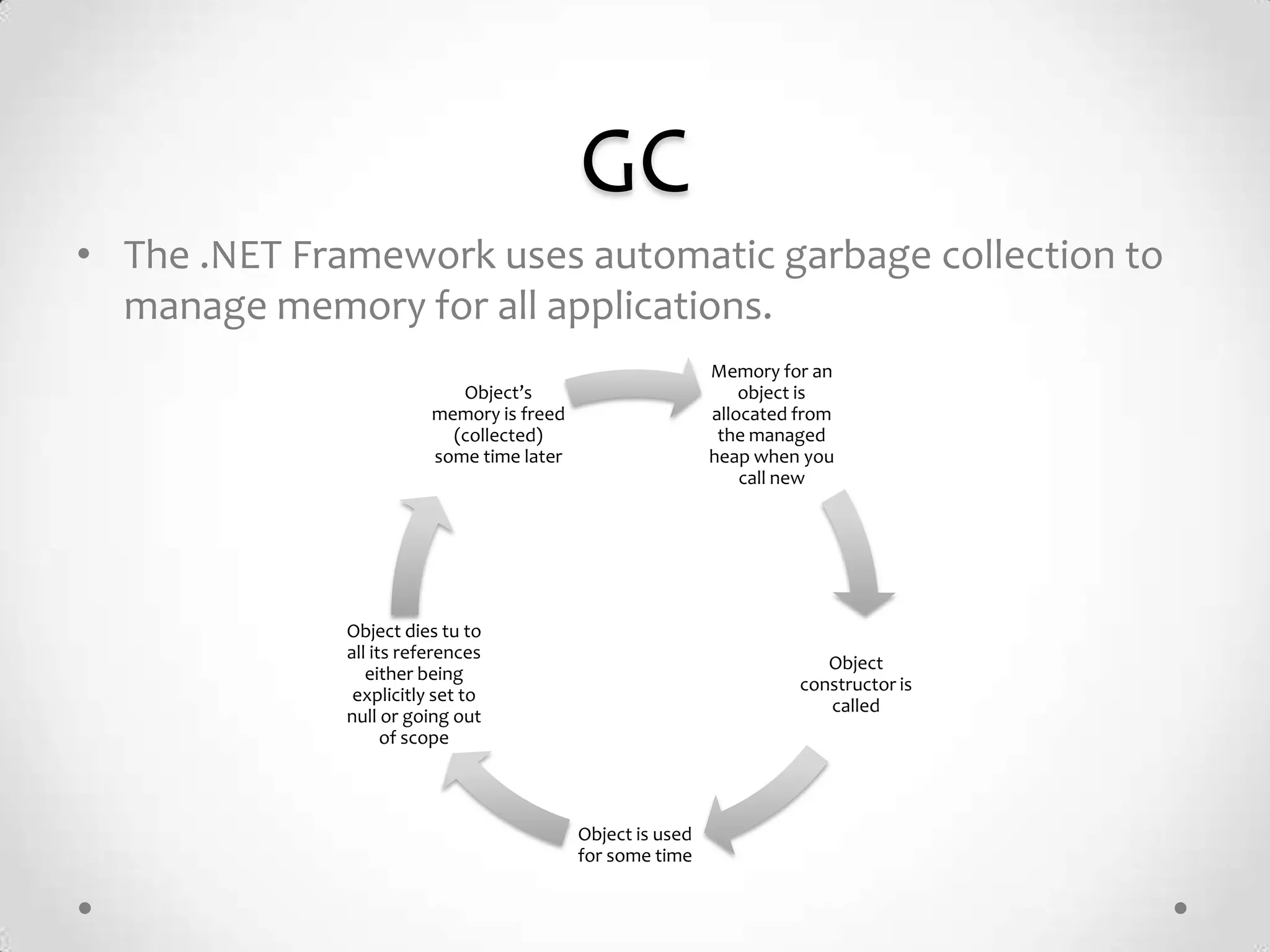
• The .NET Framework uses automatic garbage collection to
  manage memory for all applications.
                                                            Memory for an
                            Object’s                            object is
                         memory is freed                    allocated from
                           (collected)                       the managed
                         some time later                    heap when you
                                                                call new


              Object dies tu to
              all its references
                                                                         Object
                 either being
                                                                      constructor is
               explicitly set to
                                                                         called
              null or going out
                    of scope


                                           Object is used
                                           for some time
Assemblies
• Prefer single large assemblies rather than multiple smaller
  assemblies
• Overhead:
   o The cost of loading metadata for smaller assemblies
   o Touching various memory pages in pre-compiled images in the CLR in order to load
     the assembly (Ngen)
   o JIT compile time
   o Security checks

• Sometimes you cannot avoid splitting assemblies; for
  example, for versioning and deployment reasons. If you
  need to ship types separately, you may need separate
  assemblies.
Memory
• Allocation:
   o Is super fast!

• Free:
   o Is super slow!

• You want to avoid freeing memory. The easiest way to do
  so is not to allocate in the first place.
Reuse Memory
                                        • Do not use a new in a loop
for (int i = 0; i < 100; ++i)             unless you really need to.
{
  var numbers = new int[10];
  // (...) Do something with numbers

    Console.WriteLine(numbers.Sum());
}


var numbers = new int[10];
for (int i = 0; i < 100; ++i)
{
  // (...) Do something with numbers

    Console.WriteLine(numbers.Sum());
}
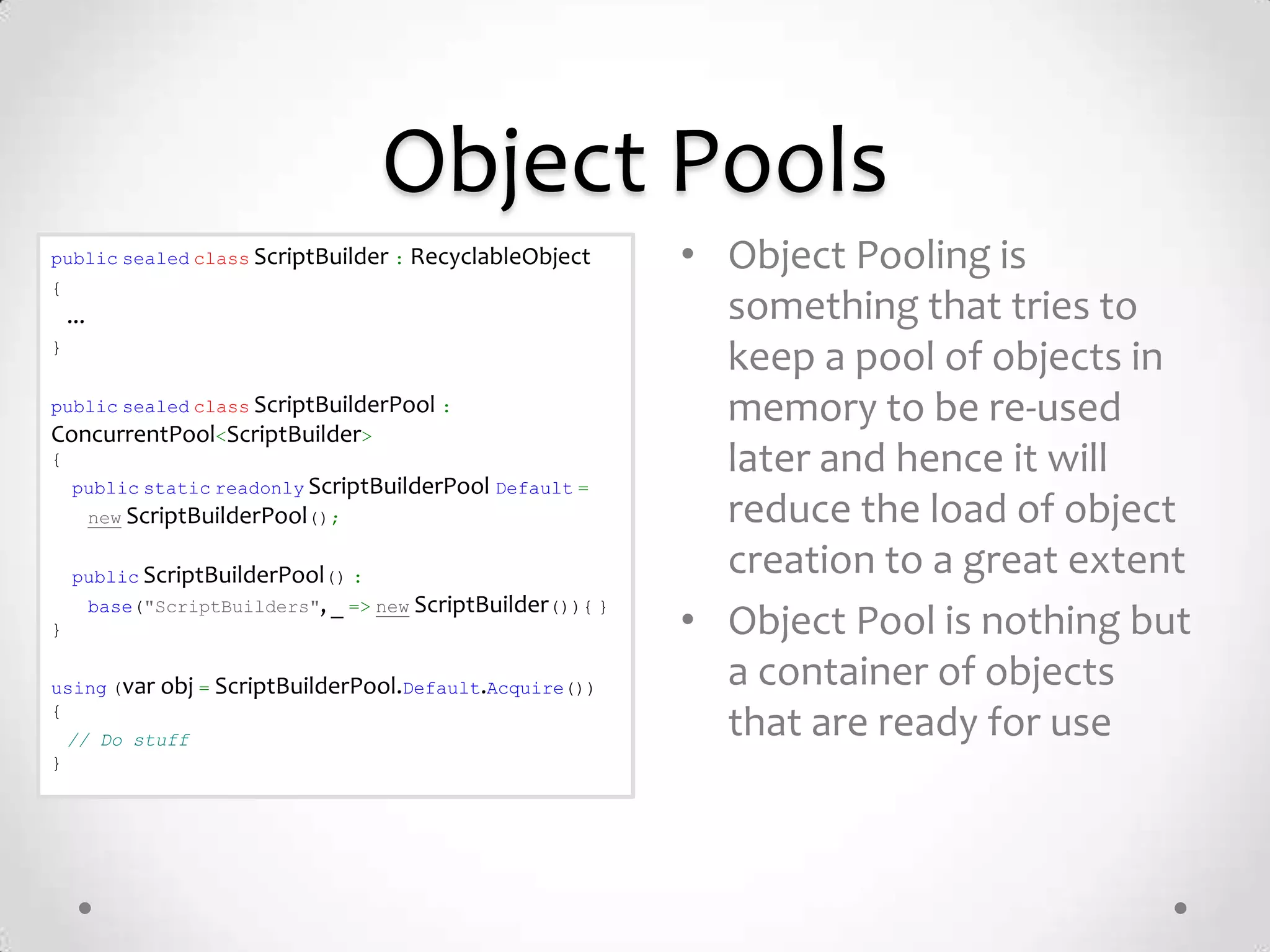
Object Pools
public sealed class ScriptBuilder : RecyclableObject            • Object Pooling is
{
    ...                                                           something that tries to
}
                                                                  keep a pool of objects in
public sealed class ScriptBuilderPool :                           memory to be re-used
ConcurrentPool<ScriptBuilder>
{                                                                 later and hence it will
    public static readonly ScriptBuilderPool Default =
          new ScriptBuilderPool();                                reduce the load of object
    public ScriptBuilderPool() :
                                                                  creation to a great extent
          base("ScriptBuilders", _ => new ScriptBuilder()){ }
}                                                               • Object Pool is nothing but
using (var obj = ScriptBuilderPool.Default.Acquire())             a container of objects
{
    // Do stuff
                                                                  that are ready for use
}
Class Design
•   Do not make classes thread safe by default.
•   Consider using the sealed keyword.
•   Consider the tradeoffs of virtual members.
•   Consider using overloaded methods.
•   Consider overriding the Equals method for value types.
•   Know the cost of accessing a property.
•   Consider private vs. public member variables.
•   Limit the use of volatile fields.
Class vs Struct
• Class
   o A reference type
   o Lives in the heap
   o Slower

• Struct
   o A value type
   o Lives in the stack
   o Faster

• … But, never use structs that are bigger than 16 bytes. Use
  them wisely.
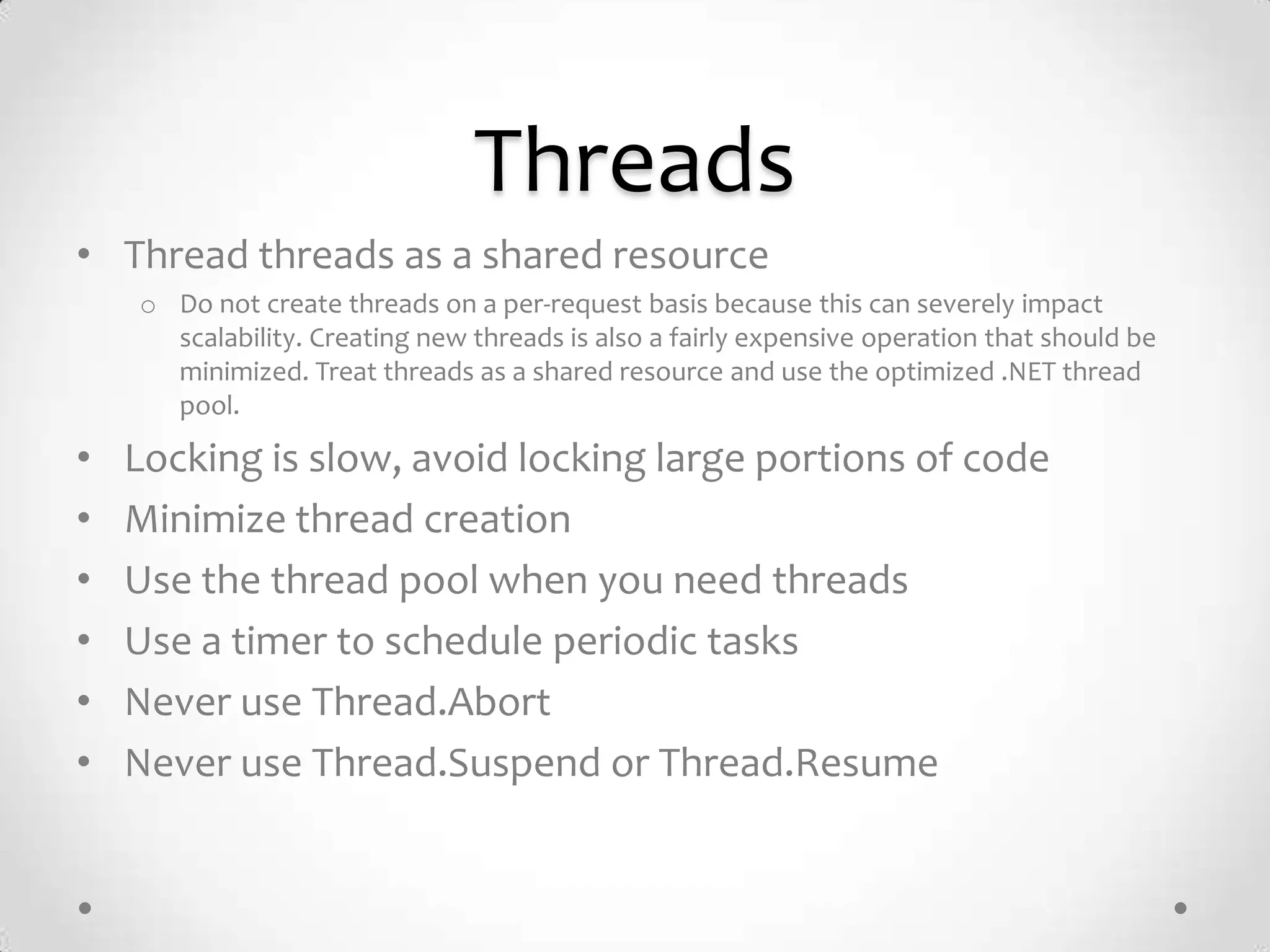
Threads
• Thread threads as a shared resource
    o Do not create threads on a per-request basis because this can severely impact
      scalability. Creating new threads is also a fairly expensive operation that should be
      minimized. Treat threads as a shared resource and use the optimized .NET thread
      pool.

•   Locking is slow, avoid locking large portions of code
•   Minimize thread creation
•   Use the thread pool when you need threads
•   Use a timer to schedule periodic tasks
•   Never use Thread.Abort
•   Never use Thread.Suspend or Thread.Resume
Flow & Control
 “It is practically impossible to teach good programming style to students
that have had prior exposure to BASIC. As potential programmers, they are
              mentally mutilated beyond hope of regeneration.”
                                  E. W. Dijkstra
For vs For..Each
                               • For and for .. each loops
foreach(var item in List)
                                 are different:
{                                 o For each is less performant than a
 // do something with item          for loop
}
                                  o For each creates garbage

int count = List.Length;
                               • Always prefer for loops for
for(int i=0; i < count; ++i)
{
                                 critical code
 var item = List[i];
 // do something with item     • Any idea why?
}
Switch vs If
            Matching     Non-
                                         • A switch statement
                         Matching          compiles to a different set
                                           of instructions and
Switch      15,7 sec     0,0 sec           optimized for fast state-
Statement
                                           machines.
If          20,7 sec     0,1 sec
Statement                                • Because each case within a
                                           switch statement does not
                                           rely on earlier cases, the
                                           compiler is able to re-order
                                           the testing in such a way as
                                           to provide the fastest
                                           execution.
Reference: http://www.blackwasp.co.uk/SpeedTestIfElseSwitch_2.aspx
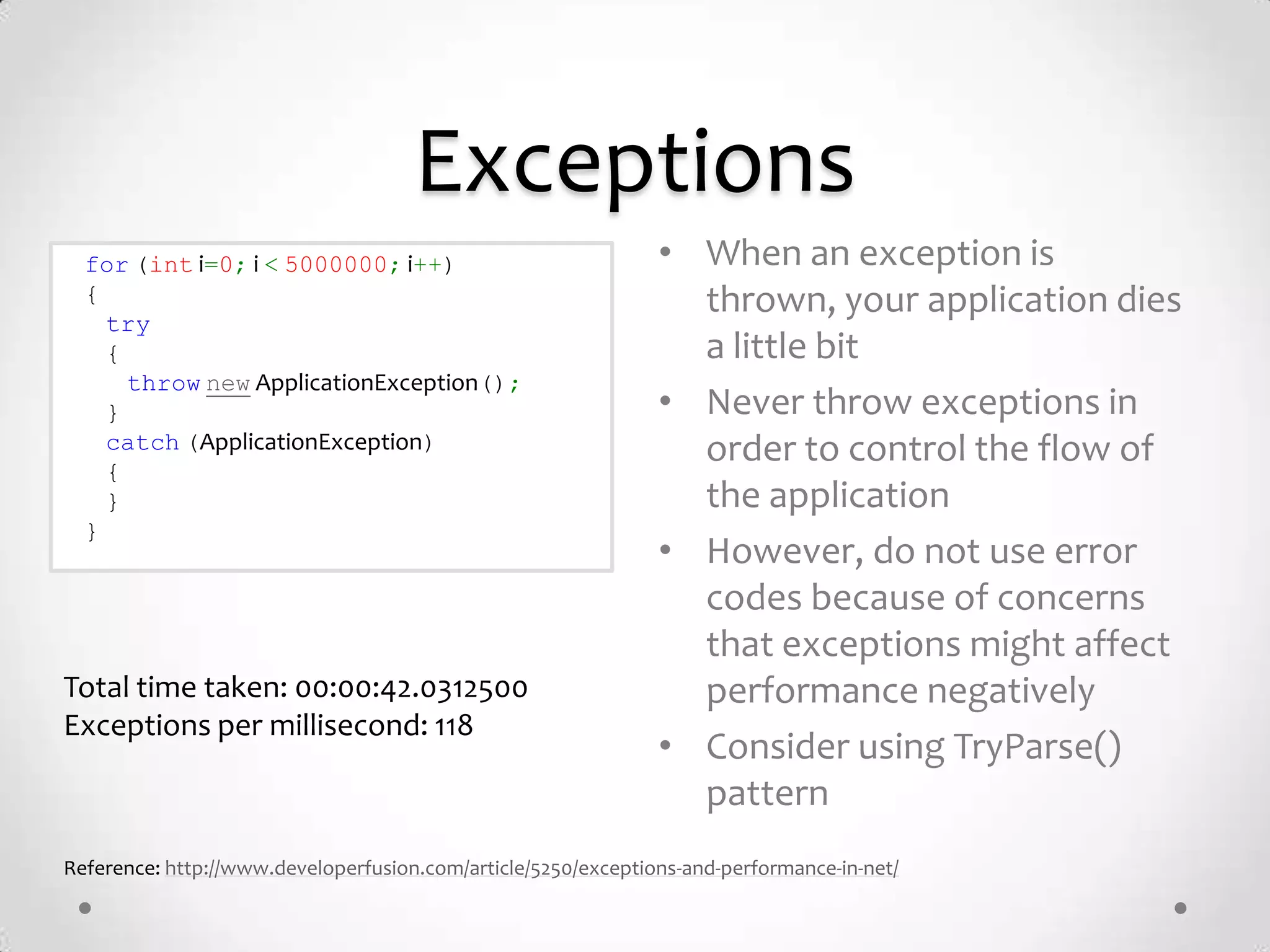
Exceptions
  for (int i=0; i < 5000000; i++)                              • When an exception is
  {                                                              thrown, your application dies
    try
    {                                                            a little bit
      throw new ApplicationException();
    }                                                          • Never throw exceptions in
    catch (ApplicationException)                                 order to control the flow of
    {
    }                                                            the application
  }
                                                               • However, do not use error
                                                                 codes because of concerns
                                                                 that exceptions might affect
Total time taken: 00:00:42.0312500                               performance negatively
Exceptions per millisecond: 118
                                                               • Consider using TryParse()
                                                                 pattern
Reference: http://www.developerfusion.com/article/5250/exceptions-and-performance-in-net/
Data Structures
“Most software today is very much like an Egyptian pyramid with millions of
 bricks piled on top of each other, with no structural integrity, but just done
                   by brute force and thousands of slaves.”
                                    Alan Kay
Strings
string BadConcatenate(string[] items)
                                         • C# strings are immutable
    string strRet = string.Empty;
    foreach(string item in items)        • Prefer String.Concat() to
    {
      strRet += item;                      String.Format()
    }
    return strRet;                       • StringBuilder is the only
}
                                           way to have mutable
string GoodConcatenate(string[] items)     strings, but still creates
{
  var builder = new StringBuilder();
                                           some garbage.
  foreach(string item in items)
  {
    builder.Append(item);
  }
  return builder.ToString();
}
Collections
• Use the right type of the collection for your work
• Stop using List<T> for everything
• Ask yourself:
   o   Do you need to sort your collection?
   o   Do you need to search your collection?
   o   Do you need to access each element by index?
   o   Do you need a custom collection?
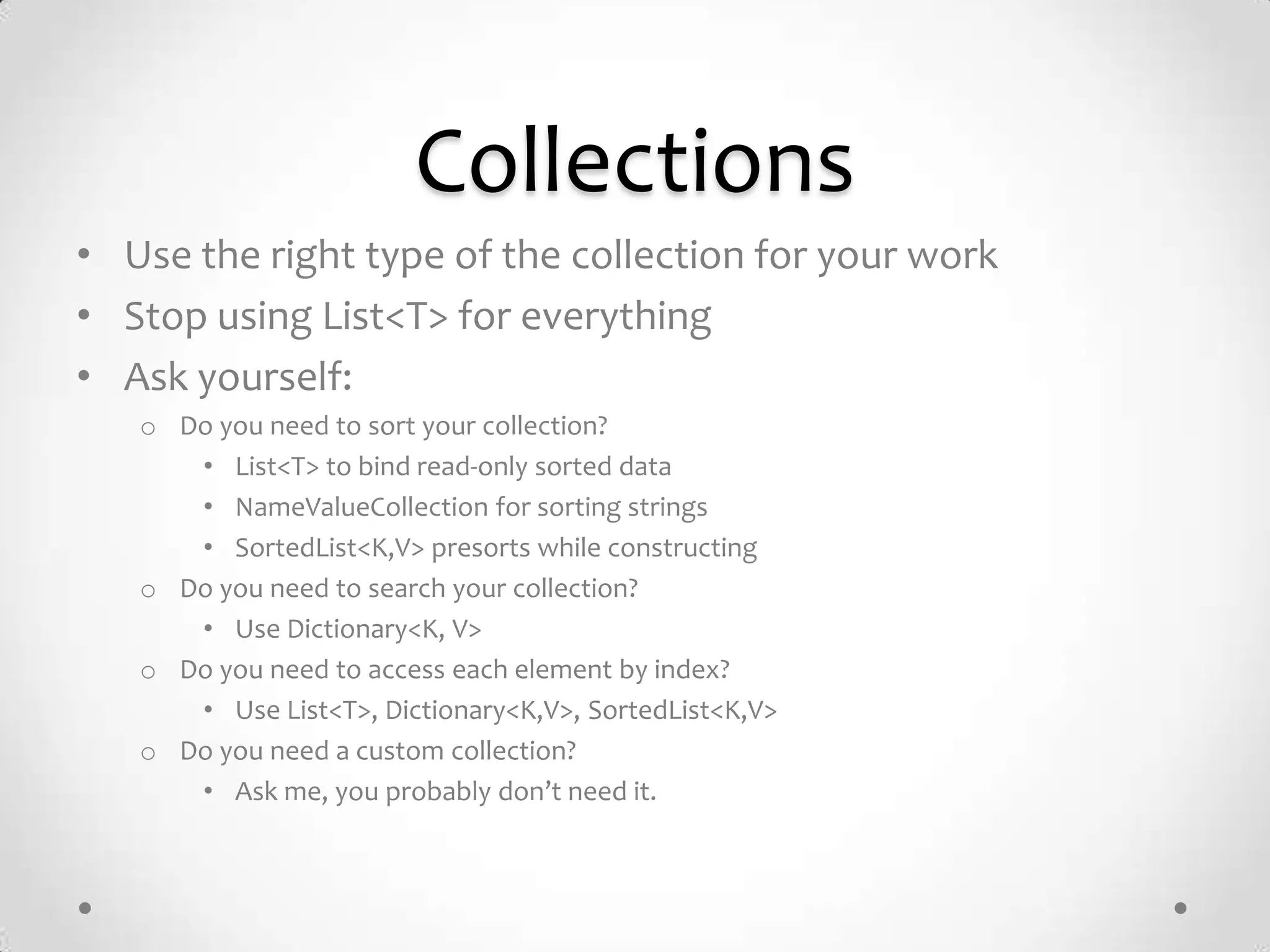
Collections
• Use the right type of the collection for your work
• Stop using List<T> for everything
• Ask yourself:
   o Do you need to sort your collection?
      • List<T> to bind read-only sorted data
      • NameValueCollection for sorting strings
      • SortedList<K,V> presorts while constructing
   o Do you need to search your collection?
      • Use Dictionary<K, V>
   o Do you need to access each element by index?
      • Use List<T>, Dictionary<K,V>, SortedList<K,V>
   o Do you need a custom collection?
      • Ask me, you probably don’t need it.
Arrays
// 2D array of 100 x 100 elements.
for (int a = 0; a < 100; a++)            • Multidimensional Arrays [,]
{
  for (int x = 0; x < 100; x++)
                                           are slow.
  {
    int c = a1[a, x];
                                         • Prefer jagged [][] arrays.
}
  }                                      • Arrays have a static size.
                                           The size of the array
// Jagged array of 100 x 100
elements.                                  remains fixed after initial
for (int a = 0; a < 100; a++)
{
                                           allocation.
  for (int x = 0; x < 100; x++)
  {
    int c = a2[a][x];                       2D array looping: 4571 ms
  }                                         Jagged array looping: 2864 ms [faster]
}


             Reference: http://www.dotnetperls.com/regex-performance
RegEx
static Regex wordRegex = new              • A regular expression is
Regex(@"W+", RegexOptions.Compiled);
                                            essentially a state machine
static void Main()
{                                         • Always use
  string s = "This is a simple /string/
for Regex.";
                                            RegexOptions.Compiled if
  string[] c = wordRegex.Split(s);          you plan to reuse a regular
  foreach (string m in c)
  {                                         expression
    Console.WriteLine(m);
  }                                       • RegexOptions.Compiled
}
                                            takes 10x longer to
                                            startup, but yields 30%
                                            better runtime.
          Reference: http://www.dotnetperls.com/regex-performance
Functions
“Controlling complexity is the essence of computer programming”
                         Brian Kernighan
Inline
                                            • You want the compiler
                                              to inline methods
public class MyClass{
  protected virtual void SomeMethod()       • Mark them as sealed
 { ... }
}                                           • This code ends the chain
public class DerivedClass : MyClass {
                                              of virtual overrides and
  protected override sealed void              makes DerivedClass.
   SomeMethod () { ... }
}                                             SomeMethod a
                                              candidate for inlining
Copying Buffers
int[] arr1 = new int[] { 1, 2, 3, 4, 5 };
int[] arr2 = new int[10];                   • Never copy buffers with a
// Copy the first twenty bytes from
                                              loop, prefer
arr1 to arr2                                  Buffer.BlockCopy() or
Buffer.BlockCopy(arr1, 0, arr2, 0,
 5 * sizeof(int)                              Array.Copy()
);
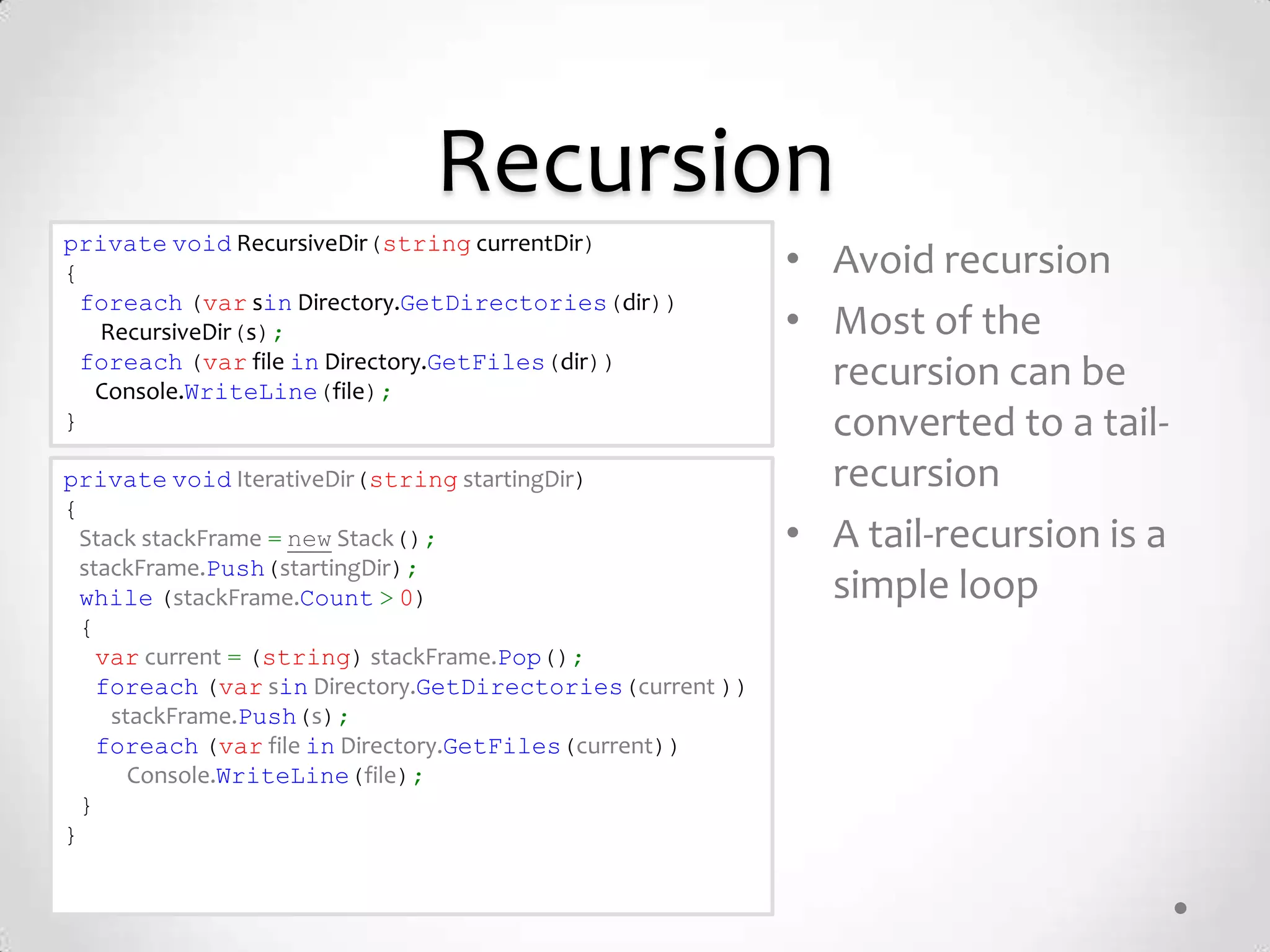
Recursion
private void RecursiveDir(string currentDir)
{                                                          • Avoid recursion
  foreach (var sin Directory.GetDirectories(dir))
   RecursiveDir(s);                                        • Most of the
  foreach (var file in Directory.GetFiles(dir))
   Console.WriteLine(file);
                                                             recursion can be
}                                                            converted to a tail-
private void IterativeDir(string startingDir)                recursion
{
  Stack stackFrame = new Stack();                          • A tail-recursion is a
  stackFrame.Push(startingDir);
  while (stackFrame.Count > 0)                               simple loop
  {
    var current = (string) stackFrame.Pop();
    foreach (var sin Directory.GetDirectories(current ))
     stackFrame.Push(s);
    foreach (var file in Directory.GetFiles(current))
       Console.WriteLine(file);
  }
}
More Tips (1)
•   LINQ is slow, never use it if you need performance
•   Never use reflection if you need performance
•   Keep IO Buffer Size Between 4KB and 8KB
•   Always use Asynchronous IO (Uses IOCP on Windows)
•   ASP.NET: cache aggressively
•   ASP.NET: use session state only if you need to
•   ASP.NET: remove unnecessary HttpModules
•   Experiment!
More Tips (2)
• Reduce boundary crossings (Unmanaged/Managed, Cross
  Process, Cross AppDomain)
• Prefer single large assemblies
• Never use GC.Collect() unless you know what you are doing
• Do not implement Finalize unless required
Questions?
Thank you for your attention!

Ahieving Performance C#

  • 1.
    Achieving Performance in C# Roman Atachiants
  • 2.
    Contents • Introduction • Memory Management • Flow and Control Structures • Data Structures • Function Calls • Questions
  • 3.
    Introduction “Premature optimization isthe root of all evil” Prof. Donald Knuth
  • 4.
  • 5.
    When & Where •One should not optimize everything prematurely • One should keep in mind good programming practices • One should evaluate the
  • 6.
    The Secret Not todo ANY work.
  • 7.
    Memory Management “The memorymanagement on PowerPC can be used to frighten small children” Linus Torvalds
  • 8.
    GC • The .NETFramework uses automatic garbage collection to manage memory for all applications. Memory for an Object’s object is memory is freed allocated from (collected) the managed some time later heap when you call new Object dies tu to all its references Object either being constructor is explicitly set to called null or going out of scope Object is used for some time
  • 9.
    Assemblies • Prefer singlelarge assemblies rather than multiple smaller assemblies • Overhead: o The cost of loading metadata for smaller assemblies o Touching various memory pages in pre-compiled images in the CLR in order to load the assembly (Ngen) o JIT compile time o Security checks • Sometimes you cannot avoid splitting assemblies; for example, for versioning and deployment reasons. If you need to ship types separately, you may need separate assemblies.
  • 10.
    Memory • Allocation: o Is super fast! • Free: o Is super slow! • You want to avoid freeing memory. The easiest way to do so is not to allocate in the first place.
  • 11.
    Reuse Memory • Do not use a new in a loop for (int i = 0; i < 100; ++i) unless you really need to. { var numbers = new int[10]; // (...) Do something with numbers Console.WriteLine(numbers.Sum()); } var numbers = new int[10]; for (int i = 0; i < 100; ++i) { // (...) Do something with numbers Console.WriteLine(numbers.Sum()); }
  • 12.
    Object Pools public sealedclass ScriptBuilder : RecyclableObject • Object Pooling is { ... something that tries to } keep a pool of objects in public sealed class ScriptBuilderPool : memory to be re-used ConcurrentPool<ScriptBuilder> { later and hence it will public static readonly ScriptBuilderPool Default = new ScriptBuilderPool(); reduce the load of object public ScriptBuilderPool() : creation to a great extent base("ScriptBuilders", _ => new ScriptBuilder()){ } } • Object Pool is nothing but using (var obj = ScriptBuilderPool.Default.Acquire()) a container of objects { // Do stuff that are ready for use }
  • 13.
    Class Design • Do not make classes thread safe by default. • Consider using the sealed keyword. • Consider the tradeoffs of virtual members. • Consider using overloaded methods. • Consider overriding the Equals method for value types. • Know the cost of accessing a property. • Consider private vs. public member variables. • Limit the use of volatile fields.
  • 14.
    Class vs Struct •Class o A reference type o Lives in the heap o Slower • Struct o A value type o Lives in the stack o Faster • … But, never use structs that are bigger than 16 bytes. Use them wisely.
  • 15.
    Threads • Thread threadsas a shared resource o Do not create threads on a per-request basis because this can severely impact scalability. Creating new threads is also a fairly expensive operation that should be minimized. Treat threads as a shared resource and use the optimized .NET thread pool. • Locking is slow, avoid locking large portions of code • Minimize thread creation • Use the thread pool when you need threads • Use a timer to schedule periodic tasks • Never use Thread.Abort • Never use Thread.Suspend or Thread.Resume
  • 16.
    Flow & Control “It is practically impossible to teach good programming style to students that have had prior exposure to BASIC. As potential programmers, they are mentally mutilated beyond hope of regeneration.” E. W. Dijkstra
  • 17.
    For vs For..Each • For and for .. each loops foreach(var item in List) are different: { o For each is less performant than a // do something with item for loop } o For each creates garbage int count = List.Length; • Always prefer for loops for for(int i=0; i < count; ++i) { critical code var item = List[i]; // do something with item • Any idea why? }
  • 18.
    Switch vs If Matching Non- • A switch statement Matching compiles to a different set of instructions and Switch 15,7 sec 0,0 sec optimized for fast state- Statement machines. If 20,7 sec 0,1 sec Statement • Because each case within a switch statement does not rely on earlier cases, the compiler is able to re-order the testing in such a way as to provide the fastest execution. Reference: http://www.blackwasp.co.uk/SpeedTestIfElseSwitch_2.aspx
  • 19.
    Exceptions for(int i=0; i < 5000000; i++) • When an exception is { thrown, your application dies try { a little bit throw new ApplicationException(); } • Never throw exceptions in catch (ApplicationException) order to control the flow of { } the application } • However, do not use error codes because of concerns that exceptions might affect Total time taken: 00:00:42.0312500 performance negatively Exceptions per millisecond: 118 • Consider using TryParse() pattern Reference: http://www.developerfusion.com/article/5250/exceptions-and-performance-in-net/
  • 20.
    Data Structures “Most softwaretoday is very much like an Egyptian pyramid with millions of bricks piled on top of each other, with no structural integrity, but just done by brute force and thousands of slaves.” Alan Kay
  • 21.
    Strings string BadConcatenate(string[] items) • C# strings are immutable string strRet = string.Empty; foreach(string item in items) • Prefer String.Concat() to { strRet += item; String.Format() } return strRet; • StringBuilder is the only } way to have mutable string GoodConcatenate(string[] items) strings, but still creates { var builder = new StringBuilder(); some garbage. foreach(string item in items) { builder.Append(item); } return builder.ToString(); }
  • 22.
    Collections • Use theright type of the collection for your work • Stop using List<T> for everything • Ask yourself: o Do you need to sort your collection? o Do you need to search your collection? o Do you need to access each element by index? o Do you need a custom collection?
  • 23.
    Collections • Use theright type of the collection for your work • Stop using List<T> for everything • Ask yourself: o Do you need to sort your collection? • List<T> to bind read-only sorted data • NameValueCollection for sorting strings • SortedList<K,V> presorts while constructing o Do you need to search your collection? • Use Dictionary<K, V> o Do you need to access each element by index? • Use List<T>, Dictionary<K,V>, SortedList<K,V> o Do you need a custom collection? • Ask me, you probably don’t need it.
  • 24.
    Arrays // 2D arrayof 100 x 100 elements. for (int a = 0; a < 100; a++) • Multidimensional Arrays [,] { for (int x = 0; x < 100; x++) are slow. { int c = a1[a, x]; • Prefer jagged [][] arrays. } } • Arrays have a static size. The size of the array // Jagged array of 100 x 100 elements. remains fixed after initial for (int a = 0; a < 100; a++) { allocation. for (int x = 0; x < 100; x++) { int c = a2[a][x]; 2D array looping: 4571 ms } Jagged array looping: 2864 ms [faster] } Reference: http://www.dotnetperls.com/regex-performance
  • 25.
    RegEx static Regex wordRegex= new • A regular expression is Regex(@"W+", RegexOptions.Compiled); essentially a state machine static void Main() { • Always use string s = "This is a simple /string/ for Regex."; RegexOptions.Compiled if string[] c = wordRegex.Split(s); you plan to reuse a regular foreach (string m in c) { expression Console.WriteLine(m); } • RegexOptions.Compiled } takes 10x longer to startup, but yields 30% better runtime. Reference: http://www.dotnetperls.com/regex-performance
  • 26.
    Functions “Controlling complexity isthe essence of computer programming” Brian Kernighan
  • 27.
    Inline • You want the compiler to inline methods public class MyClass{ protected virtual void SomeMethod() • Mark them as sealed { ... } } • This code ends the chain public class DerivedClass : MyClass { of virtual overrides and protected override sealed void makes DerivedClass. SomeMethod () { ... } } SomeMethod a candidate for inlining
  • 28.
    Copying Buffers int[] arr1= new int[] { 1, 2, 3, 4, 5 }; int[] arr2 = new int[10]; • Never copy buffers with a // Copy the first twenty bytes from loop, prefer arr1 to arr2 Buffer.BlockCopy() or Buffer.BlockCopy(arr1, 0, arr2, 0, 5 * sizeof(int) Array.Copy() );
  • 29.
    Recursion private void RecursiveDir(stringcurrentDir) { • Avoid recursion foreach (var sin Directory.GetDirectories(dir)) RecursiveDir(s); • Most of the foreach (var file in Directory.GetFiles(dir)) Console.WriteLine(file); recursion can be } converted to a tail- private void IterativeDir(string startingDir) recursion { Stack stackFrame = new Stack(); • A tail-recursion is a stackFrame.Push(startingDir); while (stackFrame.Count > 0) simple loop { var current = (string) stackFrame.Pop(); foreach (var sin Directory.GetDirectories(current )) stackFrame.Push(s); foreach (var file in Directory.GetFiles(current)) Console.WriteLine(file); } }
  • 30.
    More Tips (1) • LINQ is slow, never use it if you need performance • Never use reflection if you need performance • Keep IO Buffer Size Between 4KB and 8KB • Always use Asynchronous IO (Uses IOCP on Windows) • ASP.NET: cache aggressively • ASP.NET: use session state only if you need to • ASP.NET: remove unnecessary HttpModules • Experiment!
  • 31.
    More Tips (2) •Reduce boundary crossings (Unmanaged/Managed, Cross Process, Cross AppDomain) • Prefer single large assemblies • Never use GC.Collect() unless you know what you are doing • Do not implement Finalize unless required
  • 32.
    Questions? Thank you foryour attention!