We’re all developers now Adventures in Infrastructure as Code Julian Simpson, The Build Doctor Ltd
Before we begin For gory detail, talk to me at the drinks Examples:  http://github.com/builddoctor/infrastructure-as-code You can ask questions
Poll Are you using Puppet or Chef? What about Vagrant? Do you hate Ruby on Rails? Do you hate Apache Ant/NAnt?
Demo
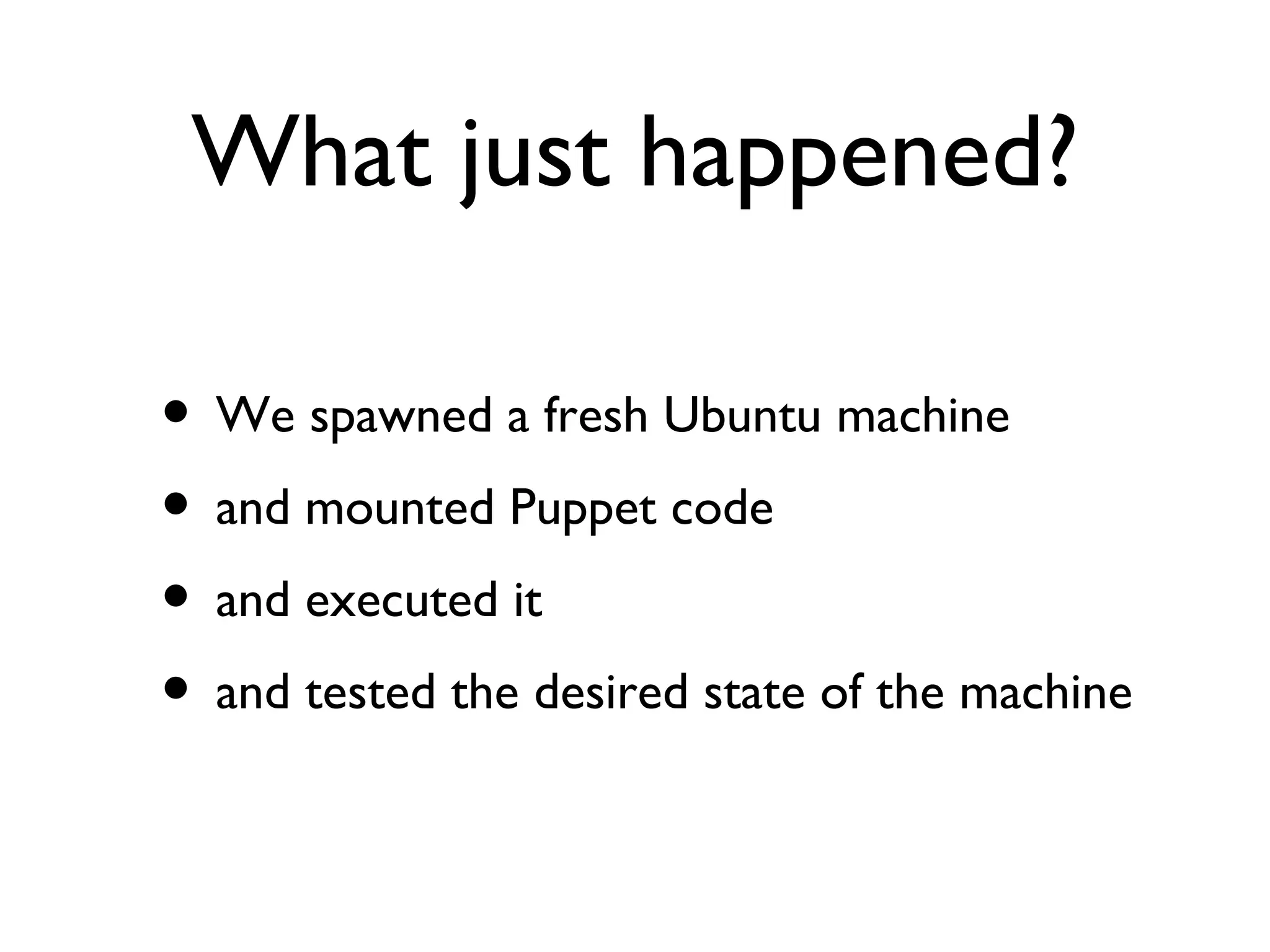
What just happened? We spawned a fresh Ubuntu machine and mounted Puppet code  and executed it and tested the desired state of the machine
Vagrant
Examples
 
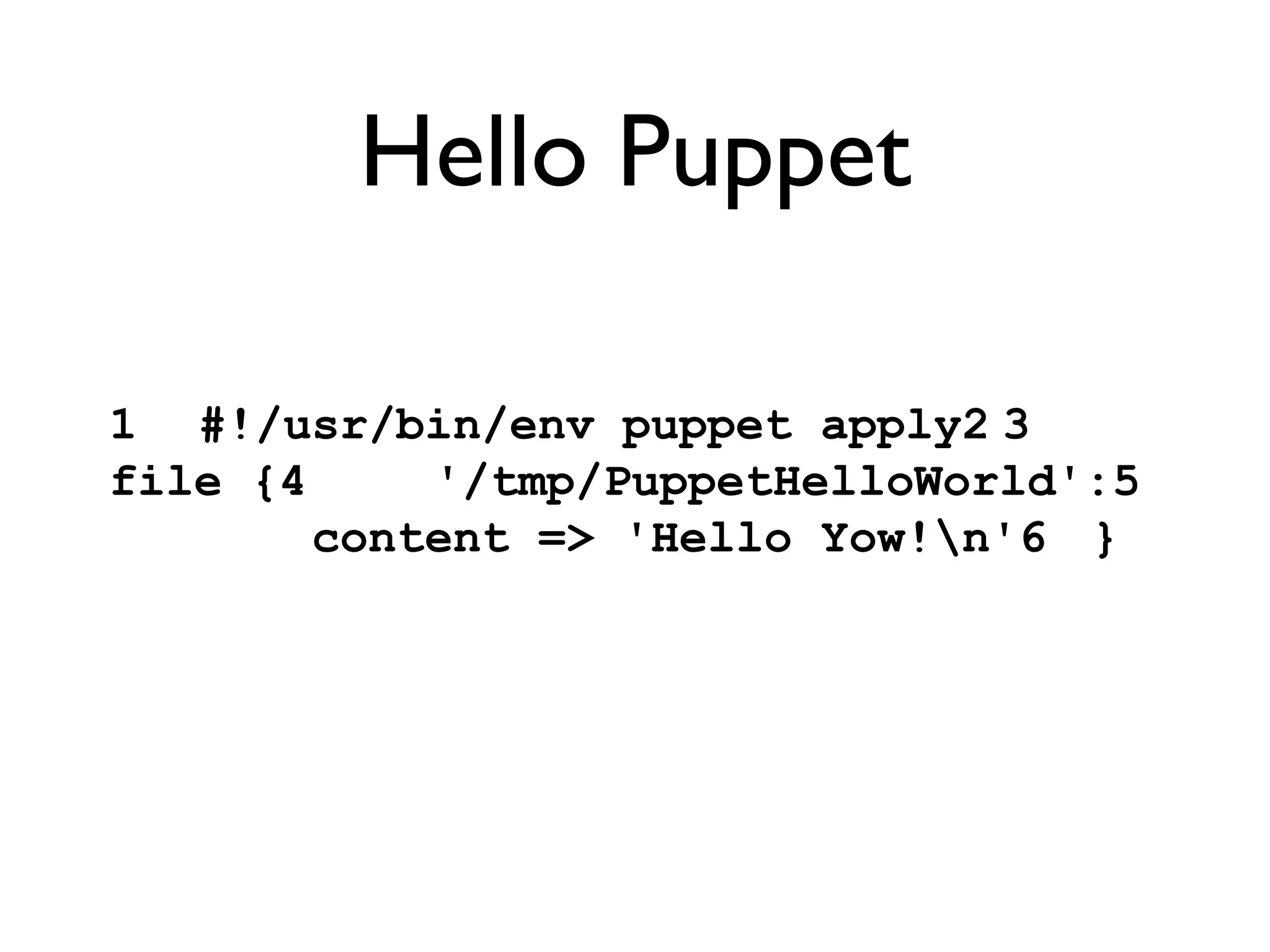
Hello Puppet 1 #!/usr/bin/env puppet apply2 3 file {4   '/tmp/PuppetHelloWorld':5   content => 'Hello Yow!\n'6 }
Hello Puppet knox:puppet jsimpson$  ./manifests/classes/01_hello_world.pp warning: Could not retrieve fact fqdn notice: /Stage[main]//File[/tmp/PuppetHelloWorld]/ensure: defined content as '{md5}54393566ca75844a50baf0c6bccd84b5' notice: Finished catalog run in 0.16 seconds knox:puppet jsimpson$  cat /tmp/PuppetHelloWorld Hello Yow! knox:puppet jsimpson$
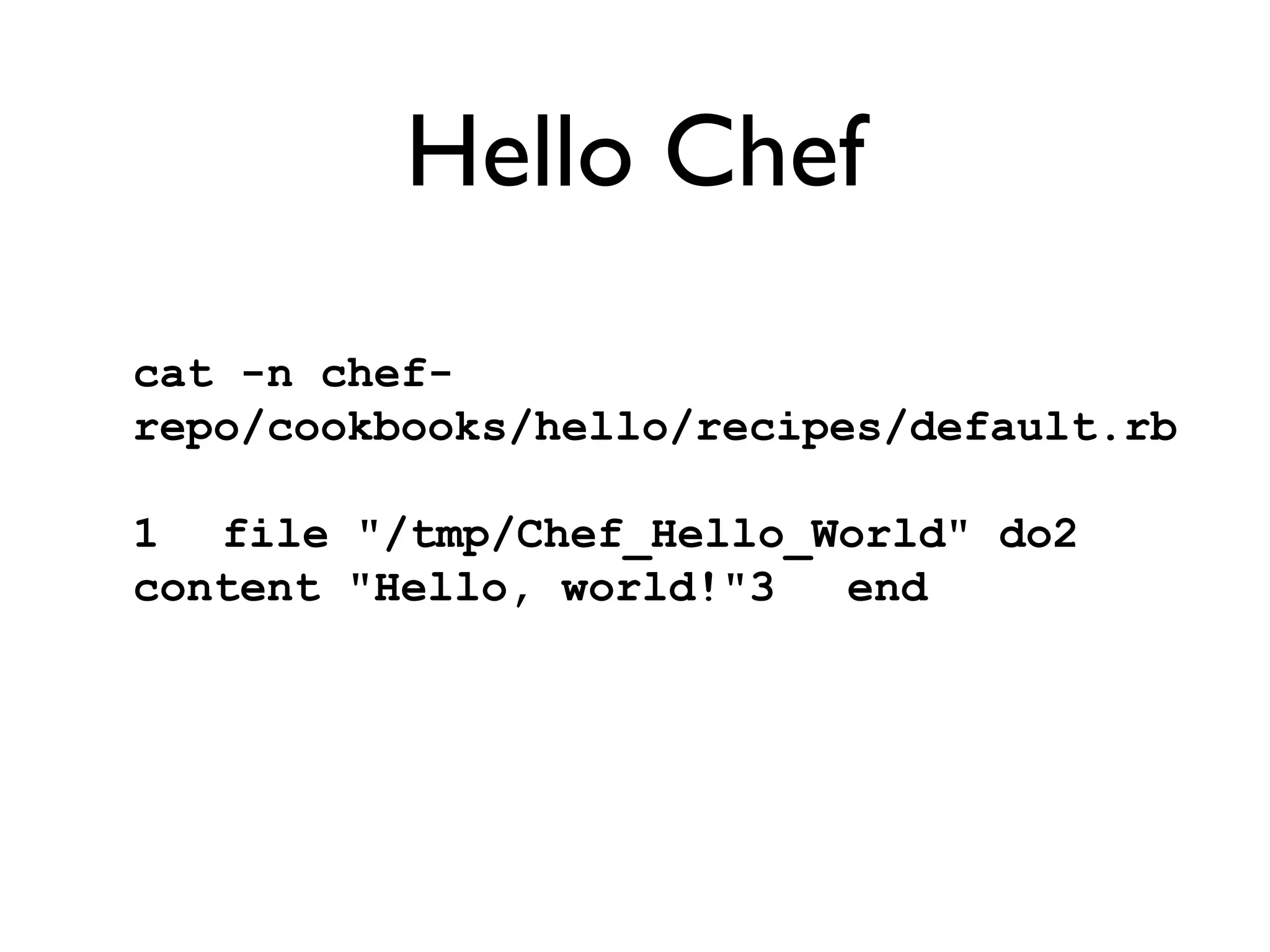
Hello Chef cat -n chef-repo/cookbooks/hello/recipes/default.rb  1 file "/tmp/Chef_Hello_World" do2   content "Hello, world!"3 end
Hello Chef knox:chef-repo jsimpson$  ./go [Thu, 01 Dec 2011 14:26:46 +1100] INFO: *** Chef 0.10.4 ***[Thu, 01 Dec 2011 14:26:46 +1100] INFO: Setting the run_list to ["recipe[hello]"] from JSON[Thu, 01 Dec 2011 14:26:46 +1100] INFO: Run List is [recipe[hello]][Thu, 01 Dec 2011 14:26:46 +1100] INFO: Run List expands to [hello][Thu, 01 Dec 2011 14:26:46 +1100] INFO: Starting Chef Run for knox[Thu, 01 Dec 2011 14:26:46 +1100] INFO: Processing file[/tmp/Chef_Hello_World] action create (hello::default line 1)[Thu, 01 Dec 2011 14:26:47 +1100] INFO: file[/tmp/Chef_Hello_World] created file /tmp/Chef_Hello_World[Thu, 01 Dec 2011 14:26:47 +1100] INFO: Chef Run complete in 0.084655 seconds[Thu, 01 Dec 2011 14:26:47 +1100] INFO: Running report handlers[Thu, 01 Dec 2011 14:26:47 +1100] INFO: Report handlers complete
1 class nginx::install {2 3   package {4   'nginx':5   ensure  => present;6   }7 8   file {9   'default web page':10   path  => '/var/www/nginx-default/index.html',11   content => 'This page, courtesy of puppet',12   require => Package['nginx'];13   }14 15   service {16   'nginx':17   ensure  => running,18   enable  => true,19   hasstatus => true,20   require  => [Package['nginx'], File['default web page']];21   }22 23 }24 25 node default {26   include nginx::install27 }
cat -n recipes/default.rb  1 require_recipe "apt"2 3 package "nginx" do4   action :install5 end6 7 service "nginx" do8   action [:enable, :start]9 end cat -n config/node.json 1 {2   "run_list": [ 3   "recipe[nginx]"4   ]5 }6
30 class jetty::install {31   include ubuntu::common32 33   package {34   'jetty':35   ensure  => present,36   require => Class['ubuntu::common'];37   }38 39   service {40   'jetty':41   ensure  => running,42   enable  => true,43   hasstatus => true,44   require  => [Package['jetty'], File['/etc/default/jetty']];45   }46 47   file {48   '/etc/default/jetty':49   ensure  => present,50   content => "51 NO_START=052 VERBOSE=yes53 "54   }55 }
1 require_recipe "apt"2 3 package "jetty" do4   action :install5 end6 7 service "jetty" do8   action [:enable]9 end10 11 file "/etc/default/jetty" do12   mode "0644"13   content "NO_START=0\nVERBOSE=yes\n"14   notifies :restart, resources(:service => "jetty")15 end
1 class corporateapp::install {2   include jetty::install3   include nginx::install4   file {5   'corporate app':6   ensure  => file,7   path  => '/usr/share/jetty/webapps/app.war',8   source  => 'puppet:///modules/corporateapp/app.war',9   require => [Class['jetty::install'], Class['nginx::install']], notify  => Exec['restart jetty'];10   }11 } notify  => Exec['restart jetty'];10   }11 }
1 include_recipe "jetty"2 3 # We do it like this for the example...4 cookbook_file "/usr/share/jetty/webapps/app.war" do5   source "app.war"6   mode  "0644"7 end8 9 # In real life I'd do something like...10 #remote_file "/usr/share/jetty/webapps/app.war" do11 #  source node[:jetty][:deploy][:source]12 #  checksum node[:jetty][:deploy][:checksum] if node[:jetty][:deploy][:checksum]13 #  notifies :restart, "service[jetty]"14 #end
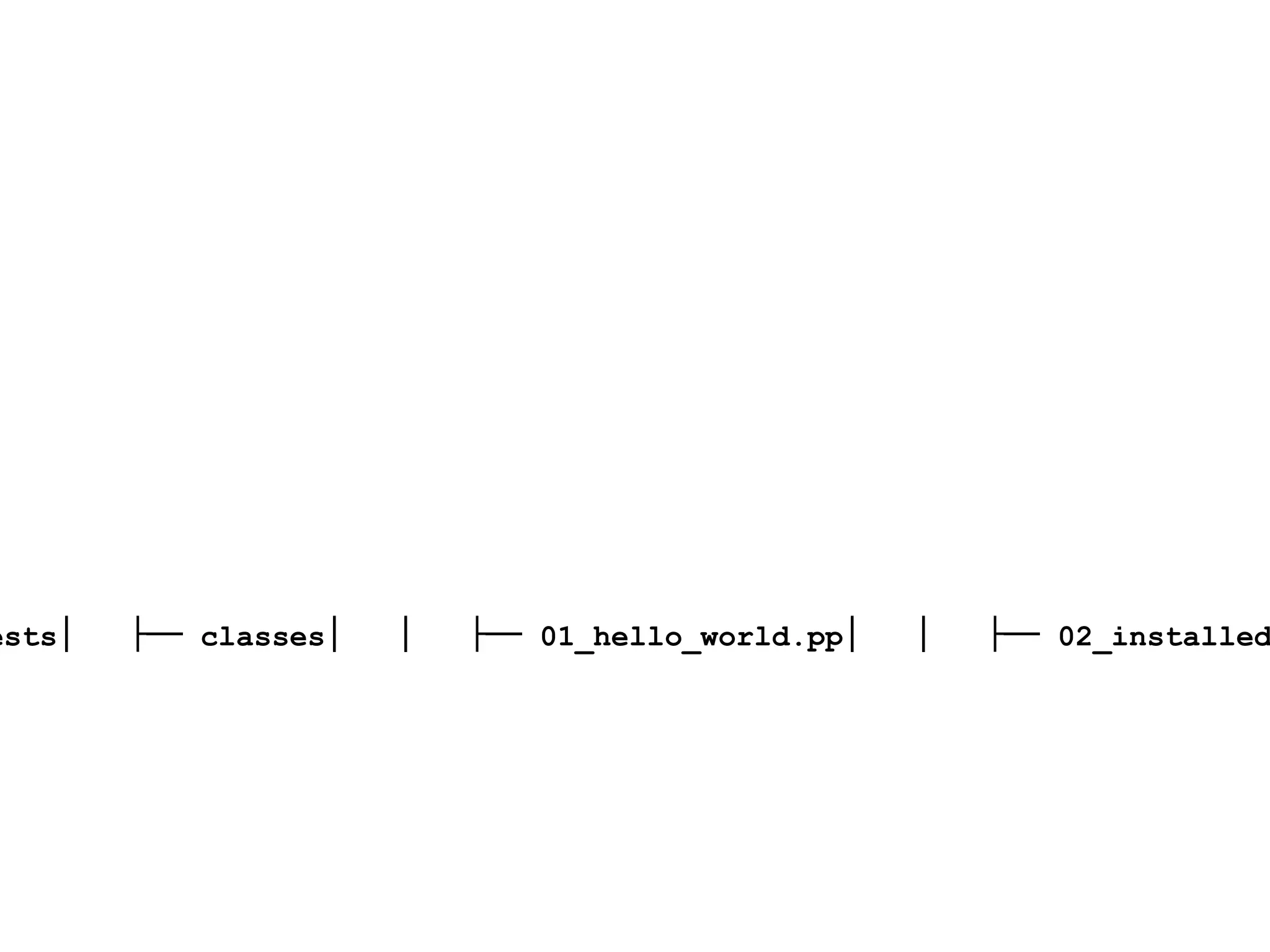
├──  Gemfile├── Gemfile.lock├── Rakefile├── TODO├── Vagrantfile├── manifests│   ├── classes│   │   ├── 01_hello_world.pp│   │   ├── 02_installed_app_on_nginx.pp│   │   └── 03_installed_app_on_nginx_and_jetty.pp│   └── site.pp└── modules  ├── corporateapp  │   ├── files  │   │   └── app.war  │   └── manifests  │    └── install.pp  ├── jetty  │   └── manifests  │    └── install.pp  ├── nginx  │   ├── files  │   │   └── nginx_ www.corporateapp.com   │   └── manifests  │    └── install.pp  ├── puppet  │   └── manifests  │    └── fudge.pp  └── ubuntu  └── manifests  └── common.pp15 directories, 16 files
 
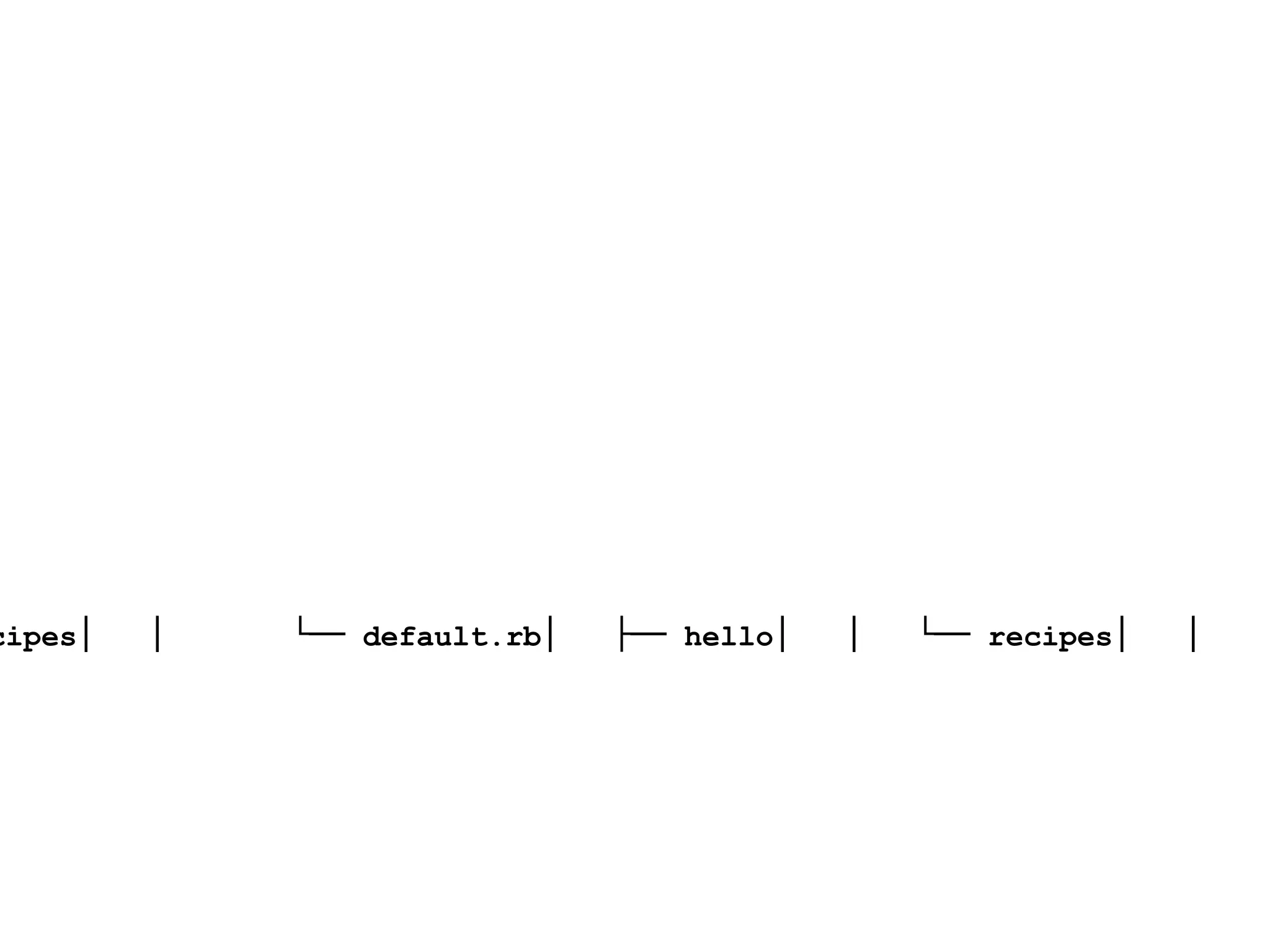
├──  config│   ├── node.json│   └── solo.rb├── cookbooks│   ├── apt│   │   └── recipes│   │    └── default.rb│   ├── hello│   │   └── recipes│   │    └── default.rb│   ├── jetty│   │   ├── files│   │   │   └── default│   │   │    └── app.war│   │   └── recipes│   │    ├── default.rb│   │    └── deploy.rb│   └── nginx│    ├── attributes│    │   └── default.rb│    ├── recipes│    │   ├── default.rb│    │   └── loadbalancer.rb│    └── templates│    └── default│    └── lb.erb├── go└── roles  └── corporateapp.rb
1 name "corporateapp"2 description "Corporate App Server"3 run_list(4   "recipe[jetty]", 5   "recipe[jetty::deploy]", 6   "recipe[nginx::loadbalancer]"7 )8 9 override_attributes(10   "nginx" => {11   "loadbalancer" => {12   "name" => "corporateapp",13   "source" => " http://localhost:8080 "14   }15   },  16   "jetty" => {17   "deploy" => {18   "source" => " http://build-reposito ry/build-number/app.war "19	        }20	    }   21 )22
History
This isn’t new
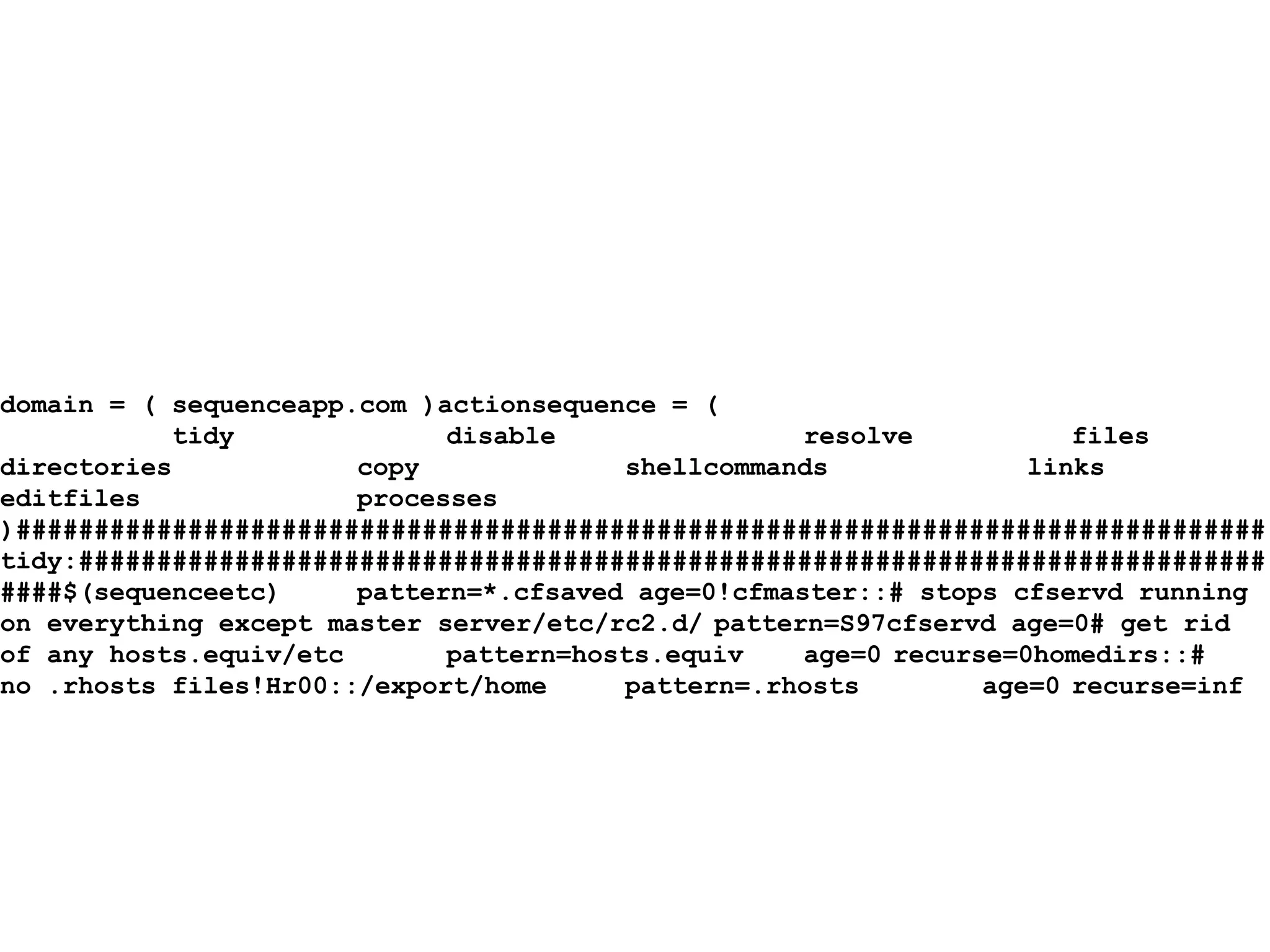
domain = ( sequenceapp.com )actionsequence = ( tidy disable resolve files directories copy shellcommands links editfiles processes )################################################################################tidy:################################################################################$(sequenceetc) pattern=*.cfsaved age=0!cfmaster::# stops cfservd running on everything except master server/etc/rc2.d/ pattern=S97cfservd age=0# get rid of any hosts.equiv/etc pattern=hosts.equiv age=0 recurse=0homedirs::# no .rhosts files!Hr00::/export/home pattern=.rhosts age=0 recurse=inf
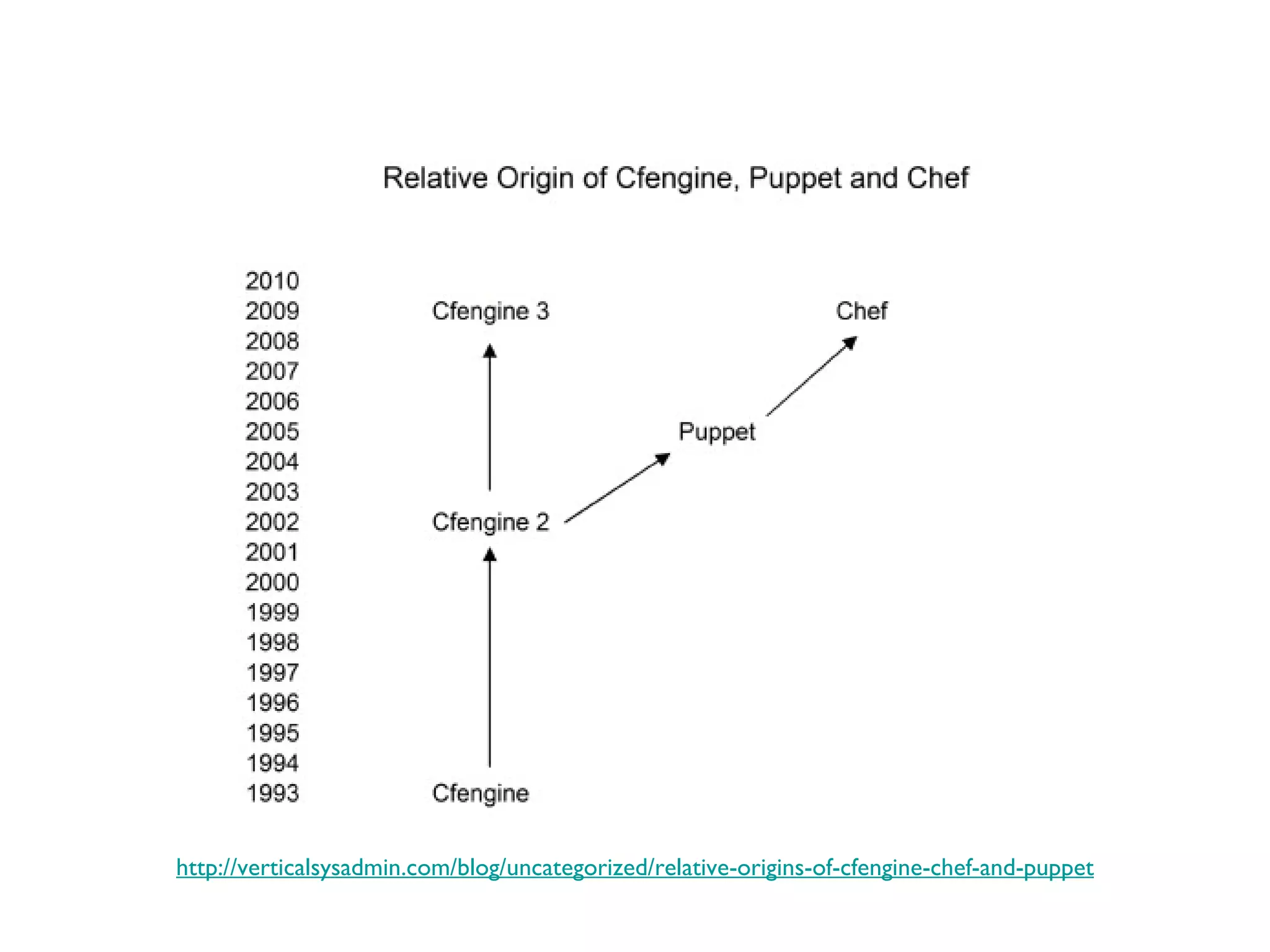
Overview http://verticalsysadmin.com/blog/uncategorized/relative-origins-of-cfengine-chef-and-puppet
Differences
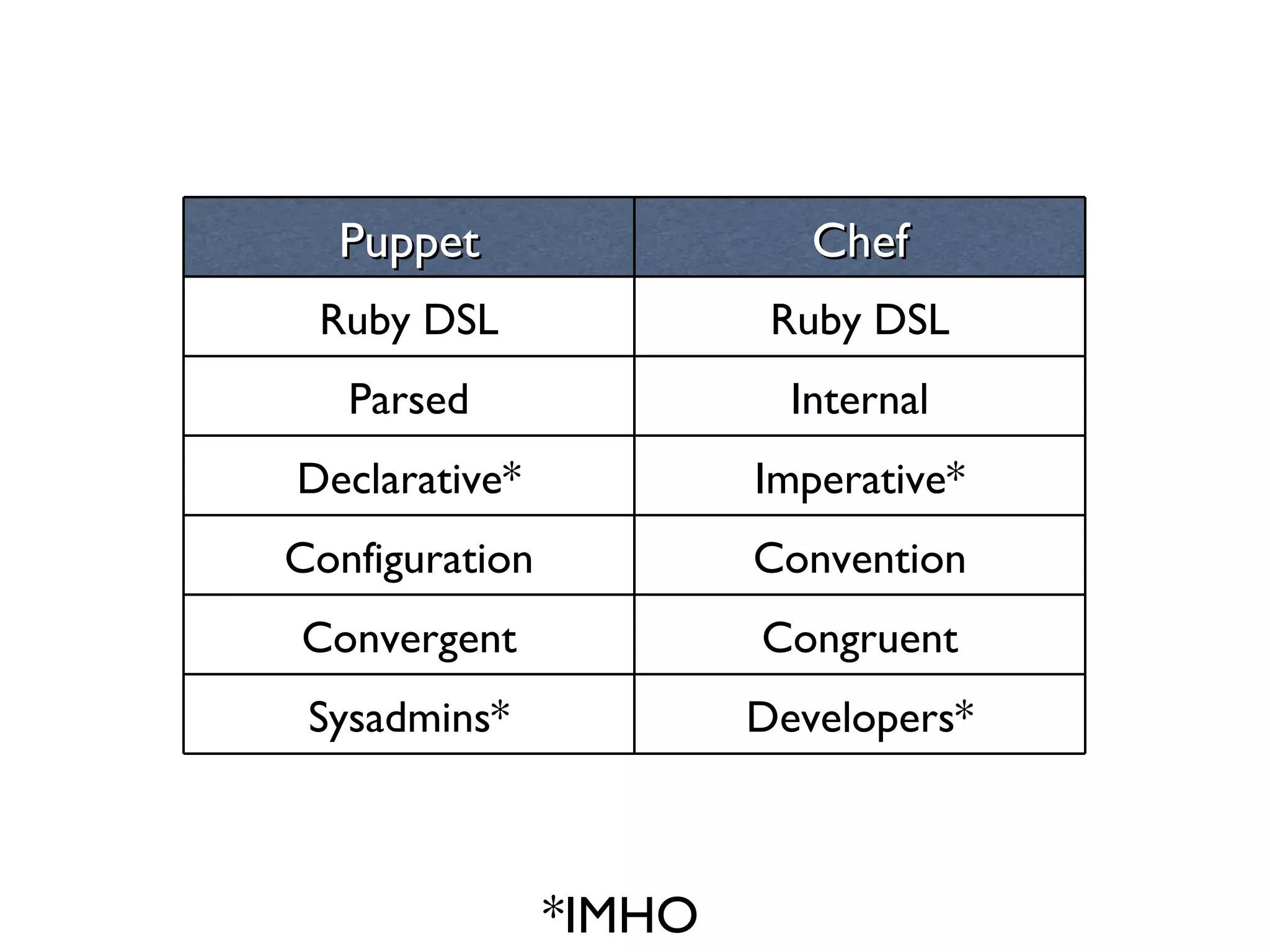
*IMHO Puppet Chef Ruby DSL Ruby DSL Parsed Internal Declarative* Imperative* Configuration Convention Convergent Congruent Sysadmins* Developers*
Convergent vs Congruent
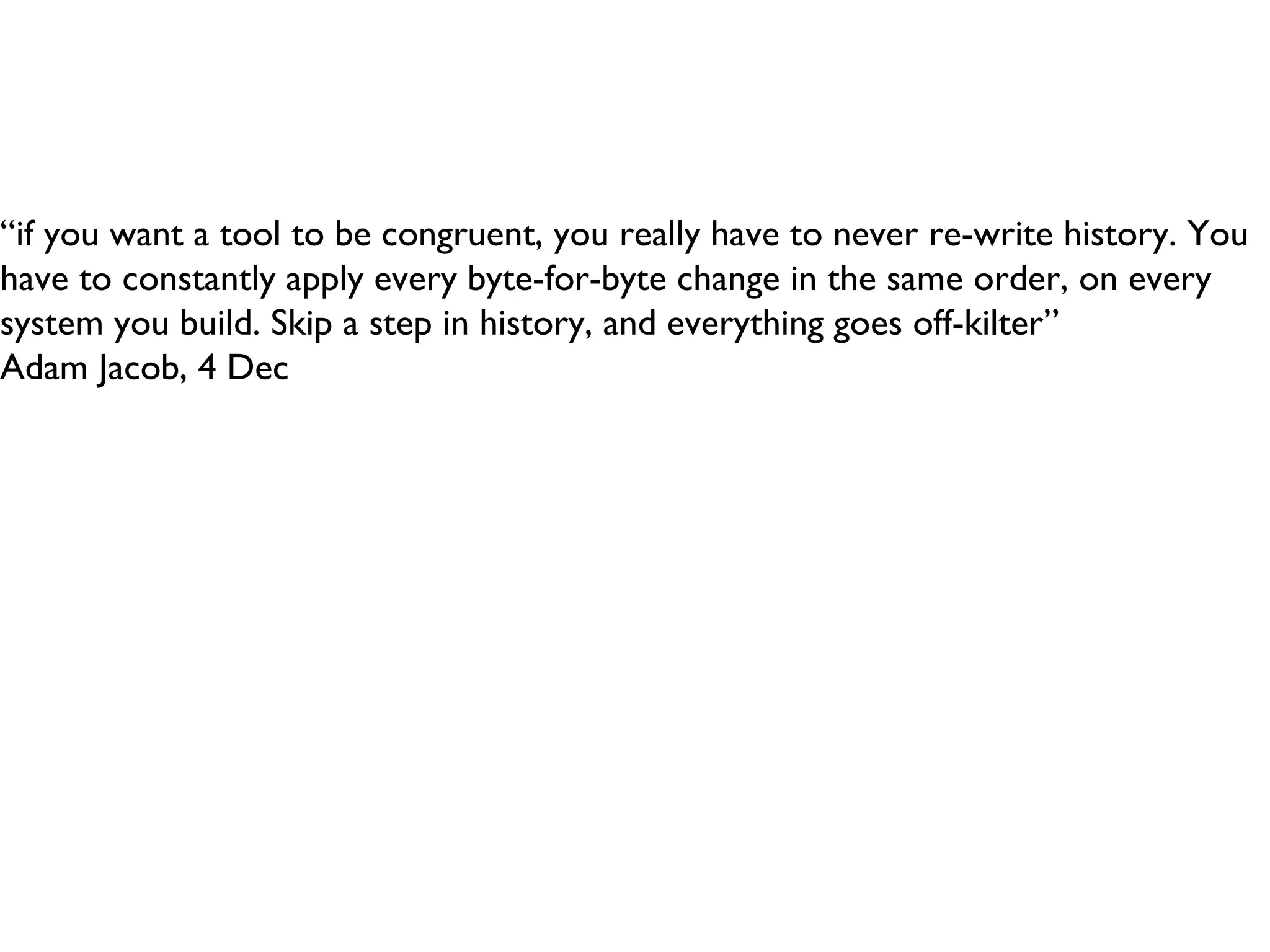
“ if you want a tool to be congruent, you really have to never re-write history. You have to constantly apply every byte-for-byte change in the same order, on every system you build. Skip a step in history, and everything goes off-kilter” Adam Jacob, 4 Dec
Luke Kanies is here to present on “Essential Incompleteness in Program Modeling”, and starts by getting right into Godel’s Incompleteness Theorem. [it] says that for any system that attempts to model reality (“any sufficiently complex system”), it can never be both consistent and complete.
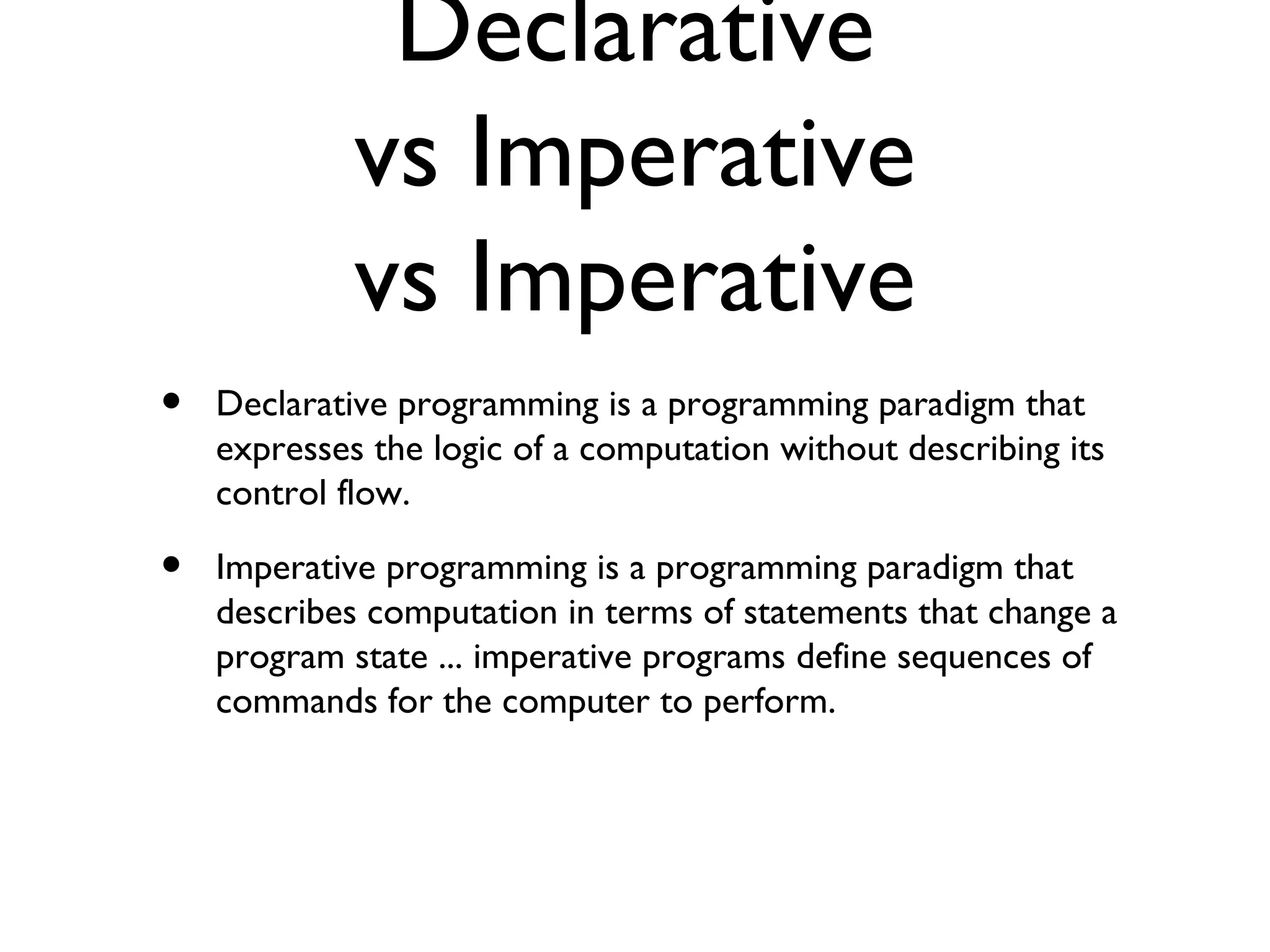
Declarative vs Imperative vs Imperative Declarative programming is a programming paradigm that expresses the logic of a computation without describing its control flow. Imperative programming is a programming paradigm that describes computation in terms of statements that change a program state ... imperative programs define sequences of commands for the computer to perform. imperative programming  is a  programming paradigm  that describes computation in terms of  statements  that chan ge a progr am  state . In much the same way th at  im perative mood  in  natural language s  expresses com mands to take actio n, imperative pro grams define sequences of commands for the computer to perform.
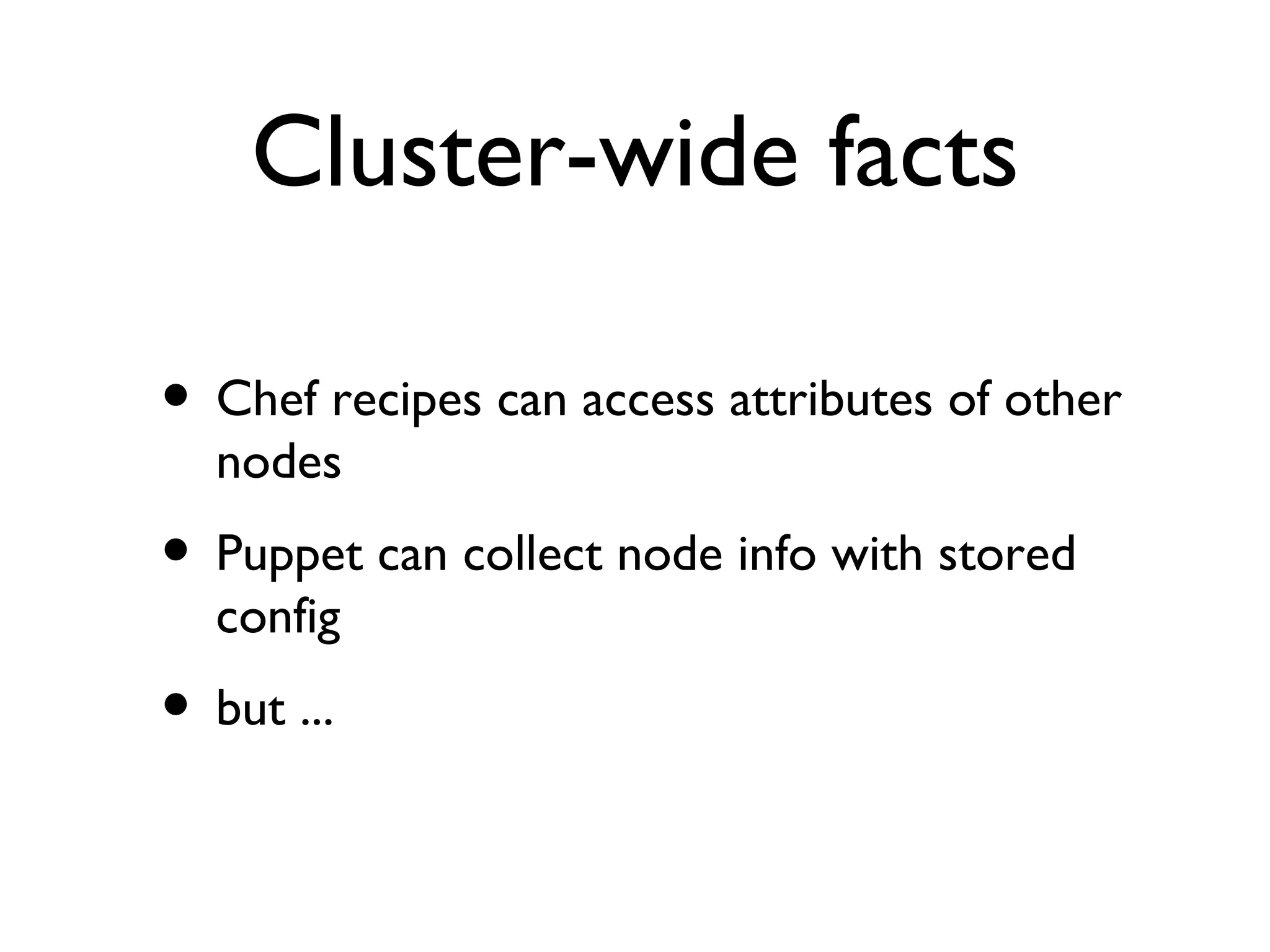
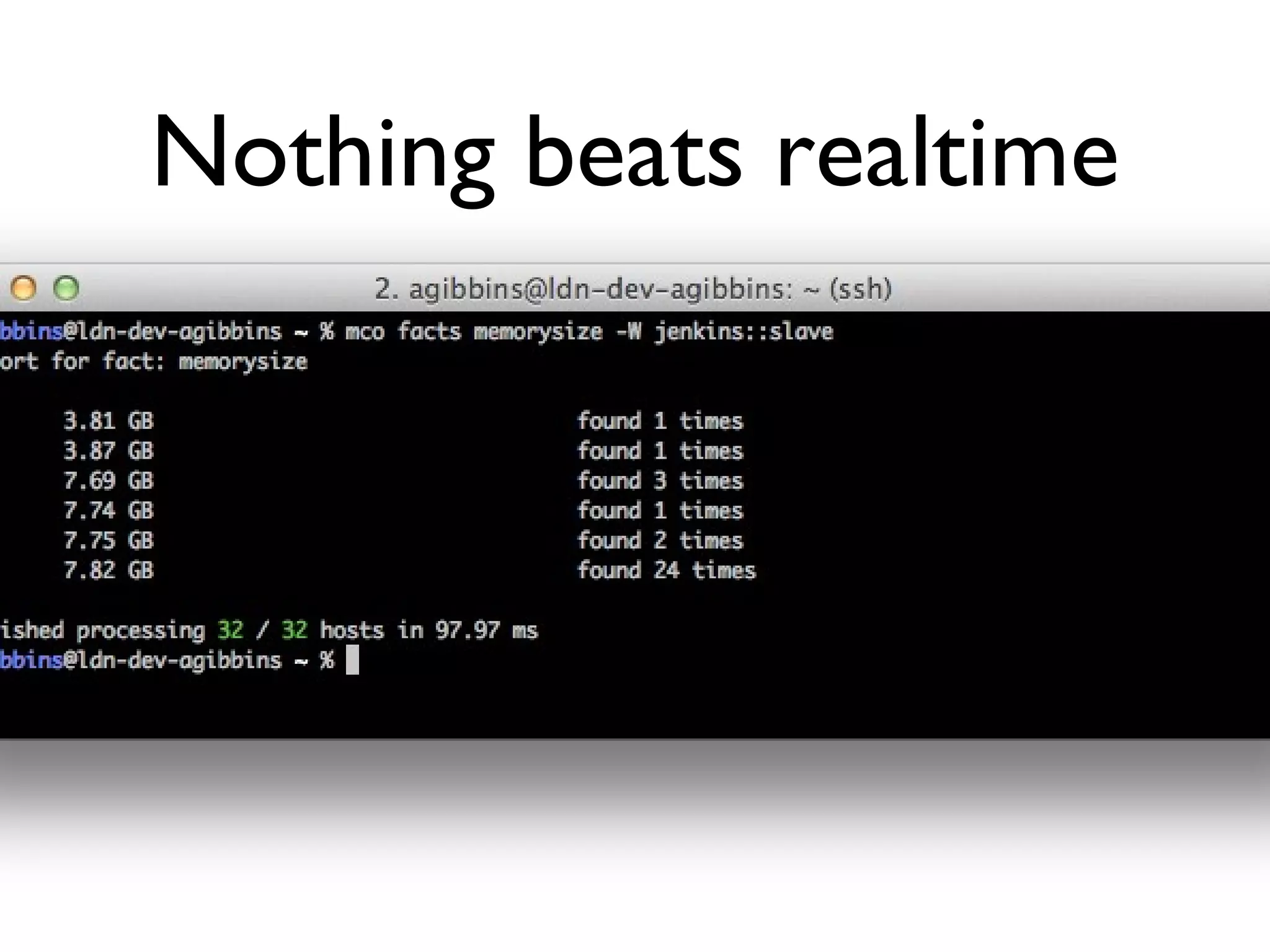
Cluster-wide facts Chef recipes can access attributes of other nodes Puppet can collect node info with stored config but ...
Nothing beats realtime
What about ...
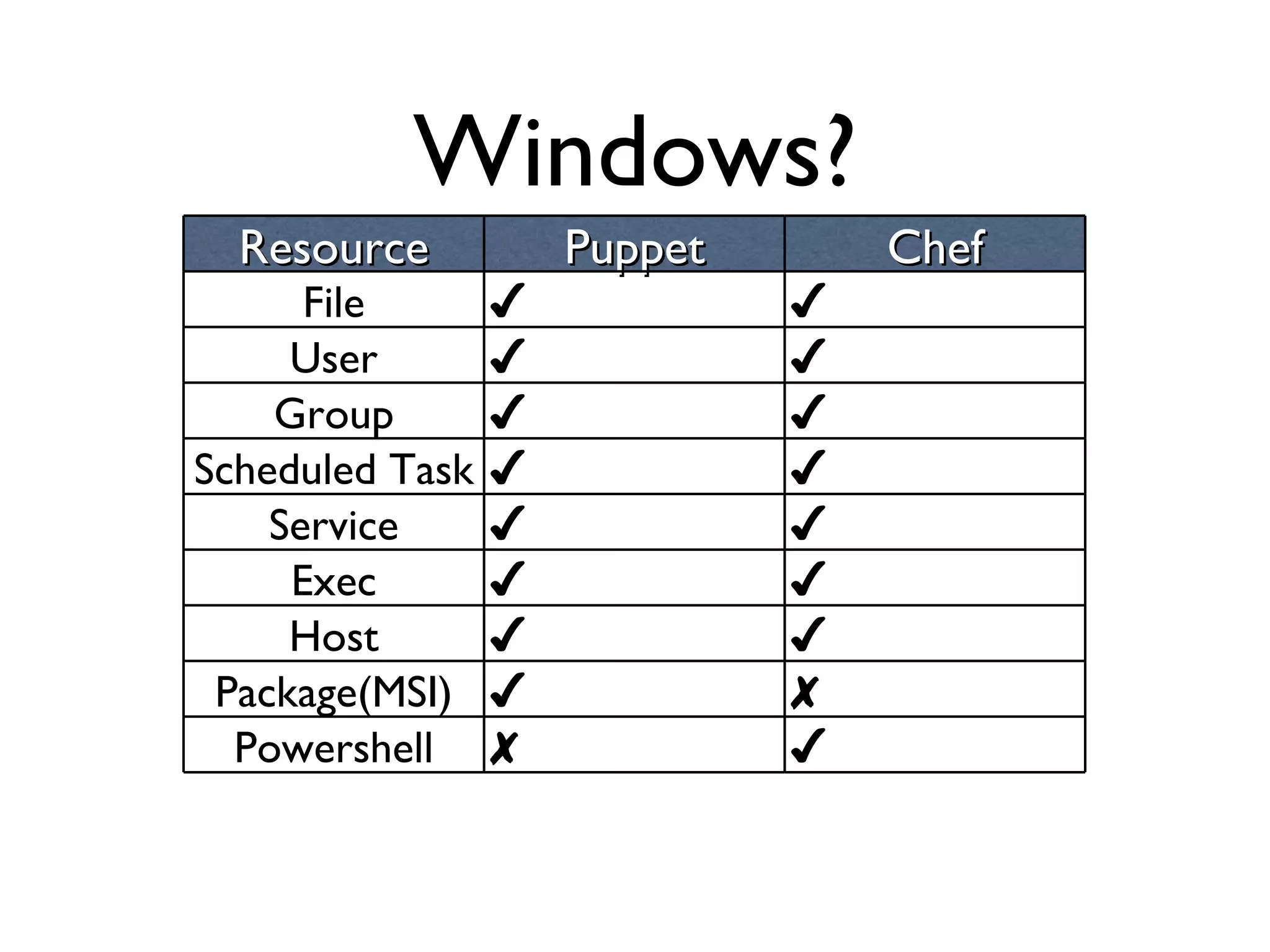
Windows? Resource Puppet Chef File ✔ ✔ User ✔ ✔ Group ✔ ✔ Scheduled Task ✔ ✔ Service ✔ ✔ Exec ✔ ✔ Host ✔ ✔ Package(MSI) ✔ ✘ Powershell ✘ ✔
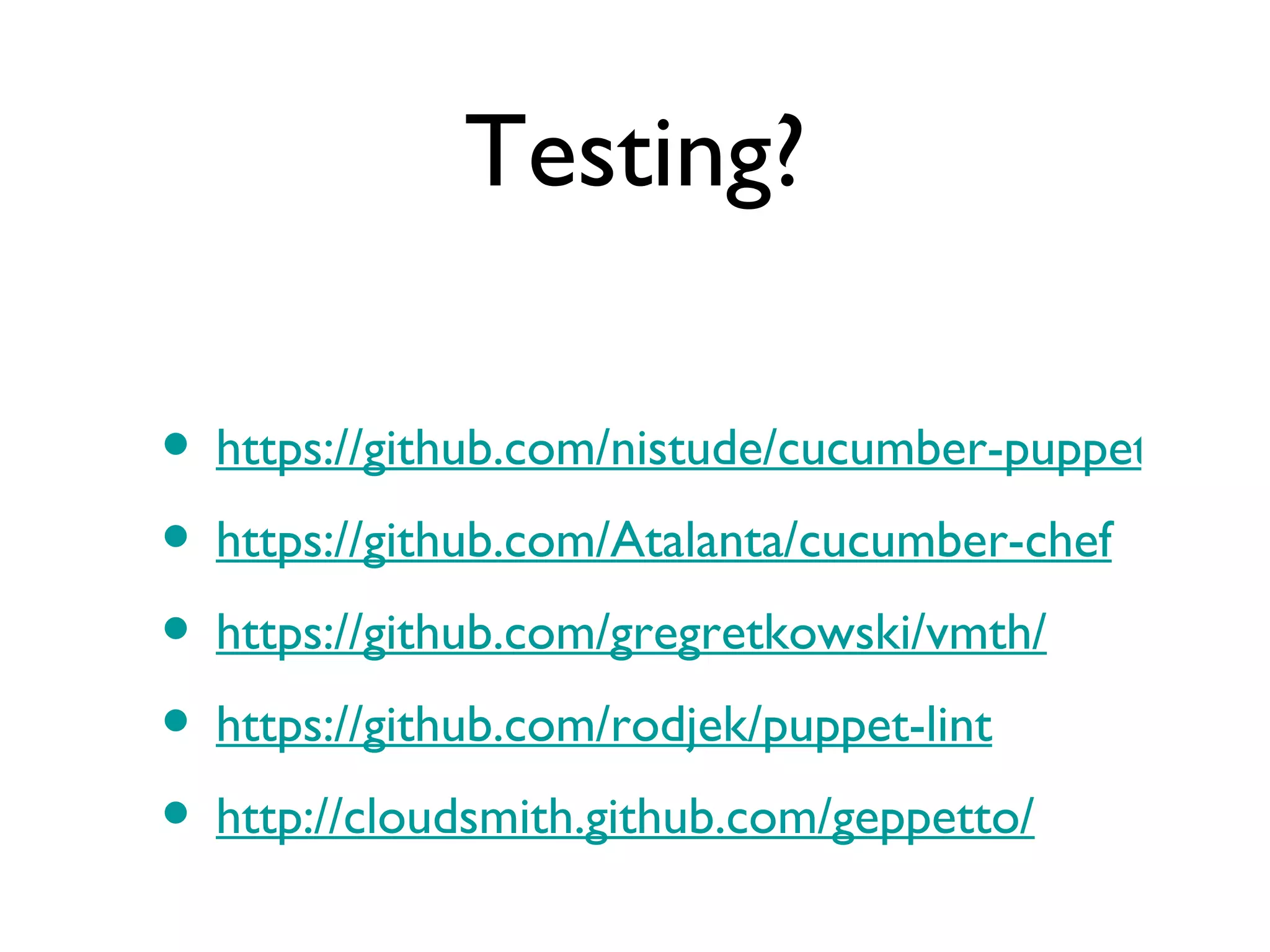
Testing? https://github.com/nistude/cucumber-puppet https://github.com/Atalanta/cucumber-chef https://github.com/gregretkowski/vmth/ https://github.com/rodjek/puppet-lint http://cloudsmith.github.com/geppetto/
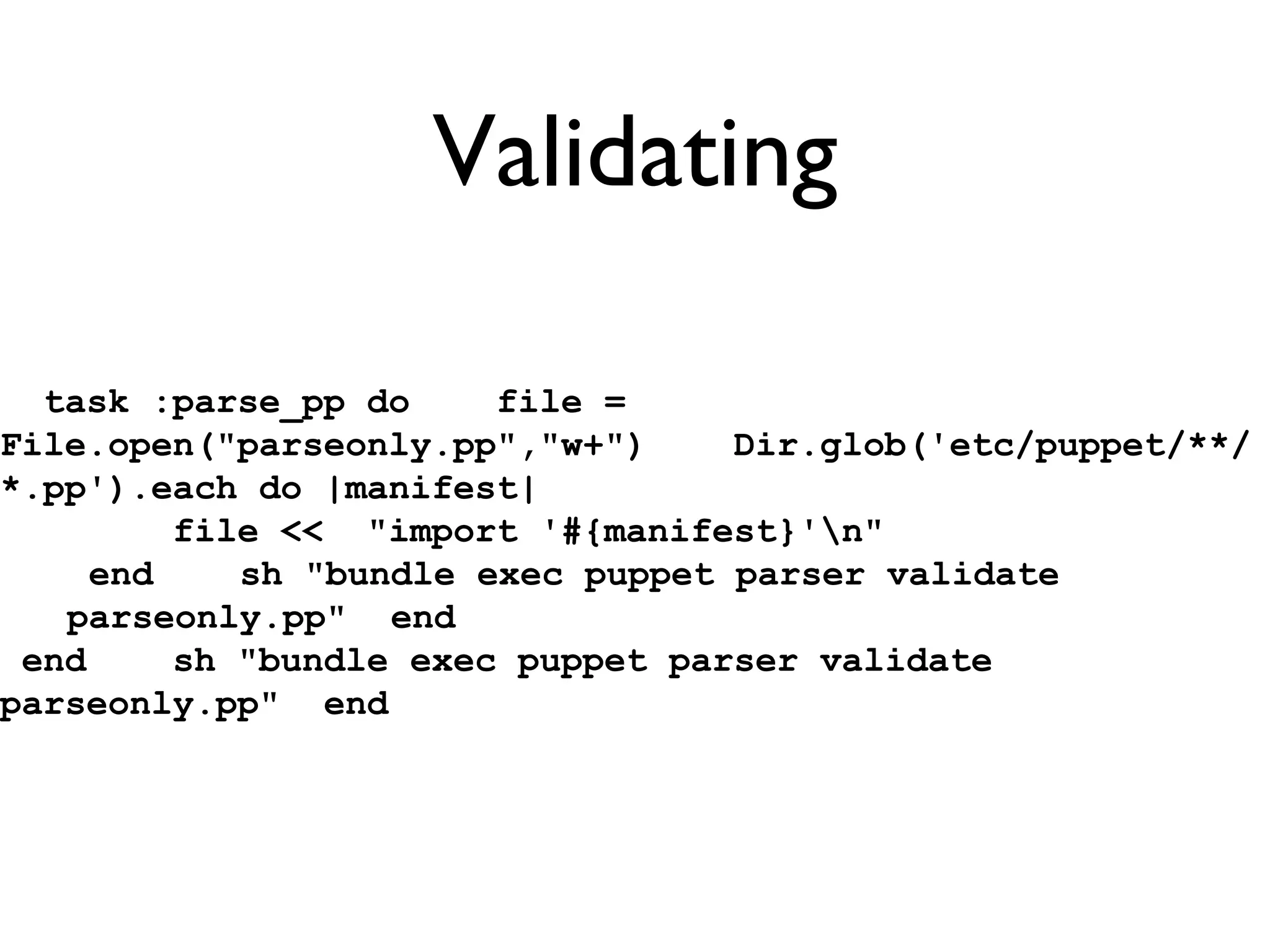
Validating task :parse_pp do  file = File.open(&quot;parseonly.pp&quot;,&quot;w+&quot;)  Dir.glob('etc/puppet/**/*.pp').each do |manifest|  file <<  &quot;import '#{manifest}'\n&quot;  end  sh &quot;bundle exec puppet parser validate parseonly.pp&quot;  end end  sh &quot;bundle exec puppet parser validate parseonly.pp&quot;  end
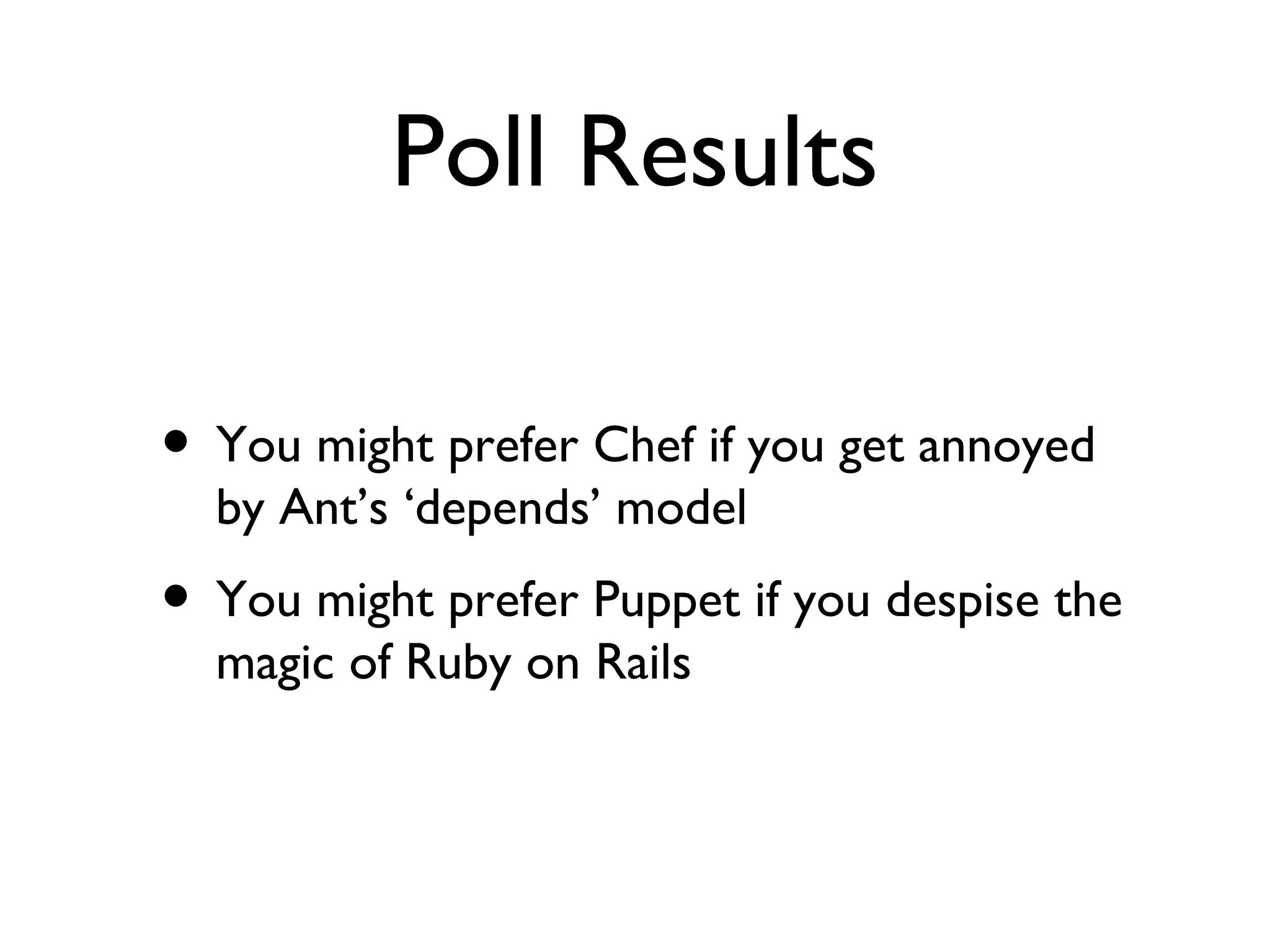
Poll Results You might prefer Chef if you get annoyed by Ant’s ‘depends’ model You might prefer Puppet if you despise the magic of Ruby on Rails
Disclaimer I don’t endorse either tool - you’ll need to make your own decision You can really, really screw things up with these tools.  Test twice, run once.
Thank you - questions? http://github.com/builddoctor/infrastructure-as-code @builddoctor Much thanks to @cread, @tastapod, @adamgibbins, @puppetmasterd, @adamhjk

Adventures in infrastructure as code

  • 1.
    We’re all developersnow Adventures in Infrastructure as Code Julian Simpson, The Build Doctor Ltd
  • 2.
    Before we beginFor gory detail, talk to me at the drinks Examples: http://github.com/builddoctor/infrastructure-as-code You can ask questions
  • 3.
    Poll Are youusing Puppet or Chef? What about Vagrant? Do you hate Ruby on Rails? Do you hate Apache Ant/NAnt?
  • 4.
  • 5.
    What just happened?We spawned a fresh Ubuntu machine and mounted Puppet code and executed it and tested the desired state of the machine
  • 6.
  • 7.
  • 8.
  • 9.
    Hello Puppet 1#!/usr/bin/env puppet apply2 3 file {4 '/tmp/PuppetHelloWorld':5 content => 'Hello Yow!\n'6 }
  • 10.
    Hello Puppet knox:puppetjsimpson$ ./manifests/classes/01_hello_world.pp warning: Could not retrieve fact fqdn notice: /Stage[main]//File[/tmp/PuppetHelloWorld]/ensure: defined content as '{md5}54393566ca75844a50baf0c6bccd84b5' notice: Finished catalog run in 0.16 seconds knox:puppet jsimpson$ cat /tmp/PuppetHelloWorld Hello Yow! knox:puppet jsimpson$
  • 11.
    Hello Chef cat-n chef-repo/cookbooks/hello/recipes/default.rb 1 file &quot;/tmp/Chef_Hello_World&quot; do2 content &quot;Hello, world!&quot;3 end
  • 12.
    Hello Chef knox:chef-repojsimpson$ ./go [Thu, 01 Dec 2011 14:26:46 +1100] INFO: *** Chef 0.10.4 ***[Thu, 01 Dec 2011 14:26:46 +1100] INFO: Setting the run_list to [&quot;recipe[hello]&quot;] from JSON[Thu, 01 Dec 2011 14:26:46 +1100] INFO: Run List is [recipe[hello]][Thu, 01 Dec 2011 14:26:46 +1100] INFO: Run List expands to [hello][Thu, 01 Dec 2011 14:26:46 +1100] INFO: Starting Chef Run for knox[Thu, 01 Dec 2011 14:26:46 +1100] INFO: Processing file[/tmp/Chef_Hello_World] action create (hello::default line 1)[Thu, 01 Dec 2011 14:26:47 +1100] INFO: file[/tmp/Chef_Hello_World] created file /tmp/Chef_Hello_World[Thu, 01 Dec 2011 14:26:47 +1100] INFO: Chef Run complete in 0.084655 seconds[Thu, 01 Dec 2011 14:26:47 +1100] INFO: Running report handlers[Thu, 01 Dec 2011 14:26:47 +1100] INFO: Report handlers complete
  • 13.
    1 class nginx::install{2 3 package {4 'nginx':5 ensure => present;6 }7 8 file {9 'default web page':10 path => '/var/www/nginx-default/index.html',11 content => 'This page, courtesy of puppet',12 require => Package['nginx'];13 }14 15 service {16 'nginx':17 ensure => running,18 enable => true,19 hasstatus => true,20 require => [Package['nginx'], File['default web page']];21 }22 23 }24 25 node default {26 include nginx::install27 }
  • 14.
    cat -n recipes/default.rb 1 require_recipe &quot;apt&quot;2 3 package &quot;nginx&quot; do4 action :install5 end6 7 service &quot;nginx&quot; do8 action [:enable, :start]9 end cat -n config/node.json 1 {2 &quot;run_list&quot;: [ 3 &quot;recipe[nginx]&quot;4 ]5 }6
  • 15.
    30 class jetty::install{31 include ubuntu::common32 33 package {34 'jetty':35 ensure => present,36 require => Class['ubuntu::common'];37 }38 39 service {40 'jetty':41 ensure => running,42 enable => true,43 hasstatus => true,44 require => [Package['jetty'], File['/etc/default/jetty']];45 }46 47 file {48 '/etc/default/jetty':49 ensure => present,50 content => &quot;51 NO_START=052 VERBOSE=yes53 &quot;54 }55 }
  • 16.
    1 require_recipe &quot;apt&quot;23 package &quot;jetty&quot; do4 action :install5 end6 7 service &quot;jetty&quot; do8 action [:enable]9 end10 11 file &quot;/etc/default/jetty&quot; do12 mode &quot;0644&quot;13 content &quot;NO_START=0\nVERBOSE=yes\n&quot;14 notifies :restart, resources(:service => &quot;jetty&quot;)15 end
  • 17.
    1 class corporateapp::install{2 include jetty::install3 include nginx::install4 file {5 'corporate app':6 ensure => file,7 path => '/usr/share/jetty/webapps/app.war',8 source => 'puppet:///modules/corporateapp/app.war',9 require => [Class['jetty::install'], Class['nginx::install']], notify => Exec['restart jetty'];10 }11 } notify => Exec['restart jetty'];10 }11 }
  • 18.
    1 include_recipe &quot;jetty&quot;23 # We do it like this for the example...4 cookbook_file &quot;/usr/share/jetty/webapps/app.war&quot; do5 source &quot;app.war&quot;6 mode &quot;0644&quot;7 end8 9 # In real life I'd do something like...10 #remote_file &quot;/usr/share/jetty/webapps/app.war&quot; do11 # source node[:jetty][:deploy][:source]12 # checksum node[:jetty][:deploy][:checksum] if node[:jetty][:deploy][:checksum]13 # notifies :restart, &quot;service[jetty]&quot;14 #end
  • 19.
    ├── Gemfile├──Gemfile.lock├── Rakefile├── TODO├── Vagrantfile├── manifests│   ├── classes│   │   ├── 01_hello_world.pp│   │   ├── 02_installed_app_on_nginx.pp│   │   └── 03_installed_app_on_nginx_and_jetty.pp│   └── site.pp└── modules ├── corporateapp │   ├── files │   │   └── app.war │   └── manifests │   └── install.pp ├── jetty │   └── manifests │   └── install.pp ├── nginx │   ├── files │   │   └── nginx_ www.corporateapp.com │   └── manifests │   └── install.pp ├── puppet │   └── manifests │   └── fudge.pp └── ubuntu └── manifests └── common.pp15 directories, 16 files
  • 20.
  • 21.
    ├── config│  ├── node.json│   └── solo.rb├── cookbooks│   ├── apt│   │   └── recipes│   │   └── default.rb│   ├── hello│   │   └── recipes│   │   └── default.rb│   ├── jetty│   │   ├── files│   │   │   └── default│   │   │   └── app.war│   │   └── recipes│   │   ├── default.rb│   │   └── deploy.rb│   └── nginx│   ├── attributes│   │   └── default.rb│   ├── recipes│   │   ├── default.rb│   │   └── loadbalancer.rb│   └── templates│   └── default│   └── lb.erb├── go└── roles └── corporateapp.rb
  • 22.
    1 name &quot;corporateapp&quot;2description &quot;Corporate App Server&quot;3 run_list(4 &quot;recipe[jetty]&quot;, 5 &quot;recipe[jetty::deploy]&quot;, 6 &quot;recipe[nginx::loadbalancer]&quot;7 )8 9 override_attributes(10 &quot;nginx&quot; => {11 &quot;loadbalancer&quot; => {12 &quot;name&quot; => &quot;corporateapp&quot;,13 &quot;source&quot; => &quot; http://localhost:8080 &quot;14 }15 }, 16 &quot;jetty&quot; => {17 &quot;deploy&quot; => {18 &quot;source&quot; => &quot; http://build-reposito ry/build-number/app.war &quot;19 }20 } 21 )22
  • 23.
  • 24.
  • 25.
    domain = (sequenceapp.com )actionsequence = ( tidy disable resolve files directories copy shellcommands links editfiles processes )################################################################################tidy:################################################################################$(sequenceetc) pattern=*.cfsaved age=0!cfmaster::# stops cfservd running on everything except master server/etc/rc2.d/ pattern=S97cfservd age=0# get rid of any hosts.equiv/etc pattern=hosts.equiv age=0 recurse=0homedirs::# no .rhosts files!Hr00::/export/home pattern=.rhosts age=0 recurse=inf
  • 26.
  • 27.
  • 28.
    *IMHO Puppet ChefRuby DSL Ruby DSL Parsed Internal Declarative* Imperative* Configuration Convention Convergent Congruent Sysadmins* Developers*
  • 29.
  • 30.
    “ if youwant a tool to be congruent, you really have to never re-write history. You have to constantly apply every byte-for-byte change in the same order, on every system you build. Skip a step in history, and everything goes off-kilter” Adam Jacob, 4 Dec
  • 31.
    Luke Kanies ishere to present on “Essential Incompleteness in Program Modeling”, and starts by getting right into Godel’s Incompleteness Theorem. [it] says that for any system that attempts to model reality (“any sufficiently complex system”), it can never be both consistent and complete.
  • 32.
    Declarative vs Imperativevs Imperative Declarative programming is a programming paradigm that expresses the logic of a computation without describing its control flow. Imperative programming is a programming paradigm that describes computation in terms of statements that change a program state ... imperative programs define sequences of commands for the computer to perform. imperative programming is a programming paradigm that describes computation in terms of statements that chan ge a progr am state . In much the same way th at im perative mood in natural language s expresses com mands to take actio n, imperative pro grams define sequences of commands for the computer to perform.
  • 33.
    Cluster-wide facts Chefrecipes can access attributes of other nodes Puppet can collect node info with stored config but ...
  • 34.
  • 35.
  • 36.
    Windows? Resource PuppetChef File ✔ ✔ User ✔ ✔ Group ✔ ✔ Scheduled Task ✔ ✔ Service ✔ ✔ Exec ✔ ✔ Host ✔ ✔ Package(MSI) ✔ ✘ Powershell ✘ ✔
  • 37.
    Testing? https://github.com/nistude/cucumber-puppet https://github.com/Atalanta/cucumber-chefhttps://github.com/gregretkowski/vmth/ https://github.com/rodjek/puppet-lint http://cloudsmith.github.com/geppetto/
  • 38.
    Validating task :parse_ppdo file = File.open(&quot;parseonly.pp&quot;,&quot;w+&quot;) Dir.glob('etc/puppet/**/*.pp').each do |manifest| file << &quot;import '#{manifest}'\n&quot; end sh &quot;bundle exec puppet parser validate parseonly.pp&quot; end end sh &quot;bundle exec puppet parser validate parseonly.pp&quot; end
  • 39.
    Poll Results Youmight prefer Chef if you get annoyed by Ant’s ‘depends’ model You might prefer Puppet if you despise the magic of Ruby on Rails
  • 40.
    Disclaimer I don’tendorse either tool - you’ll need to make your own decision You can really, really screw things up with these tools. Test twice, run once.
  • 41.
    Thank you -questions? http://github.com/builddoctor/infrastructure-as-code @builddoctor Much thanks to @cread, @tastapod, @adamgibbins, @puppetmasterd, @adamhjk

Editor's Notes

  • #3 Explain the 50% habit - rather have walkouts than reds Aussie developers seem smart Organisations make people smart Code has been reviewed by opscode and puppet labs
  • #4 Ask them to make a mental note of it Agenda: demo, code and then theory You can ask questions: stop me if I’m going too fast/too slow
  • #5 Story of the change management freak - no more than 5 minutes Introduction: sysadmin, build monkey, devops believer CM is being redefined in some people’s eyes/BCS ‘honest broker’
  • #6 Define Puppet and Chef: both DSL’s for systems administration Why would we bother?
  • #7 Enables seamless testing *Drive home that this *IS* what prod looks like Especially helpful if you use windows
  • #8 All examples assume a single node with no server Point out the use of server is common and neccessary with any real number of nodes Chef 5 nodes, Puppetmaster easy to install
  • #9 Here’s our corporate application
  • #10 Shebangs - very simple command line tools to run Puppetmaster vs local
  • #12 Chef server vs chef-solo the first tool is always a framework
  • #14 PUPPET resources: package, file, service providers
  • #15 CHEF Chef has cookbooks/recipes/roles
  • #16 PUPPET - with Jetty pp file is getting big
  • #17 CHEF line 1 is as about as graph-like
  • #18 PUPPET show file distribution
  • #19 CHEF: show file distribution
  • #20 puppet modules are the unit of reuse
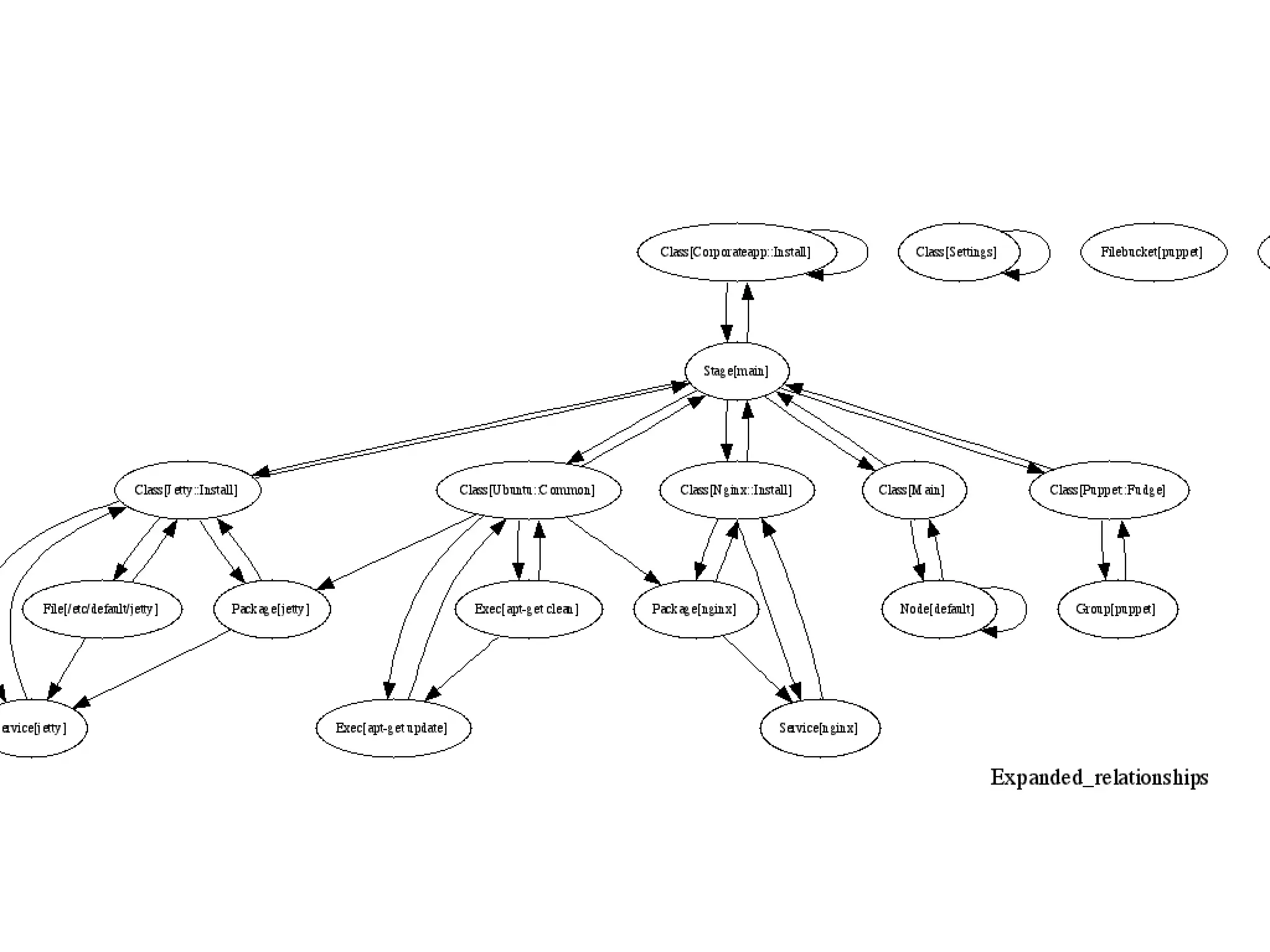
  • #21 puppet is a directed graph
  • #23 Role class
  • #25 Some of the tooling goes back to the early 90’s It was easy desktop virtualisation, cloud and decent dynamic langs that made it possible
  • #27 This ignores a lot, like LCFG, BCFG2, all the commercial tools, all the johnny-come lateleys
  • #29 Puppet has a Ruby DSL now Providers and Resources are useful like Apache Ant’s tasks Chef has databags, puppet needs to implement other things
  • #30 Congruent: how many Java or .NET VM’s did you kill yesterday? Congruent school of thought insists that order matters Convergent school is that order sometimes matters, and machines can drift closer
  • #33 Puppet’s ordering is declarative. Chef’s isn’t. Chef is more declarative in some ways than Puppet: see the brevity of code
  • #35 querying and command