









Lauretta Finis, TWN member & trainer
@LaurettaBYBB
Advanced QuickBooks Online:
Handling tricky transactions
WiFi: QB Connect Password: Connect2017#QBConnect
2
Take a few moments
to Connect with
your neighbor
Find out what closest city,
then town they live in
4
Member of Intuit’s Aussie trainer/writer network
Advanced Trainer & Certification Trainer
Runner up Intuit Firm of The Future 2016
Quick Bizness Bookkeeping Solutions
Today’s speaker
Lauretta Finis
Director, Quick Bizness Bookkeeping Solutions
@LaurettaBYBB
5
Presentation featuring:
Buddy Danozzo
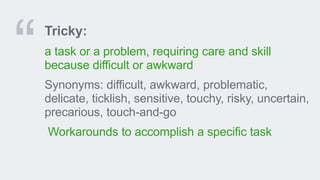
Tricky:
a task or a problem, requiring care and skill
because difficult or awkward
Synonyms: difficult, awkward, problematic,
delicate, ticklish, sensitive, touchy, risky, uncertain,
precarious, touch-and-go
Workarounds to accomplish a specific task
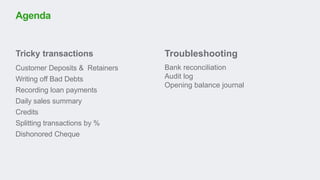
Tricky transactions
Customer Deposits & Retainers
Writing off Bad Debts
Recording loan payments
Daily sales summary
Credits
Splitting transactions by %
Dishonored Cheque
Agenda
Troubleshooting
Bank reconciliation
Audit log
Opening balance journal
Tricky transactions
Customer deposits / retainers
& loan payments
11
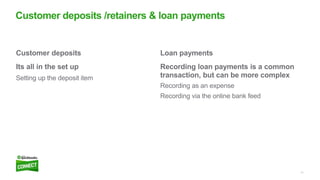
Loan payments
Recording loan payments is a common
transaction, but can be more complex
Recording as an expense
Recording via the online bank feed
Customer deposits
Its all in the set up
Setting up the deposit item
Customer deposits /retainers & loan payments
Writing off bad debt
& splitting transactions
14
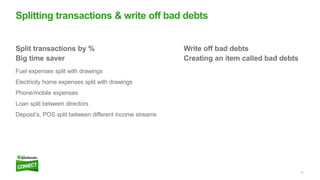
Write off bad debts
Creating an item called bad debts
Split transactions by %
Big time saver
Fuel expenses split with drawings
Electricity home expenses split with drawings
Phone/mobile expenses
Loan split between directors
Deposit’s, POS split between different income streams
Splitting transactions & write off bad debts
Credits
16
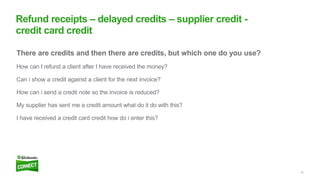
There are credits and then there are credits, but which one do you use?
How can I refund a client after I have received the money?
Can i show a credit against a client for the next invoice?
How can i send a credit note so the invoice is reduced?
My supplier has sent me a credit amount what do it do with this?
I have received a credit card credit how do i enter this?
Refund receipts – delayed credits – supplier credit -
credit card credit
Dishonoured cheques
18
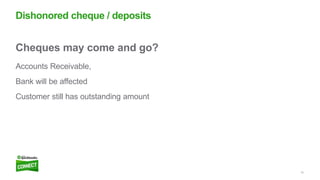
Cheques may come and go?
Accounts Receivable,
Bank will be affected
Customer still has outstanding amount
Dishonored cheque / deposits
Daily sales summary
20
Cash register or POS daily Sales
Don’t forget to reconcile
Daily sales
Bank reconciliations
22
There are several reconciliation problems
Bank reconciliation problems are often caused by editing, deleting, or
making other changes to reconciled transactions
A common problem is when the beginning balance does not match the
previous month’s ending balance
Bank reconciliation
Questions?
Missed something?
Today’s presentations are available in the event mobile app
and at http://www.slideshare.com/tag/QBCAU17
Don’t forget to rate my session:
Open up the event app, find my session title in the agenda
and click on rate & review

Advanced QuickBooks Online - Handling Tricky Transactions

  • 1.
    Lauretta Finis, TWNmember & trainer @LaurettaBYBB Advanced QuickBooks Online: Handling tricky transactions WiFi: QB Connect Password: Connect2017#QBConnect
  • 2.
  • 3.
    Take a fewmoments to Connect with your neighbor Find out what closest city, then town they live in
  • 4.
    4 Member of Intuit’sAussie trainer/writer network Advanced Trainer & Certification Trainer Runner up Intuit Firm of The Future 2016 Quick Bizness Bookkeeping Solutions Today’s speaker Lauretta Finis Director, Quick Bizness Bookkeeping Solutions @LaurettaBYBB
  • 5.
  • 6.
    Tricky: a task ora problem, requiring care and skill because difficult or awkward Synonyms: difficult, awkward, problematic, delicate, ticklish, sensitive, touchy, risky, uncertain, precarious, touch-and-go Workarounds to accomplish a specific task
  • 7.
    Tricky transactions Customer Deposits& Retainers Writing off Bad Debts Recording loan payments Daily sales summary Credits Splitting transactions by % Dishonored Cheque Agenda Troubleshooting Bank reconciliation Audit log Opening balance journal
  • 8.
  • 9.
    Customer deposits /retainers & loan payments
  • 11.
    11 Loan payments Recording loanpayments is a common transaction, but can be more complex Recording as an expense Recording via the online bank feed Customer deposits Its all in the set up Setting up the deposit item Customer deposits /retainers & loan payments
  • 12.
    Writing off baddebt & splitting transactions
  • 14.
    14 Write off baddebts Creating an item called bad debts Split transactions by % Big time saver Fuel expenses split with drawings Electricity home expenses split with drawings Phone/mobile expenses Loan split between directors Deposit’s, POS split between different income streams Splitting transactions & write off bad debts
  • 15.
  • 16.
    16 There are creditsand then there are credits, but which one do you use? How can I refund a client after I have received the money? Can i show a credit against a client for the next invoice? How can i send a credit note so the invoice is reduced? My supplier has sent me a credit amount what do it do with this? I have received a credit card credit how do i enter this? Refund receipts – delayed credits – supplier credit - credit card credit
  • 17.
  • 18.
    18 Cheques may comeand go? Accounts Receivable, Bank will be affected Customer still has outstanding amount Dishonored cheque / deposits
  • 19.
  • 20.
    20 Cash register orPOS daily Sales Don’t forget to reconcile Daily sales
  • 21.
  • 22.
    22 There are severalreconciliation problems Bank reconciliation problems are often caused by editing, deleting, or making other changes to reconciled transactions A common problem is when the beginning balance does not match the previous month’s ending balance Bank reconciliation
  • 24.
  • 25.
    Missed something? Today’s presentationsare available in the event mobile app and at http://www.slideshare.com/tag/QBCAU17 Don’t forget to rate my session: Open up the event app, find my session title in the agenda and click on rate & review

Editor's Notes

  • #4 Ask the location of neighbor and LF to ask the distance to Sydney (not including any Intuit Staff) and the furthest from Sydney will receive a Intuit Give away
  • #5 Some facts of what I do everyday
  • #6 Featuring Buddy and Danozzo in my presentation
  • #7 What is a tricky transaction – I googled this and came up with this
  • #8 Agenda – depending on the time at the end of presentation, we may be able to have a Q & A session, or gab me during the day
  • #11 Questions come and see me after or through out the day
  • #14 Questions come and see me after or through out the day
  • #15 This is a sample COMPARISON using the 2-Column layout. Placeholder text boxes that appear as part of the selected layout have predefined fonts, sizes and colors. To change the appearance of any line of text, on the Home tab, in the Paragraph group, click Increase Indent or Decrease Indent. The selected text will reformat to the predefined size according to its indent level. Note: Any changes to the color, size, spacing or font in the placeholder text box will break its connection to the Master style. It will no longer automatically conform when switching between layouts or when imported into another presentation.
  • #21 This is a sample INTRODUCTION using the 1-Column layout. Placeholder text boxes that appear as part of the selected layout have predefined fonts, sizes and colors. To change the appearance of any line of text, on the Home tab, in the Paragraph group, click Increase Indent or Decrease Indent. The selected text will reformat to the predefined size according to its indent level. Note: Any changes to the color, size, spacing or font in the placeholder text box will break its connection to the Master style. It will no longer automatically conform when switching between layouts or when imported into another presentation.
  • #25 Questions come and see me after or through out the day