Advance MySQL training
Pratyush Majumdar
VP - Technology
91Mobiles
Topics
1. Database Optimization and Performance Tuning
2. Stored Procedures
3. Triggers
4. Partitioning
5. Advanced Indexing Techniques
Topics
6. User Management and Security
7. Replication
8. Backup and Recovery
9. Show processlist
10. Monitoring
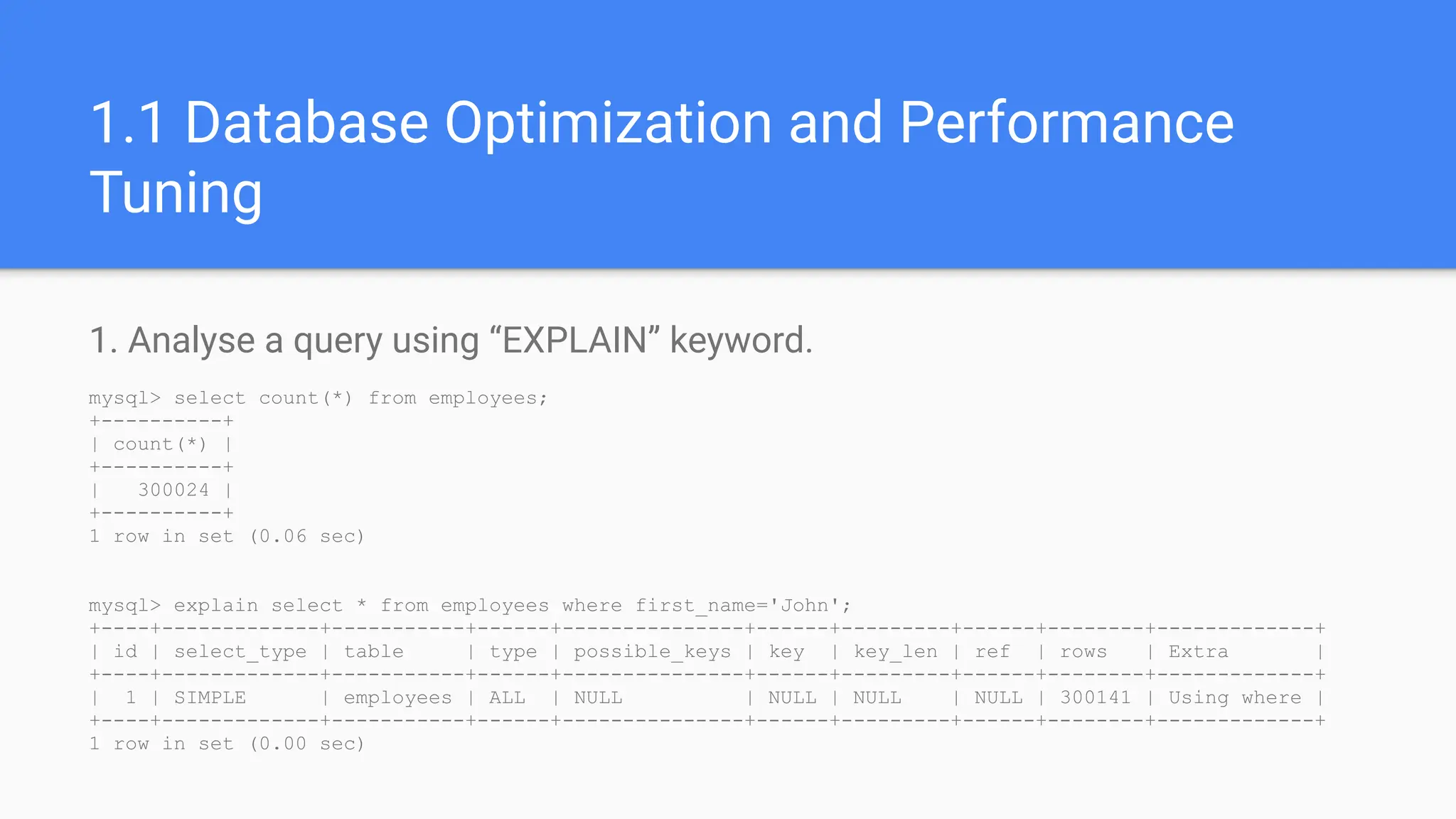
1.1 Database Optimization and Performance
Tuning
1. Analyse a query using “EXPLAIN” keyword.
mysql> select count(*) from employees;
+----------+
| count(*) |
+----------+
| 300024 |
+----------+
1 row in set (0.06 sec)
mysql> explain select * from employees where first_name='John';
+----+-------------+-----------+------+---------------+------+---------+------+--------+-------------+
| id | select_type | table | type | possible_keys | key | key_len | ref | rows | Extra |
+----+-------------+-----------+------+---------------+------+---------+------+--------+-------------+
| 1 | SIMPLE | employees | ALL | NULL | NULL | NULL | NULL | 300141 | Using where |
+----+-------------+-----------+------+---------------+------+---------+------+--------+-------------+
1 row in set (0.00 sec)
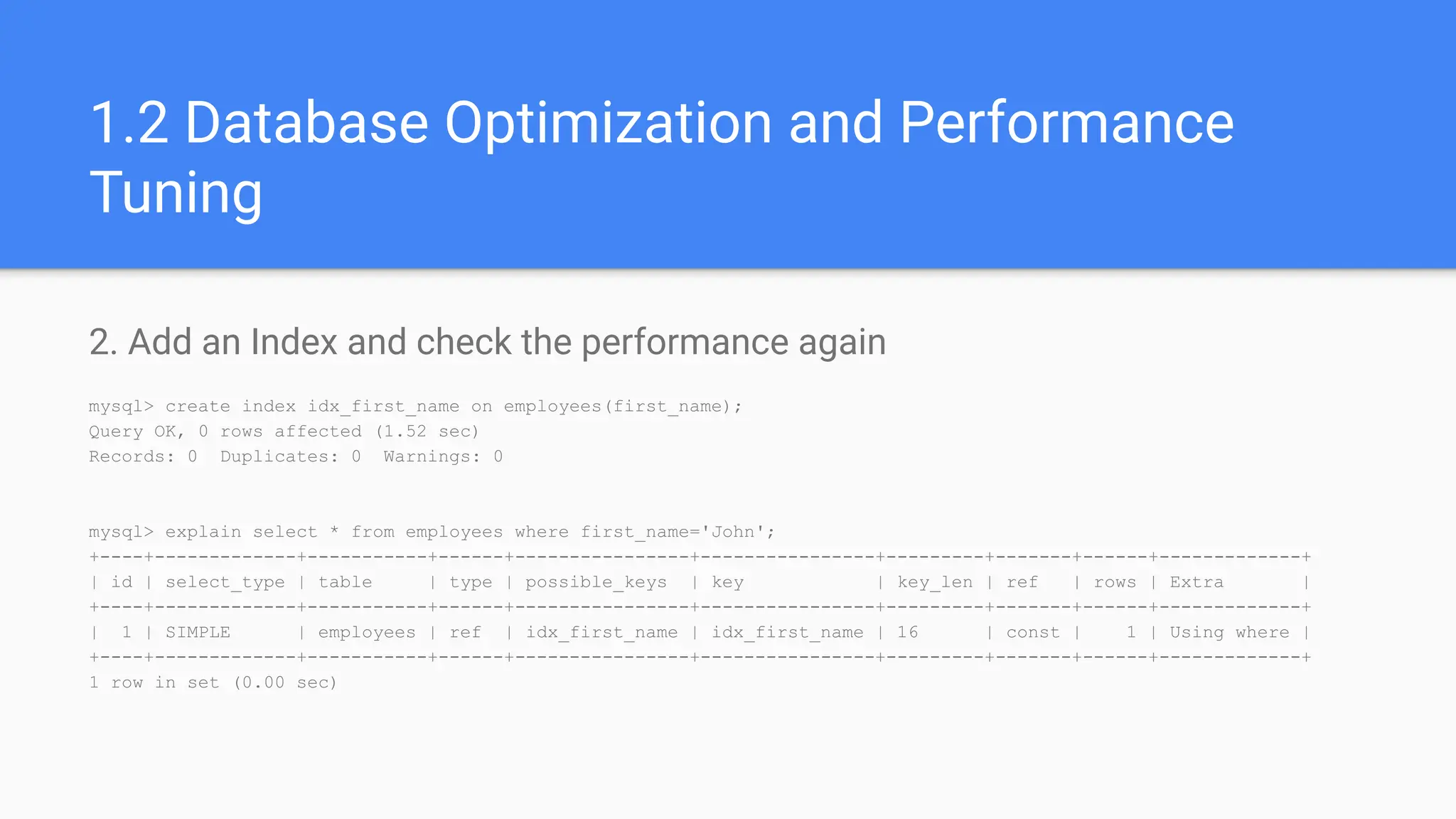
1.2 Database Optimization and Performance
Tuning
2. Add an Index and check the performance again
mysql> create index idx_first_name on employees(first_name);
Query OK, 0 rows affected (1.52 sec)
Records: 0 Duplicates: 0 Warnings: 0
mysql> explain select * from employees where first_name='John';
+----+-------------+-----------+------+----------------+----------------+---------+-------+------+-------------+
| id | select_type | table | type | possible_keys | key | key_len | ref | rows | Extra |
+----+-------------+-----------+------+----------------+----------------+---------+-------+------+-------------+
| 1 | SIMPLE | employees | ref | idx_first_name | idx_first_name | 16 | const | 1 | Using where |
+----+-------------+-----------+------+----------------+----------------+---------+-------+------+-------------+
1 row in set (0.00 sec)
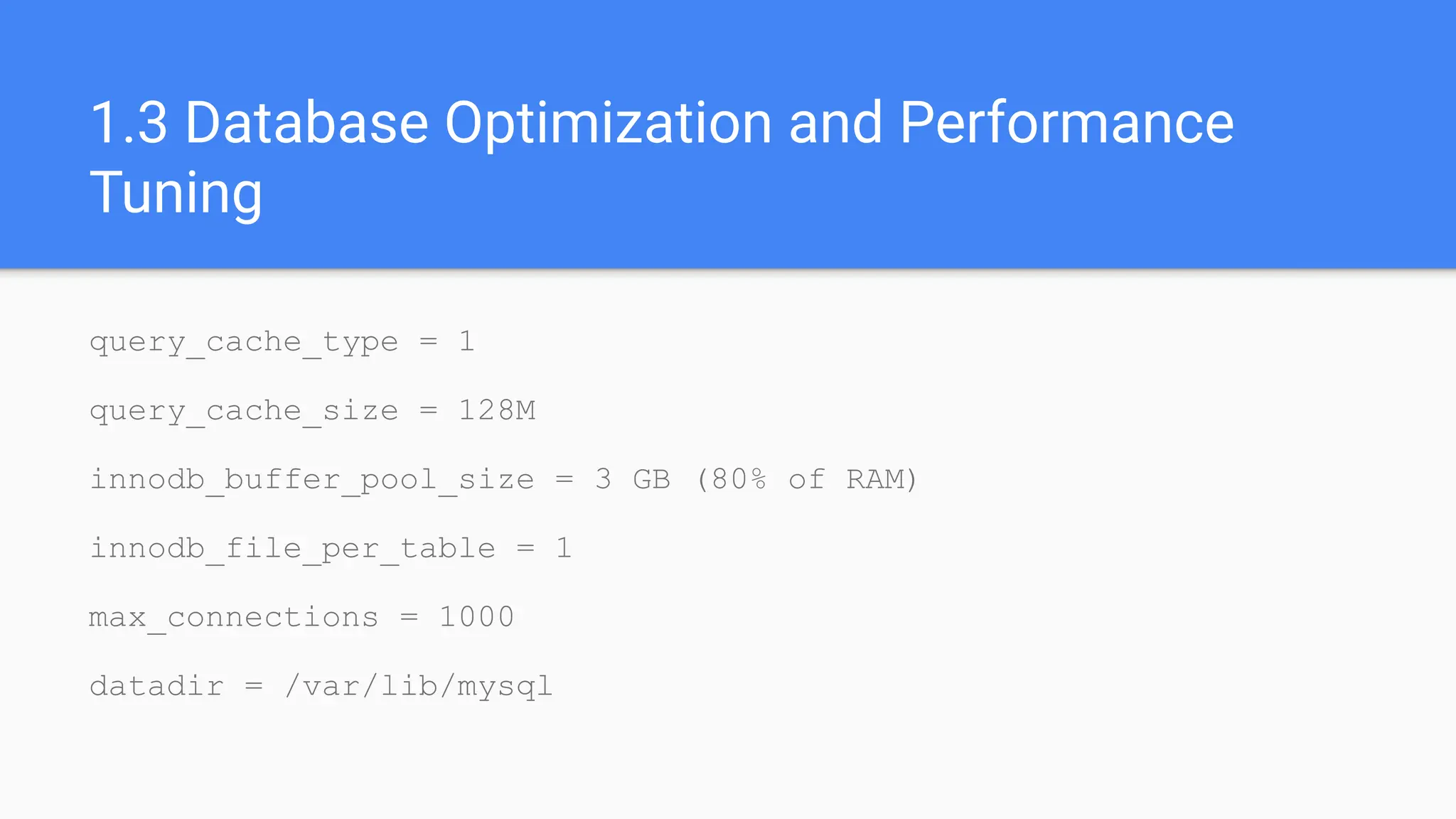
1.3 Database Optimization and Performance
Tuning
query_cache_type = 1
query_cache_size = 128M
innodb_buffer_pool_size = 3 GB (80% of RAM)
innodb_file_per_table = 1
max_connections = 1000
datadir = /var/lib/mysql
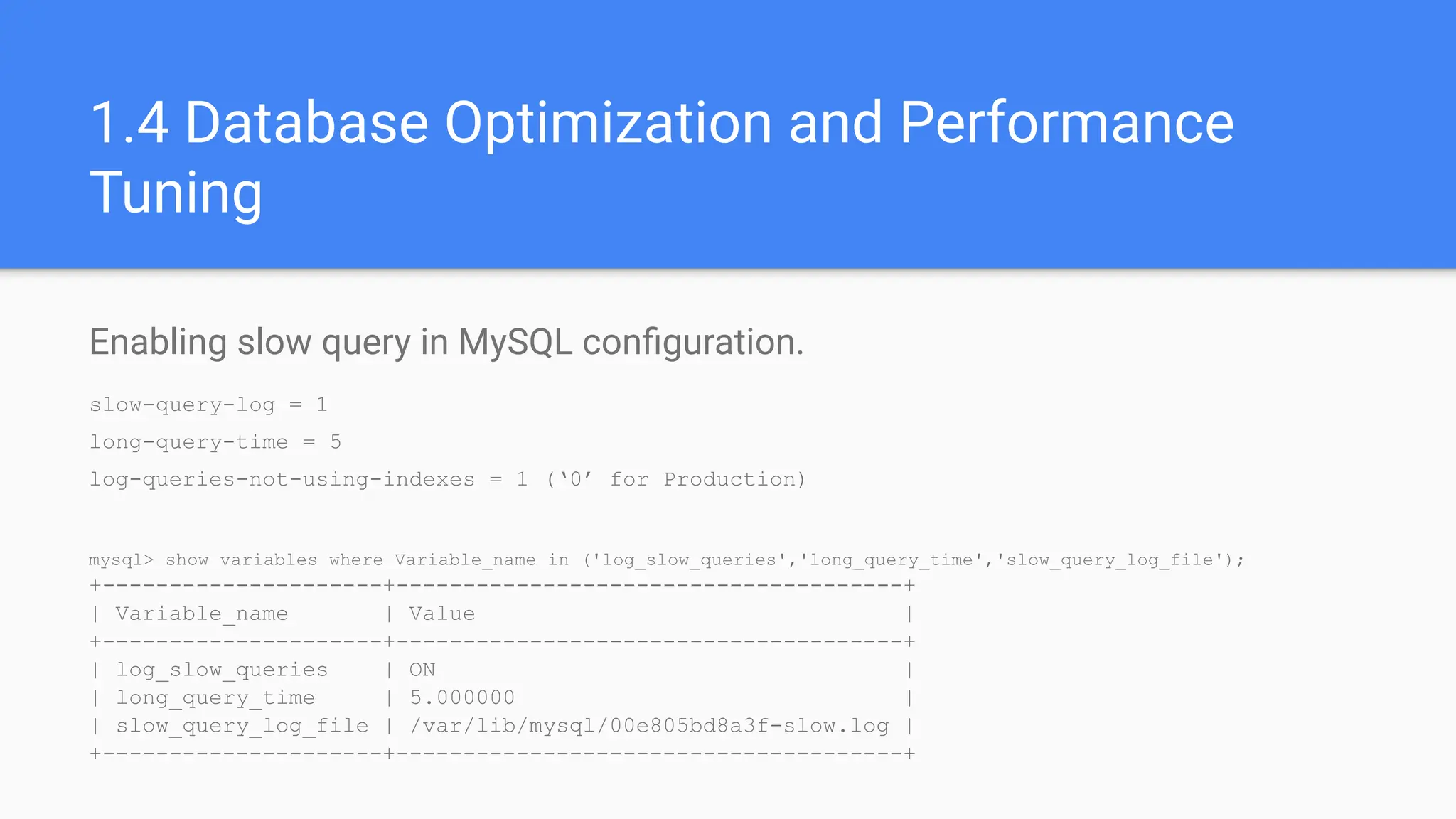
1.4 Database Optimization and Performance
Tuning
Enabling slow query in MySQL configuration.
slow-query-log = 1
long-query-time = 5
log-queries-not-using-indexes = 1 (‘0’ for Production)
mysql> show variables where Variable_name in ('log_slow_queries','long_query_time','slow_query_log_file');
+---------------------+--------------------------------------+
| Variable_name | Value |
+---------------------+--------------------------------------+
| log_slow_queries | ON |
| long_query_time | 5.000000 |
| slow_query_log_file | /var/lib/mysql/00e805bd8a3f-slow.log |
+---------------------+--------------------------------------+
Get top 10 Slow queries
mysqldumpslow -a -t 10 /var/lib/mysql/00e805bd8a3f-slow.log
Reading mysql slow query log from /var/lib/mysql/00e805bd8a3f-slow.log
Count: 1 Time=6.08s (6s) Lock=0.00s (0s) Rows=1.0 (1), root[root]@localhost
select count(*) from salaries_wo_partition where from_date between '1998-01-01' and '1998-12-31'
1.5 Database Optimization and Performance
Tuning
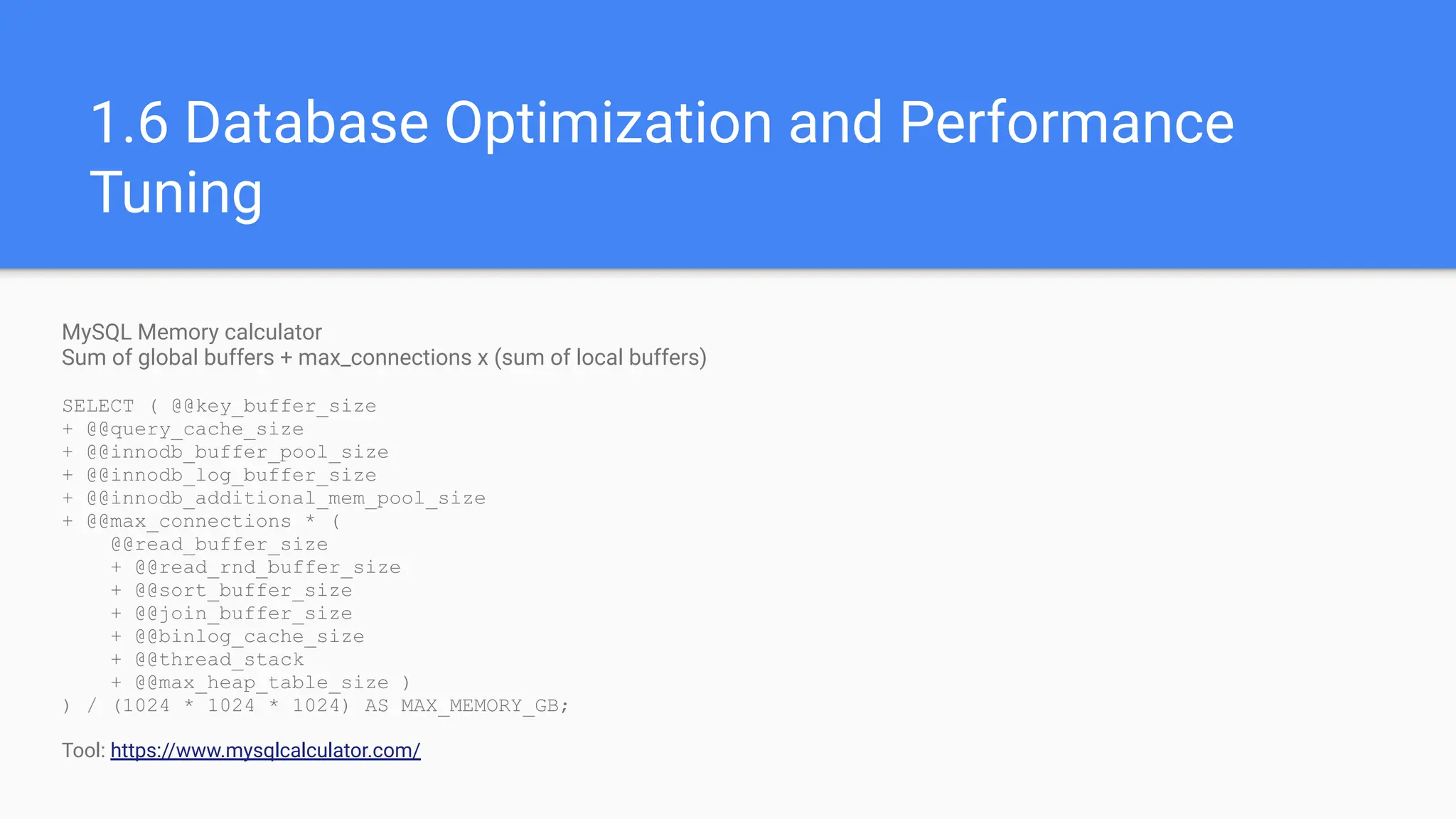
MySQL Memory calculator
Sum of global buffers + max_connections x (sum of local buffers)
SELECT ( @@key_buffer_size
+ @@query_cache_size
+ @@innodb_buffer_pool_size
+ @@innodb_log_buffer_size
+ @@innodb_additional_mem_pool_size
+ @@max_connections * (
@@read_buffer_size
+ @@read_rnd_buffer_size
+ @@sort_buffer_size
+ @@join_buffer_size
+ @@binlog_cache_size
+ @@thread_stack
+ @@max_heap_table_size )
) / (1024 * 1024 * 1024) AS MAX_MEMORY_GB;
Tool: https://www.mysqlcalculator.com/
1.6 Database Optimization and Performance
Tuning
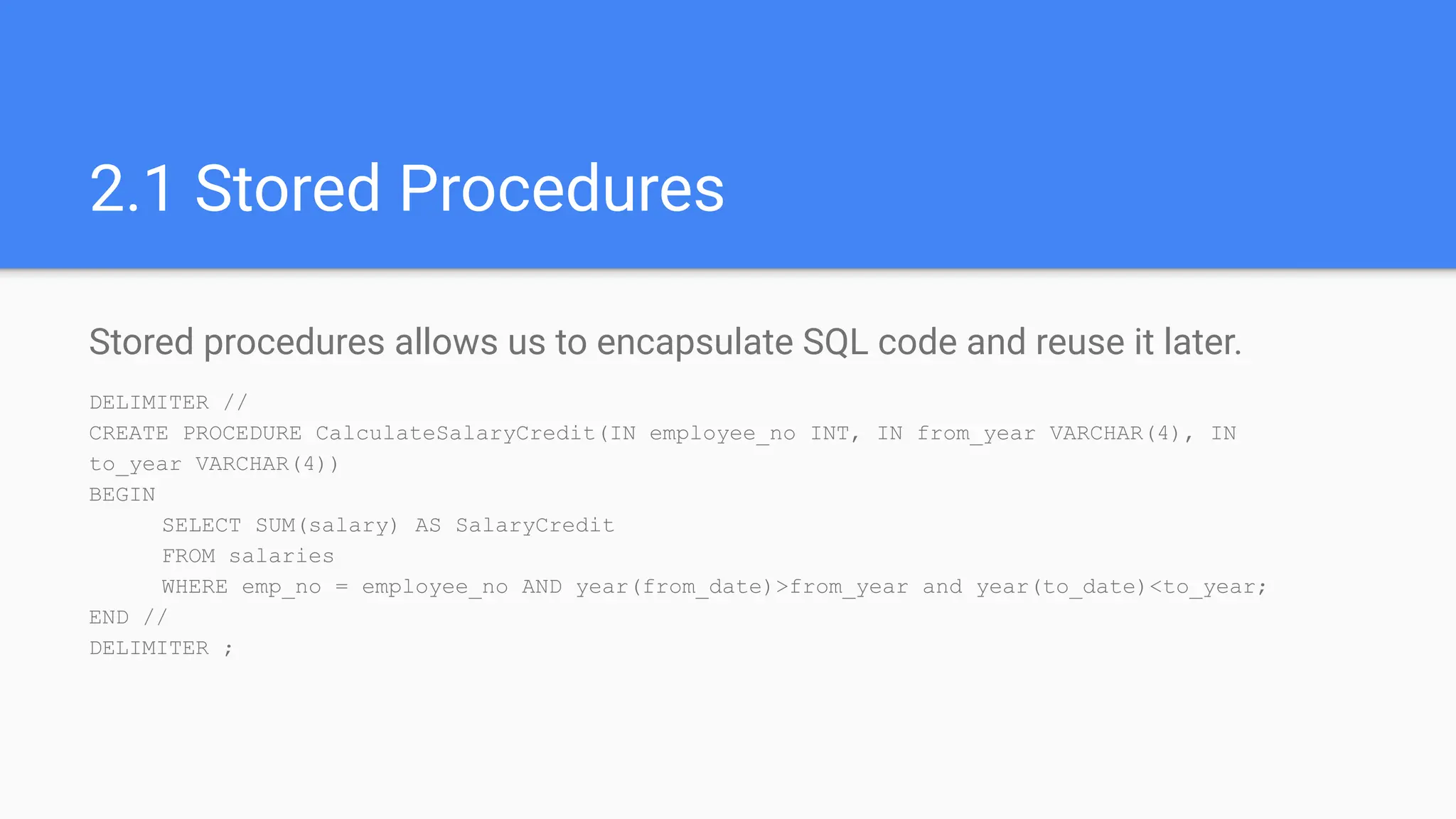
2.1 Stored Procedures
Stored procedures allows us to encapsulate SQL code and reuse it later.
DELIMITER //
CREATE PROCEDURE CalculateSalaryCredit(IN employee_no INT, IN from_year VARCHAR(4), IN
to_year VARCHAR(4))
BEGIN
SELECT SUM(salary) AS SalaryCredit
FROM salaries
WHERE emp_no = employee_no AND year(from_date)>from_year and year(to_date)<to_year;
END //
DELIMITER ;
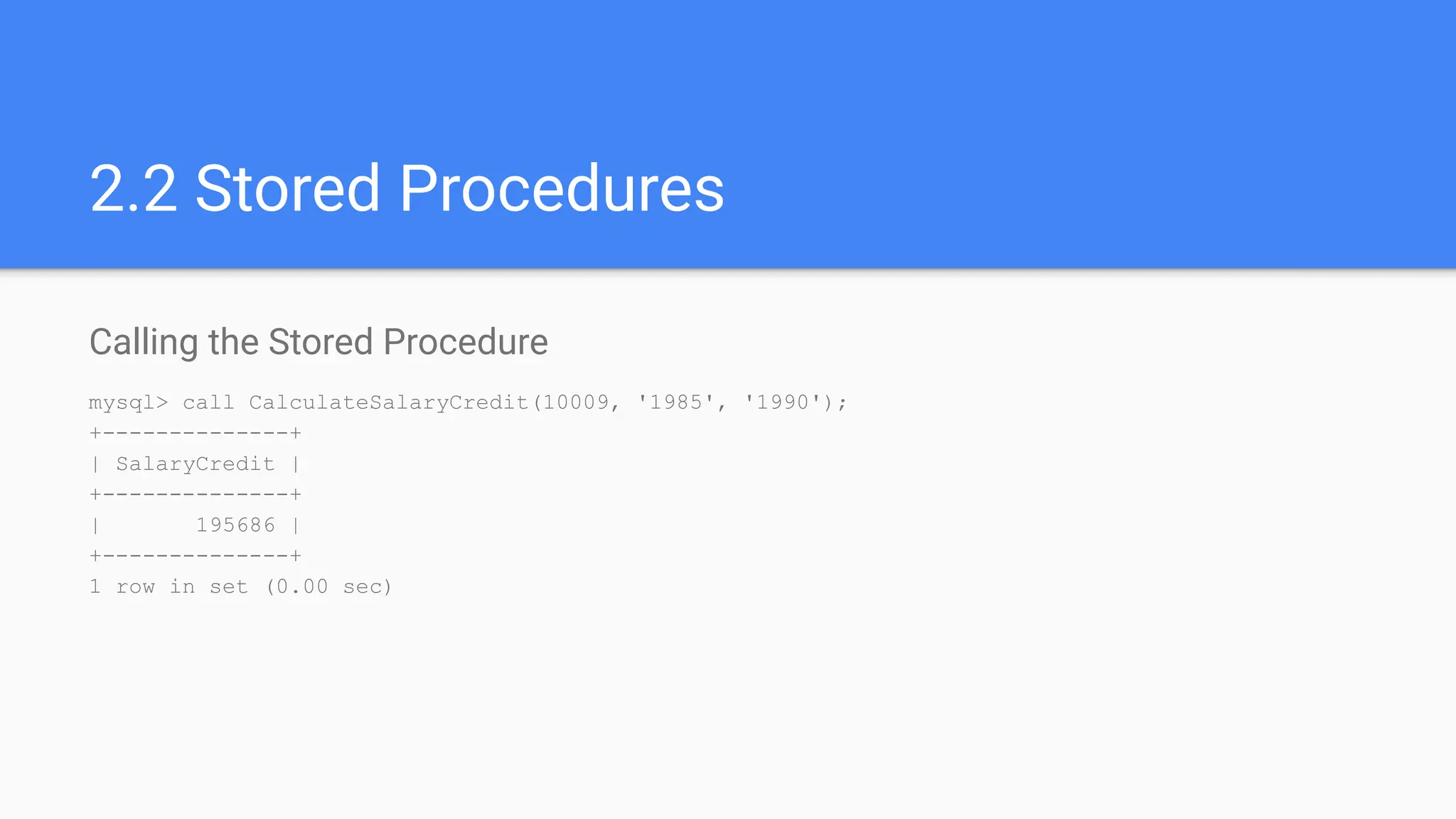
2.2 Stored Procedures
Calling the Stored Procedure
mysql> call CalculateSalaryCredit(10009, '1985', '1990');
+--------------+
| SalaryCredit |
+--------------+
| 195686 |
+--------------+
1 row in set (0.00 sec)
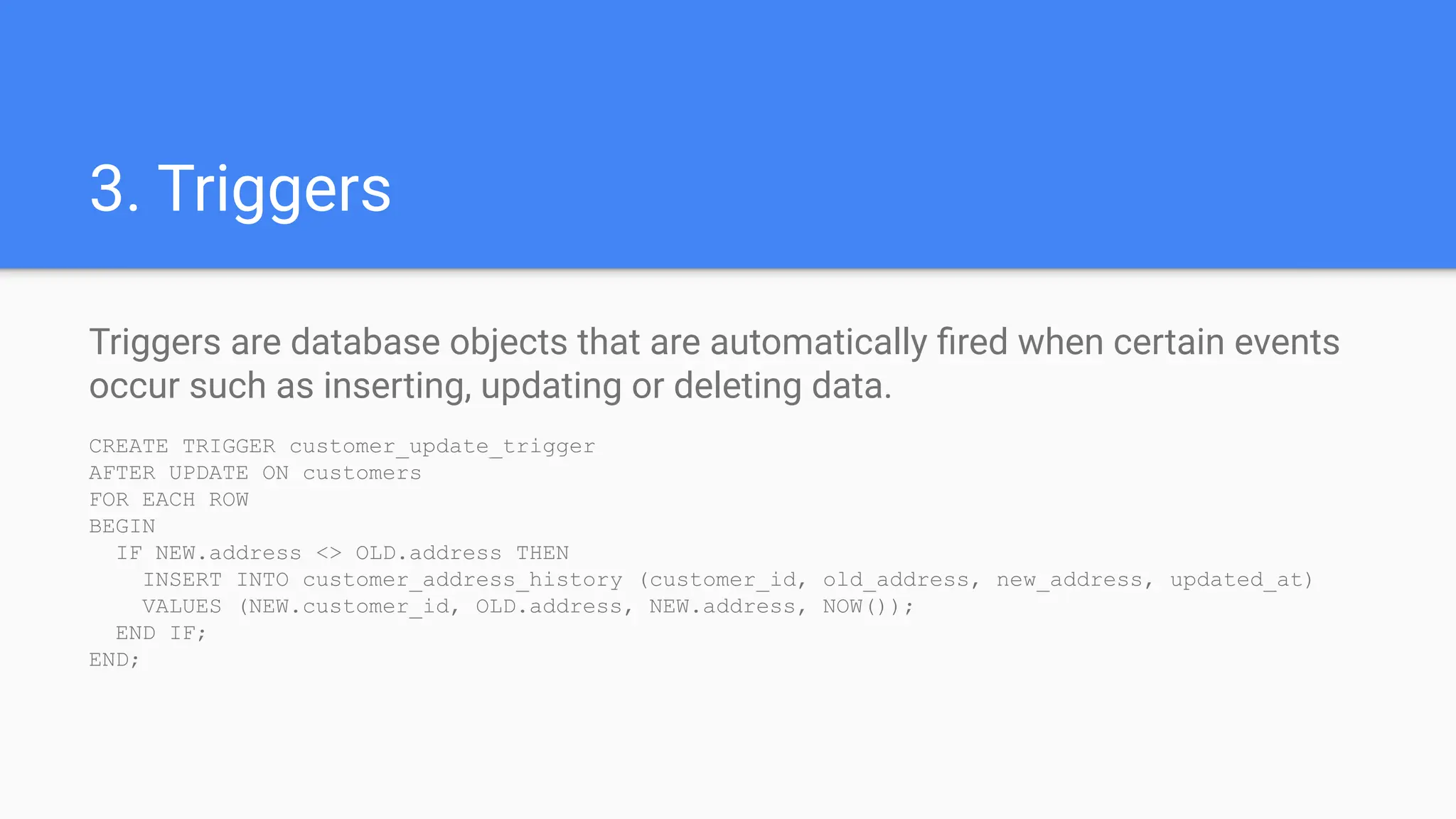
3. Triggers
Triggers are database objects that are automatically fired when certain events
occur such as inserting, updating or deleting data.
CREATE TRIGGER customer_update_trigger
AFTER UPDATE ON customers
FOR EACH ROW
BEGIN
IF NEW.address <> OLD.address THEN
INSERT INTO customer_address_history (customer_id, old_address, new_address, updated_at)
VALUES (NEW.customer_id, OLD.address, NEW.address, NOW());
END IF;
END;
4.1 Partitioning
Partition the salaries table by date range.
ALTER TABLE salaries partition by range COLUMNS (from_date)
(
partition p01 values less than ('1985-12-31'),
partition p02 values less than ('1986-12-31'),
partition p03 values less than ('1987-12-31'),
partition p04 values less than ('1988-12-31'),
partition p05 values less than ('1989-12-31'),
partition p06 values less than ('1990-12-31'),
…………
partition p15 values less than ('1999-12-31'),
partition p16 values less than ('2000-12-31'),
partition p17 values less than ('2001-12-31'),
partition p18 values less than ('2002-12-31'),
partition p19 values less than (MAXVALUE)
);
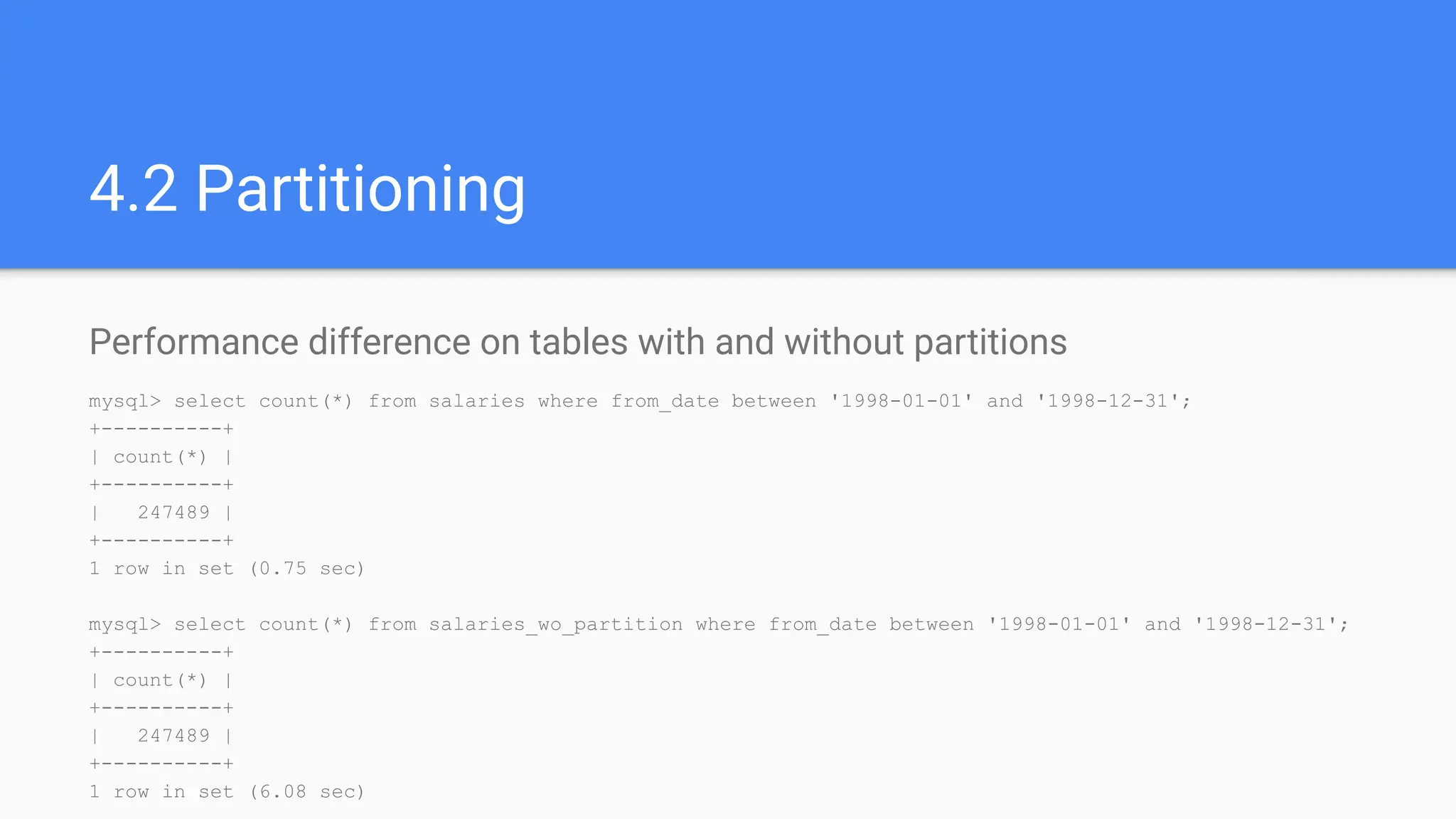
4.2 Partitioning
Performance difference on tables with and without partitions
mysql> select count(*) from salaries where from_date between '1998-01-01' and '1998-12-31';
+----------+
| count(*) |
+----------+
| 247489 |
+----------+
1 row in set (0.75 sec)
mysql> select count(*) from salaries_wo_partition where from_date between '1998-01-01' and '1998-12-31';
+----------+
| count(*) |
+----------+
| 247489 |
+----------+
1 row in set (6.08 sec)
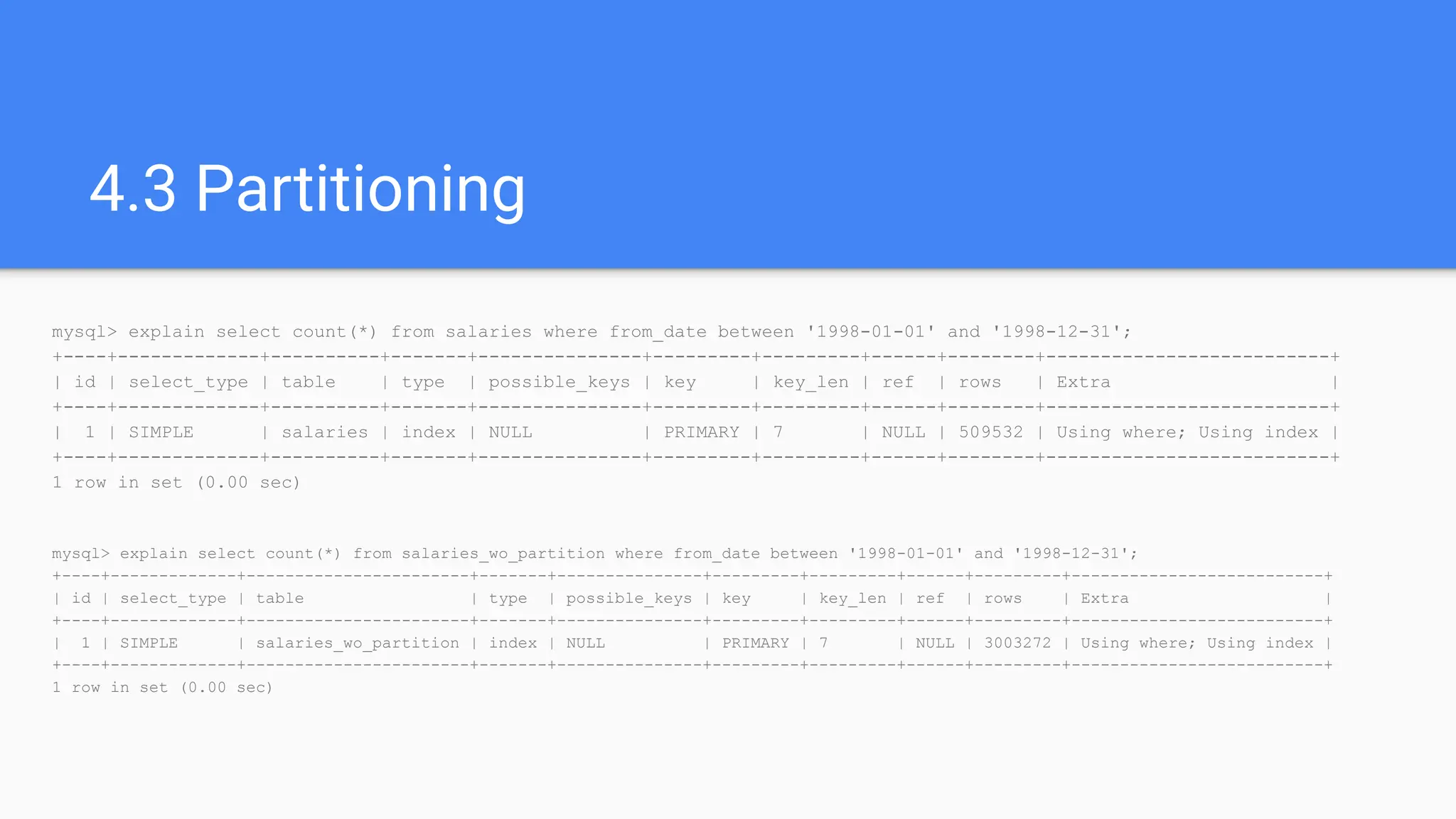
4.3 Partitioning
mysql> explain select count(*) from salaries where from_date between '1998-01-01' and '1998-12-31';
+----+-------------+----------+-------+---------------+---------+---------+------+--------+--------------------------+
| id | select_type | table | type | possible_keys | key | key_len | ref | rows | Extra |
+----+-------------+----------+-------+---------------+---------+---------+------+--------+--------------------------+
| 1 | SIMPLE | salaries | index | NULL | PRIMARY | 7 | NULL | 509532 | Using where; Using index |
+----+-------------+----------+-------+---------------+---------+---------+------+--------+--------------------------+
1 row in set (0.00 sec)
mysql> explain select count(*) from salaries_wo_partition where from_date between '1998-01-01' and '1998-12-31';
+----+-------------+-----------------------+-------+---------------+---------+---------+------+---------+--------------------------+
| id | select_type | table | type | possible_keys | key | key_len | ref | rows | Extra |
+----+-------------+-----------------------+-------+---------------+---------+---------+------+---------+--------------------------+
| 1 | SIMPLE | salaries_wo_partition | index | NULL | PRIMARY | 7 | NULL | 3003272 | Using where; Using index |
+----+-------------+-----------------------+-------+---------------+---------+---------+------+---------+--------------------------+
1 row in set (0.00 sec)
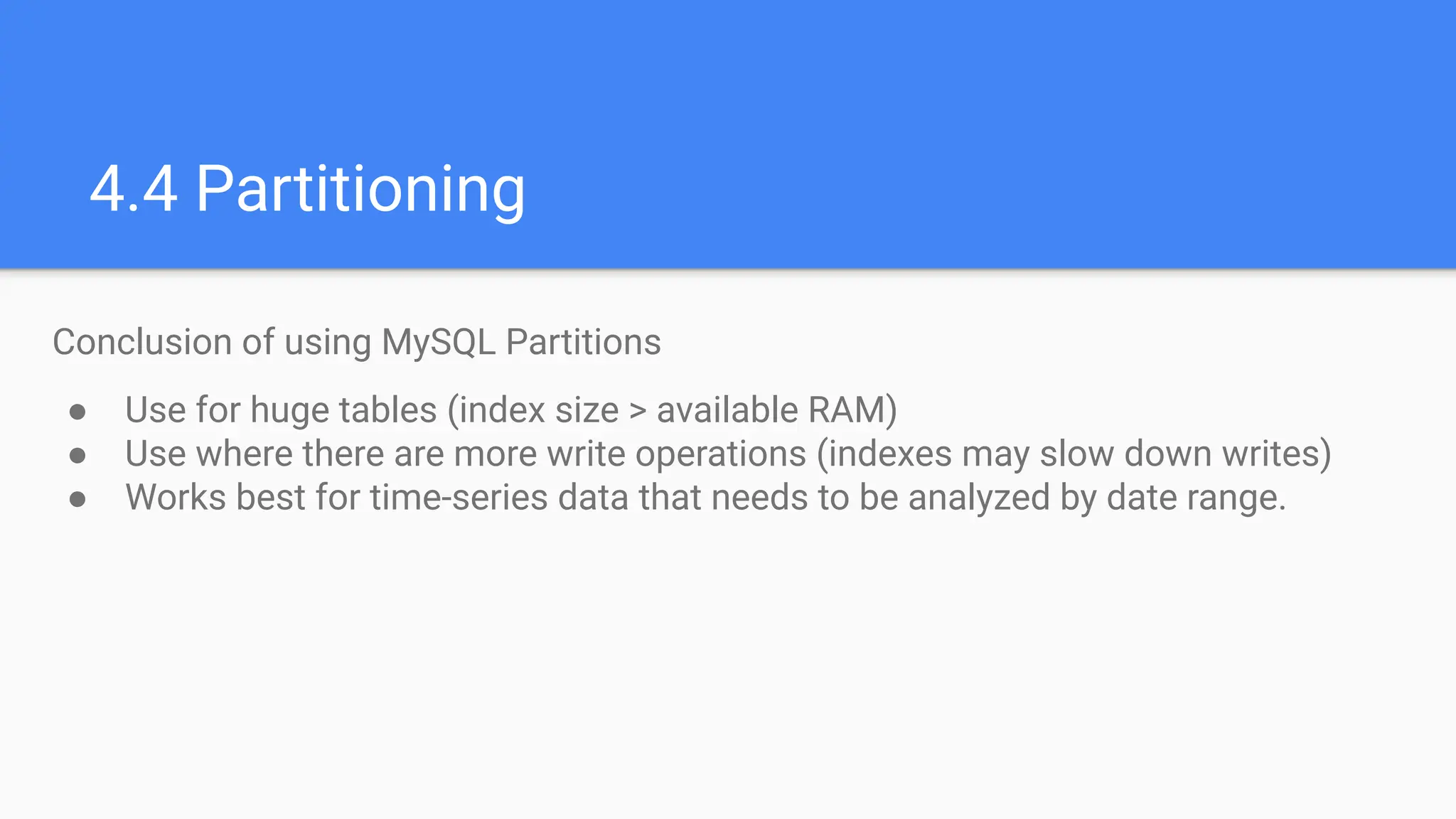
4.4 Partitioning
Conclusion of using MySQL Partitions
● Use for huge tables (index size > available RAM)
● Use where there are more write operations (indexes may slow down writes)
● Works best for time-series data that needs to be analyzed by date range.
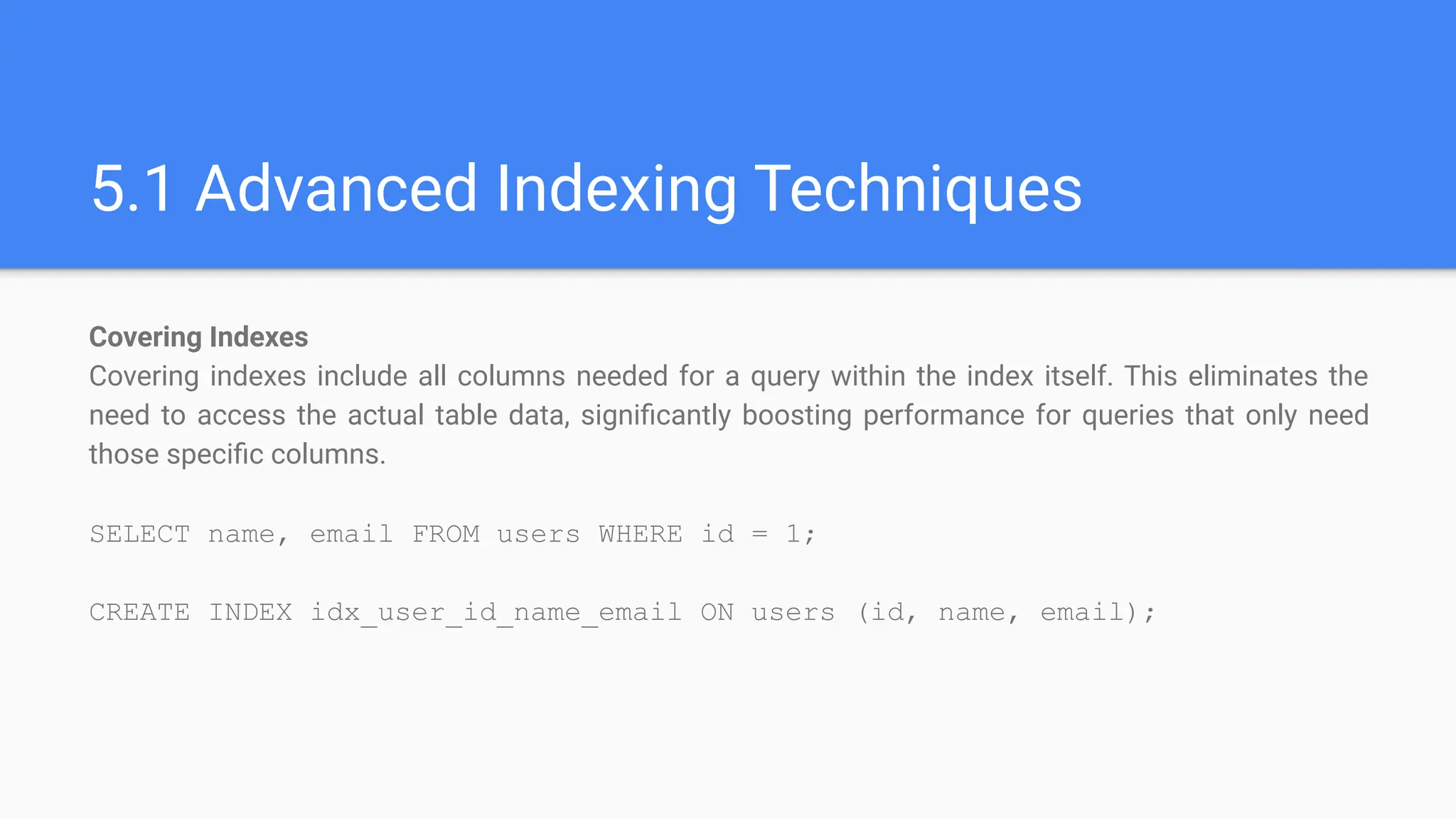
5.1 Advanced Indexing Techniques
Covering Indexes
Covering indexes include all columns needed for a query within the index itself. This eliminates the
need to access the actual table data, significantly boosting performance for queries that only need
those specific columns.
SELECT name, email FROM users WHERE id = 1;
CREATE INDEX idx_user_id_name_email ON users (id, name, email);
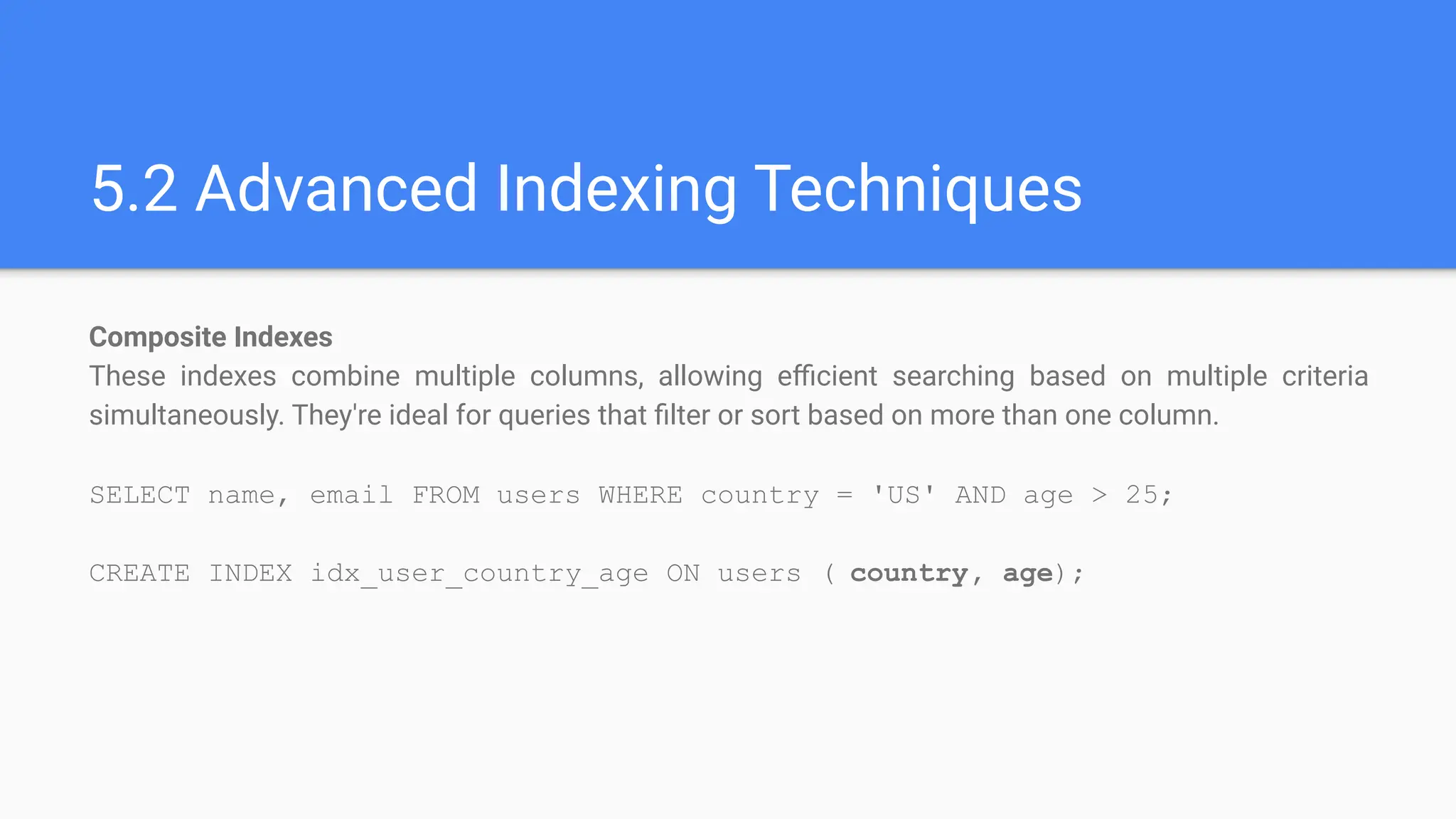
5.2 Advanced Indexing Techniques
Composite Indexes
These indexes combine multiple columns, allowing efficient searching based on multiple criteria
simultaneously. They're ideal for queries that filter or sort based on more than one column.
SELECT name, email FROM users WHERE country = 'US' AND age > 25;
CREATE INDEX idx_user_country_age ON users ( country, age);
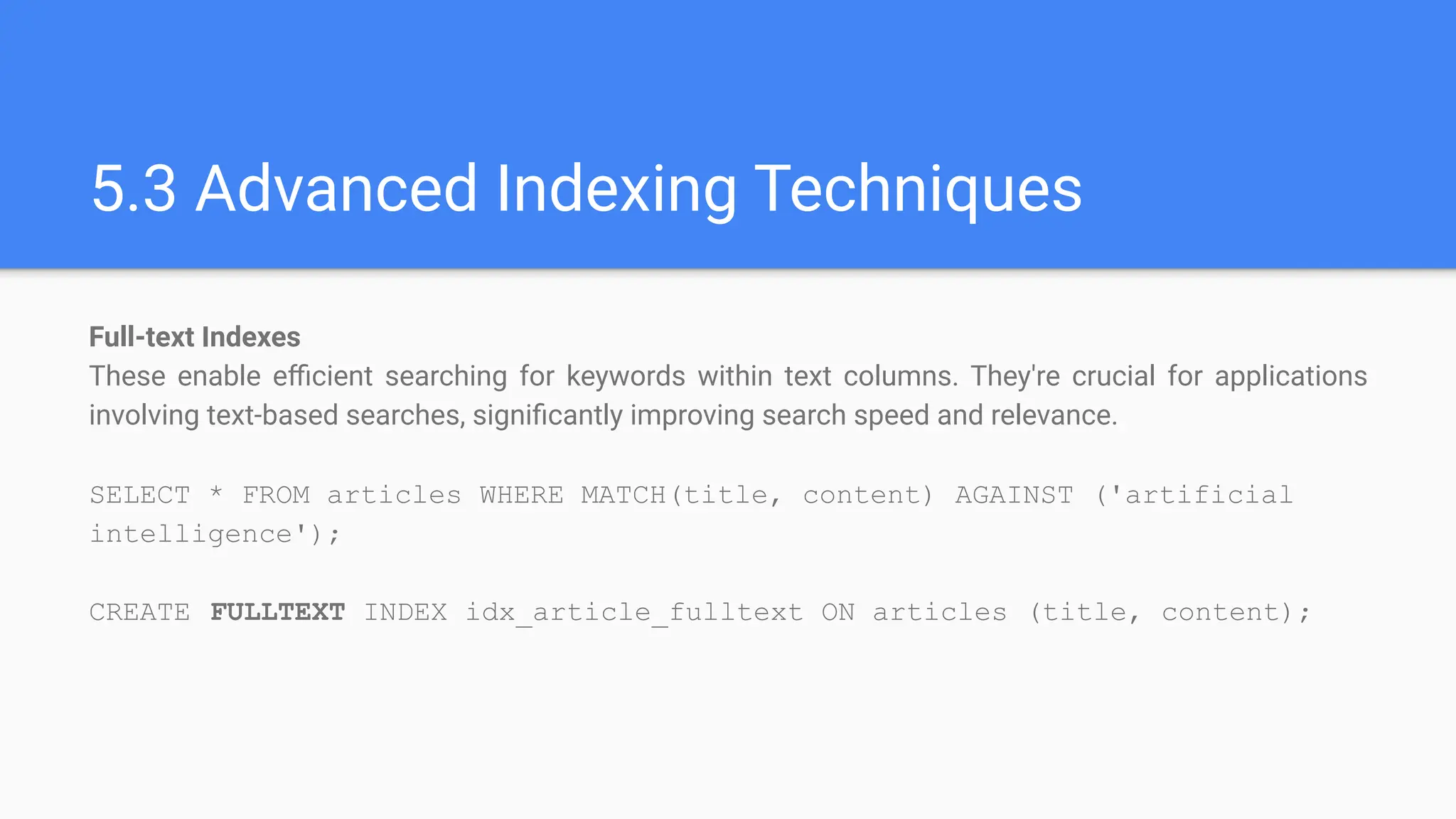
5.3 Advanced Indexing Techniques
Full-text Indexes
These enable efficient searching for keywords within text columns. They're crucial for applications
involving text-based searches, significantly improving search speed and relevance.
SELECT * FROM articles WHERE MATCH(title, content) AGAINST ('artificial
intelligence');
CREATE FULLTEXT INDEX idx_article_fulltext ON articles (title, content);
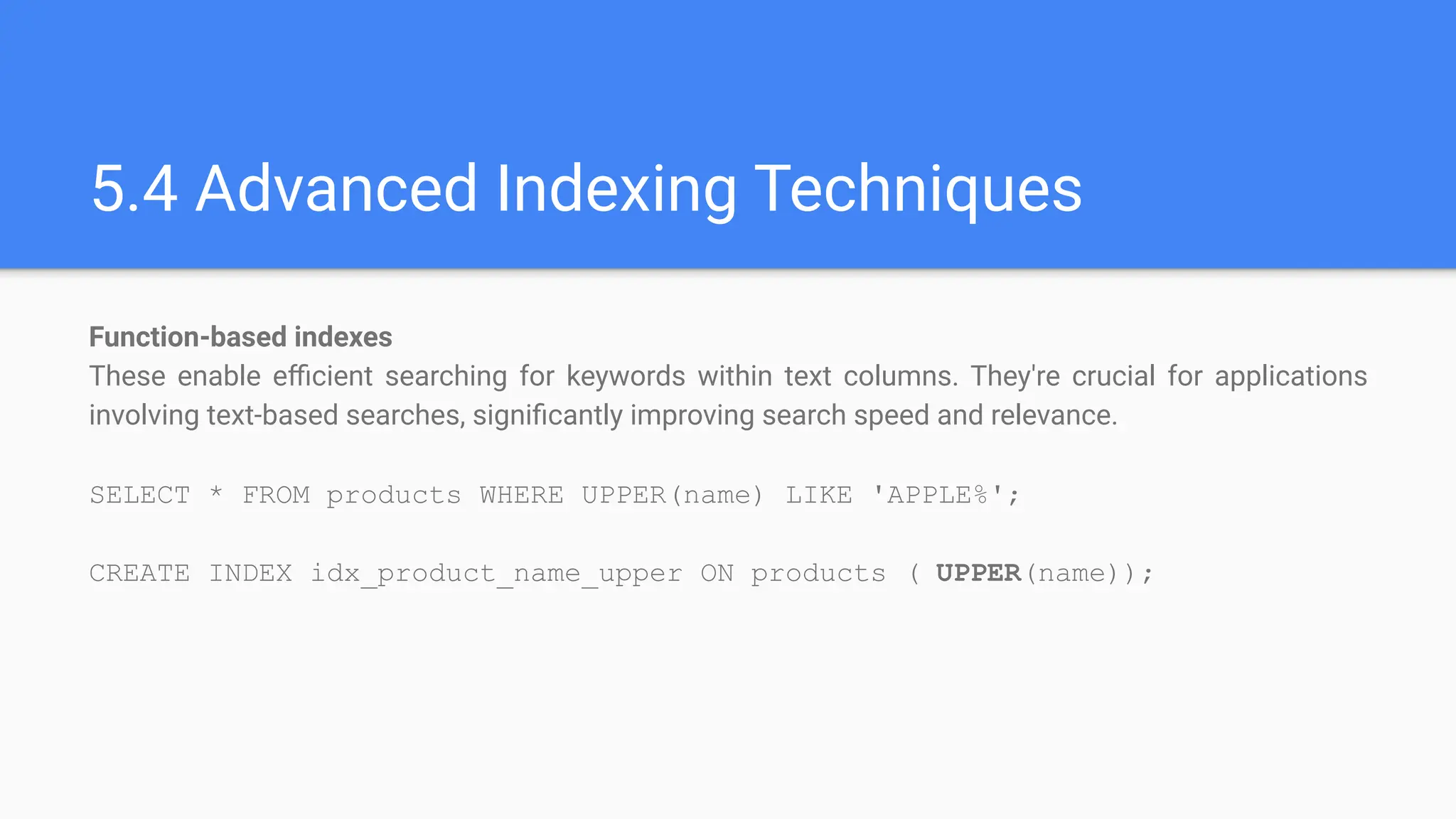
5.4 Advanced Indexing Techniques
Function-based indexes
These enable efficient searching for keywords within text columns. They're crucial for applications
involving text-based searches, significantly improving search speed and relevance.
SELECT * FROM products WHERE UPPER(name) LIKE 'APPLE%';
CREATE INDEX idx_product_name_upper ON products ( UPPER(name));
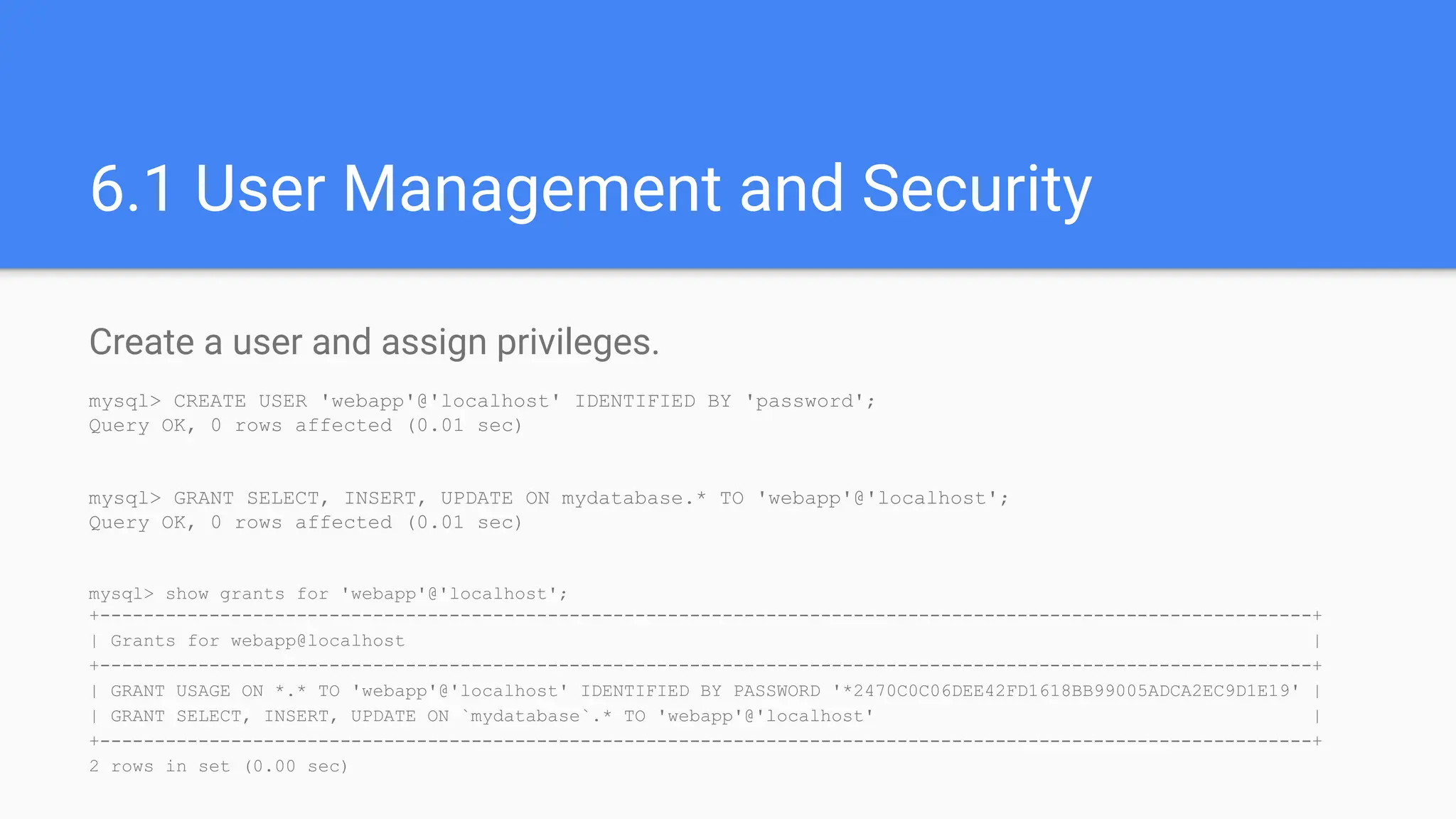
6.1 User Management and Security
Create a user and assign privileges.
mysql> CREATE USER 'webapp'@'localhost' IDENTIFIED BY 'password';
Query OK, 0 rows affected (0.01 sec)
mysql> GRANT SELECT, INSERT, UPDATE ON mydatabase.* TO 'webapp'@'localhost';
Query OK, 0 rows affected (0.01 sec)
mysql> show grants for 'webapp'@'localhost';
+---------------------------------------------------------------------------------------------------------------+
| Grants for webapp@localhost |
+---------------------------------------------------------------------------------------------------------------+
| GRANT USAGE ON *.* TO 'webapp'@'localhost' IDENTIFIED BY PASSWORD '*2470C0C06DEE42FD1618BB99005ADCA2EC9D1E19' |
| GRANT SELECT, INSERT, UPDATE ON `mydatabase`.* TO 'webapp'@'localhost' |
+---------------------------------------------------------------------------------------------------------------+
2 rows in set (0.00 sec)
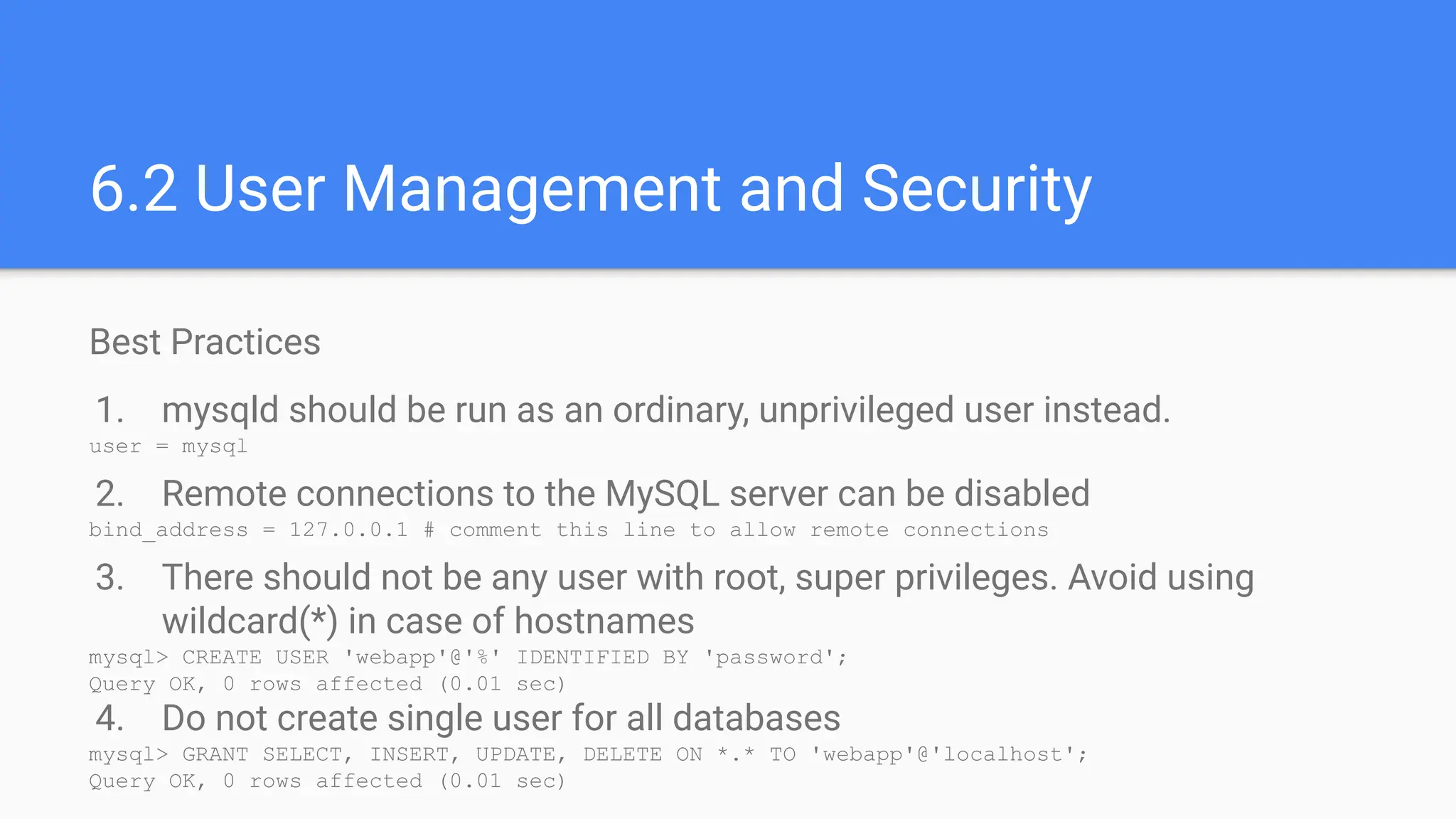
Best Practices
1. mysqld should be run as an ordinary, unprivileged user instead.
user = mysql
2. Remote connections to the MySQL server can be disabled
bind_address = 127.0.0.1 # comment this line to allow remote connections
3. There should not be any user with root, super privileges. Avoid using
wildcard(*) in case of hostnames
mysql> CREATE USER 'webapp'@'%' IDENTIFIED BY 'password';
Query OK, 0 rows affected (0.01 sec)
4. Do not create single user for all databases
mysql> GRANT SELECT, INSERT, UPDATE, DELETE ON *.* TO 'webapp'@'localhost';
Query OK, 0 rows affected (0.01 sec)
6.2 User Management and Security
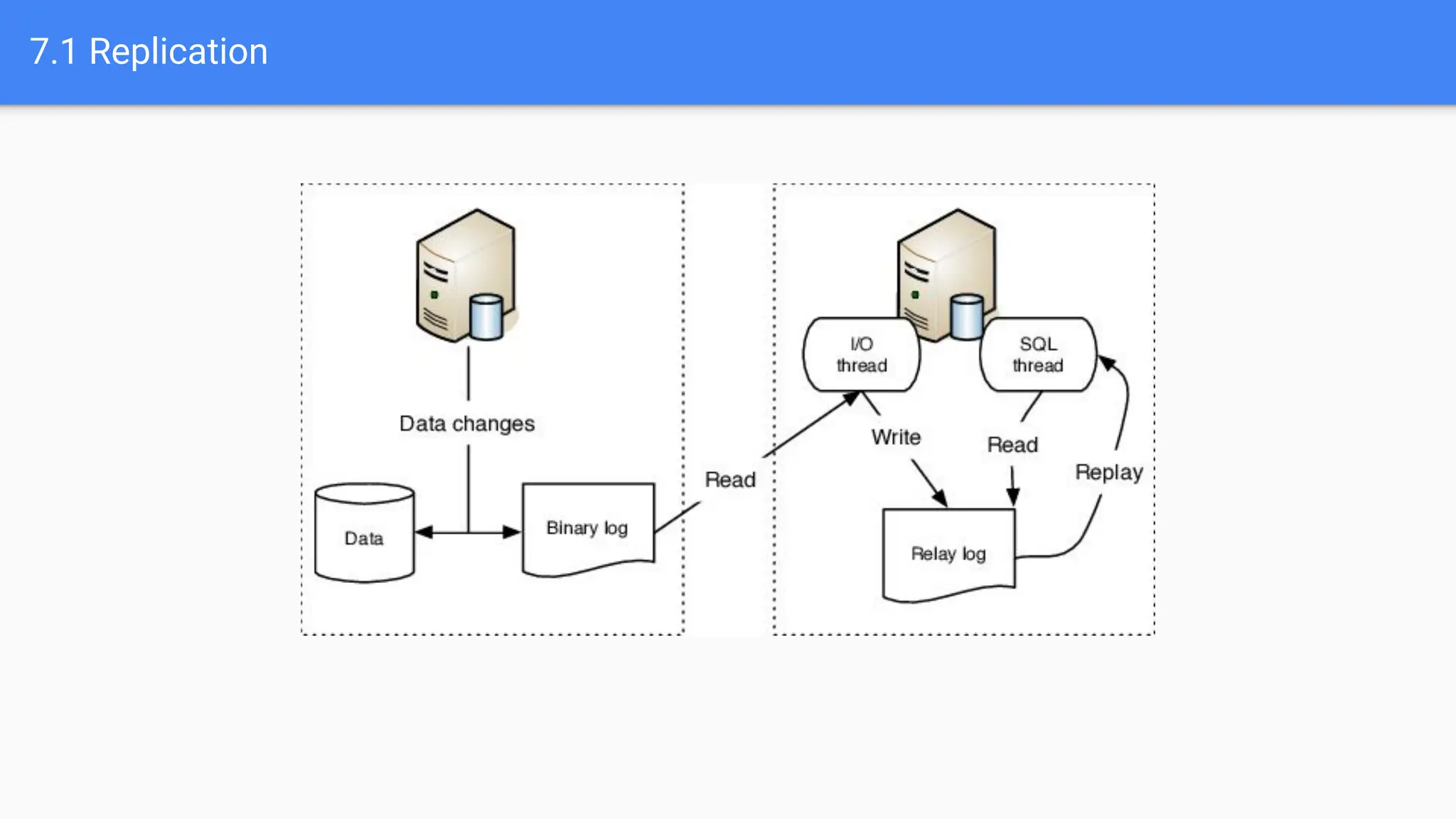
7.1 Replication
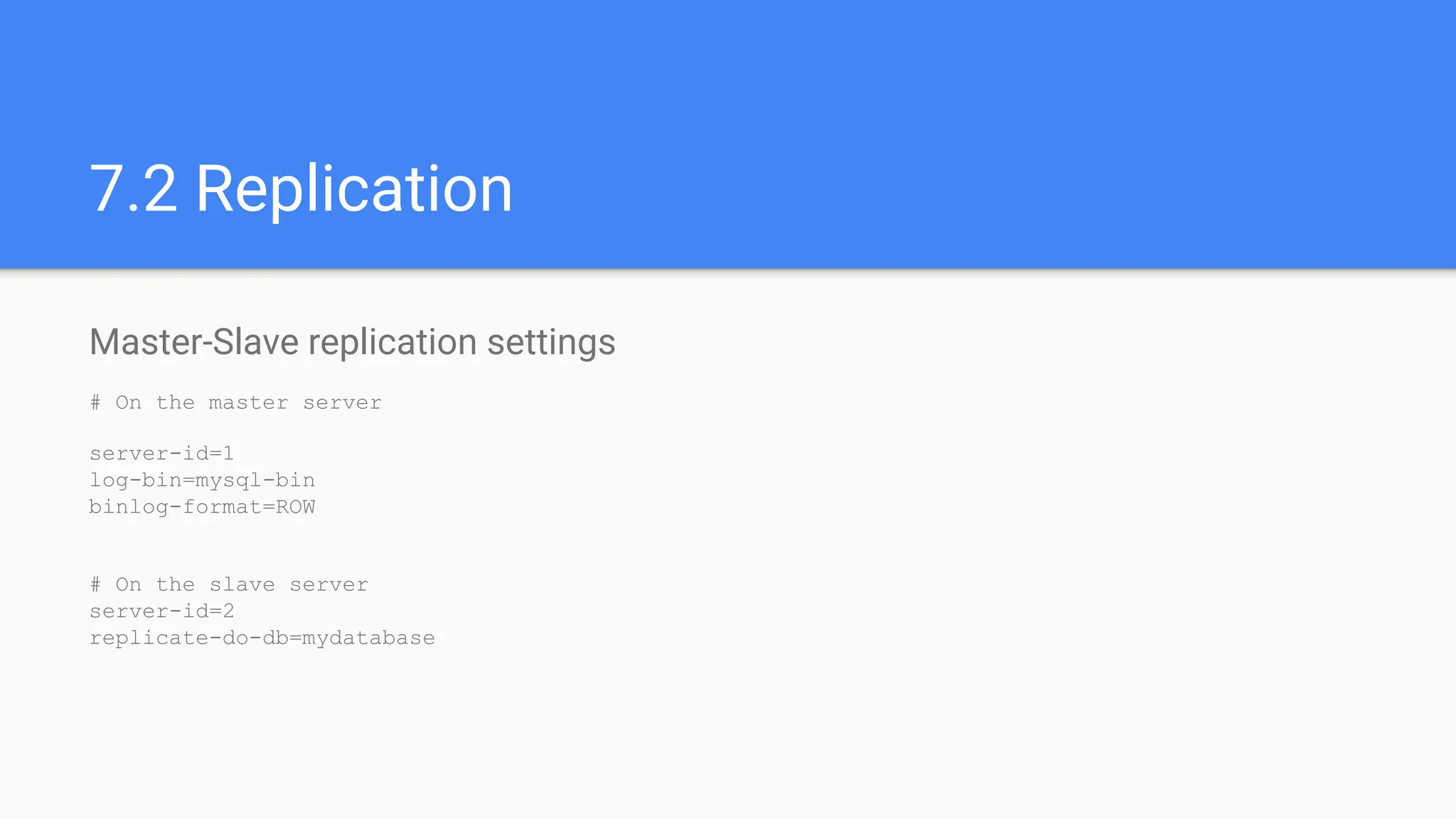
7.2 Replication
Master-Slave replication settings
# On the master server
server-id=1
log-bin=mysql-bin
binlog-format=ROW
# On the slave server
server-id=2
replicate-do-db=mydatabase
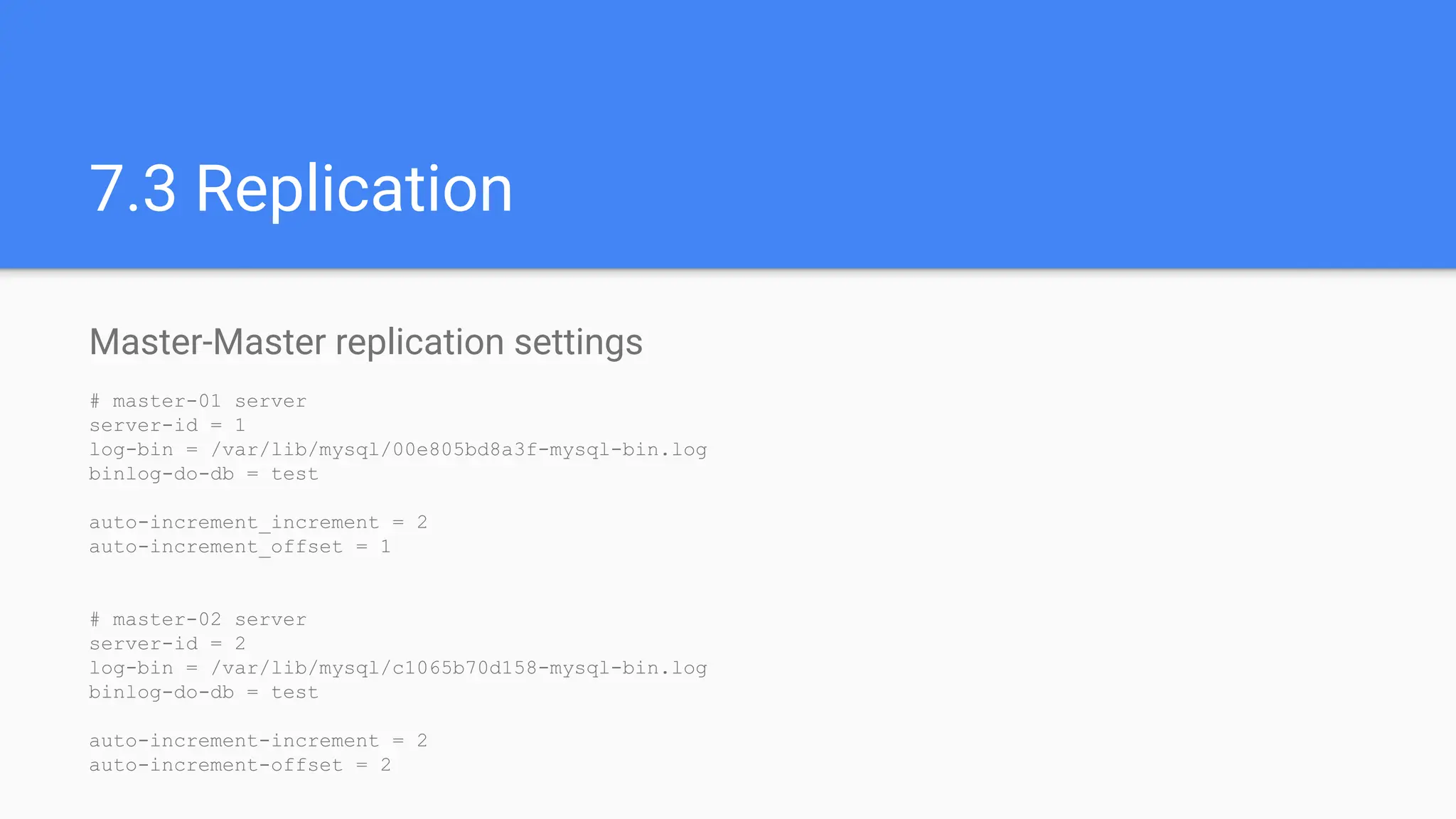
Master-Master replication settings
# master-01 server
server-id = 1
log-bin = /var/lib/mysql/00e805bd8a3f-mysql-bin.log
binlog-do-db = test
auto-increment_increment = 2
auto-increment_offset = 1
# master-02 server
server-id = 2
log-bin = /var/lib/mysql/c1065b70d158-mysql-bin.log
binlog-do-db = test
auto-increment-increment = 2
auto-increment-offset = 2
7.3 Replication
8.1 Backup and Recovery
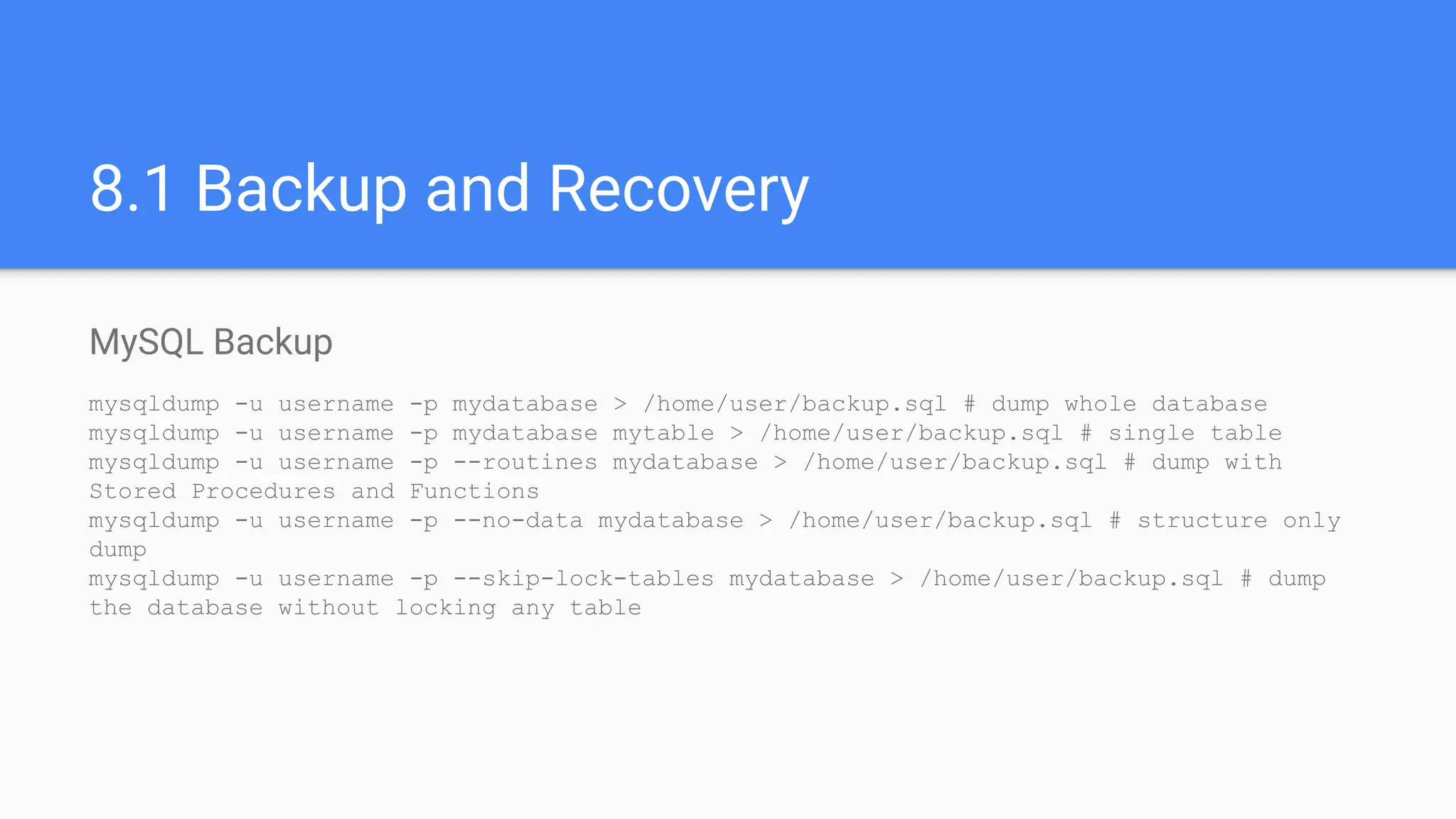
MySQL Backup
mysqldump -u username -p mydatabase > /home/user/backup.sql # dump whole database
mysqldump -u username -p mydatabase mytable > /home/user/backup.sql # single table
mysqldump -u username -p --routines mydatabase > /home/user/backup.sql # dump with
Stored Procedures and Functions
mysqldump -u username -p --no-data mydatabase > /home/user/backup.sql # structure only
dump
mysqldump -u username -p --skip-lock-tables mydatabase > /home/user/backup.sql # dump
the database without locking any table
8.2 Backup and Recovery
MySQL Restore
root@00e805bd8a3f:/# mysql -u root -p < /home/user/backup.sql
mysql> source /home/user/backup.sql
Query OK, 0 rows affected (0.01 sec)
Query OK, 0 rows affected (0.00 sec)
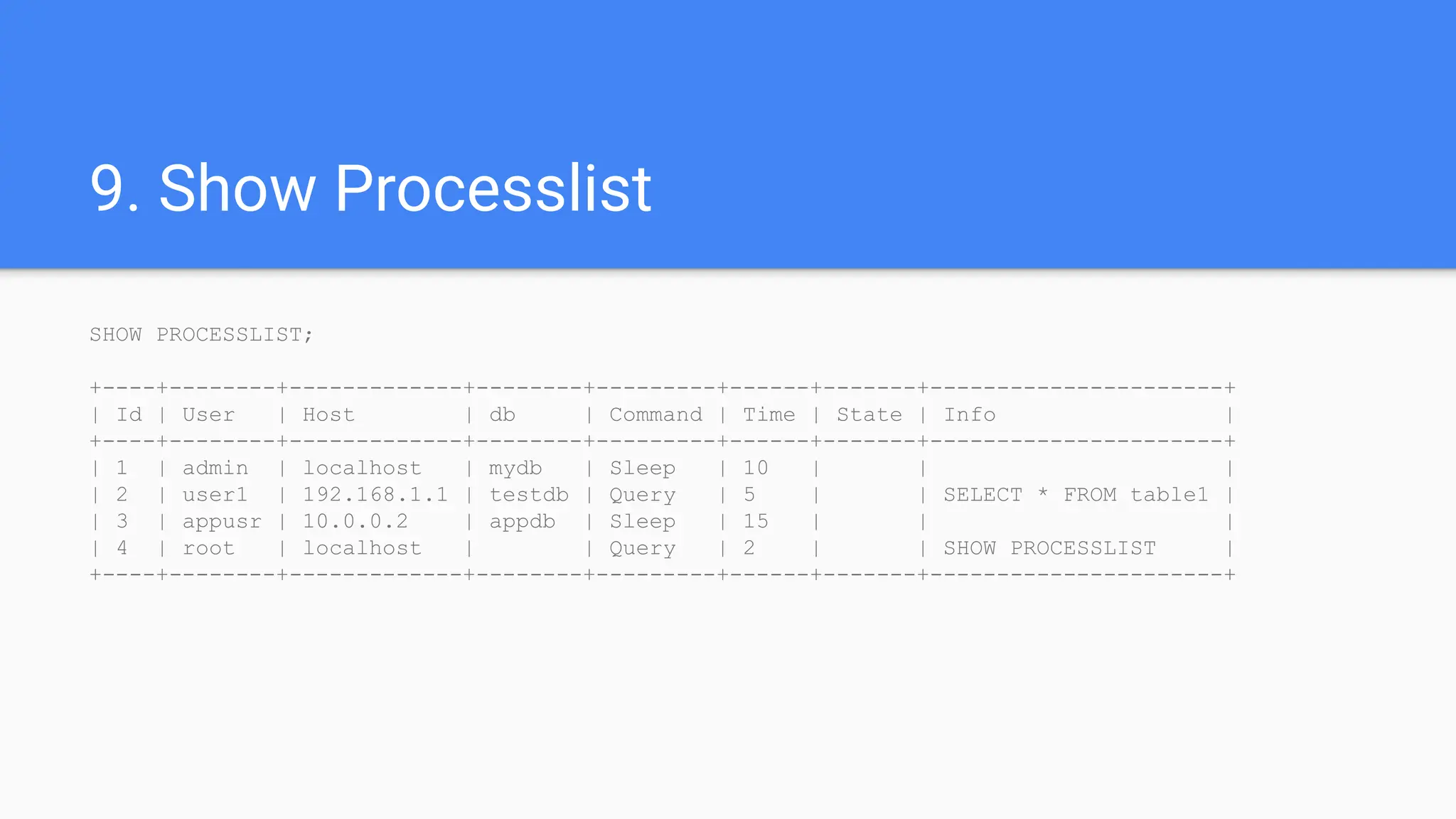
9. Show Processlist
SHOW PROCESSLIST;
+----+--------+-------------+--------+---------+------+-------+----------------------+
| Id | User | Host | db | Command | Time | State | Info |
+----+--------+-------------+--------+---------+------+-------+----------------------+
| 1 | admin | localhost | mydb | Sleep | 10 | | |
| 2 | user1 | 192.168.1.1 | testdb | Query | 5 | | SELECT * FROM table1 |
| 3 | appusr | 10.0.0.2 | appdb | Sleep | 15 | | |
| 4 | root | localhost | | Query | 2 | | SHOW PROCESSLIST |
+----+--------+-------------+--------+---------+------+-------+----------------------+
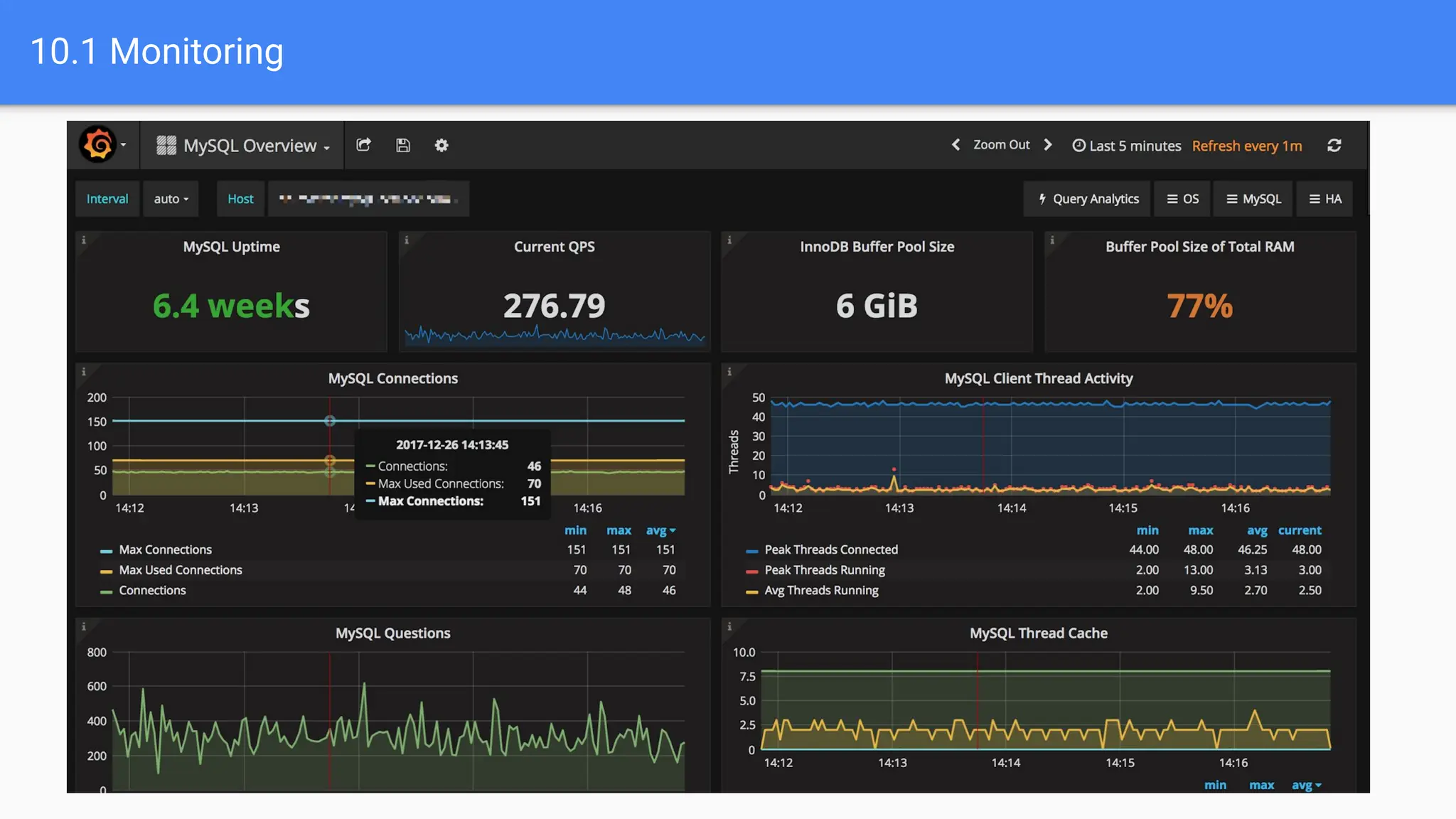
10.1 Monitoring
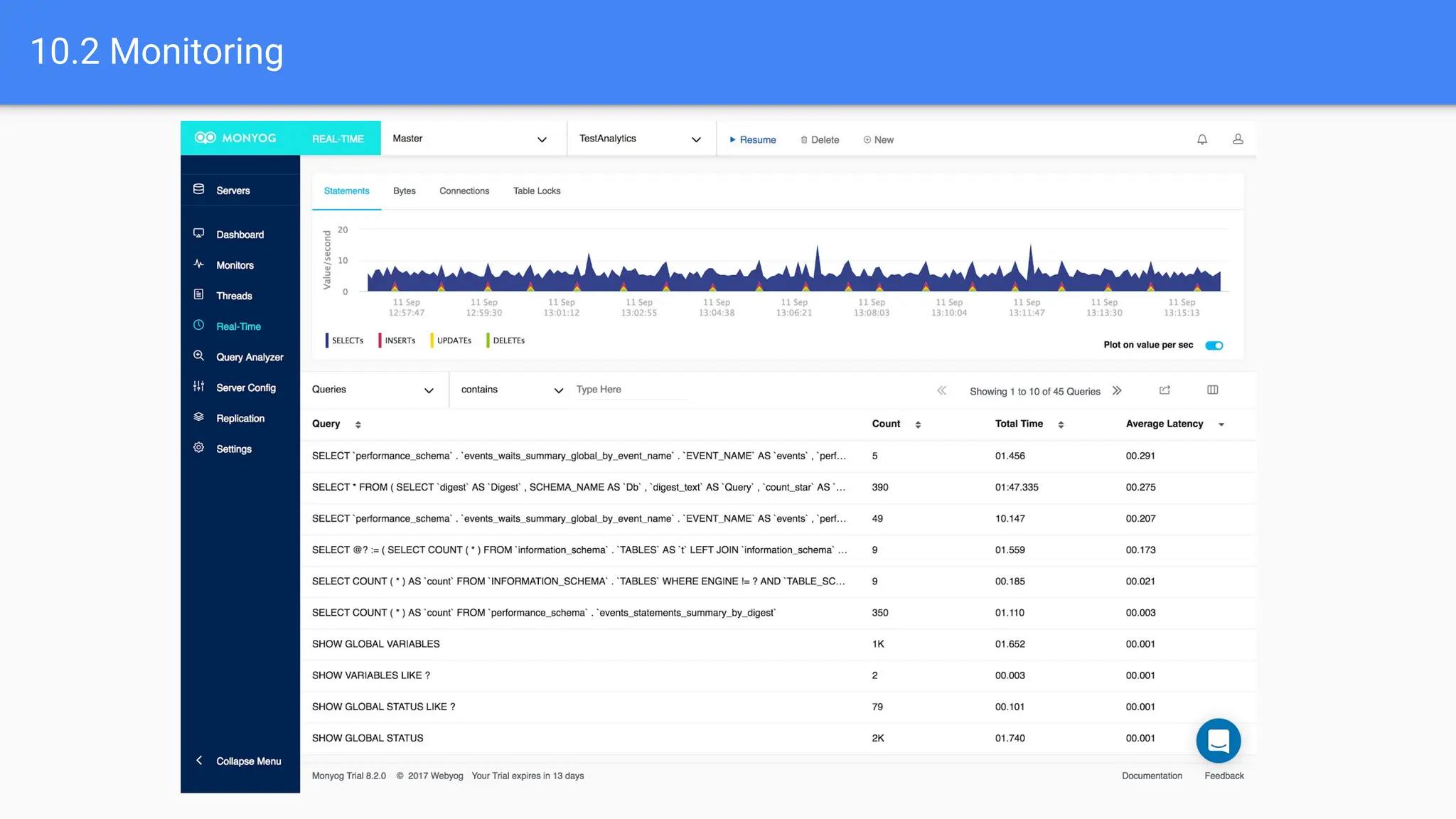
10.2 Monitoring
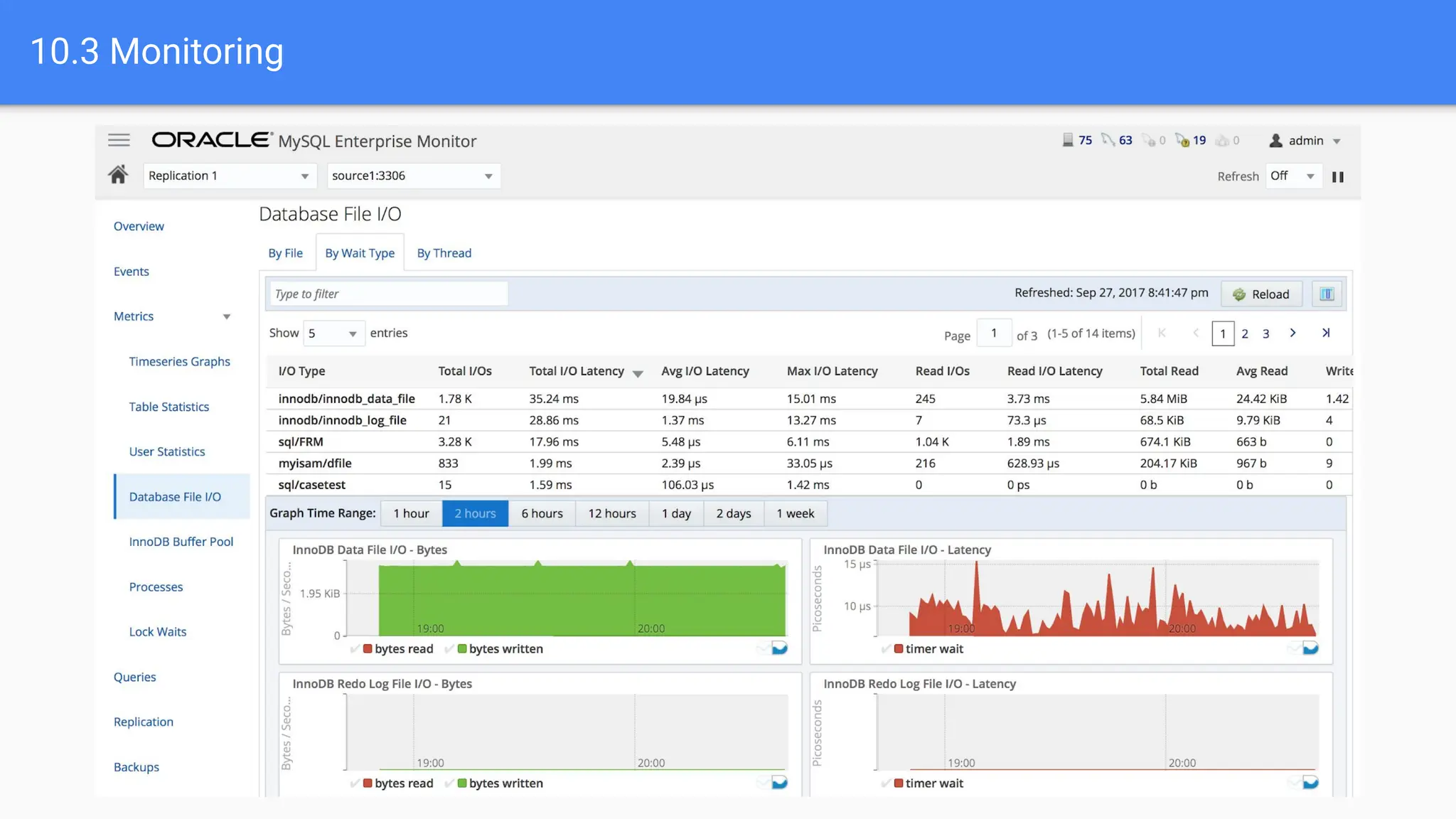
10.3 Monitoring
Thank you

Advance MySQL Training by Pratyush Majumdar

  • 1.
    Advance MySQL training PratyushMajumdar VP - Technology 91Mobiles
  • 2.
    Topics 1. Database Optimizationand Performance Tuning 2. Stored Procedures 3. Triggers 4. Partitioning 5. Advanced Indexing Techniques
  • 3.
    Topics 6. User Managementand Security 7. Replication 8. Backup and Recovery 9. Show processlist 10. Monitoring
  • 4.
    1.1 Database Optimizationand Performance Tuning 1. Analyse a query using “EXPLAIN” keyword. mysql> select count(*) from employees; +----------+ | count(*) | +----------+ | 300024 | +----------+ 1 row in set (0.06 sec) mysql> explain select * from employees where first_name='John'; +----+-------------+-----------+------+---------------+------+---------+------+--------+-------------+ | id | select_type | table | type | possible_keys | key | key_len | ref | rows | Extra | +----+-------------+-----------+------+---------------+------+---------+------+--------+-------------+ | 1 | SIMPLE | employees | ALL | NULL | NULL | NULL | NULL | 300141 | Using where | +----+-------------+-----------+------+---------------+------+---------+------+--------+-------------+ 1 row in set (0.00 sec)
  • 5.
    1.2 Database Optimizationand Performance Tuning 2. Add an Index and check the performance again mysql> create index idx_first_name on employees(first_name); Query OK, 0 rows affected (1.52 sec) Records: 0 Duplicates: 0 Warnings: 0 mysql> explain select * from employees where first_name='John'; +----+-------------+-----------+------+----------------+----------------+---------+-------+------+-------------+ | id | select_type | table | type | possible_keys | key | key_len | ref | rows | Extra | +----+-------------+-----------+------+----------------+----------------+---------+-------+------+-------------+ | 1 | SIMPLE | employees | ref | idx_first_name | idx_first_name | 16 | const | 1 | Using where | +----+-------------+-----------+------+----------------+----------------+---------+-------+------+-------------+ 1 row in set (0.00 sec)
  • 6.
    1.3 Database Optimizationand Performance Tuning query_cache_type = 1 query_cache_size = 128M innodb_buffer_pool_size = 3 GB (80% of RAM) innodb_file_per_table = 1 max_connections = 1000 datadir = /var/lib/mysql
  • 7.
    1.4 Database Optimizationand Performance Tuning Enabling slow query in MySQL configuration. slow-query-log = 1 long-query-time = 5 log-queries-not-using-indexes = 1 (‘0’ for Production) mysql> show variables where Variable_name in ('log_slow_queries','long_query_time','slow_query_log_file'); +---------------------+--------------------------------------+ | Variable_name | Value | +---------------------+--------------------------------------+ | log_slow_queries | ON | | long_query_time | 5.000000 | | slow_query_log_file | /var/lib/mysql/00e805bd8a3f-slow.log | +---------------------+--------------------------------------+
  • 8.
    Get top 10Slow queries mysqldumpslow -a -t 10 /var/lib/mysql/00e805bd8a3f-slow.log Reading mysql slow query log from /var/lib/mysql/00e805bd8a3f-slow.log Count: 1 Time=6.08s (6s) Lock=0.00s (0s) Rows=1.0 (1), root[root]@localhost select count(*) from salaries_wo_partition where from_date between '1998-01-01' and '1998-12-31' 1.5 Database Optimization and Performance Tuning
  • 9.
    MySQL Memory calculator Sumof global buffers + max_connections x (sum of local buffers) SELECT ( @@key_buffer_size + @@query_cache_size + @@innodb_buffer_pool_size + @@innodb_log_buffer_size + @@innodb_additional_mem_pool_size + @@max_connections * ( @@read_buffer_size + @@read_rnd_buffer_size + @@sort_buffer_size + @@join_buffer_size + @@binlog_cache_size + @@thread_stack + @@max_heap_table_size ) ) / (1024 * 1024 * 1024) AS MAX_MEMORY_GB; Tool: https://www.mysqlcalculator.com/ 1.6 Database Optimization and Performance Tuning
  • 10.
    2.1 Stored Procedures Storedprocedures allows us to encapsulate SQL code and reuse it later. DELIMITER // CREATE PROCEDURE CalculateSalaryCredit(IN employee_no INT, IN from_year VARCHAR(4), IN to_year VARCHAR(4)) BEGIN SELECT SUM(salary) AS SalaryCredit FROM salaries WHERE emp_no = employee_no AND year(from_date)>from_year and year(to_date)<to_year; END // DELIMITER ;
  • 11.
    2.2 Stored Procedures Callingthe Stored Procedure mysql> call CalculateSalaryCredit(10009, '1985', '1990'); +--------------+ | SalaryCredit | +--------------+ | 195686 | +--------------+ 1 row in set (0.00 sec)
  • 12.
    3. Triggers Triggers aredatabase objects that are automatically fired when certain events occur such as inserting, updating or deleting data. CREATE TRIGGER customer_update_trigger AFTER UPDATE ON customers FOR EACH ROW BEGIN IF NEW.address <> OLD.address THEN INSERT INTO customer_address_history (customer_id, old_address, new_address, updated_at) VALUES (NEW.customer_id, OLD.address, NEW.address, NOW()); END IF; END;
  • 13.
    4.1 Partitioning Partition thesalaries table by date range. ALTER TABLE salaries partition by range COLUMNS (from_date) ( partition p01 values less than ('1985-12-31'), partition p02 values less than ('1986-12-31'), partition p03 values less than ('1987-12-31'), partition p04 values less than ('1988-12-31'), partition p05 values less than ('1989-12-31'), partition p06 values less than ('1990-12-31'), ………… partition p15 values less than ('1999-12-31'), partition p16 values less than ('2000-12-31'), partition p17 values less than ('2001-12-31'), partition p18 values less than ('2002-12-31'), partition p19 values less than (MAXVALUE) );
  • 14.
    4.2 Partitioning Performance differenceon tables with and without partitions mysql> select count(*) from salaries where from_date between '1998-01-01' and '1998-12-31'; +----------+ | count(*) | +----------+ | 247489 | +----------+ 1 row in set (0.75 sec) mysql> select count(*) from salaries_wo_partition where from_date between '1998-01-01' and '1998-12-31'; +----------+ | count(*) | +----------+ | 247489 | +----------+ 1 row in set (6.08 sec)
  • 15.
    4.3 Partitioning mysql> explainselect count(*) from salaries where from_date between '1998-01-01' and '1998-12-31'; +----+-------------+----------+-------+---------------+---------+---------+------+--------+--------------------------+ | id | select_type | table | type | possible_keys | key | key_len | ref | rows | Extra | +----+-------------+----------+-------+---------------+---------+---------+------+--------+--------------------------+ | 1 | SIMPLE | salaries | index | NULL | PRIMARY | 7 | NULL | 509532 | Using where; Using index | +----+-------------+----------+-------+---------------+---------+---------+------+--------+--------------------------+ 1 row in set (0.00 sec) mysql> explain select count(*) from salaries_wo_partition where from_date between '1998-01-01' and '1998-12-31'; +----+-------------+-----------------------+-------+---------------+---------+---------+------+---------+--------------------------+ | id | select_type | table | type | possible_keys | key | key_len | ref | rows | Extra | +----+-------------+-----------------------+-------+---------------+---------+---------+------+---------+--------------------------+ | 1 | SIMPLE | salaries_wo_partition | index | NULL | PRIMARY | 7 | NULL | 3003272 | Using where; Using index | +----+-------------+-----------------------+-------+---------------+---------+---------+------+---------+--------------------------+ 1 row in set (0.00 sec)
  • 16.
    4.4 Partitioning Conclusion ofusing MySQL Partitions ● Use for huge tables (index size > available RAM) ● Use where there are more write operations (indexes may slow down writes) ● Works best for time-series data that needs to be analyzed by date range.
  • 17.
    5.1 Advanced IndexingTechniques Covering Indexes Covering indexes include all columns needed for a query within the index itself. This eliminates the need to access the actual table data, significantly boosting performance for queries that only need those specific columns. SELECT name, email FROM users WHERE id = 1; CREATE INDEX idx_user_id_name_email ON users (id, name, email);
  • 18.
    5.2 Advanced IndexingTechniques Composite Indexes These indexes combine multiple columns, allowing efficient searching based on multiple criteria simultaneously. They're ideal for queries that filter or sort based on more than one column. SELECT name, email FROM users WHERE country = 'US' AND age > 25; CREATE INDEX idx_user_country_age ON users ( country, age);
  • 19.
    5.3 Advanced IndexingTechniques Full-text Indexes These enable efficient searching for keywords within text columns. They're crucial for applications involving text-based searches, significantly improving search speed and relevance. SELECT * FROM articles WHERE MATCH(title, content) AGAINST ('artificial intelligence'); CREATE FULLTEXT INDEX idx_article_fulltext ON articles (title, content);
  • 20.
    5.4 Advanced IndexingTechniques Function-based indexes These enable efficient searching for keywords within text columns. They're crucial for applications involving text-based searches, significantly improving search speed and relevance. SELECT * FROM products WHERE UPPER(name) LIKE 'APPLE%'; CREATE INDEX idx_product_name_upper ON products ( UPPER(name));
  • 21.
    6.1 User Managementand Security Create a user and assign privileges. mysql> CREATE USER 'webapp'@'localhost' IDENTIFIED BY 'password'; Query OK, 0 rows affected (0.01 sec) mysql> GRANT SELECT, INSERT, UPDATE ON mydatabase.* TO 'webapp'@'localhost'; Query OK, 0 rows affected (0.01 sec) mysql> show grants for 'webapp'@'localhost'; +---------------------------------------------------------------------------------------------------------------+ | Grants for webapp@localhost | +---------------------------------------------------------------------------------------------------------------+ | GRANT USAGE ON *.* TO 'webapp'@'localhost' IDENTIFIED BY PASSWORD '*2470C0C06DEE42FD1618BB99005ADCA2EC9D1E19' | | GRANT SELECT, INSERT, UPDATE ON `mydatabase`.* TO 'webapp'@'localhost' | +---------------------------------------------------------------------------------------------------------------+ 2 rows in set (0.00 sec)
  • 22.
    Best Practices 1. mysqldshould be run as an ordinary, unprivileged user instead. user = mysql 2. Remote connections to the MySQL server can be disabled bind_address = 127.0.0.1 # comment this line to allow remote connections 3. There should not be any user with root, super privileges. Avoid using wildcard(*) in case of hostnames mysql> CREATE USER 'webapp'@'%' IDENTIFIED BY 'password'; Query OK, 0 rows affected (0.01 sec) 4. Do not create single user for all databases mysql> GRANT SELECT, INSERT, UPDATE, DELETE ON *.* TO 'webapp'@'localhost'; Query OK, 0 rows affected (0.01 sec) 6.2 User Management and Security
  • 23.
  • 24.
    7.2 Replication Master-Slave replicationsettings # On the master server server-id=1 log-bin=mysql-bin binlog-format=ROW # On the slave server server-id=2 replicate-do-db=mydatabase
  • 25.
    Master-Master replication settings #master-01 server server-id = 1 log-bin = /var/lib/mysql/00e805bd8a3f-mysql-bin.log binlog-do-db = test auto-increment_increment = 2 auto-increment_offset = 1 # master-02 server server-id = 2 log-bin = /var/lib/mysql/c1065b70d158-mysql-bin.log binlog-do-db = test auto-increment-increment = 2 auto-increment-offset = 2 7.3 Replication
  • 26.
    8.1 Backup andRecovery MySQL Backup mysqldump -u username -p mydatabase > /home/user/backup.sql # dump whole database mysqldump -u username -p mydatabase mytable > /home/user/backup.sql # single table mysqldump -u username -p --routines mydatabase > /home/user/backup.sql # dump with Stored Procedures and Functions mysqldump -u username -p --no-data mydatabase > /home/user/backup.sql # structure only dump mysqldump -u username -p --skip-lock-tables mydatabase > /home/user/backup.sql # dump the database without locking any table
  • 27.
    8.2 Backup andRecovery MySQL Restore root@00e805bd8a3f:/# mysql -u root -p < /home/user/backup.sql mysql> source /home/user/backup.sql Query OK, 0 rows affected (0.01 sec) Query OK, 0 rows affected (0.01 sec) Query OK, 0 rows affected (0.00 sec) Query OK, 0 rows affected (0.00 sec)
  • 28.
    9. Show Processlist SHOWPROCESSLIST; +----+--------+-------------+--------+---------+------+-------+----------------------+ | Id | User | Host | db | Command | Time | State | Info | +----+--------+-------------+--------+---------+------+-------+----------------------+ | 1 | admin | localhost | mydb | Sleep | 10 | | | | 2 | user1 | 192.168.1.1 | testdb | Query | 5 | | SELECT * FROM table1 | | 3 | appusr | 10.0.0.2 | appdb | Sleep | 15 | | | | 4 | root | localhost | | Query | 2 | | SHOW PROCESSLIST | +----+--------+-------------+--------+---------+------+-------+----------------------+
  • 29.
  • 30.
  • 31.
  • 32.