

How to create interactive forms and track response data
Presented by:
Jeremy Harder
Michigan Association of School Administrators
Technology & Design Coordinator j jharder@gomasa.org
 http://www.adobe.com/products/livecycle/designer/
 60 DayTrial Download
An overview of the LiveCycle Enterprise Suite
 Livecycle Enterprise Suite (ES) is a platform
for developing custom workflows
 Databases and forms are used to complete
tasks
 Example of how ES might be used:
http://www.adobe.com/products/livecycle/
 Gathering form data via theWeb is not
intuitive
 Development/Web-coding knowledge
required for intermediate to advanced
functionality
LiveCycle can replace paper forms without much hassle
 Designer is a spin-off that is packaged with
Adobe Acrobat Professional
 Designer can be used to build static and
dynamic PDF forms
 Adobe LiveCycle Enterprise Suite
 ES Modules
Installed on Web accessible server to process data
▪ Forms
▪ Digital Signatures
▪ Mosaic
▪ Etc
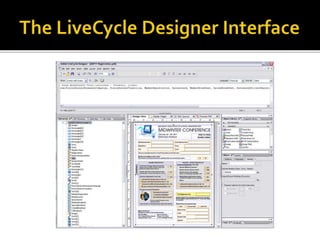
 LiveCycle Designer
Installed on your workstation. Modules not required to distribute forms.
▪ PDF creation tools
▪ PDF distribution
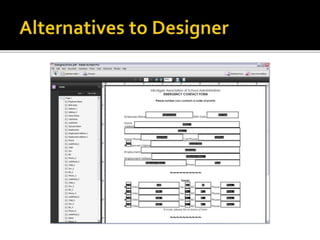
 Adobe Acrobat 9 Pro now includes form field
tools, and distribution functions
 The difference is that Designer allows for
scripting
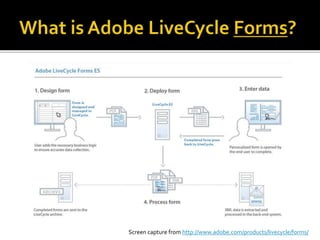
Screen capture from http://www.adobe.com/products/livecycle/forms/
 Forms is a module for LiveCycle ES
 Forms handles user-submitted data and
routes it to…
 Databases
 Processes
 Users
Screen capture from http://www.adobe.com/products/livecycle/forms/
 Static
 User input fields
 Can be printed
 Interactive
 Fields can be validated (required, pattern match)
 Subforms can be hidden/revealed based on input
Example
 DesignView
 XML Source
 Master PageView
 PDF Preview
 Examples of form objects:
 Text field
 Image Field
 Email Field
 Numeric Field
 Buttons
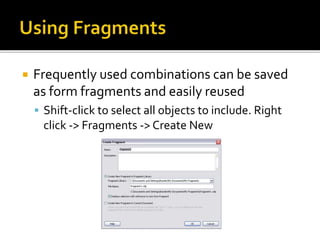
 Frequently used combinations can be saved
as form fragments and easily reused
 Shift-click to select all objects to include. Right
click -> Fragments -> Create New
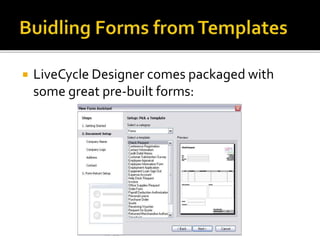
 LiveCycle Designer comes packaged with
some great pre-built forms:
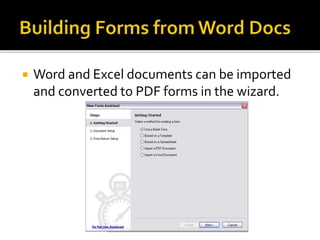
 Word and Excel documents can be imported
and converted to PDF forms in the wizard.
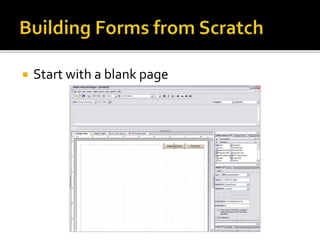
 Start with a blank page
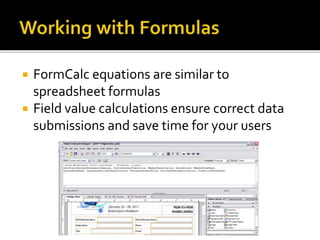
 FormCalc equations are similar to
spreadsheet formulas
 Field value calculations ensure correct data
submissions and save time for your users
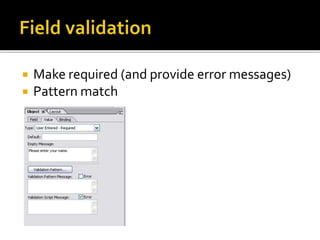
 Make required (and provide error messages)
 Pattern match
 Save as a PDF and store/send as needed
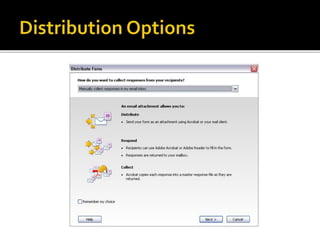
 Distribute via email using LiveCycle Designer
 Distribute via acrobat.com using LiveCycle
Designer
 Stores the form to your account
 Accessible to others via URL
 Drawback: No data submission handling built-in
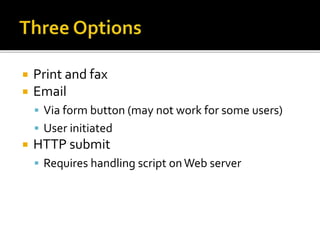
 Print and fax
 Email
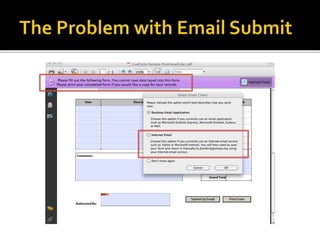
 Via form button (may not work for some users)
 User initiated
 HTTP submit
 Requires handling script onWeb server
 Open the PDF in Acrobat Pro
 Go to Advanced -> Extend Features in Adobe
Reader
 Distributed PDF will now allow users to Save
As… PDF
 Still not perfect though…
 Email Submit button will continue to save as XML
instead of PDF
 Use with caution. Include specific how-to
instructions in form document
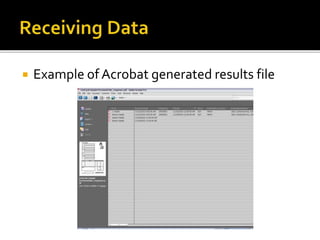
 Example of Acrobat generated results file
How to create interactive forms and track response data
Presented by:
Jeremy Harder
MichiganAssociation of SchoolAdministrators
Technology & Design Coordinator
jharder@gomasa.org

Adobe LiveCycle Designer - Getting Started

  • 1.
    How to createinteractive forms and track response data Presented by: Jeremy Harder Michigan Association of School Administrators Technology & Design Coordinator j jharder@gomasa.org
  • 2.
  • 3.
    An overview ofthe LiveCycle Enterprise Suite
  • 4.
     Livecycle EnterpriseSuite (ES) is a platform for developing custom workflows  Databases and forms are used to complete tasks  Example of how ES might be used: http://www.adobe.com/products/livecycle/
  • 5.
     Gathering formdata via theWeb is not intuitive  Development/Web-coding knowledge required for intermediate to advanced functionality
  • 6.
    LiveCycle can replacepaper forms without much hassle
  • 7.
     Designer isa spin-off that is packaged with Adobe Acrobat Professional  Designer can be used to build static and dynamic PDF forms
  • 8.
     Adobe LiveCycleEnterprise Suite  ES Modules Installed on Web accessible server to process data ▪ Forms ▪ Digital Signatures ▪ Mosaic ▪ Etc  LiveCycle Designer Installed on your workstation. Modules not required to distribute forms. ▪ PDF creation tools ▪ PDF distribution
  • 9.
     Adobe Acrobat9 Pro now includes form field tools, and distribution functions  The difference is that Designer allows for scripting
  • 11.
    Screen capture fromhttp://www.adobe.com/products/livecycle/forms/  Forms is a module for LiveCycle ES  Forms handles user-submitted data and routes it to…  Databases  Processes  Users
  • 12.
    Screen capture fromhttp://www.adobe.com/products/livecycle/forms/
  • 14.
     Static  Userinput fields  Can be printed  Interactive  Fields can be validated (required, pattern match)  Subforms can be hidden/revealed based on input Example
  • 16.
     DesignView  XMLSource  Master PageView  PDF Preview
  • 17.
     Examples ofform objects:  Text field  Image Field  Email Field  Numeric Field  Buttons
  • 18.
     Frequently usedcombinations can be saved as form fragments and easily reused  Shift-click to select all objects to include. Right click -> Fragments -> Create New
  • 19.
     LiveCycle Designercomes packaged with some great pre-built forms:
  • 20.
     Word andExcel documents can be imported and converted to PDF forms in the wizard.
  • 21.
     Start witha blank page
  • 22.
     FormCalc equationsare similar to spreadsheet formulas  Field value calculations ensure correct data submissions and save time for your users
  • 23.
     Make required(and provide error messages)  Pattern match
  • 25.
     Save asa PDF and store/send as needed  Distribute via email using LiveCycle Designer  Distribute via acrobat.com using LiveCycle Designer  Stores the form to your account  Accessible to others via URL  Drawback: No data submission handling built-in
  • 28.
     Print andfax  Email  Via form button (may not work for some users)  User initiated  HTTP submit  Requires handling script onWeb server
  • 31.
     Open thePDF in Acrobat Pro  Go to Advanced -> Extend Features in Adobe Reader  Distributed PDF will now allow users to Save As… PDF  Still not perfect though…  Email Submit button will continue to save as XML instead of PDF  Use with caution. Include specific how-to instructions in form document
  • 32.
     Example ofAcrobat generated results file
  • 33.
    How to createinteractive forms and track response data Presented by: Jeremy Harder MichiganAssociation of SchoolAdministrators Technology & Design Coordinator jharder@gomasa.org