Computer Animation with Flash CS3 & ActionScript 3.0 National Polytechnic Institute of Cambodia Bachelor of IT, Year III, Semester 1 2007-2008 by Oum Saokosal, Head of IT Department
ActionScript and the Flash Authoring Tool   p.821 Computer Animation with Flash CS3 & ActionScript 3.0
ActionScript and the Flash Authoring Tool Write ActionScript in Flash Timeline Script Accessing Created Symbol Instances New Event Handling in AS3
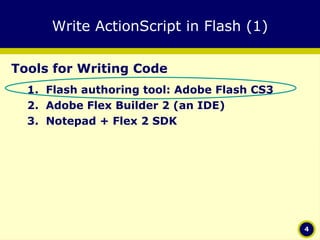
Write ActionScript in Flash (1) Tools for Writing Code Flash authoring tool: Adobe Flash CS3 Adobe Flex Builder 2 (an IDE) Notepad + Flex 2 SDK
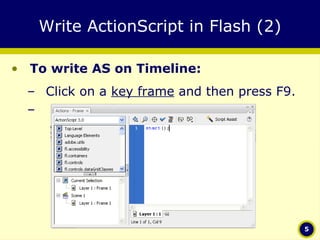
Write ActionScript in Flash (2) To write AS on Timeline: Click on a  key frame  and then press F9.
Timeline Script (for AS3.0) Methods: play(); stop(); gotoAndPlay(); gotoAndStop(); nextFrame(); prevFrame(); Properties currentFrame currentLabel currentLabels totalFrames
Accessing Created Symbol Instances (1) Create a symbol: MovieClip or SimpleButton. Create an instance by dragging it from the library to the stage. Input a name to every instance, say,  movie1  and  button1 . After that, you can call these names in the AS. Click on a keyframe and write code:
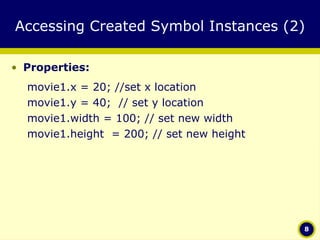
Accessing Created Symbol Instances (2) Properties: movie1.x = 20; //set x location movie1.y = 40;  // set y location movie1.width = 100; // set new width movie1.height  = 200; // set new height
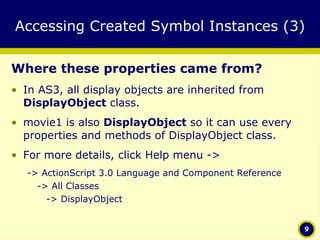
Accessing Created Symbol Instances (3) Where these properties came from? In AS3, all display objects are inherited from  DisplayObject  class.  movie1 is also  DisplayObject  so it can use every properties and methods of DisplayObject class. For more details, click Help menu -> -> ActionScript 3.0 Language and Component Reference -> All Classes    -> DisplayObject
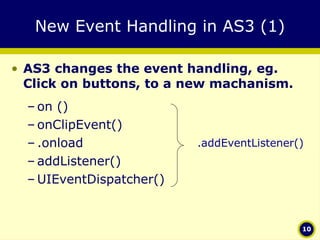
New Event Handling in AS3 (1) AS3 changes the event handling, eg. Click on buttons, to a new machanism. on () onClipEvent() .onload addListener() UIEventDispatcher() .addEventListener()
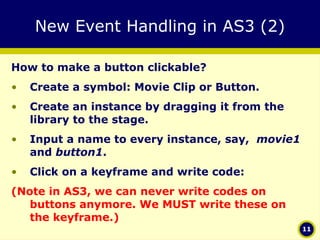
New Event Handling in AS3 (2) How to make a button clickable? Create a symbol: Movie Clip or Button. Create an instance by dragging it from the library to the stage. Input a name to every instance, say,  movie1  and  button1 . Click on a keyframe and write code: (Note in AS3, we can never write codes on buttons anymore. We MUST write these on the keyframe.)
New Event Handling in AS3 (2) Full Syntax: instanceName . addEventListener (type, listener, useCapture, priority, useWeakReference) Minimized Syntax: instanceName . addEventListener (type,listener); Example: playButton. addEventListener ( MouseEvent.CLICK ,  onPlayButtonClick);
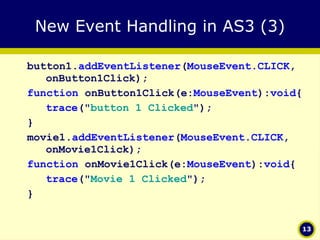
New Event Handling in AS3 (3) button1. addEventListener ( MouseEvent.CLICK , onButton1Click); function  onButton1Click(e: MouseEvent ): void { trace (" button 1 Clicked "); } movie1. addEventListener ( MouseEvent.CLICK , onMovie1Click); function  onMovie1Click(e: MouseEvent ): void { trace (" Movie 1 Clicked "); }
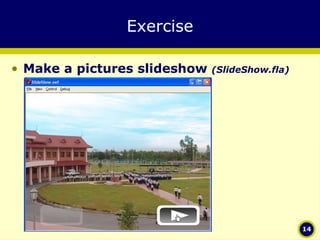
Exercise Make a pictures slideshow  (SlideShow.fla)
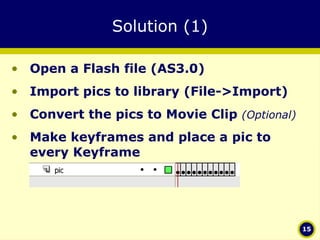
Solution (1) Open a Flash file (AS3.0) Import pics to library (File->Import) Convert the pics to Movie Clip  (Optional)   Make keyframes and place a pic to every Keyframe
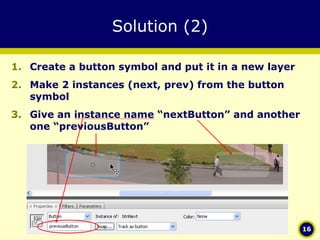
Solution (2) Create a button symbol and put it in a new layer Make 2 instances (next, prev) from the button symbol Give an instance name “nextButton” and another one “previousButton”
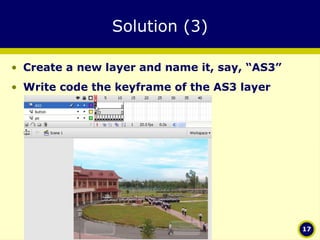
Solution (3) Create a new layer and name it, say, “AS3” Write code the keyframe of the AS3 layer
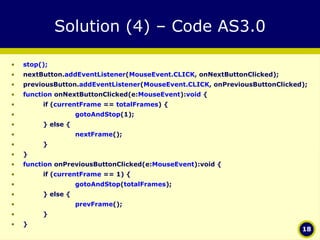
Solution (4) – Code AS3.0 stop(); nextButton. addEventListener ( MouseEvent.CLICK , onNextButtonClicked); previousButton. addEventListener ( MouseEvent.CLICK , onPreviousButtonClicked); function  onNextButtonClicked(e: MouseEvent ): void  { if ( currentFrame  ==  totalFrames ) { gotoAndStop (1); } else { nextFrame (); } } function  onPreviousButtonClicked(e: MouseEvent ):void { if ( currentFrame  == 1) { gotoAndStop ( totalFrames ); } else { prevFrame (); } }

Actionscript 3 - Session 2 Getting Started Flash IDE

  • 1.
    Computer Animation withFlash CS3 & ActionScript 3.0 National Polytechnic Institute of Cambodia Bachelor of IT, Year III, Semester 1 2007-2008 by Oum Saokosal, Head of IT Department
  • 2.
    ActionScript and theFlash Authoring Tool p.821 Computer Animation with Flash CS3 & ActionScript 3.0
  • 3.
    ActionScript and theFlash Authoring Tool Write ActionScript in Flash Timeline Script Accessing Created Symbol Instances New Event Handling in AS3
  • 4.
    Write ActionScript inFlash (1) Tools for Writing Code Flash authoring tool: Adobe Flash CS3 Adobe Flex Builder 2 (an IDE) Notepad + Flex 2 SDK
  • 5.
    Write ActionScript inFlash (2) To write AS on Timeline: Click on a key frame and then press F9.
  • 6.
    Timeline Script (forAS3.0) Methods: play(); stop(); gotoAndPlay(); gotoAndStop(); nextFrame(); prevFrame(); Properties currentFrame currentLabel currentLabels totalFrames
  • 7.
    Accessing Created SymbolInstances (1) Create a symbol: MovieClip or SimpleButton. Create an instance by dragging it from the library to the stage. Input a name to every instance, say, movie1 and button1 . After that, you can call these names in the AS. Click on a keyframe and write code:
  • 8.
    Accessing Created SymbolInstances (2) Properties: movie1.x = 20; //set x location movie1.y = 40; // set y location movie1.width = 100; // set new width movie1.height = 200; // set new height
  • 9.
    Accessing Created SymbolInstances (3) Where these properties came from? In AS3, all display objects are inherited from DisplayObject class. movie1 is also DisplayObject so it can use every properties and methods of DisplayObject class. For more details, click Help menu -> -> ActionScript 3.0 Language and Component Reference -> All Classes -> DisplayObject
  • 10.
    New Event Handlingin AS3 (1) AS3 changes the event handling, eg. Click on buttons, to a new machanism. on () onClipEvent() .onload addListener() UIEventDispatcher() .addEventListener()
  • 11.
    New Event Handlingin AS3 (2) How to make a button clickable? Create a symbol: Movie Clip or Button. Create an instance by dragging it from the library to the stage. Input a name to every instance, say, movie1 and button1 . Click on a keyframe and write code: (Note in AS3, we can never write codes on buttons anymore. We MUST write these on the keyframe.)
  • 12.
    New Event Handlingin AS3 (2) Full Syntax: instanceName . addEventListener (type, listener, useCapture, priority, useWeakReference) Minimized Syntax: instanceName . addEventListener (type,listener); Example: playButton. addEventListener ( MouseEvent.CLICK , onPlayButtonClick);
  • 13.
    New Event Handlingin AS3 (3) button1. addEventListener ( MouseEvent.CLICK , onButton1Click); function onButton1Click(e: MouseEvent ): void { trace (" button 1 Clicked "); } movie1. addEventListener ( MouseEvent.CLICK , onMovie1Click); function onMovie1Click(e: MouseEvent ): void { trace (" Movie 1 Clicked "); }
  • 14.
    Exercise Make apictures slideshow (SlideShow.fla)
  • 15.
    Solution (1) Opena Flash file (AS3.0) Import pics to library (File->Import) Convert the pics to Movie Clip (Optional) Make keyframes and place a pic to every Keyframe
  • 16.
    Solution (2) Createa button symbol and put it in a new layer Make 2 instances (next, prev) from the button symbol Give an instance name “nextButton” and another one “previousButton”
  • 17.
    Solution (3) Createa new layer and name it, say, “AS3” Write code the keyframe of the AS3 layer
  • 18.
    Solution (4) –Code AS3.0 stop(); nextButton. addEventListener ( MouseEvent.CLICK , onNextButtonClicked); previousButton. addEventListener ( MouseEvent.CLICK , onPreviousButtonClicked); function onNextButtonClicked(e: MouseEvent ): void { if ( currentFrame == totalFrames ) { gotoAndStop (1); } else { nextFrame (); } } function onPreviousButtonClicked(e: MouseEvent ):void { if ( currentFrame == 1) { gotoAndStop ( totalFrames ); } else { prevFrame (); } }