

Netbeans (with rice…) @ UCSD, 2008 Cicero Silva www.cicerosilva.com
First…downloads… To run Netbeans, you’ll need: JDK: Java Development Kit, from: http: //java . sun . com/javase/downloads/ea . jsp
and….. J2ME (now Java Wireless Toolkit), to test your MIDlets: http: //java . sun . com/products/sjwtoolkit/download . html ? feed=JSC
and, finally Netbeans, from netbeans.org . You can install the latest version, 6.1 (which is not stable and can crash some old Windows Mobile OS and also Symbiam systems…) http: //download . netbeans . org/netbeans/6 .1/final/
Hello World! Your first Java application with Netbeans: Netbeans is a IDE (Integrated Development Environment), which comes with a Mobility package/interface for Java apps; The JAVA app for cell phones is called MIDlet, also called MIDP (Mobile Information Device Profile)
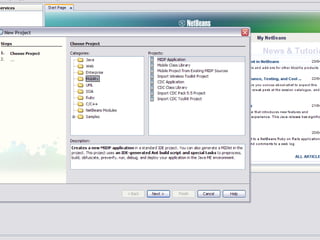
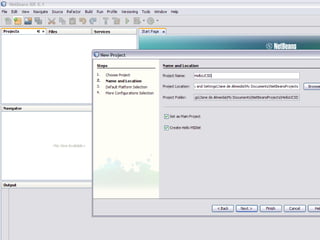
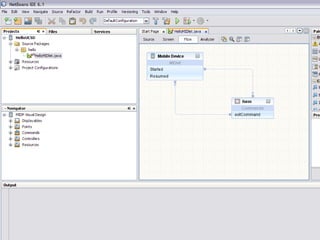
My first… FILE > New Project (CTRL+SHIFT+N) Categories: MOBILITY Projects: MIDP APPLICATION


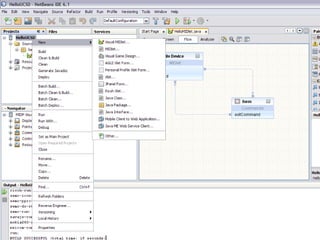
Right click on the “Projects/HelloUCSD”
 
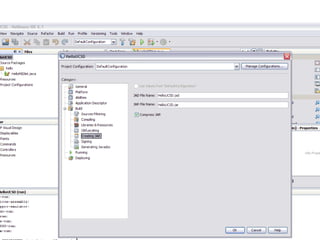
Select “Properties” Select “Creating JAR”: the NAME of the FILE that users will download from your website to their cell phones…
 
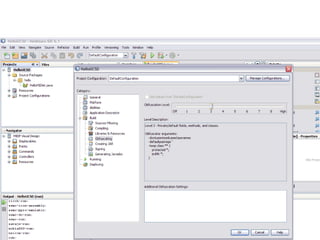
Obfuscating… If you are pro Intellectual Property, it’s better use this in the level 10, but be careful ‘cause you can crash some Windows Mobile phones and also some Blackberry’s…
 
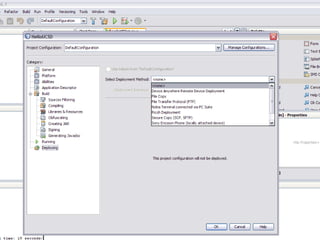
Select “Deploying” to save a copy of your project and select a “Deployment Method”. You can chose “FILE”, publish it online using FTP (you’ll need to set up an account..) or send it to a cell phone device…it also has an option to send it to Windows cell phone environments…
 
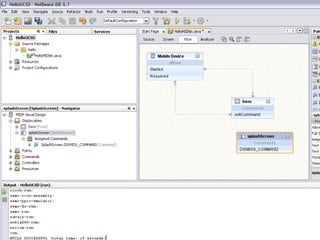
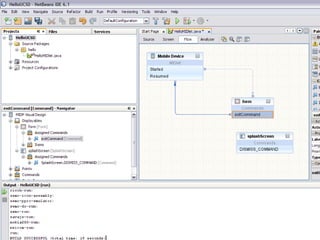
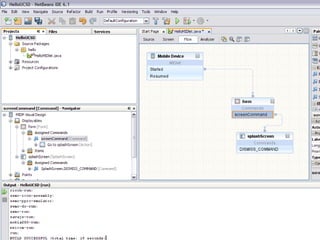
Inserting images Drag and Drop a “SplashScreen” cell below your “form” cell… Click on the name of the “SplashScreen” cell and rename it…
 
Click in the “exit command” and delete it from the “form” cell…
 
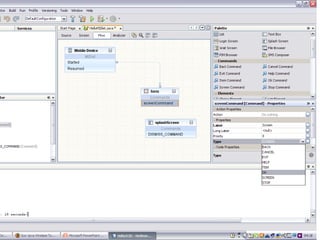
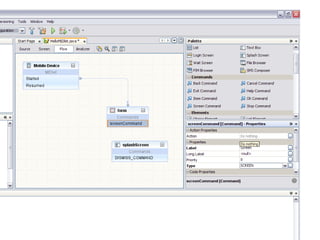
Drag and Drop a “ScreenCommand” cell into the “form” cell…
 
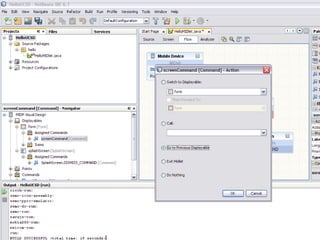
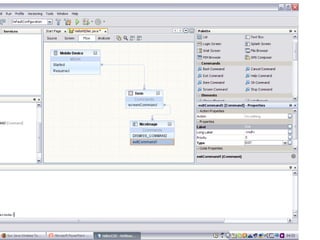
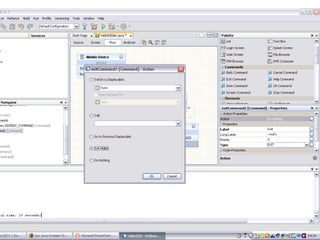
In the “Screen Commands Properties”, on your right, select “TYPE” and OK. Click in the option “Action” and where you read “do nothing”, click twice and then select “go to previous…”
 
 
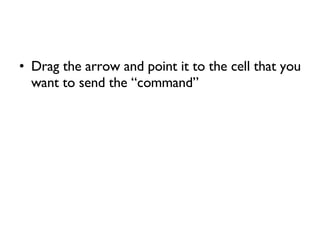
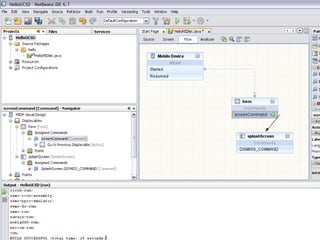
Drag the arrow and point it to the cell that you want to send the “command”
 
 
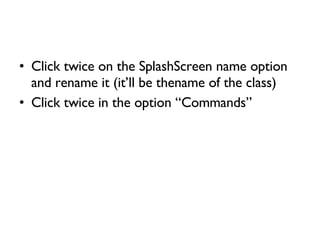
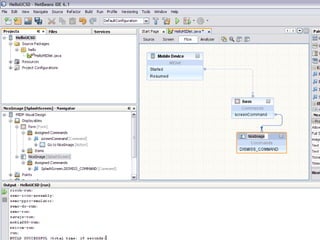
Click twice on the SplashScreen name option and rename it (it’ll be thename of the class) Click twice in the option “Commands”
 
 
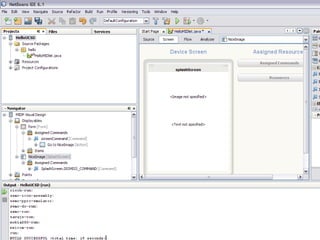
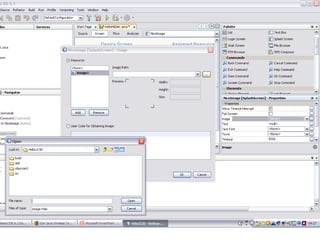
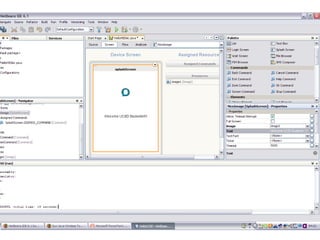
Click on “image not specified” and select the image by clicking “add”


suggestions images: if you want your project running on 90% of the cell phones, I suggest that you use 30x30 or 40x40px (always PNG format) Text: avoid embedded fonts (90% of the cell phones will leak memory (sometimes, reboot many many times the system…) Draw your project first, on a MAP, using UML or something like, or just the same orientated object model of Netbeans…
Thanks!

Lecture about Netbeans for Art & Technology at UCSD

  • 1.
    Netbeans (with rice…)@ UCSD, 2008 Cicero Silva www.cicerosilva.com
  • 2.
    First…downloads… To runNetbeans, you’ll need: JDK: Java Development Kit, from: http: //java . sun . com/javase/downloads/ea . jsp
  • 3.
    and….. J2ME (nowJava Wireless Toolkit), to test your MIDlets: http: //java . sun . com/products/sjwtoolkit/download . html ? feed=JSC
  • 4.
    and, finally Netbeans,from netbeans.org . You can install the latest version, 6.1 (which is not stable and can crash some old Windows Mobile OS and also Symbiam systems…) http: //download . netbeans . org/netbeans/6 .1/final/
  • 5.
    Hello World! Yourfirst Java application with Netbeans: Netbeans is a IDE (Integrated Development Environment), which comes with a Mobility package/interface for Java apps; The JAVA app for cell phones is called MIDlet, also called MIDP (Mobile Information Device Profile)
  • 6.
    My first… FILE> New Project (CTRL+SHIFT+N) Categories: MOBILITY Projects: MIDP APPLICATION
  • 7.
  • 8.
  • 9.
  • 10.
    Right click onthe “Projects/HelloUCSD”
  • 11.
  • 12.
    Select “Properties” Select“Creating JAR”: the NAME of the FILE that users will download from your website to their cell phones…
  • 13.
  • 14.
    Obfuscating… If youare pro Intellectual Property, it’s better use this in the level 10, but be careful ‘cause you can crash some Windows Mobile phones and also some Blackberry’s…
  • 15.
  • 16.
    Select “Deploying” tosave a copy of your project and select a “Deployment Method”. You can chose “FILE”, publish it online using FTP (you’ll need to set up an account..) or send it to a cell phone device…it also has an option to send it to Windows cell phone environments…
  • 17.
  • 18.
    Inserting images Dragand Drop a “SplashScreen” cell below your “form” cell… Click on the name of the “SplashScreen” cell and rename it…
  • 19.
  • 20.
    Click in the“exit command” and delete it from the “form” cell…
  • 21.
  • 22.
    Drag and Dropa “ScreenCommand” cell into the “form” cell…
  • 23.
  • 24.
    In the “ScreenCommands Properties”, on your right, select “TYPE” and OK. Click in the option “Action” and where you read “do nothing”, click twice and then select “go to previous…”
  • 25.
  • 26.
  • 27.
    Drag the arrowand point it to the cell that you want to send the “command”
  • 28.
  • 29.
  • 30.
    Click twice onthe SplashScreen name option and rename it (it’ll be thename of the class) Click twice in the option “Commands”
  • 31.
  • 32.
  • 33.
    Click on “imagenot specified” and select the image by clicking “add”
  • 34.
  • 35.
  • 36.
  • 37.
  • 38.
    suggestions images: ifyou want your project running on 90% of the cell phones, I suggest that you use 30x30 or 40x40px (always PNG format) Text: avoid embedded fonts (90% of the cell phones will leak memory (sometimes, reboot many many times the system…) Draw your project first, on a MAP, using UML or something like, or just the same orientated object model of Netbeans…
  • 39.