Accessible Mobile Learning
Deborah Hilliard
QTVI
Newham Sixth Form College
Introductions
• Deborah
• Uzma
• Liam
Context
• East London Sixth Form College
• 2,700 students on wide range of courses
• VI students with a range of needs
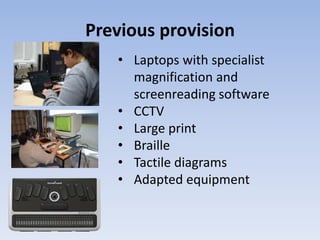
Previous provision
• Laptops with specialist
magnification and
screenreading software
• CCTV
• Large print
• Braille
• Tactile diagrams
• Adapted equipment
Advantages
• Independence
• Adaptability to student need
• Access to curriculum
Disadvantages
• Emphasised student difference
• Heavy/cumbersome equipment
• Slow start up times
• Long delays before access software is updated
following mainstream software updates
Time for a change
What was considered:
• Ultrabooks
• Convertibles
• Tablets
Why iPads?
• Access software built into iOS
• Adaptable to student need – thousands of
apps
• Ready for use instantly
• Easily portable
• Can be paired with keyboard or braille input
• Mainstream device
• Move to develop mobile learning in college
Implementation
• Support from management/mobile learning
project
• User guides – VoiceOver, Zoom, keyboard
shortcuts
• Staff training
• Student training
One year on …
• iPads in use by students with visual
impairments or dyslexia
• Use in class
• Use in exams
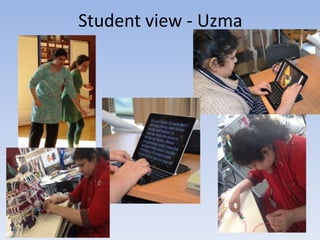
Student view - Uzma
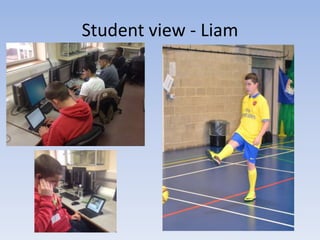
Student view - Liam
Benefits to Teaching and Learning
• Independent student access to teaching
resources, internet and e-mail
• Work can be e-mailed to student directly,
cutting down on preparation time
• Students receive resources at the same time
as everyone else
• Teachers can see the work in class and provide
appropriate feedback
• Increased student independence and
confidence
• iPad can be configured to suit individual user
What next?
• Impact: using iPads with a wider range of
students – dyslexic, ESOL, literacy …
• More teachers using iPads for admin, use of
electronic resources etc, able to work more
efficiently …

Accessible mobile learning (3)

  • 1.
    Accessible Mobile Learning DeborahHilliard QTVI Newham Sixth Form College
  • 2.
  • 3.
    Context • East LondonSixth Form College • 2,700 students on wide range of courses • VI students with a range of needs
  • 4.
    Previous provision • Laptopswith specialist magnification and screenreading software • CCTV • Large print • Braille • Tactile diagrams • Adapted equipment
  • 5.
    Advantages • Independence • Adaptabilityto student need • Access to curriculum
  • 6.
    Disadvantages • Emphasised studentdifference • Heavy/cumbersome equipment • Slow start up times • Long delays before access software is updated following mainstream software updates
  • 7.
    Time for achange What was considered: • Ultrabooks • Convertibles • Tablets
  • 8.
    Why iPads? • Accesssoftware built into iOS • Adaptable to student need – thousands of apps • Ready for use instantly • Easily portable • Can be paired with keyboard or braille input • Mainstream device • Move to develop mobile learning in college
  • 9.
    Implementation • Support frommanagement/mobile learning project • User guides – VoiceOver, Zoom, keyboard shortcuts • Staff training • Student training
  • 10.
    One year on… • iPads in use by students with visual impairments or dyslexia • Use in class • Use in exams
  • 11.
  • 12.
  • 13.
    Benefits to Teachingand Learning • Independent student access to teaching resources, internet and e-mail • Work can be e-mailed to student directly, cutting down on preparation time • Students receive resources at the same time as everyone else
  • 14.
    • Teachers cansee the work in class and provide appropriate feedback • Increased student independence and confidence • iPad can be configured to suit individual user
  • 15.
    What next? • Impact:using iPads with a wider range of students – dyslexic, ESOL, literacy … • More teachers using iPads for admin, use of electronic resources etc, able to work more efficiently …