SECURE SHELL
SSH
NETWORK SECURITY
080MSICE14 PRABHAT K.C.
080MSICE019 SUJAN DHAREL
PRESENTED BY:
9th Jan 2024
INTRODUCTION TO
SSH
UNDERSTANDING THE BASICS
• ‘Secure shell is a de facto standard for remote logins and
encrypted file transfers.’ [SSH communications inc.]
• It provides authentication and encryption for business
critical applications to work securely over the internet.
• Originally introduced for UNIX terminals as a
replacement for the insecure remote access “Berkeley
services" , viz. rsh, rlogin, rcp, telnet, etc.
• It is a layer over TCP/IP and runs on the port 22.
ESSENTIAL SSH
PRACTICES
SSH is used for a variety of network services, including:
• Remote server login
• Secure file transfer
• Remote command execution
• Terminal access
• Tunneling other applications
• Running graphical X11 applications remotel
BEST PRACTICES FOR SAFETY
WHY SSH ?
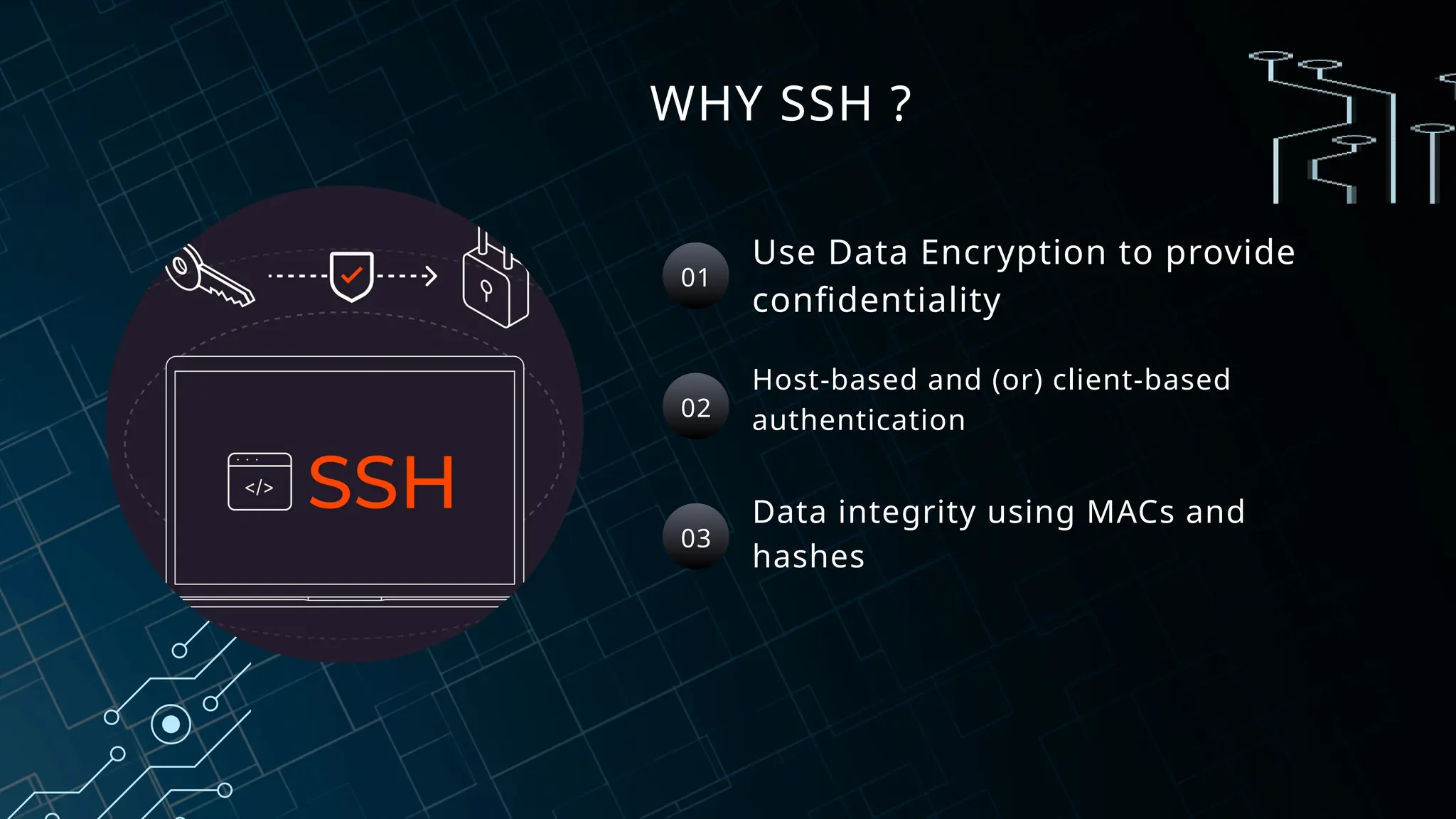
Use Data Encryption to provide
confidentiality
Host-based and (or) client-based
authentication
Data integrity using MACs and
hashes
01
02
03
UNDERSTANDING THE
THREAT LANDSCAPE
• Lack of encryption: man-in-the-middle (MITM) attacks ,Packet
Sniffing
• Weak authentication: relies on a username and password
combination
• Unsecured connections: susceptible to eavesdropping and
tampering.
• Outdated technology: does not incorporate modern security
features and best practices, such as encryption, strong
authentication, and secure connections
COMMON THREATS AND THEIR IMPACT
WHY SSH secure remote access to a computer over an unsecured network.
1. Protect Data : uses encryption to protect data sent over the connection.
This ensures the confidentiality and integrity of the data.
2.Authenticate Users : uses public-key cryptography to authenticate users
and the remote computer. This provides a secure authentication
mechanism
3.Eliminate Vulnerabilities : more secure than Telnet and eliminates many
of its vulnerabilities.
PROTECTING YOUR ASSETS
SAFEGUARDING
YOUR DATA
To ensure the integrity and
confidentiality of SSH connections, it’s
important to understand the common
risks associated with SSH and how to
mitigate these concerns.
ENSURING DATA INTEGRITY
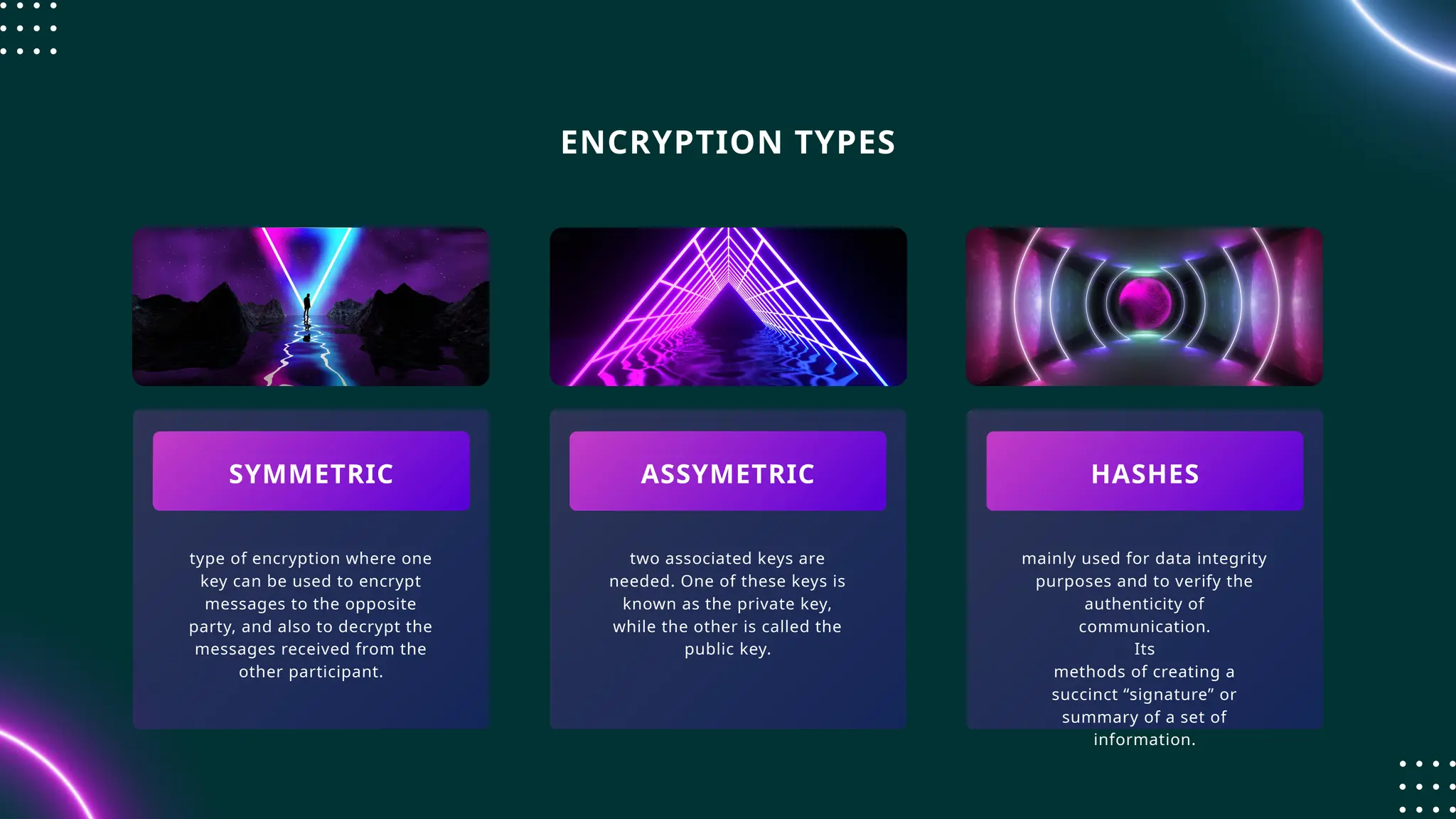
type of encryption where one
key can be used to encrypt
messages to the opposite
party, and also to decrypt the
messages received from the
other participant.
two associated keys are
needed. One of these keys is
known as the private key,
while the other is called the
public key.
mainly used for data integrity
purposes and to verify the
authenticity of
communication.
Its
methods of creating a
succinct “signature” or
summary of a set of
information.
SYMMETRIC ASSYMETRIC HASHES
ENCRYPTION TYPES
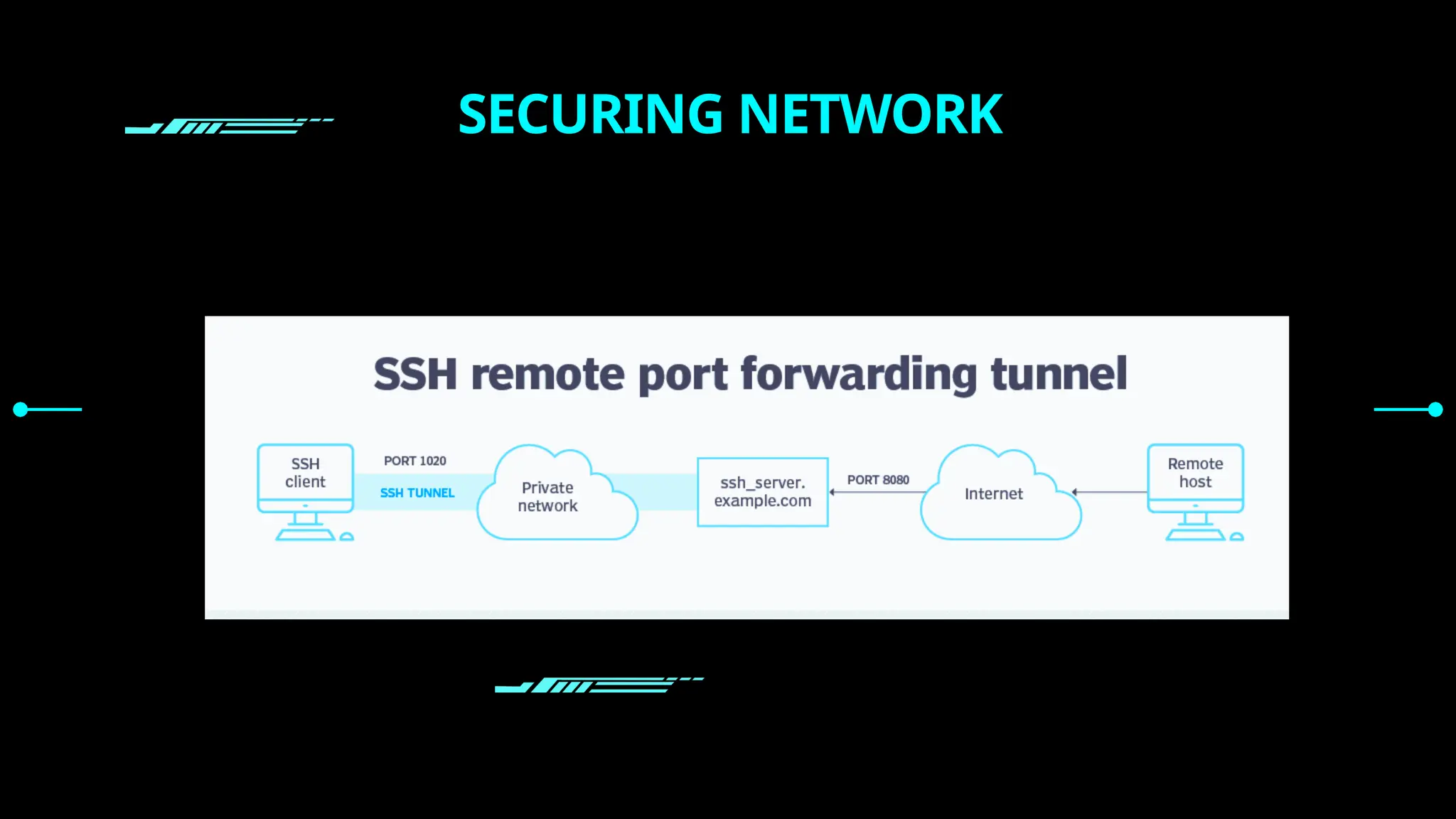
SECURING NETWORK
SSH SECURITY
RISKS AND BEST PRACTICES
****************************
***
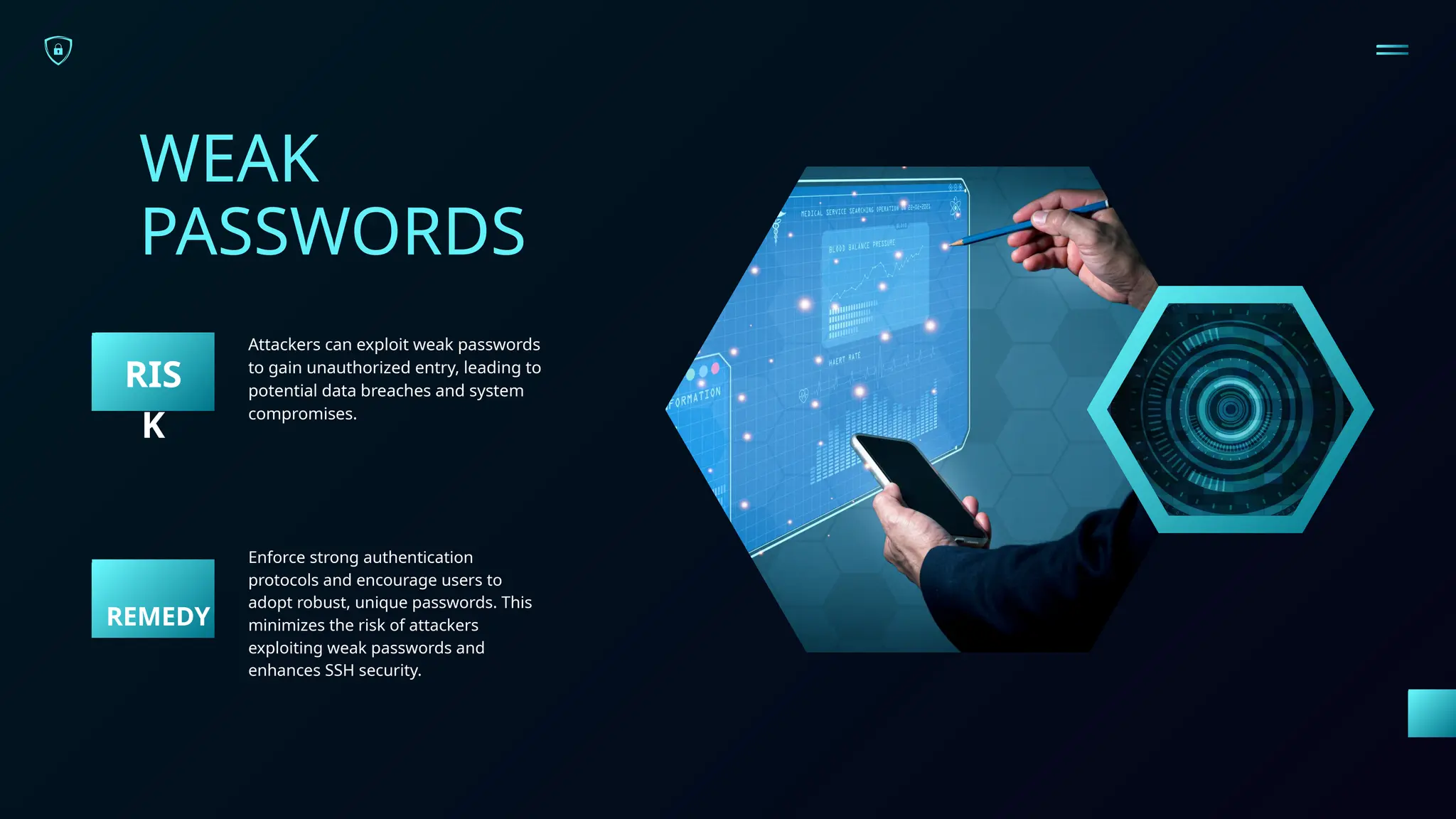
WEAK
PASSWORDS
Attackers can exploit weak passwords
to gain unauthorized entry, leading to
potential data breaches and system
compromises.
RIS
K
Enforce strong authentication
protocols and encourage users to
adopt robust, unique passwords. This
minimizes the risk of attackers
exploiting weak passwords and
enhances SSH security.
REMEDY
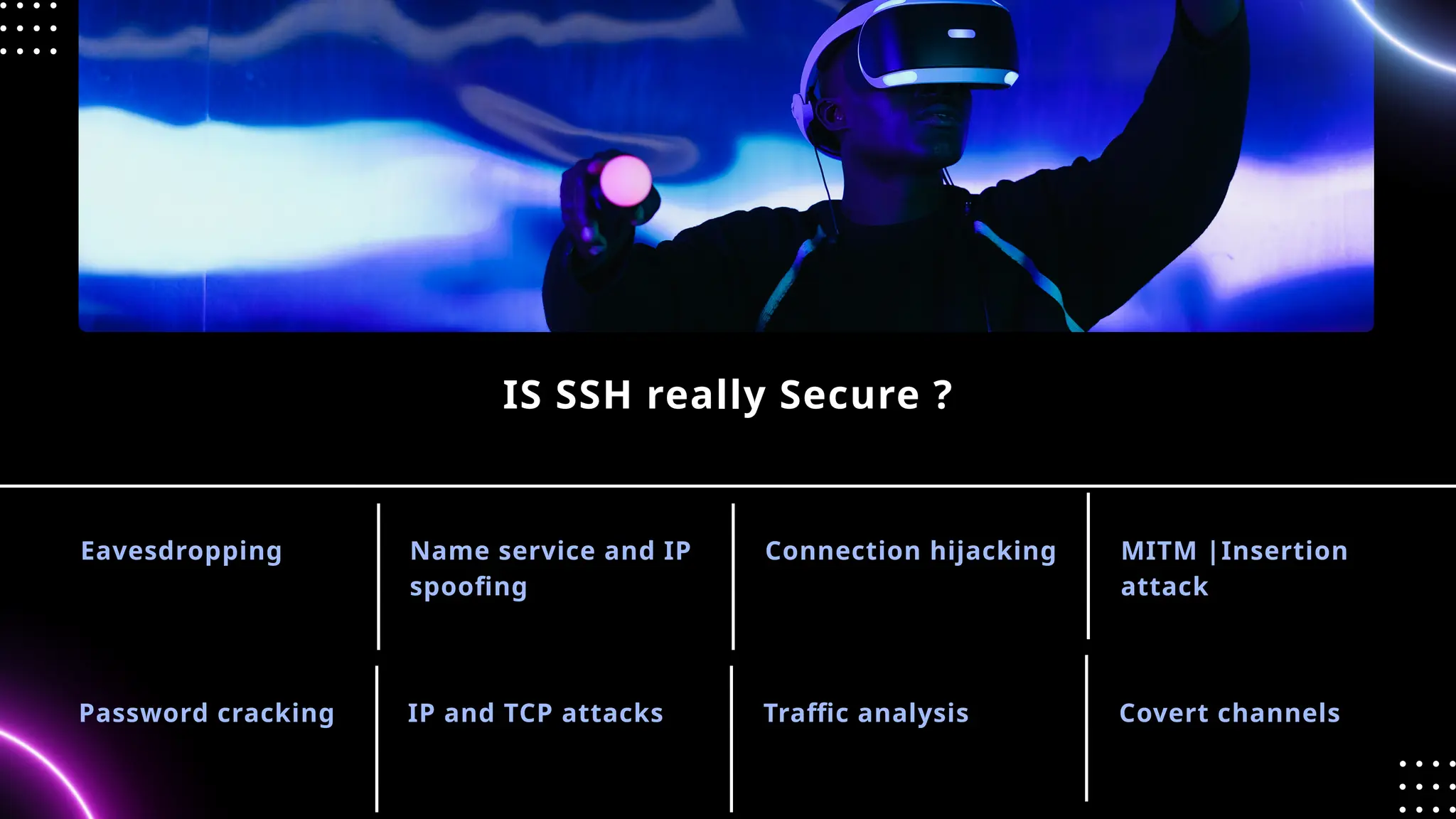
Eavesdropping
IS SSH really Secure ?
Name service and IP
spoofing
Connection hijacking MITM |Insertion
attack
Password cracking IP and TCP attacks Traffic analysis Covert channels
TO PROTECT SSH
Most automated attacks target
IP addresses on the default SSH port
22. Since many SSH server exploit
scripts run continuously, the load on
your server may increase substantially.
Using a non-standard port number for
an SSH connection helps avoid these
attacks.
CHANGE THE DEFAULT SSH PORT
Linux server distributions have
external root access enabled by
default. This can be a severe
security threat since hackers can try
to crack the password with brute
force attacks
It is recommended to disable root
login and use a regular user
account with sudo privileges to
elevate to root when necessary.
DISABLE SERVER SSH ROOT
LOGIN
If you use SSH keys for SSH
authentication, consider disabling
server password authentication to
protect the server from brute-force
attacks. Before proceeding, double-
check if SSH key-based authentication
is working correctly, either for the
root account or for an account with
sudo access
DISABLE PASSWORD-BASED
LOGINS ON A SERVER
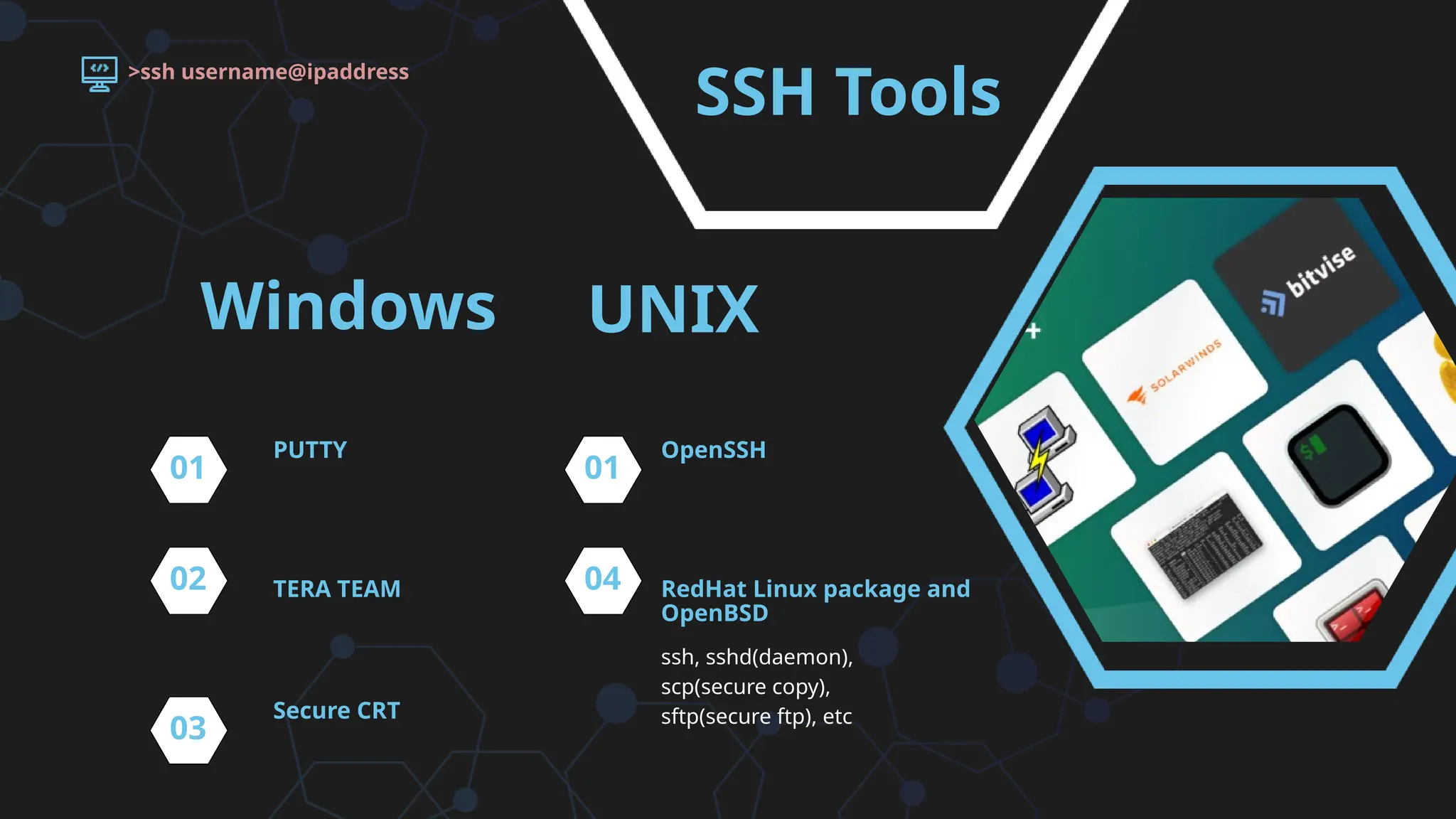
SSH Tools
ssh, sshd(daemon),
scp(secure copy),
sftp(secure ftp), etc
PUTTY
TERA TEAM
OpenSSH
RedHat Linux package and
OpenBSD
>ssh username@ipaddress
01
02
01
04
Windows UNIX
Secure CRT
03
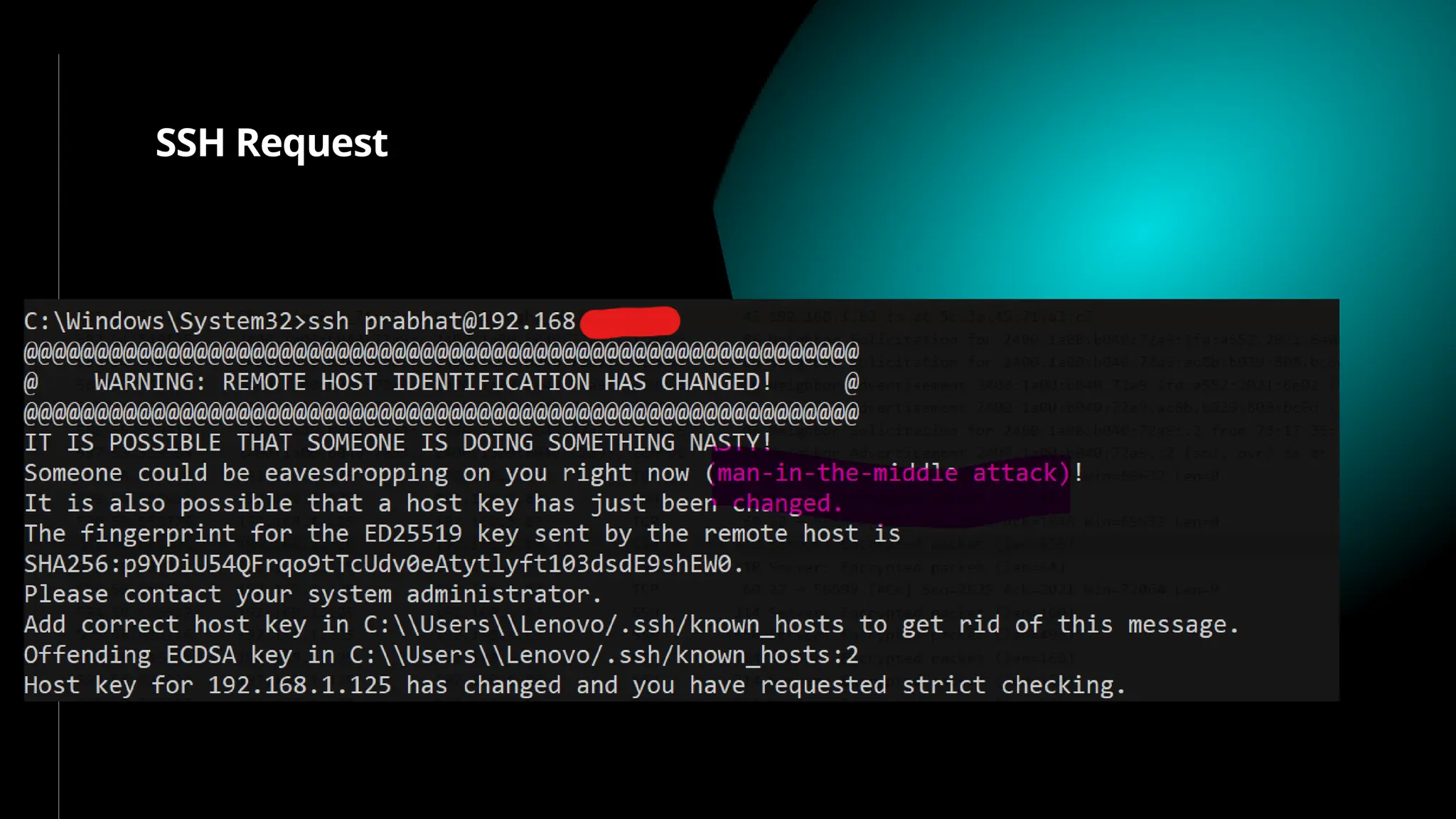
SSH Request
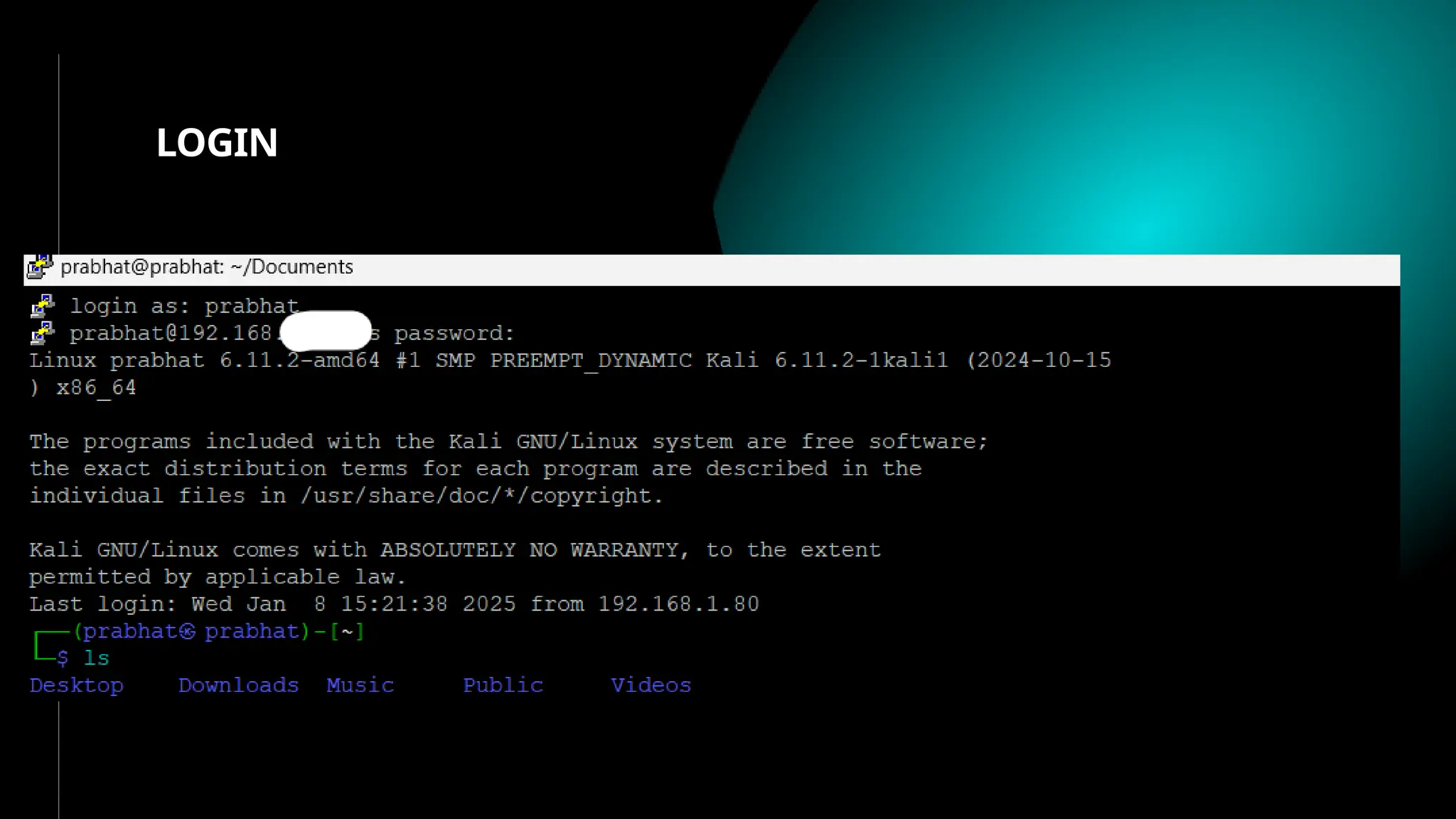
LOGIN
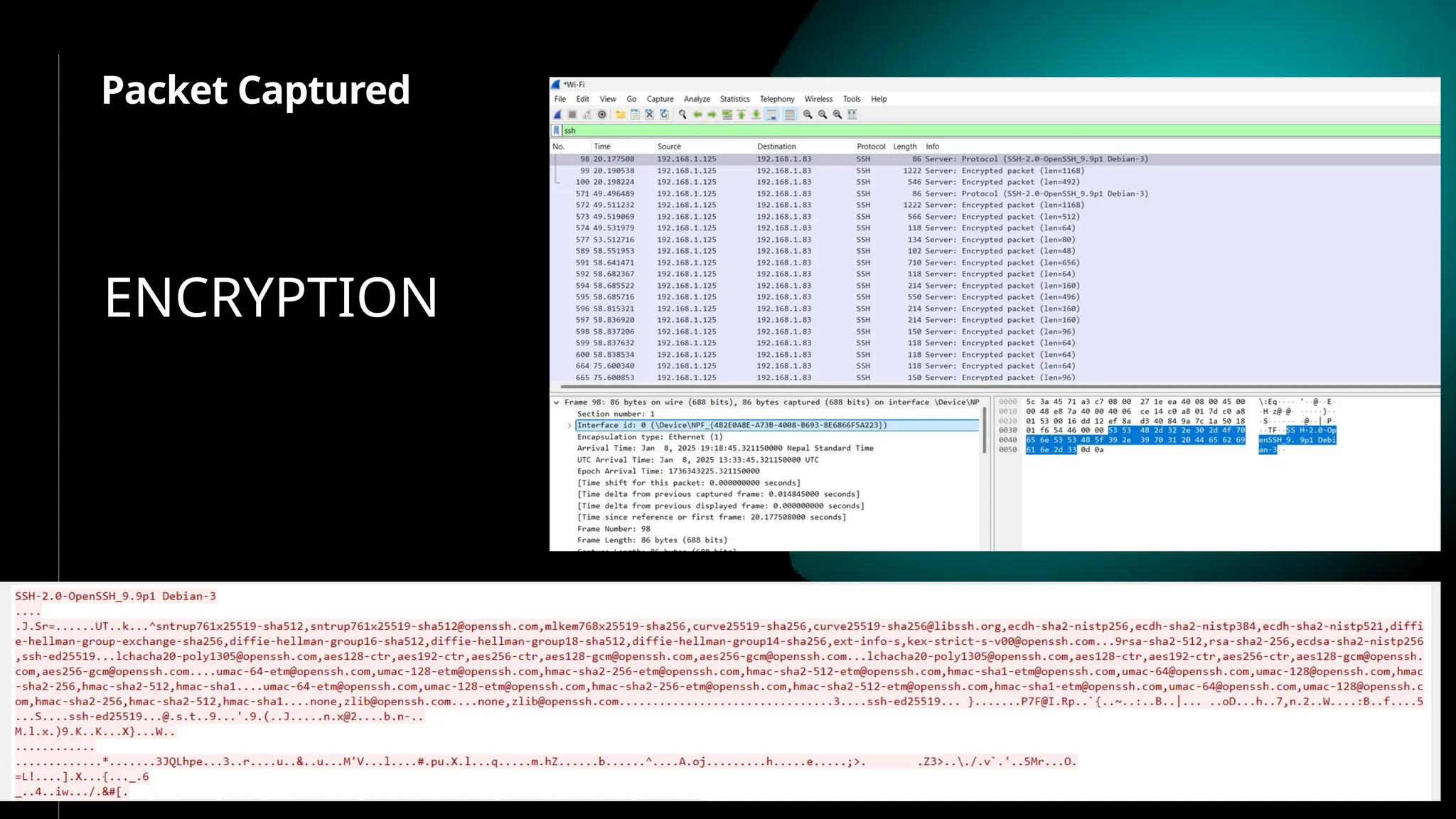
Packet Captured
ENCRYPTION
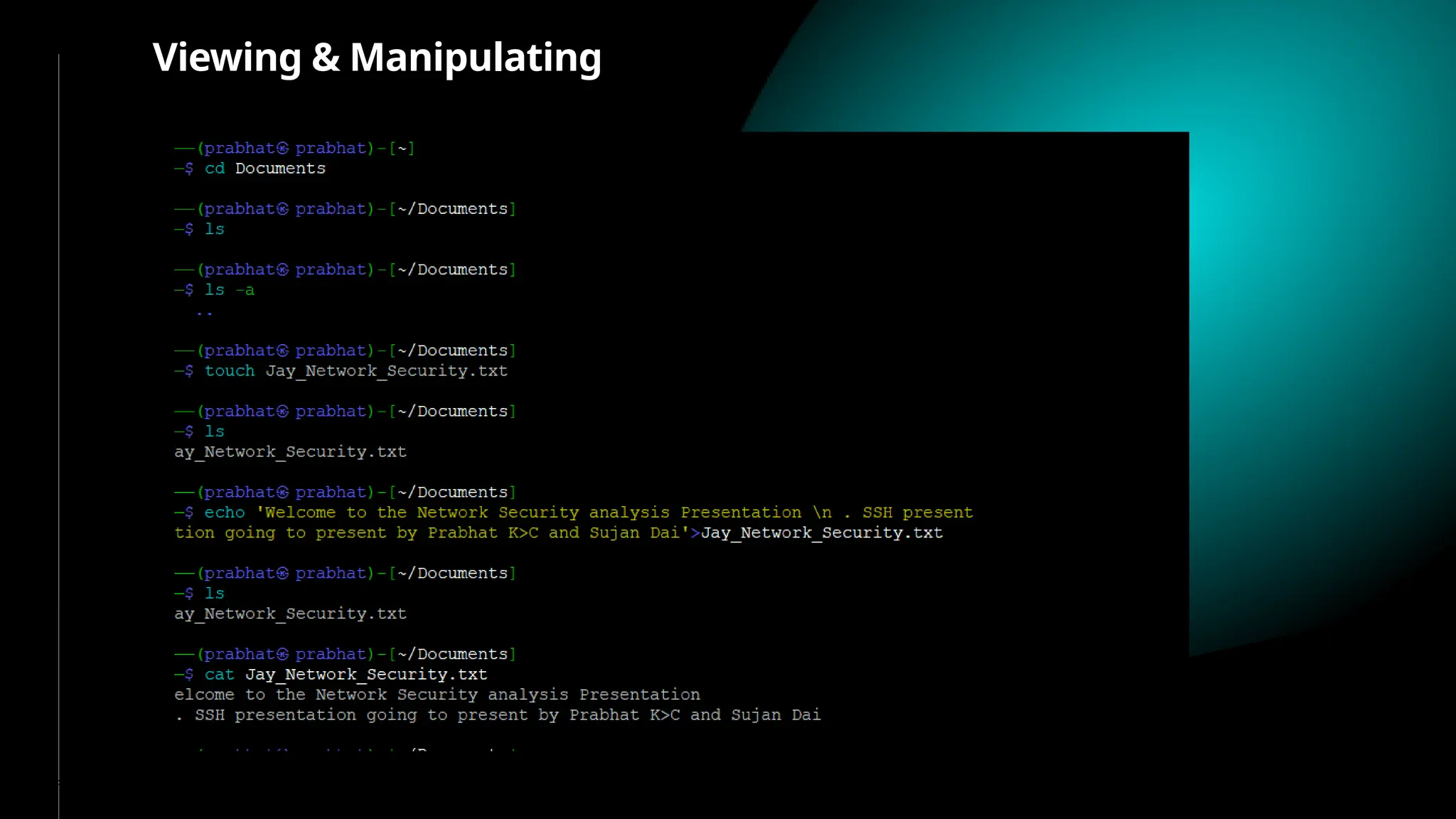
Viewing & Manipulating
Manipulating
Information Changed
<< THANK YOU >>

A presentation on SSH (Secure Shell or Secure Socket Shell)

  • 1.
    SECURE SHELL SSH NETWORK SECURITY 080MSICE14PRABHAT K.C. 080MSICE019 SUJAN DHAREL PRESENTED BY: 9th Jan 2024
  • 2.
    INTRODUCTION TO SSH UNDERSTANDING THEBASICS • ‘Secure shell is a de facto standard for remote logins and encrypted file transfers.’ [SSH communications inc.] • It provides authentication and encryption for business critical applications to work securely over the internet. • Originally introduced for UNIX terminals as a replacement for the insecure remote access “Berkeley services" , viz. rsh, rlogin, rcp, telnet, etc. • It is a layer over TCP/IP and runs on the port 22.
  • 3.
    ESSENTIAL SSH PRACTICES SSH isused for a variety of network services, including: • Remote server login • Secure file transfer • Remote command execution • Terminal access • Tunneling other applications • Running graphical X11 applications remotel BEST PRACTICES FOR SAFETY
  • 4.
    WHY SSH ? UseData Encryption to provide confidentiality Host-based and (or) client-based authentication Data integrity using MACs and hashes 01 02 03
  • 5.
    UNDERSTANDING THE THREAT LANDSCAPE •Lack of encryption: man-in-the-middle (MITM) attacks ,Packet Sniffing • Weak authentication: relies on a username and password combination • Unsecured connections: susceptible to eavesdropping and tampering. • Outdated technology: does not incorporate modern security features and best practices, such as encryption, strong authentication, and secure connections COMMON THREATS AND THEIR IMPACT
  • 6.
    WHY SSH secureremote access to a computer over an unsecured network. 1. Protect Data : uses encryption to protect data sent over the connection. This ensures the confidentiality and integrity of the data. 2.Authenticate Users : uses public-key cryptography to authenticate users and the remote computer. This provides a secure authentication mechanism 3.Eliminate Vulnerabilities : more secure than Telnet and eliminates many of its vulnerabilities. PROTECTING YOUR ASSETS
  • 7.
    SAFEGUARDING YOUR DATA To ensurethe integrity and confidentiality of SSH connections, it’s important to understand the common risks associated with SSH and how to mitigate these concerns. ENSURING DATA INTEGRITY
  • 8.
    type of encryptionwhere one key can be used to encrypt messages to the opposite party, and also to decrypt the messages received from the other participant. two associated keys are needed. One of these keys is known as the private key, while the other is called the public key. mainly used for data integrity purposes and to verify the authenticity of communication. Its methods of creating a succinct “signature” or summary of a set of information. SYMMETRIC ASSYMETRIC HASHES ENCRYPTION TYPES
  • 9.
  • 10.
    SSH SECURITY RISKS ANDBEST PRACTICES **************************** ***
  • 11.
    WEAK PASSWORDS Attackers can exploitweak passwords to gain unauthorized entry, leading to potential data breaches and system compromises. RIS K Enforce strong authentication protocols and encourage users to adopt robust, unique passwords. This minimizes the risk of attackers exploiting weak passwords and enhances SSH security. REMEDY
  • 12.
    Eavesdropping IS SSH reallySecure ? Name service and IP spoofing Connection hijacking MITM |Insertion attack Password cracking IP and TCP attacks Traffic analysis Covert channels
  • 13.
    TO PROTECT SSH Mostautomated attacks target IP addresses on the default SSH port 22. Since many SSH server exploit scripts run continuously, the load on your server may increase substantially. Using a non-standard port number for an SSH connection helps avoid these attacks. CHANGE THE DEFAULT SSH PORT Linux server distributions have external root access enabled by default. This can be a severe security threat since hackers can try to crack the password with brute force attacks It is recommended to disable root login and use a regular user account with sudo privileges to elevate to root when necessary. DISABLE SERVER SSH ROOT LOGIN If you use SSH keys for SSH authentication, consider disabling server password authentication to protect the server from brute-force attacks. Before proceeding, double- check if SSH key-based authentication is working correctly, either for the root account or for an account with sudo access DISABLE PASSWORD-BASED LOGINS ON A SERVER
  • 14.
    SSH Tools ssh, sshd(daemon), scp(securecopy), sftp(secure ftp), etc PUTTY TERA TEAM OpenSSH RedHat Linux package and OpenBSD >ssh username@ipaddress 01 02 01 04 Windows UNIX Secure CRT 03
  • 15.
  • 16.
  • 17.
  • 18.
  • 19.
  • 20.