A little bird told me… about a good page in your user guide Sydney CBD Technical Communicators 4 May 2011 Twitter in and around your documentation
About me @sarahmaddox Technical writer at Atlassian http://www.youtube.com/travellingworm http://www.linkedin.com/in/sarahmaddox http://www.flickr.com/people/31065906@N08/ http://ffeathers.wordpress.com http://www.facebook.com/#!/sarahmaddox.fb
Introduction to Twitter Twitter as a medium for release notes Tweeting hints and tips Interactivity in your documentation: Dragon Slayer Twitter and your career In this presentation Twitter Docs You
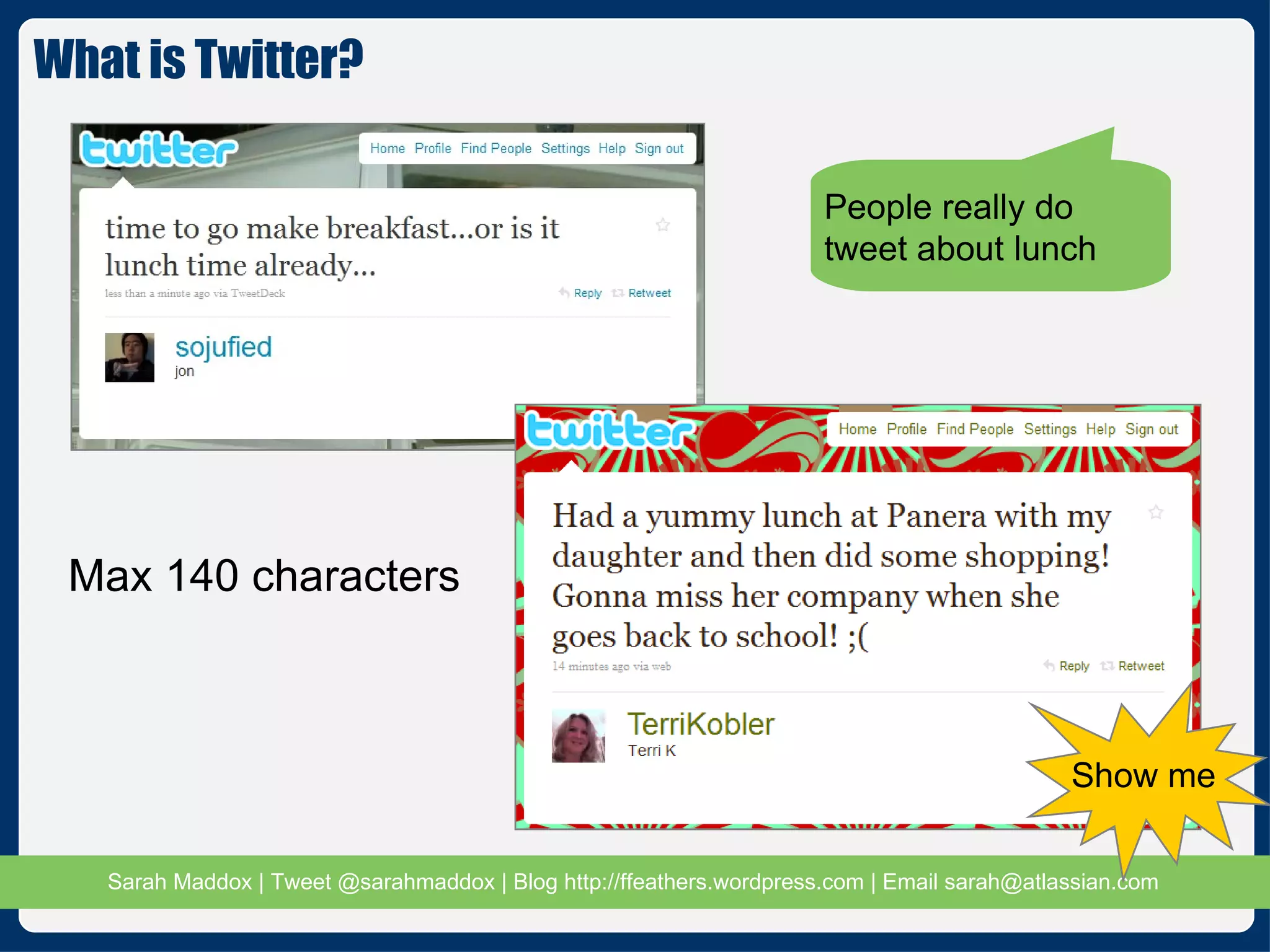
What is Twitter? Max 140 characters People really do tweet about lunch Show me
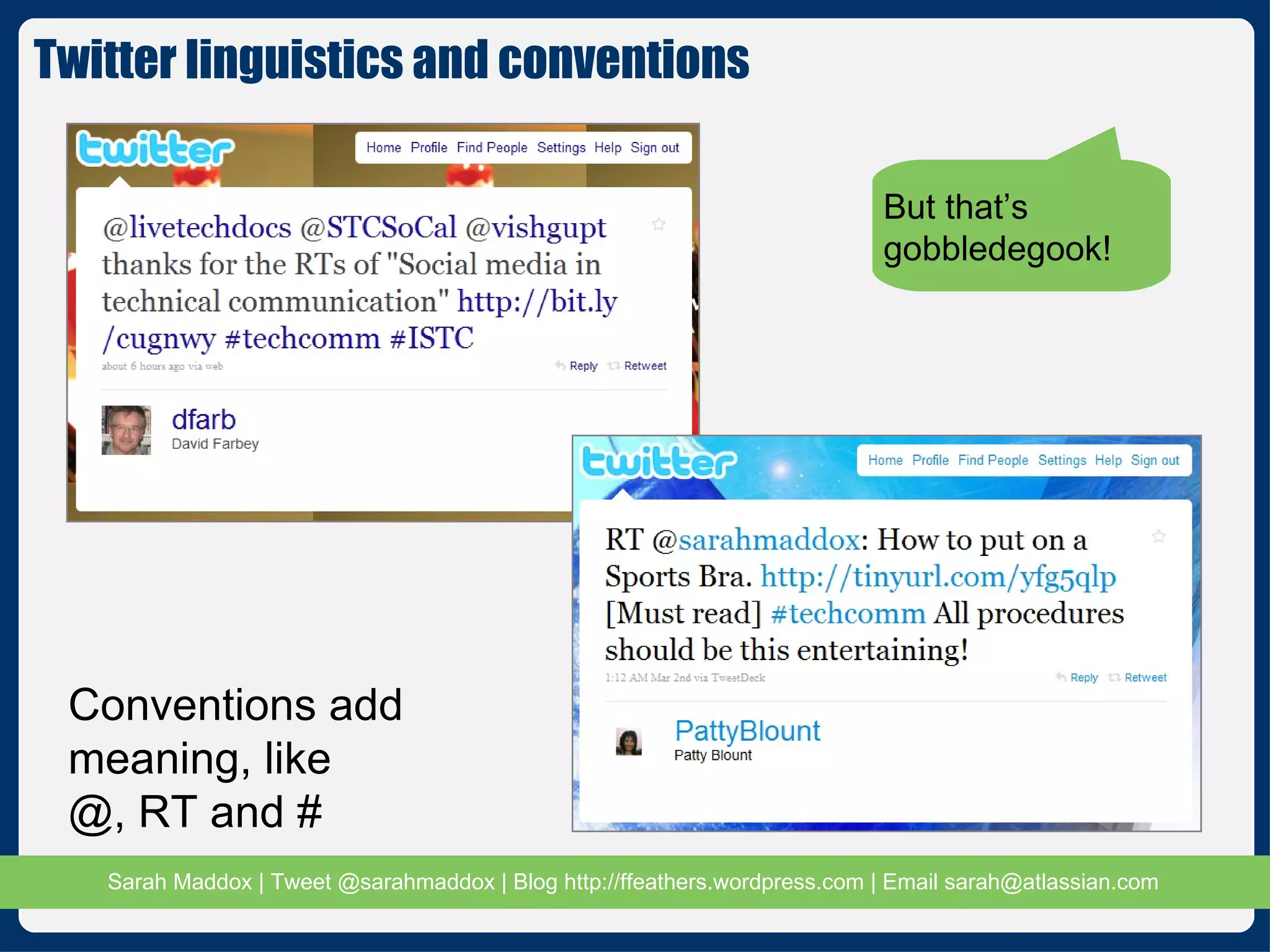
But that’s gobbledegook! Conventions add  meaning, like  @, RT and # Twitter linguistics and conventions
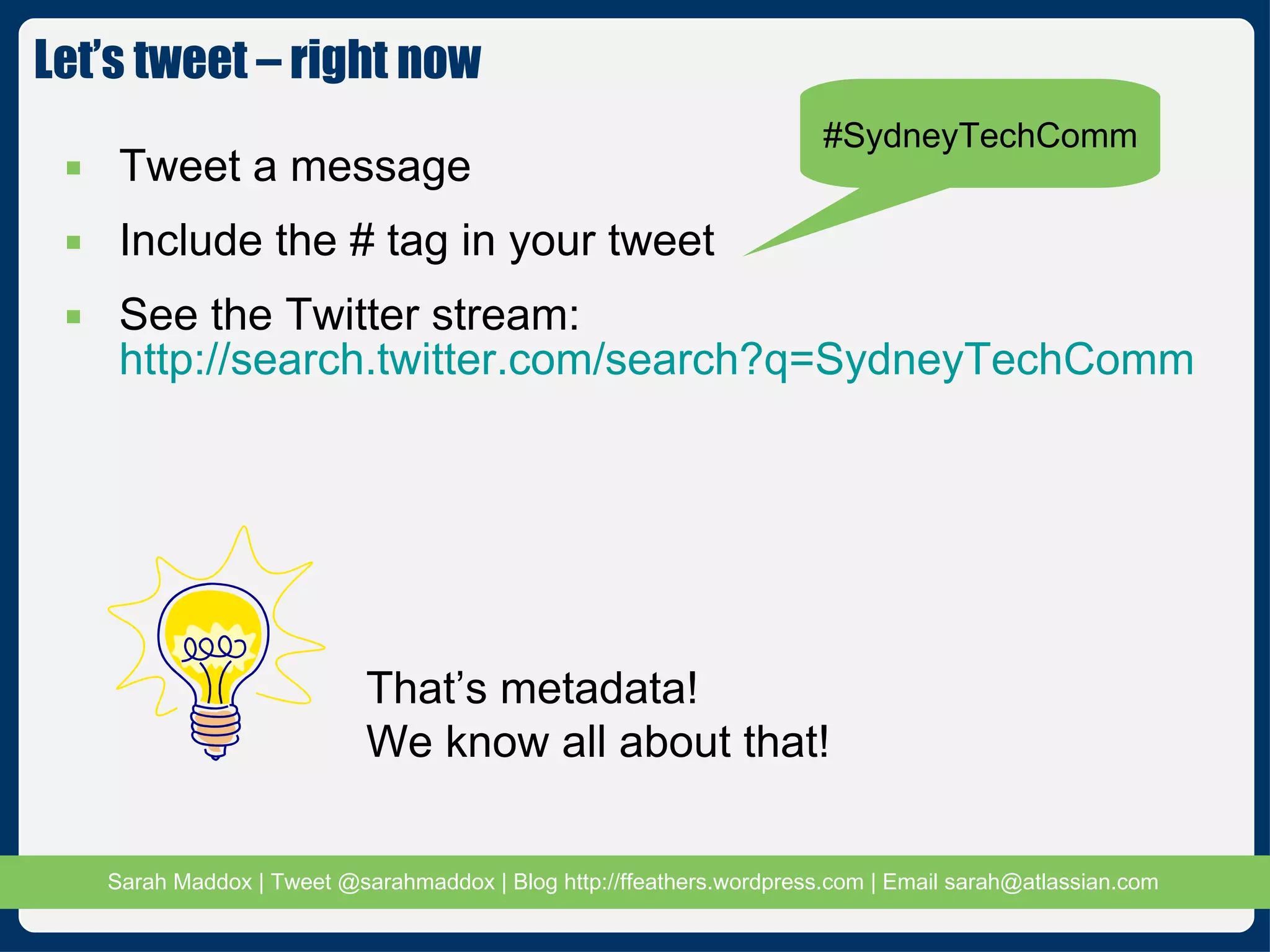
Tweet a message Include the # tag in your tweet See the Twitter stream:  http://search.twitter.com/search?q=SydneyTechComm Let’s tweet – right now #SydneyTechComm That’s metadata! We know all about that!
Why use Twitter in your documentation? The social enterprise Engaging customers and readers Documentation as a living, interactive hub Our readers are already discussing us on social media Let’s join the conversation Hear what they have to say Show them we care Use the media for our own good
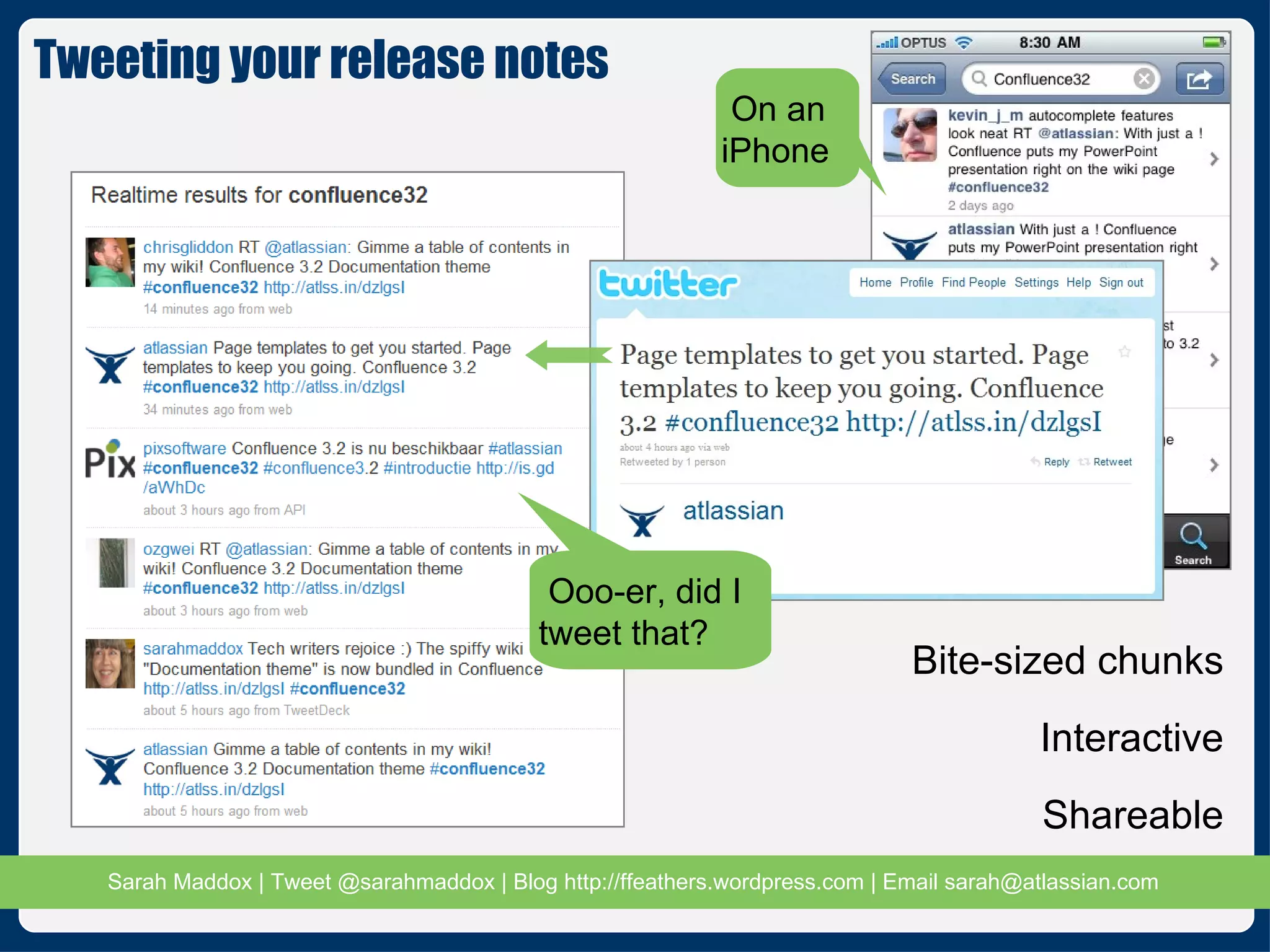
Tweeting your release notes  Ooo-er, did I tweet that? Bite-sized chunks Interactive Shareable On an iPhone
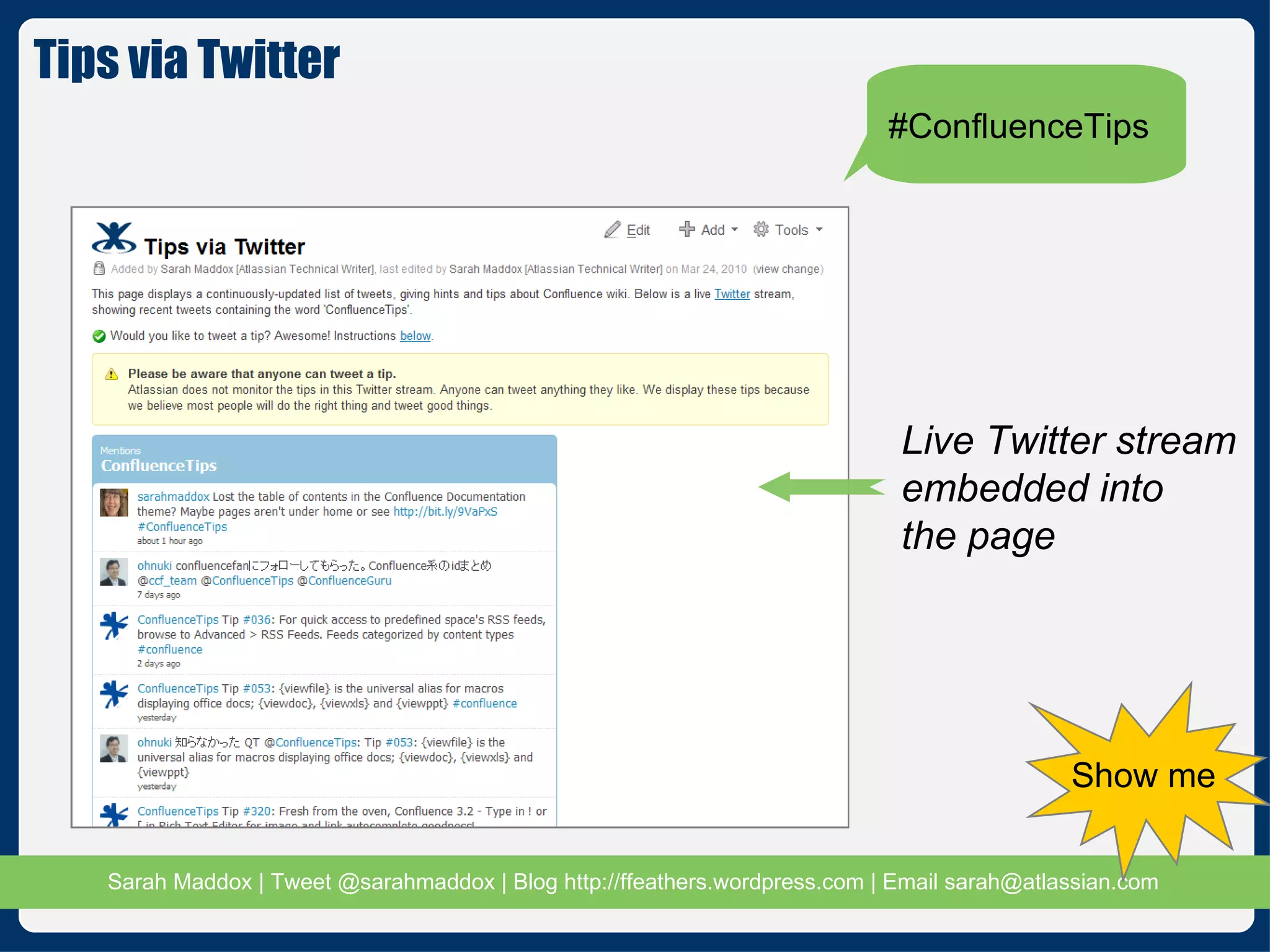
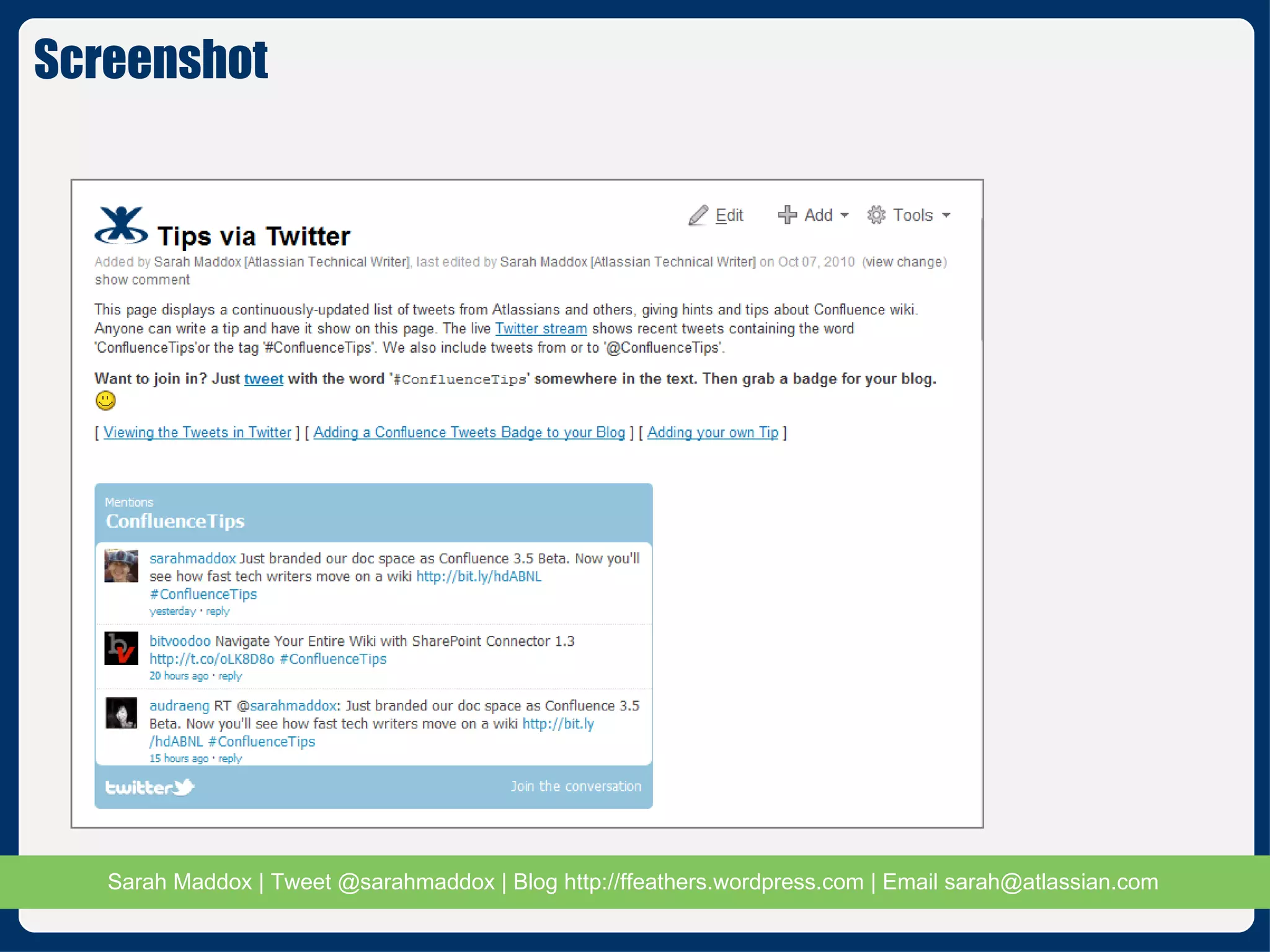
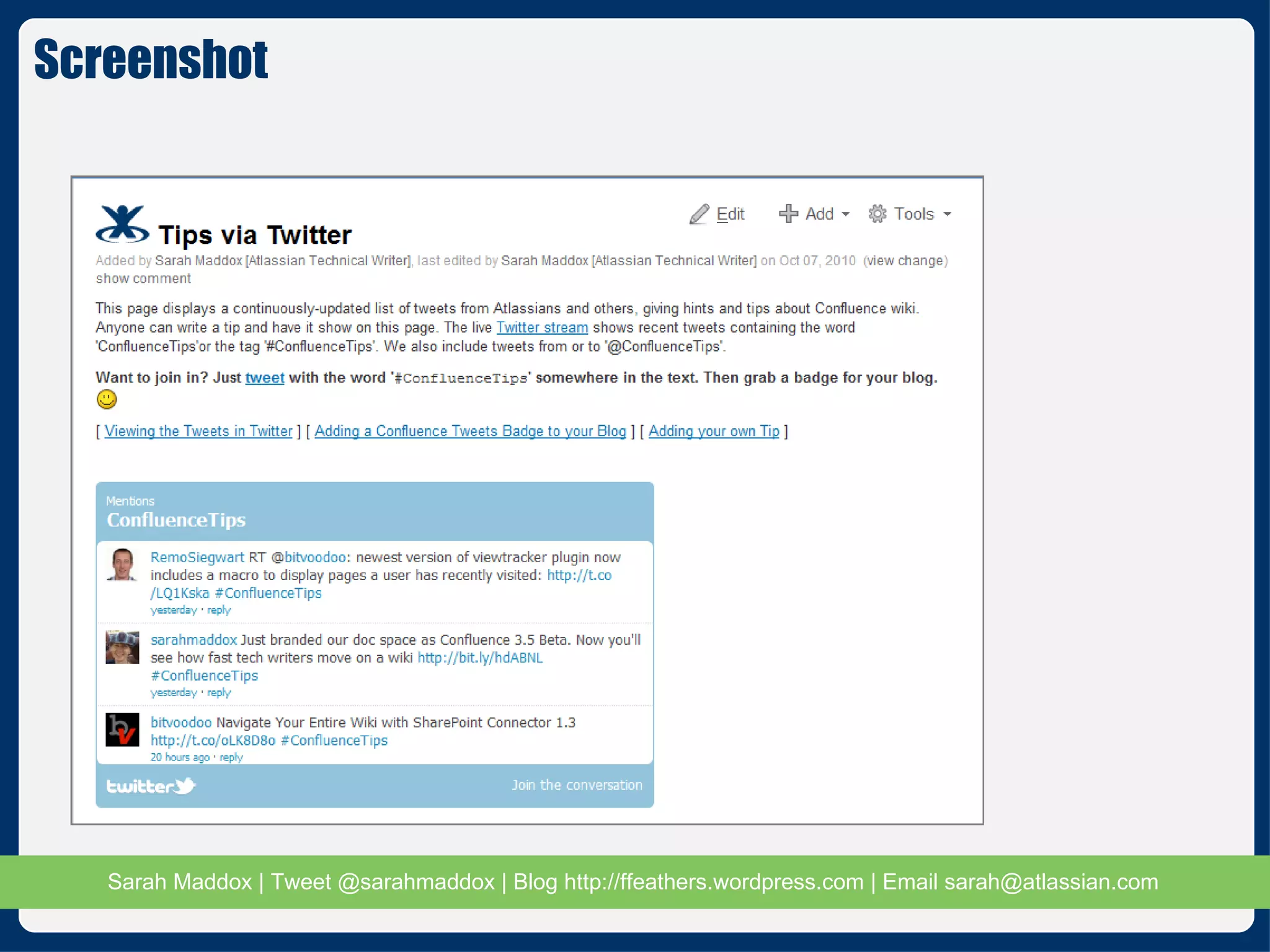
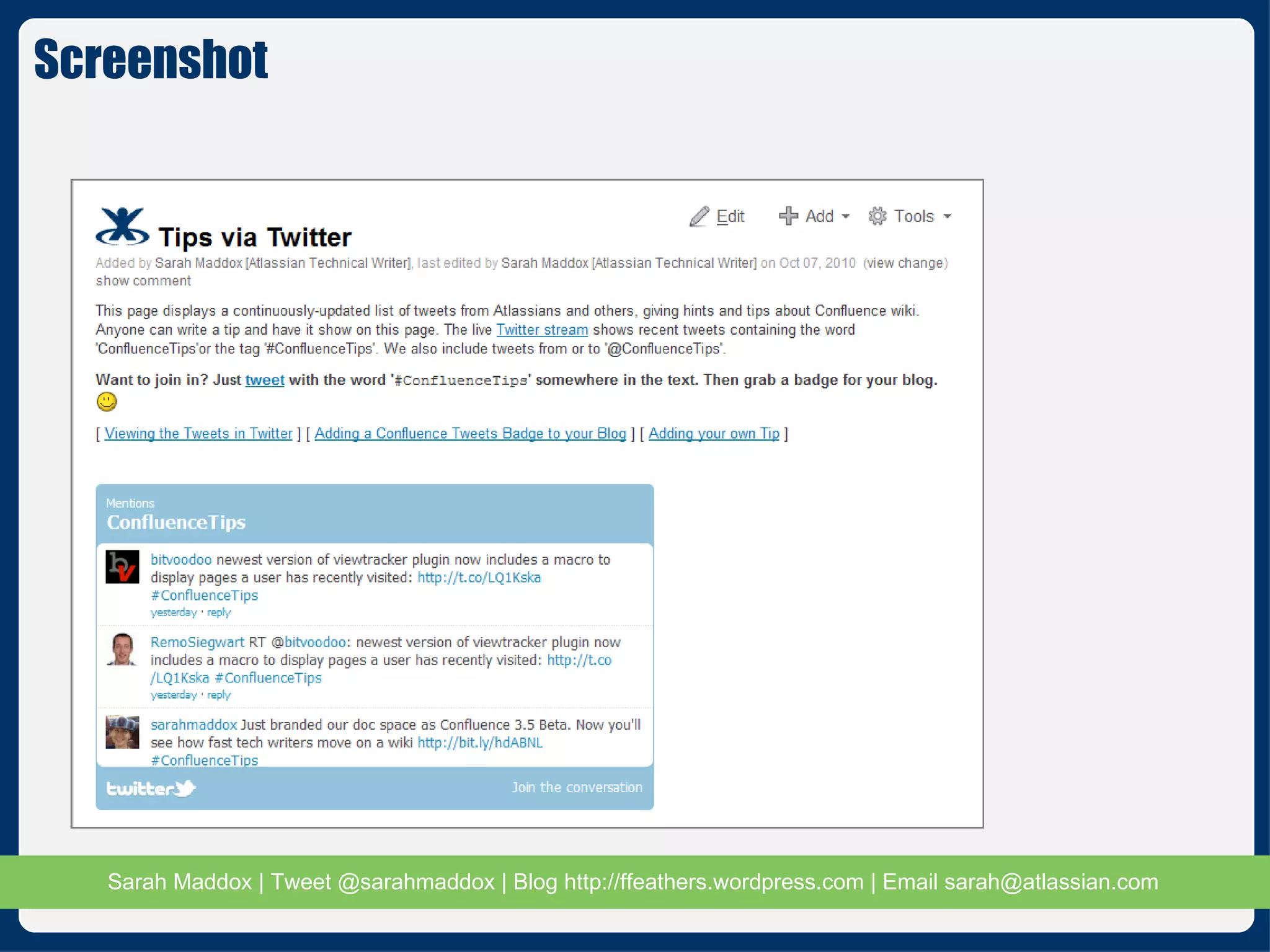
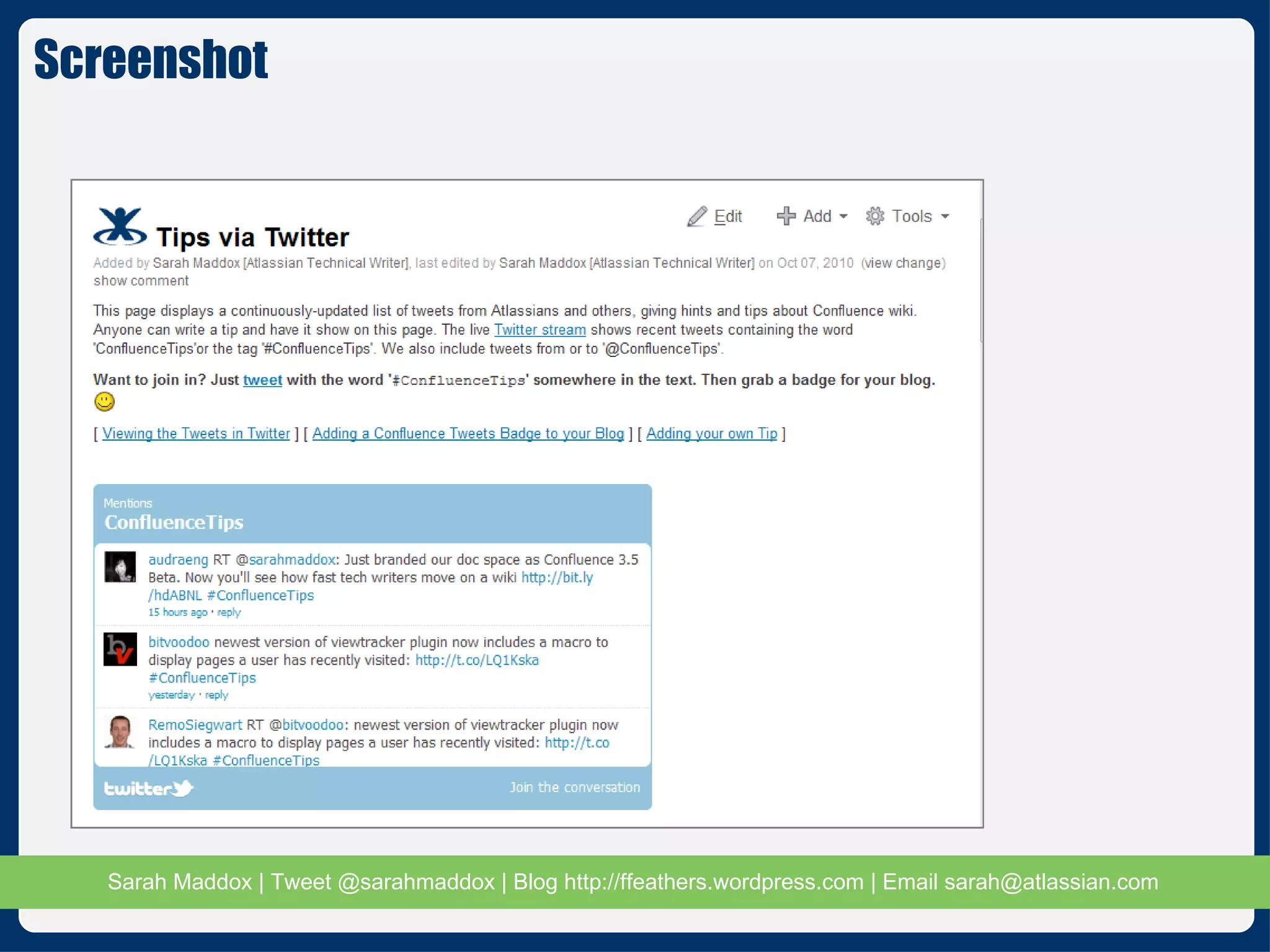
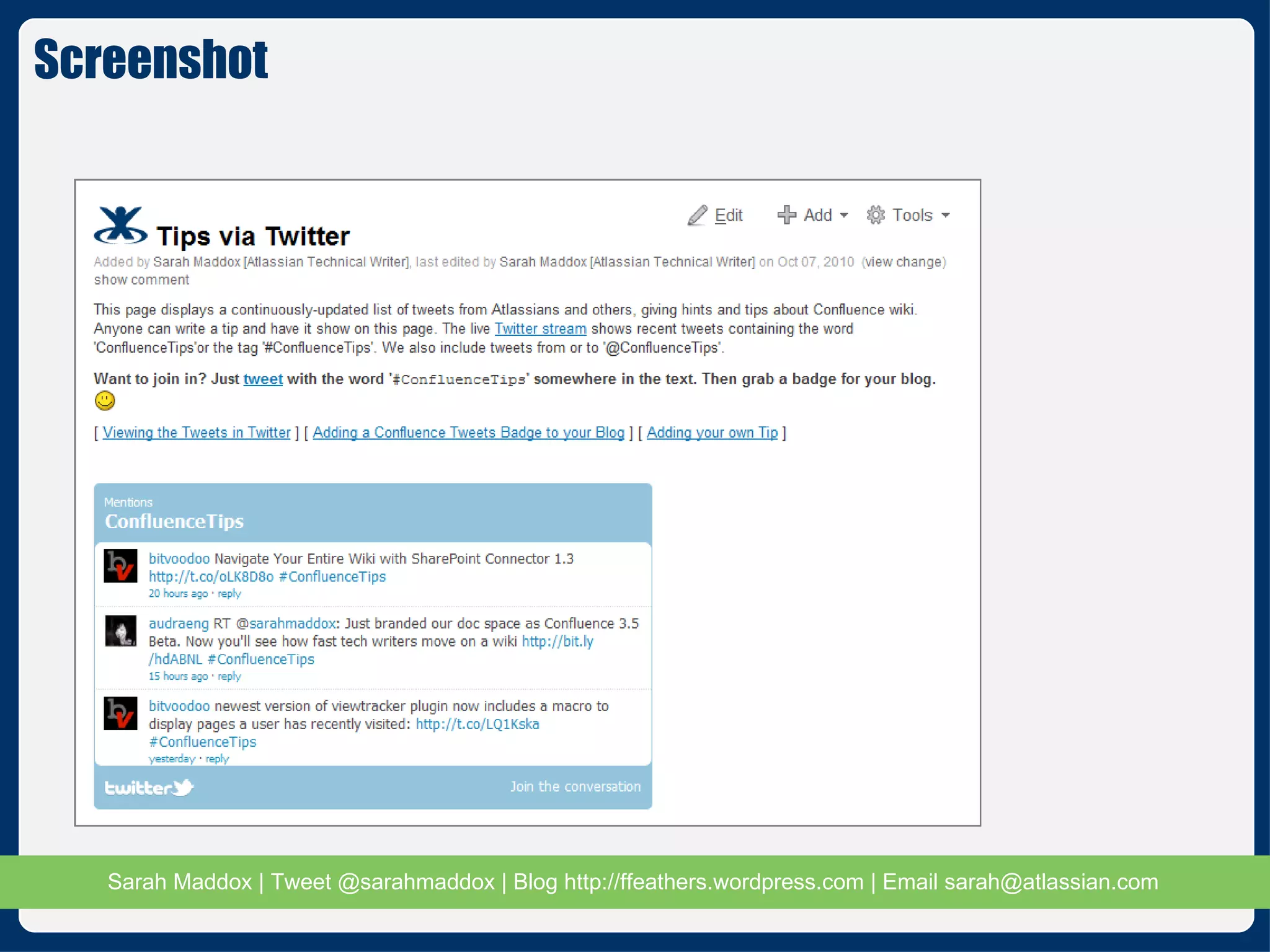
Live Twitter stream embedded into  the page Tips via Twitter #ConfluenceTips Show me
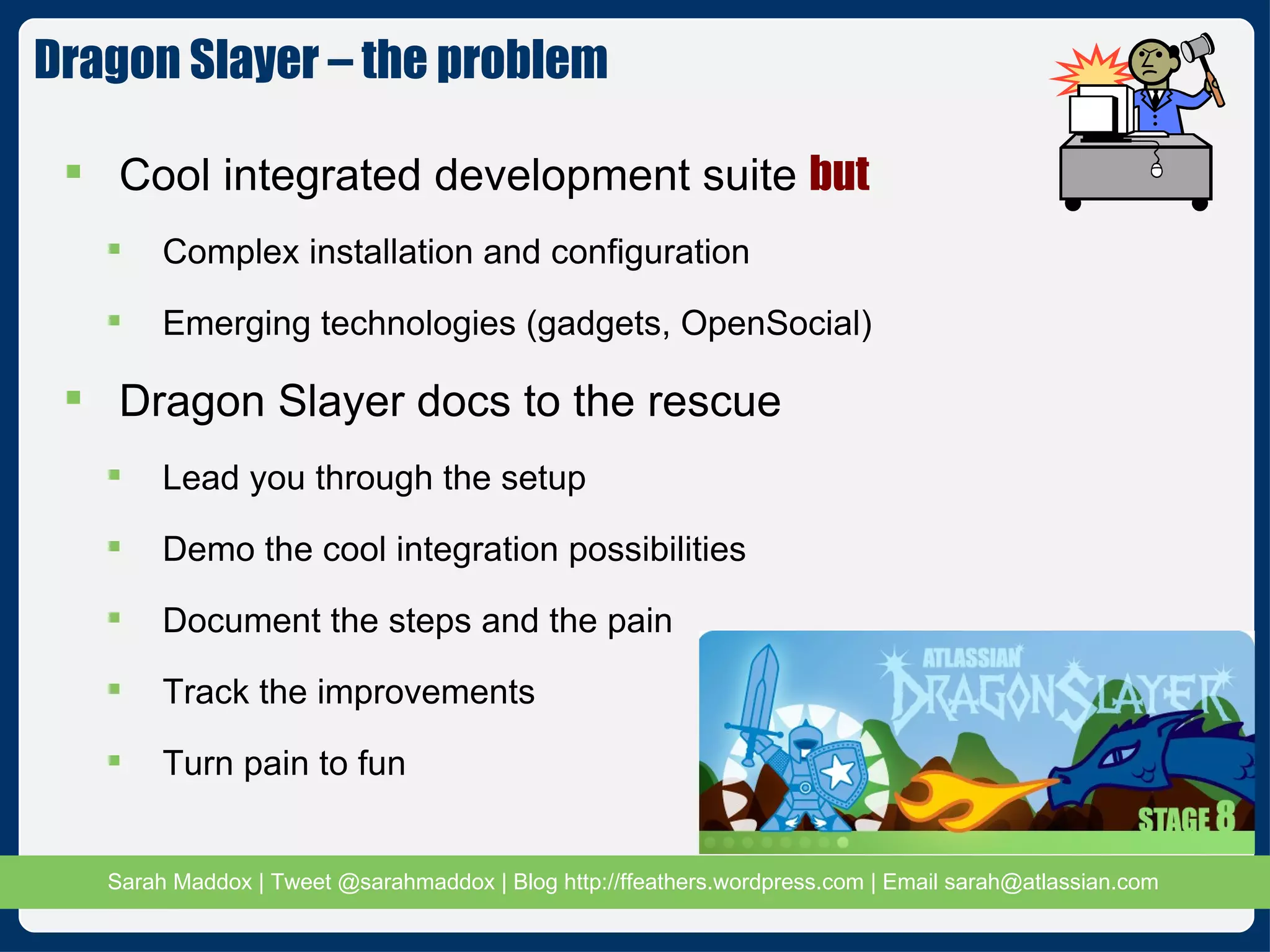
Cool integrated development suite  but Complex installation and configuration Emerging technologies (gadgets, OpenSocial) Dragon Slayer docs to the rescue Lead you through the setup Demo the cool integration possibilities Document the steps and the pain Track the improvements Turn pain to fun Dragon Slayer – the problem
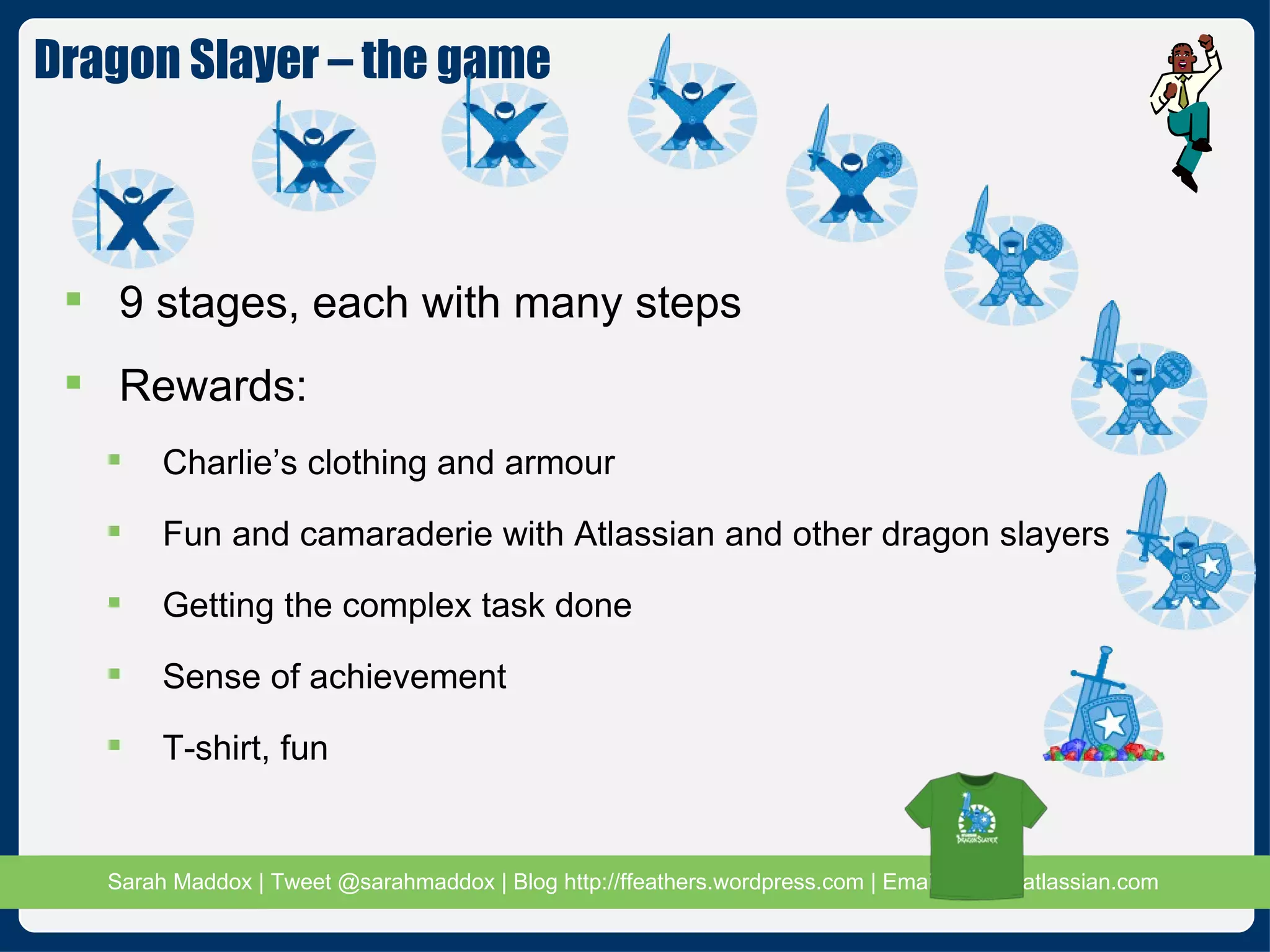
9 stages, each with many steps Rewards: Charlie’s clothing and armour Fun and camaraderie with Atlassian and other dragon slayers Getting the complex task done Sense of achievement T-shirt, fun Dragon Slayer – the game
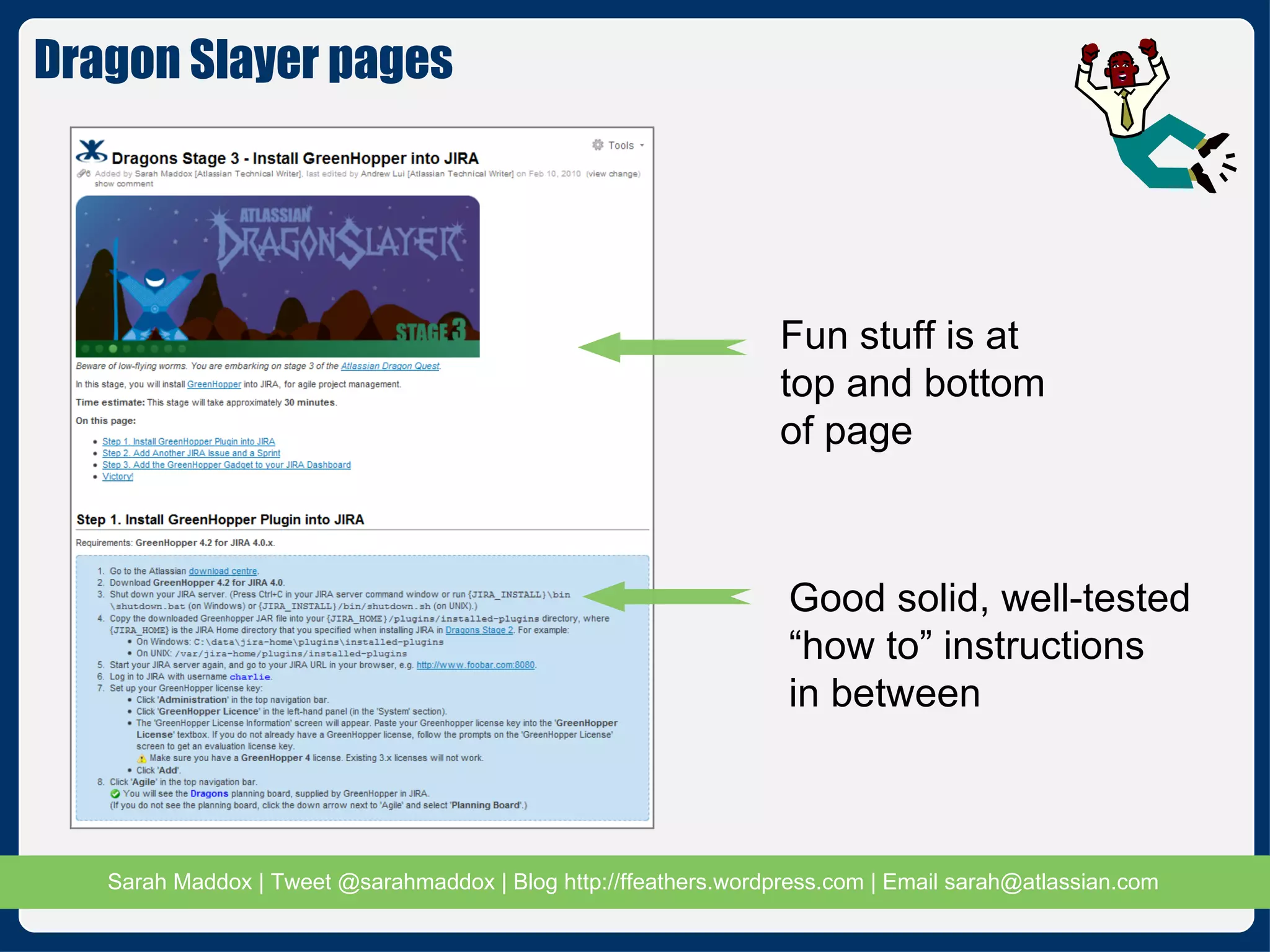
Fun stuff is at top and bottom of page Good solid, well-tested “how to” instructions  in between Dragon Slayer pages
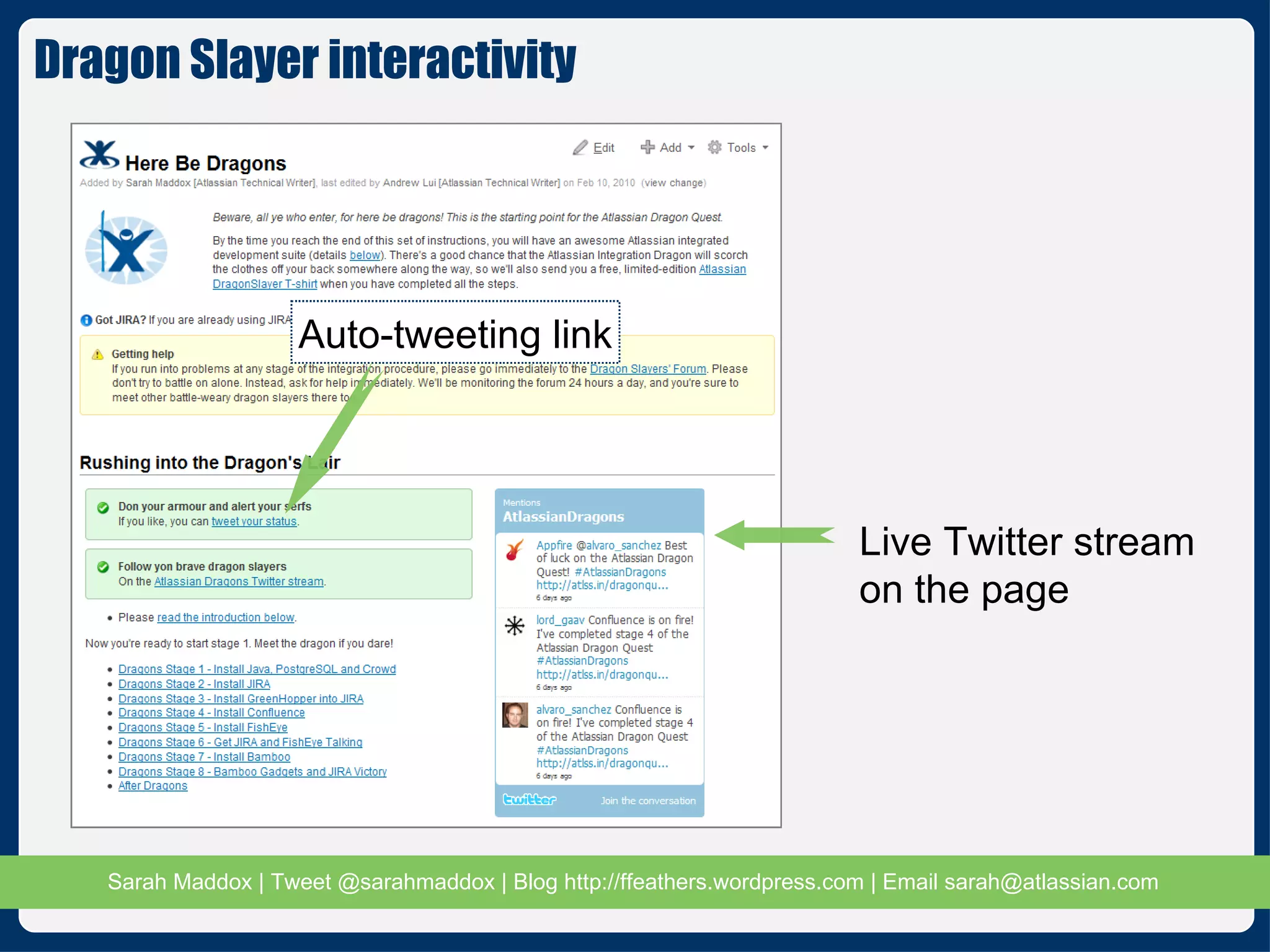
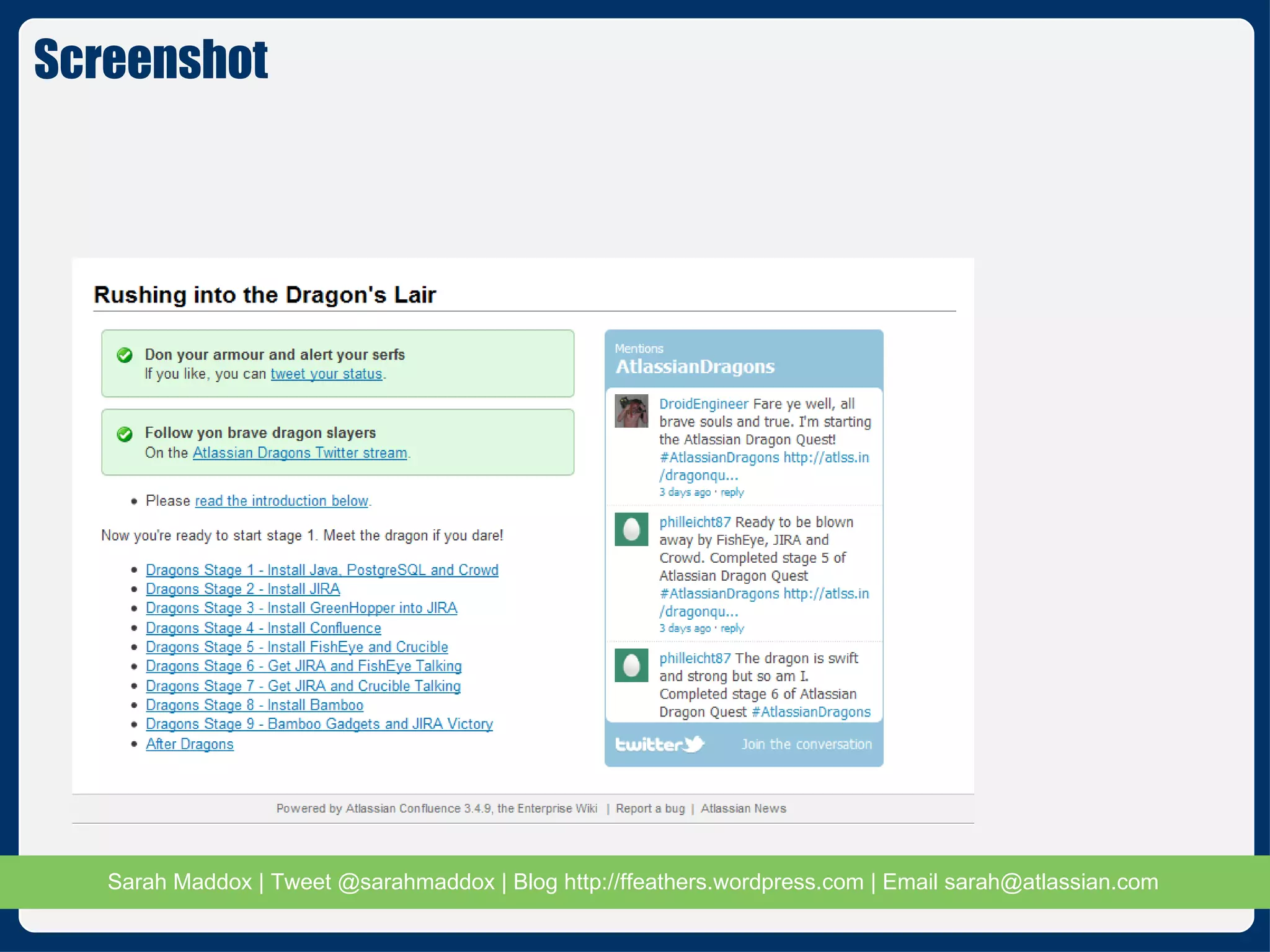
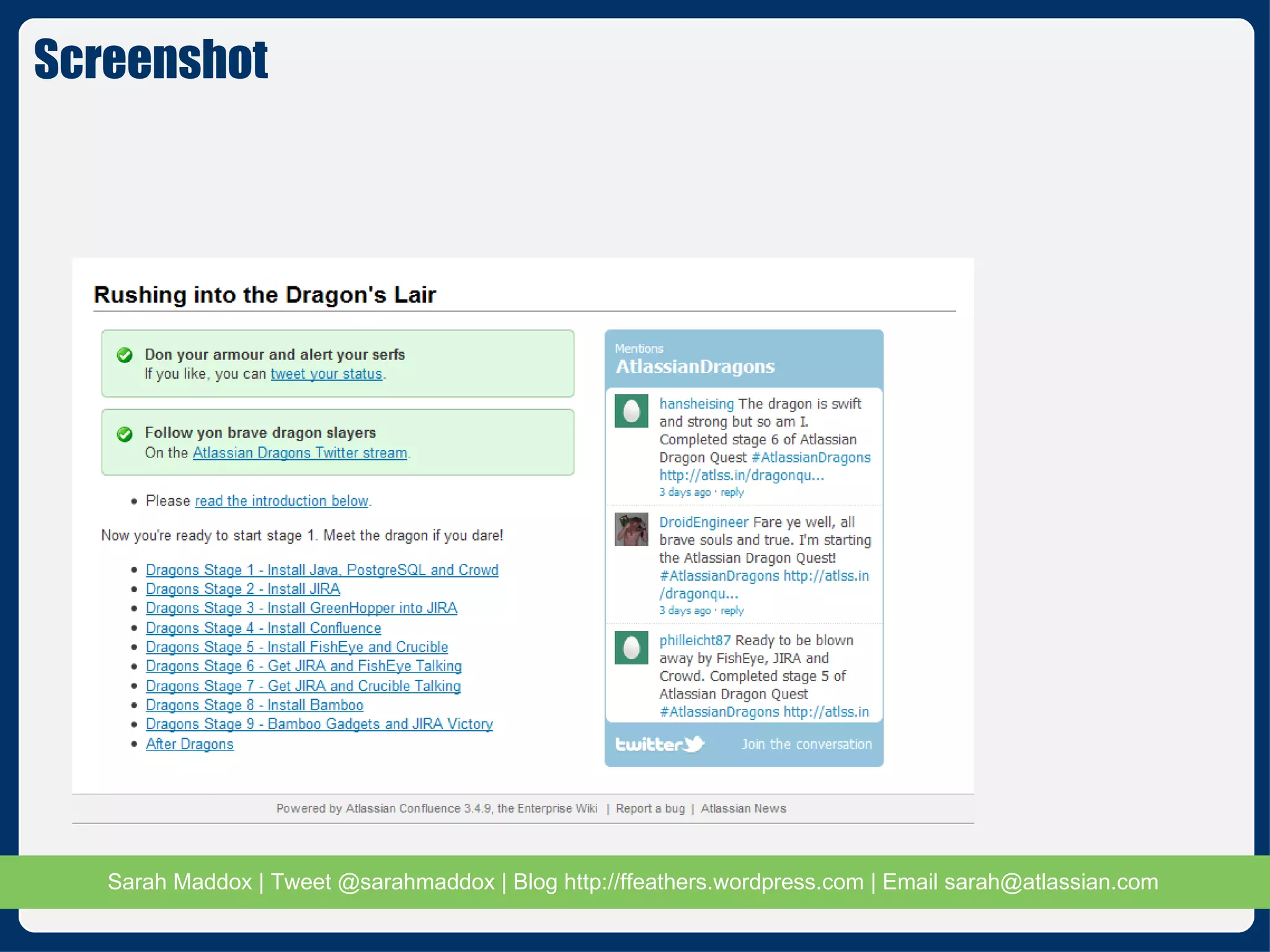
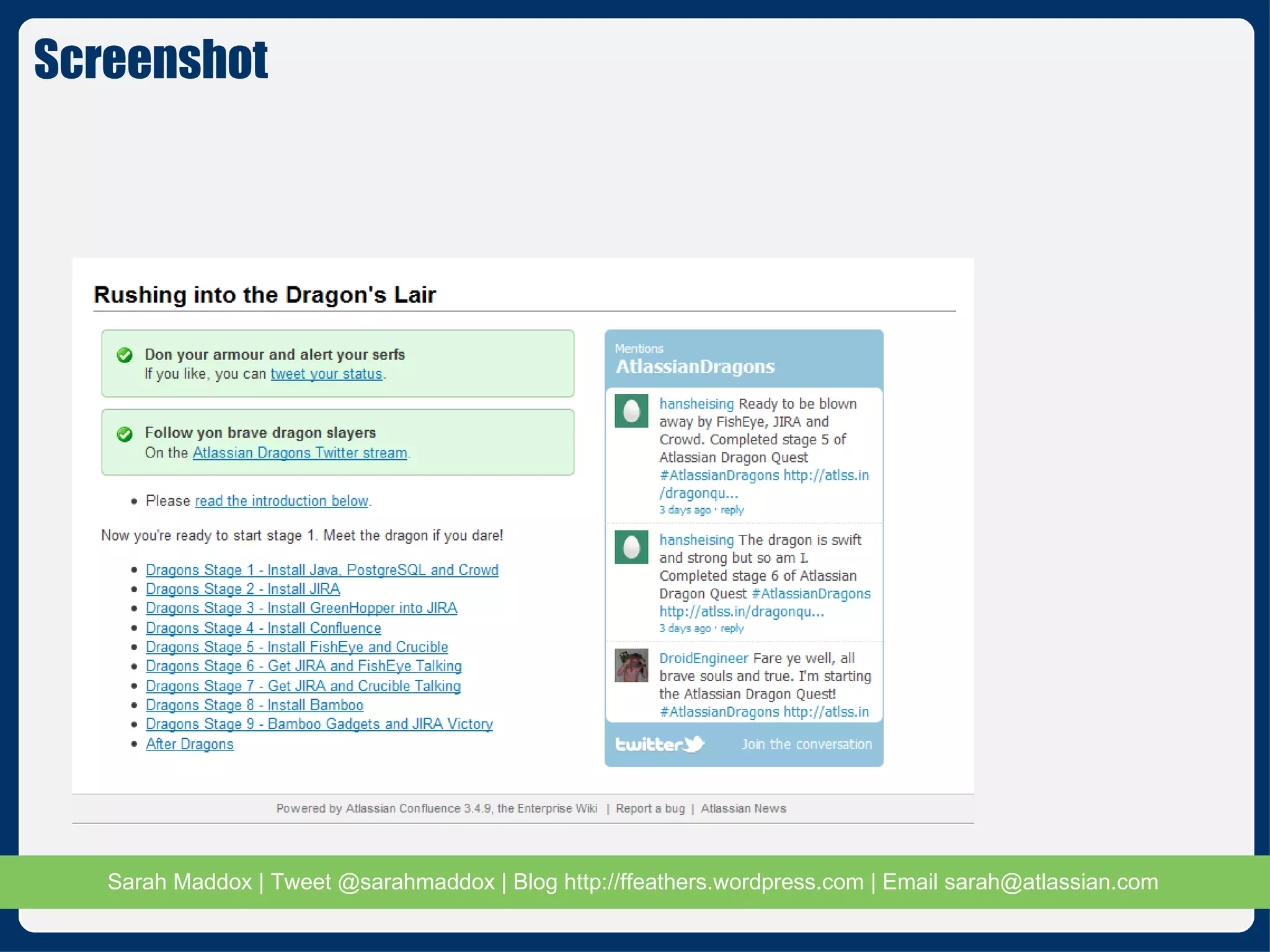
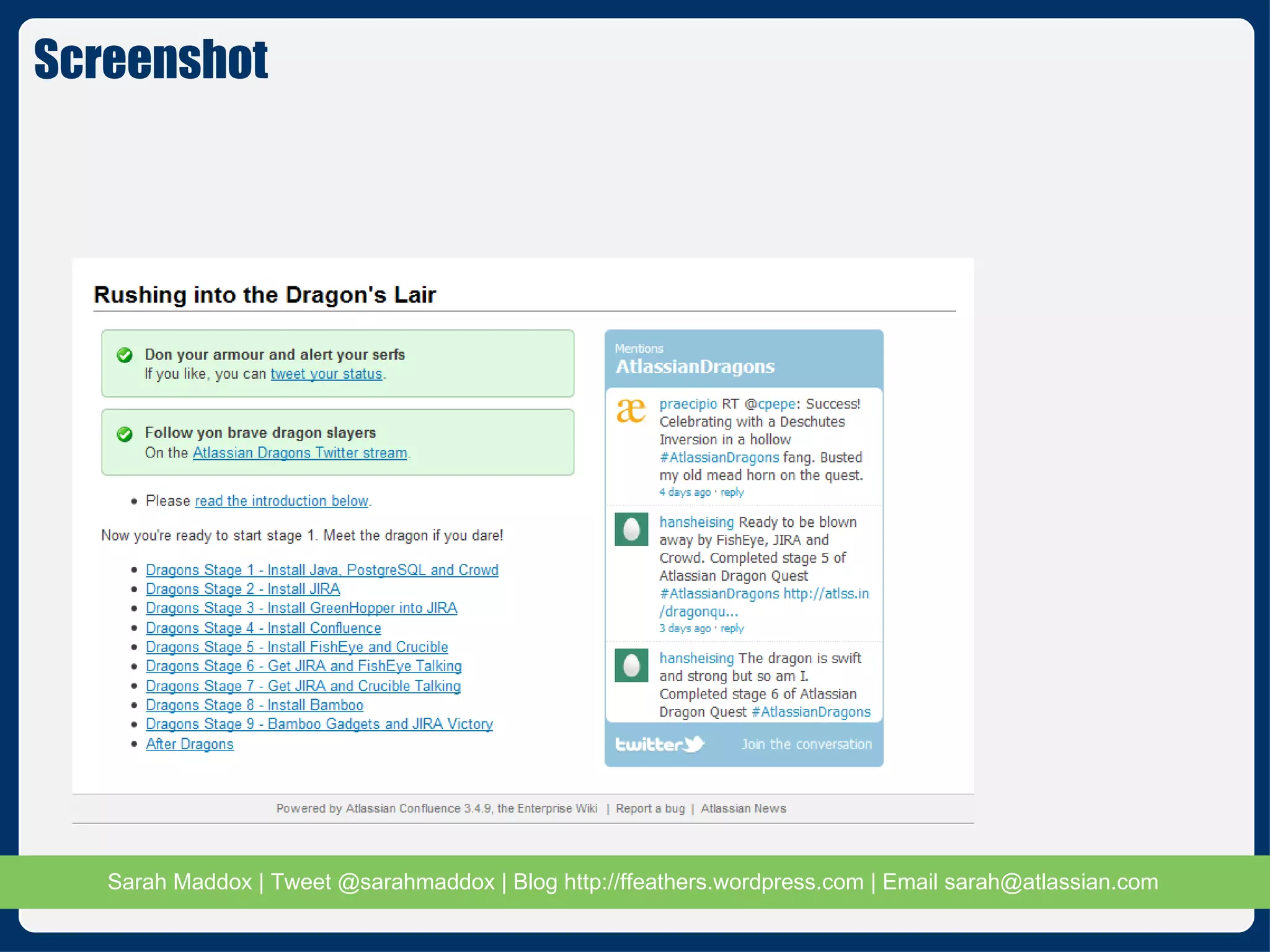
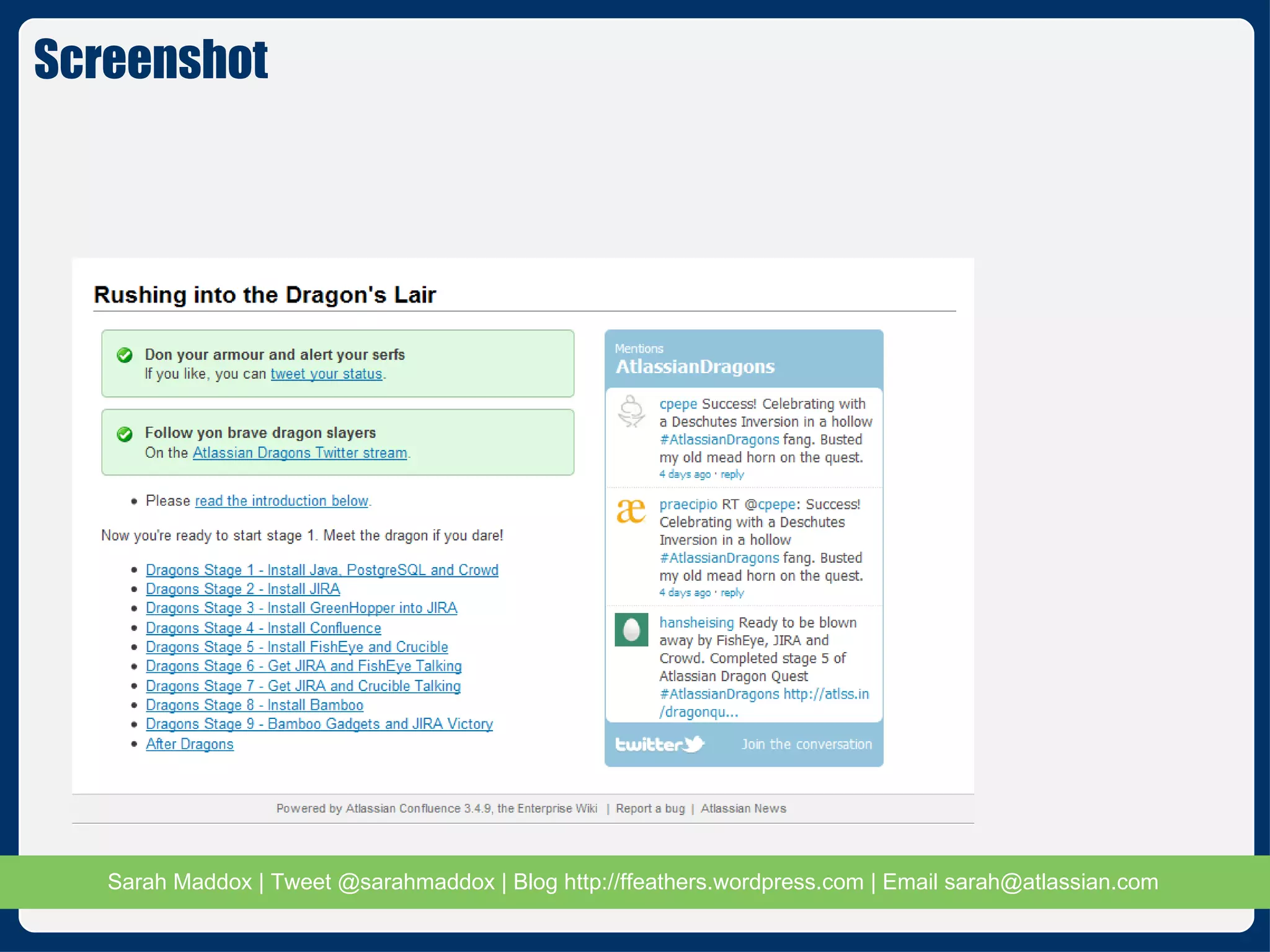
Live Twitter stream on the page Auto-tweeting link Dragon Slayer interactivity
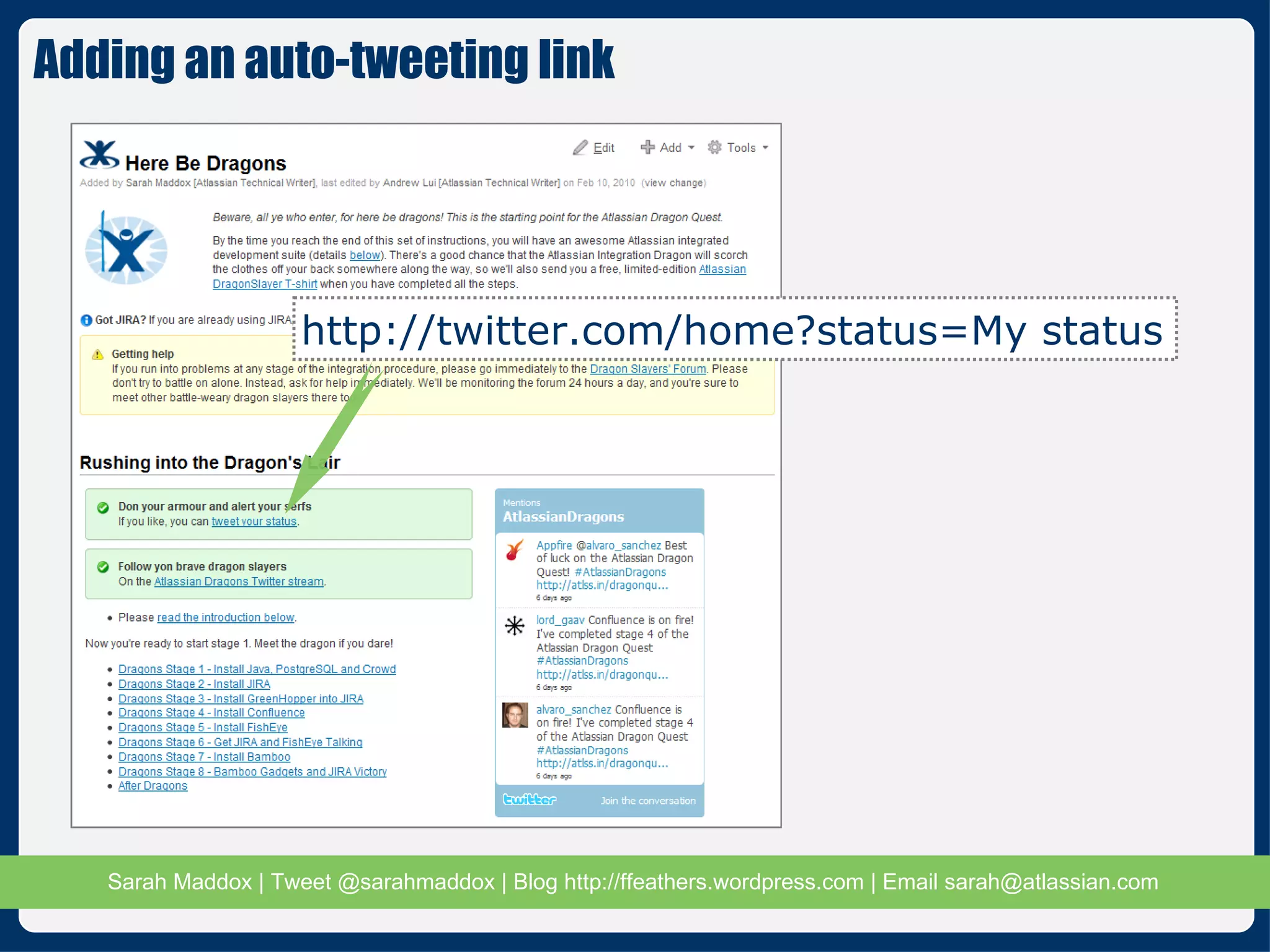
Adding an auto-tweeting link http://twitter.com/home?status=My status
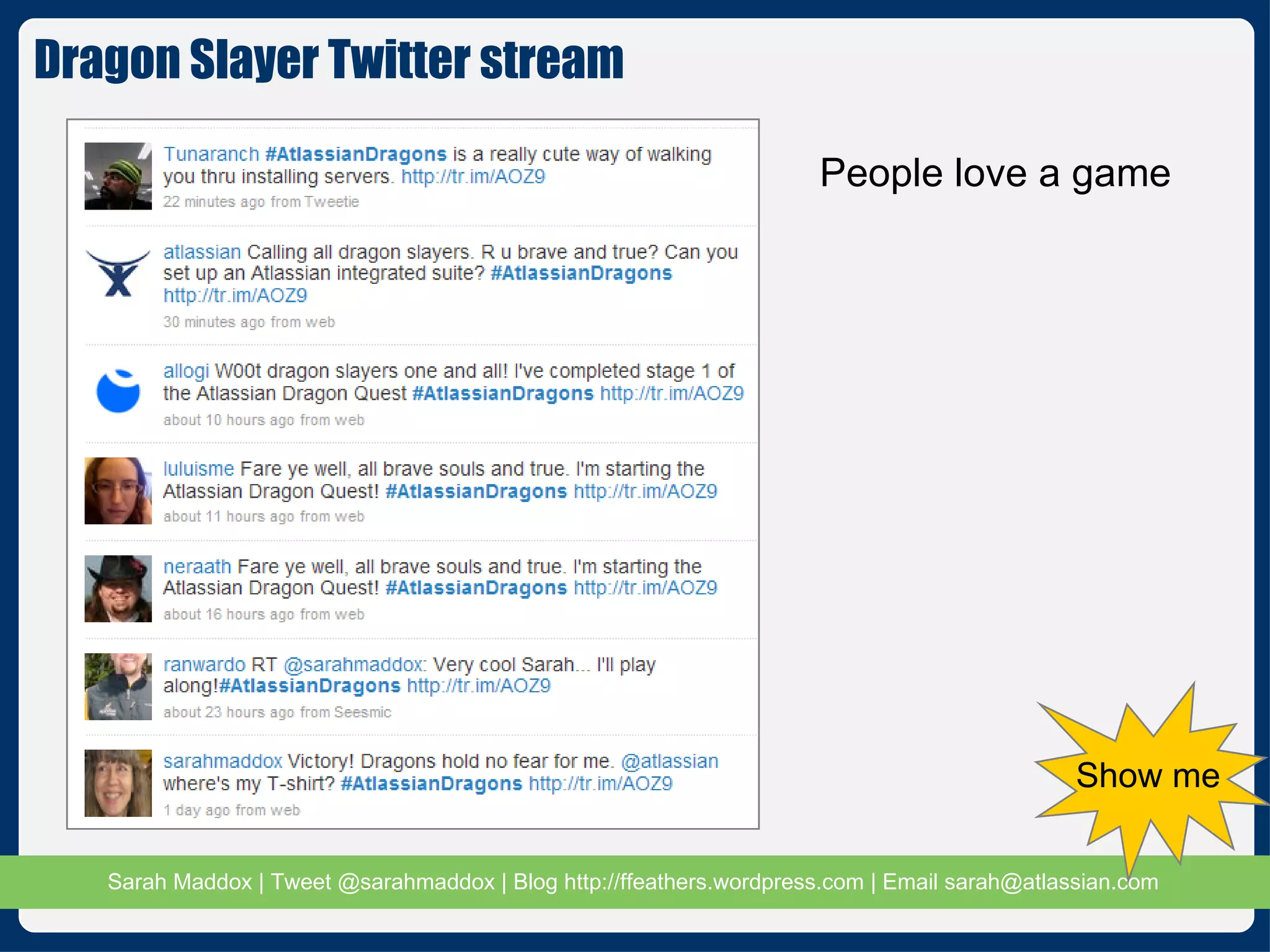
People love a game Dragon Slayer Twitter stream  Show me
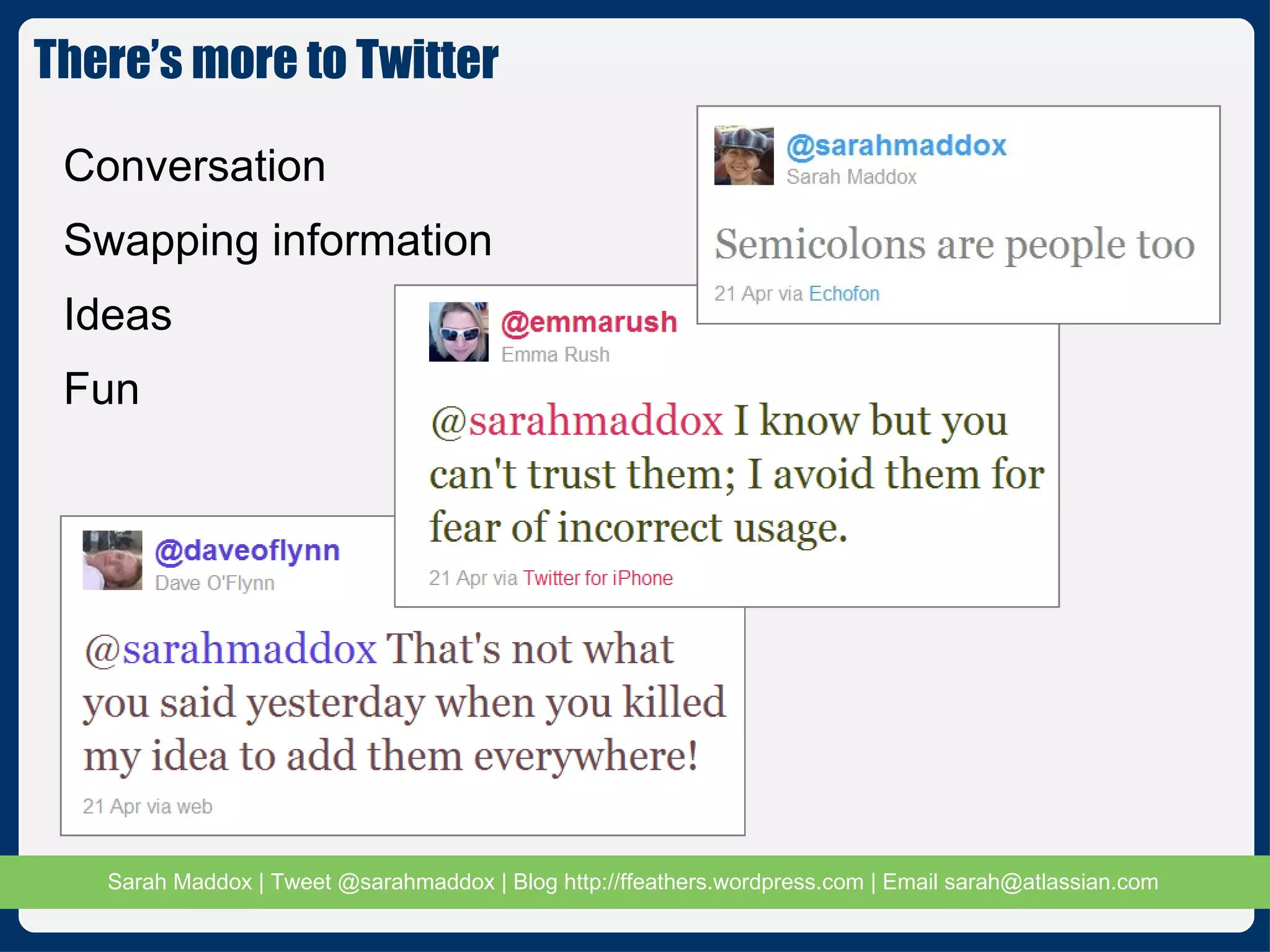
Conversation Swapping information Ideas Fun There’s more to Twitter
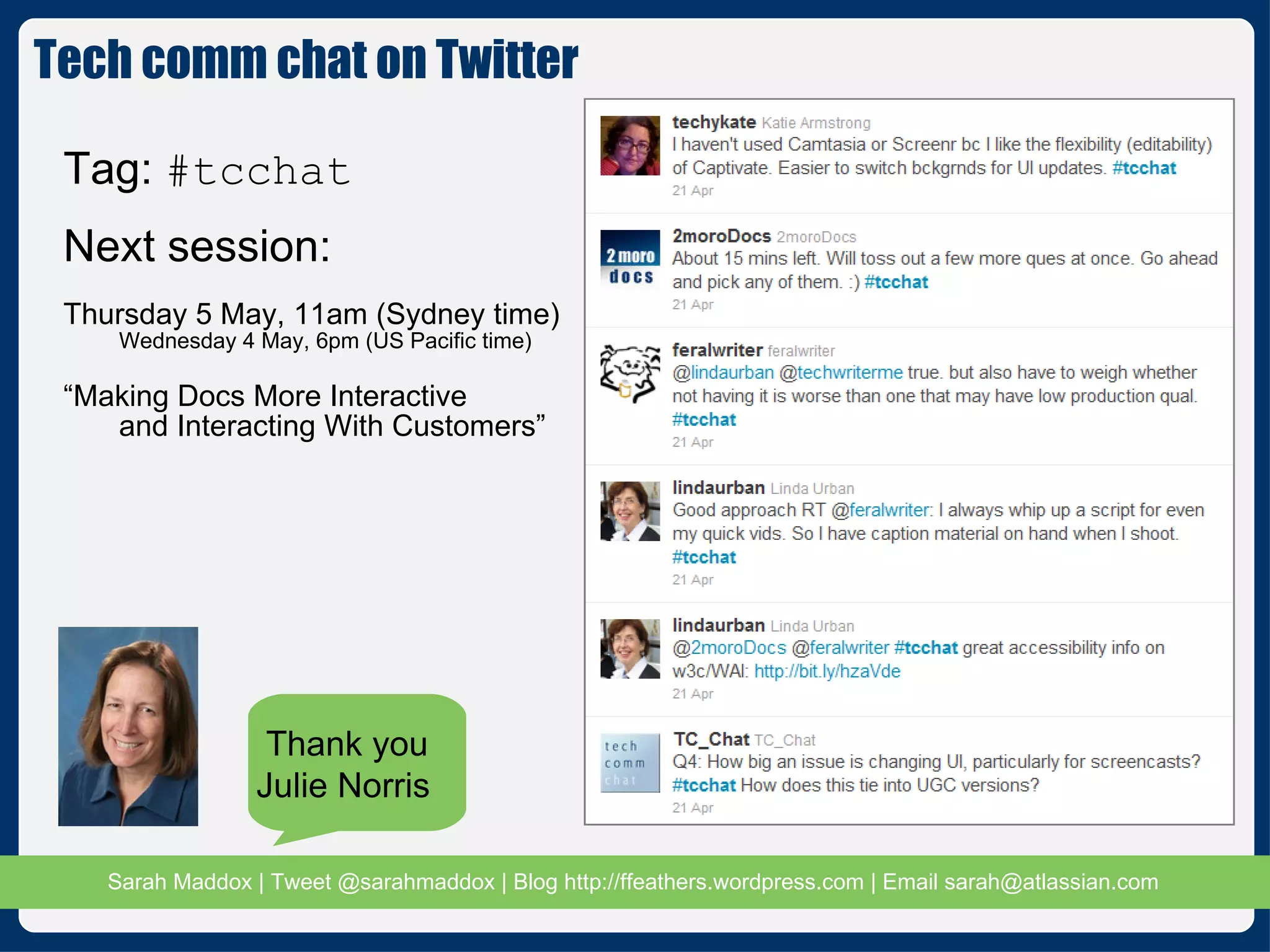
Tech comm chat on Twitter Tag:  #tcchat Next session: Thursday 5 May, 11am (Sydney time) Wednesday 4 May, 6pm (US Pacific time) “ Making Docs More Interactive  and Interacting With Customers” Thank you Julie Norris
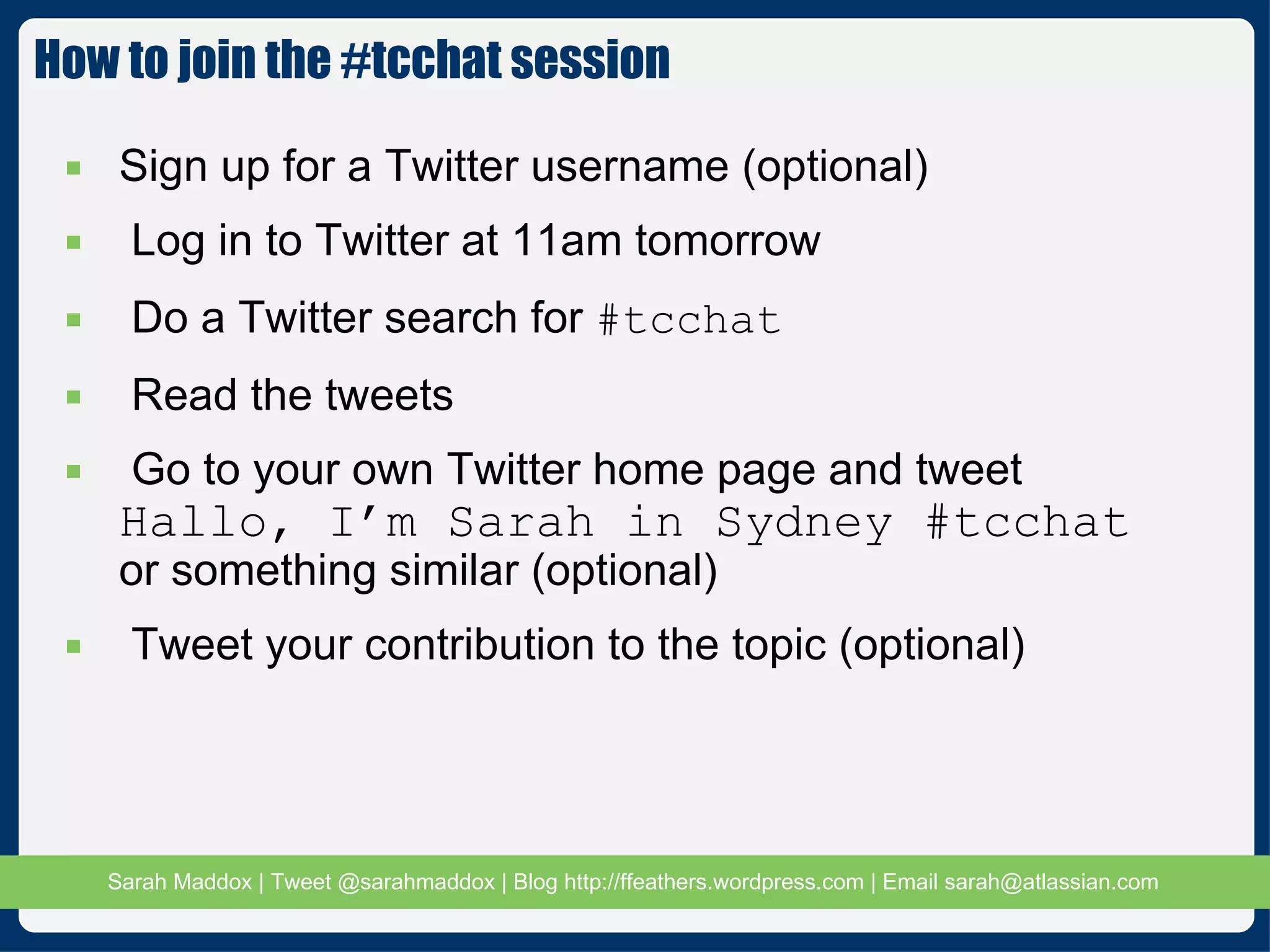
How to join the #tcchat session Sign up for a Twitter username (optional) Log in to Twitter at 11am tomorrow Do a Twitter search for  #tcchat Read the tweets Go to your own Twitter home page and tweet  Hallo, I’m Sarah in Sydney #tcchat or something similar (optional) Tweet your contribution to the topic (optional)
Contacting me Email:  [email_address] Twitter:  @sarahmaddox http://twitter.com/sarahmaddox LinkedIn:  http://au.linkedin.com/in/sarahmaddox Blog:  http://ffeathers.wordpress.com Other blog:  http://travellingworm.wordpress.com/
References 1 Download this presentation:  http://bit.ly/iEzdkV Twitter Twitter:  http://twitter.com/ Twitter’s note about the limitations of the search:  http://apiwiki.twitter.com/Things-Every-Developer-Should-Know#6Therearepaginationlimits A site that will URL-encode your text for you:  http://www.albionresearch.com/misc/urlencode.php Twitter as a medium for release notes Blog post, including an introduction to Twitter and many useful comments from readers:  http://ffeathers.wordpress.com/2009/06/08/twitter-as-a-medium-for-release-notes/
References 2 Hints and tips via Twitter Our “Tips via Twitter” page for the JIRA documentation.  http://confluence.atlassian.com/display/JIRA/Tips+via+Twitter Our “Tips via Twitter” page for the Confluence documentation.  http://confluence.atlassian.com/display/DOC/Tips+via+Twitter Blog post about tips via Twitter:  http://ffeathers.wordpress.com/2010/06/22/hints-and-tips-via-twitter/ Rewarding people for tweeting hints and tips:  http://ffeathers.wordpress.com/2010/08/14/badges-for-twitter-tips-and-thanks-to-technical-writers/ Tech comm chat Home page  http://www.facebook.com/TCchat1#!/TCchat1 Guide  http://www.2morodocs.com/2010/09/twitter-chats-101/
References 3 Twitter for interactive documentation The Dragon Slayer documentation:  http://confluence.atlassian.com/display/ATLAS/Here+Be+Dragons Blog post about the Dragon Slayer documentation:  http://ffeathers.wordpress.com/2009/10/10/i-got-dragons-and-tweets-in-my-docs/ Blog post on how to embed Twitter streams and prepopulate tweets: http://ffeathers.wordpress.com/2011/01/02/how-to-embed-twitter-streams-and-prepopulate-tweets-in-your-document/ The end – thanks folks!
Screenshot
Screenshot
Screenshot
Screenshot
Screenshot
Screenshot
Screenshot
Screenshot
Screenshot
Screenshot

A little bird told me... about a good page in your user guide

  • 1.
    A little birdtold me… about a good page in your user guide Sydney CBD Technical Communicators 4 May 2011 Twitter in and around your documentation
  • 2.
    About me @sarahmaddoxTechnical writer at Atlassian http://www.youtube.com/travellingworm http://www.linkedin.com/in/sarahmaddox http://www.flickr.com/people/31065906@N08/ http://ffeathers.wordpress.com http://www.facebook.com/#!/sarahmaddox.fb
  • 3.
    Introduction to TwitterTwitter as a medium for release notes Tweeting hints and tips Interactivity in your documentation: Dragon Slayer Twitter and your career In this presentation Twitter Docs You
  • 4.
    What is Twitter?Max 140 characters People really do tweet about lunch Show me
  • 5.
    But that’s gobbledegook!Conventions add meaning, like @, RT and # Twitter linguistics and conventions
  • 6.
    Tweet a messageInclude the # tag in your tweet See the Twitter stream: http://search.twitter.com/search?q=SydneyTechComm Let’s tweet – right now #SydneyTechComm That’s metadata! We know all about that!
  • 7.
    Why use Twitterin your documentation? The social enterprise Engaging customers and readers Documentation as a living, interactive hub Our readers are already discussing us on social media Let’s join the conversation Hear what they have to say Show them we care Use the media for our own good
  • 8.
    Tweeting your releasenotes Ooo-er, did I tweet that? Bite-sized chunks Interactive Shareable On an iPhone
  • 9.
    Live Twitter streamembedded into the page Tips via Twitter #ConfluenceTips Show me
  • 10.
    Cool integrated developmentsuite but Complex installation and configuration Emerging technologies (gadgets, OpenSocial) Dragon Slayer docs to the rescue Lead you through the setup Demo the cool integration possibilities Document the steps and the pain Track the improvements Turn pain to fun Dragon Slayer – the problem
  • 11.
    9 stages, eachwith many steps Rewards: Charlie’s clothing and armour Fun and camaraderie with Atlassian and other dragon slayers Getting the complex task done Sense of achievement T-shirt, fun Dragon Slayer – the game
  • 12.
    Fun stuff isat top and bottom of page Good solid, well-tested “how to” instructions in between Dragon Slayer pages
  • 13.
    Live Twitter streamon the page Auto-tweeting link Dragon Slayer interactivity
  • 14.
    Adding an auto-tweetinglink http://twitter.com/home?status=My status
  • 15.
    People love agame Dragon Slayer Twitter stream Show me
  • 16.
    Conversation Swapping informationIdeas Fun There’s more to Twitter
  • 17.
    Tech comm chaton Twitter Tag: #tcchat Next session: Thursday 5 May, 11am (Sydney time) Wednesday 4 May, 6pm (US Pacific time) “ Making Docs More Interactive and Interacting With Customers” Thank you Julie Norris
  • 18.
    How to jointhe #tcchat session Sign up for a Twitter username (optional) Log in to Twitter at 11am tomorrow Do a Twitter search for #tcchat Read the tweets Go to your own Twitter home page and tweet Hallo, I’m Sarah in Sydney #tcchat or something similar (optional) Tweet your contribution to the topic (optional)
  • 19.
    Contacting me Email: [email_address] Twitter: @sarahmaddox http://twitter.com/sarahmaddox LinkedIn: http://au.linkedin.com/in/sarahmaddox Blog: http://ffeathers.wordpress.com Other blog: http://travellingworm.wordpress.com/
  • 20.
    References 1 Downloadthis presentation: http://bit.ly/iEzdkV Twitter Twitter: http://twitter.com/ Twitter’s note about the limitations of the search: http://apiwiki.twitter.com/Things-Every-Developer-Should-Know#6Therearepaginationlimits A site that will URL-encode your text for you: http://www.albionresearch.com/misc/urlencode.php Twitter as a medium for release notes Blog post, including an introduction to Twitter and many useful comments from readers: http://ffeathers.wordpress.com/2009/06/08/twitter-as-a-medium-for-release-notes/
  • 21.
    References 2 Hintsand tips via Twitter Our “Tips via Twitter” page for the JIRA documentation. http://confluence.atlassian.com/display/JIRA/Tips+via+Twitter Our “Tips via Twitter” page for the Confluence documentation. http://confluence.atlassian.com/display/DOC/Tips+via+Twitter Blog post about tips via Twitter: http://ffeathers.wordpress.com/2010/06/22/hints-and-tips-via-twitter/ Rewarding people for tweeting hints and tips: http://ffeathers.wordpress.com/2010/08/14/badges-for-twitter-tips-and-thanks-to-technical-writers/ Tech comm chat Home page http://www.facebook.com/TCchat1#!/TCchat1 Guide http://www.2morodocs.com/2010/09/twitter-chats-101/
  • 22.
    References 3 Twitterfor interactive documentation The Dragon Slayer documentation: http://confluence.atlassian.com/display/ATLAS/Here+Be+Dragons Blog post about the Dragon Slayer documentation: http://ffeathers.wordpress.com/2009/10/10/i-got-dragons-and-tweets-in-my-docs/ Blog post on how to embed Twitter streams and prepopulate tweets: http://ffeathers.wordpress.com/2011/01/02/how-to-embed-twitter-streams-and-prepopulate-tweets-in-your-document/ The end – thanks folks!
  • 23.
  • 24.
  • 25.
  • 26.
  • 27.
  • 28.
  • 29.
  • 30.
  • 31.
  • 32.

Editor's Notes

  • #4 Speaker’s notes: What’s in this presentation This session is all about using Twitter in and around your documentation. Tweeting the release notes Tips submitted to Twitter by all and displayed in the documentation. An example of a game wrapped around the documentation, plus interactivity via Twitter and forums: the Dragon Slayer documentation. We’ll also take a very brief look at other ways a technical communicator may find Twitter useful – outside the documentation. It’s not all about the doco! Let’s get started: See what Twitter is. Look at some of the linguistic conventions that have sprung up in people’s tweets. Tweet, right here, right now.
  • #5 Speaker’s notes: Twitter Twitter is one of the main ways people share information. People send and read tweets on the web, their phones, Facebook, email, RSS, desktop apps... Anywhere, anytime. What is Twitter: Twitter is a web service that allows you to send short messages to anyone who is interested in reading them. You can sign up for a free account at http://twitter.com. Then just type in your message where Twitter asks “What are you doing?” and click “Update”. Bob’s your uncle, you’ve tweeted. T o read other people’s tweets, you “follow” the people. Twitter will send you the tweets of the people you are following. Why: Reach people where they are. One of the most magical aspects of Twitter is that people don’t have to go to Twitter.com to use it. People read tweets via email, via desktop widgets and apps, on their phones and so on. Short and sweet. People will read and absorb short, punchy messages. Fun.
  • #6 Speaker’s notes: Twitter linguistics and conventions More complex tweets use accepted conventions: “ @” symbol to speak directly to another person e.g. in reply to their tweet. “ #” symbol to denote a particular topic. Called a “hash tag”. “ RT” means “re-tweet”. You are repeating someone else’s tweet because you like it. “ Tiny URLs” or shortened URLs, to reduce the number of characters in your tweet. 140 characters is the limit for the text in a tweet. You can get shortened URLs from various web sites like tinyurl, bit.ly, etc. Aah, metadata! That’s something we technical writers know and respect. How can we make use of these conventions?
  • #7 Speaker’s notes: Twitter linguistics and conventions Tweet: How many Sydney tech writers are a-tweeting? #SydneyTechComm Search: http://search.twitter.com/search?q=SydneyTechComm
  • #8 Speaker’s notes: Introducing the topic We know that companies are becoming more social. Engaged customers buy more, are more satisfied with the product, and are more likely to help each other. Similarly, engaged readers are more likely to keep coming back to the documentation, are more satisfied with the documentation, and will use the documentation as a tool to help each other. Documentation is the face of the company. People come to the documentation looking for answers. How can you make your documentation a living, interactive hub where people can come to find answers, talk to you, swap techniques and help each other? People are already discussing us and our documentation via Twitter and other social media. Let’s join the conversation, see what they’re saying, and show them that we care.
  • #9 Speaker’s notes: Twitter as medium for release notes Each tweet: Reflects a major point in the release notes. Links to the "real" release notes. Contains a hash tag to tie the tweets together. Why use a #-tag? It provides a way for readers at any time to see a collection of such related tweets. A collection of release highlights is… the release notes. That’s how we use Twitter as a medium for our release notes. Ta da ♪ ♫ Also in the above slide: People have re-tweeted our tweet. Other people have added extra tweets using our has tag – one in Dutch! A screenshot of the same Twitter stream on an iPhone. Small chunks of information (tweets) are: Easy to digest. Shareable. Interactive and conversational. Useful for drawing people to the documentation. Is there a chance people will add unfavourable information to your stream? Oh yes! But that’s all part of it. It’s up to you to respond. Keep the conversation going.
  • #10 Speaker’s notes: Tips via Twitter We encourage readers to submit hints and tips via Twitter. The #-tag is the key. For our product called Confluence: #ConfluenceTips For JIRA: #JIRATips Take it a step further: We have embedded the Twitter stream into a documentation page. So people can see the tweets out there in the Twittersphere. They can also see them in the documentation. What’s more, they can see their own name and tweets in our documentation!
  • #11 Speaker’s notes: The Dragon Slayer – the problem We provide a number of products that can work together to provide a useful, pleasing development environment: bug tracker, agile project management tool, wiki, gadgets, source repository navigator and continuous integration tool, all tied together by a unified user management and single sign-on tool. But installation and configuration are complex: The applications were not originally designed to work together. The applications were developed at different times by different teams, some not even Atlassian. The points of integration are varied, some quite deeply embedded in the product and others simply a gadget. We use newly emerging technologies, such as OpenSocial gadgets, which change as we develop on top of them. So the Dragon Slayer documents have a four-fold purpose: Lead you through the installation and configuration of a unified suite. Demonstrate the cool integration possibilities, by showing an example of each type. Highlight to us the steps required and the pain points that we should address first. Allow us to track the improvements in the procedure itself. Convert the pain to fun. Documentation is a good way of fixing a painful procedure in the short term. Because this procedure is so painful, we decided to turn it into a game and make it fun.
  • #12 Speaker’s notes: Dragon Slayer – the game The game: 9 stages Charlie starts out with very little clothing or other accoutrements. Actually, he’s naked, and has just a staff. “ Charlie” is the nickname for the dude in the Atlassian logo. As the reader works their way through the steps, Charlie acquires a piece of armour or a bigger weapon. The rewards: Charlie acquires clothing and armour. The person feels part of a community of “dragon slayers”. Camaraderie and contact with Atlassian. The person gets a difficult task done by following step-by-step, top-down instructions. Sense of achievement, conquering the dragon and telling everyone else how much they have managed to do too. Fun. T-shirt.
  • #13 Speaker’s notes: The Dragon Slayer pages Format: Fun stuff is at top and bottom of page. In between is solid, well-tested “how to” information.
  • #14 Speaker’s notes: Dragon Slayer interactivity Interactivity: Tweet directly from the wiki page. Real-time display of tweets on the page. Link to Twitter for people who want to follow the other dragon slayers via the Twitter web interface. Link to forum, where people can meet other dragon slayers and help each other. The Atlassian support team also monitors the forum and helps with problems.
  • #15 How to add a hyperlink to your page, that suggests some words for people to tweet.
  • #16 Speaker’s notes: Dragon Slayer Twitter stream People love a game. The suggested tweets are funny, in context and a call to arms. Other people join in – more hijacking of the twitter hash tag. When I got into the office on the first day after publishing the Dragon Slayer documentation, I saw the Twitter stream and thought, “ Wow, people are actually doing it. They’re doing the dragon quest and tweeting all over the show!” It was an awesome feeling!
  • #17 Speaker’s notes: There’s more to Twitter This session was all about using Twitter in and around your documentation. But there are other ways to use Twitter as a technical writer: Conversation with people all over the world. Swapping information with other technical writers. Fun Twitter chat.
  • #18 Speaker’s notes: Tech comm chat on Twitter Twitter chat is what happens when a group of people get together at the same time on Twitter and chat about a given subject. They use tweets as the medium for their utterances. There’s a group of people that get together regularly to chat about technical communication. We use the hash tag #tcchat. Next session: Thursday 5 May at 11am, Sydney time. (The organiser is in California. For them, it’s 6pm on Wednesday 4 May.) Topic for this session: Making Docs More Interactive and Interacting with Customers” Join us!
  • #19 Speaker’s notes: How to join the #tcchat session How? Sign up for a Twitter username. Be at your desk at 11am tomorrow (Thursday 5 May). Do a Twitter search for #tcchat. Read the tweets. Go to your own Twitter home page and tweet “Hallo, I’m Sarah in Sydney #tcchat” or something similar (if you want to). Tweet your contribution to the topic (if you want to).