1 ©2016 Acquia Inc.
Mai Irie – Software Architect, Phase2
John Kennedy – Product Manager, Acquia
Using Lightning To Build A
Future-Focused Drupal 8 Media
Platform
2 ©2016 Acquia Inc.
John Kennedy
– Product Manager, Acquia Lightning
– @commercejohn
3 ©2016 Acquia Inc.
Mai Irie
– Software Architect, Phase2
– Mirie
– IRC, drupal.org
4 ©2016 Acquia Inc.
Overview
– What is Acquia Lightning?
– Goals for Al Jazeera’s Unified CMS
– Platform functionality highlights
– Lightning Roadmap
5 ©2016 Acquia Inc.
What Is Lightning?
The Drupal 8 Distribution
for Enterprise Authoring
6 ©2016 Acquia Inc.
The Mission
Enable developers to build great
enterprise authoring experiences
for their editorial teams with D8
7 ©2016 Acquia Inc.
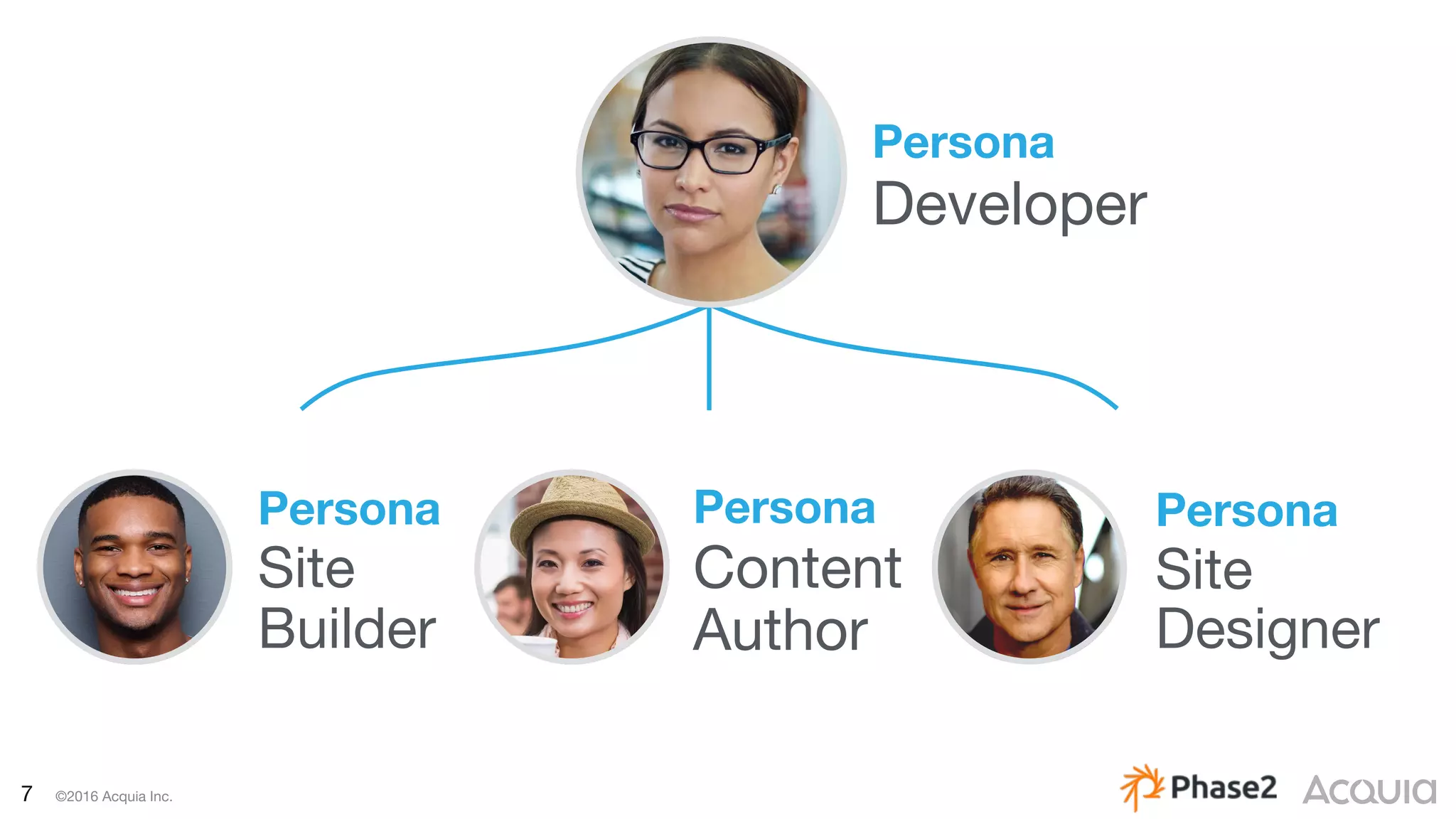
Persona
Site
Builder
Persona
Content
Author
Persona
Site
Designer
Persona
Developer
8 ©2016 Acquia Inc.
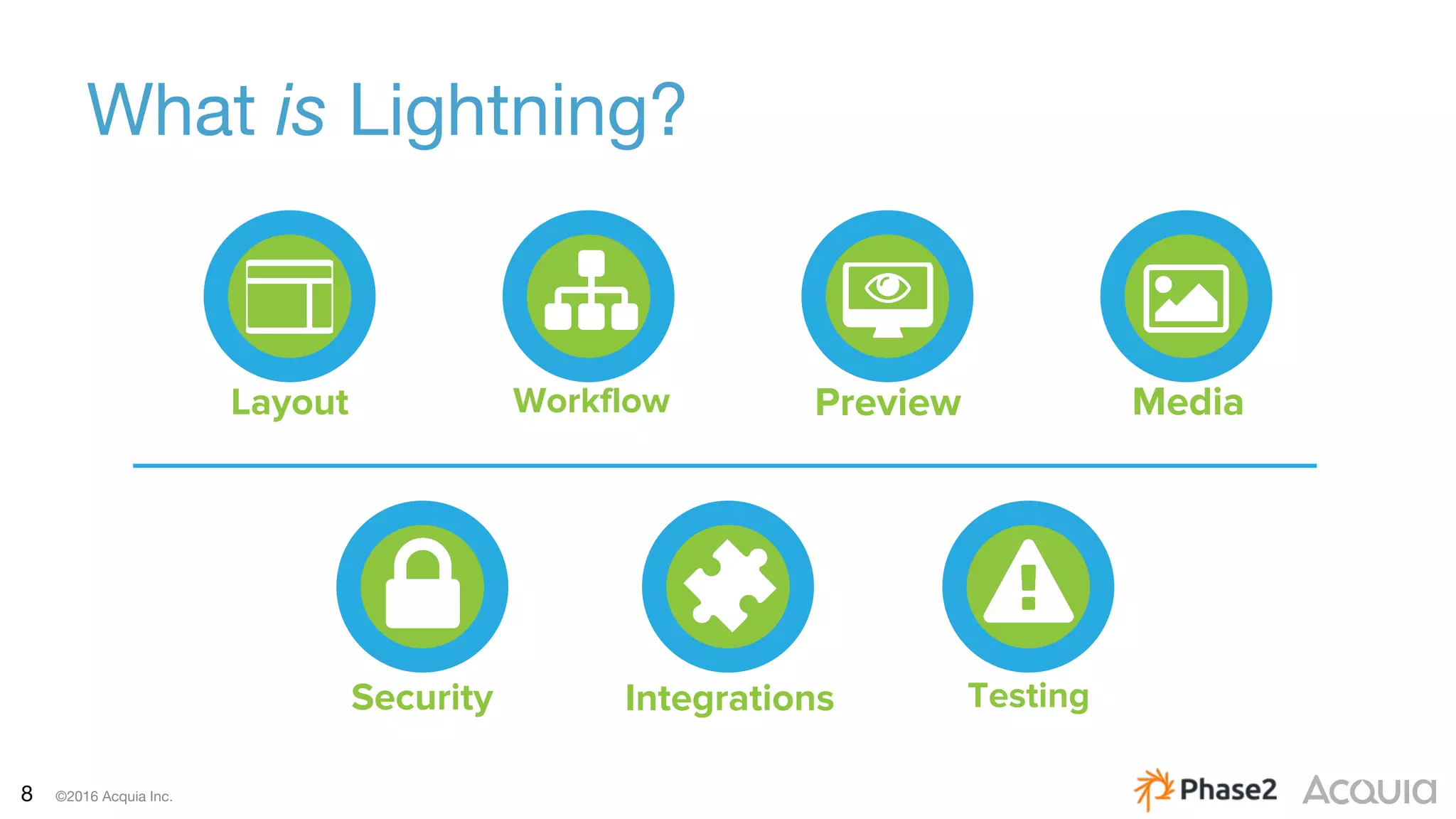
What is Lightning?
Integrations TestingSecurity
Layout Workflow Preview Media
9 ©2016 Acquia Inc.
Current Challenges of Al Jazeera’s
– Multiple CMS platforms
– Overstretched support, operations and maintenance
– Fragmented technology investments
– Multi-skilled resource hunt
– Difficult editor-exchange arrangements
– Multilingual
10 ©2016 Acquia Inc.
Solution: A Unified CMS
Requirements:
– A flexible platform
– Control over all content streams
– An architecture that accommodates structured content
– An interface for multiple content editors
11 ©2016 Acquia Inc.
Why Did We Chose Lightning?
Requirements
– Provided a great baseline for the platform:
– Page Layout
– Content Workflow
– Media Management
– Reliable and transparent roadmap:
– drupal.org/node/2670686
12 ©2016 Acquia Inc.
How To Build With Lightning
There Are Three Ways:
1. Install Lightning and just build from there.
2. Use an extend.yml file
– Example implementation = Acme Lightning
– github.com/balsama/acme-lightning-extend
3. Use the patch for extending the profile:
– drupal.org/node/1356276
13 ©2016 Acquia Inc.
Platform Functionality Highlights
14 ©2016 Acquia Inc.
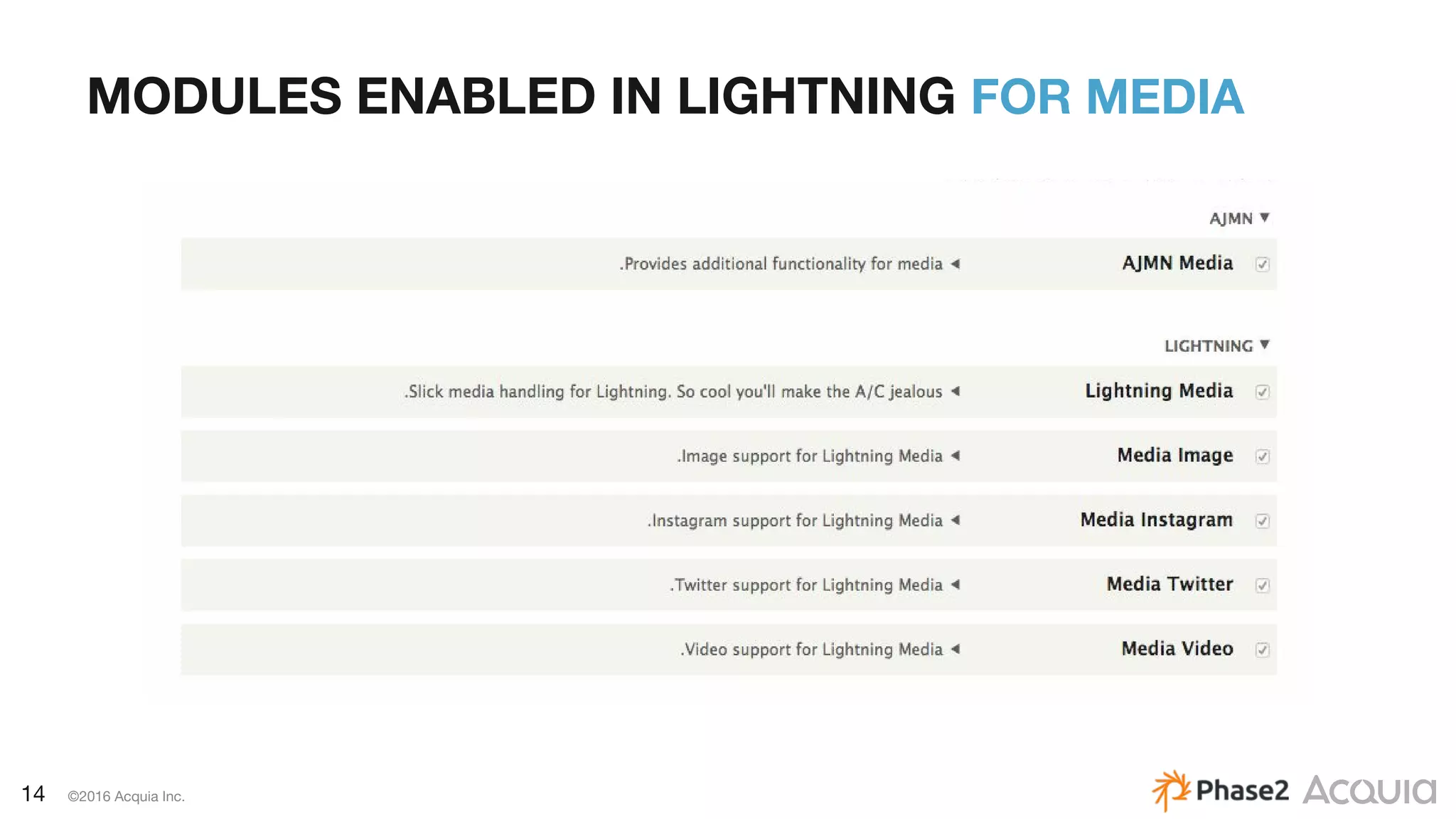
MODULES ENABLED IN LIGHTNING FOR MEDIA
15 ©2016 Acquia Inc.
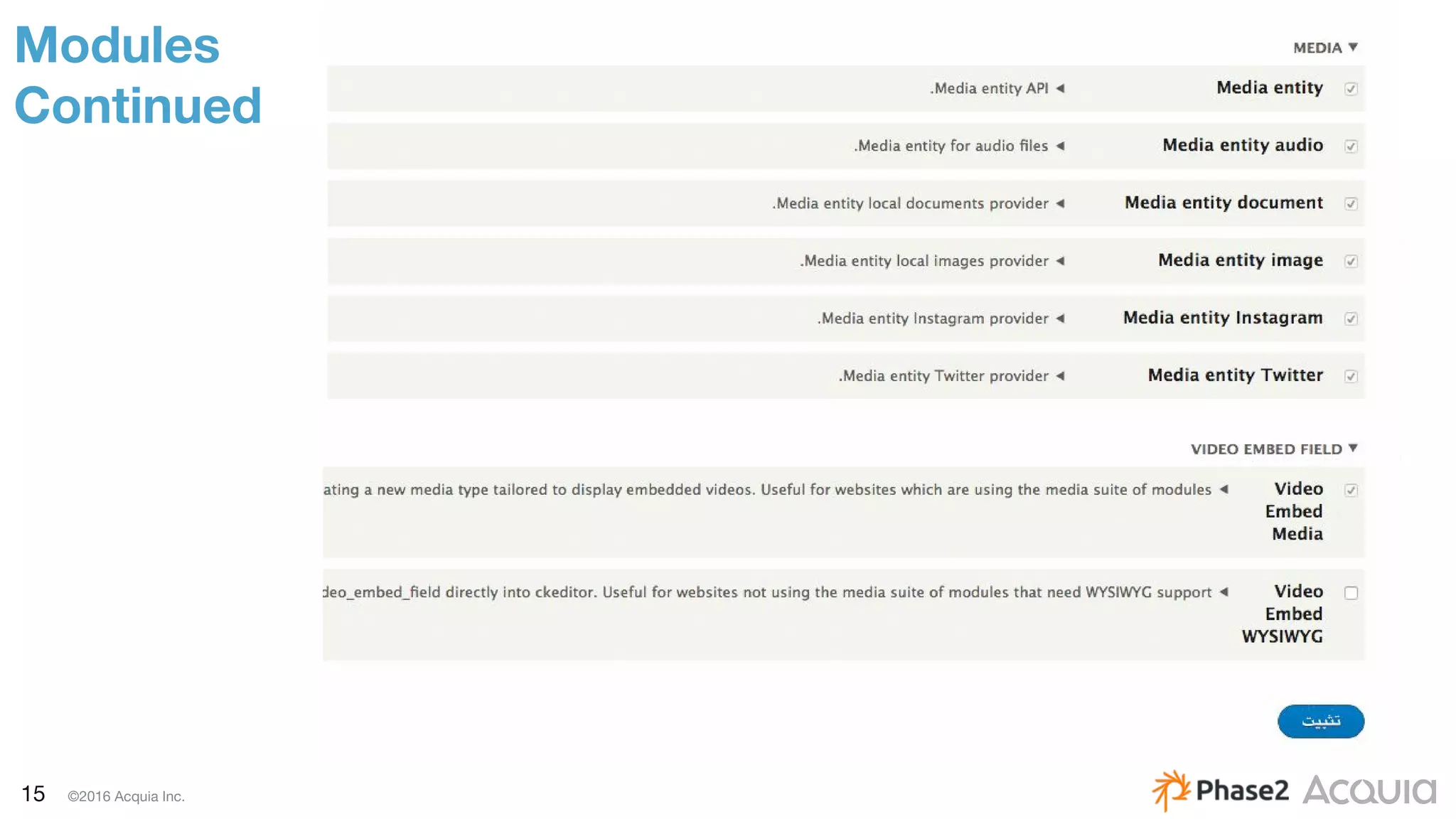
Modules
Continued
16 ©2016 Acquia Inc.
Media
Media Entity
– Does not directly extend Drupal File Entity
– Non file-centric storage - does not assume that the media asset
is a file or even just a single asset
– Creates a new entity type: Media
– drupal.org/project/media_entity
17 ©2016 Acquia Inc.
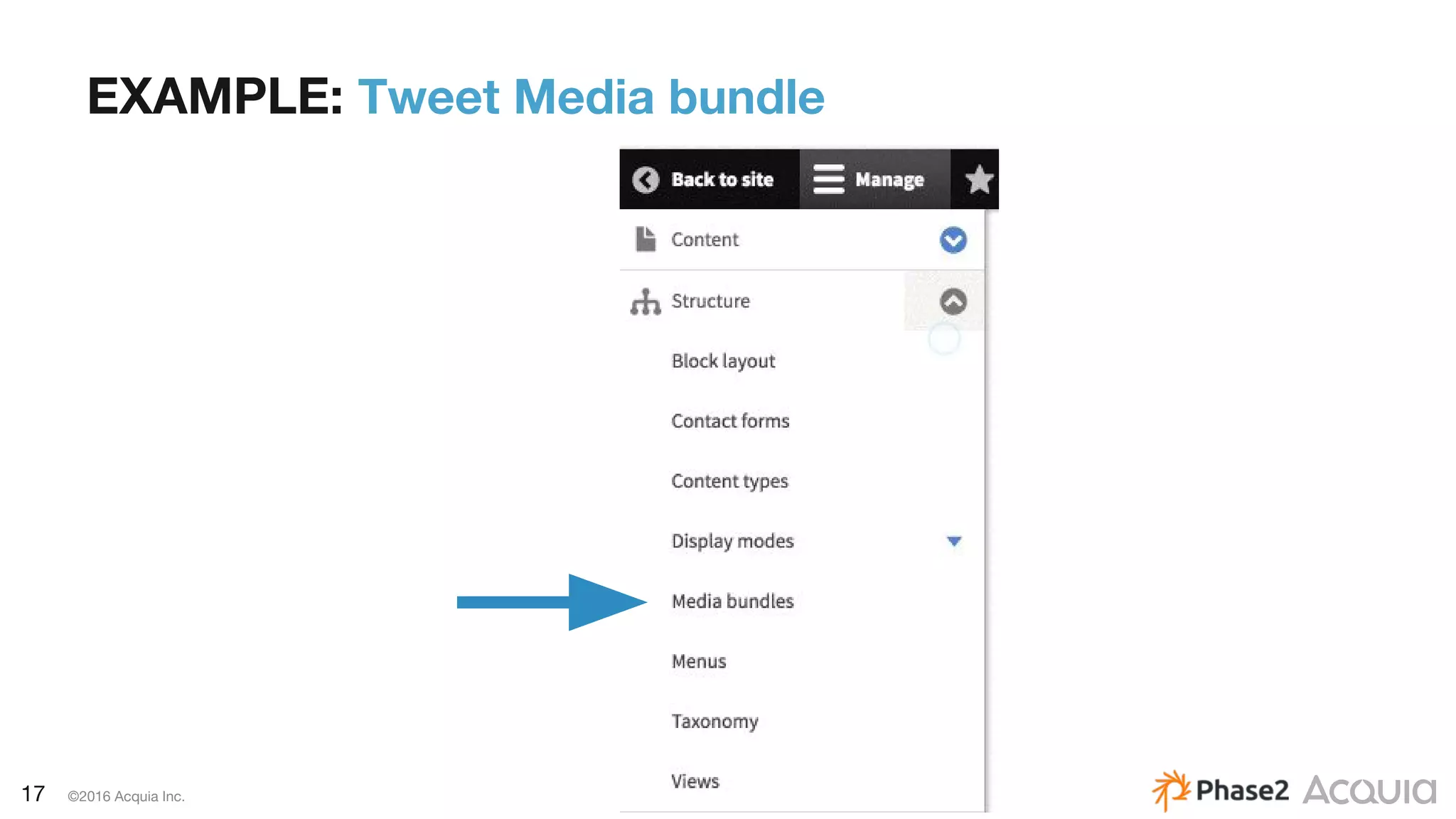
EXAMPLE: Tweet Media bundle
18 ©2016 Acquia Inc.
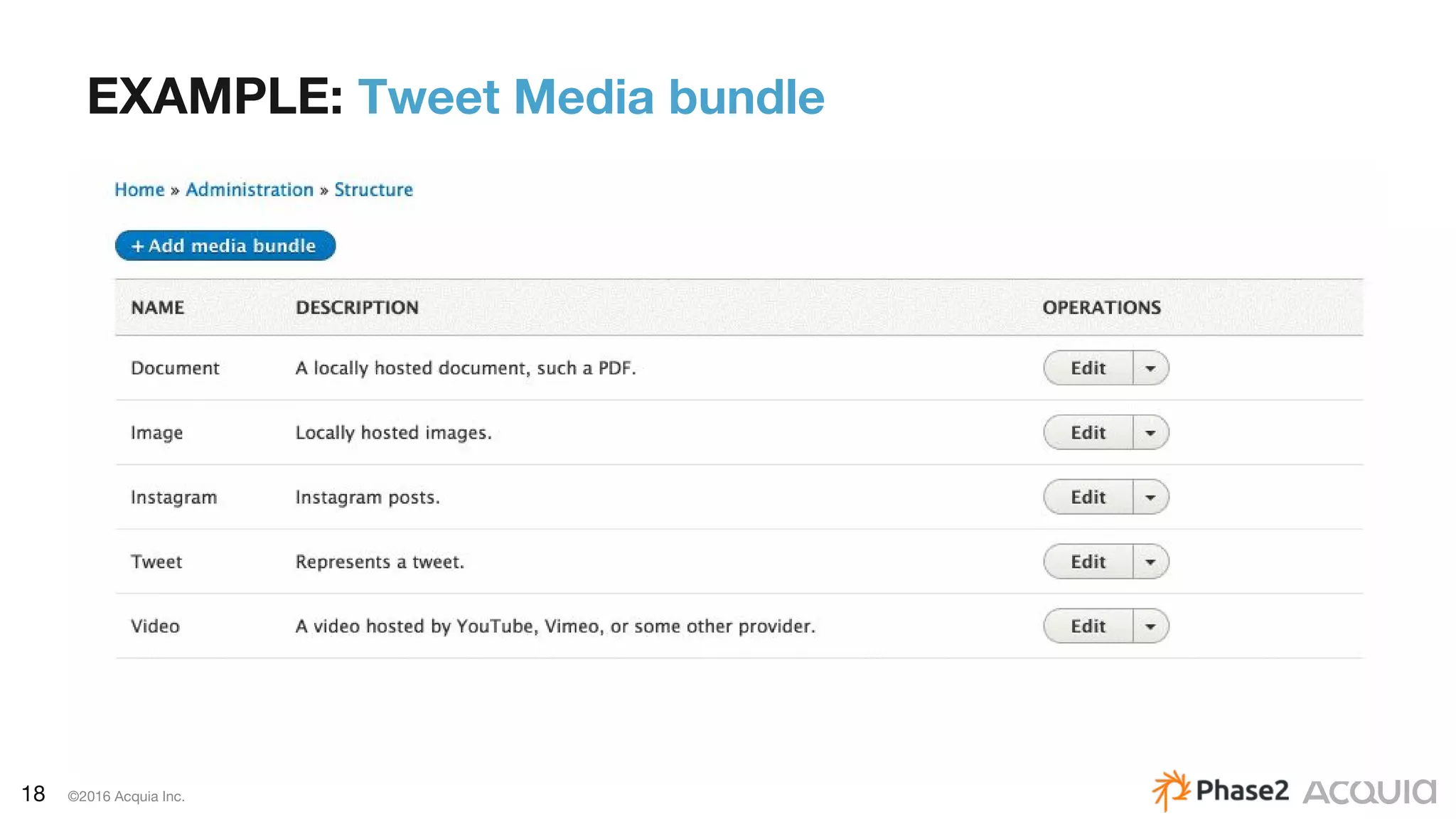
EXAMPLE: Tweet Media bundle
19 ©2016 Acquia Inc.
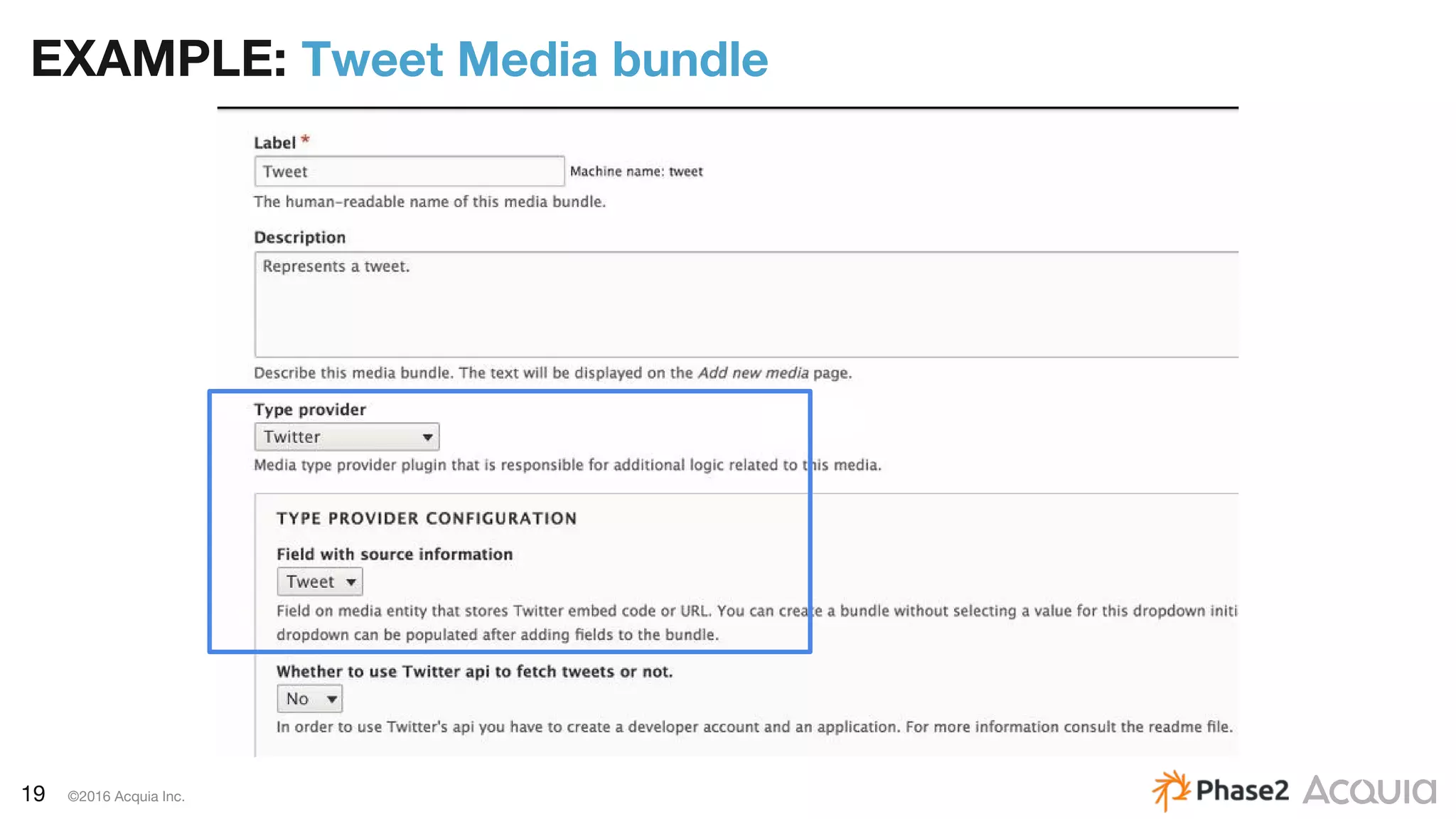
EXAMPLE: Tweet Media bundle
20 ©2016 Acquia Inc.
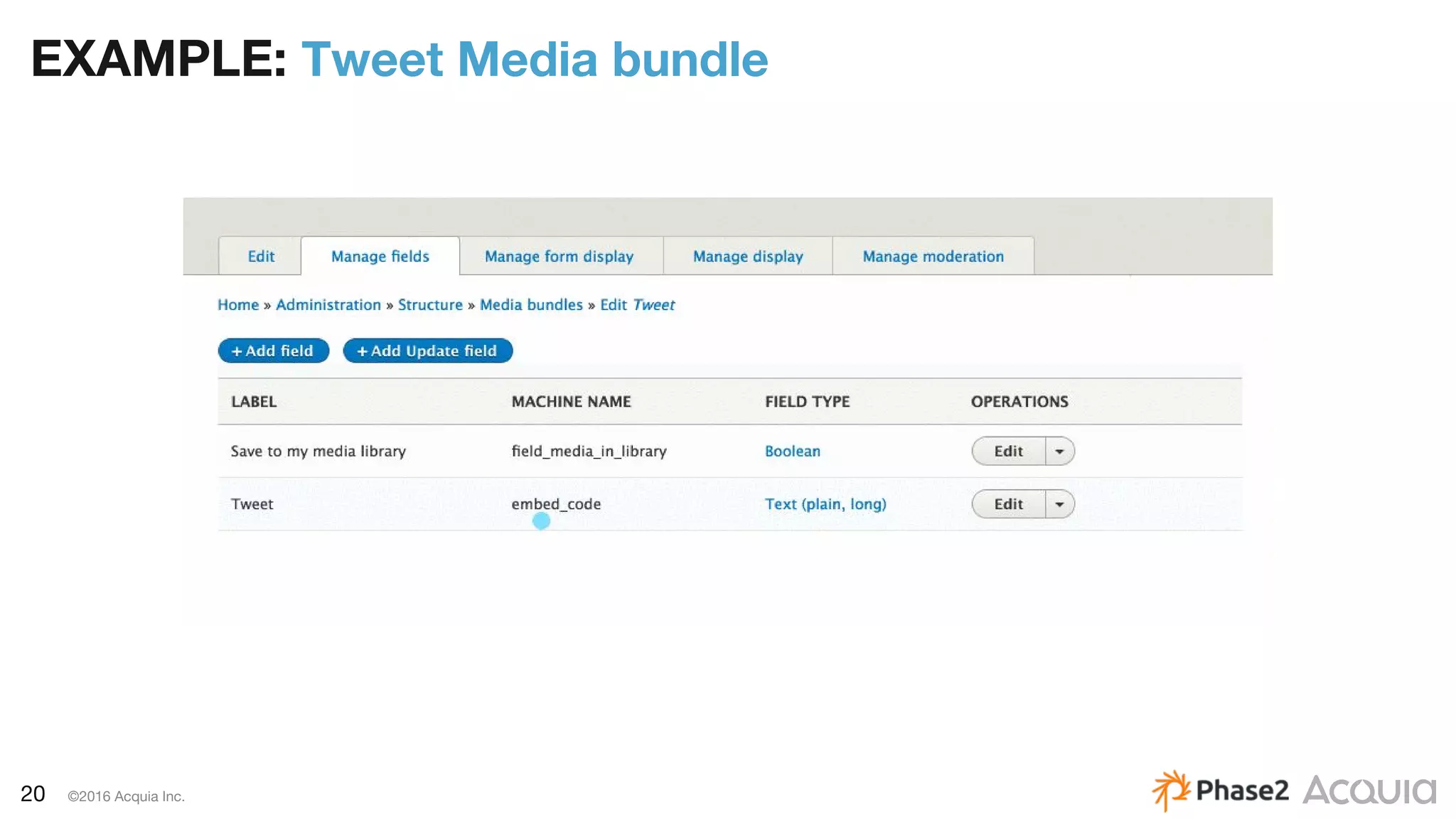
EXAMPLE: Tweet Media bundle
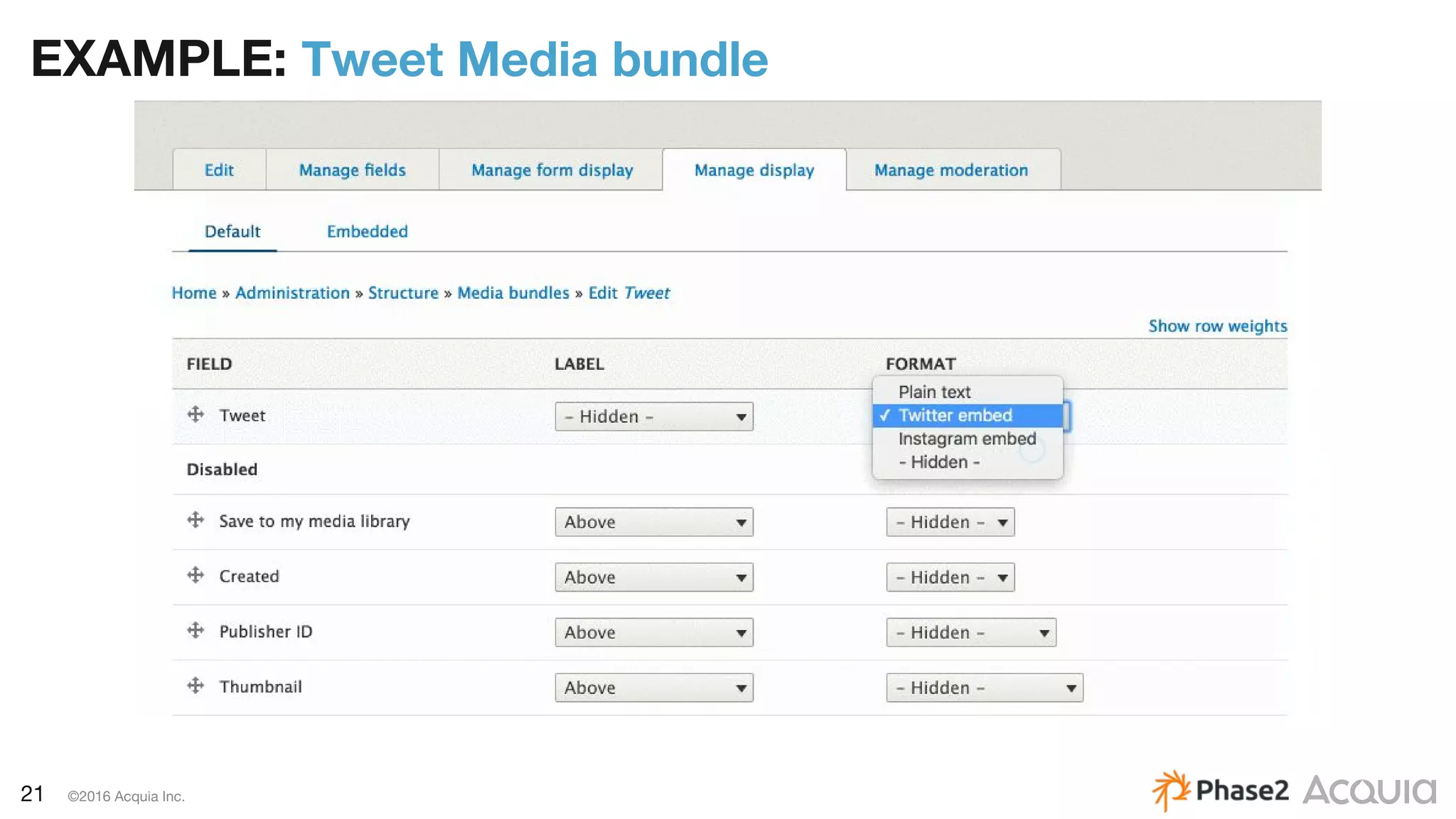
21 ©2016 Acquia Inc.
EXAMPLE: Tweet Media bundle
22 ©2016 Acquia Inc.
ENTITY
EMBED
&
ENTITY
BROWSER
ENTITY
BROWSER
23 ©2016 Acquia Inc.
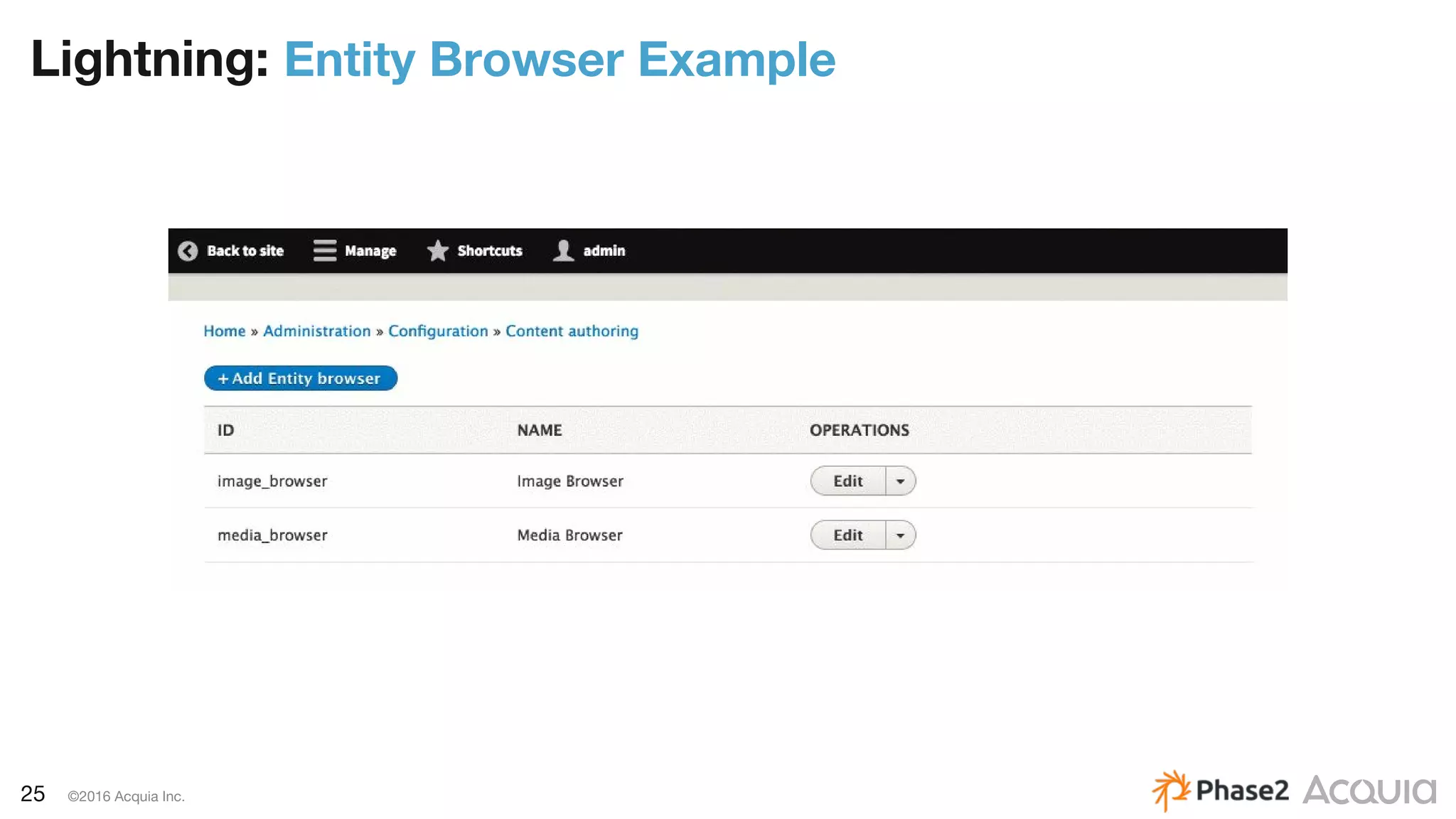
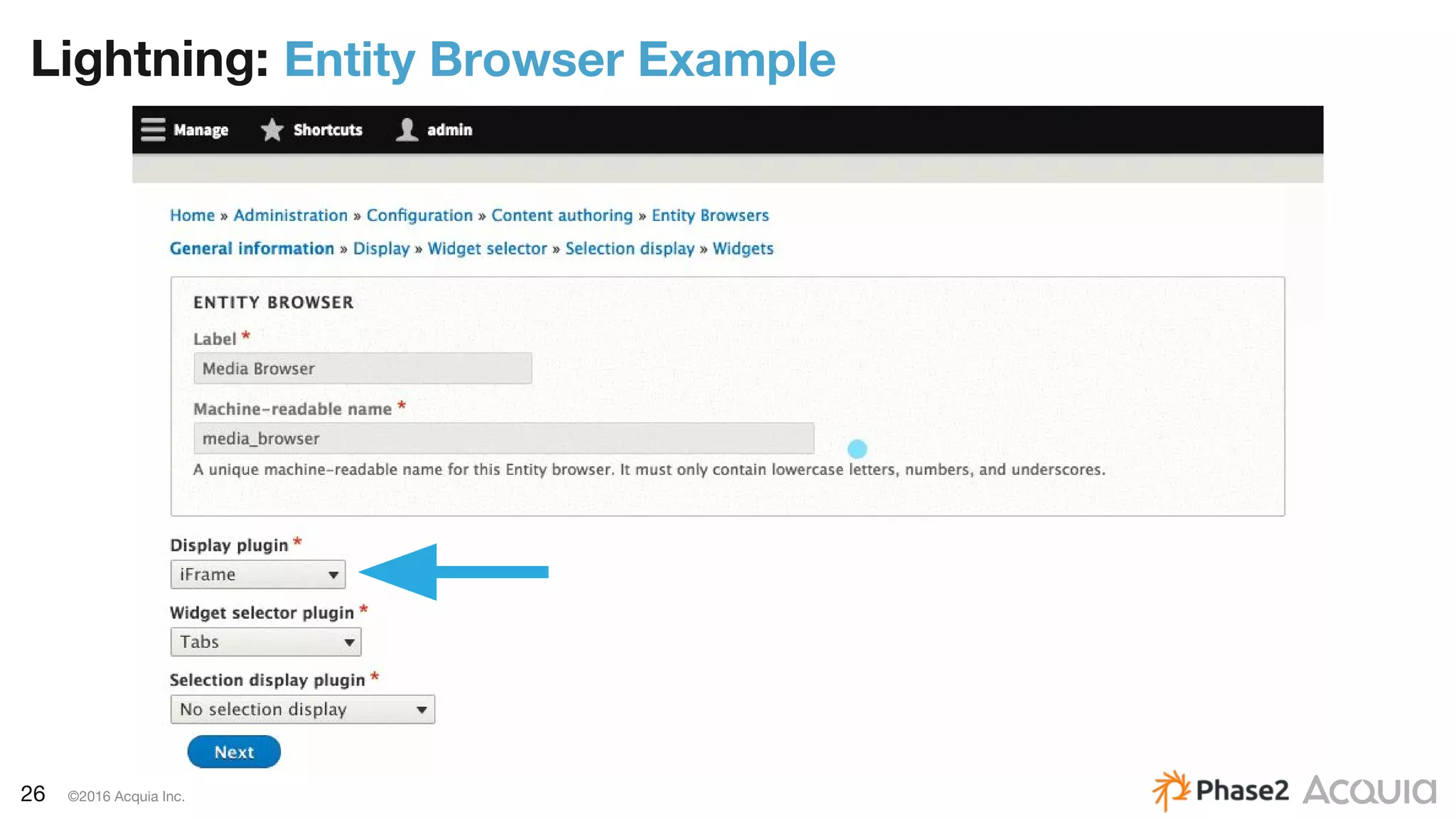
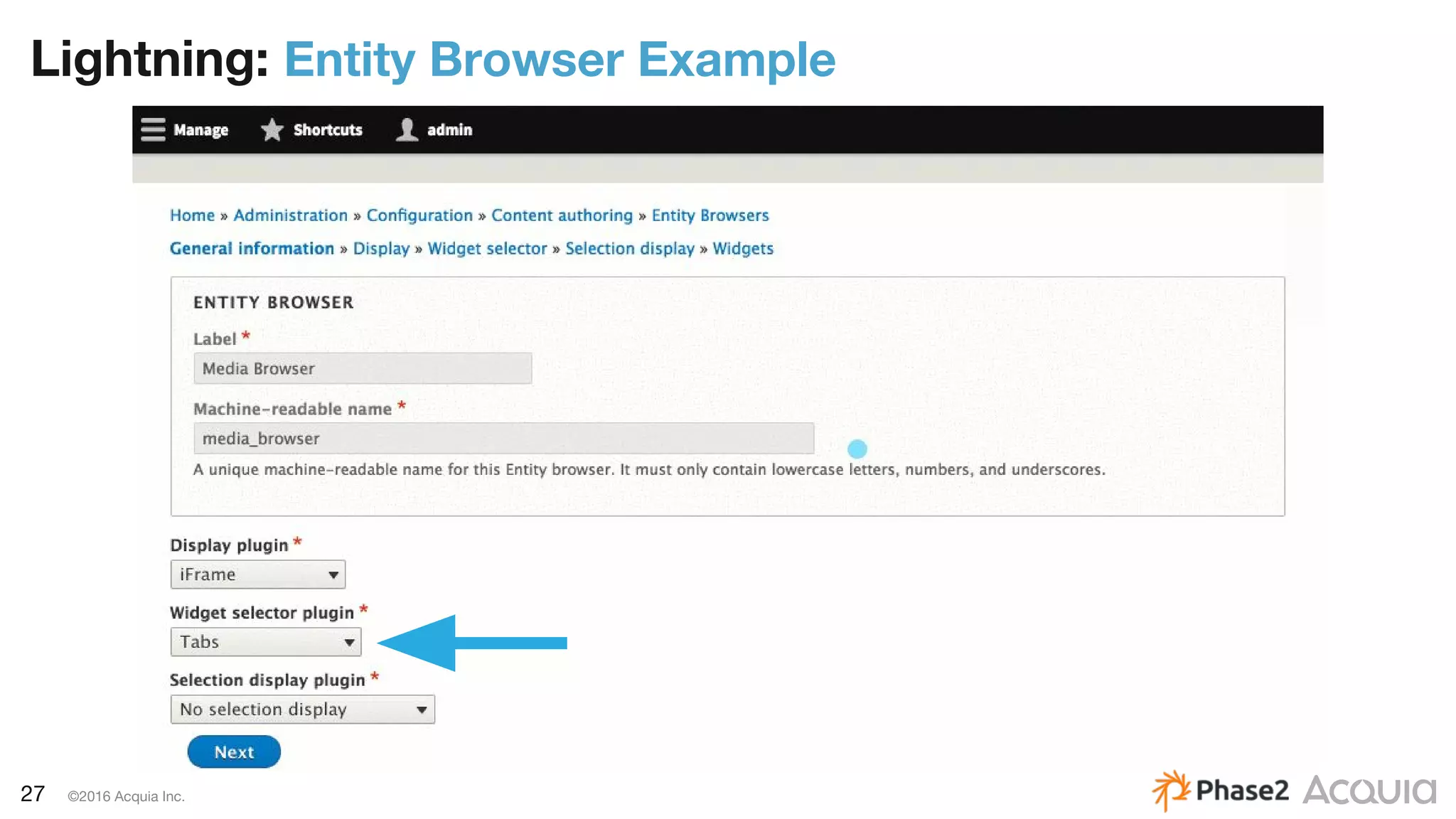
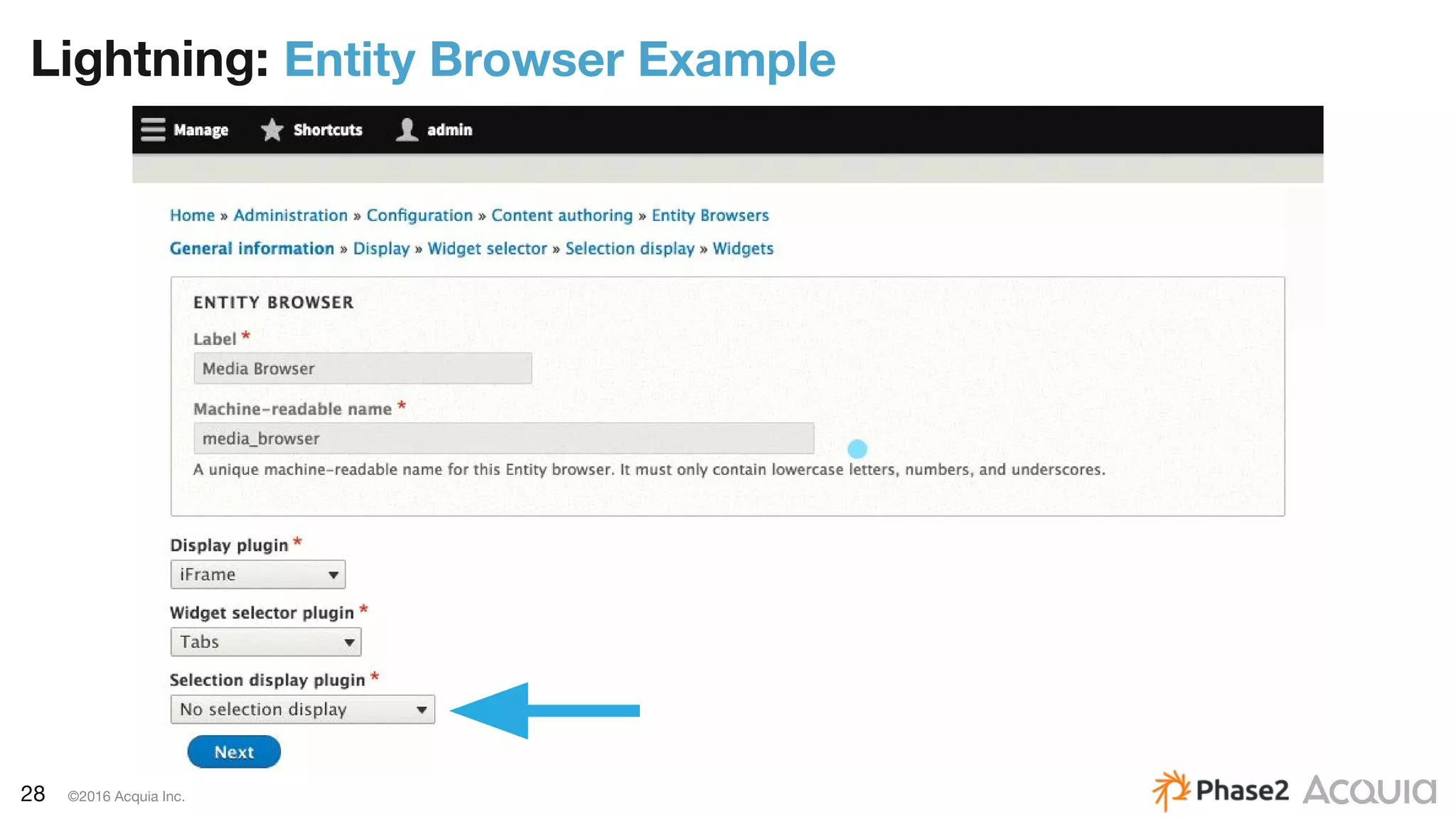
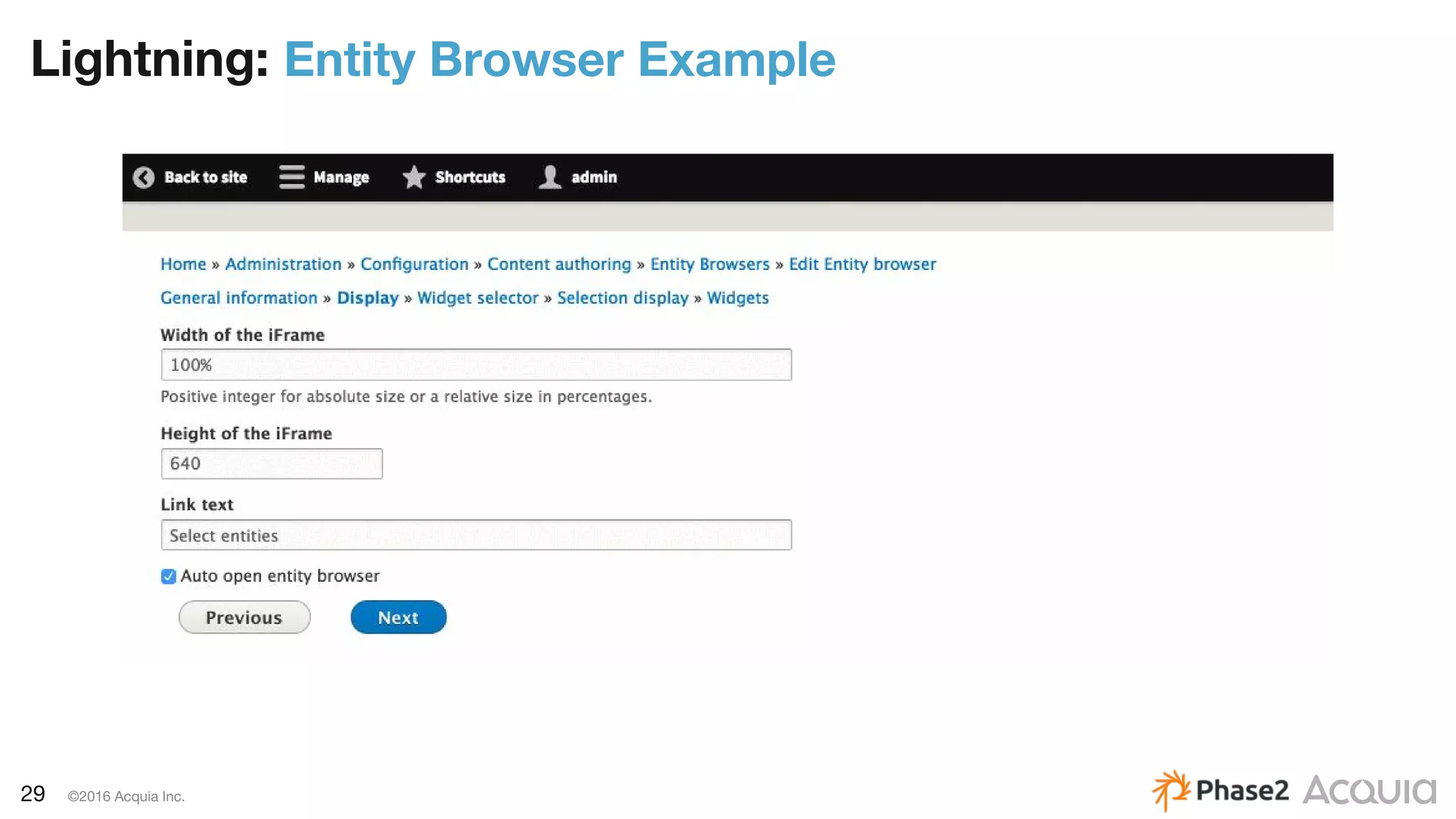
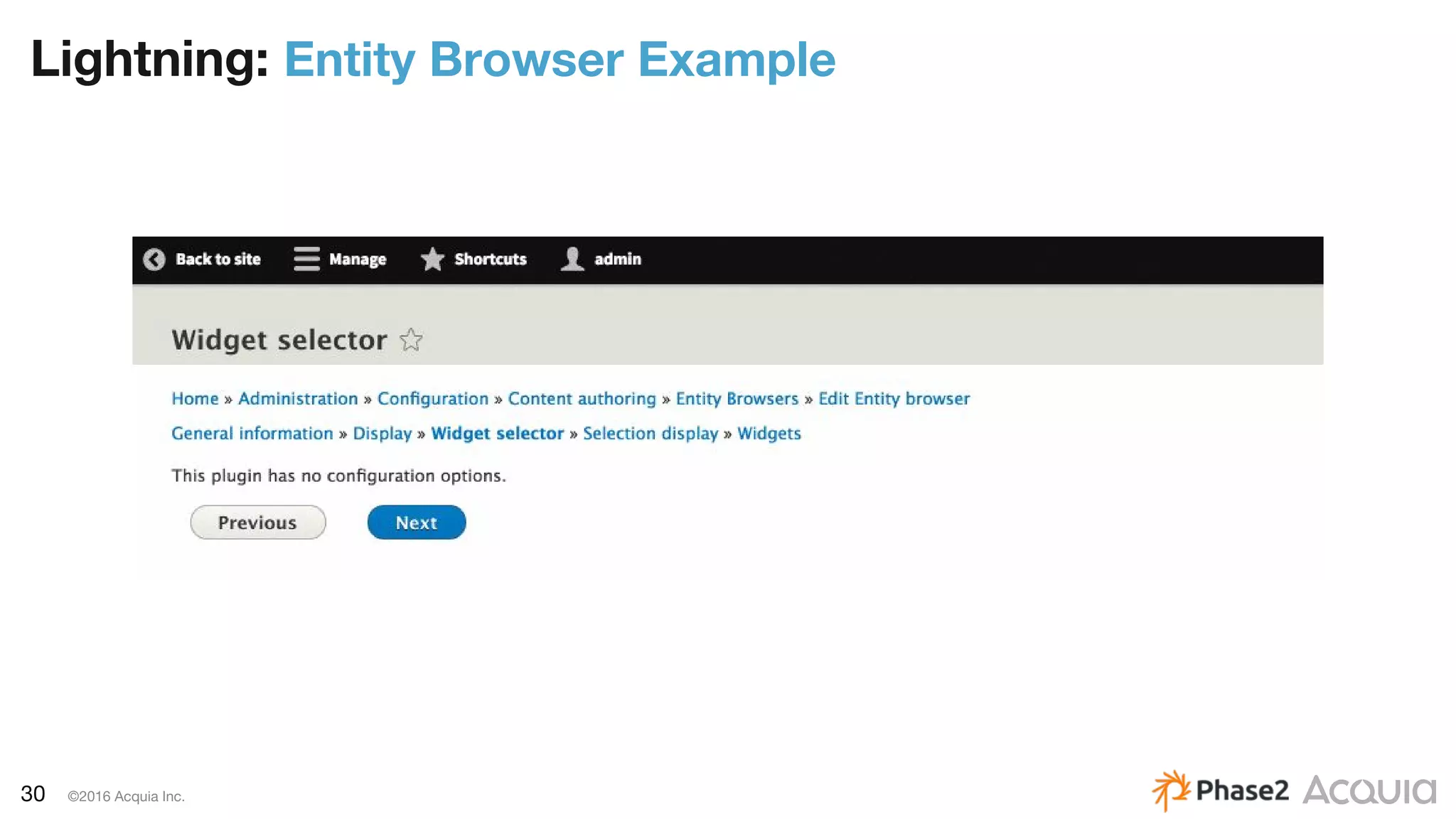
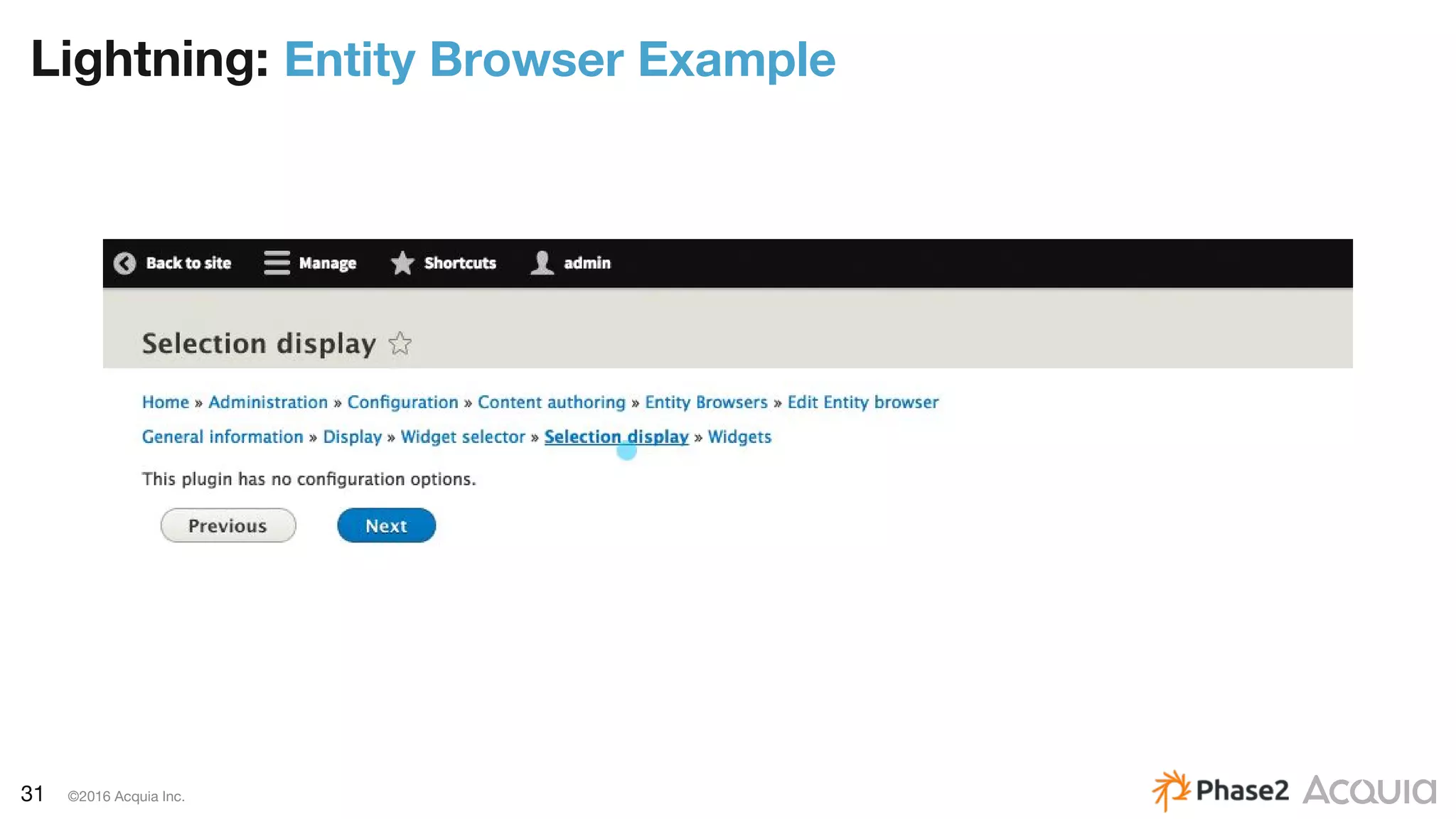
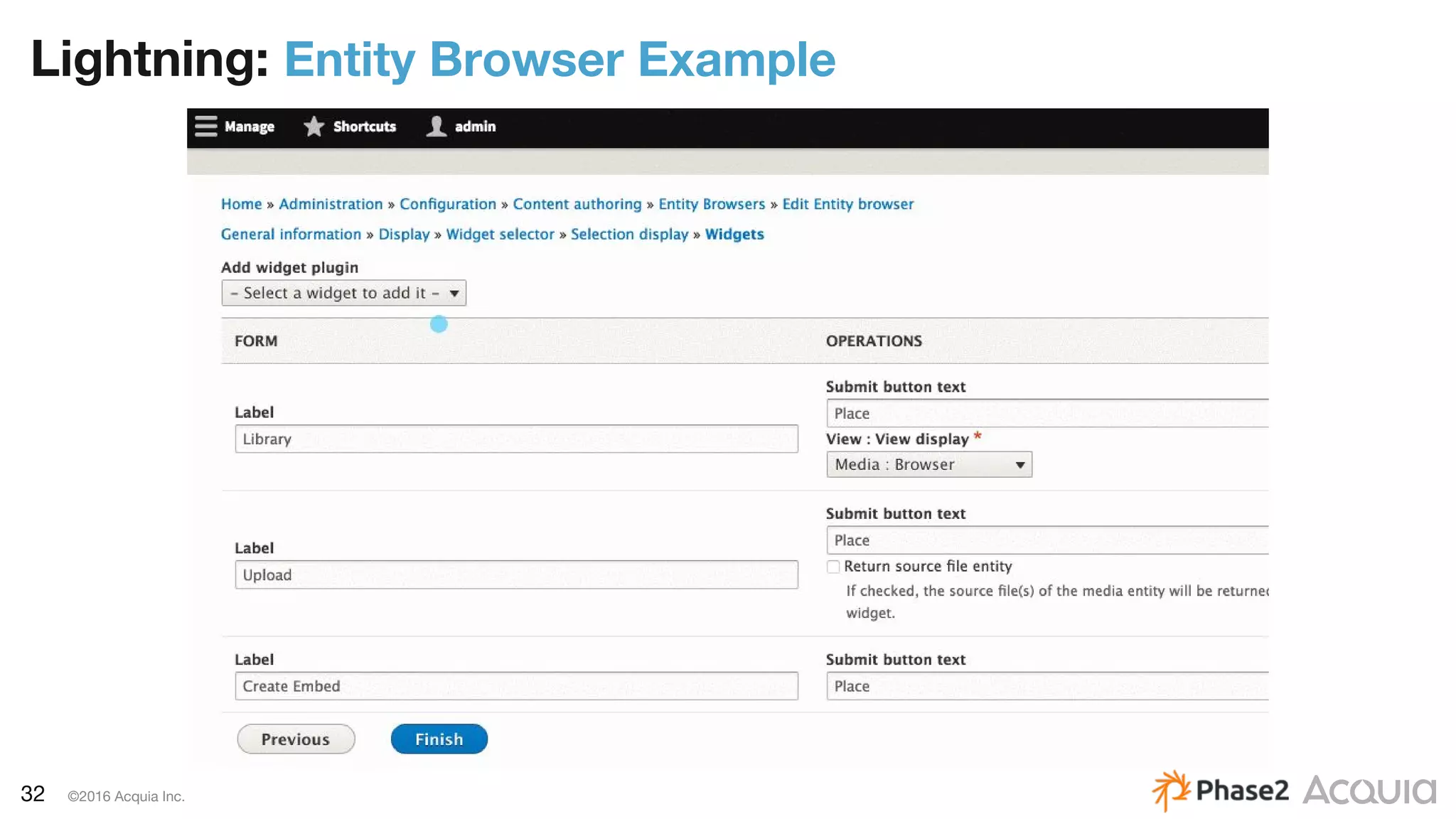
Entity Browser
– Allows you to browse, create and select entities on the system
(not Media Entity-specific)
– Can be used in different contexts (for a field or with an Entity
Embed button)
– Uses CTools form wizard for a multi-step workflow of selecting
the image(s)
– drupal.org/project/entity_browser
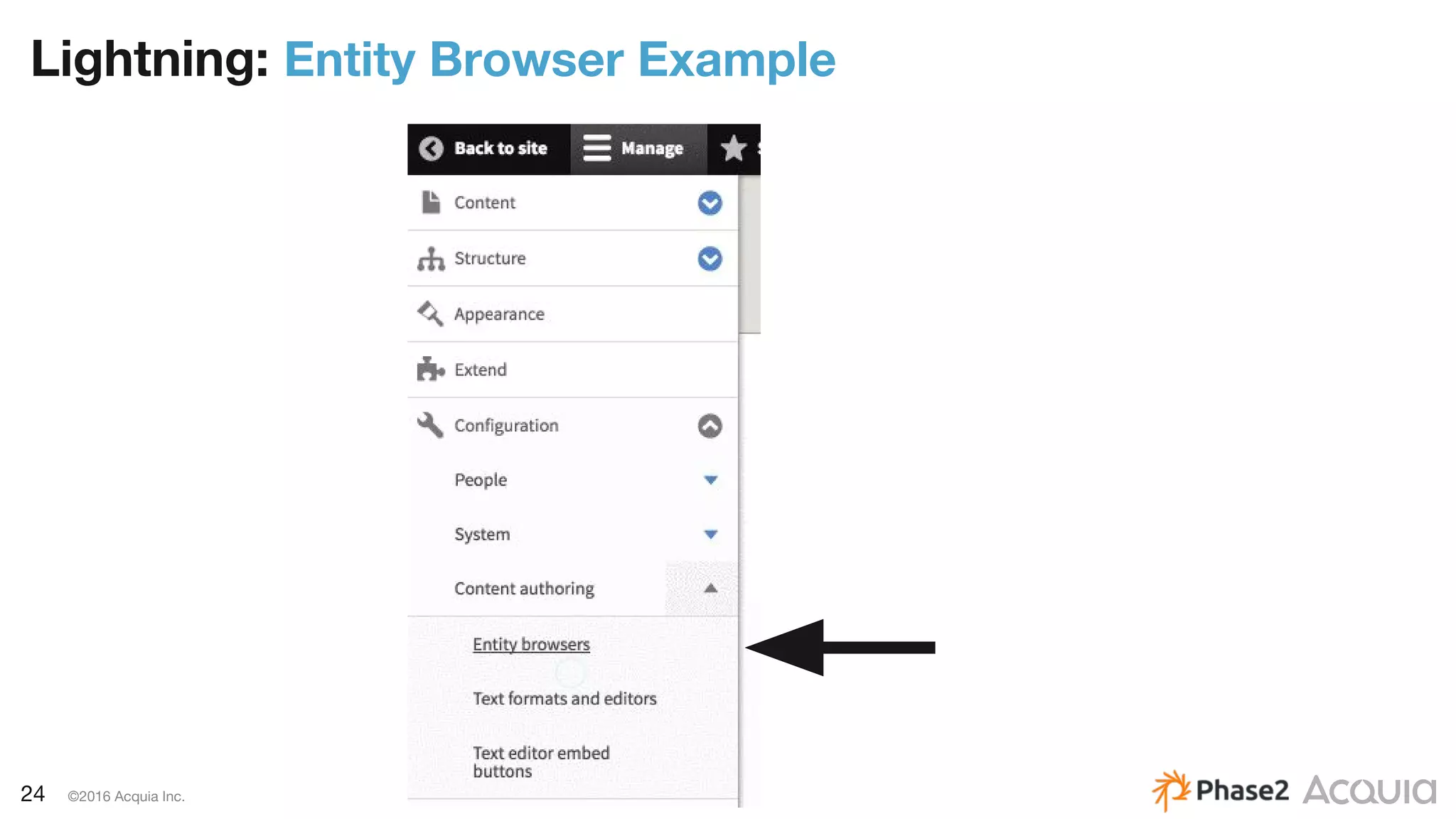
24 ©2016 Acquia Inc.
Lightning: Entity Browser Example
25 ©2016 Acquia Inc.
Lightning: Entity Browser Example
26 ©2016 Acquia Inc.
Lightning: Entity Browser Example
27 ©2016 Acquia Inc.
Lightning: Entity Browser Example
28 ©2016 Acquia Inc.
Lightning: Entity Browser Example
29 ©2016 Acquia Inc.
Lightning: Entity Browser Example
30 ©2016 Acquia Inc.
Lightning: Entity Browser Example
31 ©2016 Acquia Inc.
Lightning: Entity Browser Example
32 ©2016 Acquia Inc.
Lightning: Entity Browser Example
33 ©2016 Acquia Inc.
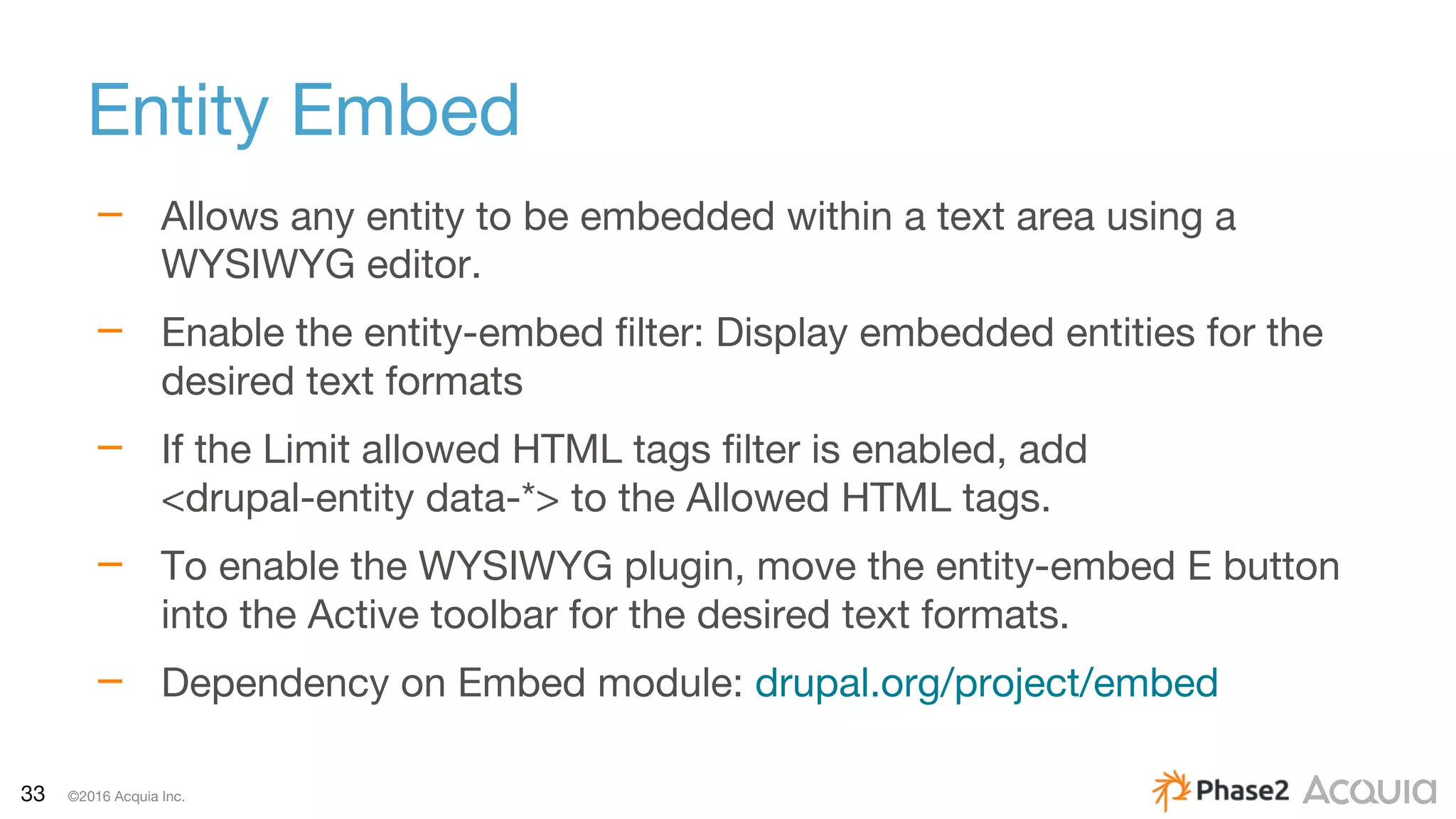
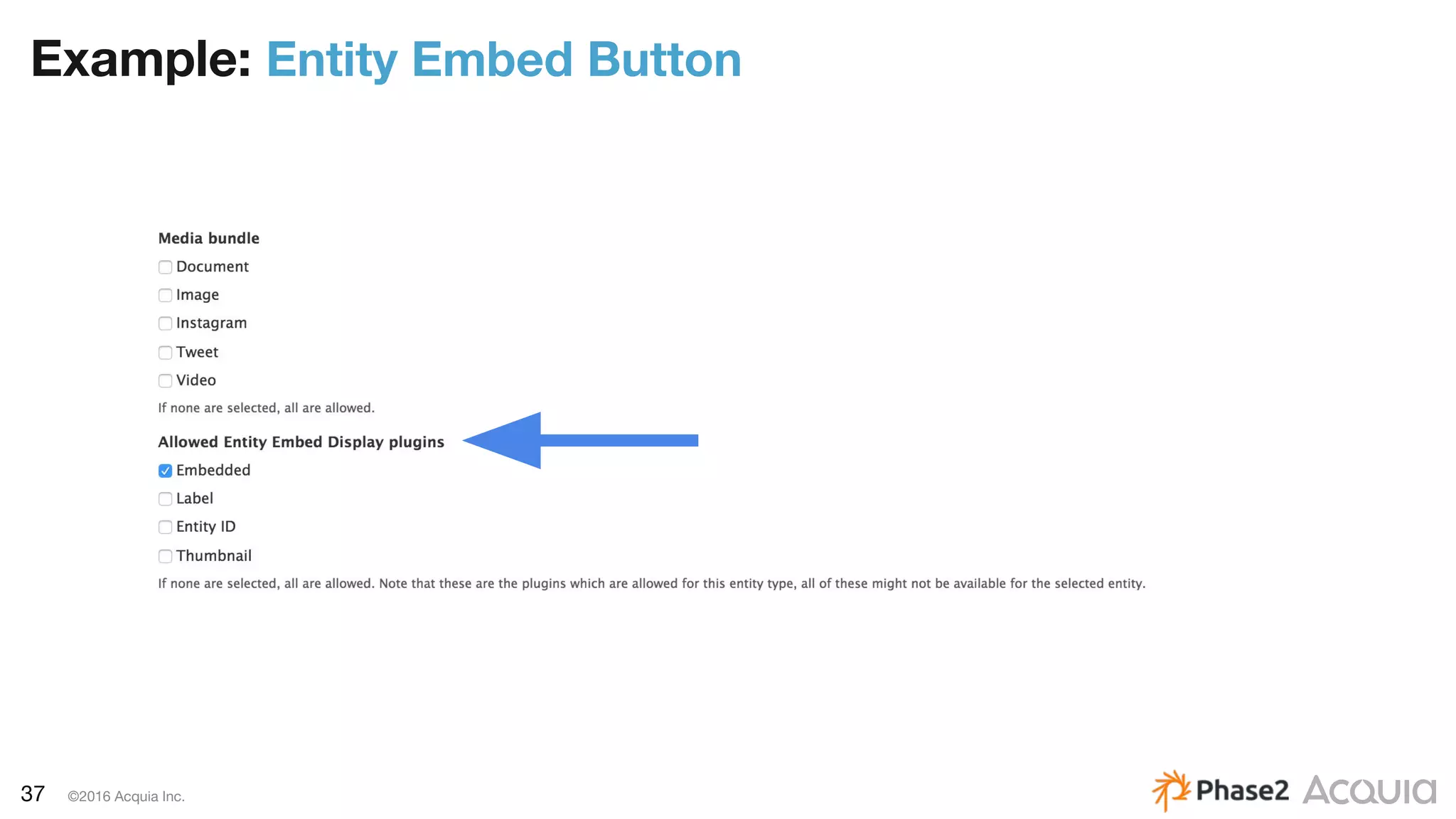
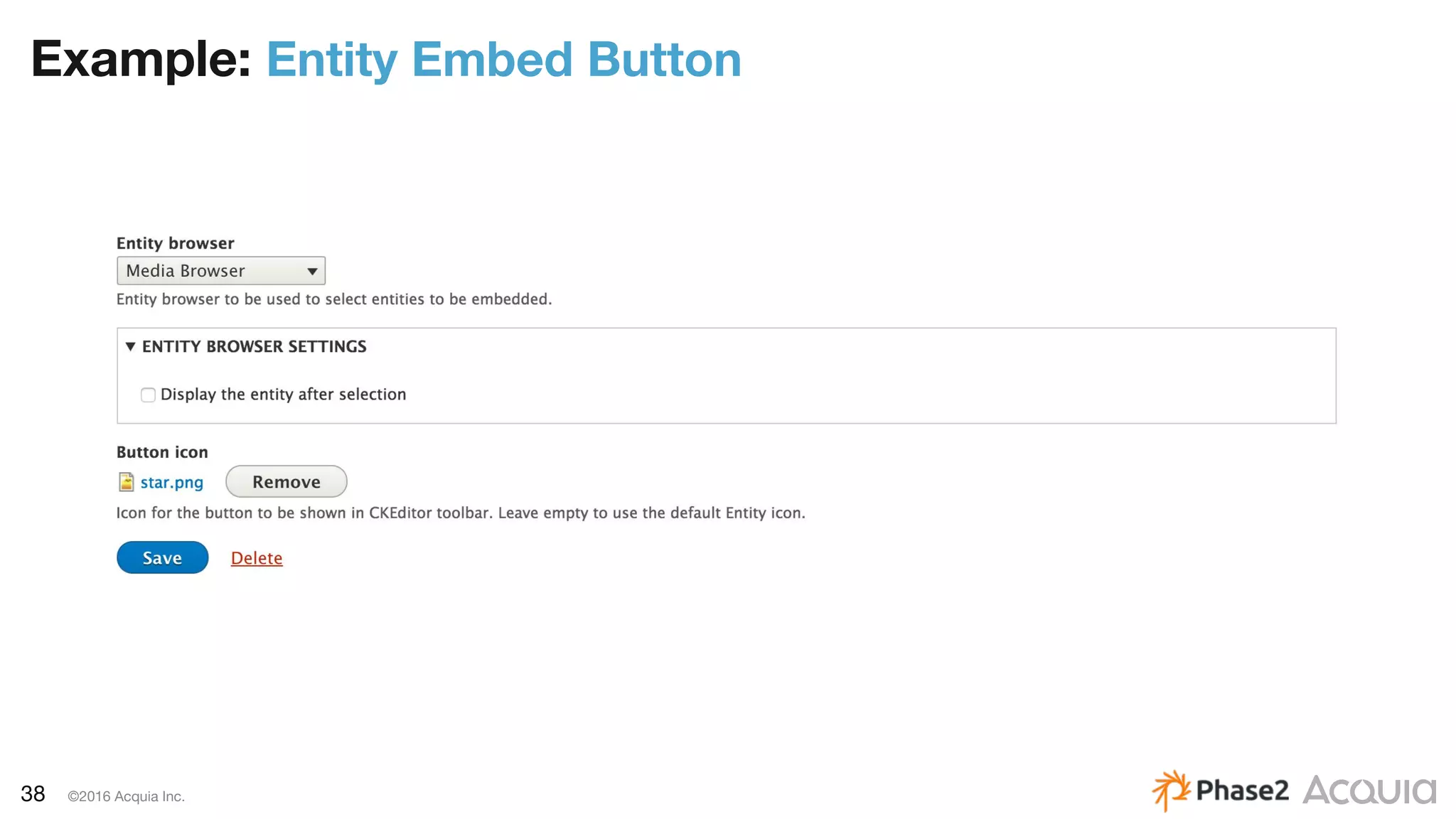
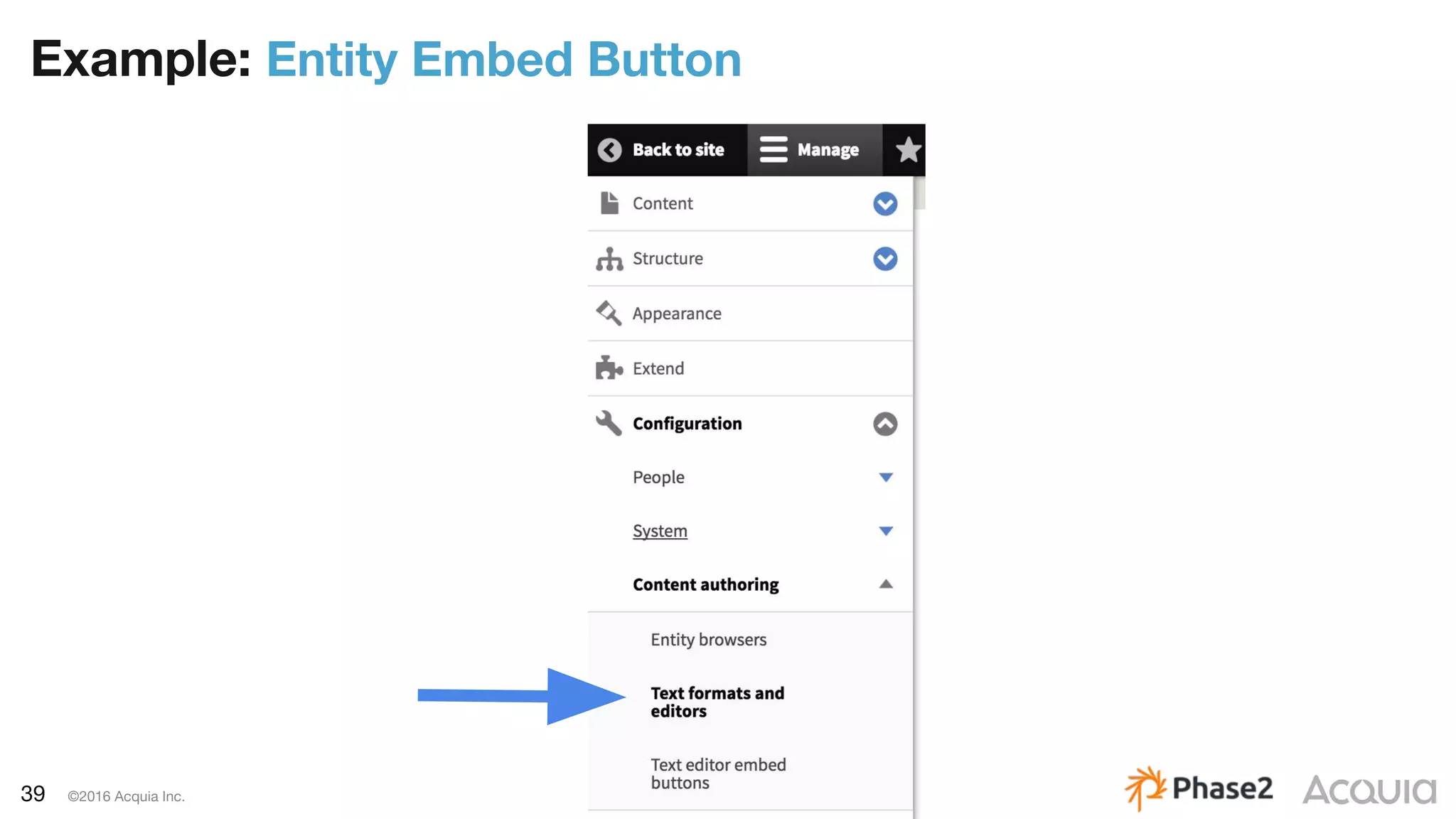
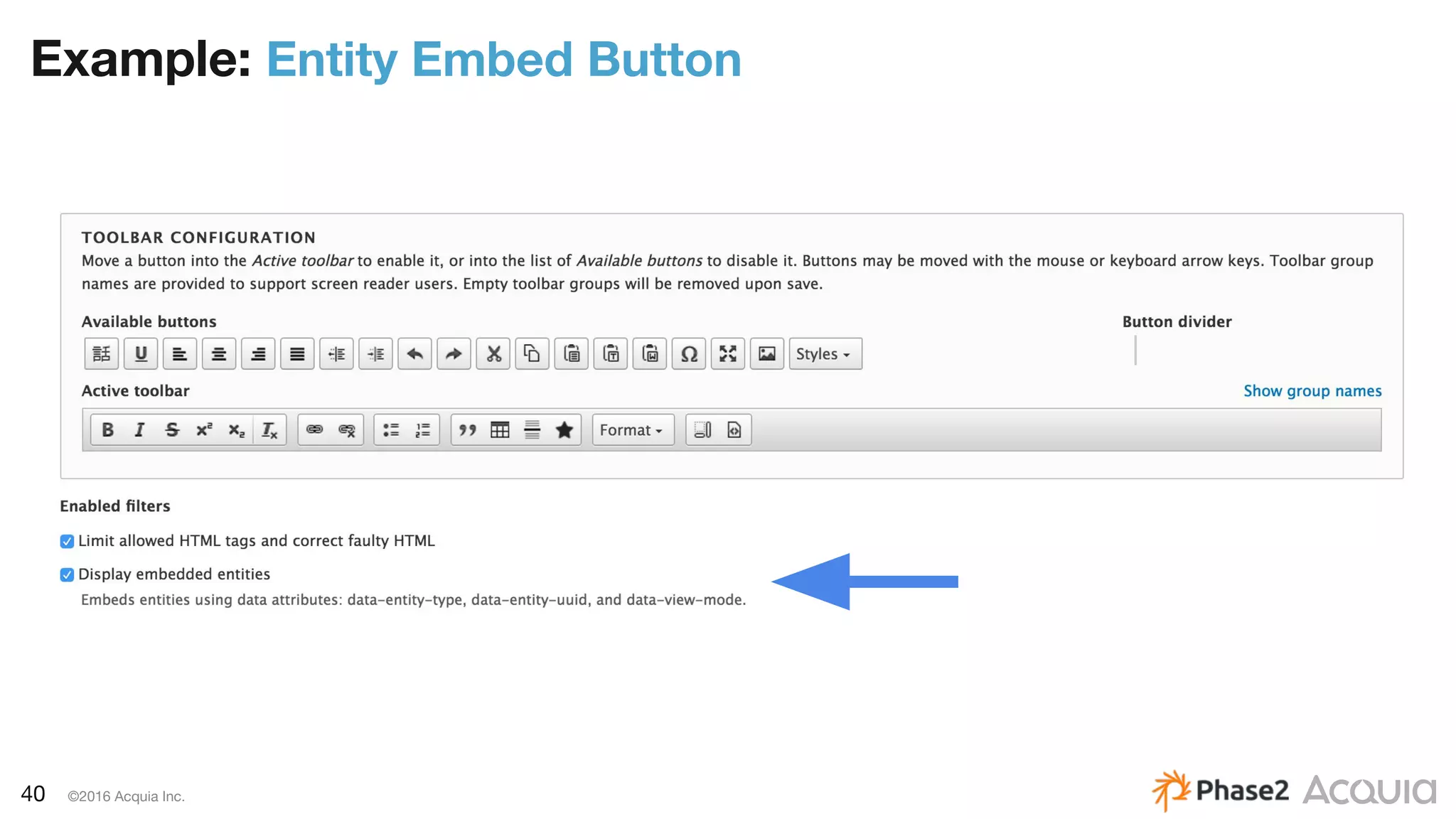
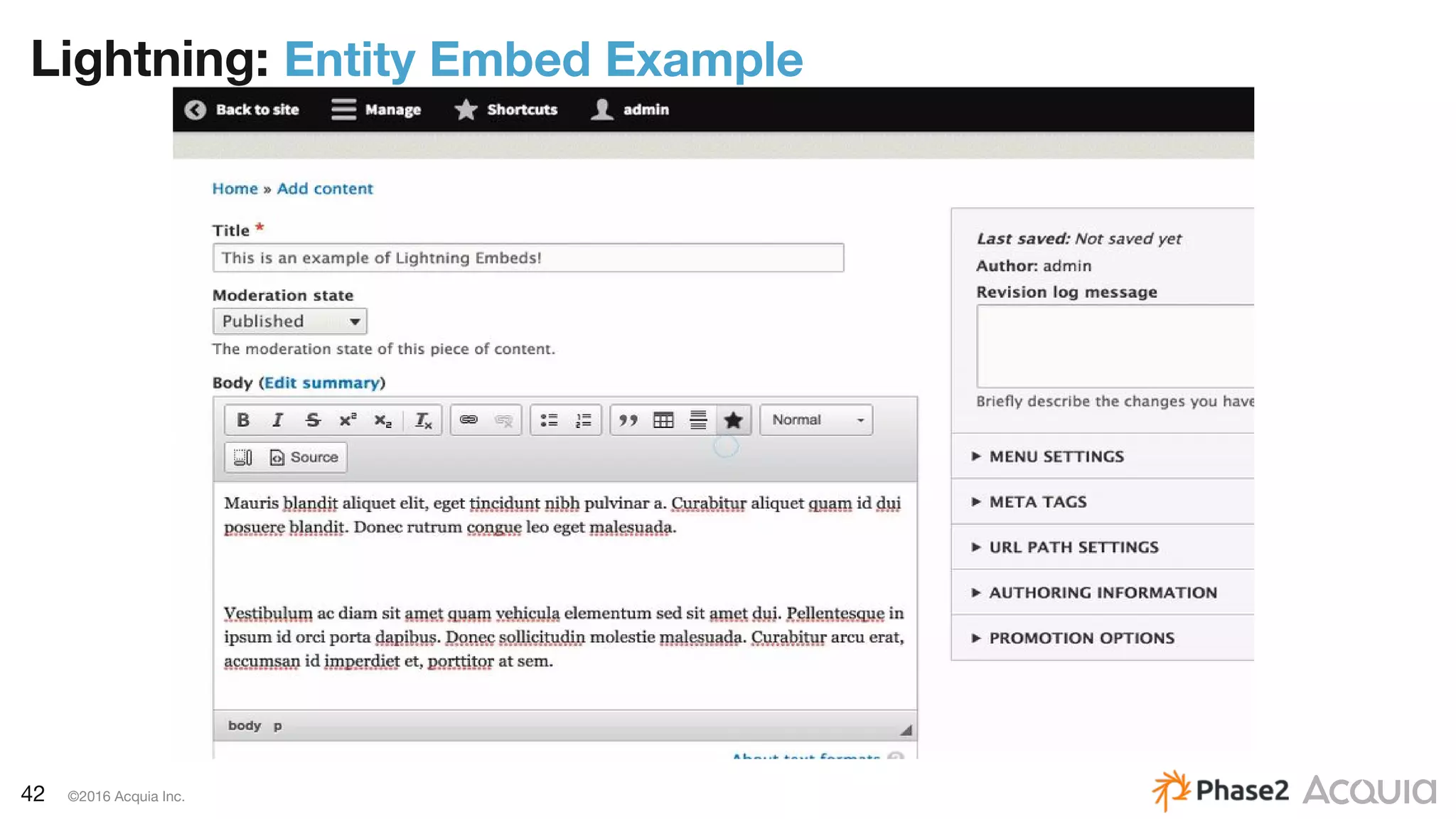
Entity Embed
– Allows any entity to be embedded within a text area using a
WYSIWYG editor.
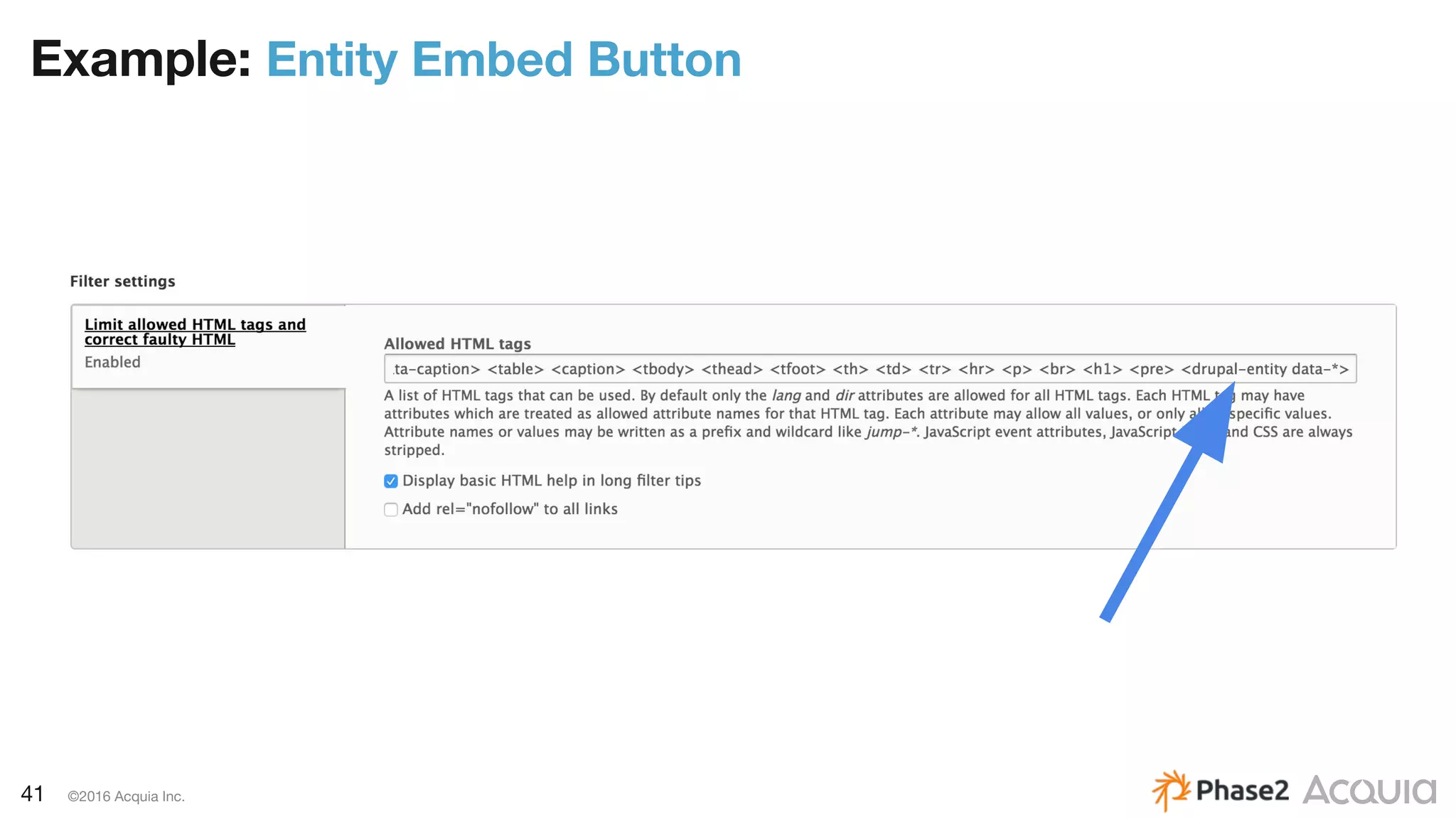
– Enable the entity-embed filter: Display embedded entities for the
desired text formats
– If the Limit allowed HTML tags filter is enabled, add
<drupal-entity data-*> to the Allowed HTML tags.
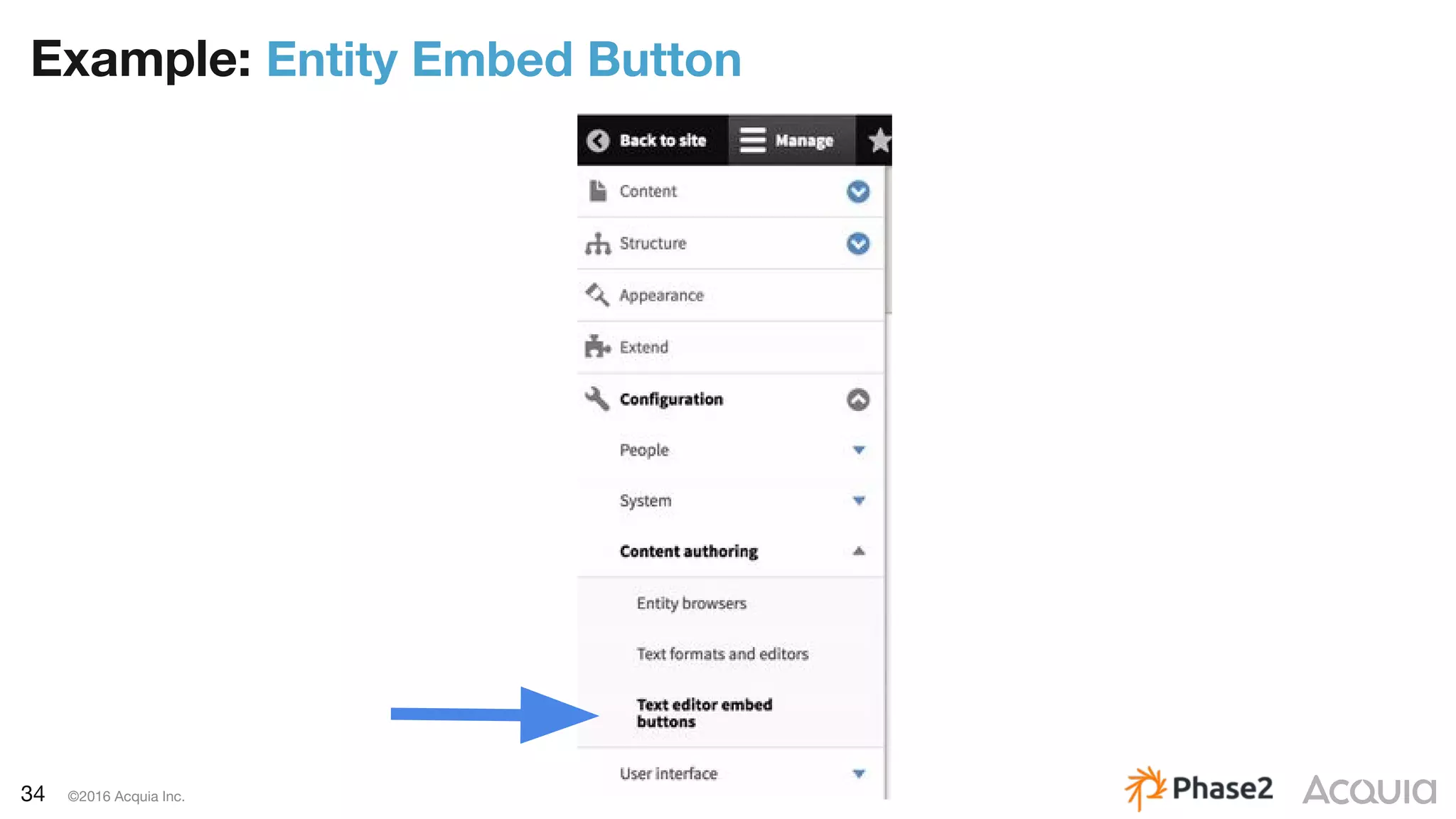
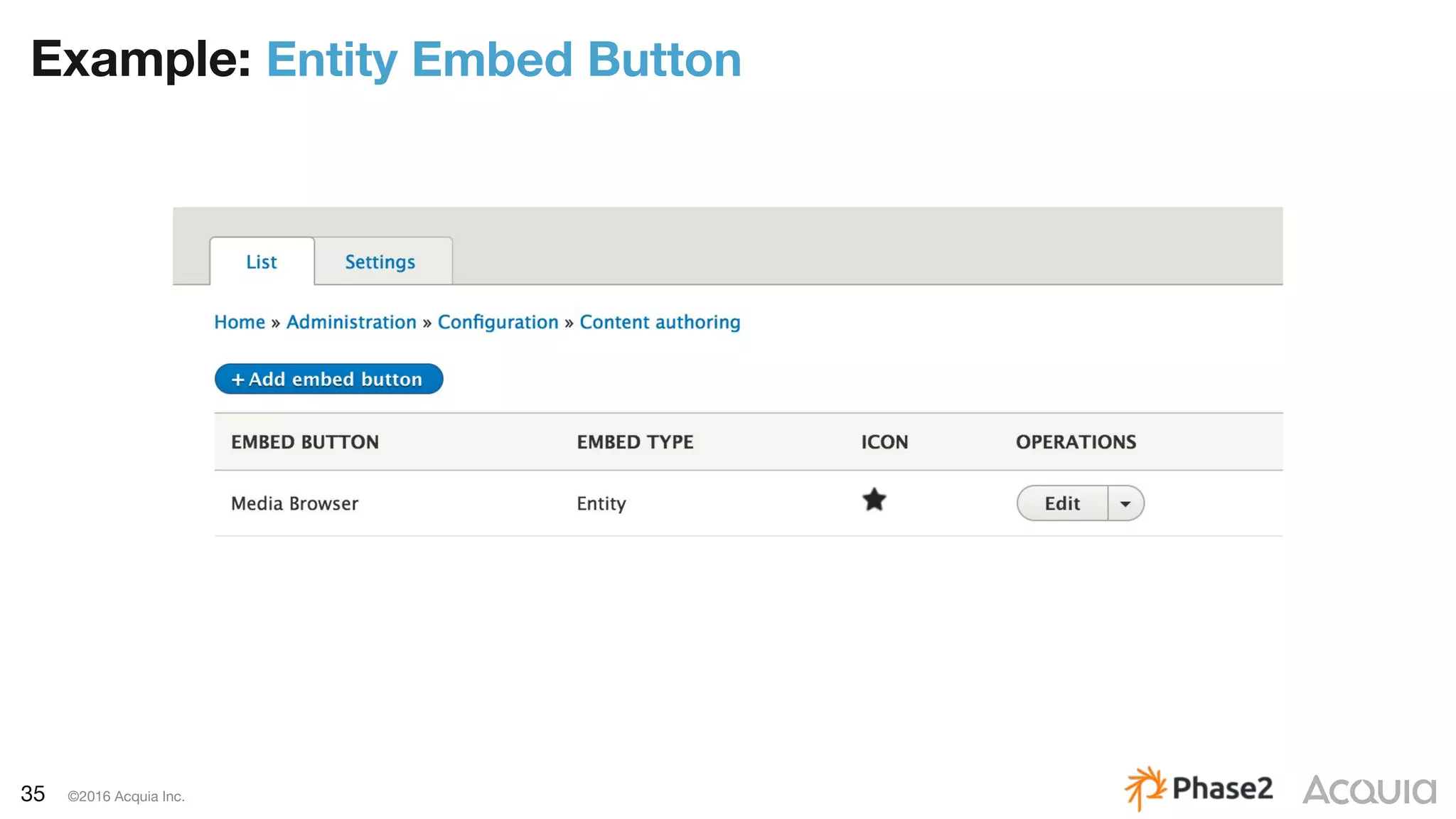
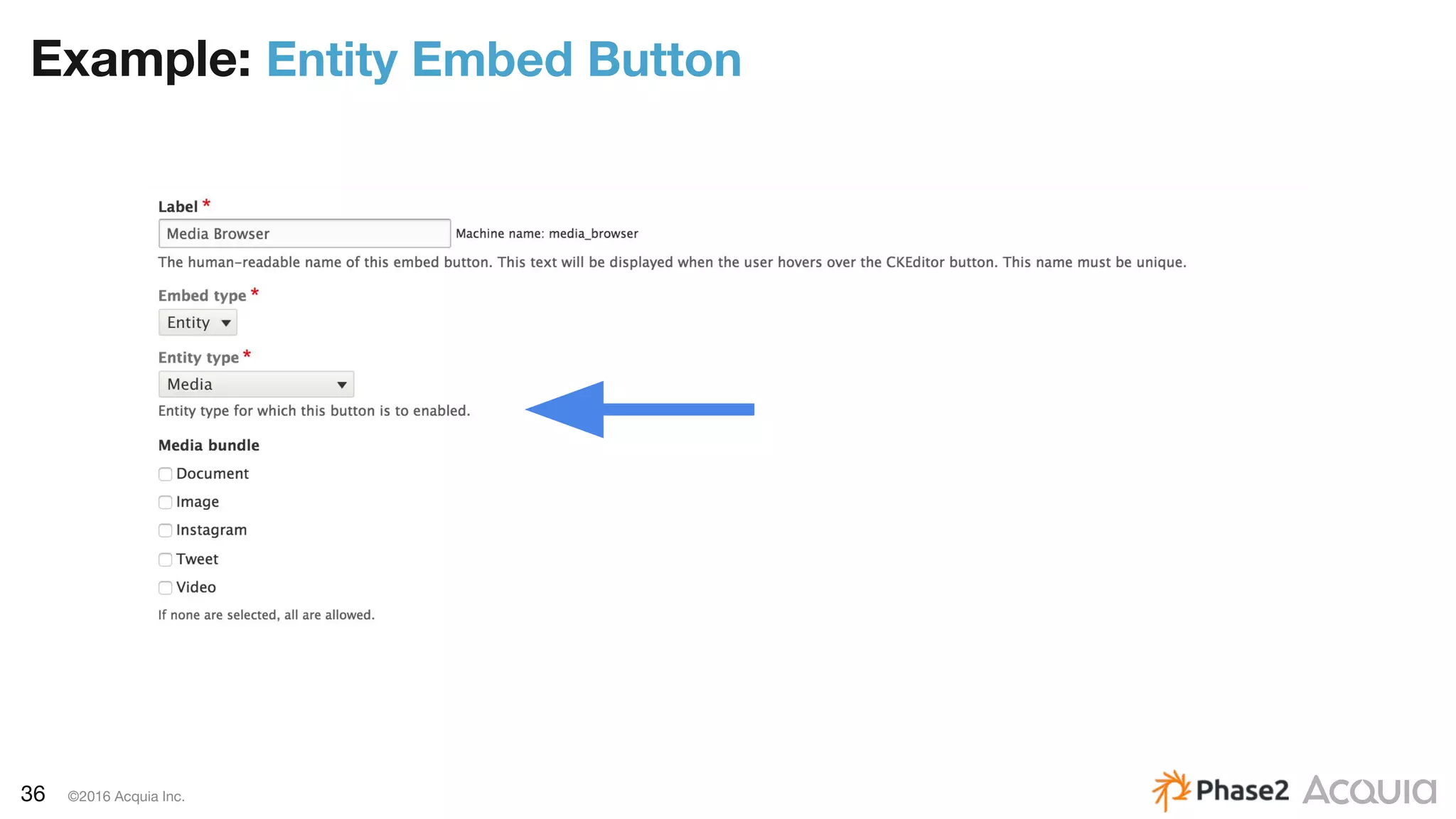
– To enable the WYSIWYG plugin, move the entity-embed E button
into the Active toolbar for the desired text formats.
– Dependency on Embed module: drupal.org/project/embed
34 ©2016 Acquia Inc.
Example: Entity Embed Button
35 ©2016 Acquia Inc.
Example: Entity Embed Button
36 ©2016 Acquia Inc.
Example: Entity Embed Button
37 ©2016 Acquia Inc.
Example: Entity Embed Button
38 ©2016 Acquia Inc.
Example: Entity Embed Button
39 ©2016 Acquia Inc.
Example: Entity Embed Button
40 ©2016 Acquia Inc.
Example: Entity Embed Button
41 ©2016 Acquia Inc.
Example: Entity Embed Button
42 ©2016 Acquia Inc.
Lightning: Entity Embed Example
43 ©2016 Acquia Inc.
Media bundle resolvers are plugins which determine which media bundle(s) are
appropriate for handling an input value.
The input value can be of any type, and the resolver needs to figure out which
media bundle -- singular! -- is best suited to handle that input.
BundleResolverInterface: lightning_media/src/BundleResolverInterface.php
BundleResolverBase: lightning_media/src/BundleResolverBase.php
BundleResolver
44 ©2016 Acquia Inc.
Media Roadmap
Lightning is serving as the driving force behind improvements in Core
– A plan for media management in Drupal 8
buytaert.net/a-plan-for-media-management-in-drupal-8
– Support remote media assets as first-class citizens
drupal.org/node/2801277
– [prototype] Create design for a Media Library
drupal.org/node/2796001
– Support WYSIWYG embedding of entities other than files
drupal.org/node/2801307
45 ©2016 Acquia Inc.
Editorial Workflow
46 ©2016 Acquia Inc.
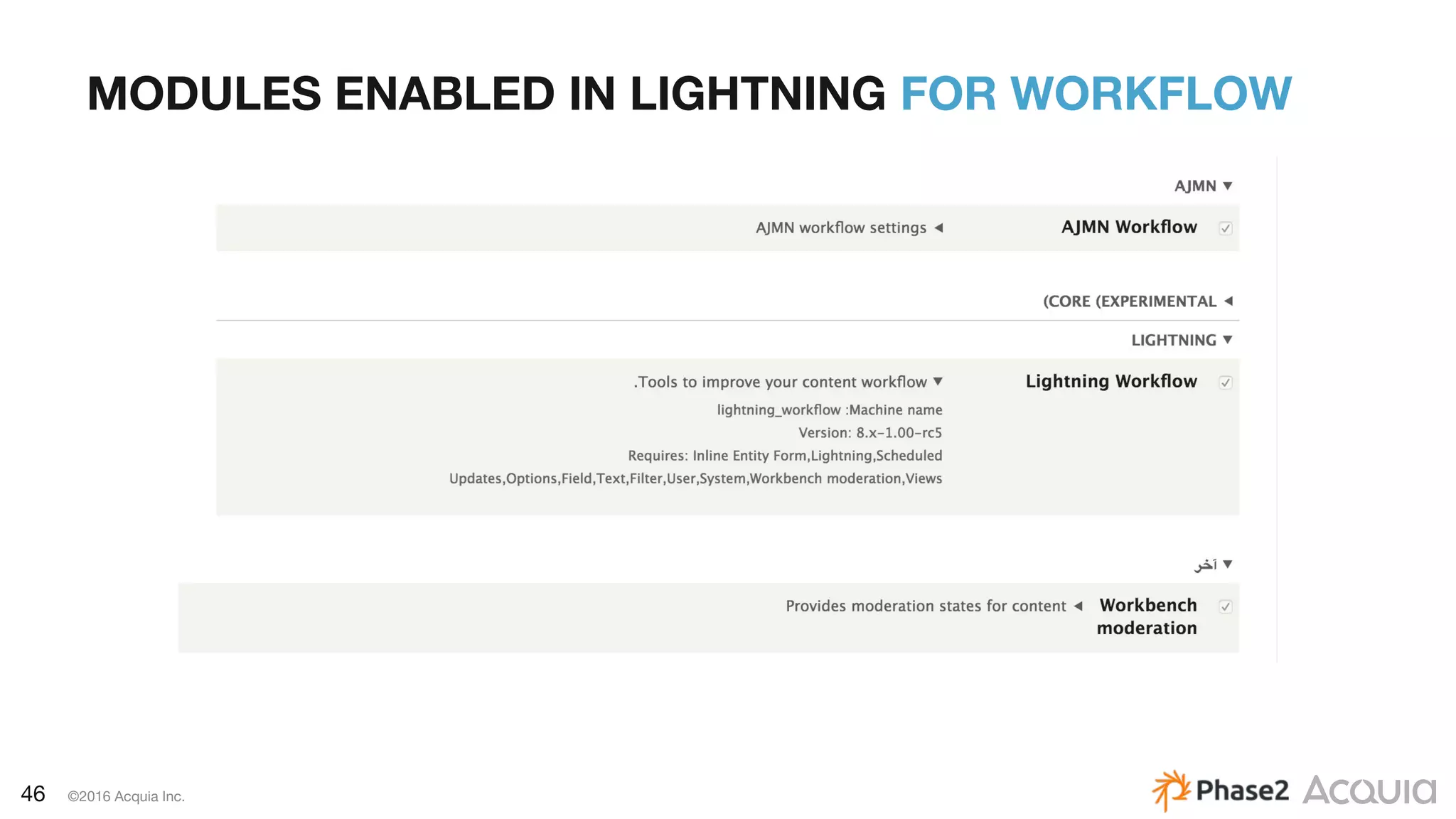
MODULES ENABLED IN LIGHTNING FOR WORKFLOW
47 ©2016 Acquia Inc.
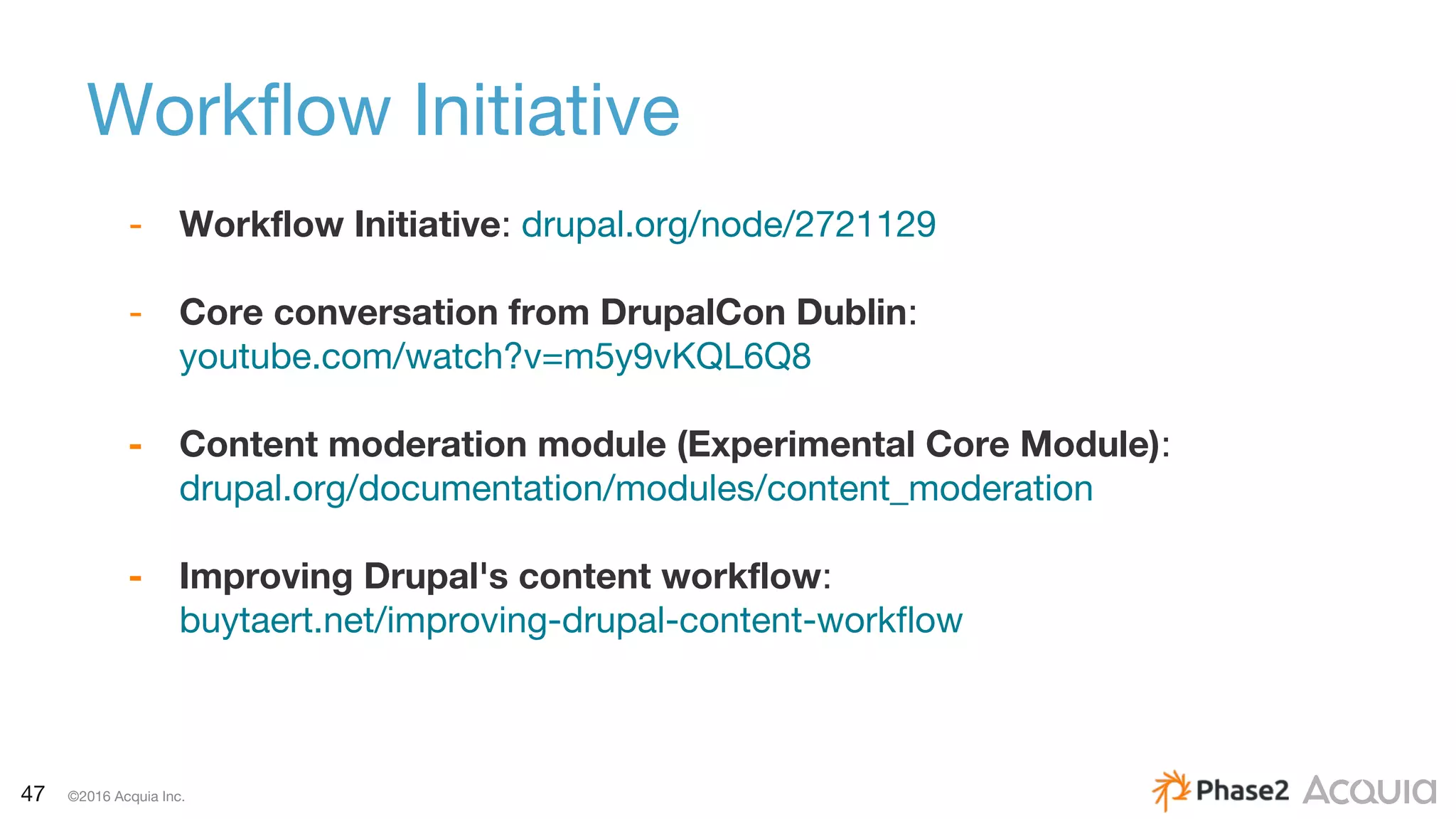
Workflow Initiative
- Workflow Initiative: drupal.org/node/2721129
- Core conversation from DrupalCon Dublin:
youtube.com/watch?v=m5y9vKQL6Q8
- Content moderation module (Experimental Core Module):
drupal.org/documentation/modules/content_moderation
- Improving Drupal's content workflow:
buytaert.net/improving-drupal-content-workflow
48 ©2016 Acquia Inc.
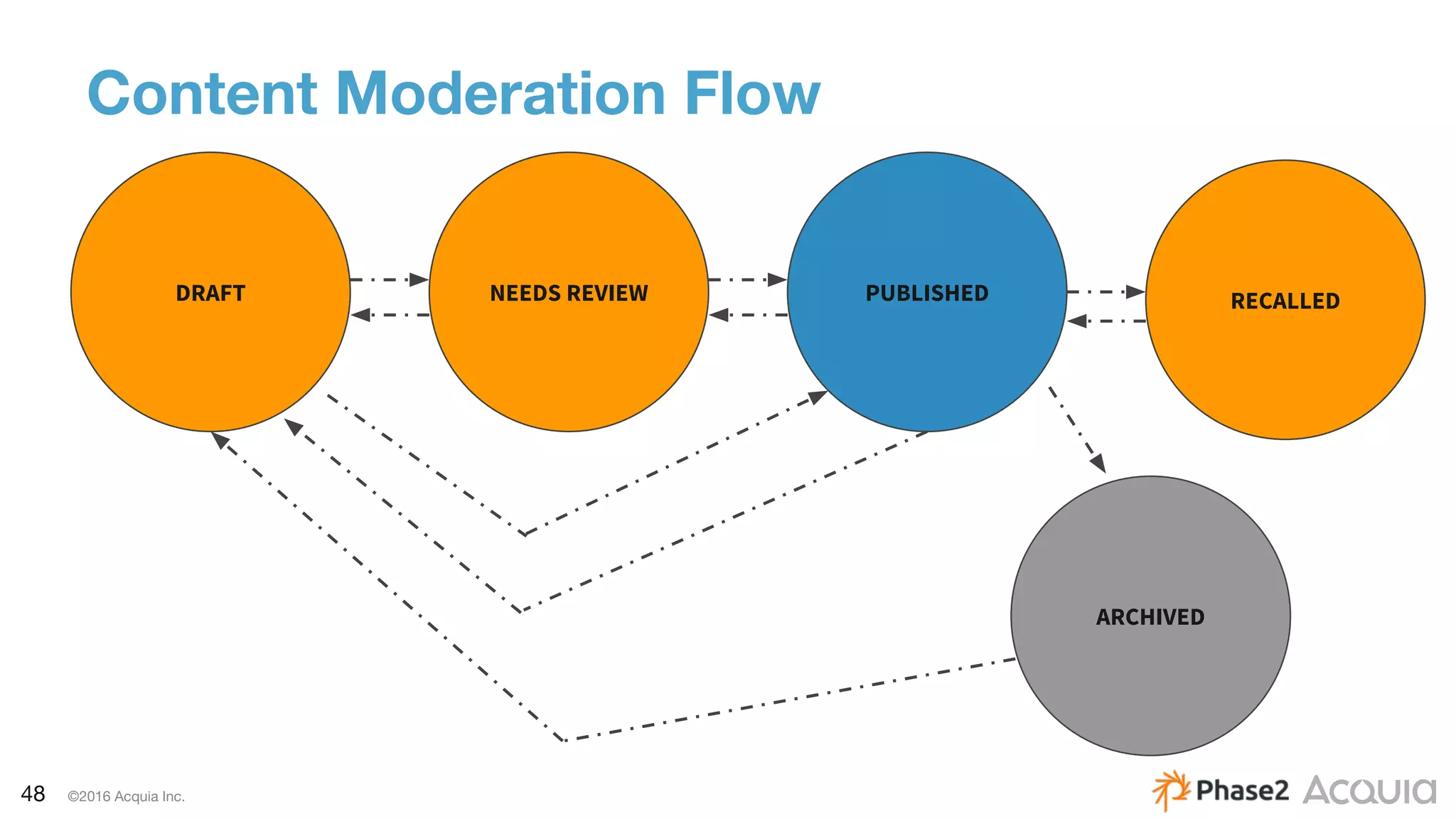
Content Moderation Flow
DRAFT NEEDS REVIEW PUBLISHED
ARCHIVED
RECALLED
49 ©2016 Acquia Inc.
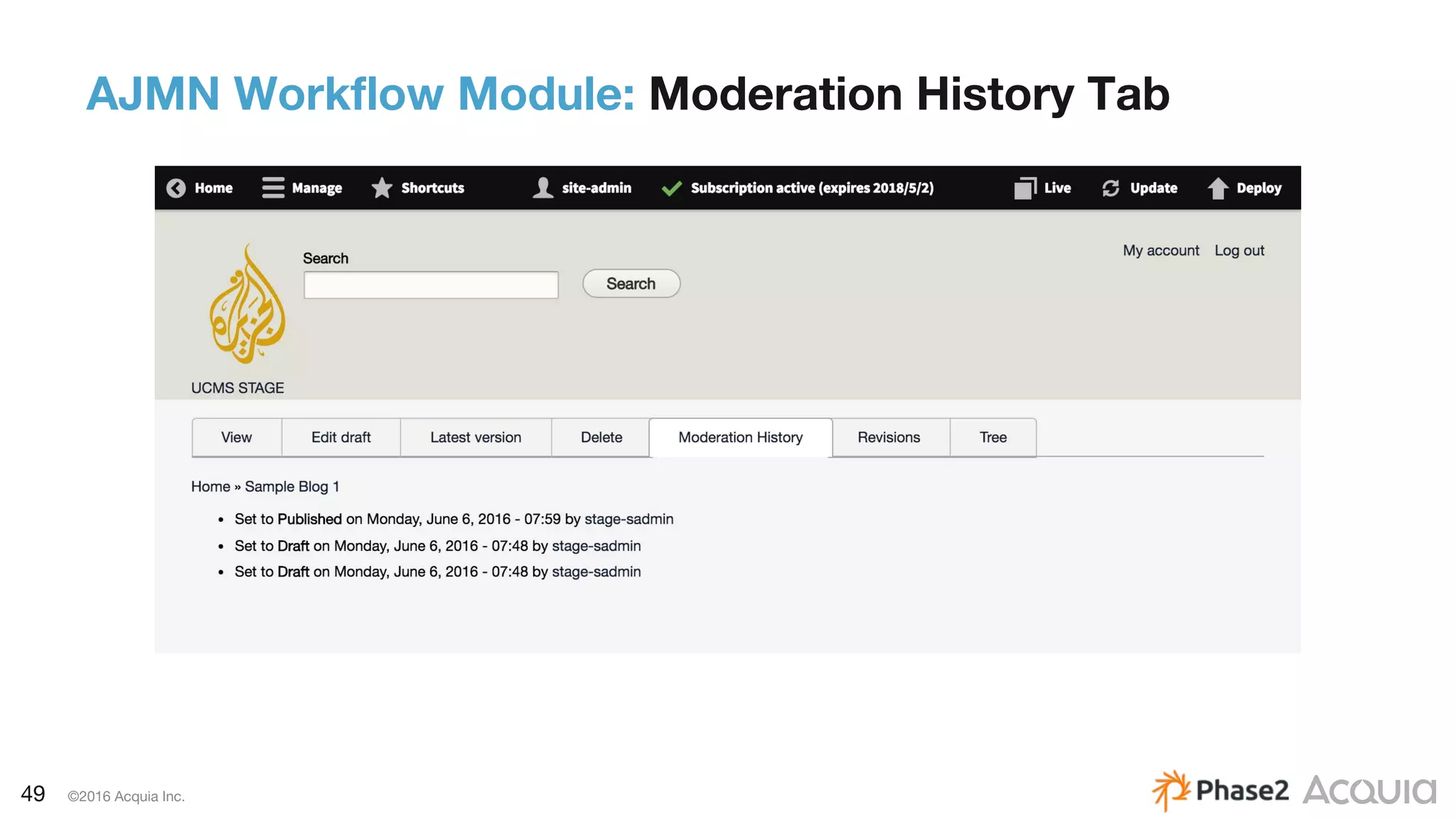
AJMN Workflow Module: Moderation History Tab
50 ©2016 Acquia Inc.
– Lightning comes with a ton of Behat tests!
– We also wrote some Behat tests for the platform. We
targeted:
a. Workflow: new moderation state and transitions
b. User Permissions
51 ©2016 Acquia Inc.
Lightning Roadmap 2017
Innovating in editorial experience:
– Workspace Preview System
– Themes:
– Product site
– Blog
– Corporate
– Scenarios
– Publishing
– Education
– Commerce
52 ©2016 Acquia Inc.
Links
– Developer Site: http://lightning.acquia.com
– Github: https://github.com/acquia/lightning
– Video: http://bit.ly/lightning-video
53 ©2016 Acquia Inc.
Questions?
Thank You!

A Future-Focused Digital Platform with Drupal 8

  • 1.
    1 ©2016 AcquiaInc. Mai Irie – Software Architect, Phase2 John Kennedy – Product Manager, Acquia Using Lightning To Build A Future-Focused Drupal 8 Media Platform
  • 2.
    2 ©2016 AcquiaInc. John Kennedy – Product Manager, Acquia Lightning – @commercejohn
  • 3.
    3 ©2016 AcquiaInc. Mai Irie – Software Architect, Phase2 – Mirie – IRC, drupal.org
  • 4.
    4 ©2016 AcquiaInc. Overview – What is Acquia Lightning? – Goals for Al Jazeera’s Unified CMS – Platform functionality highlights – Lightning Roadmap
  • 5.
    5 ©2016 AcquiaInc. What Is Lightning? The Drupal 8 Distribution for Enterprise Authoring
  • 6.
    6 ©2016 AcquiaInc. The Mission Enable developers to build great enterprise authoring experiences for their editorial teams with D8
  • 7.
    7 ©2016 AcquiaInc. Persona Site Builder Persona Content Author Persona Site Designer Persona Developer
  • 8.
    8 ©2016 AcquiaInc. What is Lightning? Integrations TestingSecurity Layout Workflow Preview Media
  • 9.
    9 ©2016 AcquiaInc. Current Challenges of Al Jazeera’s – Multiple CMS platforms – Overstretched support, operations and maintenance – Fragmented technology investments – Multi-skilled resource hunt – Difficult editor-exchange arrangements – Multilingual
  • 10.
    10 ©2016 AcquiaInc. Solution: A Unified CMS Requirements: – A flexible platform – Control over all content streams – An architecture that accommodates structured content – An interface for multiple content editors
  • 11.
    11 ©2016 AcquiaInc. Why Did We Chose Lightning? Requirements – Provided a great baseline for the platform: – Page Layout – Content Workflow – Media Management – Reliable and transparent roadmap: – drupal.org/node/2670686
  • 12.
    12 ©2016 AcquiaInc. How To Build With Lightning There Are Three Ways: 1. Install Lightning and just build from there. 2. Use an extend.yml file – Example implementation = Acme Lightning – github.com/balsama/acme-lightning-extend 3. Use the patch for extending the profile: – drupal.org/node/1356276
  • 13.
    13 ©2016 AcquiaInc. Platform Functionality Highlights
  • 14.
    14 ©2016 AcquiaInc. MODULES ENABLED IN LIGHTNING FOR MEDIA
  • 15.
    15 ©2016 AcquiaInc. Modules Continued
  • 16.
    16 ©2016 AcquiaInc. Media Media Entity – Does not directly extend Drupal File Entity – Non file-centric storage - does not assume that the media asset is a file or even just a single asset – Creates a new entity type: Media – drupal.org/project/media_entity
  • 17.
    17 ©2016 AcquiaInc. EXAMPLE: Tweet Media bundle
  • 18.
    18 ©2016 AcquiaInc. EXAMPLE: Tweet Media bundle
  • 19.
    19 ©2016 AcquiaInc. EXAMPLE: Tweet Media bundle
  • 20.
    20 ©2016 AcquiaInc. EXAMPLE: Tweet Media bundle
  • 21.
    21 ©2016 AcquiaInc. EXAMPLE: Tweet Media bundle
  • 22.
    22 ©2016 AcquiaInc. ENTITY EMBED & ENTITY BROWSER ENTITY BROWSER
  • 23.
    23 ©2016 AcquiaInc. Entity Browser – Allows you to browse, create and select entities on the system (not Media Entity-specific) – Can be used in different contexts (for a field or with an Entity Embed button) – Uses CTools form wizard for a multi-step workflow of selecting the image(s) – drupal.org/project/entity_browser
  • 24.
    24 ©2016 AcquiaInc. Lightning: Entity Browser Example
  • 25.
    25 ©2016 AcquiaInc. Lightning: Entity Browser Example
  • 26.
    26 ©2016 AcquiaInc. Lightning: Entity Browser Example
  • 27.
    27 ©2016 AcquiaInc. Lightning: Entity Browser Example
  • 28.
    28 ©2016 AcquiaInc. Lightning: Entity Browser Example
  • 29.
    29 ©2016 AcquiaInc. Lightning: Entity Browser Example
  • 30.
    30 ©2016 AcquiaInc. Lightning: Entity Browser Example
  • 31.
    31 ©2016 AcquiaInc. Lightning: Entity Browser Example
  • 32.
    32 ©2016 AcquiaInc. Lightning: Entity Browser Example
  • 33.
    33 ©2016 AcquiaInc. Entity Embed – Allows any entity to be embedded within a text area using a WYSIWYG editor. – Enable the entity-embed filter: Display embedded entities for the desired text formats – If the Limit allowed HTML tags filter is enabled, add <drupal-entity data-*> to the Allowed HTML tags. – To enable the WYSIWYG plugin, move the entity-embed E button into the Active toolbar for the desired text formats. – Dependency on Embed module: drupal.org/project/embed
  • 34.
    34 ©2016 AcquiaInc. Example: Entity Embed Button
  • 35.
    35 ©2016 AcquiaInc. Example: Entity Embed Button
  • 36.
    36 ©2016 AcquiaInc. Example: Entity Embed Button
  • 37.
    37 ©2016 AcquiaInc. Example: Entity Embed Button
  • 38.
    38 ©2016 AcquiaInc. Example: Entity Embed Button
  • 39.
    39 ©2016 AcquiaInc. Example: Entity Embed Button
  • 40.
    40 ©2016 AcquiaInc. Example: Entity Embed Button
  • 41.
    41 ©2016 AcquiaInc. Example: Entity Embed Button
  • 42.
    42 ©2016 AcquiaInc. Lightning: Entity Embed Example
  • 43.
    43 ©2016 AcquiaInc. Media bundle resolvers are plugins which determine which media bundle(s) are appropriate for handling an input value. The input value can be of any type, and the resolver needs to figure out which media bundle -- singular! -- is best suited to handle that input. BundleResolverInterface: lightning_media/src/BundleResolverInterface.php BundleResolverBase: lightning_media/src/BundleResolverBase.php BundleResolver
  • 44.
    44 ©2016 AcquiaInc. Media Roadmap Lightning is serving as the driving force behind improvements in Core – A plan for media management in Drupal 8 buytaert.net/a-plan-for-media-management-in-drupal-8 – Support remote media assets as first-class citizens drupal.org/node/2801277 – [prototype] Create design for a Media Library drupal.org/node/2796001 – Support WYSIWYG embedding of entities other than files drupal.org/node/2801307
  • 45.
    45 ©2016 AcquiaInc. Editorial Workflow
  • 46.
    46 ©2016 AcquiaInc. MODULES ENABLED IN LIGHTNING FOR WORKFLOW
  • 47.
    47 ©2016 AcquiaInc. Workflow Initiative - Workflow Initiative: drupal.org/node/2721129 - Core conversation from DrupalCon Dublin: youtube.com/watch?v=m5y9vKQL6Q8 - Content moderation module (Experimental Core Module): drupal.org/documentation/modules/content_moderation - Improving Drupal's content workflow: buytaert.net/improving-drupal-content-workflow
  • 48.
    48 ©2016 AcquiaInc. Content Moderation Flow DRAFT NEEDS REVIEW PUBLISHED ARCHIVED RECALLED
  • 49.
    49 ©2016 AcquiaInc. AJMN Workflow Module: Moderation History Tab
  • 50.
    50 ©2016 AcquiaInc. – Lightning comes with a ton of Behat tests! – We also wrote some Behat tests for the platform. We targeted: a. Workflow: new moderation state and transitions b. User Permissions
  • 51.
    51 ©2016 AcquiaInc. Lightning Roadmap 2017 Innovating in editorial experience: – Workspace Preview System – Themes: – Product site – Blog – Corporate – Scenarios – Publishing – Education – Commerce
  • 52.
    52 ©2016 AcquiaInc. Links – Developer Site: http://lightning.acquia.com – Github: https://github.com/acquia/lightning – Video: http://bit.ly/lightning-video
  • 53.
    53 ©2016 AcquiaInc. Questions? Thank You!