
A community,
not a library
Design patterns for government services
Caroline Jarrett @cjforms #gdsteam
Caroline Jarrett
Forms specialist
Government Digital Service
@cjforms
Tim Paul
Head of Design Patterns and Tools
Government Digital Service
@timpaul
#gdsteam@cjforms
Government
Digital Service
#gdsteam@cjforms
A quick show of hands…
• Who currently works on a government service?
• Who’s worked on one in the last year?
• Who’s used one in the last year?
#gdsteam@cjforms
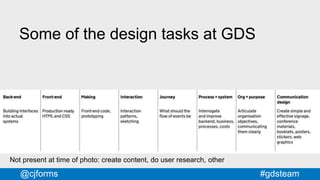
Some of the design tasks at GDS
Not present at time of photo: create content, do user research, other
#gdsteam@cjforms
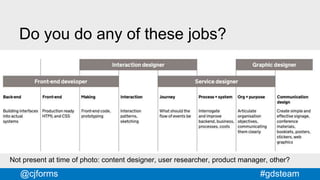
Not present at time of photo: content designer, user researcher, product manager, other?
Do you do any of these jobs?
#gdsteam@cjforms
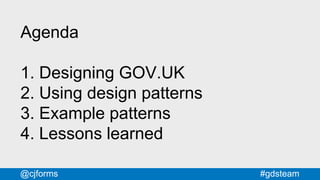
Agenda
1. Designing GOV.UK
2. Using design patterns
3. Example patterns
4. Lessons learned
#gdsteam@cjforms
Designing
GOV.UK
#gdsteam@cjforms
#gdsteam@cjforms
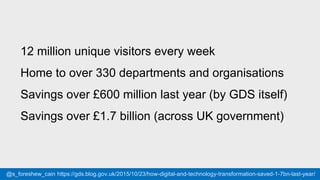
12 million unique visitors every week
Home to over 330 departments and organisations
Savings over £600 million last year (by GDS itself)
Savings over £1.7 billion (across UK government)
@s_foreshew_cain https://gds.blog.gov.uk/2015/10/23/how-digital-and-technology-transformation-saved-1-7bn-last-year/
#gdsteam@cjforms
GOV.UK is
information and
services
#gdsteam@cjforms
#gdsteam@cjforms
#gdsteam@cjforms
#gdsteam@cjforms #gdsteam@timpaul @cjforms
#gdsteam@cjforms
#gdsteam@cjforms
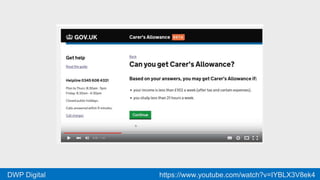
#gdsteam@cjformsDWP Digital https://www.youtube.com/watch?v=IYBLX3V8ek4
#gdsteam@cjforms
GOV.UK is
for everyone
#gdsteam@cjforms
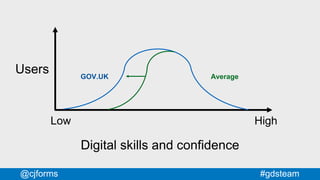
Low High
Digital skills and confidence
Users GOV.UK Average
#gdsteam@cjforms
Try it…
Think of a group of people who
might have low digital skills
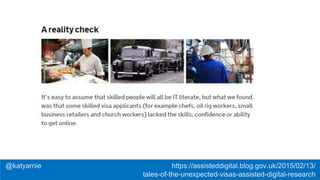
@katyarnie https://assisteddigital.blog.gov.uk/2015/02/13/
tales-of-the-unexpected-visas-assisted-digital-research
#gdsteam@cjforms
A brief history
of designing
GOV.UK
#gdsteam@cjforms
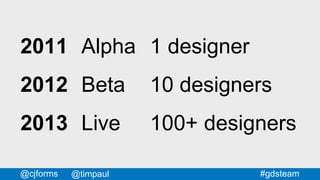
2011
2012
2013
Alpha
Beta
Live
1 designer
10 designers
100+ designers
@timpaul
#gdsteam@cjforms
#gdsteam@cjforms
#gdsteam@cjforms #gdsteamwww.flickr.com/photos/benterrett/7309046368
#gdsteam@cjforms
Small teams
Easy to share and copy ideas
House style emerges naturally
#gdsteam@cjforms
#gdsteam@cjforms
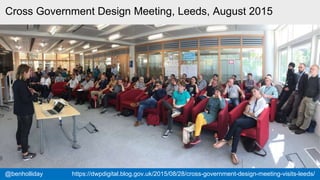
Cross Government Design Meeting, Leeds, August 2015
@benholliday https://dwpdigital.blog.gov.uk/2015/08/28/cross-government-design-meeting-visits-leeds/
#gdsteam@cjforms
#gdsteam@cjforms
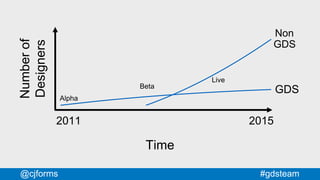
2011 2015
Numberof
Designers
GDS
Non
GDS
Alpha
Beta
Live
Time
#gdsteam@cjforms
How do you do
design at scale?
#gdsteam@cjforms
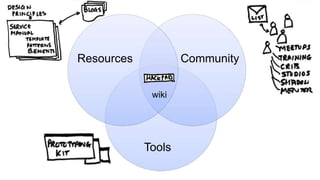
Tools
Resources
Community
#gdsteam@cjforms
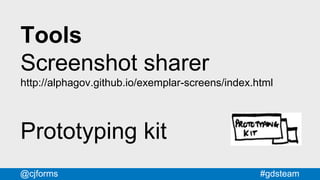
Tools
Screenshot sharer
http://alphagov.github.io/exemplar-screens/index.html
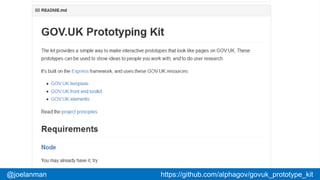
Prototyping kit
#gdsteam@cjforms@joelanman https://github.com/alphagov/govuk_prototype_kit
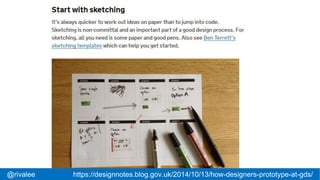
#gdsteam@cjforms@rivalee https://designnotes.blog.gov.uk/2014/10/13/how-designers-prototype-at-gds/
#gdsteam@cjforms
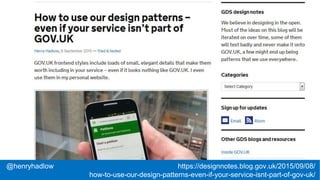
@henryhadlow https://designnotes.blog.gov.uk/2015/09/08/
how-to-use-our-design-patterns-even-if-your-service-isnt-part-of-gov-uk/
#gdsteam@cjforms
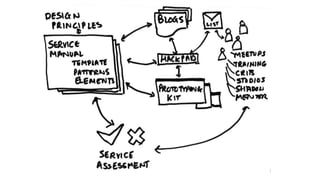
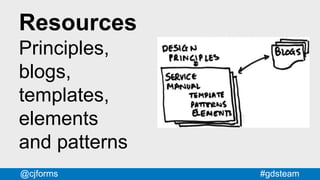
Resources
Principles,
blogs,
templates,
elements
and patterns
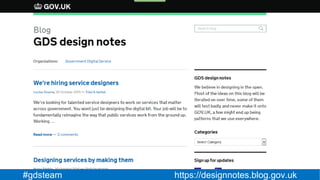
#gdsteam https://designnotes.blog.gov.uk
#gdsteam@cjforms
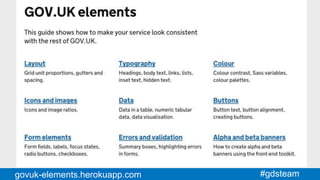
#gdsteam@cjformsgovuk-elements.herokuapp.com
@gemmaleigh govuk-elements.herokuapp.com
#gdsteam@cjforms@gemmaleigh govuk-elements.herokuapp.com
#gdsteam@cjforms
#gdsteam@cjforms
Community
Mailing lists,
meet-ups, training,
reviews, studios,
workshops, shadow,
mentor
#gdsteam@cjforms
Tools
Resources
Community
Tools
CommunityResources
wiki
#gdsteam@cjforms
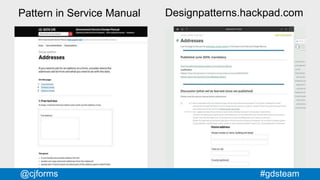
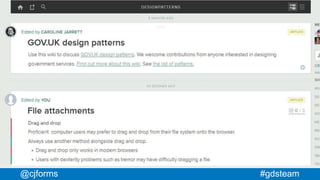
Pattern in Service Manual Designpatterns.hackpad.com
#gdsteam@cjforms
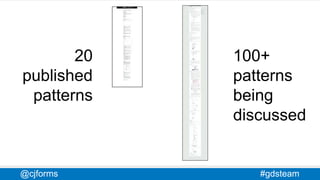
20
published
patterns
100+
patterns
being
discussed
#gdsteam@cjforms
#gdsteam@cjforms
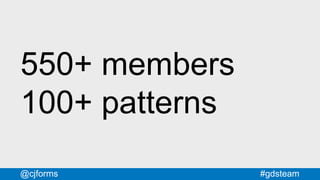
550+ members
100+ patterns
#gdsteam@cjforms
designpatterns.hackpad.com
#gdsteam@cjforms
Using
design patterns
#gdsteam@cjforms
#gdsteam@cjforms
Activity
Let’s apply a pattern
to a page on
GOV.UK
#gdsteam@cjforms
Apply the
Form structure
pattern
to the
Apply for a UK visa
page
#gdsteam@cjforms
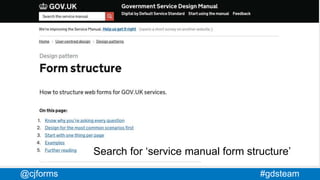
Search for ‘service manual form structure’
#gdsteam@cjforms
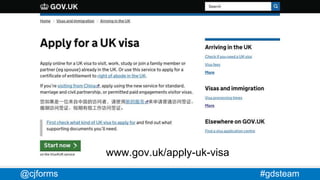
www.gov.uk/apply-uk-visa
#gdsteam@cjforms
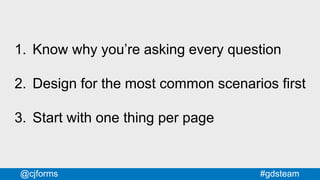
1. Know why you’re asking every question
2. Design for the most common scenarios first
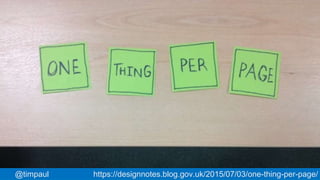
3. Start with one thing per page
#gdsteam@cjforms
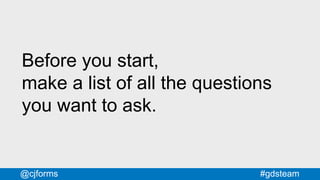
Before you start,
make a list of all the questions
you want to ask.
#gdsteam@cjforms
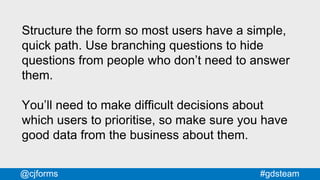
Structure the form so most users have a simple,
quick path. Use branching questions to hide
questions from people who don’t need to answer
them.
You’ll need to make difficult decisions about
which users to prioritise, so make sure you have
good data from the business about them.
#gdsteam@cjforms@timpaul https://designnotes.blog.gov.uk/2015/07/03/one-thing-per-page/
#gdsteam@cjforms
Example
patterns
#gdsteam@cjforms
#gdsteam@cjforms
Progress
indicators
#gdsteam@cjforms
#gdsteam@cjforms
Old pattern
#gdsteam@cjforms
#gdsteam@cjforms
#gdsteam@cjforms
#gdsteam https://www.gov.uk/service-manual/user-centred-design/resources/
patterns/progress-indicators.html
#gdsteam@cjforms
#gdsteam@cjforms
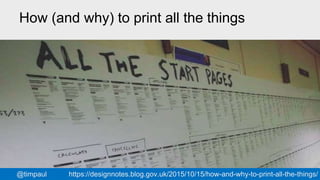
How (and why) to print all the things
@timpaul https://designnotes.blog.gov.uk/2015/10/15/how-and-why-to-print-all-the-things/
#gdsteam@cjforms
Drop down lists
#gdsteam@cjforms
#gdsteam@cjforms
Some videos here
of participants struggling with
dropdowns.
Sorry, can’t share on the web.
#gdsteam@cjforms
#gdsteam@cjforms
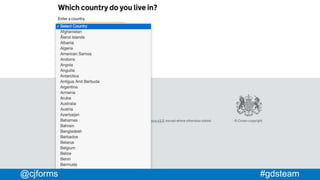
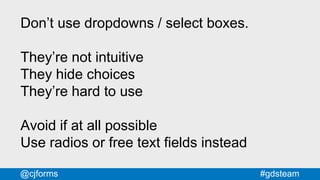
Don’t use dropdowns / select boxes.
They’re not intuitive
They hide choices
They’re hard to use
Avoid if at all possible
Use radios or free text fields instead
#gdsteam@cjforms
Radio buttons and
checkboxes
#gdsteam@cjforms
#gdsteam@cjforms
#gdsteam@cjforms
#gdsteam@cjforms
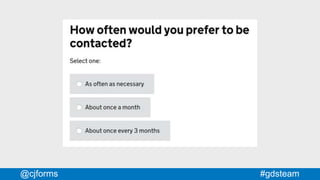
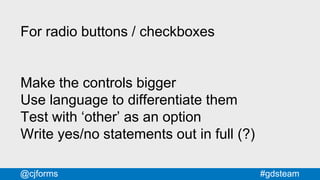
For radio buttons / checkboxes
Make the controls bigger
Use language to differentiate them
Test with ‘other’ as an option
Write yes/no statements out in full (?)
#gdsteam@cjforms
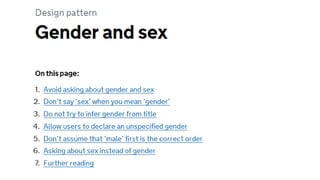
Gender and sex
#gdsteam@cjforms
Lessons
learned
#gdsteam@cjforms
#gdsteam@cjforms
Design patterns can’t
replace designers
#gdsteam@cjforms
Design patterns can’t
be imposed on people
#gdsteam@cjforms
Design patterns can’t
negotiate for you
#gdsteam@cjforms
Design patterns can
save you lots of time
#gdsteam@cjforms
Design patterns can
make your site design
more consistent
#gdsteam@cjforms
Design patterns can
be a focus for your
design community
#gdsteam@cjforms
The discussion and
creation of patterns is
where their value lies
#gdsteam@cjforms
Thanks
Caroline Jarrett
Forms specialist
Government Digital Service
@cjforms
Tim Paul
Head of Design Patterns and Tools
Government Digital Service
@timpaul

A community, not a library: Design patterns for government services

Editor's Notes

  • #2 This is the name of this tutorial. We’re going to talk about: What it’s like to design a big site like GOV.UK How we approached the challenge of designing at scale How we built a community around our design patterns Specific design patterns we think are interesting or relevant to government services
  • #4 GDS is part of the Cabinet Office. We’re a department of about 600 people. We work with government departments to help make their digital services and information simpler, clearer and faster. We’re responsible for GOV.UK
  • #6 Our colleagues at GDS identified 8 groups of things that designers do: Back-end: building interfaces into actual systems Front-end: production ready HTML and CSS Making: front-end code and prototyping Interaction: interaction patterns and sketching Journey: what the flow of events should be Process + system: interrogate and improve backend, business, processes, costs Org + purpose: articulate organisation objectives, communicating them clearly Communication design: create simple and effective signage, conference materials, booklets, posters, stickers, web graphics
  • #7 And then comapred these with some different design roles Front-end developer: back-end, front-end and making Interaction designer: making, interaction and journey Service designer: journey, process+system, org+purpose Graphic designer: org+purpose, communication design We’re still thinking about how other people within the team fit into the picture
  • #8 Designing GOV.UK A brief history of how the GOV.UK design team grew from one person to over 100 people, and how we’ve approach the challenges that this presents. 2. Using design patterns We’re going to introduce one of our more recent design patterns and ask you to help us apply it to a problem page on GOV.UK. 3. Example patterns We’ll talk about 4 or 5 of the patterns we use regularly in government services and what we’ve learned (or rediscovered) about them. 4. Summary and questions A quick summing up of what we learned, what we’re planning, the limits of design patterns and a chance to ask any questions.
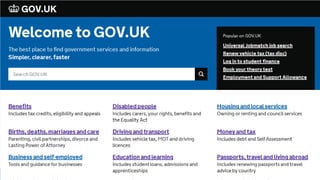
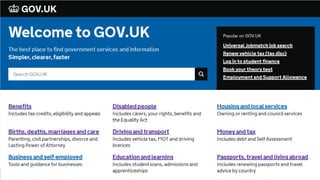
  • #10 GOV.UK A single website for people interacting with the UK Government
  • #11 https://gds.blog.gov.uk/2015/10/23/how-digital-and-technology-transformation-saved-1-7bn-last-year/ GOV.UK is a mixture of information and services. Information like…
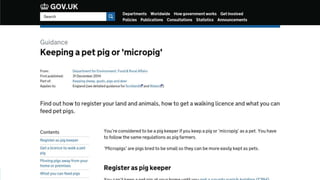
  • #13 A guide to keeping a pet pig or ‘micro pig’. Did you know you needed a licence to walk your pet micro pig?
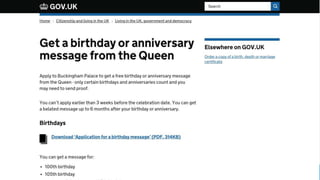
  • #14 Get a birthday or anniversary message from the Queen
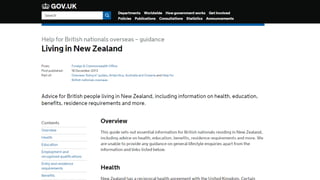
  • #15 Living in New Zealand: advice for British people living in New Zealand
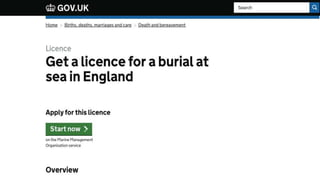
  • #16 Burial at sea
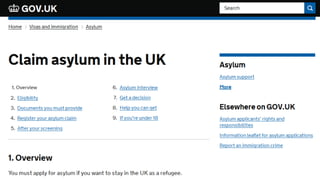
  • #17 How to claim asylum in the UK
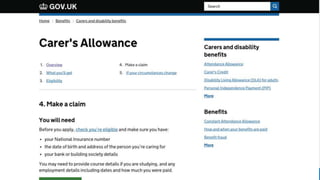
  • #18 Carer’s allowance was one of the first services that GDS worked on.
  • #19 Carer’s allowance video https://www.youtube.com/watch?v=IYBLX3V8ek4 Over 138,000 carers have used the service so far Real social impact - Carers have very little time for anything else and the service is 24hr ——- Transcript of video: GOV.UK Transformation You can now apply for Carer's Allowance using a simple online service. Pete Desmond, Service Manager, Carer's Allowance Digital Service: "Carer's allowance is a benefit that's provided to people who are really deserving in society. These are people who are looking after friends and family that are very ill, in some cases terminally ill, and it's providing them with an income to help support the cost of caring for that individual. When having to deal with all these problems and all the other strife that's going on in their lives, being able to claim Carer's Allowance should be the least of their worries." Kathryn Baxendale, Subject Matter Expert, Carer's Allowance Digital Service: "The new service is to enable people to claim Carer's Allowance online which is a much quicker and easier process than using the paper form." Pete Desmond: "We've been able to remove 170 questions from the process; that's 49%, and we've done that because we've challenged the way that policy's been interpreted on the claim form." Kathryn Baxendale: "Make sure that the customer can understand and progess through the claim, giving us the right information to make a quick decision on their application." Pete Desmond: "We've simplified things and cut things back to just the bare information that customers need, and we've done that via our user testing and research. The service would not be up and running without the user research, to make sure that the participants, the carers' voice is at the heart of everything that we do. We've had people, less confident users, who by the time they get from the start of the claim through to the end, you can see them, they say this, 'That's so much better than I expected. I could go away and do that on my own now, it's been so good'." Kathryn Baxendale: "Carers are busy people and these are some of the most vulernable people in society, so if we're supporting them by providing a really easy method of claiming Carer's Allowance, then that to me has got to be a good thing because that's what we're here to do." www.gov.uk/apply-carers-allowance
  • #20 The main thing that informs our design are our users. Because we provide government services, our users are ANYONE who is entitled to and needs that service. We can’t leave anyone behind. This means we have to try extra hard to reach people who might be unfamiliar with digital technologies.
  • #21 Imagine the bell curve of your users and how skilled or confident they are at using computers. The GOV.UK curve extends much further to the left than the average - these are the users we need to reach.
  • #23 Excerpt from blog post by Katy Arnold, https://assisteddigital.blog.gov.uk/2015/02/13/tales-of-the-unexpected-visas-assisted-digital-research/ A reality check It’s easy to assume that skilled people will all be IT literate, but what we found was that some skilled visa applicants (for example chefs, oil rig workers, small business retailers and church workers) lacked the skills, confidence or ability to get online.
  • #24 We thought we’d start with a very quick history of designing GOV.UK. The context is helpful in understanding our approach.
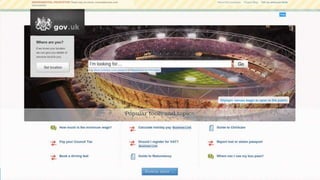
  • #26 June 2011 alpha.gov.uk goes live. The team is 14 strong. 1 lead designer, Paul Annett, but others like Richard Pope and James Weiner are also having a strong input.
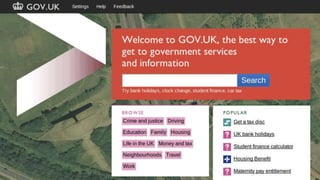
  • #27 By May 2012 we had a small design team of around 10 people, all co-located in Holborn, led by Ben Terrett. GOV.UK was in Public Beta. No services - just information. GDS was less than 100 people. We were a small enough team to all fit in a room.
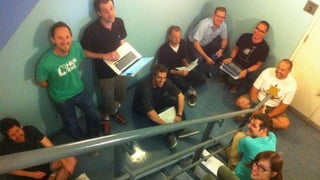
  • #28 And here we all are - in a stairwell. The great thing about a team of this size was: Easy to share and discuss ideas - Quality and consistency emerged naturally
  • #30 GOV.UK A single website for people interacting with the UK Government
  • #31  Twice as many GDS designers, but half of them are out working with the departments. That’s a photo of one of our last X-government design meet-ups. 80 designers from 5 departments, and that’s just the ones who could make it to Leeds.
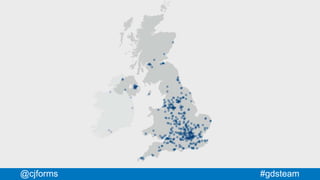
  • #32 And each service makes use of multiple suppliers from the private sector. This is a map showing all the agencies and SMEs working on GOV.UK services. So we’ve gone from stairwell - to this.
  • #33 There are (far) more designers working on GOV.UK outside GDS than there are within GDS
  • #34 How do you retain the benefits of a small co-located team, when you have multiple teams distributed around the country? How do you get designers to feel engaged with the whole site and part of a larger team? How do you keep the user experience consistent without stifling innovation in the teams? How do you stop the centre becoming a bottleneck?
  • #36 We learn from and engage with the design community in various ways: - Face to face - Through mailing lists and other informal resources - By publishing advice in the service manual - By checking whether services are following the advice in service assessments
  • #38 GOV.UK Prototyping Kit The kit provides a simple way to make interactive prototypes that look like pages on GOV.UK. These prototypes can be used to show ideas to people you work with, and to do user research. It's built on the Express framework, and uses these GOV.UK resources: GOV.UK template GOV.UK front end toolkit GOV.UK elements Read the project principles. Requirements Node You may already have it, try: node --version https://github.com/alphagov/govuk_prototype_kit
  • #39 Excerpt from Rebecca Cottrell's blog post on How designers prototype at GDS Start with sketching It’s always quicker to work out ideas on paper than to jump into code. Sketching is non-committal and an important part of a good design process. For sketching, all you need is some paper and good pens. Also see Ben Terrett’s sketching templates which can help you get started.
  • #40 How to use our design patterns – even if your service isn’t part of GOV.UK Henry Hadlow, 8 September 2015 — Tried & tested GOV.UK frontend styles include loads of small, elegant details that make them worth including in your service – even if it looks nothing like GOV.UK. I even use them in my personal website.
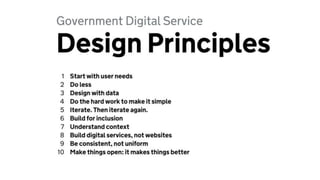
  • #42 Great for establishing a common design culture. Actually useful - it’s a decision-making tool. They look good on posters, too. 1 Start with needs* 2 Do less 3 Design with data 4 Do the hard work to make it simple 5 Iterate. Then iterate again. 6 This is for everyone 7 Understand context 8 Build digital services, not websites 9 Be consistent, not uniform 10 Make things open: it makes things better
  • #44 Then, we deliberately made the template as minimal as possible: Header, footer, logo, New Transport typeface That way: it could accommodate lots of different kinds of service we wouldn’t have to keep updating it minimising dependencies (bad experience at tfl.gov.uk)
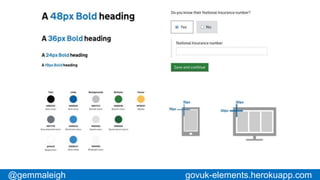
  • #46 Then we created a set of common design elements. Building blocks. Grids, typography, colours, basic form styles etc.
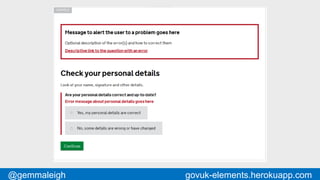
  • #47 Then we overlay higher level patterns. This is one that we launched recently: it’s about how to show error messages. We’ve learned that we have to put hints to designers rather than example content to make sure it gets designed.
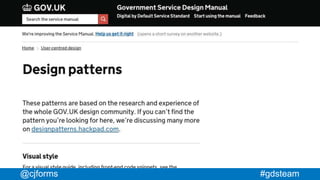
  • #48 On the service manual we’ve got a small set of the most commonly requested patterns.
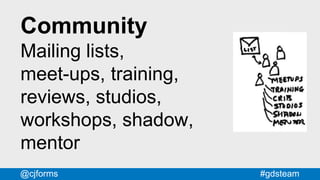
  • #49 We do all these things. We did our first 3-day training course a couple of months ago. The people who came – mostly designers – really liked it, so colleagues are running it again next week.
  • #52 Each pattern, for example the Addresses one on the left, has a corresponding hackpad discussion, as on the right.
  • #53 There are far fewer patterns and they tend to be much shorter. There are far more discussions and they’re a lot longer.
  • #54 We also have a space to discuss and collaborate on patterns. We use Hackpad – it’s not pretty. But it’s perfect for collaborating on ideas. It’s just a wiki, but it’s a good one: real-time you can ‘follow’ pages you can ‘at’ people you can paste images from the clipboard it’s got an API
  • #55 It’s be around for just over 18 months and it’s still growing. There’s some kind of activity most days. About half the members are designers
  • #56 We use a free service called Hackpad. It’s now owned by Dropbox.
  • #58 It’s be around for just over 18 months and it’s still growing. There’s some kind of activity most days. About half the members are designers
  • #60 Google ‘service manual form structure’ This pattern explains how to structure forms for GOV.UK services. We’re going to concentrate on section 3: ‘Start with one thing per page’ - Time and effort are subjective - Good because: - works well on small screens - breaks complex tasks into simple chunks - easier to recover from errors - easier to do things like save progress
  • #61 Find this page: look for ‘service manual form structure’ It’s far too long. Try applying the ‘one thing per page’ pattern.
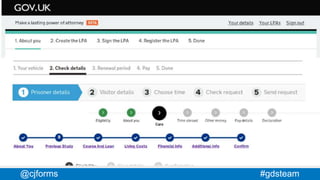
  • #68 This is what I found a year and a half ago when I did an audit of progress indicators across the exemplars. This was before the Hackpad and elements.
  • #69 We wrote up this design pattern with three options.
  • #70 We’ve learned that people like progress bars but they don’t make any difference
  • #71 We’ve learned that people like progress bars but they don’t make any difference
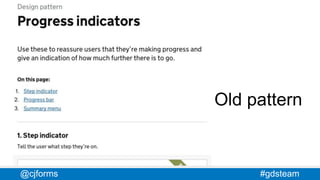
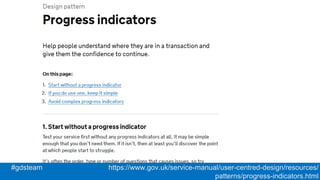
  • #72 Excerpt from Progress indicators Help people understand where they are in a transaction and give them the confidence to continue. On this page: Start without a progress indicator If you do use one, keep it simple Avoid complex progress indicators 1. Start without a progress indicator Test your service first without any progress indicators at all. It may be simple enough that you don’t need them. If it isn’t, then at least you’ll discover the point at which people start to struggle. It’s often the order, type or number of questions that causes issues, so try improving these first.
  • #73 We’re working on a new pattern that will replace ‘summary menus’.
  • #74 https://designnotes.blog.gov.uk/2015/10/15/how-and-why-to-print-all-the-things/
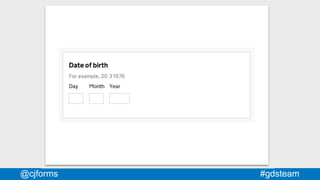
  • #78 This is an example of what we now recommend. Yes, you need validation on the fields. But remember - ‘Do the hard work to make it simple’.
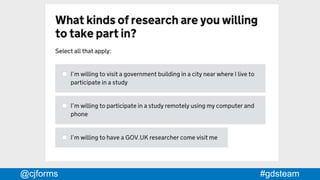
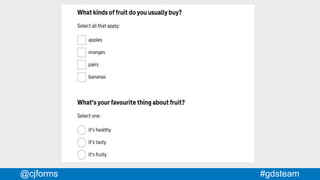
  • #81 The controls are way too small. Fitts Law. To make matters worse, people don’t know (or trust) that they can click on labels. We’ve tried to make the hit space more obvious. Also - the circle/square thing is a learned convention - new users don’t know it. So, use language. Eg. “Select one, select all”
  • #82  Important to note: we put 'select all that apply' when the user can select multiple answers.
  • #84 We’re still experimenting with whether or not to expand the yes/no statements
  • #86 This pattern has attracted a lot of great contributions from outside GDS and internationally.
  • #88 I’ve heard people say “Well eventually the developers will just be able to go straight to the pattern library”. You can use really good design patterns and still create a terrible service. It's in the patterns you choose, how you combine them and how you customise them. We especially see this with typographic design. GOV.UK services that use the templates, elements and patterns but just look wrong somehow. The spacing and rhythm is all out.
  • #89 Well, maybe they can a bit - but it’s time consuming and not much fun and everyone ends up hating you. Much better to develop the patterns from the ground up - that way you get consensus, because the people who need the patterns got to create them.
  • #90 Designing for government can be really frustrating. Often you know exactly what needs to happen. But making it happen is the tricky bit. You need to be persistent, you need to be able to explain, influence and negotiate. Design patterns don’t help much with that. It can feel like a least half of the usability gains come from successfully negotiating with the business rather than coming up with some amazing innovative design. Carer’s Allowance video: 170 questions removed. 49%
  • #91 Known answers to common problems Designing for government can be really frustrating. Often you know exactly what needs to happen. But making it happen is the tricky bit. You need to be persistent, you need to be able to explain, influence and negotiate. Design patterns don’t help much with that. It can feel like a least half of the usability gains come from successfully negotiating with the business rather than coming up with some amazing innovative design. Carer’s Allowance video: 170 questions removed. 49%
  • #92 Designing for government can be really frustrating. Often you know exactly what needs to happen. But making it happen is the tricky bit. You need to be persistent, you need to be able to explain, influence and negotiate. Design patterns don’t help much with that. It can feel like a least half of the usability gains come from successfully negotiating with the business rather than coming up with some amazing innovative design. Carer’s Allowance video: 170 questions removed. 49%