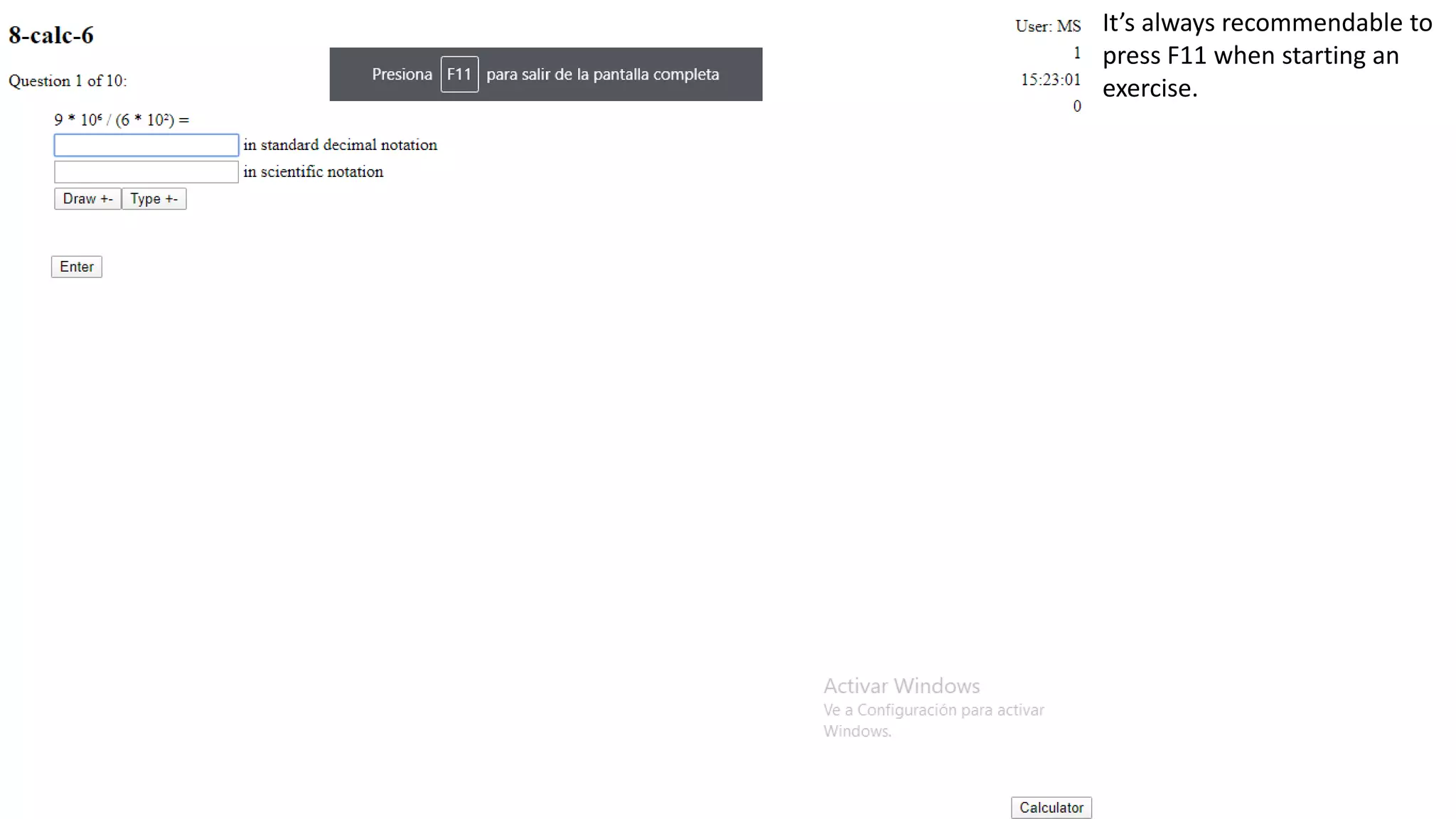
It’s always recommendable to
press F11 when starting an
exercise.
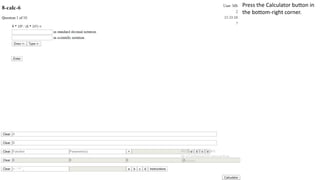
Press the Calculator button in
the bottom-right corner.
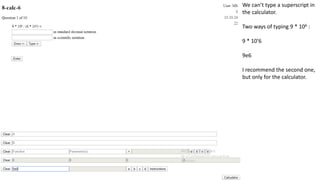
We can’t type a superscript in
the calculator.
Two ways of typing 9 * 106 :
9 * 10'6
9e6
I recommend the second one,
but only for the calculator.
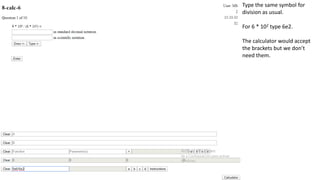
Type the same symbol for
division as usual.
For 6 * 102 type 6e2.
The calculator would accept
the brackets but we don’t
need them.
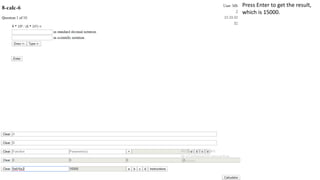
Press Enter to get the result,
which is 15000.
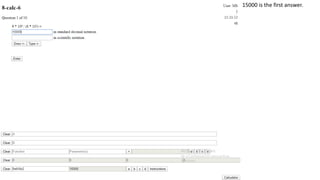
15000 is the first answer.
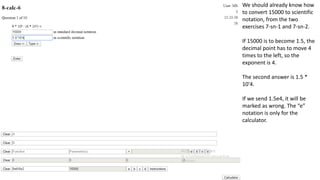
We should already know how
to convert 15000 to scientific
notation, from the two
exercises 7-sn-1 and 7-sn-2.
If 15000 is to become 1.5, the
decimal point has to move 4
times to the left, so the
exponent is 4.
The second answer is 1.5 *
10'4.
If we send 1.5e4, it will be
marked as wrong. The “e”
notation is only for the
calculator.
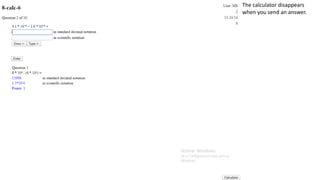
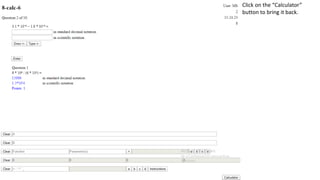
The calculator disappears
when you send an answer.
Click on the “Calculator”
button to bring it back.
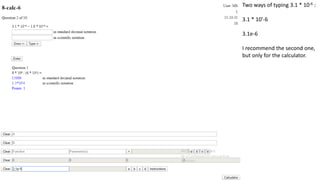
Two ways of typing 3.1 * 10-6 :
3.1 * 10'-6
3.1e-6
I recommend the second one,
but only for the calculator.
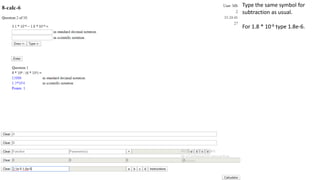
Type the same symbol for
subtraction as usual.
For 1.8 * 10-6 type 1.8e-6.
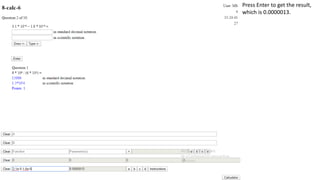
Press Enter to get the result,
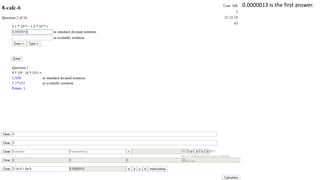
which is 0.0000013.
0.0000013 is the first answer.
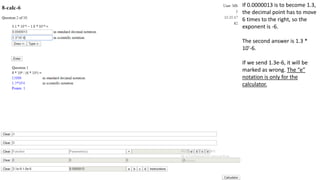
If 0.0000013 is to become 1.3,
the decimal point has to move
6 times to the right, so the
exponent is -6.
The second answer is 1.3 *
10'-6.
If we send 1.3e-6, it will be
marked as wrong. The “e”
notation is only for the
calculator.
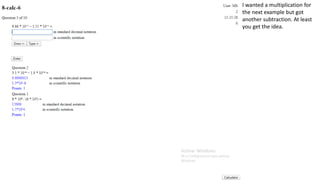
I wanted a multiplication for
the next example but got
another subtraction. At least
you get the idea.

8calc6v2

  • 1.
    It’s always recommendableto press F11 when starting an exercise.
  • 2.
    Press the Calculatorbutton in the bottom-right corner.
  • 3.
    We can’t typea superscript in the calculator. Two ways of typing 9 * 106 : 9 * 10'6 9e6 I recommend the second one, but only for the calculator.
  • 4.
    Type the samesymbol for division as usual. For 6 * 102 type 6e2. The calculator would accept the brackets but we don’t need them.
  • 5.
    Press Enter toget the result, which is 15000.
  • 6.
    15000 is thefirst answer.
  • 7.
    We should alreadyknow how to convert 15000 to scientific notation, from the two exercises 7-sn-1 and 7-sn-2. If 15000 is to become 1.5, the decimal point has to move 4 times to the left, so the exponent is 4. The second answer is 1.5 * 10'4. If we send 1.5e4, it will be marked as wrong. The “e” notation is only for the calculator.
  • 8.
    The calculator disappears whenyou send an answer.
  • 9.
    Click on the“Calculator” button to bring it back.
  • 10.
    Two ways oftyping 3.1 * 10-6 : 3.1 * 10'-6 3.1e-6 I recommend the second one, but only for the calculator.
  • 11.
    Type the samesymbol for subtraction as usual. For 1.8 * 10-6 type 1.8e-6.
  • 12.
    Press Enter toget the result, which is 0.0000013.
  • 13.
    0.0000013 is thefirst answer.
  • 14.
    If 0.0000013 isto become 1.3, the decimal point has to move 6 times to the right, so the exponent is -6. The second answer is 1.3 * 10'-6. If we send 1.3e-6, it will be marked as wrong. The “e” notation is only for the calculator.
  • 15.
    I wanted amultiplication for the next example but got another subtraction. At least you get the idea.