SELECT THE PROPER KINDS OF WINDOWS
A window is an area of the screen that contains a particular
view of some area of the computer or some portion of a
person’s dialog with the computer.
Content
A window’s characteristics
A window’s components
A window’s presentation styles
The types of windows available
Organizing window system functions
SELECT THE PROPER KINDS OF WINDOWS
WINDOW CHARACTERISTICS
• TITLE : To identify each window
• HEIGHT AND WIDTH
• STATE :Active/Non Active
• VISIBILITY : The portion that can be seen.
• LOCATION :Relative to display boundary
• PRESENTATION: Arrangement in relation to other windows
(Tiled/overlapping/Cascading)
• MANAGEMENT CAPABILITIES: Methods for manipulation
of the window on the screen
• ITS HIGHLIGHT :The part that is selected
• FUNCTION :Application dedicated for this window.
SELECT THE PROPER KINDS OF WINDOWS
Components of a Window
•Frame (Border)
•Title Bar
•Title Bar Icon
•Menu Bar
•Status Bar
•Scroll Bars
•Split Box( Split Bar)
•Toolbar
•Command Area
•Size Grip
•Work Area
SELECT THE PROPER KINDS OF WINDOWS
COMPONENTS OF WINDOW
FRAME
Border ,usually rectangular in shape, It can be
resizable by using control points .
TITLEBAR (caption/caption bar/title area)
 Top edge
TITLE BAR ICON
Right end : WINDOW SIZING BUTTONS
Left end :short cuts to specific commands
SELECT THE PROPER KINDS OF WINDOWS
COMPONENTS OF WINDOW
MENU BAR (Action bar)
Horizontally at the top of window
 provides basic and common application
commands
Pull down Menu under each Command
STATUS BAR (Message Area /Message Bar)
current state of what is being viewed in window.
SCROLL BARS
Standard control to support scrolling
vertical scrolling : right end
 horizontal scrolling : bottom end
SELECT THE PROPER KINDS OF WINDOWS
COMPONENTS OF WINDOW
SPLIT BOX (SPLIT BAR )
A WINDOW can be divided into two or more separate
viewing areas called panes
TOOLBAR (COMMAND BARS)
Arrays of choices/commands that must be accessed quickly
Window dependent
COMMAND AREA
In some specific situations
usually at the bottom of window
just below the horizontal scroll bar
SELECT THE PROPER KINDS OF WINDOWS
COMPONENTS OF WINDOW
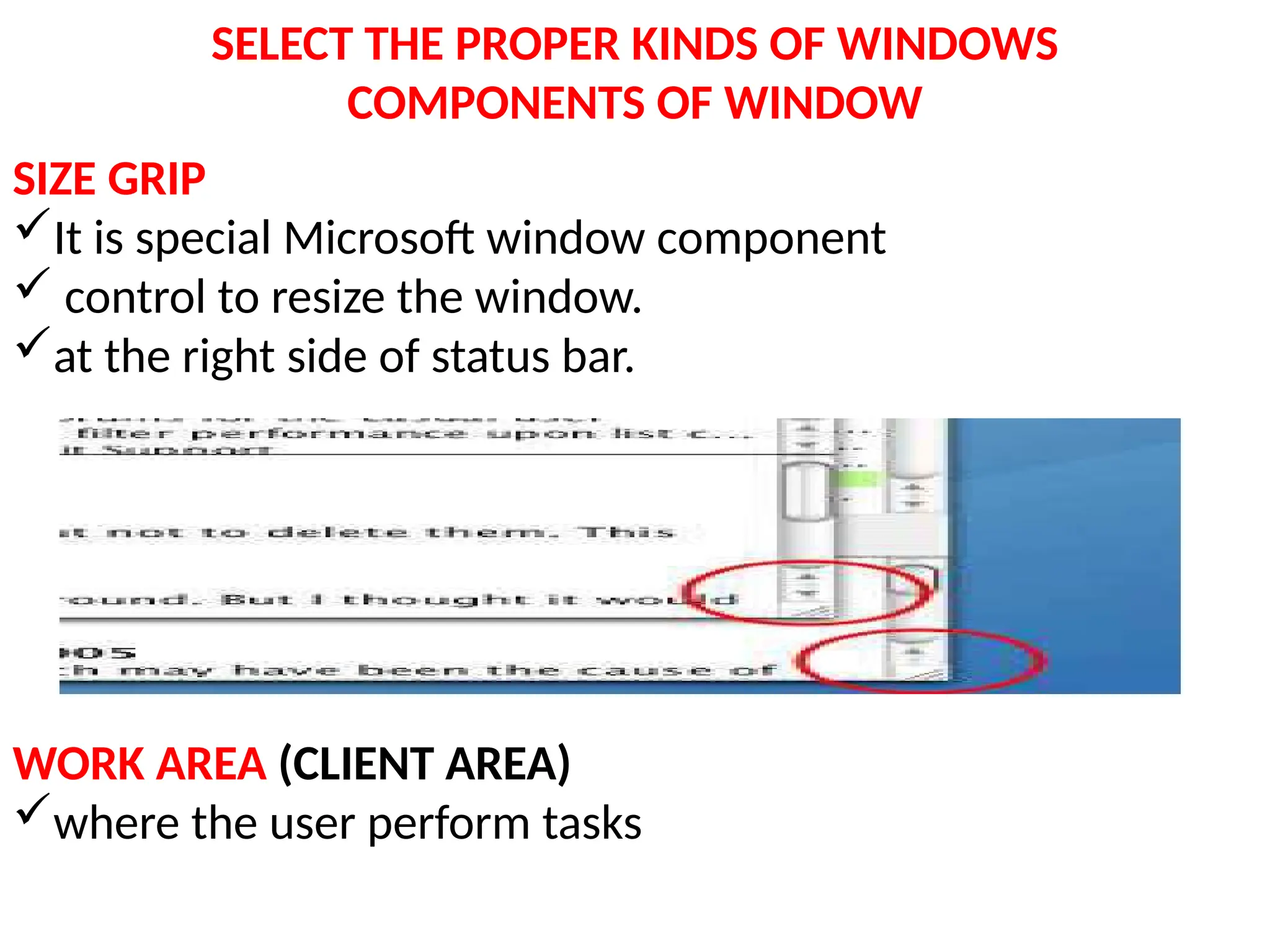
SIZE GRIP
It is special Microsoft window component
 control to resize the window.
at the right side of status bar.
WORK AREA (CLIENT AREA)
where the user perform tasks
SELECT THE PROPER KINDS OF WINDOWS
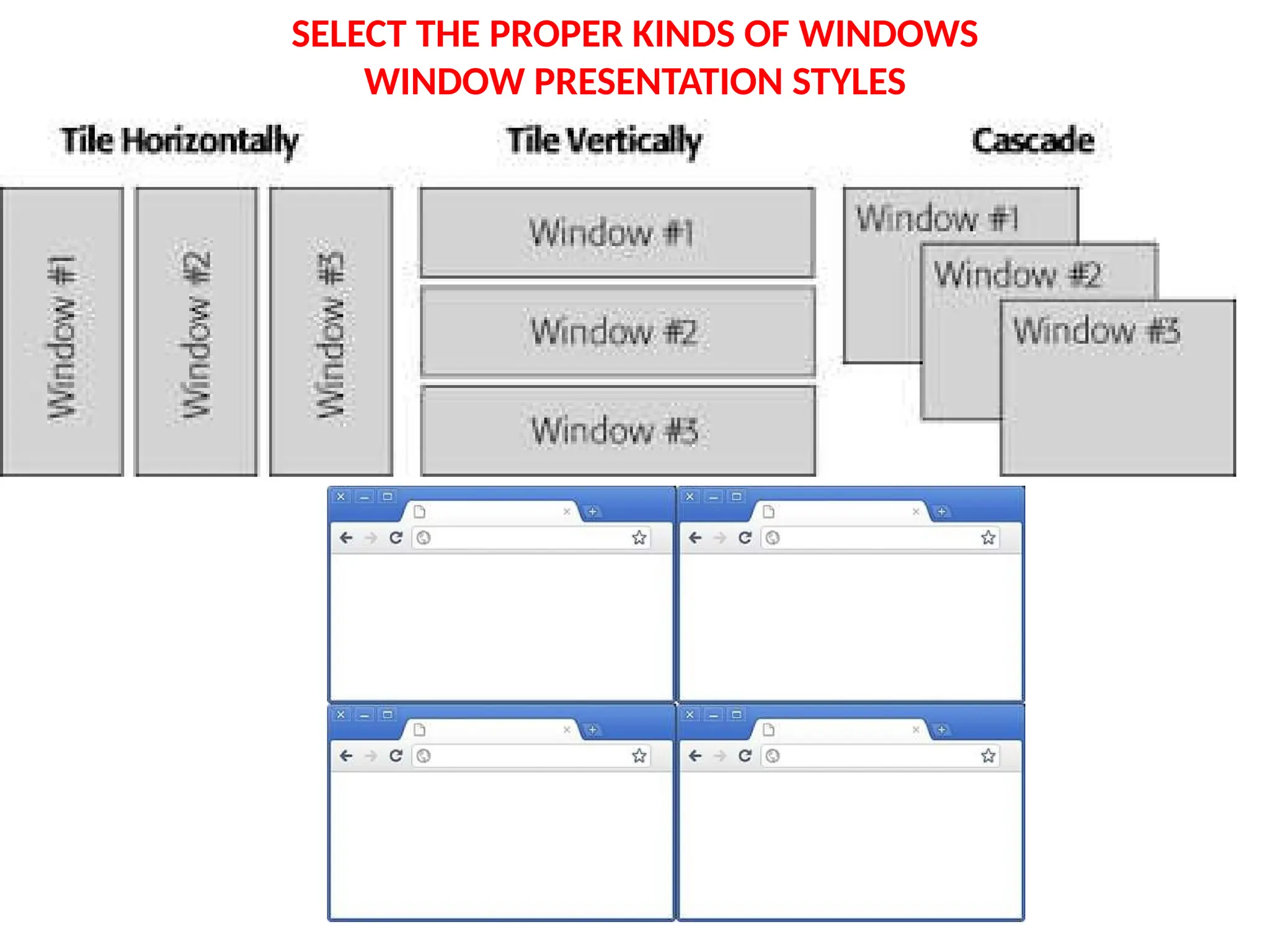
WINDOW PRESENTATION STYLES
• Spatial relationship to other windows
1. TILED
2. OVERLAPPING
3. CASCADING WINDOWS
SELECT THE PROPER KINDS OF WINDOWS
WINDOW PRESENTATION STYLES
TILED WINDOW
• Oldest Type
• Open windows are always visible in one pane,
eliminating the possibility of them being lost .
• Eliminating the possibility of information
being hidden
• Less complex than overlapping
• Easier to develop
SELECT THE PROPER KINDS OF WINDOWS
WINDOW PRESENTATION STYLES
SELECT THE PROPER KINDS OF WINDOWS
WINDOW PRESENTATION STYLES
• Disadvantages:
 limited no of windows can be displayed
 as the number of displayed windows increases,
each window can get very tiny.
The change in size is unpredictable
Visually more complex
Less user control
SELECT THE PROPER KINDS OF WINDOWS
WINDOW PRESENTATION STYLES
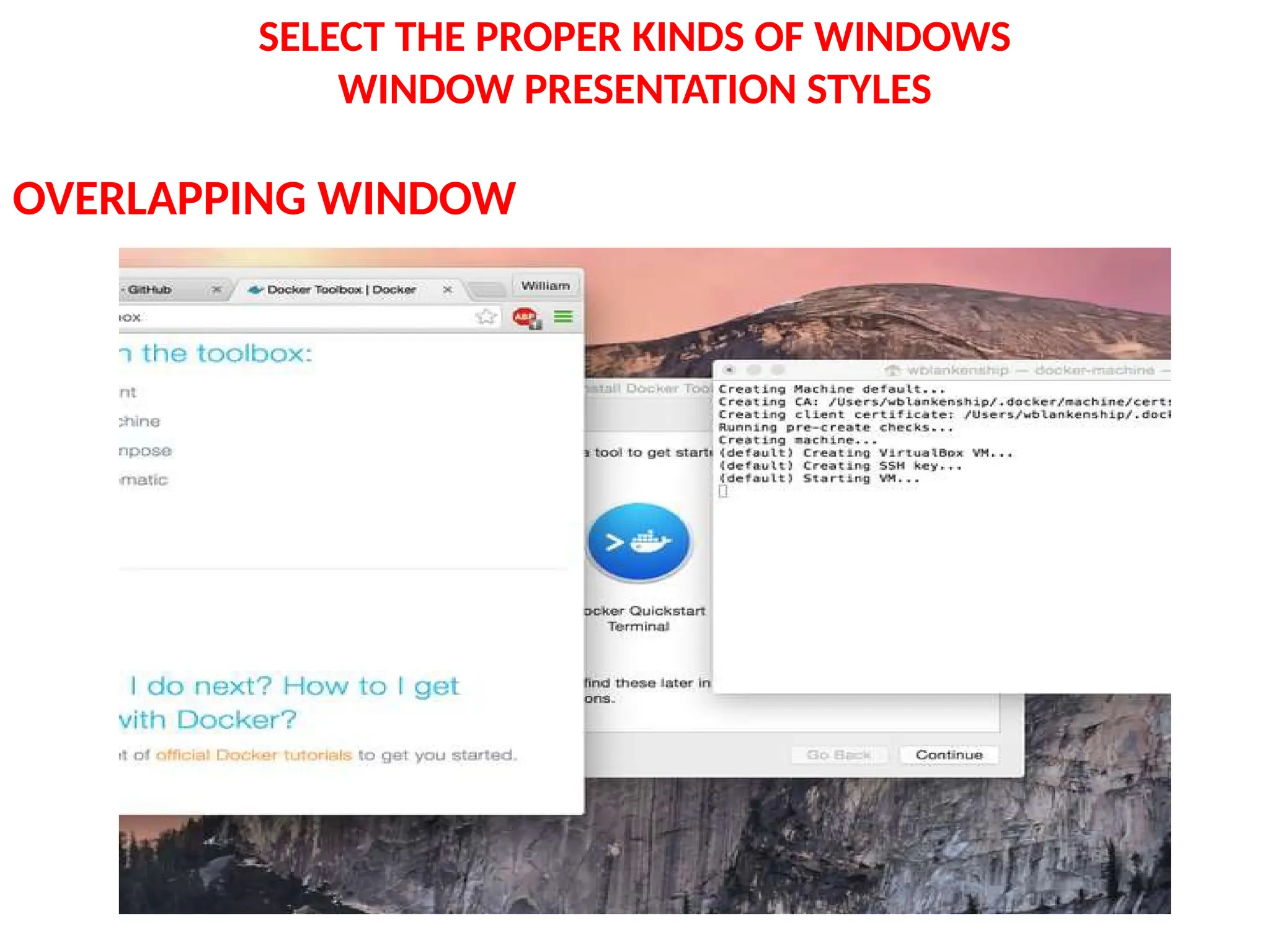
OVERLAPPING WINDOW
SELECT THE PROPER KINDS OF WINDOWS
WINDOW PRESENTATION STYLES
OVERLAPPING WINDOW
• Windows are placed on top of one another
like papers on desk.
• Commonly used style of view.
• We can choose the location
• Can maintain larger size.
• Maintain consistent size and position
• Better user performance
Disadvantages:
 windows themselves can be lost behind other
windows
SELECT THE PROPER KINDS OF WINDOWS
WINDOW PRESENTATION STYLES
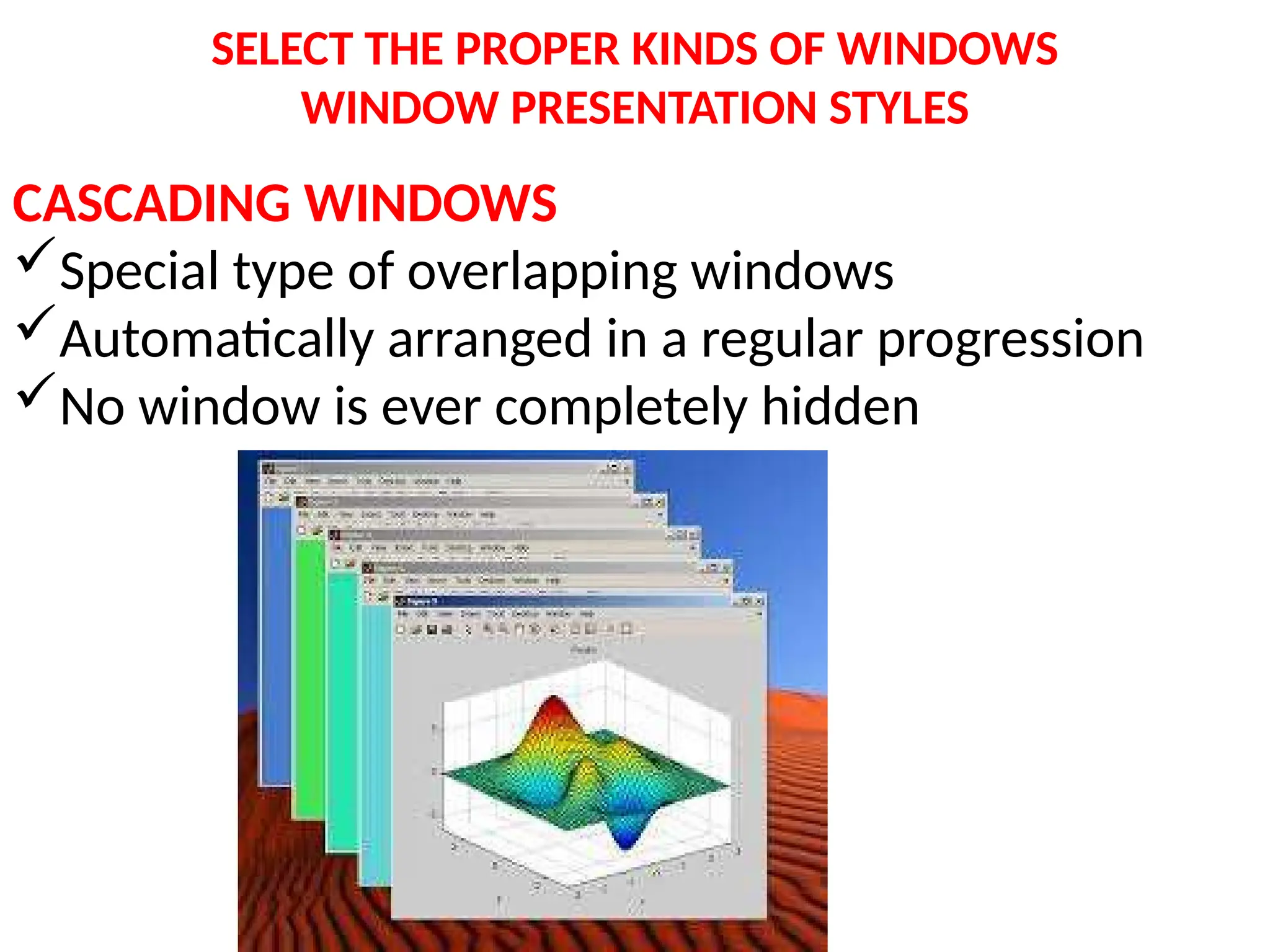
CASCADING WINDOWS
Special type of overlapping windows
Automatically arranged in a regular progression
No window is ever completely hidden
SELECT THE PROPER KINDS OF WINDOWS
WINDOW PRESENTATION STYLES
HOW TO PICK ONE STYLE???
• Use Tiled Windows for
Single task activities
Data that needs to be seen simultaneously
For inexperienced users
• Use Overlapping Windows for
Switching between tasks
For experienced users
SELECT THE PROPER KINDS OF WINDOWS
TYPES OF WINDOWS
PRIMARY WINDOW(PARENT WINDOW)
First Window that appears on a screen when
activity started
Application Window/Main Window
Should have independent functions
Use for presenting information that is
continually updated (date and time)
SELECT THE PROPER KINDS OF WINDOWS
TYPES OF WINDOWS
SECONDARY WINDOW
 Dependent secondary window
Independent Secondary Window
• Related to objects in primary window
•For performing supplemental activities.
DEPENDENT SECONDARY WINDOW
 It can only be displayed from a command on the interface
of its primary window.
 Secondary windows are closed, when the primary windows
are closes and hidden when their primary window is hidden.
SELECT THE PROPER KINDS OF WINDOWS
TYPES OF WINDOWS
INDEPENDENT SECONDARY WINDOW
• It can opened independently of a primary window
Eg: Properties in desktop
• A secondary window can be two types
 Modal
Modeless
• Secondary window is typically smaller than primary
window.
SELECT THE PROPER KINDS OF WINDOWS
TYPES OF WINDOWS
MODAL WINDOW
 Most Secondary windows will be modal
They will not permit interaction with another window until
the current dialogue completed.
Modal dialogue boxes typically request critical
information.
MODELESS WINDOW
 A dialogue box permits the user to engage parallel
dialogue boxes.
•Multiple secondary windows needed to complete a
task may be presented in two forms
CASCADING
UNFOLDING
SELECT THE PROPER KINDS OF WINDOWS
TYPES OF WINDOWS
CASCADING
 It keeps original window displayed,
others are cascaded above that window
UNFOLDING
 It expands to reveal additional options.
SELECT THE PROPER KINDS OF WINDOWS
TYPES OF WINDOWS
DIALOGUE BOXES
To present brief messages
Command buttons usually include OK & CANCEL
Take short time to complete
PROPERTY SHEETS
 Most common way to present an object’s complete set of
properties in a secondary window.
Tabbed Property Page
Each set of properties is presented with in the window as
separate page.
 Command buttons include OK,CANCEL,APPLY
SELECT THE PROPER KINDS OF WINDOWS
TYPES OF WINDOWS
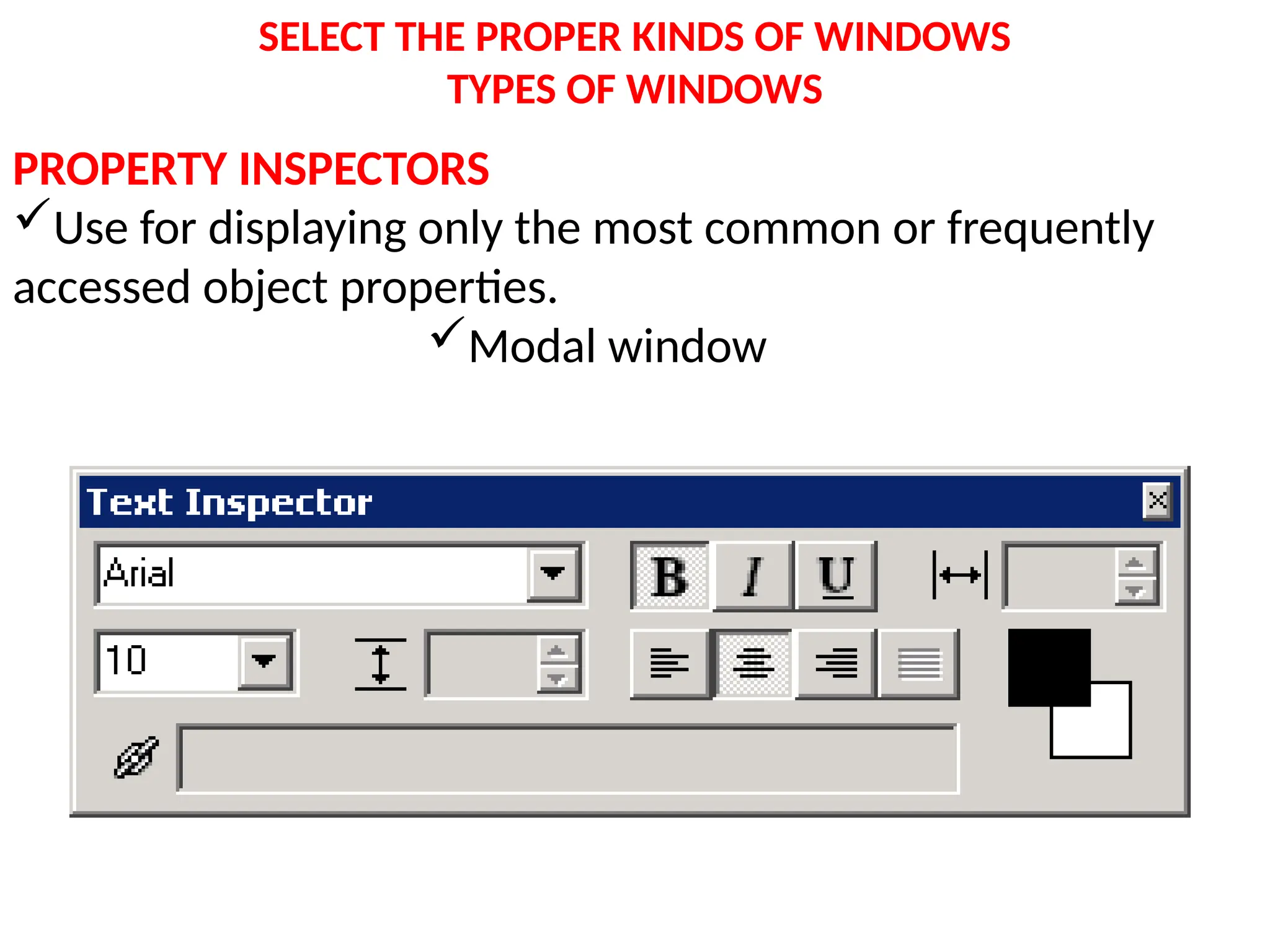
PROPERTY INSPECTORS
Use for displaying only the most common or frequently
accessed object properties.
Modal window
SELECT THE PROPER KINDS OF WINDOWS
WINDOW ORGANIZATION
Organize windows to support user tasks
• Use Primary window to start interaction
• Use Secondary window to extend interaction
– General Guidelines
• Easy to use and learn window operations
• Minimize no of window operations to achieve desired
effect.
• Make navigating between windows particularly easy
• Make setting up of windows easy
• A window should be made active from other windows
• In overlapping style, provide powerful commands to
arrange windows
SELECT THE PROPER KINDS OF WINDOWS
WINDOW ORGANIZATION
OPENING A WINDOW
• Provide iconic representation for each windows
• Position the window which should be adapted to
monitor
• Designate it as active window
• Ensure that title bar is visible
• When primary window is opened, position should be at
top.
• Window size should be optimum
SELECT THE PROPER KINDS OF WINDOWS
WINDOW ORGANIZATION
CLOSING A WINDOW
 Close a window when the user requests are closed
– If primary window is closed, also close all
secondary windows.
• Window shuffling must be easy
• Window actions should be capable of performing through
keyboard as well as mouse.
• Permit window to be maximized, minimized.
• When resize the window, content should be same
• Permit user to move windows and resize windows
• Change the pointer shape to indicate movement and
resizing
SELECT THE PROPER KINDS OF WINDOWS
WINDOW ORGANIZATION
WINDOWPLACEMENT
– Position the window so it is entirely visible
– Position the secondary window inside primary window,
horizontally below the title bar of primary window.

6.proper windowscomponenets.pptx 3.Phrasing the Menu.pptx in detail ppt to crack exams

  • 1.
    SELECT THE PROPERKINDS OF WINDOWS A window is an area of the screen that contains a particular view of some area of the computer or some portion of a person’s dialog with the computer. Content A window’s characteristics A window’s components A window’s presentation styles The types of windows available Organizing window system functions
  • 2.
    SELECT THE PROPERKINDS OF WINDOWS WINDOW CHARACTERISTICS • TITLE : To identify each window • HEIGHT AND WIDTH • STATE :Active/Non Active • VISIBILITY : The portion that can be seen. • LOCATION :Relative to display boundary • PRESENTATION: Arrangement in relation to other windows (Tiled/overlapping/Cascading) • MANAGEMENT CAPABILITIES: Methods for manipulation of the window on the screen • ITS HIGHLIGHT :The part that is selected • FUNCTION :Application dedicated for this window.
  • 3.
    SELECT THE PROPERKINDS OF WINDOWS Components of a Window •Frame (Border) •Title Bar •Title Bar Icon •Menu Bar •Status Bar •Scroll Bars •Split Box( Split Bar) •Toolbar •Command Area •Size Grip •Work Area
  • 4.
    SELECT THE PROPERKINDS OF WINDOWS COMPONENTS OF WINDOW FRAME Border ,usually rectangular in shape, It can be resizable by using control points . TITLEBAR (caption/caption bar/title area)  Top edge TITLE BAR ICON Right end : WINDOW SIZING BUTTONS Left end :short cuts to specific commands
  • 5.
    SELECT THE PROPERKINDS OF WINDOWS COMPONENTS OF WINDOW MENU BAR (Action bar) Horizontally at the top of window  provides basic and common application commands Pull down Menu under each Command STATUS BAR (Message Area /Message Bar) current state of what is being viewed in window. SCROLL BARS Standard control to support scrolling vertical scrolling : right end  horizontal scrolling : bottom end
  • 6.
    SELECT THE PROPERKINDS OF WINDOWS COMPONENTS OF WINDOW SPLIT BOX (SPLIT BAR ) A WINDOW can be divided into two or more separate viewing areas called panes TOOLBAR (COMMAND BARS) Arrays of choices/commands that must be accessed quickly Window dependent COMMAND AREA In some specific situations usually at the bottom of window just below the horizontal scroll bar
  • 7.
    SELECT THE PROPERKINDS OF WINDOWS COMPONENTS OF WINDOW SIZE GRIP It is special Microsoft window component  control to resize the window. at the right side of status bar. WORK AREA (CLIENT AREA) where the user perform tasks
  • 8.
    SELECT THE PROPERKINDS OF WINDOWS WINDOW PRESENTATION STYLES • Spatial relationship to other windows 1. TILED 2. OVERLAPPING 3. CASCADING WINDOWS
  • 9.
    SELECT THE PROPERKINDS OF WINDOWS WINDOW PRESENTATION STYLES TILED WINDOW • Oldest Type • Open windows are always visible in one pane, eliminating the possibility of them being lost . • Eliminating the possibility of information being hidden • Less complex than overlapping • Easier to develop
  • 10.
    SELECT THE PROPERKINDS OF WINDOWS WINDOW PRESENTATION STYLES
  • 11.
    SELECT THE PROPERKINDS OF WINDOWS WINDOW PRESENTATION STYLES • Disadvantages:  limited no of windows can be displayed  as the number of displayed windows increases, each window can get very tiny. The change in size is unpredictable Visually more complex Less user control
  • 12.
    SELECT THE PROPERKINDS OF WINDOWS WINDOW PRESENTATION STYLES OVERLAPPING WINDOW
  • 13.
    SELECT THE PROPERKINDS OF WINDOWS WINDOW PRESENTATION STYLES OVERLAPPING WINDOW • Windows are placed on top of one another like papers on desk. • Commonly used style of view. • We can choose the location • Can maintain larger size. • Maintain consistent size and position • Better user performance Disadvantages:  windows themselves can be lost behind other windows
  • 14.
    SELECT THE PROPERKINDS OF WINDOWS WINDOW PRESENTATION STYLES CASCADING WINDOWS Special type of overlapping windows Automatically arranged in a regular progression No window is ever completely hidden
  • 15.
    SELECT THE PROPERKINDS OF WINDOWS WINDOW PRESENTATION STYLES HOW TO PICK ONE STYLE??? • Use Tiled Windows for Single task activities Data that needs to be seen simultaneously For inexperienced users • Use Overlapping Windows for Switching between tasks For experienced users
  • 16.
    SELECT THE PROPERKINDS OF WINDOWS TYPES OF WINDOWS PRIMARY WINDOW(PARENT WINDOW) First Window that appears on a screen when activity started Application Window/Main Window Should have independent functions Use for presenting information that is continually updated (date and time)
  • 17.
    SELECT THE PROPERKINDS OF WINDOWS TYPES OF WINDOWS SECONDARY WINDOW  Dependent secondary window Independent Secondary Window • Related to objects in primary window •For performing supplemental activities. DEPENDENT SECONDARY WINDOW  It can only be displayed from a command on the interface of its primary window.  Secondary windows are closed, when the primary windows are closes and hidden when their primary window is hidden.
  • 18.
    SELECT THE PROPERKINDS OF WINDOWS TYPES OF WINDOWS INDEPENDENT SECONDARY WINDOW • It can opened independently of a primary window Eg: Properties in desktop • A secondary window can be two types  Modal Modeless • Secondary window is typically smaller than primary window.
  • 19.
    SELECT THE PROPERKINDS OF WINDOWS TYPES OF WINDOWS MODAL WINDOW  Most Secondary windows will be modal They will not permit interaction with another window until the current dialogue completed. Modal dialogue boxes typically request critical information. MODELESS WINDOW  A dialogue box permits the user to engage parallel dialogue boxes. •Multiple secondary windows needed to complete a task may be presented in two forms CASCADING UNFOLDING
  • 20.
    SELECT THE PROPERKINDS OF WINDOWS TYPES OF WINDOWS CASCADING  It keeps original window displayed, others are cascaded above that window UNFOLDING  It expands to reveal additional options.
  • 21.
    SELECT THE PROPERKINDS OF WINDOWS TYPES OF WINDOWS DIALOGUE BOXES To present brief messages Command buttons usually include OK & CANCEL Take short time to complete PROPERTY SHEETS  Most common way to present an object’s complete set of properties in a secondary window. Tabbed Property Page Each set of properties is presented with in the window as separate page.  Command buttons include OK,CANCEL,APPLY
  • 22.
    SELECT THE PROPERKINDS OF WINDOWS TYPES OF WINDOWS PROPERTY INSPECTORS Use for displaying only the most common or frequently accessed object properties. Modal window
  • 23.
    SELECT THE PROPERKINDS OF WINDOWS WINDOW ORGANIZATION Organize windows to support user tasks • Use Primary window to start interaction • Use Secondary window to extend interaction – General Guidelines • Easy to use and learn window operations • Minimize no of window operations to achieve desired effect. • Make navigating between windows particularly easy • Make setting up of windows easy • A window should be made active from other windows • In overlapping style, provide powerful commands to arrange windows
  • 24.
    SELECT THE PROPERKINDS OF WINDOWS WINDOW ORGANIZATION OPENING A WINDOW • Provide iconic representation for each windows • Position the window which should be adapted to monitor • Designate it as active window • Ensure that title bar is visible • When primary window is opened, position should be at top. • Window size should be optimum
  • 25.
    SELECT THE PROPERKINDS OF WINDOWS WINDOW ORGANIZATION CLOSING A WINDOW  Close a window when the user requests are closed – If primary window is closed, also close all secondary windows. • Window shuffling must be easy • Window actions should be capable of performing through keyboard as well as mouse. • Permit window to be maximized, minimized. • When resize the window, content should be same • Permit user to move windows and resize windows • Change the pointer shape to indicate movement and resizing
  • 26.
    SELECT THE PROPERKINDS OF WINDOWS WINDOW ORGANIZATION WINDOWPLACEMENT – Position the window so it is entirely visible – Position the secondary window inside primary window, horizontally below the title bar of primary window.